Customer Ratings & Reviews
- Model:
- CB314-1HT-C3ET
- SKU:
- 6529399
Rating by feature
- Battery Life
Rating 4.6 out of 5 stars
- Speed
Rating 4.4 out of 5 stars
- Display
Rating 4.6 out of 5 stars
Customers are saying
Customers love the Chromebook 314's touchscreen, ease of use, and affordable price. Many appreciate its long battery life and lightweight, compact design, making it perfect for portability. Positive feedback also highlights its smooth performance. Overall, the Chromebook 314 receives praise for its combination of features and value.
This summary was generated by AI based on customer reviews.
Had to take back to the store.
||Posted . Owned for 1 month when reviewed.This reviewer received promo considerations or sweepstakes entry for writing a review.The laptop started acting up, so I brought it back to the store for a refund. Customer service was really good and the refund process was easy,
No, I would not recommend this to a friendBrand response from TeamAcer
Posted .Dear BritneyW,
We are sorry to hear that you decided to return your newly purchased Acer Chromebook. Our support team is always available to assist with getting your new product set up and configured, or assist with any other troubles you may experience with your purchase. If you should need assistance with an Acer product in the future, please contact our support team at 1-866-695-2237, chat or social media, and we will be glad to help.
We appreciate you taking the time to write this review.
Regards,
Acer America
- Pros mentioned:Performance, Touch screen

Great tool for many
|Posted .This reviewer received promo considerations or sweepstakes entry for writing a review.Like so many questions in life, the answer to, “Do I need a Chromebook?” is “It Depends”. The [insert name] is a lightweight, very efficient, affordable machine that likely fits all/almost all the needs that A LOT of folks need from their “computer”. Context: I’m a lifelong PC user and, like many, have used one form of Windows-based laptop for the last couple decades of my work & personal life. What I like about the Chromebook: The fast start-up: it’s significantly faster than my older windows-based machines- just open the lid & go. My newer laptops are also pretty quick if opening from Sleep Mode, but do take longer if just starting up Chrome-based OS: I’ve been a Google/Gmail user for years, so the interface feels pretty familiar already & I’ve already got the ready-made account(s) to use Browsing: there is no/zero/zilch difference that I can discern between browsing on the [insert name] and any other computer Ergonomics: the 14” screen on the [insert name] and similarly-scaled keyboard is pretty much the same as my work laptop, so it “feels” pretty much the same Cost: The cost point of most Chromebooks means they may very well be a much better option for taking on vacation, throwing in a bag for a jaunt around town, etc. – times when risking the costlier laptop may not be something you’re willing to do KIDS: it seems that almost every school age child nowadays is already used to a Chromebook, the accompanying apps, web-based, apps, etc. The “It Depends” differences: My job/experience has made me heavily MSOffice dependent. There are online versions of most MSOffice products. I’ve tried them and they work fine. I’m just a little too old school, though, for saving and working on all my documents in the cloud. I like local files. The limited storage on most Chromebooks might even be enough for most of my needs, but there are some specific apps that I’m just used to using that require local storage and/or old school loading of programs All in all, the [insert name] performed flawlessly, efficiently & comfortably at everything I asked it to do. For someone who knew they wanted a Chromebook, I’d recommend 100%!
I would recommend this to a friend Not for Windows
||Posted . Owned for 2 weeks when reviewed.This reviewer received promo considerations or sweepstakes entry for writing a review.Not Window compatible or friendly. Needed it to work remotely and it wasnt budging. Now good at all for Windows
No, I would not recommend this to a friendBrand response from TeamAcer
Posted .Dear Kathy,
This is correct in that this device is not compatible with Windows. Chromebooks run the Chrome operating system and are different from Windows laptop products in that they are designed to be used primarily while connected to the Internet, with most applications and documents living in the cloud. Because of this they don’t have much for on board storage but they also are not expensive either. Chromebooks run off apps like an Android phone or tablet so you cannot download and install applications or .exe files. If you need to use third party software applications that must be installed on the computer, a Chromebook is likely not for you, where a Windows laptop would suit you better. If you need help with your Chromebook please feel free to contact our support team at 866-695-2237; they are available to assist 24/7 for in-warranty products.
Regards,
Acer America
Not very good
||Posted . Owned for 1 month when reviewed.This reviewer received promo considerations or sweepstakes entry for writing a review.It blacked out after a month of limited use. It is currently at Best Buy for repair. Do not recommend.
No, I would not recommend this to a friendBrand response from TeamAcer
Posted .Dear MelonyL
We are sorry to hear your Acer Chromebook required repair for the SSD, however we are glad you were able to take advantage of the manufacturer's warranty to get this resolved. If you should need technical assistance in the future, please feel free to contact our support team at 866-695-2237. Your input is very important to us as we are always looking for ways to improve our customer's experience. We appreciate you taking the time to write this review.
Thank you,
Acer America
Slow
||Posted . Owned for 1 month when reviewed.This reviewer received promo considerations or sweepstakes entry for writing a review.I would not recommend for work. It is slow and not capable of keeping up.
No, I would not recommend this to a friendBrand response from TeamAcer
Posted .Hello Mariel,
Thank you for taking the time to leave a review on your Acer Chromebook. We are sorry to hear that the product did not meet your expectations, and we want to work with you to see how we can help improve this experience. If you are in the US or Canada, please feel free to contact our support team at 866-695-2237; they are available to assist 24/7 for in-warranty products.
Regards,
Acer America
- Pros mentioned:Performance, Touch screen
Good quality and specs for price range.
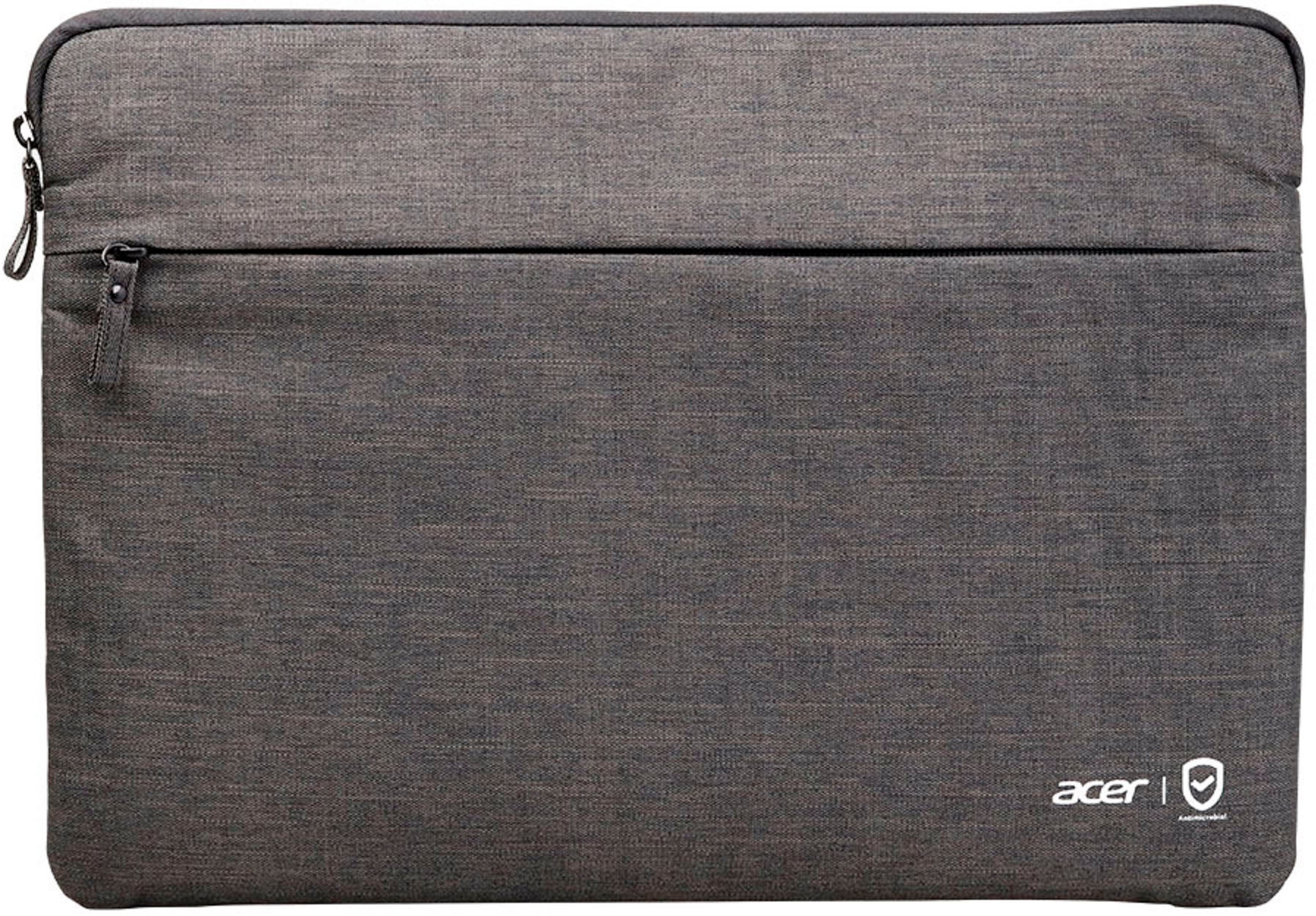
|Posted .This reviewer received promo considerations or sweepstakes entry for writing a review.Unboxing the Acer - Chromebook 314 Laptop 14” Full HD Touch IPS - The laptop looks and feels well made and expensive looking. The unit also came with a nice case to hold power cord and additional small items. The laptop is touch screen, it was very responsive and no issues experienced with sensitivity. The keyboard was a little loud when typing but not a deal breaker. The touchpad was large and responsive and was adjustable. Speakers were located at the bottom and sound quality was an expected for a laptop in this price range, the resolution not as sharp but was typical for a laptop in this price range as well. This is an entry level laptop great for a kids first laptop or as a back up laptop just to use to browse the internet, small scale productivity and to watch videos and movies. All hardware is entry level specs but don’t be fooled, the performance is not compromised. There was not lag or delays when streaming videos. It is a Chromebook and has enough power to handle all the basic computer needs of internet browsing, videos. One great feature is if you are an android user, you can integrate all your accounts and view on laptop. Overall, great laptop for the price range and would highly recommend as a first laptop.
I would recommend this to a friend Laptop is locked up
||Posted . Owned for 3 weeks when reviewed.This reviewer received promo considerations or sweepstakes entry for writing a review.Not even had a month and is locked out I am upset I will be returning it
No, I would not recommend this to a friendBrand response from TeamAcer
Posted .Dear TrulaC,
We are sorry you are having trouble with your Acer Chromebook, and we want to work with you to see how we can help improve this experience. If you are in the US or Canada, please feel free to contact our support team at 866-695-2237; they are available to assist 24/7 for in-warranty products.
Regards,
Acer America
Junk
||Posted . Owned for 8 months when reviewed.This reviewer received promo considerations or sweepstakes entry for writing a review.Piece of crap. Locked up after 6 months. Dont buy it
No, I would not recommend this to a friendSucks
||Posted . Owned for 3 weeks when reviewed.This reviewer received promo considerations or sweepstakes entry for writing a review.Sucks. Sucks sucksssssssssssssdddddd suckssssssass
No, I would not recommend this to a friendBrand response from TeamAcer
Posted .Dear Tofik,
Thank you for taking the time to leave a review on your Acer Chromebook. We are sorry to hear that the product did not meet your expectations, and we want to work with you to see how we can help improve this experience. If you are in the US or Canada, please feel free to contact our support team at 866-695-2237; they are available to assist 24/7 for in-warranty products.
Regards,
Acer America
- Pros mentioned:Battery life, Touch screen
Great Chromebook for a reasonable price
|Posted .This reviewer received promo considerations or sweepstakes entry for writing a review.This is my 4th Acer Chromebook. I have been very happy with all of them, this one is no different. Like all Chromebooks, set up is a breeze. Turn it on and enter your Google id and password and you are working. Display is very crisp. I can have many tabs open at once and it does not slow it down. Touchscreen is very responsive and works well. I can use all the various Google apps such as sheets, docs etc. when I am working on different projects. It is very nice that you can now use all the apps from the play store with your Chromebook. The only drawback is that a number of them are not optimized for using with a laptop and you have to resize them to make them useful. Battery life is awesome, I can get a full 9-10 hours out of a single charge. would prefer that that charging cable was like my last Chromebook that just had a wall wart that you could plug the usb-c cord into. This one still has a 2 piece cord that does take up space, but I can still fit the cord and my bluetooth mouse in the sleeve that comes with the Chromebook. It also can be charged on either side with usb-c which is very handy and you can also charge another usb-c device while charging this one. Overall I am very satisfied with this unit and highly recommend it for the price point.
I would recommend this to a friend - Pros mentioned:Battery life
Bare bones and worthwhile
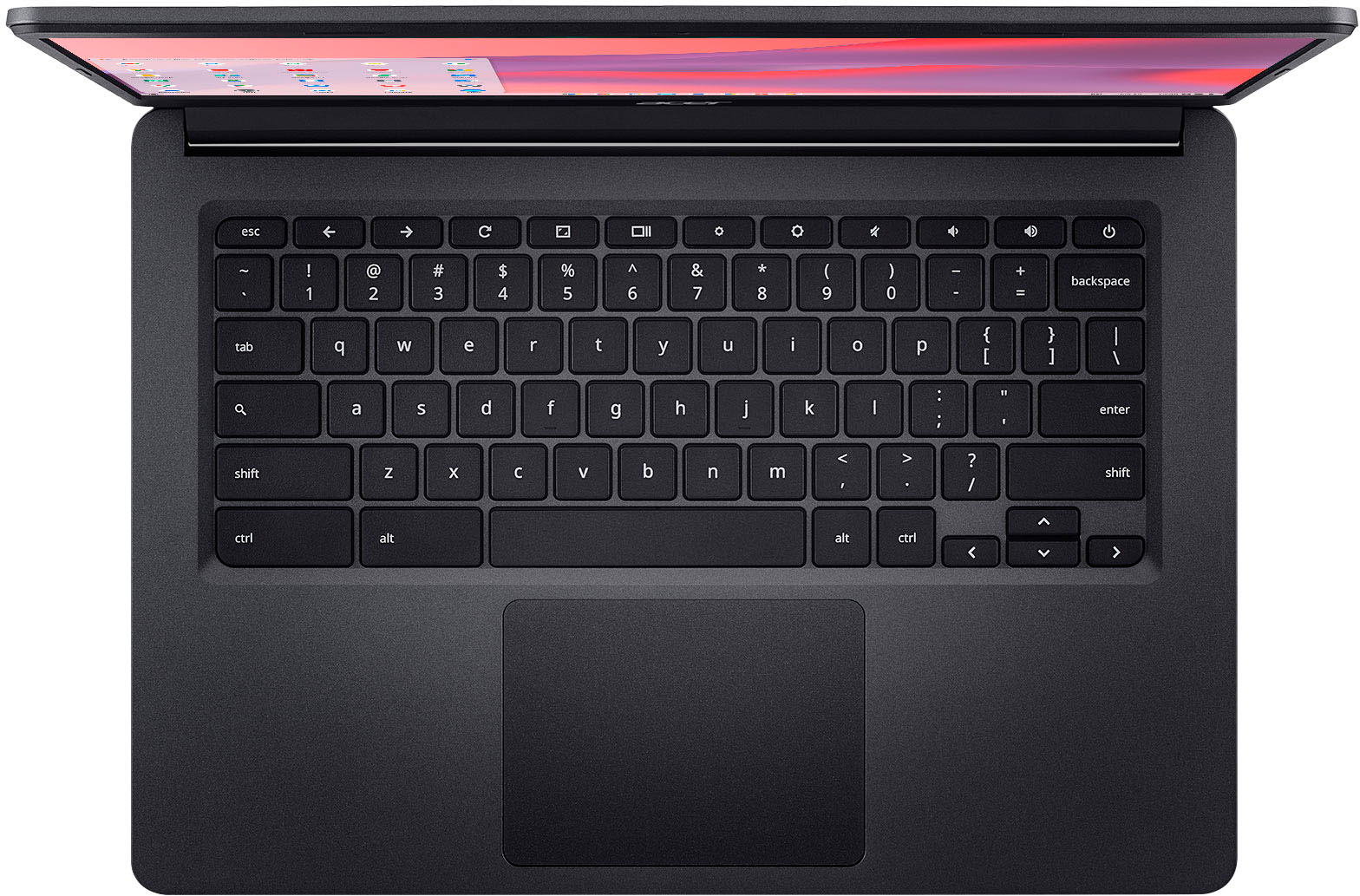
|Posted .This reviewer received promo considerations or sweepstakes entry for writing a review.I’ve had all kinds of laptops in my lifetime, probably a dozen or so from Zenbooks to MacBooks to gaming laptops to the old thick ones that felt like you’re carrying an encyclopedia around, but this is my first Chromebook and I’m quite pleased so far. Out of the box, this is nothing spectacular. It looks like most laptops, the packaging was a lot of basic cardboard and nothing that felt “premium”, though this is not a premium laptop so it met packaging expectations. Startup was very quick as its just the laptop, some quick start instructions, and the charging cord that has a dual plug system like most computers where the wall plug goes to a brick and a separate plug goes from the brick to the laptop. No problem and nothing complicated. Upon startup, I realized I wasn’t in Kansas anymore. Everything is google branded and tied through Google branded products. You’ll sign in or sign up with your Google account (though you can seemingly browse as a guest), then link your Google products, this seems to be a bigger bonus to Android users, and then once in you can link your Chrome history, data, attach your Gmail, etc. Long story short it is understandably heavy into Google. As a man who doesn’t have an Android nor Gmail account, there was some steps to skip and I maybe started to feel like I was missing out on some corporate synergy but not all was lost as I still had a Google account to sign into, but either way we were off to the races. The laptop is quite light and uses a USB-C plug as opposed to a traditional auxiliary type power. Why? Not sure but I’d speculate it can give users more options as the laptop isn’t overly powerful and many of us have USB-C cords laying around and already plugged in, thus giving your laptop a lot more freedom besides just being connected to a wall when need of a charge. Battery life seems plentiful at 12 hours, which is always variable based upon what you’re running as the brighter, media streams will drain the battery tons faster than a word document with the lights dim. A few cons that I’ve noticed so far is the screen is only 1080p while pretty much everything worthwhile nowadays should be able to showcase up to 4k. The speakers are at the bottom which is a very poor design I’ve seen across multiple laptops. Sure, you’re less likely to spill into them and ruin the speakers but now as the speakers sit on a desk or floor, they sound awful and quite muffled. Another interesting note that I’ve only seen on this laptop is there’s a “search” key on the keyboard, yet that search key has replaced “caps lock”. I know a lot of the younger generation choose to shift while typing as opposed to caps lock, but it’s still a left field concept that can also be changed in the settings to assign the key another function (such as “Caps Lock”) There’s a camera on the laptop which seems to come across well, but haven’t tested it alongside outgoing audio yet. Either way, I do recommend this especially at the value it’s sold at. The vast majority of everyone will use their laptop to browse the web, check email, and do light work. This is capable of all of that and then some, especially if you’re heavy into Google products and have an Android, the seamless use would be huge. If you’re looking for a lightning fast gaming laptop with incredible sound and picture and performance look elsewhere.
I would recommend this to a friend - Pros mentioned:Battery life
A good laptop to try out Chrome OS with!
|Posted .This reviewer received promo considerations or sweepstakes entry for writing a review.The Acer Chromebook 314 is a good laptop to use for basic internet browsing and tasks with awesome battery life that is comparable to that of a tablet with all of the same things you'd expect in a tablet in terms of apps from the Google Play Store. It is super light and seems durable enough to survive being tossed into a backpack and taken out and about. In fact, it does come with a nice case that has a zippered pocket for the charge cord or other accessories which is a nice bonus. Performance wise, this laptop is somewhere in the bottom to middle where most tasks/apps are executed smoothly and quickly but it's clear when loading some apps and the browser that they sometimes take a second to load depending on what it is you're loading. Videos play smooth and overall it seems to work as it should once you get used to the occasional split second delay loading some things. The display is bright and crisp and actually has a decent viewing angle and both text and video look good. The IPS Panel in this laptop is actually pretty good. The keyboard and touch pad are responsive and I find it easy to type on even for longer durations. I do wish that the keys were backlit and that it had a fingerprint sensor to unlock like your phone does. But if you have an Android phone, and have it nearby Google has a nifty feature that allows your Chromebook to be unlocked if you have unlocked your phone when it's nearby. That same feature allows your Chromebook to communicate with your phone so you can even use your phone's internet connection on the go (assuming your carrier supports that) which is pretty cool. The way Google integrates that feature makes it easy to use too where it's as easy as turning on the Wifi and telling it to use your phone's internet connection. The one thing on this laptop that was truly a negative was the speakers without a doubt, they work but they sound terrible. They will work good for conference calls but don't expect any cinema type sound from these speakers, in fact you're probably better off to use headphones in either case. The webcam is decent and is great to have for conference calls/web meetings. As a bonus, ChromeOS does let you load and launch many Android apps just like you'd be able to on a tablet which is a huge plus. Some other strengths this laptop brings to the table is the USB-C connectivity which it also uses for charging. There's also a microSD so you can easily add local storage for local access to photos and files. I'd recommend this laptop for anyone who needs something that's simple, is instant on and ready to go for tasks like browsing the web or using apps from the play store. It'd be excellent for school and be a great to have just kicking around in the car or wherever you go for access wherever you are. I
I would recommend this to a friend - Pros mentioned:Touch screen
Great Entry Level laptop for Chromebook.
|Posted .This reviewer received promo considerations or sweepstakes entry for writing a review.Acer Chromebook 314 Laptop is pretty good giving you the basics of a Chromebook at a great price. Nothing is out of the ordinary here as this is just a standard Chromebook that you can use for everyday use. The screen is great enough to look at for a Chromebook. It's a 1080p screen that is ideal for content and everyday use. Doing homework and typing on the screen was big and crispt enough to see. The 14-inch screen gets really bright when you turn up the brightness and gets low enough not to disturb anyone next to you. Web browsing, YouTube, Netflix, and Hulu all look amazing on the vibrant screen. Design is nothing out of the world here. The clamshell design with the lid closing is akin basic laptop design. The keyboard is nice and clicky and the material around the laptop does feel nice. Don’t expect a whole lot out of this machine as it’s pretty much an entry-level Chromebook for anyone to enjoy or get on the Internet. There are USB-C ports, and there are USB ports, as well as a headphone jack and a micro SD card reader for a bit of expandability. Overall device does the job well and gets you on the Internet pretty fast using Chrome. The trackpad isn’t very good and feels very cheap but it does get the job done without a mouse. Sound, but the speakers will have you use a speaker or headphones. it's not a very good-sounding speaker with no bass at all from them. I would definitely recommend this to anyone who just needs something for school or light web browsing. It’s definitely a good device and comes with a Webcam. All the basic needs are here so the Chromebook 314 delivers on all fronts. It’s a solid device with Chrome OS.
I would recommend this to a friend - Pros mentioned:Battery life, Ease of use
Perfect for what I need
Posted .This reviewer received promo considerations or sweepstakes entry for writing a review.Easy to use, lightweight. Charge lasts for days. I am happy with it
I would recommend this to a friend - Pros mentioned:Battery life
Sharp display, good battery life
Posted .This reviewer received promo considerations or sweepstakes entry for writing a review.Excellent for price - especially if purchased on sale. Screen is bright and sharp at 1080P FHD, touchpad is smooth, and clicks work well. Keyboard has reasonable travel, typing is responsive. The lack of a backlight does make it necessary to have light on the keyboard while typing. The Chrome OS seems to run well, even with the relatively low power processor, and only 4Gb ram. Good choice for students, or anyone needing a lightweight laptop with good battery life and portability. The reason for only 4 stars is the lack of keyboard backlight, and with only 64Gb SSD, no micro SD port for extra storage.
I would recommend this to a friend Great Quality and Great Value!
Posted .This reviewer received promo considerations or sweepstakes entry for writing a review.Great Chromebook at a great value! This is a very lightweight, fast and powerful chrome book that is suitable for home, school and travel.
I would recommend this to a friendChromebook experience with a HD screen
|Posted .This reviewer received promo considerations or sweepstakes entry for writing a review.My 12 year old relies on a Chromebook for school and we took a chance on upgrading the screen from his 12” non HD screen and WHAT A DIFFERENCE this new model makes! The first thing you notice is the construction, well built and what you come to expect from a brand like Acer. I like how the hinges work and feel that they will hold up under the abuse of life in 6th grade. The screen is the biggest noticeable difference and with HD resolution specifications everything looks better, including text for Google Classroom project work. For the size of this model, the weight is surprisingly light and the bonus case that it comes with was decent to put into a school backpack. The convenience of using the Chrome OS is great for middle school projects and satisfies all the needs/demands from a software perspective. It comes with the average amount of processing power, ram and storage space. Keyboard feels solid and I can type on it seamlessly from other layouts. Set up was simple and the first comments were “WOW, Look at this screen”. Battery life considering its a larger screen than we had previously actually increased to an advertised 12+ hours! That’s enough for several days of school use and only needs charging usually once a week. Only time will tell on how long battery life will be based on the amount of school work that requires this Chromebook. I also appreciate how many new devices use USB-C charging and it comes with a small wall charger. In addition to the keyboard, the trackpad works and performs nicely. The specs make zooming and other potential processing heavy tasks happen with little to no lag. Overall a really solid, larger screened Chromebook option that is a serious bargain compared to the price. Highly recommend!
I would recommend this to a friend- Pros mentioned:Touch screen
Awesome Chromebook
Posted .This reviewer received promo considerations or sweepstakes entry for writing a review.I like this Acer Chromebook!! It’s fast and the screen looks good! It does what I needed it to do….
I would recommend this to a friend Decent Chromebook
|Posted .This reviewer received promo considerations or sweepstakes entry for writing a review.If you have never used a chromebook, I highly recommend getting this one from Acer. While it may not be able to perform each and every function that a PC can do, it can certainly do a large majority of the things that a typical user would need. Being that it runs off the Chrome OS platform, it is integrated with all the apps for productivity, such a spreadsheet software, word processing software, and slide show software. This Acer has a nice black color and does look and feel like a sturdy device. It does not fold all the way back or transform into a tablet which is kind of a bummer. The keyboard is pretty standard. They really missed an opportunity to make it stand out a bit more due to not adding backlit keys. That would be great due to finding myself working in the dark frequently, but at the price point for this chromebook I guess it is not that big of a deal. The touch screen is nice and very responsive. The screen itself is plenty bright and looks great due to the Full HD and the 14" screen is big enough to complete work without feeling like you sacrificed screen size for portability. The computer loads fast and has great battery life. The chromebook also came with a zip up sleeve for storage which is nice to have for protection of your device. It also has a built in web cam on the top of the screen. I do not like that they did not include a privacy shield that can be slid over the camera. While it isn't the most powerful entry in the economy chromebook line, it is a decent chromebook that will allow you to stay productive on the go with access to all the apps and files you have in the cloud.
I would recommend this to a friend- Pros mentioned:Battery life
Goodbye Windows
Posted .This reviewer received promo considerations or sweepstakes entry for writing a review.This Acer Chromebook, has far and away exceeded my expectations. I have not felt slighted in any way, by using it instead of my windows 10 PC. For the casual user, with basic minimum needs it can't be beat. Windows 10 is running out soon. And my PC was running very, very slow. Considering the price difference between the two, it's a no brainer.
I would recommend this to a friend