Customer Ratings & Reviews
- Model:
- CB315-4H-C0BR
- SKU:
- 10917222
Rating by feature
- Battery Life
Rating 4.7 out of 5 stars
- Speed
Rating 4.5 out of 5 stars
- Display
Rating 4.6 out of 5 stars
to a friend
Good, not for me!
||Posted .This reviewer received promo considerations or sweepstakes entry for writing a review.It was ok, but I needed a better camera and this wasn't it for me. Great laptop, if you just need to send emails and do simple things online!
No, I would not recommend this to a friendnone, no title needed
||Posted . Owned for 3 weeks when reviewed.This reviewer received promo considerations or sweepstakes entry for writing a review.didn;t have windows 11 and I didn;t need a chromebook
No, I would not recommend this to a friendGreat for movies
||Posted .This reviewer received promo considerations or sweepstakes entry for writing a review.Great for movies and we surfing. Got a really great deal at the Best Buy outlet is why I picked this one specifically. I was looking at 10 inch tablets and this with it's 15 inch screen was cheaper than any tablet I was considering
I would recommend this to a friend
Affordable Entry Level Green Laptop
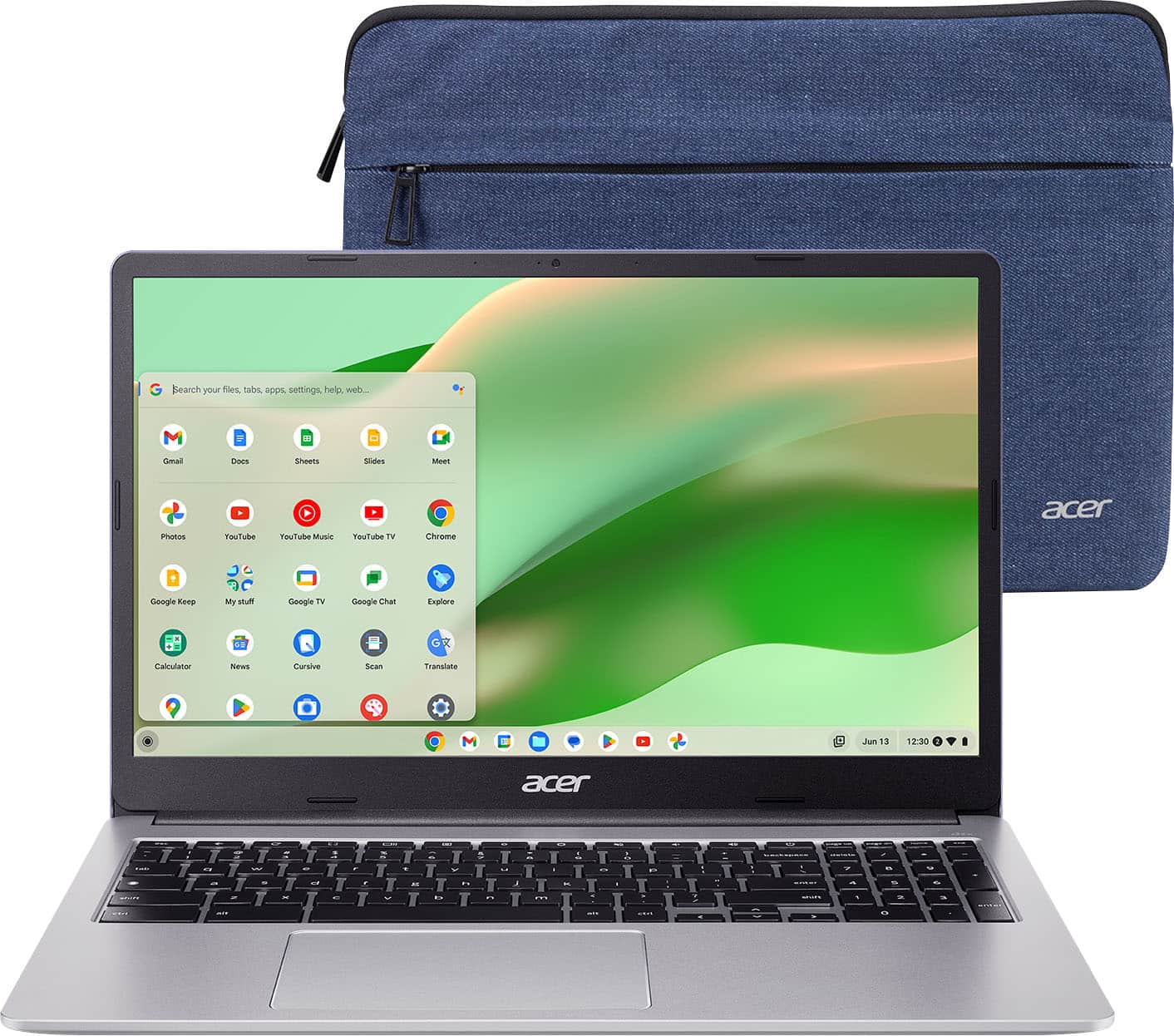
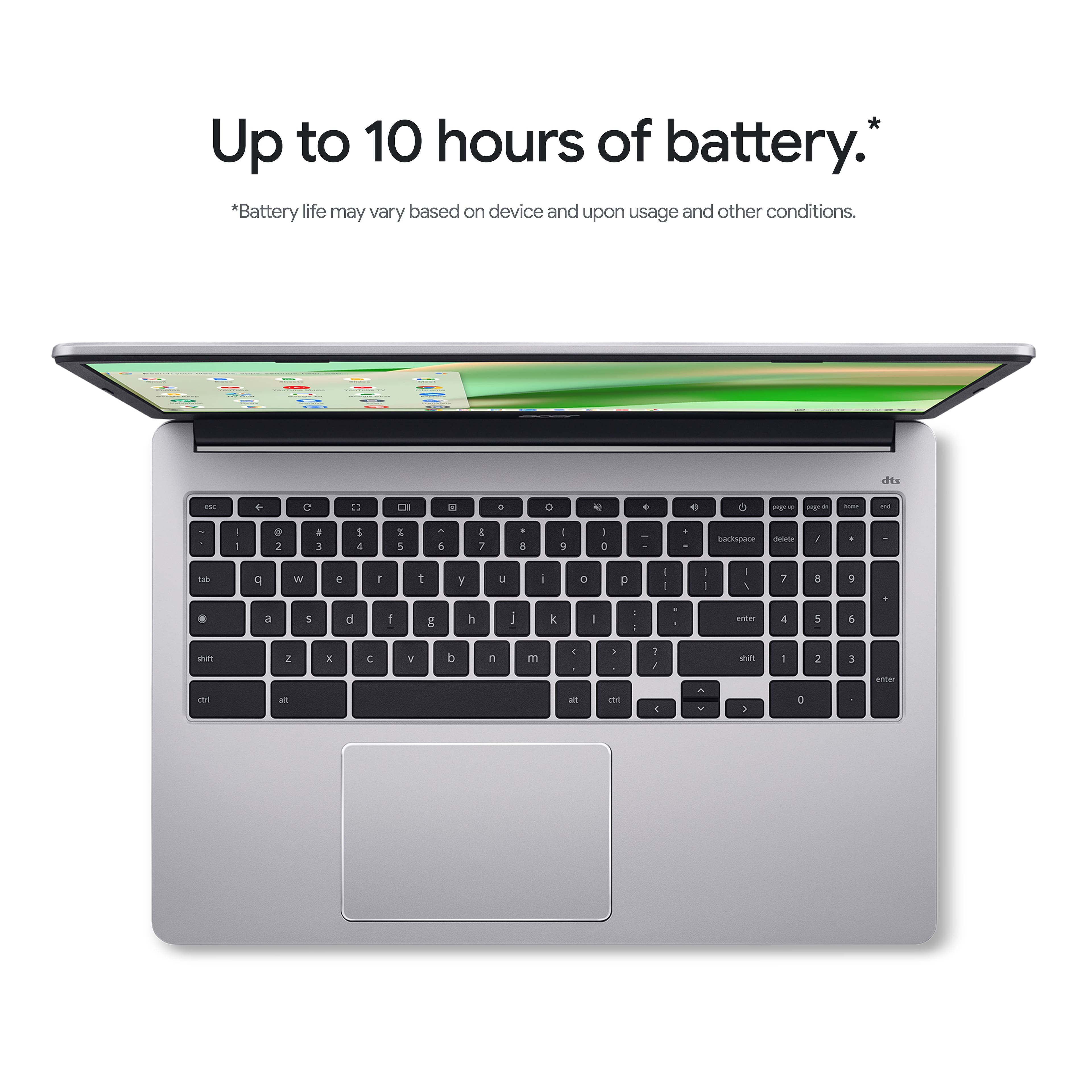
|Posted .This reviewer received promo considerations or sweepstakes entry for writing a review.The Acer Chromebook 315 is a good base level laptop that will get the job done for everyday use. I've found it useful for web conferencing, streaming YouTube videos and general web browsing, so it can be a nice secondary device, whether you want to use it as a travel companion or for light productivity. Its a great choice for the kids as well! Design & Build Quality: One of the strong features at this price is the 15.6-inch Full HD (1920 x 1080) display. The non-reflective panel makes it more usable in bright places since it has no reflections from sunlights and indoor lights and while it might not have the color accuracy compared to higher-end screens, It’s good enough everyday videos and calls. The Chromebook 315 also weighs in as backpack-friendly, despite its larger screen size, and the included protective sleeve is a nice bonus. The OceanGlass touchpad made from recycled plastic is a nice touch. It’s made from recycled ocean plastic, which not only provides a smooth and responsive experience, but also helps to reduce plastic waste in the ocean. Performance & Usability This Chromebook is powered by the Intel Celeron N4500 with 4GB RAM for efficiency, not power. It’s enough to handle basic web surfing, Google Docs and streaming, but those who need to multitask may find the 4GB RAM lacking. The eMMC storage of 64 GB is limited too, so you will need to use either cloud storage or an external drive for large files. The HD HDR webcam is a big highlight, providing for nice image quality on video calls. Along with dual built-in microphones and DTS Audio dual speakers, the laptop offers a complete conferencing experience. The sound is distortion free and speakers placement is pretty interesting, being under the laptop they could get blocked depending on what you use to rest the laptop on. Battery Life & Portability Equipped with up to 10 hours battery life, the Chromebook 315 can last throughout a full day of work or on a long-haul flight. Final Verdict All users who want a inexpensive, environmentally friendly laptop computer for web conferencing, streaming and standard productivity, consider the Acer Chromebook 315. You could use this on the go with its Full HD display, and decent battery life, and the onboard audio is great for hybrid workers and students. If you will be running more CPU/GPU-intensive applications, or need more storage, take a look at the higher RAM and SSD storage models. Pros: ✔ Antiglare Full HD display ✔ Working webcan and mic for video calls ✔ Clear Sound- DTS Audio ✔ an OceanGlassntouchpad made from upcycled materials. ✔ Protective sleeve included ✔ Excellent battery life Cons: ✖ 4GB RAM feels restricting for heavy multitasking ✖ 64GB eMMC storage can be lacking ✖ Underpowered for any demanding tasks (Celeron N4500) Acer Chromebook 315 — This is a strong contender to be the best inexpensive, travel-oriented Chromebook out there.
I would recommend this to a friendWorks Great for Everyday Tasks
|Posted .This reviewer received promo considerations or sweepstakes entry for writing a review.I've had the Acer Chromebook 315 for a few weeks now, and it's my daily work and everyday use driver. One of the initial things I appreciated was the Sparkly Silver finish—not just that it looks good, but it's also very resistant to fingerprints, so it continues to look like new. The 15.6-inch Full HD IPS display has clear, crisp imagery, and while it's not a touchscreen, the clarity and color quality more than compensate. To operate, Intel Celeron N4500 processor and 4GB RAM handle daily tasks with ease. I do not find it difficult to have several Google Chrome windows open simultaneously with Google Docs and emails without lagging. That it is not a gaming computer and not a workstation for heavy professional video editing does not matter because in web-based applications, streaming, and mobile productivity, it is perfect. I have also been impressed with the battery life—being able to get nearly ten hours on a single charge is a big bonus for my long days away from home. A nice bonus is also the protective sleeve that is included with the laptop. It is a snug fit and there is ample padding to make me feel good about throwing it into my backpack. I also like the lighter weight, as it eliminates back pain when I'm running around campus. Overall, the Acer Chromebook 315 has been a solid, budget-friendly option for someone who wants a larger screen and decent performance. I'm really glad that I ultimately purchased it.
I would recommend this to a friendNot bad for the price but not good either
||Posted . Owned for 1 month when reviewed.This reviewer received promo considerations or sweepstakes entry for writing a review.Not great but not bad. The definition of you get what you pay for. I would not recommend if you like to use storage on the hard drive instead of on the cloud. Runs a bit slow on high speed WiFi. I’m wouldn’t recommend for a student or anyone who keeps records, more so short content or emails. I did like that the screen didn’t cause eye strain. I did not try to stream on it. I wound up returning this item.
I would recommend this to a friendBrand response from TeamAcer
Posted .Dear Shanelle,
We are sorry to hear that you decided to return your newly purchased Acer Chromebook. Our support team is always available to assist with getting your new product set up and configured, or assist with any other troubles you may experience with your purchase. If you should need assistance with an Acer product in the future, please contact our support team at 1-866-695-2237, chat or social media, and we will be glad to help.
We appreciate you taking the time to write this review.
Regards,
Acer America
You're only a guest, not the owner.
||Posted . Owned for 1 month when reviewed.This reviewer received promo considerations or sweepstakes entry for writing a review.Forces you to put your private imformation If you don't, it only lets you log on as a guest.
No, I would not recommend this to a friendNice entry-level Chromebook by Acer
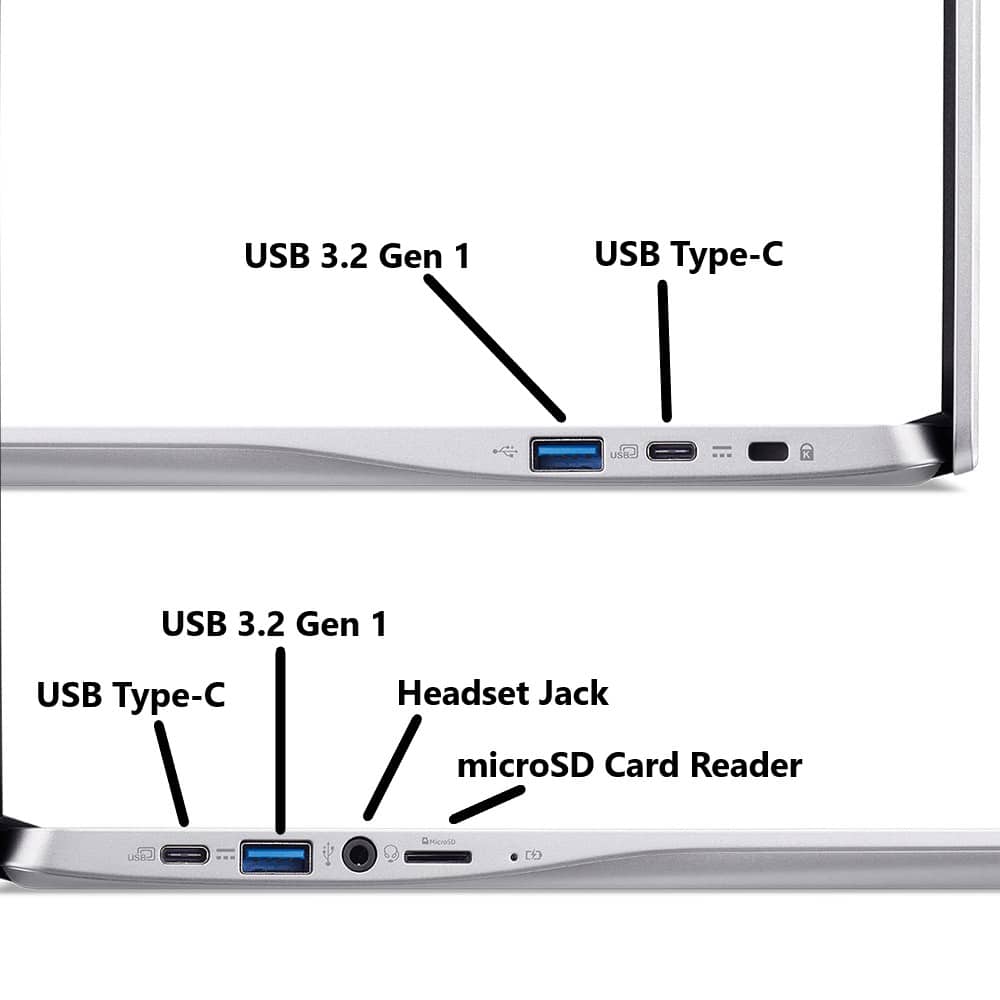
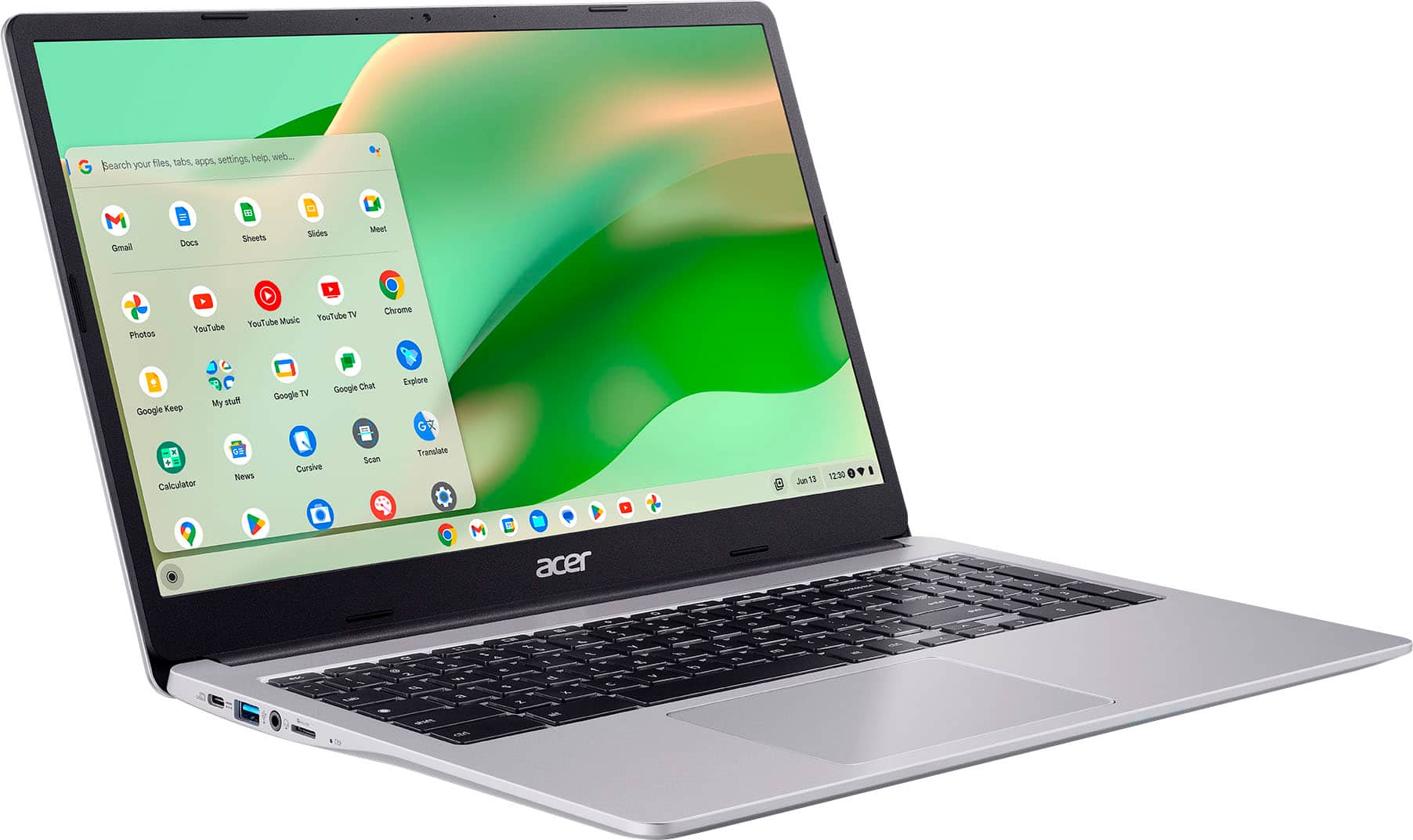
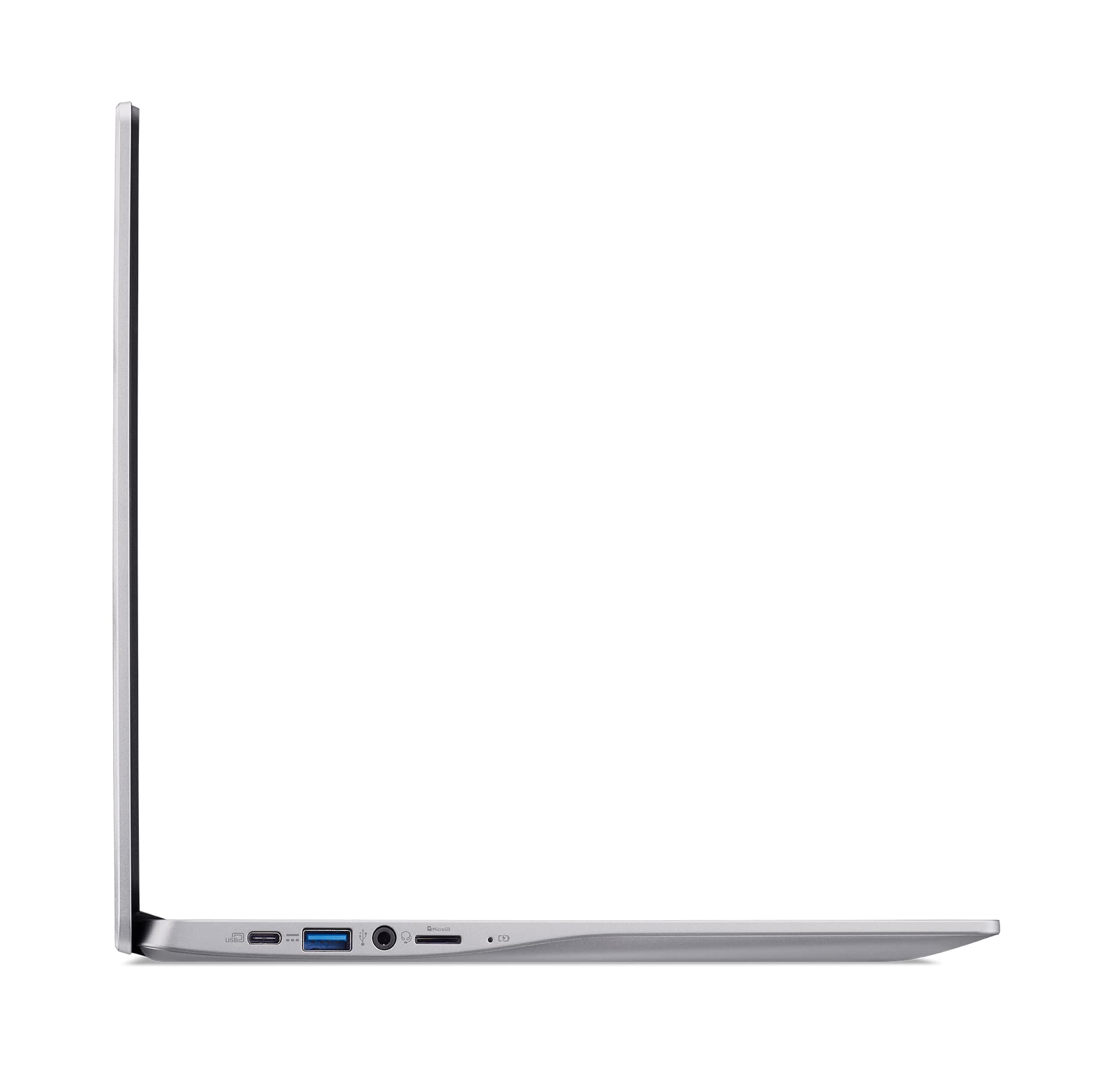
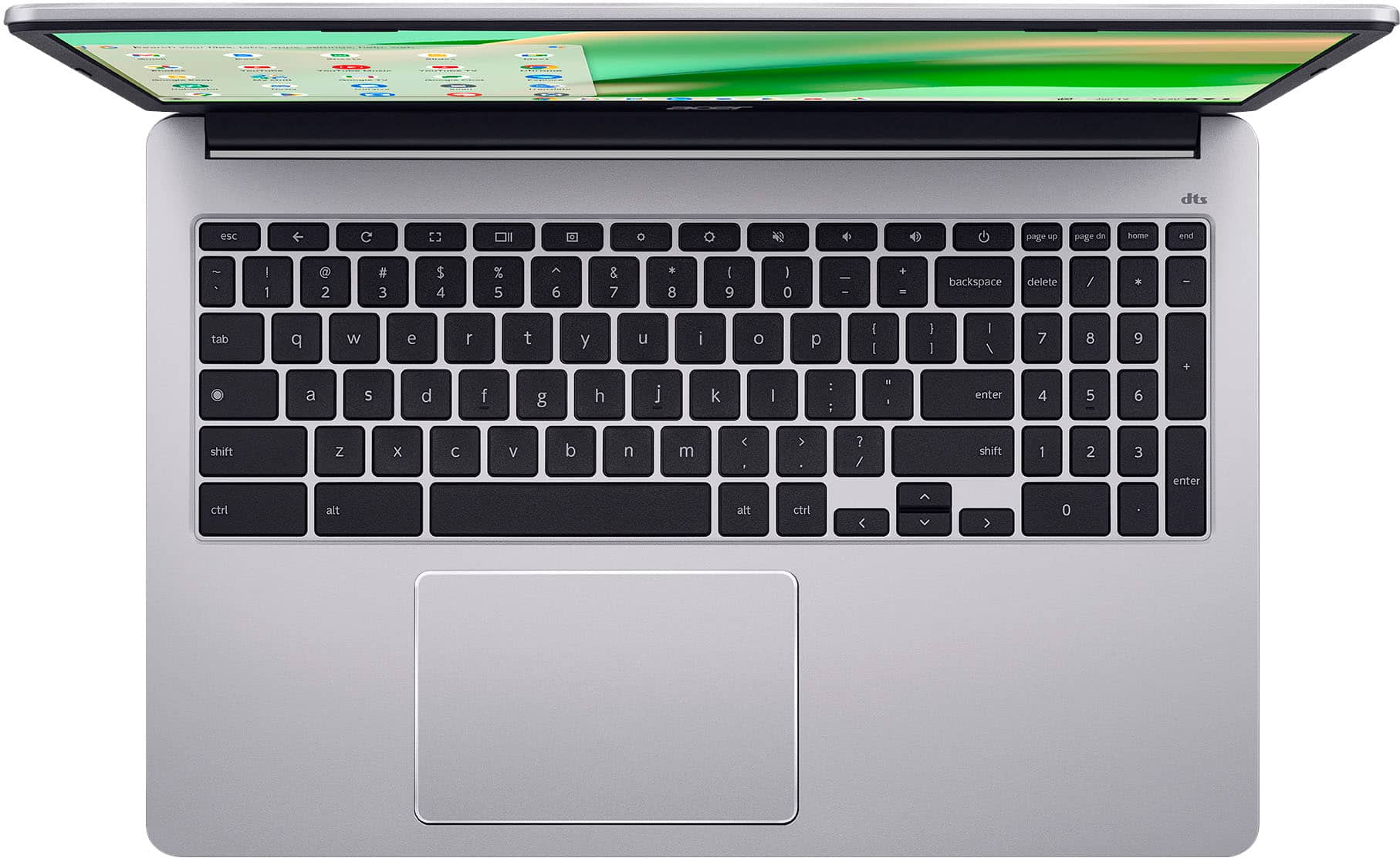
|Posted .This reviewer received promo considerations or sweepstakes entry for writing a review.The Acer Chromebook 315 15.6" HD Laptop with Intel Celeron N4500 is a nice looking, quality Chromebook, but temper your expectations. This is an entry level and budget friendly model. Basically, a Chromebook is optimized for working in the cloud. There is little storage space on the laptop itself - limited to 64GB, so you can see where cloud storage would be necessary. The RAM is limited to 4GB and I understand that cannot be upgraded. This is not the laptop you would want to use for heavy multi-tasking. Overall, this is great for browsing the internet, email, and streaming activities. If you are coming from a Windows PC, it is a relatively simple switchover to Chromebook. Personally, I am used to using Windows based devices so with this, of course, there is an adjustment to the Chrome OS. Windows programs cannot run on this, but there are some workarounds if you are willing to do that. Also, you are able to access and use Microsoft 365. Ideally, if you need to run Windows based programs, you would want to get a Windows PC. Chromebook runs on the Chrome Operating System - it is Google based which means it is set up to run all of your typical Google apps such as Gmail, Photos, Google Docs, etc. Thankfully, I am familiar with Google, so it makes the adjustment easier. Physically, this laptop is a good size at 15.6". It is the typical silver I see so often. It does have somewhat thin bezels which provides more screen area and to me, makes it look better. The keyboard is not backlit, but the wonderful thing here is that the keyboard has a numeric keypad! It is small but absolutely useable. That is such a convenience for me. It has an anti-glare screen which is nice. This has a nice size touch pad which is responsive. The resolution on this is Full HD 1920x1080, but, frankly, the resolution is lacking. No matter the adjustments I tried, the resolution is just not good. In order to get somewhat better contrast, I had to turn up the brightness very high and doing that made it difficult on my eyes! I was streaming an animated film and the picture provided was not crisp the way I would expect an animated movie to be. Connectivity-wise, this laptop has 2 USB-C and 2 USB-A ports, a micro SD card slot, headphone input and a place for a laptop lock. There is no HDMI port here, but you are able to cast or use a USB-C to HDMI adapter. The WiFi is good - it connected immediately for me and never has dropped. Streaming was not choppy nor pixelated. The battery charges quickly, which is good because at full charge it will last only up to 10 hours, about one day. I would just leave it plugged in except for travel and short-term use. It is quick to start from being "off". There is no real lag when going from one task to another. Upon signing into Google, I had immediate access to all of my Google files - mail, photos, documents - everything. Overall, the Acer Chromebook 315 15.6" Full HD Laptop with Intel Celeron N4500 is a budget-friendly entry into the world of Chromebooks. This would be great for homework, email, and definitely working in the Google realm. It is fairly easy to learn to use and just works well. Know that the end of use for this one is June 2031 - after that time, updates will no longer be provided. I would recommend this to anyone searching for a Chromebook, with the caveat that this is entry-level.
I would recommend this to a friendAnnoyed Customer
||Posted . Owned for 1 week when reviewed.This reviewer received promo considerations or sweepstakes entry for writing a review.Been waiting for my laptop for two weeks now. Only I keep getting is “package delayed” no more info giving when I inquire
No, I would not recommend this to a friendBrand response from TeamAcer
Posted .Dear Schy,
We are sorry to hear you never received your Acer Chromebook. We suggest you contact the reseller directly to inquire about this; they will be best able to help you with your order. If you should need technical assistance with an Acer product in the future, please contact our support team at 1-866-695-2237 and we will be glad to help. We appreciate you taking the time to write this review.
Regards,
Acer America
Don't recommend
||Posted .This reviewer received promo considerations or sweepstakes entry for writing a review.It's not a great laptop. Very slow and I have been experiencing glitches
No, I would not recommend this to a friendBrand response from TeamAcer
Posted .Dear Dbg12,
Thank you for taking the time to leave a review on your Acer Chromebook. We are sorry to hear that the product's performance is not meeting your expectations, and we want to work with you to see how we can help improve this experience. If you are in the US or Canada, please feel free to contact our support team at 866-695-2237; they are available to assist 24/7 for in-warranty products.
Regards,
Acer America
No scroll bars
||Posted . Owned for 3 weeks when reviewed.This reviewer received promo considerations or sweepstakes entry for writing a review.There are no scroll bars to check email on yahoo.com
No, I would not recommend this to a friendBrand response from TeamAcer
Posted .Not seeing a scroll bar on Yahoo Mail within your Chromebook's browser might be due to a few reasons, including browser settings, website design, or accessibility features. You can try enabling the scrollbar in Chrome settings, disabling extensions, or checking for accessibility features that might be hiding the scrollbar. We also suggest you post your question on the Acer community forum at community.acer.com. This is a very good peer-to-peer forum for questions and answers on Acer products.
Ultra Light 15" Chromebook, Ideal for Work/School
|Posted .This reviewer received promo considerations or sweepstakes entry for writing a review.The Acer Chromebook 315 is a 15" Full HD Chromebook that looks smarter, feels lighter, and is incredible value if you are in the Google ecosystem (Gmail, Docs, Drive). In my case, it was more than powerful and fast enough for a weekend long editing session of shared 150+ page Google Docs document for a college assignment, with multiple collaborators - making it perfect for work or school. What's in the box - Acer Chromebook 315 15" - USB C Charger - Denim-Feel Carrying Case - Instruction Leaflets Look and Feel Acer call the color "sparkly silver" but it's very much the normal silver you see on most laptops. So if you're worried it's glitter silver, it's not :-). What really strikes you when you pick it up is how light Acer 315 is, it's kinda of amazing that a 15" laptop can be this light - it's lighter than my 13" Windows laptop I use for work, which is mind blowing! Design wise, it has a very fruit-company like design, a large touchpad with no mouse buttons, there's a full numeric keypad, keys have a slight texture but are not backlit, display is 1080P and full HD - so sharp. I love that there are 2x USB A and 2x USB A ports, 1 of each on each side. There's also a headphone jack and a microSD reader. There's no fingerprint reader. Setup Setup is easy, plug in, turn on. The included USB C power cable is long. First use, after setting up WiFi took about 15min as it had update to latest version of Chrome OS. After that, it was a simple case of logging in with your Google credentials, set a PIN, and away you go! In Use - Speed and Battery Life The Acer 315 uses an Intel Celeron processor. This is ample for Chrome OS and you can still enjoy some basic games, and it's more than powerful enough for Zoom and Apple Music. There was no stuttering when I had multiple taps open (Google Docs, Google Slides, Gmail, Meets, and music in the background). I'm not sure about battery life, as I was using this corded on my kitchen table, but Acer rates the battery life at 10 hours. This is more than enough working in the morning, a break for lunch and a recharger, then a full afternoon of work. What's to love about the Acer 315 I love the lightweight. Still messes with my head that it's so so light. The screen size is great, I feel you can truly be productive on a 15" laptop. The included denim feel case is a nice tough, makes the Acer feel more premium. What would make it perfect. At this price point, it's hard to complain. A fingerprint reader would be nice - as at 15" screen size, I feel the laptop would make a great home laptop for sharing. I also prefer a fingerprint reader for security than a PIN. Otherwise, definitely worth buying and a great value if you're all in on the Google ecosystem.
I would recommend this to a friend150 for a reason
||Posted . Owned for 1 month when reviewed.This reviewer received promo considerations or sweepstakes entry for writing a review.Got this brand new and it lags when typing and opening new browser tabs. Truly the epitome of disposable laptops
No, I would not recommend this to a friendBrand response from TeamAcer
Posted .Dear LilyB,
Thank you for taking the time to leave a review on your Acer Chromebook. We are sorry to hear you are having some trouble with typing etc, and we want to work with you to see how we can help improve this experience. If you are in the US or Canada, please feel free to contact our support team at 866-695-2237; they are available to assist 24/7 for in-warranty products.
Regards,
Acer America
Zero help from Best Buy, yet again.
||Posted . Owned for 1 month when reviewed.This reviewer received promo considerations or sweepstakes entry for writing a review.Wanted to return this unit. Store would not allow. Wouldn’t allow store credit either. Done using Best Buy.
No, I would not recommend this to a friendGreat Chromebook, but No Touchscreen
|Posted .This reviewer received promo considerations or sweepstakes entry for writing a review.The Acer Chromebook 315 is very nice!! The large screen has a beautiful display and has a lot of vibrancy, the sound quality is very nice compared to most other chromebooks, the track pad works very well, and the keys are spaced out perfectly, helping to ensure that typing is effortless and smooth. I also appreciate how lightweight the laptop is, as well as the case it comes with. These two things make it easily transportable, and allows for you to be able to work with it pretty much anywhere. The charging cable is pretty long and easily collapsible and charges it very quickly. The camera is also surprisingly good. While it doesn’t compare to an actual camera or a phone, it is pretty high quality in comparison to most chromebooks. The setup process was very simple and easy to understand, and there are lots of different customization options when it comes to both the display and personalization. Overall I would give it about a 4 to a 4.5, simply because the lack of a touch screen is a little inconvenient and the overall size makes it difficult to fit in the average bag/backpack, however besides that it works well, has wonderful battery life, and has a stunning display.
I would recommend this to a friendChrome book
||Posted .This reviewer received promo considerations or sweepstakes entry for writing a review.Kind of pointless device, a cell phone is better, wasted my money.
No, I would not recommend this to a friendBrand response from TeamAcer
Posted .Hello GregoryM,
Thank you for taking the time to leave a review on your Acer Chromebook. We are sorry to hear that the product did not meet your expectations, and we want to work with you to see how we can help improve this experience. If you are in the US or Canada, please feel free to contact our support team at 866-695-2237; they are available to assist 24/7 for in-warranty products.
Regards,
Acer America
lappy
||Posted .This reviewer received promo considerations or sweepstakes entry for writing a review.system is very slow. hard to access thing,taking long time than usual,
No, I would not recommend this to a friendBrand response from TeamAcer
Posted .Dear VenkataakhilreddyD,
A slow and laggy Chromebook can be caused by various factors, including too many open tabs, outdated software, excessive extensions, and network issues. To improve performance, consider closing unnecessary tabs, clearing the browser cache and browsing data, and updating ChromeOS. Additionally, uninstalling unused apps and extensions, and checking your internet connection can also help. If you need help with this please contact our support team at 1-866-695-2237, chat or social media, and we will be glad to help.
We appreciate you taking the time to write this review.
Regards,
Acer America
Not worth it
||Posted .This reviewer received promo considerations or sweepstakes entry for writing a review.Just do your research before purchasing, it doesn't have most features you need
No, I would not recommend this to a friendBrand response from TeamAcer
Posted .Dear DaliahL,
We are very sorry to hear that your newly purchased Chromebook did not meet your expectations. We are constantly working to improve the designs and appreciate hearing directly from customers what they need and expect out of a product. We don't know what features you were looking for, but if you need any assistance with your Chromebook, don't hesitate to contact our support team at 866-695-2237 so we can help.
We appreciate you taking the time to write this review.
Regards,
Acer America
Overall good ‘big screen’ Chromebook
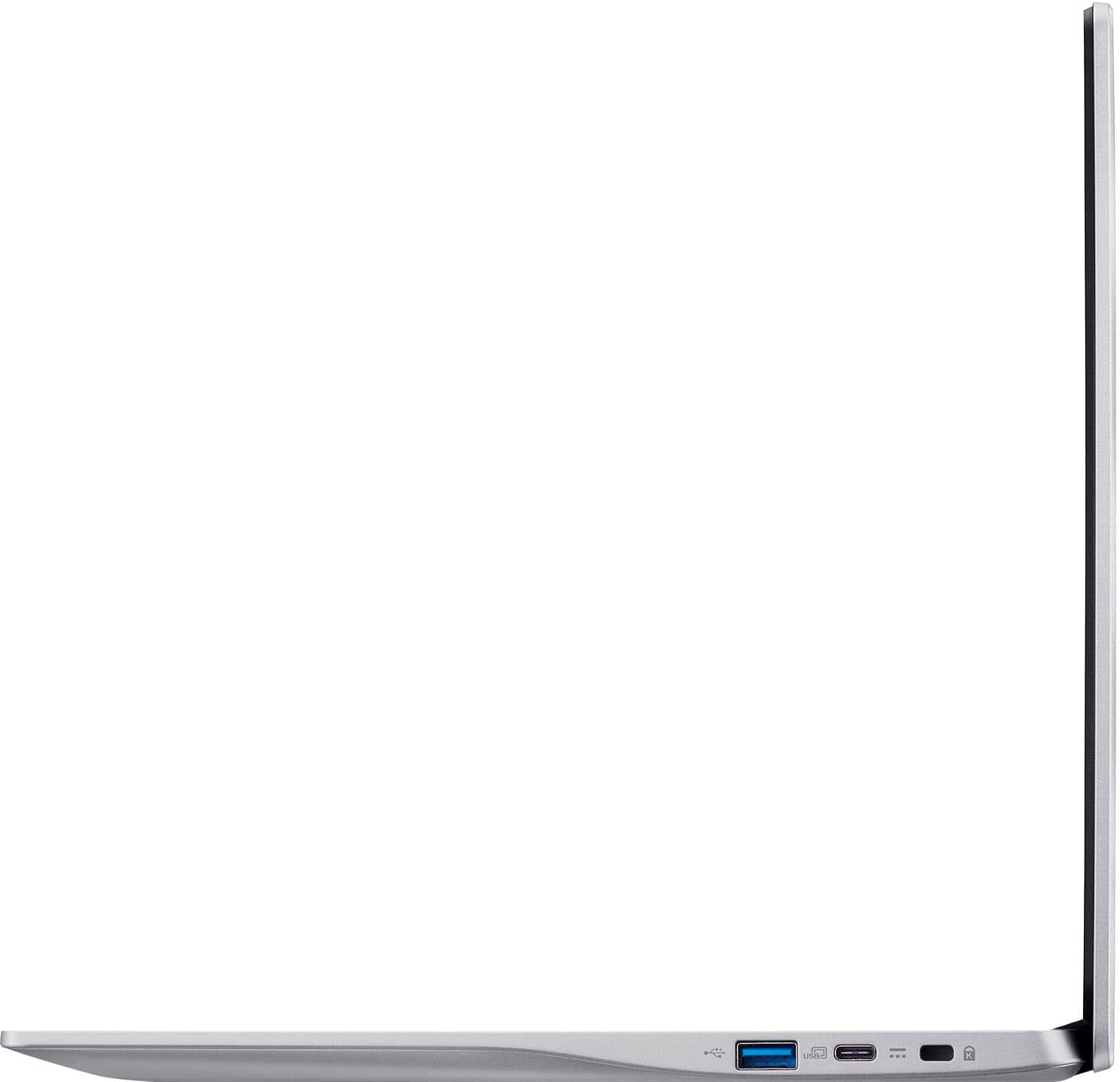
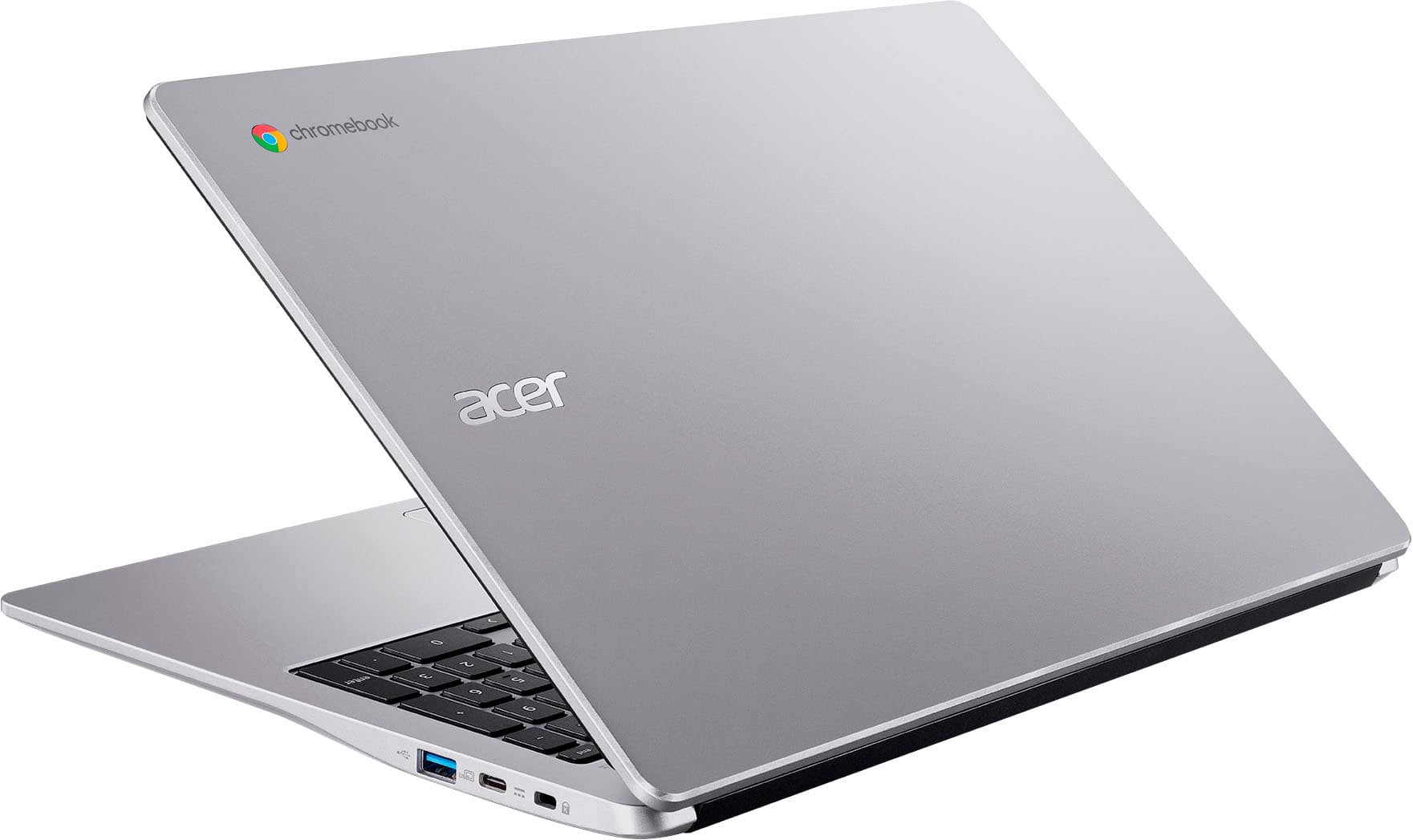
|Posted .This reviewer received promo considerations or sweepstakes entry for writing a review.The Acer Chromebook 315 shows up packaged just right. Minimalist packing material, just enough to keep it safe in transport but not wasting money and resources on bling. First physical inspection and the 315 looks like most Chromebooks I’ve had my hands on, silver/gray color, shiny finish, and a couple rubber feet on the bottom help keep it from sliding around. The body is smooth, and doesn’t show fingerprints, but is a little slick to hold on to. The lid opens nicely and feels solid and secure. You’ll find 2 USB ports on each side an A and a C. On the left side there is a micro SD slot, and the right side has a Kensington lock slot. The included AC power adapter is a 2 part power brick style. Pros and cons to this, the brick is big and has a separate AC power cable... But with that size you get 65 watts and a power cable that won't cover up 2 outlets when you plug it in. Another nice added touch, Acer included a padded sleeve case for the 315. Plug in the charger and power up the 315, we get into the setup. The setup went quick and simple, maybe 10-15 minutes, but with one caveat. I did get a error about something going wrong with google play setup, but I just let it run, rebooted, and never saw the error again After setup was done I was able to start customizing things to my liking and use the 315. My fingers feel at home on the keyboard and it feels good. The touchpad works and feels nice also. The 65w charger is ready for the task of a quick charge, I think I saw an estimate of 1 hour 30 mins to full from 20%. Battery life is all day no problem even with the big display. The display can get nice and bright, the colors pop and it has a good viewing angle, one of the best Chromebook displays I’ve had. The camera has a good quality image even under subpar conditions but I am a little disappointed there is no physical camera shutter. Watching YT videos, the sound quality is just ok, it can get fairly loud, but the quality won't blow your socks off, pretty average for mobile device speakers. Performance-wise the 315 seems about average for the price range, however, the Intel CPU feels a little slower than my Chromebook with the MediaTek processor. This also brings me to one last performance issue. The WIFI was acting a little strange. Side by side with my other current Chromebook, running speed tests. When you start the speedtest on the 315, 90% of the time, it would start slow (5mbs) and ramp up, sometimes to my max 250mb up and down that I pay for, sometimes it would only ramp up to 100mb. Back to back tests with my other name brand Chromebook, and the other one would instantly max out at 250+ every single time. I’m not sure if this is an issue with the WIFI chipset used in the 315, the drivers or what the cause was.. I suspect this might have been a contributing factor to this 315 feeling a little slower than my other brand Chromebook. So all in all mostly pro’s in my review with some minor cons. Overall a solid choice and 4 stars from me.
I would recommend this to a friendcrap
||Posted .This reviewer received promo considerations or sweepstakes entry for writing a review.crap, do not buy ! if i knew how bad it was you couldn't even give to me.
No, I would not recommend this to a friendBrand response from TeamAcer
Posted .Dear KeithK,
Chromebooks are different from Windows laptop products in that they are designed to be used primarily while connected to the Internet, with most applications and documents living in the cloud. Because of this they don’t have much for on-board storage but they also are not expensive either. Chromebooks run off apps like an Android phone or tablet so you cannot download and install applications or .exe files. If you need to use third party software applications that must be installed on the computer, a Chromebook is likely not for you, where a Windows laptop would suit you better. If you have questions on using your Chromebook please contact our support team at 1-866-695-2237, chat or social media, and we will be glad to help.
We appreciate you taking the time to write this review.
Regards,
Acer America