Year-End SaleEnds 1/1/26. Limited quantities. No rainchecks.

Skip to contentGo to Product SearchGo to Footer
Main Content

Customer Ratings & Reviews
Your price for this item is $149.00
The comparable value price is $299.00

Customer reviews

Rating 4.6 out of 5 stars with 436 reviews

Rating Filter

Rating by feature

  • Battery Life

    Rating 4.7 out of 5 stars

  • Speed

    Rating 4.5 out of 5 stars

  • Display

    Rating 4.6 out of 5 stars

Pros mentioned filter

Cons mentioned filter

92%would recommend to a friend
The vast majority of our reviews come from verified purchases. Reviews from customers may include My Best Buy members, employees, and Tech Insider Network members (as tagged). Select reviewers may receive discounted products, promotional considerations or entries into drawings for honest, helpful reviews.
Page 22 Showing 421-436 of 436 reviews
  • Pros mentioned:
    Battery life, Overall performance
    Tech Insider Network Member

    Rated 4 out of 5 stars

    Ultra Light 15" Chromebook, Ideal for Work/School

    |
    Tech Insider Network Member
    Posted .
    This reviewer received promo considerations or sweepstakes entry for writing a review.

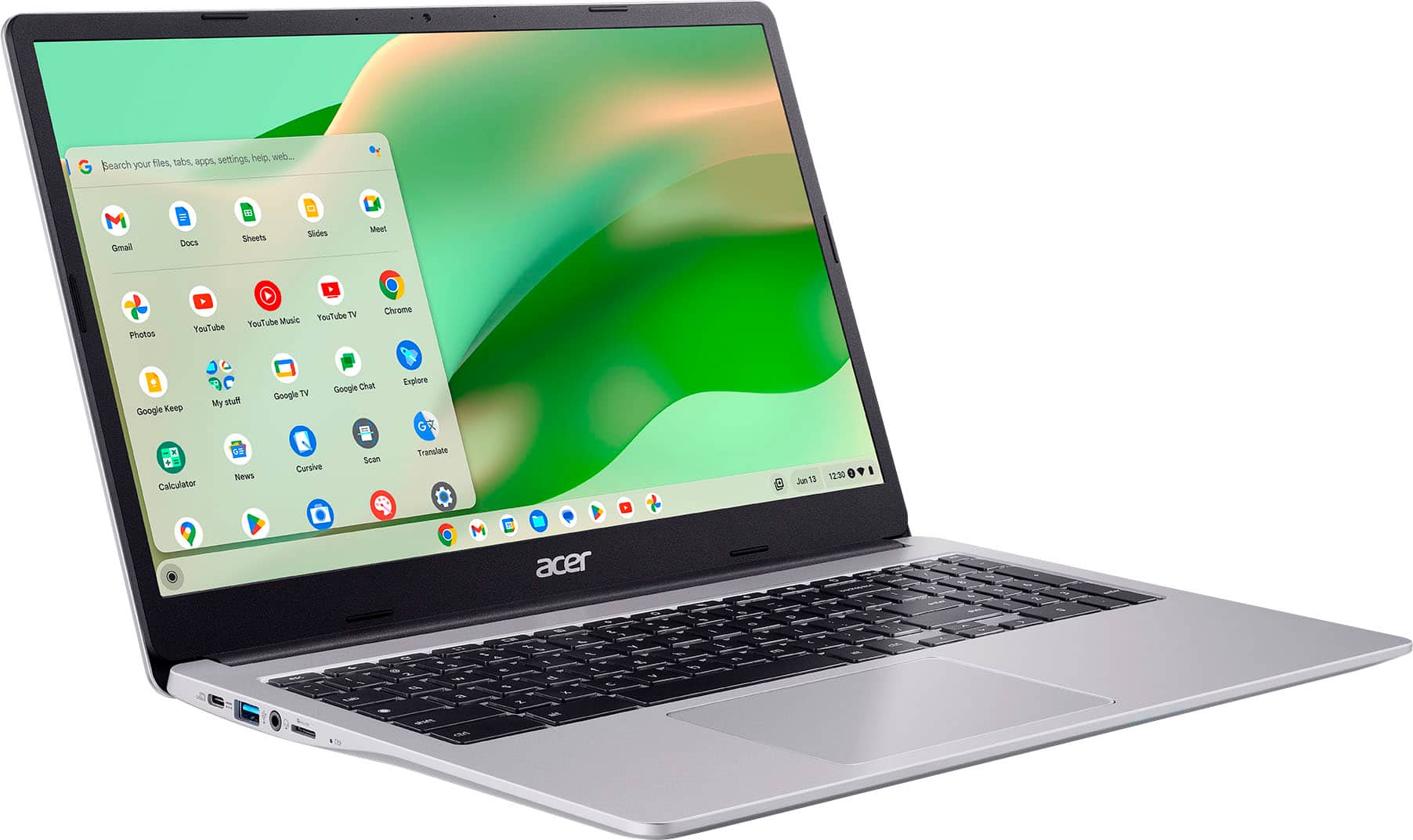
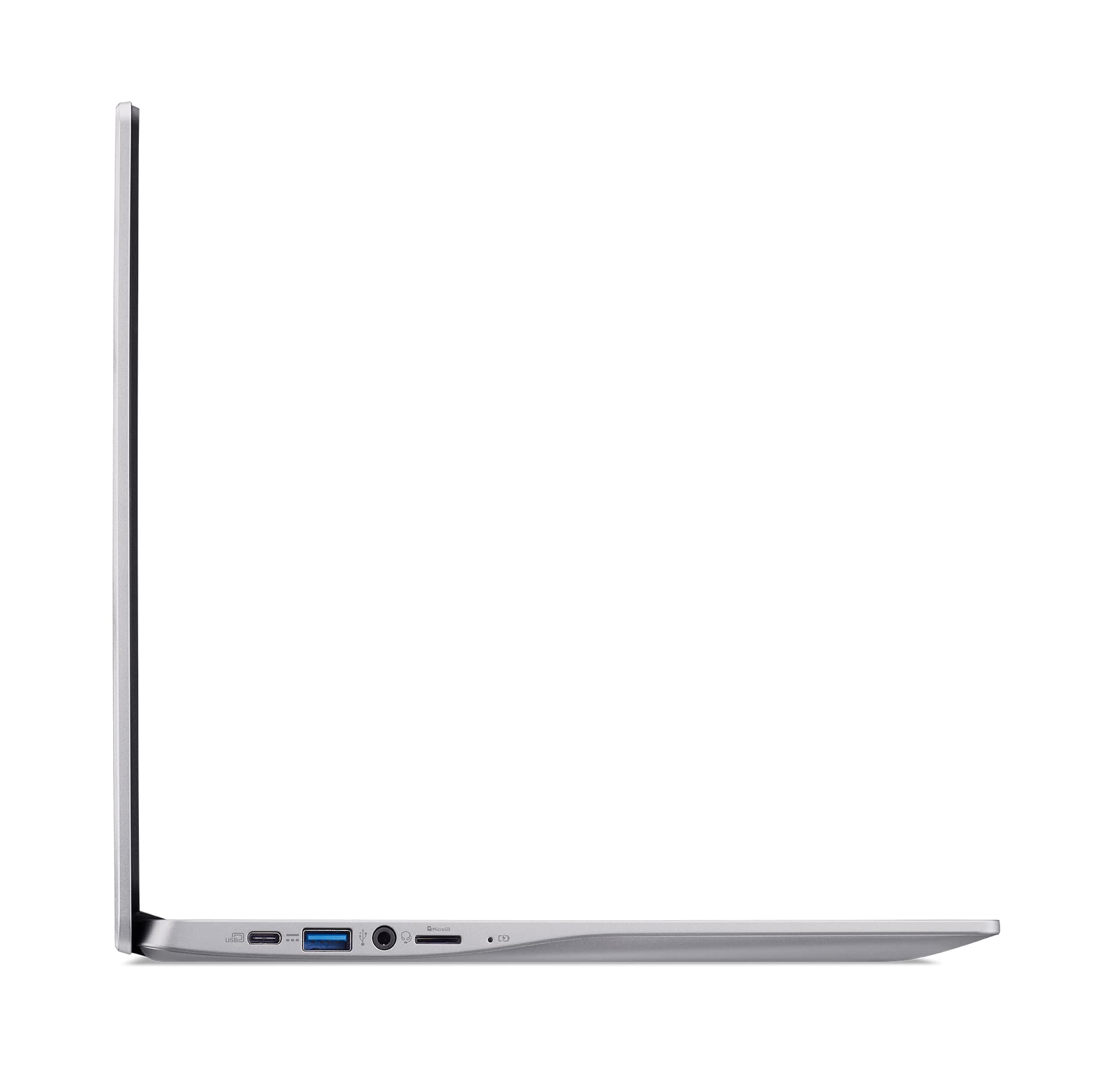
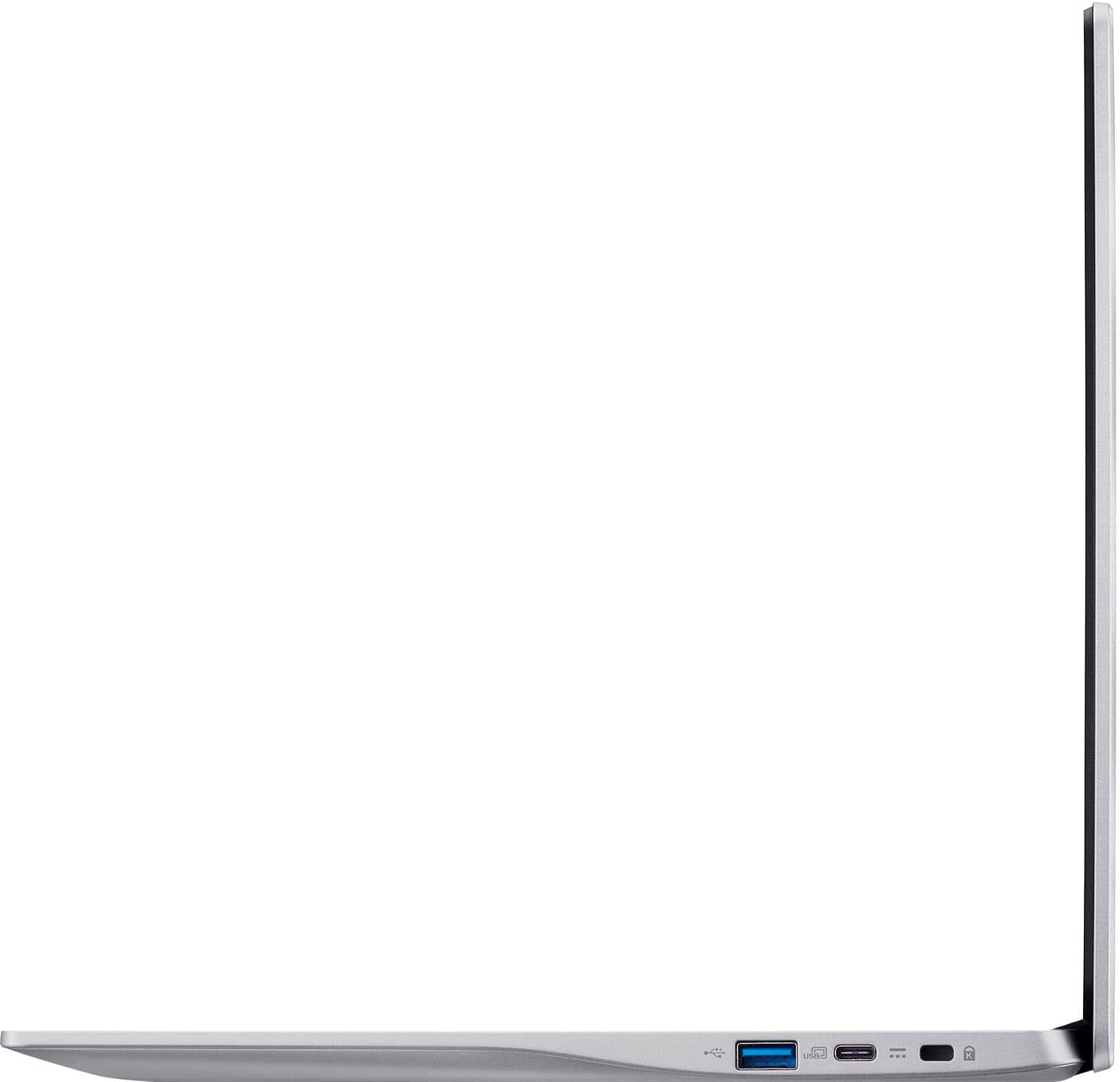
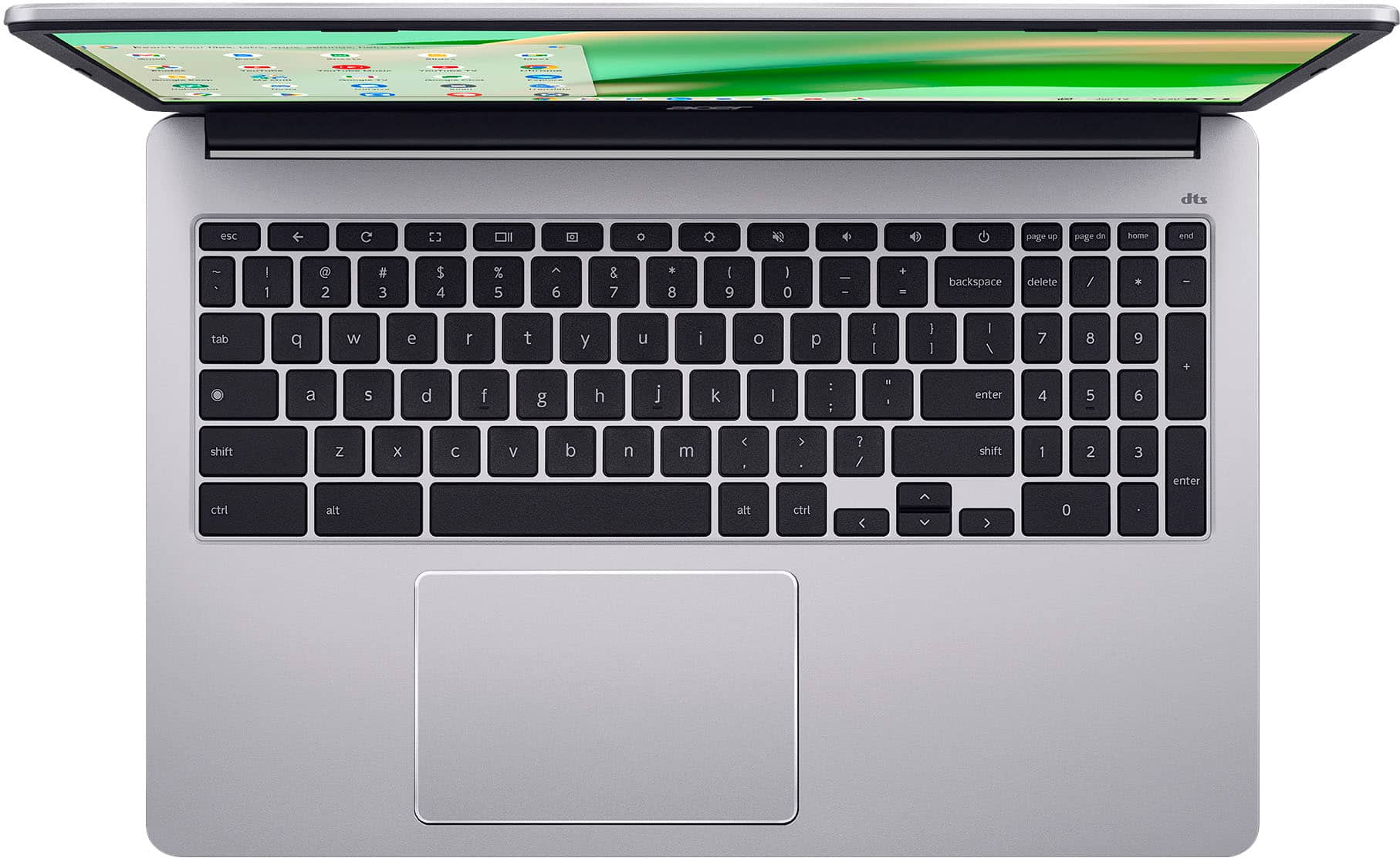
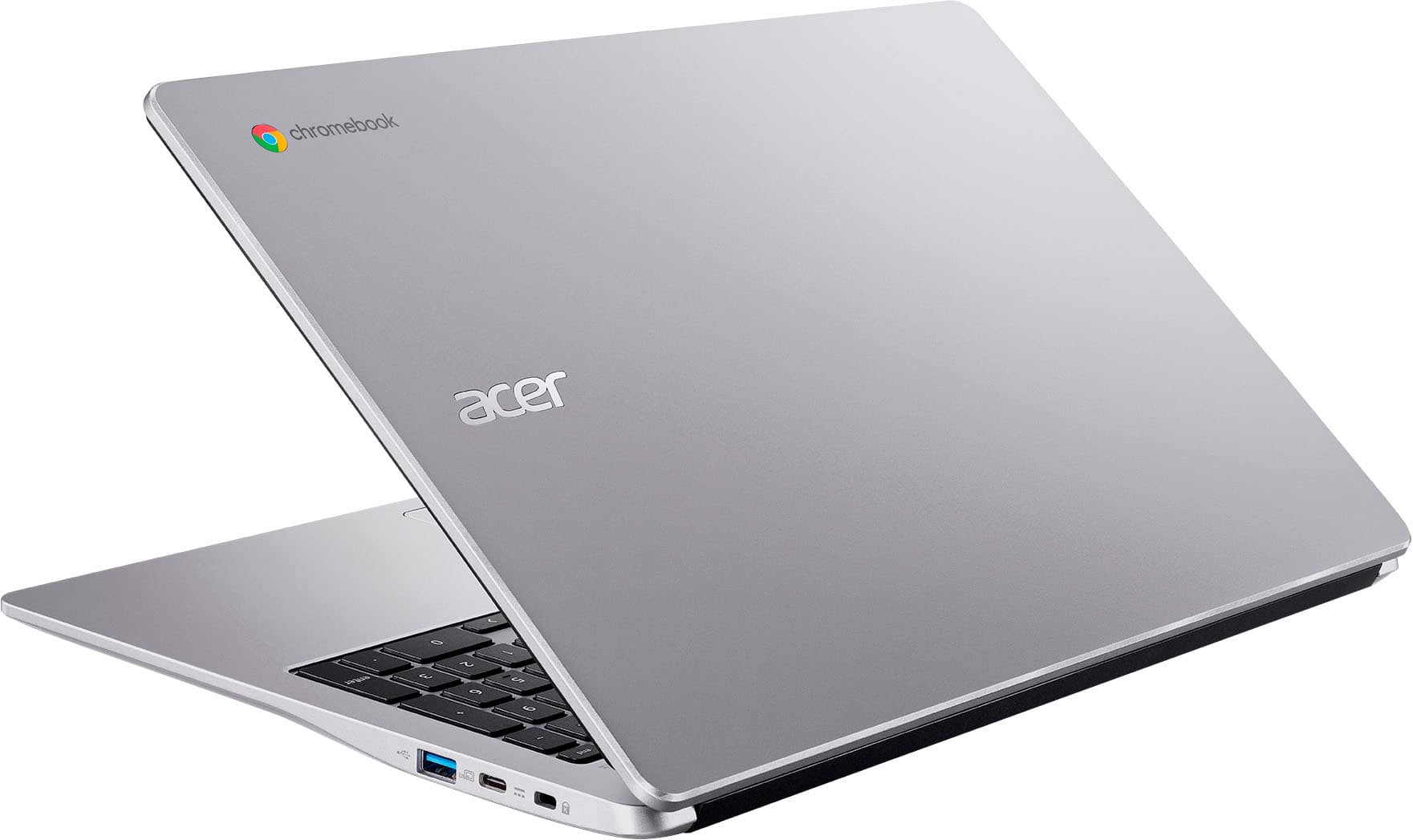
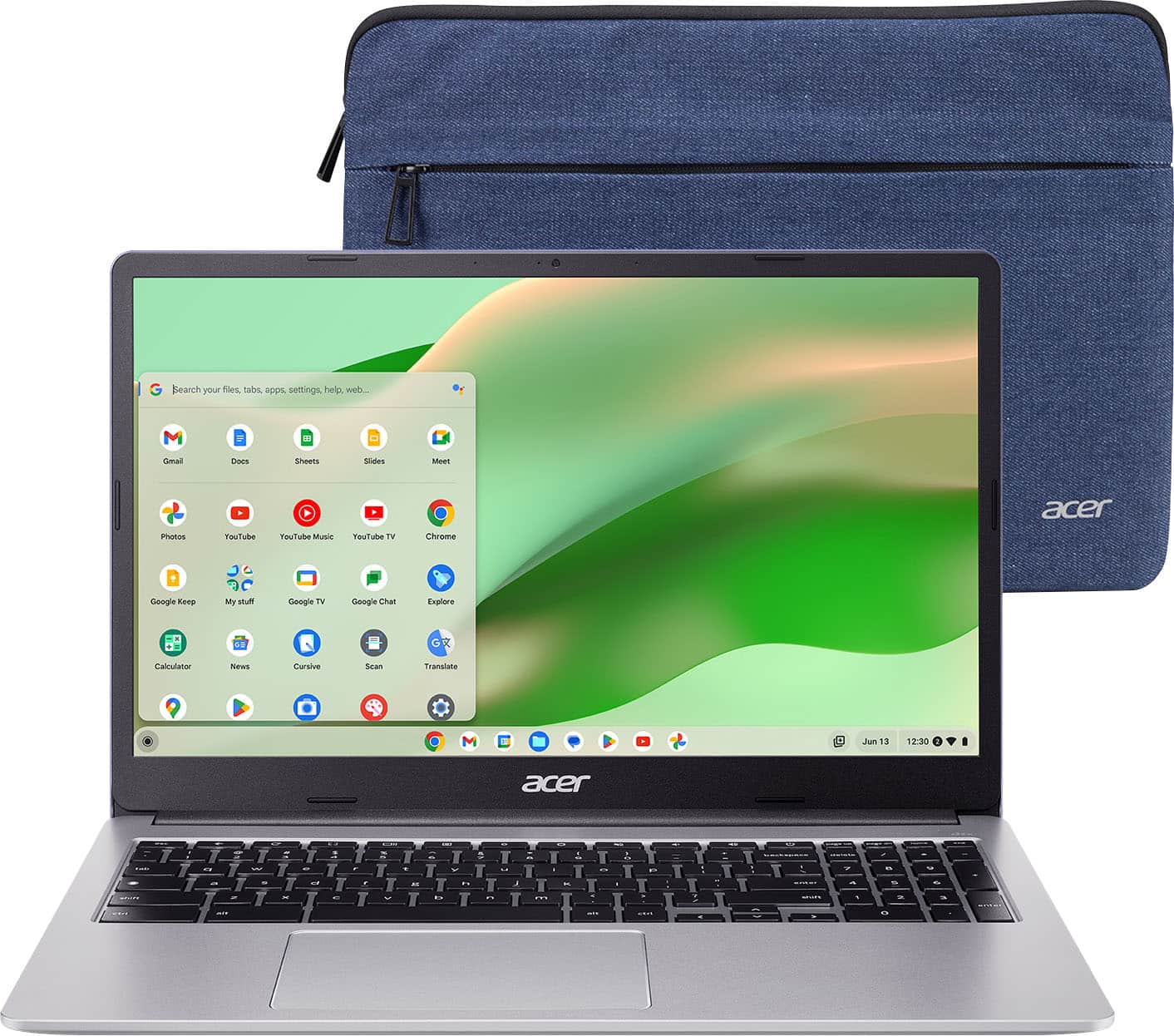
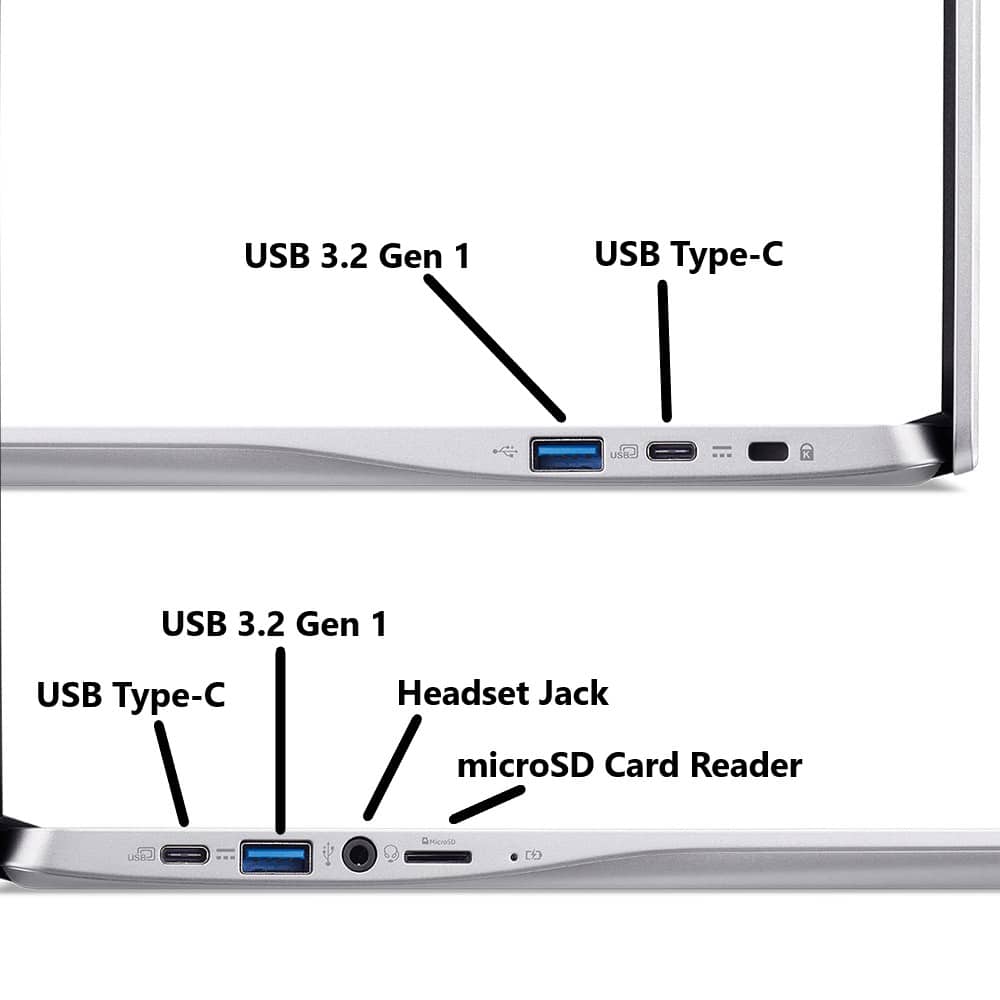
    The Acer Chromebook 315 is a 15" Full HD Chromebook that looks smarter, feels lighter, and is incredible value if you are in the Google ecosystem (Gmail, Docs, Drive). In my case, it was more than powerful and fast enough for a weekend long editing session of shared 150+ page Google Docs document for a college assignment, with multiple collaborators - making it perfect for work or school. What's in the box - Acer Chromebook 315 15" - USB C Charger - Denim-Feel Carrying Case - Instruction Leaflets Look and Feel Acer call the color "sparkly silver" but it's very much the normal silver you see on most laptops. So if you're worried it's glitter silver, it's not :-). What really strikes you when you pick it up is how light Acer 315 is, it's kinda of amazing that a 15" laptop can be this light - it's lighter than my 13" Windows laptop I use for work, which is mind blowing! Design wise, it has a very fruit-company like design, a large touchpad with no mouse buttons, there's a full numeric keypad, keys have a slight texture but are not backlit, display is 1080P and full HD - so sharp. I love that there are 2x USB A and 2x USB A ports, 1 of each on each side. There's also a headphone jack and a microSD reader. There's no fingerprint reader. Setup Setup is easy, plug in, turn on. The included USB C power cable is long. First use, after setting up WiFi took about 15min as it had update to latest version of Chrome OS. After that, it was a simple case of logging in with your Google credentials, set a PIN, and away you go! In Use - Speed and Battery Life The Acer 315 uses an Intel Celeron processor. This is ample for Chrome OS and you can still enjoy some basic games, and it's more than powerful enough for Zoom and Apple Music. There was no stuttering when I had multiple taps open (Google Docs, Google Slides, Gmail, Meets, and music in the background). I'm not sure about battery life, as I was using this corded on my kitchen table, but Acer rates the battery life at 10 hours. This is more than enough working in the morning, a break for lunch and a recharger, then a full afternoon of work. What's to love about the Acer 315 I love the lightweight. Still messes with my head that it's so so light. The screen size is great, I feel you can truly be productive on a 15" laptop. The included denim feel case is a nice tough, makes the Acer feel more premium. What would make it perfect. At this price point, it's hard to complain. A fingerprint reader would be nice - as at 15" screen size, I feel the laptop would make a great home laptop for sharing. I also prefer a fingerprint reader for security than a PIN. Otherwise, definitely worth buying and a great value if you're all in on the Google ecosystem.

    I would recommend this to a friend
  • Rated 1 out of 5 stars

    dont waste ur money

    |
    |
    Posted .
    This reviewer received promo considerations or sweepstakes entry for writing a review.

    way to slow couldnt download the "free" secutiry app that came with it

    No, I would not recommend this to a friend
    • Brand response from TeamAcer
      Posted .

      Dear PeterB,
      We are sorry to hear you are having trouble loading an app onto your Acer Chromebook and we understand this is frustrating for you. This is not the experience we want our customers to have and we would like to help you get this resolved. If you are in the US or Canada, please feel free to contact our support team at 866-695-2237; they are available to assist 24/7 for in-warranty products.

      Regards,
      Acer America acer

  • Rated 1 out of 5 stars

    150 for a reason

    |
    |
    Posted . Owned for 1 month when reviewed.
    This reviewer received promo considerations or sweepstakes entry for writing a review.

    Got this brand new and it lags when typing and opening new browser tabs. Truly the epitome of disposable laptops

    No, I would not recommend this to a friend
    • Brand response from TeamAcer
      Posted .

      Dear LilyB,
      Thank you for taking the time to leave a review on your Acer Chromebook. We are sorry to hear you are having some trouble with typing etc, and we want to work with you to see how we can help improve this experience. If you are in the US or Canada, please feel free to contact our support team at 866-695-2237; they are available to assist 24/7 for in-warranty products.

      Regards,
      Acer America acer

  • Rated 1 out of 5 stars

    Zero help from Best Buy, yet again.

    |
    |
    Posted . Owned for 1 month when reviewed.
    This reviewer received promo considerations or sweepstakes entry for writing a review.

    Wanted to return this unit. Store would not allow. Wouldn’t allow store credit either. Done using Best Buy.

    No, I would not recommend this to a friend
  • Pros mentioned:
    Battery life, Overall performance
    Tech Insider Network Member

    Rated 4 out of 5 stars

    Great Chromebook, but No Touchscreen

    |
    Tech Insider Network Member
    Posted .
    This reviewer received promo considerations or sweepstakes entry for writing a review.

    The Acer Chromebook 315 is very nice!! The large screen has a beautiful display and has a lot of vibrancy, the sound quality is very nice compared to most other chromebooks, the track pad works very well, and the keys are spaced out perfectly, helping to ensure that typing is effortless and smooth. I also appreciate how lightweight the laptop is, as well as the case it comes with. These two things make it easily transportable, and allows for you to be able to work with it pretty much anywhere. The charging cable is pretty long and easily collapsible and charges it very quickly. The camera is also surprisingly good. While it doesn’t compare to an actual camera or a phone, it is pretty high quality in comparison to most chromebooks. The setup process was very simple and easy to understand, and there are lots of different customization options when it comes to both the display and personalization. Overall I would give it about a 4 to a 4.5, simply because the lack of a touch screen is a little inconvenient and the overall size makes it difficult to fit in the average bag/backpack, however besides that it works well, has wonderful battery life, and has a stunning display.

    I would recommend this to a friend
  • Rated 1 out of 5 stars

    Chrome book

    |
    |
    Posted .
    This reviewer received promo considerations or sweepstakes entry for writing a review.

    Kind of pointless device, a cell phone is better, wasted my money.

    No, I would not recommend this to a friend
    • Brand response from TeamAcer
      Posted .

      Hello GregoryM,
      Thank you for taking the time to leave a review on your Acer Chromebook. We are sorry to hear that the product did not meet your expectations, and we want to work with you to see how we can help improve this experience. If you are in the US or Canada, please feel free to contact our support team at 866-695-2237; they are available to assist 24/7 for in-warranty products.

      Regards,
      Acer America acer

  • Rated 1 out of 5 stars

    lappy

    |
    |
    Posted .
    This reviewer received promo considerations or sweepstakes entry for writing a review.

    system is very slow. hard to access thing,taking long time than usual,

    No, I would not recommend this to a friend
    • Brand response from TeamAcer
      Posted .

      Dear VenkataakhilreddyD,
      A slow and laggy Chromebook can be caused by various factors, including too many open tabs, outdated software, excessive extensions, and network issues. To improve performance, consider closing unnecessary tabs, clearing the browser cache and browsing data, and updating ChromeOS. Additionally, uninstalling unused apps and extensions, and checking your internet connection can also help. If you need help with this please contact our support team at 1-866-695-2237, chat or social media, and we will be glad to help.

      We appreciate you taking the time to write this review.

      Regards,
      Acer America acer

  • Rated 1 out of 5 stars

    Not worth it

    |
    |
    Posted .
    This reviewer received promo considerations or sweepstakes entry for writing a review.

    Just do your research before purchasing, it doesn't have most features you need

    No, I would not recommend this to a friend
    • Brand response from TeamAcer
      Posted .

      Dear DaliahL,
      We are very sorry to hear that your newly purchased Chromebook did not meet your expectations. We are constantly working to improve the designs and appreciate hearing directly from customers what they need and expect out of a product. We don't know what features you were looking for, but if you need any assistance with your Chromebook, don't hesitate to contact our support team at 866-695-2237 so we can help.

      We appreciate you taking the time to write this review.

      Regards,
      Acer America acer

  • Pros mentioned:
    Battery life
    Tech Insider Network Member

    Rated 4 out of 5 stars

    Overall good ‘big screen’ Chromebook

    |
    Tech Insider Network Member
    Posted .
    This reviewer received promo considerations or sweepstakes entry for writing a review.

    The Acer Chromebook 315 shows up packaged just right. Minimalist packing material, just enough to keep it safe in transport but not wasting money and resources on bling. First physical inspection and the 315 looks like most Chromebooks I’ve had my hands on, silver/gray color, shiny finish, and a couple rubber feet on the bottom help keep it from sliding around. The body is smooth, and doesn’t show fingerprints, but is a little slick to hold on to. The lid opens nicely and feels solid and secure. You’ll find 2 USB ports on each side an A and a C. On the left side there is a micro SD slot, and the right side has a Kensington lock slot. The included AC power adapter is a 2 part power brick style. Pros and cons to this, the brick is big and has a separate AC power cable... But with that size you get 65 watts and a power cable that won't cover up 2 outlets when you plug it in. Another nice added touch, Acer included a padded sleeve case for the 315. Plug in the charger and power up the 315, we get into the setup. The setup went quick and simple, maybe 10-15 minutes, but with one caveat. I did get a error about something going wrong with google play setup, but I just let it run, rebooted, and never saw the error again After setup was done I was able to start customizing things to my liking and use the 315. My fingers feel at home on the keyboard and it feels good. The touchpad works and feels nice also. The 65w charger is ready for the task of a quick charge, I think I saw an estimate of 1 hour 30 mins to full from 20%. Battery life is all day no problem even with the big display. The display can get nice and bright, the colors pop and it has a good viewing angle, one of the best Chromebook displays I’ve had. The camera has a good quality image even under subpar conditions but I am a little disappointed there is no physical camera shutter. Watching YT videos, the sound quality is just ok, it can get fairly loud, but the quality won't blow your socks off, pretty average for mobile device speakers. Performance-wise the 315 seems about average for the price range, however, the Intel CPU feels a little slower than my Chromebook with the MediaTek processor. This also brings me to one last performance issue. The WIFI was acting a little strange. Side by side with my other current Chromebook, running speed tests. When you start the speedtest on the 315, 90% of the time, it would start slow (5mbs) and ramp up, sometimes to my max 250mb up and down that I pay for, sometimes it would only ramp up to 100mb. Back to back tests with my other name brand Chromebook, and the other one would instantly max out at 250+ every single time. I’m not sure if this is an issue with the WIFI chipset used in the 315, the drivers or what the cause was.. I suspect this might have been a contributing factor to this 315 feeling a little slower than my other brand Chromebook. So all in all mostly pro’s in my review with some minor cons. Overall a solid choice and 4 stars from me.

    I would recommend this to a friend
  • Rated 1 out of 5 stars

    crap

    |
    |
    Posted .
    This reviewer received promo considerations or sweepstakes entry for writing a review.

    crap, do not buy ! if i knew how bad it was you couldn't even give to me.

    No, I would not recommend this to a friend
    • Brand response from TeamAcer
      Posted .

      Dear KeithK,
      Chromebooks are different from Windows laptop products in that they are designed to be used primarily while connected to the Internet, with most applications and documents living in the cloud. Because of this they don’t have much for on-board storage but they also are not expensive either. Chromebooks run off apps like an Android phone or tablet so you cannot download and install applications or .exe files. If you need to use third party software applications that must be installed on the computer, a Chromebook is likely not for you, where a Windows laptop would suit you better. If you have questions on using your Chromebook please contact our support team at 1-866-695-2237, chat or social media, and we will be glad to help.

      We appreciate you taking the time to write this review.

      Regards,
      Acer America acer

  • Pros mentioned:
    Battery life
    Tech Insider Network Member

    Rated 4 out of 5 stars

    Chromebook for the Web

    |
    Tech Insider Network Member
    Posted .
    This reviewer received promo considerations or sweepstakes entry for writing a review.

    This is a simple chromebook, so you don't need a lot of fancy or get a lot of fancy features, but what you get is a simple full sized keyboard and decent touchpad that can be used to consume media and web browsing, social media doom scrolling, this will work for you. Setup is easy, its a chromebook, log in with a google account and connect to your wifi and your off. Since Google wants everything stored in the cloud the local storage is tiny, but is really only used for cache. Don't expect this to be blazing fast, its fast enough, espically for chromebook designed with good battery and to be used as a web portal device this is perfect. It was also nice Acer included a laptop sleeve and a nice one too to keep the chromebook safe when travelling/work or for storage inbetween. I also like the keyboard has a good feel and easy and comfortable to type on, which is handy as I use it mostly in the evening while TV is on, to watch emails and respond too them and since this is an overpowered hungry CPU, I can roam the house a bit with it if I need too. Overall if your looking for a chromebook as a web portal device I find this to suit the purpose perfectly.

    I would recommend this to a friend
  • Cons mentioned:
    Ram

    Rated 5 out of 5 stars

    Great Cromebook

    Posted .
    This reviewer received promo considerations or sweepstakes entry for writing a review.

    Chromebooks are great for quick, on-the-go computing and are immune to viruses. This one boots up quick (in under ten seconds) and you can do most tasks on it with preinstalled Google apps. You can't download any programs onto a Chromebook and its limited to the Google Play Store to add applications, and its 4GB of RAM is on the low side. But everything on a Chromebook is optimized well so the RAM is sufficient and I have not had a problem of multitasking on this. Good quality build and comes with a carrying case. A good value for those who love Google and wanting a stress free and fast app-based experience.

    I would recommend this to a friend
  • Tech Insider Network Member

    Rated 3 out of 5 stars

    Too many corners cut, the N4500 is slow

    |
    Tech Insider Network Member
    Posted .
    This reviewer received promo considerations or sweepstakes entry for writing a review.

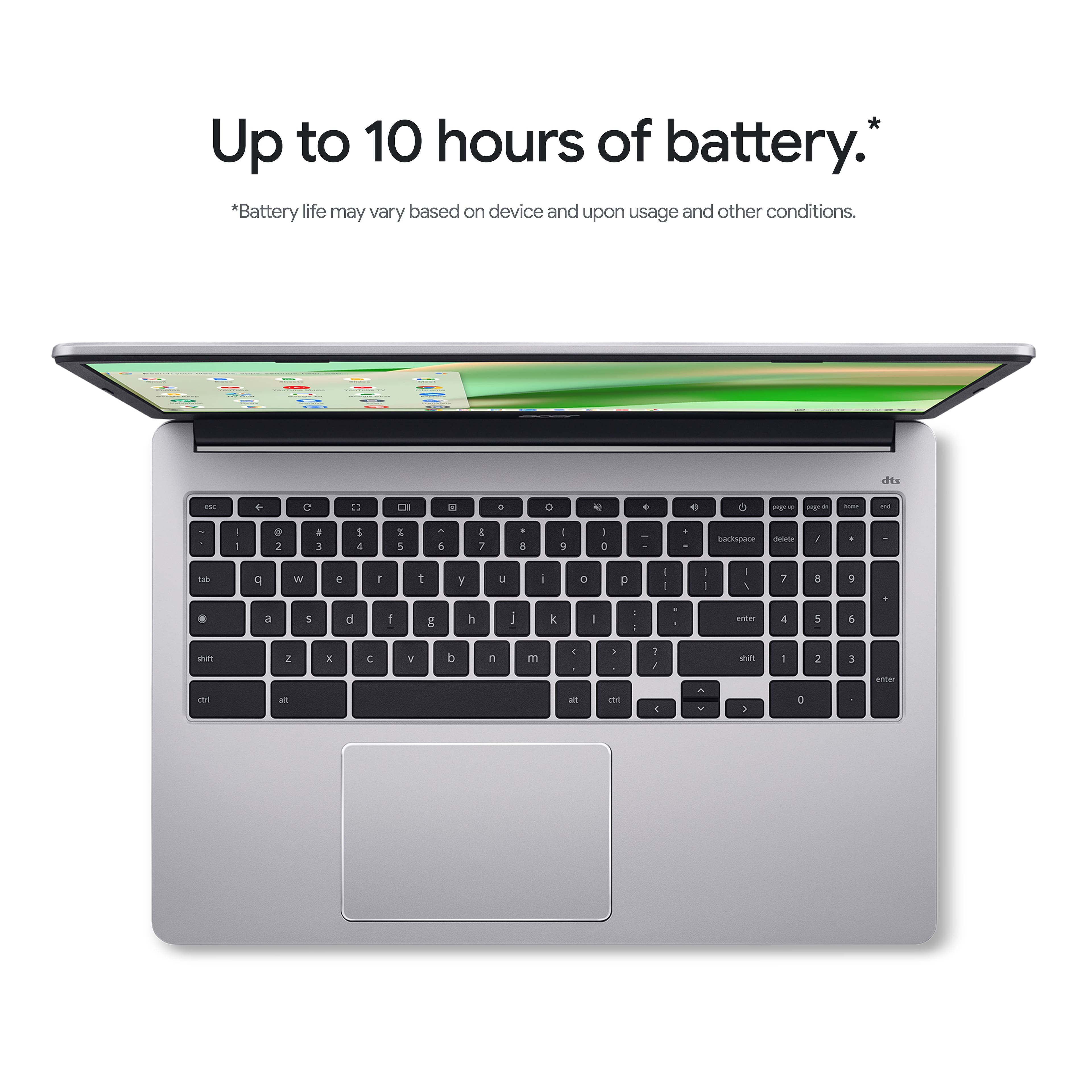
    Are you in the market for an inexpensive computer? Perhaps all you need to do is check your social media, occasionally browse, and just generally do basic everyday computing tasks? Do you need a larger screen to take it easy on your eyes? The Acer Chromebook 315 caters to this audience, and does so at a razer thin budget. Is this worth the time or is Acer scraping the bottom of the barrel? First of all, the packaging is fairly large, thanks to the larger screen. Inside a box, you’ll find the laptop, and another light box with the included laptop sleeve. This is a nice addition to the package, as if you’re traveling with this laptop, it’s handy to have a sleeve. The choice of color is a light gray that looks professional without being too businessy. It is 100% plastic, but that’s not always a horrible choice for a chassis material. The chassis has minimal flex in the base, but the screen definitely can be bent about, so be careful. The overall weight is quite light for a 15” due to the construction, which is a plus. The included charger is USB-C, and I’m happy to see this. It wasn’t until recently we saw even the cheapest laptops move to USB-C PD instead of barrel jacks of yesteryear. The included power adapter is hugely overkill at 65w. I’m pretty sure this laptop could charge with a 15w power brick and not be left wanting. Why does it need so little power? Well the N4500 Celeron Jasper Lake CPU certainly sips power. It’s rated for a 6W TDP. Typical power consumption of this light weight dual core Tremont CPU is more like 4.8w. Does this lower power CPU deliver the goods? Well, don’t be too hopeful. This CPU is the slowest I’ve had the pleasure of using in a long time. In use, the CPU struggles to open Google Docs, load new tabs, and switch applications. Web pages take several seconds to process when loading. At least video acceleration is working well using the integrated iGPU, so YouTube videos work fairly well. The performance is barely acceptable for a computing device in 2025. At least Acer has paired this CPU with 4GB of RAM. While not a lot, it’s at least adequate for the Chromebook OS. A N6000, or i3 would be a much better pairing CPU wise. However we’re pinching pennies, and this is the bottom of the barrel. The 64GB of eMMC is about as barebones as you can get as well. Luckily Chromebooks are rarely IO constrained. After general setup, about 8GB are used, so there’s still quite a bit of space available. The screen is 15.6” and 1080p. That’s about all the nice things I can say about it. It has a bit of a grain to it, which makes it tiring to look at. It’s a TN panel, so off angle viewing is extremely poor. You really have to find the sweet spot by tilting the screen. It’s fairly bright for pure indoor use, but don’t expect to see anything outside. The panel is made by BOE, and rated for 220 nits. Contrast is poor, but text is crisp due to its standard RGB strip LCD. It’s passable as a budget panel, but this panel was launched 7 years ago. Port wise, the laptop design is quite generous. You get 2 USB-C 5Gbps ports, one on each side. Each of these ports supports power delivery. Both ports are flanked by USB-A ports, making it easy to plug in a mouse or USB pen drive. On the left side, there’s a headphone jack (combo headset jack using AHJ), and a micro SD slot. Ostensibly you could put a fast micro SD card and use that storage for Android apps, but let’s be real: the N4500 isn’t going to outpace even the most basic Android phones these days. Battery life, given the power sipping CPU, is excellent. Even with the brightness up on the screen, I felt like the battery was near endless. Days of standby, hours of use, it seems as though I still have three quarters of the battery remaining. This is a huge plus of this design and cpu combo. Sound is pretty bad, despite boasting a DTS logo. Playing music sounds extremely tinnie, offering little to no bass, and a harsh overall tone. It’s passible for basic use. The keyboard is spongy, but certainly not the worst i’ve ever used. It lacks a backlight, but compromises are the name of the game on this laptop. You do get a full number pad, which is a plus for some. I would have preferred less keys, and more speakers, but to each their own. The trackpad is by far the best physical feature on the laptop, as it has a great feel, is super responsive, and picks up gestures well. It’s large, and comfortable to use. Overall the entire package is compromise after compromise. This is a basic tier laptop, with the slowest possible CPU from Intel’s 2021 Jasper Lake, a tiny amount of ram, slow, small, and basic eMMC storage, a screen that was junk tier 7 years ago, and sound that is outpaced by most cell phones. That said, if you’re looking at the bottom of the barrel price wise, it’s hard to argue with the market price of Acer’s 315. I would think long and hard about getting the 4 core model w/ the N6000 as it is both double the core count, but also 500Mhz faster. The trackpad is excellent on this model, so I could see having some redemption with the faster CPU and a bit more storage. Overall I’m very meh on this model, just because it feels like there are too many compromises, leaving a computer that could be replaced by a refurbished unit from 10 years ago. On the flip side, nothing from 10 years ago will be able to give you 10 hours of battery life.

    No, I would not recommend this to a friend
  • Rated 5 out of 5 stars

    The beauty.

    Posted .
    This reviewer received promo considerations or sweepstakes entry for writing a review.

    I love this computer. I don't who made this beauty, but whoever did is a genius. For it's price it is amazing. The battery is very nice and lasts long. The mouse track is very big too. This computer is amazing

    I would recommend this to a friend
  • Rated 5 out of 5 stars

    Full size

    Posted .
    This reviewer received promo considerations or sweepstakes entry for writing a review.

    First full size Chromebook so we can see what is on our old mixro sd cards

    I would recommend this to a friend
  • Rated 2 out of 5 stars

    A substandard and highly priced Chromebook

    Posted .
    This reviewer received promo considerations or sweepstakes entry for writing a review.

    Very blurry, slow and it tends to warm up with little use. This js definitely not a true fhd Chromebook, and I strongly advise to look elsewhere for s good experience.

    No, I would not recommend this to a friend
    • Brand response from TeamAcer
      Posted .

      Hello MikeAustin119,
      Thank you for taking the time to leave a review on your Acer Chromebook. We are sorry to hear that the product did not meet your expectations in some areas and we want to work with you to see how we can help improve this experience. If you are in the US or Canada, please feel free to contact our support team at 866-695-2237; they are available to assist 24/7 for in-warranty products.

      Regards,
      Acer America acer