Customer Ratings & Reviews


- Model:
- CB315-3HT-C3FQ
- SKU:
- 6529400
Rating by feature
- Battery Life
Rating 4.7 out of 5 stars
- Speed
Rating 4.5 out of 5 stars
- Display
Rating 4.7 out of 5 stars
Customers are saying
Customers commend the Chromebook 315 for its large screen size, ease of use, and affordable price. Positive feedback also highlights the convenient touchscreen functionality and acceptable battery life. While some users wish for a different operating system, most find the performance adequate for their needs. The lightweight design is another frequently praised aspect.
This summary was generated by AI based on customer reviews.
So far so good!
||Posted . Owned for 3 weeks when reviewed.This reviewer received promo considerations or sweepstakes entry for writing a review.This my second laptop from best buy. Thank you Best Buy!
I would recommend this to a friend- Pros mentioned:Screen size

Acer Chromebook 315 15.5” Is SO Very Good
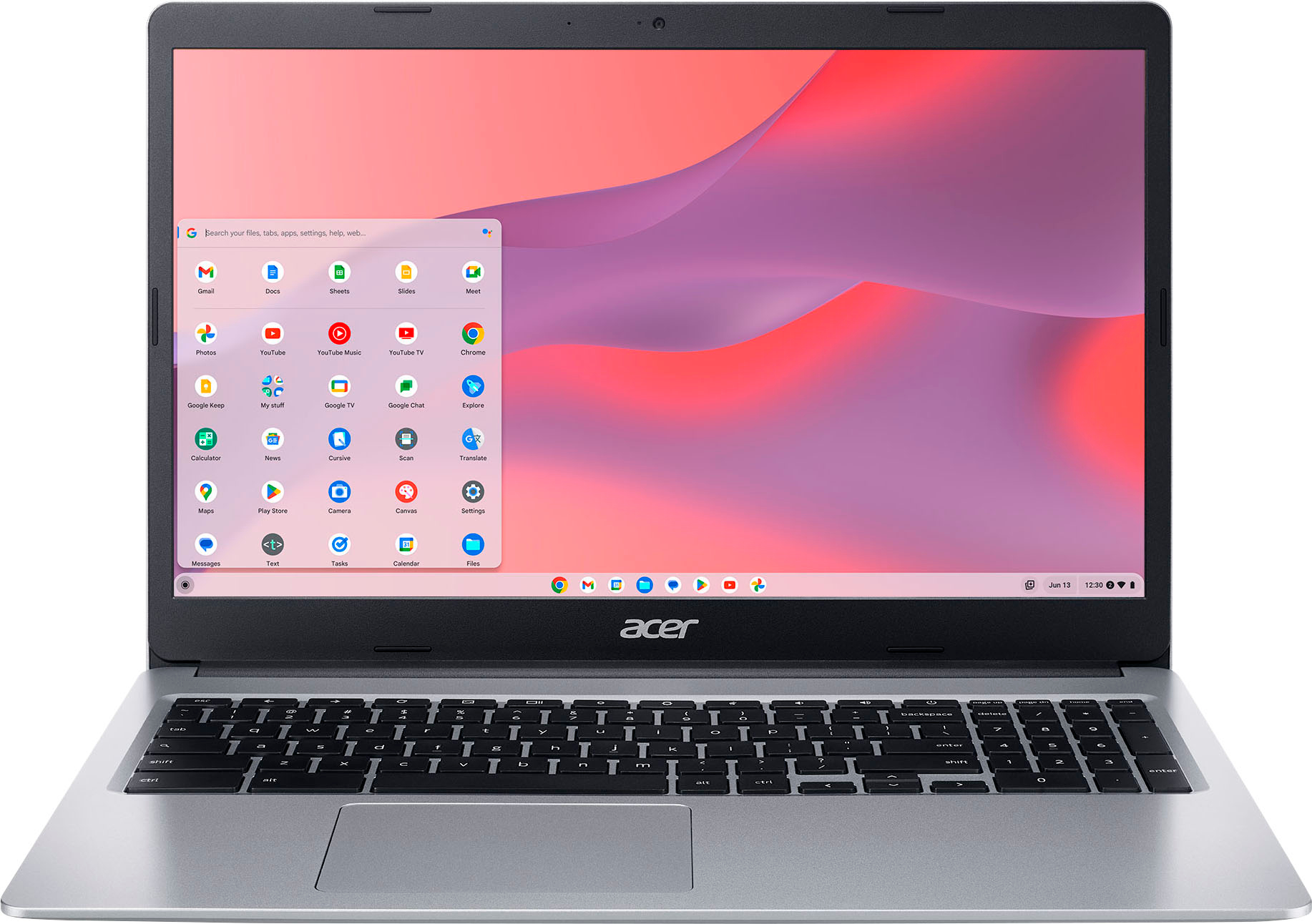
|Posted .This reviewer received promo considerations or sweepstakes entry for writing a review.**WHAT’S IN THE BOX** • Acer 315 • Power supply • Padded Case • Documentation **THE SETUP** This is where the fun begins! My fourth Chromebook, the large screen on this Acer makes using it so much better than with a smaller screen. Like a comfortable pair of shoes, using a Chromebook is, well, so comfortable. Here’s why. Chromebooks use the Google Chrome operating system, with all its settings in the proverbial cloud. That is, ALL user settings are saved and immediately applied when signing on to the user’s Google account on a Chromebook. Out of the box, powered on, this and every Chromebook asks for a Google username and password. And then, magic! What if you don’t have a Gmail account? Either get one, start transitioning your other email, be it the old aol.com, yahoo.com, or any other “free” email providers, or rethink why you’re reading this and even considering a Chromebook purchase for yourself or for someone else. Many students use Chromebooks in educational settings and at home with their school. The reasons are many and varied. Chief among the reasons is that Chromebooks offer and excellent price and performance advantage over other operating systems and their computers. Another is that Chromebooks are inherently free of malware. Another is that within the Googlesphere are Google apps that offer alternatives and compatibility with Microsoft productivity apps, including Word, Excel, Powerpoint and others. Ditto for Macheads and the free similar apps that come with Macs. Chromebooks require less power to operate so many can run all day long, like this one, up to 12.5 hours on a charge. Chromebooks do not require a lot of onboard memory because they use the cloud to store and retrieve files. For example, this Chromebook has 64GB of storage with some of it used to store files necessary to run the Chromebook and the rest that can be used to add applications from the Google Play Store. But wait, there’s more! There’s a touchscreen, the value of which I do not find of great use, but it’s there. There is also a respectable Webcam and tiny microphone for those online meetings with video and audio. Good enough. With a USB-A port on the side, users can purchase and install more storage on a USB stick as I have. I popped in a 128GB flat fitting stick that is used to store any file allowed by the Chromebook, such as some downloaded movies from streaming services. Yes, I have added several streaming services. See the photo of my screen with these streaming services at the bottom. As with my other Chromebooks, I plan to fly with this one. With its big screen and full HD 1080 capability, videos look mighty fine, though not perfect, on this screen. The value represented by this Chromebook cannot be overstated! And back for student use, many primary and secondary schools specify Chromebooks for students. Budget-minded parents would do well by considering a Chromebook, THIS Chromebook, as an alternative to higher-priced Macs and Windows computers. Parents who want to prevent Malware from infecting their student’s computer would be wise to cost-compare. ONLY Chromebooks come with a fresh version of the operating system (Chrome) EVERY time it is booted up. Genius, I tell you, genius! Is it perfect? Nope. Performance is not as fast as pricier computers, but the tradeoff is, in my view, more than acceptable. I can multitask with the best of them, and I just accept the limitations. Can you do EVERYTHING on a Chromebook? Again, nope. Users will not be editing video or running any processor-intensive creative apps here. For Web browsing, email, watching videos, catching up with all the latest goings on through social media, yes. There will be no meaningful benefit from a more powerful processor, which is why most Chromebooks do not use faster processors. Chromebook manufacturers have been at this for over 10 years and have performance and value figured out. Don’t try and second guess them. It won’t work. With the foregoing out of the way, it’s time to . . . **PUT IT TO THE TEST** There is not much to add from the Setup section above. I am enthralled with Chromebooks or I would not continue to use, recommend and support the cause. One more thing of interest to mention. Every Chromebook has an end-of-life pre-programmed in. This can be found on every one. The end-of-life is the year after which updates are no longer guaranteed, but it is usually about FIVE years. This does not mean that all of a sudden, the Chromebook becomes a doorstop. It just means that security updates probably will not continue. Do the math. For the value versus cost, the annual cost of doing business with most Chromebooks, including this fine Acer, is a pittance as compared with other computers. I love mine and recommend it to you. **CONCLUSION** In conclusion, fear not the Chromebook, THIS Acer Chromebook. No I do not believe a speedier processor with more memory will provide sufficiently faster performance. Understand the limitations and embrace the positives. **WARRANTY** This Acer comes with the manufacturer’s standard one-year parts & labor mail-in or carry-in warranty (see the warranty booklet) AND 90 days of software support.
I would recommend this to a friend WPC
||Posted . Owned for 1 month when reviewed.This reviewer received promo considerations or sweepstakes entry for writing a review.I chose it for my work team at a great discount. WPC Good pretty cheap
I would recommend this to a friendStudent Chromebook
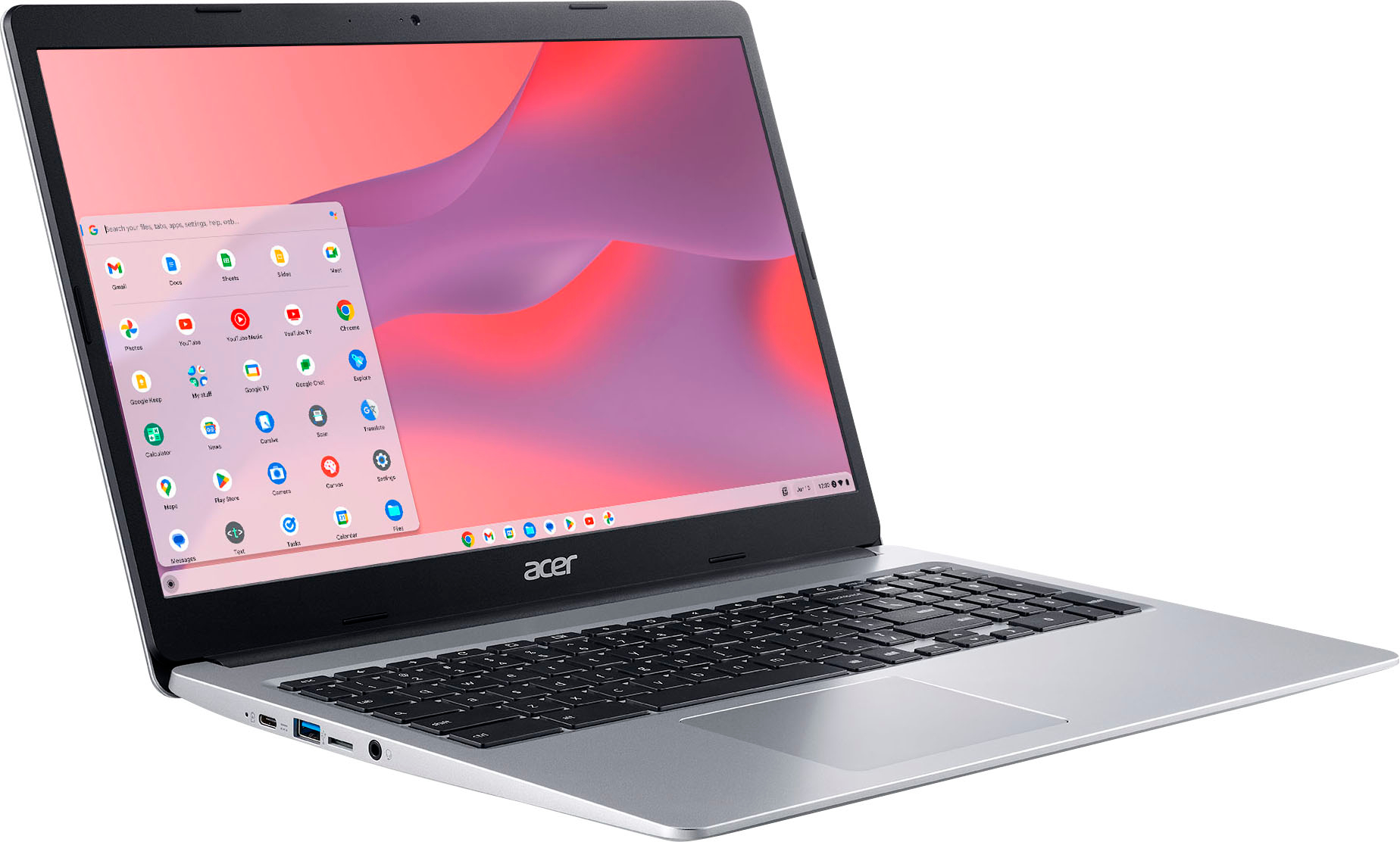
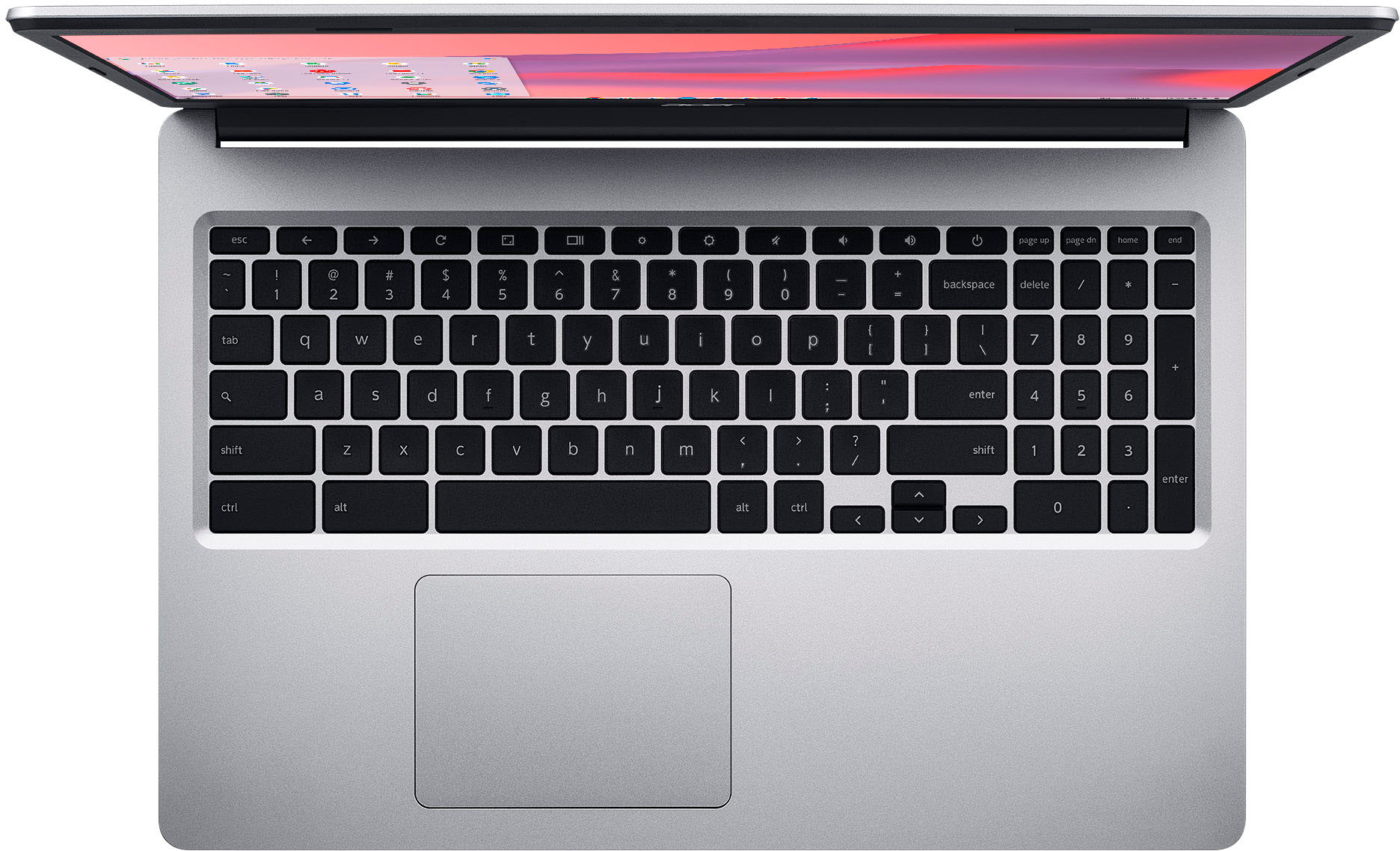
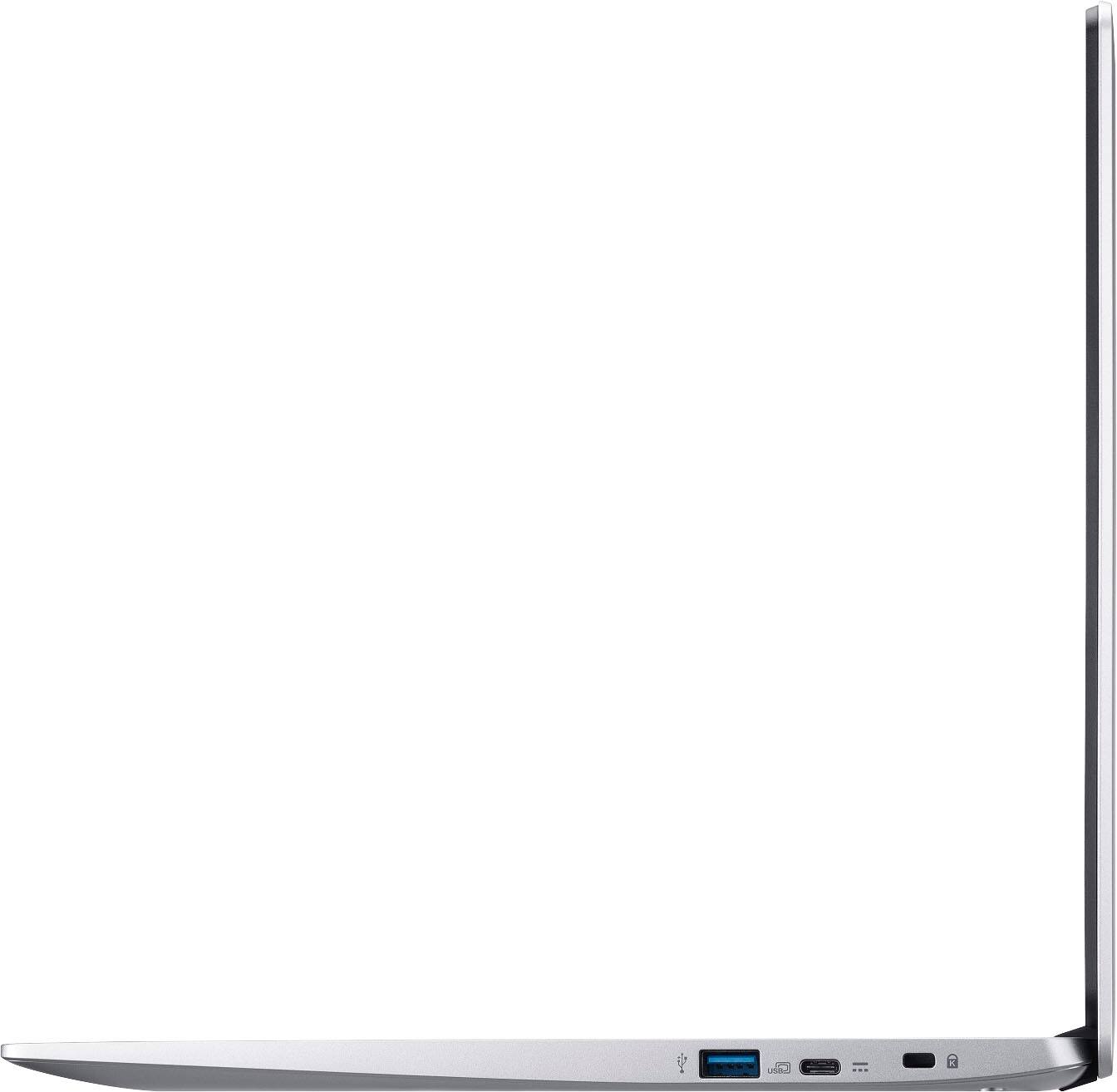
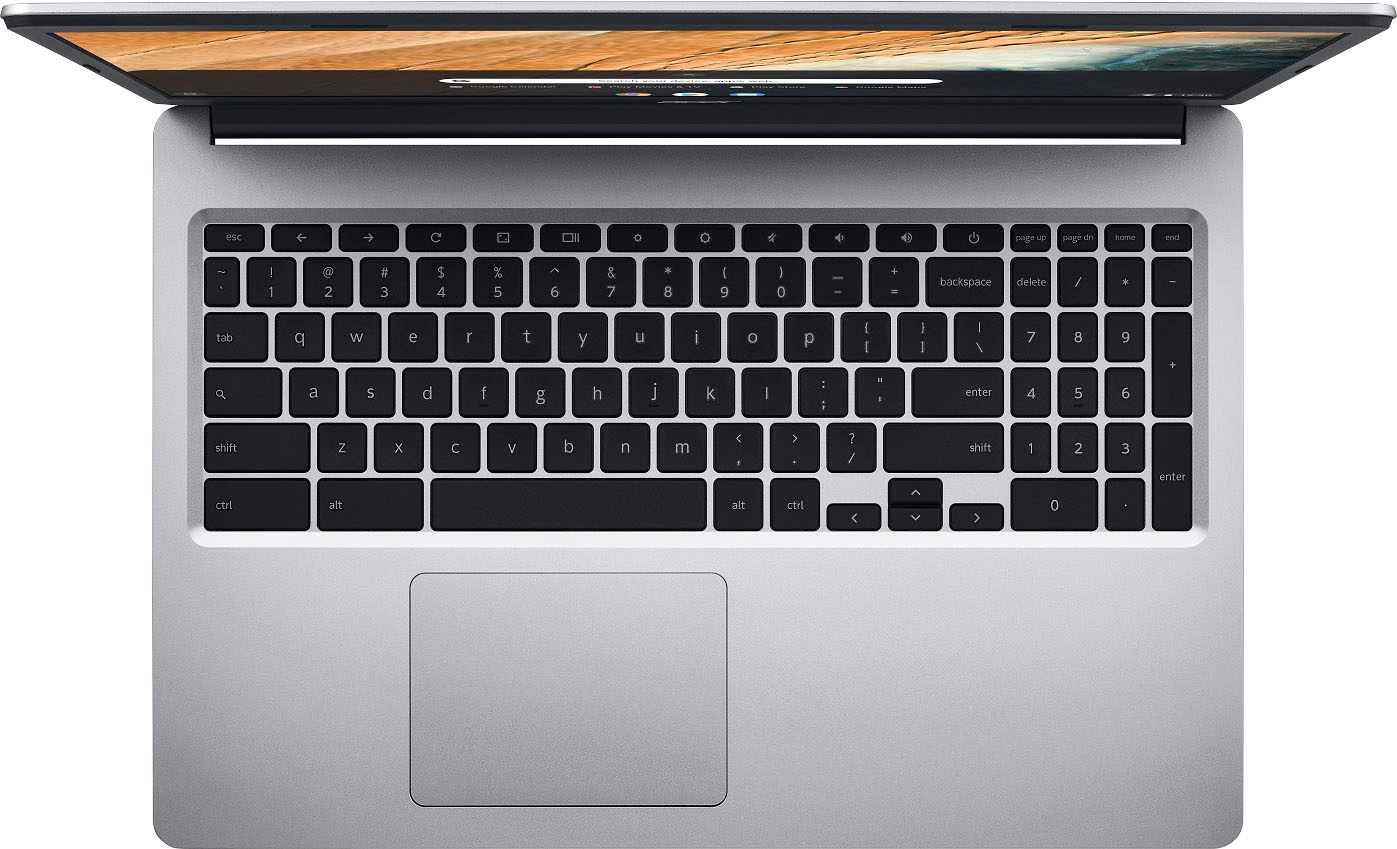
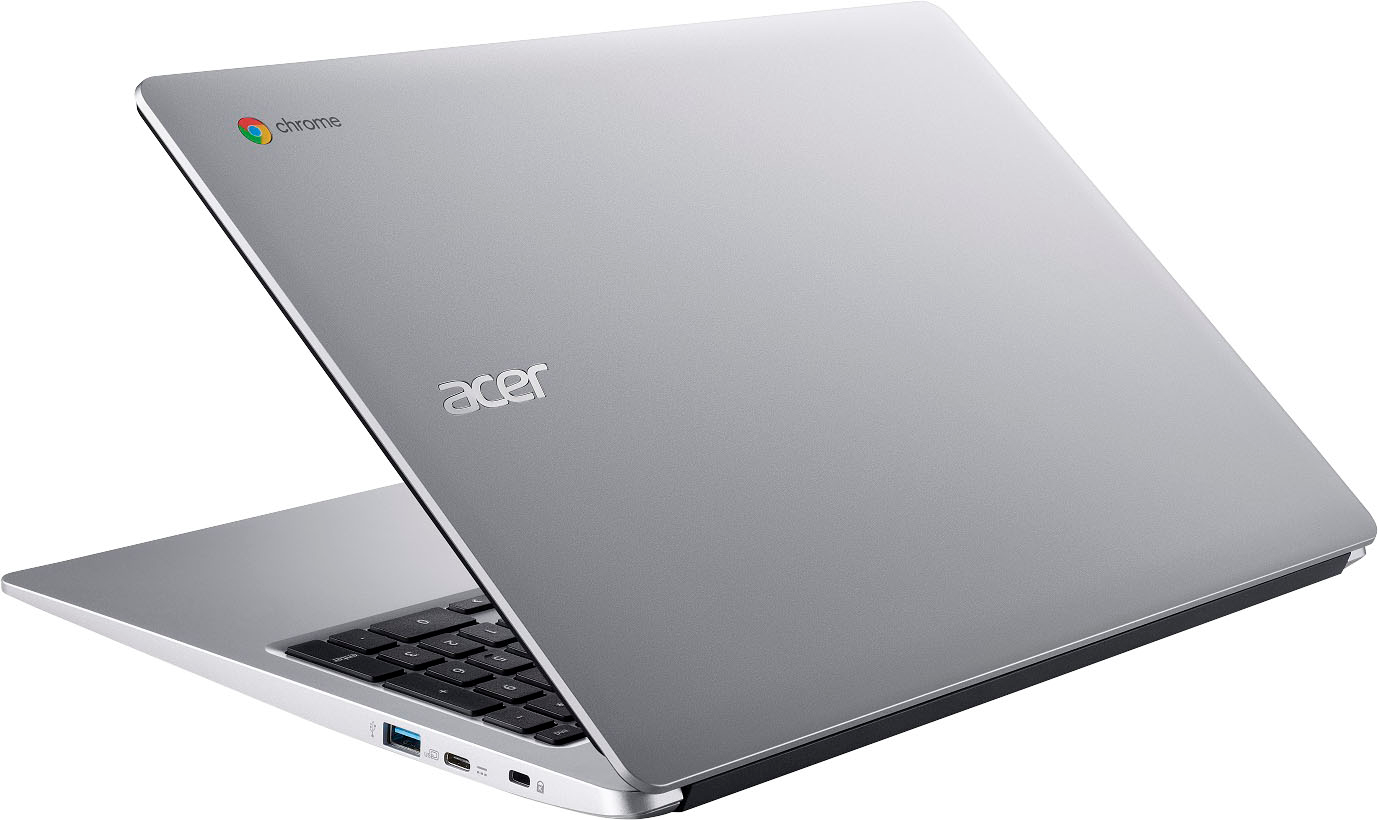
|Posted .This reviewer received promo considerations or sweepstakes entry for writing a review.This Chromebook is geared mostly towards students. The CPU is an Intel 2-Core Celeron N4000 at 1.10 Ghz. 4 GB RAM and 64 GB Flash Storage The screen is 1080P, 16:9 Aspect ratio and touchscreen. There is a full keyboard with number keys. Letters are stamped on the keys (not etched). Screen is clear for reading text and basic browsing. It doesn't have the deepest colors. It's a matte screen (cuts down on reflection) and the touchscreen is nice although the screen is quite basic. Has Wi-Fi 5 and also supports Bluetooth. The case is all metal except for the screen bezel Ports: Each side has an USB-C port and one USB 3 port. The left side also has a 3.5mm audio jack and a security lock port on the right. Trackpad is large and responsive. Both USB-C ports can display video and charge the laptop. So it works fine with an USB-C or Thunderbolt dock and an external monitor connected via the dock. The included power supply is a 45W brick style USB-C with a long cable and detachable power mains cable. It also supports Zero-Touch Enrollment (ZTE), which is intended for central management by school districts or corporate needs. Web Camera is standard at 720P. Battery should last the whole day with regular use Weight is about 3.5lb which is light for a laptop of this size. The AUE date, which is the pre-defined date when every Chromebook device stops getting updates from Google is June 2027. It also comes with a nice padded sleeve with a fabric texture and has a pocket to store the charger and other accessories, which I like because it's a good fit for this laptop. It's an everyday use Chromebook that's price accordingly. So considering the price this sells at, it's a solid choice.
I would recommend this to a friend- Pros mentioned:Screen size, Touchscreen
Solid Chromebook for students
|Posted .This reviewer received promo considerations or sweepstakes entry for writing a review.Pros: Large Screen Touchscreen Lots of ports Full-size keyboard Cons: Lack of micro-SD slot Limited storage “Plasticy” build (though it still looks quite nice) Colors on the screen look a little muted This Acer Chromebook has a nice large screen, a full-size keyboard (with a number pad), and enough processing power to handle most everyday tasks. It’s perfectly set up for students. The screen is nice and large. I found that it comfortably held two browser windows side by side. This is very useful for when you have a document in one window and a chat window of some type open at the same time in another window. The touchscreen is very useful as well and helps for navigating android apps that aren’t fully optimized for Chromebooks. The color on the screen isn’t the most saturated that I’ve ever seen. This isn’t going to be a great device for watching movies on (adequate, but not great). Still, it’s acceptable enough for typing up documents and spreadsheets. The keyboard is a good size and quite comfortable to type on. The port selection is quite generous with both USB type-A and type-C ports. I was disheartened to discover that this Chromebook doesn’t include a micro-SD card. Given the limited storage space, I view this as a major mistake on Acer’s part. The only ways to supplement storage on this device are cloud solutions, flash drives, and external hard drives. I’m not thrilled by this as I prefer to keep a large assortment of offline media files on hand without having things sticking out from all of the ports. The onboard storage is sufficient but not overly impressive. I was able to install all of my usual apps to this device without issue, and I have a fair amount of space leftover if I need to install a few more later. The build quality isn’t terrific. The device feels very light, “plasticy,” and hollow. I wasn’t expecting a magnesium alloy shell at this price point, but I did figure that they might reinforce the plastic shell with some heavier metal bits. In summary, if you're looking for a workhorse Chromebook for home or school; then this would be an excellent choice for you. The limited storage, and lack of a micro-SD slot, are really my only real concerns with this device. If you can work within these constraints, then this would be an excellent device for you.
I would recommend this to a friend - Pros mentioned:Ease of use, Price, Speed
Excellent value for the price.
||Posted . Owned for 1 month when reviewed.This reviewer received promo considerations or sweepstakes entry for writing a review.Great touchscreen laptop that is fast and easy to setup and use. Great value for the price. I’m very happy with this laptop for school and personal use.
I would recommend this to a friend - Pros mentioned:Touchscreen
Reliable and Affordable Chromebook
||Posted . Owned for 3 weeks when reviewed.This reviewer received promo considerations or sweepstakes entry for writing a review.The Acer Chromebook 315 is a reliable and affordable laptop. Its 15.6-inch display, smooth performance, and impressive battery life make it a great choice. The comfortable keyboard, responsive touchpad, and solid build quality add to its value. With adequate storage and seamless integration with Google services, it's an excellent option for anyone seeking an efficient Chromebook on a budget.
I would recommend this to a friend - Pros mentioned:Screen size, Speed
Exceeds my expectations!
||Posted . Owned for 1 week when reviewed.This reviewer received promo considerations or sweepstakes entry for writing a review.Purchased this Chromebook for my retired mom to web surfing, bill pay, and other basic things. Really impressed with the speed and eadd of use! The specs are more than adequate for basic computing. Great battery life imo---10-12 hours. Screen and video quality is great for this price. Overall would recommend
I would recommend this to a friend - Pros mentioned:Price, Screen size
This thing is HUGE!!
||Posted . Owned for 1 week when reviewed.This reviewer received promo considerations or sweepstakes entry for writing a review.Was not expecting this to be so large. This was a chromebook for my son to do his school homework on and it is larger than my superpowered Dell professional laptop. The screen looks amazing and it is more than enough to get his school work done. Price was fair for a chromebook. There are cheaper ones out there but this one is a beast. Wouldn't recommend it for travel but great for home use.
I would recommend this to a friend - Pros mentioned:Screen size
This is a good deal
||Posted . Owned for 1 month when reviewed.This reviewer received promo considerations or sweepstakes entry for writing a review.Honestly love this computer. It's not perfect, it can't do everything a laptop or desktop can do, but it works for the basics. There are just different parts of my school work I can't do with this laptop, but that's fine because I have a desktop to do those things on. This laptop is extremely lightweight, very sleek but a big screen. The battery lasts forever too which is a bonus.
I would recommend this to a friend - Pros mentioned:Speed, Touchscreen
Excellent purchase!!
||Posted . Owned for 7 months when reviewed.This reviewer received promo considerations or sweepstakes entry for writing a review.Excellent laptop! Perfect for my needs. Purchased this laptop for my sons homeschooling. The touch screen makes things so much easier. The laptop is fast. Very long battery life! There are times when I forget to pug it in and come back after 2 days and the battery percentage is barely phased. No complaints at all.
I would recommend this to a friend simple laptop for everyone
|Posted .This reviewer received promo considerations or sweepstakes entry for writing a review.first time owning chromebook, expectations was a lot different than a regular window pc, but this acer 15.6” screen is perfect side for a laptop, it’s full 1080, it’s a USBC charging im glad most laptop are moving to USB C, google OS is very simple, there not much to it, you have most of the google app on your tasks at like, Docs, File, play store, youtube and chrome browsers. a great alternative apps if you don’t care about using windows words. audio sounded good considering this about $300 laptop. I love when you play music on youtube the taskbar would automatically create a window that ask as a music player. this will be located on the bottom right side . I don’t like that the Date is not being displayed in front of the taskbar, you’ll have to open the setting on the bottom right that will show the date. you do have the battery level and the time of day right at front on taskbar. you can also do window to window side by side when clicking on the edge of the screen. I wasn’t sure if that would work on chromebook since it’s not a windows laptop, but it does! touch screen feature works as what everybody expected to do, you just won’t be able to bend/ flip the laptop all the way to act as a tablet. battery life of this laptop has also been great! being display that can last for 12.5hr, it definitely gets pretty close to that from my experience atleast 11hrs, when charging you can either charge this chromebook to either left or right USB C plug in, which is great! i do wish the keyboard doesn’t feel cheap, the laptop is lite that even when pressing the keyboard you would definitely notice that it’s a lower quality, but then again can you complain that much considering it’s only $300? if you care just to browsing on a laptop with touch features I think this Acer Chromebook is a great buy. even comes with traveling case, it’s lite easy to use laptop. 15.6” of screen size is perfect, I don’t think I can go smaller screen size that this. overall i’m satisfied with this chromebook.
I would recommend this to a friend- Pros mentioned:Ease of use, Screen size, Speed
Best gift ever
||Posted . Owned for 2 weeks when reviewed.This reviewer received promo considerations or sweepstakes entry for writing a review.I bought this for my girlfriend and she absolutely loves it she uses it for work and everything runs smoothly and quick for her it's easy for her to use and understand everything and the best part that caught her off guard and for surprises that it's also touch screen again she absolutely loves it definitely recommend 10 out of 10
I would recommend this to a friend - Pros mentioned:Ease of use, Screen size, Touchscreen
Easy on the eyes and wallet
||Posted . Owned for 1.5 years when reviewed.This reviewer received promo considerations or sweepstakes entry for writing a review.Easy to set up. Screen size is great, I didn't need my readers. Great extra computer to jave around. Touchscreen is a plus.
I would recommend this to a friend - Pros mentioned:Touchscreen
Great Chromebook
||Posted . Owned for 1 month when reviewed.This reviewer received promo considerations or sweepstakes entry for writing a review.Pretty darn good! I love it, super fast and the touch screen option is great too. There is no lag. I’ve had it for about 2 months and no issues so far. The battery life is great as well! Overall I would say… Go get you one! :)
I would recommend this to a friend ACER 315 Chromebook and why I like it!
||Posted . Owned for 3 months when reviewed.This reviewer received promo considerations or sweepstakes entry for writing a review.A very nice laptop for the price - I'm quite satisfied with it! It does what I want it to do - allowing me to browse the sites I want to look at without worrying if the battery will hold up. For a very budget laptop - battery life is very good! Better when you activate battery saver icon in the taskbar. The audio is better than expected and very clear, the screen can get quite bright when adjusted to 100%. Boots very quickly, too. With resolution being 1080 at start - you might want to adjust it down a bit - by typing " display" in the address bar and adjust accordingly to your eyes. This laptop is not upgradable - however I would not expect it to be for the price of under $115 at time of purchase. It is also a touch screen laptop. :) Storage is OK for the price and it is quick enough for most task. It has good contrast and very good audio quality for a laptop.
I would recommend this to a friend- Pros mentioned:Ease of use, Screen size
Good Computer
||Posted . Owned for 1 month when reviewed.This reviewer received promo considerations or sweepstakes entry for writing a review.Excellent computer for the price that I bought for, it charges fast and it lasts for a very long time, touch screen is a plus, easy to set up and navigate through, good for college use
I would recommend this to a friend - Pros mentioned:Price, Screen size, Speed
Best Purchase
||Posted . Owned for 3 weeks when reviewed.This reviewer received promo considerations or sweepstakes entry for writing a review.The price and ship time were great. The lap top is a touch screen with 2 type c charging ports, a large display screen, and tge speedis still great with multiple tabs open. I'm happy with the purchase
I would recommend this to a friend - Pros mentioned:Screen size
Not Perfect Working Away
|Posted .This reviewer received promo considerations or sweepstakes entry for writing a review.The Acer Chromebook 315 laptop is heavier than I expected. The 15.6 touchscreen makes it easier to see my files as opposed to small screens on phones. I use it when I do work away from my home office but it requires patience. It is slower than my regular home office computer. It seems to drop WIFi pretty often. I like a lighted keyboard but this does not have one. It is easy to use as a guest without logging in but I’m not sure why I’d need that because I don’t let anyone use my work laptop. The buttons on the keyboard are very responsive however my small fingers do not glide smoothly across them. The keys stick up just a bit too much and my fingers get caught on them. I have never had this problem on any keyboard before. Even after using using this laptop for over a week I just can’t seem to adjust to the keyboard. One thing that I love about the keyboard is the ability to adjust the light/dark screen for use in sunlight or darkness. I also like the button making the screen smaller so you can easily see the one behind it or putting both screens side by side for easy viewing. I think this may be a great laptop for elementary school students but I don’t feel like it works well for my hybrid work lifestyle.
No, I would not recommend this to a friend - Pros mentioned:Ease of use, Screen size
Great Value
||Posted . Owned for 1 month when reviewed.This reviewer received promo considerations or sweepstakes entry for writing a review.Brought this for my dad for his birthday, his absolutely loves it, nice size screen, light, and easy to use. Sound could be a bit better, but honestly for the price it is 10/10
I would recommend this to a friend