Customer Ratings & Reviews


- Model:
- CB315-3HT-C3FQ
- SKU:
- 6529400
Rating by feature
- Battery Life
Rating 4.7 out of 5 stars
- Speed
Rating 4.5 out of 5 stars
- Display
Rating 4.7 out of 5 stars
Customers are saying
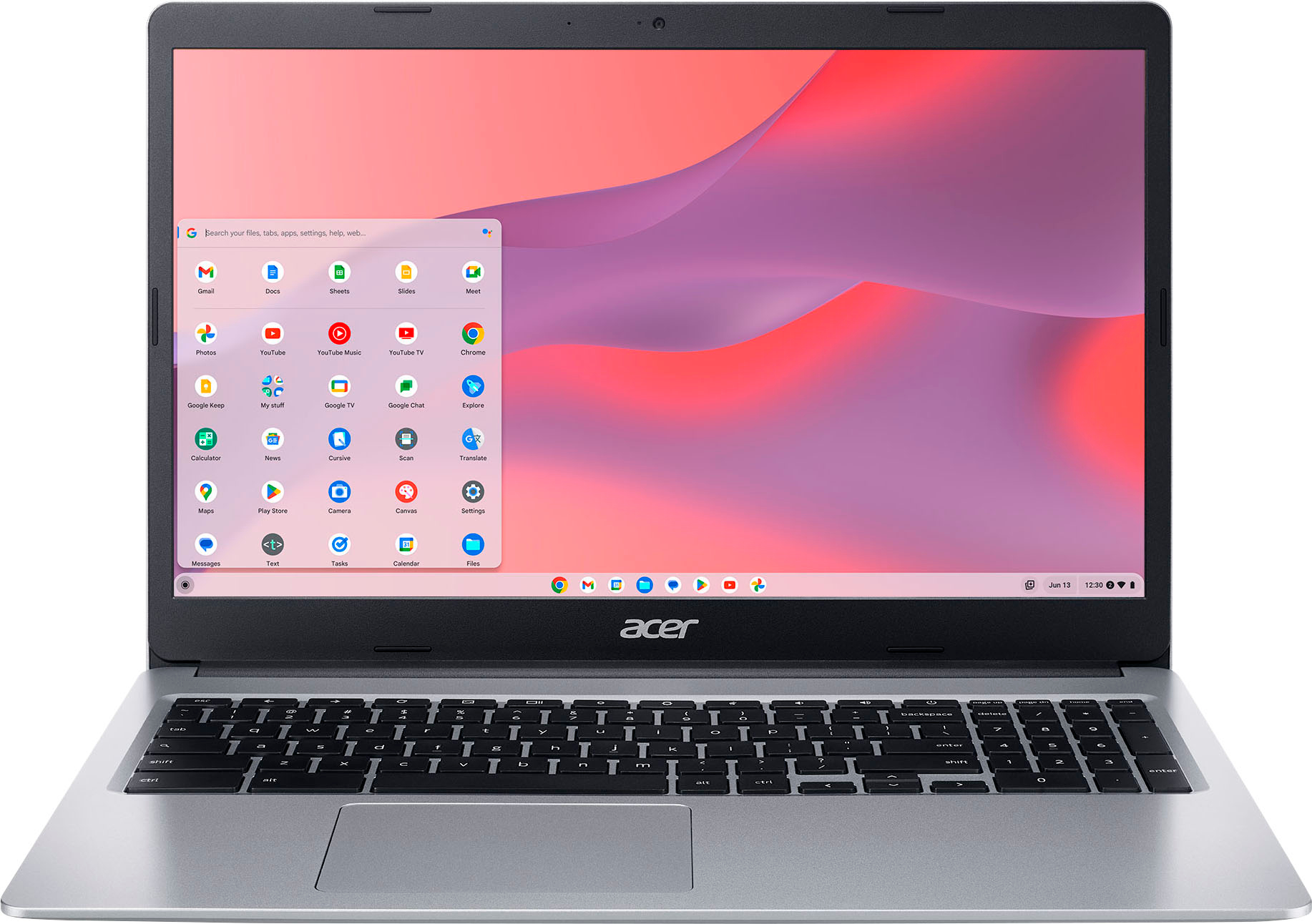
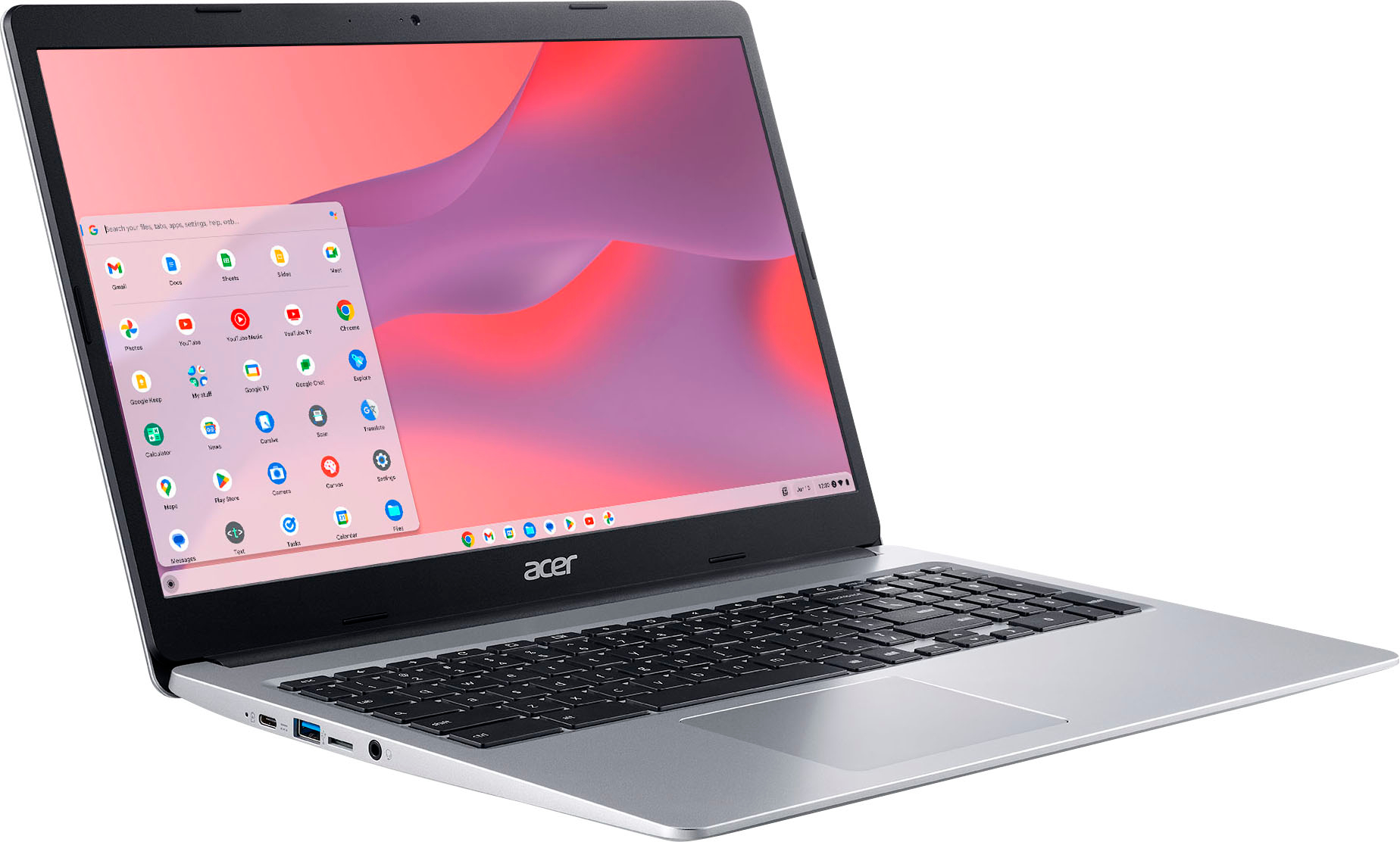
Customers commend the Chromebook 315 for its large screen size, ease of use, and affordable price. Positive feedback also highlights the convenient touchscreen functionality and acceptable battery life. While some users wish for a different operating system, most find the performance adequate for their needs. The lightweight design is another frequently praised aspect.
This summary was generated by AI based on customer reviews.
Acer Chromebook 315
||Posted . Owned for less than 1 week when reviewed.This reviewer received promo considerations or sweepstakes entry for writing a review.The computer is very laggy it barely able to play you without crashing
No, I would not recommend this to a friendBrand response from TeamAcer
Posted .Dear
Thank you for taking the time to leave a review on your Acer Chromebook. We are sorry to hear that the performance is not meeting your expectations, and we want to work with you to see how we can help improve this experience. If you are in the US or Canada, please feel free to contact our support team at 866-695-2237; they are available to assist 24/7 for in-warranty products.
Regards,
Acer America
Not happy
||Posted . Owned for 3 weeks when reviewed.This reviewer received promo considerations or sweepstakes entry for writing a review.Will not charge or hold a charge. When i plug the charger in mmy laptop works for about 15 minutes then shuts down
No, I would not recommend this to a friendBrand response from TeamAcer
Posted .Hello Richard,
We are sorry to hear this; the issue could be the Chromebook itself or just the AC adapter especially if it is not charging when plugged in. This is not the experience we want our customers to have and we would like to help you get this resolved. If you are located in the US or Canada, please feel free to contact our support team at 866-695-2237; they are available to assist 24/7 for in-warranty products.
We appreciate you taking the time to write this review.
Regards,
Acer America
Not for students, cannot do word docs
||Posted . Owned for 1 month when reviewed.This reviewer received promo considerations or sweepstakes entry for writing a review.Not able to download Word. Daughter not able to do homework. Good for watching movies and searching and that's it.
No, I would not recommend this to a friendBrand response from TeamAcer
Posted .Dear AZLOVE,
Chromebooks run off apps like an Android phone or tablet. Microsoft Office apps like Word are available for download from the Google Play Store. If you need help with this please feel free to contact our support team at 866-695-2237; they are available to assist 24/7 for in-warranty products.
Regards,
Acer America
Poor product
||Posted . Owned for 1 week when reviewed.This reviewer received promo considerations or sweepstakes entry for writing a review.It’s a slow computer for being brand new, well you log in there should be no long wait time but yet there is.
No, I would not recommend this to a friendBrand response from TeamAcer
Posted .Dear Zachary,
Thank you for taking the time to leave a review on your Acer Chromebook. We are sorry to hear that the product did not meet your expectations in some areas, and we want to work with you to see how we can help improve this experience. If you are in the US or Canada, please feel free to contact our support team at 866-695-2237; they are available to assist 24/7 for in-warranty products. Regards, Acer America
Mr
||Posted . Owned for 2 months when reviewed.This reviewer received promo considerations or sweepstakes entry for writing a review.It’s not turning on , I purchased it 2 months ago have not Eve used it yet,
No, I would not recommend this to a friendBrand response from TeamAcer
Posted .Dear Raymund,
We are very sorry to hear your Chromebook is not powering on and we understand this is frustrating for you. This is not the experience we want our customers to have and we would like to help you get this resolved. If you are located in the US or Canada, please feel free to contact our support team at 866-695-2237; they are available to assist 24/7 for in-warranty products.
We appreciate you taking the time to write this review.
Regards,
Acer America
Didn't pass for me
||Posted . Owned for 3 weeks when reviewed.This reviewer received promo considerations or sweepstakes entry for writing a review.Had a huge problem, maybe it was that laptop, but not for me
No, I would not recommend this to a friendBrand response from TeamAcer
Posted .Dear Antonio,
Thank you for taking the time to leave a review on your Acer Chromebook. We are sorry to hear that the product did not meet your expectations, and we want to work with you to see how we can help improve this experience. If you are in the US or Canada, please feel free to contact our support team at 866-695-2237; they are available to assist 24/7 for in-warranty products.
Regards,
Acer America
- Pros mentioned:Screen size

So Light, Very Portable
|Posted .This reviewer received promo considerations or sweepstakes entry for writing a review.Love the weight of this Acer chromebook. So light which makes it very transportable. I have a laptop for work and although less than a year old, it is quite heavy to carry around. This chromebook is perfect for a few hours of internet research while at the coffee shop. I keep it in the living room for a quick email check and/or quick purchase of whatever I realize I need. It came with a carry case and I confess I would buy this chromebook just for the carry case. Also lightweight, it looks like a file folder. The carry case is padded and has a zipper pocket on the outside for the electric cord to keep it separate from the Chromebook, perfect. The screen size is 15” and graphics are good. Setup was straight forward. Because the unit is designed to be used with Google, a Google account is expected. According to the directions without a Google account you would not be able to save any search criteria because all activity would be done as a guest. I got stuck in a bit of a loop without a Google account and was eventually able to complete setup. I continue to use this chromebook as a guest and have had no issues.
I would recommend this to a friend Stop working
||Posted . Owned for 3 weeks when reviewed.This reviewer received promo considerations or sweepstakes entry for writing a review.It just stop powering on, and I can’t return it smh
No, I would not recommend this to a friendBrand response from TeamAcer
Posted .Dear ShadaeW,
We are sorry to hear your Acer is not powering on properly and we understand this is frustrating for you. This is not the experience we want our customers to have and we would like to help you get this resolved. If you are located in the US or Canada, please feel free to contact our support team at 866-695-2237; they are available to assist 24/7 for in-warranty products.
We appreciate you taking the time to write this review.
Regards,
Acer America
- Pros mentioned:Screen size
Simple power for everyday and school use
|Posted .This reviewer received promo considerations or sweepstakes entry for writing a review.The battery run-time on this is amazing thus far for general use, kids schooling and studies; approximately 11-12 hours. Usage does vary on heavy use of the machine. The keyboard layout makes it very comfortable to use without the long reach feeling when typing. Including having the number pad readily available when having to type in multiple numbers when working in spreadsheets. The native document suite is great, while there are options for other document processing softwares availe. No noticeable lags or load times during use, even when loading larger sized text documents for editing and review. Google Meet chats for school projects is a breeze for children to setup and use. Due to the nature of Google Chrome OS, it integrates very easily into a Google led environment while binding to your Google account. Chromebooks have continuously been designed around the thought base of low power use while providing and efficient product for every day use. The HD screen on this is crisp and clear, easy to read with the anti-glare preventing large amounts of reflection in various lighting.
I would recommend this to a friend - Pros mentioned:Screen size, Speed
Perfect laptop for my pre-teens and toddler
|Posted .This reviewer received promo considerations or sweepstakes entry for writing a review.My kids were all issued Chromebooks for school. From time to time they have issues with their school issued devices, usually around forgetting passwords or power cables, so I decided to get this one as a backup. I also wanted to get my toddler into learning about computers, so its been good for him as well. We primarily use it for YouTube videos and educational content. So far, I've been very happy with it for my intended purposes. It's not the fastest laptop in the house, but it functions well for homework, looking at online content and I like to look up recipes for dinner. I will say it is faster than I thought it would be considering the processor, memory and 64gb hard drive. This is definitely not a powerhouse or workhorse laptop, but it doesnt need to be for general purpose use. The screen size is ideal and although its a larger sized laptop, it's still pretty portable overall. Once i unpacked it and charged it up, logged into my Google account, it was pretty much smooth sailing from there. I would recommend this laptop.
I would recommend this to a friend - Pros mentioned:Screen size
Good for web, streaming and email
|Posted .This reviewer received promo considerations or sweepstakes entry for writing a review.This is a very nice Chromebook. It is not the powerhouse laptop of a machine that you would use for business but it is great in for other purposes. 1.) It is wonderful to use as a mobile streaming player. I have used it for several streaming services. The picture is clear and the playback is extremely smooth. 2) A wonderful machine for web surfing and email function. If you are looking for a nice n my aching for every day task this would be a wonderful choice. It is a very seamless experience and has plenty of power for these functions. Battery life is pretty great. I used the computer for approximately 12 hours over 3 days for roughly 4 hours per day before I felt the need to charge it up. This is nice to have this type of batter longevity. The screen has beautiful colors and really stands out when viewing movies or surfing the web. The touchscreen is very responsive and is a nice feature. I found though using the touchscreen function does obviously leave fingerprints on the screen, they were not so bad where you felt like you needed to clean it after each use. It also comes with a nice case which has a pocket where the charging cord fits with ease. It’s nice protection for the computer and nice way to keep the charger with you. All in all, a really nice lightweight computer for daily use.
I would recommend this to a friend Good chromebook
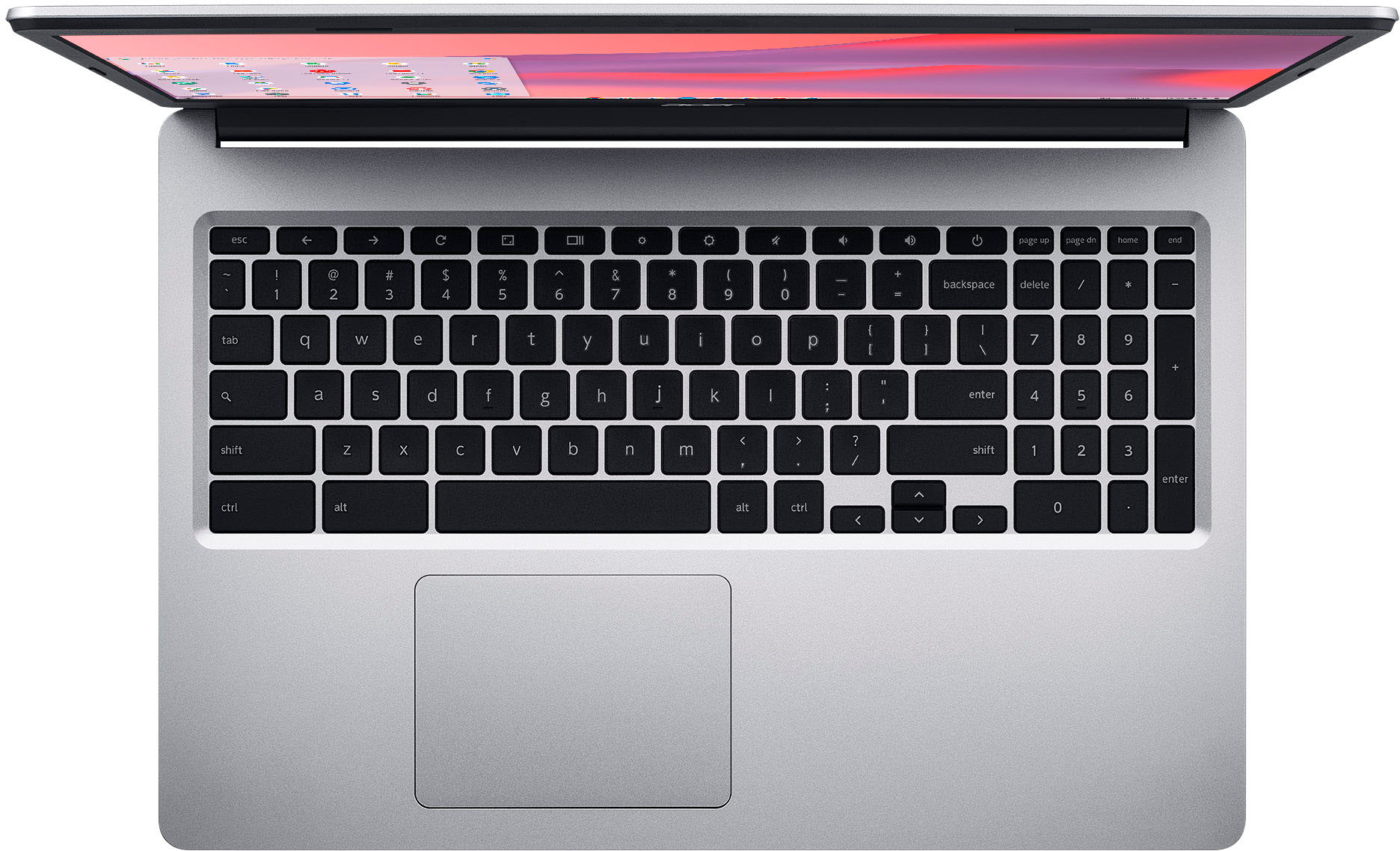
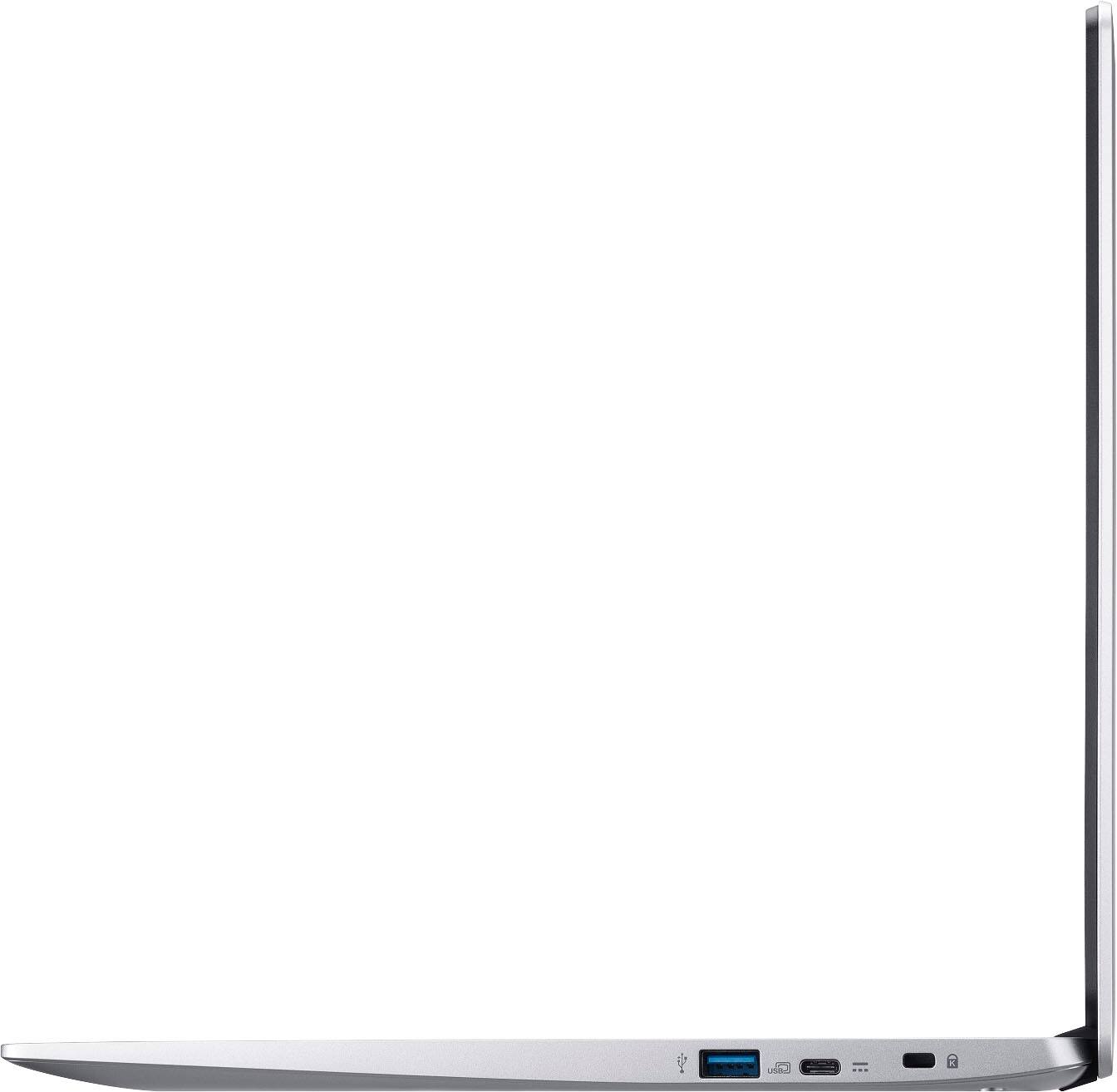
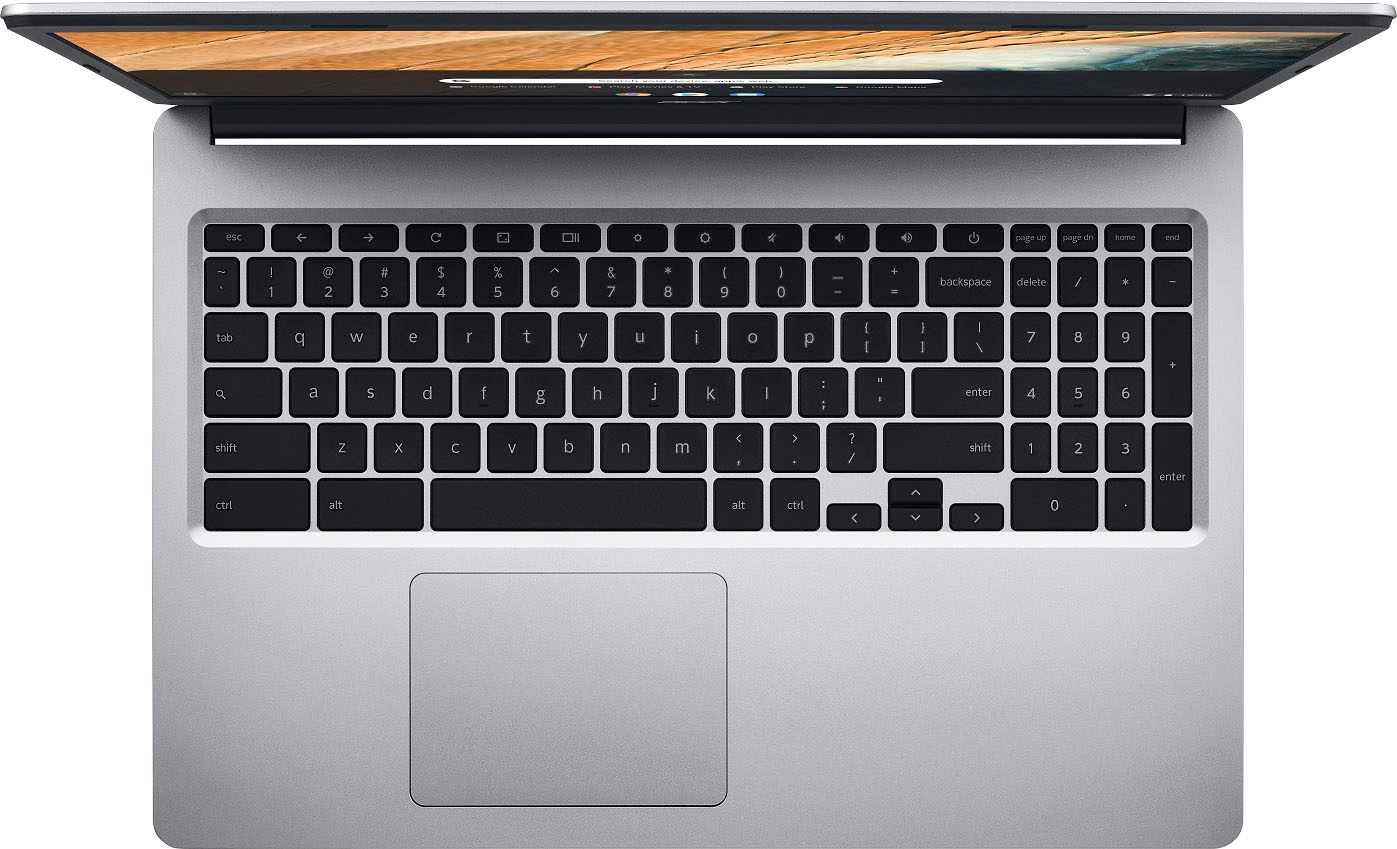
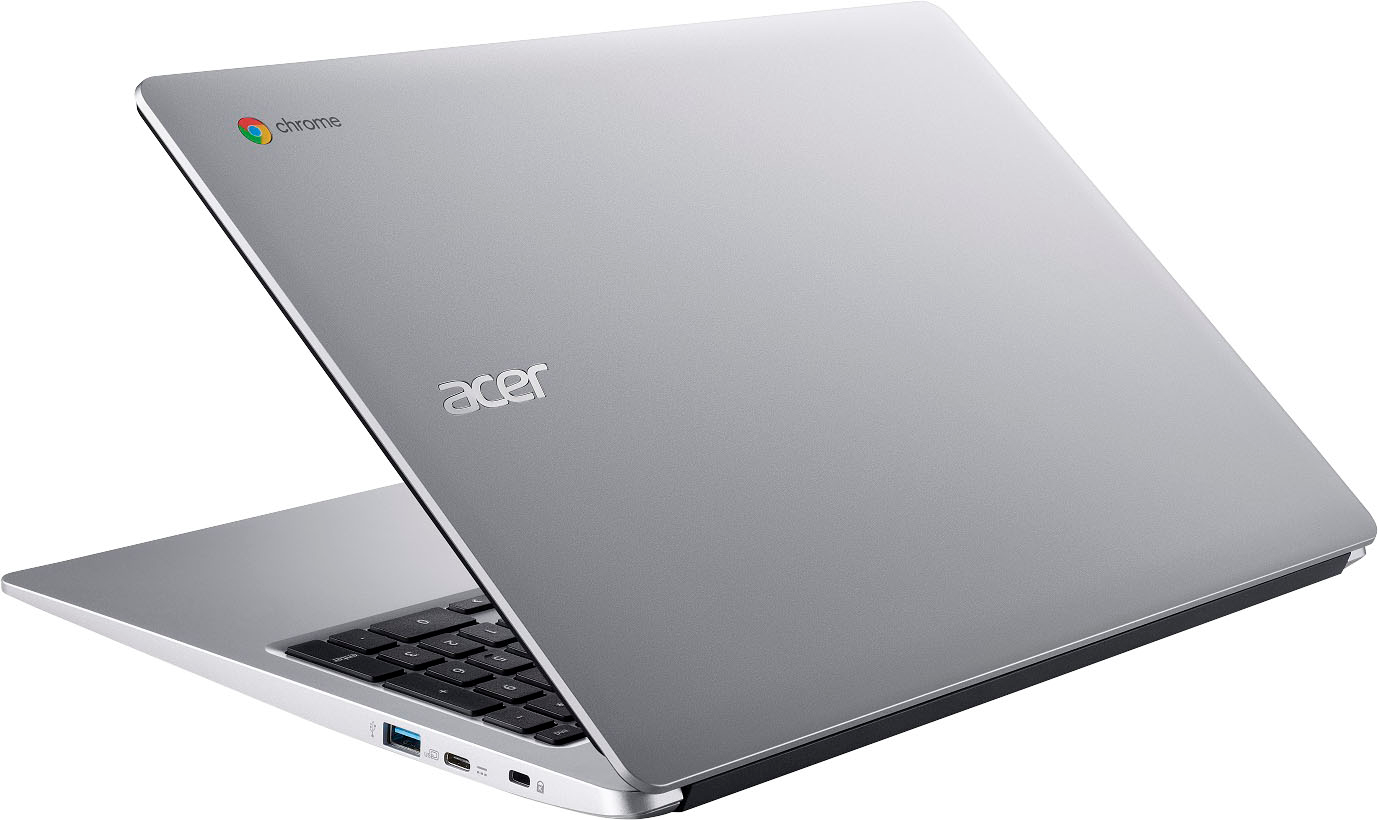
|Posted .This reviewer received promo considerations or sweepstakes entry for writing a review.Good somewhat basic chromebook. I had a hard time deciding whether to give it 4 or 5 stars so I guess 4.5 might be more accurate. It has a lot of good points and a few minor not so good points though the more I use it the better I like it. If you've used a chromebook before you probably know what to expect. If not but want to try one out this is a good choice. Android phone users should find it easy to adapt. A google account helps to get the most out of it but it's not really required. This is my 3rd chromebook. I also have a 12" which is very portable but a bit small for me. My other one is a 17" which is nice but a little big and bulky. This one at 15.6" seems just right and is still very portable. They all have good battery life though this one is better than the 17" and is really good for its size and touch screen. It's a good touch screen which is a nice extra at this price. Doesn't fold back to act like a tablet though. It seems really lightweight and even comes with a nice sleeve to make it more portable. Two usb c ports either can be used for charging with the usb c charger. Also 2 usb a ports. No sd card slots for expansion but you can add a flash drive for more storage. Not a big deal really but something to be aware of. Numeric keypad included if you do a lot of number crunching. I have mixed feelings about the numeric keypad since I don't really use it much and it seems to throw my typing off a bit because it moves the regular keys off center. I guess it's nice to have though if you want it. Not the newest processor or the most storage space but still seems pretty fast. A google account gives you online storage or again you can use a flash drive. Not a backlit keyboard which would be nice but none of my chromebooks have that feature. If you want a windows laptop then this probably isn't for you. But if you have a nice windows laptop and just want something useful for internet use and portability or just a change this is a good choice at a reasonable price.
I would recommend this to a friendWhat a Great Chromebook!
|Posted .This reviewer received promo considerations or sweepstakes entry for writing a review.As we have learned over the last few years Chromebooks, they are a great portable option for lighter to medium use (email, web browsing, even movie watching) for usually a more reasonable price. Our highschoolers have used Chromebooks for school for the past 6-7 years. And we also have a 4.5-year-old Acer Spin 15, but that one is fairly bulky for a 15.6" screen and wasn't really useful in tablet mode (at least for my wife who used it) and even though there were some design shortcomings, it has served its purpose. With moving on to the new Acer Chromebook 315, the design has really come a long way. The overall design, down to the full keyboard with the keypad (that was missing on the other one), has a similar feel to a low to mid-range Windows laptop. It does only have a 2-core Intel Celeron N4020 CPU (compared the 4-core Intel Pentium N4200), but it actually seems to run as quick or even quicker! It will definitely handle what it will be used for (the mentioned email, web browsing and movie watching), plus the document editing that my wife will be doing as she has gone back to teaching. Since it us users ChromeOS, it's nice that all the bookmarks sync across all devices since use Chrome on our Windows systems and android phones. The display is Full HD (1920x1080), which is not always an option on most lower to mid-range laptops (ChromeOS or Windows), but is more than it has been in the past. The touchscreen works great! It has 64GB eMMC internal storage, but surprisingly not a microSD slot (which seems to be the case even with most of the new phones). I'm a little iffy with the style of keyboard keys (not as smooth feeling as I'd prefer), but at least it does have the keypad. The touchpad isn't as smooth as I'd prefer (so it is fairly audible when using it) but it still works great. You do have access to the Google Play store for Android apps, but as with most Chromebooks, you won't get everything an Android phone gets. It does star back up very quickly when opening the lid, almost feeling like it wasn't even in sleep mode. There are 4 USB ports, two USB 3.1 Type-A and two USB 3.1 Type-C. Either Type-C ports can be used to plug in the charger. The battery can run up to 12.5 hours, depending on use. And, luckily, it still has a 3.5mm headphone jack (those seem to be disappearing from everything as well nowadays). The Wi-Fi has been upgraded to be able to connect to Wireless-AC. One thing that was really nice is that it came with its own travel sleeve! There is a zippered outside pocket for storing items, including charging adapter. So far, this is a very nice Chromebook, and will handle what a Chromebook is mainly designed to handle with no issues.
I would recommend this to a friendGreat Chromebook
|Posted .This reviewer received promo considerations or sweepstakes entry for writing a review.The Acer Chromebook was the 2nd Chromebook my family & I have gotten. The setup was a breeze and easy to complete in just a few minutes. Once we input the Google account we utilize for both of our Chromebooks that we have, we went about updating the operating system and then the included applications as well. Everything was quick, the UI responded in a very snappy way. The OS is intuitive and wouldn’t take anyone long to get used to if they are migrating from Windows or OSX. Iit is a different experience compared to that of say your Android OS on your phone but it is just as stable & easy to use. Surfing the internet was quick, as was watching YouTube videos, playing some Android games was a smooth experience and while the visuals didn’t look as high resolution as they would on a flagship phone it was not off putting of lacking so badly that any of the kids complained at all. Everything on this Chromebook feels nicely put together. It doesn’t feel like it will fall apart at the drop of a hat and fits well next to our other portable devices without being too flashy nor cheap looking, it’s just right and fits nicely.
I would recommend this to a friendLarge screen and fast moving laptop packing punch
|Posted .This reviewer received promo considerations or sweepstakes entry for writing a review.I have used a bunch of laptops in the past and always look for the ease of use and the lightweight capacity in a device. This computer has both and not only is it easy to use since its a Chromebook, its lightweight and thin and comes with its own pouch/case to carry the laptop in your arm or in your hands. The device is similar to other Chromebooks, logs on to Google services at the start and gives you access to all Google tools like Google Docs and Presentations etc. The screen size is what impressed me the most, at a large 15" screen, it is one of the biggest Chromebook screens I have seen, plus its Acer, which is a reliable company with sustainable computers that can take a beating and still keep going. This machine looks like it could take a little bit of serious usage and still keep going and its a pretty fast machine as well, with a large enough memory to give you speeds zooming around the internet and streaming and also working with social media and business applications. I am not sure this would be large enough for serious usage, but its adequate for everyday internet browsing etc.
I would recommend this to a friendGood laptop for student or basic use.
|Posted .This reviewer received promo considerations or sweepstakes entry for writing a review.The Acer Chromebook 315 is your typical run of the mill chromebook that is likely marketed to a student or a regular user who's not doing anything memory intensive or playing games that require a higher priced computer. If you're just surfing the web or using it to do schoolwork I think this is a good choice at a good price. The Chromebook 315 has a 15.6" screen that is matte in finish so no glare. The colors, saturation and brightness is good. It has a number pad on the keyboard which is nice. There are two usb-c ports, both of which can transfer data or charge the laptop. I find this useful because occasionally I'll be on the couch and the charger will be on the left or the right depending on where I'm sitting. It's a pet peeve of mine to have the charging cord under the laptop, so having the option to plug in either is nice. I had no problem getting online and staying connected to the internet by wifi with this laptop. The battery life held up extremely well for me under normal usage. This is not an upgradable device so you won't be able to swap out components for storage or anything like that. What you see is what you get. The laptop is built mostly out of plastic components, which is kind of what you expect in this price range. The OS is Chrome so you use your Google login to use this device. It also comes with a padded laptop bag, which is a nice add in. This is a nice laptop for a light user like a student or me who just uses it to surf the web. I've had no issues playing around on it. In this price range I think it performed well and would recommend!
I would recommend this to a friendSolid, entry level option
|Posted .This reviewer received promo considerations or sweepstakes entry for writing a review.This Chromebook is exactly what it says it is. All you need to do is look at the specs to know that this is intended to be an entry level Chromebook good for basic processing and computing, especially for students. It doesn’t have any crazy bells and whistles, and storage capacity is low because things like documents, spreadsheets, and presentations do not take that much space nor do they require super fast operating speeds. The specs offered and features included match the price point, and if anything, gives pretty good bang for your buck. I was pleasantly surprised by the number of USB ports (including 2x USB C ports). My very fancy gaming laptop which is only a year older only has one. I also appreciated the protective sleeve that was included with the laptop. That’s perfect for carrying the laptop in a bag with other items so that you don’t need a separate laptop bag to keep it protected. Overall, this is an excellent starter laptop, perfect for a young student who is possibly in need of their first computer.
I would recommend this to a friendSome good, some bad. Overall an average Chromebook
|Posted .This reviewer received promo considerations or sweepstakes entry for writing a review.Price-wise, the Acer Chromebook 315 is at the upper end of the 'budget' Chromebook market. In use, and comparing to a couple other Chromebooks in my household, I was slightly disappointed in its performance. Positives: - Large touch screen - Super-light and comfortable to use for being a 15.6" screen laptop - Solid keyboard, good for typing. Has a separate numbered keypad, which is great at this price. - Webcam and microphone are excellent for meetings and school. - Good battery life - Sound (speakers) was impressive - Plenty of inputs Not-so-positives: - Full HD LCD screen doesn't impress. Doesn't get very bright. Not going to sit outside under the tree and work on homework. - Track pad kind of sucks. Finger motions don't always work. Did not like the track pad at all. - Laggy. Web pages load slowly in Chrome. Several apps open at same time had a discernible effect on Chromebook performance. - WiFi 5 performance is disappointing. I'm stuck in the middle when it comes to the Acer Chromebook 315. It is a budget Chromebook that would be well-suited to a teenager using in school. It's perfect for using Google's suite of productivity apps to type up papers, check emails, work on spreadsheets or chat with friends via the webcam and microphone. But try to get the 315 to do more than that, and you run into an annoyingly laggy unit that struggles when you bog it down with multiple open webpages or viewing Youtube content.
I would recommend this to a friendGreat Chromebook
Posted .This reviewer received promo considerations or sweepstakes entry for writing a review.Works great! It’s a Chromebook, I’m not going edit any video or play video games, but it’s great for what it’s made for
I would recommend this to a friendGreat purchase
Posted .This reviewer received promo considerations or sweepstakes entry for writing a review.Ready to use and suitable for its function. Affordable and recommended for any purpose with great battery life.
I would recommend this to a friend