Customer Ratings & Reviews

- Model:
- CP514-1H-R4HQ
- SKU:
- 6447818
Rating by feature
- Battery Life
Rating 4.5 out of 5 stars
- Speed
Rating 4.2 out of 5 stars
- Display
Rating 4.5 out of 5 stars
Customers are saying
Customers frequently mention the Chromebook Spin 514's touchscreen, ease of use, and long battery life as significant advantages. Many appreciate its affordability and lightweight design, making it convenient for various uses. However, some users point to performance limitations, particularly with RAM and storage capacity, as potential drawbacks. Concerns were also raised regarding the lack of an HDMI port in some models.
This summary was generated by AI based on customer reviews.
- Cons mentioned:Performance
Mr. Freeze ain't got nothing on you
||Posted . Owned for 3 weeks when reviewed.This reviewer received promo considerations or sweepstakes entry for writing a review.Bought this thing 6-weeks ago, darn thing freezes at the drop of a hat.
No, I would not recommend this to a friendBrand response from TeamAcer
Posted .Dear Yesboyslie,
Thank you for taking the time to leave a review regarding the purchase of your Acer Chromebook. We are sorry to hear the Chromebook is locking up during use, and we want to work with you to see how we can help improve this experience. If you are located in the US or Canada, please feel free to contact our support team at 866-695-2237; they are available to assist 24/7 for in-warranty products.
Regards,
Acer America
Not in Love
||Posted . Owned for 3 weeks when reviewed.This reviewer received promo considerations or sweepstakes entry for writing a review.Not really in love with it. Loved my goggle Chromebook more. But for the price it's just okay.
No, I would not recommend this to a friendWi-Fi connection drops
||Posted . Owned for less than 1 week when reviewed.This reviewer received promo considerations or sweepstakes entry for writing a review.WiFi Connection kept dropping... it would work for a minute and then the connection would drop..and then it would connect...and kept repeating. I tried multiple troubleshooting ways and nothing helped... I do like the backlit keyboard but that's it... I returned this a day after purchase.
No, I would not recommend this to a friendBrand response from TeamAcer
Posted .Dear Jenna,
We are sorry to hear that you decided to return your newly purchased Acer Chromebook. Our support team is always available to assist with getting your new product set up and configured, or assist with any other troubles you may experience with your purchase. If you should need assistance with an Acer product in the future, please contact our support team at 1-866-695-2237, chat or social media, and we will be glad to help.
We appreciate you taking the time to write this review.
Regards,
Acer America
Poor quality, broken screen
||Posted . Owned for 1 month when reviewed.This reviewer received promo considerations or sweepstakes entry for writing a review.Screen broke within a week of purchasing it. The computer arrived, we opened it up and logged into it. We got things going on it for my sons school. Then shut it off, wrapped it back in the protective foam and placed it back in the box, and then placed the box in a safe place. About 5 days later, we took it out of its box and turned it on, the screen went black and would not turn on. The computer was running but nothing on the screen. Returned to Best Buy and there was no replacement or ability to fix the screen. I had high hopes for this computer but now I am wondering if the quality of this computer is really there. Also, bought it on Best Buy’s sale and now would have to pay full price to purchase again.
No, I would not recommend this to a friendBrand response from TeamAcer
Posted .Dear Luke,
We are sorry to hear that you decided to return your newly purchased Acer Chromebook. Our support team is always available to assist with getting your new product set up and configured, or assist with any other troubles you may experience with your purchase. If you should need assistance with an Acer product in the future, please contact our support team at 1-866-695-2237, chat or social media, and we will be glad to help.
We appreciate you taking the time to write this review.
Regards,
Acer America
- Pros mentioned:Touchscreen

Premium with an asterisk
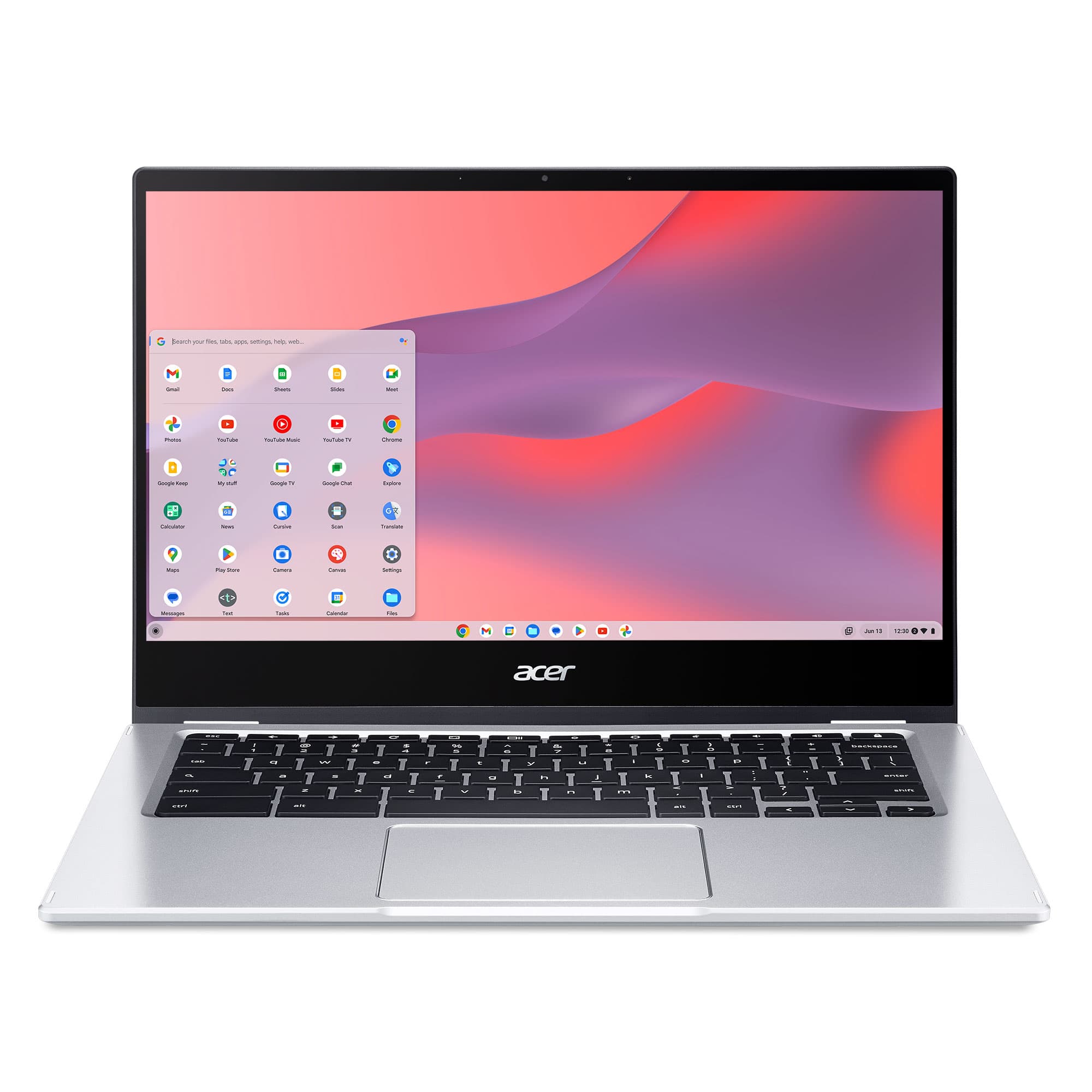
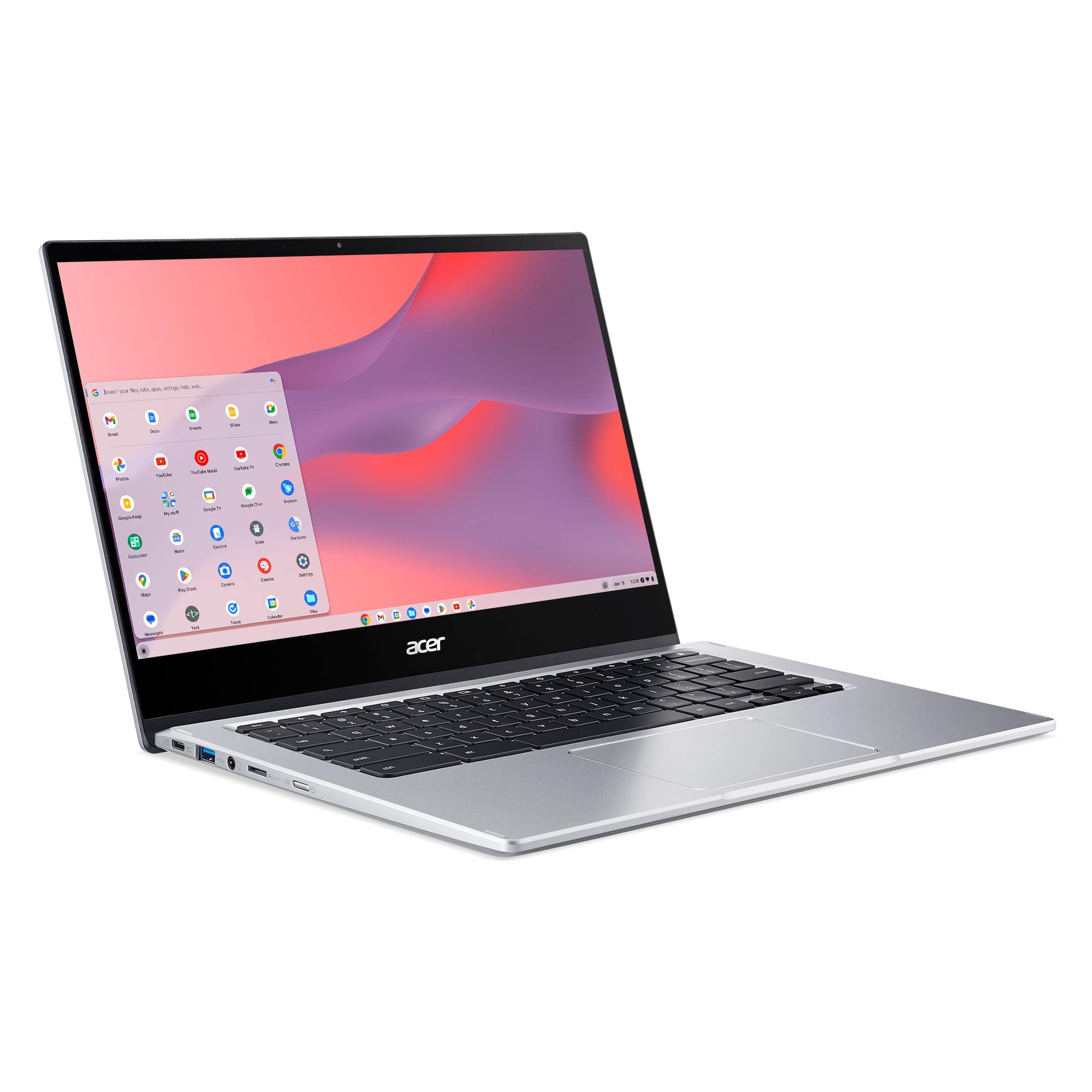
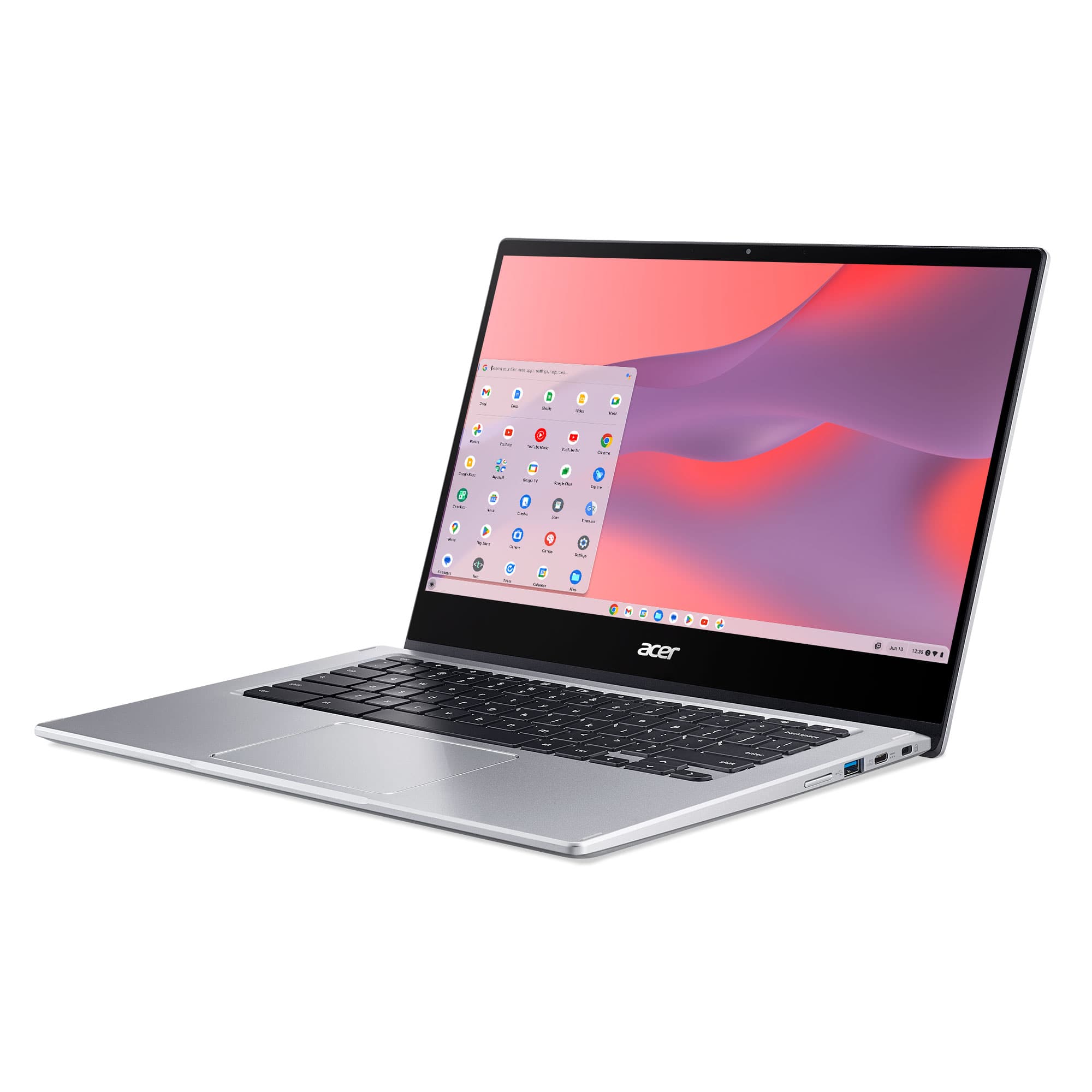
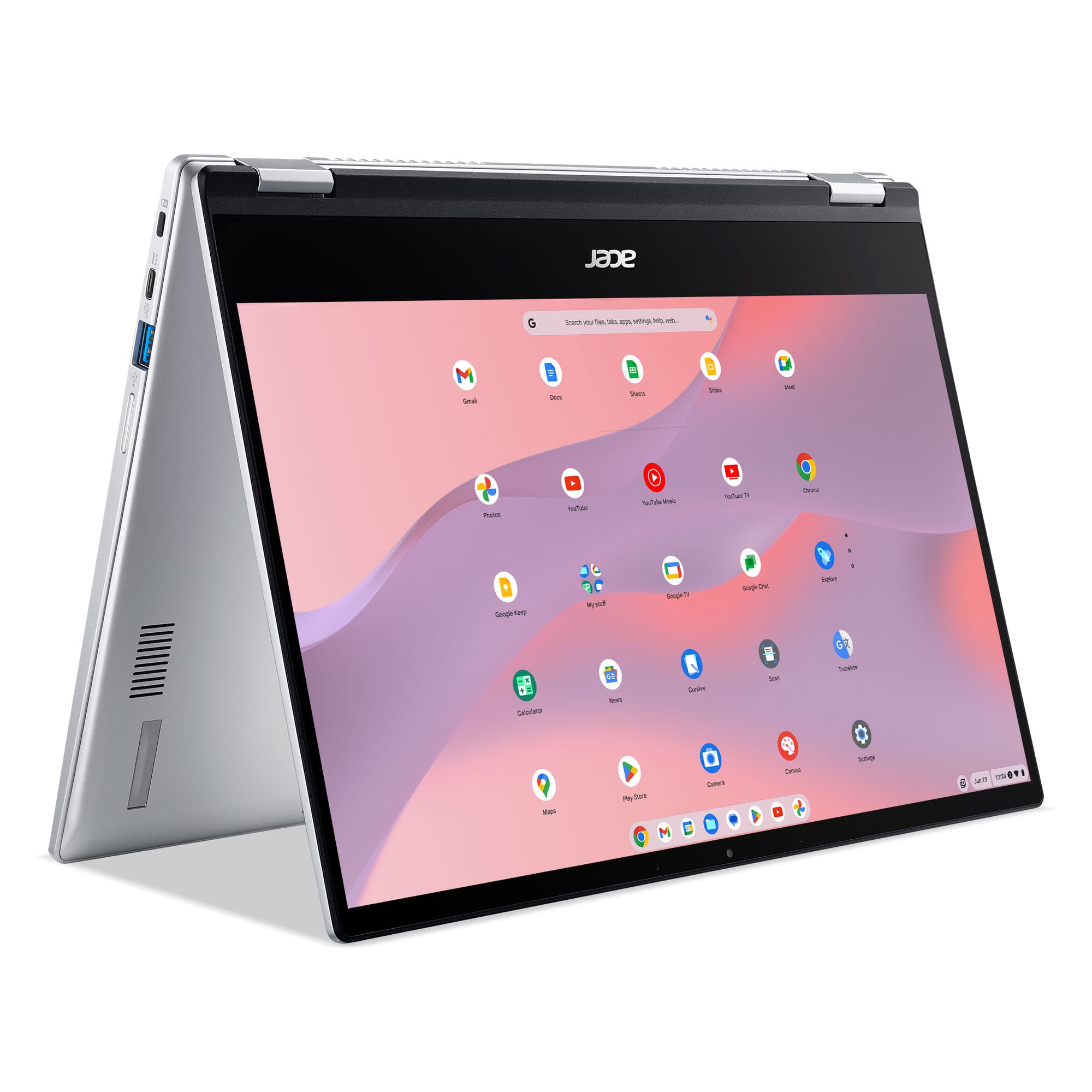
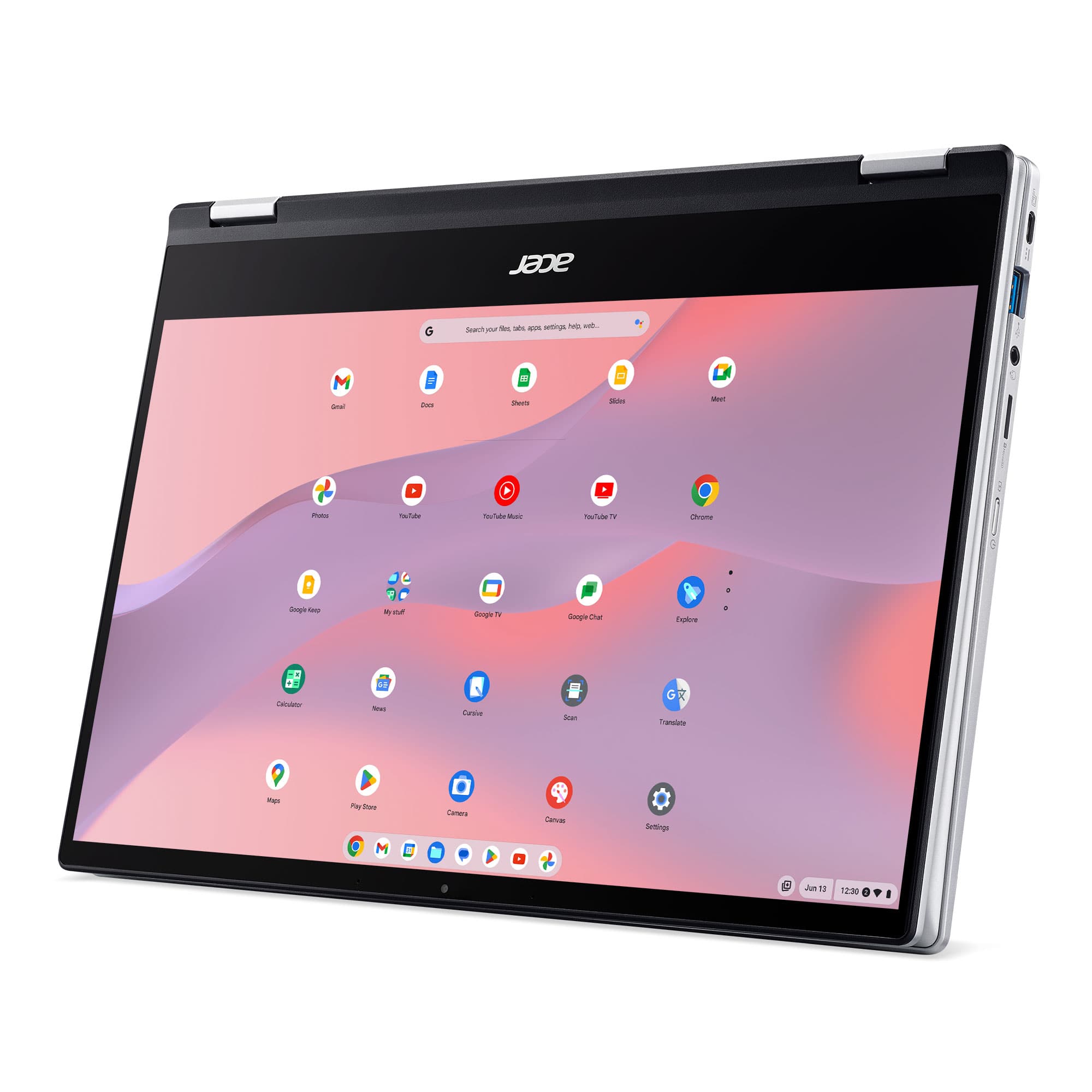
|Posted .This reviewer received promo considerations or sweepstakes entry for writing a review.This is a premium feeling device, which I find to be rather awkwardly positioned. Looking around the $500 price point, you can get a better spec’ed Windows laptop, which is going to be much more powerful and versatile since you can install software that’s not from an app store. That being said, let’s actually go over this device. Body (positives): This is a premium feeling laptop shell. It is all metal which feels very nice and cool to the touch. There is a tasteful polished beveling to the edges which enhances this and adds some visual interest while also making sure there are no sharp edges. The keyboard feels nice, and each key has a very minor concave shape which provides a nice feel when typing. Body (negatives): The screen enclosure is very slightly smaller than the main body/keyboard enclosure. This, coupled with stiff hinges, makes it actually quite difficult to open this laptop. If you’re not moving around too much, this may not be an issue, but it is worth noting. Also, the “acer” logo on the back of the screen enclosure is raised, rather than etched into the metal, which makes me think it is actually just a sticker that will peel off at some point. Ports (all positives!): This has all the ports you could want, including 2 USB-C ports that will allow you to connect a hub and added monitors, and 2 USB 3.0 ports for anything else on the go. There is even a micro-SD card reader built in – and the obligatory headphone jack. Screen (all positives!): This has a beautiful screen. I’d say it is on par with high-end laptops (similar to my HP Spectre that I use daily). The bezels are slim all the way around, though a little fatter at the bottom than I’d expect on a premium modern laptop. Video playback is beautiful. Sound (all negative!): There are speakers. That’s about all I can say. They are very tinny sounding and somehow always sound like they are pointing away from you, no matter how you position the laptop. If you want to use this for media, invest in some headphones. Camera (all positives!): The camera appears to be very sharp on this laptop. This also lets you see that the graphics work very well (on top of the smooth video playback) as there is no fuzzing or distortion even with reasonably fast movement. Who is this good for?: Chromebooks are good for two or three sets of people, broadly speaking: (1) students who don’t need anything beyond web-browsing and basic document editing for school, (2) tech people interested in the sandboxed security and an easier way to code in Linux than Windows can offer, and (3) people who aren’t comfortable with computers and just want a simple point-and-click interface to get to what they want and are intimidated by even looking at the file explorer on a Windows or Mac machine. For the student, this is a high-end feeling machine, but if they get interested in video or audio editing, or anything requiring more specialized software, this isn’t going to work in the long run (better to get a Windows or Mac machine that will have more RAM and storage anyway). For the Techie, they know what they want and probably already have it. For the profoundly not-tech-savvy, this is a nice machine for browsing the web, having video calls, etc. But, if they are interested in even uploading photos from a device that doesn’t automatically upload them to Google Photos, things will get very complicated. Add to this the premium appearance and price, and you’re looking at a very small subset of the population that this seems targeted toward.
No, I would not recommend this to a friend DONOT BUY!
||Posted . Owned for 3 weeks when reviewed.This reviewer received promo considerations or sweepstakes entry for writing a review.ZERO STARS!! Won’t connect to WIFI. I’ve contacted Acer,tried all their troubleshooting, but apparently wifi card is bad. I have to pay to ship this to Texas, then wait weeks for it to be fixed. I’m furious because this was a gift, and it’s failed after 10 days!! I can’t return it to Best Buy which is what I’d like to do, but it’s past the 15 (yes only 15) day return window. I got solid a new but defective Chromebook and now have to spend more money and time to get it fixed. My last Acer Chromebook functioned perfectly for years. (This was my 3rd Acer) This company has lost a previously loyal customer.
No, I would not recommend this to a friendBrand response from TeamAcer
Posted .Dear Heather,
Thank you for taking the time to leave a review regarding the purchase of your Acer Chromebook. We are sorry to hear you are having trouble with the wifi, and we want to work with you to see how we can help improve this experience. If you will please call 1-866-690-4549 and reference your review, we can help address any problems you may be experiencing.
Regards,
Acer America
Pretty junky not going to lie
||Posted . Owned for 1 month when reviewed.This reviewer received promo considerations or sweepstakes entry for writing a review.Thought it would be good for the price. Being originally $500… but I would never have paid that for this below average laptop. They should probably drop the price on this thing another $50
No, I would not recommend this to a friendBrand response from TeamAcer
Posted .Dear Taylor,
Thank you for taking the time to leave a review regarding the purchase of your Acer Chromebook. We are sorry to hear that the product did not meet your expectations, and we want to work with you to see how we can help improve this experience. If you are located in the US or Canada, please feel free to contact our support team at 866-695-2237; they are available to assist 24/7 for in-warranty products.
Regards,
Acer America
- Cons mentioned:Performance
You get what you pay for
||Posted . Owned for 4 months when reviewed.This reviewer received promo considerations or sweepstakes entry for writing a review.We've had this for 4 months and it's already broken. Save your money.
No, I would not recommend this to a friendBrand response from TeamAcer
Posted .Dear Frustrated,
We are sorry to hear your Acer Chromebook is not functioning properly and we understand this is frustrating for you. This is not the experience we want our customers to have and we would like to help you get this resolved. If you are located in the US or Canada, please feel free to contact our support team at 866-695-2237; they are available to assist 24/7 for in-warranty products.
We appreciate you taking the time to write this review.
Regards,
Acer America
- Pros mentioned:Processor speed, Touchscreen
This Chromebook Rocks!
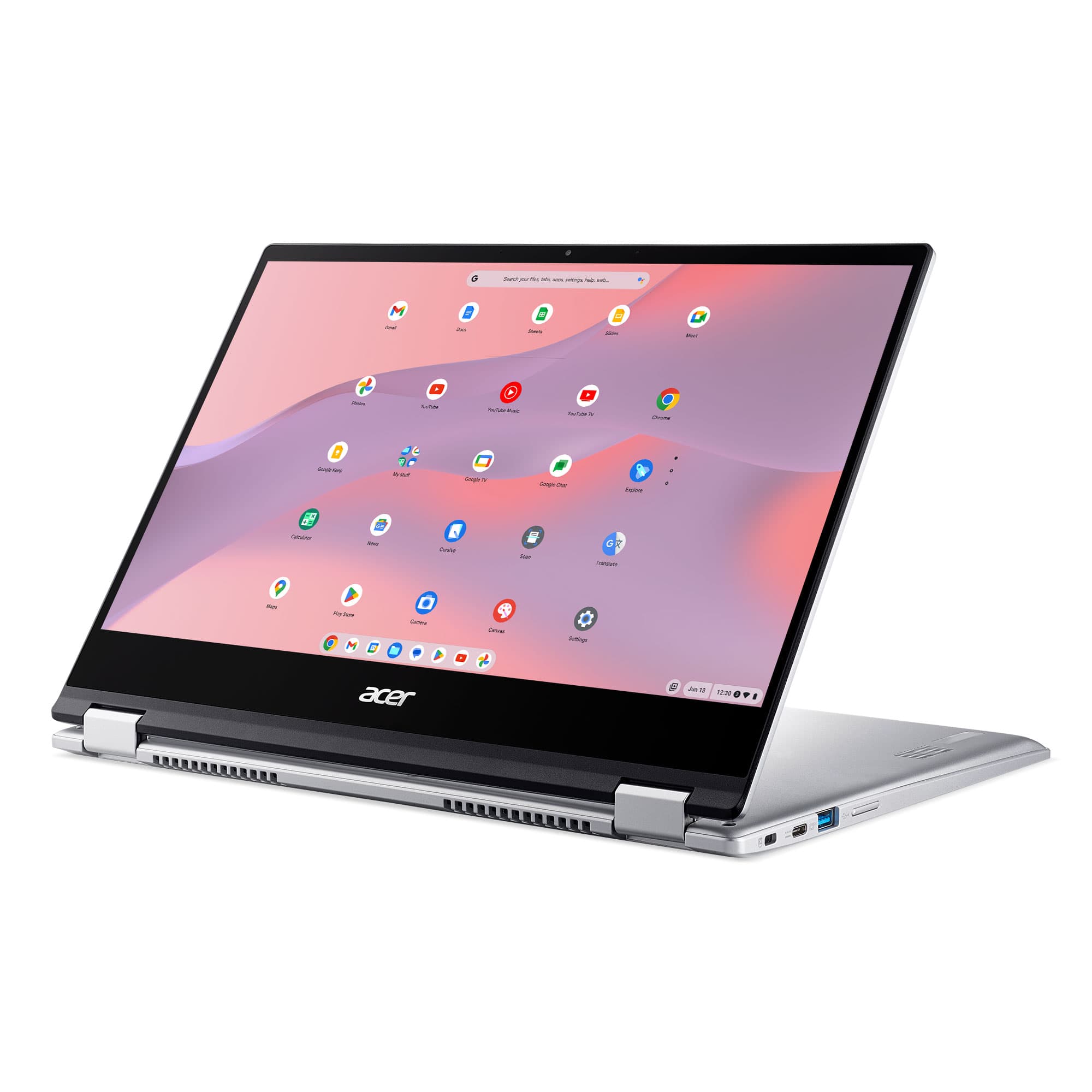
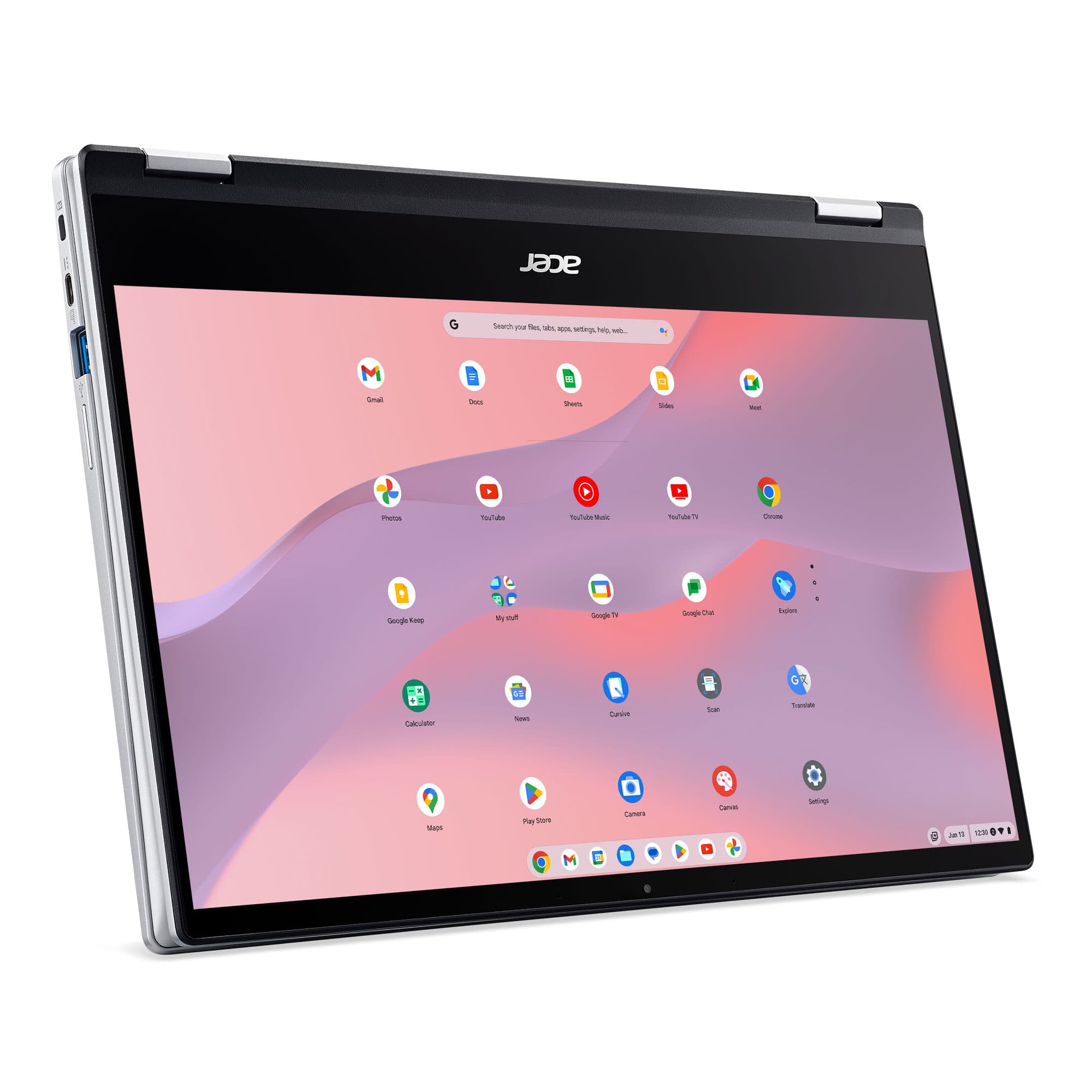
|Posted .This reviewer received promo considerations or sweepstakes entry for writing a review.I have used many Google Chromebooks in the past as part of my profession, but the Acer Chromebook Spin 514 is the best (in it's price range) I have used thus far. It is based on the AMD Ryzen chipset which provides plenty of power for the Google apps and others that run on the Chromebook. The screen, while a bit on the reflective side, is Gorilla Glass making this a tough notebook. Actually, the whole thing is Mil-Spec'd for toughness, so I have no issues tossing it in my briefcase without worry. The screen is a touchscreen, but the touchpad is very responsive also, so you have the best of both worlds. The display is full HD at 1920x1080 dpi. It comes complete with 2 USB Type C ports, 2 USB Type A ports, headphone jack, Kensington lock port and a Micro-SD card slot. It charges by the supplied USB C charger, which at 15 watts is pretty quick. The Spin 514 can be used as a normal Chromebook, in tent (display) mode, or as a rather hefty tablet. With built-in AMD graphics I have had no issue with any apps I have loaded. The Spin 514 has 4gb of system memory and 64gb of storage. As I stated before, it also has a micro SD slot which I have a 128gb card in, so no issues with storage. The Acer Chromebook Spin 514 is an overall excellent Chromebook, a great step-up from the vanilla, basic Chromebooks on the market and used in some schools. It is versatile and allows for much more robust work to be accomplished. Highly recommended.
I would recommend this to a friend Not a good build
||Posted . Owned for 1 week when reviewed.This reviewer received promo considerations or sweepstakes entry for writing a review.Was hoping for much better. In FB, kept freezing. Screen also would just suddenly go black. Very unexpected as I have a much older chromebook that works just fine.
No, I would not recommend this to a friendBrand response from TeamAcer
Posted .Dear Speedy,
Thank you for taking the time to leave a review regarding the purchase of your Acer Chromebook. We are sorry to hear that the product performance is not meeting your expectations, and we want to work with you to see how we can help improve this experience. If you are located in the US or Canada, please feel free to contact our support team at 866-695-2237; they are available to assist 24/7 for in-warranty products.
Regards,
Acer America
Works only for a short time.
||Posted . Owned for 4 months when reviewed.This reviewer received promo considerations or sweepstakes entry for writing a review.Bought this in July and had loved it, now 4 months later it has shut down two days in a row. The first time it took two hours to get it to turn on again. Initially thought it might be a low battery. Then after charging all night it shut down and would not turn on and am not sure if it will. Looking like Im stuck with a computer that won't turn on.
No, I would not recommend this to a friendBrand response from TeamAcer
Posted .Dear DBegs,
We are sorry to hear your Acer Chromebook is not booting/functioning properly and we understand this is frustrating for you. This is not the experience we want our customers to have and we would like to help you get this resolved. If you are located in the US or Canada, please feel free to contact our support team at 866-695-2237; they are available to assist 24/7 for in-warranty products.
We appreciate you taking the time to write this review.
Regards,
Acer America
- Pros mentioned:Processor speed, Touchscreen
Great Value compromise in the ChromeBook Spectrum
|Posted .This reviewer received promo considerations or sweepstakes entry for writing a review.I've had a few ChromeBooks over the years and anyone shopping for one will notice one thing pretty quickly - there isn't really a price spectrum so much as there are generally low end and high end ChromeBooks. For a laptop which is browser/cloud based, it's very difficult to justify the expense of the high end offerings. However, the low end ones seem outdated (processor, quality, and feature-wise) from the moment you purchase. Yes, there are a few affordable ones here and there that offer some nice features, and you can find some on sale from time to time, but there really aren't any that sit in that mid price point and are something you'd be proud to carry around. This ChromeBook is different. It has high end build quality you'd find on laptops twice the price. It's processor is great, especially on the Chrome platform, it screams. It has everything else you normally expect now - USB-C charging, plenty of ports, touchscreen, etc. I really like this and think that it should be a price point and market that could push ChromeBook adoption beyond a few Google geeks like me and every classroom in America.
I would recommend this to a friend Fast laptop but bad wifi
||Posted . Owned for 1 month when reviewed.This reviewer received promo considerations or sweepstakes entry for writing a review.Very nice looking laptop and fast, but the wifi would not stay connected even right next to the modem. We returned it unfortunately.
No, I would not recommend this to a friendBrand response from TeamAcer
Posted .Dear Jase,
We are sorry to hear that you decided to return your newly purchased Acer Chromebook. Our support team is always available to assist with getting your new product set up and configured, or assist with any other troubles you may experience with your purchase. If you should need assistance with an Acer product in the future, please contact our support team at 1-866-695-2237, chat or social media, and we will be glad to help.
We appreciate you taking the time to write this review.
Regards,
Acer America
Slow response
||Posted . Owned for 3 weeks when reviewed.This reviewer received promo considerations or sweepstakes entry for writing a review.Sometimes it takes 10-30 seconds for screen to come up after opening. My other Cromebooks started as soon as I opened.
No, I would not recommend this to a friendBrand response from TeamAcer
Posted .Dear RBlackwell,
Thank you for taking the time to leave a review regarding the purchase of your Chromebook. We are sorry to hear that the performance is not meeting your expectations, and we want to work with you to see how we can help improve this experience. If you are located in the US or Canada, please feel free to contact our support team at 866-695-2237; they are available to assist 24/7 for in-warranty products.
Regards,
Acer America
Not a good purchase
||Posted .This reviewer received promo considerations or sweepstakes entry for writing a review.Could not download Hay Day on thus computer and it had the same specifications as the HP i replaced it with
No, I would not recommend this to a friendBrand response from TeamAcer
Posted .Dear Switch,
Thank you for taking the time to leave a review regarding the purchase of your Acer Chromebook. We are sorry to hear you are having trouble downloading apps and we want to work with you to see how we can help improve this experience. If you are located in the US or Canada, please feel free to contact our support team at 866-695-2237; they are available to assist 24/7 for in-warranty products.
Regards,
Acer America
Very very unimpressed
||Posted . Owned for 3 weeks when reviewed.This reviewer received promo considerations or sweepstakes entry for writing a review.I wish I had used more heavily after buying, as my return window has passed. All I use this for is web browsing and streaming via Netflix and such. Every time I open it takes a long long time to start responding. I would've thought this processor could handle minimal web browsing.
No, I would not recommend this to a friendBrand response from TeamAcer
Posted .Dear JWMc,
Thank you for taking the time to leave a review regarding the purchase of your Acer Chromebook. We are sorry to hear that the product did not meet your expectations, and we want to work with you to see how we can help improve this experience. If you are located in the US or Canada, please feel free to contact our support team at 866-695-2237; they are available to assist 24/7 for in-warranty products.
Regards,
Acer America
Excellent Chromebook value
|Posted .This reviewer received promo considerations or sweepstakes entry for writing a review.Chromebooks are popular because they are easy to use, fast, inexpensive, and have all day battery life. They are this way because they run a fundamentally lightweight OS that is basically just Google's Chrome browser. Because of this, there are a LOT of inexpensive Chromebooks out there, often with 11" screens. If you have kids in school, you've likely come across these, especially in the last few years (and especially during the pandemic). But what if you want something a bit nicer than those? Some manufacturers have gone overboard, with super high resolution screens that sap the battery life advantage Chromebooks have, along with power hungry processors that Chrome OS will never use fully. (And these have Windows Ultrabook-like prices, to match). Here I think Acer, with the Spin 514, has really done a great job of giving you everything extra that makes a nicer Chromebook a superior experience, without larding it up with "extras" that look good on a spec sheet, but only serve to detract from a Chromebook's advantages over other platforms. The Spin 514 is a 14" touchscreen Chromebook convertible that has a 180 degree hinge that allows for easy conversion to tablet, tent, or laptop mode. The chassis is metallic and sturdy, and I felt the hinges seemed beefy enough to sustain constant folding. This Spin 514 is powered by a Ryzen 3 3250C, a new AMD APU launched late last year seemingly intended for premium Chromebooks. It’s a dual-core, four-thread design with a configurable 12-25W TDP, but AMD lists typical TDP of 15W. Most likely this is what Acer is using for this as they give the base clock as 2.6Ghz, which matches AMD’s 15W specs, so presumably the boost clock is 3.5Ghz. The Ryzen APU also has 3 Radeon graphics cores serving as the onboard GPU, most likely based on AMD’s older but still capable Vega architecture (I don’t believe any Navi-based APUs are slated until later this year at the earliest.) The rest of the internal hardware is rounded out by 4GB of DDR4 RAM along with 64GB of eMMC storage. While eMMC is not the fastest interface, especially compared to PCIe-based SSDs, and 4GB would no longer cut it on a Windows machine, these haven’t hindered the user experience at all. It feels just as fast and responsive--for my uses--as another Chromebook I have with 8GB RAM and a PCIe SSD. In short, the hardware is there to provide the snappy, fast-booting Chromebook experience that’s made them so popular. I would caution, however, that if you do move beyond basic web tasks and productivity software, you might hit some limitations with the 4GB RAM. At 14” and 1080p resolution, I think this is the sweet spot for the screen size and pixel density. (I'm not sure, but I assume it is scaled somewhat to allow for easier reading of text, which is common with smaller screens.) It’s an IPS panel as well, so the viewing angles are pretty good as well. I also found that the 14” size mattered more to me than the 13.3” screen I’ve typically used on a Chromebook--it’s not much on paper, but the subjective experience was somehow large to me than before. Overall, Acer did well with the screen and I think most will be quite happy with it. I also like the feel of the keyboard and trackpad. I’ve found it a pleasure to type on, as I’m a fairly heavy Google Docs user. Having a backlit keyboard is a nice touch as well--a non-backlit keyboard is a deal breaker for me now on anything but the most budget-minded devices. Connectivity was fairly generous as well--two Type C USB ports (either can be used for charging) and two Type A. They are not the newest USB spec, however, so they are limited to the 5Gbps speed. Given that there’s only 64GB of internal storage, I doubt many users will be moving large files between this device and external storage to notice the difference. (I generally find large amounts of internal storage to be of limited utility on a Chromebook--they’re built clearly with the cloud in mind. Only if you load up tons of Chrome apps--or Android apps as well in this case--might this ever be an issue.) Overall, I have really enjoyed using this Chromebook. Because of the larger screen and nice feel of the keyboard, it’s largely supplanted my other Chromebook that has higher specs, but only a 13.3” screen. I don’t do game streaming or play any games--that’s what I have a gaming PC for--but for content consumption and basic productivity (what I think Chromebooks are ideal for, for the vast majority of consumers), it’s really just about perfect. The only thing I’d like is perhaps to have 8GB of RAM. It’s really well built, has a nice screen, good keyboard, and has the flexibility to change between laptop to tablet modes. Recommended.
I would recommend this to a friendOk computer
||Posted . Owned for less than 1 week when reviewed.This reviewer received promo considerations or sweepstakes entry for writing a review.Keys do not work all the time ,You have to cut the computer completely off and restart it so that the keys work properly
No, I would not recommend this to a friendBrand response from TeamAcer
Posted .Dear JohnW,
Thank you for taking the time to leave a review regarding the purchase of your Acer Chromebook. We are sorry to hear you are having trouble with the keyboard, and we want to work with you to see how we can help improve this experience. If you are located in the US or Canada, please feel free to contact our support team at 866-695-2237; they are available to assist 24/7 for in-warranty products.
We appreciate you taking the time to write this review.
Regards,
Acer America
- Pros mentioned:Ease of use
Recommend
||Posted . Owned for 4 months when reviewed.This reviewer received promo considerations or sweepstakes entry for writing a review.Works for the Simple Tasks I Purchased it for…Recommend
I would recommend this to a friendBrand response from TeamAcer
Posted .Dear PAGSDIII,
We appreciate you taking the time to write this review. We understand you are happy with your Acer Chromebook, but your rating was at the lowest, 1 star. We are not sure if you meant to give this a higher rating, but we are glad you are otherwise happy with the Chromebook. If you should need any assistance with your Acer product please feel free to reach out to our support team. They can be reached at 866-695-2237; available 24/7 for in-warranty products.
Regards,
Acer America
Acer Spin 513
||Posted . Owned for 1 month when reviewed.This reviewer received promo considerations or sweepstakes entry for writing a review.Pay the extra money and buy the Spin 713. It will be worth it.
No, I would not recommend this to a friendBrand response from TeamAcer
Posted .Dear FairshC,
Thank you for taking the time to leave a review regarding the purchase of your Acer Chromebook. We are sorry to hear that the product did not meet your expectations, and we want to work with you to see how we can help improve this experience. If you are located in the US or Canada, please feel free to contact our support team at 866-695-2237; they are available to assist 24/7 for in-warranty products.
Regards,
Acer America