Customer Ratings & Reviews









- Model:
- CB5-132T-C8ZW
- SKU:
- 5202900
Rating by feature
- Value
Rating 4.6 out of 5 stars
- Quality
Rating 4.6 out of 5 stars
- Ease of Use
Rating 4.7 out of 5 stars
Customers are saying
Customers enjoy the R 11 2-in-1 Chromebook's touch screen, ease of use, lightweight design, and long battery life. Many appreciate its size and performance, along with its reasonable price. However, some customers point out limitations in storage and memory capacity. A few users also mention compatibility issues with certain applications.
This summary was generated by AI based on customer reviews.
Great size
||Posted .This reviewer received promo considerations or sweepstakes entry for writing a review.Touch screen stopped working already but I do like the rest
No, I would not recommend this to a friendChromebook "acer"
||Posted .This reviewer received promo considerations or sweepstakes entry for writing a review.They keyboard keys doesn't apply correctly with letters
No, I would not recommend this to a friendBrand response from TeamAcer
Posted .Hello Mustafa- Sorry to hear you are having problems with your Acer Chromebook. This is not the experience we want our customers to have and we would certainly like to help you get this resolved. Please fill out this form so that we can assist you:
http://csapps.acer.com/prompt/?key=b7b5488ccd8acb4b92839ba5179567272eb3d049
Thank you
Acer America
Nice for new techie
||Posted .This reviewer received promo considerations or sweepstakes entry for writing a review.This chrome book is lightweight and easy to use. I love it.
I would recommend this to a friendTook it Back
||Posted .This reviewer received promo considerations or sweepstakes entry for writing a review.I spoke with the sales person before buying and was assured that this had certain features. Turns out he was wrong, so I took it back. Just didn't do what I needed it to do.
No, I would not recommend this to a friendBrand response from TeamAcer
Posted .Dear Mstr,
Sorry to hear this; we understand you returned the Acer product but we would have been happy to provide support for you. If in the future you need assistance with an Acer product, feel free to contact support from the info posted at http://www.acer.com/ac/en/US/content/service-contact
Best regards,
Acer America
- Pros mentioned:Battery life, Touch screen

Good Chromebook with a few weaknesses
|Posted .This reviewer received promo considerations or sweepstakes entry for writing a review.As I unboxed the Chromebook, I found the packing was sufficient yet more "green" than years previous. Not a lot of foam or wasteful materials used. It's good to see that most manufacturers are following this trend. Styling is very nice and modern. Fit and finish are excellent. So the first thing I did was charge it up. It took just a couple of hours with the included charger with USB-C connector. All hail USB-C! Once I got the blue light (charged) I opened the lid and pressed the power button. Within just a few seconds I was greeted with the setup routine. This is mostly simple, provided you already have a Google account. But if you don't, you can easily get one during the setup process. Now on to the particulars. It has a large, bright clear screen. Most things are easy to make out and if you need a little help, adjusting the resolution or text size can easily be done with a couple of keyboard shortcuts. It is a touch screen which is usually quite responsive. The only issues I've had with recognition of touch is when you're near the edge. If you have Chrome maximized, it can be tricky to close a tab. But it's the texture that I really take issue with. I have become so accustomed to the touch screens on my iPad, iPhone, Windows Phone, HP laptop, etc that this just doesn't quite feel right. On all my other devices, they feel very silky. Your fingers easily glide over the screen. But on the Chromebook it feels slightly tacky and in some cases almost gritty. The keyboard is another less than stellar aspect. The key travel is very short, even for a laptop, and they do not have a solid feel as experienced on many other laptops. I'm concerned about the longevity of the keys. Since I use an external keyboard when writing lengthy documents this may not be much to worry about. On a related note, the touchpad is good. Responsive to all gestures and taps. But when you are making a mechanical click on it, there's a weak feeling to the structure. Also, with a touchpad this big under the keyboard, it is so easy to suffer unintentional cursor movement and clicks. A great revision would include a way to easily disable and enable the touchpad. As far as speed, this Chromebook is no slouch at all. Boot time is barely noticeable. Apps launch quickly and I never spent any time waiting for any task to finish. The speakers are touted as being a strong point. But in my usage, they are tinny and anemic. They produce about the same sound quality as a tablet, but louder. When attempting to connect to my Bluetooth speaker I was unsuccessful. After trying multiple attempts, it only ever resulted in errors: Authentication timeout while connecting to..... Authentication cancelled while connecting to.... Failed to connect to...... Connecting wired external keyboards and mice are easy and reliable. Just plug and play....that's it. WiFi specs are confusing on the BestBuy website. In one area it references 802.11ac, but in the "specs" area it only lists 802.11 a/b/g/n. But this in one area where you do not notice one or the other. Everything on WiFi was fast and responsive. The webcam is grainy, lots of noise and weak on color. The stock app will allow you to take photos, but no means of capturing video without a 3rd party app. In these times, video really is expected to be a given. It does seem to work well with Google apps like Sheets, Slides, Docs, gMail, etc. And even though Chrome is "not fully supported" by iCloud, I was able to use all the web based apps just fine. But it appears that Google has dropped support for the “Ok Google” assistant. Even though all the settings are there and you can configure it, you will not get a response. Battery life is impressive. It’s rated at 10 hours between charges and you should easily see that. Turn down the screen brightness and you’ll likely see even greater. In summary, this is a nice Chromebook. Bright, beautiful screen; plenty of power and most operations were smooth. If you can live in the cloud with the options available there, then it may be a good choice. If you just need web browsing, Google mail and calendar and the web-based apps, then this is a good choice for you. But if you're looking for connectivity with BT devices and good sound quality, look elsewhere.
I would recommend this to a friend - Pros mentioned:Battery life, Speed, Touch screen
Awesome for internet surfing
|Posted .This reviewer received promo considerations or sweepstakes entry for writing a review.This little Chromebook is awesome for internet surfing...unfortunately, that's about it. Since it runs on neither Windows or iOS, you can't install games or other software on it. The touch screen is awesome, as is the fact that it turns into a tablet. The battery life is great, and the speakers are fine for a basic laptop. I also love how fast it is compared to my 2 year old HP Win7 laptop, so much so that I use the Chromebook for everything, except when I need to print or use a word processor, when I switch back to the HP. If you are just looking for a device to surf the internet and nothing more, then this would be perfect for you. If you are looking for a gaming-capable, word processing machine, you should probably keep looking.
I would recommend this to a friend I flipped over it! - great 2-in-1
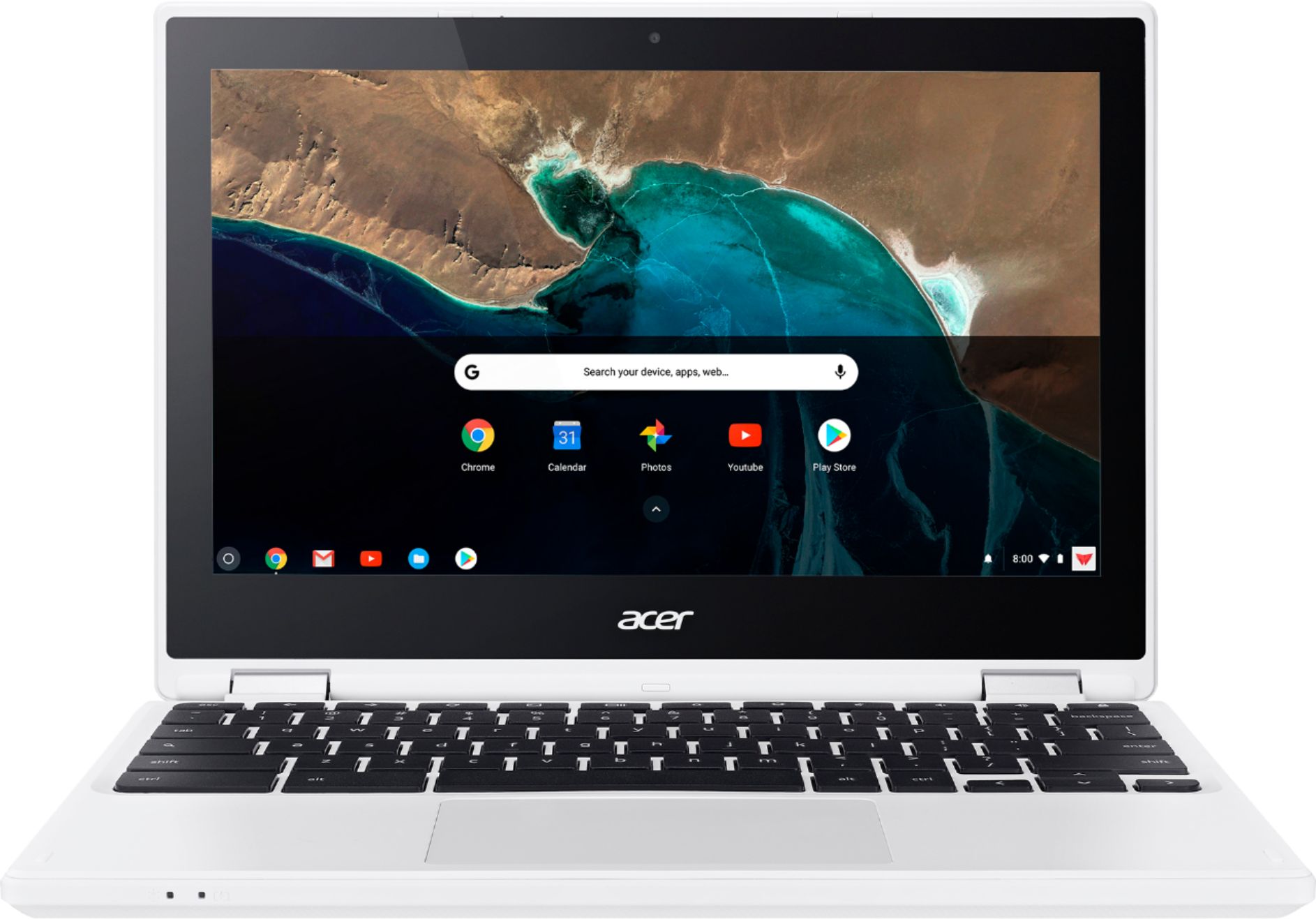
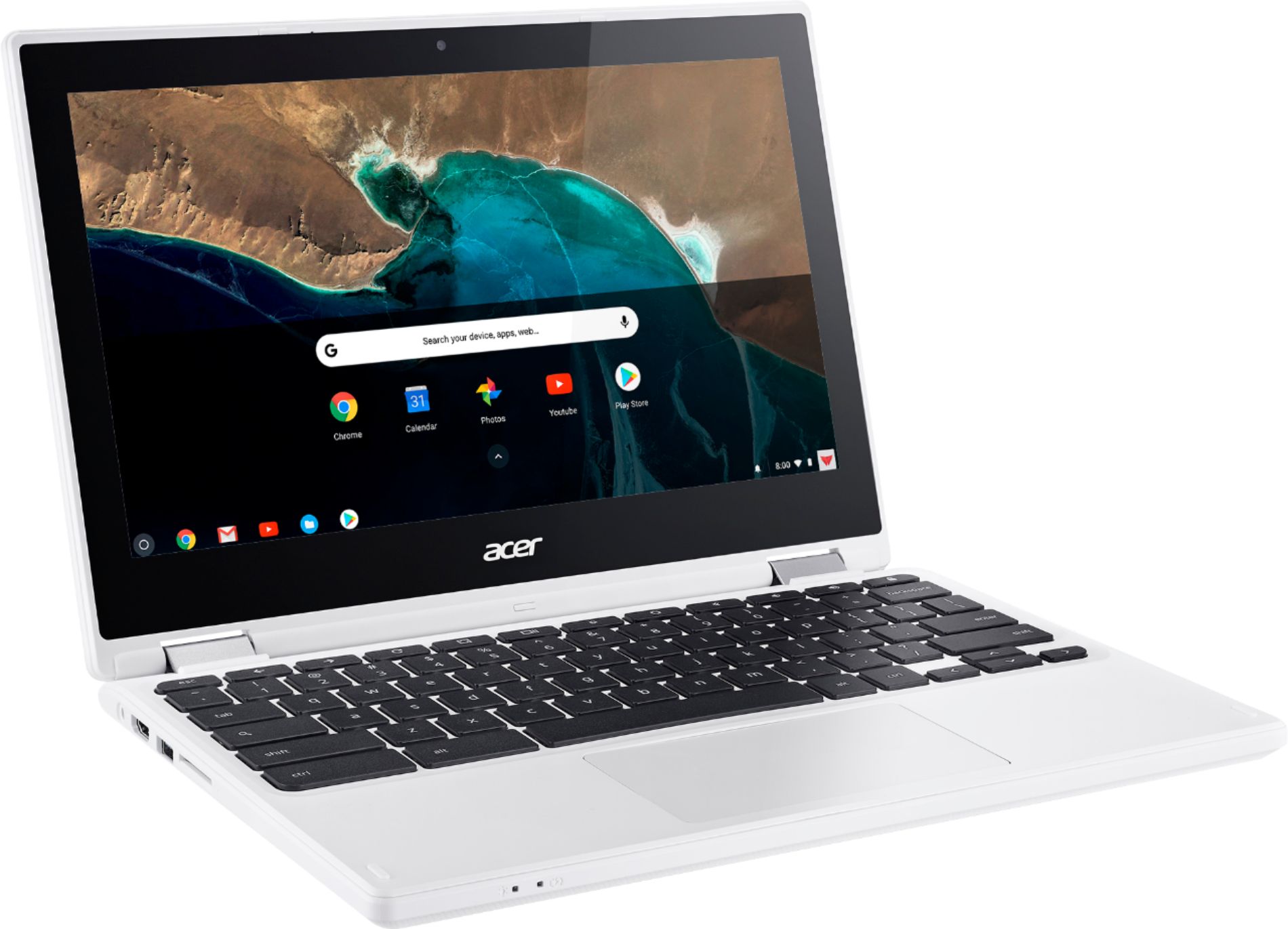
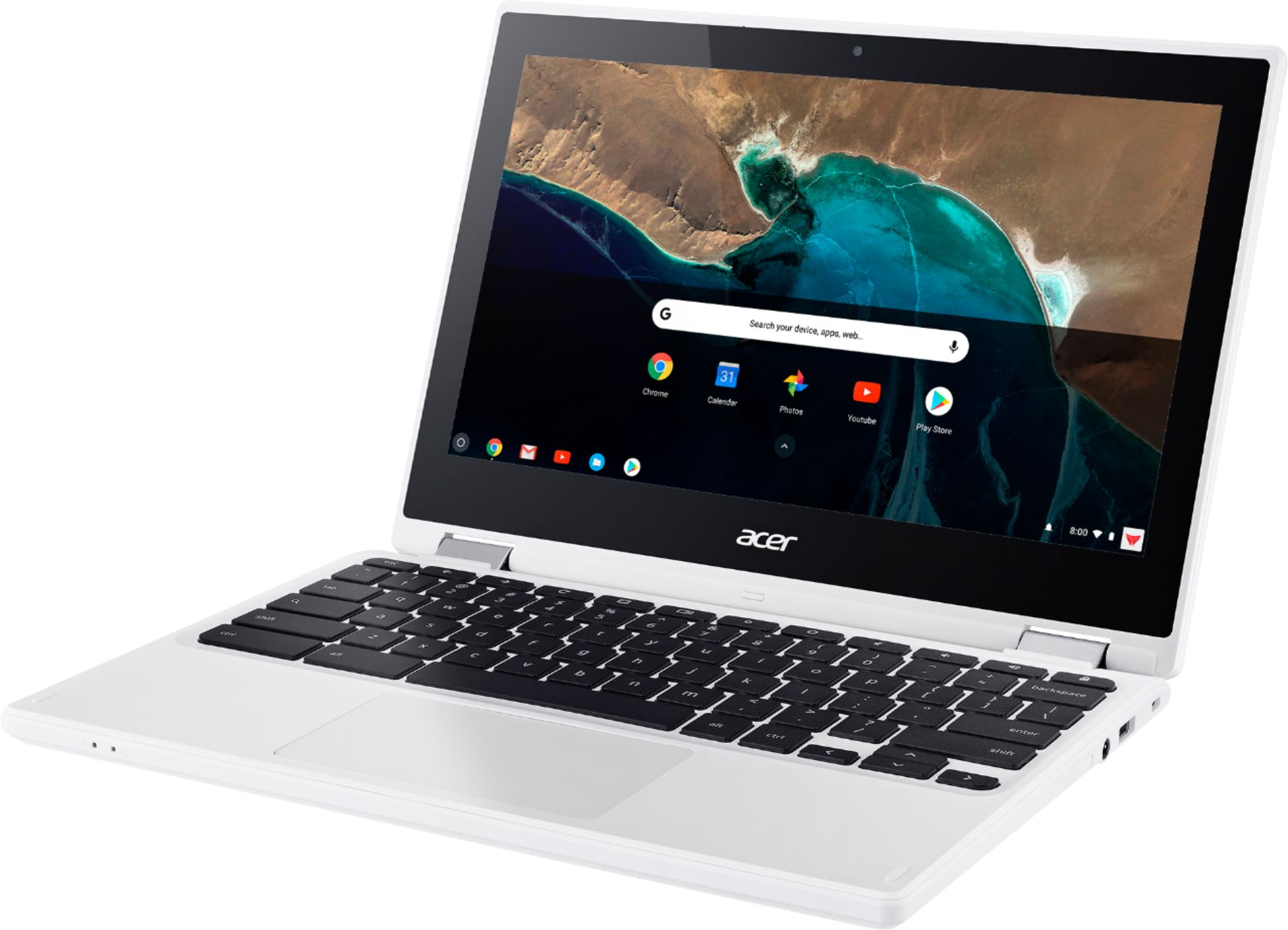
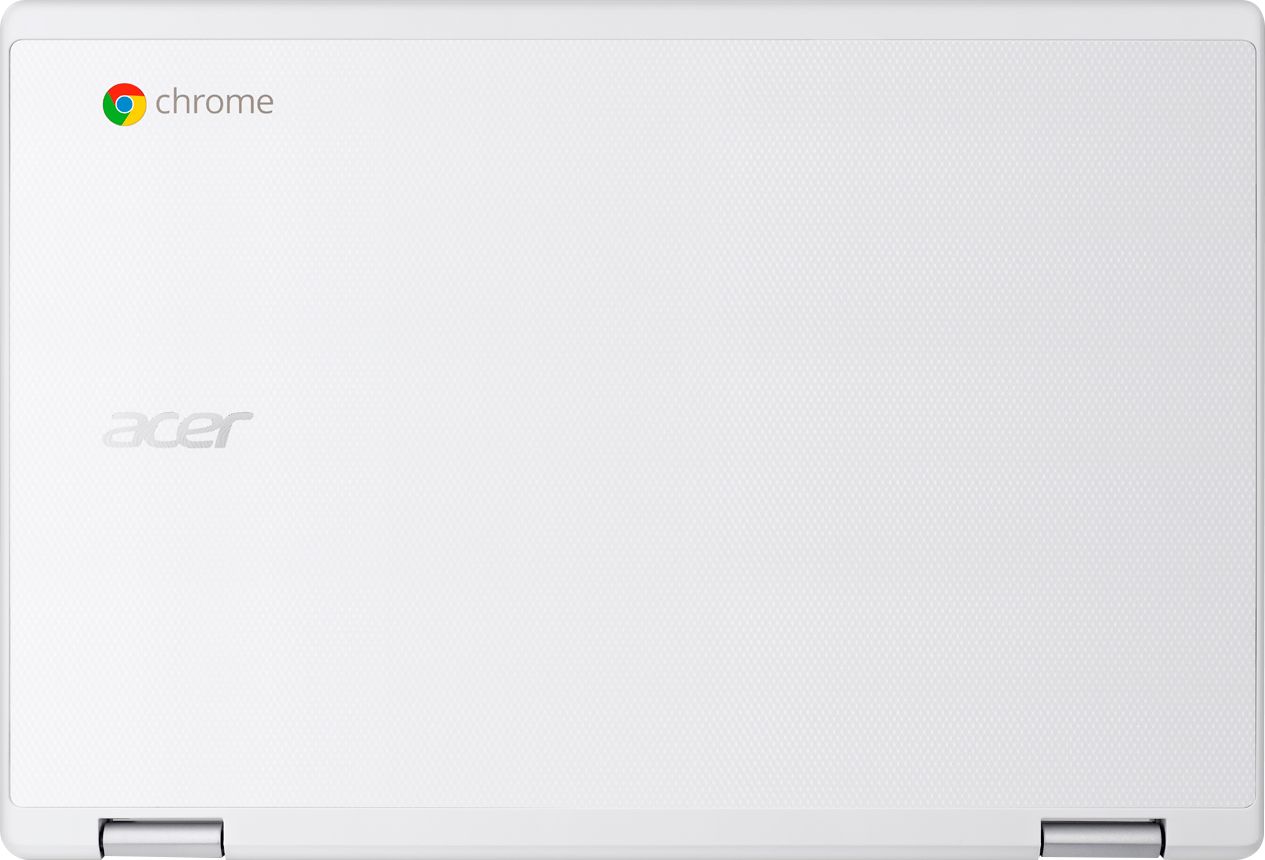
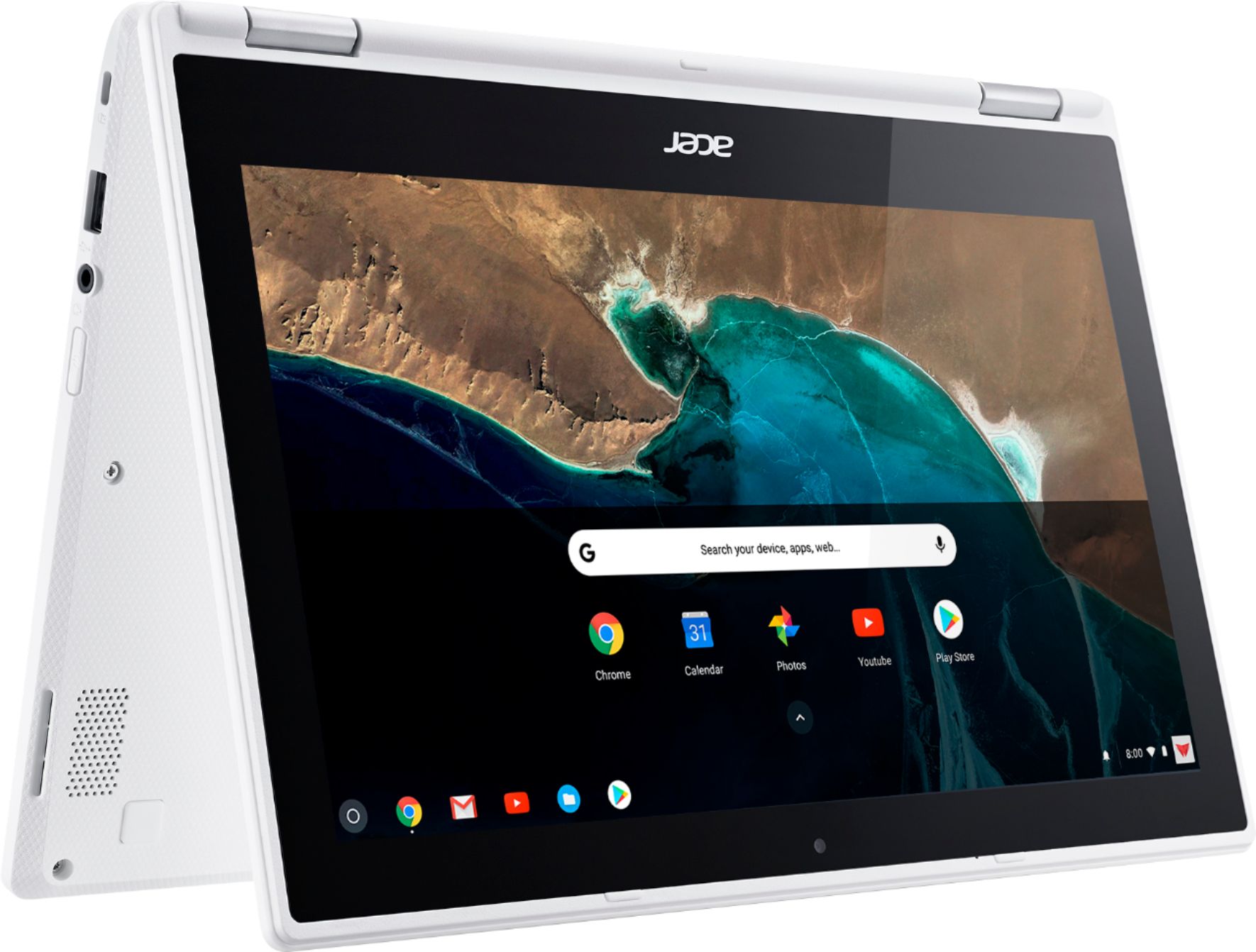
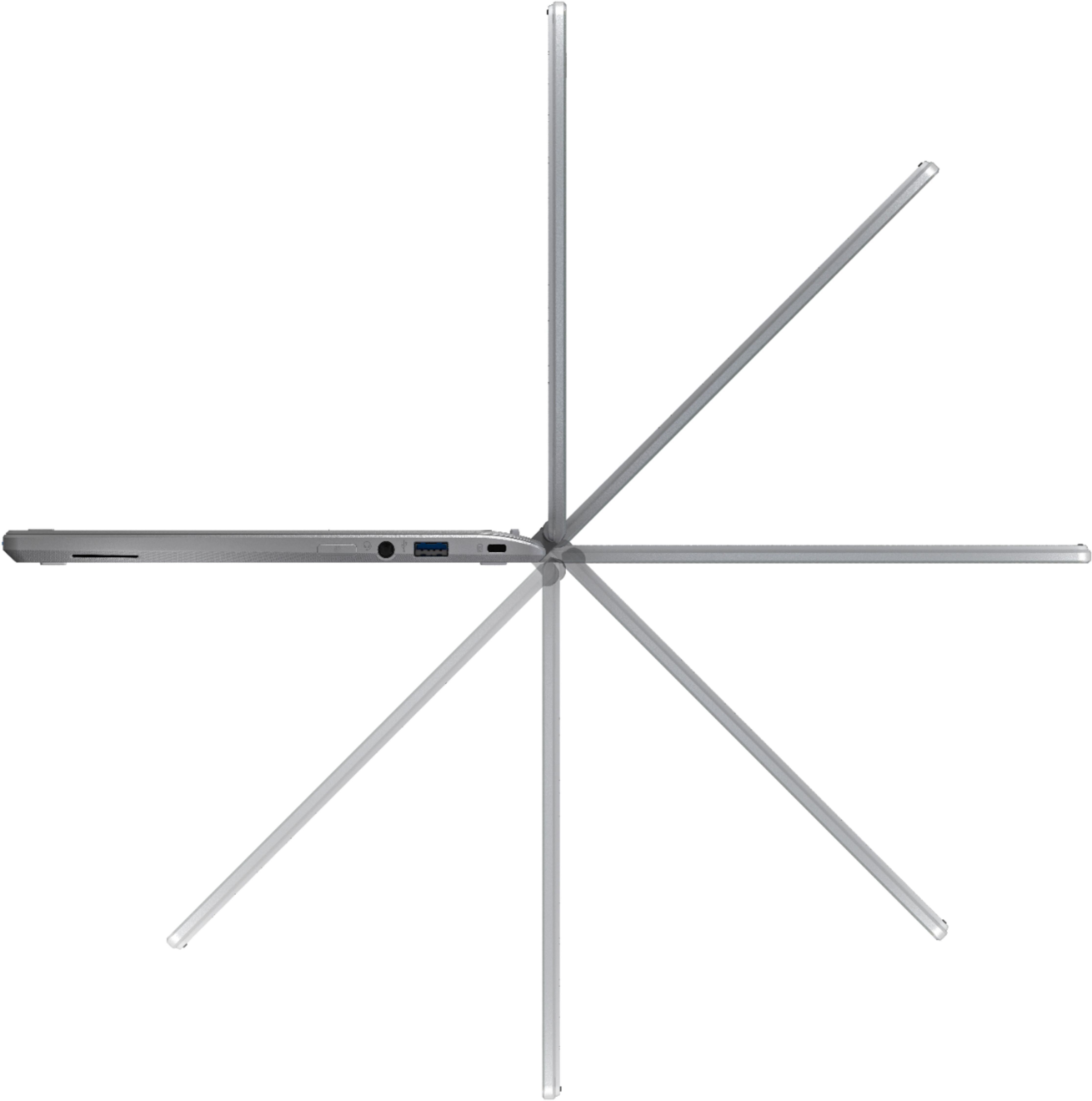
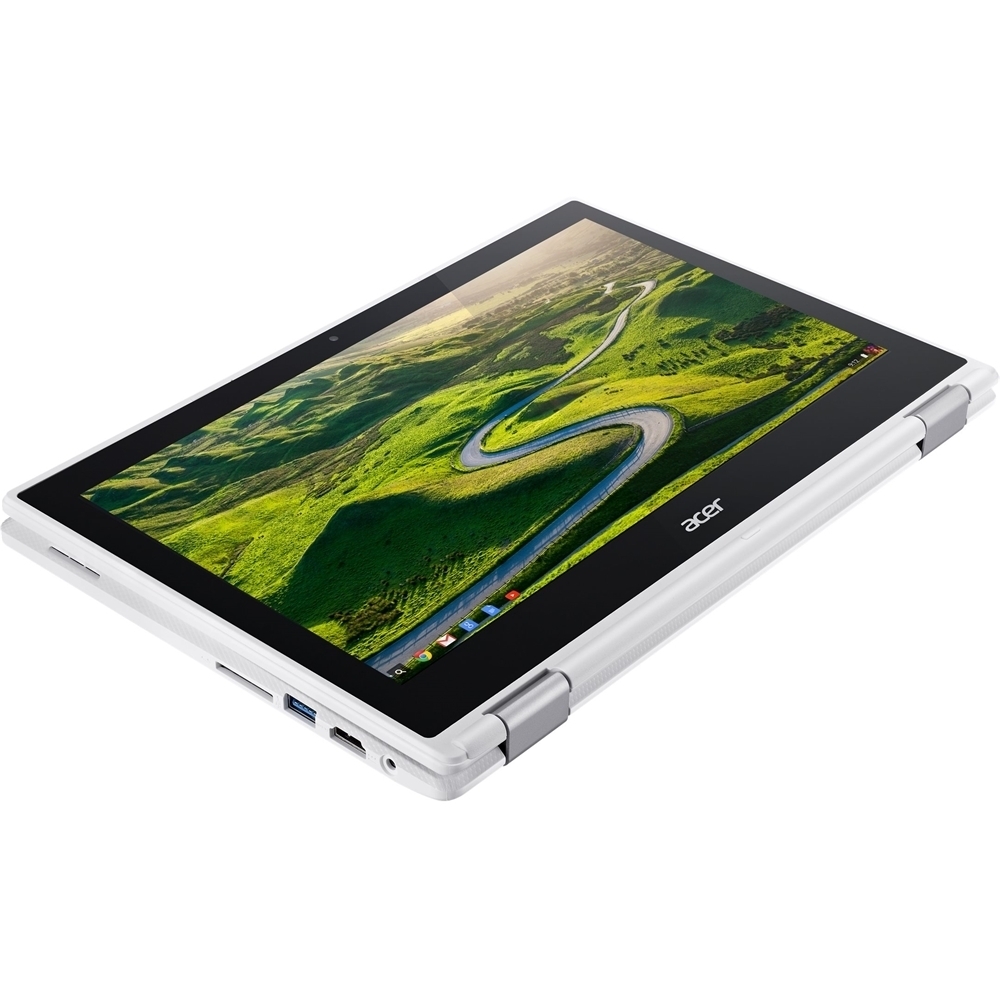
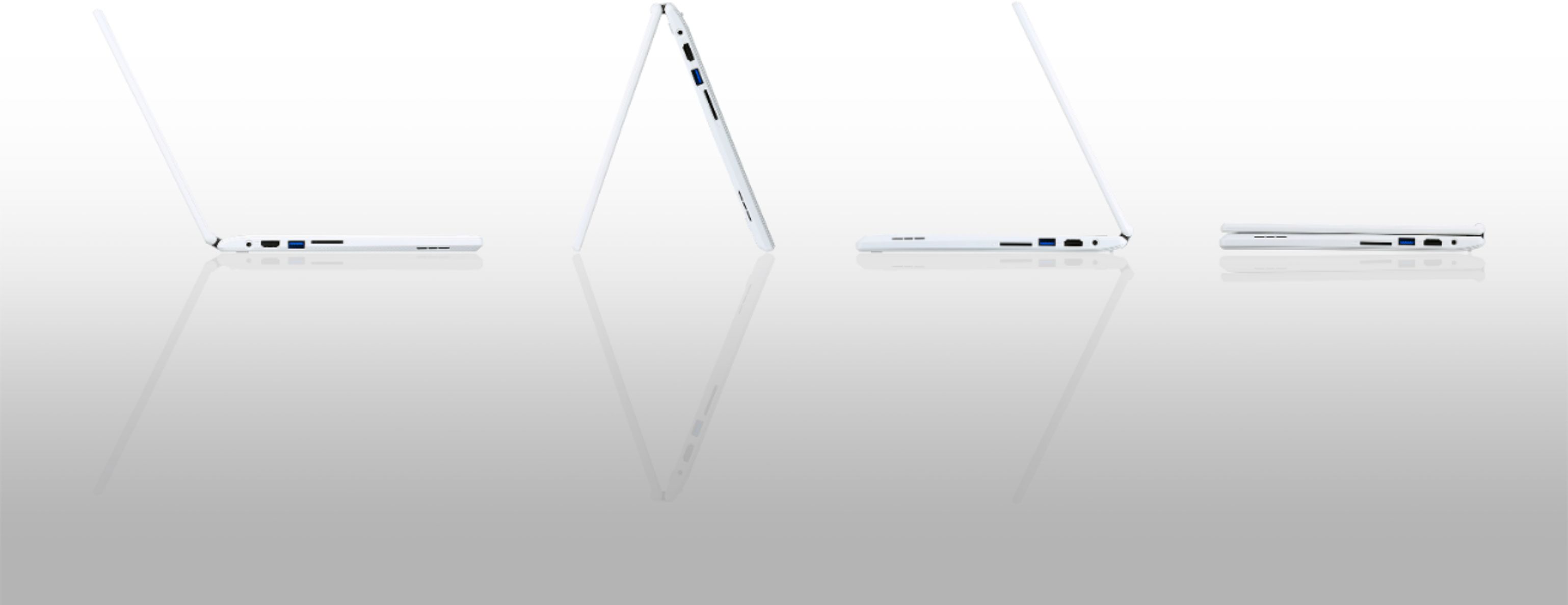
|Posted .This reviewer received promo considerations or sweepstakes entry for writing a review.I have been using the Acer R 11 2-in-1 11.6 Touch-Screen Chromebook - Intel Celeron - 4GB Memory - 16GB eMMC Flash Memory - White (CB5-132T-C8ZW, N15Q8) extensively since I acquired it. This cloud centric computer has a fold-over 360 ` screen that can be used to turn the laptop into a tent configuration (for easy viewing of videos or presentations), opened in the same manner as a conventional laptop or folded completely over and used as a tablet. Designed for using the web it features state of the art 802.11ac Wi-Fi, runs Google’s Chrome OS and automatically downloads and installs security and software updates (no managing of patches needed). It has an 11.6" multi-touch screen (1366 x 768 HD resolution typical for this class) and has a wide viewing angle for sharing content. It’s processor handles e-mail, web, productivity tasks and basic multitasking. It weighs under 2.76 lbs., is .8” thin and has been giving me around 10 hours of internet connected use per day. I really like the textured aluminum case top from both a visual esthetic and a non-slip practical point of view. This Acer 2-in-1 provides Bluetooth connectivity that I use for file transfer along with an up to date USB 3.0 port. I use the 3.0 port for additional offline storage and a USB 2.0 port for a mouse dongle. This still leaves an SD-card slot for image storage and an HDMI port for output to a HD definition TV. It also has an internal HD webcam with microphone along with a headphone/microphone combo jack. The audio is nice and clean with ample volume. The keypad is responsive while the trackpad is comparable to other computers in this class. “This is a classy 2-in-1 with nice functionality.”
I would recommend this to a friendnot a good buy
||Posted .This reviewer received promo considerations or sweepstakes entry for writing a review.hinge broke after 28 days, Best Buy wont fix didnt get extended warranty who would think hinge would lock up and break
No, I would not recommend this to a friendBrand response from TeamAcer
Posted .This is not the experience we want our customers to have. We would like to help you get this resolved. Please fill out this form so that we can assist you: http://csapps.acer.com/prompt/?key=57d54b6facd6f499b88e49783a39f709e46381f4 NOTE: This is a one-time URL specifically generated for nothappy for this review. For others needing assistance, please contact Acer: http://www.acer.com/ac/en/US/content/service-contact. Thank you.
We returned it.
||Posted .This reviewer received promo considerations or sweepstakes entry for writing a review.There was nothing wrong with the chrome book, we just weren't a big fan of it. It wasn't comfortable to us, and that was why we returned it.
No, I would not recommend this to a friendNot what I was expecting/ It was my fault
||Posted .This reviewer received promo considerations or sweepstakes entry for writing a review.This was not Best Buy’s fault at all... I didn’t do enough research on the Chromebooks before I purchased it... The design and color were awesome! I loved how it flipped into a tablet. I’m just a Windows girl, and having to be connected to the internet and not being able to download Microsoft Office was a bigger pain than what I expected.
No, I would not recommend this to a friendBrand response from TeamAcer
Posted .Dear Michele981,
Thank you for taking the time to write this review. We’re sorry that you were having problems with your Acer Chromebook. This is not the experience we want our customers to have with their products. For assistance with your Acer product please visit this personalized URL and fill out the form so we can look into this issue and assist you:
http://csapps.acer.com/prompt/?key=c609efa8bfb51e78173bdab420f0ea3afc46705a
Thank you,
Acer America
Utter disappointment
||Posted .This reviewer received promo considerations or sweepstakes entry for writing a review.I bought this Chromebook in February, and it had stopped turning on before the end of March. Best Buy's geek squad does not repair Chromebooks, so I had to pay 30$ (10% of the purchase price) just to get it shipped back to Acer for repair. No word yet on whether they will. From research on Google, this looks like a common defect. Save your money, don't waste your time on this piece of junk.
No, I would not recommend this to a friendBrand response from TeamAcer
Posted .Dear ClairS,
Sorry to hear your Acer Chromebook did not meet your expectations. This is not the experience we want our customers to have. We would like to help you get this resolved. Please fill out this form so that we can assist you:
http://csapps.acer.com/prompt/?key=ee79029e4243d1e3ad09c7b78532ac25979dc49c
NOTE: This is a one-time URL specifically generated for ClairS. For others needing assistance, please contact Acer:
http://www.acer.com/ac/en/US/content/service-contact.
Thank you
Acer America
wifi unstable
||Posted .This reviewer received promo considerations or sweepstakes entry for writing a review.Wifi intermittently stops working, requiring powerwash to get it work again. but then it fails again.
No, I would not recommend this to a friendBrand response from TeamAcer
Posted .Dear Skyrocket,
Sorry to hear your Acer Chromebook did not meet your expectations. This is not the experience we want our customers to have. We would like to help you get this resolved. Please fill out this form so that we can assist you:
http://csapps.acer.com/prompt/?key=5ecb7cdb1c234c0a2291cfdbcd95f090c59ff24f
NOTE: This is a one-time URL specifically generated for Skyrocket. For others needing assistance, please contact Acer:
http://www.acer.com/ac/en/US/content/service-contact.
Thank you
Acer America
Very flimsy feeling
||Posted .This reviewer received promo considerations or sweepstakes entry for writing a review.Felt like a toy and i was afraid if i typed on it hard i might break it.
No, I would not recommend this to a friendGreat 2-in-1 laptop for consumer use
|Posted .This reviewer received promo considerations or sweepstakes entry for writing a review.Acer R11 11.6 inch touch screen Chromebook: This was my first foray into Chromebook land. I didn't know what to expect, actually. First, let me comment on the Chromebook itself, and then I'll followup with the Chrome OS a little since it's essential to the Chromebook operation because it's different than what most people are used to who use iPhones, iPads, Macs and Windows PCs/laptops/tablets. The Acer R11 is attractive & durable. It has an HD (720p) IPS screen, which offers a good quality screen visible directly in front of the screen as well as off to one side or the other. In my opinion, the 11.6" screen is a great size without getting cumbersome to pack around. It is a touch screen so it offers another way to interact with the browser, apps or what-have-you in addition to a mouse or touch pad. The touch pad (track pad to some) is really good and large. I've used many types & I'm surprised to find one that works as well as this one on a lower end unit like the R11. I say lower end because it sells for between $249 and $299 depending. That's not a lot of money for a 2-in-1 laptop with a touch screen. It also offers a USB 3 port, USB 2 port, HDMI port (for running an external monitor if you like) along with a headphone jack and an SD card reader. You pop in an SD card of choice, which gives the R11 a lot more storage room. The size of the card is up to you depending on your needs and budget. The card, if full size, or when using an adapter for smaller SD cards, fits all the way into the card reader's slot so that nothing protrudes beyond the R11's case. Speaking of the USB 3 port, I connected two different USB 3 external hard drives to my R11 and both powered directly off the USB 3 port and mounted in the Downloads or Files app (window). In the Files app you will also see your SD card assuming you have one in the R11's card reader. On the SD card or external hard drive you can copy files to or from either without issue. Before I forget, the keyboard is very good! Plenty of key travel, the space between keys is more than adequate, and you'll find key controls for many of the Chromebooks functions (screen brightness, sound level and others) all easily visible and available. I mentioned earlier that the Acer R11 is a 2-in-1: that means the screen will fold back 360 degrees so that the back of the screen will rest against the bottom of the keyboard. This gives you a traditional laptop effect along with being able to "tent" the R11 to stand it on a table to watch videos without the keyboard being in the way. With the screen opened a full 360 degrees you will have something you can hold and use as a tablet - a thicker tablet to be sure, but a tablet nonetheless. The R11 also sports a HDR webcam for you folks that want to connect visually with your friends while talking with them. I haven't specifically tested the R11 for this, but my use suggests that the advertised battery life of 10 hours is attainable without jumping through a lot of hoops; however, any battery life of any device regardless of type or manufacturer is proportional to how heavily you're using the device. I would guess you will average 8 hours anyway with ordinary consumer use and perhaps better. The Acer R11 is easy to carry around too. It weighs around 2.4 lbs, but the exterior is "grippy" so you don't feel you're carrying something that will slip out of your hand when you're not noticing. The Intel Celeron N3060 dual core processor does a good job maintaining snappiness and fluidity while in use. I've had it running for several hours on my lap and could only feel a slight warmth to one spot on the bottom of the case that houses the keyboard. So heat isn't an issue. Of course, the Celeron processor isn't going to be as strong as the Intel i Core processors (i3, i5, i7) or even the Intel Core M processors (used in fan-less designs). But keep in mind what this Celeron processor is powering - the Chrome OS, which only runs about 200+ MB in size compared to, say, Windows 10 at between 3GB to 4GB in size. Nor is the Celeron powering complex programs like Mac & Windows OS's do. That brings me to Chrome OS. It does not run Windows or Mac programs (there are some extreme-nerd-tinkering projects that can allow this to a limited degree, but that's only for the less than 1% of intrepid users). That leaves the normal user with some Chrome browser extensions and some Chrome OS "apps" that are more like shortcuts to web pages for the most part. Chrome OS, while able to operate certain apps offline (Google Docs & a few others like Gmail Offline), is primarily an OS that need internet connectivity where you can access even web based MS Office apps. All of this means that if you're primarily using a Chromebook for web browsing (got to have that internet!), email, streaming video, light word processing, light spreadsheet activity and other such lighter tasks, you're going to be good because you've got a durable, snappy, long battery life device you can easily take wherever you go that doesn't cost an arm and a leg, but internet connectivity is essential overall. You can even use the Google Remote app on your Chromebook to remote into another desktop or laptop that will run high-powered software you need offered by Mac or Windows. Again, this may be more for those who want to push the boundaries a little and still use a Chromebook for all their needs. Depends on your needs and how "techie" you are. Here's the game changer: The Acer R11 Chromebook is slated as the second Chromebook to receive the ability to run the Play Store from Google and all it's content - yes...you will be able to run all the Android apps you want right on your Acer R11 probably by September of this year. Other Chromebooks will be added to this functionality later. Android provides almost unlimited functionality for your Chromebook. This definitely puts the Acer R11 (and most other Chromebooks because some will not be able to handle this functionality) more in the true laptop category, yet for the R11 anyway, keeping the cost reasonable - there are some expensive Chromebooks out there. Now, virtually all Chromebooks offer either 16GB or 32GB drives (eMMC rather than SSD - SSD is faster but more expensive). It doesn't take a rocket scientist to see that 16GB (this is what most Chromebooks offer, and maybe 6 or 7GB are taken up by the OS & necessary files) won't go very far if you start downloading Android apps for your use. As it stands now, Chrome OS installs what few Chrome OS apps to it's resident drive only. I suspect this will change in the Chrome OS very shortly so that Android apps can be installed to an SD card or external USB drive. We'll see in the next few weeks about that, but that seems to be a given since the drives on Chromebooks are so small (they were small since there was little but data files of your documents and such before the inclusion of the ability of Chrome OS to handle all the Android apps). The Acer Rll Chromebook is a great little 2-in-1. Compared to a traditional Mac or Windows laptop they are limited in what they can do, but they are traditionally inexpensive with fast boot up and shut down times: however, as they stand right now they are great for the casual consumer who wants something easy to carry around and operate (the Chrome OS updates itself: you don't have to worry about all that). Within weeks or a a couple of months, the Acer R11 will take on functionality through Android apps to rival many traditional laptops while maintaining a simpler OS and ease of use.
I would recommend this to a friendA Very Capable Laptop - With a Few Caveats
|Posted .This reviewer received promo considerations or sweepstakes entry for writing a review.A bit of a preface, this review is possibly one of the most difficult I have had to do. This Chromebook is definitely different - almost a bit too different. The hardware: well done for a Chromebook and a computer at this price. You get island keys, an Intel processor, the now common 360-degree hinge and an aluminum top case. The build quality is very nice - I have not had a single plastic creak since getting it. Keyboard is nice with sufficient travel (just slightly less than that of a Macbook); size of the keys and keyboard as a whole feels very close to a desktop size, maybe about 90% as big if I had to guess. The top row is dedicated to ChromeOS function keys, however this can be converted to standard function keys if desired. The trackpad is severely lacking, as is the touch input on the screen. The trackpad is a single sheet of plastic - right click operations are only available via two finger click, as are a number of other operations. The display touch is slightly disappointing though as several times throughout testing I had tapped on something only to have the element be highlighted like I was hovering over it. I will admit however, the screen is nice and vibrant, if a tad bit small for the 1” large bezel surrounding it. As one final redeeming factor, the device does not have a fan - meaning it is ultra quiet at all times. Battery life seems about on the mark - maybe seven hours in place of the nine suggested. The one major hit to this device, as mentioned above, is the pointer navigation. Not more than ten minutes into using this machine I wanted the Lenovo trackpoint mouse back from my work laptop. The software: I’m not going to ding the device for the OS. In another life, I worked tech support and ChromeOS has its followers and has a ton of people who just want something more powerful - usually Chromebooks had the highest return rate. I typically work on a full desktop and as such it’s a bit weird being on such a light OS. The software itself is powerful and Google is working to make it more powerful each day (will get to that in a second). Most of what we do day to day now is based on the web, so as long as you are comfortable with Google Chrome, you should be fine. The OS is a perfect match for the hardware; everything the hardware knows how to work with is done seamlessly by the OS. Screen rotation is automatically performed with no hassle, as is disabling the keyboard when the screen goes beyond 180-degrees. ChromeOS has gotten a lot better over the years for sure. Most things that one could want are included - even to include an offline mode for Google Docs. Google is taking this Chromebook to the next level though, future updates will include support for Android apps! After switching this machine to developer mode, I was able to install all the apps from my phone that I would have wanted. The concept is in early beta and is prone to crashing, but this made me fall in love with this device even more and get excited about what might be in the works. Ideal usage could appear in colleges for majors not requiring major computer work (and ones that can safely write papers in Google Docs). I’m out of college now, but I find myself reaching for this laptop more and more for most of my day to day activities - paying bills, checking bank accounts, writing prompts, basic work tasks like remote console connections, etc. Personally, I would suggest that you try the ChromeOS in the store and see if you can use it as a daily driver. Disclosure: Best Buy provided this machine for me to review at no cost in exchange for an honest review. I’ve got a problem lying on these kinds of things - this is my honest opinion after days of contemplation.
I would recommend this to a friendVersatile machine
|Posted .This reviewer received promo considerations or sweepstakes entry for writing a review.Being an owner of tablets, phones, portable game systems and laptops, I almost passed on this, thinking it had nothing new to show me. In a word, I was surprised for what this chromebook had to offer. The specs are nothing to whooo over in the least, but the good part is this machine is just running Chrome and extensions, so the footprint can stay on the modest side. By far the best part of this machine is is versatility! I am now a believer in rotating keyboard on a laptop! Start in laptop mode, flip it around and have an 11" tablet at a turn of a wrist. Another nice surprise was the mouse pad. Very smooth, much like an HP mouse pad, yes! Another plus is the quickness in which it boots up and shuts off, I love things that save time. Highly recommended for those who want a no frills google machine that can stream Netflix, Google music and movies and surf the net effortlessly. From now on, all my laptops will have this type of design.
I would recommend this to a friendNot what Told
||Posted .This reviewer received promo considerations or sweepstakes entry for writing a review.We ended up taking it back. Could not run Minecraft
No, I would not recommend this to a friendBrand response from TeamAcer
Posted .We are sorry to hear this; we understand you returned the Acer product but we would have been happy to provide support for you. Chromebooks are different from standard laptop products in that they are designed to be used primarily while connected to the Internet, with most applications and documents living in the cloud. Because of this they don’t have much for on board storage but they also are not expensive either. Chromebooks run off apps like an Android phone or tablet so you cannot download and install applications or .exe files. If you need to use third party software applications that must be installed on the computer, a Chromebook is likely not for you, where a Windows laptop would suit you better. If in the future you need assistance with an Acer product, feel free to contact support from the info posted at http://www.acer.com/ac/en/US/content/service-contact
We appreciate you taking the time to write this review.
Best regards,
Acer America
It's ok
||Posted .This reviewer received promo considerations or sweepstakes entry for writing a review.Could've been cheaper knowing it's an Acer , I should return it
No, I would not recommend this to a friendBrand response from TeamAcer
Posted .This is not the experience we want our customers to have. We would like to help you get this resolved. Please fill out this form so that we can assist you:
http://csapps.acer.com/prompt/?key=0ed4f5c1cc87edcf51e12c99954ab98979d8380a
NOTE: This is a one-time URL specifically generated for Netzley. For others needing assistance, please contact Acer:
http://www.acer.com/ac/en/US/content/service-contact.
Thank you.
Chromebook
||Posted .This reviewer received promo considerations or sweepstakes entry for writing a review.Well this was the worst $300 purchase of my life, it literally stopped working after I had it a week, it kept telling me to download an OS, and BestBuy wasn't willing to help in anyway because it had been 15 days, I'm sorry, $300 should go farther than 15days.
No, I would not recommend this to a friendDecent Chromebook for 9 yr old at first
||Posted .This reviewer received promo considerations or sweepstakes entry for writing a review.after having the laptop for a little over a month an error msg appeared on the home screen that said the chrome OS was damaged and needed to be restored. After several restore attempts it is still locked up and will do nothing at all.
No, I would not recommend this to a friendBrand response from TeamAcer
Posted .Dear lballard,
We are sorry to hear you are having problems with your Acer Chromebook, and we understand this is frustrating for you. This is not the experience we want our customers to have and we would like to help you get this resolved. If you are located in the US or Canada please fill out this form so that we can assist you:
http://csapps.acer.com/prompt/?key=df5784d31e681991fd42d575cff5630a402d2281
We appreciate you taking the time to write this review.
Thank you
Acer America