Customer Ratings & Reviews







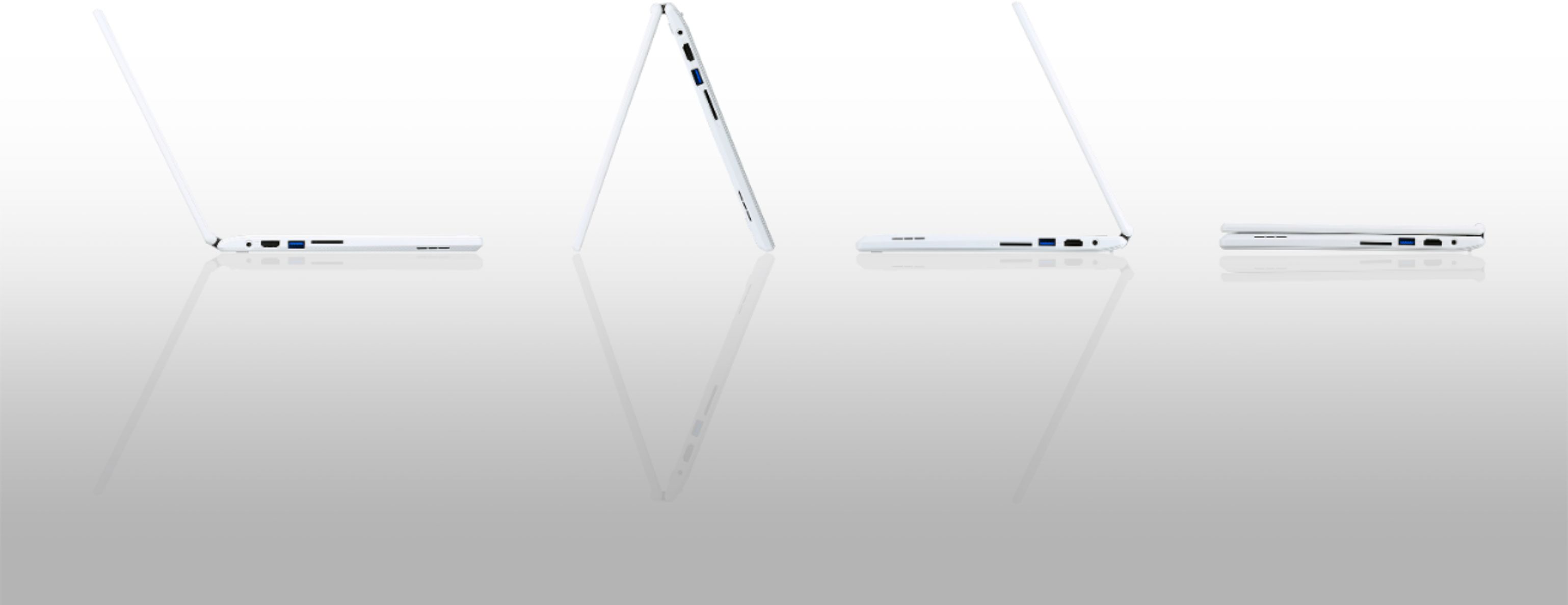


- Model:
- CB5-132T-C8ZW
- SKU:
- 5202900
Rating by feature
- Value
Rating 4.6 out of 5 stars
- Quality
Rating 4.6 out of 5 stars
- Ease of Use
Rating 4.7 out of 5 stars
Customers are saying
Customers enjoy the R 11 2-in-1 Chromebook's touch screen, ease of use, lightweight design, and long battery life. Many appreciate its size and performance, along with its reasonable price. However, some customers point out limitations in storage and memory capacity. A few users also mention compatibility issues with certain applications.
This summary was generated by AI based on customer reviews.
- Pros mentioned:Touch screen

A better Chromebook
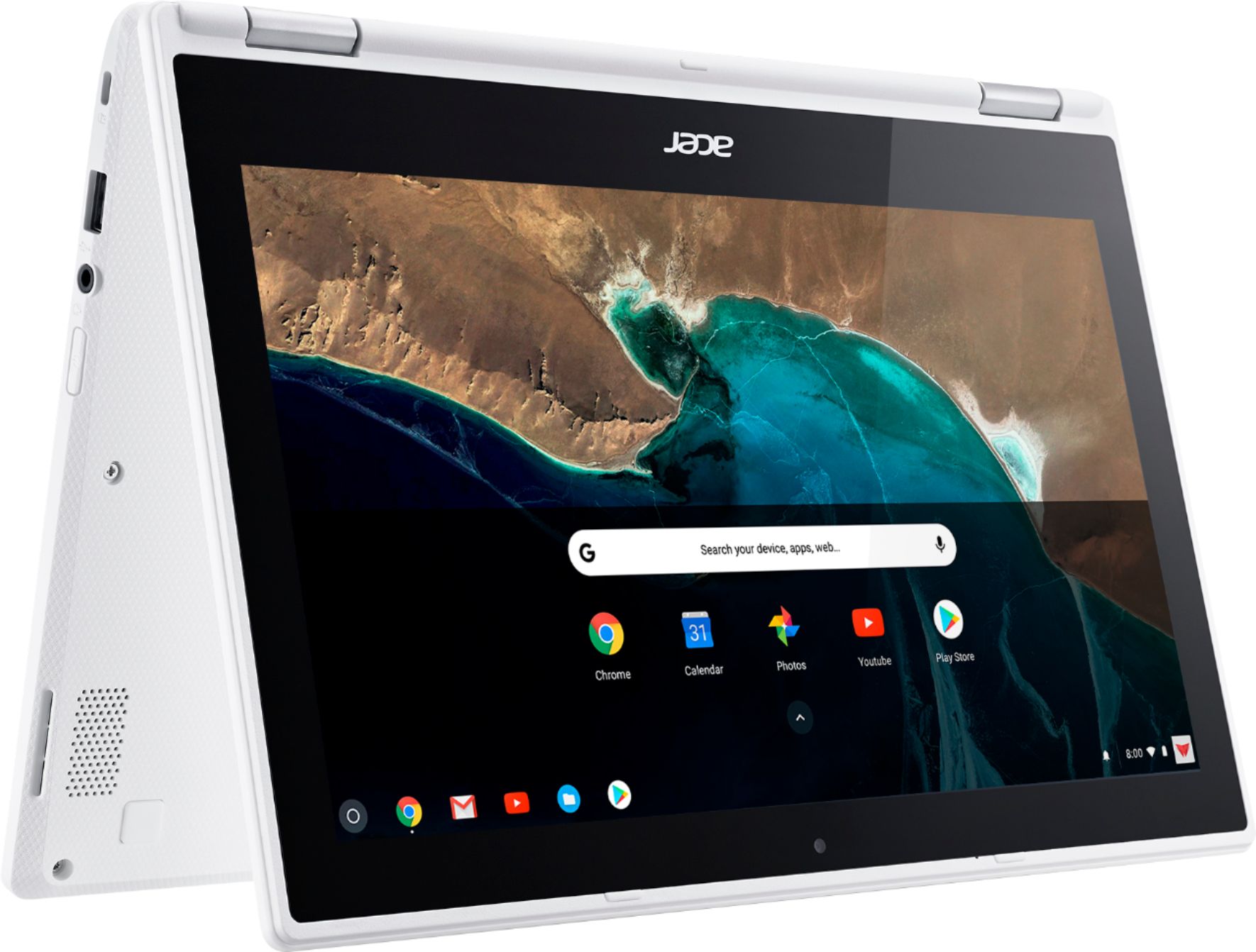
|Posted .This reviewer received promo considerations or sweepstakes entry for writing a review.Probably the best feature of this Chromebook is the ability to run Android apps. Yes, you have to enable the developer channel, and yes it's still a little buggy. However, the build will improve, and this will be one of the first Chromebooks to receive official support for the feature. The hardware itself is decent but not overly impressive. The plastic construction doesn't scream quality, but the touchscreen is responsive, it switches from laptop to tablet mode easily and reliably, and the keyboard is decent. The only real issue I had with the hardware was the touchpad. It gives a little bit like it's clicking, but you really have to push hard to get a genuine click. Tapping on the touchpad worked fine, and an external wireless mouse also worked fine. Like all Chromebooks, app selection is limited, but as earlier mentioned, that will be much less of a problem once Android app support gets more fully baked in.
I would recommend this to a friend Too hard to operate.
||Posted .This reviewer received promo considerations or sweepstakes entry for writing a review.I called the Geek Squad to help me set the note book up to get it to print. We were never able get it connected to the printer. So we took it back and got a real computer and am very happy.
No, I would not recommend this to a friendBrand response from TeamAcer
Posted .Dear BetteBoops,
We are sorry to hear this; we understand you returned the Acer Chromebook but we would have been happy to provide support for you. If in the future you need assistance with an Acer product, feel free to contact support from the info posted at http://www.acer.com/ac/en/US/content/service-contact
Best regards,
Acer America
- Pros mentioned:Battery life, Touch screen
Solid performance so I bought 2 :)
Posted .This reviewer received promo considerations or sweepstakes entry for writing a review.I bought two of these models to replace a Dell Chromebook 11 and my wife's older model Acer Chromebook 11. This was a great upgrade! We love the responsive touchscreen, great speakers wireless AC. We also notice the difference with having a 4GB model and the battery life gain with the efficient N3050 processor. Glad we made this purchase and I highly recommend this model. We can't wait for this Chromebook to receive support for the Google Play store to run Android in the near future.
I would recommend this to a friend - Pros mentioned:Battery life
Solid, easy-to-use, great low-end laptop
|Posted .This reviewer received promo considerations or sweepstakes entry for writing a review.I was surprised to find how quickly I got this machine up and running! The start-up tutorial gave you enough info to get going without bogging down in detail. I was online in just a few minutes. Although many Google apps are available, this machine seems like it would be a great choice for a student or senior who has limited computing needs. It's SO easy to get online, use Gmail, Facebook, make video calls via Google Hangouts, and watch videos using YouTube, Netflix, or other streaming programs. The Chromebook comes with 16 Gb of flash memory and 4 Gb of RAM -- which would seem slim for many users, but Google gives you 100 Gb of cloud storage (free for 2 years - $1.99/mo. after that) which makes perfect sense for most users. It's a solid-feeling machine. The screen is bright and viewable and the audio is remarkable! I found the the trackpad and keyboard to be easy to use and responsive; I do not agree with comments that the key travel is too short. Finally, and maybe best of all -- the battery can last up to 10 hours between charges! I have only two complaints: 1) the AC adapter: it barely plugs in and can fall out readily. Good news if you're the type to run off with your laptop still plugged in, I suppose! 2) the keyboard is not backlit - but for the price, that's understandable too.
I would recommend this to a friend Slow and messes up everything else
||Posted .This reviewer received promo considerations or sweepstakes entry for writing a review.This laptop is very slow with sending emails with attachments and the second I turn it on, it makes my wifi shut down on everything else. Not a fan of this laptop.
No, I would not recommend this to a friendBrand response from TeamAcer
Posted .Dear Cbrose,
We are sorry to hear you are unhappy with your Acer Chromebook. This is not the experience we want our customers to have and we would like to help you get this resolved. If you are located in the US or Canada please fill out this form so that we can assist you:
http://csapps.acer.com/prompt/?key=5b8557e35c9f81fedd343e52c34af7fb637e1845
We appreciate you taking the time to write this review.
Thank you
Acer America
Doesn’t support anything
||Posted .This reviewer received promo considerations or sweepstakes entry for writing a review.This computer doesn’t support anything. Bought this for a student and they couldn’t use it for anything other than surfing the web. They returned it and bought a Dell.
No, I would not recommend this to a friendBrand response from TeamAcer
Posted .Chromebooks are different from standard laptop products in that they are designed to be used primarily while connected to the Internet, with most applications and documents living in the cloud. Because of this they don’t have much for on board storage but they also are not expensive either. If you need to use third party software applications that must be installed on the computer, a Chromebook is likely not for you, where a Windows laptop would suit you better.
- Pros mentioned:Battery life, Ease of use
Glad I bought it!
Posted .This reviewer received promo considerations or sweepstakes entry for writing a review.I bought this computer because my computer I bought back when I graduated high school didn't hold a charge and was too big to be portable. I researched computers on Amazon, Bestbuy, Newegg, and a couple other sites. I wanted to see what was out there and what would be best for my needs right now. Since I am a teacher I am using mostly google apps; Gmail, Docs, Slides, etc. So I looked into Chromebooks and I found this one along with several others. I know many schools use them for 1:1 so they it would be a good work computer because it would be compatible. Thankfully Bestbuy carries several different kinds of Chromebooks so I was able to go into a store and look at them in person rather than just through pictures. I wanted something that was going to hold up. I am not rough on computers but it will be going to and from work on a regular basis, so I wanted something that felt sturdy. This laptop is exactly that. It is light but it still feels like it will stand up to being carried around and used daily. I was afraid with it being a smaller laptop I would have an issue with the keyboard being too small or it feeling like it wasn't a big enough computer. I am amazed at how big it feels even though it is small. The keyboard doesn't feel cramped and I haven't had any issues with adjusting to it. It feels full sized and types like a dream. The only other thing I was wary about was the speed in which it ran. I saw a couple posts about people being upset by how slow it is. I personally do not think it is slow at all. Sometimes when you search or type in a web address it will take like 2 seconds before it actually loads but that is the slowest I have seen. If that's what people are upset about then how did they ever deal with dial up internet? And they also only paid 250 for this, it is not a $800+ computer so duh it might be slow sometimes..... All in all I am really impressed with this little computer. I think for the price you pay you are getting a great computer. It does exactly what it say it does. The only thing I am disappointed in is there are no color options, but I guess that's what cases are for. Would definitely buy again!
I would recommend this to a friend - Pros mentioned:Touch screen
Great laptop / tablet combo
|Posted .This reviewer received promo considerations or sweepstakes entry for writing a review.Prior to using the Acer Chromebook 15, my only previous experience with any sort of laptop was with traditional windows-based laptops. Based on this, I was a little worried about how different the experience would be but after spending just a short amount of time with the Chromebook, my worries vanished and I was pleasantly surprised by what a great mobile computing device this is. The touchscreen is a great feature and the touchpad is capable of many things I did not know touchpads could even be capable of doing such as three finger swipes. The USB ports come in handy if you still have a wired mouse you’d like to use or you can use the Bluetooth functionality that is built-in to connect your Bluetooth devices. I had no issues pairing my wireless headphones. The only slight negative I have found so far is the limited amount of ChromeOS supported software although being able to install android-based apps somewhat makes up for this. Overall, I am very pleased with the Acer Chromebook 15 and highly recommend it.
I would recommend this to a friend - Pros mentioned:Battery life, Touch screen
Great intro to chromebooks
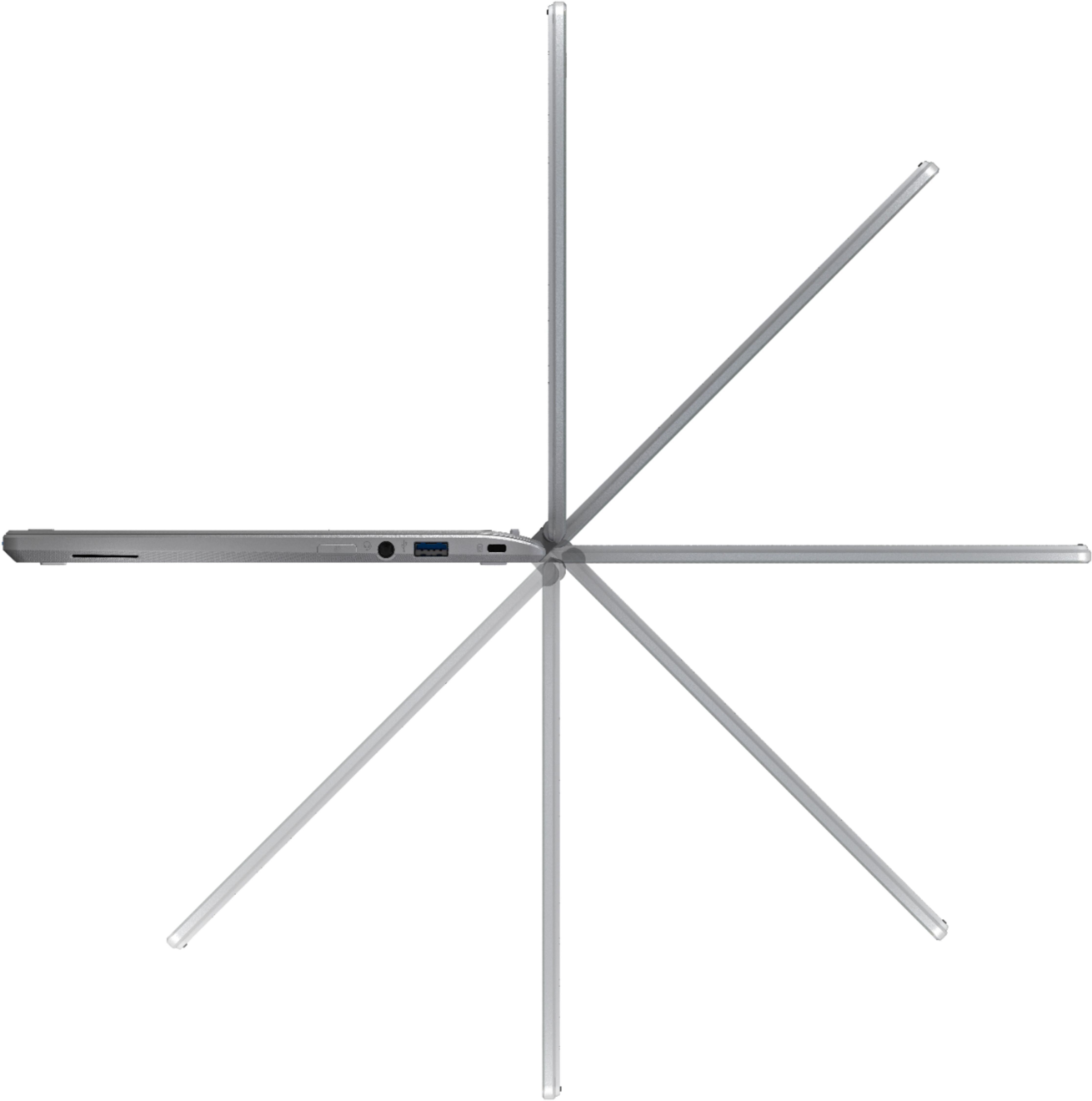
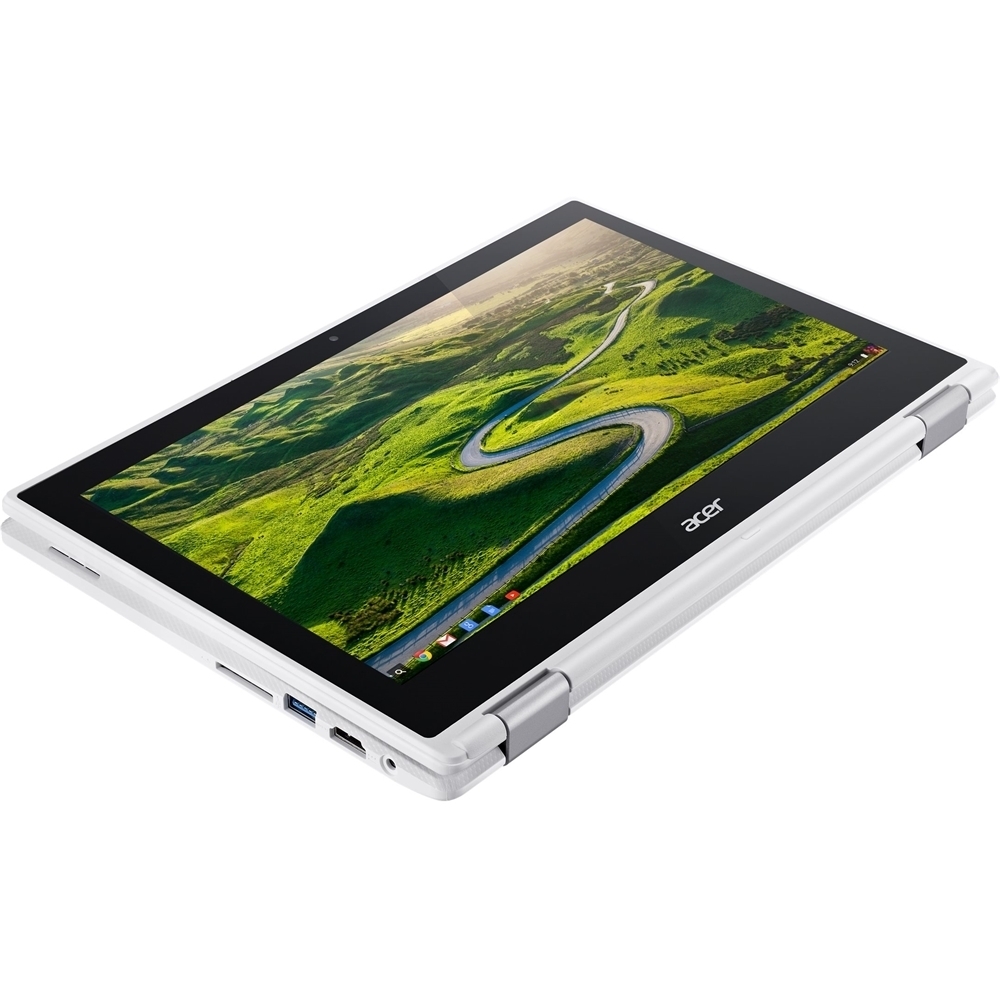
Posted .This reviewer received promo considerations or sweepstakes entry for writing a review.Never owned a chromebook before this one. I've always been an HP laptop person. When my laptop screen broke and I realized it that it would have cost more to repair than to buy this chromebook, I decided to try something new. I was pleasantly surprised and a year later it's still working perfectly. Pros: Quick start up! No more waiting for those annoying windows updates that stop you in your tracks that seem to pop up when you're in a hurry trying to get something done. Access to the google play store. Since I bought this to ride out the end of my last college semester, the most important app was google docs. I would write all my papers here, and access them on google docs on a desktop to print them at the school/local library. More recently I've been using an app from the playstore that grants me remote access to my work computer too. This is something that I would have had to download a program to use on a regular laptop. I have not had any issues with scratching the screen, and the hinges that hold the screen and keyboard together are well made. Its battery life is great for something that's able to do so much. Turning down the brightness even just a little really makes a difference in prolonging the battery life. It also has an hdmi (1), sd (1), usb (2), and audio (1) ports that are also very valuable to its functioning. Features that I don't really use but are still nice to have: touch screen that responds effortlessly, and flips 360 degrees (can use tablet style, or bend it so it can prop up tent style and better access to the speakers on the bottom). Cons: Since it is a chromebook, the biggest con to me is that you cannot download programs onto it. No downloadable computer games, microsoft word, or printing (I'm sure there's an app for it that you can use but without word I've found it easier to print somewhere else on a different/"regular" computer). Its speakers are underneath the keyboard so audio can sometimes be affected. The mouse pad is a little bit hard to push on as you have to physically push it down to click, or just tap it with a finger (easier for me). I've also noticed that when bent in tablet/flipped mode, the touch screen function slows down a bit. Lastly it doesn't multitask very well. For me it runs maybe a max of 5 tabs open on chrome comfortably (depending on what you have open. For me usually gmail, youtube, spotify, school or shopping websites). Any more than that it starts lagging behind. TL;DR: This budget friendly chromebook has provided me the essentials for school (although it cannot print), paying bills, and leisure activities for a year now. It's comparable to the convenience of a smart phone but with a bigger, clearer screen, and a keyboard without the burden of carrying around a heavy laptop. This little thing fits in some of my bigger purses and very convenient to have with me in case I need it.
I would recommend this to a friend Hardware malfunctions are common
||Posted .This reviewer received promo considerations or sweepstakes entry for writing a review.Lost all our photos and documents when the hard drive crashed twice within 5 months of purchase and Best Buy would not provide support.
No, I would not recommend this to a friendBrand response from TeamAcer
Posted .Dear Jason,
We are sorry to hear you are having boot problems with your Acer Chromebook and we understand this is frustrating for you. This is not the experience we want our customers to have and we would like to help you get this resolved. If you are located in the US or Canada please fill out this form so that we can assist you:
http://csapps.acer.com/prompt/?key=dc0c0474de912526a6966dbff823485bf7856a12
We appreciate you taking the time to write this review.
Thank you
Acer America
Screen is glitchy
||Posted .This reviewer received promo considerations or sweepstakes entry for writing a review.Within 2 weeks of purchasing the chromebook. The screen began to whitewash and go blank every 5 seconds. No fix possible. Very dissappointed
No, I would not recommend this to a friendBrand response from TeamAcer
Posted .This is not the experience we want our customers to have. We would like to help you get this resolved. Please fill out this form so that we can assist you:
http://csapps.acer.com/prompt/?key=4b114bcbc85ff0f7ffaa360b66e39f7a5676efb0
NOTE: This is a one-time URL specifically generated for Joesixpack. For others needing assistance, please contact Acer: http://www.acer.com/ac/en/US/content/service-contact. Thank you.
Is hard to have and not working the right way
||Posted .This reviewer received promo considerations or sweepstakes entry for writing a review.I bothered because I was thinking it was a great opportunity but went I started to use not working so sed
No, I would not recommend this to a friendBrand response from TeamAcer
Posted .Dear Jonhson
We are sorry to hear you are unhappy with your Acer Chromebook. This is not the experience we want our customers to have and we would like to help you get this resolved. If you are located in the US or Canada please fill out this form so that we can assist you:
http://csapps.acer.com/prompt/?key=da764cd515631e78e5ed9138c12c5a0ec2176f54
We appreciate you taking the time to write this review.
Thank you
Acer America
slow slow slow
||Posted .This reviewer received promo considerations or sweepstakes entry for writing a review.Very slow, had to return it. as i used it for couple of days, and realized its not for me
I would recommend this to a friendBrand response from TeamAcer
Posted .Hello Nick,
We are sorry to hear this; we understand you returned the Acer product but we would have been happy to provide support for you. If in the future you need assistance with an Acer product, feel free to contact support from the info posted at http://www.acer.com/ac/en/US/content/service-contact
Best regards,
Acer America
Battery is awful
||Posted .This reviewer received promo considerations or sweepstakes entry for writing a review.Not even a year old. Only 1% battery - plugged in. Tried all the fixes. Not happy at all. Sad
No, I would not recommend this to a friendBrand response from TeamAcer
Posted .Hello Jcking88,
Thank you for taking the time to write this review. We’re sorry that you are having battery problems with your Acer Chromebook. This is not the experience we want our customers to have with their products and we would like to help get this resolved for you. if you purchased this new less than a year ago, it still has a warranty. For assistance with your Acer product please visit this personalized URL and fill out the form so we can look into this issue and assist you:
http://csapps.acer.com/prompt/?key=a7ebcc548f8e1272f5e92cb239bf4ac553e477ff
Thank you,
Acer America
- Pros mentioned:Speed, Touch screen
Awesome!!
Posted .This reviewer received promo considerations or sweepstakes entry for writing a review.This is the best Chromebook ever!! Now that it can access the Google Play store, you are now able to use apps like Microsoft Office (and I know that not being able to have Microsoft Office was a deterrent for those who were considering purchasing a Chromebook). It is super fast given that this is the 4GB model, and the 2-1 feature and touchscreens are an added plus. There are very few Chromebook models that currently can access the Google Play store, and this Chromebook is far better than the others! Goodbye to the excruciatingly slow Windows 10!!
I would recommend this to a friend - Pros mentioned:Touch screen
Excellent Chromebook!
|Posted .This reviewer received promo considerations or sweepstakes entry for writing a review.I love this thing!! Its so quick and easy to use. The touch screen is very responsive. The keyboard is perfectly spaced and types very well. The track pad is accurate but maybe just a bit too sensitive to touches. Although its made of plastic it actually feels very premium and it looks great. The screen is very clear and can get pretty bright. The speakers are surprisingly good also. It seems like Acer put a lot of thought into the design of this Chromebook. Its also one of only three that can have the android play store on it if you switch to the developer channel.
I would recommend this to a friend Had to return to store and trade for another lapto
||Posted .This reviewer received promo considerations or sweepstakes entry for writing a review.Store service was very good. laptop was old win 8.o 8.1 10.0 and frozen no good old laptop
I would recommend this to a friendBrand response from TeamAcer
Posted .Dear Marvin,
Sorry to hear your Acer Chromebook did not meet your expectations. This is not the experience we want our customers to have. We would like to help you get this resolved. Please fill out this form so that we can assist you:
http://csapps.acer.com/prompt/?key=ee79029e4243d1e3ad09c7b78532ac25979dc49c
NOTE: This is a one-time URL specifically generated for Marvin. For others needing assistance, please contact Acer:
http://www.acer.com/ac/en/US/content/service-contact.
Thank you
Acer America
- Pros mentioned:Battery life, Touch screen
Great product for the price
Posted .This reviewer received promo considerations or sweepstakes entry for writing a review.I originally bought this chromebook about six months ago because my previous modest acer laptop was quickly slowing down and seeming like dinosaur technology. The qualifications I was looking for in the next laptop/chromebook I would invest in were: fast startup, fast loading of pages, battery lasts at least 6 hours, bigger than 9 inches, and under $300. My extras wishlist: touch screen and being able to flip the screen. So, from a qualifications standpoint, I was wowed by this chromebook. The reviews were all there to say that this was an excellent product. I bought the chromebook and quickly found many things that I enjoyed about it. I love the feel of the keyboard, and I like the white color of it more than I had anticipated that I would. The battery life is consistently excellent...I would say I probably get upwards of 8 hours per charge. The startup is faster than I had imagined, both when I open the chromebook when it is still on and when I start it up from being turned off. Wayyyy faster than I had imagined, which is awesome! The touch screen and flip screen features are also excellent bonuses. The flip screen has been handy numerous times. Cons: The touchpad was one of the only things that I saw consistently derided in reviews, though many also said that it worked perfectly. For me, the touchpad is positively defective. I had to turn off the tap-to-click feature because as I dragged the mouse across the screen, it would randomly click on things even though I hadn't even lifted my finger. It is also extremely touchy about where you put your finger. I got used to that, but when my father went to use it, he could not get used to the touchpad. I was definitely disappointed that I could not use the tap-to-click feature, but on the whole, I really enjoy this chromebook.
I would recommend this to a friend Did not like
||Posted .This reviewer received promo considerations or sweepstakes entry for writing a review.Not my cup of tea. I’m used to windows. Chrome books are not for everyone.
No, I would not recommend this to a friendBrand response from TeamAcer
Posted .Dear Sglatts,
We are sorry to hear you are unhappy with your Acer Chromebook. Chromebooks are different from standard laptop products in that they are designed to be used primarily while connected to the Internet, with most applications and documents living in the cloud. Because of this they don’t have much for on board storage but they also are not expensive either. Chromebooks run off apps like an Android phone or tablet so you cannot download and install applications or .exe files. If you need to use third party software applications that must be installed on the computer, a Chromebook is likely not for you, where a Windows laptop would suit you better. With that said, if you still have the Chromebook and are in need of help with it, please fill out this form so that we can assist you:
http://csapps.acer.com/prompt/?key=994383f35db6958e772488736da83f971089e51e
We appreciate you taking the time to write this review.
Thank you
Acer America
Died
||Posted .This reviewer received promo considerations or sweepstakes entry for writing a review.Thought this was going to be great but item died two weeks after it was purchased.
No, I would not recommend this to a friendBrand response from TeamAcer
Posted .This is not the experience we want our customers to have. We would like to help you get this resolved. Please fill out this form so that we can assist you:
http://csapps.acer.com/prompt/?key=a720a30938fb26a41765c2631a6f62e6b4d82eb2
NOTE: This is a one-time URL specifically generated for Mandolyn. For others needing assistance, please contact Acer: http://www.acer.com/ac/en/US/content/service-contact. Thank you.