Customer Ratings & Reviews
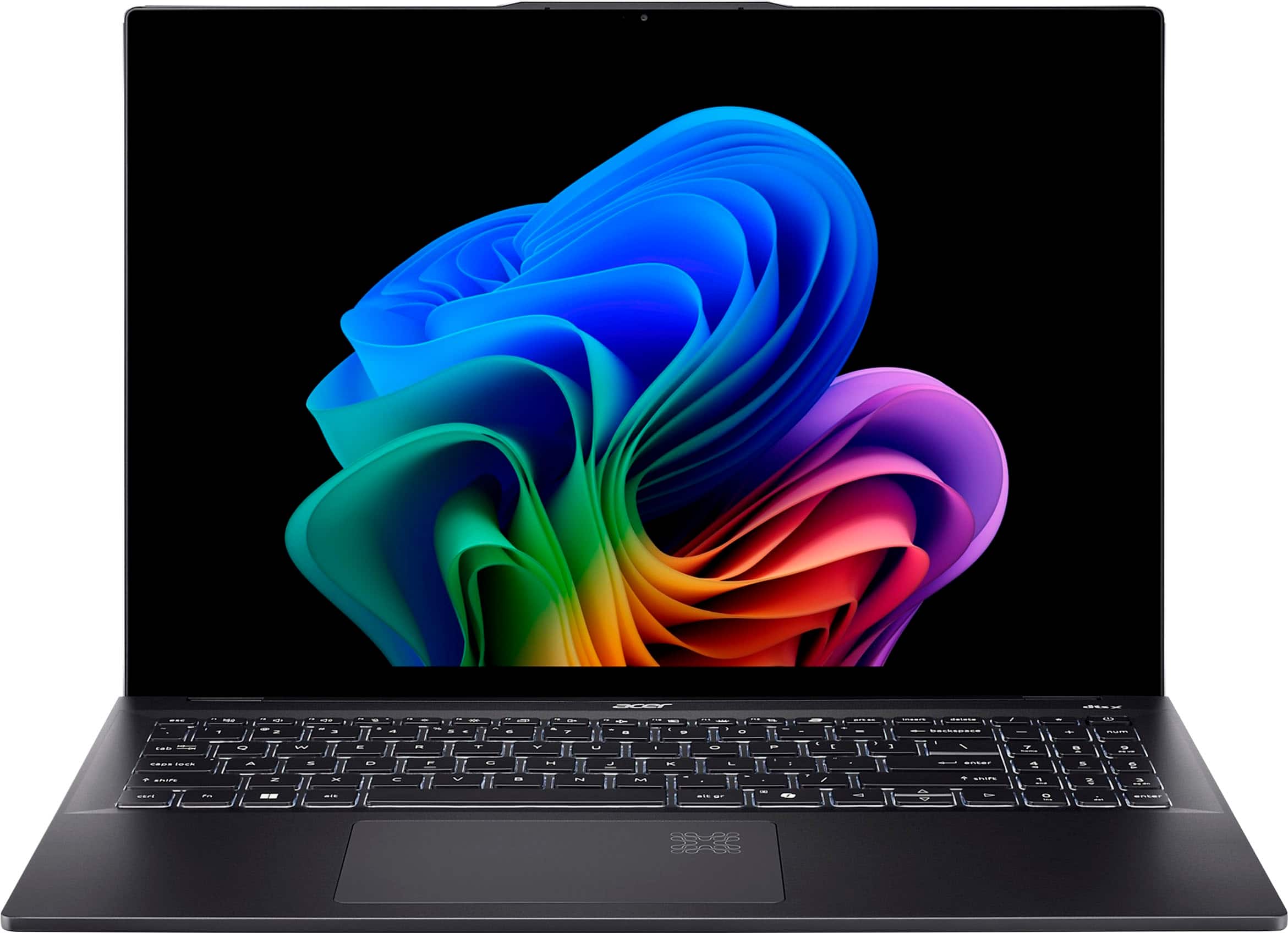



![acer dtsx esc 1 12 n H n N 1 1 C. - t10 f1s n2 t a prtsc SC insert delete / - I 1 2 # 3 $ 4 % 5 6 & 7 8 9 ) 0 I - + = backspace | + num K tab S Q W E R T Y U I o P [ } ] I / 7 home 8 & 9 N -0 caps lock A S D F G H J K L : . enter 4 a 5 6 shift Z X V B N M < 3 V ? / shift 1 and 2 3 PS de ctrl fn alt alt gr 10 I < A V 0 in del enter](https://pisces.bbystatic.com/image2/BestBuy_US/images/products/7083b32a-4e29-4fde-865a-76d04647a075.jpg)



- Model:
- SF16-51T-76TG
- SKU:
- 6598823
Rating by feature
- Battery Life
Rating 4.7 out of 5 stars
- Speed
Rating 4.7 out of 5 stars
- Display
Rating 4.9 out of 5 stars
Customers are saying
Customers value the exceptional screen quality and overall performance of this device, which users find both fast and efficient for their daily tasks. Many appreciate the long-lasting battery life and the highly portable, lightweight design that makes it easy to carry. While the product is well-regarded, some users have noted limitations regarding the inability to upgrade or replace the internal memory and RAM.
This summary was generated by AI based on customer reviews.
Hinges broke. Not repairable. No replacement
||Posted . Owned for 3 months when reviewed.This reviewer received promo considerations or sweepstakes entry for writing a review.I loved this laptop. Although the hinges broke and I only purched it 3 months ago! Best Buy says no warenty. I was not rough with this laprop and it broke, we actually, have no idea how it broke.. Now I have to purchase a new one. Unless Acer can replace. So upsetting.
No, I would not recommend this to a friendBrand response from TeamAcer
Posted .Dear AngN,
We are sorry to hear you are having trouble with the hinges on your Acer Swift laptop and we understand this is frustrating for you. This is not the experience we want our customers to have and we would like to help you get this resolved. If you are in the US or Canada, please feel free to contact our support team at 866-695-2237; they are available to assist 24/7 for in-warranty products.
Regards,
Acer America
monitor hedge broken within in 30 days
||Posted .This reviewer received promo considerations or sweepstakes entry for writing a review.Worst shopping experience ever. I bought this laptop on Thanksgiving, and the monitor hinge broke within 30 days. Best Buy charged me $85 just to ship it to the manufacturer, then told me the repair would cost over $800—more than what I paid for the laptop. I will never buy an Acer computer again. Dell and HP have much better customer service.
No, I would not recommend this to a friendBrand response from TeamAcer
Posted .Dear ClaireC,
Thank you for taking the time to leave a review regarding the purchase of your Acer Swift laptop. We are sorry to hear that you were having problems with the hinge that required repair, and we want to work with you to see how we can help improve this experience. If you will please call 1-866-658-2237 during business hours Mon-Fri, and reference your review, we can help address any problems you may be experiencing.
Regards,
Acer America
Acer Swift 16 AI
||Posted .This reviewer received promo considerations or sweepstakes entry for writing a review.Its nice laptop but look is not that great Battery life is Average but display is really bright and nice .
I would recommend this to a friend- Pros mentioned:Battery life, Processor speed, Screen quality

Acer's take on new Intel-based Copilot laptop
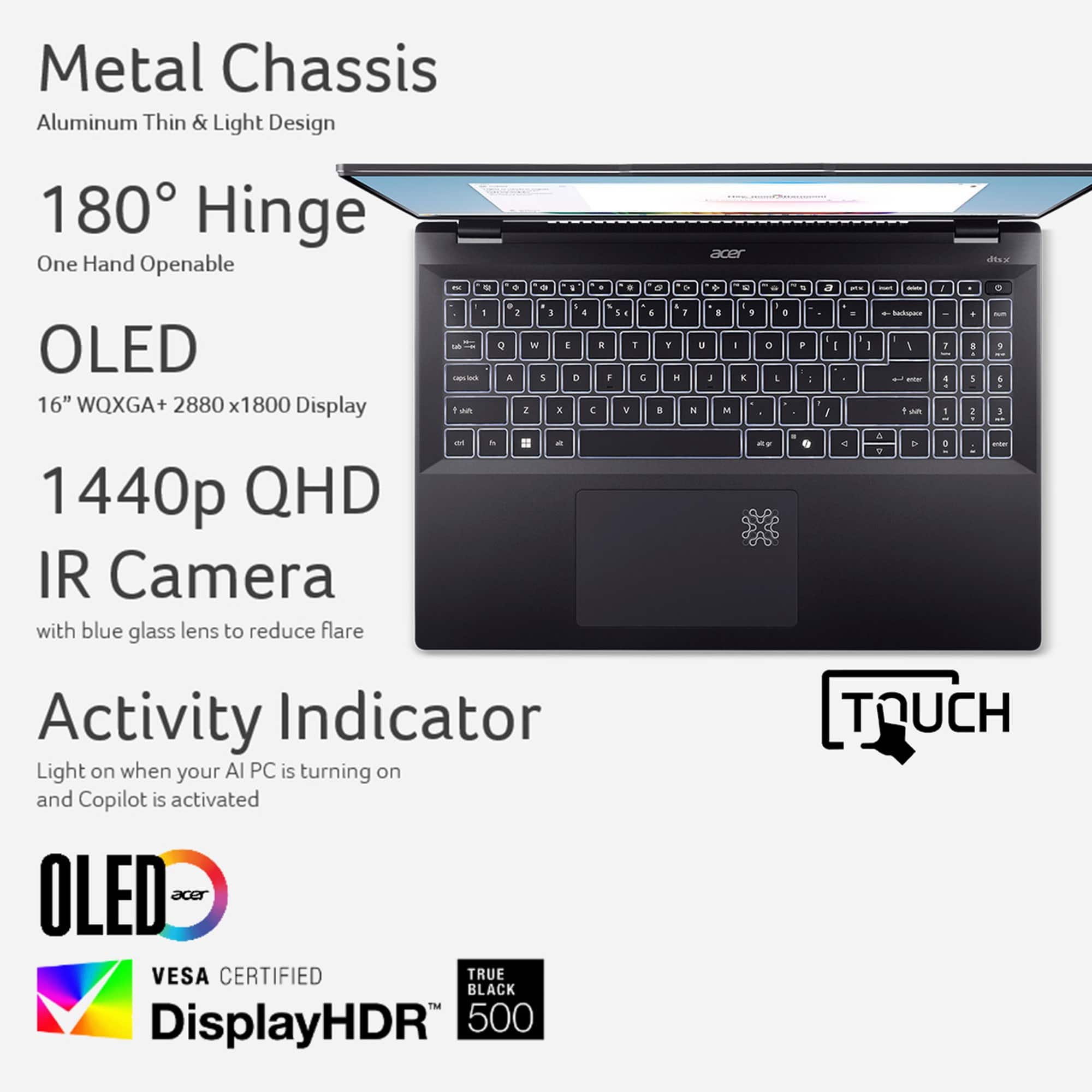
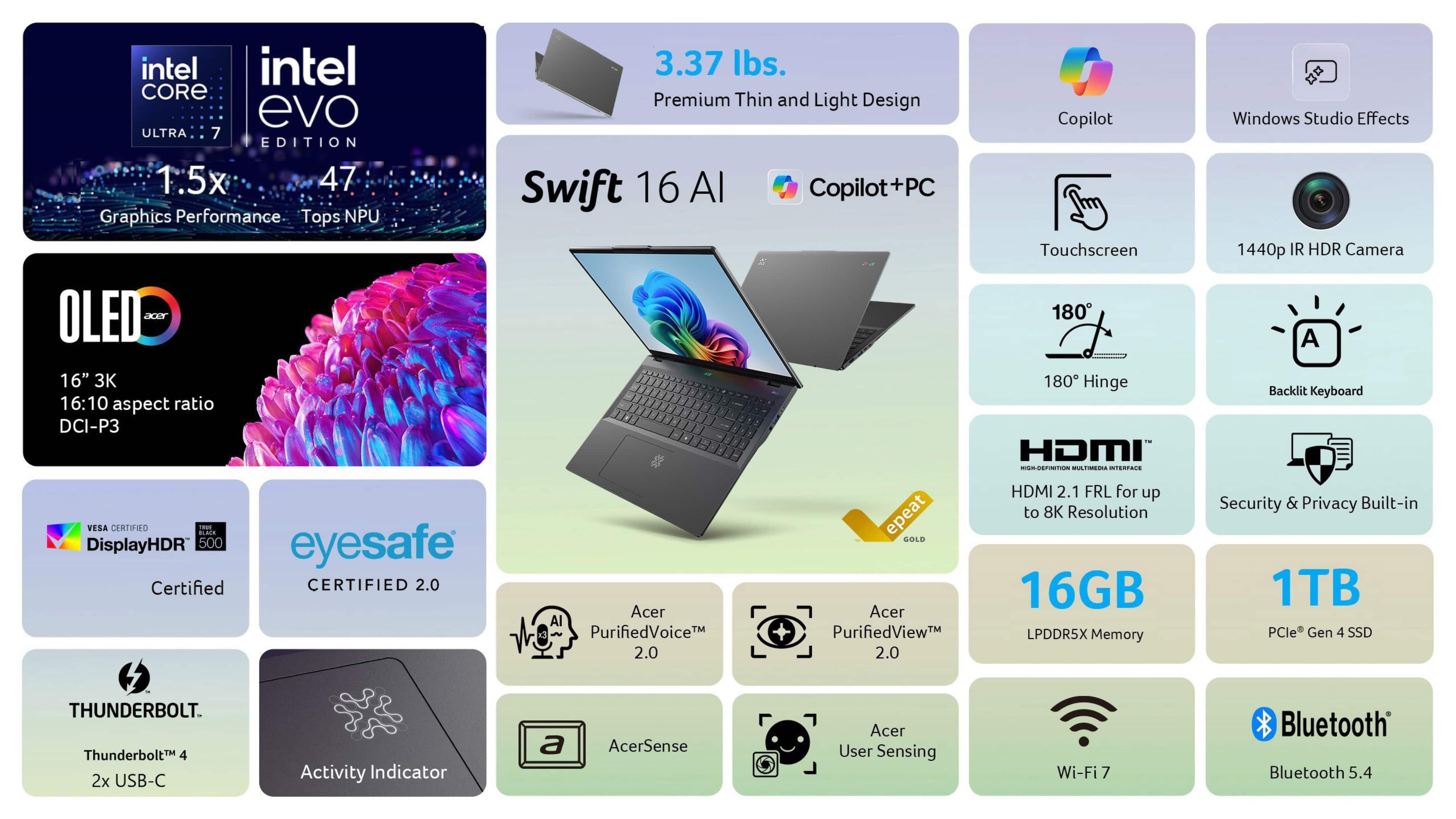
|Posted .This reviewer received promo considerations or sweepstakes entry for writing a review.Setting up this laptop was very straightforward and quick. It did have a good number of updates to go through and it lost internet connection several times during the updates and setup. I have not experienced another internet connection failure since the set up, so I assume it was Windows and/or driver update related. I was able to quickly install Microsoft Office without issue. This is one of the first Copilot + PCs with Intel’s new Core Ultra 7 processor, touted to have great performance and improved battery life. My experience supports those claims. This laptop is extremely fast and there’s near instantaneous switching among 10 or more open apps. I think part of the strong performance is a result of the 16 of RAM (plus there’s a 1Tb SSD). Also, the internet connection is extremely fast because of the Acer’s Wi-Fi 7 support. The 16” screen size is a reasonable balance between regular “desktop” usage and as a travel laptop. For my previous 13” laptop I always used an external monitor when working from home, but with this Acer larger screen and high quality OLED image, I’m using the external monitor less often. Graphics/colors are vivid, and text is very clear. I fully charged the device and then operated on battery power to test the battery life. After 8 hours including 4 hours of active use, I still had 55% battery life left. After 24 hours with no additional active use, it had 47% life left. At 27 hours with 3 more additional active hours, it was down to 21%. I ran this test with battery saving functionality turned off, so I’m pleased with the battery performance. This laptop comes with a Microsoft Copilot key which takes you directly to a personally tailored home page with topics of interest for you to explore. You can then activate Copilot to answer questions and provide additional information through continuing dialog, either text or voice. This function is easy to use and works well. The keyboard also includes a number pad which is a nice feature if you deal with numbers on a regular basis. I highly recommend the Acer Swift laptop.
I would recommend this to a friend Not good
||Posted .This reviewer received promo considerations or sweepstakes entry for writing a review.Hinges on the laptop are gone. It was a very bad experience.
No, I would not recommend this to a friendBrand response from TeamAcer
Posted .Dear SrinivasapraveenkumarK,
We are sorry to hear you are having trouble with the hinges on your Acer Nitro laptop and we understand this is frustrating for you. This is not the experience we want our customers to have and we would like to help you get this resolved. If you are in the US or Canada, please feel free to contact our support team at 866-695-2237; they are available to assist 24/7 for in-warranty products.
Regards,
Acer America
- Pros mentioned:Battery life
Sleek AI Capable Laptop
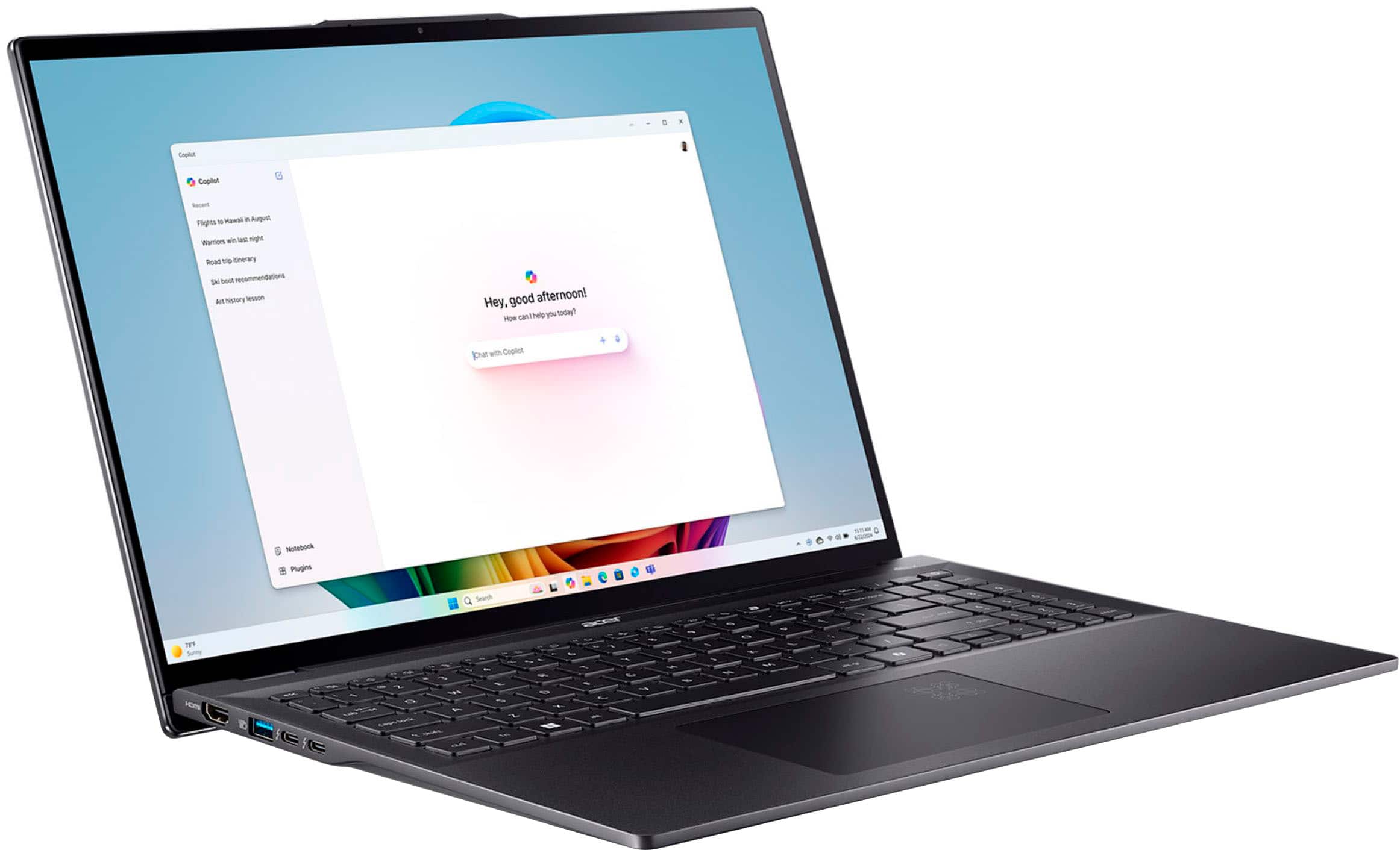
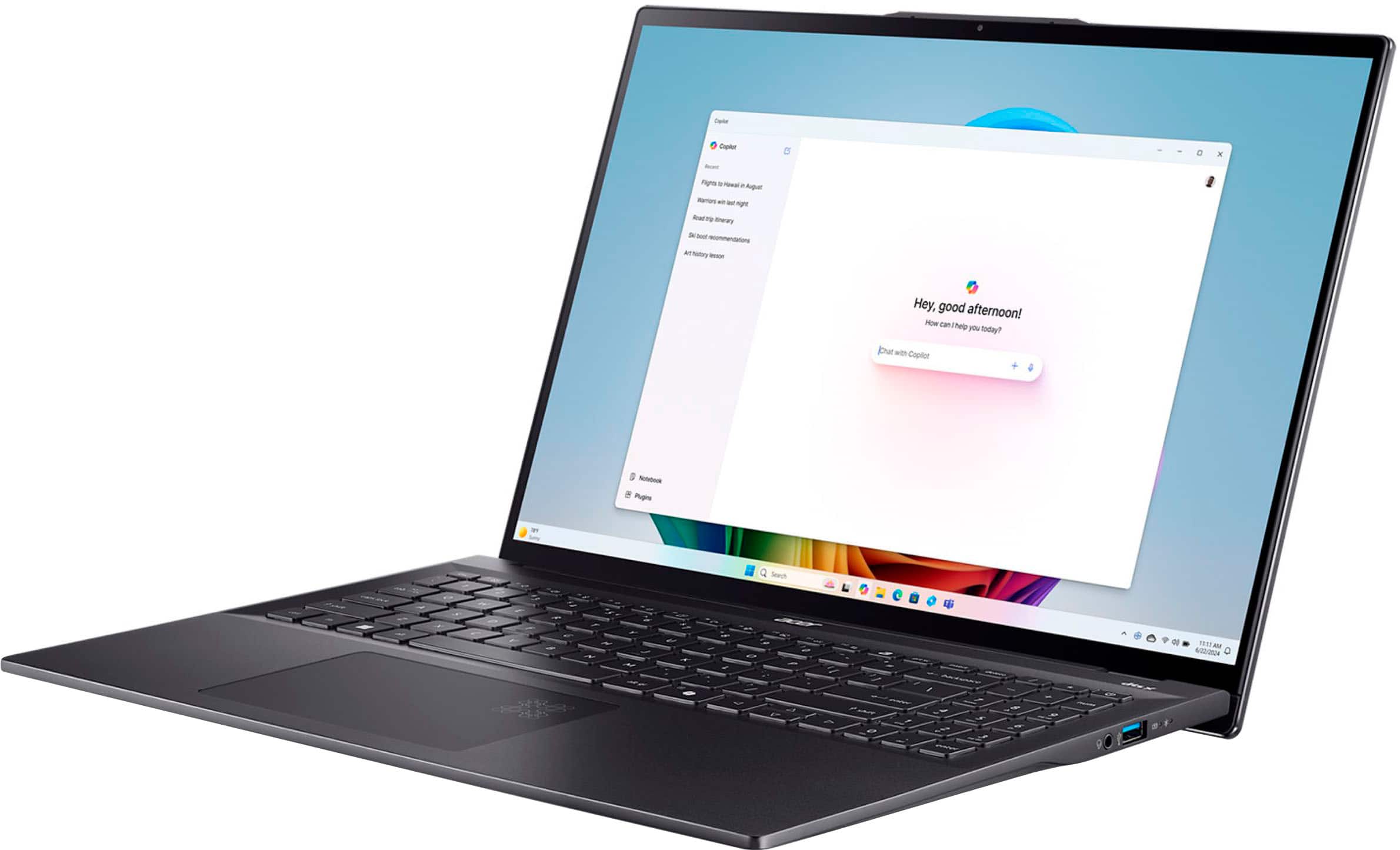
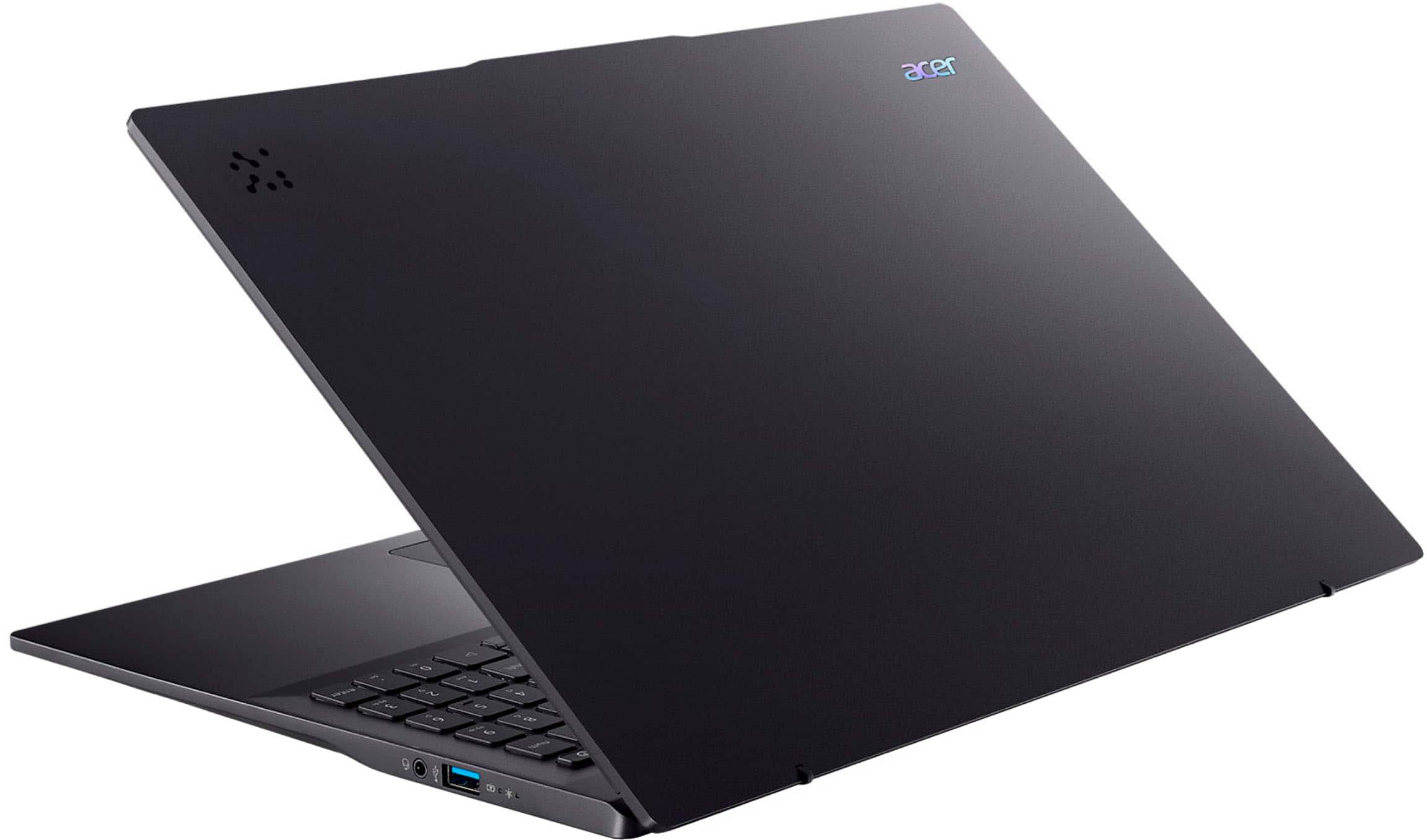
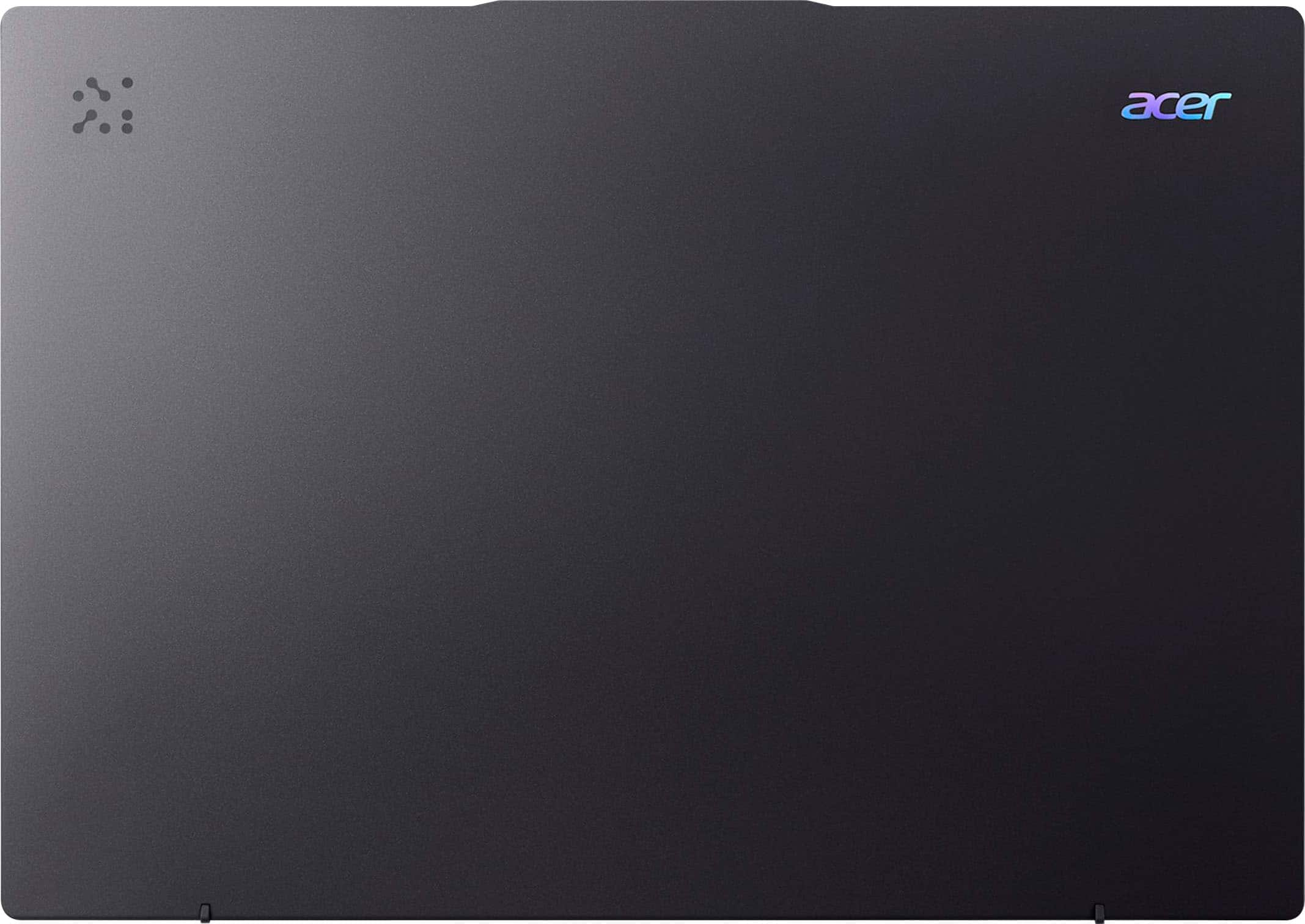
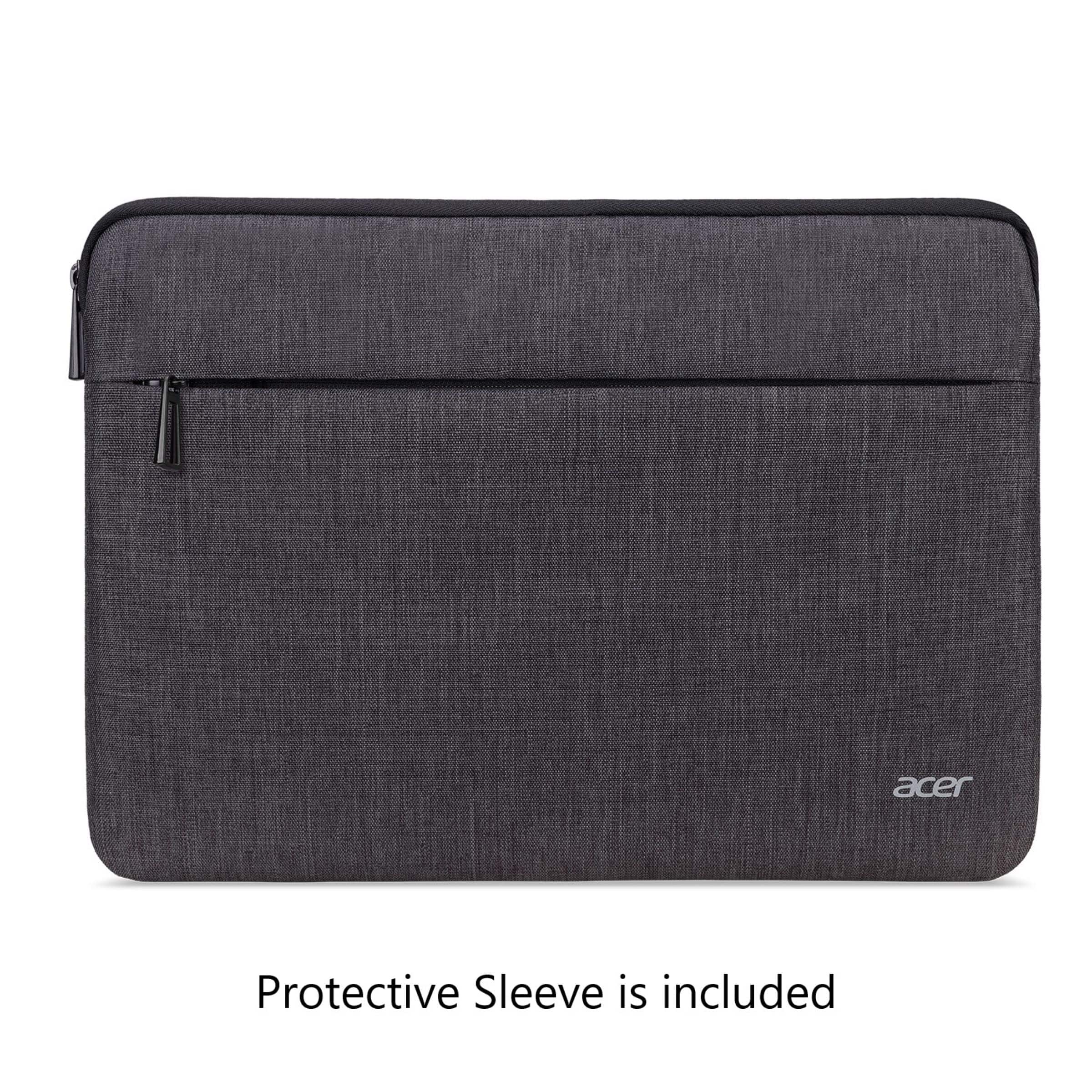
|Posted .This reviewer received promo considerations or sweepstakes entry for writing a review.I spent the last 5 days using the Acer Swift 16 laptop. The laptop, keyboard, and mouse pad are dark black in color which gives them a sleek appearance. It is relatively thin and compact which makes it easy to travel with. The laptop is cool to the touch and feels like it is made with a thin lightweight metal. It is a great looking laptop. It is also extremely light weight, which makes it a fantastic traveling laptop. You can take it on the go anywhere and not worry about the added weight in your backpack or computer case. It also comes with a padded case to help protect it on the go, and the case fits easily into a backpack. I love the full screen that Acer offers on this laptop. The screen clarity is extremely sharp and clear. I am especially impressed with the picture resolution on video’s and games. So life like and colorful. This definitely adds to the viewer experience. The screen is also touchscreen, which is great when engaging in games, with Copilot, and other applications. The built in camera and microphone offer good quality sound and video for conference calls and for use with Copilot. With the hardware that comes with this laptop I had no issues running multiple applications at once. There was plenty of memory and processor power and it is a Copilot+ laptop so it is specifically designed for AI tasks. Speaking of power, battery life is pretty good too. I was able to go all day without plugging in and still had battery life to spare. The hard drive has plenty of space, and I will have no issues installing all the applications I will need. As far as software goes, the laptop comes with Copilot, and you can have conversations with Copilot using the built-in microphone. You can select between 4 voices for Copilot to use when it talks. You can also provide your name so that Copilot speaks to you by name. Using Copilot is fun, interactive, and the AI Software is pretty intuitive. It was able to tell me some medical facts about some diseases and go into treatments and things you can do to relieve symptoms. It was not able to provide any websites that you could look at for additional research, but it was still able to provide a good deal of information. I also was not able to get Copilot to help create pictures. You can tell it about an image of something you are thinking about, but it can’t help you create anything visually. I may have to experiment more with this since Microsoft says you can create images with Copilot+ using Image Creator. The background image of Copilot is water, and you are not able to change that setting or picture. I asked Copilot if that was possible, and it said no. I look forward to experimenting more with Copilot in the future to see what I can accomplish with it. While this is a fantastic laptop, there are some cons about it. The location of the speakers wasn’t well thought out. They are to the left and right of the mousepad and are under the laptop and slightly up the sides. This causes the sound to be muffled, which definitely takes away from the experience of listening to music and watching movies and videos. The laptop also does not come with any Microsoft software such as Word, Excel, or PowerPoint. It would be nice to have a one-year subscription, especially since this laptop is at the higher end of the price point. Overall, I am very happy with the laptop and would recommend it to family, friends, and co-workers.
I would recommend this to a friend - Pros mentioned:Battery life, Portability
Great for my research and classwork!
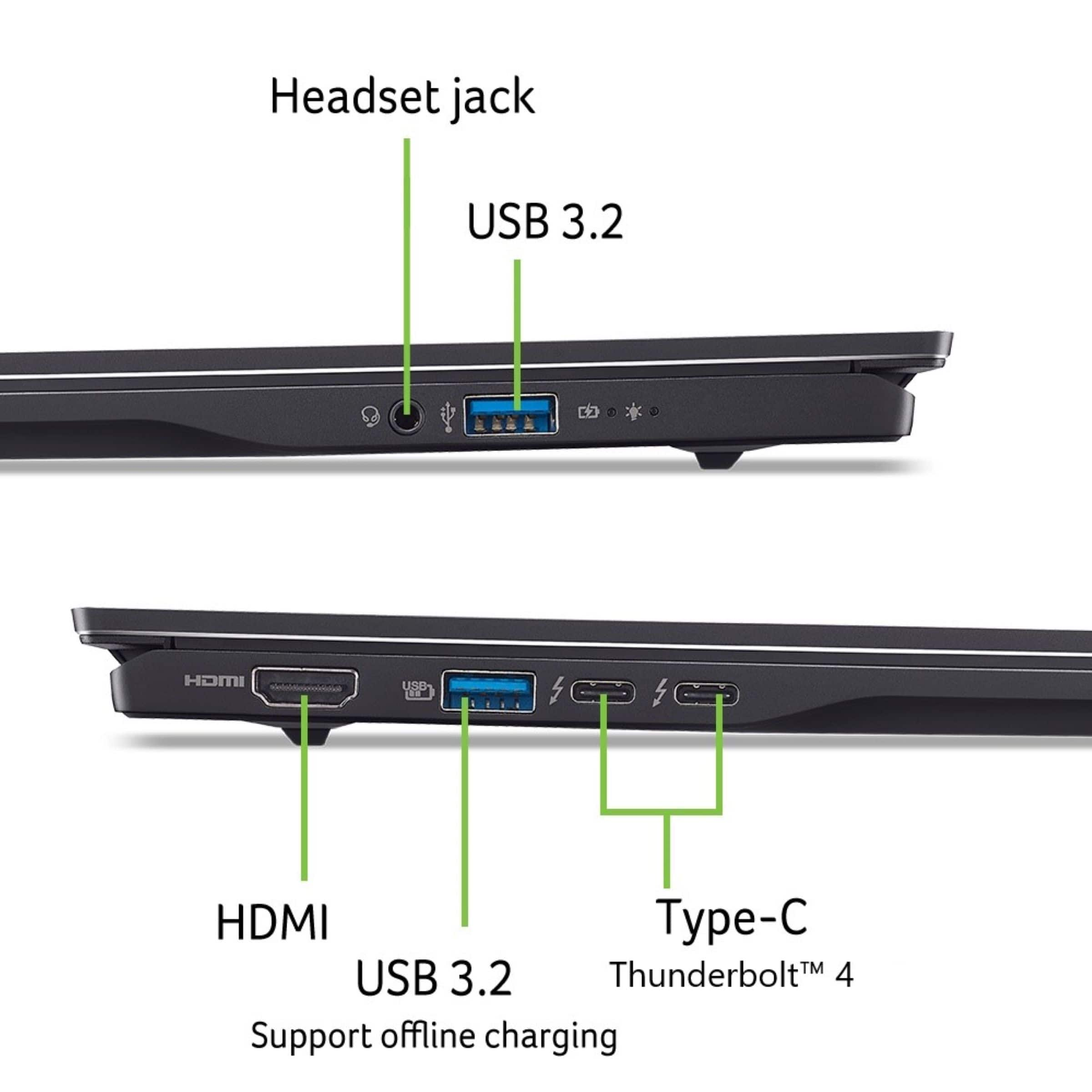
Posted .This reviewer received promo considerations or sweepstakes entry for writing a review.I have been using my Acer Swift for about a month now, and it's been a significant upgrade from my old HP Pavilion. The battery life has been a game-changer. I can sit through my entire biostatistics lecture and lab without ever reaching for my charger. It also handles multitasking beautifully. I regularly run R for coding alongside Chrome with plenty of tabs open, PowerPoint, and Endnote all at once, and it keeps up without any issues. On top of that, it's lightweight and easy to carry around, which makes a real difference when you're moving between different areas of campus and your home. My one real complaint is the limited port selection. There's no SD card slot, and I could use one more USB port. When I'm working at my desk, I'm often plugging in my Steam Deck, mouse, and external drive all at once. That said, an Acer USB hub and SD card reader solved the problem easily enough. The only other minor hiccup was that not all my files transferred over from my old laptop, and I had to go through and delete the transferred softwares to redownload (e.g., R studio, endnote, ArcGIS, etc). The lack of documents was likely due to my own backup habits rather than anything with the Acer itself though. Overall, I'd definitely recommend it for students, researchers or anyone who needs a reliable, portable machine for productivity work. It's budget friendly and USB hub didn't cost much more compared to other models and brands.
I would recommend this to a friend It Lags
||Posted . Owned for 1 month when reviewed.This reviewer received promo considerations or sweepstakes entry for writing a review.I was told it would a fast computer but I find that it lags a lot.
No, I would not recommend this to a friendBrand response from TeamAcer
Posted .Dear Lisa,
Thank you for taking the time to leave a review on your Acer Swift laptop. We are sorry to hear that the product performance is not meeting your expectations, and we want to work with you to see how we can help improve this experience. If you are in the US or Canada, please feel free to contact our support team at 866-695-2237; they are available to assist 24/7 for in-warranty products.
Regards,
Acer America
Review
||Posted . Owned for 3 weeks when reviewed.This reviewer received promo considerations or sweepstakes entry for writing a review.I made a bad choice. Not a standard number pad. Wish i could return it
No, I would not recommend this to a friendBrand response from TeamAcer
Posted .Dear PaulsI,
We are very sorry to hear that your newly purchased Acer laptop did not meet your expectations. We are constantly working to improve the designs and appreciate hearing directly from customers what they need and expect out of a product. We have sent this feedback to our product development teams for review. If you need any assistance with your [monitor], don't hesitate to contact our support team at 866-695-2237 so we can help.
We appreciate you taking the time to write this review.
Regards,
Acer America
- Pros mentioned:Battery life, Processor speed
Fast, sleek, OLED! Love it!
|Posted .This reviewer received promo considerations or sweepstakes entry for writing a review.Another excellent Acer laptop. My previous Acer laptop running Windows 10 is still running strong, but support for Windows 10 will be ending soon and unfortunately my Acer R5 does not support Windows 11. So it was time to replace it. And wow what a difference! The Acer Swift does everything my R5 did and so much more, and so much better. I use to think my R5 was running good still. But it was getting a bit long in the tooth and slowing down, getting errors, etc. The Acer Swift solves all of that. The Swift is exactly that...Swift. The boot up is extremely fast. Programs load basically instantly. And I can run as much as I want and have no lag at all. The Intel Core Ultra 7 Series 2 combined with Windows AI and 16gb or Ram make everything run like a breeze. The Intel Arc graphics are good enough for your simple games and they run great. But this is not a gaming laptop by any means and doesnt claim to be. But will run your simple stuff with no problem. My favorite thing about this is got to be the screen. I fell in love with OLED's when I got my first Sony OLED and now all my devices have OLED screens. And the screen on the Acer is beautiful. The 16” 3K (2880 x 1800) touch screen is super crisp with lovely colors. Previously I use to just run my laptop to my TV to watch videos, etc. But watching on this screen is great. The backlit keyboard has excellent feedback and typing feels natural and I can type just as fast on it as my main keyboard. Battery life has been excellent as well. The specs claim up to 19.5 hours. But of course thats with everything set up for low power. But I easily get a days worth, then just plug it in at night. Plenty for most users. It also supports the latest Wifi 7. But Ill need to upgrade my router to take advantage of that. But even on Wifi 6 downloads and streaming has been very fast. No lag or buffering at all. So overall this has been perfect for my daily PC use. And if it lasts even close to as long as my Acer R5 has Ill be using this for many years to come. Highly recommended!
I would recommend this to a friend - Pros mentioned:Screen quality
Top of the line screen and very light weight!
|Posted .This reviewer received promo considerations or sweepstakes entry for writing a review.I have had this Acer Swift 16 AI 16 inch 3K OLED touchscreen laptop for about one week and here is what I think so far. Out of the box, you will get the laptop, a power cable and a nice protective sleeve to store your laptop on the go. There are two things that struck me as I unpackaged this beauty, it is very light weight, which is great when you are taking it to work everyday. Secondly, you will love the metal chassis, which gives it a strong sturdy feel to the laptop. When you open the screen, I was pleasantly reminded that I have a 16 inch screen, as it doesn't feel like it because it is so light. Overall, I really liked the modern, slick design to this laptop. Once you turn it on, you will be struck by the screen. It is so crisp and clean! You really notice the 3k OLED screen on full display as you watch your favorite show or movie on the go. It was great even in the daytime. It also comes with a nice 1440p IR HDR camera that comes in handy if you have to do Zoom meetings. I also like that it comes with 2 Thunderbolt ports. Another great feature that comes with this laptop is the backlit keyboard. This laptop comes with Copilot assist, which helps out in the creation of new content, at work and at home. Bottom line, I got this Acer Swift 16 because of how easy it was to transport from home to work and I also loved the 3K OLED screen, and I have not been disappointed! If you are in the market for a new laptop, this Acer Swift 16 comes with many features that you will enjoy.
I would recommend this to a friend NOT GOOD
||Posted . Owned for 3 weeks when reviewed.This reviewer received promo considerations or sweepstakes entry for writing a review.Junk shut off and won't turn back on after 20 days. Best Buy refuses to take it back even though I am a member and have 60 days to return
No, I would not recommend this to a friendBrand response from TeamAcer
Posted .Dear Timothy,
We are sorry to hear your Acer Swift laptop is not booting/functioning properly and we understand this is frustrating for you. This is not the experience we want our customers to have and we would like to help you get this resolved. If you are in the US or Canada, please feel free to contact our support team at 866-695-2237; they are available to assist 24/7 for in-warranty products.
Regards,
Acer America
THE WORST
||Posted . Owned for 1 month when reviewed.This reviewer received promo considerations or sweepstakes entry for writing a review.IT IS THE WORST COMPUTER THAT I HAVE EVER PURCHASED. I SPENT $890. FOR A GREAT LAPTOP. IT SUCKS.
No, I would not recommend this to a friendBrand response from TeamAcer
Posted .Dear JimGio,
Thank you for taking the time to leave a review on your Acer Swift laptop. We are sorry to hear that the product did not meet your expectations, and we want to work with you to see how we can help improve this experience. If you are in the US or Canada, please feel free to contact our support team at 866-695-2237; they are available to assist 24/7 for in-warranty products.
Regards,
Acer America
- Pros mentioned:Battery life, Screen quality
Just the right size...
|Posted .This reviewer received promo considerations or sweepstakes entry for writing a review.So I've been using this laptop for over a week now, and here is how I feel about it. I'm coming from a thin lite weight 17 inch laptop, and so I wanted something that was not heavy like that laptop. Well, this is it. The screen on this laptop is amazing at 3k OLED, it's so clean you need to see it in person to believe it. The size is perfect at 16 inches, because the entire laptop footprint is not very big at all. Looks more like a 14.5 to 15.3, but that is because of the body and how tightly it's packaged. The build quality of this laptop is nice, and feels really good while using it for daily tasks. I like the keyboard, but I don't think it needed the number pad on the right side. It creates typing errors for me, and this is not just with this laptop. I don't like them in general on laptops of this size. They are too small to fit, but companies do it anyway for some reason. Other than that, I like everything else. Giving me enough ports to make it a great travel experience. Not having to carry extra dongles. The battery life is really good, charging not needed nearly as much as others with the same numbers. Speakers on this computer are on the weaker side for sure, as they need to be turned all the way up to hear them. Use bluetooth, or an external speaker. As for the operating system, well...it's windows. Overall, the price vs what you get, I give it 4 stars. More RAM would be nice, as this doesn't have a top tear GPU, so editing will be slower than some others. But not the slowest.
I would recommend this to a friend - Pros mentioned:Battery life, Overall performance, Screen quality
Acer laptop
Posted .This reviewer received promo considerations or sweepstakes entry for writing a review.For my needs this is a great little computer. I am happy with the performance, the colors are so vibrant, and the battery time in between charging is great.
I would recommend this to a friend Poor connectivity.
||Posted . Owned for 3 weeks when reviewed.This reviewer received promo considerations or sweepstakes entry for writing a review.Tried 2 different units, neither of which would connect with my internet router.
No, I would not recommend this to a friendBrand response from TeamAcer
Posted .Dear LDMusic,
We are sorry to hear your Acer Swift laptop is not connecting to your router and we understand this is frustrating for you. This is not the experience we want our customers to have and we would like to help you get this resolved. If you are in the US or Canada, please feel free to contact our support team at 866-695-2237; they are available to assist 24/7 for in-warranty products.
Regards,
Acer America
- Pros mentioned:Overall performance, Portability
Good product
Posted .This reviewer received promo considerations or sweepstakes entry for writing a review.Easy to use and display quality fast charging everything is good
I would recommend this to a friend - Pros mentioned:Overall performance
This is a very good and reliable laptop
Posted .This reviewer received promo considerations or sweepstakes entry for writing a review.This is an exceptinally good laptop for a great price, especially when on sale. It is fast, reliable and does what it supposed to
I would recommend this to a friend - Pros mentioned:Overall performance
Yea it’s pretty great honestly
Posted .This reviewer received promo considerations or sweepstakes entry for writing a review.Overall i have zero complaints about it so far the screen is amazing and the touch screen works great aswell i read a review abt HDR being off which is true definitely fully update it and then turn that off for best results very strong laptop with almost silent fans great sleek desgn definitely buy if on sale ps battery does burn like a V8 engine so yea…
I would recommend this to a friend Insanely good display, almost too good!
Posted .This reviewer received promo considerations or sweepstakes entry for writing a review.Be sure to enable HDR in the Windows Settings, as it's not enabled by default. Once that's done... wow. Indoors, any brightness above 80% is "too bright" for me! The high res and refresh rate is also amazing. That being said, if you do any demanding work, you'll notice there being only 8 threads (vs the competing AMD chip having double that). Buy this on sale!
I would recommend this to a friend