Customer Ratings & Reviews















- Model:
- ADO951800F116
- SKU:
- 6288083
to a friend
Customers are saying
Customers love Photoshop Elements 2019's ease of use, especially for beginners, and its excellent photo editing capabilities. Many appreciate its powerful features and affordable price point, finding it a cost-effective alternative to more comprehensive software. While some users suggest improvements to the interface and compatibility, the overall experience is positive.
This summary was generated by AI based on customer reviews.
Enough improvement to make Update Worthwhile
||Posted .This reviewer received promo considerations or sweepstakes entry for writing a review.Improved initial interface and Catalog make this investment worthwhile. Best price at Best Buy !
I would recommend this to a friendGreat to organize photos in your library.
||Posted . Owned for 7 months when reviewed.This reviewer received promo considerations or sweepstakes entry for writing a review.This helps to eliminate duplicate photos to maximize storage space on your computer.
I would recommend this to a friendNew to photo shop
||Posted . Owned for less than 1 week when reviewed.This reviewer received promo considerations or sweepstakes entry for writing a review.Love the fact that you own this and don’t have to pay a yearly price . It takes so getting use to . We are still learning
I would recommend this to a friendIt's great!
||Posted . Owned for 3 weeks when reviewed.This reviewer received promo considerations or sweepstakes entry for writing a review.I bought it because I bought an Apple computer and could not transfer my previous version. It is easy to learn and use.
I would recommend this to a friend- Pros mentioned:Ease of use
For Son
||Posted .This reviewer received promo considerations or sweepstakes entry for writing a review.I did follow up with my son. He is enjoying this software.
I would recommend this to a friend Great photo editing software
||Posted .This reviewer received promo considerations or sweepstakes entry for writing a review.I wanted something that was not subscription based and this was the perfect solution. Great editing tool for your pictures.
I would recommend this to a friend- Pros mentioned:Ease of use, Price

New to photoshop? This is for you.
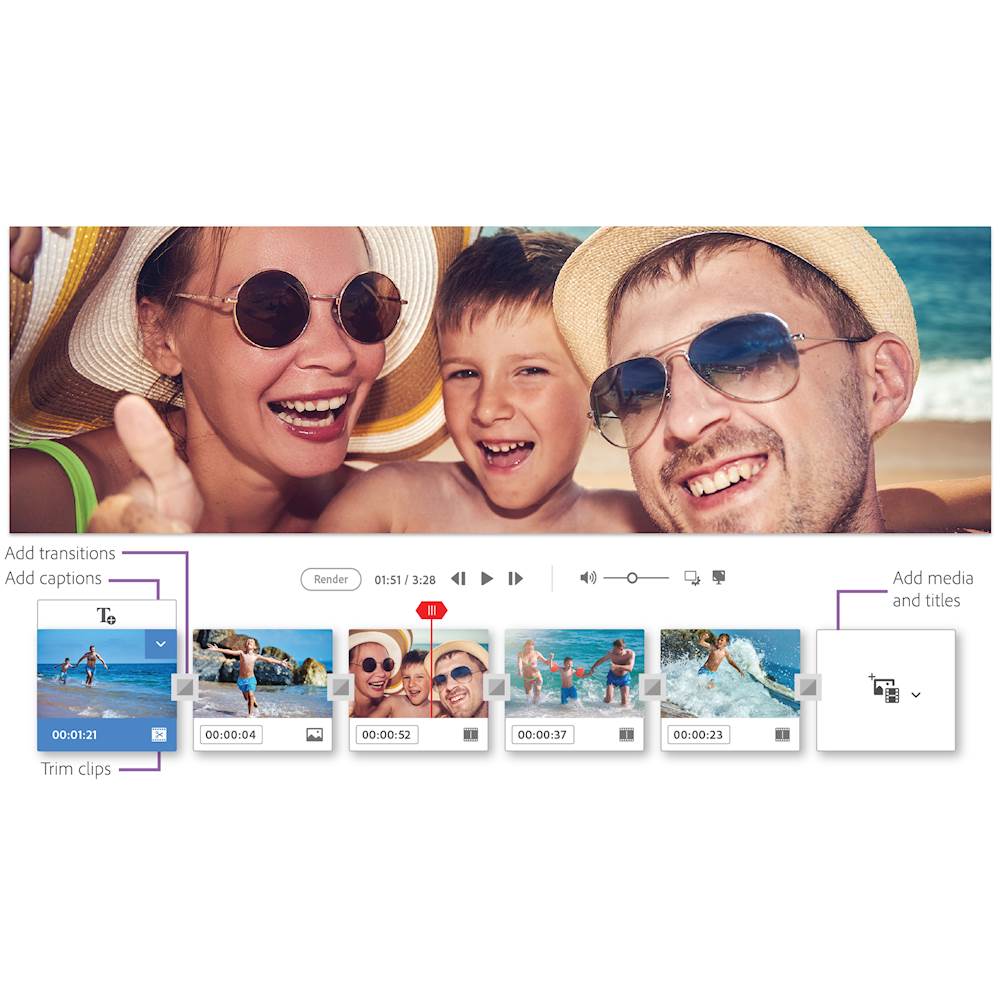
|Posted .This reviewer received promo considerations or sweepstakes entry for writing a review.This is a review made by someone who has not used previous versions of Elements so I cannot compare this version with last years version. I am reviewing this purely as a photo and image editing software. Years ago I had a job that allowed me to purchase the full suite adobe photoshop for personal and professional use for significantly less than the normal purchase price. I had a little bit of PS experience from being taught by friends, youtube and myself. I'll be honest and I'm not ashamed to admit it, it was a bit over my head and without formal training and lots of time spent on it, I don't know how much of the full suite I would really grasp. I eventually stopped using it as it was just too time consuming to do in depth PS tricks beyond basic editing. Then I received this Elements 2019. I had no idea this was even a thing before this. I thought everyone still had to use the full PS suite and pay the high cost, which I think is now a monthly access fee. This makes using photoshop easy for even a novice. There are 3 options to use, Quick, Guided and Expert. Quick mode is great if you just want to quickly fix a few things in the image. Guided has lots of templates from borders to meme creation to collage, or my favorite, multi photo text where you can type a word and then fill each image with a photo. Guided mode is where I spend most of my time. Expert mode seems a little more close to the traditional PS though with slightly fewer features. You can also start in one mode and finish your project with any other mode. So start in Expert mode and finish in Guided mode. Really cool. I can't wait to delve a little more into Elements and see what else it can do. If you previously used a full PS suite and felt it was just a little more than you bargained for like me or just want to get your foot in the door with the newest and most updated version of Elements at a great price, then this is worth it to check out and see how you can quickly get the most out of your images.
I would recommend this to a friend Item As Described.
||Posted . Owned for 1 year when reviewed.This reviewer received promo considerations or sweepstakes entry for writing a review.Not as good as thought it would be. I guess my expectation were too high
No, I would not recommend this to a friendGood for Photo Enhancement
||Posted . Owned for 6 months when reviewed.This reviewer received promo considerations or sweepstakes entry for writing a review.I should of done my research before purchasing. I thought this had more features, but it does what it is intended to do. I didn't see much improvement from the last Elements '13 I had though. If you do not have Photoshop, I would recommend but I don't think upgrading from a previous version is necessary.
I would recommend this to a friendWorks
||Posted . Owned for 3 weeks when reviewed.This reviewer received promo considerations or sweepstakes entry for writing a review.Works as expected, make sure you need a CD might be better to download
I would recommend this to a friendSimple and Easy to use
||Posted . Owned for 1 week when reviewed.This reviewer received promo considerations or sweepstakes entry for writing a review.Got this for my fiancée. She really likes it and uses it quite a lot as she is taking a photography course
I would recommend this to a friendUser friendly
||Posted . Owned for 1 month when reviewed.This reviewer received promo considerations or sweepstakes entry for writing a review.This was purchased for a startup and is user friendly. There is definitely more to learn. Nice product!
I would recommend this to a friend- Pros mentioned:Ease of use
Good all around photo editing software
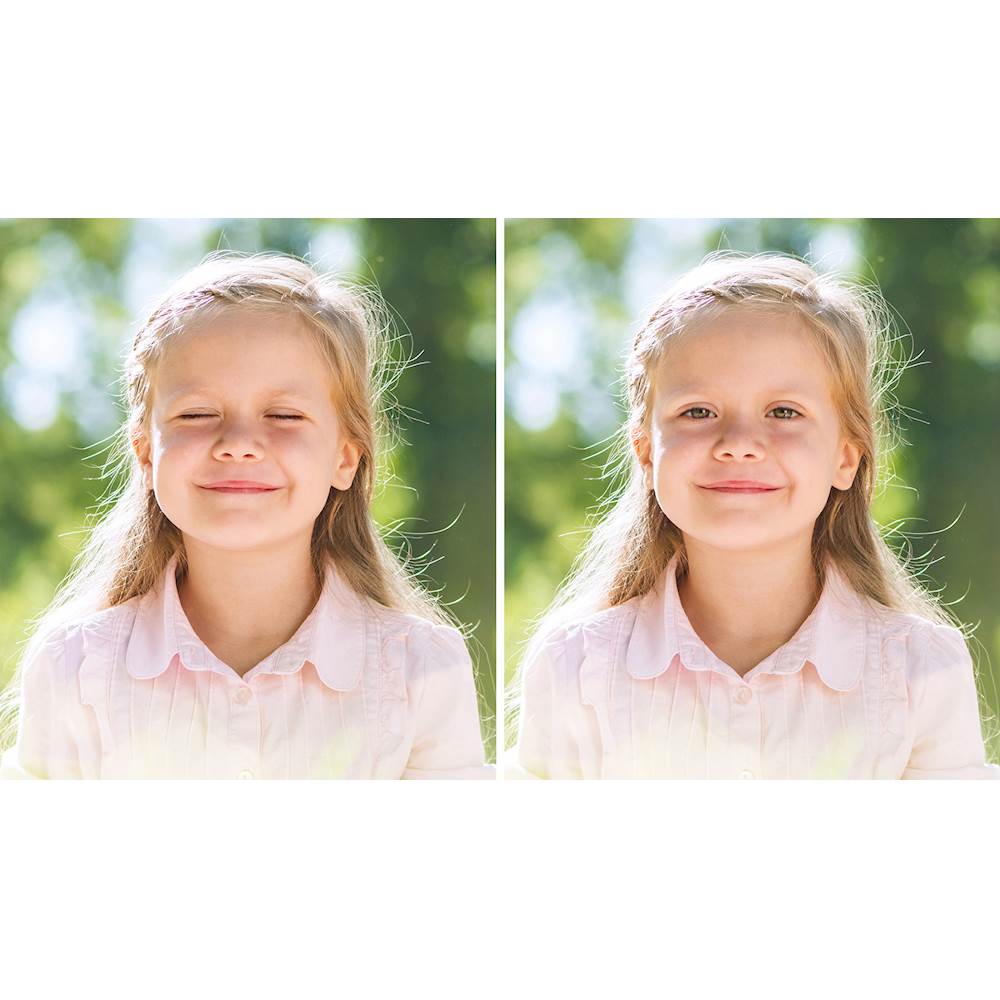
|Posted .This reviewer received promo considerations or sweepstakes entry for writing a review.This is only my second time using a Photoshop product. My first venture in to it was many years ago and it slowed my desktop down so much that it was virtually unusable. This version is much better in that regard. After downloading it I clicked on a few of the links to see what all of the options were for photo editing projects. The software gives you options (Quick, Guided and Expert) based on your familiarity with Photoshop. Quick is for basic edits such as brightness adjustments and red eye corrections. Guided was nice for people like myself who have either never used Photoshop before or only done very basic photo editing. It does as it says and guides you through the edit(s) you are trying to accomplish. To be honest, I have not tried "expert" as the features are just too numerous and I haven't had much experience with Photoshop. My first project I used the mutli-photo text feature. This allows you to use multiple photos inside letters. My daughter's name has 6 letters, so I chose 6 photos of her. One for each letter. Moving and resizing the photos to fit each letter and find the best placement within each letter was quick and easy. I then tried changing the background on a few photos. Under the "Guided" option it was done in just a few clicks. My daughter when from a drab school picture background to sitting on the beach. Photoshop was able to perfectly outline her in the picture from me selecting the area that she was in from a rectangle. I then just selected the picture that I wanted to use as the background and it was done. It could not be easier. While my laptop that I have it installed on is aging and therefore slowing down, once the program is up and running it is fairly fast. To be fair, it was a lower end laptop to begin with. With a computer with ideal specs, it would be much faster. Photoshop Elements 2019 is great for new users, beginners and slightly more advanced users. The fact that it can easily guide you through what you are trying to do is immensely helpful for new users. It's also at a great price point. After getting my oldest daughter a Canon T6 last year we will certainly be using it all of the time for her photos as well as mine. I highly recommend giving it a try.
I would recommend this to a friend Adobe is Tops
||Posted .This reviewer received promo considerations or sweepstakes entry for writing a review.Adobe never lets me down and neither does photoshop. It assists your creativity and makes some amazing results.
I would recommend this to a friendWife uses it
||Posted . Owned for 8 months when reviewed.This reviewer received promo considerations or sweepstakes entry for writing a review.If she uses it then it must be ok?? That’s how I look at it
I would recommend this to a friend- Pros mentioned:Ease of use, Features
Options and options
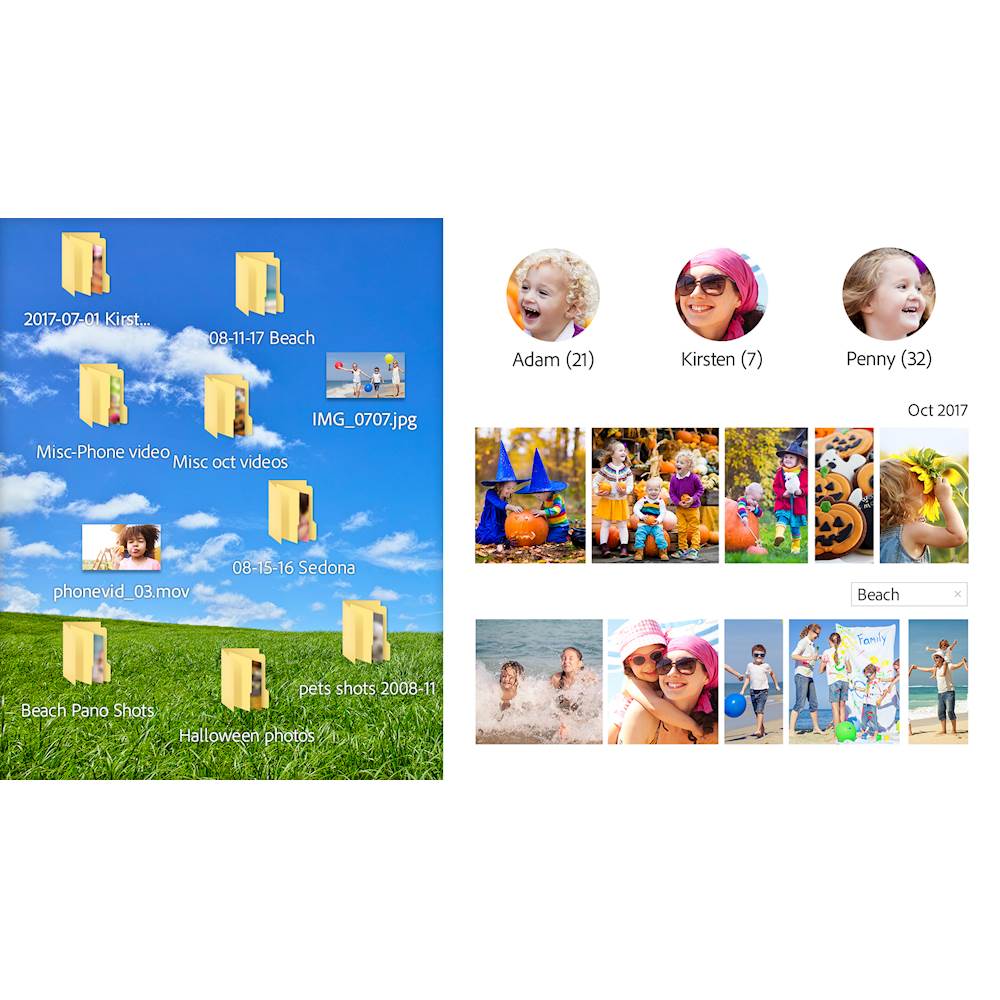
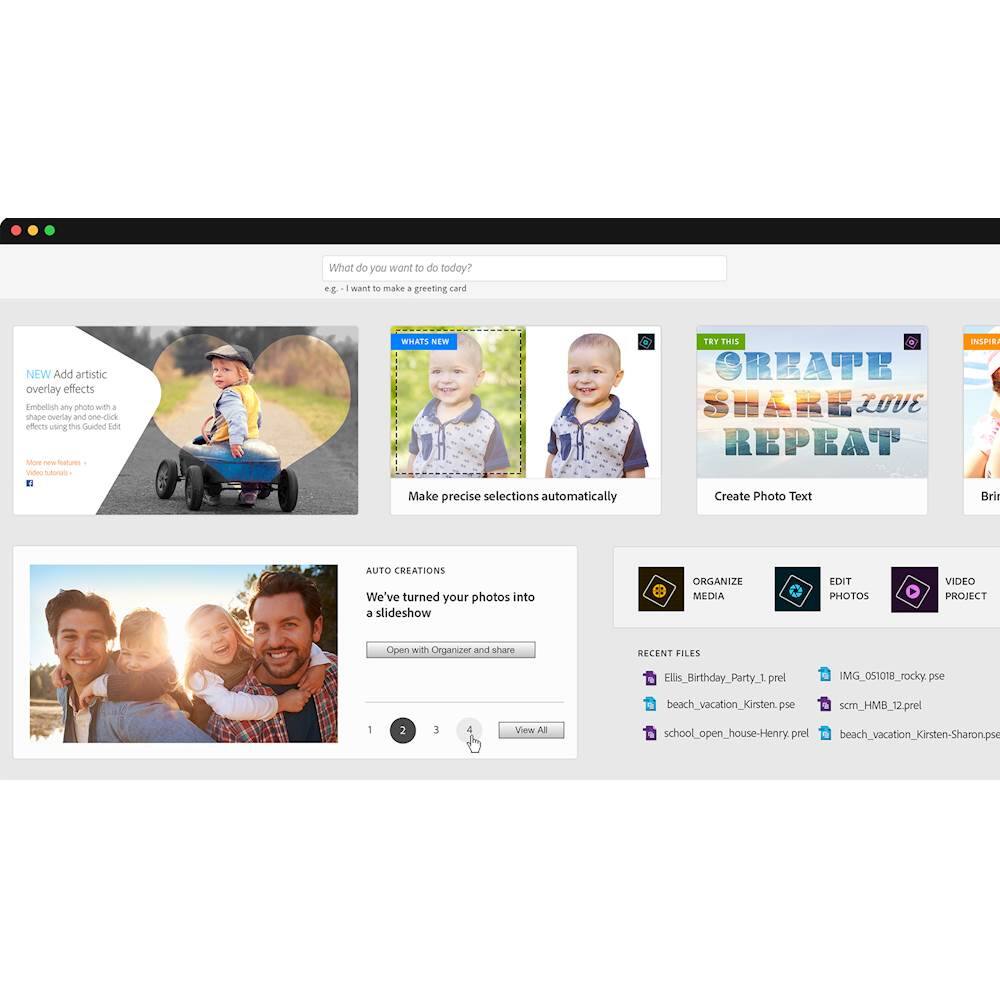
|Posted .This reviewer received promo considerations or sweepstakes entry for writing a review.As a first time user, Adobe Photoshop Elements is a solid program with multiple features to make your life (and photos) easier. First, it has an Organizer included, which allows you to organize your photos based on people, places, or events. The face recognition is pretty accurate, but if you have a lot of photos, it is also time-consuming. The program will show you the faces and you have to click individual faces. It would be more efficient if you could drag-select multiple recognized same faces where you could select multiple faces by dragging your mouse. Besides that, the program is robust. It has 3 modes depending on your level of knowledge and mastery of elements. Quick: will give you the basic features to fix a photo, something like you would get with your basic photo editor. Guided: Expands your options substantially. You can now see exactly what you will do to your photo because the icon shows you a before and after sample. It is nice and easy to follow, like a tutorial. Expert: Basically gives you complete manual control over your photo, giving you the ability to edit almost anything about it. Another cool feature is that when you open Elements, it takes you to a “Home Page” where it gives you ideas, and it automatically makes an “auto creation” for you which can be a collage of an event, a photo stitched, or whatever from your photos. It’s pretty cool and kind of like opening a surprise every time you open the program. Overall, it is robust and with Adobe, you can expect quality software, especially with photo editing. I'd give it 4.5 stars because there can be some improvement with face recognition organization, but Best Buy doesn't have that option so 5 stars it is.
I would recommend this to a friend Great software
||Posted .This reviewer received promo considerations or sweepstakes entry for writing a review.Elements continues to be an excellent application software for amateurs and professionals as well.
I would recommend this to a friendExcellent photo editing software
||Posted . Owned for 3 weeks when reviewed.This reviewer received promo considerations or sweepstakes entry for writing a review.Excellent photo editing software without using the more expensive Adobe Photoshop version.
I would recommend this to a friend- Pros mentioned:Ease of use
Best consumer photo editing option
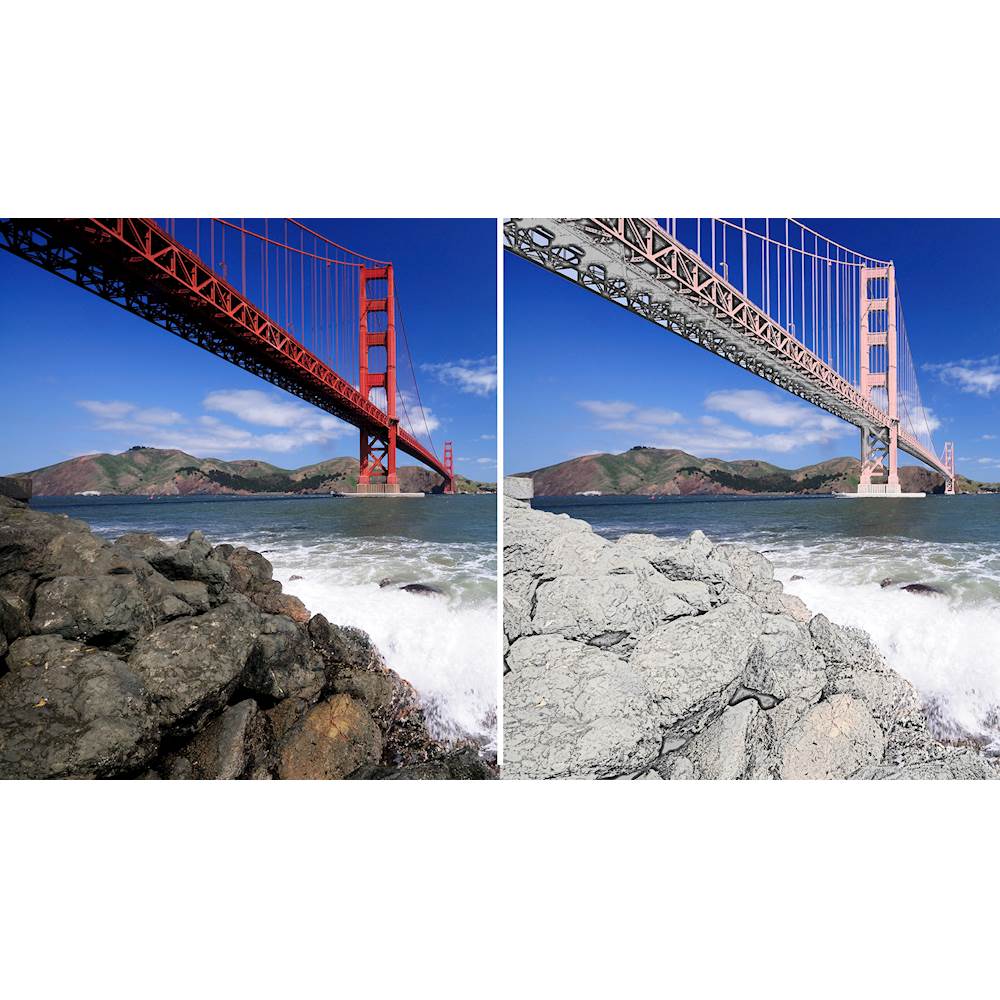
|Posted .This reviewer received promo considerations or sweepstakes entry for writing a review.It's been a while since I last used Adobe Photoshop Elements. My last version was Elements 11, so I don't know how 2019 stacks up against the most recent versions after 11. I noticed that the home screen has become a little more web-centric with lots of tips and project suggestions. There are even options to use Premier Elements as well. I'm not a fan of all the Premier buttons because it seems like the developers lazily made only one home screen for all three products: Photoshop Elements, Premier Elements and the combo pack with both. It also keeps forcing Premier Elements down my throat with pop-up adverts in addition to the buttons I don't need or want. It's kind of cheesy and even a little annoying if like me, you have no interest in Premier Elements. Thankfully, it can be quickly dismissed after launching the editing or organizer screens. The organizer is somewhat helpful but still a bit clumsy like I remember it. I've always preferred Lightroom over Elements or any other organizer. Elements' organizer reminds me of the organizer on my phone. It has a lot of features that are fun but not particularly useful, such as showing the locations where geotagged photos were taken on a map. It's okay as an organizer if needed but I typically skip it. The program will prompt users to create an Adobe account and/or login to use the program. It seems more mandatory now than in the past. I already had an account, so I had no issues using it to sign in but I don't think you can use the software without logging in with an Adobe account. I see the editor now has three modes: quick, guided and expert. Quick is a basic set of tools for the most common edits (exposure, color, red eye, etc). Guided offers assistance with everything from basic edits to more advanced edits. Guided is pretty cool for users who want to apply advanced effects such as speed blur, sketch effects, multiple exposure and more. It offers a descriptive tile for each effect and when users click the tile it provides a completely guided editor window for applying that specific effect. Expert mode is for those familiar with and who have a working knowledge of the Photoshop editor. It’s the most similar in appearance to the Photoshop CC editor and has many of the same tools. There is also a quick launch menu in addition to the three different editor windows. The quick launch drop-down menu has shortcuts to create slideshows, collages, photo books, prints, greeting cards, calendars and CD/DVD labels and jackets. Workflow and navigation is very intuitive and it's easy to find exactly what you want within the program. That's a huge plus because every "easy" editor I've tried was either way too easy and underpowered or too hard to honestly be considered "easy". When done creating a project, PE 2019 exports to my choice of multiple available file formats quickly and efficiently. I noticed the program is pretty light on resources during editing, particularly system RAM. I run it on a six-year-old Windows laptop with 4GB of RAM and have experienced no problems at all so far. Now, I'm only performing basic edits and projects. Large projects or complex batch edits may be a little more taxing. Just be advised neither mac nor Windows versions support 32-bit operating systems. Your OS must be 64-bit to run Photoshop Elements 2019. Photoshop Elements 2019 has everything the normal home user needs. I definitely prefer it over less user-friendly competition like Paintshop or PhotoDirector. The only thing I don't like is the iron-fisted control Adobe exercises over the program. Installs are limited to two total. That means if your machine gets malware, if it malfunctions, is replaced or you simply decide that you'd prefer to use it on a different machine, you only get two total installs before being required to contact Adobe. I've never liked anti-piracy measures like these because they harm honest consumers way more than the actual criminals. My suggestion is to download the 30 day trial and try it on any machine you're contemplating installing this on. Once you're satisfied that's the machine you plan to stick with, the trial can be unlocked with the code from the retail version. Otherwise, try it on another machine and don't unlock until satisfied that you chose the best machine for the installation.
I would recommend this to a friend Excellent photo editing software
||Posted . Owned for 3 weeks when reviewed.This reviewer received promo considerations or sweepstakes entry for writing a review.Best software take a little bit to get used to, but works great and photos look awesome!
I would recommend this to a friend