Customer Ratings & Reviews















- Model:
- ADO951800F116
- SKU:
- 6288083
to a friend
Customers are saying
Customers love Photoshop Elements 2019's ease of use, especially for beginners, and its excellent photo editing capabilities. Many appreciate its powerful features and affordable price point, finding it a cost-effective alternative to more comprehensive software. While some users suggest improvements to the interface and compatibility, the overall experience is positive.
This summary was generated by AI based on customer reviews.
- Pros mentioned:Ease of use

Cannot Recommend Highly Enough
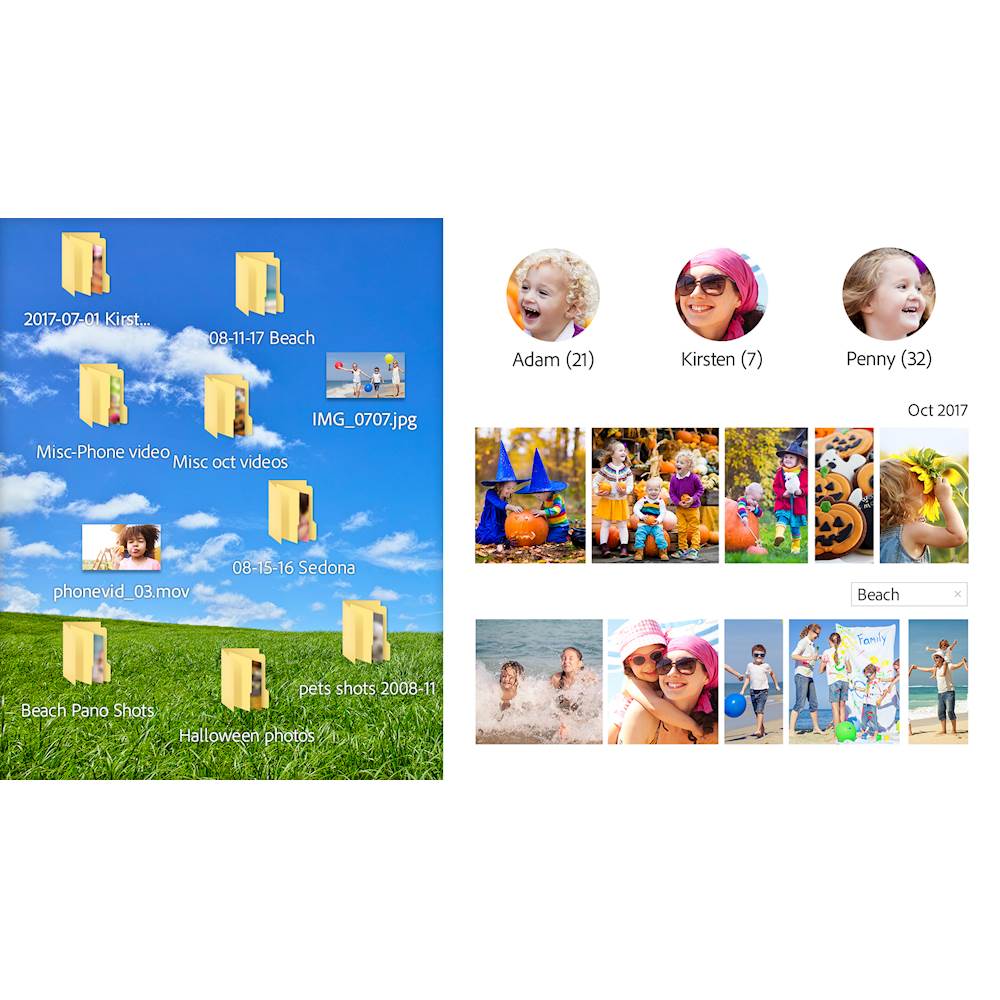
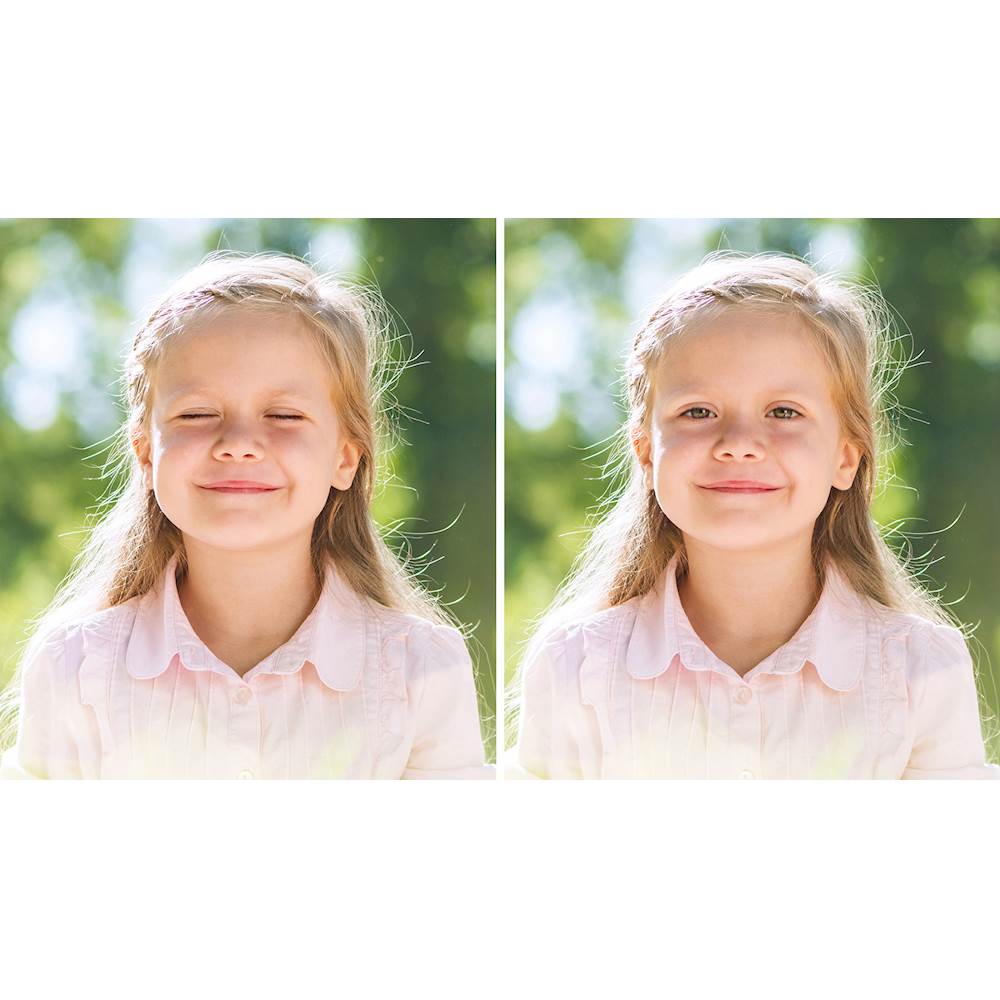
|Posted .This reviewer received promo considerations or sweepstakes entry for writing a review.I had one of the earliest Photoshop Elements software packages (back then, you had to purchase the software vs. using a subscription). I really liked the product but found it hard to use as a novice. I eventually gravitated toward using Google Picasa. It didn’t have all the features that I wanted, but it was easy to use. I wanted to learn more advanced techniques of photo editing, but due to cost and limited time, I stuck with the easiest option. Picasa has since been discontinued. I have been on the lookout for a replacement. I had the opportunity to try the latest Photoshop Elements, and thought that I would see what it was like now. It was very easy to download, though it did take time. Once I finished the setup (also easy to do), I had the organizer find all my photos to import into the software. The organizer then used face recognition to sort my photos. I still needed to go in manually to confirm that photos were of certain people, but for the most part, it was very effective. The first thing I tried was something I had wanted to try for years. We didn’t have a professional photographer at our wedding. We took our own photos and unfortunately the only photo we have of my husband and I, I had my eyes closed. I have wanted to fix this for years so that I had a nice photo. This feature could not have been easier. I was able to pull up the photo, easily fix some blemishes in the background, and was able to change my eyes. Basically, you can pull up several photos that show your eyes (I used other wedding photos) and “try out” the different versions until you find a set that you like. It turned out beautifully. I’m so happy, I cannot even tell you. I cannot highly recommend this package enough for any beginner, or even a more advanced user. I look forward to many days finding new features to use.
I would recommend this to a friend Does Not Work on the Mac
||Posted .This reviewer received promo considerations or sweepstakes entry for writing a review.So I'm using Mojave 10.14.3, and Photoshop Elements 10 was slowing down. So I thought I'd just go with the latest and greatest, Elements 2019. I get a beach ball of death every time I try to do anything. It spins for a few minutes, then lets me take whatever my next action is. And then spins for a few minutes, ad infinitum. There is NO tech support number for this piece of junk -- Adobe says to ask their "community" i.e. unpaid volunteers. I am left googling "Mac photoshop replacements" and wishing someone had warned me about this. I can't believe the company doesn't event test their new releases (and, yes, I've upgraded to the absolute latest version, in case they fixed it).
No, I would not recommend this to a friend- Pros mentioned:Features
A Solid Product With A Moderate Learning Curve
|Posted .This reviewer received promo considerations or sweepstakes entry for writing a review.I have not upgraded Adobe Photoshop Elements in many years. Opening this program for the first time was a bit of culture shock. The home screen initially seemed to lack many of the features that I was used to. As with other Adobe products, it is basically a requirement to set up an Adobe ID to use the product. These are the only two negatives I can find for this program. When you initially set up, if you include a folder where your photos are stored they are automatically scanned and awaiting your beckon call. From what I’ve read from other reviews, the features from this version are almost identical to the previous version. But, as I said, I’ve upgraded from the Adobe Photoshop Elements that Benjamin Franklin used, so I had a noticeable difference. One of the biggest features I’ve noticed is the ability to create various designs using multiple pictures. I could go into detail, but I would rather suggest going on Youtube and learning for yourself. It would probably serve you better. But as Adobe goes, it has and in my opinion still is with this package, the go-to program for avid amateur photographers and the side job professional. Anyone who purchases this program should be able to use it right out of the box.
I would recommend this to a friend - Pros mentioned:Ease of use
One of the best
|Posted .This reviewer received promo considerations or sweepstakes entry for writing a review.It’s difficult to know where to begin in evaluating something like Photoshop Elements. The program has been around in one form or another for more than 20 years. It is one of the most popular, well-known photo-editing programs in history. It is feature-packed, allowing you to do pretty much anything you can think of to a photo. The 2019 version continues the tradition. I have been using Elements 2019 for about two weeks, and I’ve barely scratched the surface on what it can do and what features to try. Editing photos, of course, is what this is all about, and I take lots of photos. It isn’t uncommon for me to return from a three or four-day trip with several hundred photos on my camera’s memory card. It’s when I return home and get them all downloaded to my computer that the work and fun begin. My most common tasks with photos are cropping, rotating (sometimes only a degree or two in one or the other direction—it’s always interesting to me how often I do not keep the camera level when taking a photograph), adjusting color and light balance, especially to bring out features hidden in shadow without over-lightening other areas of the photo, and renaming and categorizing the photos. Getting back to cropping, I think it is one of the most under-used features of this or any photo editing program, and, given how pretty much any photo-editing site or software has as rudimentary an editing feature as the ability to crop, I always wonder at the photos I see online that could be significantly improved by doing a two-minute cropping job to get rid of unwanted side features. Anyway, Photoshop, of course, makes all of this, and much more, easy. The program features three levels of use: Quick, Guided, and Expert, and, as the names suggest, each provides a different level of hand-holding and support, depending on your needs, how much you want to do to a photo, and how much help and guidance you need in doing so. I found that, with a little back-and-forth, I was able to touch up any photo any way I liked. This, of course, is the whole point. I will say, as a side-bar, that I am a big fan of the “for Dummies” series of self-help books, and I bought “Photoshop Elements 2019 for Dummies” to help me get started with the program. The program is so feature-rich that I find it difficult to learn how to do things, or to make sure that I’ve tried everything I might do to a particular photo, by just a loading a photo and “playing around” with it. I find that I want some kind of tutorial to take me through the basics and into the more intermediate and advanced features in a systematic way, and something like this book helps greatly. So, of course the program is highly recommended. How could it not be? If you work at all with photos, or if you’re just a serious hobbyist like me, you can’t do better than Photoshop Elements 2019. It is feature-rich, easy to use, and a good value for the money.
I would recommend this to a friend works well
||Posted . Owned for 1 month when reviewed.This reviewer received promo considerations or sweepstakes entry for writing a review.latest version of a solid product. no complaints so far.
I would recommend this to a friendNot trying Elements anymore
||Posted .This reviewer received promo considerations or sweepstakes entry for writing a review.Installed on a MAC and this program re-created the picture folder and now there are 3x the picutres. And it does not work well create collages. Would like to remove entiore program but worried about corrupting photos.
No, I would not recommend this to a friendHave not found a good use for this.
||Posted . Owned for 1 year when reviewed.This reviewer received promo considerations or sweepstakes entry for writing a review.The PIN code was not with the package. I had to make an appointment with ‘The Geek Squad’ to get access to the code. Well, although I arrived early to the appt, the “geek” was slow and late getting to me, assisted two other customers who didn’t have appointments, and basically “pulled” up the code and walked away. He didn’t state that the code was located, why it was “hidden” or why I couldn’t navigate to it. He was THE WORSE. So, when I got home to use the product, it was as confusing and useless as a ball of twine of floss. I do NOT recommend this product!
No, I would not recommend this to a friend- Pros mentioned:Photo editingCons mentioned:Interface
Pro features with guided steps
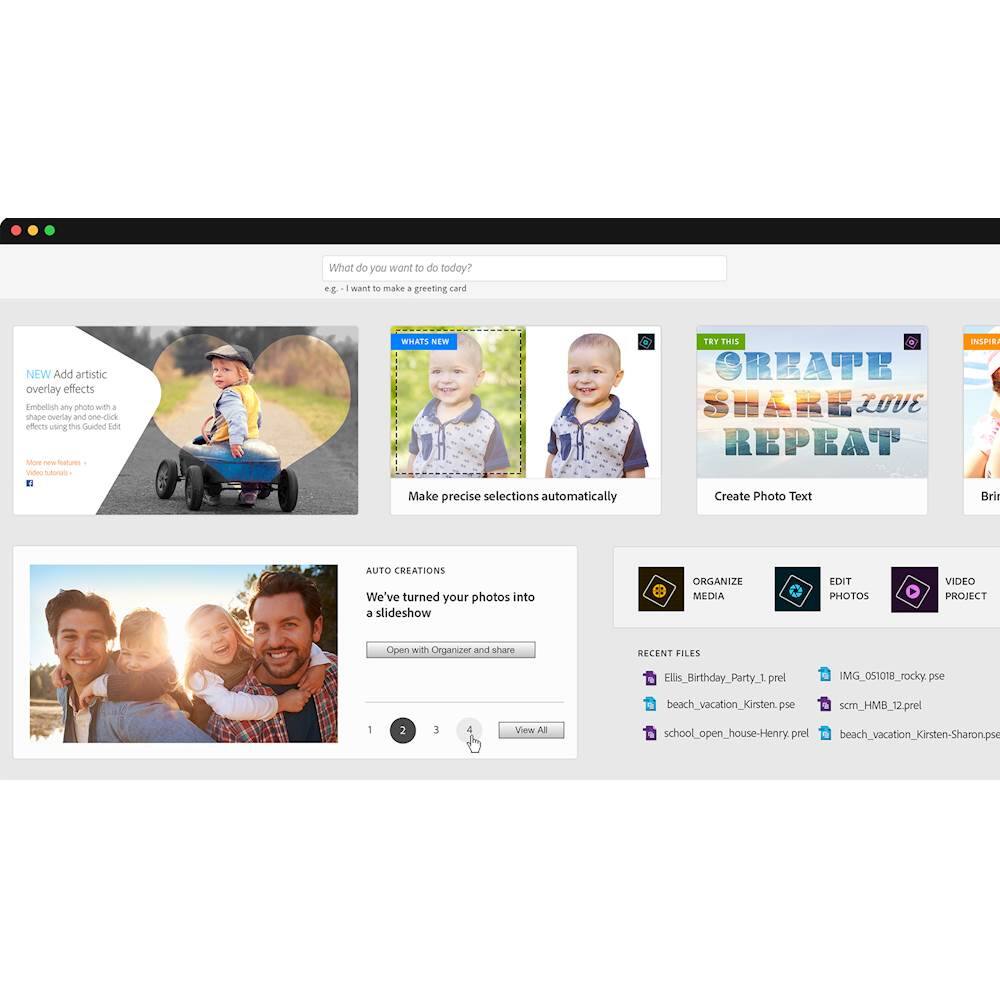
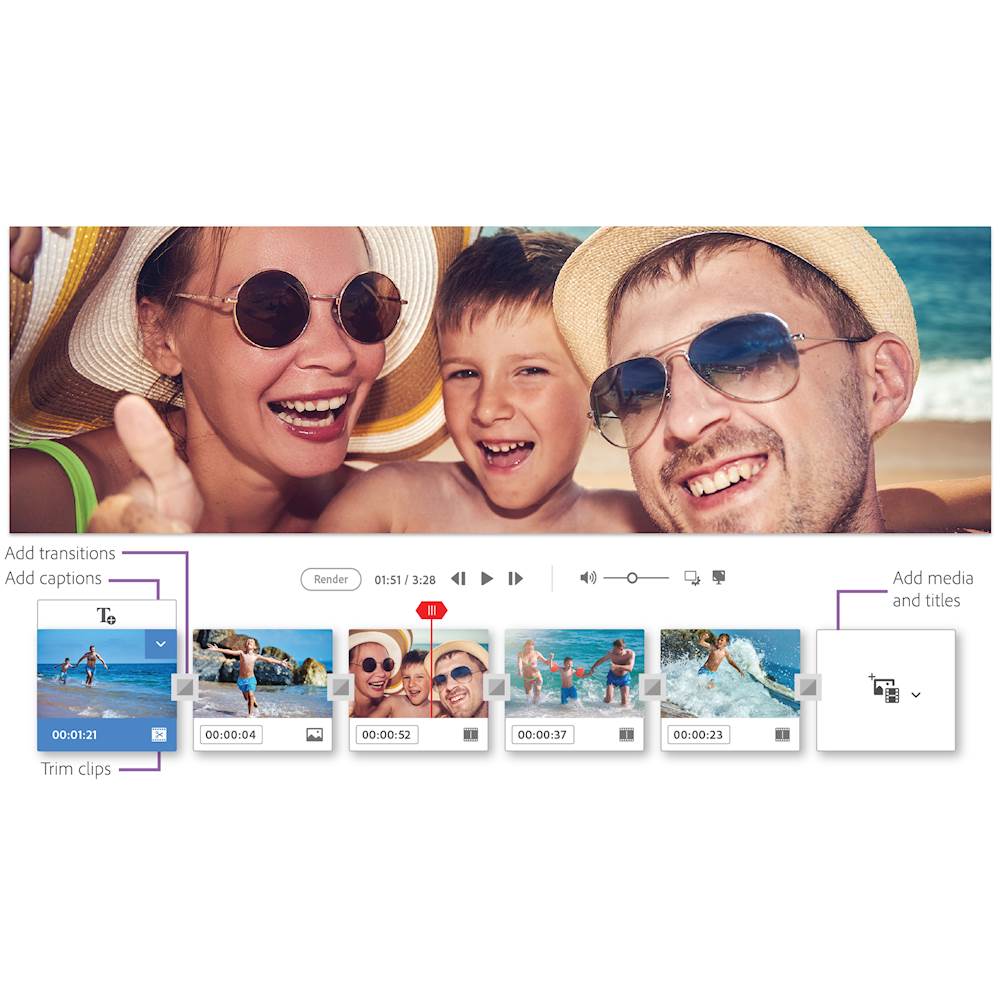
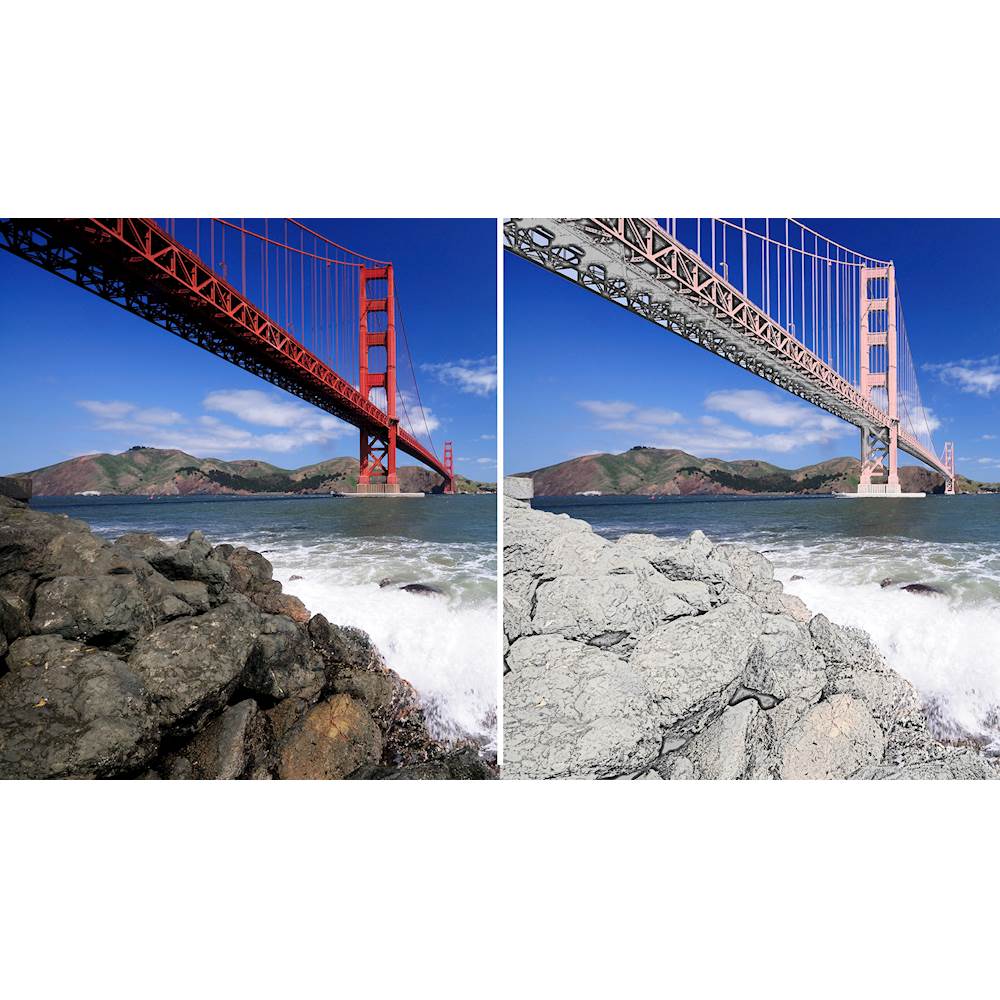
|Posted .This reviewer received promo considerations or sweepstakes entry for writing a review.Adobe products have always been known for their high end capabilities, but never for their interface. Like other Adobe products I have used, it’s not so easiest to get around Photoshop Elements 2019, however they have simplified editing. The application opens with a web like interface that has a bunch of “Try This” and “What’s new” tiles to take you to specific sites. It has a section for auto creations once you’ve directed it to your files. Then three buttons which open other applications for organizer, photo editor, or if you have it installed, video editor, Premiere. It will continue to advertise itself if you don’t have it. For the organizer I fully expected to point it at my photo folder and be given all kinds of easy ways to sort them. However, it did not turn out quite like that. It took all my pictures and provided the folders they were in, not in subfolders like I already had them stored. So for instance a wedding folder has subfolders in it as groom, bride, family but now instead of searching for the wedding I have to find the individual folders. After a fair amount of time, it has collected faces for me to identify. Not 100% accurate and some online photo storage services have done a better job of identifying family members over the years of them changing. Sorting by places or events it gives an option to “Group By Date” which grouped mine as Nov 2018 - Dec 2002 in one group of 24,000 pictures and another group of misdated pictures from 1601. A slider lets you change Min (default), Max and something in between. Basically from no real grouping to almost each day as a group and a mix in between that ranges from one day to 5 years per group. I’m sure with time I can manually fix all of them. The photo editor portion of Elements is pretty powerful and with the guided option makes it a bit more user friendly with examples of the difference in effects. There are simple edits in the Quick category that can do all of the modification in one quick click. More complex options in the Guided category that require you to use the magic tool and isolate the subject. However, instead of having to search for the tools, it is right there as a step for you. Before finalizing it also helps you fine tune the picture by adding and removing the effect or picture. During this though, you can use more complex options and if you feel like you want to have even more control, you can go into Expert Mode. Overall, I do like Adobe Photoshop Elements as it does not require a subscription like the majority of their other products. However, there are some free and cheaper products out there that can do pretty much the same function. The guided effects is the best, since I don't have to go look for a video online on how to do it. Use the 30 day trail period online and see it it works for you.
I would recommend this to a friend Do not buy
||Posted . Owned for 11 months when reviewed.This reviewer received promo considerations or sweepstakes entry for writing a review.Bought this product only to find out that it does almost nothing! Picture it was half the price and did three times as much. Very dis appointing!!
No, I would not recommend this to a friendIt just isn't photoshop
||Posted .This reviewer received promo considerations or sweepstakes entry for writing a review.If you've owned photoshop from a few years back and expect this to be the same, don't. It's a far more stripped down version. Gimp is better and free. Photoshop has always been a top tier editing sofftware, but they're clearly only interested in selling it for a hefty fee. This is more like a demo version. Not worth the money at all. I should return it but who has the time?
No, I would not recommend this to a friendA complete hoax
||Posted .This reviewer received promo considerations or sweepstakes entry for writing a review.This program really really wants to sign you up for further money in order to do anything with it. The basic program doesn't do much of anything with your pictures. Want to get fancy? Don't buy this. I am very disappointed as to what you can do with it.
No, I would not recommend this to a friend- Pros mentioned:Ease of use
Great photo editor for the average user
|Posted .This reviewer received promo considerations or sweepstakes entry for writing a review.I didn’t realize how much I needed this software. I’ve been using Photoshop CS5.1 and besides being outdated it has always been too complex for my simple needs. The Guided Editor in Elements 2019 is exactly what I need. There are a lot of video tutorials under the application Help menu. I’m still working my way through the capabilities of the software, but it is very user (newb) friendly. I’ve already used the Guided Editor to create really cool edits I never would have figured out in Photoshop. My primary computer is a late 2012 iMac running High Sierra and the software runs great on this old hardware. I also installed the software on a new Win10 laptop. I love being able to use Photoshop on different operating systems and feel at home on either one. Installation and setup are very simple. I already had an Adobe account but that is very easy to create.
I would recommend this to a friend - Pros mentioned:Ease of use
Easy yet powerful
|Posted .This reviewer received promo considerations or sweepstakes entry for writing a review.Like most computer people, I know how to do the basics in many different software suites, and can google the answers to do what I want to do. Photoshop has always been one of those things where I never really learned how to use the software beyond using it to paste words on pictures of cats. Even then, the process is pretty daunting as there are all sorts of tools that I still don't know how or when to use, so I mostly do a search for what I want to do and then watch someone's tutorial on youtube before attempting to pull it off for myself. Attempting to use full PS to do simple edits on pics I took with my DSLR (crop frame, since I'm no pro) feels a lot like using a high tech laser cutter to trim my fingernails. I can't imagine how intimidating it is for people that are already terrified of computers to have to dive into photoshop, but also want to use something better than the garbage software that comes with many digital cameras (and preinstalled on some PCs). This is my first experience with PS Elements, having let my Adobe CC subscription expire because I wasn't using full on photoshop at all despite promising myself that I would finally figure out why I needed to use Lightroom to process the TB's of .RAW files I've shot. After loading up and logging in, I found that things were really open and inviting. The program provides tutorials and holds your hand through many common procedures like red-eye reduction, skin tone and lighting, and cropping. There's also a "meme editor" in case you are hopelessly out of touch yet still want to have words on cute pictures because that's what the kids are doing. All in all, this is a solid package for anyone looking to edit their digital pictures, yet is intimidated by the thought of having to use "the photoshop". The tools are mostly on sliders, so really you just have to choose what common action you want to do, and how much of it you want to do to your picture. While there aren't fancy export options (like exporting to CMYK) and things you'd expect to be in full photoshop, most entry level photographers that this product is for will have no need for them. This is perfect for providing the light touch needed to perfect photos in an easy to use guided interface.
I would recommend this to a friend ADOBE
||Posted . Owned for 1.5 years when reviewed.This reviewer received promo considerations or sweepstakes entry for writing a review.I WOULD BACK THIS PROGRAM OUT IF I NEW I WOULDN'T LOSE MOST OF THE PICS IT HAS TAKEN OVER ON MY COMPUTER, IT IS EXTREMELY DIFFICULT TO UNDERSTAND. I WANTED A PROGRAM THAT I COULD WORK WITH MY PHOTOS. I ABSOLUTLY HATE IT.
No, I would not recommend this to a friendHorrible experience
||Posted . Owned for less than 1 week when reviewed.This reviewer received promo considerations or sweepstakes entry for writing a review.Totally messed up my iMac! I downloaded the disk and ALL of my files, downloads, etc. disappeared. I had to delete the SW and restore my computer from a backup Took me hours to get my computer back to where it was.
No, I would not recommend this to a friend- Pros mentioned:Ease of use
Good product for edits
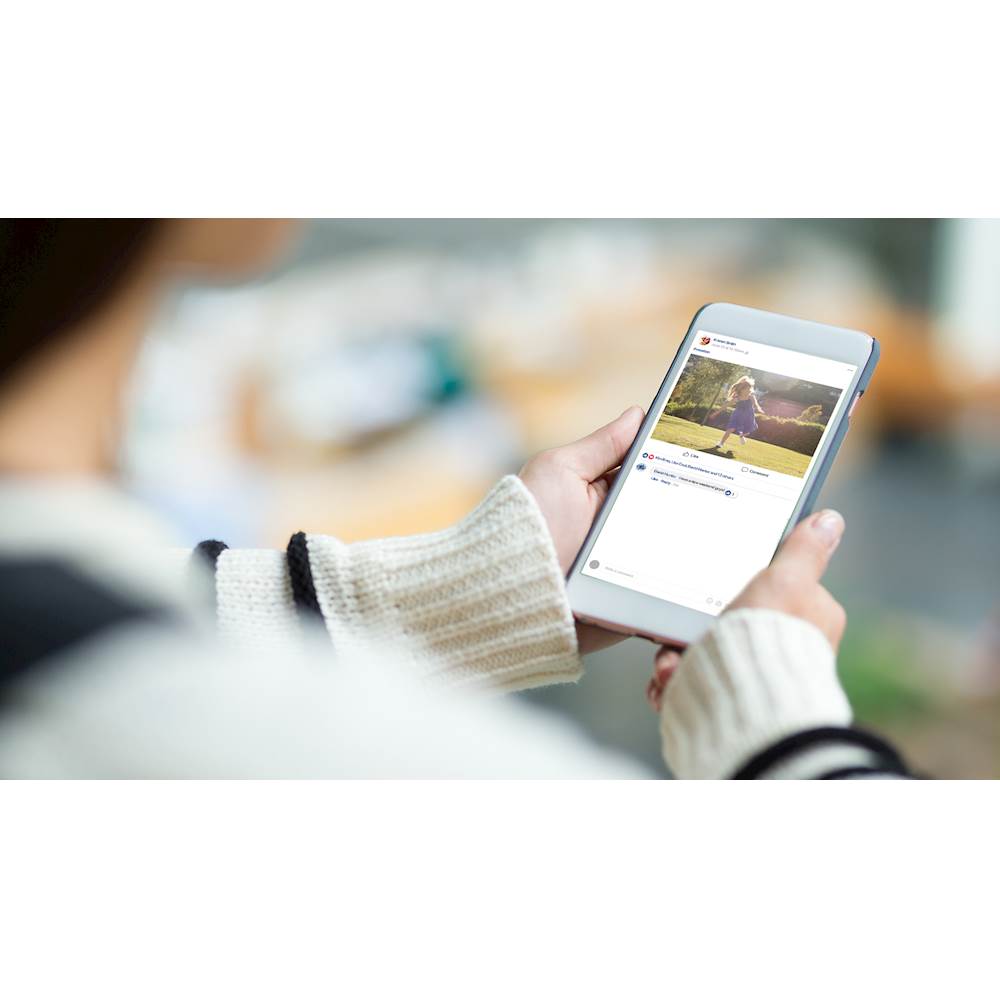
|Posted .This reviewer received promo considerations or sweepstakes entry for writing a review.Startup screen: The home screen that pops up at the beginning is just sales. This replaces the earlier start screen. However, the Auto Creations feature that is supposed to display a slideshow of the pictures that I already have does not work for some reason. I tried importing my local media, still doesn’t work. Not a very important feature though. What this really is is the elive button that was inside the editor and organizer. If you are brand new to photoshop, it is a good one to start with. This slows down the launch by another 5 seconds. Earlier, this window used to close after making a selection on organizer or editor, but in 2019 version, it stays up all the time. Few of the new features I would like to call out: - There are 4 new guides edits available as part of 2019 Elements. 1 actually under Fun Edits - 1. Meme maker. You import an image and add a background and text along the image and you are all set to share it on Social media. 2. Multiphoto text - open a picture and type a word on the picture, the words are converted to frames and then you can add pictures into those individual letters. This is an amazing and an easy feature. 3. Text and border overlay - add a frame to a picture and add test the frame to give it a name. This is quite basic as you can’t even change the position of the text in the frame. 4. Collage templates - there is a whole lot of new collage templates added to 2019 Elements. These are a little conservative. If you are a fan of create feature in collage and auto collage maker, this is a nice tool for you. 5. Sharing - photoshop used to have share to fb feature. In 2019, the only two social media that you can share directly from elements is Flickr and Twitter. 6. If you have a Mac OS 10.13 or higher, elements now accepts HDIF file format, which is high efficiency file format. Overall, a good Upgrade to 2019 if you have 2014 or lower versions. 2018 to 2019 may not be a worthy upgrade. If you are brand new to photoshop, this is a great product for phot edits and learning.
I would recommend this to a friend Photoshop Flop
||Posted . Owned for 1 year when reviewed.This reviewer received promo considerations or sweepstakes entry for writing a review.I’m not a fan. I bought this thinking I’d be able to make cute things, however you have to buy some other stuff. To me it was a waste of money. I’m not computer savvy tho.
No, I would not recommend this to a friendAbout photoshop elements
||Posted . Owned for 1 month when reviewed.This reviewer received promo considerations or sweepstakes entry for writing a review.This will be the last time that I will use adobe software. This is a subscription program; Meaning that I do not own the software In the future, I will be looking for other programs
No, I would not recommend this to a friendDon’t buy, get premier instead
||Posted . Owned for 1 month when reviewed.This reviewer received promo considerations or sweepstakes entry for writing a review.Felt ripped off, premier was only $20 more and has video editing. This was not explained, very expensive to add after purchase.
No, I would not recommend this to a friendruns super slow on mac mini with 16 gb ram
||Posted .This reviewer received promo considerations or sweepstakes entry for writing a review.The program hesitates at every move, even when just moving the cursor. Not usable on my mac mini with 16gb ram and 240 gb SSD
No, I would not recommend this to a friend