Customer Ratings & Reviews
















- Model:
- ADO951800F116
- SKU:
- 6288083
to a friend
Customers are saying
Customers love Photoshop Elements 2019's ease of use, especially for beginners, and its excellent photo editing capabilities. Many appreciate its powerful features and affordable price point, finding it a cost-effective alternative to more comprehensive software. While some users suggest improvements to the interface and compatibility, the overall experience is positive.
This summary was generated by AI based on customer reviews.

Photoshop Elements 2019 is even better!
|Posted .This reviewer received promo considerations or sweepstakes entry for writing a review.Photoshop Elements is the only Adobe imaging product you can buy these days outright without a subscription. I am reviewing this on a Windows 10 PC (i5, 8GB). The best thing about the 2019 edition is called Sensei AI which automates basic creative functions when you need to make that holiday or birthday slideshow but the bits I truly love is the ability to stitch together multiple photos to make amazing panoramas, the ability to combine group shots to get that perfect photo, and an AMAZING compose feature which makes it super easy to edit out and move people and other objects into other photos. Everything was super fast and impressive on my i5. I'm a long way from being a power user, but the fact that I feel like an expert tells you how great Adobe Photoshop Elements 2019 is. If you take a lot of photos, want to up your social media game, and create better family memories then Photoshop Elements 2019 is for you.
I would recommend this to a friendCode To Load Did Not Work
||Posted .This reviewer received promo considerations or sweepstakes entry for writing a review.After about an hour of trying to install it turned out the registration code was invalid. Had to return to store.
No, I would not recommend this to a friendHappy with the updated version
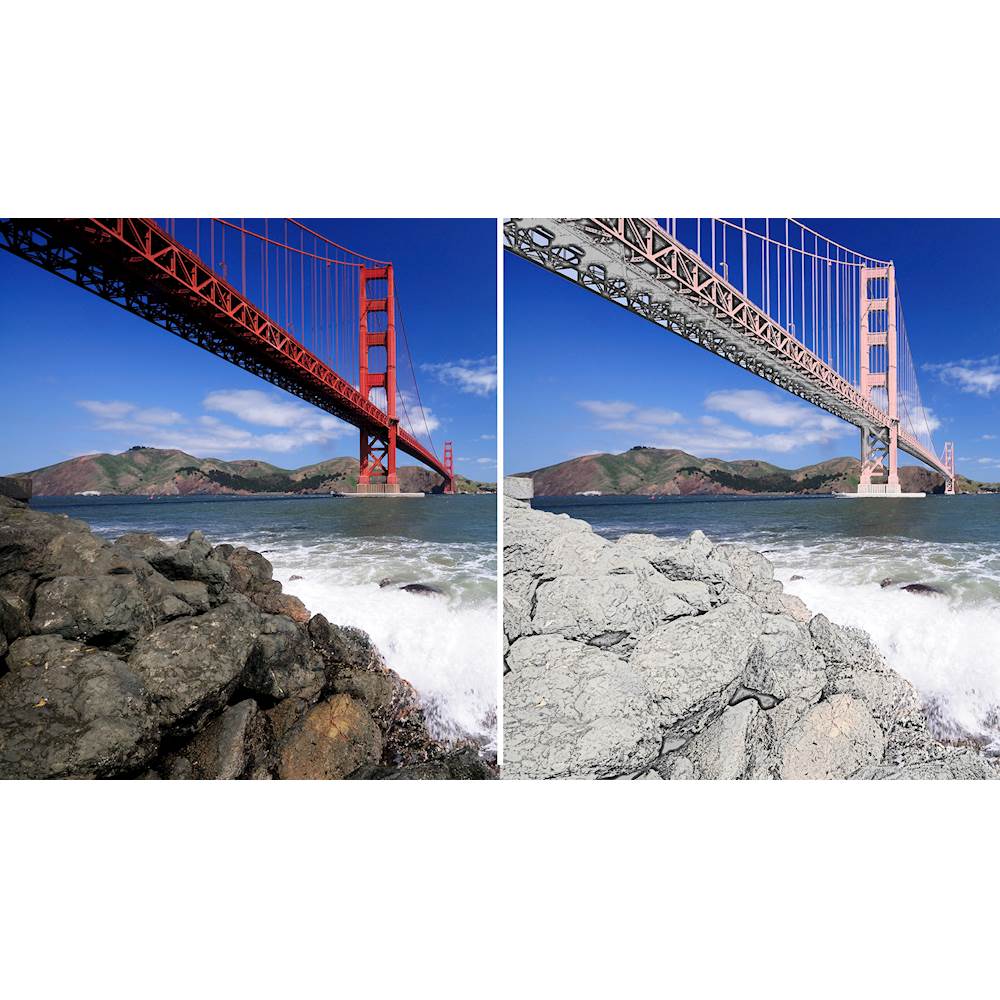
|Posted .This reviewer received promo considerations or sweepstakes entry for writing a review.I happen to have a new laptop and I just wanted photoshop elements on it. I didn't want the entire photoshop program installed. I needed just the basics for cleaning up my photos. Installing it was painless and seemed to take less time than other Adobe products I've used in the past. I have elements 15 on my desktop and I seemed to remember it taking much longer to get up and running. Elements 19 has some new features and a few from 18 that are new to me since I've been using 15. New for 19 is multi-photo text, partial sketch effect, meme maker and text and border overlay. From 18 there's replacing background, shape overlay effect, watercolor effect, double exposure and open closed eyes (all new to me). As for the gui, it looks pretty much the same. I'm going to have to figure out how to use these new features, but like most new photoshop features, I'm sure they will be very useful in altering or enhancing my photos. I'd recommend Photoshop Elements to beginning users that want to do some basic photo corrections or enhancements, but don't want the bulk of the entire Photoshop app.
I would recommend this to a friendstupid
||Posted .This reviewer received promo considerations or sweepstakes entry for writing a review.difficult to get code to load on computer. Best Buy was no help
No, I would not recommend this to a friend- Pros mentioned:Ease of use
Powerful User Friendly Photo Editing Software
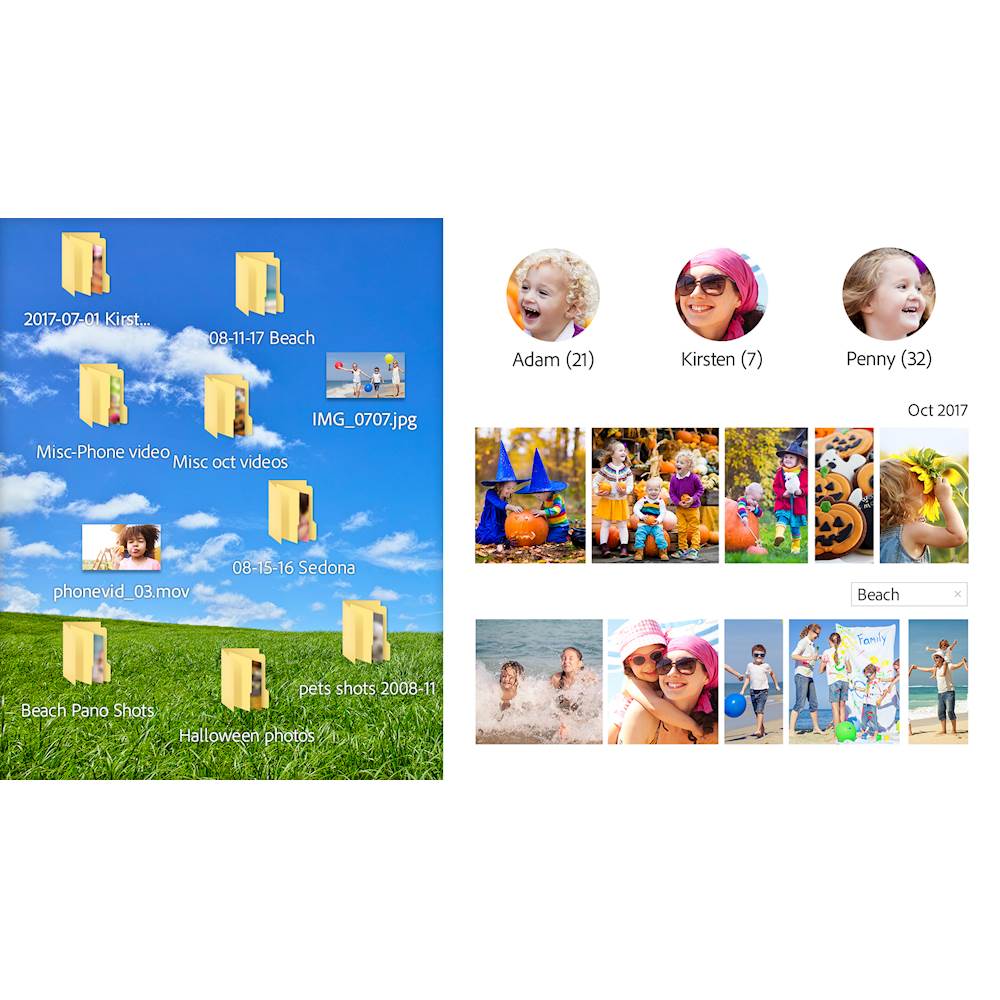
|Posted .This reviewer received promo considerations or sweepstakes entry for writing a review.I am a semi professional photographer and switched from adobe Photoshop several years ago to the much easier to use Photoshop Elements. This 2019 upgrade is it real bargain and offers many new capabilities while maintaining a solid, easy to use platform. Elements is a wonderful organizational tool for photos as well, and allows you to sort by individual, date, event, location, and many other options. The guided edits are amazing and walk you through photo editing with 53 separate options. They are extremely easy to use. Collages and slide shows are very intuitive and easy to create. CONCLUSION: Whether you are already a Photoshop Elements user or whether you use a different software platform, Elements offers a powerful editing platform that I believe is the best in the industry and is very economically priced. Elements earns my highest recommendation!
I would recommend this to a friend - Pros mentioned:Ease of use
Easy to use editing software!
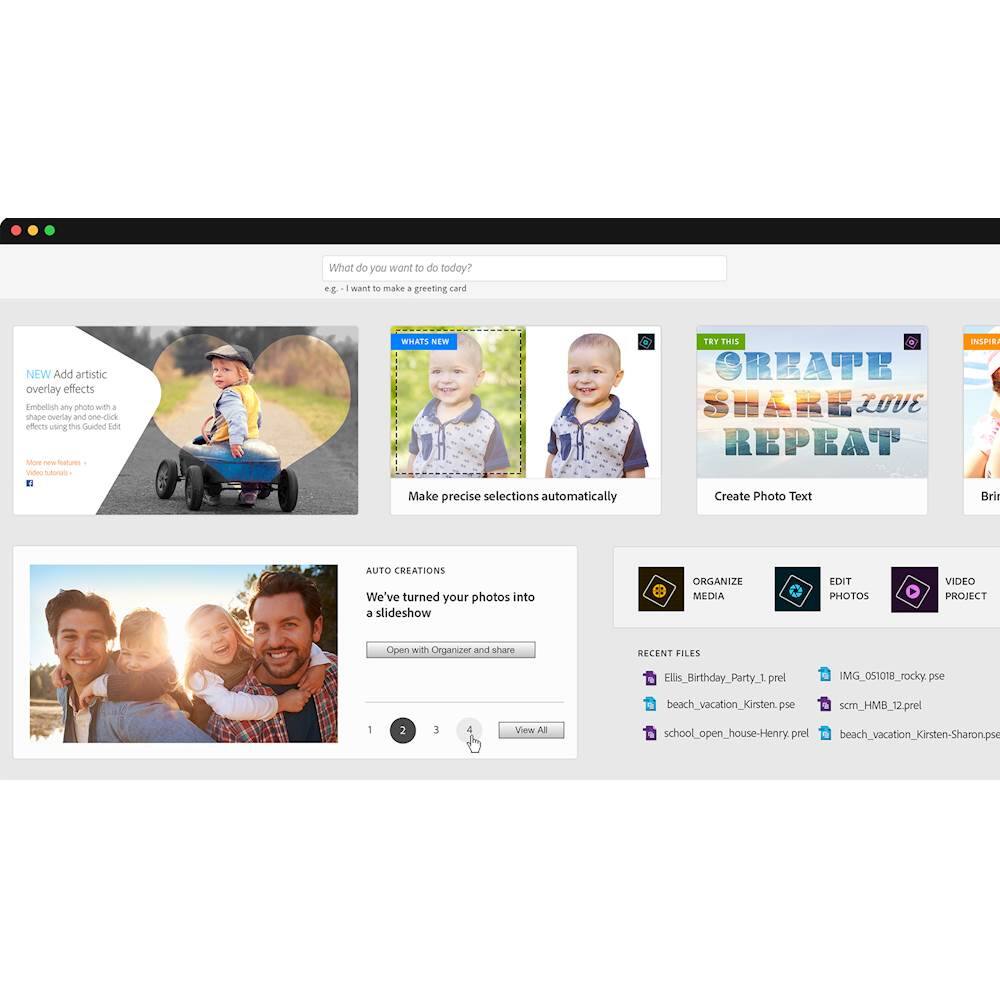
|Posted .This reviewer received promo considerations or sweepstakes entry for writing a review.I recently purchased a DSLR camera. Little did I know that you really need an editing software program to get those Wow! pictures. We have an older version of Photoshop, but I was intimidated by all the tool icons and layers. Photoshop Elements 2019 is a lighter version of Photoshop. It has home screen guided tutorials to help you with all of your editing needs. After installing, I was able to remove a background and replace it in about 10 minutes! This program is so easy to use! Highly recommend!
I would recommend this to a friend - Pros mentioned:Ease of use
great beginner software
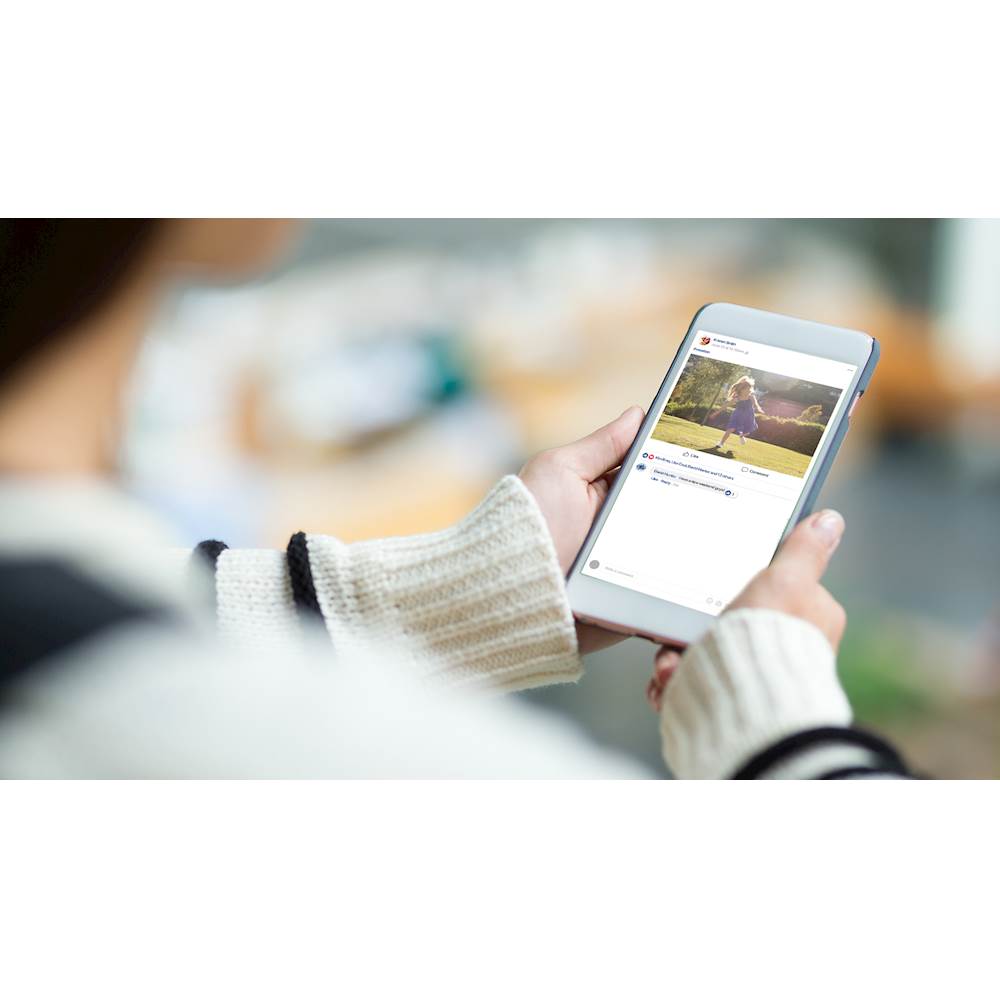
|Posted .This reviewer received promo considerations or sweepstakes entry for writing a review.I am new to photo editing and i heard this program was going to be right up my alley. First off, it did take quite a long time to download. It is fairly easy to get going. Its user friendly and has neat features to upload to social media directly from the program. It can automatically create slideshows and galleries from events you upload but you can also make your own slideshow and picture collages. I like this so much better than using 3 or 4 different apps to do any photo editing. I definitely recommend this to any beginner who wants to dabble in photo editing/collaging
I would recommend this to a friend - Pros mentioned:Ease of use
Great for anyone who takes photos!
|Posted .This reviewer received promo considerations or sweepstakes entry for writing a review.I am a professional photographer and love Adobe, Adobe Photoshop Elements 2019 is better than ever. It's a great tool that offers quick and easy professional looking image retouching without the long learning curve that Photoshop offers. I'm thoroughly impressed with the versatility of the layout and intuitive layout. It's absolutely a tool I will be adding to my toolbox when editing photos.
I would recommend this to a friend - Pros mentioned:Ease of use
Dumbed down Photoshop
|Posted .This reviewer received promo considerations or sweepstakes entry for writing a review.You know that commercial "If you use (insert service here) you'll never go to regular TV again". Well, if you have used any version of the full Photoshop suite before - Elements will seem like an extremely dumbed down version of Photoshop. And you will wonder why you ever bought it. But that's the point. Most folks have probably never used the full version of Photoshop - or if they have, have not been able to unleash the full power of it. Within Elements you have the most essential functions you need for photo editing. Auto generated photo and video slide shows are pretty much a click away as well. Alot of their auto-generated effects remind me of what their android apps offer. At the end of the day, if you are familiar with their android apps - you will feel right at home in Elements. If the full suite scares you (or is out of your price range) Elements is for you. However, if you ARE familiar with and/or are a current user of their full suite ----> Elements is not for you.
I would recommend this to a friend Lots of great features
|Posted .This reviewer received promo considerations or sweepstakes entry for writing a review.Over the years I've accumulated lots and lots of pictures, so I really need a way to organize them and form them into stories that I can share with friends and family. The Photoshop Elements Organizer is a very powerful tool for organizing pictures. I have about 80,000 pictures and many of them are multiple shots taken of the same thing, or duplicate pictures, and lots of them are scans from photographs, negatives, and slides. The organizer has powerful face recognition which helps me sort things into events based on who was there. The editor is awesome. It has three modes -- the quick mode gives you the most basic tools such as cropping, resizing, and color correction, so it's a convenient way to get pictures ready to share. The guided mode gives you access to amazing image manipulation. Don't be intimidated by the "expert" mode. That's just where they have all the normal photoshop tools available for you to manually modify your picture or create new ones. A couple of downsides -- I had the 2018 version so I was a bit accustomed to how it works, but there was no upgrade installation. It doesn't replace the old version, it installs itself right next to it so I have two versions of the software on my computer. It does however give you an option to import your existing catalogs. I noticed that the performance of 2019 is a bit slower than 2018 is, but it might be because of my massive picture collection. Also, I needed to run the setup as administrator for the software to be able to create and write to the folders it needed. So a little wonky, but with how much power you get with this software, you can't beat it for the price.
I would recommend this to a friendSolid itself, depends if you should upgrade or not
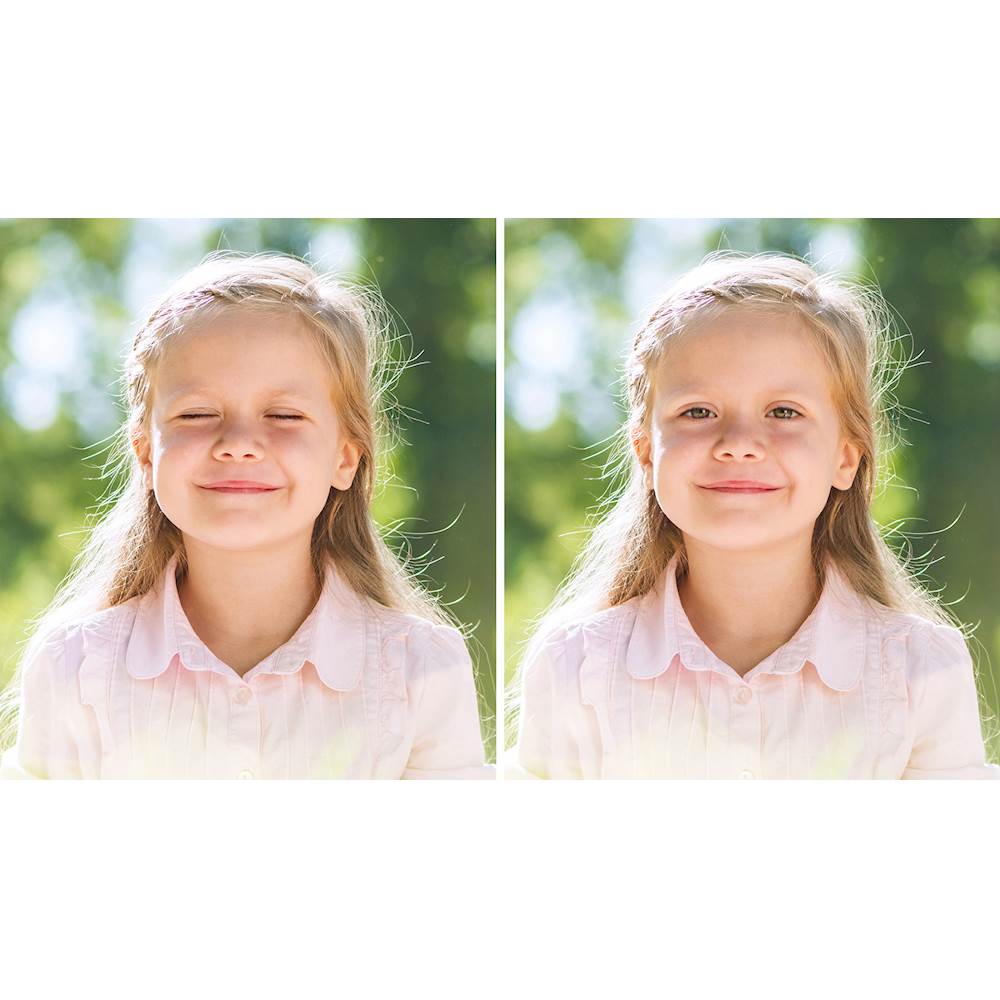
|Posted .This reviewer received promo considerations or sweepstakes entry for writing a review.I have had Elements 14 since many years, with 18 came, what grabbed my attention was "auto open eye" feature. With 19 I finally get to try this and this is fantastically easy to use. I tried this one member of family; where I took multiple group shot and had to find one good photo. The one I selected had all good except one member's eyes were not completely open. I tried the inbuilt eyes but that skewed their faces; so I selected another photo in which the the person had his eyes open, and voila. It was done, just like that. Really cool. I noticed that launch time is surprisingly faster, way faster than 14 and 8 premier launch time. Overall performance wise this version looks snappier. File processing and save operation took same time though. 2019's main feature set is around AI, so it you are at 2018 and want AI you will upgrade to it, else you will not. I found a lot of features to upgrade from 14, so it seems totally worth for me. Weather it is worth upgrading for you or not, you can check here, https://www.adobe.com/products/photoshop-elements/buying-guide.html
I would recommend this to a friend- Pros mentioned:Ease of use
Old standby in tact!
|Posted .This reviewer received promo considerations or sweepstakes entry for writing a review.I have used PS for years, and it never disappoints. It’s getting better with each iteration Adobe provides even more options for experts while making basic edits and touch ups even easier for novices. There are easy instant filters and curve application that will make amateur photos look stunning. And experts have plenty of options to manipulate raw data. Recommended as usual.
I would recommend this to a friend Photoshop Elements 2019
|Posted .This reviewer received promo considerations or sweepstakes entry for writing a review.I've been testing out the 2019 version of Photoshop Elements and must say there's more to shake a stick at. Very much a learning curve for me since there is a lot of great features but I'm finding the guidance here in using the software takes time to learn and some things are not as self-explanatory or laid out in clear instructions on how to use it. Downloading took no time, however, installing to a little bit and kinda made my 1 year old laptop somewhat sluggish even though it's a terabyte hard drive with 12 gigs of ram. Once installed it scanned and found several photos and videos on my laptop which it imported with no major issue. Still kinda slowed up my PC some. May have to uninstall and reinstall the software again to see if it speeds it up a little more. On a positive note I will say that there are lots of great features that I tend to use and teach myself along the way. Lots of cool editing features like filters & effects, multi photo text overlays, and great organization of photos and videos. I haven't made any slideshows or memes yet but can definitely see lots of memes coming soon. I recommend this to anyone looking for a great software that allows you to edit and tweak your photos and videos while maintaining awesome organization. Adobe could break down the user guides a little more for novice amateurs like myself.
I would recommend this to a friendGreat software for editing pics the way you want..
|Posted .This reviewer received promo considerations or sweepstakes entry for writing a review.This software is the best home user software available for semi pro photo organizing and editing your pictures. The installation can be a bit of a challenge if you are not familiar with the Adobe way of doing things. I think if you stick with it then it will eventually get installed and the party begins. This software is very robust and has many professional grade capabilities. I was very impressed with the tutorials and photo editiong walk throughs. Once could use this software for months and still learn tricks or new things to do. I think you should learn and practice what you want to do before you actually need it since this software while very user friendly one must still figure the how's and what's to master the software. I highly recommend this program to edit any picture on your pc.
I would recommend this to a friendAmazing as always
|Posted .This reviewer received promo considerations or sweepstakes entry for writing a review.Photoshop can hardly make anything that is bad. The latest version is easy to install and includes some great features. When comparing to last year's version, the improvements may seem small. However I really like that it boots up very fast and the gallery is very responsive. If you have a version that is older than 2 years, this is a great upgrade. If you have the 2018 version I would advise comparing specifications to be sure the upgrade is worth it.
I would recommend this to a friendGood visual refresh, minimal changes
|Posted .This reviewer received promo considerations or sweepstakes entry for writing a review.So it’s good and... meh. This version is several versions newer than my previous version. I like the refreshed look and what appears to be a bit of compatibility improvements, but I don’t see too many updates in terms of what it can do for a photo. In all, I’m pleased because it’s a much newer version and hopefully will keep pace with my IOS.
I would recommend this to a friendThe "Quick" work space is my friend.
|Posted .This reviewer received promo considerations or sweepstakes entry for writing a review.I am a novice photo editor however, over the years I have used quite a few versions of Photoshop to touch up photos. The "quick" work space is the perfect work space for me. Its very clean and simple while still providing all the functionality that I have used from previous versions of Photoshop.
I would recommend this to a friendDecent photo editing software
|Posted .This reviewer received promo considerations or sweepstakes entry for writing a review.I've been a fan of Adobe for years. Photoshop Elements is pretty good. I like the Auto Creations feature for days when I'm feeling lazy. It's bundled together with some pretty good editing software though. If you take a lot of photos it might definitely be something you want to look into.
I would recommend this to a friendMakes my computer run slow
|Posted .This reviewer received promo considerations or sweepstakes entry for writing a review.Before you buy this read the reviews for the Windows PC version. Same thing applies -- you download it (after some effort), enter the product key (not the serial number, where's the serial number?) and then when you go to use it Adobe thinks you haven't purchased it and your only option is a 30-day trial. Then I open a few jpgs and get that spinning beach ball. I'm used to using CS5 where I can open thirty or fifty jpgs at once, and it all happened fast. CS5 doesn't work since I upgraded the Mac OS to Mojave (OS 14). Going to try to go back to the previous OS and back to my Photoshop CS5 and just give up my $106.00 (with tax) as a lesson learned. I want to save some other people the terrible experience and expense. By the way -- good luck trying to find any support from Adobe. The only thing offered is online forums.
No, I would not recommend this to a friend- Pros mentioned:Ease of useCons mentioned:Compatibility
Not a great user experience
Posted .This reviewer received promo considerations or sweepstakes entry for writing a review.Haven't used this new version much, but so far it works pretty much like previous versions of Photoshop Elements for Mac. But I don't understand why I need to log in with an Adobe ID to use it. Moreover, every time I launch the program, I am told I am using a trial version, so after 30 days, I have to reenter the serial number and get it verified.
No, I would not recommend this to a friend