Customer Ratings & Reviews











- Model:
- ADO951800F161
- SKU:
- 6424573
to a friend
Customers are saying
Customers appreciate Photoshop Elements 2021's ease of use and its wide array of features for photo editing, including options like sky replacement and face tilt. Many find the software to be a good value for the price. However, some users have experienced compatibility issues. The program's performance is generally considered excellent.
This summary was generated by AI based on customer reviews.
- Pros mentioned:Photo editing

Bang For the Buck Try the New Features
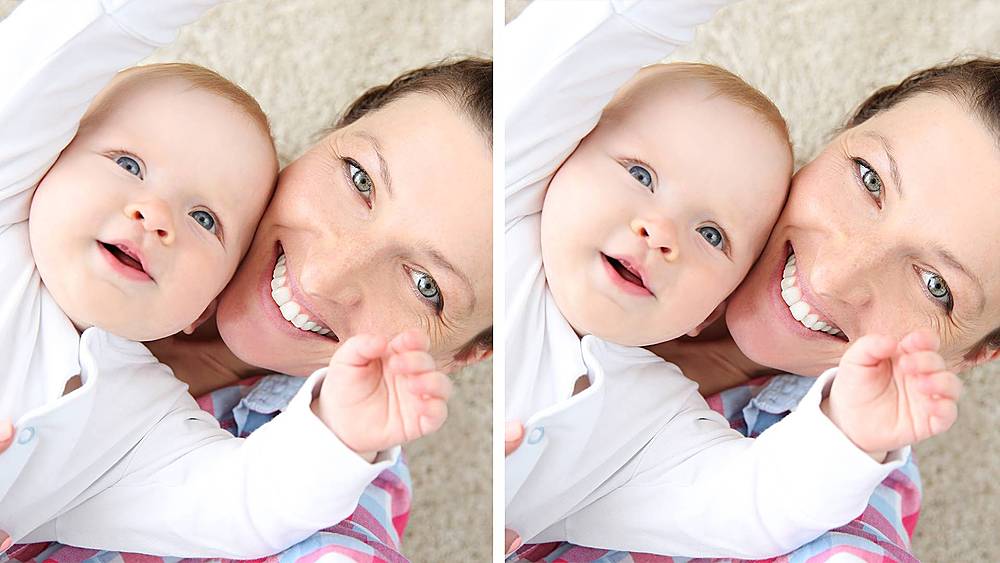
|Posted .This reviewer received promo considerations or sweepstakes entry for writing a review.Adobe Photoshop Elements 2021 is a scaled-down version of Photoshop which allows one to use about half the elements of the real thing at about a fourth of the price. It has a lot of the features of the full version—including the same laboriously slow loading times and forcing the user to view the dozens of names of the software engineers who worked on it. It starts with a “home page” of sorts that looks like a browser window. In that window are tiles to give you options for things to work on or projects to start. I was a bit annoyed when one labeled “What’s New” showed an invitation to start trimming a video clip. What’s new was an all-too-common gimmick to sell you something else—in this case, Adobe Premiere Elements 2021, the matching video editor. In Photoshop Elements 2021, you get the same basic photo editing tools in previous versions *but* with some amazing additions that seem to make the price tag on this software totally worth it. You can open photos with people’s faces and do amazing things, like change the tilt of the head from side to side or up and down, left or right…change the shape of someone’s nose or eyes. It is just the thing to have to repair some old or odd family photos, like when a kid starts to look in the wrong direction as a family portrait is snapped. Make someone’s smile better. Open someone’s eyes a bit. It’s fascinating. There’s also tools for making simple GIFs with photos and text editors and effects for things like making memes, and tools to tweak landscapes and nature shots. Another cool feature I found—removing the “haze” in a cell phone shot. It works perfectly. In any case—this software is well worth the money for anyone who has a hobby of digital pictures. The usual Adobe learning curve applies of course, but there is all kinds of online help and info to find what you need to learn as you go. The new features of Photoshop Elements 2021 bring back some of the fun of digital photo editing. Totally worth 5 stars and the 59 bucks!
I would recommend this to a friend Hard to use.
||Posted .This reviewer received promo considerations or sweepstakes entry for writing a review.Think it's my crappy laptop but this program does not seem yo be user friendly and keeps wanting to sell you online programs even though I paid 100.00 for the hardware.
No, I would not recommend this to a friendHopefully its good.
||Posted . Owned for 1 week when reviewed.This reviewer received promo considerations or sweepstakes entry for writing a review.Wouldn't know because the best buy people didn't activate the software and I have tried to call and waited on hold for 40 minutes. Need to find the time ccx to bring it back.
No, I would not recommend this to a friend- Pros mentioned:Ease of use
Easy to use, turns your photos into works of art.
|Posted .This reviewer received promo considerations or sweepstakes entry for writing a review.Although I enjoy taking photos, I've never really gotten into editing them. I've dabbled with older versions of Photoshop but never got too far with it. It was so intensive and I never had a computer that could run it smoothly, so I always gave up. Photoshop Elements is perfect for someone just starting out and yet it has tons of features for pros as well. The guided edits are great. To try one out, I made a Christmas card with a couple of pictures of my family. It was as easy as selecting the two pictures that I wanted to use and typing in what I wanted it to say. You can also add designs like a wreath if you want. I've been playing a lot with some older pictures that I have. One was a picture from a few years ago of my wife and me at the beach. We were both wearing sunglasses and you could see the reflection of my daughter taking the picture in them. I was able to blend the reflection out and it looks seamless. I also removed a couple of people who were in the water behind us. I was also able to replace the entire sky that was light blue with two small clouds with a great sunset shot (preloaded in Elements) that had a lot of oranges and pinks. It completely changed the feel of the shot. PS Elements makes it quick and easy to make your picture exactly what you wanted it to be. Removing objects is as simple as selecting them and removing them. Although I'm no expert on photo editing, Elements 2021 is great for all skill levels. You can quickly and easily turn your photos from good to great. It's designed for all skill levels and helps to walk beginners through the process. I'm looking forward to going back through and editing more old photos as well as new ones. It seems like every time I start it up I find something new that it can do.
I would recommend this to a friend - Pros mentioned:Ease of use
Use it for Fantasy Football
|Posted .This reviewer received promo considerations or sweepstakes entry for writing a review.Adobe Photoshop Elements is not difficult to use BUT if you want to use it effectively you will have to do some research on youtube and some other sites. I am not great at creating or editing my images but for my fantasy football teams this has proven to be a great addition. I am able to edit my logos, make new ones, add updated records to my pictures etc etc. Works very well and you don't need a great PC to make it work either.
I would recommend this to a friend Adobe Photoshop
||Posted . Owned for 3 weeks when reviewed.This reviewer received promo considerations or sweepstakes entry for writing a review.I bought it because it sounded like it would be easy for someone not so bright with complicate programs. Still trying to find my way around.
No, I would not recommend this to a friendPhotoshop For Everyone Else
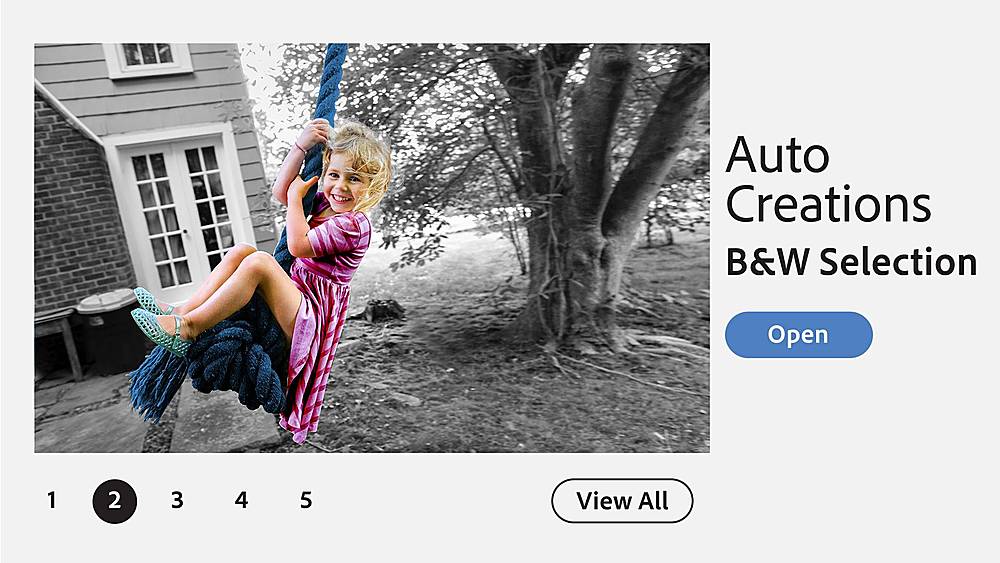
|Posted .This reviewer received promo considerations or sweepstakes entry for writing a review.To begin this review, I will state that I have been doing various forms of graphics and web design for over a decade. I went to school (continuing education) to learn the skills to make this part of my career. While I work in another profession now, I still get to pull my skills out of the old toolbox now and then to contribute designs my company needs and to support a non-profit I am part of. My skills are a bit rusty, but I very much enjoy the work. This is exactly what got my interested in Photoshop Elements a few years ago. Why would I "downgrade" from the full-on Photoshop to just Photoshop Elements? Truthfully, the subscription model that Adobe moved to was my main motivation. As of this writing in late 2020, you can still buy a perpetual license for Photoshop Elements, meaning you do not have to continue to pay to use it. One payment. That's it. Here is why I recommend it. Photoshop is not for everyone. Just because you have the tools in front of you doesn't mean you can make use of them. It would be like sitting in the cockpit of an airplane with little more than a spiral-bound manual to guide you. Photoshop Elements is designed for the user who just wants to make some minor updates to the pictures from the birthday party or color brighten up a photo taken in less-than-perfect lighting conditions, but doesn't know all the terminology or lingo associated with photography editing apps.. In Photoshop Elements, it's known as "Quick Mode". It's also a tool for someone who knows a bit about photography, and wants to make some more finely-tuned edits to photos, or even start manipulating them (such as cut out an object in the background of the picture you don't want). This is known as "Guided Mode". Finally, for someone who is much more comfortable with these types of photo edits, or even wants to to do some graphic design for items like flyers and posters, understands the concept of layers, and perhaps has spent some time in Photoshop Elements before, there is the software's most advance editor, "Expert Mode". Expert mode is what I like to think of as Photoshop "Light". It has many of the features that I am used to using in Photoshop. My previous version of Photoshop Elements is a few years old, and I decided to give it another try. I am impressed with a lot of the AI that is built into the program, especially when selecting objects, and the relatively new "colorization" feature that will colorize a black-and-white photo. This software has come a long way from the prior version I used. What I found most impressive about the latest version of Photoshop Elements is that it is more than enough for most users. Photoshop is a powerful program, but in most cases, only those doing advanced graphic design can appreciate its full potential. Meanwhile, Photoshop Elements meets the needs of just about everyone else. This was my opinion a few versions ago, and it is more so with this 2021 release. Is it perfect? No, of course not. Some of the colorizations I tried did an ok job, but I found I wanted to make further edits to it to fine-tune the picture. The selection tools work really, really well, but I still might have to zoom in and add or subtract some detail from the selection. And if you read my above paragraph and didn't quite follow what I was talking about, you are still a candidate for this software. If you are brand new to photo editing, this is a perfect program to start with because you can advance to more capable modes as you become comfortable with the software. When you first open the program, it opens a type of pre-loader, which is designed to guide you to the specific application that you need. It presents some ideas of projects to try, and contains a nice search feature to help you find the "tool" for the job. It also has direct launch buttons for Photoshop Elements, Adobe Premier (a video editing tool that is ONLY included if you buy the bundle pack), and the Organizer, an entirely separate application designed to help you organize your photos. The Organizer also provides some search tools that are aided by some additional AI built into the program, so you can find photos based on location, time, a specific person, etc. I did not have any crashes in the work that I have used it for so far. I sometime create some large, complex files with many layers, but I find Elements to be relatively stable, especially when compared to the full Photoshop program. Overall, I recommend this as a great one-time purchase application to get you started with photo editing, or to give you a sufficiently powerful solution for any kind of graphics work you want to do. Start with this, and if you ever reach a point that you feel you have outgrown it's capabilities, you'll know you are ready for the full Photoshop. For most however, this will be a sufficient tool.
I would recommend this to a friendIt will make you Smile
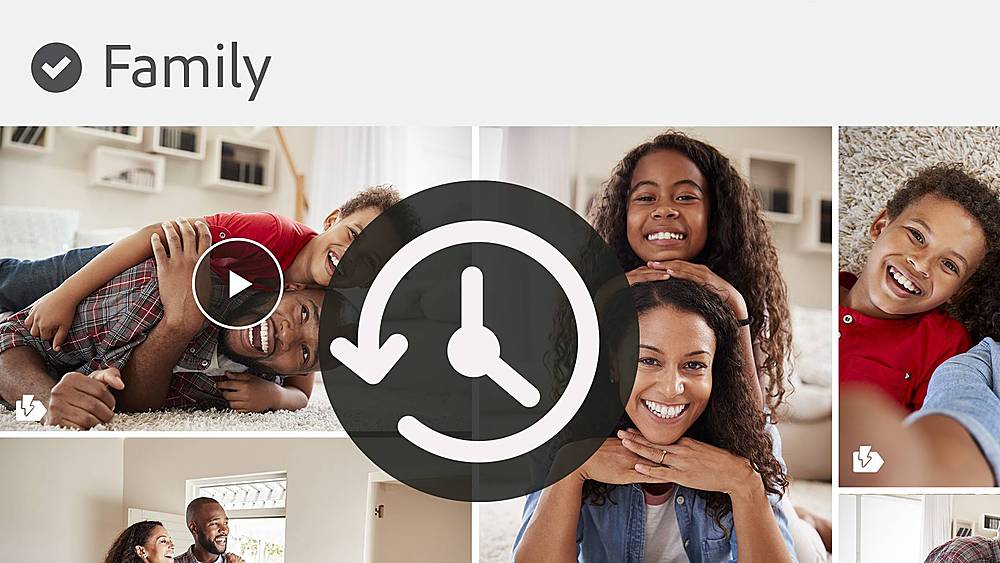
|Posted .This reviewer received promo considerations or sweepstakes entry for writing a review.If you have owned or used Photoshop Elements in the past then you will feel very comfortable using the 2021 version. If you have never used Photoshop elements don’t worry because Adobe provides lots of optional help material. There are 58 guided edits that help you unleash the creative potential of your photos. This version has all the typical features you would expect and several that are truly amazing. Best of all this software does most of the magic for you so you can enjoy the editing of the photos as well as the end results. The software is as simple or as complex as you want or need it to be. New Features I really liked: Fine tuning Faces including angles, improving the landscape by replacing the sky, moving and scaling items within the photo, adding motion to a photo to create animated GIFs and the auto back up feature for the Organizer catalogue. The installation was simple and straight forward. I downloaded the software, logged into my existing Adobe account, entered my redemption key and then used the serial number to complete the installation. It’s a few more steps than using the dvd type installation but it wasn’t that complicated. Note to make sure you keep your redemption code and your serial number handy because you need them to install the software. The home screen features a ribbon with creative and editing ideas that show you what is new and what is possible with the software. The items give you a quick overview which is helpful when deciding what to do next. The ribbon contains everything from how to share photos to various methods to edit your photos and even how to order prints and gifts if you happen to want those. Below the ribbon you select either to use the Organizer or the Photo Editor. The Organizer will catalogue all your photos and videos into a single workspace. There are lots of tools to help you organize your photos by tagging them by people, events, etc. This version now allows you to automatically back up your catalogue so you don’t have to worry about losing your photo library data. The photo editor has three editing modes: Basic, Guided and Expert. In the Guided mode there are over 55 tiles that show you an example of what each guided feature does and how it affects the photo. This makes it very easy when choosing what editing tools are needed since the software pretty much does it all for you. In the Expert mode all the editing tools are available individually and you can pick and choose what to use and how to use it. This mode gives you total freedom but it can also add to the complexity of the editing process. There are times that you will need to use the Expert mode to touch up the photo after the Guided mode is completed. I used the guided mode to move a little girl to the center of the photo and when I did this it left some of her curls floating where she was originally. I then used the Expert mode to remove the curls. While the Guided mode is not perfect it definitely makes the editing process much simpler.
I would recommend this to a friend- Pros mentioned:Face tilt
Look at the camera feature is pretty cool!
|Posted .This reviewer received promo considerations or sweepstakes entry for writing a review.Overall, I like most of the features Adobe Photoshop 2021 brings. I think the feature I’m only okay with is the quote graphics feature. Although it does make it more convenient, I don’t think it’s that challenging to put quotes on a graphic. I think the face tilt is a pretty cool feature making it possible for everyone at an event to “look at your camera” whenever there are multiple cameras present. The interface is still very much the same so if you’re used to the previous versions, then you shouldn’t have a hard time enjoying this version. I would definitely recommend this to anyone who likes editing pictures.
I would recommend this to a friend Difficult interface for Mac
|Posted .This reviewer received promo considerations or sweepstakes entry for writing a review.I’ve wanted to get this software for a while now, mainly just to create memes and have some fun photoshopping my friends and family onto different people, but the interface is pretty tricky and I haven’t quite mastered the techniques. I don’t know if the user interface is better with Windows, but I have had a hard time with it on my MacBook. The software does have guided instructions and expert level guidance and I like that it has instruction based on what you want do. However, I didn’t see anything in regards to putting someone’s head on another person’s body or creating GIF’s and memes with photos. Maybe the GIF’s are created using different software, but I thought Photoshop had that ability. I’m probably going to search YouTube and see if there are some videos that I can use to have fun with the software. I don’t consider myself to be a beginner when it comes to computers and software, but after using this software, I’m starting to re-evaluate myself. I gave it three stars because it’s quite possible that I don’t know what I’m doing or I’m in the wrong section, but I will assume it’s user error and not the software. Hopefully i’ll find some good instructions on the interweb. Lol.
No, I would not recommend this to a friendBest Photo Editing Software This Side of Photoshop
|Posted .This reviewer received promo considerations or sweepstakes entry for writing a review.I generally upgrade to the latest Adobe Photoshop Elements Software every year, because the improvements are so compelling. Adobe outdid themselves for 2021. It contains a quantum leap of added capabilities, while maintaining the comfortable structure resident in every generation of Elements software. Tutorials for Quick, Guided & Expert get the assistance you need quickly to perform many tasks. I enjoy the before / after quick look, that lets you see the edited version & compare it with the original. Red eye removal has never been easier. You can even "open the eyes" of a subject whose eyes are closed on an otherwise excellent photo. You can change the background effortlessly to further enhance your photo. I bought the full blown, mega-capable Photoshop several years in a row. I took classes on how to use it & bought several books. I had to brush up on how to use it each time. It is such a difficult program to master, and because my photo editing needs are sporadic, I never achieved the comfort level so easily attained with Elements. Compare that with Photoshop Elements: it is so intuitive, no review or retraining is necessary. This greatly adds to the fun of editing & eliminates the complexity that made editing seem like a chore. I Highly Recommend Adobe - Photoshop Elements 2021 for the Amateur through the Highly Skilled photo editor!
I would recommend this to a friendHigh Quality, Easy To Use Photo Editor
|Posted .This reviewer received promo considerations or sweepstakes entry for writing a review.Adobe Photoshop Elements 2021 has a lot of the features I was familiar with from Adobe Photoshop in Creative Cloud (I am a subscriber), but in many ways the 'Elements' app is better (simpler) for someone like me who is not an expert user (Photoshop is an app I have some training on and am comfortable using, but I don't know everything you can do with it). This is my second version of 'Photoshop Elements', I also acquired last year's release and I used it somewhat regularly. Once you get in to the app, the 'Adjustments' setting on the 'Quick' tab give a basic ability to fix lighting and color in a way that is easy, which allowed me to take a picture with bad lighting (too bright in some areas, dark in others), darken the exposure, and raise the 'shadows' brightness so dark area were better lit, and it kind of 'saved' a picture that would've been ruined by bad lighting. The 'Guide' tab walks one through a lot of advanced editing, stuff in some cases I didn't think I was capable of creating (very professional looking stuff), and it makes it all seem relatively easy. In the expert mode, I find an increased selection of professional tools, including some key ones like the "Spot Healing Brush" (great tool for removing imperfections from a picture, or possibly erasing things from the picture), an "eye tool" (i.e. red eye removal), and a blur tool and sponge tool are useful too. You can do things like rotate (any angle), and crop, as well as resize - all on the image menu. You can work with layers on the layer menu. You can pull up additional functions in pop-ups through the 'window' menu. This is an application I can see myself using anytime I've got a collection of new pictures to work with (after a vacation, or staycation, for example). Seeing as I actually used last year's version many times, and plan to use this years version as well (beyond 'testing' it), I can recommend this product.
I would recommend this to a friendGreat starting place for your average photo editor
|Posted .This reviewer received promo considerations or sweepstakes entry for writing a review.Coming from someone who has touched a bit on the bigger Adobe Photoshop program, this Elements package brings most of the common editing techniques into one easy to use package. The AI is good enough to distinguish photo features and edit "on the fly". Being able to guide you to make certain creative edits so that you may learn step by step what features are at your finger tips. Although the AI is not perfect, it gets you far enough to your end goal and then it is up to you to clean up the image a bit. The features that this program highlights are amazing. Colorizing photos, face tilting, facial adjustments, filters, replacing backgrounds, erasing distractions, quote graphics, and adding motion to a static photo is some pretty awesome editing power. Once you have created your digital project, organizing and sharing your work is made easy. You can easily send to get prints made or make it possible to create a gift for someone. When you save an image you can have it sized to fit a certain aspect ratio if you are going to share it on some social media platforms. Give this a try for you first time editors and even you advanced folk can take advantage of this powerful editing tool.
I would recommend this to a friend- Pros mentioned:Ease of use
Great option
|Posted .This reviewer received promo considerations or sweepstakes entry for writing a review.If you’re looking for a robust option for editing your photos, creating fun memes, and just enhancing your social media content this continues to be a great option. Easy to use and a lot of great features you can do almost anything you may want to your media. I wouldn’t say you need to upgrade every year but if you have a version that’s a few years older this is definitely a great upgrade.
I would recommend this to a friend PSE2021 Awesome
|Posted .This reviewer received promo considerations or sweepstakes entry for writing a review.I have been using and comparing the PSE 2021 MACv to a couple earlier versions of this software for almost a week. Bottom Line if you are using a 2018 or earlier version of this software this purchase is both an excellent upgrade and worth the modest cost. My favorite improvements besides the tool sets is the improved Adobe Organizer and people tagging features. I imported albums and tagged photos from several other competitor photo suites and the process was seem less and accurate (not perfect) however much better than the competition! I am not a professional photographer however have a very large photo collection that spans more than 30 years, I used a backed up drive and tested my existing tags and albums to test the import features, bottom line I rate this product as an excellent choice. Editing tools were awesome and easy to adapt to first try. Adobe has many awesome features included others charge extra for. Great product for a beginner, the unfamiliar as well as professionals! All bases were covered from my perspective!
I would recommend this to a friendAdobe Photo Elements
Posted .This reviewer received promo considerations or sweepstakes entry for writing a review.A great way to organize your photos, particularly like the face recognition to bring up all same faces. In my collection. Recommended highly.
I would recommend this to a friendMicroscopic menu bar font.
Posted .This reviewer received promo considerations or sweepstakes entry for writing a review.Even when set at 200% he menu bar font size is microscopic. As a result 2021 Elements is poor choice. Wish I had never purchased it.
No, I would not recommend this to a friend