Customer Ratings & Reviews
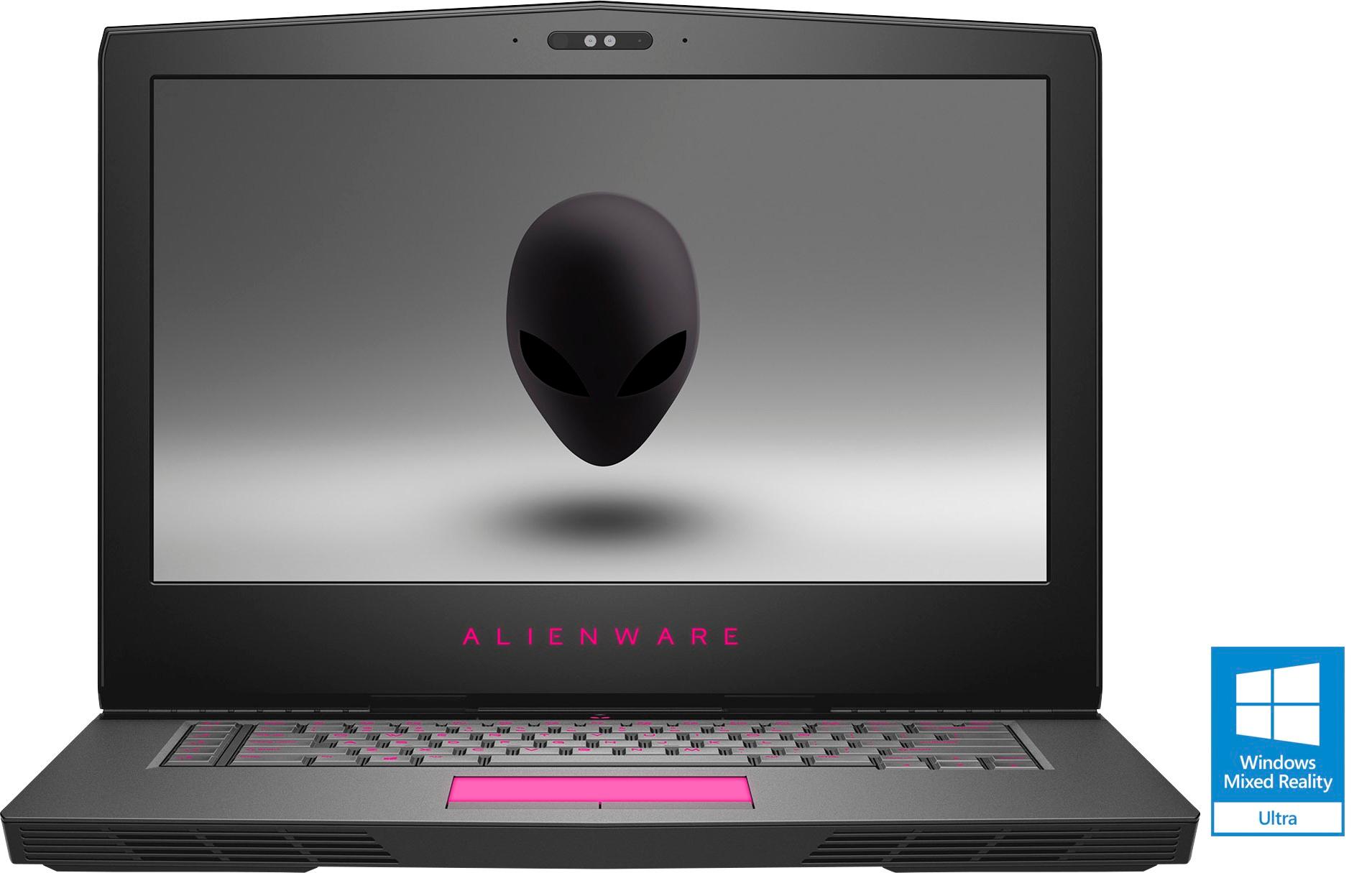
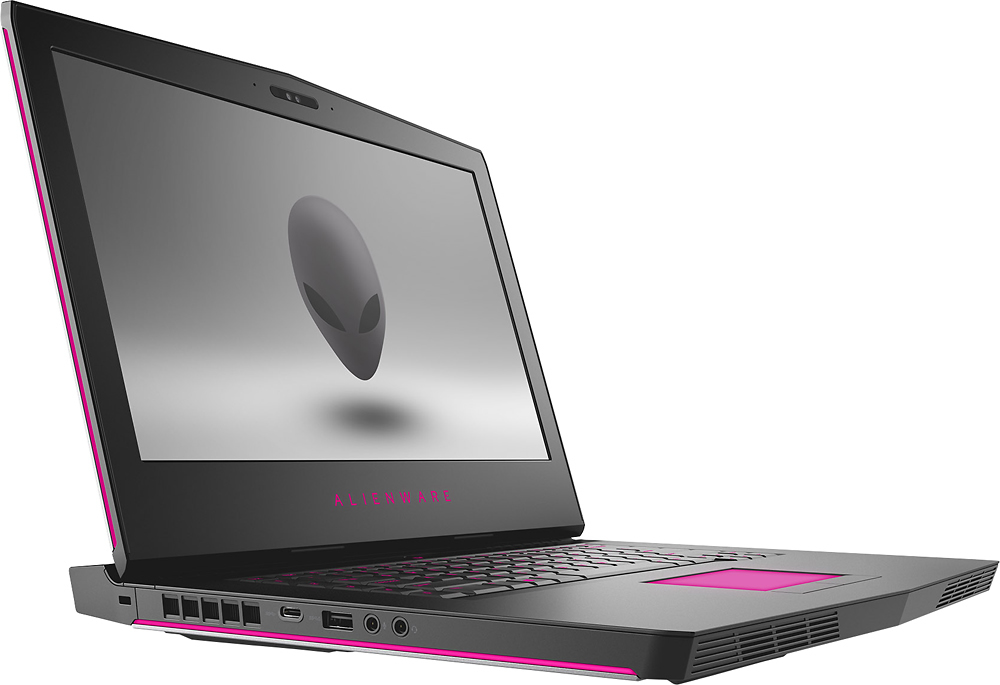
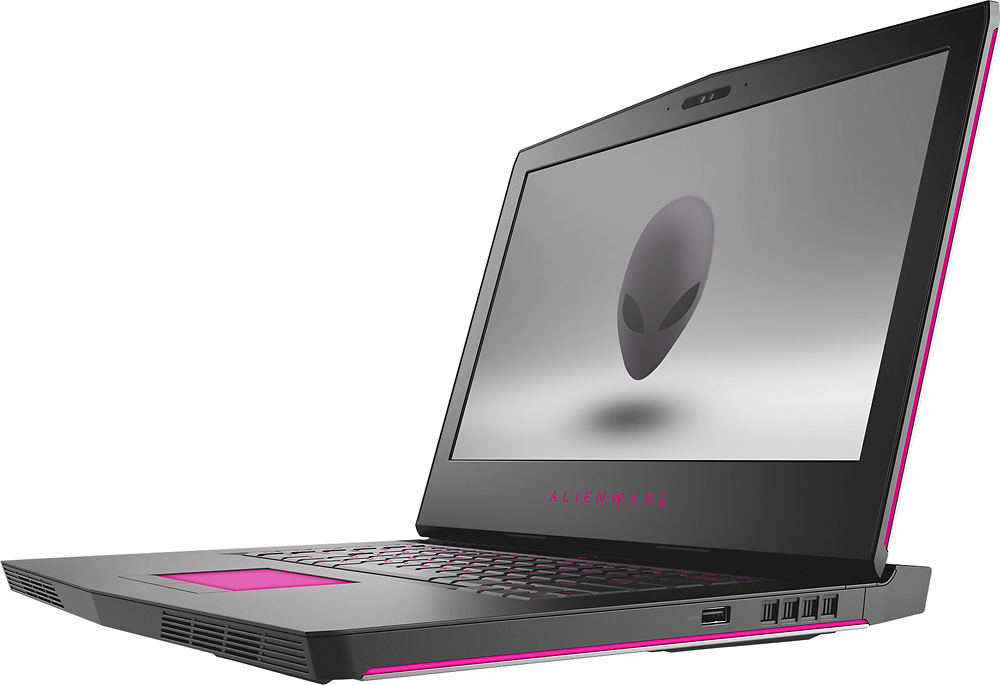

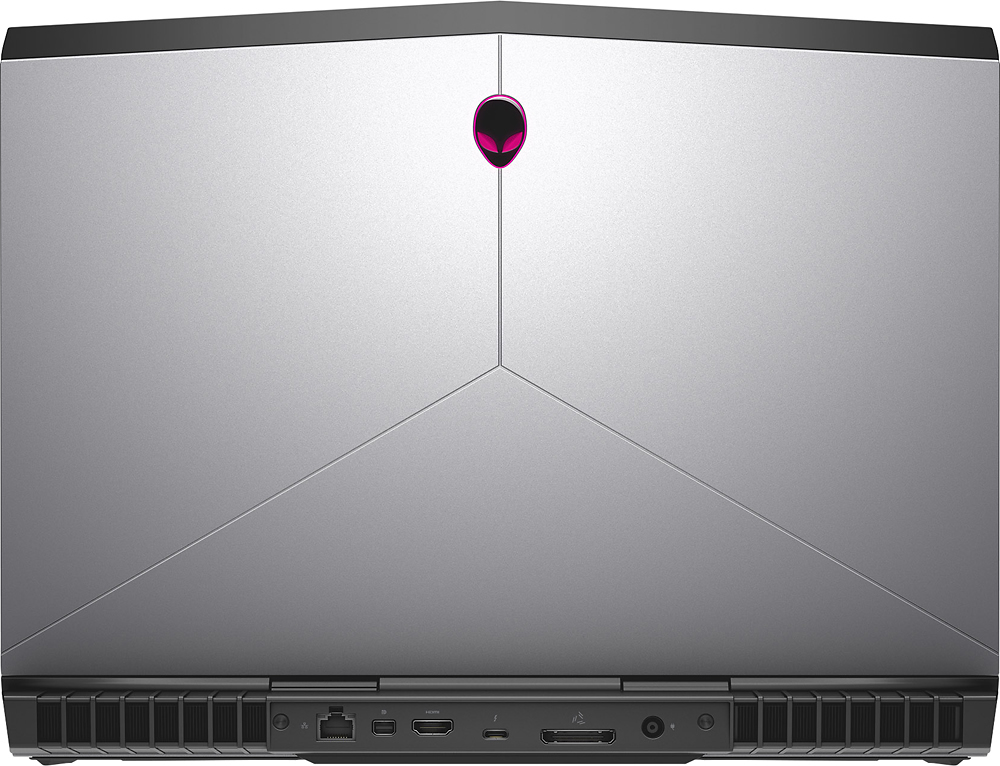

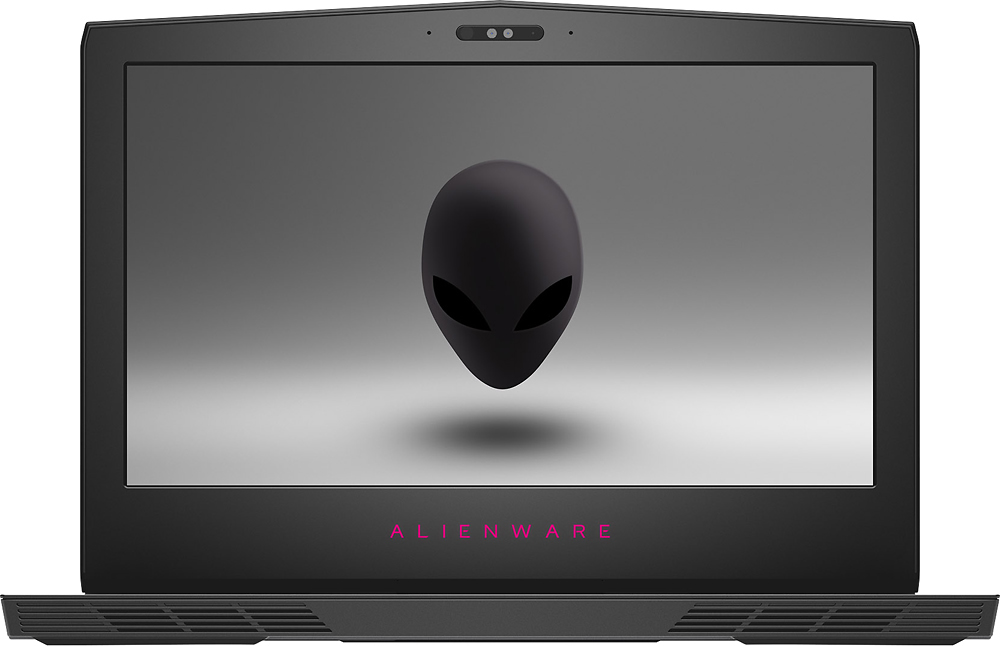
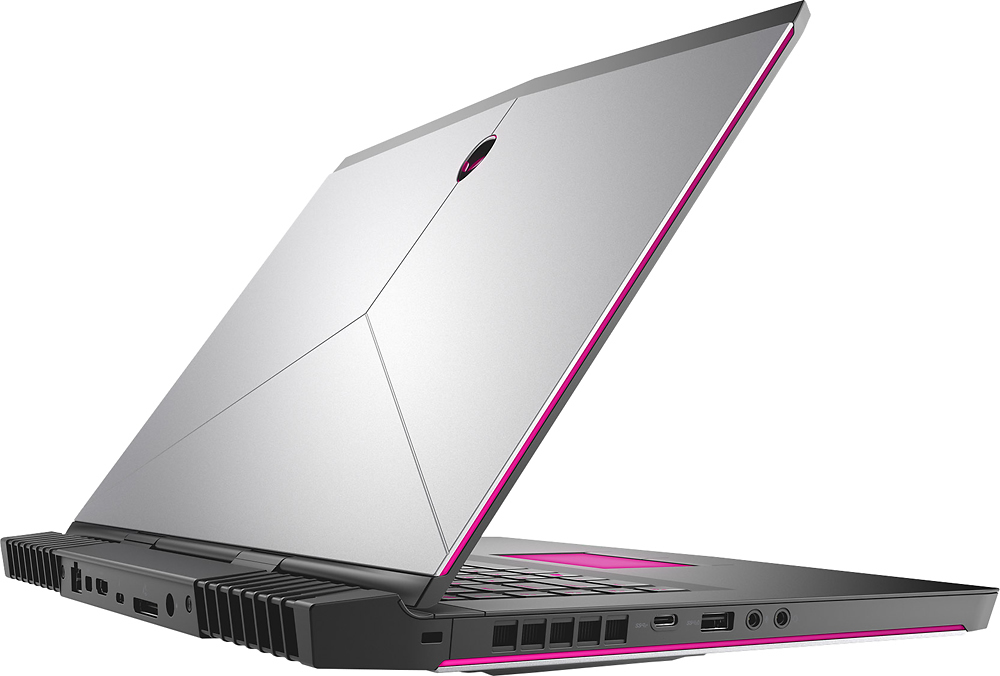
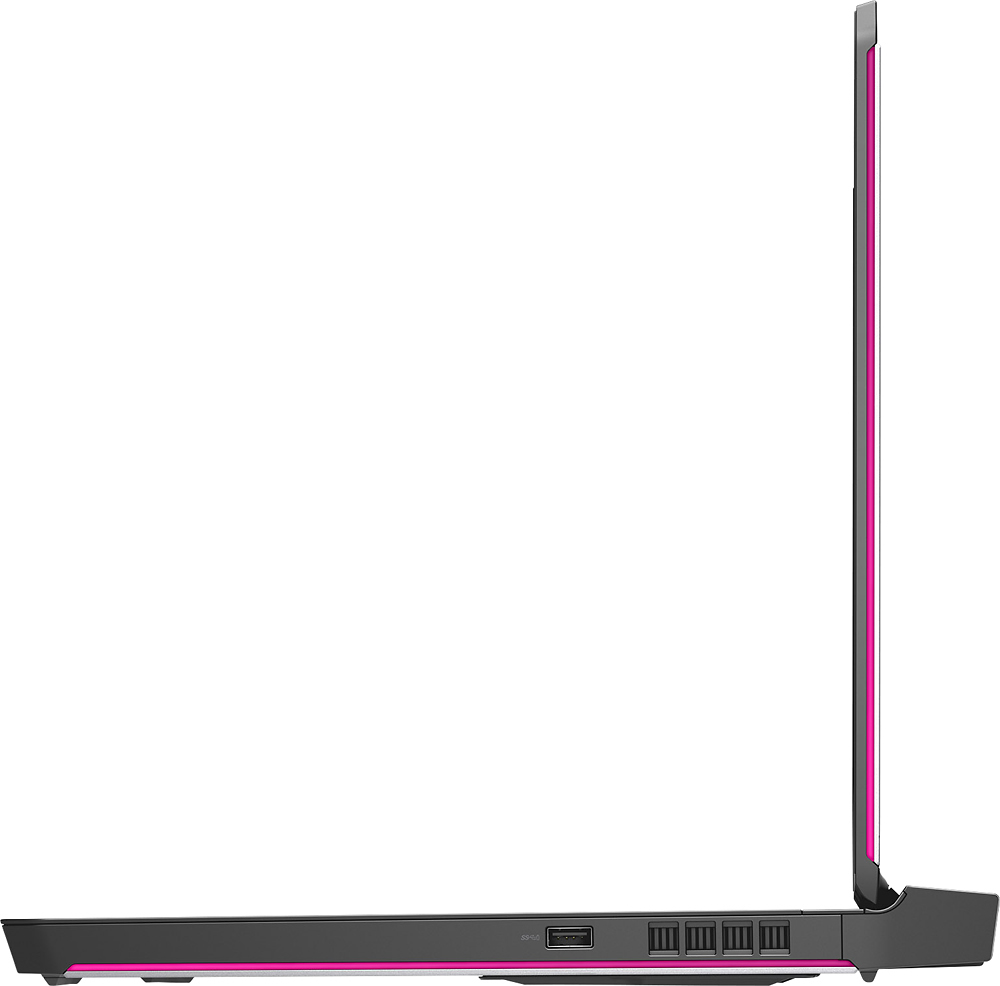
- Model:
- AW15R3-7376SLV-PUS
- SKU:
- 5713021
Rating by feature
- Value
Rating 4.1 out of 5 stars
- Quality
Rating 4.3 out of 5 stars
- Ease of Use
Rating 4.3 out of 5 stars
Customers are saying
Customers are enthusiastic about the high performance and impressive graphics capabilities of this gaming laptop, frequently praising its excellent build quality. However, some users noted the laptop's considerable weight and size, along with occasional issues related to heat generation and fan noise. A few also mentioned the relatively small SSD storage capacity as a drawback.
This summary was generated by AI based on customer reviews.
Great laptop
||Posted .This reviewer received promo considerations or sweepstakes entry for writing a review.Love this laptop.i would recommend to anybody. :))
I would recommend this to a friendScreen is very weak, Not very durable.
||Posted .This reviewer received promo considerations or sweepstakes entry for writing a review.I took this computer home, and it ran fine, until one day the charger cord was tangled and when I got up, it pulled the laptop off my desk onto my chair and snapped closed, I expected it to be okay, with other laptops I never had an issue, but when I opened the screen, the entire LCD screen was cracked, and it looked as if a bullet struck the screen. Temporarily I plugged an HDMI to a monitor, but this was very frustrating. Especially since I paid $1899 for the laptop, I expected better.
No, I would not recommend this to a friendBrand response from YourDellTeam
Posted .DylanT123114,
Thanks for your review. We're sorry to hear that you had an issue with your screen cracking on your Alienware laptop. We're glad that you are able to use an external monitor for your computer still.
If you have additional questions about your computer please check our Product Support Page here - http://dell.to/2jdF7EQ.
Best,
Bryan
1-800-624-9896
- Cons mentioned:Heat
Runs slow
||Posted .This reviewer received promo considerations or sweepstakes entry for writing a review.I computer is great. But after gaming for a while, and it gets heated up, the system will slow down.
No, I would not recommend this to a friendBrand response from YourDellTeam
Posted .Ab005 - Thanks for your review. We're sorry to hear that your new system is overheating. Here are some tips that could help your system temperature:
Tips for Proper Usage:
1. Dell does not recommend placing portable systems directly on your lap. Due to reductions in the thickness of modern portable systems, heat transfer can be an issue.
2. Using a portable system (Laptop) on a hard, flat, non-cloth surface will increase airflow and reduce heat from underneath and inside the system.
Using the portable system on blanket, pillow, or other type of cloth will cover up the fan cause the computer to overheat and can cause permanent damage.
3. It is recommended to use the portable system in a Room temperature of 0°C to 35°C (32°F to 95°F) with a Humidity level no greater than 90%.
4. Use compressed air to clean the vents on a regular basis.
5. Using a cooling pad can decrease heat and increase performance.
6. If you want to know the temperature limitations for your system, go to the Dell Support Website, look up your system model then open the user guide under the manuals link.
Here's a link to the full article - http://dell.to/2uJ8AdG.
We hope these tips help you cool down your computer. - Bryan
Problems
||Posted . Owned for 1 year when reviewed.This reviewer received promo considerations or sweepstakes entry for writing a review.Problems right out of the box, looks nice but would fail to stay charged, returned for an ROG Laptop.
No, I would not recommend this to a friendBigger doesn’t necessarily mean better
||Posted .This reviewer received promo considerations or sweepstakes entry for writing a review.Slow performance for the amount is worth. Took some time to get it set up. I don’t recomend.
No, I would not recommend this to a friendBrand response from YourDellTeam
Posted .Rene, We understand that you're disappointed with how your computer may seem slow. We hope that you were able to utilize Dell's Support Assist app to help set up your computer and ensure that the most up to date drivers and software are installed. If you are continuing to experience slowness on your computer we'd recommend the following:
Delete temporary files and directories
1. Click Start, then in the search bar type "disk". Disk Cleanup should appear on the menu above the search box.
2. Run disk cleanup and eliminate unneeded temporary files (Search results, Internet Cache and other windows temp files you may no longer need)
3. Select files you want to delete then click OK to start the cleanup process.
Uninstall applications you no longer use
1) Open the Programs and Features application in Control Panel.
2) Scan the list of applications installed for ones that you no longer use.
3) Highlight any application you no longer use and then click the uninstall button at the top of the list. Follow the prompts to uninstall.
4. Repeat for each application you want to uninstall.
5. Move large files and/or seldom used files to backup media (Photos, Music you seldom listen to, application downloads after the application has been installed etc.).
6. Empty the Recycle Bin.
You can read the full article here - http://dell.to/2tSulGV. - Bryan
Nice
||Posted .This reviewer received promo considerations or sweepstakes entry for writing a review.It is a Nice laptop, affordable, and, last year model.
No, I would not recommend this to a friendGreat Laptop
||Posted .This reviewer received promo considerations or sweepstakes entry for writing a review.Very solid gaming laptop, easy to use and very fast.
I would recommend this to a friendBrand response from YourDellTeam
Posted .Clavamer - We're so glad to hear that you're enjoying your new Alienware laptop. If you end up having any questions about your computer you can visit our Product Support Page here - http://dell.to/2jdF7EQ. - Bryan
Weak and unreliable
||Posted .This reviewer received promo considerations or sweepstakes entry for writing a review.Everything about this computer’s performance is terrible - it can’t even run its own solitaire game without extreme lag. I can’t manage to get past the loading screen on Sea of Thieves, and then it requires a manual restart. Oculus gameplay is glitchy and does not render smoothly. On a different laptop with a weaker graphics card, older processor, and RAM - everything looks great and runs smoothly. I don’t understand...was so excited to see what I could do with a more powerful machine, but this freezes when I try to change between the PRELOADED wallpapers.
No, I would not recommend this to a friendBrand response from YourDellTeam
Posted .Hello Christina,
Thanks for your review. We're sorry to hear that your computer is not running the way you wanted it to. It sounds like you need to check to make sure that your software and drivers are up to date on your computer. You can check here to make sure that everything is up to date - http://dell.to/2hnBCek.
If you'd like to contact our Alienware Support Team you can Email them here - [email protected]. Please use your username from this review as the subject line for your Email. We hope this helps your computer perform better for you.
Best,
Bryan
1-800-254-3692
Well Designed Laptop at a great price point!
Posted .This reviewer received promo considerations or sweepstakes entry for writing a review.Hello, thanks for reading my review. As a long time gamer and system builder, I have a pretty good handle on what is essential for a smooth running computer, and if you just want a gaming computer that does that, this is one worthy of your consideration. If you want a better idea of why that is, keep reading. Alright - Firstly, lets look at some basic internals. CPU: i7-7700HQ - This is the cooler running mobile solution from intel for a high end processor. It is a touch overkill for current gaming, but an excellent component that will help prevent you from bottleneck issues down the road. Excellent choice Best Buy, 5 Stars! GPU: GTX 1070 - I would say that this is about as large a GPU as you should put in a 15" gaming laptop due to coolling considerations. It will run all current AAA title games with ease at 1080P screen resolution. 5 star component! It also pairs excellently with the ISP panel, speaking of which... The 60Hz IPS 1080P Panel is G-SYNC: My word, I was pleasantly surprised by the color and brightness of this particular 15" 1080P IPS panel. Now, a word to Best Buy's advertising, if you're selling a 15" Gaming Laptop with a 60Hz IPS G-SYNC panel, you ought to make that a big part of your pitch. Nowhere on the website could I find a reference to the refresh rate or the expensive G-SYNC chipset. I had assumed it was a bare bones 60Hz IPS 1080P screen not the higher grade, tearing free, high performance option that I received. Thank you, Best Buy, but don't sell yourself short. Cooling: The fan system is impressively quiet even under gaming loads, I have not been distracted at all during my gaming and have experienced zero throttling. Storage: 128GB of SSD and 1TB harddrive is an adequate solution, it is one of the weaker points as a larger SSD would have been faster but I can't fault a corner cut here, it's not as important to performance. Memory: 16GB DDR4 - Again, like the above, it's totally adequate, not too little and not overkill. If your going to be "just adequate" these are two locations I approve of doing that. The keyboard is very comfortable to type on, they aren't mechanical keys, but they do a fine job with good travel and resistance. It's a little tight for typing but you'll learn to love it. Trackpad: It works and doesn't screw up, I always use a mouse anyways. -------------------------------- The above topics were the core to what makes a good gaming laptop. The next points are the gravy. Connectivity and compatibility - Talk about having all the right extras. This computer has every essential connection including Thunderbolt 3, 2xUSB Type C, USB, and display port. It even has wireless bluetooth which means you can use those fancy headphones without the cords. Best of all, most of those ports are located on the back side of computer keeping the sides uncluttered for a better experience. Chassis - Rock solid, built to the hilt with metal and high quality polymers. It also has RGB lighting that can be customized to your own liking, including disabled for officer workers who moonlight as gamers. Ok, so is there anything about this computer that isn't likeable? Well, if I were to give it one downside, it would have to be the weight. That was a purposed design choice as the additional space was given for better cooling and improved performance without greatly increasing the price. If you plan on lugging this thing to classes all over campus you might want to consider something lighter but it's doable, even if it's not optimal. Battery life is not super great, even with all the ample battery that has been added to this beast. Just keep the thing plugged in while gaming, no one actually games with it unplugged anyways. One of the best purchases I have made in a long time and I can't complement Best Buy enough at putting this system together. Usually I can find something I don't like or that doesn't make sense in a pre-built system but in this case, each and every component melds into a seamless optimized gaming machine for a great price. No corners were cut that drastically effect quality and the overall design is as flawless as I've seen. Well made Dell and well chosen Best Buy! I'll be back soon to see what else you can come up with!
I would recommend this to a friendBad charging
||Posted .This reviewer received promo considerations or sweepstakes entry for writing a review.Not sure what the issue was here but I would have it plugged in and it would still die while playing games.
No, I would not recommend this to a friendBrand response from YourDellTeam
Posted .Alex1436,
We're sorry to hear about the issues that you're having with your new Alienware laptop. We'd recommend that you contact Dell's Technical Support Team to help with the charging of your computer while it's plugged in. You can contact our team here - http://bit.ly/2GaIi7T.
You can also Email our Alienware Support team at [email protected]. Please use your username from this review as the subject line of your Email.
Best,
Bryan
1-800-254-3692
Trash
||Posted .This reviewer received promo considerations or sweepstakes entry for writing a review.If you like to kill your laptop prematurely by running your CPU at 100c while gaming, this is for you. If you want a good laptop for gaming, look at a different brand. This overheated on the first day.
No, I would not recommend this to a friendBrand response from YourDellTeam
Posted .GameDude,
We're sorry that you experienced issues with your computer overheating and we'd like to recommend the following tips to help cool your computer down:
Tips for Proper Usage:
1. Dell does not recommend placing portable systems directly on your lap. Due to reductions in the thickness of modern portable systems, heat transfer can be an issue.
2. Using a portable system (Laptop) on a hard, flat, non-cloth surface will increase airflow and reduce heat from underneath and inside the system.
Using the portable system on a blanket, pillow, or other types of cloth will cover up the fan cause the computer to overheat and can cause permanent damage.
3. It is recommended to use the portable system in a Room temperature of 0°C to 35°C (32°F to 95°F) with a Humidity level no greater than 90%.
4. Use compressed air to clean the vents on a regular basis.
5. Using a cooling pad can decrease heat and increase performance.
6. If you want to know the temperature limitations for your system, go to the Dell Support Website, look up your system model then open the user guide under the manuals link.
You can read the full article here - http://dell.to/2uJ8AdG.
We hope these tips help your computer run at a cooler temperature for you.
Best,
Bryan
1-800-624-9896
Don't. Buy open box
||Posted . Owned for more than 2 years when reviewed.This reviewer received promo considerations or sweepstakes entry for writing a review.previous owner took out the fan and possibly more before returning it. Hardly ever used it before realizing there weren't even screws holding down the bottom plate. Huge disappointment. Missed the return window.
No, I would not recommend this to a friend- Pros mentioned:Build quality, PerformanceCons mentioned:Weight
Great gaming laptop!
Posted .This reviewer received promo considerations or sweepstakes entry for writing a review.I've been slogging through the last few year with my 2009 mac book pro, holding off the inevitable task of finding a replacement. It has been very hard for me to find something that has a great value to power ratio while still maintaining a high end build quality until now. I was comparing this model with a few others from MSI, only to have the sale rep explain the cooling issues that they currently have. This lap top was out of the price range I was initialing shopping at. After comparing the spec differences it was hard to resist the additional power of the 1070 and current i7. The only con i've had would be getting used to the heft that all these lap tops seem to have. I'm getting used to it, and the added cooling vents/fans seem to be worth the extra weight. Overall I am very satisfied with Alienware as a brand and if they keep this up I will be a lifetime customer.
I would recommend this to a friend Horrible!
||Posted .This reviewer received promo considerations or sweepstakes entry for writing a review.Bought one and the keyboard lights stopped working due to a defective motherboard. So i exchanged it for a new one and THAT one was ALSO defective. Returned it and got an MSI and couldnt be happier.
No, I would not recommend this to a friendBAD COMPUTER
||Posted . Owned for 1 year when reviewed.This reviewer received promo considerations or sweepstakes entry for writing a review.Not good at all. Doesn’t keep a charge even while on charge. Off charge it last about an hour or 2 on charge it’ll last about 5 hours.
No, I would not recommend this to a friendBrand response from YourDellTeam
Posted .Alex,
Thanks for your review. We're sorry that your computer's battery has not been charging the way it should be. We'd recommend the following tips to see if you can extend the life of your computer's battery:
Change the Power Plan:
1. On the notification area of the taskbar, right-click the Battery icon.
2. On the options list, click Power Options.
3. Select a power plan on the battery meter, such as Power Saver or Balanced. Windows 10 has a built in 'Battery Saver' mode that can be activated to extend your system's battery life. The Battery Saver mode will monitor and limit background activity and other features such as push notifications. You do have the option to enable or disable this mode within settings or within advanced Battery Saver settings, you can customize the mode to best suit your needs.
a) Click on the Action Center icon in the taskbar and select the tile for Battery Saver.
b) If running Cortana then type Battery Saver into the search box and select from the results.
Within the Battery Saver settings page, you will be able to turn on and off the feature and customize the feature to best meet your needs.
c) Turn Battery Saver On or Off.
d) Additional settings available via the Battery use and Battery saver settings links.
e) Battery use shows further info on apps and their power usage.
f) Battery Saver Settings screen allows you to customize further Battery Saver feature.
You can read the full article here - http://dell.to/2vfXWf4.
Best,
Bryan
1-800-624-9896
No good
||Posted . Owned for 1.5 years when reviewed.This reviewer received promo considerations or sweepstakes entry for writing a review.Too expensive to be honest and the quality is not up to par with the rest.
No, I would not recommend this to a friend- Cons mentioned:Ssd
Great Gaming Company
Posted .This reviewer received promo considerations or sweepstakes entry for writing a review.Bought this to replace my 3 year old gaming laptop. I like to play mmos and I had to turn down the graphics down to the minimum. I always wanted to buy an Alienware and this laptop did not disappoint. I now play the games with highest settings and super smooth play no matter how intense the action or how many players are in the screen. One minus is the lack of Windows install disk. I bought a nvme drive to replace the small ssd and having a windows installation disk would have made it a whole lot easier. Also the alienware help was pathetic and would not help me with issues about transferring the system off the ssd to the new nvme drive and installing the driver. It was under warranty but they said my issue was not covered and I would have to pay them. I didn't and did it myself.
I would recommend this to a friend - Pros mentioned:Performance
Excellent Gaming Laptop
Posted .This reviewer received promo considerations or sweepstakes entry for writing a review.If youre looking for a solid well built high end gaming machine, this is it. Games play amazing. I havnt had any issues at all in the day ive had it. The reason why i had to write a review now so soon is to let people know this model, 15R3 with 1070 (cheapest 1070 model), has G-SYNC!! I tried looking and couldnt find any info saying this in the description. Idk if theyre not saying to get people to buy the more expensive models, but its definitely there. Was a very nice added surprise. You wont be disappointed with this laptop. I had the AW 17 before this and remember the bad times i had at first because of network dropping. This laptop has none of that. Not for me anyways. And i been playing Rocket League online all day.
I would recommend this to a friend Horrible
||Posted .This reviewer received promo considerations or sweepstakes entry for writing a review.My son is a gamer and hated the graphics and it was too slow for him
No, I would not recommend this to a friendBrand response from YourDellTeam
Posted .Shopper77,
Thanks for your review. We're sorry that your Dell computer was too slow for your son to use for his gaming. We'd recommend running the Windows Performance Troubleshooter to make sure that everything is running as fast as it can for you:
1. Close all open windows.
2. Press the Windows logo key + X key on the keyboard.
3. Click Control Panel.
4. Click System and Security.
5. Under Security and Maintenance, select Troubleshoot common problems.
6. Under System and Security, click Run maintenance tasks.
7. Follow the on-screen instructions and prompts to complete the process.
8. Restart the PC.
You can read the full article here - http://dell.to/2tSulGV.
You can also feel free to reach out to our Alienware Support Team via Email - awsocialmedia@dell.com. Please use your username from this review as the subject line of your Email.
We hope these steps help speed up your computer.
Best,
Bryan
1-800-624-9896
Had to return since kid wanted msi instead
||Posted .This reviewer received promo considerations or sweepstakes entry for writing a review.Had to return since kid wanted msi instead. This was open box
No, I would not recommend this to a friend