Customer Ratings & Reviews



- Model:
- AWAUR16-7667BLK-PUS
- SKU:
- 6558705
Rating by feature
- Value
Rating 4.6 out of 5 stars
- Quality
Rating 4.7 out of 5 stars
- Ease of Use
Rating 4.8 out of 5 stars
Customers are saying
Customers regard the Aurora R16 Desktop's performance and graphics capabilities as exceptional, frequently praising its smooth gameplay and high frame rates. Many appreciate its quiet operation and effective cooling system, while some find the included RAM and storage capacity to be limiting. The proprietary motherboard and power supply also received criticism for limiting upgrade options. Despite some concerns about specific components, the overall value for the price point is often highlighted.
This summary was generated by AI based on customer reviews.
- Pros mentioned:Performance, Speed

I Love this Gaming PC!
|Posted .This reviewer received promo considerations or sweepstakes entry for writing a review.I got my Alienware Aurora R16 Desktop Gaming PC a little over a week ago and I couldn’t be more pleased with it. I know Alienware has a solid reputation, and I now see why. It is the best computer I have ever owned and it’s not even close. Besides being a powerful machine I love the looks as well as the variety and location of all the ports. As someone who spent a fair amount of time over the last few months looking at different gaming machines and reading reviews I really want to write a review a little different than most I was reading. If you want a list of benchmarks, hardware and other specifications there are plenty of places to find that information. I want to write a review for perhaps someone who doesn’t really understand all the tech specs, maybe even looking for one to get someone as a gift. This is billed as a gaming PC, so in simple practical terms, how well does it game? That answer in short, is it performs beautifully. But after playing many games and other activities I want to focus on my experience with 2 games in particular to show why I am absolutely in love with this machine. First off is perhaps my all time favorite game. An amusement park similar called Planet Coaster. I had stopped playing it a few years ago because I had done everything I could think of in small or medium sized parks. Large, heavily themed parks would grind the game down to a crawl. Even top flight gaming PCs of the day would struggle with that task. One of the problems with the game is it doesn’t do a good job taking advantage of the modern multithreading processors. So even though I knew I was getting a much more powerful PC, my expectations were tempered with this game. I loaded up the last park I was working on. A large park that I stopped working on when the FPS (frames per second) dropped to the 5-7 range. This is frustratingly low. Like people called me mad for continuing to play slow lol. Generally around 20 is the floor most people would set for a game like this. I had even shut down all the rides and concession stands and closed the gates so I had no park guests and that would only get it up to 15-18 FPS. So how did the new PC handle this park? In the closed state where I was getting 15-18 on the old gaming PC, I was getting 95-110! I then opened up the park, all the rides and the concessions. I removed the old cap I had set of 2k guests and let the park run for a couple hours as it filled up with over 13k people walking around. My FPS was around 35! That makes this game completely playable again with room still to grow! I was so impressed with this machine. The second gaming experience I want to talk about is with a brand new game. City Skylines II, which released just over a week ago. This game was released with a lot of praise but also much criticism. This mainly was gamers complaining the game was not well optimized and many people we having serious problems playing it. Now the game has already had one huge performance patch and more are on its way. But those first couple days I played CS II pretty much nonstop and built a large sprawling metropolis. While there were cries from frustrated gamers from across the internet complaining about extreme lag and even game crashes, my new machine handled it like a champ with absolutely zero issues! At one point, just to see if it could handle it all with no issues, I really tried to push it to see if I could even create a problem. While playing CSII on my main screen, I open a very large excel database file on my 2nd monitor all while wirelessly streaming a 4k video to a 3rd screen, my TV. Then I opened a browser over the top of the database and opened a couple dozen tabs of all the sites I most often visit. It performed flawlessly. This may not be the best gaming PC on the market, but to me it really hits the sweet spot of where the cost and power meet create a high value device. If I have anything negative to say it probably just it comes with a very basic keyboard and mouse that I don’t love. But they work fine and those are easily upgraded should someone so desire. I love this computer and I would absolutely recommend it to anyone looking for something in this price range.
I would recommend this to a friend - Pros mentioned:Cooling, Noise level, Performance
FAST and COOL!
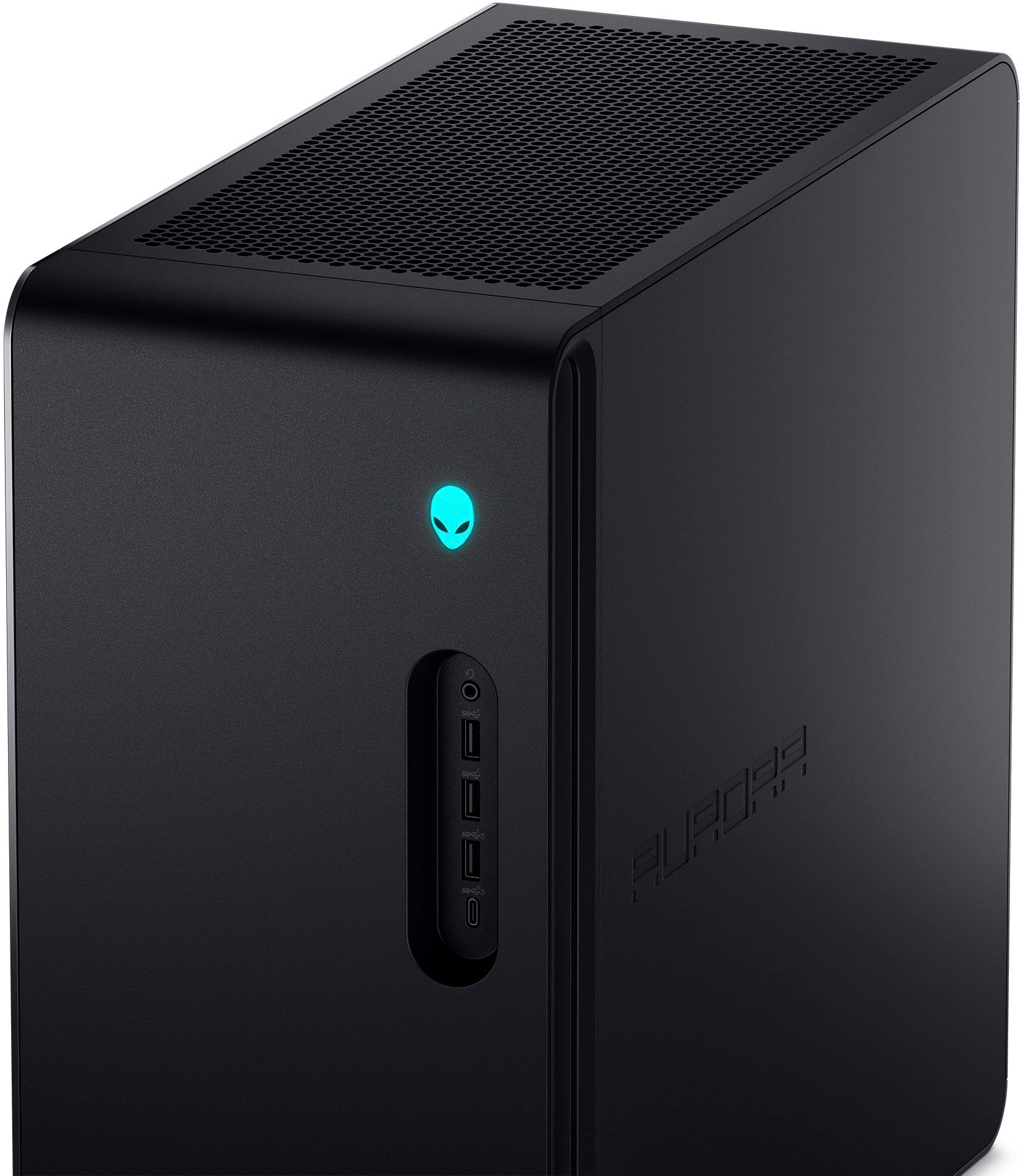
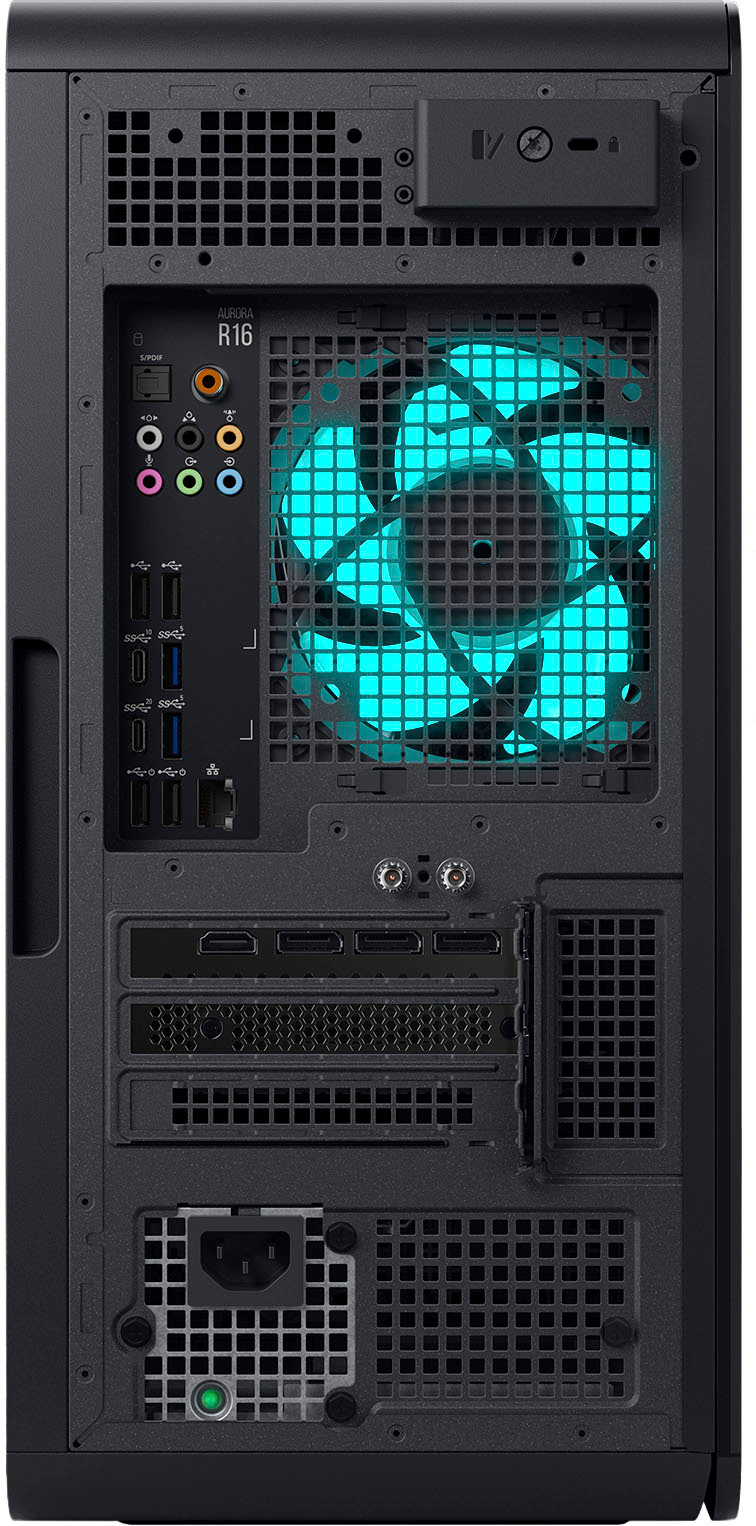
|Posted .This reviewer received promo considerations or sweepstakes entry for writing a review.I was impressed before I even took this beast out of the box. Coming in at over 33 pounds, I knew this dense package would deliver and I was not disappointed. Packaging was robust with minimal plastic. Included are: Alienware Aurora R16 Desktop, US Power Cord, Dell Multimedia Keyboard, and a Dell Wired Mouse. The mouse and keyboard are nothing special but are required to get things up and running. If this is your first venture into a gaming matching then congrats for starting at the top and you will need to do some research to pick out controllers that will work for you. I have had several gaming laptops including my favorite which was an Alienware! My only complaint with that was it runs hot and I needed to invest in a hefty cooling fan / stand. Here, that seems to not be an issue. With liquid cooling, lots of ventilation and fans I have not had any of those issues. Even with all that, it is still the most quiet computer I have ever had! This is aided with a flash-based SSD has no moving parts, resulting in faster start-up times and data access, no noise, and reduced heat production and power draw on the battery. I was also impressed with all the connectivity this provides. Along with an1x10/100/1000 Gigabit Ethernet LAN port, this also has smoken' fast wireless connectivity thanks to an external puck antenna you will need to attach to enable. This gives you the option of mounting it for optimal data communication. The front has: - Headset port Connect headphones or a headset (headphone and microphone combo). -. USB 3.2 Gen 1 ports (2) Connect devices such as external storage devices and printers. Provides data transfer speeds up to 5 Gbps. - USB 3.2 Gen 1 port with PowerShare Connect devices such as external storage devices and printers. Provides data transfer speeds up to 5 Gbps. PowerShare enables you to charge connected USB devices. On the back: - Optical S/PDIF port Connect an amplifier, speakers, or a TV for digital audio output through an optical cable. - Rear L/R surround port Connect audio-output devices such as speakers and amplifiers. In a 5.1 or 7.1 speaker channel setup, connect the rear-left and rear-right speakers. - Side L/R surround port Connect audio-output devices such as speakers and amplifiers. In a 7.1 speaker channel setup, connect the side-left and side-right speakers. - Microphone port Connect an external microphone to provide sound input. -. USB 2.0 ports (2) Connect devices such as external storage devices and printers. Provides data transfer speeds up to 480 Mbps. -. USB 3.2 Gen 2 Type-C port Connect devices such as external storage devices and printers. Provides data transfer speeds up to 10 Gbps. -. USB 3.2 Gen 2x2 Type-C port Connect devices such as external storage devices and printers. Provides data transfer speeds up to 20 Gbps. - USB 2.0 ports with Smart Power On (2) Connect devices such as external storage devices and printers. Provides data transfer speeds up to 480 Mbps. -. Network port (with lights) Connect an Ethernet (RJ45) cable from a router or a broadband modem for network or Internet access. The two lights next to the connector indicate the connectivity status and network activity. -. USB 3.2 Gen 1 ports (2) Connect devices such as external storage devices and printers. Provides data transfer speeds up to 5 Gbps. -. Front L/R surround line-out port Connect audio-output devices such as speakers and amplifiers. In a 2.1 speaker channel setup, connect the left and right speakers. In a 5.1 or a 7.1 speaker channel setup, connect the front-left and front- right speakers. - Line-in port Connect recording or playback devices such as a microphone or CD player. - Center/subwoofer LFE surround port Connect the center speaker or the subwoofer. - Coaxial S/PDIF port Connect an amplifier, speakers, or a TV for digital audio output through a coaxial cable. This is a fantastic machine for gaming and for that reason it also will preform well doing just about any other task you need in your home / home office.
I would recommend this to a friend Decent prebuilt for most
||Posted . Owned for 3 weeks when reviewed.This reviewer received promo considerations or sweepstakes entry for writing a review.Graphics card got poor reviews so returned before opening. Also tough to upgrade
I would recommend this to a friendBrand response from YourDellTeam
Posted .Hello Sean,
We are sorry to hear that you have decided to return your Aurora R16. We can assure you that Dell takes pride in manufacturing quality products. Even if this particular product was not the right fit for you, we hope that you will consider Dell in the future when you make your next purchase.
If you need further assistance, please reach out to Dell Support directly by using the information provided below.
Chat or call: https://bit.ly/DellSupportTeam
Phone number to Dell: 1-800-624-9896
Best,
Jay@Dell
Not that good
||Posted . Owned for 1 year when reviewed.This reviewer received promo considerations or sweepstakes entry for writing a review.For the price go to Alienware Website instead you get a Better Spec PC minus the Graphics Card but you can choose a better one
No, I would not recommend this to a friend- Pros mentioned:Cooling, Performance
New Look - Same Great Alienware Quality
|Posted .This reviewer received promo considerations or sweepstakes entry for writing a review.Desktop PCs for gaming seem to be a dime a dozen nowadays, but Alienware always seems to claw it`s way to the top of the market. The old design had been getting stale where Alienware has raised the bar here with its new look version while retaining the same great performance. Right away out of the box you can tell this is a quality product as it is not made with flimsy plastic and some metal thrown in on the case. They have definitely taken their time to consider build quality and the overall aesthetics. The look of the PC is even better in person as the more geometric shape and black color with neon RGB give the desktop that simple futuristic look that isn`t too obnoxious like other gaming PCs. Also, the much smaller case as opposed to the prior model is greatly appreciated! Then from a performance standpoint the ventilation on the top and side definitely is a plus. With all Alienware PCs they are again extremely generous with the ports and the one I do have to applaud them on are all the audio ports on the back allowing for a vast variety of options there. The one nitpick here would be to even out the number of USB-A and USB-C ports as there are 9 USB-A (5 3.2 ports and 4 2.0 ports) and only 3 USB-C ports. Aside from that though the build quality, look, and usability all seem to be top notch. Onto the actual performance though. As long as you are not playing at a 4K resolution this thing will take anything you can throw at it as my preference is 1440p with frame rates ranging from 80 to 140 depending on what was happening and what other settings (ray tracing & DLSS) I had turned on though most of the time it did settle in the middle of that range. Another thing to mention with this PC and its 1TB SSD is that it offers plenty of speed and storage where you won`t need to ask for any more than what it has provided here. One of the biggest things I have to highlight about this PC is how cool and quiet this it runs due to the much improved ventilation coupled with the liquid cooling for the CPU and superior cable management. Overall, from the aesthetics to the performance this PC checks all the boxes. The vast improvements in the form factor coupled with the greater ventilation on the case create that whisper quiet PC we all are looking for. That doesn`t go to say that the performance is dialed down as you still get that great Alienware performance that we all come to expect. I highly recommend this desktop to anyone who is looking for both a powerful and reliable gaming computer.
I would recommend this to a friend - Pros mentioned:Graphics, Performance, Speed
Sleek and fast! For a great price too!
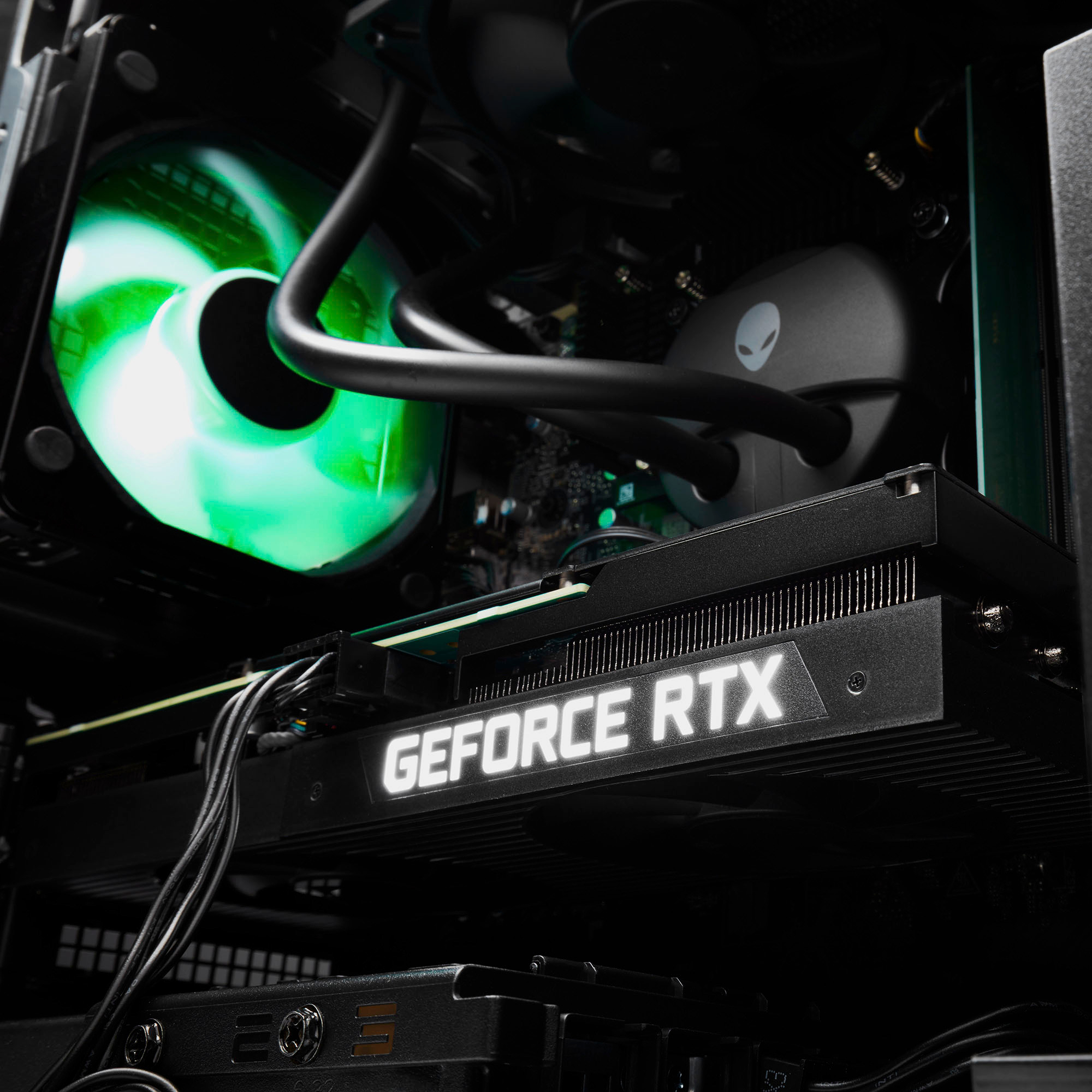
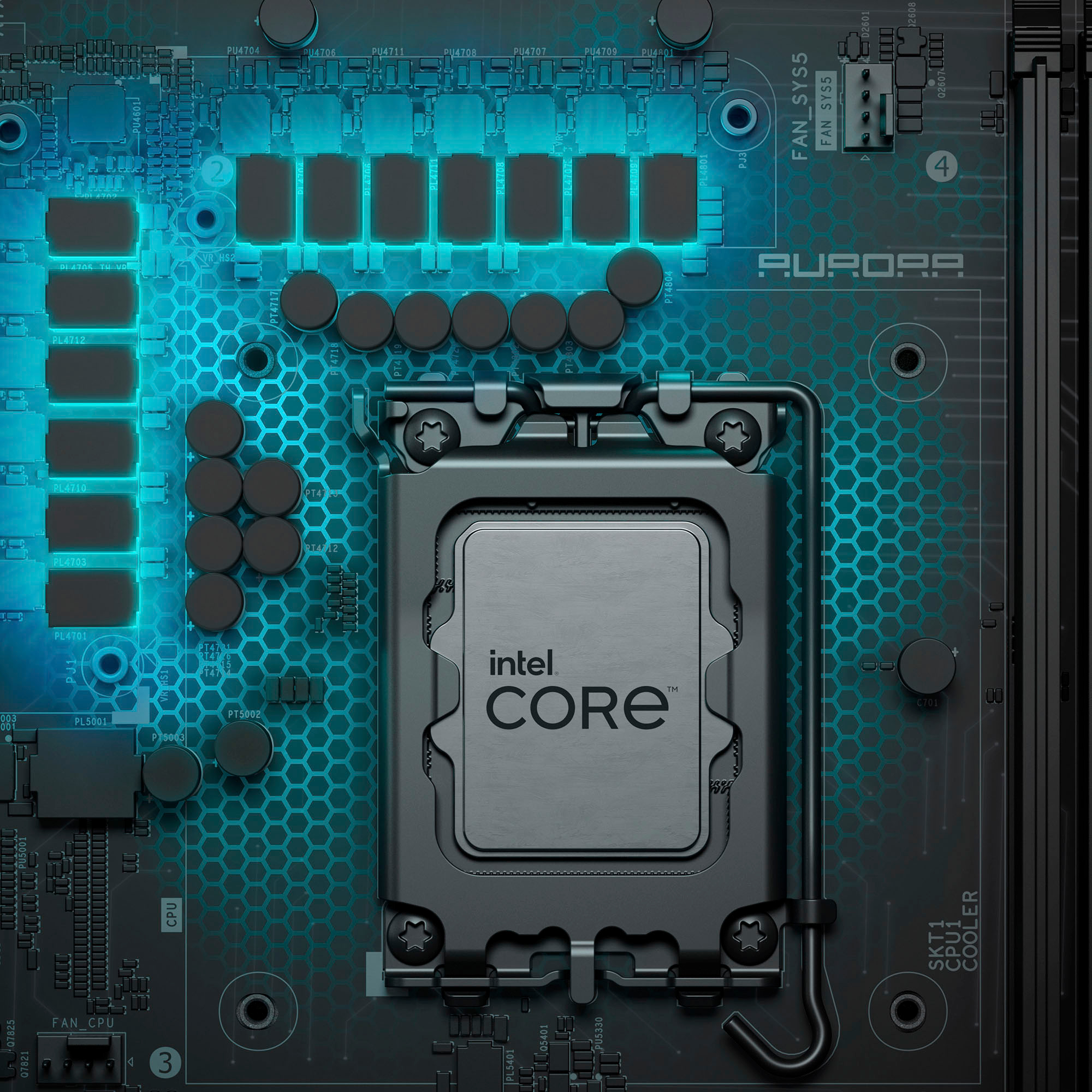
|Posted .This reviewer received promo considerations or sweepstakes entry for writing a review.The Alienware Aurora R16 Desktop - 13th Gen Intel Core i7 - 16GB Memory - NVIDIA GeForce RTX 4060Ti - 1TB SSD - Basalt Black, is one of the prettiest store bought PC's I've ever seen! You really have to see one in person to appreciate how good it looks. The chassis has a modern design meets classic chic, with a side of neon punk industrial... plus if all the lights are turned off, it blends perfectly with the rest of my home theater system for a clean well integrated fit that doesn't jump out screaming for attention. Both classy and elegant, while also being fun and funky. The 13th generation I7 processor is near the top of the line, with plenty of power and speed to make sure all your modern games will run acceptably fast with a good amount of the bells and whistles turned on. The 4060TI graphics card is on the high end of upper mainstream, and one of the bang for the buck champions of the current generation of Nvidia cards. Sure there are a few faster cards, but they're much more expensive as well. Plus this is water cooled as well! What more could you ask for? Alienware knocked it out of the park with this PC. It would be hard to build a PC of this quality for this price even if you did everything yourself. I'm really loving this new look for Alienware. And the performance and craftmanship are second to none!
I would recommend this to a friend - Pros mentioned:Graphics, Noise level, Performance
Alienware is still top of the line
|Posted .This reviewer received promo considerations or sweepstakes entry for writing a review.Alienware is still top of the line whenever it comes to gaming. The packaging is very sleek and minimal, which is nice whenever it gets delivered to your apartment because it can attract too much unwanted attention. The casing is also very slick and professional-grade. The boxy design feels more modern versus the circular edges. The honeycomb ventilations on the side also looks really good. In terms of RGB, it's very minimal with just the light bar, the fan and the Alienware logo. In terms of performance, this thing PERFORMS. It's quiet under load and it also doesn't get too hot. The 4060 Ti plus the i7 combo ensures that ANY game I run it can handle. It can easily run most of the popular esports games like League of Legends, Overwatch 2, Valorant, CS2 in 1440p at 144FPS or more. It can also run AAA games with ease. The 1 TB SSD ensures that you have plenty of storage for your games too. If you're going to use this as a productivity computer, it can handle video editing and photo editing quite easily too with the i7 CPU.
I would recommend this to a friend - Pros mentioned:Noise level, PerformanceCons mentioned:Motherboard
Level up your gaming
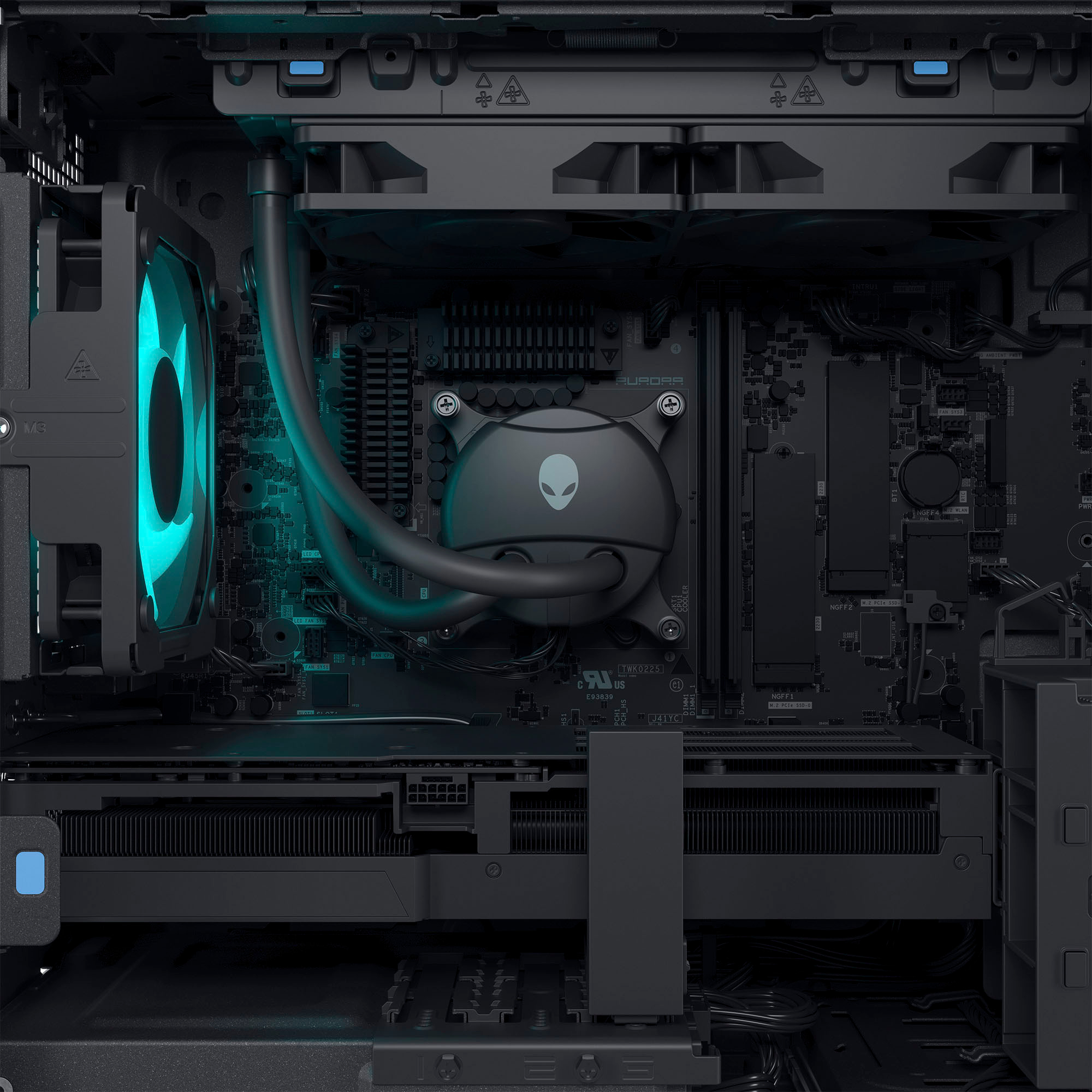
|Posted .This reviewer received promo considerations or sweepstakes entry for writing a review.The Alienware Aurora R16 is killer. The inside is so clean and cool looking with lights and cable management. There could be some more lights but it's enough that it doesn't distract from game play and they're customizable. This is the quietest and coolest PC I've ever seen, which is impressive given the amount of fans and heat inducing chips. The liquid cooling really helps. You can hear some fan noise when running at max load but nothing compared to regular PCs. The heat out the back isn't even as bad as other PCs and is barely noticeable. It has a great feature of powered ports that stay on even when the computer is off so you can charge things. Overall it has a lot of USBs for accessories. I like that the case isn't over-sized. You do have to plug in the antenna to get a decent wifi signal. Performance-wise I really couldn't ask for more. I gamed for hours on it with no hardware problems. The games I played were Destiny 2, EVE Online, and Diablo 3 using a gaming monitor. Everything was super smooth. I didn't get any lag from controls. Speaking of controls, the mouse and keyboard work but aren't the best. I assume they went this route knowing anyone serious about gaming is going to have their preferred peripherals. I know I will be swapping these out but they will get you through. I'm worried that the 1TB SSD is too small for the size of games these days but there is room to upgrade. Load times were very fast with the SSD. This is my first PC without a disk drive which is a little unnerving. Everything is going digital but I'd still like that crutch for older games and other CDs. I guess more a personal preference since I'm not ready to modernize. I'd recommend this for any gamer. It is very overkill if you will only be surfing the internet and checking e-mail.
I would recommend this to a friend Not so great gaming pc
||Posted . Owned for 3 weeks when reviewed.This reviewer received promo considerations or sweepstakes entry for writing a review.1) I got low video memory warning message while playing racing game on Xbox 2) this PC doesn't meet Oculus (meta quest) requirements. Conclusion: calling it "gaming pc) is a joke
No, I would not recommend this to a friendBrand response from YourDellTeam
Posted .Dear HienL,
We value your feedback and want to thank you for taking the time to leave a review of your Alienware Aurora R16 desktop. We are sorry to hear that you are not completely satisfied with your device. That is not the type of feedback we like to hear from our customers, or the type of product Dell intends to deliver. We have noted the details of your statement and will use them to improve current and future products.
If you continue to experience issues or need further assistance, please reach out to Dell Support directly by using the information provided below.
Chat or call: https://bit.ly/DellSupportTeam
Phone number to Dell: 1-800-624-9896
Best,
Summer@Dell
- Pros mentioned:Cooling, Performance
WoW!
|Posted .This reviewer received promo considerations or sweepstakes entry for writing a review.WoW! and i am not talking World of Warcraft. This PC is a beast! Aesthetically it is a very nice looking piece of hardware. The cabling and lighting inside are pristine through the glass side. But, I normally don't care as much about the looks as I do the performance. Can it handle the best there is to offer? The first thing I do when I get a new machine or build one is to run some performance tests on it. I always go to Passmark and download their PC benchmarking tool to see how it stacks against other builds. Passmark will test CPU, 3D and 2D rendering, memory and disk IO. The best I have ever had with a laptop was 95 percentile and the best desktop was 97 percentile, machine I set up for other people. That is until now. This clocks in in the 99 percentile, one of the best available outside of serious custom builds. I could not wait to see how it does in real world. Of all the tested modules and hardware, oddly the memory had the lowest score, it did not affect overall performance. But I just thought that as odd. One of the most demanding video games out right now is from Bethesda called Starfield. It has recommended hardware that include a SSD, NVIDIA GeForce RTX 2080 or AMD equivalent and one of the more recent Intel or AMD processors. That is to have medium settings and average performance. Obviously we want the best if we can have it. Running the game on this PC is buttery smooth, no lag or studder and all at the highest setting for performance and video. This Aurora does not break a sweat. Our previous Aurora, a few generations back, could not run the game even with extra memory and other upgrades. Now, I have not looked into upgrades for memory nor anything else yet, but I should not need to with a new kit. I do want to drop a warning. Our previous Alienware PC required very specific memory brand and model otherwise it would kick out memory faults and not boot. Even with the recommended memory, we still had to send one set back because of memory issues. Even modules that were recommended by the memory makers, did not work. Before you attempt to do any upgrades, do your homework. On to some hardware info. This has a external module that houses the Wi-Fi and the Bluetooth. At first I did not like this then I got to thinking how shielded the Wi-Fi is when you have a metal chassis and have it near a wall or desk. Even with external antennas, Wi-Fi can be sporadic at the worst possible time. This just makes sense. You can read the spec sheet as well as I can. The mouse and keyboard are Dell quality, maybe a slight step up. We did not use them deciding to stay with our tried and true preexisting peripherals. The system has liquid cooling. So it runs very quiet, even at the most heated moments. The packaging was interesting. Almost a game in itself. Just trying to find all of the clear cellophane, packing foam and other safety measures was interesting. There is some foam behind the front cover, not sure what else to call it, in front of the main body. It is like a porch on the front of the machine. Port wise, plenty of connections for you, just remember to have a display port cable handy if you use more than one monitor. Overall this is a gorgeous machine that performs better than it looks. I highly recommend, it would be hard to build a better machine without a much bigger budget.
I would recommend this to a friend DO NOT Purchase!
||Posted . Owned for 3 weeks when reviewed.This reviewer received promo considerations or sweepstakes entry for writing a review.This pc purchase has been an absolute disaster. It has not functioned properly since day one. I have been constantly in contact with Dell support to no avail. DO NOT Purchase this pc.
No, I would not recommend this to a friendBrand response from YourDellTeam
Posted .Hello AmyM,
We value your feedback and want to thank you for taking the time to leave a review of your Alienware Aurora R16 Desktop. We are sorry to hear that you are experiencing an issue with your device. That is not the type of feedback we like to hear from our customers, or the type of product Dell intends to deliver. We would love the opportunity to help you but will need a little more information. At your convenience we recommend using the toll-free number or chat link below to reach a member of our support team.
If you need further assistance, we recommend using the toll-free number or chat link below to reach a member of our Support Team.
Chat or call: https://bit.ly/DellSupportTeam
Phone number to Dell: 1-800-624-9896
Best,
Summer@Dell
Decent specs but unsatisfactory
||Posted . Owned for 1 week when reviewed.This reviewer received promo considerations or sweepstakes entry for writing a review.Not very satisfied with the item. PC kept crashing, called customer support and they said there is nothing they can do.
No, I would not recommend this to a friendBrand response from YourDellTeam
Posted .Hey There Jake,
We appreciate you taking the time to leave us your review. We sincerely apologize for the crashing issues that you are experiencing with your Alienware Aurora R16 desktop. It's important for us to hear about inconsistencies in our products for consideration of future development. Below I have provided troubleshooting instructions with the full article that can help resolve this issue.
Here are the steps to help resolve your crashing issue:
1. At the desktop, click the Search the web and Windows box and type "problem reports".
2. Select View all problem reports viewing a list of errors that have occurred on your computer and possible solutions for them, such as updating drivers, flashing your system BIOS, or checking for updates to the software.
3. Under the Source column, look for Windows and under Summary, look for Shut down unexpectedly.
4. Right-click the line item and select Check for a solution.
We'd also suggest checking to make sure that your software and drivers are up to date on Dell's Product Page here: https://dell.to/3khR75H
You can read the full article on solving PC crashing issues here: http://dell.to/2u98Cct
If you still experience any issues after you have finished troubleshooting your device using the steps above, please reach out to us at: https://bit.ly/DellSupportTeam.
If you continue to experience issues or need further assistance, please reach out to Dell Support directly by using the information provided below.
Chat or call: https://bit.ly/DellSupportTeam
Phone number to Dell: 1-800-624-9896
Best,
Summer@Dell
- Cons mentioned:Motherboard, Ram
A solid, if not perfect, mainstream gaming PC
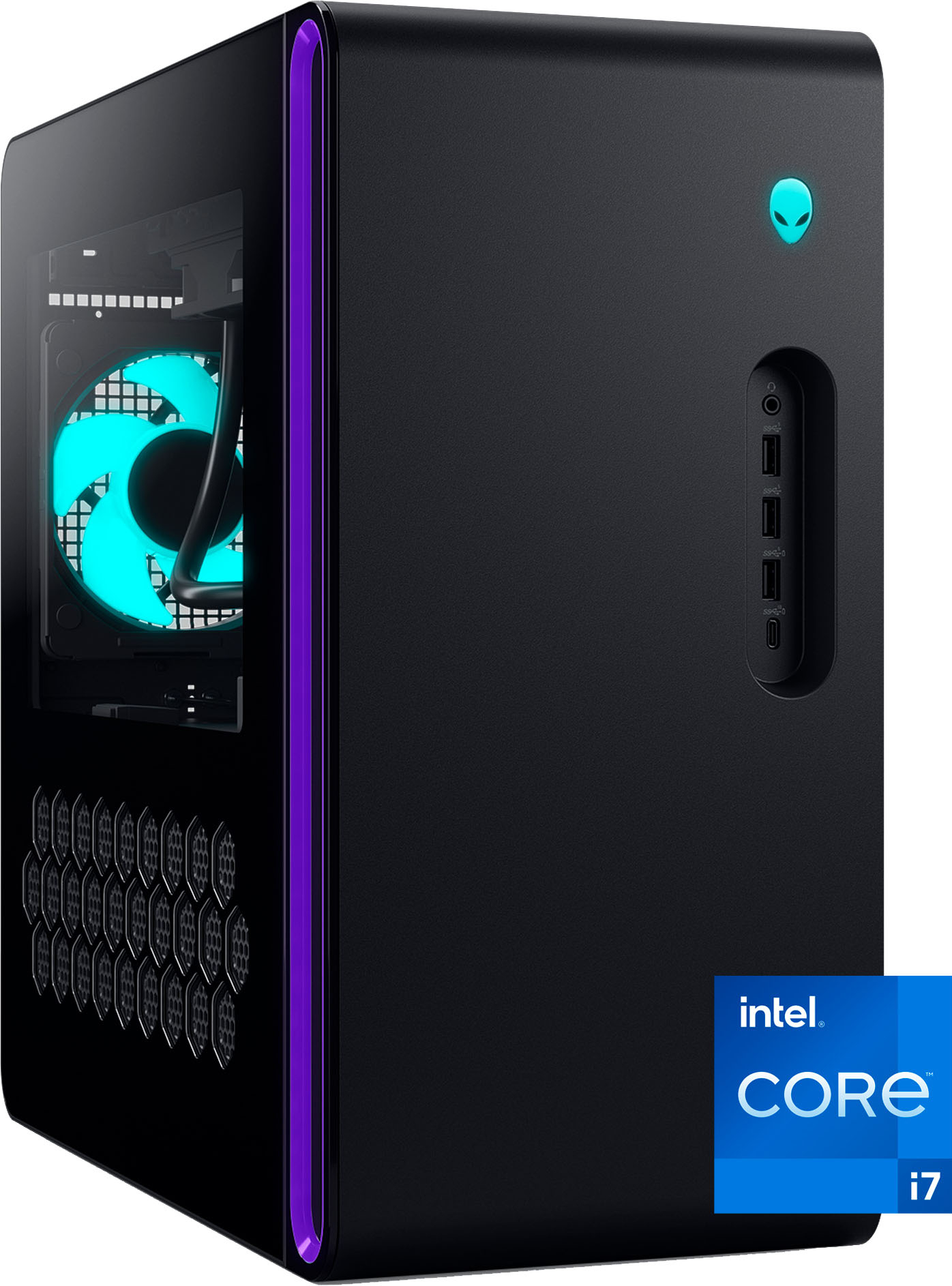
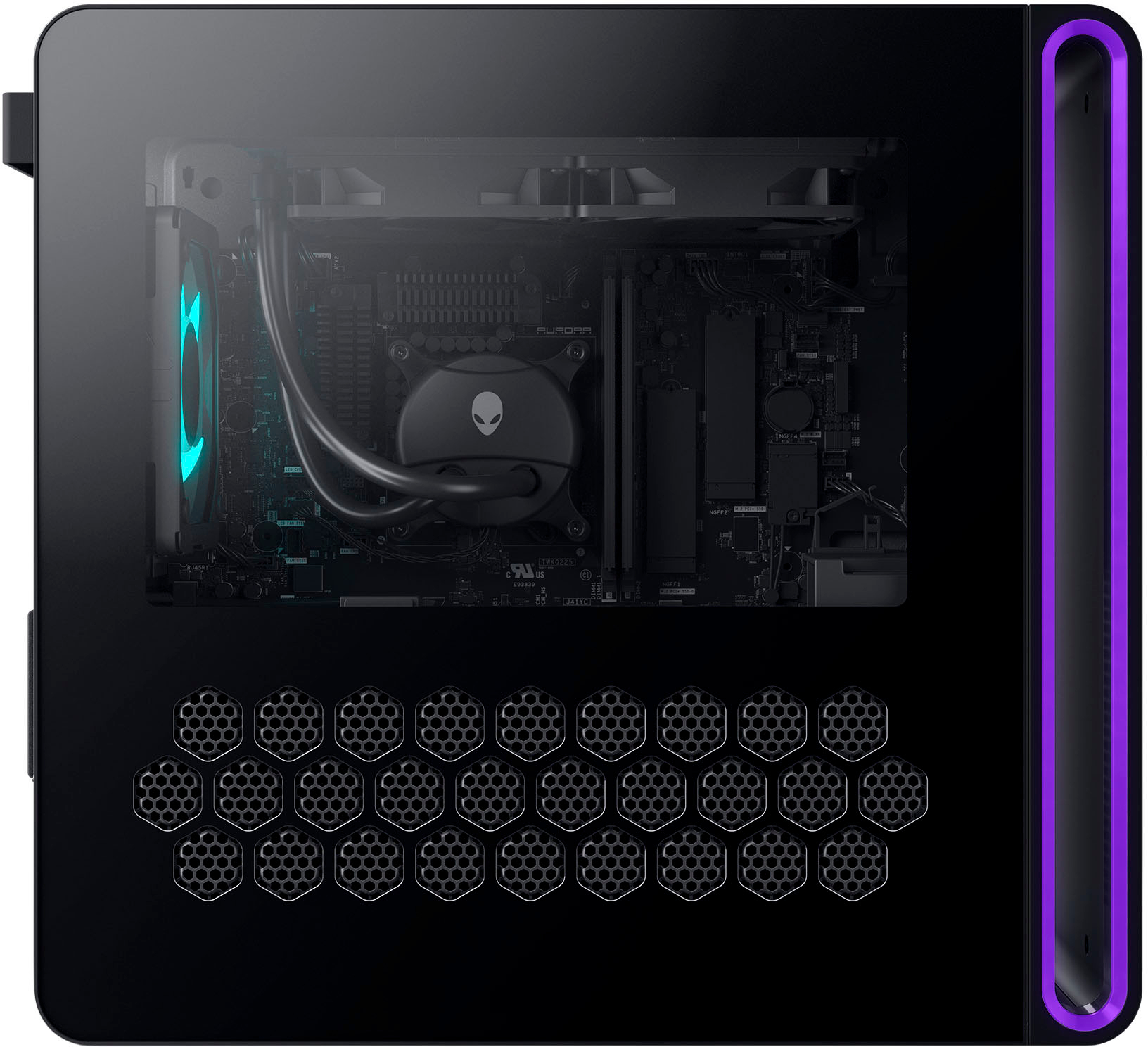
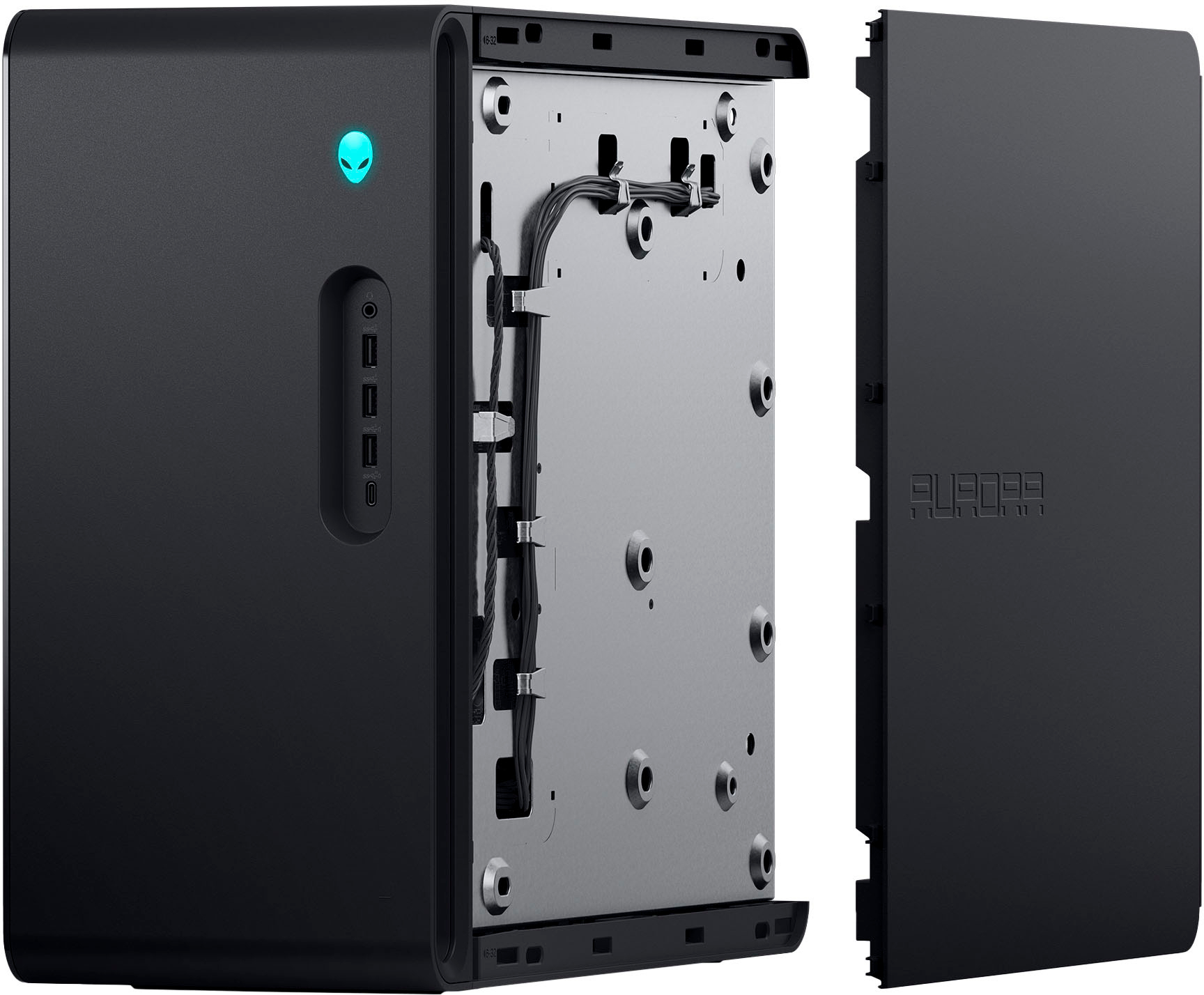
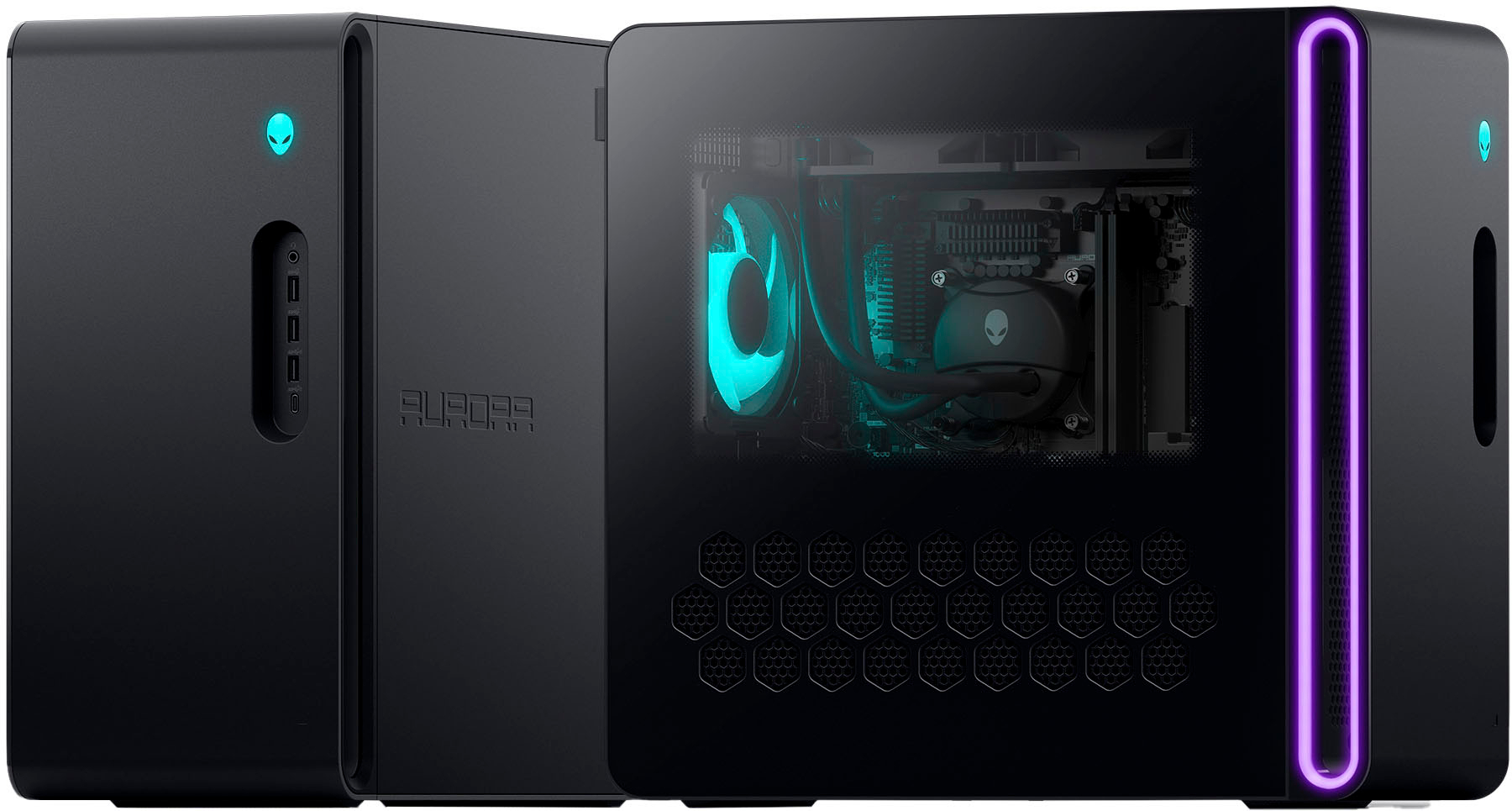
|Posted .This reviewer received promo considerations or sweepstakes entry for writing a review.The Alienware Aurora R16 is a good gaming PC for those who want a pre-built system. Its hardware specs, on paper, are impressive, and one gets the peace of mind of being backed by a major OEM. That said, the system is not without its flaws and the hardware is not pushed to its full potential, and the presence of proprietary parts make future upgrades tricky. The R16’s case is demure by Alienware standards—gone are the sweeping curves of their previous designs—replaced by a less flashy rectangular design with gently rounded corners that, at least upon first look, seems better optimized for cooling. The front panel has a small Alienware logo that serves as the power button, and a recessed I/O panel with a 3.5mm audio jack, 3 Type-A USB ports and 1 Type C. A large hollow area behind the panel serves to allow airflow through the front, while the top also allows for airflow for the CPU cooler. The left side panel is clear, with a large lighting area in front of it and the lit up rear 120mm cooling fan prominently visible. On the back panel you’ll find more audio, including digital optical out, USB ports (A and C, 2.0 and 3.2), ethernet, and the antenna connectors for the Wi-Fi. Video connections are handled strictly by the graphics card. Under the hood, the system is powered by an Intel Core i7 13700f, with the –f suffix signifying that the CPU does not have any onboard video capabilities. It’s cooled by a top-mounted and quiet 240mm AIO liquid cooler and sits upon a custom Alienware motherboard using the Z690 chipset. This cooling setup is much, much better than what I’ve seen before from Alienware and should easily handle the 65W 13700f. However, I was dismayed to see yet again a proprietary motherboard design, with the front I/O panel handled as a physical extension of the mainboard. The 16GB of RAM consists of 2x8GB SK Hynix DDR5 sticks rated at 5600Mhz CL 46. This is faster RAM than I’ve seen before with Alienware but as before, XMP is not supported, which would make future upgrades tricky as you would need to ensure that any new RAM will be supported at JEDEC standard speeds, and most aftermarket RAM is sold according to its speed using Intel’s XMP (eXtreme Memory Profile) specs. Even so, 16GB of total system RAM is still solid for any gaming machine currently and will suffice for most productivity tasks as well. Storage is provided by a 1TB Western Digital SN810 SSD. It appears to be a standard 2280 M.2 format with no passive cooling attached. Performance is outstanding, with CrystalDiskMark reporting read speeds of 6950MB/s and writes of 5211MB/s. Graphics are handled by the Nvidia RTX 4060 Ti, which has 8GB of GDDR6 on a 128-bit bus. While the 4060 cooks up all the 4000-series goodies like DLSS 3, RTX Super Resolution, and Frame Generation, that memory spec holds this card back. This is an Nvidia decision, not Alienware’s, but it’s something to keep in mind. The 8GB of VRAM and relatively narrow bus (partially offset by a larger cache) is going to make this a great 1080p card natively, but 1440p gaming is probably going to require DLSS (or FSR, AMD’s open-source competitor to DLSS on games that have it but not DLSS) to be viable in the latest games. Frame generation helps further, but at cost in increased latency. How much that affects you depends upon your gaming style—if you are someone who mainly plays single player games, this isn’t an issue, but if you play fast paced competitive multiplayer, it might be. Overall, the RTX 4060 Ti positions this as a fundamentally mainstream 1080p/1440p gaming machine. As alluded to previously, the impressive specs do not always translate into impressive performance, and a little digging reveals why. Using Cinebench R23 in a standard 10-minute loop (the longer test reveals throttling), the 13700f managed 21068 points in my testing. This is on the low side for this chip by a significant margin. It appears that despite being on a Z690 chipset (which allows for lifted power levels even for non-K series chips), Intel’s PL1/PL2 power specs are being strictly enforced. Therefore, the maximum sustained boost didn’t last for any longer than about two minutes, drawing over 200W package power, before dropping to around 100W and much lower clocks (P-cores at about 3.8/3.9Ghz, down from over 5Ghz). In this case, I don’t believe this is a limitation of the CPU cooling (temperatures peaked at 75 deg C, with the Tj max being 100 deg C, and the AIO appears beefy enough), but perhaps it might be a limitation of the motherboard’s VRM setup (power delivery)? I say all this not to indicate that the chip is performing out of spec—it’s not—but to say that this chip is capable of more while remaining within Intel’s specs. Does this affect gaming? Likely not much, since hardly any games, if any, hammer the cores like Cinebench’s multithreaded test. But it is something to keep in mind with regards to productivity work, especially core-intensive multithreaded applications like video rendering. It is, however, pleasingly quiet under load, even when the performance power profile is set in the Alienware Command Center, so perhaps that’s the tradeoff. Benchmarks: I tested this game with 3 gaming titles with built-in benchmarks: Horizon Zero Dawn, which is a 2020 title but still graphically beautiful, Forza Horizon 5, and the new Forza Motosport. The latter two both have ray-tracing graphical options and all 3 offer some level of DLSS support. Horizon Zero Dawn is a game that the RTX 4060 Ti handled well, with the highest quality preset turning in 4K performance of 55fps without DLSS and 75 fps with DLSS Quality mode. This is a case where the 4060 Ti can take on an older but still graphically intense game and get playable quality up to 4K, meaning those with 1440p or below monitors can expect even higher frame rates. Forza Horizon 5 is also 4k capable with this card, especially if using DLSS, and 1440p results without upscaling and the ultra preset turned in a very respectable 119fps for smooth gameplay. Things did not go as well with the 2023 Forza Motorsport: DLSS is probably a must for this game regardless of resolution unless the presets are turned down significantly. The Ultra dynamic preset only managed in the lower 30’s even with DLSS at both 1080p and 1440p. Dropping to the High preset and using DLSS Quality at 1440p raised that to 49fps. Given that Forza Motorsport is a brand new title, I think this points towards the 4060 Ti being a 1080p/1440p card, depending on whether DLSS is an option, with older titles performing very well with 4k possibly within reach. Overall, I find the Alienware Aurora R16 to be a step forward versus previous Alienware builds I’ve encountered. While some might miss the old case design, I believe this one looks better configured for cooling, and the AIO cooler is much better sized for the system’s intended use. I still find some decisions to be frustrating, such as the use of the proprietary motherboard, lack of XMP with the RAM, and the highly conservative CPU power management. The 4060 Ti has its own complications, but I can’t hold that against Alienware. Does the system fundamentally do what it’s supposed to do? Yes, it will deliver a good gaming experience at 1080p to 1440p, along with some prowess for productivity work as well. If you’re someone who is adamant about not building your own gaming PC and you prefer the peace of mind of being backed by a major OEM, then yes, I would recommend this system.
I would recommend this to a friend - Pros mentioned:Cooling, Graphics, Noise level
Love It !!
Posted .This reviewer received promo considerations or sweepstakes entry for writing a review.Purchased for Christmas, was matched with Dell monitor 32” & gotta tell you so far we love it! The NVIDIA 4060 wasn’t my choice but it has delivered with all games we have played so far, graphics are awesome with smooth playing. Very quiet unit, runs cool with all the plug in ports needed for our gaming needs. Easy set up and play with it matched to the Dell 32” gaming monitor. Ordered on line with delivery, very quick delivery by Best Buy! Thanks Alienware we love our new gaming pc!
I would recommend this to a friend PC won't communicate with any devices via USB.
||Posted . Owned for 1 month when reviewed.This reviewer received promo considerations or sweepstakes entry for writing a review.Absolute trash, the usb ports won't communicate with any other device and the company thinks this is fine. You can't plug in speakers, a camera, nothing.
No, I would not recommend this to a friendBrand response from YourDellTeam
Posted .Dear ArleneaW,
We want to thank you for taking the time to leave a review of your Alienware Aurora R16 desktop. We are sorry to hear that you are experiencing an issue with your ports not working. That is not the type of feedback we like to hear from our customers, or the type of product Dell intends to deliver. We have noted the details of your statement and will use them to improve current and future products. Below I have provided a troubleshooting link to help resolve your issue.
USB Troubleshooting Link: https://rb.gy/iz1g1j
If you continue to experience issues, please reach out to Dell Support directly by using the information provided below.
Chat or call: https://bit.ly/DellSupportTeam
Phone number to Dell: 1-800-624-9896
Best,
Summer@Dell
- Pros mentioned:GraphicsCons mentioned:Ram
Good Prebuilt but be sure it's what you want
|Posted .This reviewer received promo considerations or sweepstakes entry for writing a review.Alienware has been a household name in pc gaming for a long time and the r16 is more of the same. 16gb ram, 1tb ssd, 4060ti and 13th gen i7 will help get you going on whatever games you enjoy most. I was able to enjoy all my favorites including Baldur's Gate 3 with it on medium settings. The 4060ti is mostly suited to a 1080p build, it will leave you desiring more if you have a high end 4k system. Everything is well put together with a liquid cooler that keeps my system idling in the 30's and maybe 60-70 range gaming on max settings. I'm an upgrade enthusiast so a couple things to be aware on the internals of this build. Only two ram slots, most common boards nowadays have at least 4. There are two m2 nvme slots, while one is used for the drive that comes with the system, so you can add one more nvme slot and one sata HDD/SSD. Cable management is well done. 4060TI is powered by one 1-8pin power connector and there is only one spare 6 pin power connector. If you have a high end gpu you want to swap in that takes 2 -8 pin power connectors or more you are out of luck. All the parts on the inside are proprietary to Alienware so swapping in a custom PSU or motherboard/cpu is out of the question as well. I feel like the rgb is a little lackluster for an Alienware only the rear fan and the front of the case have RGB, I feel like the cooler was the perfect spot for some more but it leaves it feeling a little dark inside. If you are 100% happy with the specs that come with it, then this thing is solid and will serve you well as you would expect from the Alienware name. If you are looking for something to build off of I would not recommend this you will just run into frustration with limited ports and proprietary parts.
I would recommend this to a friend Garbage
||Posted . Owned for 3 weeks when reviewed.This reviewer received promo considerations or sweepstakes entry for writing a review.Straight Dell garbage. Stop selling Dell, they suck.
No, I would not recommend this to a friendBrand response from YourDellTeam
Posted .Hey Rock093,
Thank you for taking the time to leave a review of your Alienware Aurora R16 desktop. We are sorry to hear that you are not completely satisfied with your device. That is not the type of feedback we like to hear from our customers, or the type of product Dell intends to deliver. We have noted the details of your statement and will use them to improve current and future products.
If you need further assistance, we recommend using the toll-free number or chat link below at your convenience to reach a member of our Dell Support Team.
Chat or call: https://bit.ly/DellSupportTeam
Phone number to Dell: 1-800-624-9896
Best,
Summer@Dell
- Pros mentioned:Performance
Pretty awesome!
|Posted .This reviewer received promo considerations or sweepstakes entry for writing a review.TL;DR: 1. USE: It’s a gaming system and works great! 2. SETUP: The usual - it can take some time, but nothing crazy 3. Usability: It is easy 4. The quality and durability seem to be good. I’m happy with my purchase. 5. Buy one and enjoy it, over the holidays and into the coming years! I was looking at upgrading my old gaming PC and wanted the latest Alienware Aurora. I have had older versions and like the look of the current R16. I played with my friend’s Razer Tomahawk, which was nice, but still not what I wanted. I chose the Aurora R16 for several reasons, including that it just works…It allows memory to to upgrade, it has more than the amount of ports I currently need (future proof for me…at least for the foreseeable future ;) ), and I haven’t seen any buffering. It also connected easily to my 34” Curved Samsung Monitor. While using it, it loads up quickly and works great. I have had it for about a month and haven’t seen it slow down at all. I have also used it for work stuff and it shrugs off the hours with ease. The see through case looks cool…and not overdone. The optical quality is great. With my old computer, it could make things look strange on my Curved Monitor. With this, everything looks clean and clear. The sound quality is great with its subwoofer output port. If you’re in the market for a new PC, you definitely won’t go wrong with this!
I would recommend this to a friend - Pros mentioned:Cooling
Best Starter Pack Yet
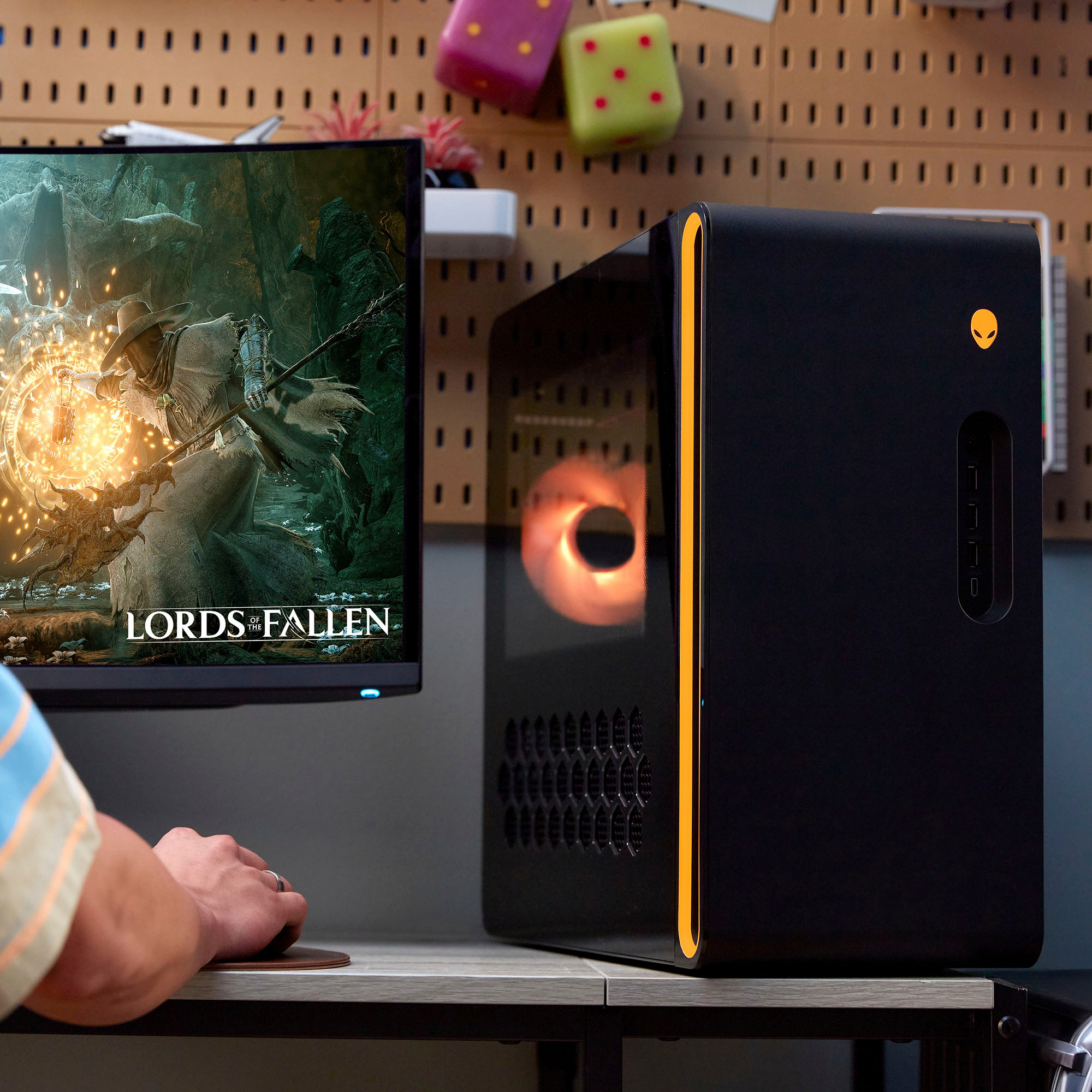
|Posted .This reviewer received promo considerations or sweepstakes entry for writing a review.This is going to be a love it or hate it situation for a lot of Alienware and PC gaming fans out there. Alienware has finally done what they've been saying they wanted to do for seemingly forever. And that is to bring a great PC gaming experience to the masses at a very good budget. This is not to say that this is a cheap product in the Alienware Aurora R 16. But more so of an extremely affordable name brand product. This particular gaming RIG is the lowest entry of the 4 possible options in this family. With the beginner friendly low tier Nvidia GeForce RTX 4060 Ti embedded. This system clocks in at just around the mid-tier gaming laptops of the last couple of years that ran the Nvidia GeForce RTX 3070 chips. So, what I'm saying is the lowest tier is as good as the mid-tier of that time and is still capable of running most any game that you want, that happens to be coming out right now. I know that may sound like I'm dunking on this PC, but you have to look at the bigger picture. This is a gaming RIG. A desk-Top PC. And if there's anything that's to be said about that, it is the simple fact that this machine can grow right along with your budget. You can upgrade this to a high-in Ultra spec'd, power house of a system when the funds come readily available. The see-through side can slide off and take that upgrade at will. But I haven't even started on how nonchalantly beautiful this tower is. The RGBs have been toned down and the body is a lovely rectangular aesthetic that can fit in anyone's Game-room or office. It is liquid cooled so it can actually be really quiet. And possibly one of my favorite features is the honeycomb vents that are actually at the top. Allowing for the expulsion of hot air to go upward. Not backward or downward. That just makes sense. USB ports out the washoo, a Type C lightning port up front Headphone and speaker jacks, tons of USB ports in back there and only one HDMI port. and a spot for your digital antenna. Again, this is the lowest end PC in the Alienware Aurora family, but I have to complain about the included mouse and keyboard. I get that this a very good gaming RIG at first glance, but honestly you're still spending over a grand. I'm saying that because the cheapo mouse and keyboard are embarrassing, coming out of the box. I also get that if you're buying this RIG, you probably already have your sweet looking RGB mouse and keyboard at the ready, but if they knew that, and I'm sure they did, they could've just not put the DELL keyboard & mouse in the box. Not really a gripe, but it's a gripe, all the same. I can't not recommend this PC enough, even with its short-comings, I still think it's a great deal.
Alienware Nails it! Almost Perfection...
|Posted .This reviewer received promo considerations or sweepstakes entry for writing a review.I’ve been on a fence with Alienware towers for a few years. Their specs were always good. But their uniquely shaped cases seemed small and the other cases were huge. And there was also that green color I just did not care for in my blue painted room. Many of the case concerns seem to be resolved with a more standard mini-tower case that sized just about right. There is a large volume of air with good air flow and standard components that can be easily upgraded. And Alienware made the case look good too! With a stylish second sold front, some LED accents, interesting octagonal vents, and a short side window to show off some of the impressive bits like the 240mm liquid CPU cooler up top and the ultra-neat nearly invisible wirings and neatly run cooling hoses. Still some may see shortcomings. The side window stops just above the video card. As gaming video cards often light up, some to the extreme, other the logo if nothing else, as with this model, it seems rather odd they did not extend that window down to show off the video card and whatever else might be installed in the slots. At least the back half of the window down another inch to show off the video card. Case Window aside, it is an attractive case with tasteful LED accents that can be disabled if desired, say to fit into an office space. The LED’s are not overdone as in some teens home brew PC where this looks like a circus act with more show than go. Alienware put some money in the show, but most went toward performance. The 13th gen Intel Core i7 is a speedy chip close behind its big brother i9 heels. A good choice since the i9 does not get that much extra performance for the extra money spent. But as prices come down and the 14th Generation CPU is available, these other choices are possible. • Intel Core 14th gen processor i7/i9 • 13th Generation Intel Core i7/i9 • 12th Generation Intel Core i9 Thanks to the CPU liquid cooling, fan noise is at a minimum, I did not notice it at all as the liquid cooling with two 120 mm fans, 240mm total, kept the CPU well cooled. As every gamer knows, it’s the video card that really does the heavy lifting in game play The NVIDIA GeForce RTX 4060Ti video cardis a very capable performer that improves on the last generation. The model in this PC has 8 GB of GDDR6 memory. This card supports a resolution of up to 7680 x 4320 at 120 Hz over the Display Port 1.4a port of which there are three. It provides smooth gameplay on my monitor running at 3840 x 2160 at 120 Hz AS games progress and if you upgrade your monitor to a very high resolution and frame rate, you may find its limits. The PCI Express slot is standard, and the card is air-cooled. Swapping the video card out for a more powerful one should be a simple matter. However, the 500 Watt Platinum power supply will most likely need to be upgraded as well. Alienware made a reasonable choice with 16GB of DDR5 RAM. DDR5 RAM is the future. DDR5 supports higher speed, more bandwidth, and lower latency than DDR4 RAM. When DDR5 came out, the benchmarks did not show a performance increase to justify DR5’s higher price. But the cost of DDR5 has steadily come down making those small gains worth the extra cost these days. And as CPU’s get faster, that becomes even more important. The 14th gen of the Intel Core CPU’s are due out in October 2023 and will naturally bring more speed. It makes sense that Alienware would pick RAM that best takes advantage of the latest CPU’s. 16GB is right for PC gaming. Most games are written for the two big consoles, which have 16GB of RAM. The code from the consoles is then ported to the PC platform and tweaked to run there. That’s why 16GB is just fine for gaming. More RAM will allow for multiple other programs to run when not gaming. There are two memory slots that support five memory configurations: • 16 GB, 2 x 8 GB, DDR5, 5600 MT/s, dual-channel • 32 GB, 2 x 16 GB, DDR5, 5600 MT/s, dual-channel • 64 GB, 2 x 32 GB, DDR5, 5200 MT/s, dual-channel • 16 GB, 2 x 8 GB, DDR5, 5600 MT/s, dual-channel, XMP • 32 GB, 2 x 16 GB, DDR5, 5600 MT/s, dual-channel, XMP The R12 has two M.2 2230/2280 card slots for solid-state drives. They support PCIe Gen4 x4 NVMe, up to 4 TB. One slot has a 1TB M.2 card in it. There are also two SATA AHCI 6 Gbps ports to add a mechanical hard drive if needed. Ther is also one M.2 2230 slot for the Wi-Fi and Bluetooth combo card. The Wi-Fi card supports the latest; Wi-Fi 6E (Wi-Fi 802.11ax) and Bluetooth 5.3. The back of the PC has connections for an external Wi-Fi antenna that can be mounted on top of the PC, a desk, or high on the wall. There is a Killer E3100G Ethernet controller integrated on the system board that supports up to 2.5Gbps when using a Cat6 network cable. The Alienware Command Center software lets you tweak and monitor your system performance, LED lights, and other settings. It works well and is easy to use. The keyboard and mouse are standard Dell, the keyboard is the quiet soft cushion type. Not much to say for it other than they work. Some prefer or need a quiet keyboard when gaming? A keyboard and mouse are your interface to the PC, so they are important. I thought about deducting a star for these standard items on a such a nice gamin system. But what a person likes varies widely. So I think I’d rather get something basic like this, if anything at all. A long time gamer likely has a keyboard and mouse they prefer. Or you can put the money saved with these into the keyboard and mouse that I really want. These will get you by if needed, even be useful on Zoom calls or use late at night while others in the house sleep, so not a waste. Unlike some other PC’s, most everything can be upgraded here. The CPU and RAM can be easily upgraded, but these are not going to get you a noticeable boost in gaming performance. To get more performance, say if your monitor runs a crazy high resolution, that will require spending significantly more money on a higher end video card. And that is an easy upgrade to do down the road when games start demanding more from a card. It’s a viscous cycle, but upgrading this PC is easy to do when the time comes. Your investment is protected. And it does this while looking good anywhere, not just in a teens room. Aside from the too small window, this PC is done well. It's not over the top with LED's. I’m thrilled with this PC and I suspect you will be too.
I would recommend this to a friend