Customer Ratings & Reviews



- Model:
- AWAUR16-7667BLK-PUS
- SKU:
- 6558705
Rating by feature
- Value
Rating 4.6 out of 5 stars
- Quality
Rating 4.7 out of 5 stars
- Ease of Use
Rating 4.8 out of 5 stars
Customers are saying
Customers regard the Aurora R16 Desktop's performance and graphics capabilities as exceptional, frequently praising its smooth gameplay and high frame rates. Many appreciate its quiet operation and effective cooling system, while some find the included RAM and storage capacity to be limiting. The proprietary motherboard and power supply also received criticism for limiting upgrade options. Despite some concerns about specific components, the overall value for the price point is often highlighted.
This summary was generated by AI based on customer reviews.
- Pros mentioned:Performance
Runs smooth and quietly
||Posted . Owned for 3 months when reviewed.This reviewer received promo considerations or sweepstakes entry for writing a review.Works very well and handles several mods equipped in games
I would recommend this to a friend - Pros mentioned:Performance
Alienware review
||Posted . Owned for 3 weeks when reviewed.This reviewer received promo considerations or sweepstakes entry for writing a review.Love the product does everything I need it to do and more
I would recommend this to a friend Top PC
||Posted . Owned for 2 weeks when reviewed.This reviewer received promo considerations or sweepstakes entry for writing a review.We were very happy with this PC and it was an excellent price
I would recommend this to a friend- Pros mentioned:Cooling, Noise level, PerformanceCons mentioned:Ram

Great gaming PC!! Does it all
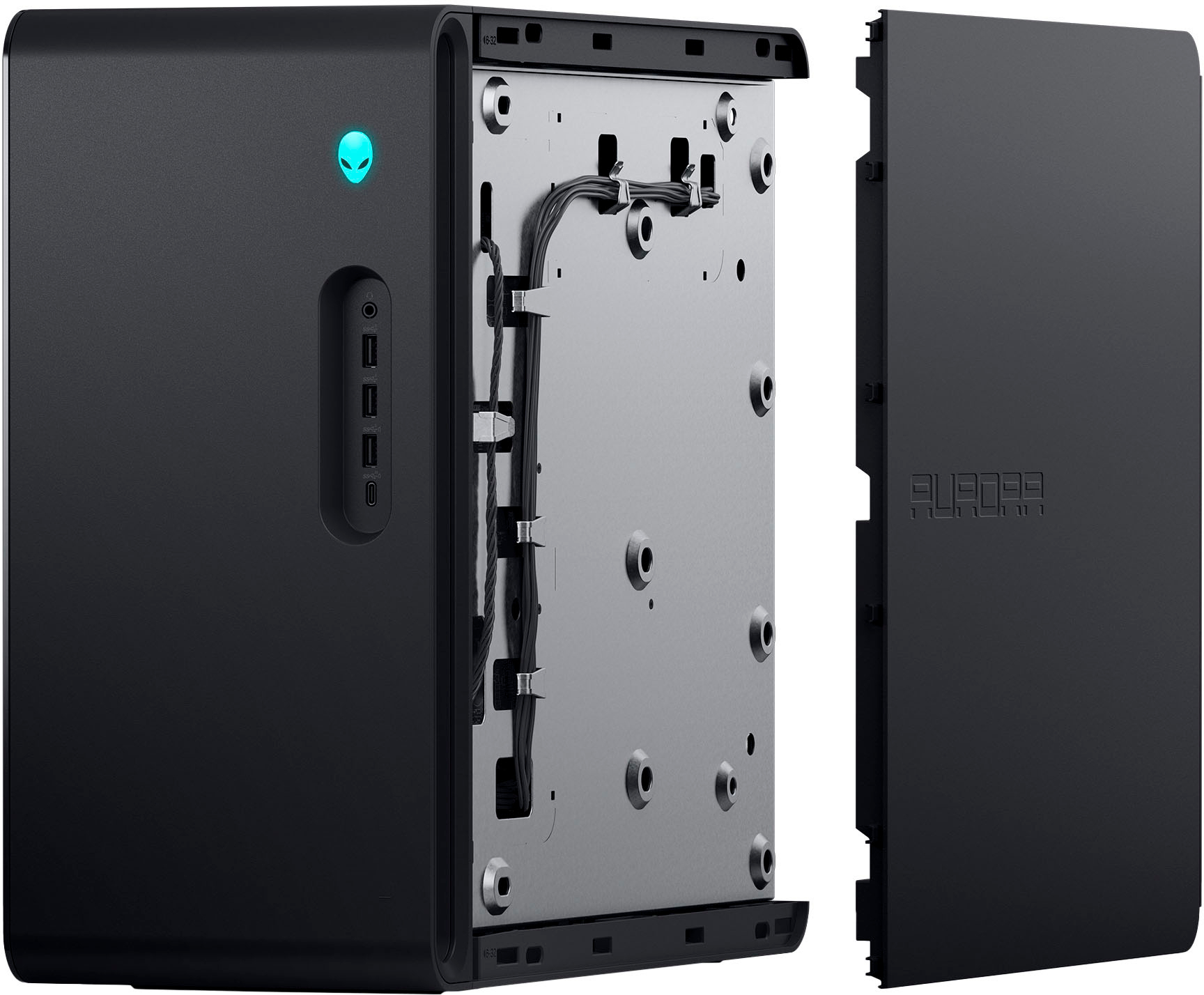
|Posted .This reviewer received promo considerations or sweepstakes entry for writing a review.So lets get started on this machine! Setup is really simple - i was a bit concerned about the cooling and all the requirements for setup. But just like all other desktops it was simple and require no extra steps - power, KBD, mouse, DP for monitor. Turn it on!! I do not use Wi-Fi but it does have a external antenna for better Wi-Fi experience using wifi6 So, this PC uses windows 11. nice OS, simple to use. I came from win 10 so a little bit of a change but i like it! Lets talk hardware- this thing is a beast!! I7-3700 processor, 16GB RAM, 1 TB nVME storage, 500W PSU and tons of connectivity options.(love the simple front with 2 USB and 1 USB-C) I will say that memory expansion does NOT have any available slots. So if you want to bump up its complete replace. That is a dinger for me. Although there is another available nVME slot! This was more important as games now take up a ton of storage. Will defiantly be adding another storage shortly. So for the first few days, I just let the machine run and used for daily tasks. It handled this with no sweat and honestly i don't think it even noticed! Its runs super quiet and you won't notice its there. I then installed a few games to play. WOW Nice and smooth gameplay and it still never missed a beat. I was able to track performance via the Alienware Command Center and adjust for performance. There are a few built in options(quiet, Balanced, Performance, Custom). The display allows you to toggle between different data sets from system performance to Thermal data. You can also adjust the RGB lights here - power button, front side light and rear fan light. I really like the case. Its simple and refined. No sharp edges but nice rounded lines and it flows with my office setup. While some might like to show off their machine. I like to keep it subtle and then perform. Highly recommended setup. The components really shine when called upon and I think this hits a nice price to performance ratio My only disappointment is the keyboard and mouse. They are the generic ones packaged with all the other machines. While this wasn't an issue for me personally as i have a gaming peripherals. This was a bit off-putting at the price.
I would recommend this to a friend Price + Quality 100%
||Posted . Owned for 2 weeks when reviewed.This reviewer received promo considerations or sweepstakes entry for writing a review.Excelente desktop for an excellent price. 100% recommended
I would recommend this to a friendGreat computer
||Posted .This reviewer received promo considerations or sweepstakes entry for writing a review.Amazing performance i love the quality. It can run skyrim with way too many mods.
I would recommend this to a friendAlienware R16, A Great choice!
||Posted . Owned for 3 weeks when reviewed.This reviewer received promo considerations or sweepstakes entry for writing a review.Excellent gaming computer,i really like the lighting on rhis computer, it is not too flashy b And just seems to have the right amount of lighting. This computer is an excellent choice for a prebuilt, and i highly recommend
I would recommend this to a friend- Pros mentioned:Performance, SpeedCons mentioned:Motherboard, Ram
Solid 1440p/1080p starter machine
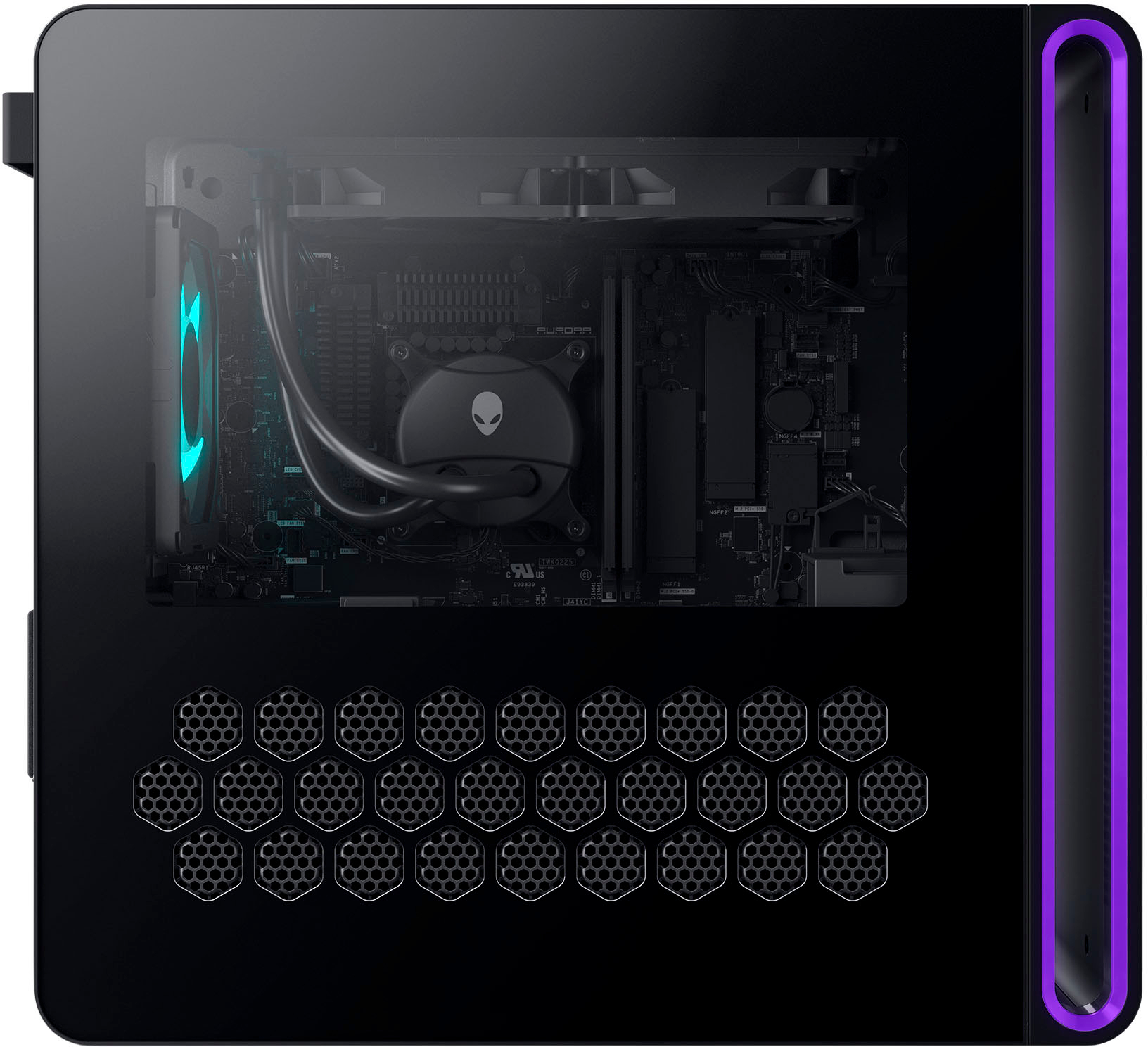
|Posted .This reviewer received promo considerations or sweepstakes entry for writing a review.The lengths people will go for PC gaming is insane. I should know, I'm one of those people. Sure, I have a Xbox Series X and a PS5, but for quite some time, Maxing out everything at 4k with Raytracing can be expensive, sometimes even impossible. That's just building/buying a machine, you still have to purchase a monitor worthy of said machine. For most, 1440p is the sweet spot. With the Alienware Aurora R16, for the most part you can hit that sweet spot in style. For many, design is important when it comes to a PC gaming rig. Maybe not as important as performance, but important. The Alienware logo is synonymous not only with performance in PC gaming, but slick designs. I found the R16's design interesting. The use of RGB is smooth. The Alienware logo, the oblong in the lighting in the front, and the back fan give you a solid amount of RGB without looking tacky. It's smooth. The "interesting" part of the design to some would be the fact you can't see your full internals from the outside. The bottom of the case features a honeycomb design which provides extra ventilation. While I would say the functionality of it is worth it, I can understand some may not approve. Alienware (Dell) opted to put the additional ports on the front of the case as opposed to the top. Opening the case was took one screw on the back, which, is way easier then most cases, but just as secure based upon the setup. The most important thing when it comes to PC gaming is obviously performance. The reason we all pay the difference is for the performance above consoles combined with the massive availability of games. While the R16 isn't the most powerful rig on the market the combination of hardware and software make this machine work. The one downside of the rig is the RTX 4060 TI preinstalled is the 8 GIG variant. Some would argue that if you're not going to 4K, you don't need more than 8 GIGs on the graphics card, however some of these games warn of otherwise. In maxing everything on Apex Legends, I was warned that some of the features could be problematic with 8 gigs of Vram on the graphics card. With that said, while playing, the game easily hit 140 fps at 1440p with everything maxed out. Multiplayer shooting was one thing, Cyberpunk was another. This is where the software kicked in. A Nvidia RTX 40 series card allows for all of Nvidia's tricks of the trade. DLSS 2.0, DLSS 3.0 frame generation...these were definitely necessary for Cyberpunk. At 1440p with everything maxed out including Raytracing on psycho, DLSS frame gen and DLSS 2.0 on ultra performance I was hitting around 70 fps. DLSS 2.0 on ultra performance wasn't the prettiest picture. I'd argue it might be better running at 1080p. At 1080p I was able to run at "balanced" and hit around 80 fps. I understand, this isn't 4k gaming...but won't most unfamiliar with PC gaming, resolution isn't only part of the equation. Most graphical settings on PC gaming are at levels not available on console at all. Removing raytracing adds a huge boost to performance for those who are fine without it. The Aurora R16 is running a 13th gen I7 processor, which is great and more than enough for gaming. The 16 gigs of ram work for now...I'd advise anyone purchasing this rig to look to upgrade to 32 gig in the near future. It also comes with a 1 TB SSD, which, with current install sizes you'll definitely need to upgrade. Luckily there is another M2 slot available. All in all, the Alienware Aurora R16 is a great starter machine for 1440p gaming. Tweaks can be made to settings to maintain that 1440p image when things get heavy, but the Alienware Aurora R16 will definitely get you in the game.
I would recommend this to a friend Cool set up
||Posted . Owned for 1 month when reviewed.This reviewer received promo considerations or sweepstakes entry for writing a review.Excellent top of the line product. And honestly, I love the glowing lights too. My grandchild is 100 percent satisfied so far.
I would recommend this to a friend10/10
||Posted . Owned for 3 months when reviewed.This reviewer received promo considerations or sweepstakes entry for writing a review.This was the first PC I bought and I love it. It’s the best gaming experience
I would recommend this to a friendGreat gaming PC
||Posted . Owned for 3 weeks when reviewed.This reviewer received promo considerations or sweepstakes entry for writing a review.Seems to be a very nice piece of hardware. I would recommend it for anyone in gaming.
I would recommend this to a friendAlienware
||Posted . Owned for 1 week when reviewed.This reviewer received promo considerations or sweepstakes entry for writing a review.So amazing and so beautiful I love it so much best gift iv ever bought myself
I would recommend this to a friendGreat Pc
||Posted . Owned for 3 weeks when reviewed.This reviewer received promo considerations or sweepstakes entry for writing a review.Absolutely amazing, i love this pc. Highly recommend
I would recommend this to a friend- Pros mentioned:Cooling, Graphics, SpeedCons mentioned:Motherboard
A standout entry level PC
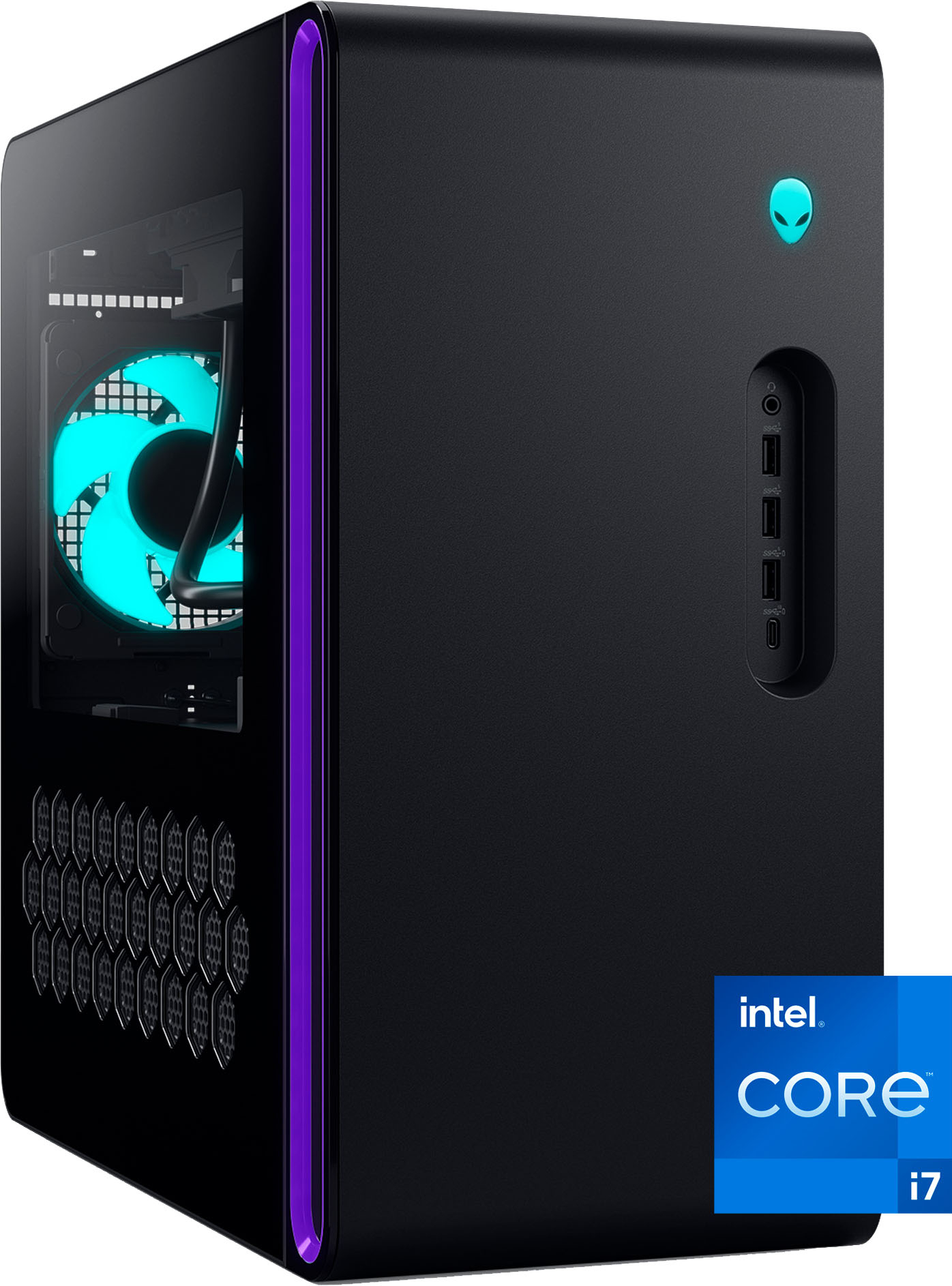
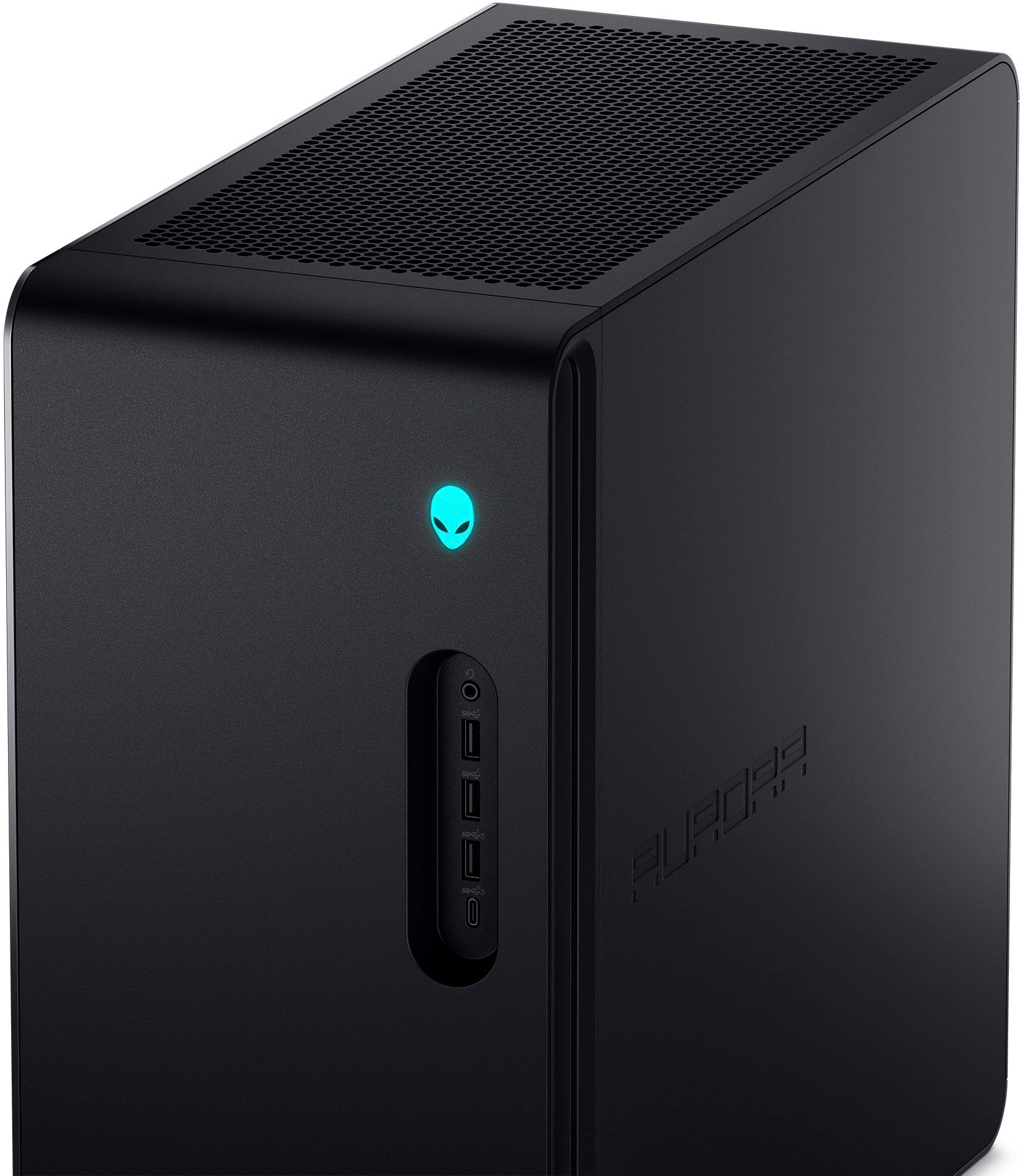
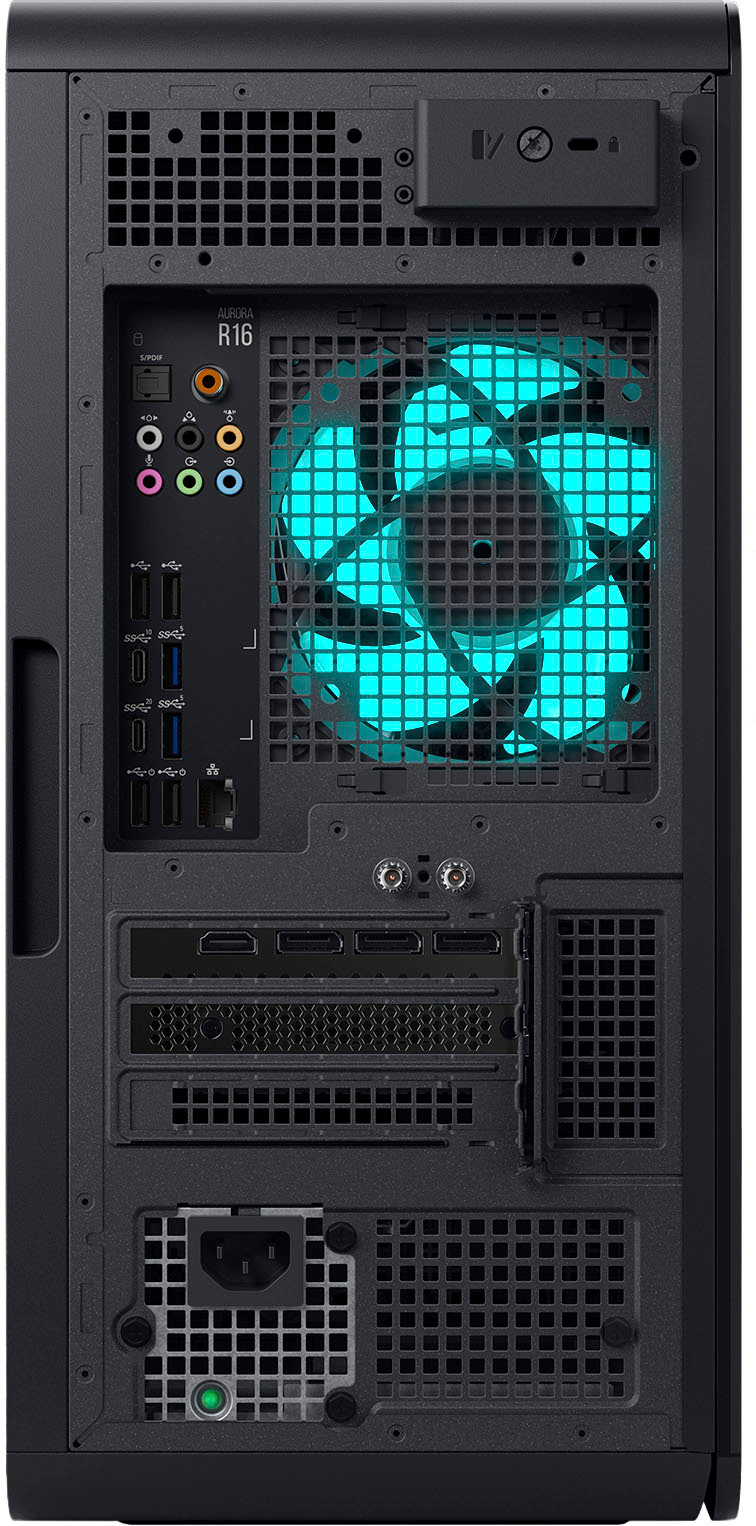
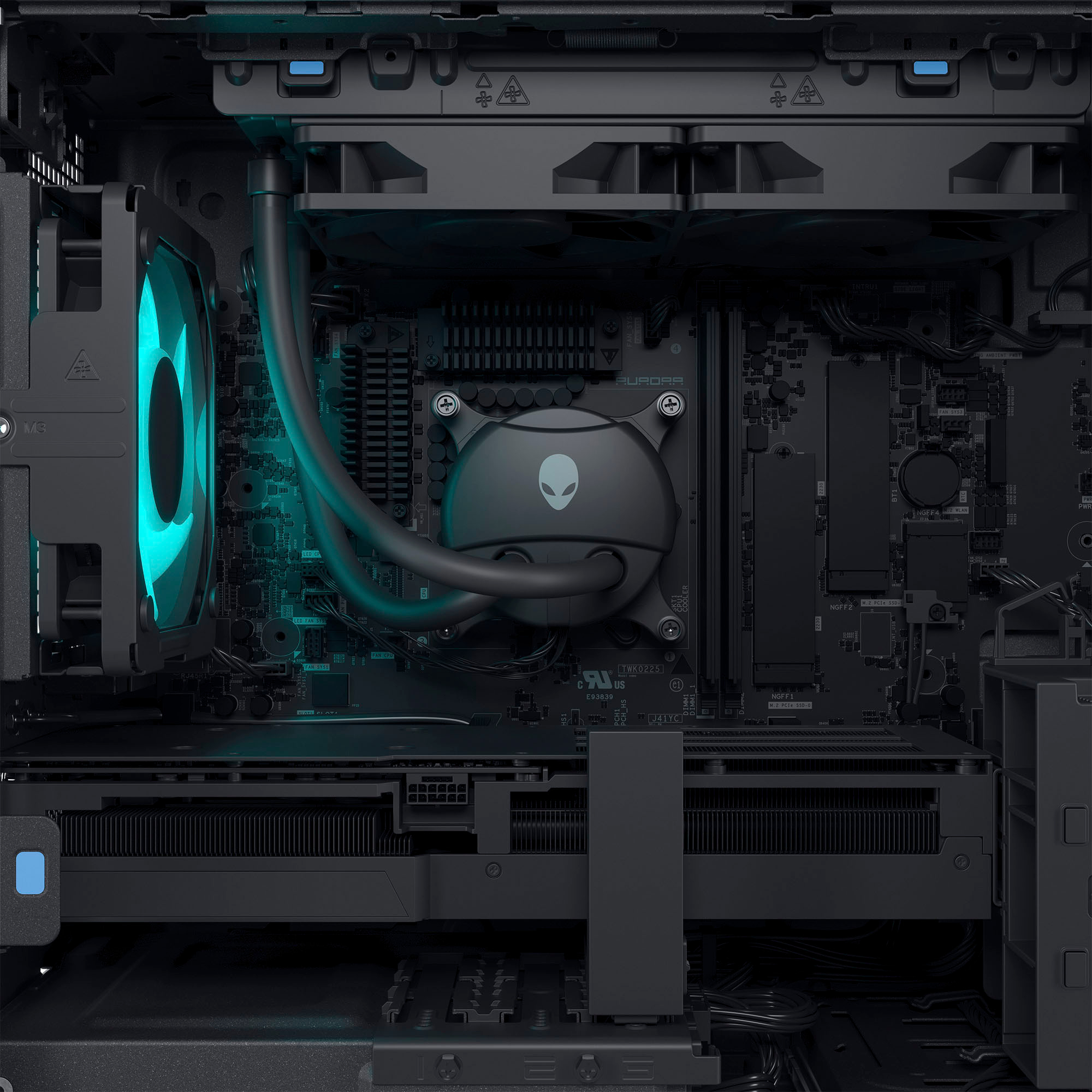
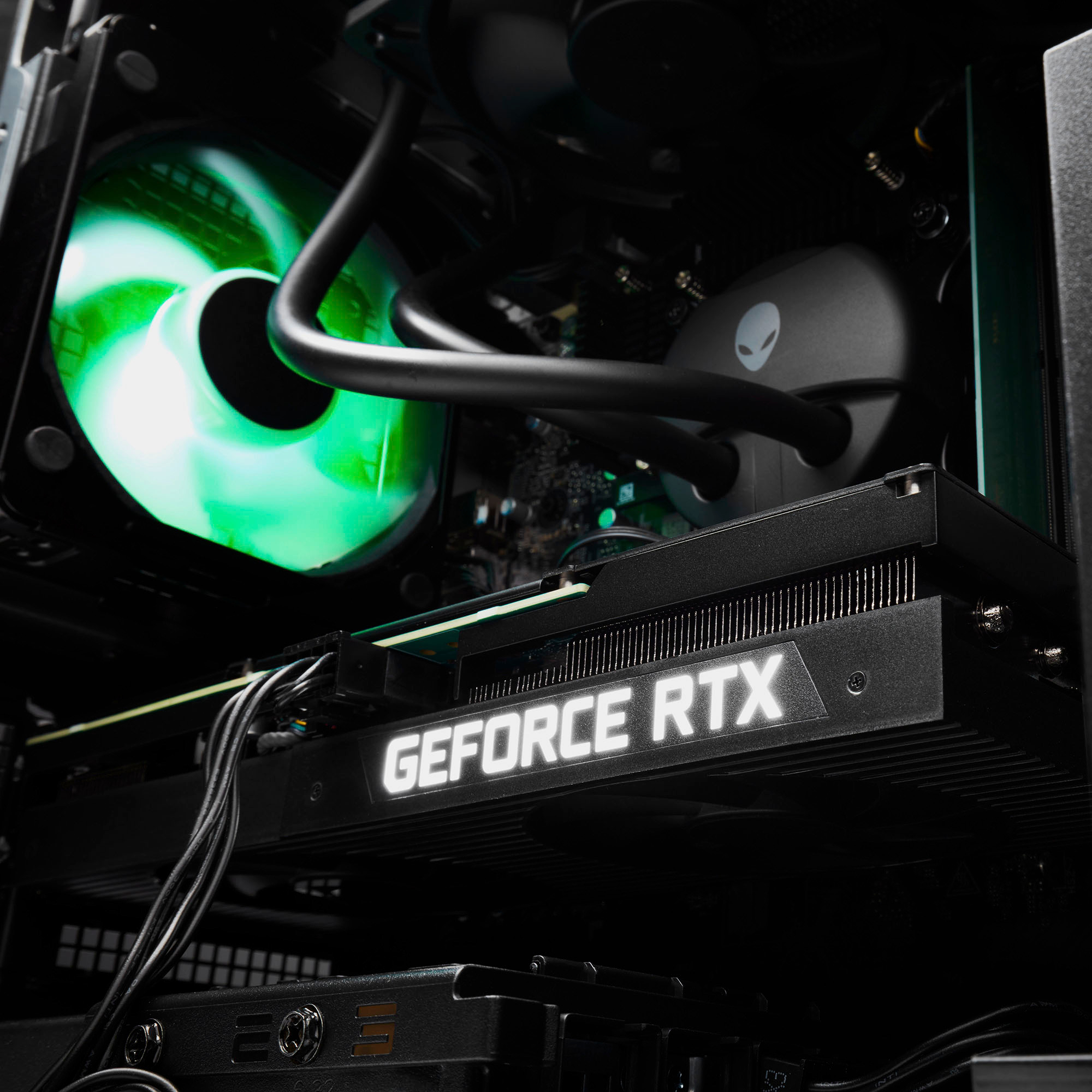
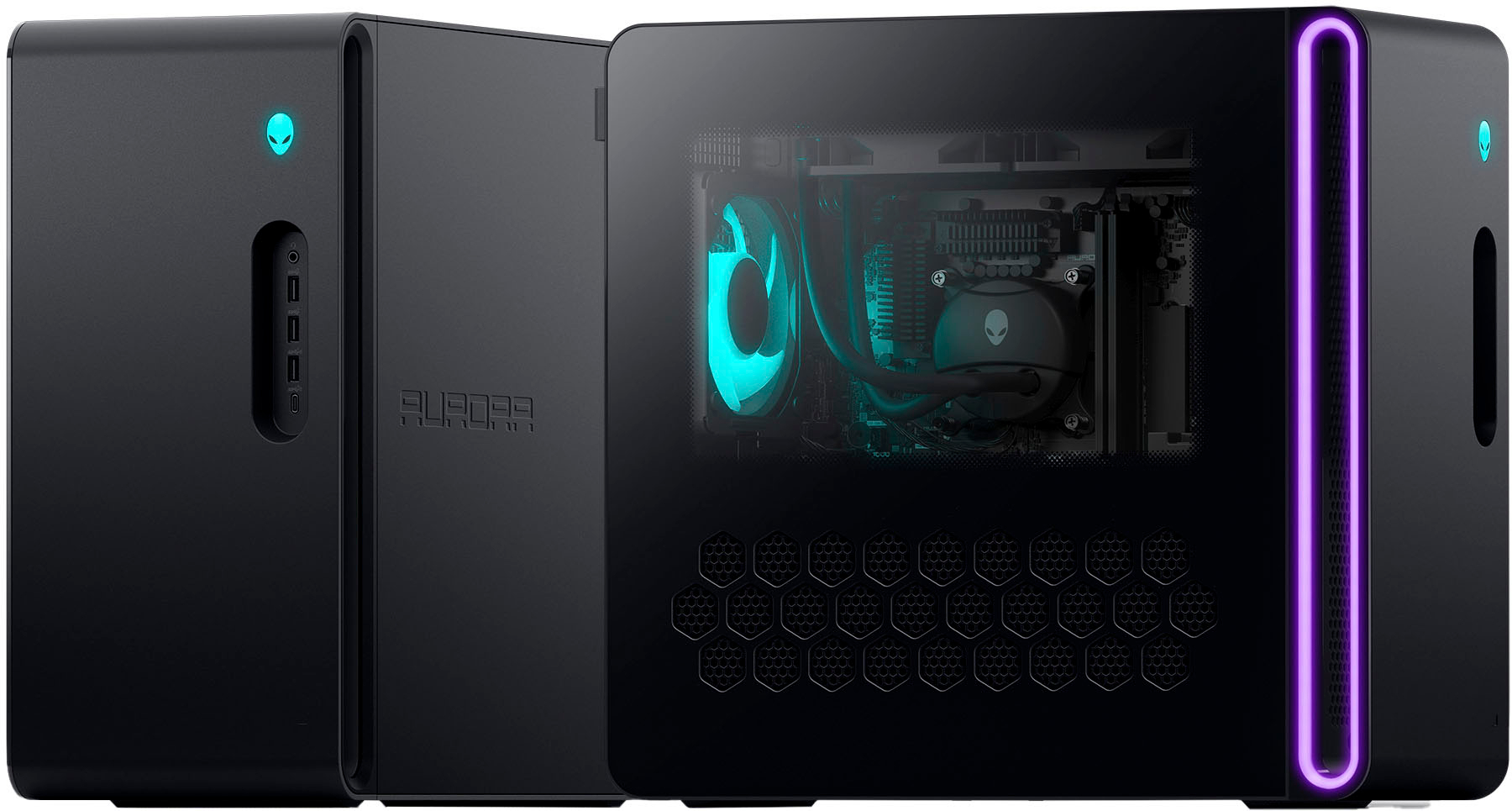
|Posted .This reviewer received promo considerations or sweepstakes entry for writing a review.Alienware is often one of the first brands me and my family think of when we’re looking for an “off-the-shelf” gaming PC. This is one of their higher entry level systems, with a nicely paired Intel Core i7 13th generation processor (the 13700F) and Nvidia RTX 4060Ti. I will note, the 4060Ti in this system is the lower 8 GB version of the card, but will play most games at the highest settings when set at 1080 resolution. In the box you’ll find the R16 PC, a power cable, a basic keyboard & mouse, a WiFi antenna, some Alienware branded stickers, and some basic warranty docs. The PC has 3 USB A, a USB Type C, and a headphone jack on the front panel, under the clever Alienware logo power button. There is also a side glass panel, allowing you to view the inside and the lighted Fan, and the Alienware radiator cooled processor. It comes preconfigured with 16 GB of DDR5 RAM, a 1 Terabyte SSD, with room for another M.2 SSD expansion. I did find that 1TB SSD seems to be about the right minimum to start, but if you’re a gamer I’d recommend a fast external or adding another SSD for expanded storage. The PC comes preinstalled with Windows 11, and didn’t have a ton of pre-installed bloatware. You will have the Alienware software, which can be used to check support options, and even configure the lighting. This PC’s gaming sweet spot is 1080p to 1440p for those 80 to 100+ FPS gameplay. Anything over that and you’ll notice a drop to the 30 to 50 fps on some of the AAA games; although if you’re playing an RPG you might just be happy with the higher resolution and lower frame rates. My primary games of choice are MMO’s, and I found 1440P offered the best balance of frame rate and performance. The card also supports Ray Tracing, although you may notice a slight performance hit when using it on higher resolutions. The included keyboard and mouse don’t really feel like the best gaming components, but they’ll do the job effectively until you’re ready to upgrade to something a bit nicer. The RGB lighting on the case and the LED Fan are a nice touch, and really standout when looking at the minimalist case design. The PC stayed cool regardless of game I was playing, and it played most every game at max settings when using 1440p resolution. You’ll also be happy if you’re a movie or audiophile, as the rear IO offers an optical output and additional outputs for surround sound. The PC also comes pre-installed with WiFi, and the included Antenna simply screws into the two points on the back of the PC. The graphics card has an HDMI port and 3 DisplayPorts for use with multiple monitors. Overall, this a great entry level gaming PC, offering the lighting, clear side panel, and performance of the 4060ti with a Core i7 Processor able to play the newest games. The included Xbox GamePass trial gives you something to play from the start, and I found the updates to be fairly minimal compared to my last PC purchase. I’d recommend installing some additional storage for the added game install space; especially if you have a large game library!
I would recommend this to a friend - Pros mentioned:CoolingCons mentioned:Motherboard, Ram
Impressive Gaming And Multitasking Performance
|Posted .This reviewer received promo considerations or sweepstakes entry for writing a review.I've been testing the Alienware R16 Desktop Gaming PC for about a week. The version I am testing has the Intel I7 Processor, 16GB DDR5 Ram, RTX 4060 TI GPU, a 1TB NVME SSD, and 500 Watt power supply. I have it connected to two FHD gaming monitors (240Hz), a gaming keyboard and mouse.(not the ones that were supplied in the box) Inside the box everything was packaged well enough to protect the PC during shipping. Contents included the R16 gaming pc, offboard antenna, power cable, and a basic wired keyboard and mouse. As far as the keyboard and mouse are concerned they add no performance value to this PC. So, for my first upgrade I added a proper gaming keyboard and mouse. As for the R16 PC, it has minimalist styling with lots of venting, cooling, and I/O ports. There are three RGB lights that are customizable in the Alienware Command Center app: a large one on the case, one on the fan, and a small one on the power button. The GPU also has lighting, but it is not customizable. There are two RAM slots (both in use), two NVME slots (one in use), and wiring for one SATA connection. The port selection is also quite extensive. On the back, the GPU supports 3 Display port monitors and one HDMI. then there are six USB-A and two USB-C ports. On the front, there are another three USB-A and one USB-C port. When it comes to performance, the Aurora R16 excelled in performance benchmarks . It demonstrated results that outperformed the expected results for the processor, GPU, RAM and DIsk speed. While playing games, the Aurora R16 also performed beyond my expectations. The GPU ran smoothly and never exceeded 30% utilization, even under heavy load. My display never tore, stuttered, or glitched. The only issue I had was trying to figure out how to get it to give me more than 120 FPS. The hardware can support it, so I think it's because of user error. The offboard antenna provided a reliable internet connection. When I played online games, the internet connection never dropped or even hiccupped. Also, the case fans and liquid cooling fans were quiet and effective at keeping the thermals down. The 16GB of RAM and 1 TB Hard drive are insufficient for my needs. It was enough for the games and tasks I was running, but I noticed that I was close to using all of their capacity. Overall, The Arora R15 is an excellent gaming pc that is able to multitask and perform well in every scenario I throw at it. For my personal preference, it just needs a few hardware upgrades to be my perfect gaming PC.
I would recommend this to a friend - Pros mentioned:PerformanceCons mentioned:Ram
Alienware Improves kind of Improves on Design
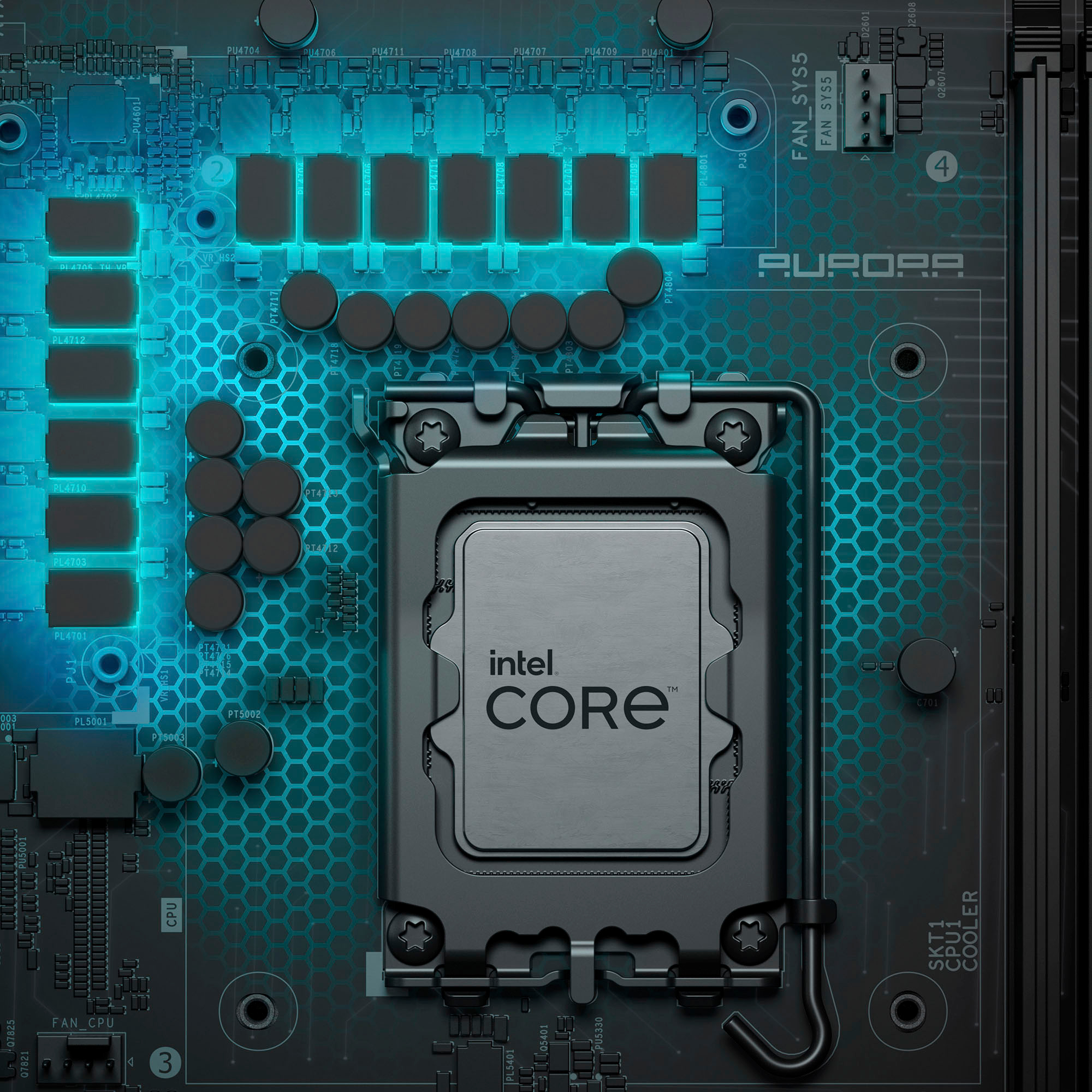
|Posted .This reviewer received promo considerations or sweepstakes entry for writing a review.The Alienware Aurora R16 desktop is a good starting point for PC Gaming. None of the challenges that come with custom building while still providing enough power to hit the high FPS with high settings. I picked this up as a 2nd PC to pair with the main gaming rig, to be used as a streaming PC or played in the same room with SO or guests. I wanted something that would be simple and easy to use. Pros: - Back to a basic case design. - Lots of ports. - 2 m.2 slots and a 3.5 Hard Drive Bay with cables. Cons: - Lots of Dell Software. - Custom PSU limits upgrade options. Out of the box, this version of the Aurora is a huge improvement over the prior version. The biggest improvement is the case design has gone back to a more traditional shape, Dell has replaced the rounded corners and elongated case with something modern yet PC looking. The case has plenty of vents for airflow, with a plastic side panel which is nice as it will not shatter like a glass panel and is less of a fingerprint magnet. Dell makes the initial setup easy, follow the fold out diagrams to plug in all the cables and accessories, then power on the PC. On initial power on, you will have to setup windows which is guided. Though I did encounter a few odd restarts in the first couple of boots, one in the middle of when I was installing a program, the overall setup process was easy. The model I got was one of the lower end models with: - CPU: i7 13th Gen 13700F with 16 cores (8-performance and 8-efficient cores: 24 threads with no integrated graphics). - GPU: Nvidia Geforce RTX 4060 TI with 8GB of VRAM. - Storage: Comes with 1TB M.2 and an empty M.2 NVMe port and empty 3.5 hard drive bay. - RAM: 16GB (2x8GB) DDR5 5600Mhz. Expandable to 64GB (2x32GB) up to speeds of 5200 MHz with XMP, 32GB up to speeds of 5600 MHz. - PSU: 500 Watt Platinum rating. The biggest bottle neck for this PC out of the box is the amount of RAM, with only 16GB you will be sitting at 80% or more running most games. I’ll be upgrading this to at least 32GB of DDR5 5600MHz soon, which should have a small impact on the performance. Another annoying design choice is the PSU included in with the RTX 4060 and RTX 4060 TI models is a proprietary 500 Watt PSU from Dell that has specific motherboard plugs. This means you cannot just swap out the Power Supply with any other brand power supply if you need to upgrade it in the future. This will only be an issue if you are upgrading the graphics cards, otherwise upgrading the RAM or storage shouldn’t cause an issue with the PSU. But if you do plan to upgrade to a more powerful GPU down the line, you will want to consider getting at least the RTX 4070 model to get the 1000 Watt PSU. Checking the overall performance, I used Passmark Performance Test though there are plenty to pick from, the Aurora R16 lands solidly up in the 99th Percentile, as expected the lowest category is the Memory Performance. The GPU scoring for this test is heavily skewed, so I mostly just pay attention to the FPS achieved, which was around 120 FPS for 2K and well above 240 FPS for 1080p. In real world gaming, the RTX 4060 TI was able to hit keep frame rates between 75 and 100 FPS at a resolution of 2K in games like Fortnite and Destiny 2 with settings set to High/Epic and NVIDIA Reflex/DLSS active. If you’re planning to play with a resolution at or below 2K mostly, this will be a great choice for you. At a resolution of 2K, this PC does well, but there will be plenty of games that drop the FPS down closer to 60 FPS but are still playable. If you want to play games in 4K, I suggest looking for a PC with an RTX 4080 or equivalent GPU. This is a great PC for anyone who wants to get into PC gaming but doesn’t want to go through the pain of building a PC for themselves or finding someone to do a custom build. The Alienware Aurora R16 is a beginner friendly build, with plenty of options for different budgets though I would recommend getting a build with the 1000 Watt PSU, which comes with the RTX 4070 configuration, to ensure you have headroom for future upgrades. Otherwise, you can try to hunt down an upgrade option through dell or another parts seller. But overall, I really enjoy the simplicity of the Aurora R16!
I would recommend this to a friend - Pros mentioned:Graphics, Performance, Speed
A Phenomenal Pre-Built PC!
|Posted .This reviewer received promo considerations or sweepstakes entry for writing a review.The Alienware Aurora R16 is an absolutely phenomenal pre-built Windows 11 PC, and I'd dare to say that for almost all people looking to (casually or not!) own a powerful PC that supports high-quality gaming without the hassle of building your own PC, the Aurora R16 could do anything and everything you'd ever want it to with ease! This PC comes with an Intel i7-13700F processor, 16GB of DDR5 RAM, an RTX 4060Ti graphics card, a 1TB SSD, and has a solid-built and sleek case with RGB capability, a pretty modest form factor for a gaming PC, and great heat management - need I say much more? I can confidently say that this PC rises to the occasion when it comes to anything graphically or performance intensive! Every single game I have played on this PC so far has easily been able to be played at 1080p with graphics settings always set to the absolute highest quality! I'm sure it's possible to max out the performance of this PC with some games that are extremely graphically intensive if you put the settings and resolution to higher than 1080p, but it's safe to say you can likely play any game you want at around 1080p-1440p with close to, if not maximum graphics settings on this PC, and it will look and feel fantastic! This PC also handles all other tasks with ease, including watching video, browsing the internet, coding, having large amounts of applications/internet tabs open; really anything you'll throw at it! Other notable things to mention: the PC comes with a wifi and bluetooth antenna, a power cable, has expandable memory and storage capabilities, several USB-A and USB-C ports, DisplayPort and HDMI output options, many audio in/out options, and comes with a basic wired keyboard and mouse set to use if you don't already have them. I am a big fan of this PC overall, and of the fact that this is such a solid pre-built PC, because it can be quite complex, time consuming and expensive to build and tune a PC of your own. I highly recommend this PC, you'll have a fantastic experience with it!
I would recommend this to a friend - Pros mentioned:Graphics, Performance
A Winning Product!
|Posted .This reviewer received promo considerations or sweepstakes entry for writing a review.I own several gaming laptops and one gaming desktop computer. This is awesome Dell computer with a build of an Intel core i7 processor, 16 GIG of RAM, and a solid-state drive with a one terabyte capacity. I'm personally utilizing this machine for general things such as emailing, word processing, internet surfing and gaming. I find its performance to be stellar. This no-nonsense machine is very capable of handling programs very efficiently and gaming at levels which I like. I found that the performance was never bogged down or slow. Response was snappy and always quick, which includes boot up time. The tower comes preloaded with the Microsoft’s Windows 11 operating system. Upon boot up several updates were needed. The product comes with a bare bones mouse and keyboard which worked well in tandem, however I did immediately swap them for better responding components. The unit is not supplied with any cables for a monitor hookup, nor any owners manual. In my home use and testing of this product, I was quite pleased with the computer's performance. This is now my go-to computer for general computing and gaming. Boot up times are fast and there is enough RAM to handle my particular multi-tasking situations with ease. The unit ran well, and I really have no complaints to speak of. One side of the tower has a plexiglass side and the internal components are highly visible. The side offers an array of color during its operation. A note on gaming: Gamers should be pretty happy with this computers performance as it has 16 gigabytes of random access memory and employs the NVIDIA GeoForce 4060Ti graphics card. It’s not the top of the line graphics card but it’s still very good and its build is highly competitive with other products in the marketplace. I ran most of my games at pretty high settings and was quite pleased. I experienced no tearing and FPS were good. The product is not a top of the line model but its performance is great at its price point. If you are in the market for a really nice all around computer, look no further than this model. This product is exactly as advertised with no hidden surprises! I was very happy with every aspect of it. Definitely recommended.
I would recommend this to a friend - Pros mentioned:Cooling
The New Look of Alienware Desktops
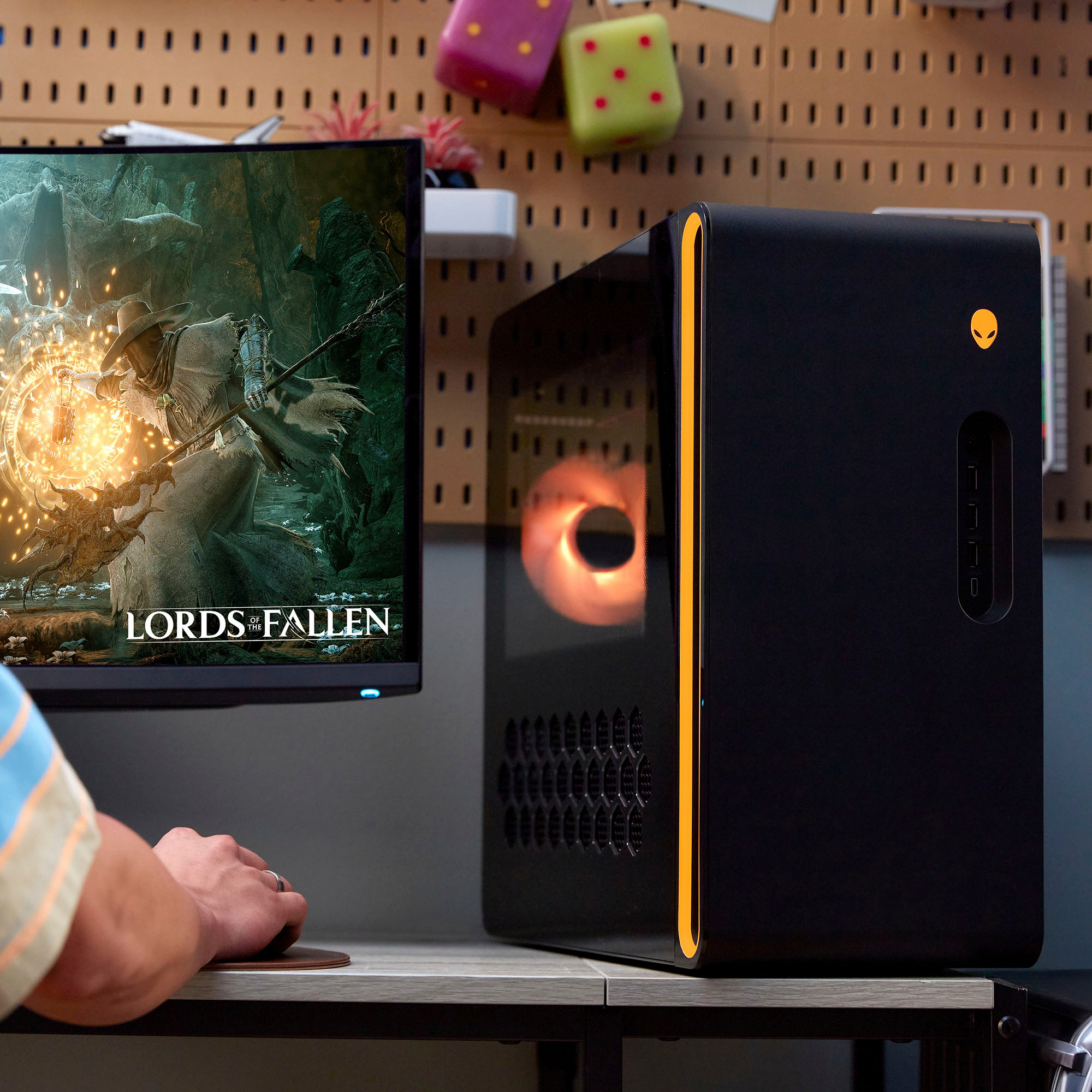
|Posted .This reviewer received promo considerations or sweepstakes entry for writing a review.It time for us to update our 3yr old gaming desktop and saw the new R16 here at BB with a very low price “for Alienware that is”, so we had to grab one and give it a tryout. This one happens to be a base entry level unit and that’s all I wanted so I can see how difficult it would be to upgrade it in the future. Unboxing and setup: The R16 comes in a standard “Black” Alienware heavy cardboard box, and inside on top of the system is an accessory box containing the keyboard, mouse, WiFi antenna dongle, power cable and the usual Alienware stickers along with a small information booklet. The system itself is below that box cradled in a closed cell foam framework and is very well protected. After removing the unit you’ll have to peel off protective plastics “and I’d wait on the one covering the clear plastic left side door till you have it set up as it would be easy to scratch moving that around as like all Alienware desktops I’ve had in the past this R16 is fairly heavy. The unit itself is a lot different from any other Alienware desktop I’ve seen, it’s more squared off, a lot more compact and doesn’t take up nearly as much room as the R15 and older models. On the front in rectangular recessed area containing an audio jack for headphones/mic, 3 USB A ports and 1 USB C port, so there are plenty of port options on the front, and a lighted Alienware head power button. The back side is the usual Alienware layout with plenty of port options. Starting at the top there’s a hard drive activity light “still wish that were moved to the front”, optical SPDIF port “a lot of systems no longer have this which I actually use with my THX certified system speakers”, then all your standard surround audio out/in jacks, 2 USB 2.0 ports “have keyboard and mouse plugged in there”, 1 USB 3.2 Gen 2 Type-C port good for 10gbps, 1 USB 3.2 Gen 2x2 Type-C port this one supports 20gbps, 2 USB 2.0 ports with Smart Power On, 2 USB 3.2 Gen 1 ports supporting 5gbps and one RJ45 port. That’s one thing I really like about Alienware products, they give you plenty of ports to connect to. The Top is ventilated for the liquid cooling radiator in a nice honeycomb pattern, the right side is a plastic cover, and no screws need to be removed to take it off, just grab the back edge indent and pull, and the left is a clear plastic panel “only the top half is clear” with the bottom half being covered in the same honeycomb pattern vents. The very front has a new open slit that is not visible looking straight, only from the sides, and the left side is illuminated in typical Alienware RGB fashion. The RGB exhaust fan, RGB power button and RGB ventilation surround are all controlled through the Alienware software that’s pre-installed on the system and there’s plenty of options for you to choose from. The system comes with a standard “non-logoed” Dell keyboard and standard 2 button optical mouse, which are fine for just simple use but if you are using this for gaming I would be upgrading to a gaming keyboard and mouse right away, it’s nice they include these as I use them to set up the system but switch over to my gaming ones as soon as I’m ready to start some heavy use. You also have to be sure to hook up the Wi-Fi dongle that’s included if you are using Wi-Fi, you won’t have to if connecting by ethernet. Either way Wi-Fi does work without it connected but range and speed are reduced quite a bit without it. Performance: With this only coming with the RTX 4060 TI I wasn’t expecting much but the system really impressed me. I did a good bit of benchmarking trying to find the sweet spot with Cyberpunk 2077 Phantom Liberty with Ray Tracing turned on probably taxing it the most. At 4k resolution “which I would not expect it to do well with” I was able to get 46-62FPS with graphics set to ultra, DLSS on, Ray Tracing off, turning off DLSS dropped FPS to around 40, and turning on R/T “Ray Tracing” dropped it to an absolutely unplayable 5fps. With the resolution set to 1080, graphics on ultra, DLSS on, Ray Tracing Ultra on, it was an easy 110-120fps, very easily playable. The sweet spot I found was setting the graphics to 1440, with graphics on ultra, DLSS on, and Ray Tracing on I got 102-113 FPS. The built-in benchmarking in C/P confirmed my numbers. So this little 4060 TI card performed better than I had figured it would and DLSS makes a huge difference. Turning it off easily halves the FPS in some cases “or more”, but I did notice that with DLSS on you want to keep the FPS well over 40 or there’s some clipping and any quick movements look blurry. Next, I tried Outerworlds and at 1440 resolution, ultra graphics settings, I was able to keep a 96-112fps margin easily. 2160 dropped it to 46-54fps and switching to just “high” on graphics it went up a little to 51-58fps. Again 1440 seems to be a sweet spot for this card. And the final one was Borderlands 3, in Reliance, with graphics set to Ultra I was getting 44-53fps at 2160, 83-106fps at 1440 and 138-179 at 1080. So depending on you size of monitor and what it supports a 2k 1440 monitor would be a perfect combination for this system. The CPU included with the system is a “F” model so it’s not unlocked for overclocking and does not have onboard graphics, it’s plenty fast the way it is and according to the Geekbench 5 scores I ran it easily beat my Alienware M16 with a i7-13700HX, and completely blew away the i7-10700K in our old desktop by a huge margin “especially in multi core tests”. The liquid cooling is sweet, I really can’t hear anything during a gaming session and the system never overheats. I can tell the ventilation is working as the temperature in the home office goes up a couple degrees just from a gaming session and from the heat, I can feel from being ventilated out the top fans. The same Geekbench 5 Compute scores show the RTX 3080 beating the 4060TI but that’s not a complete picture as the 3080 doesn’t support DLSS and that makes a huge difference. But it did manage to beat the 4070 in the M16. The hard drive included with this system is a Western Digital SN810 NVMe, I also installed a Samsung 970 plus and a Seagate 8tb spindle drive for backup and storage. The WD speeds tested out to be around double the Samsung 970 and won’t even mention the spindle drive speeds. Upgradeability: Alienware/Dell, in the “Community” section they have a R16 FAQ posted with all the Dell branded OEM parts used in all the configurations so it’s easy to find the part numbers there. The CPU and memory should be easily upgradeable, but these systems are usually picky about what memory works so I’d stick with the ones listed in the FAQ on the website or just order it thorugh Dell Parts. As for the GPU, Alienware has their own OEM GPUs and as far as I can tell you can’t just go out and purchase one. Any aftermarket ones I found were too long except for the NVIDIA reference cards, those should fit fine anything longer than 320mm you’ll have to take off the fan shroud/GPU end support bracket. The other issue is the PSU, this one comes with a 500w unit and is not a standard ATX PSU, these are used in Dell servers and are pretty robust units. Their part numbers are listed in the FAQ also and can also be found searching around on the internet. As for storage, that’s simple and everything I installed works just fine and I had no issues using Samsung and Seagate products. Conclusion: We really like the new updated look of the new R16, it’s so much smaller than anything before, hard to believe it’s an Alienware, but the looks are great, much more subtle this time around and we like that. I’m not going to talk about the included keyboard and mouse as they are about as generic as they get, usable, but for us they aren’t made for some long gaming sessions. With an Intel i7-13700F, 16gb of DDR5 5600 ram and a 1tb NVMe SSD drive and the NVIDIA RTX 4060Ti to get started with is a great spot for new gamers or anyone wanting to upgrade to a newer system, this is an all around performer right out of the box and can be upgraded in the future if you need more storage space, memory or want a faster GPU. There are plenty of ports for you to connect devices “more than most competitors” and for me having the SPDIF optical out for audio is a must as it declutters a lot with the THX speaker I have. A lot of manufacturers have eliminated that connector and that’s too bad. The RTX 4060TI really impressed me and is actually good for some high-end gaming, 4k is the only thing that really taxes it so you shouldn’t expect high frame rates at that resolution, it works but it’s slow. Plus, you can always turn down graphic quality if you just must have 4k but the overall viewability suffers. I like the 1440 “2k” resolution, it’s the sweet spot for this system and it handled every game I threw at it. The cooling system works great, and temps never rose up to a point of concern, with all the fans running there’s plenty of air being circulated in the case, and even those never got loud enough to bother either of us, and it’s actually quieter than our old desktop gaming system. The system is also pretty efficient, during a heavy gaming session with C/P 2077 it was pulling 296watts, and during web browsing “non-gaming” only around 73w, so the system as a whole is pretty efficient. If you are looking for an entry level system that can handle some pretty heavy gaming right out of the box this new Alienware R16 will be right up your alley. And down the road if you want to upgrade you can as long as you remember that there are a couple things “like the PSU” that are Alienware/Dell specific and you’ll have to source those, otherwise upgrading shouldn’t be a problem “I’ll be figuring this out in the near future as I just can’t leave things as is as long as I know it can be done 😊 “.
I would recommend this to a friend - Pros mentioned:Cooling, Graphics
Super Stylish, yet Super Speedy Gaming PC
|Posted .This reviewer received promo considerations or sweepstakes entry for writing a review.Gaming PCs continue to grow in popularity as more people want to have the best edge they can while gaming online. The new Alienware Aurora R16 Desktop has been an excellent computer for gaming and just general use! PROS: - Unboxing and setup had me really blown away at how great this PC looks. Very much one you want to display on your desktop especially with all the lights on it and the glass open casing it has. Really feels premium and high tech! - Something that sticks out pretty quickly is the lack of a disc drive and I am completely fine with that! More companies are going digital with their games and I prefer the quietness of gaming without the disc drive going off. So I think it's a great move and really like the look of it that way as well! - The specs on the Aurora are also pretty insane and you can really sense it when you are gaming with it. 16 GB memory, 1 TB of solid state drive for even faster loading, a NVIDIA dedicated graphics card, and the latest intel processor to top it off. The PC could easily handle my gaming along with the other applications I had open at the same time. - Keying in on display a bit more, I really love the dedicated graphics card along with all the functionality of using different displays as it has several display hookups for your monitors. - I also think this is really quiet, I know they did some work to make sure the airflow was proper to make cooling quieter and I think that along with the SSD and no disc drive makes it really quiet compared to other PC's or even laptops I have used. - Lastly, this PC has so many ports too! 9 USB-A, 3 USB-C, 3 Display ports, 1 HDMI, and an ethernet port along with having WiFi 6E to be nice and speedy if needed. Really great forward thinking! CONS: - They included a keyboard and mouse with them, but they are both wired and not very impressive. I am not sure why companies do this when they know 99% of gamers will just get better keyboards and mouses! - There are a ton of ports on this including 3 USB-C ports but I wish they had a few more USB-C ports just to be a bit more futureproof. BOTTOM LINE: - Alienware has put out one of the best gaming PCs you can get right now! It has a fantastic design along with serious speed in its beefy specs and port selection. This has been able to handle everything I have gamed with and even gotten some work done on as well, so its a fantastic do it all machine that I think a lot of people will enjoy.
I would recommend this to a friend