Customer Ratings & Reviews




- Model:
- AWAUR9-7698WHT-PUS
- SKU:
- 6373818
Rating by feature
- Value
Rating 3.8 out of 5 stars
- Quality
Rating 4.1 out of 5 stars
- Ease of Use
Rating 4.3 out of 5 stars
Customers are saying
Customers value the Aurora R9's high performance, fast SSD, and smooth graphics capabilities, making it a great gaming system. However, many customers point to the significant fan noise as a drawback. Some also mention concerns about the case design and its impact on noise levels and thermals.
This summary was generated by AI based on customer reviews.
over heats, hard drive up grade not installed
||Posted . Owned for 1 month when reviewed.This reviewer received promo considerations or sweepstakes entry for writing a review.I will never buy another Alienware again. Dell has no idea how to build one or how to service it.
No, I would not recommend this to a friendBrand response from YourDellTeam
Posted .angell,
Thanks for your review. We're sorry that your Alienware is not working the way you hoped it would. We'd recommend updating to the latest BIOS for your computer: https://dell.to/2XAULtU.
We hope that these updates will help your computer perform better for you.
Best,
Bryan
1-800-624-9896
Worked for about 5 hours
||Posted . Owned for 2 weeks when reviewed.This reviewer received promo considerations or sweepstakes entry for writing a review.It worked for about 5 hours and then the hdmi port went out.
No, I would not recommend this to a friendBrand response from YourDellTeam
Posted .Cristiner,
Thanks for your review, this is certainly not the experience that we want any of our customers to have. We'd recommend reading Dell's One Year Limited Warranty policy to see if your computer qualifies: http://dell.to/2tNsVOs.
Please reach out to Dell's Technical Support Team directly: http://dell.to/2sH7Qlm.
Best,
Bryan
1-800-624-9896
- Pros mentioned:PerformanceCons mentioned:Fan noise
Nice computer.
Posted .This reviewer received promo considerations or sweepstakes entry for writing a review.Bought this during the lockdown. Has been outstanding - fast, and seldom hear the fan. Very cool lighting. Haven't felt that it has been underpowered at all.
I would recommend this to a friend 
Amazing would be an understatement!
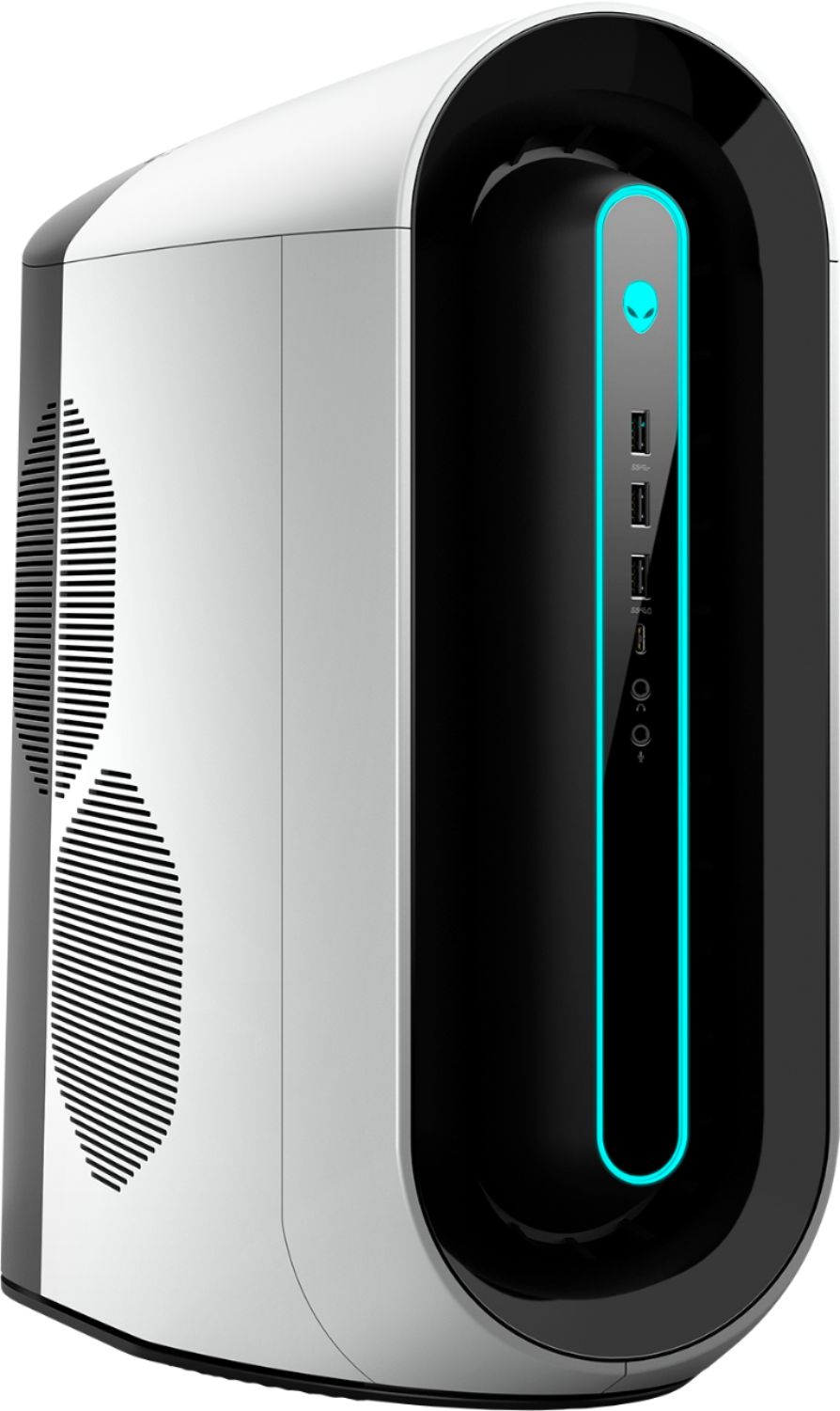
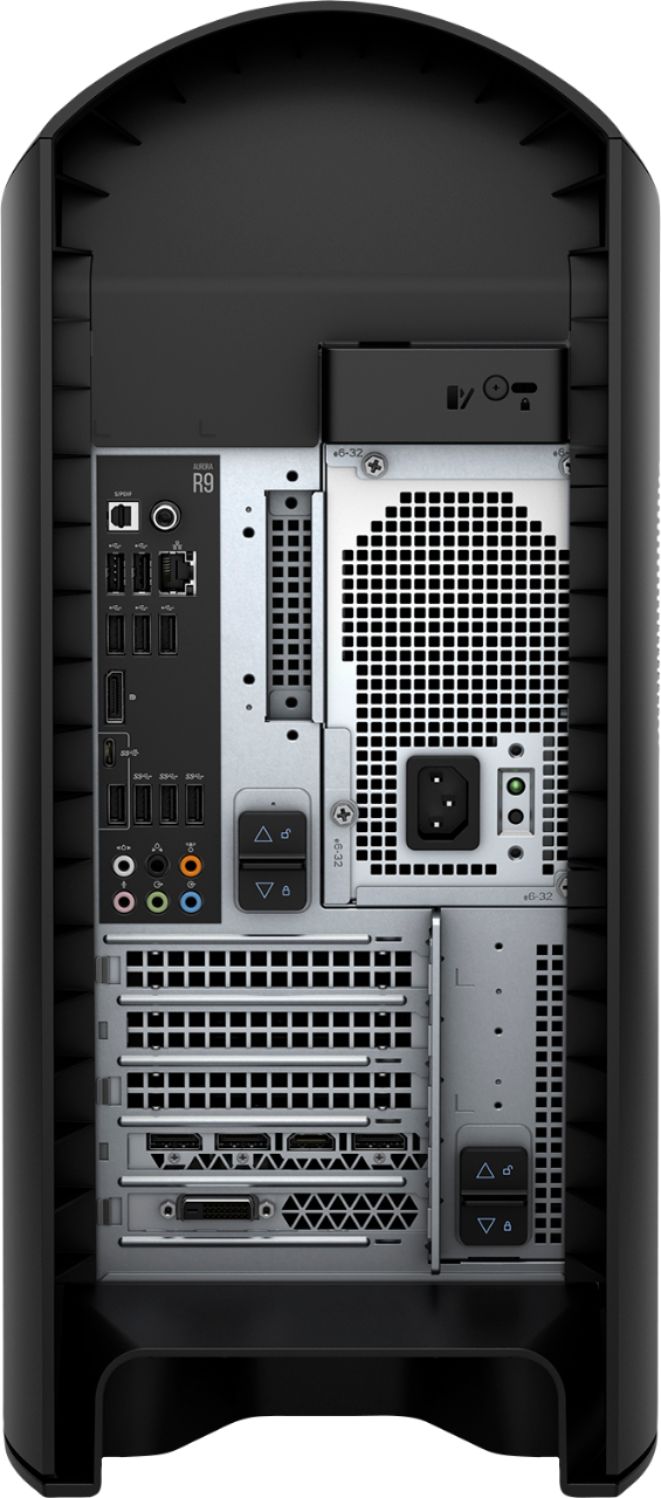
|Posted .This reviewer received promo considerations or sweepstakes entry for writing a review.I consider myself to have novice to intermediate knowledge when it comes to "gaming" computers, computer hardware, and building computers. I also consider myself to be a light to moderate gamer. I don't play games everyday, but when I do play a game, it's usually a big title and I like my games to look great. My previous PC, which I custom built, was by far the best computer I've ever had. This gaming PC not only gives my previous PC (used for everyday use and moderate gaming) a run for it's money, but also outperforms it noticeably. One of the first things I noticed about this computer is the quality "feel" of it. It's heavy, compact for it's specs, and it looks aesthetically pretty cool! Looks and feels aside, the computer itself runs pretty fast and is easy to set up! I'm not too familiar with processors and CPUs, but with the common brands out there and the higher quality of CPUs that have been produced in recent years. With that said, this processor can handle multiple things thrown at it and would not have any problem for someone who is a casual or moderate gamer. You can also multi-task gaming, browsing, and watching videos with relative ease, and dependent upon the settings you're running on games and your monitor(s). This PC easily manages two monitors (one gaming monitor at 2k resolution at 144hz and another gaming monitor at 4k 60hz). I'm actually now looking at adding a third monitor, which I'm sure this computer will be able to manage with relative ease, dependent upon settings and such. The graphic card with this PC also is near top of the line at the present time. With my 2k resolution monitor at 144hz, I'm easily hitting 100-110+ frames at 2k and running mostly high and some ultra with settings in your typical everyday mainstream games (FPS, MMORPGs, Third-person games, etc.). I actually can't wait to test this out on some newer games releasing soon and at the beginning of next year. Other typical things that one should take into consideration when purchasing or building a PC includes RAM and storage, which this PC has enough for the normal gamer (16gb) and for everyday use. Or both at the same time! The PC itself also has plenty of ports, which is to my liking as I do have a number of things I like to utilize via USB, both 3.1 standard USB (gen 1 and 2), 2.0 USB, and 3.1 Type-C USB (1 on the rear, and one in the front). The computer itself can connect to bluetooth products and to the Internet wirelessly, but I prefer having a ethernet cord, as I am "old-fashioned" when it comes to gaming. The storage is more than enough for an "average light to moderate" gamer, in my opinion. You do have a m.2 SSD in here, which everything is pre-installed on. And you have a 1 TB hard disk drive that is completely empty. I'm sure this could easily be swapped out for a normal SSD, if desired. *One thing, a "con" maybe (and that's a stretch), I will note is that this PC does sound loud when gaming at times, but if you're wearing over the ear headphones while gaming, and depending where your PC is placed, it isn't distracting nor too noticeable. Perhaps a case with better airflow and a slightly more spacious would be better for all the awesome things inside this PC. Another thing to be aware of is that with many "pre-assembled" electronic tech products nowadays like cell phones, laptops, and computers, this computer does come with some "bloatware", which is easily disabled or removed if you don't want it. I wouldn't necessarily recommend uninstalling alllll the pre-installed things, but if you're somewhat familiar with computers, there are some things that you could easily be fine without and do away with. Personally, I feel that when it comes to tech, it seems like every few months something new and "faster, superior, and better" is developed and released. If you buy a piece of tech or an electronic yesterday, tomorrow it's out of date. But this computer has the potential to withstand the time and perform high with this current generation of games, and possibly next-gen as well. Looking forward to finding out. Awesome job, Dell!
I would recommend this to a friendGreat off the shelf gaming PC build
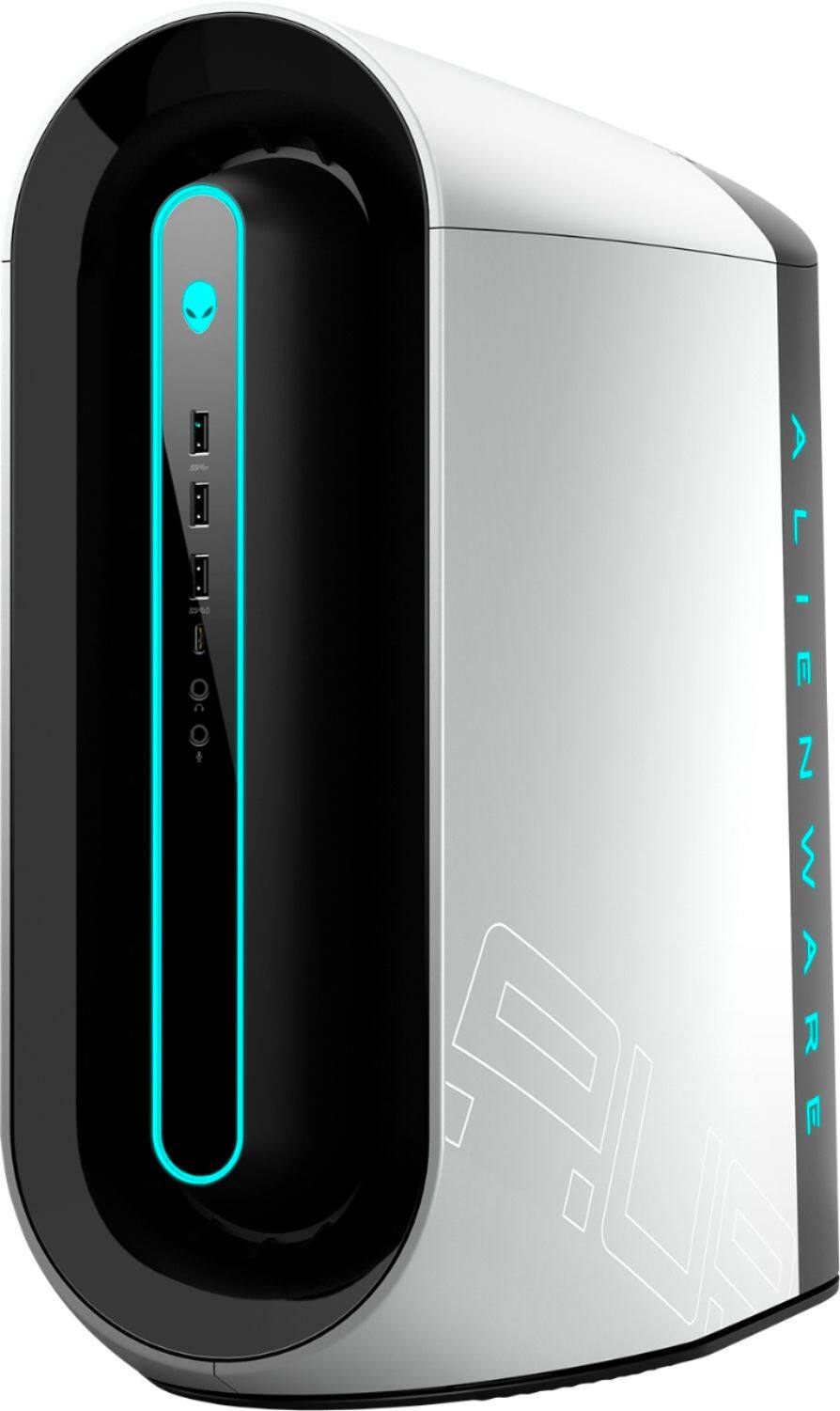
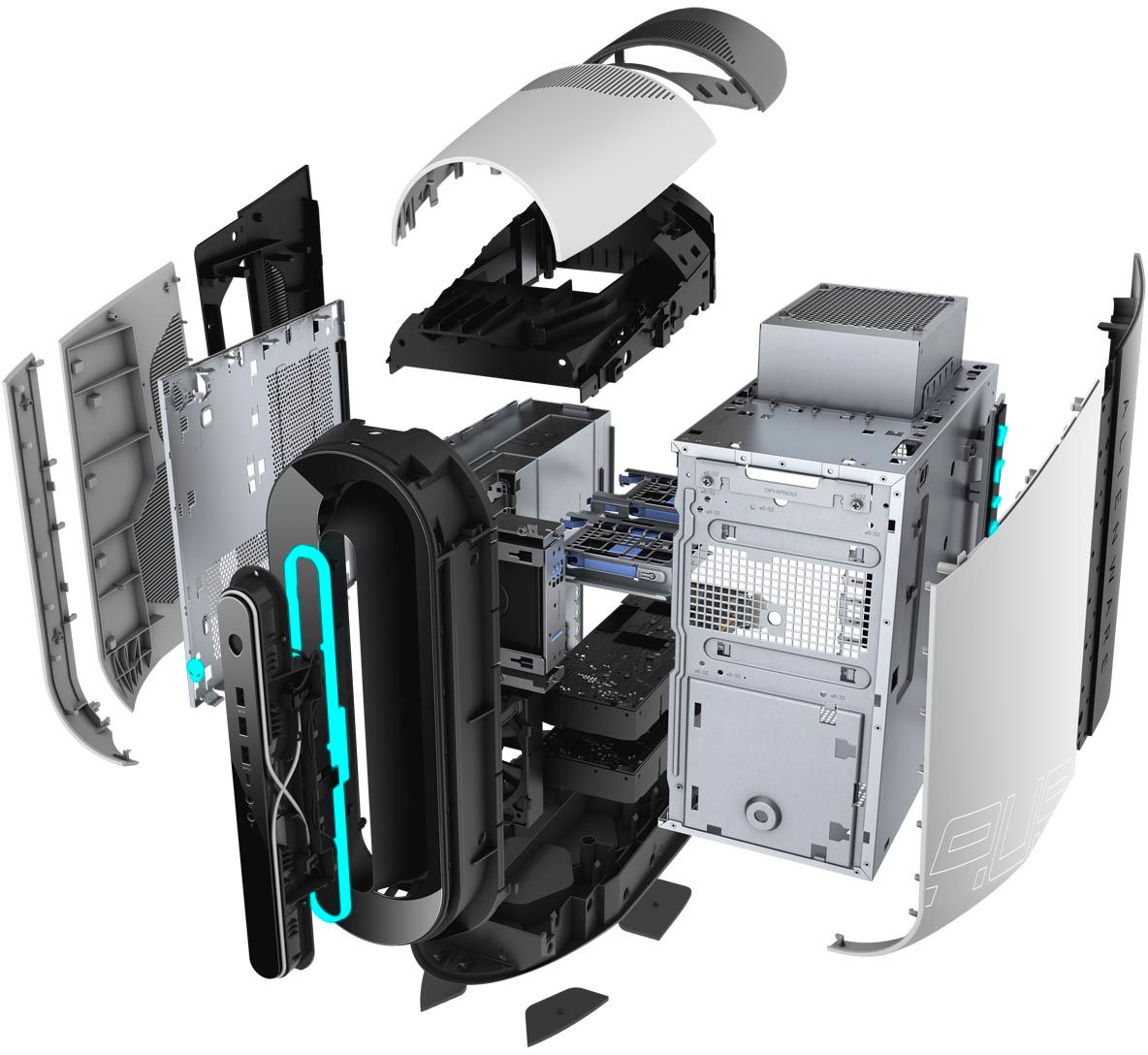
|Posted .This reviewer received promo considerations or sweepstakes entry for writing a review.The R9 case is a unique look amongst the field of gaming PCs. This is the first PC that I have ever had with a plastic shell vs. a traditional metal or glass case. Don’t worry though underneath the plastic cover there is a solid metal frame. Opening the side cover is accomplished by removing the lock screw from the release latch on the back panel and pulling the latch out. One of the first things that I did was to install an additional 2.5” SSD which was dead simple as there are 2 toolless drive trays in the bottom of the case and power and data cables were already routed there and waiting. If you need to get to the mobo there are 2 additional release latches on the back cover that release the power supply and allow it to swing out. The top and left covers supposedly pull off after the right cover is taken off but I didn’t need to take off and the top cover seems to take more force than I was comfortable using to just explore. Didn’t want to break anything just yet. The service manual and support guides are easily available to download from the support site. Would recommend grabbing them as well as it helped me learn a few things about the build. The specs are very solid for this machine and the Geforce 2080 is an absolute beast of a graphics card. Comparison shopping the Aurora versus other Gaming / Custom PC builders I found it to very price competitive in that space. If you like to fine tune and have full control over every component you won’t get that with this “off the shelf” configuration. One strange thing was the inclusion of a super cheap keyboard and mouse in the box with a high-end gaming PC. Gamers are very particular about their input devices and I can’t imagine anyone wanting to use them with a machine of this caliber. My opinion would be to shave a few bucks off the price and don’t bother including. When setting up the computer it was nice to have Wi-Fi support built-in which meant I didn’t have to dig up another ethernet cable and connection right away. Setup was smooth and simple with no issues. Aside from a few pre-installed Dell support apps there was little additional bloatware installed aside from the usual click to install entertainment app shortcuts on the start menu which I think are packaged with vanilla Windows installs. One of the utility apps installed is the Alienware Command Center that gives you a one-stop utility to control hardware FX, fan/temps and overclocking. You can even set configurations per game or app. I’m not a huge over-clocker or settings tinkerer but I plan on experimenting with it a little. You can control the RGB color of the light ring, alien head, and side logo on the case. The only way I have found to set is from the FX option of the Command Center. Problem is after the very first time I played around with changing the colors Command Center appears to have updated and the FX option no longer works. The app displays a “No supported FX devices found…” error upon startup. Doing a bit of internet searching this seems to be a common problem with the software. Luckily, I’m not that hung up adjusting the colors on the case and I have no Alienware FX peripherals otherwise it might have affected my rating. Performance is very solid. I ran a quick benchmark www.userbenchmark.com/UserRun/21555576 and it got above average results. The only rating missing the mark was for the memory which might a BIOS or performance profile setting adjustment to bring up. The recommendation from the tool is to “ensure that a dual+ channel XMP BIOS profile is enabled” which I’ll check out when I get time. One of the games I regularly play GW2 easily runs above 60FPS at highest graphics settings running at default performance settings without tweaking anything.
I would recommend this to a friend- Pros mentioned:Performance
Great High-Performance Gaming Machine
|Posted .This reviewer received promo considerations or sweepstakes entry for writing a review.The Alienware - Gaming Desktop - Intel Core i7 - 9700 - 16GB Memory - NVIDIA GeForce RTX 2070 - 1TB HDD + 256GB SSD is a solid, high-performance gaming machine. Boots up immediately and has the power needed for any gaming demands. I appreciate the multiple front-facing connections (as well as those on the back), and the fact that it includes the DisplayPort connector which supports a high-performance feed to my Acer Predator XB272 monitor. The keyboard and mouse included with the unit are very basic - that was surprising to me. But, as others have said, it probably assumes you'll want to use those of your own choice or, more likely, your own controller. Of course the form factor and lights make it an impressive package as well. Since I use headphones, I never ran into any issues with fan noise. A great, high-performance gaming machine.
I would recommend this to a friend Great Hardware
|Posted .This reviewer received promo considerations or sweepstakes entry for writing a review.This is a wonderfully designed piece of hardware! It's not totally tool-less as there's one cross-tip screw that has to be removed to let you lift the latch to remove the left side panel, but once inside it's a marvel. The swing-out power supply is a great piece of engineering and saves a lot of space, though it does make the case a bit top heavy. Speaking of heavy, despite all the plastic, this weighs almost 40 pounds! For years, we mounted power supplies at the bottom of our cases, ignoring the fact that heat rises. It's great to see this change. The system offers a ton of ports and has several free slots for expansion. The disk expansion options are limited (one 2.5" and one 3.5") so dual-drive raid isn't possible. This system is fast! The Nvidia RTX 2080 SUPER is almost 40% faster than the overclocked 2060 in my older system (on the Heaven benchmark). The only downside for me was the Alienware Command Center didn't work out-of-the-box and I had to go through some gyrations to get it re-installed and working. If your goal is gaming at high resolutions, this is a great system!
I would recommend this to a friendNot worth it at all
Posted .This reviewer received promo considerations or sweepstakes entry for writing a review.For the amount of issues I’ve run into with this computer in the past four years I would never recommend a single Alienware product to anyone in good conscience. Overheating issues, MoBo dying, WiFi Card dying, just to name a few issues. PC has been nothing but a pain for over $2000.
No, I would not recommend this to a friend- Pros mentioned:Speed
wow
Posted .This reviewer received promo considerations or sweepstakes entry for writing a review.bought this off the presidents day sale and am glad i spent the extra money to get this. had a dell 8920 XPS with the intel I7700 chip which was starting to show it's age plus i was getting the upgrade itch. very happy with my purchase and have had 0 problems with it, updated bios to latest and have installed all my programs already. this thing is very fast
I would recommend this to a friend - Cons mentioned:Fan noise
Amazing machine
Posted .This reviewer received promo considerations or sweepstakes entry for writing a review.Ive been very happy with this computer so far. The fans do get loud but I personally don't mind as long as its staying cool. I can game and stream at ultra settings and still maintain a solid 150fps.
I would recommend this to a friend - Cons mentioned:Fan noise
I really wanted to like it
Posted .This reviewer received promo considerations or sweepstakes entry for writing a review.Got it on sale and it was a good deal, but I will boxing it up and taking it back. Even after updating the BIOS I have an extremely loud machine that regularly gets into the 90's while gaming or photo editing. In the two weeks I have owned the computer I have had Microsoft Word not respond more than the two previous years with my old computer. I checked with support, but they say it is within specs at the temperatures it runs, but at 85-90c where it sits while using it the darn thing is too loud and hot.
No, I would not recommend this to a friendBrand response from YourDellTeam
Posted .robk,
We're sorry to hear that you're not more happy with your Alienware Desktop. We're glad to see that you were able to update the BIOS on your computer but we're sorry that it didn't make too much difference for your fan noise since it usually does lessen the sound. This is the site where you can check to make sure that you have the latest BIOS update: https://dell.to/2XAULtU.
If your computer is still too hot for you we'd recommend using Alienware's Control Center to help control the temperatures:
• To tune your system, go to Alienware Command Center and select out of 4 different thermal profiles that will help you manage system temperatures as well as performance output to your preference. These include Cool, Quiet, Balanced, and Performance thermal profiles.
• We fully warrant the product under these conditions. If you see CPU temperatures rising beyond 100°C on Alienware Command Center, please contact support and they will take care of your issue - https://dell.to/2Inbc8F.
You can view additional information on this site: https://dell.to/2IIhqjJ.
Best,
Bryan
1-800-624-9896
- Pros mentioned:Performance
Good pc
Posted .This reviewer received promo considerations or sweepstakes entry for writing a review.Good pc has runs games and easy to work on and runs well
I would recommend this to a friend Mad
Posted .This reviewer received promo considerations or sweepstakes entry for writing a review.I actually had to create an unwanted account to write a review for starters .I bought this 3 months ago played Battlefield 5 already for 4 hours and quit already . 3 months after purchase still don't have email working right and cant create an account with e mail because its not syncing right which I also know nothing about .One drive says I need to fix an issue I don't know what their talking about. I've spent more time on the phone wasting hours setting up accounts and passwords .Sick of it got to create 30 new accounts and it never works got to type this perfect or something else. I called them to fix e mail today and said they need to contact Microsoft on Tuesday and want to call me back .So I hung up on them . Then I go to buy a game and theirs no disks anymore ! I asked what happens when you lose your account game over ? I was playing a tablet game until my account disappeared and spent 2500 dollars playing a google app game and my account is gone forever .Some help I got .Sick of it some people like myself are hardwired no patience at all and this new computer can just collect dust for all I care . 3 months now no e mail yet no games and waste of time .Now I have this computer and an xbox one x collecting dust .Heck id rather just go back and play Nintendo 64 ,plug game in and play . What a headache still no game a 3000 dollar computer for internet with no e mail what fun is that !
No, I would not recommend this to a friendBrand response from YourDellTeam
Posted .Dear Valued Customer,
We're sorry to hear about all of the troubles that you've had with your computer so far. If you'd like to reach out to Alienware Support via Email you can contact them here - [email protected].
If there are specific technical questions that you have about your computer you can check our Product Support Page here: https://dell.to/33eb5SV.
Best,
Bryan
1-800-624-9896
- Cons mentioned:Fan noise
Horrible experience
Posted .This reviewer received promo considerations or sweepstakes entry for writing a review.This pc literally couldn't handle World of Warcraft classic on low settings (3/10 all low settings). The game started freezing and the back near the video card felt like an oven. Not to mention the extraordinarily loud fans. Major disappointment : (
No, I would not recommend this to a friendBrand response from YourDellTeam
Posted .QUESTGRILLZ,
Thanks for your review. We're sorry that your computer is not meeting all of your gaming needs. If you'd like to see if updating the BIOS on your computer will help there be less fan noise, you can follow these steps:
An out-of-date BIOS can cause loud fan noises by having an outdated temperature table for the system. Refer to update BIOS and follow the instructions to update the BIOS on your computer. Here is a link to the BIOS update for the Aurora R9: https://dell.to/2ovBAEZ.
You can also follow up with our Technical Support Team here - 1-800-624-9896.
You can read the full article here - http://dell.to/2ENlXfz.
Best,
Bryan
1-800-624-9896
- Cons mentioned:Fan noise
Do not buy this computer
Posted .This reviewer received promo considerations or sweepstakes entry for writing a review.do not buy this computer or anything else from alienware. It does not run as advertised and you have to set a custom fan setting, that makes it sound like a jet engine, to run games on anything more than the lowest settings.
No, I would not recommend this to a friendBrand response from YourDellTeam
Posted .Rob1,
Thanks for your review. There was a BIOS update released for your system that should help with the fan noise that you're experiencing: https://dell.to/2XAULtU.
We hope that this helps your computer perform better for you.
Best,
Bryan
1-800-624-9896
Broke in less than a month.
Posted .This reviewer received promo considerations or sweepstakes entry for writing a review.Video card went out in less then a month. Now they expect me to take time off work to have someone replace it when I could do so myself in less then 5 minutes. Dell is not wanting to help on this and since I cant take time off work to babysit a tech, I will be sending this unit back ASAP
No, I would not recommend this to a friend