Customer Ratings & Reviews
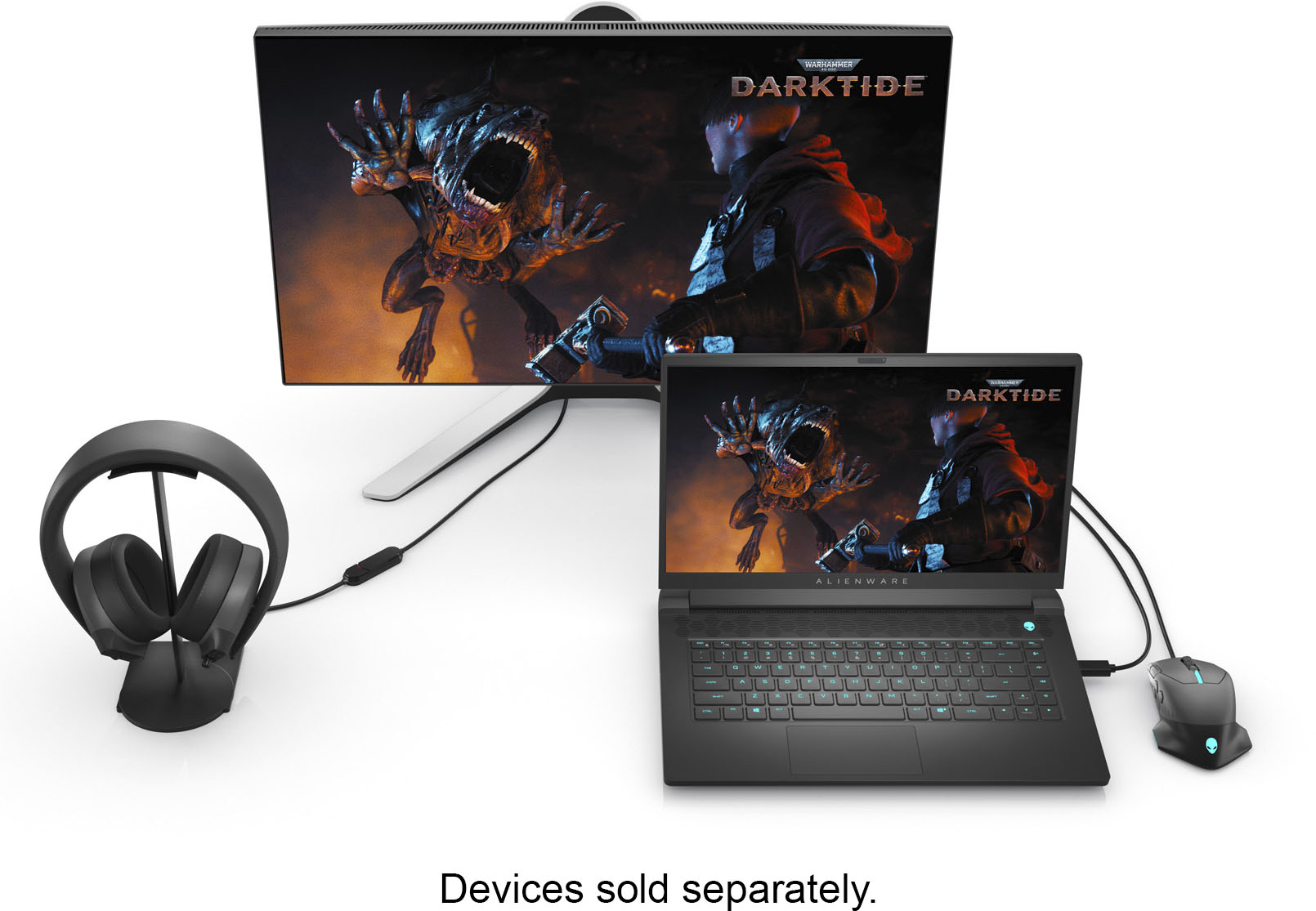
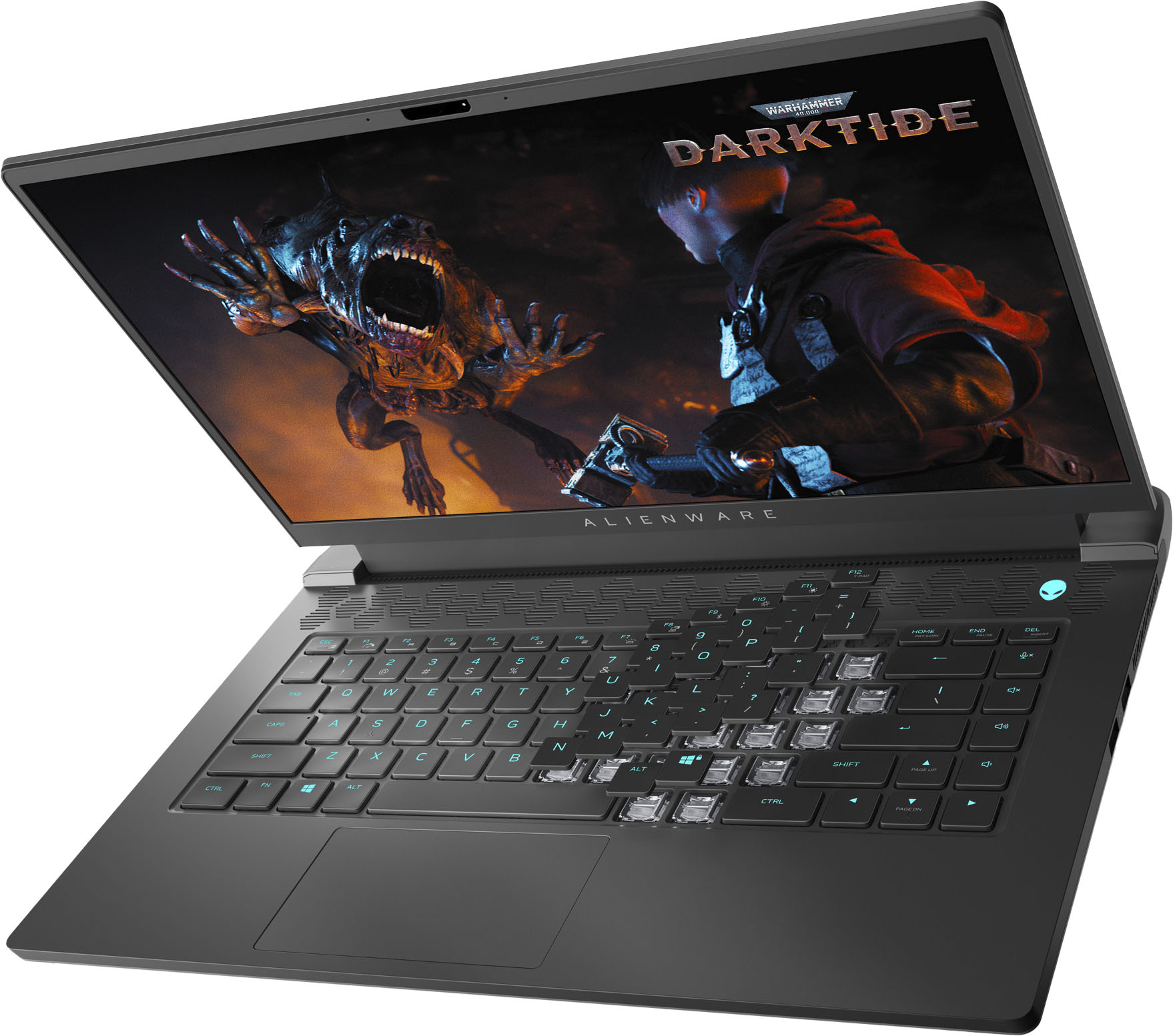
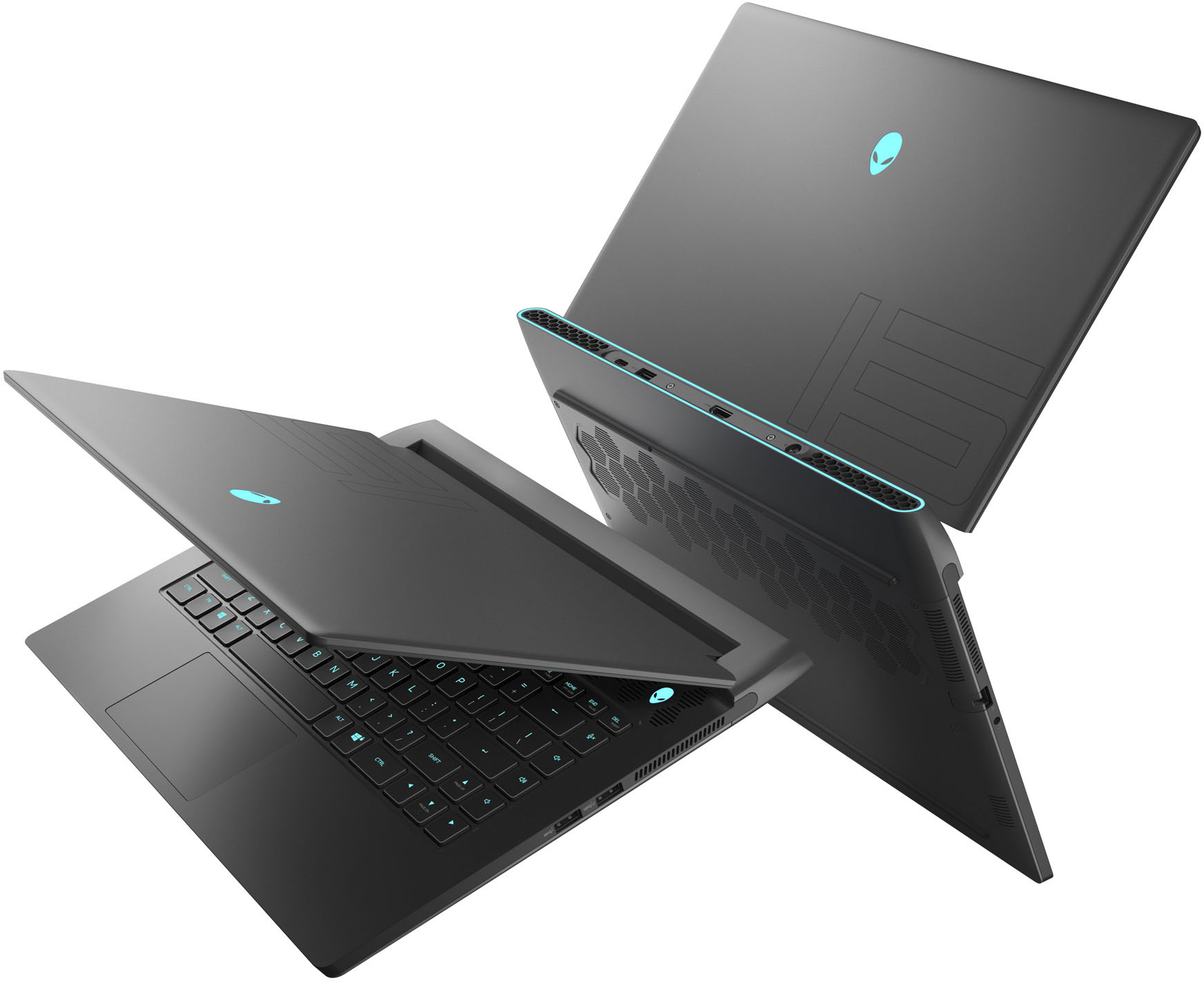

- Model:
- AWM15R5-A104BLK-PUS/A217BLK-PU
- SKU:
- 6468110
to a friend
Customers are saying
Customers are impressed with the powerful CPU, high-quality keyboard and display, and excellent performance of the m15 R5 gaming laptop. However, some users noted that the laptop runs warm during extended use and has less-than-stellar battery life. The weight of the system was also mentioned as a potential drawback for some. While the sound quality is considered adequate, it is not a standout feature.
This summary was generated by AI based on customer reviews.
- Pros mentioned:Cpu, Design, Display

Gaming Destroyer with Improved Thermals!
|Posted .This reviewer received promo considerations or sweepstakes entry for writing a review.**********EXTREMELY IMPORTANT****************************** Make sure to perform a vBIOS flash on your 3070 by downloading and installing the "Nvidia GeForce RTX 3070 Firmware Update Utility" from Dell's support website. Not doing so will limit your 3070 to only 4608 cuda cores instead of the full 5120. At the time of writing this review mine was shipped with 4608 cuda cores. It's possible that when you get your laptop it may already have the latest vBIOS with this fix but please check your cuda core count on your 3070 via GPU-Z or "system information" through nvidia control panel. ************************************************************************ As somebody who has owned several gaming laptops in the past, and who's also coming from an Alienware M15 i7 9750H w/ RTX2070, I can't begin to describe the excitement I feel when gaming on this laptop. I hope that after this review, you're just as excited as I am and get the chance to game on one of these! The reason this laptop is such a big deal is because of the "Max-Q" redesign. If you look at a lot of previous gen gaming laptops with the 20 series cards, they all have a technology called "Max-Q". In a nutshell, this technology allows your laptop to switch back and forth between the iGPU and the Nvidia card, depending on how GPU intensive the application is. This tech was engineered in an attempt to conserve battery life. However, it also removed a lot of GPU features that are typically found on your nvidia control panel if you were to be running a discrete GPU. I also ran into some performance quirks in the past when running older and less gpu intensive games with these Max-Q cards. While this same technology still exists with this laptop (and has been improved) under the name "Optimus", you now have the option of selecting the RTX 3070 as a discrete GPU!!! This means your laptop will fully run off the 3070 regardless of application. Here's a breakdown of my experience with this Alienware laptop and I've also included some recommendations/tips at the end that you can try in order to improve your experience: **********PERFORMANCE************************************************ NOTE: You'll want to have the AC charger plugged in to get the best possible performance. Even when the power settings are set to "High Performance" in Alienware Command Center/Windows there's still a drop in performance as is to be expected with any gaming laptop running solely off battery. - Insane performance with the AMD Ryzen 7 5800h + 3070. 3D Mark Time Spy score of 9401 @ 2560x1440. Graphics score: 9531, CPU Score: 8732 at stock settings. - Destroys Resident Evil Village at 2560 x 1440 with most settings set to high. Average of 130 FPS. Would get over 150 FPS as well in several parts of the game (See picture). Incredibly smooth with GSYNC on. - Spanks Doom Eternal at 2560 x 1440 150+ FPS with settings set to high - Average of around 370 FPS in CS:GO at 2560x1440 with all settings on high. - Handles an intense amount of heavy workload tasks whether that be rendering, emulated virtual environments (I used EVE-NG for emulating engineering environments and topologies on this laptop), or heavy multi-tasking. If you intend to run a few VMs, setup some emulated virtual environments, or maybe you're just the type of person that needs 50 chrome tabs open while leaving a twitch stream running and editing on Adobe Premiere, this laptop will handle it all and then some. - An included Mgig ethernet port! (2.5GbE). What?! Amazing! - Killer Wifi 6 AX NIC - Unfortunately, Alienware decided to decrease the GPU wattage on the 3070 included in these R5 laptops to 125W. However, the 3070s in their new X series flagship model have a max 140W GPU wattage. This leads to a slight decrease in performance. I'm not sure if Alienware did this to make their X series look better in terms of performance metrics or if theyre going to release a BIOS flash that will unlock the 140W max. In any case, the good thing is that it does lead to better thermals! Personally, when it comes to beefy gaming laptops that typically suffocate from a lack of airflow, I'd take a small performance hit to improve thermals. **********DESIGN & BUILD QUALITY *********************************** - Relatively thin design for a high end gaming laptop with an ethernet port - Very premium feeling build quality; especially the LED display lid -Huge fan of the massive rear heat exhaust vent design on these newer Alienwares. It prevents the main body of the laptop and front speakers from getting extremely hot like they did on my previous gen Alienware. - Best keyboard I've ever typed on in a laptop. The keys feel incredibly sturdy with zero play or wobble. These aren't even the optional cherry MX keys but they feel great! - The trackpad feels like a minor downgrade from previous Alienware laptops. My previous Alienware trackpad just feels more sturdy and doesn't depress as much as this one does. Also has a slightly loud audible click as compared to previous Alienware trackpads **********THERMALS***************************************************** NOTE:My ambient room temperature when testing was 76 degrees C. -It's no secret that Alienware gaming laptops run hot. Probably hotter than some of their competition. I was extremely impressed to see some thermal improvements from previous gen. I don't know if this is due to better ventilation/gpu/cpu placement design or the improved efficiency of the 3070 and the 5800h but it certainly runs cooler than my previous m15. As seen in my 3D mark thermal monitoring screenshot, during the demo, the GPU averaged around 72-75 degrees C. This was a massive improvement over my previous gen Alienware m15 ( i7-9750h + MaxQ 2070) which averaged around 92-95 degrees C!! During the demo, the cpu thermal was slightly better on this new Alienware keeping a few degrees cooler but nothing significant. However, during Graphics test 1 and 2, huge improvements!! Both the 5800h and 3070 stayed pretty cool averaging around 72-75 degrees C. On my previous gen Alienware, they were both in the low to mid 90s!! This was the case for both graphics tests. - I would highly recommend setting this laptop down on a solid surface and never gaming on your lap. The long protruding rear exhaust surface just gets way too hot to the touch. - Noticeable temperature improvement to the touch on the keyboard, front speakers, and main laptop body. On my previous gen Alienware, the keyboard, speakers, and front body of the laptop get extremely hot. While this one still gets warm, it's a night and day difference. - Audible fan noise has been significantly improved! My previous gen Alienware m15 sounds like a jet taking off the moment I start a game. While you can clearly still hear the fans, it's so much quieter now. Again, this is partly due to improved hardware efficiency with the newer 3070 and 5800h. - GPU thermals are also improved due to the lower 125W GPU wattage on the 3070 as mentioned previously **********DISPLAY******************************************************** - Incredibly sharp 8 bit 2560 x 1440 LED SDR panel with a 240HZ refresh rate -I'm not sure if this is an IPS, LPS, or VA panel but the color saturation looks incredible to me. It's definitely not a TN. It's certainly not the most color accurate panel but it makes greens, reds, and blues really pop; sorta like an AMOLED panel. Scenes in games with fire or flames, physics artifacts like explosions and sparks, look stunning. The green color in foliage just pops out at you. I was also pretty impressed with blacks. - Gsync!!! Combined with 240HZ and the 3070, games run buttery smooth -No HDR. This is the one feature I would have LOVED to have seen that would put this laptop over the top! ********** MY RECOMMENDED SETTINGS AND TIPS************** NOTE:These are the settings that I use that have yielded me an incredibly smooth experience with great frame rates when gaming. This completely ignores any regard for battery life as I game with the AC charger plugged in to get the best performance possible. -Apply all latest Windows updates - Open Alienware Update App and check for all critical updates. Look out for any critical BIOS updates that may improve system stability/thermals. Update chipset and GPU drivers. Make sure to perform vBIOS as stated in my previous note! - Update Alienware Command Center. Change Power Settings from "Balanced" to "High Performance". -Go into Nvidia control panel and select the following options: Manage 3D Settings>Preferred Graphics Processor: High-performance NVIDIA processor Power Management Mode: Prefer Maximum Performance Monitor Technology: GSYNC Vertical Sync: Off (you can turn this on if you still get screen tearing) Manage Display Mode> NVIDIA GPU Only Setup G-Sync>Enable G-Sync, G-sync Compatible - Go to display settings>Graphics Settings> Graphics Performance Preference: High Performance - Go to Device Manager>Display Adapters and disable AMD Radeon graphics. This will ensure your 3070 is driving your display at all times. I actually had to do this for Doom Eternal as it kept generating an error upon startup that it couldnt find a physical GPU. -Enjoy a smooth gaming experience! Overall, I am over the moon when gaming on this laptop. I did some research on some of the higher end options like the AMD Ryzen 9 5900hx and the performance increase when gaming is minimal. On average an extra 2-5 FPS and at best, an extra 7-9 FPS. This AMD Ryzen7 and 3070 combo is just killer. When you add a QHD 2560x1440 display with GSYNC and 240HZ your gaming experience becomes so seamless. The resolution upgrade from 1080p to 1440p (even on a 15 inch laptop display) makes a huge difference. I wholeheartedly recommend this laptop to the aspiring gamer out there who also wants to get some productivity work done. This laptop will easily handle it all!
I would recommend this to a friend - Pros mentioned:Cpu, Design, DisplayCons mentioned:Speakers, Weight
Sleek design and useful for many applications
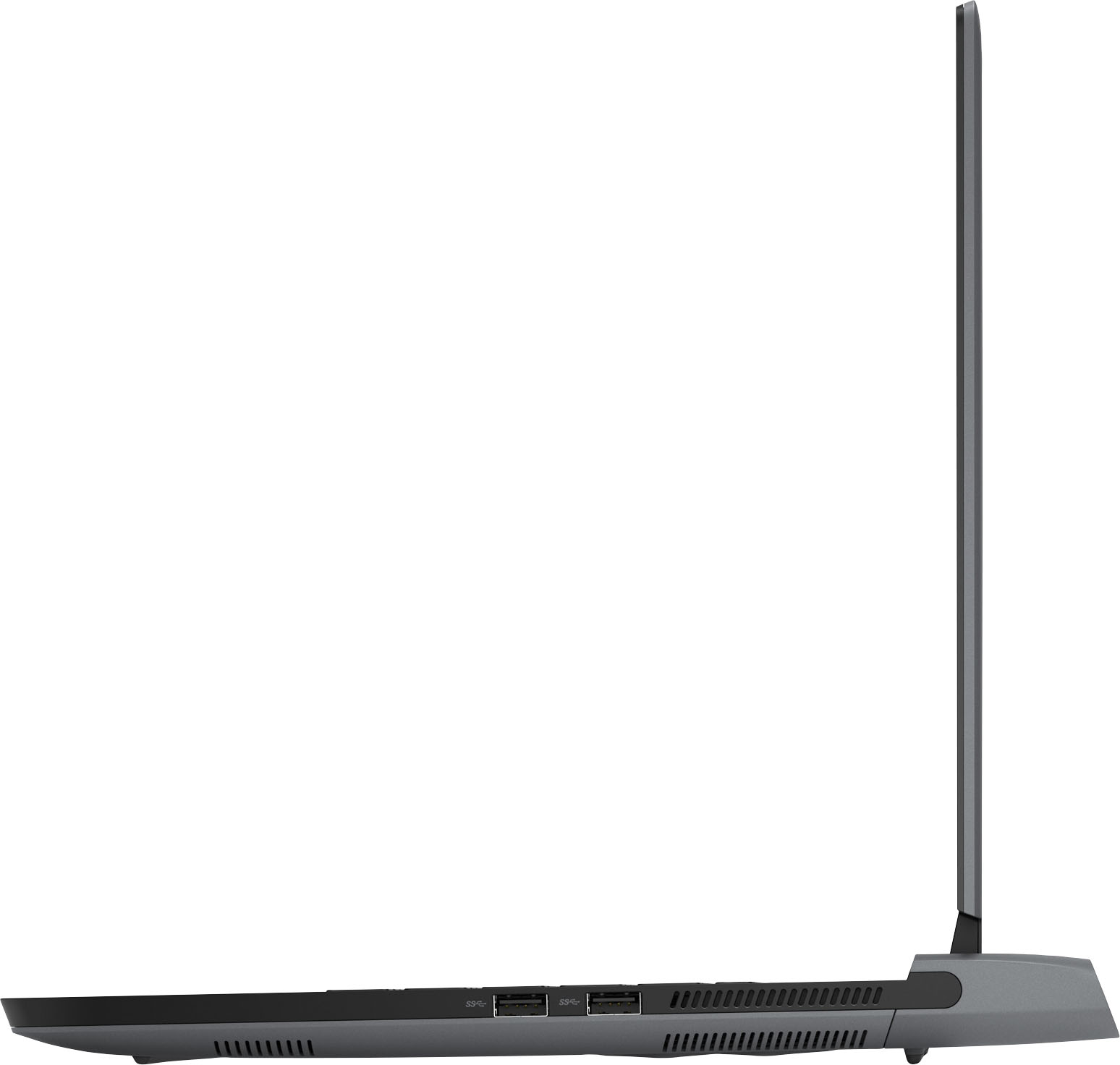
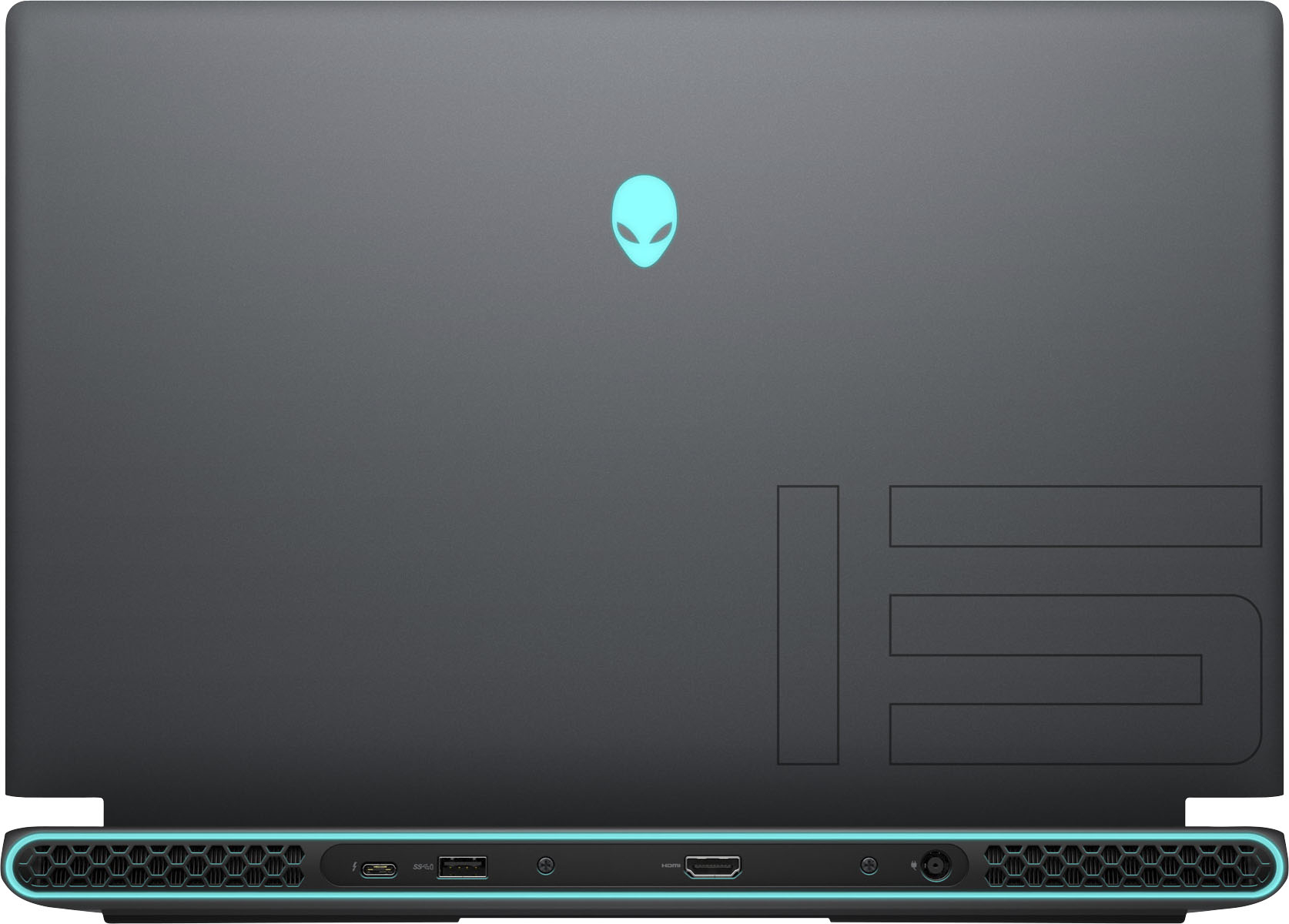
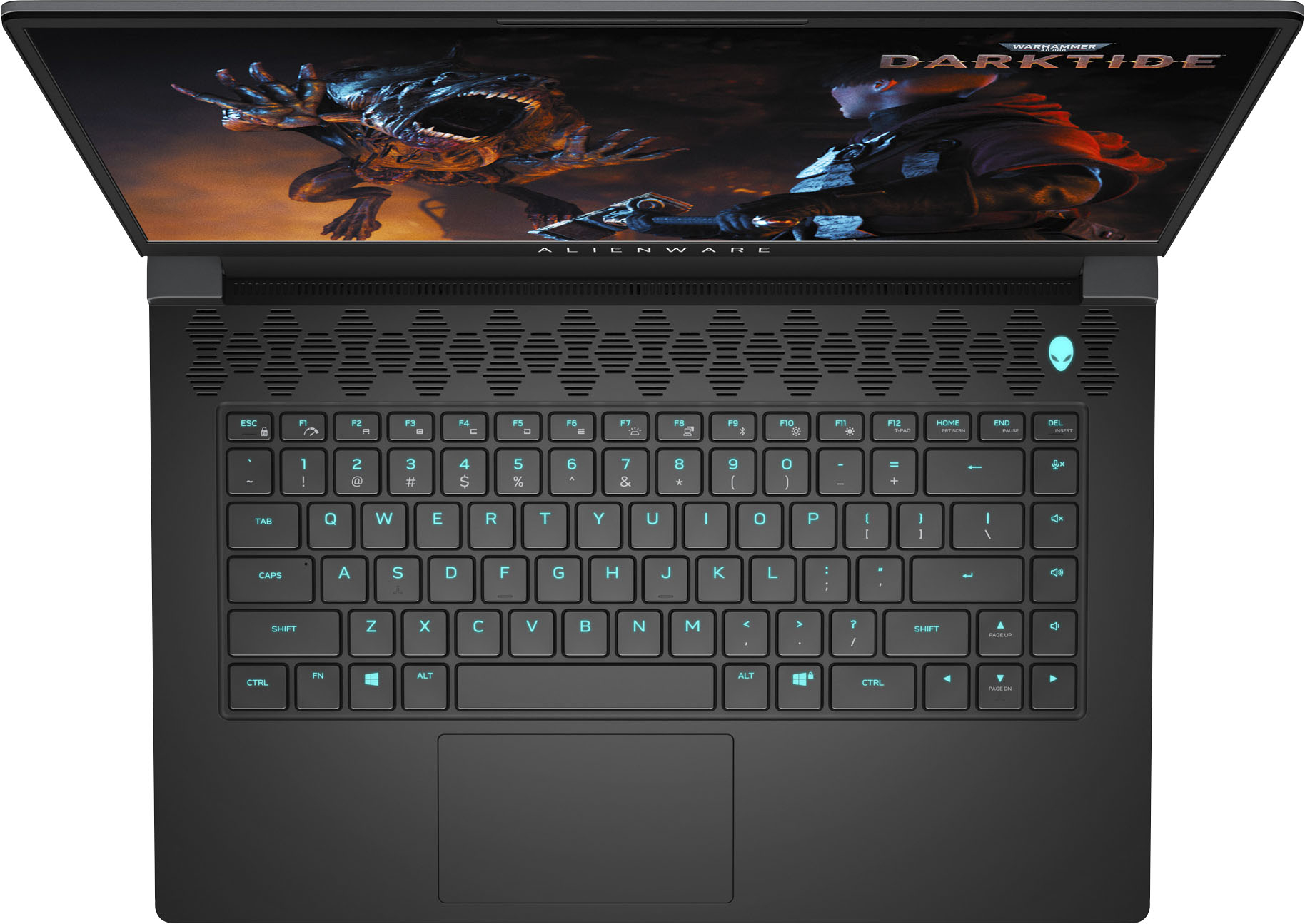
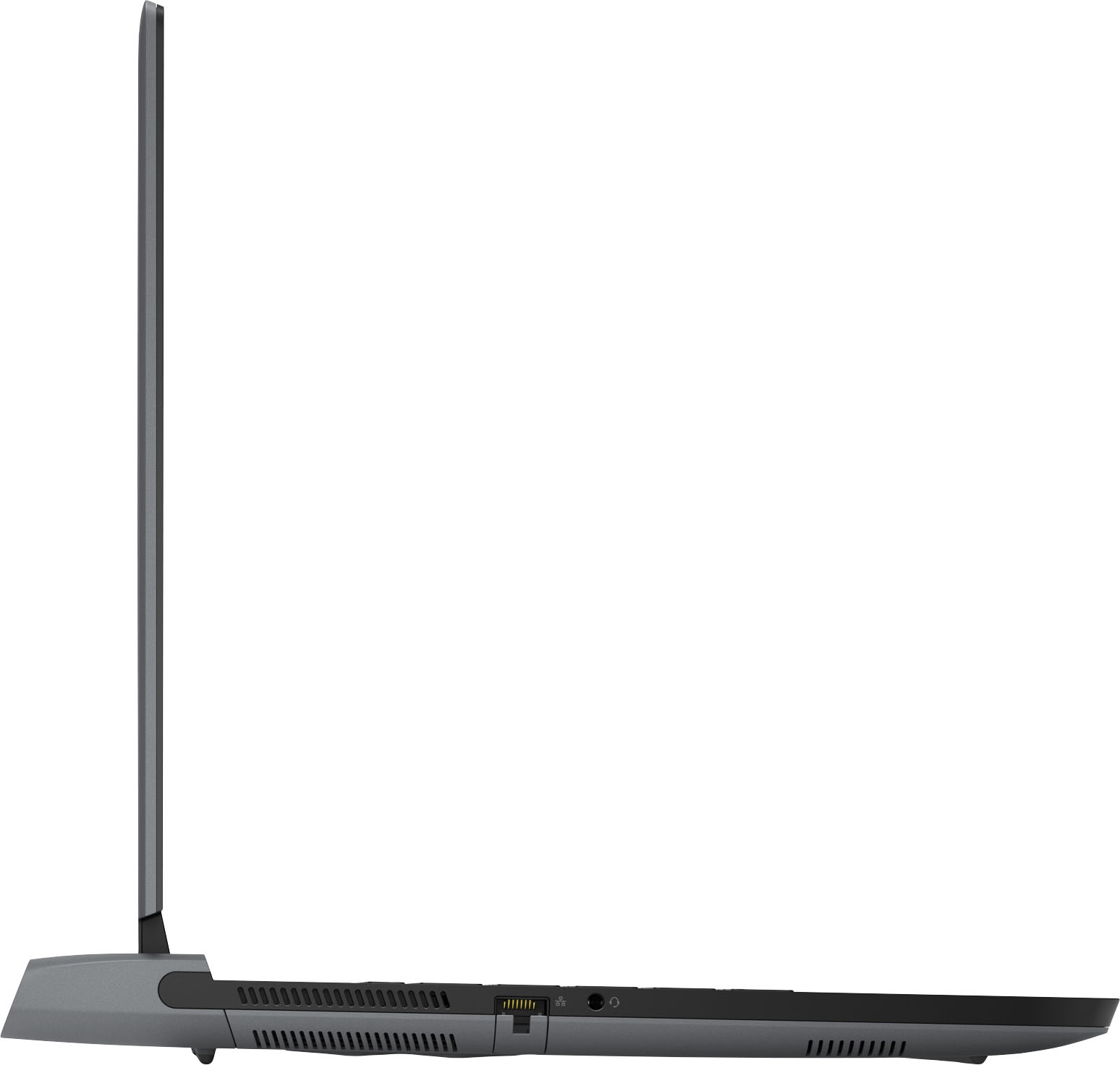
|Posted .This reviewer received promo considerations or sweepstakes entry for writing a review.Not even sure where to begin, so I’ll just go for it! For starters, this thing is a beautiful looking piece of tech. The “Dark Side of the Moon” color and finish looks fantastic. Very smooth and solid feeling surfaces. The RGB backlit keyboard is very responsive, comfortable, and nearly silent. The RGB color ways that the keyboard can produce are fully customizable and a nice touch on a laptop, as I have never experienced that on any of my previous laptops. The back lighting oval, the Alien head top logo, and power button are really cool looking and also add to the whole Alienware experience. Despite looking the part and feeling well built and solid, it is a tad on the heavy side (weighing nearly six pounds) but that is to be expected with a gaming computer and doesn’t bother me one bit. Setup was a breeze out of the box and just like other Windows based PC’s, you can choose to have Cortana help you through the process, or make her silent if preferred. Ultimately, I chose this laptop for playing ESO at home (with an external monitor) and remotely (built-in display). I wanted to have a mobile solution for starting a new character build, while also being able to play at friends' houses who are doing the same. So far, this is all working out extremely well. ESO is not only looking absolutely fantastic on the built-in screen, but is also running smooth and fast. The display is excellent. With the 2560x1440 resolution, text and images are clear and vibrant. Whether gaming, or watching movies on Netflix, the display looks great to my eyes. Gone are the days of blocky text on Windows computers. Finally! Of course a gaming computer needs graphics and a great processor and Alienware have given us both. Included with this model build are an NVIDIA GeForce RTX 3070 and a AMD Ryzen 7 5800H. While this isn’t the highest spec’d laptop on the market, it is extremely capable and works perfectly for my needs. While this computer is marketed towards gamers and does a great job with it, it also performs well for other types of computing where graphics and processing power are needed. Being a photographer and videographer by trade, this system can keep up with my Adobe Creative Cloud Suite of apps just like my desktop computer. While it’s obvious the display isn’t 27+ inches and doesn’t provide the real estate to make photo and video editing particularly easy, it can do both while you are mobile and again, that is what matters to me. If you need more screen space for editing, attach an external display! Being able to user upgrade both the RAM and internal SSDs is also a welcome feature. This version comes standard with 16GB DDR4 3200MHz (upgradeable to 32GB) and a 256GB PCIe M.2 SSD. I am not sure how large of a third party SSD you can install, but I am guessing most all (any size) PCIe M.2 SSDs are compatible. Ports included are headphones, ethernet, 3 x USB 3.2 Gen 1 ports (one with PowerShare), and a single USB-C 3.2 Gen 2 port that will run an external display. Being a photographer, I do miss having a built-in SD card slot, but it isn’t a deal breaker since you can simply use a USB SD card reader. That said, I would still prefer to have one. The Alienware Command Center is also a useful and very welcome addition to the included software. From here, you can literally “command” many aspects of your PC, as well as monitor performance, and even overclock if preferred. The GUI of the command center is also nice looking and very easy to navigate (see my screenshots). If you choose, you can always install third party monitoring and overclocking applications, but in my use, I have found that the Alienware Command Center is all I need. Lastly, I have found that the built-in webcam, microphone, and camera app are very bare bones and quite frankly, junk. This is my biggest complaint about this laptop. Photo mode only allows for a maximum resolution of 1280x720 and video only up to 720p. While this can get you by in a pinch for Skype or ZOOM, I would highly recommend looking into third party webcams and microphones. Especially if you plan on doing any vlogging. Thank goodness there are several great affordable options available at Best Buy, but I definitely think Dell has dropped the ball in these hardware departments and could have, in fact, should have done better. Gaming computer or not, having a competent built-in webcam and microphone would not only save money for the user, but also weight when going in a backpack, and of course time setting up. As far as the built-in speakers, they fall into this category as well. While most people will be using headphones or monitors to play games or watch movies, it would also be nice for manufacturers to at least try to make these hardware features usable. I get that the speakers need to be small to fit into a laptop chassis, but small speakers do not need to sound bad. Better speaker components, and even collaborations with companies that are in the speaker business would (could?) go a long way. Is it perfect? Nothing is. Is it a solid mobile computer that can get many jobs done with ease? It most certainly is. PROS: Excellent design and solid feel Very quiet RGB backlit keyboard Bright vivid display NVIDIA GeForce RTX 3070 AMD Ryzen 7 5800H 2560x1440 is much better than 1080 CONS: Microphone Webcam Speakers Possibly a tad heavy for some users Fingerprints easily
I would recommend this to a friend - Pros mentioned:Cpu, Display, Keyboard
Ryzen Gaming!
|Posted .This reviewer received promo considerations or sweepstakes entry for writing a review.As with any laptop or desktop designed for gaming, the CPU and GPU are the two main focal points when determining what model to purchase. It is because of this that I was certainly excited to see how the latest Alienware R5 model performs. The Alienware R5 comes equipped with the latest Ryzen 7 5800H for mobile and is powered by the Nvidia Geforce RTX 3070 to tear through the latest games. Despite some controversy with the GPU implementation, the Ryzen Edition of the m15 still deserves some attention combining a relative sleek looking package, decent hardware, and respectable build quality. Granted, I was curious to see if it can still perform and if it could still be a competitive option. Once opened, the Alienware m15 Ryzen Edition is much more compact than I thought it would be. Physically, it is not overly obtrusive or thick like some gaming laptops. Immediately one of my favorite features was that most of all the main ports are neatly aligned at the front of the unit. Naturally, this allows you to easily access the USB 3.2 Gen 1 ports on the right and the Ethernet port without other cords blocking your access. Furthermore, there is an additional USB 3.2 Gen 1 port on the front and also a USB 3.2 Gen 2 Type-C port. I was also quite impressed with the style of the laptop. It has a nice smooth brush feel to it and a stylish etched pattern on the top of the display. I was also impressed by the LED light that runs in a loop at the front as well as the iconic alien head LED light. In addition, the keyboard was responsive and was fairly quiet when you typed. Surprisingly, it was actually more comfortable typing on this keyboard than some of our other laptops. Moving on, the 240 HZ 1440p display is insanely gorgeous with excellent clarity and sharpness. HW Info lists the display as an LG model LGD0690. I was pleasantly surprised on how bright it was at max setting. Connectively, the contrast was wonderful throughout and color was exceptionally vibrant. The contrast was especially noticeable when viewing the included Alien desktop wallpaper. Before we move on to the performance aspects, there were a couple of observations that I would like to mention. First and foremost, I tried to change little as possible with regards to settings in order to maintain the closest out of the box experience that I could. With that said, the main significant change was that all of the drivers and updates were downloaded and installed by the OS. Although not preferable, most will probably let this task finish. Additionally, all of the startup executables were disabled. Connectively, I also disabled the UEFI Capsule setting in the BIOS to prevent it from updating over Windows update automatically. The BIOS should never be updated like a piece of software. Furthermore, I did not alter anything that would reclaim back some of the hard drive space used, even though for some reason Dell's Windows 10 installation already costs you 46 GB immediately upon your first boot of the OS. I was pretty disappointed with this, especially given that they only gave you a 512 GB SSD. You will more than likely need to fresh install to reclaim a good portion of that space back or perhaps upgrade to a bigger capacity. After updates and drivers, it blossomed to 53.6 GB used. Lastly, as most are probably aware, this particular implementation of the 3070 is cut down. GPU-Z shows 4,608 CUDA cores instead of the full 5,120. The TMU count is 144 instead of 160. Unfortunately, this is not ideal and, at the very least, Dell should have mentioned this on the specifications. Hopefully, the full chip can be unlocked via an update to the firmware or BIOS. Nonetheless, I hope this could at least provide some guidance on what to expect during setup. As for my performance tests, I tested each of the three of the main components: CPU, GPU, and SSD. For gaming, I tested three games: Rise Of The Tomb Raider (2016), Crysis 3 (2013), and Doom (2016). I used the highest preset in each game, and where film grain and motion blur is an option, I disabled it. Each game ran at the native resolution of 2560x1440. Throughout all of my tests, I monitored thermals with HW Info, HW Monitor, CPU-Z and GPU-Z. I used Fraps to watch the frame rate. On Rise Of The Tomb Raider, with anti-aliasing set to FXAA (default), as soon as the opening sequence loads, the fps explodes. I was reading anywhere from 88-95 fps walking along the mountain. As soon as the weather kicks in, I dipped to 82 fps. Depending on your camera angle, I noted frame rates up to 130. With the game running, GPU- Z has the 3070 at around 75c. The CPU hit around 83c. Once the mountain gives way, I dipped to the low 70s and shot right back up to the low to middle 90s. Inside the cave, I quickly shot up to 102-105 fps. If you switch the anti-aliasing to SSAA 2x, the story changes. At the start of the game, I noted frame rates from the high 50s to low 60s. Weather effects dips you to the low 50s. Overall, there is about a 20-40 fps decrease between the two anti-aliasing methods. Additionally, even more impressive was that GPU-Z reported the board power draw for the GPU never exceeded 115 watts. The performance was so crazy that I was curious to see how it would compare to my desktop that houses a GTX 1080. With both on the same settings at 1080p, my GTX 1080 notched 91.85 fps and the 3070 hit 100.18 fps. Crysis 3 should come as no surprise to anyone with its graphic intensity. Using the very high preset and anti-aliasing set to MSAA 8x, I immediately noted anywhere from 50-65 fps. There was an occasional dip but to see this game smooth at 1440p is mind blowing. Once you start fighting, the fps ranges anywhere from 53-65 fps. Cutting anti-aliasing back to MSAA 4x, allows you to stay above 60. I saw one instance of 59 fps, but typical range is 60-75. Finally, once you dial back to MSAA 2x, I never dropped below the 70-85 range, with occasion dips to the mid 60s. I saw one instance of 90+. Overall, this was extremely impressive and it looked absolutely stunning at 1440p. CPU temp hit 95c and the GPU stayed around 75c. Finally in Doom 2016, I was expecting the same staggering results and I was not disappointed. With all of its settings maxed out and motion blur off, the game literally did not drop below 160 fps and averaged around 170-200 fps. Perhaps the most amazing thing was that when I turned the in game metrics overlay on, the latency between CPU and GPU literally did not go past 3ms. This game was literally chew up and spit out. Aside from the GPU, which is stunning in its own right, the CPU certainly steals the show. The Ryzen 7 5800H just crushes everything that is thrown at it. With eight cores and sixteen threads, and a paltry 45w TDP, this chip just screams at you. Unfortunately, while I did not have a sample of the 11th generation i9 to test this CPU with, I did have an i7-1165 G7 in my ASUS laptop that was at least of this current generation, though please note that the i7 is only four cores and eight threads. For my encode test, I used Handbrake 1.3.3 and encoded a 28 GB M2TS file using the Very Fast 1080p preset. I set the audio to pass through the source. I also set the frame rate to match the source. I disabled two pass encode and removed subtitles and chapters. My results were as follows: i7-1165 G7: 29 Minutes and 1 second / Ryzen 7 5800H: 16 Minutes and 32 Seconds. As you can see the Ryzen handles multithreaded tasks very well. As for a single threaded test, I used Musicbee 2.4 to encode a 24 minute WAV file into MP3 using LAME 3.99. I used a constant bit rate of 320 kbps and set the internal algorithm to 0 for the highest quality (-q command). I set the maximum encoding threads to one core. Lastly, I included CPU-Z benchmarks for both processors. i7-1165 G7: 1 Minute and 14 seconds / Ryzen 7 5800H: 1 Minute and 11 Seconds. i7-1165 G7 - Single: 563.9 / Multi: 2,698.3 / Ryzen 7 5800H - Single: 581 / Multi: 5,665. Moving on, I next wanted to give you an idea of the SSD performance. HW info has this listed as a 512 GB Samsung PM991a NVMe running at 4x over PCIe 3.0. While the drive is fairly decent, it will not break any records. While sequential results were alright, the 4K read pretty low. My Crystalmark 8.0.2 results were as follows (see screenshot for full results): Sequential Read Q8T1: 3,102.99 MB/s / Sequential Write Q8T1: 1,436.26 MB/s Sequential Read 4K Q1T1: 42.85 MB/s / Sequential Write 4K Q1T: 115.91 MB/s Supplemental to these results, I manually transferred a 31 GB music folder containing 5,494 files and 1,179 folders from my Samsung T5 over the USB Type C port. The transfer averaged around 415-425 MB/s range and finished in roughly a minute. In conclusion, the Alienware R5 Ryzen Edition is a solid performer that doesn't fully disappoint despite some who might completely write it off due to the cut down GPU. It is certainly fair to critique such a decision, especially given the price points involved. In addition, I was quite disappointed about the 46 GB bloated Windows installation. However, this does not fully negate what the hardware is still capable of at its current configuration. It still a high performance machine. The Ryzen 5800H is still a monster CPU, taking mobile multitasking capabilities to new high heights. The RTX 3070 still powers through games like they are nothing, even beating my GTX 1080. Furthermore, the 240 Hz 1440p display was absolutely drop dead gorgeous. The keyboard was extremely comfortable and the customizable LEDs are another plus. The laptop itself looks really stylish and has a nice polished feel to it. While there is certainly room for improvement, the Alienware m15 R5 Ryzen Edition deserves at least some consideration. Therefore, the R5 comes recommended only for those are who are content with the above concerns.
I would recommend this to a friend - Pros mentioned:Cpu, Display, KeyboardCons mentioned:Battery life
Monster 2K Gaming in a sleek portable package
|Posted .This reviewer received promo considerations or sweepstakes entry for writing a review.The Alienware M15 Ryzen 7 5800H Gaming Laptop is a gaming powerhouse in a small portable sleek package. Pros: Awesome everyday task CPU performance! Blazingly quick responsiveness. Monster 2k gaming performance!! Expect 95+ FPS in most games. Decent RTX performance. Depends on the game, but I saw about a 20-40 fps drop when RTX was enabled, albeit when the normal is 95+ FPS it's still very playable. GORGEOUS matte finish 2K 240HZ display with tiny bezel. Super super crisp and bright!!! A joy to look at! Excellent sound quality! 16GB of memory is plenty for almost any task Sleek case and RGB lighting effects Comfortable and nice tactile feeling keyboard with decent amount of spring to the keys Decent weight for a gaming laptop Power brick is fairly thin and has a decent amount of cord length Ample cooling and fan noise is pretty decent Decent amount of ports around the case Cons: 512 GB SSD seems small for this price range. A 1 TB drive would suit this laptop better. Battery life is not great for non-gaming situations. I was able to get about 3 hours of video playback (4 with battery saver power mode) and about 5.5 for normal activities like surfing the web. Metal case is a fingerprint / handprint magnet. Power cord plugs into the back at a 90-degree angle. It takes up extra space on the desk and would've preferred a side mounted plug. Full charge time could be better. Took close to 2hrs from 2% to 100% Overall, this is a stellar gaming laptop with awesome 2K performance. If gaming is what you're after, then this laptop will not disappoint. Only thing I would recommend is opting for a larger SSD. 512 GB with today's game sizes will fill up quick.
I would recommend this to a friend - Pros mentioned:Cpu, PerformanceCons mentioned:Fan noise, Weight
Power, Toughness, and Ruggedly Handsome.
|Posted .This reviewer received promo considerations or sweepstakes entry for writing a review.Beyond excited I picked up this Dell Alienware M15 AMD Ryzen 7 5800H Edition R5 Gaming Laptop. This machine is an absolute beast. Once the package arrived and I set my eyes on the beautiful boxing, I felt like a kid in a candy store. Unboxing this beauty was so much fun, I love how meticulous everything was in its packaging. After pulling all the components out of their respective boxes and wrappings, I plugged the computer directly into the wall. The alien logo started to dance with the whole spectrum of colors. I was hooked. Upon pressing the on button and after the initial setup and updates, a reboot was needed. I cannot believe how fast the boot time is for this machine. Almost instant. At this time, I can not wait to load up some games and put this computer through the wringer. I needed a quick game to download to test this machine, one with friends I could play with, one that would take a lot of ping, bandwidth, and CPU speed. I wanted a game that would be fast-paced and have some decent graphics to get a real feel of the Radeon Graphics card. I chose the new CoD Modern Warfare. After a quick install, the game started promptly. I gamed on this machine with minimal breaks for three days straight. I had a blast! I have always loved Alienware and the products they produce, but I cannot get over how well this new model handled the lengthy high-speed gameplay all while looking fantastic at the same time. The refresh rate of the screen was spot on and smooth, almost lifelike. The CPU barely went over 50% usage for this game, I need to pick something more intensive for my next reviews, maybe in the VR realm as this computer did not even flinch to my game choice. There are way more pros to this machine than cons. Every time I look at it, an instant smirk appears on my face, and I feel like I fall in love again and again. Pros: -Absolute beautiful construction, a work of art. One of the best-looking gaming laptops I have ever seen -AMD Ryzen 7 5800H with Radeon Graphics are no slouch and were made for each other. Powerful, smooth, crisp. - So many customizable options! Like RGB? Like solid colors? Change the LED colors on the front, on the back, different sections, or the whole keyboard even. -16GB of Ram, makes this a quick thinker right out of the gate. -Very fast CPU, I tried, but could not max it out. -Long battery life (for a gaming laptop) -Minimal bloatware Cons: -Weight, it is a little hefty at almost 5.5 pounds, but where else would they pack all this power? - Fan noise. But that beats overheating, gaming laptops, amirite? -Speakers. They are great speakers! But I do recommend a headset when gaming. For casual computer usage, email, web browsing, these speakers are awesome. I do recommend this computer to anyone who is serious about gaming, casual gamer, or anyone who is just getting into gaming, and want the option of portability. In all, Alienware has artfully crafted this machine to put in your arsenal of weapons to go up against any component you may face in any game realm that you may find yourself in. What an amazing experience gaming on this computer has been.
I would recommend this to a friend - Pros mentioned:Cpu, KeyboardCons mentioned:Heat
A gamer's dream specs bundled into a laptop
|Posted .This reviewer received promo considerations or sweepstakes entry for writing a review.The Alienware M15 Ryzen Edition R5 5800 series laptop has all the high-end specs any gamer would drool over all bundled up into a beautiful laptop. Alienware has always tried to set the bar with their rigs and this Ryzen Edition R5 is no exception and everything you would expect them to produce. I will make quick mention of some of the basics you would expect from most of today’s laptops and then get into the fun stuff. It comes with Windows 10 Home installed and the Alienware software for customization. It has Bluetooth 5.2 built in and Killer Wi-Fi 6 AX1650 802.11ax 2x2 for super-fast internet speed. The laptop weighs a little over 5 pounds making it reasonably light considering what is shoved into it. The outside chassis is, what Dell calls, Dark Side of the Moon color (basically a matte black) with High Endurance Clear Coat and Silky Smooth Finish and shows the M15 logo on the top. Be prepared, there are going to be plenty of Windows and driver updates during the initial set-up which may take some time and several restarts. The AMD Ryzen 7 5800H 8-core processor can run up to 4.40 GHz, combined with 16GB of DD4 3200 MHz RAM makes multitasking feel like child’s play. This package includes a 512 GB PCIe SSD however you can upgrade the SSD or even add an additional SSD since there are two M.2 2230/2280 slots for solid-state drives. There are also two SoDIMM slots that you potentially upgrade the DDR4 RAM if you choose to do so. Access to the motherboard and the SSD and RAM is fairly easy with only six screws however the trick to getting the cover open after removing the screws is to gently pull the cover up and out at the same time for those of you who wish to tinker with the laptop. With the use of the copper alloy thermal components, you can see the amount of cooling they put in the rig, which they call their Cryo-Tech technology, to ward off and pump out all the heat it produces with the high-end processor and graphics card. The fans can get quite loud when gaming at high specs, as expected, but it is not an obnoxious loud like some other rigs I have used. Dell added the Nvidia GeForce RTX 3070 GDDR6 8GB dedicated graphics card to this package and it is a noticeable upgrade from their previous versions making gaming smooth and incredible looking. I have run several AAA high-end online and local games using high graphics settings and this machine handles them well. The laptop has both a HDMI output and a DisplayPort for monitors and even VR headsets that require a DisplayPort that you can dedicate to the graphics card. This laptop’s 15.6” QHD 240Hz refresh rate display is crystal clear and I have it running 2560 x 1440 pixels. There is a webcam on the front of the display but not facing outwards. With the help of NVIDIA’s G-Sync technology, the laptop can detect the appropriate refresh rate and switch automatically between the dedicated 3070 graphics card to the onboard AMD graphics card. The outside of the laptop has several ports including an ethernet port, two USB 3.2 Gen 1 ports, one USB 3.2 Gen 1 port with PowerShare, one USB 3.2 Gen 2 Type-C port with DisplayPort, one HDMI out, a headphone jack. I would have liked to have seen at least one more Type-C port however you can always hook up an adapter for more. The laptop does not have an optical drive which cuts down on the weight and size therefore you would need to use an external drive. Dell allows you to customize many features during set-up using the Alienware software including the four zone RGB lighting of the built-in mechanical keyboard, the lighting around the back surrounding the fan exhaust and the Alienware logo, whether the laptop is being used for gaming, work, home, pleasure, etc., and more. To make the decisions easier, you can use the recommended laptop settings that can adjust automatically to your needs to ensure you get the most out of their machine without sacrificing whatever you set as the priority such as the graphics, speed, battery life, etc. I am normally not impressed at the sound of most laptops, but this rig’s sound is very loud and crisp. With the built-in stereo speakers combined with Alienware’s Sound Center, you can hear the right to left motion when playing games since they put speaker grills on each side allowing sound to flow outwards and not just up towards the screen. The RGB backlit Cherry mechanical keyboard is a welcome addition and the first built-in mechanical keyboard I have used on any laptop. Because of the laptop width, the keys are shorter press than what you might be accustomed to in a full-size mechanical keyboard but still feels really good in comparison to normal laptop keys. Key presses feel smooth to the touch however I have noticed some slight squeaking sound out of certain keys because of the mechanics. I would have liked to have a number pad on the size but I know some people prefer the larger keyboard format without having to sacrifice for the extra space to add a number pad. I’m starting to get used to the key spacing already after switching from a laptop keyboard with the number pad and noticed I’m not dragging my palms across the mouse pad at all which used to be very frustrating. Overall, this Alienware M15 AMD R5 laptop is incredibly loaded for anything you might be in the market for as it can handle most anything you throw at it. Considering the high-end specs, the price point is definitely worth the investment and would recommend it to anyone in the market for a gaming rig.
I would recommend this to a friend - Pros mentioned:Cpu, KeyboardCons mentioned:Weight
Awesome... Just Awesome
|Posted .This reviewer received promo considerations or sweepstakes entry for writing a review.The Good o Keyboard overall is good for a notebook. Not mushy, solid travel, easy to type on, a little stiffer than I normally prefer for gaming. Overall good, but I did find some keys to have an irritating squeak. o Matte screen is one of the best I’ve seen – 1440P at 240Hz AND G-Sync. For gaming this is prime for the RTX 3070. o RTX 3070 is incredible and the M15 does a great job of keeping it cool at the cost of fan noise. Playing Battlefield 5 for an hour or so and temps stayed around 85c. o 16GB in my model is the sweet spot – support up to 32GB and 2 user accessible SODIMMS. I suspect this level of serviceability comes at the cost of dimensions. I find the size totally acceptable for what it is. o Windows Hello is fast and awesome. o Socketed wifi module is also a nice to have o Camera is fine – remote work or school should be fine. At least Dell/Alienware was kind enough to include one, unlike some other OEMs…**cough** ASUS **cough**. A web can should be a ubiquitous component for any notebook. o LEDs are good. Per key RGB might seem unnecessary to some. For me it’s a noticeable cut corner. o Alienware Command Center is good. Gives you control over LEDs, software updates, general temperature, and hardware management. o AMD Ryzen 7 5800H is perfectly capable. For the price, it would have been nice to see an R9 but the R7 is completely capable. It just seems like an odd parting with a 3070 – for me this would make more sense with the RTX 3060 of 3050. The Bad o Touchpad isn’t my favorite – it’s on the small side compared some other gaming laptops I’ve used. Interesting design flaw that bothered me but may not be an issue for you. When I use the touchpad I often rest my thumb on the edge of the chassis. On the M15, any pressure below the touchpad, on the chassis lip, causes a clicking that sounds and feels like a mouse click – but it doesn’t seem to actually click in the OS. I find it irritating but unless you position your hand like me on the touchpad, may not be an issue for you. o It’s heavy – I don’t know if that’s a design choice or a necessity, but at over 5Lbs it’s more of a portable gaming rig than a nimble notebook. Feels heavy in the bag – not a big deal for gaming but pulling double duty for work or school and the weight might be a bit much. Consider your use case before jumping in on a solid gaming machine like this. o Touch screen would have been nice, but for the intended purpose of strictly gaming I get it. My Conclusion o The Alienware M15 is fantastic. It’s well made and loaded with great hardware. I’m so happy to see nVidia GPU and AMD CPU together again. If you want a solid desktop replacement or mobile gaming rig this is a solid choice. The screen, the CPU, the build quality, and GPU are top notch. You may want to consider the weight and size if your plan is something other than gaming.
I would recommend this to a friend - Pros mentioned:Cpu, Design, DisplayCons mentioned:Battery life, Fan noise, Heat
A Great Gaming Laptop for Gamers
|Posted .This reviewer received promo considerations or sweepstakes entry for writing a review.. The Dell Alienware M15 AMD Ryzen 7 5800H Edition R5 GAMING Laptop is a top contender in GAMING laptops and does Dell proud, winning on performance and looks but not on size. But is it for you? Alienware arguably defined and ruled the field of GAMING laptops in 2002, and it now has its lovers and haters, but you have to respect Alienware’s willingness to make quirky choices in the pursuit of the ultimate GAMING experience. So is it for you? Rank the top 5 things you use a computer for. If the first 3 are ‘GAMING’ great, but if not, you might want to reconsider hard. There is only one viable justification to consider it for spreadsheets, the 2560 x 1480 QHD screen upgrade makes text look REALLY sharp, so yeah okay you could use it for content creation (but there are cheaper alternatives for that) This year for the first time in over a decade Alienware made the move from Intel to AMD for better performance/power, updated the form factor, and given the Ryzen 7 5800H CPU a high performance GPU to match, the NVIDIA GeForce RTX 3070 laptop version, and in doing so created a take-no-prisoner GAMING (am I being too subtle here with the capitalization) computer. There is a LOT to like, and yes, some things to dislike. It OPTIMIZES: - CPU, 8 Cores, 16 threads, the Ryzen 7 5800H has Cinebench (r23 single core 1375 multi core 11, 8311) and geekbench scores that put it up at the top. All with reasonable power draws. -GRAPHICS – The GeForce RTX 3070 configured with a 115W TGP and 10W Dynamic Boost, running at 1,110MHz (base clock) to 1,560MHz (boost clock). There was nothing I could throw at this where I didn’t get at least 60 FPS at Ultra settings, and often got >100. Needless to say, buttery smooth. Like take your breath way smooth. Right before you bring down the hammer smooth. - SCREEN, the QHD 2560 x 1480 capable of 400 nits at 240 hz with g-sync support, is one of the best screens I have seen on any laptop, GAMING or not. Period. The blacks are so good it almost looks OLED. The colors POP. Note this is an upgrade over the normal 1080 p screen that I would really recommend going for. - VERY LITTLE THERMAL THROTTLING. During Cinebench the CPU got really hot (92 C), really fast but only throttled towards the end (8 minutes) from turbo boost, 4.4 Hz, to a respectable 3.5 Hz, and maintained that. Keep in mind it is rated for an even lower 3.2. This heating configuration was designed for the long haul (ok you content creators, I hear ya). - WI-FI 6, I would routinely get over 300 Mbps. That’s great in my books. Means I could stream a dozen high rez movies if I wanted to. - UP TO 32GB DDR4-3200 RAM (officially, but I wonder…) with easy to access user upgrades (mine has 16 GB) - Up to 4TB (alas not raid 0) STORAGE with two NVMe SSDs with easy to access user upgrards (mine has 512 GB, really too small for portable GAMING). - 4 zone user configurable RGB keyboard that is easy to type on, and has decent key travel (but you are going to use an external keyboard right?). Not to mention user configurable Alienware logo lights and the ‘Tron’ rear ring light. - HDMI 2.1 video out. - RJ-45 Ethernet (accelerated, 2.5 Gbps). - Intelligent placement of ports (those that need to be on the side, are, the rest are on the back for good cable placement. But.. (read on) - Windows Hello face authentication (facial recognition) with infrared cameras (harder to fool). Okay, so maybe this is not a ‘GAMING’ function, but it’s definitely cool and definitely works and is a plus in my books. Mind you this is my GAMING computer so it’s not like I need the ultimate in security for my banking accounts. - APPEARNCE: Maybe this is not the place, but dang it looks and feels good! A very refined yet hard to mistake GAMING look in silky smooth ‘Dark side of the moon’ black. Well rounded, sturdy, quite a presence. So yep, you will be the envy of all sitting there amongst your buddies and feel pretty darn good even if you are sitting alone but connected to the GAMING community by internet. This thing GAMES. It accomplishes all this by SACRIFICING: - WEIGHT (a svelte luggable 5.34 lbs) and that’s before the 240 watt charger (another 1.5 lbs). So yeah, 7 lbs for your backpack (you WILL want the charging brick). And its dimensions are hefty too. Maybe if you are the type that wears weight belts to exercise this is a plus for you. For most of us, not so. But hey, gamers got to game! - HEAT, this thing gets HOT when you just look at it, and then the fans kick in. I don’t know Dell marketing likes to push their Cryo-Tech cooling technology is in play with ‘load-balanced copper heat pipes and liquid crystal polymer fans’ but the CPU gets hot, the GPU less so (more consistent graphics?) Doesn’t seem to hurt overall performance but it will burn your fingertips on the top row of the keyboard if you insist on using it while GAMING. - FAN NOISE. You better warn anyone around you about the 747 taking off before the fans kick in high. And they will kick in even with youtube (though not at full). You aren’t going to be GAMING in the library with this bad boy. But that’s what headphones are for yes? Seriously. Get headphones. - SOUND. You will want headphones because the built-in speakers are so-so, and definitely struggles against fan noise. Thinking candle lit dinner with your significant other? Not with this. - BATTERY POWER. Yes, there are those that say the hefty 86 WHr battery (100 is typically the limit for airlines) can power this monster for 10 hours, but that’s with totally taming down all the settings and just watching video. Who does that? You buy this GAMING computer to game, think closer to 3 or 4 hours with real use. But hey, bring the powerbrick. You aint sitting on the beach with this! - NO NUMBER KEYPAD. Take that you closet GAMING accountants! - LOUSY SMALL TRACK PAD. Get a GAMING mouse Because it was so small, my gestures required more finesse than I like, and it was stiff, hard to click. But get a mouse and get over it. Really. - LOUSY 720P WEB CAM. Okay, granted a number of GAMING laptops have NO webcam, so is this better than nothing for getting your (GAMING) freak on? Yes. But would it have been hard to put a better one in? - FEW PORTS. All of the above sacrifices, I can happily embrace by going to the gym more, wearing headphones, avoiding zoom calls (who wants to work anyway) and plugging in for my play, but there is one area where I just got to say, really? How do I make up for a lack of thunderbolt port? I can’t. And, fine, no camera card slot (get an adapter youse paparazzi), but only one USB-C Gen 2? One? That doubles as a display port? What if I want multiple high-speed SSDs for my games? SOL. Okay, you have HDMI for video. And lest anyone thinks this is not meant to be used with a GAMING mouse and keyboard, it exceeds in its number (3) of old style USB-A 3.2 Gen 1 ports. Oh and of course a 3.5mm combination headphone/microphone port because they know you are going to need it. Hurrah. Give me my thunderbolt and let me have a proper dock for those. Okay there you go, the Pros and Cons, the Optimizes and Sacrifices. Have you answered the question, is it for you? Probably not. I get it, more research required. It’s not a budget computer. You can get cheaper, lighter content creators or spreadsheet spreaders. And I hope you got the hint when I capitalized every use of GAMING, that this is a no compromise, no apologies, GAMING computer. Maybe it’s not easy to admit you want a GAMING laptop. Don’t complain to me about the trackpad, or the keyboard acting as heat radiator, or the need for a gaming mouse, or the lack of ports (enough to get your games in and your video out). The QHD screen is jaw dropping, the gaming performance holds its own, the overall aesthetic is premium. And that includes btw, the unboxing. Premium. No doubt you want to know how fast it runs your game, maybe its Assassin’s creed the latest, or Final Fantasy 14, or the Old Republic, the answer is as fast as any similarly priced GAMING machine. Maybe a tad faster than some with better graphics, but if you are at the point where THIS computer holds you back from the win, you are not using any laptop but an upscale liquid-cooled desktop rig. So who is this for? A GAMER? Maybe? A GAMER that likes to play in the presence of actual people? A GAMER that travels? A GAMER that appreciates both performance and style. Or maybe a student that has a really, really good poker face when convincing his parents the great screen means it is great for reports and doesn’t mind leaving books out of the bookbag. Or in these crazy times when desktop GPU's go for insane prices, a GAMER that wants a great system without paying the bitcoin tax. Like in this case, someone with a lightweight laptop with integrated graphics for work travel (another Dell), and the Dell Alienware M15 AMD Ryzen 7 5800H Edition R5 GAMING Laptop for play. As for how many points I gave this laptop. I really struggled with it. I want to give it 4.5. The paucity of ports annoys me, especially the lack of thunderbolt, but eh, it is what it is. Nothing is perfect. So okay it sacrifices to be a gaming laptop. Round up to 5. However, to be clear, in case I haven’t been, if I was looking for anything BUT GAMING, it’s a 4 at best, maybe even a 3 considering the cost and sacrifices. Good luck with your decision. I do think if GAMING is in your portable future, you can’t go wrong with this one. Oh, but do get the 2560 x 1480 QHD screen upgrade. You deserve it.
I would recommend this to a friend - Pros mentioned:Cpu, Design, DisplayCons mentioned:Heat, Speakers
Excellent Powerful Gaming Rig! Love it!
|Posted .This reviewer received promo considerations or sweepstakes entry for writing a review.AMD’s 7nm Ryzen chips are finally making their way into premium gaming systems, bringing incredible power and efficiency over Intel models. The m15 R5 is Alienware’s first AMD based laptop in several years, maybe even a decade. The design is similar to the R4 but ever so slightly slimmer all around, including the bezels. There is no microSD slot in the R5 however, which is a bit of a bummer. Like all AMD systems, there is no Thunderbolt port. I feel this is one of the most portable 15” laptops Alienware has made, certainly more so than my 2018 m17 which doesn’t even fit in most bags! The biggest hit to portability is the charging adapter. The 240W adapter will take some significant space in you bag. I am hoping I can purchase one of the charging adapters for the newer X15 models which are supposedly smaller for travel and leave the big one plugged in at home. Performance-wise this thing is a beast. The Ryzen 5000 series CPU can easily hold its own against any 8-core Intel-based desktop system. The Geforce 3070 allows you to play AAA titles such as Fortnite, Call of Duty, and Rocket League at the native QHD (2560x1440) resolution, which in my opinion is the sweet spot for gaming. 1080p is not detailed enough for my eyes and 4K seems overkill for most games and even more so on a 15” laptop. My favorite pastime Fortnite hits an impressive 50fps with everything turned to Epic settings WITH ray tracing enabled. Turn things down and lose the ray tracing and you can over 100fps. Mass Effect Legendary edition was easily getting 150fps. When gaming the system will get louder and get pretty hot, but this is to be expected of a gaming system. One thing to note regarding gaming performance is that there is a patch that Alienware provides to “unlock” all of the CUDA cores of your GPU. By the time you read this maybe the patch will auto-update but I had to download it from the m15 R5 support page. To check, open Nvidia Control Panel and click System Information, should have 5120 CUDA cores. If you see less, then download the GPU patch. I’m not sure why out of the box there are less cores enabled. As powerful as it is, this Ryzen chip truly shines when you are NOT gaming, such as web browsing or doing productivity work. My Alienware laptops in the past would still run pretty hot and still suck battery even on non-gaming workloads. With Ryzen under the hood, not only is this system quiet, but you can get really good battery life, and can irk out even more if you change the screen refresh from the insane 240hz down to a Microsoft Word friendly 60hz. Either the integrated AMD graphics or the 3070 can drive the display. This is possible via Nvidia’s Advanced Optimus feature and allows you to choose which graphics adapter to use, or let the system handle it automatically (the default). When not gaming, the 3070 is basically not there so the CPU and integrated graphics sips power and everything stays cool. When you're ready to game, the 3070 drives the display for maximum performance. There are some other nifty features like the F7 key which will turn off all the RGB lighting to save battery or if you don’t want to be a distraction in a conference room. The Alienware logo on the keyboard deck serves as the power button and charging indicator. It will flash blue/yellow when charging, solid yellow when on battery and solid blue when running on A/C adapter. There are dedicated volume and mute keys and even a microphone mute which is handy but oddly there is not a way to tell if the microphone is muted or not. I feel like the microphone button should have an LED similar to caps lock or at least an on-screen display, but none the less, if your mic is not working, try pressing that button. There are a few downsides to this laptop, but nothing major. Besides the lack of Thunderbolt there is not an option to charge via USB-C. Couldn’t game on USB-C anyway but it’s not uncommon now for gaming laptops to let you at least charge the battery with a more universal charger and leave the big brick at home. The speakers are “meh”, they are serviceable but sound hollow. Most gamers use headphones anyway so not a big deal. The trackpad is also fine, but a bit on the small side. It would have also been nice if the unit came with a 1TB drive instead of 512GB, which is fine but will fill up quickly with just 5-6 AAA titles. Thankfully, the SSD can be upgraded easily and there is even a second drive bay for another NVMe drive. Unfortunately, Alienware puzzlingly does not include the bracket needed to use the second drive, so you will have to contact Dell support to get it. Dell support is the best and I have one on the way and plan to add a 1TB drive in the second slot to store more games. Pros: Powerful and Efficient Ryzen 5800H CPU 125w RTX 3070 Graphics Advanced Optimus with G-SYNC Incredibly Fast 240hz Beautiful QHD screen 16GB User Upgradable DDR4-3200 RAM Wifi 6/Bluetooth 5.2 HDMI 2.1 Upgradable SSD and Additional NVME Slot Windows Hello Latest BIOS Update allows TCC Offset Customizable RGB Cons: Speakers are not great Smallish Trackpad Huge 240w Power Adapter No microSD reader Second SSD slot needs additional parts not included in box Overall – I really enjoy using this laptop and am actually writing this review on it while sitting on an airplane – first trip in over a year! While there are some more portable systems out there in the 13” to 14” range they do not have the gaming power that this has or Dell’s excellent customer service. I highly recommend this laptop to anyone looking for a portable gaming powerhouse.
I would recommend this to a friend - Pros mentioned:DesignCons mentioned:Heat
Laptop overheats out of the box.
||Posted . Owned for less than 1 week when reviewed.This reviewer received promo considerations or sweepstakes entry for writing a review.I REALLY wanted to love this laptop. The design is beautiful, it has great specs at a reasonable price and it appears to be an amazing option. I’ve had it for 2 days and I’ve spent all my time trying to figure out how to keep it from overheating and throttling FPS. It will be cruising at 80 FPS and suddenly drop to 20 or less and stay there until I let the computer cool down. I’ve tried different settings, and even a laptop cooling pad. Dell if you are reading this, please fix the cooling on this model so we can all enjoy it.
No, I would not recommend this to a friendBrand response from YourDellTeam
Posted .Hello Mason,
Thank you for your review. We appreciate your kind words and are happy to know you're pleased with various aspects of your m15. We are sorry about the overheating and FPS issues you're encountering. We will share this feedback with the team to improve future generations of our products. Below are steps that can help with overheating and FPS issues.
• To tune your system, go to Alienware Command Center and select out of 4 different thermal profiles that will help you manage system temperatures as well as performance output to your preference. These include Cool, Quiet, Balanced, and Performance thermal profiles.
• Our Alienware m15 follows 8th and 9th generation Intel performance design guidelines, which can lead CPU temperatures to reach 100°C to output top in-game performance.
• We fully warrant the product under these conditions. If you see CPU temperatures rising beyond 100°C on Alienware Command Center, please contact support and they will take care of your issue - https://dell.to/2Inbc8F.
• You can view additional information on this site: https://dell.to/2IIhqjJ.
Lastly, we'd also suggest checking to make sure that your software and drivers are up to date. There was a BIOS update for this series released last week and you can download the update here https://dell.to/2U711fW. If the issue persists after updating the software and drivers, please contact Dell Support at your earliest convenience at 1-800-264-9896.
Best regards,
Wendy C.
https://bit.ly/DellSupportTeam.
Phone number to Dell: 1-800-264-9896.
- Cons mentioned:Fan noise, Heat
Not Quite Top of the Line
||Posted . Owned for 1 month when reviewed.This reviewer received promo considerations or sweepstakes entry for writing a review.For the most part, very good. The fan does get loud when overclocked, and laptop can get warm at times, a laptop cooler usually resolves this.
No, I would not recommend this to a friend - Pros mentioned:Cpu, Design, DisplayCons mentioned:Battery life, Speakers
Incredible gaming performance in a reasonable size
|Posted .This reviewer received promo considerations or sweepstakes entry for writing a review.Let’s start with the really, really outstanding features. The hardware specs for this laptop are crazy good. The Ryzen 7 5800H is an amazing laptop processor. It gives my almost 2 year old desktop Core-I7 a run for it’s money and might even outperform it. The Nvidia RTX 3070 is also phenomenal, especially packed into a laptop. There again it gives my desktop RTX 2080 a challenge even producing a higher FPS in some cases. The display is equally amazing. At 240Hz and 2560x1440 resolution it blows away my 144Mhz 27” gaming monitor which I thought was pretty good. In SDR color mode even the colors seem so much more vivid and rich. I connected my 27” monitor using the HDMI port on the laptop. It had no problem driving it at 144Mhz as a second monitor. I really like the case design. It has a sturdy quality feel to it without being too heavy. I am also a fan of the hinge being a bit forward and not at the back of the chassis which seems like a sturdier design. I guess the back houses the cooling hardware. The hex shaped vents are a nice design touch as well. The laptop has ample ports for connectivity, and it is really nice to have the display port connections in the rear and out of the way. I suspect most gamers will use an external keyboard and not the laptop keyboard for any serious gaming but it is a pretty decent keyboard as far as laptops go and the RGB back lighting is cool. As a laptop battery life is good. While gaming though it will drain fast. I suspect most people will use it as a desktop replacement / mobile gaming rig and have it plugged in while gaming anyway. The power brick is HUGE but that is not surprising given the hardware it is meant to power. Built-in speakers unsurprisingly do not sound great, however, they are much louder than most other laptops I’ve used. There again, most gamers will likely use headsets anyway. Speaking of headsets, I tested my Alienware 988 headset and a Bluetooth headset and both were easy to connect and worked great. WiFi has good throughput and low latency. I have a great WiFi network and didn’t need Ethernet but I did plug in to try out and it works as expected. Just wish the network port was in the back with the display ports. On battery CPU/GPU is throttled a bit but more than sufficient for any game. When plugged in performance is outstanding recording a solid 240 fps on max settings in LOL. Would not recommend using on lap when gaming, either plugged-in or on battery as it gets very hot. If I had to come up with a criticism of this awesome laptop it would be the paltry size of the storage drive. 512Gb is exceedingly small these days, especially with this being a gaming laptop where it’s not unusual for a single top-tier game title to use 100Gb. With the relatively inexpensive price of storage these days I really do not understand why Dell skimped on storage for a machine with top notch specs. Looking through the service manual I noticed there is another drive bay/slot so additional storage can be added.
I would recommend this to a friend - Pros mentioned:Design, KeyboardCons mentioned:Battery life, Heat, Speakers
The best gaming laptop I've ever owned!
|Posted .This reviewer received promo considerations or sweepstakes entry for writing a review.I’ve been using this new Dell Alienware M15 R5 for a couple weeks now and I can easily say that this is the best gaming laptop I’ve owned to date! Every game I play runs smooth and looks amazing, even with the graphics options turned all the way up to ultra, it works perfectly! I like the color and overall design of the laptop. The color is called Dark Side of the Moon and it comes with an anti-stain high endurance clear coat that helps prevent smudges and stains from usage over time. It’s actually thinner and lighter than I would expect for a gaming laptop of this power, which is great but also probably a sign of my age. I love the lit alien head as the power button with the lit alien head on the back of the lid and the light up ring on the back of the laptop. All together, with the sweet customizable RGB backlit keyboard, this laptop stands out and is a real head turner! This laptop is extremely well vented and designed to allow for good airflow. It has a nice looking honeycomb venting above the keyboard as well as on the bottom of the laptop. There are vents on both sides and a huge vent on the back as well. The keyboard is a mSeries 4-Zone AlienFX RGB keyboard and performs nicely! The keyboard, keys and chassis are all the same color with a matte clear coat finish around the keyboard. The trackpad is spot-on with it’s movement tracking but it is a bit smaller than I would expect although I’m pretty happy with it either way. The laptop has downward firing speakers which are decent mid-range speakers. Not the best but definitely not the worst I’ve heard. To be honest the speakers on my laptop don’t matter too much to me since I’ll most likely be streaming to my headphones or a Bluetooth speaker. The webcam and mic are on the top of the screen and seem to work pretty well for the couple times I’ve used them so far. The screen is bright, brilliant and beautiful. It’s extremely color accurate with the perfect resolution for gaming, watching movies or even working on documents and spreadsheets. Whatever you are looking at or doing, it’s going to look great on this screen. The laptop does get a little warm with extended hours of gaming but the keyboard never gets uncomfortably warm to use as I have experienced with other gaming laptops. The fan does come on pretty quickly, and is noticeable, but it has a nice fan sound, no whining or hum that can become annoying over time. The battery life isn’t the best but I’ll probably have it plugged in most of the time anyway, so that’s not much of an issue for me personally. The WiFi on the laptop is superb! Overall I’m so extremely happy to own this laptop and cannot believe I haven’t given Alienware a try sooner. It's a very playable and gamer friendly laptop that looks absolutely amazing for any and all games I’ve tried. I’m now an Alienware fanboy!
I would recommend this to a friend - Pros mentioned:Performance
Amazing Alienware m15 R5
||Posted . Owned for 1 week when reviewed.This reviewer received promo considerations or sweepstakes entry for writing a review.I want to start off and say wow, I’m so in love with the Alienware M15 r5. It’s portable, the build quality is excellent and hope that this laptop will last pretty long. There is one this I just don’t know how to stop the FPS dropping drastically here and there so if someone knows how to prevent that from happening please help lol. But the overall performance is amazing 150 frames on most titles and the laptop works in speeds that you have never seen. It’s an amazing laptop and I recommend to anyone who’s looking into purchasing a laptop to check this one out.
I would recommend this to a friend - Pros mentioned:Cpu, Keyboard, PerformanceCons mentioned:Fan noise, Heat, Weight
Powerfully Casual
|Posted .This reviewer received promo considerations or sweepstakes entry for writing a review.I’ve been looking for a powerful portable gaming solution for a long time and this fits the bill. The 3070 is a little underpowered for 1440p gaming, but it still performs surprisingly well. I easily played at over 60FPS on Destiny 2 and Horizon Zero Dawn on Max Settings, but couldn’t quite take advantage of the 240hz refresh rate in high-activity gameplay situations. The 512GB nvme m.2 solid state is wickedly fast and I experienced virtually zero load times. Boot up and shut down is quick. As is to be expected with any high-powered laptop, the fans are loud and the laptop runs hot when the gpu is at 100%. I use noise cancelling headphones though so the fan noise doesn’t bother me. For the heat, I recommend a grate or other grille underneath the laptop for better airflow and to protect whatever surface you’re using from long term heat exposure. The keys are easy to game on, though I miss the feel of mechanical clickies. They are still responsive and give enough feedback for me to feel comfortable. The RGB backlighting is subtle and provides a nice effect making the keys easy to see. The laptop is hefty in weight, but it beats the heck out of trying to make a full desktop tower portable! Overall I’m very pleased with the performance and convenience of this laptop. It basically replaces my gaming machine which I will now part out in order to build something better for 4K gaming. Win win!
I would recommend this to a friend - Pros mentioned:Cpu
Great Machine
||Posted . Owned for 1 week when reviewed.This reviewer received promo considerations or sweepstakes entry for writing a review.Very good gaming laptop. The 5800H AMD CPU is great for this chassis and the RTX 3070 GPU is perfect combiniation. The best thing about this machine is the screen. A 240Hz IPS 1440P G-sync Display is excellent, very bright and colorful. I gave 4 stars because the I/O is lacking. Overall woth the purchase
I would recommend this to a friend - Pros mentioned:Display, KeyboardCons mentioned:Battery life, Heat
Average computer for this price
|Posted .This reviewer received promo considerations or sweepstakes entry for writing a review.I have setup over 100 computers and laptops over the years. This one had some issues. First it was stuck on the screen “Now we have some important setup to do.” For over 90 minutes. I made a cake, prepped dinner and stared at the screen – no change. So I did a hard shut down and restarted. That worked. But this laptop runs hot. While I was installing Windows updates, the fan made it sound like it was going to blast off and it was very warm. By this point the battery was fully charged. I unplugged it and the battery was draining fast – about 3 hours use – and it was very warm still. The fan hadn’t came on again since the Windows update. This overheating is a concern. My wood desk underneath was hot. My other laptops have never run this hot. The next day the laptop fan kept running and the settings showed the fan was set to run at 100%. A little tweaking with the settings and now the fan runs less and it doesn’t feel hot, just warm. I think the fan running constantly at 100% caused it to overheat. My main complaint about this laptop is that it doesn’t arrive configured for gaming. There is a lot of settings tweaking you need to do out of the box. Performance suffered greatly without changing the settings. The graphics preference defaulted to Power Saving. For a gaming laptop? Set it at High Performance. The Alienware Command Center usually controls the features, but this one also has AMD Software Control and at times they seem to be at odds with each other. More difficult to adjust and it takes a few tries to set to your needs. Which brings me to the first game we tried. Escape from Tarkov (Beta) doesn’t like the settings. FPS dropped from 60 to 20. VRAM use was over 100%. It was unplayable. Over 6 hours of adjusting settings and it is still very slow. Barely playable. Still working on a configuration that will work. Battery life on this game was 2 hours. Other games fared better but weren’t perfect either. More settings changes. The Dell website says the battery lasts up to 10 hours. The most I ever achieved was 5 and that was not game playing – just settings adjustments. Other than the games, only 1 small program was installed. Still not sure what is draining the battery so fast. We also own an Alienware desktop and have never had these settings issues. A few settings adjustments in the command center and we were set. But this laptop is buggy. After 4 days of adjustments it is doing much better on all games, except Tarkov. Battery life is still maxing out at 5 hours with some games at 3 hours. For a computer at this price point they could have done better. Pros: Great display Sturdy case (heavier) Lighting effects Headset jack Backlit keyboard Cons: Not set for gaming, lots of setting adjustments Only 512GB – should be 1TB No Thunderbolt Port Poor battery life NOTE: I received this product in exchange for my fair and unbiased review.
No, I would not recommend this to a friendBrand response from YourDellTeam
Posted .47states,
Thanks for your review and we're sorry to hear that your computer was not set up the way that you hoped it would be. We hope that you've been able to set up your computer in a way that meets your needs. If you'd like tips on extending your computer's battery runtime you can try these:
Change the Power Plan:
1. On the notification area of the taskbar, right-click the Battery icon.
2. On the options list, click Power Options.
3. Select a power plan on the battery meter, such as Power Saver or Balanced. Windows 10 has a built in 'Battery Saver' mode that can be activated to extend your system's battery life. The Battery Saver mode will monitor and limit background activity and other features such as push notifications. You do have the option to enable or disable this mode within settings or within advanced Battery Saver settings, you can customize the mode to best suit your needs.
a) Click on the Action Center icon in the taskbar and select the tile for Battery Saver.
b) If running Cortana then type Battery Saver into the search box and select from the results.
Within the Battery Saver settings page, you will be able to turn on and off the feature and customize the feature to best meet your needs.
c) Turn Battery Saver On or Off.
d) Additional settings available via the Battery use and Battery saver settings links.
e) Battery use shows further info on apps and their power usage.
f) Battery Saver Settings screen allows you to customize further Battery Saver feature.
You can read the full article here - http://dell.to/2vfXWf4.
If you'd like to check to make sure that all of your drivers and software are up to date you can run the SupportAssist App on your computer.
Best,
Bryan@Dell
If you require further assistance, you can contact Dell directly with the information below
Chat or Call:
https://bit.ly/DellSupportTeam
Phone number to Dell: 1-800-624-9896
- Pros mentioned:Cpu, Design, Display
This computer is game - for everything!
|Posted .This reviewer received promo considerations or sweepstakes entry for writing a review.Dell calls this a gaming laptop computer, and it certainly rises to the challenge because the graphics, the power of the central processing unit, the abundance of random access memory (16 gig), and the speed of the 512 gig solid state hard drive combine to make it extremely capable of handling most all games with aplomb. However, it is also an exceptional performer for most any general use or office work requirement you might have because of it's razor sharp display that makes even small fonts very readable, and it's abundance of ports makes it an efficient work horse when linked to a printer, external mass storage, or a large external monitor. The engine that drives this computer is a RYZEN 7 (8 cores with a burst clock speed of 4.4 Ghz). Suffice it to say it powerful! When you purchase a new computer, the 1st issue is setting it up. The Dell Alienware makes set up a piece of cake. The software rapidly walks you through all needed decisions and in less than 10 minutes everything is working smoothly. If you want to migrate the the setup from an older computer, Dell makes that a piece of cake by inquiring and leading you through the process expeditiously. Things to like: screen is bright and renders all colors beautifully, the case is sturdy, and has a unique icon of an alien which appears to glow, attracts attention and I find to be design delightful. The computer case has 4 USB slots (3 are type A and 1 is type C. There is a headphone jack, though I strongly recommend simply using the internal speakers as they are excellent for a notebook computer. The keyboard is a pleasure. It is quiet, and the the touch and tactile feedback excellent. The keyboard lights are also top notch. Regarding keys, this keyboard has an abundance of specialty keys such a print screen key, a microphone on/off key, etc. The touch pad worked flawlessly and made cursor control ezee-peezee. Finally, I immediately trained the built in camera to recognize my face and unlocking the computer to begin gaming is now pure happiness. This is a high quality gaming computer built to last, and I highly recommend it :-)
I would recommend this to a friend - Pros mentioned:Performance
Best Gaming laptop
||Posted . Owned for less than 1 week when reviewed.This reviewer received promo considerations or sweepstakes entry for writing a review.Best Gaming laptop so far i replaced my game laptop 4 time until i got this one i cant be more happy about it
I would recommend this to a friend - Pros mentioned:Cpu, Design, DisplayCons mentioned:Heat
Nice Gaming computer, fast speeds but gets hot
|Posted .This reviewer received promo considerations or sweepstakes entry for writing a review.I have used a few different types of gaming computers in the past and Alienware by Dell has always been a reliable piece of equipment. This machine is no different and is a very good gaming/productivity machine. I have been impressed with the cpu/gpu and display very much. I would recommend this computer to someone who likes to play computer games, but also has real work to do as well. The graphics on this system is awesome and games like Tomb Raider and even Call of Duty run really cool frame by frame. The couple of issues I have is that the computer arrived with sub standard packaging and I was surprised it was basically packaged, not like an Apple Product and unlike other Dell computers I have owned in the past. The laptop definitely gets hot, but the fan systems seems to do a good job of venting the heat our the back and the keyboard does not really get warm. I wouldn't try using this thing on my lap during gamin sessions though. Sound on the built in speakers is meh. I get better sound and bass from my iPad Pro. But I didn't buy this for the speakers and honestly with fans going full speed during gaming, you're better off with a good set of headphones. Overall, if you're thinking about it, buy it.
I would recommend this to a friend