Customer Ratings & Reviews




- Model:
- AWYA17-7640WHT-PUS
- SKU:
- 6358915
Rating by feature
- Value
Rating 3.7 out of 5 stars
- Quality
Rating 4.0 out of 5 stars
- Ease of Use
Rating 4.2 out of 5 stars
Customers are saying
Customers are delighted by the M17 17.3" Gaming Laptop's impressive performance, stylish design, and lightweight build. Many appreciate its fast SSD and large screen size, ideal for gaming and everyday use. However, some users note that battery life could be improved, and the laptop may generate noticeable heat and fan noise during intensive use. While some found the speakers underwhelming, the overall positive feedback highlights its strengths as a powerful and portable gaming machine.
This summary was generated by AI based on customer reviews.
Worst experience ever
||Posted . Owned for 1 month when reviewed.This reviewer received promo considerations or sweepstakes entry for writing a review.This was my 3rd Alienware from BestBuy. Had to return it for charging problems. The first two had graphics hardware failures. Advertised as Geek Squad Certified Excellent. I don't think of your Geek Squad. I don't think they know what they are doing. Bought direct from Dell and not having any problems.
No, I would not recommend this to a friendKeyboard just went full stupid.
||Posted . Owned for 3 weeks when reviewed.This reviewer received promo considerations or sweepstakes entry for writing a review.4 Weeks or so after the purchase the keyboard just. stopped.working. Absolute garbage. Can’t believe I wasted $2,000 on this trash product. And I didn’t get the 1-3 year warranty options because I didn’t think I would have issues with a high end laptop. And it’s passed the 30 day return policy. Livid
No, I would not recommend this to a friendBrand response from YourDellTeam
Posted .Thatammoguy,
Thanks for your review. We're sorry to hear that your keyboard is not working the way that it should. Dell offers a One Year Limited Warranty that you can read the terms for here: http://dell.to/2tNsVOs.
We hope that you'll be able to have your computer working again for you soon.
Best,
Bryan
1-800-624-9896
Noisy speaker
||Posted .This reviewer received promo considerations or sweepstakes entry for writing a review.The quality is good, but the speaker is noisy. I returned it.
No, I would not recommend this to a friendBrand response from YourDellTeam
Posted .Phunguyen,
We're sorry to hear that you returned your laptop because of sound quality issues. In the future we'd recommend checking to make sure that your audio drivers are all up to date: https://dell.to/2UK14Jz.
Best,
Bryan
1-800-624-9896
The FPS is keeping low after half year
||Posted . Owned for 7 months when reviewed.This reviewer received promo considerations or sweepstakes entry for writing a review.I just brought it about half year, and I do not know what happened, the FPS started keeping low! When I play Heroes of the Storm,the FPS is only 8-10. I tried to resume to default setting, but it did not work . Reinstalling the system did not work either.
No, I would not recommend this to a friendBrand response from YourDellTeam
Posted .Wenlyn111,
Thanks for your review. We're sorry to hear that the FPS on your computer are continuing to go down. We're glad to see that you re-installed systems to try to get the settings back to what you were used to seeing. If you'd like to reach out to Alienware's Support Team directly, you can contact them here: https://dell.to/2Inbc8F.
Best,
Bryan
1-800-624-9896
not worth the money
||Posted .This reviewer received promo considerations or sweepstakes entry for writing a review.absolutely terrible computer, I got it and it was bluescreenibg on the first day, took it back and got it replaced and the replacement one was doing the same thing, turns out the ram that it was issued with was faulty from the get go.
No, I would not recommend this to a friendbroken
||Posted . Owned for 4 months when reviewed.This reviewer received promo considerations or sweepstakes entry for writing a review.Bought it less than 4 months ago had hard drive failed took it took geek squad they have had it for a month said it can take longer to fix very unhappy
No, I would not recommend this to a friendBrand response from YourDellTeam
Posted .mike,
We're sorry to hear about the issues that you're having with your new computer. When you get your computer back you can check our Product Support Page for help with anything else that you have questions about: https://dell.to/2U3iiC8.
Please consider reaching out to Alienware's Technical Support Team for additional help as well: https://dell.to/2Inbc8F.
Best,
Bryan
1-800-624-9896
Best Buy was no help
||Posted . Owned for 9 months when reviewed.This reviewer received promo considerations or sweepstakes entry for writing a review.Laptop screen began blinking and keyboard lights stopped working. BestBuy refused to help. Dell to help somewhat after several attempts
No, I would not recommend this to a friendBrand response from YourDellTeam
Posted .Twinkly,
We're glad that you were able to find some help with your new computer. Please reach out to Alienware's Support Team for additional assistance if you need it: https://dell.to/2Inbc8F.
Best,
Bryan
1-800-624-9896

Excellent Gaming Laptop
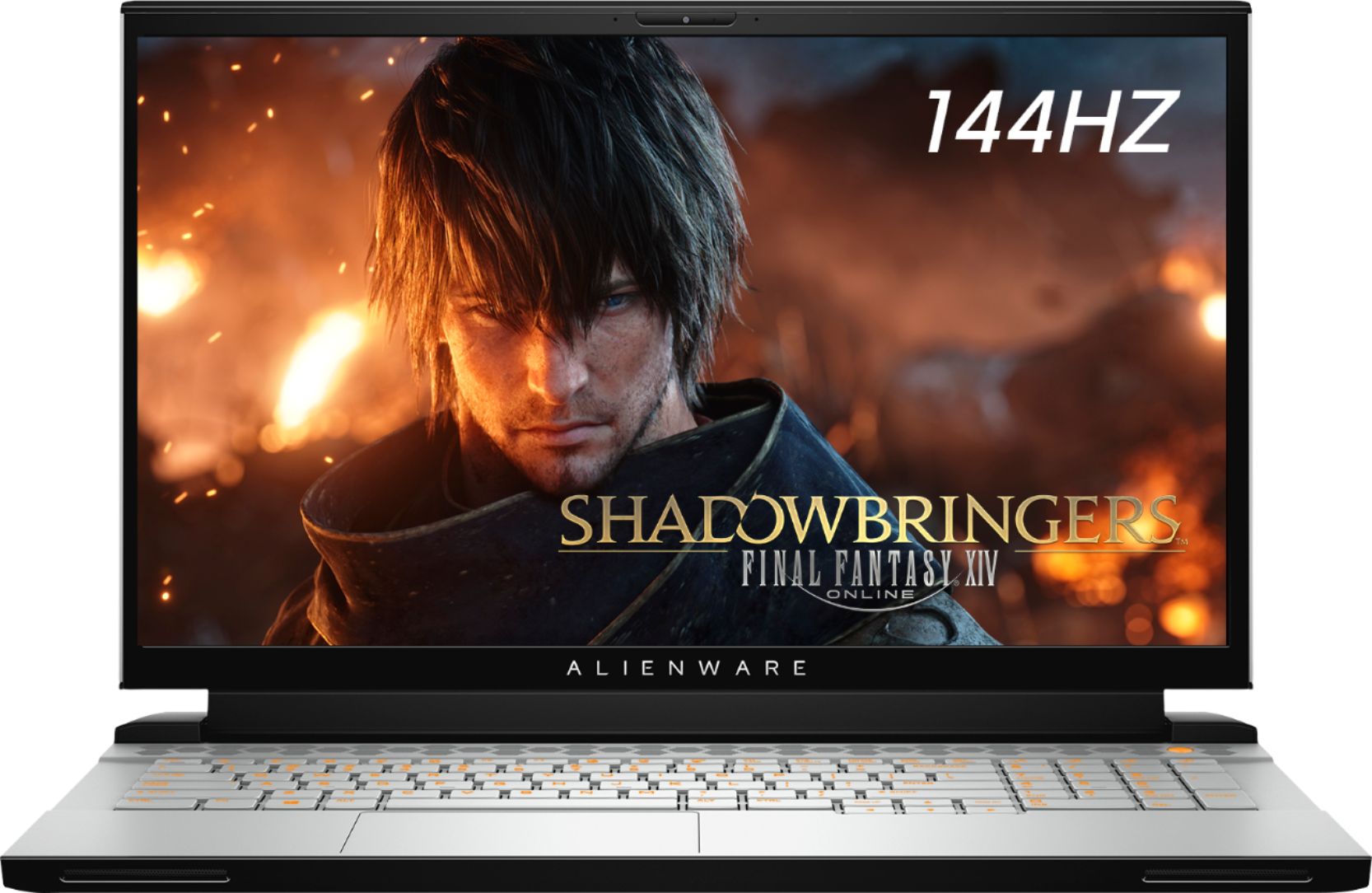
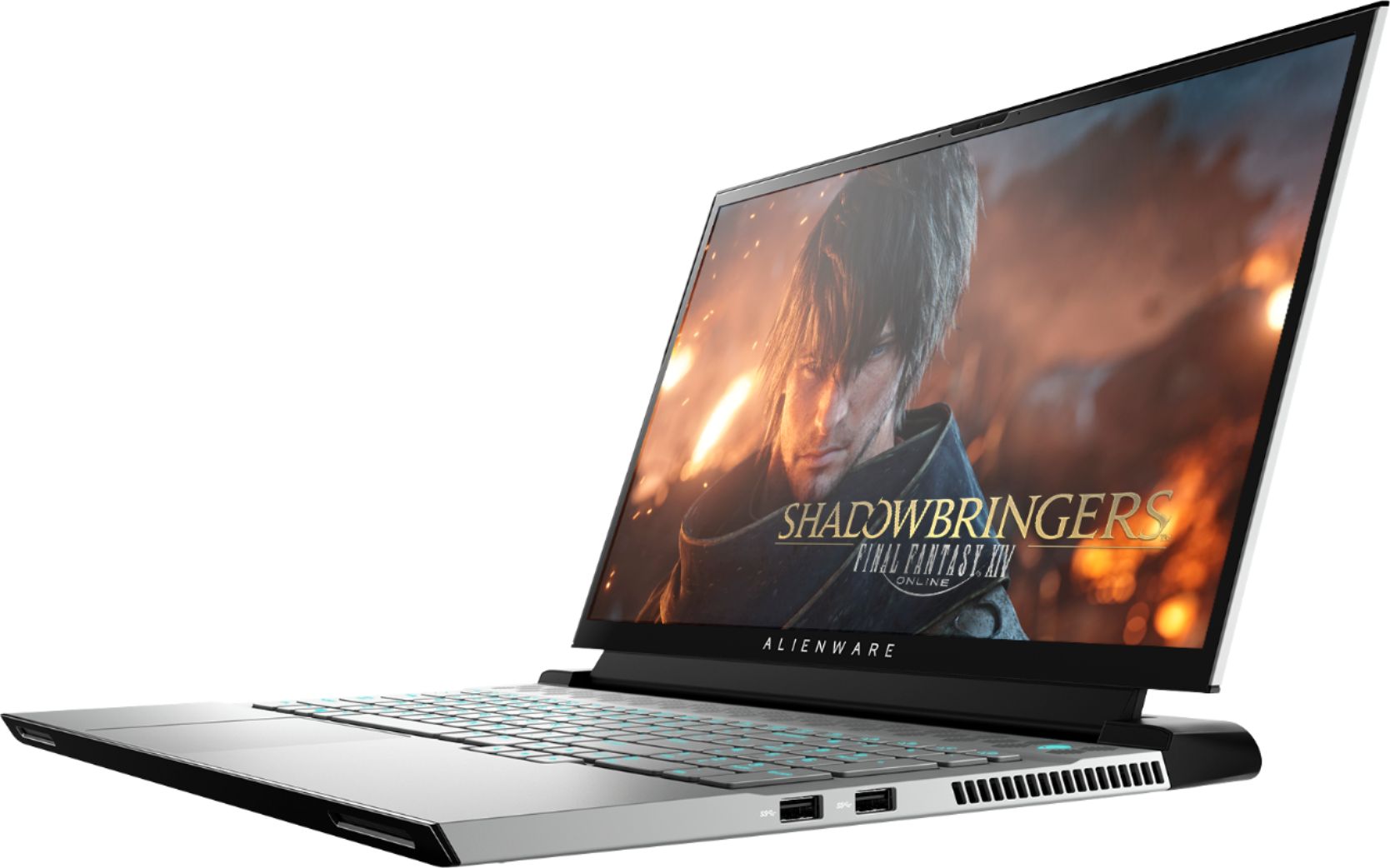
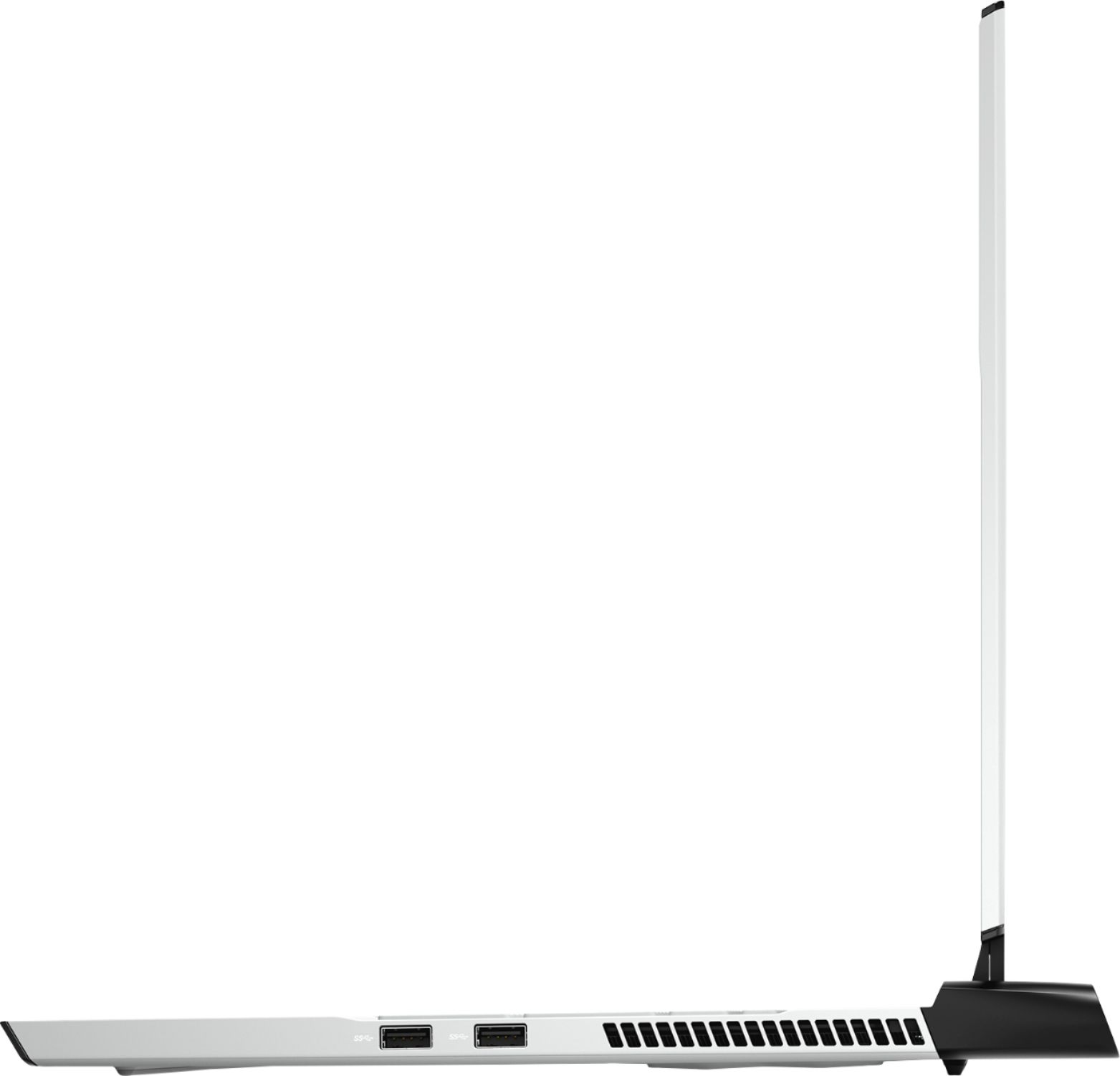
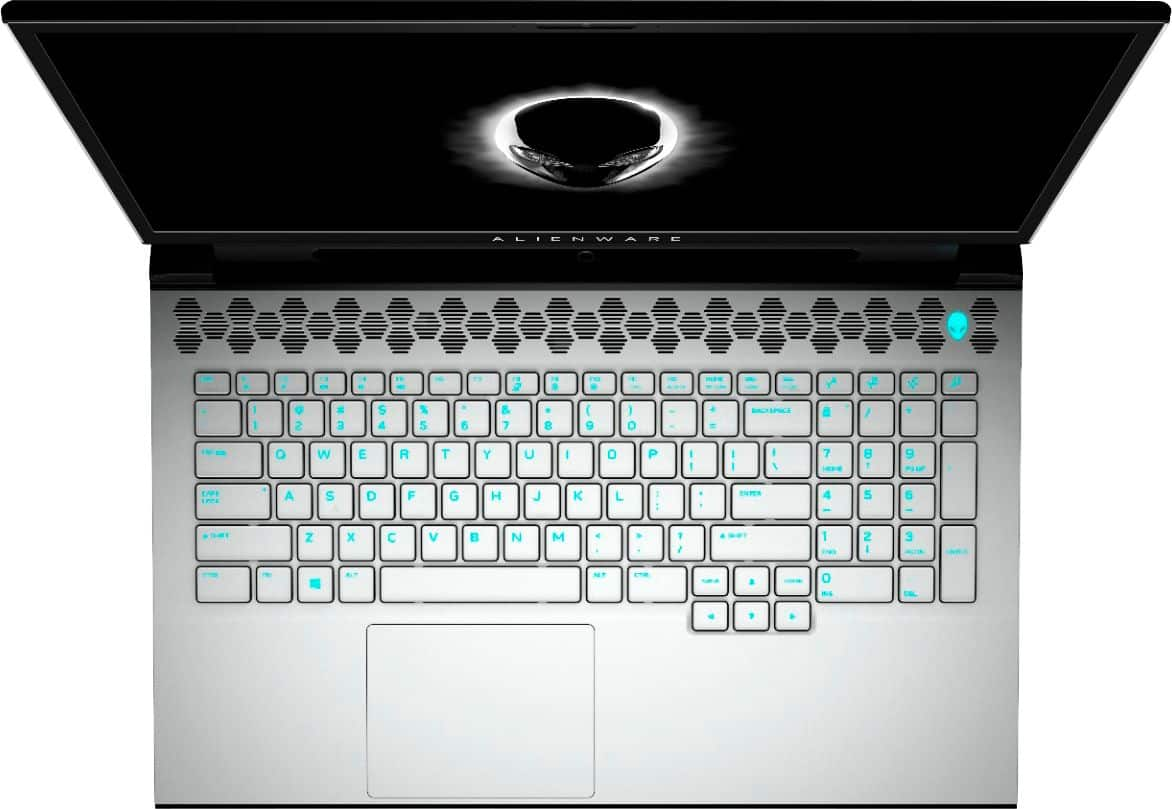
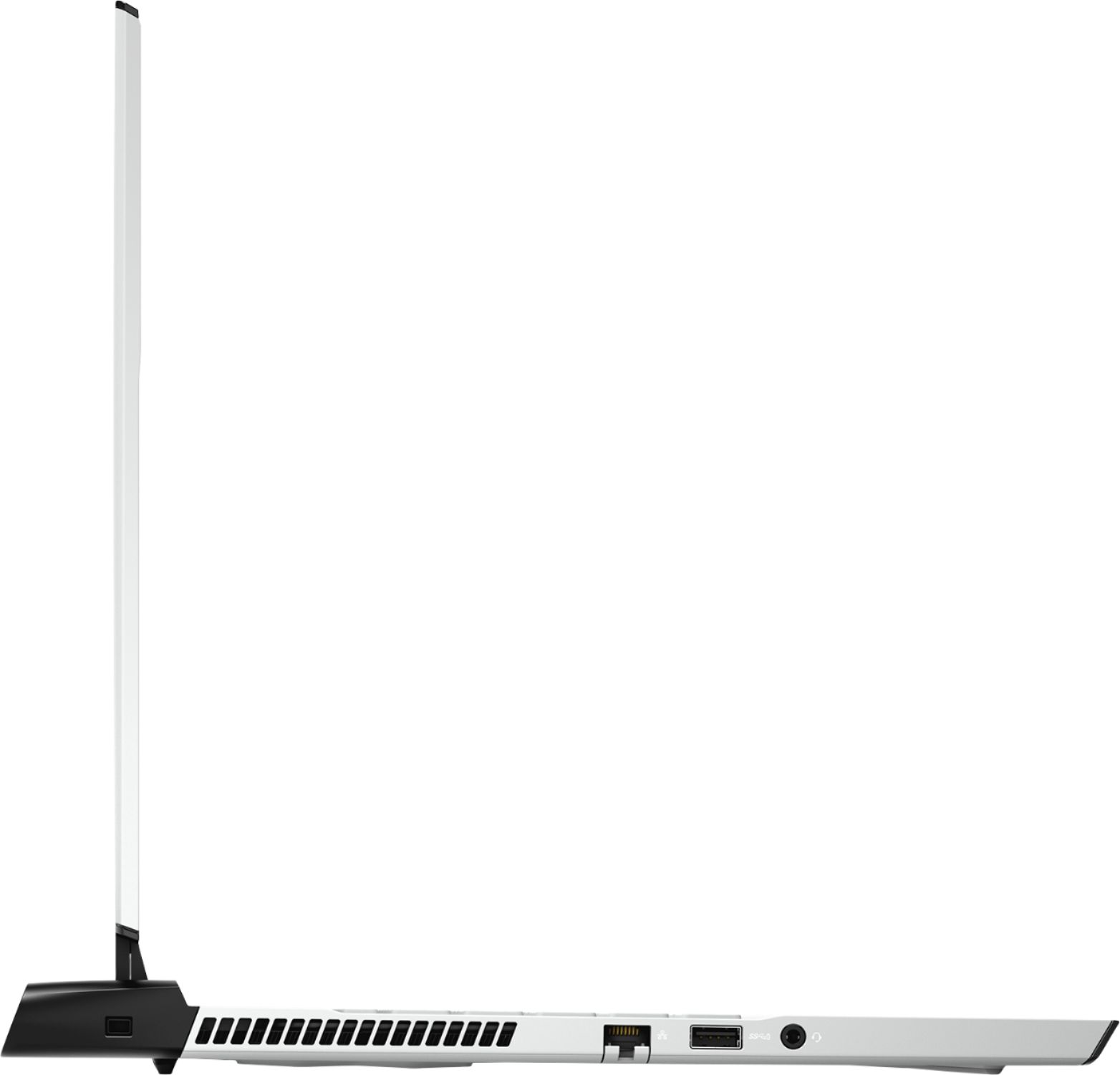
|Posted .This reviewer received promo considerations or sweepstakes entry for writing a review.Performance (RTX 2070 Max-Q and i7-9750H model): The M17 R2 can run any game with the highest graphical settings at 60fps or more, whether it's a graphically-demanding game like Apex Legends or Forza Horizon 4, or a smaller game like Rocket League or Overwatch. Running apps like Discord or Chrome on a second display in the background doesn't affect game performance at all. Loading times and boot up speeds are quick. Recording the screen while gaming doesn't affect performance. Out of the box games don't perform as well as they could; there's a couple of config changes that need to be done in the Alienware Command Center to allow games to run on full power. Peripherals: The keyboard has a very durable feel and is nice and clicky, definitely one of the best keyboards I've seen on a laptop. It includes a number pad, a button to quickly turn on and off the RGB lighting, and 4 extra programmable keys. Editing the RGB keyboard lights in the Alienware Command Center on the laptop peripherals (keyboard, Alienware logo on the back of the screen, etc.) is a little confusing. The mouse pad is closer to the left side of the laptop so I find myself brushing my palm against it when I'm playing games using the WASD keys, moving my camera or my cursor around when I don't want to. Otherwise, the mouse pad has a very smooth and clicky feel and is a decent, somewhat big size. Features: The built-in speakers have a good sound to them, though the placement of them isn't too convenient. They're placed on the edge of the keyboard facing about 45 degrees down. I think they would've been better if placed above the keyboard under the display near where the power button is. The M17 R2 has 3 USB ports, an AUX audio out and microphone port, an Ethernet port, an HDMI out, and a thunderbolt for more display options besides HDMI. The HDMI is all I need for running an extra display out for some more screen space for things like Discord or Chrome. The resolution of the built-in camera is okay, though I don't use it often so it's not much of a problem for me. Alienware included a built-in eye tracker into the bottom of the display. I most-likely won't be using it much either. It's just a nice extra feature. Personally, I would've switched the eye tracker out for a Windows Hello compatible camera, that way I won't have to punch in a password every time I need to unlock the computer, I can just look into the camera. Battery, heat, and noise: The battery life of the M17 R2 is fairly average. It's good for streaming video or listening to music for a couple of hours, but once you start gaming on the battery, it drains fairly quickly. You will want to plug it in if you're playing a very graphically demanding game. Playing demanding games while plugged in heats the laptop up pretty easily. The noise of the fans is a little louder than other notebooks. If you don't mind the noise, it'll be easy to ignore. If you're a little more sensitive, just put on some headphones or turn the game volume up and you should be good to go. Other notes: The weight of the laptop is average, weighing almost 6 pounds. Charging doesn't take too long when the laptop is idle, though while playing games it may run a bit slower. The 1080p 144hz model works great for games. I don't need a bigger resolution, but a faster refresh rate is a nice touch. The screen overall is vibrant and clear. Overall, the Alienware M17 R2 is a great gaming laptop for the price.
I would recommend this to a friendImpressively powerful and lightweight
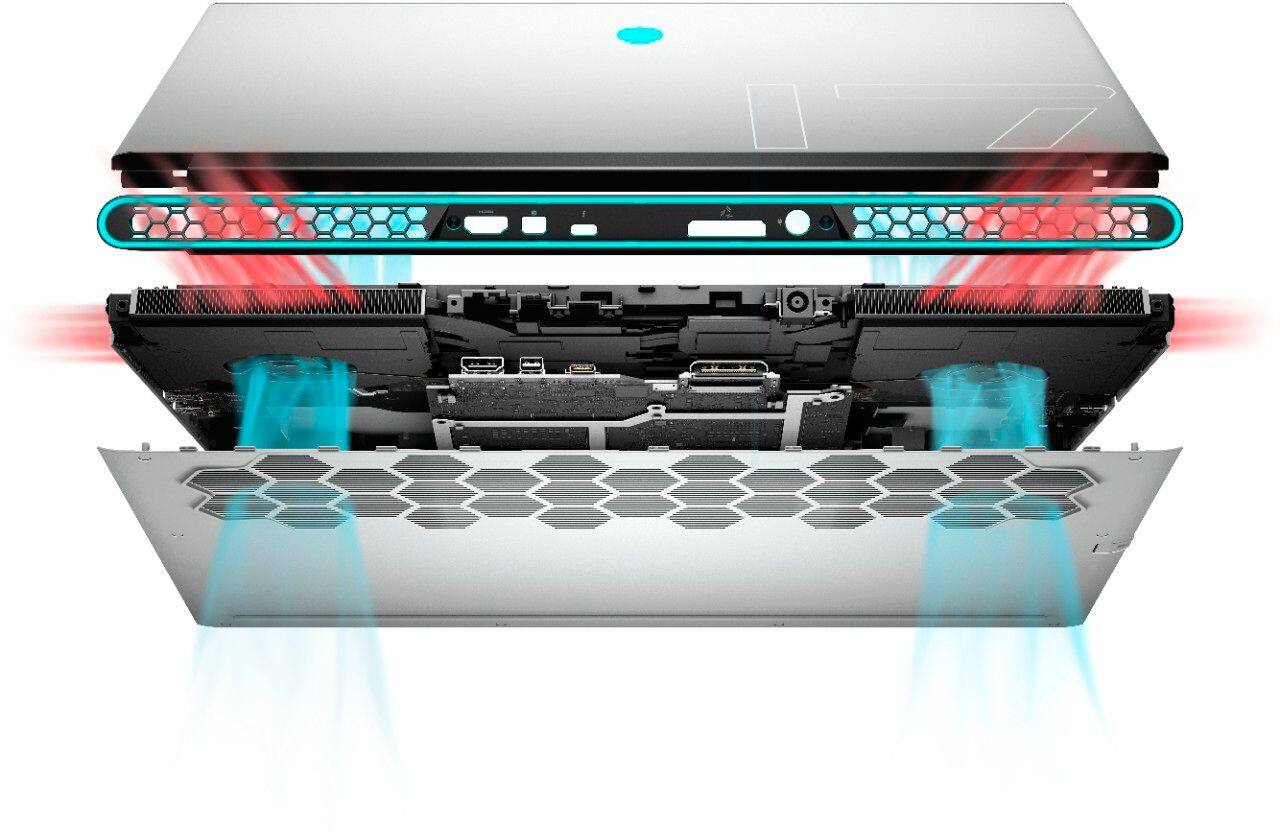
|Posted .This reviewer received promo considerations or sweepstakes entry for writing a review.Alienware knocks it out of the park when it comes to user experience. Straight out of the box the M17 is finished with a soft-touch sleep material that already feels amazing to touch. The keyboard really is the most comfortable and satisfying keyboard I have ever used. The trackpad is incredibly responsive and it's just the right size so it doesn't get in the way of being able to use the keyboard while gaming. Lastly, the screen is crystal clear and the outer bezel is the smallest I've ever seen on a laptop of this size. Everything feels right when using this laptop to game (and in some cases, work) Games I play: Borderlands 3, World of Warcraft, Overwatch, Fortnite, Call of Duty: Black Ops 4 and Dirt 4. I had absolutely NO performance issues while playing and of these games. Pushing the computer as hard as possible with ultra-settings, I never saw a single stutter (while plugged into power). What is really cool is that you can actually set specific profiles for each game through the Alienware Command Center. This allows you to set power, cooling, graphics, and CPU settings according to the game you launch. Basically you get to set your performance once and forget about it. Having a 144hz panel really blows my mind because I would typically avoid high paced games on a laptop. I was able to enjoy several hours on CoD:BO4 without any stuttering or display lag, I was getting a full desktop experience away from home. Which, by the way, this laptop can easily become a desktop computer thanks to all the available ports on this laptop. My only critique is the cooling system. Keep in mind, this laptop is a POWERHOUSE and truly competes with desktops in every way, but the heat was concerning sometimes. Ultimately, I ended up leaving the fans on FULL-SPEED which doesn't bother me personally, but I can easily see situations you wouldn't want your computer blasting hot air in a sound-sensitive situation (like a Cafe, or library, waiting room, shared office space, while the baby is sleeping etc) I've tried to tweak performance to find an optimal mix but ultimately I couldn't keep the thing at a comfortable temp. With that being said, I would never suggest using a "laptop" on your lap. The vents are underneath and need clear passage to bring in cool air, if you cover them at all, the heating issues will be even worse. I wouldn't say I experience "overheating" but if you want to casually game on the couch while watching some reruns, you might want to consider a USB cooling pad. Overall: This laptop is premium, powerful, and perfect for gaming. Alienware delivers a beautiful user experience for beginners and hardcore gamers alike. The heating issues are a concern, but In the long run, with proper use and care I don't think it will be a serious problem.
I would recommend this to a friendOut of this World!
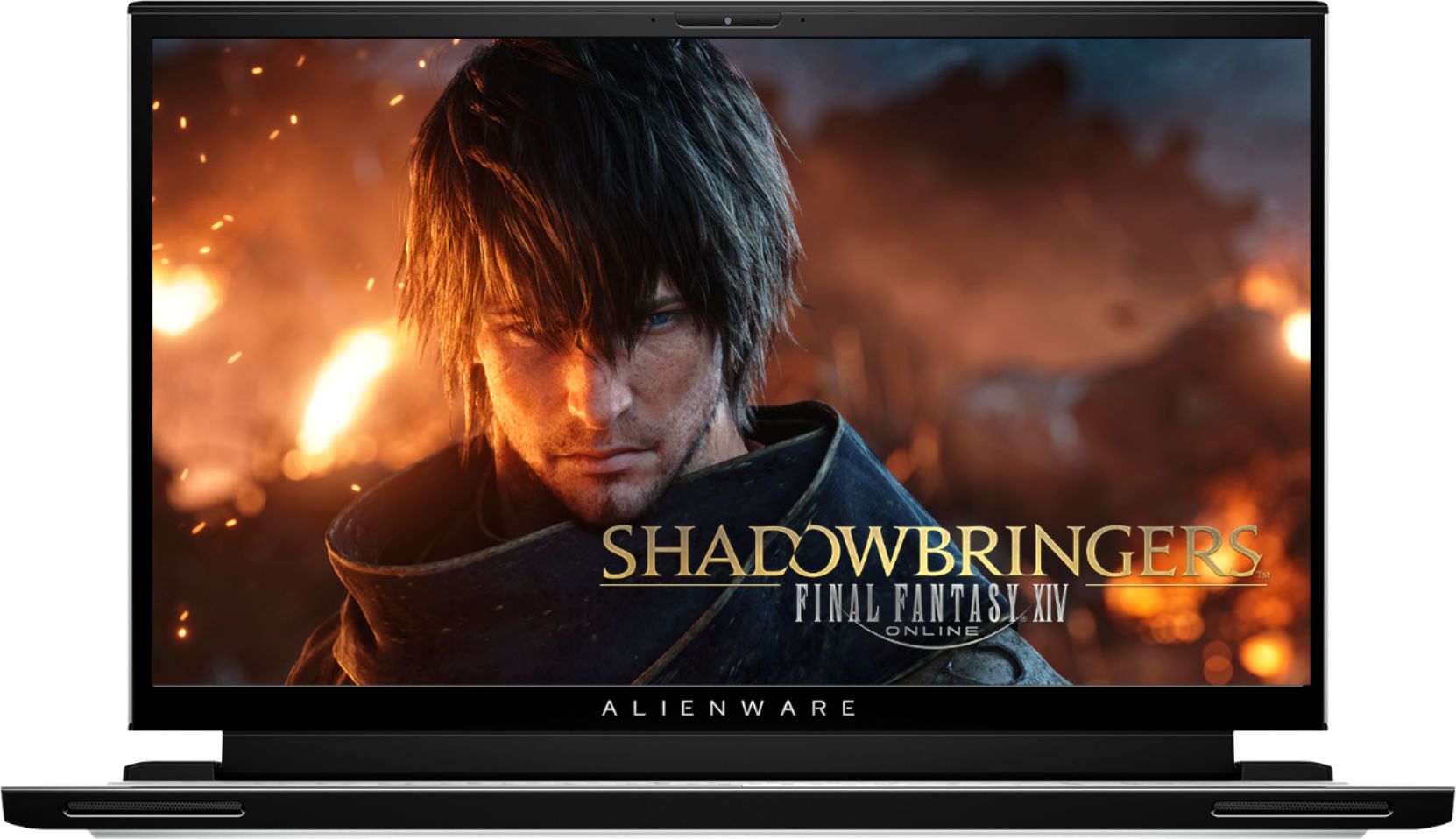
|Posted .This reviewer received promo considerations or sweepstakes entry for writing a review.I need to preface my review with the following: I am far from a computer or gaming expert. I am a casual gamer and Ph.D. student who needs a laptop that can handle my day to day school tasks (including running some pretty heavy graphics and memory-intensive programs) and can give me a wonderful gaming experience. The m17 checks those boxes. This is a well-built, beautiful laptop. It is heavy, but not overly so. It has a slim form factor for how big it is, slimmer than my Acer Nitro. The 17.3" screen is gorgeous. Colors pop, it is easy to see, and man does it get bright. It is one of the snappiest computers I've ever used, most likely a result of 16 GB of RAM, the Intel i7, and the SSD. The power button is an alien's head that changes colors while the laptop is charging. The backside of the screen has another alien head on it that is lit up when the screen is open. There is a bright LCD light that is on the fan rack at the back of the laptop that looks super cool. The keyboard is backlit. All these colors can be changed in settings. I know that beauty is in the eye of the beholder, but this is the best-looking laptop I have ever owned, period. Looks aren't everything, so here are some other thoughts. I'm going to keep this more layman, as I'm sure that folks with more experience and knowledge will be able to outline the technical aspects of this machine in future reviews. The keyboard is amazingly easy to type on. Maybe because it is such a large laptop and they could make the keys bigger, but I find that I can type faster and with fewer mistakes than on my 2018 Mac Book Pro. There is also a separate number pad, which I absolutely love. The screen has an auto-dim function, which turns on when you are not looking at it. But as soon as you sit down, the screen comes back on again. It is a really neat function and I'm sure results in saving screen life and battery power. I have a financial/statistical program I use for modeling. The m17 chews up and spits this data out without seeming to try. I've had other laptops get hot and kick fans on as they've bogged down when performing modeling tasks, but the m17 seems to barely break a sweat (and produces data and models within seconds!). I finally got the fans to kick on after running a financial model and a compiling program at the same time. That is really impressive to me! Programs open immediately. Video streamed from Netflix looks amazing. The unit comes with 3 USB ports and a Thunderbolt port. There is also an HDMI cable. Bluetooth connectivity is present, and I connected my Bluetooth mouse to the m17 without any problems. Wifi seemed extremely fast to me. Huge downloads (game installs) were completed much quicker than I recall on other laptops. Now for games. I have a few... No issues with any of them. I didn't notice any throttling or cooling issues while playing Fortnight, Assassin's Creed Odyssey (holy crap, this game looked amazing on the m17), Battlefield V, Crysis 3 (made the fans howl with this one, every setting maxed out that I could), and Assasin's Creed Unity. The fans can get pretty loud, but if you're using headphones you'll not really notice them. If you aren't, you'll be needing to turn the volume up on the speakers. Speaking of which, the sound is quite good from the built-in speakers. Not as good as a set of cans, but what laptop does? Still, sound is crisp and clear. The bass is meh. The key takeaway is that games of all sorts of play well on the m17, the picture is gorgeous, and the sound is decent. The m17 has different power and thermal modes. The power mode has balanced and high performance presets, and the thermal modes include full speed, cool, performance, and others. Basically, the thermal modes control how much the fans will run. When I played games, I set the power mode at high performance and the thermal mode at performance. This got the fans going pretty good while playing, but I never felt like the laptop was getting exceptionally hot. As a casual gamer and a heavy PC program user, I have no complaints about this unit. It does exactly what I need it to do, and it does it exceptionally well. It occupies the place of honor at my study desk, having displaced a couple of other laptops (one of which was more expensive than the m17).
I would recommend this to a friendGreat compact, portable, powerful gaming laptop!
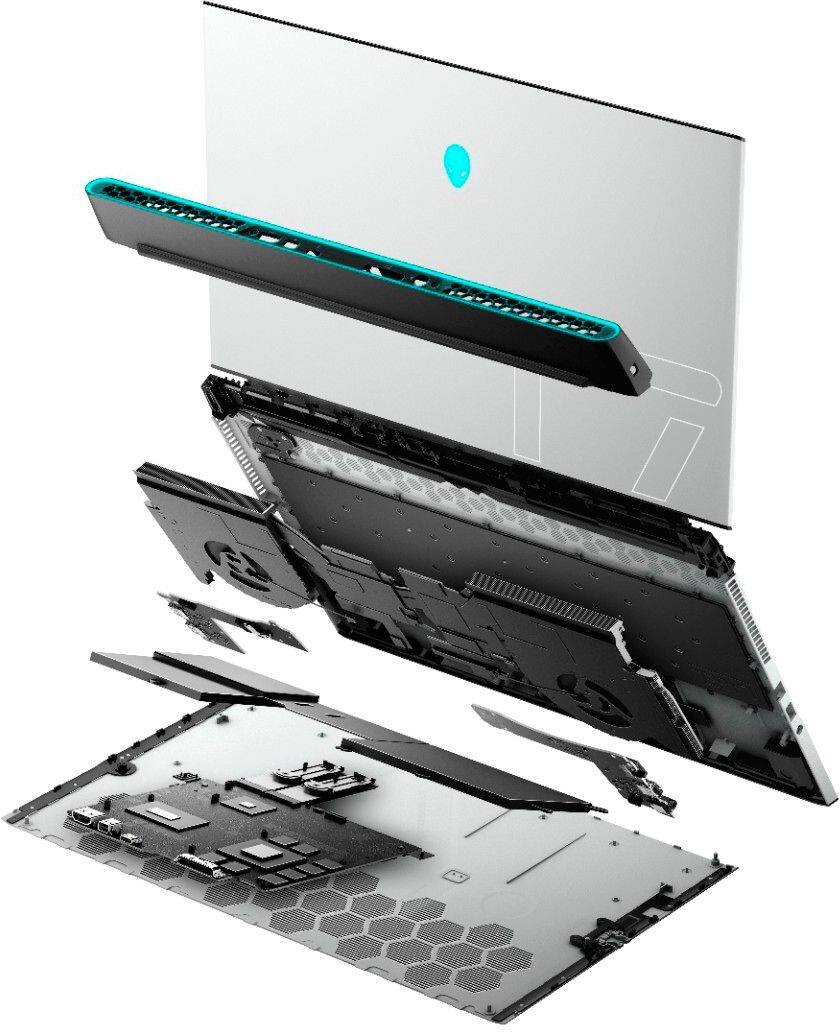
|Posted .This reviewer received promo considerations or sweepstakes entry for writing a review.This is a seriously high powered, very portable, gaming laptop! It’s got great specs in a compact package, and only has a couple minor drawbacks, but aren’t deal breakers for most gamers. To achieve everything they’ve packed in this slim design, there are always trade offs which is completely understandable. Unboxing went smooth, and I was impressed with the new look! I love the change away from the normal all black and shiny, easily fingerprinted exterior of the usual performance laptop. It’s a very refreshing change, and makes the device look extremely slick. At only .8” thick, and less than 6 lbs, this laptop is extremely portable and you’ll love pulling it out of your bag every single day. It's got a nice and sturdy build with magnesium-alloy shell. The LED keyboard and accents on this device look amazing as well! You don't really see it while using the laptop, but there's a sweet LED strip surrounding the back shroud, LED logo on the back of the display, and a LED logo for the power button that changes color based on whether its plugged in or not. Performance will not disappoint! The i7-9750H CPU gets you 6 cores (12 threads) at 2.6 GHz base clock (4.5 GHz Turbo), 16 GB of DDR4 2666 MHz, a Nvidia 2070 Max-Q with 8 GB GDDR6, and a 512GB SSD drive. The 17.3" display is 1080p with a 144Hz refresh rate and a 9ms response time. The display also has 72% color gamut, 300 nits brightness, thin bezels, and Eyesafe display technology, limiting blue light from the screen while maintaining color. This beast handled every game I threw at it with max settings. The display is buttery smooth and the hardware on this rig just crunches through loading games and rendering things at speed. Temperatures can definitely run high depending on how hard you are pushing things, but again, there's always a trade off when you get something this light and compact. This laptop also comes with Tobii eye tracking integrated into the bezel on the bottom of the display, any is very interesting. I played a couple games with the eye tracking enabled, and the additional support that came from the eye tracking kept making me believe the laptop was reading my mind. I could look to the right of my screen and it would automatically pan the camera to show me that area, all without me even moving my mouse. The only minor drawbacks worth considering depending on what you're looking for relate to upgradability (the RAM is soldered on and can't be upgraded beyond the 16 GB), at full tilt, the fans can be as loud as 60 db at full speed, even with the Tobii eye tracking it doesn't have Windows Hello built in for biometric unlocking, the power brick is fairly hefty, and the Alienware control center takes a bit to get used to and seemed slightly buggy. Overall, if you're looking for a lightweight, thin, very portable gaming laptop with great performance, you definitely need to consider this as an option! Alienware hit the ball out of the park with this new model!
I would recommend this to a friend- Pros mentioned:Performance
Mobile DJ, Live sound tech and lighting.
Posted .This reviewer received promo considerations or sweepstakes entry for writing a review.Best laptop I have ever owned. 3 years and still and absolute beast!
I would recommend this to a friend - Pros mentioned:DesignCons mentioned:Heat
Great
Posted .This reviewer received promo considerations or sweepstakes entry for writing a review.I have used this Laptop for 1 week now. Beautiful design, ran hard maxed settings for 8 hours straight with no over heating. Great thin gaming laptop so far.
I would recommend this to a friend Excellent Gaming Laptop
Posted .This reviewer received promo considerations or sweepstakes entry for writing a review.I'm very happy with this laptop. No thermal issues as of this writing. I don't have it undervolted either and its not thermal throttling or stuttering. I do have all the drivers updated, and running the newest bios. Played Borderlands 3, Destiny 2, Final Fantasy XIV, Elder Scrolls Online, & Control on it without any issues. It does have controls to adjust the performance and level of cooling you want. I do have it set to performance when playing games, and balanced for everything else. I almost got the most expensive Razer Blade 15, and glad I didn't. I love the feel on the finish on the laptop, and the keyboard is one of best I've used on a laptop.
I would recommend this to a friendPerfect for work and play
Posted .This reviewer received promo considerations or sweepstakes entry for writing a review.The machine works well but... Very loud fans and under the slightest pressure they are at full bore. Ignore the build quality comments, I've had high end metal case laptops, MacBook pros etc and this is easily as robust and has a quality feel. Battery life is really good, but then the machine is new ;) Alienware's own app is a bit cumbersome and as with everything else it took a few rounds of updates, windows, firmware etc for it to come good. Glad I purchased... I'm on the fence, kinda wish I'd stuck with ASUS ROG but it'll suffice for now
I would recommend this to a friendProblem or new technology
Posted .This reviewer received promo considerations or sweepstakes entry for writing a review.I just bought the new alienware m17 R2 yesterday. When I turn on the laptop, I saw that the color of screen had yellowish a bit ( very lightly ). I dont know how to fix that. Someone can help me answer the question is the screen turn yellowish because on Eyesafe technology or the Screen problem?
I would recommend this to a friendBrand response from YourDellTeam
Posted .Jason96,
We're sorry to hear about the coloring issues that your computer screen is having. We'd recommend that you try to reset your computer to factory settings to see if this issue resolves itself. If you have other questions about your computer you can check our Product Support Page here: https://dell.to/2U3iiC8.
Best,
Bryan
1-800-624-9896
Thermal problem
Posted .This reviewer received promo considerations or sweepstakes entry for writing a review.I have had this thing for around 9 months and it has been nightmare after nightmare first the screen won't start up properly (fixed that on my own) then the Alienware command center wouldn't startup so I had to completely reinstall it then the fans are so poor that I have to get an external fan but the icing on the cake it CANNOT run vr I'm using an Oculus and it is so choppy I have never had such a problem before and I can with certainty say that it is NOT a thermal problem with the vr the computer is just not worth the money and falsely advertised vr readyness
No, I would not recommend this to a friendBrand response from YourDellTeam
Posted .Belacthemighty,
Thanks for your review. We're sorry to hear about the issues that you've had with your computer so far. We'd recommend the following tips to help keep your computer operating at a cooler temperature:
Tips for Proper Usage:
1. Dell does not recommend placing portable systems directly on your lap. Due to reductions in the thickness of modern portable systems, heat transfer can be an issue.
2. Using a portable system (Laptop) on a hard, flat, non-cloth surface will increase airflow and reduce heat from underneath and inside the system.
Using the portable system on a blanket, pillow, or other types of cloth will cover up the fan cause the computer to overheat and can cause permanent damage.
3. It is recommended to use the portable system in a Room temperature of 0°C to 35°C (32°F to 95°F) with a Humidity level no greater than 90%.
4. Use compressed air to clean the vents on a regular basis.
5. Using a cooling pad can decrease heat and increase performance.
6. If you want to know the temperature limitations for your system, go to the Dell Support Website, look up your system model then open the user guide under the manuals link.
You can read the full article here - http://dell.to/2uJ8AdG.
You can also use the Alienware Command Center to adjust the thermals of your computer. If you have additional questions about your computer you can check our Product Support Page here: https://dell.to/2U3iiC8.
Best,
Bryan
1-800-624-9896