Customer Ratings & Reviews




- Model:
- AWYA17-7640WHT-PUS
- SKU:
- 6358915
Rating by feature
- Value
Rating 3.7 out of 5 stars
- Quality
Rating 4.0 out of 5 stars
- Ease of Use
Rating 4.2 out of 5 stars
Customers are saying
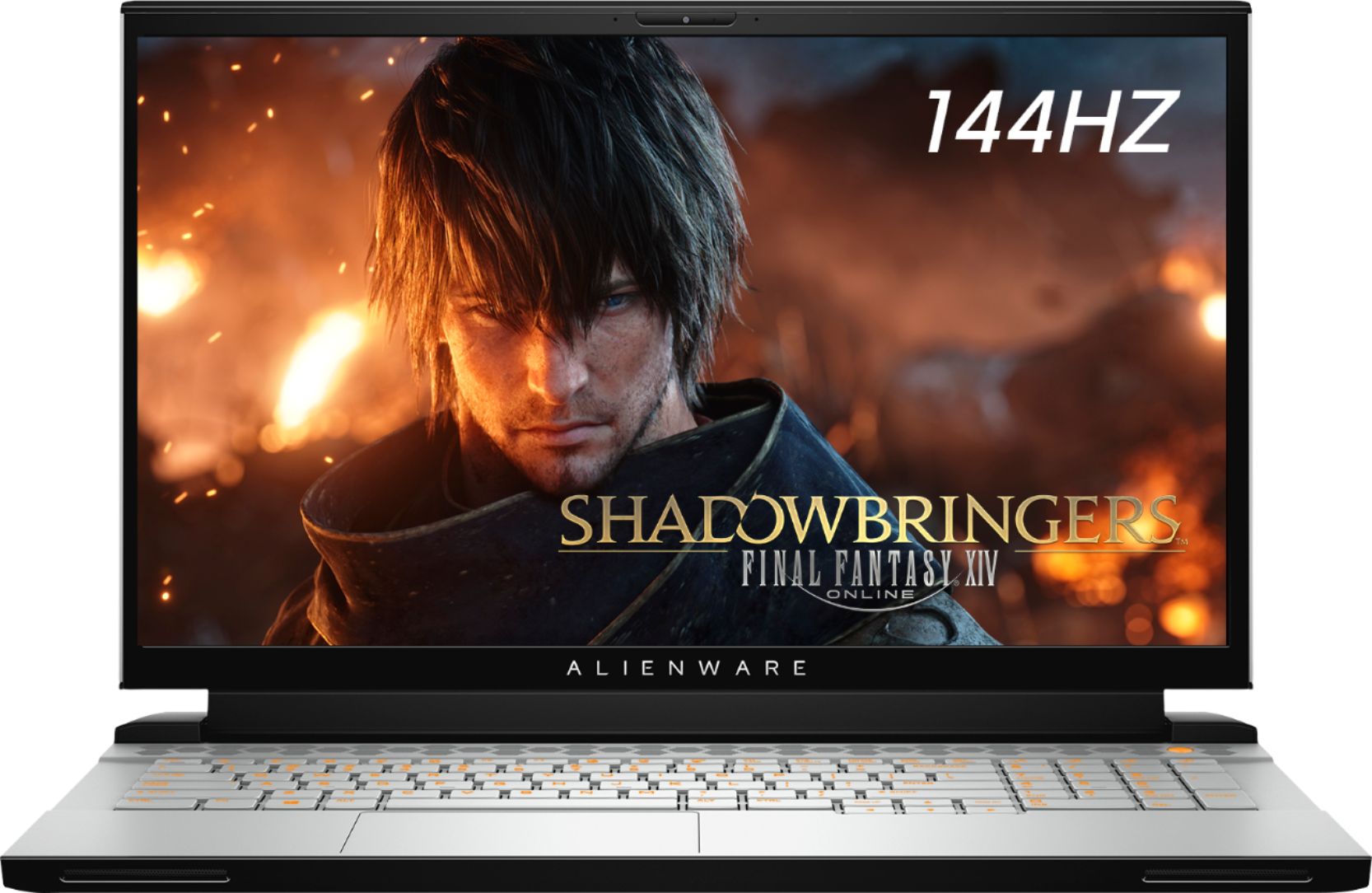
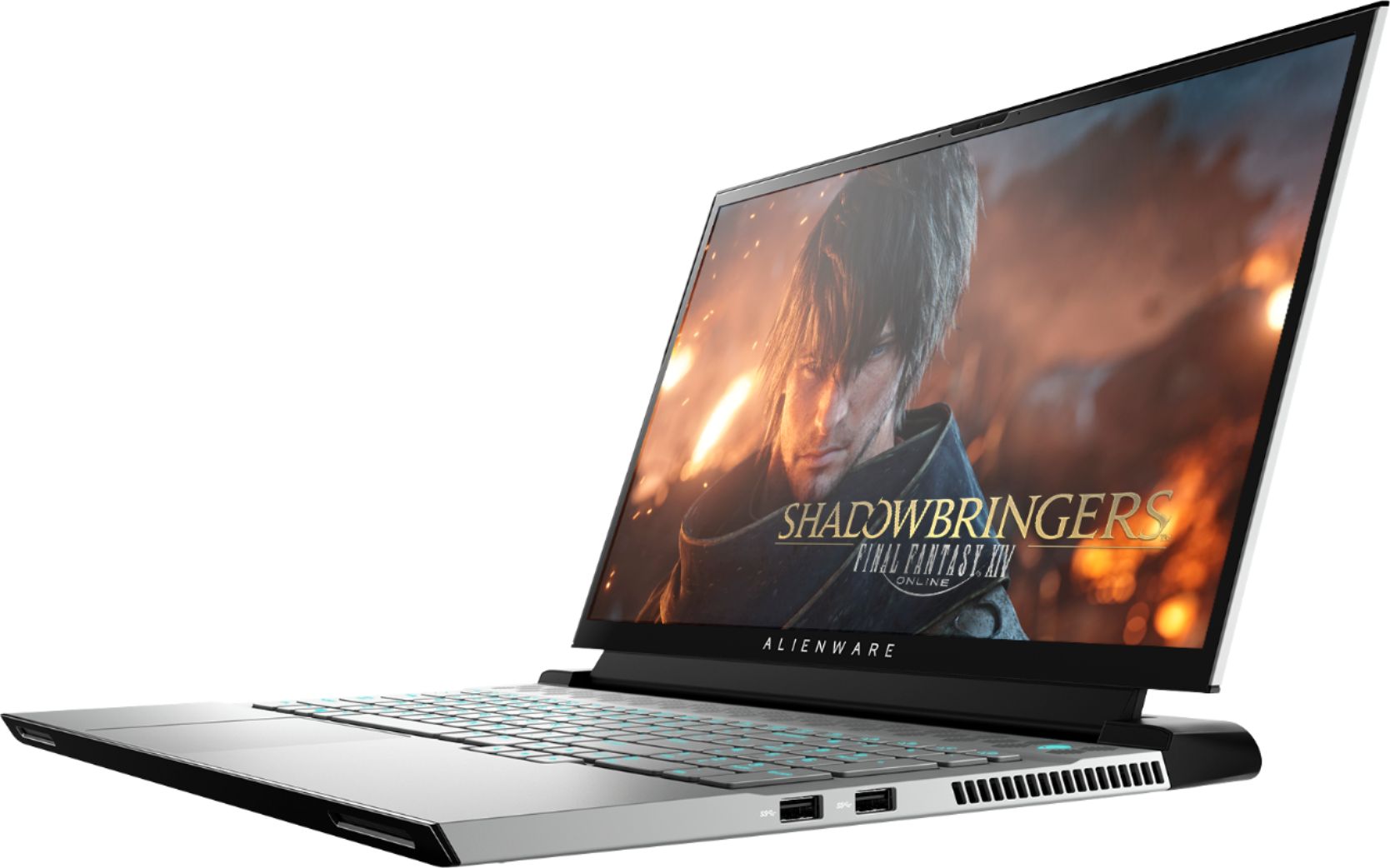
Customers are delighted by the M17 17.3" Gaming Laptop's impressive performance, stylish design, and lightweight build. Many appreciate its fast SSD and large screen size, ideal for gaming and everyday use. However, some users note that battery life could be improved, and the laptop may generate noticeable heat and fan noise during intensive use. While some found the speakers underwhelming, the overall positive feedback highlights its strengths as a powerful and portable gaming machine.
This summary was generated by AI based on customer reviews.
Excellent computer
||Posted . Owned for less than 1 week when reviewed.This reviewer received promo considerations or sweepstakes entry for writing a review.Very fast. excellent video. COLORS ARE SHARP AND VIVID.
I would recommend this to a friendGreat machine.
||Posted . Owned for 1 month when reviewed.This reviewer received promo considerations or sweepstakes entry for writing a review.This machine worked for exactly what we needed. Great machine.
I would recommend this to a friendLaptop
||Posted . Owned for 1 month when reviewed.This reviewer received promo considerations or sweepstakes entry for writing a review.Awesome product, always going with Alienware no matter what.
I would recommend this to a friendGreat Laptop!
||Posted . Owned for 1 month when reviewed.This reviewer received promo considerations or sweepstakes entry for writing a review.Great laptop for graphics design!! Great for gaming as well!!
I would recommend this to a friendGreat gaming laptop
||Posted . Owned for 1 month when reviewed.This reviewer received promo considerations or sweepstakes entry for writing a review.Picked this up as an open box item and it’s great!
I would recommend this to a friendAlienware
||Posted . Owned for less than 1 week when reviewed.This reviewer received promo considerations or sweepstakes entry for writing a review.Brought this for my gaming wife. Its out of this w
I would recommend this to a friendGreat
||Posted . Owned for 2 months when reviewed.This reviewer received promo considerations or sweepstakes entry for writing a review.Great laptop !! My husband like’d it!! Thank you!!
I would recommend this to a friendIt's a good product. Would buy again.
||Posted . Owned for 3 weeks when reviewed.This reviewer received promo considerations or sweepstakes entry for writing a review.It's a good product. Would buy again. Was the right price too.
I would recommend this to a friendBrand response from YourDellTeam
Posted .Harini,
Thanks for your review. We're glad that your computer is working well for you. If you have any questions about your computer you can check our Product Support Page here: https://dell.to/2DjJ8yx.
Best,
Bryan
1-800-624-9896
- Pros mentioned:Performance, Weight

Good Enough for Area 51
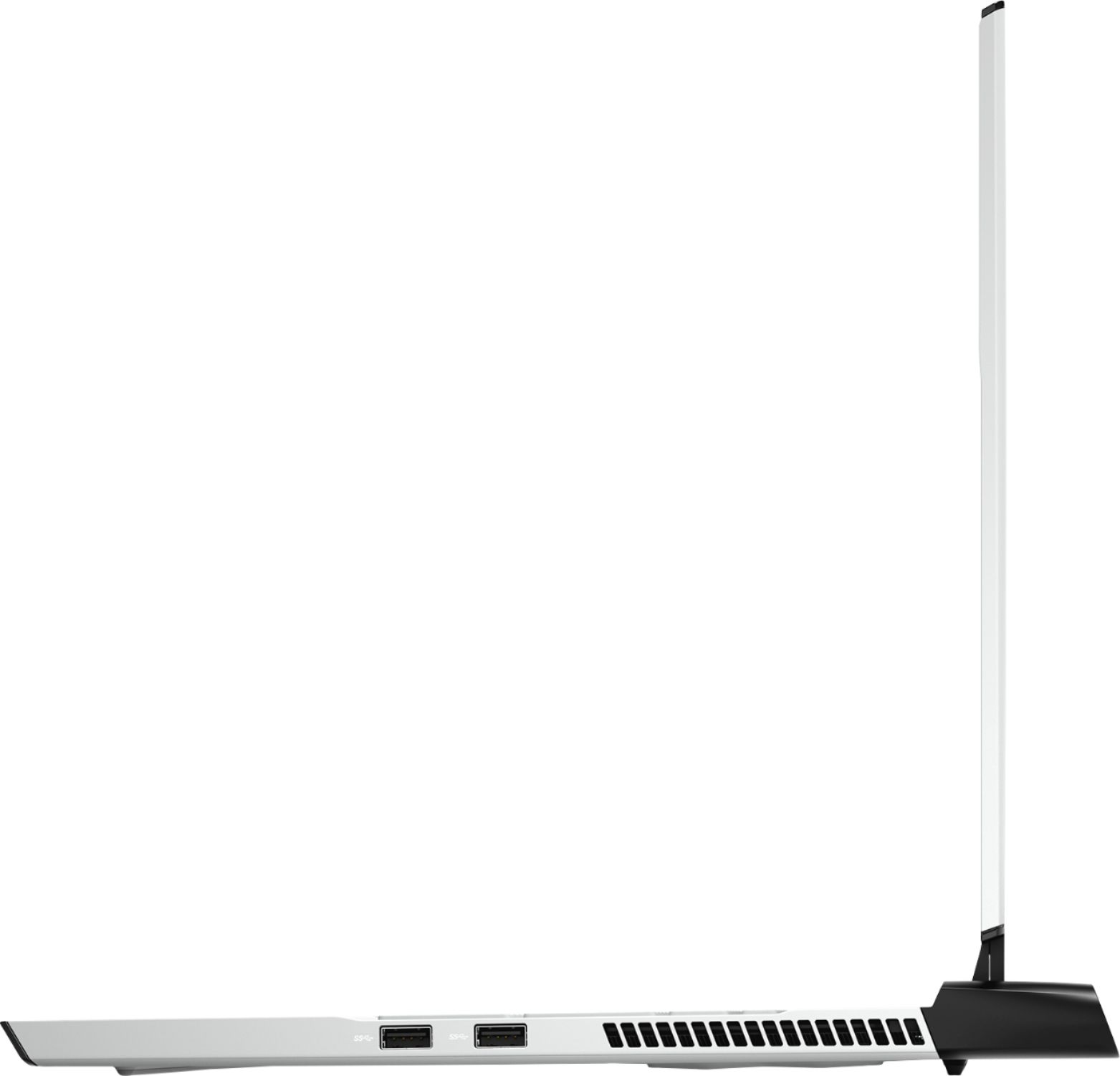
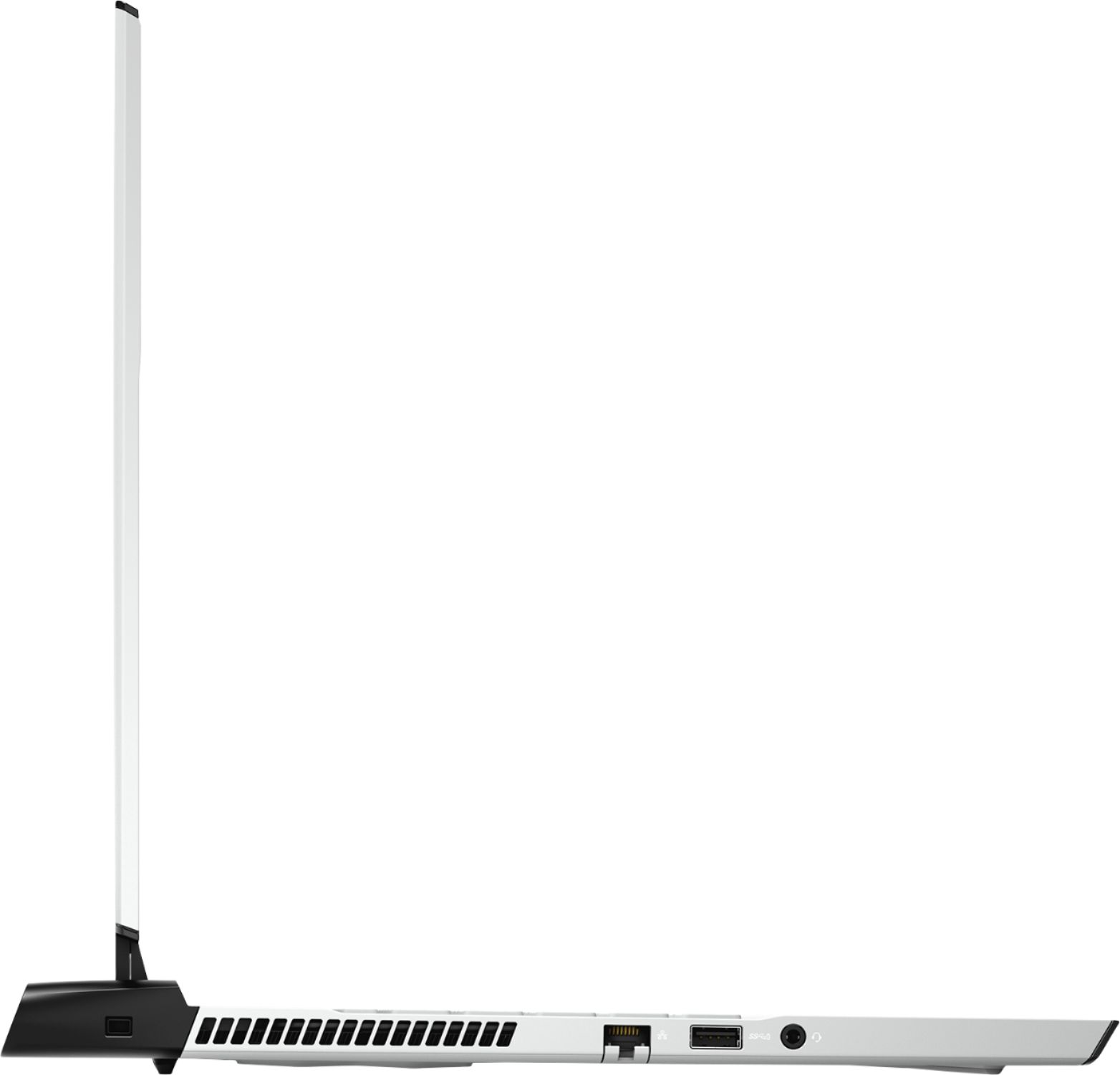
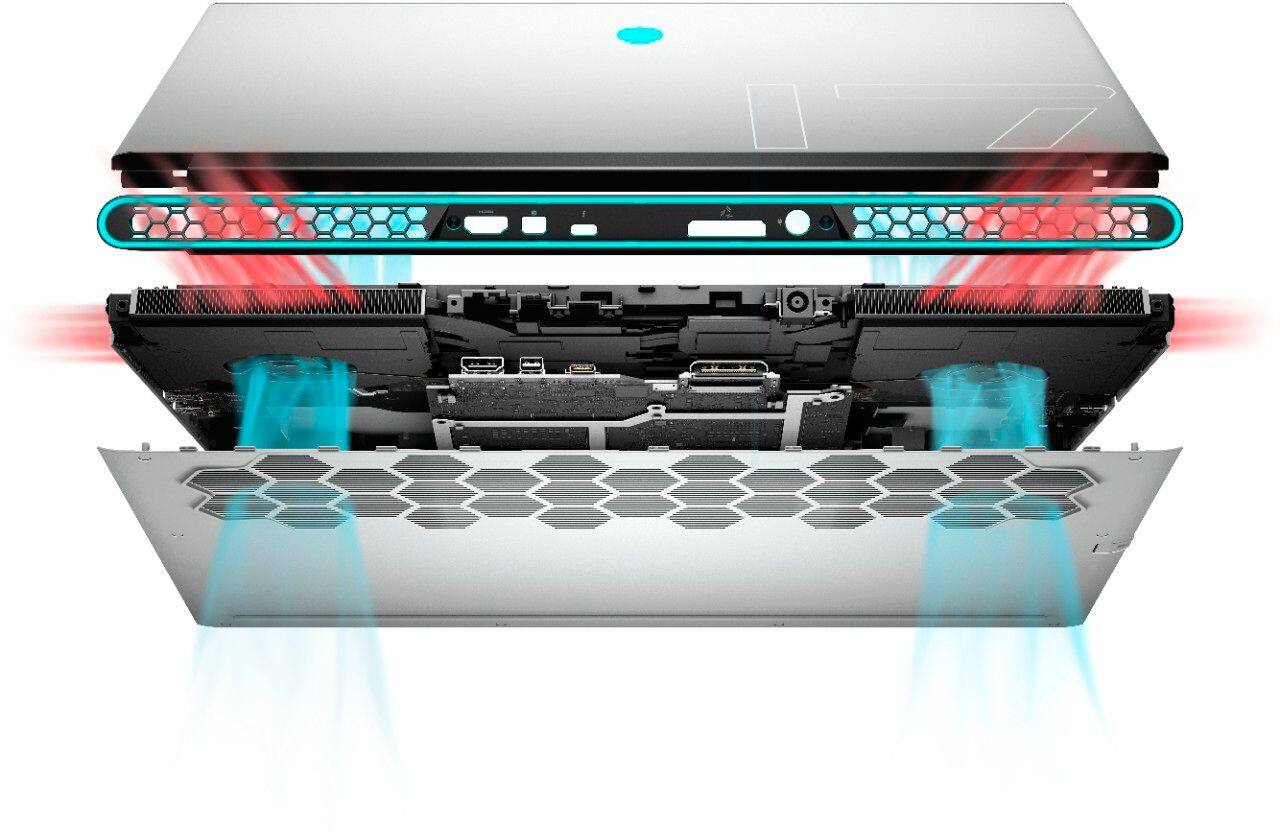
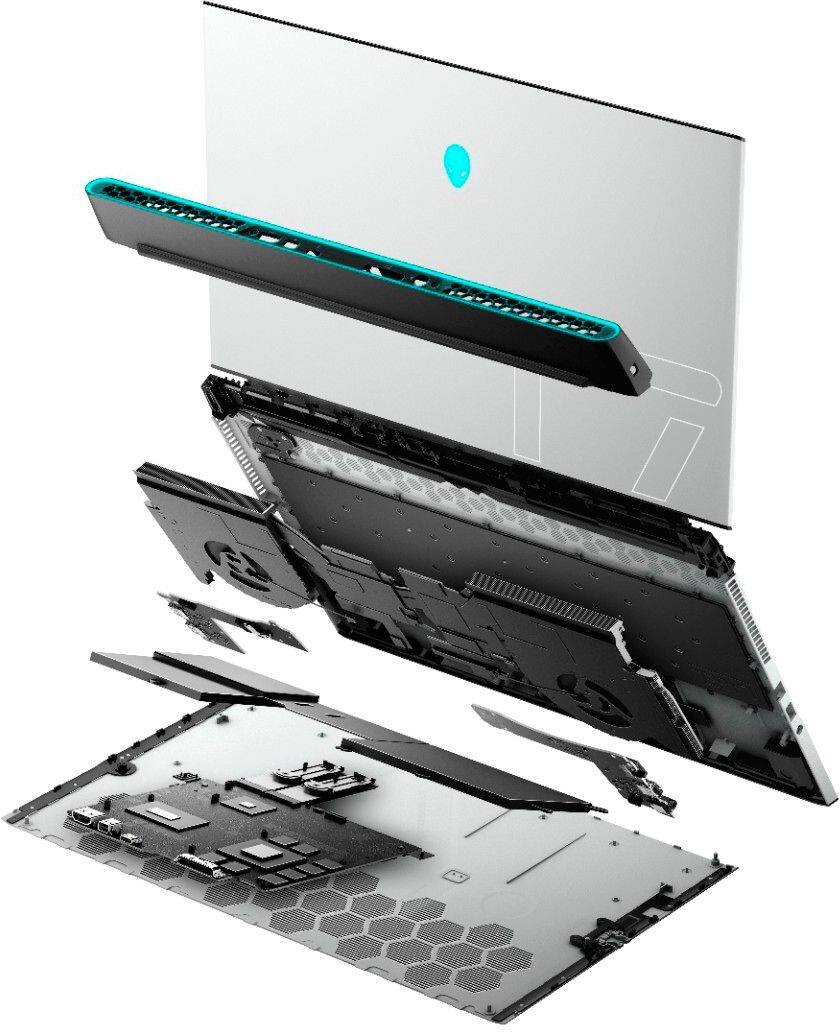
|Posted .This reviewer received promo considerations or sweepstakes entry for writing a review.I have purchased gaming laptops before, but this is my first Alienware gaming laptop, so I went in with high expectations. My first impression of the laptop bringing it out of the box was the size. I knew it was a 17.3 laptop, but I wasn't aware of the large cooling system on the back. I'm so used to have an extra fan to help it my other laptops cool, so this was a bonus to see. My next thought was this laptop is light being as big as it is. I also liked that the HDMI input is on the back and not on the side. Power it up and I already know I'm already mentally prepared for running updates and firmwares for the next 2-3 days. While waiting for the updates notifications, I go ahead and log into my Steam profile to have everything at the ready. No issues so far. All the updates have been complete, so it's time to start playing. Load up Steam and pull up the first game. The game is lagging so much. I check the settings. Everything is set to balanced energy and conservation mode. I turned off the power saving mode and made sure everything was set to high performance. I went back into the game to try again. It was better, but still a little bit of lag. I went into the game settings and turned off/down some graphic settings. WAY BETTER! That being said, it still lags every now and then in certain areas of the game. I'm going to continue to play with settings and turn off more features/programs to get it to zero lag. If it wasn't for the lag, this would be a 5 star review. I'm still impressed with Alienware, but for the price and the hardware, I assume it could happen alot.
I would recommend this to a friend Pretty - that's it
||Posted . Owned for 2 months when reviewed.This reviewer received promo considerations or sweepstakes entry for writing a review.It's pretty, that's about it. The hardware, although impressive, does not function. I get constant freeze frames, FPS drops, have to restart my computer every few hours, can't connect to game lobbies, random error messages & disconnects from every game I try to play. GEforce Experience will randomly change your settings like 30FPS lock without notifying you. This computer is a nightmare with a big price tag. Avoid at all costs.
No, I would not recommend this to a friendBrand response from YourDellTeam
Posted .zeff,
We're very sorry to hear about the trouble that you've had with your Alienware laptop so far. This is definitely not the experience that we want our customers to have. If you'd like additional support we'd recommend that you check out our Product Support Page: https://dell.to/2X3ywzY.
If you'd like to diagnose the freezing on your computer, you can try these steps:
1. Run a Computer Diagnostic. To determine if your computer is experiencing a hardware problem, run the Dell Preboot System Assessment (PSA) Diagnostics. For information on how to run Diagnostics, and to determine the issue, refer to Dell Knowledge Base Article: http://dell.to/2iaiujA.
2. Check Safe Mode for Symptoms. To boot into safe mode, please follow the instructions below:
a) Start the computer.
b) Tap 'F8' on the keyboard immediately and every one second until the Dell logo screen disappears. From there you will see the Windows Advanced Options Menu on the screen. (If the Windows Advanced Options Menu does not appear, restart the system and try again.)
c) Select Safe mode with Networking and press Enter.
d) Log on as the administrator or as a user with administrative access.
e) Open applications and test the computer in safe mode. If the symptoms exist in safe mode, please continue the troubleshooting steps in this article. If the symptoms do not exist in safe mode, the issue is likely related to a driver or software and you may wish to complete step 3 to see if you are able to resolve the lockups or freezing.
3. Check for Malware. Malware (Virus, Spyware, etc.) can definitely cause a Windows system to lock up or appear to hang. To check for malware on your system and to ensure that your computer is up to date on security software, visit Dell Knowledge Base Article: http://dell.to/2wWP1zI.
You can read the full article here - http://dell.to/2tW5m33.
Best,
Bryan
1-800-624-9896
Do NOT buy this.
||Posted . Owned for less than 1 week when reviewed.This reviewer received promo considerations or sweepstakes entry for writing a review.I bought 2 if these from my local Best Buy. The associates were awesome that helped me but this computer was a nightmare. The first one had memory failure out of the box. I took it back and got another one. I brought it home and no memory failure, however, the track pad was shot and upon installing anything I recieved tons of random errors. I returned it for a full refund. Save yourself the trouble and buy a different brand.
No, I would not recommend this to a friendPotential but horrible finish
||Posted . Owned for 3 months when reviewed.This reviewer received promo considerations or sweepstakes entry for writing a review.I was excited about this computer but the execution by Dell was horrible. There's something wrong with the firmware/hardware of this machine that makes a constant static / screeching noise. This is reported by lots of customers (see: https://www.dell.com/community/Alienware/m17-R2-static-noise-issue/td-p/7386572 https://www.reddit.com/r/Alienware/comments/66xmj3/alienware_17_r4_loud_static/) But after working with support for 2 months, their response was, "it's working as expected". This is disappointing for a laptop that seems to want to compete with a Macbook Pro, but doesn't have nearly the quality.
No, I would not recommend this to a friendBrand response from YourDellTeam
Posted .Benj,
Thanks for your feedback. We're sorry that you're experiencing extra noise from your laptop. Please check back with your Product Update Page regularly to see if there are any driver or BIOS updates that may help you: https://dell.to/2qp5dbT.
Best,
Bryan
1-800-624-9896
Computer was malfunctioning right out of the box.
||Posted . Owned for less than 1 week when reviewed.This reviewer received promo considerations or sweepstakes entry for writing a review.Do not buy! I bought this computer, and it unfortunately immediately started showing the dreaded blue screen. I thought it had to be a fluke so I returned it and for another brand new one. The second was just as bad as the first. It blue screened countless times from start up with all different stop codes. I could not believe that 2 of the exact same $2,000 pcs were malfunctioning like this. Returned the other immediately and bought a Lenovo Legion. Very happy with that computer thus far.
No, I would not recommend this to a friendBrand response from YourDellTeam
Posted .Nate,
We're sorry to hear about the issues that you had with your Alienware laptop. In the future we'd recommend diagnosing the Blue Screen Errors to see if the issue is something that can be easily fixed.
Dell's Technical Support Team is always willing to help resolve issues that you face as well. In the future we hope that you will consider Dell again.
Best,
Bryan
1-800-624-9896
Laptop Screen goes black does not work
||Posted . Owned for 1 month when reviewed.This reviewer received promo considerations or sweepstakes entry for writing a review.I purchased this laptop for my daughter for Christmas when she charged this and got ready to play the screen worked for about 30 minutes and went black we had to support the back for the screen to work. We will be returning this to the store location we have purchased this from. I am ver disappointed with this problem due to the price of the device.
No, I would not recommend this to a friend- Cons mentioned:Battery life, Fan noise
A slick beautiful laptop with specs to match
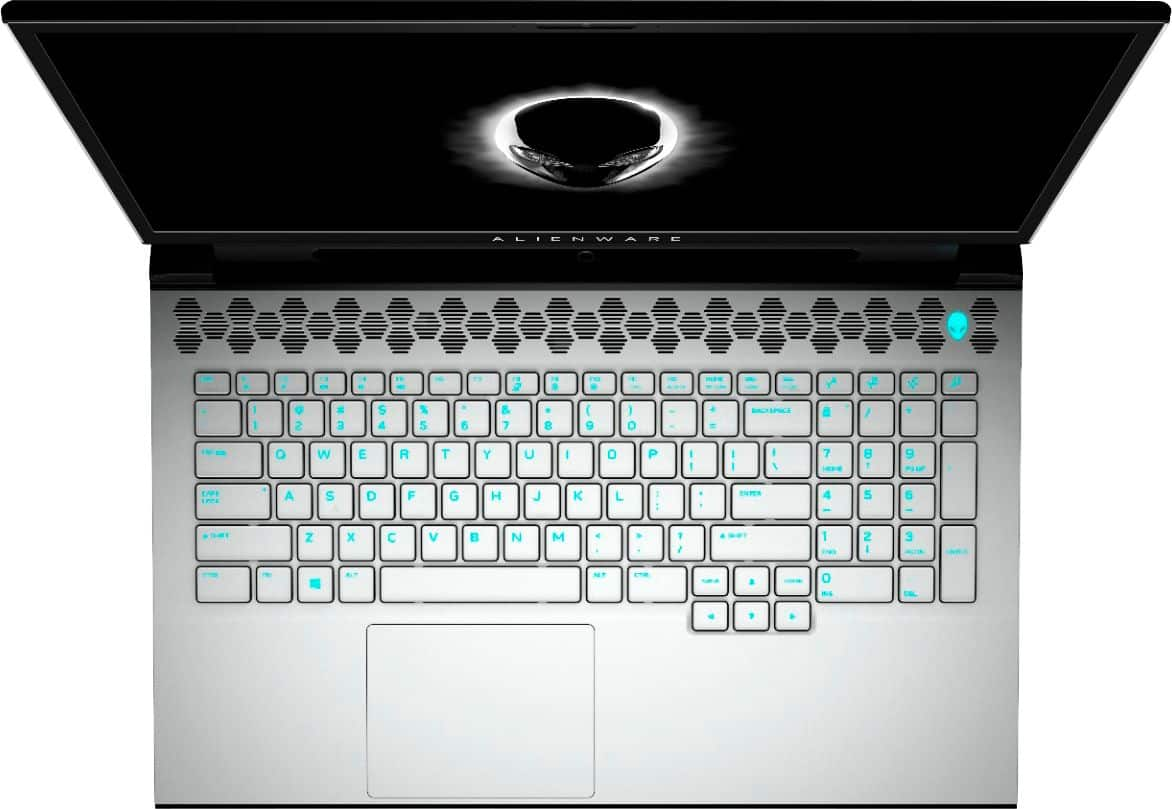
|Posted .This reviewer received promo considerations or sweepstakes entry for writing a review.This is my first gaming laptop. I've only gamed on desktop PCs and never really gave a bulky 17" laptop a second glance. When I came across the M17 "R2" it definitely piqued my interests. This laptop in Lunar White looks slick. The build quality out of the box is fantastic. All the white parts of the chassis, the keys are covered in a rubberish/soft-touch texture which feels very nice. While this laptop is a big boy, I've never seen a slimmer 17" gaming laptop. Moving on to one of the best parts is the keyboard. Specifically the key travel. It is a PLEASURE to type on. I think I prefer the feel of these keys to the mighty ThinkPad! I may be treading on blasphemy but it is THAT good. I also have never had a laptop with a number pad, I love having it. I use it ALL the time. The (out of the box) static color which the keyboard is set to once it's booted-up is preferable to me. I just like the fact that I can clearly see ALL keys in low light. That is more important to me than changing colors. I do change the color of some keys for different games where it makes identifying via my periphery easier. The nice large glass trackpad feels great and tracks VERY smoothly. I do have an occasional problem with the cursor jumping to other parts of the screen as I type, but that’s my fault for how the bottom my palm tends to rest on the trackpad. In normal usage of the i7 w/ RTX2070 the laptop runs quiet and fairly cool (using it on my lap to write this and while it is a little warm on the bottom, it’s nothing close to hot). Gaming on high settings, on the other hand, will ramp up the fans (but NOT to intolerable levels) and it will begin to get toasty. Games like Forza Horizon 4 on high settings will get things hot, but not to the point where I can’t keep my hands on the keyboard. I was getting a constant 72fps on Forza Horizon with ultra-high settings on all the elements that make your eyes drool with no slowdowns. Dropdown some of the settings and the fps climbs. I have read under-volting the CPU could keep the laptop cooler and prevent throttling, but I haven’t yet experienced that in anything I’ve used the laptop for. So I have kept the settings out of the box. Battery life is around four hours with some usual browsing with some streaming going on in the background. Start playing a game on battery…. You start to see some serious drainage... like seeing the needle on the gas gauge inch down every time you push the accelerator. It seems like the best use for the battery is only keeping the M17 alive while transporting it in standby/sleep mode. You’re almost always going to want to have this beast plugged in. A laptop this size would have benefited from a few extra USB C ports on the sides. It is just an inconvenience to have to reach to the back to pop in my USB C 2FA stick into the one and only USB C port to have to log in to certain sites I use regularly. But My biggest gripe with the M17 is the odd exclusion of windows hello camera or even a fingerprint scanner. In the age of FP scanners and facial recognition manually having to enter in a password is a hassle on top trying to remember or keep track of ALL the other passwords to everything else out there. Being capped at 16GB as the only option is a bummer, but not a deal-breaker. I don’t edit or transcode video or anything that intensive that I need even 16GB of memory. I'm happy to have the buffer that it already has. The option to add more memory would have been a welcome addition but I’m not going to suffer due to the lack thereof. Alienware has always been at the forefront of the Gaming scene and they have come out swinging with what I believe is one of the best gaming-oriented laptops available today. ‘Mid-range’ specs of this particular model are more than sufficient to handle everything I can currently throw at it. While it won’t be replacing my Surface Pro for work/portability purposes, the M17 has de-throwned my aging desktop.
I would recommend this to a friend - Cons mentioned:Battery life
Overheats
||Posted . Owned for less than 1 week when reviewed.This reviewer received promo considerations or sweepstakes entry for writing a review.Dont not purchase unless you want headaches.. freezes and over heat every time battery only last for 2.5 hrs
No, I would not recommend this to a friendBrand response from YourDellTeam
Posted .Solar,
Thanks for your feedback on your computer. If you'd like to troubleshoot the freezes on your computer, you can follow these steps:
1. Run a Computer Diagnostic. To determine if your computer is experiencing a hardware problem, run the Dell Preboot System Assessment (PSA) Diagnostics. For information on how to run Diagnostics, and to determine the issue, refer to Dell Knowledge Base Article: http://dell.to/2iaiujA.
2. Check Safe Mode for Symptoms. To boot into safe mode, please follow the instructions below:
a) Start the computer.
b) Tap 'F8' on the keyboard immediately and every one second until the Dell logo screen disappears. From there you will see the Windows Advanced Options Menu on the screen. (If the Windows Advanced Options Menu does not appear, restart the system and try again.)
c) Select Safe mode with Networking and press Enter.
d) Log on as the administrator or as a user with administrative access.
e) Open applications and test the computer in safe mode. If the symptoms exist in safe mode, please continue the troubleshooting steps in this article. If the symptoms do not exist in safe mode, the issue is likely related to a driver or software and you may wish to complete step 3 to see if you are able to resolve the lockups or freezing.
3. Check for Malware. Malware (Virus, Spyware, etc.) can definitely cause a Windows system to lock up or appear to hang. To check for malware on your system and to ensure that your computer is up to date on security software, visit Dell Knowledge Base Article: http://dell.to/2wWP1zI.
You can read the full article here - http://dell.to/2tW5m33.
If you'd like to see if you can extend the life of your computer's battery, you can try these tips:
Change the Power Plan:
1. On the notification area of the taskbar, right-click the Battery icon.
2. On the options list, click Power Options.
3. Select a power plan on the battery meter, such as Power Saver or Balanced. Windows 10 has a built in 'Battery Saver' mode that can be activated to extend your system's battery life. The Battery Saver mode will monitor and limit background activity and other features such as push notifications. You do have the option to enable or disable this mode within settings or within advanced Battery Saver settings, you can customize the mode to best suit your needs.
a) Click on the Action Center icon in the taskbar and select the tile for Battery Saver.
b) If running Cortana then type Battery Saver into the search box and select from the results.
Within the Battery Saver settings page, you will be able to turn on and off the feature and customize the feature to best meet your needs.
c) Turn Battery Saver On or Off.
d) Additional settings available via the Battery use and Battery saver settings links.
e) Battery use shows further info on apps and their power usage.
f) Battery Saver Settings screen allows you to customize further Battery Saver feature.
You can read the full article here - http://dell.to/2vfXWf4.
Lastly, if your computer continues to overheat, please try these suggestions:
Tips for Proper Usage:
1. Dell does not recommend placing portable systems directly on your lap. Due to reductions in the thickness of modern portable systems, heat transfer can be an issue.
2. Using a portable system (Laptop) on a hard, flat, non-cloth surface will increase airflow and reduce heat from underneath and inside the system.
Using the portable system on a blanket, pillow, or other types of cloth will cover up the fan cause the computer to overheat and can cause permanent damage.
3. It is recommended to use the portable system in a Room temperature of 0°C to 35°C (32°F to 95°F) with a Humidity level no greater than 90%.
4. Use compressed air to clean the vents on a regular basis.
5. Using a cooling pad can decrease heat and increase performance.
6. If you want to know the temperature limitations for your system, go to the Dell Support Website, look up your system model then open the user guide under the manuals link.
You can read the full article here - http://dell.to/2uJ8AdG.
Best,
Bryan
1-800-624-9896
Function
||Posted . Owned for 9 months when reviewed.This reviewer received promo considerations or sweepstakes entry for writing a review.I purchased this computer for my son who is in the military as they like to game a lot. He has had more issues with his computer in terms of it freezing up and crashing on him. We went through three units because we return the first 2 due to the same issues. The 3rd unit is giving him the same issues. He even sent it back to Dell, they supposedly fixed it, but he is still having issues. For a $2300 computer, you would expect better quality. This unit is really junk and I’m super disappointed at the quality of it.
No, I would not recommend this to a friendAlienware is troublesome
||Posted . Owned for 6 months when reviewed.This reviewer received promo considerations or sweepstakes entry for writing a review.Good for gaming but has MANY technical problems still. Not worth the price. Look at MSI Gamer friends!!!
No, I would not recommend this to a friendBrand response from YourDellTeam
Posted .TravelingFamily,
We're sorry to hear about the issues that you're having with your new gaming laptop. We'd recommend troubleshooting any heating concerns through the Alienware Command Center. The Alienware Command Center will allow you to set a thermal profile for your computer based on your usage.
If you have any other technical questions about your computer you can check our Product Support Page here: https://dell.to/2U3iiC8.
Best,
Bryan
1-800-624-9896
Fried motherboard 7 months after buying :(
||Posted . Owned for 6 months when reviewed.This reviewer received promo considerations or sweepstakes entry for writing a review.The motherboard fried less than 7 months later. Only had a 90-day warranty. Sent an email to Dell about the issue while under coverage but denied because it was sent to the wrong department and once they responded it was outside of warranty. Very expensive paper weight now.
No, I would not recommend this to a friend“NOTHING SPECIAL!” Not worth It!
||Posted . Owned for 5 months when reviewed.This reviewer received promo considerations or sweepstakes entry for writing a review.Aesthetically speaking, it looks good! But looks are definitely deceiving. Because this Alienware M17 looks very futuristic.. with all the different color lights flashing, It’s almost resembles a UFO craft. But the rest of it’s functionality and speed, it is downright shameful to charge someone a couple of thousand dollars for this laptop.
No, I would not recommend this to a friendBrand response from YourDellTeam
Posted .Mrdallas,
Thanks for your review and we're sorry to hear that your new Alienware Gaming Laptop is not meeting your needs. If you have any technical questions about your computer you can check our Product Support Page here: https://dell.to/2UK14Jz.
Best,
Bryan
1-800-624-9896