Winter SaleEnds 1/19. Limited quantities. No rainchecks.Shop now

Skip to contentGo to Product SearchGo to Footer
Main Content

Customer Ratings & Reviews
Your price for this item is $149.99

Customer reviews

Rating 4.7 out of 5 stars with 1010 reviews

Rating Filter

Rating by feature

  • Value

    Rating 4.7 out of 5 stars

  • Quality

    Rating 4.8 out of 5 stars

  • Ease of Use

    Rating 4.7 out of 5 stars

Pros mentioned filter

Cons mentioned filter

95%would recommend to a friend

Customers are saying

Customers are delighted by the Echo Show 8's sound quality, ease of use, and ideal screen size. Many find the device boasts excellent connectivity and a quick, simple setup. The sleek design is also a plus, fitting seamlessly into various spaces. However, a few users have noted compatibility issues with certain camera brands.

This summary was generated by AI based on customer reviews.

The vast majority of our reviews come from verified purchases. Reviews from customers may include My Best Buy members, employees, and Tech Insider Network members (as tagged). Select reviewers may receive discounted products, promotional considerations or entries into drawings for honest, helpful reviews.
Page 48 Showing 941-960 of 1,010 reviews
  • Rated 2 out of 5 stars

    Alexa

    |
    |
    Posted . Owned for 3 months when reviewed.
    This reviewer received promo considerations or sweepstakes entry for writing a review.

    Terrible. It talks when you aren’t even in the room. Have to ask it several times to stop. Says it’s not connected to internet and next time we ask it works. No problems with our Alexa dots Doesn’t set timers right. All ln all, worst Alexa purchase ever!

    No, I would not recommend this to a friend
    • Brand response from Amazon Devices Customer Support
      Posted .

      Hi Delores, thank you for providing feedback for Echo Show 8. I am sorry to see that the device is not functioning as intended. It seems that the device is having intermittent connectivity issues. To attempt to resolve the issue, please follow these steps:

      1. Place your Echo device within 30 feet of your router.
      2. Keep it away from interference sources like microwaves and baby monitors.
      3. Check your router's functionality by connecting another device.
      - If other devices can't connect, restart your router/modem and unplug your Echo for 30 seconds before plugging it back in.
      - If other devices can connect, ensure you're entering the correct Wi-Fi password and consider turning off some devices to reduce interference.
      4. If you have multiple devices on your Wi-Fi, try turning some off temporarily.
      5. If your router has separate 2.4 GHz and 5 GHz networks, switch your Echo to the other band.
      6. Update your Echo's Wi-Fi settings if you've changed your Wi-Fi password.
      7. If issues persist, consider factory resetting your Echo device. If this does not help and you need further assistance please feel free to reach out to Amazon Customer Service 24/7 at 1-888-280-4331. Thank you again and have a wonderful day! AmazonDevices

  • Rated 2 out of 5 stars

    Not sure why I bought this now

    |
    |
    Posted . Owned for 3 months when reviewed.
    This reviewer received promo considerations or sweepstakes entry for writing a review.

    This thing is slow and a talking advert for Amazon. Even when you ask Alexa to tell a joke she will try and up sale some cereal. Amazon could do so much better than this. We already bought the device and not everything needs to sell us something.

    No, I would not recommend this to a friend
    • Brand response from Amazon Devices Customer Support
      Posted .

      Hi RichardF,
      I am sorry to hear about the reservations you have on the Echo Show 8 advertisements. Alexa uses your voice interaction data to personalize shopping recommendations and ads based on your interests. You can adjust these settings in the Alexa app to control how many shopping suggestions you receive. Go to the Alexa app, navigate to "Settings" > "Notifications" and adjust the settings related to shopping recommendations, including turning off "deal recommendations" and "reorder recommendations". Hope this is helpful, have a nice day! AmazonDevices

  • Rated 2 out of 5 stars

    Do not buy

    |
    |
    Posted . Owned for 1 month when reviewed.
    This reviewer received promo considerations or sweepstakes entry for writing a review.

    Not great, doesn’t explain how it functions as easily as a google device

    No, I would not recommend this to a friend
    • Brand response from Amazon Devices Customer Support
      Posted .

      Hello JONNY! Thank you so much for your feedback and review on your Echo Show 8! I am sorry to hear that your experience with the device is not what you wanted it to be. We usually pride ourselves on our intuitive design and ease of use along with the number of Suggestions that Alexa offers on your setup and on your Home Screen. These tips offer a variety of ways you can use the device. There is also a Help menu directly on the device under Settings where you can find a number of FAQs and tips and tricks. If none of these provide you with what you are lookin for, I recommend reaching out to us directly at Amazon Customer Support at 888.280.4331 for any additional specific needs or questions you may have. I hope these tips help get you the assistance you need to improve your experience and I hope you have a tremendous day! AmazonDevices

  • Rated 1 out of 5 stars

    Disappointed

    |
    |
    Posted .
    This reviewer received promo considerations or sweepstakes entry for writing a review.

    Not enough space to say what Iwant to say.........

    No, I would not recommend this to a friend
    • Brand response from Amazon Devices Customer Support
      Posted .

      Thank you for your feedback NatashaE. AmazonDevices

  • Rated 3 out of 5 stars

    Doesnt do all it states

    |
    |
    Posted . Owned for 3 weeks when reviewed.
    This reviewer received promo considerations or sweepstakes entry for writing a review.

    Purchased because it stated you could view blink camera, you arent able to view them.

    No, I would not recommend this to a friend
    • Brand response from Amazon Devices Customer Support
      Posted .

      Hi Chris,

      The Echo Show 8 3rd Generation has many features and options you can utilize to enhance your experience with the device. We are sorry to hear that you are not having an optimal experience. If you have questions or want more information about your device, we can be reached at 1-888-280-4331!

      Hope that helps! AmazonDevices

  • Rated 1 out of 5 stars

    Advertisements!! Beware!!

    |
    |
    Posted . Owned for 11 months when reviewed.
    This reviewer received promo considerations or sweepstakes entry for writing a review.

    The Echo Show devices will no longer allow you to turn off the advertisements. Dont like having to fight technology for corporate profit. Throwing mine in the trash.

    No, I would not recommend this to a friend
    • Brand response from Amazon Devices Customer Support
      Posted .

      Thank you for bringing this concern to our attention about the Echo Show 8's advertisements. We understand your frustration with the recent changes to the display settings. While some content suggestions and recommendations are part of the Echo Show experience, we want our customers to have a satisfactory experience with their devices. Rather than disposing of your Echo Show, please contact our customer support team at 1 888 280-4331 they may be able to help adjust your settings or provide other solutions to better meet your preferences. Your feedback about the advertisement experience is valuable and will be shared with our product team. AmazonDevices

  • Rated 1 out of 5 stars

    Not worth it at all

    |
    |
    Posted . Owned for 1 month when reviewed.
    This reviewer received promo considerations or sweepstakes entry for writing a review.

    Should have went with Nest! When cameras trigger motion no matter any setting it only displays for a minute. Cameras freeze constantly on Show, are slow to load. We have a baby camera. The purpose is to continuously monitor our child. Immposible when ever other minute it will also completely go back to home screen.

    No, I would not recommend this to a friend
    • Brand response from Amazon Devices Customer Support
      Posted .

      Hi DakotaW, thank you for providing feedback on your experience with the Echo Show 8. I can certainly understand the frustration this is causing you. The amount of time that a particular camera will display on your device will vary depending on the manufacturer and their specifications, and in general, they are not designed for continuous live view. If there is anything else we can help with, Amazon Customer service is available 24/7 for assistance. You can reach them at 1-888-280-4331. I hope this information helps, have a great day! AmazonDevices

  • Rated 1 out of 5 stars

    Not recommended

    |
    |
    Posted .
    This reviewer received promo considerations or sweepstakes entry for writing a review.

    Many glitches wont connect to wifi always talking not response

    No, I would not recommend this to a friend
    • Brand response from Amazon Devices Customer Support
      Posted .

      Hi Missbless,

      Thank you for sharing your feedback about the Echo Show 8 (3rd Generation). I'm truly sorry to hear about the multiple issues you're experiencing—Wi-Fi connectivity problems, glitches, unresponsive behavior, and unexpected voice activation are all serious concerns that prevent you from enjoying your device.

      These types of persistent issues suggest either a defective unit or a significant setup problem that needs immediate attention. Here are some steps that might help:

      Factory reset the device (Settings > Device Options > Reset to Factory Defaults)
      Check your Wi-Fi network to ensure it's working properly and the device is within range
      Disable wake word temporarily if Alexa is activating without prompting (Settings > Alexa Privacy > Manage How Alexa Responds)
      Update software to ensure you have the latest firmware

      A new Echo Show should work reliably right out of the box, and we want to make this right for you. AmazonDevices

  • Rated 1 out of 5 stars

    Never again

    |
    |
    Posted . Owned for 3 months when reviewed.
    This reviewer received promo considerations or sweepstakes entry for writing a review.

    Horrible quality. Doesn’t understand you. Glitches

    No, I would not recommend this to a friend
    • Brand response from Amazon Devices Customer Support
      Posted .

      Hello TammyM! I'm sorry to hear you're experiencing horrible quality, voice recognition issues, and glitches with your Echo Show 8. These problems can be incredibly frustrating when your device isn't responding properly to your commands. To help resolve the voice recognition and quality issues, ensure your Echo Show 8 has a strong and stable Wi-Fi connection, as connectivity problems can significantly impact voice recognition accuracy and overall performance. Restart your device by unplugging it from power, waiting 30 seconds, then plugging it back in to clear temporary glitches. Check that your device has the latest software updates by going to Settings, Device Options, and System Updates, as outdated firmware can cause voice recognition and performance problems. Make sure the microphones aren't obstructed or covered and that there's no excessive background noise interfering with voice detection—you can test the microphones by going to Settings, Device Options, and selecting Check Microphones. Clean the device screen and ensure the microphone holes aren't blocked by dust or debris. If Alexa isn't understanding you, try retraining the voice recognition by going to Settings, Your Profile & Family, Your Voice, and selecting Improve Your Alexa Experience to help the device better recognize your speech patterns. Check the volume settings and ensure Do Not Disturb mode isn't enabled, as this can affect responsiveness. If the device is freezing or glitching, check available storage and clear cache on apps that may be causing issues by going to Settings, Applications & Notifications, and Manage Installed Applications.

      If these troubleshooting steps don't resolve the voice recognition problems and glitches you're experiencing, Amazon Customer Support is available 24/7 at 1-888-280-4331 for additional assistance. AmazonDevices

  • Rated 1 out of 5 stars

    Broken

    |
    |
    Posted .
    This reviewer received promo considerations or sweepstakes entry for writing a review.

    The product I received arrived completely broken..

    No, I would not recommend this to a friend
    • Brand response from Amazon Devices Customer Support
      Posted .

      Thank you for your feedback YailenF. I am sorry the product arrived broken. Your Echo Show 8 comes with a One-Year Limited Warranty from Amazon, covering hardware defects, you can reach out to Amazon Customer Support 24/7 at 1-888-280-4331. I hope this information is helpful. AmazonDevices

  • Rated 1 out of 5 stars

    Disappointed. ☹️

    |
    |
    Posted . Owned for 1 month when reviewed.
    This reviewer received promo considerations or sweepstakes entry for writing a review.

    I had to return this item. It had a defect very disappointed.

    No, I would not recommend this to a friend
    • Brand response from Amazon Devices Customer Support
      Posted .

      Hi MichelleB,
      Thank you for your feedback on the Echo Show 8. I am sorry to hear it was defective. Apart from retailer return exchange policies the Echo Show 8 also comes with a one-year limited warranty that covers defects in materials and workmanship under normal use. I hope this information is helpful. AmazonDevices

  • Rated 3 out of 5 stars

    Echo 8

    |
    |
    Posted . Owned for 3 weeks when reviewed.
    This reviewer received promo considerations or sweepstakes entry for writing a review.

    It’s finicky, will not work at times and touch sensor off

    No, I would not recommend this to a friend
  • Cons mentioned:
    Compatibility

    Rated 1 out of 5 stars

    Awful. Didnt do what it claimed !

    |
    |
    Posted . Owned for 3 weeks when reviewed.
    This reviewer received promo considerations or sweepstakes entry for writing a review.

    Was so difficult to get it to work. Didnt have what it was supposed to have on it ! No netflex, amazon prime. Etc Alexa wouldn't even answer any questions. I dent one to my son in Connecticut. He returned it too !@

    No, I would not recommend this to a friend
  • Rated 1 out of 5 stars

    Horrible customer experience

    |
    |
    Posted . Owned for 1 week when reviewed.
    This reviewer received promo considerations or sweepstakes entry for writing a review.

    I ordered online from Best Buy 5 Jan 2024. It has been 11 days since and haven’t received my item. All they mentioned when I made contact was that the shipment was delayed. Why was there no communication from them prior to me making contact. This was supposed to be a gift for someone. They really let me down on this one.

    No, I would not recommend this to a friend
  • Rated 2 out of 5 stars

    The other version was better

    |
    |
    Posted . Owned for 3 weeks when reviewed.
    This reviewer received promo considerations or sweepstakes entry for writing a review.

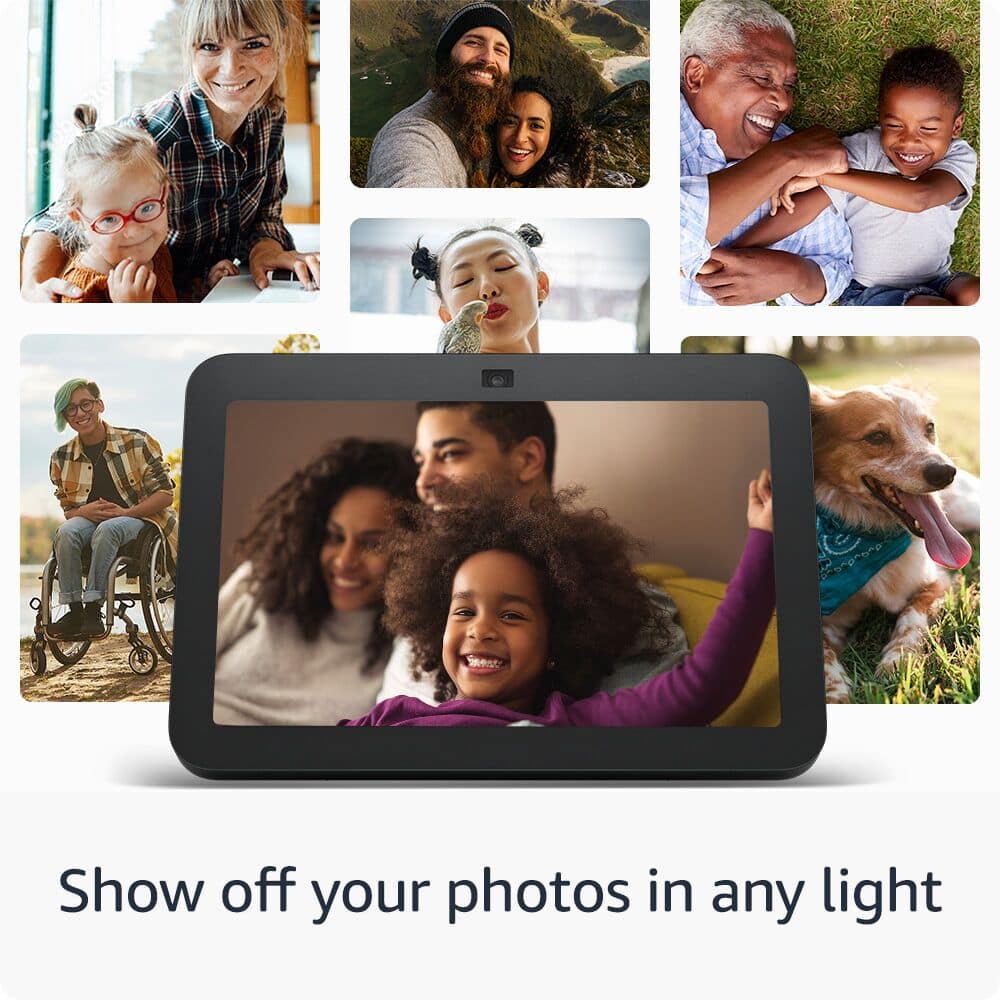
    I don't like the screen display. I keeps showing different advertisements. When I just want to show my pictures or just the clock. I don't want to see advertisements.

    No, I would not recommend this to a friend
    • Brand response from Amazon Devices Customer Support
      Posted .

      Hello Steven, thank you for your feedback on the Echo Show 8. Please try the following steps on the Echo Show 8 to turn off ads and suggestions: Swipe down on your screen, click Settings > Home and Clock > Home Content. Disable the content that you no longer wish to see rotating on your home screen. If these steps do not help and your are still disappointed with the device you can reach Amazon Customer service 24/7 for assistance. You can reach them at 1-888-280-4331. I hope this information helps, have a great day! AmazonDevices

  • Rated 1 out of 5 stars

    Screen

    |
    |
    Posted . Owned for 2 weeks when reviewed.
    This reviewer received promo considerations or sweepstakes entry for writing a review.

    Had trouble setting up. Unable to reboot. But was able to return.

    No, I would not recommend this to a friend
    • Brand response from Amazon Devices Customer Support
      Posted .

      Hi Kimber,
      Thank you for your feedback on the Echo Show 8. I’m sorry to hear you experienced issues with setup and rebooting the device. If you need assistance in the future, Amazon offers 24/7 customer support and can help with setup or troubleshooting. You can reach them at 1-888-280-4331.

      Have a great day! AmazonDevices

  • Rated 1 out of 5 stars

    Awful piece of equipment!

    |
    |
    Posted . Owned for 1 month when reviewed.
    This reviewer received promo considerations or sweepstakes entry for writing a review.

    This was returned. It was awful. Didn't work with swiping or any other way. Couldn't program easily or change anything easily.

    No, I would not recommend this to a friend
    • Brand response from Amazon Devices Customer Support
      Posted .

      Hello CarolR,
      I am sorry to hear you were not satisfied with your Echo Show 8. The Echo Show 8 is primarily designed for both touch and voice interaction. While it features a touch screen for navigating and interacting with content, it also relies heavily on voice commands through Alexa for tasks like playing music, controlling smart home devices, and accessing information. hope this helps explain the device, have a nice day! AmazonDevices

  • Rated 1 out of 5 stars

    Love it, but where are the lyrics?

    |
    |
    Posted .
    This reviewer received promo considerations or sweepstakes entry for writing a review.

    It doesn’t have lyrics for the screen and can’t figure it out!

    No, I would not recommend this to a friend
    • Brand response from Amazon Devices Customer Support
      Posted .

      Hi HazelenH,
      Thanks for sharing your feedback. We're sorry you're having trouble getting lyrics to display on your Echo Show 8. With limited details, it’s a bit tough to pinpoint the specific issue, but in general, lyrics should appear when playing supported songs through Amazon Music. Make sure your device is updated and you're using a compatible service. If you're still having trouble, our support team would be happy to walk you through some steps — feel free to reach out at 1-888-280-4331. Thanks again, have a good day! AmazonDevices

  • Rated 1 out of 5 stars

    Thiefs

    |
    |
    Posted .
    This reviewer received promo considerations or sweepstakes entry for writing a review.

    Best Buy and ups thief. They delivered wrong adress and never paid back return or refund. Never shop anything from Best Buy

    No, I would not recommend this to a friend
  • Rated 2 out of 5 stars

    Echo 8

    |
    |
    Posted . Owned for 1 month when reviewed.
    This reviewer received promo considerations or sweepstakes entry for writing a review.

    Volume keeps going down automatically which makes it hard to hear announcements from my outside cameras.

    No, I would not recommend this to a friend
    • Brand response from Amazon Devices Customer Support
      Posted .

      Thank you for your feedback on the Echo Show 8. I am sorry to hear of the issues you are having with the functionality of the device. Here are a few troubleshooting tips for you to try to resolve the issues: 1. Check that your device has a strong internet connection. 2. If your device set up uses the Alexa app, please check that you have the latest version of the app. 3. Restart your Echo device-Unplug it from power, wait 30 seconds, and then plug it back in. 4. If none of these steps help or if you are having problems registering the device, reset your Echo device to clear up most issues. If you are still having issues with the functionality of the Echo Show, Amazon Customer service is available 24/7 for assistance on the device. You can reach them at 1-888-280-4331. I hope this information is helpful to get your device working properly for you. Thank you! AmazonDevices