Customer Ratings & Reviews

- Model:
- B01ACEKAJY
- |
- SKU:
- 5578952
Customer reviews
Rating 4.6 out of 5 stars with 203 reviews
(203 customer reviews)to a friend
Customers are saying
Customers admire the Fire HD 8 32GB tablet's screen size, ease of use, and battery life. Many appreciate its ample storage options and find it suitable for reading and watching videos. The expandable memory is also a plus for some users. However, some customers express dissatisfaction with the app selection available.
This summary was generated by AI based on customer reviews.
Rated 5 out of 5 stars
excellent
||Posted .This reviewer received promo considerations or sweepstakes entry for writing a review.Does everything we wanted. Great value for the price.
This review is from Amazon - Fire HD 8 32GB (6th Gen, 2016 Release) - Blue
I would recommend this to a friendRated 4 out of 5 stars
Great to navigate
||Posted .This reviewer received promo considerations or sweepstakes entry for writing a review.Pretty awesome to play games or navigate internet...works great
This review is from Amazon - Fire HD 8 32GB (6th Gen, 2016 Release) - Blue
I would recommend this to a friendRated 3 out of 5 stars
It's an ok tablet for the price.
||Posted .This reviewer received promo considerations or sweepstakes entry for writing a review.In my opinion it's very slow for internet use. Good for our 5 yr old to use but we purchased this for her to do online curriculums, which is almost impossible to do with this tablet because of the speed. Our internet connection is great with every other laptop and computer in the house.
No, I would not recommend this to a friendRated 4 out of 5 stars
Love a kindle
||Posted .This reviewer received promo considerations or sweepstakes entry for writing a review.A little more complicated than my original kindle, but I lIke it.
I would recommend this to a friendRated 3 out of 5 stars
Not looking too good...
||Posted .This reviewer received promo considerations or sweepstakes entry for writing a review.I bought this as a Christmas gift for my wife and things started out well but lately my wife has been having issues with it. It hasn't been working as it should and its only been a little over 2 months since she's had it. I'm going to try a hard reset on it and see if that helps.
No, I would not recommend this to a friendRated 4 out of 5 stars
Great work giveaway item
||Posted .This reviewer received promo considerations or sweepstakes entry for writing a review.Bought this for a work fundraiser and the recipient enjoyed it
I would recommend this to a friendRated 4 out of 5 stars
Good product
||Posted .This reviewer received promo considerations or sweepstakes entry for writing a review.Good product. would buy again. would recommend to others
I would recommend this to a friendRated 4 out of 5 stars
Great for kids
||Posted .This reviewer received promo considerations or sweepstakes entry for writing a review.Inexpensive but works great. Must purchase amazon prime
I would recommend this to a friendRated 4 out of 5 stars
good product
||Posted .This reviewer received promo considerations or sweepstakes entry for writing a review.This is my 2nd tablet and it works great with downloading
I would recommend this to a friendRated 4 out of 5 stars
Great for games
||Posted .This reviewer received promo considerations or sweepstakes entry for writing a review.A great Christmas gift, the kids love the gifts...
This review is from Amazon - Fire HD 8 32GB (6th Gen, 2016 Release) - Blue
I would recommend this to a friendRated 4 out of 5 stars
Great reading device
||Posted .This reviewer received promo considerations or sweepstakes entry for writing a review.I love my kindle fire. Its a great reading device.
I would recommend this to a friendRated 3 out of 5 stars
Good for movies and amazon
||Posted .This reviewer received promo considerations or sweepstakes entry for writing a review.Decent little tablet if you are not a game player. Tablet shuts down and I cant get it back on when I play games for long periods of time. It's not my ipad, that's for sure.
This review is from Amazon - Fire HD 8 32GB (6th Gen, 2016 Release) - Magenta
I would recommend this to a friendRated 3 out of 5 stars
Limited usefulness
||Posted .This reviewer received promo considerations or sweepstakes entry for writing a review.Great display, but the android is very limited in what it can access. It can't access the Google Play store, even though it's an android!
This review is from Amazon - Fire HD 8 32GB (6th Gen, 2016 Release) - Blue
No, I would not recommend this to a friendRated 3 out of 5 stars
amazon fire hd8
||Posted .This reviewer received promo considerations or sweepstakes entry for writing a review.meh. it works. i find it difficult to navigate. i also have an ipad mini. this seems to be less intuitive than the ipad.
No, I would not recommend this to a friend- Cons mentioned:Apps
Rated 1 out of 5 stars
Not really statisfied with features
||Posted .This reviewer received promo considerations or sweepstakes entry for writing a review.Dont have option for password ask you before buying apps once you authorized as allow its done. Not as many free good apps Like apple have it
This review is from Amazon - Fire HD 8 32GB (6th Gen, 2016 Release) - Blue
No, I would not recommend this to a friend - Pros mentioned:Screen size
Rated 4 out of 5 stars
Great price on an awesome little tablet
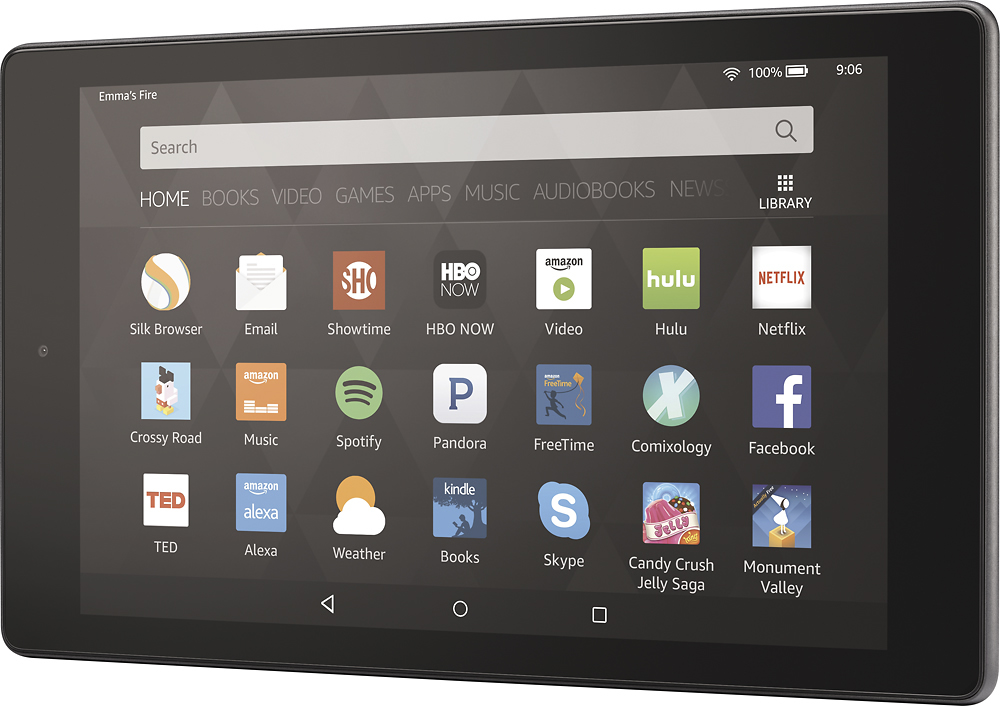
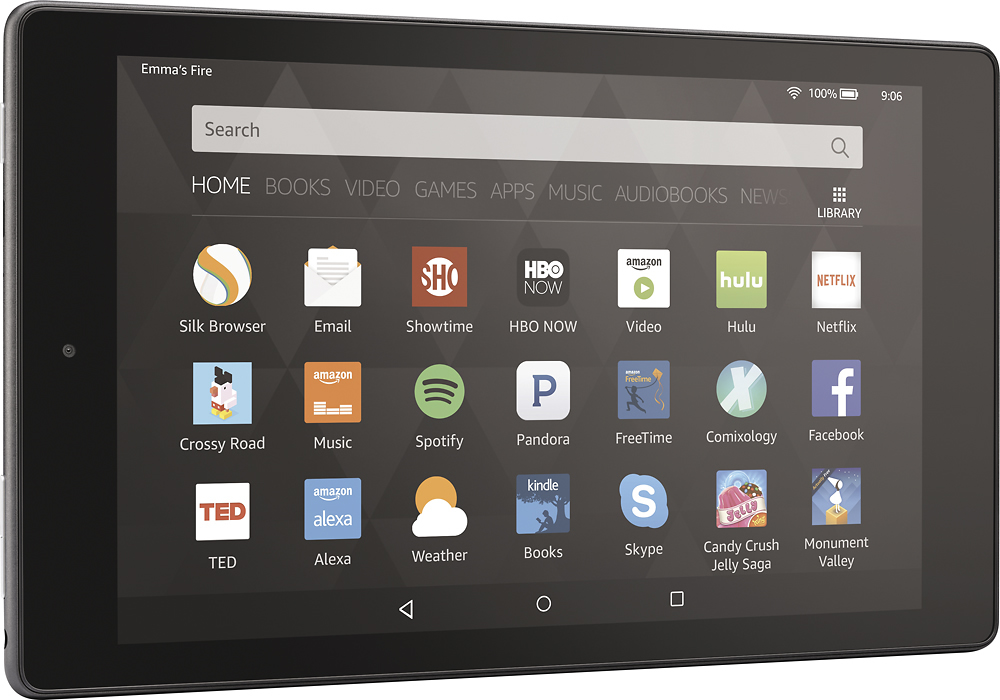
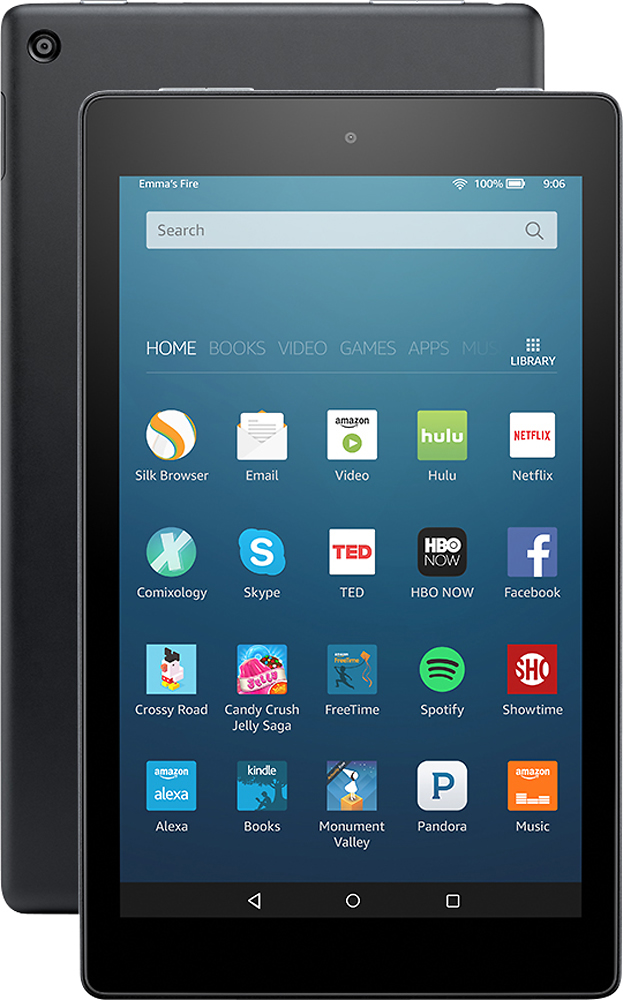
Posted .This reviewer received promo considerations or sweepstakes entry for writing a review.I've had lots of tablets in the past, mostly from the Samsung line, but this is my first Amazon Fire, so I want to write this review for others who have never tried one of these. At the time that this was written, Alexa had not been added to the tablet. First, while this device runs an Android type of operating system, Amazon puts its own spin on the operating system. I don't feel like I'm using Android. This feels different to me. It doesn't have the same level of customization that Android users have come to appreciate. That being said, if you are an Amazon Prime member, this device has been tailored to be your content entertainment machine. It's simply a fun way to consume your magazines, books, etc. There are 3 on-screen buttons on the bottom of the device. The middle button immediately takes you to your home screen. The button to the left acts as a sort of "back" button. It also lets me get rid of my keyboard when I don't need it on screen, but it's open. The button to the right is super important. It took me a couple of days to realize what it does. That square shaped button is what you press you see what apps you have open. It lets you switch between apps, but it also lets you see which apps you have open and close them out. You can close them by pressing the "X" button in the corner of the window that appears or by touching the app window and swiping to the right. If you leave all of those apps open and you never close them, you'll drain your battery. Make sure you use that little square button to clear your apps. The device has several menus that you swipe left to view. First, you start with your home screen. You literally can stay on this screen and do anything you need to do on the tablet. All of your apps are housed here. You swipe up to view all of them. The tablet comes with several apps pre-installed such as Slik, Amazon's own internet browser, Audible, Good Reads, the Amazon app store, a weather app, etc. You can go to the Amazon app store to download other apps such as Twitter, Facebook, etc. You can combine the apps on this page into folders. You just drag one app to another app and a folder appears. This made my home screen much more manageable. You can change the size of the font on the home screen from normal to large or small in the device settings. This feature doesn't necessarily increase the size of the font within your apps, however. I believe it only changes the font on your main screens. If you have a magazine or newspaper subscription that is connected to your device, when you have a new issues, it will show up at the top of your home page screen under the heading of "new items." The device comes with a free 6 month subscription to the Washington Post. You'll see that under "new items" when you initially activate your tablet. You can change the wallpaper on the screen to use one of your own photos. You can do this through the settings menu on the device. If you want to use one of your own photos, however, you need to either take it on the device or move it into Amazon's Photos app, which is a cloud-based app.So far, I haven't found a way to effectively use a different photo management app that will let me change my wallpaper. I'm not crazy about the Amazon Photo app. I found it annoying to move my photos from my phone into Amazon's cloud just so I could view them on my tablet. That being said, I'm not planning to take photos on this device. I just wanted a few pet photos on there and the ability to change my wallpaper. Beyond the home screen, you can swipe to the right to view your other screen. They are pre-arranged to be: books, videos, games, shop, apps, music, audiobooks, and newstand. All of those screens are connected to your Amazon account. For example, if you have Kindle books you've already purchased, they automatically will appear under the Books menu. Your magazines and newspaper subscriptions will appear under the newstand menu. There doesn't seem to be a way to change the order of the menu pages. That bugs me, but it's not the end of the world. There's also one menu to the left of the "home" menu. It's the "recent" page. It shows you what you've received looked at on the tablet. I never use it, but it might be handy for some people. One of my favorite features of this tablet is Amazon's "On Deck" capability. If you're an Amazon Prime member, Amazon will periodically download a video to your device that it thinks you might like. The items don't count against your pre-installed memory and they automatically deleted off if your memory starts getting full. You can turn off the "on deck" feature if you don't like it. I've been content with the video playback capability. This isn't my major use of the device, but the images look fine and the audio is OK. I'll talk more about the speakers later. My other favorite feature of this tablet is viewing magazine content through the Newstand. I've tried 3 magazines on here and they all look gorgeous. Now, I can always have my magazines with me so if I'm stuck at the airport or at the doctor's office, I always have them. One of my regular magazines includes a free digital version of the magazine for free. I just had to connect my account to the device. This allows me to download the back issues of the magazine for as long as I've had an account. My other magazine didn't include a digital edition so I canceled the print edition of it and switched to the digital version. (It was an inexpensive magazine, anyway.) There are several magazines that you can try free for 30 days on the device. I did this with a third magazine and decided to keep it for a year. Viewing magazines on this gadget is a pleasure. The Kindle Fire doesn't come with the Google Play store installed. You can side load it to the device without rooting it (and breaking your warranty.) You can Google to find the instructions to do this. It's not difficult to do if you're fairly comfortable with technology. It probably took me 10 minutes. Most of the apps I wanted were in the Amazon store, but there were a handful that I had paid for through Google Play. The only way I could have them was to go back to access that store. They have worked fine so far. I despise the keyboard that Amazon pre-installed on this device. There are no lines between the letters on the keyboard. I suppose it designed to be better for swyping through keys, but I hate it. I fixed that problem by going to Google Play and downloading a new keyboard. It was a pretty easy problem to solve so I can't complain. Apps that are connecting to the Internet can be a little slow to load on this device compared to my other gadgets, but that generally doesn't bother me. If you were using this tablet to replace your personal laptop, however, that might drive you crazy. The screen on this device isn't bad. If I compare it to my fancy phone, it's not as shape, but when you think about the price of this device compared to my smartphone, the screen is outstanding. The speakers are OK. There are two of them located on the bottom of the screen. I won't say that they are fantastic. They aren't. In my opinion, they are fine for watching YouTube or a television show. They are not OK for listening to music if you are an audiophile. You can make it a little better by downloading a different music app instead of relying on the pre-install app, but still your music will sound tinny. That being said, you can always connect your tablet to a bluetooth speaker, use a pair of headphones, etc. This device wasn't made for taking pictures. It has a front and back camera, but they aren't designed to be spectacular. I'm not using them. I find this device a little difficult to hold in my hands. I think that's partly because of the size and partly because it feels very slick. Also, I do have some hand problems (similar to someone who has Carpal Tunnel syndrome). I think it will be easier to handle once my case arrives. I'm still waiting for it. I'm greatly enjoying this device. It's simply fun to use the tablet. There are weaknesses that come with that lower price tag, but you legitimately get a lot of bang for your buck, particularly if you regularly use Amazon services. If you don't typically use Amazon and you are just looking for a tablet for viewing the Internet and you're looking for a low price tag, this device may be OK for you.
I would recommend this to a friend Rated 1 out of 5 stars
Terrible
||Posted .This reviewer received promo considerations or sweepstakes entry for writing a review.I bought this because I have ebooks in college. Not only could I not get my ebook. I called the school IT department. They could not either. My semester was already started. The sales representative at the store told me this is what I needed. I ended up buying a tablet from my phone carrier and my ebooks were right there in less than 5 minutes with the schools IT department help.
No, I would not recommend this to a friendRated 1 out of 5 stars
Not so good!
||Posted .This reviewer received promo considerations or sweepstakes entry for writing a review.I had to return this product as it was not compatible with things such as Facebook and Itunes... which is what I needed it for. Great if you are into books and streaming movies!
No, I would not recommend this to a friendRated 1 out of 5 stars
Bad tablet for a beginner
||Posted .This reviewer received promo considerations or sweepstakes entry for writing a review.It's not working and will not cut on SMH so disappointed!!!
This review is from Amazon - Fire HD 8 32GB (6th Gen, 2016 Release) - Magenta
No, I would not recommend this to a friendRated 5 out of 5 stars
Exceeded my expectations
Posted .This reviewer received promo considerations or sweepstakes entry for writing a review.I have put off buying a tablet because all the ipads I tried with friends were hypersensitive making it difficult for me to navigate easily. This one is the bomb - I am 68 and not a techie but quite intelligent - this Kindle Fire is a perfect fit for me and does everything I want it to do and more with great speed and wonderful resolution. I am new at tablets and look forward to enjoying learning all that this Kindle Fire will provide for me - so far each step has been a breeze. I just love it.
I would recommend this to a friend