Customer Ratings & Reviews
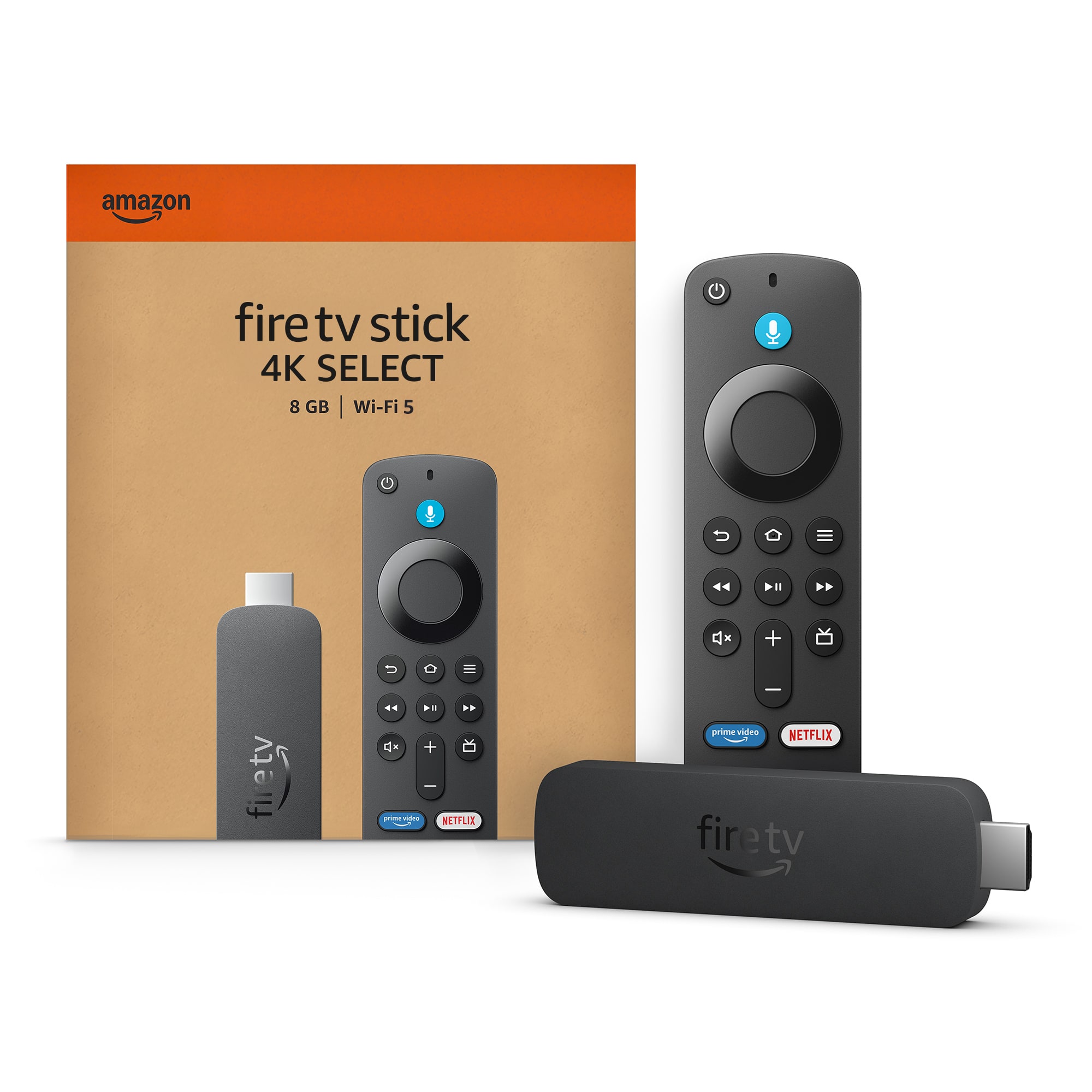

- Model:
- B0C6W3D4RM
- SKU:
- 12100265
Rating by feature
- Value
Rating 4.5 out of 5 stars
- Quality
Rating 4.5 out of 5 stars
- Ease of Use
Rating 4.5 out of 5 stars
A game changer for thouse LG tv’s!!!!!!
||Posted . Owned for 1 month when reviewed.This reviewer received promo considerations or sweepstakes entry for writing a review.A bigger market of app than the webOS system brings.
I would recommend this to a friendNot as good as hd max
||Posted . Owned for 2 months when reviewed.This reviewer received promo considerations or sweepstakes entry for writing a review.Ther is no developer option, You cant download the apps in developer option, Batter to go for hd max
No, I would not recommend this to a friendFire Stick 4K
||Posted .This reviewer received promo considerations or sweepstakes entry for writing a review.The firestick is more updated than my previous model
I would recommend this to a friendInitial payment of one or the cold
||Posted .This reviewer received promo considerations or sweepstakes entry for writing a review.Hahahah is the first industrial version I can you want to text
I would recommend this to a friendNot easy to add to hotel tvs
||Posted . Owned for 3 weeks when reviewed.This reviewer received promo considerations or sweepstakes entry for writing a review.Difficult to add to hotel tv when traveling Fine to use at family’s and neighbors Great to upgrade older tv picture and allow streaming stations when traveling with password s
I would recommend this to a friendHas developer options
||Posted .This reviewer received promo considerations or sweepstakes entry for writing a review.This fire stick comes with developer options!! This is the one you want.
I would recommend this to a friendGlitchy
||Posted . Owned for 2 weeks when reviewed.This reviewer received promo considerations or sweepstakes entry for writing a review.It glitches a lot. We have it plugged into our TV and when we watch certain apps it stops playing or just loads and we'll catch our other TV to see if it is the app and on the other TV it plays just fine. So its the firestick.
No, I would not recommend this to a friendBrand response from Amazon Devices Customer Support
Posted .Hi JaleesaG,
Thanks for sharing your experience with the Fire TV Stick 4K Select. I'm sorry to hear you're experiencing glitching issues with playback stopping or loading indefinitely on certain apps - and it's frustrating that you've confirmed it's device-specific by testing the same apps on your other TV.
Since the issue appears to be isolated to this particular Fire TV Stick, here are some troubleshooting steps that often resolve streaming glitches:
Quick fixes to try:
Restart the Fire TV Stick by unplugging it from power for 30 seconds, then plugging it back in
Check for system updates in Settings > My Fire TV > About > Check for Updates
Clear app cache for the problematic apps in Settings > Applications > Manage Installed Applications > [select app] > Clear Cache
Ensure the Fire TV Stick has adequate ventilation and isn't overheating (move it away from the TV if it's tucked behind)
Try using the included HDMI extender cable if you're plugging directly into the TV port
If these steps don't resolve the glitching, this could indicate a hardware issue with the device. I'd recommend contacting our support team at 1-888-280-4331 - they can run diagnostics and arrange a replacement if needed.
Thanks for taking the time to share this detailed feedback.
Disappointed
||Posted .This reviewer received promo considerations or sweepstakes entry for writing a review.Very disappointed,hard time adding apps to select,threw it away
No, I would not recommend this to a friendBrand response from Amazon Devices Customer Support
Posted .Hello Pelonstake. Thank you for your review. For enhanced security, only apps from the Amazon Appstore are available for download. Registered developers are still able to sideload. I hope that helps and have a great day!
Amazon fire stick
||Posted . Owned for 2 weeks when reviewed.This reviewer received promo considerations or sweepstakes entry for writing a review.I changed my mind and returned this item without even opening the package. Thank you.
I would recommend this to a friendLoser device
||Posted . Owned for 2 weeks when reviewed.This reviewer received promo considerations or sweepstakes entry for writing a review.Cannot jailbreak or side load apps. Might as well get a Roku since neither one can bd jailbroke.
No, I would not recommend this to a friendBrand response from Amazon Devices Customer Support
Posted .Hi JosephM,
Thank you for sharing your feedback about the Fire TV Stick 4K Select. I understand your frustration with the limitations you've encountered regarding app installation on this model.
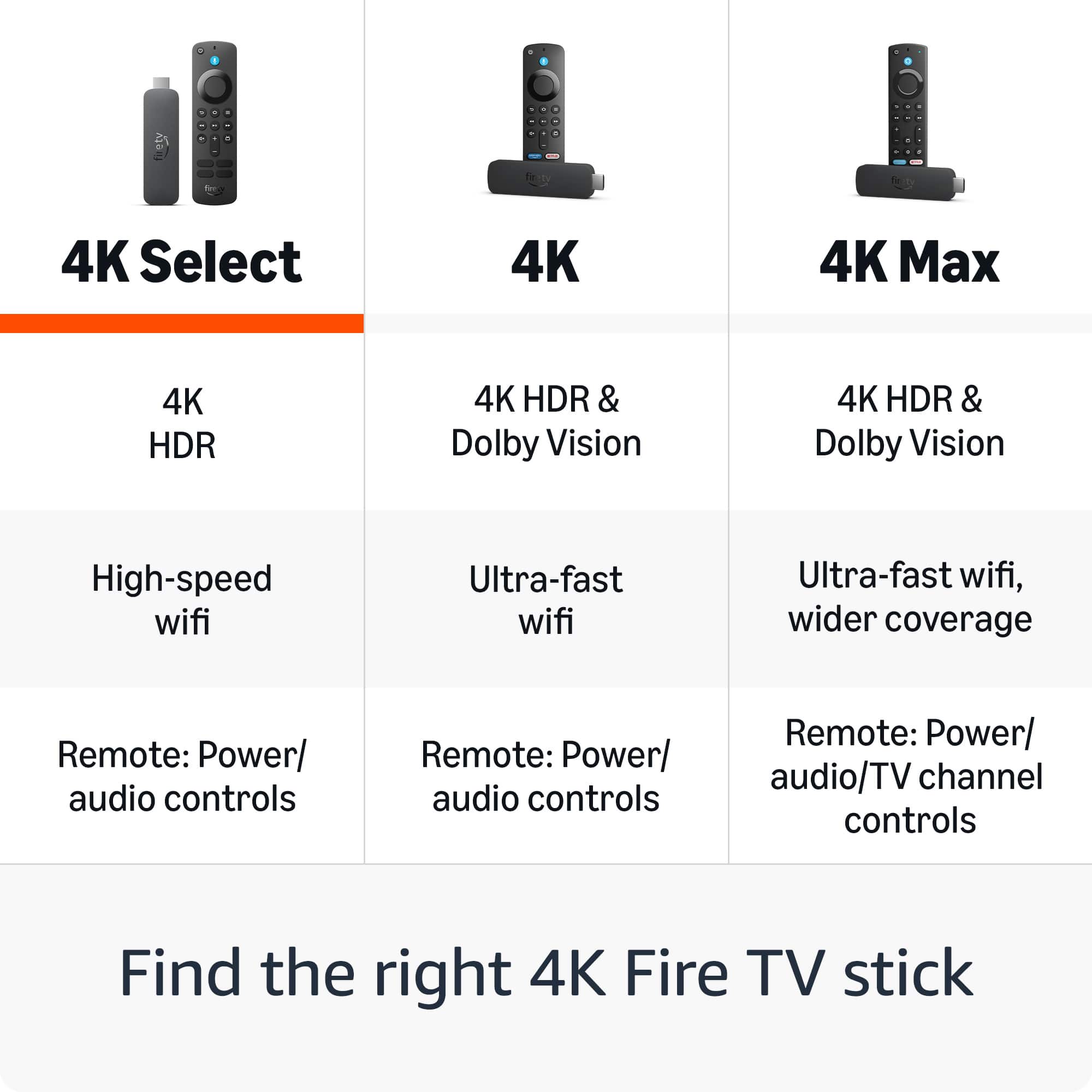
The Fire TV Stick 4K Select is designed as a streamlined streaming device with pre-selected apps and a more controlled app ecosystem. This differs from the standard Fire TV Stick 4K and Fire TV Stick 4K Max models, which offer broader access to the Amazon Appstore for downloading additional applications. The "Select" designation indicates this more curated approach to available content.
I can see why this doesn't meet your needs if you were looking for more flexibility with app management. Your comparison to Roku is a fair point—both devices prioritize official app channels and authorized content delivery for security and performance reasons.
If you're still within the return window and want more app flexibility within the Amazon ecosystem, you might consider exchanging it for the Fire TV Stick 4K Max (16GB with full Appstore access) or exploring other streaming platforms that better align with your preferences.
Thank you for taking the time to share your experience with other customers.
Driver
||Posted . Owned for 1 month when reviewed.This reviewer received promo considerations or sweepstakes entry for writing a review.It’s okay I like the older one it should’ve been better
No, I would not recommend this to a friendBrand response from Amazon Devices Customer Support
Posted .Hello, AngelD. Thank you for taking the time to leave a review on the Fire TV Stick Select. I understand you're finding the experience doesn't quite match up to your previous device. The Fire TV Stick 4K Select offers several enhancements over older models, including support for 4K Ultra HD streaming with HDR10+ and HLG, improved performance, and AI-powered search capabilities. However, I recognize that transitioning to a new device can sometimes feel different from what you're accustomed to. Here are a few tips to help optimize your experience: (1) Ensure your device has a strong internet connection to take full advantage of the 4K streaming capabilities and faster processing. (2) Check that you have the latest software updates installed, as these often include performance improvements and new features. (3) Explore the settings menu to customize the interface to your preferences, including display settings, audio options, and app arrangements. (4) If you're experiencing specific performance issues, try restarting the device by unplugging it from power, waiting 30 seconds, then plugging it back in. If you have specific concerns about features or functionality that you feel are missing compared to your older device, or if you're experiencing technical issues, Amazon Customer Service is available 24/7 at 1-888-280-4331 to help address your concerns. Thank you again for your feedback, and I hope this information helps you get the most out of your Fire TV Stick 4K Select.
- Cons mentioned:App availability
Faulty Firestick
||Posted . Owned for 2 weeks when reviewed.This reviewer received promo considerations or sweepstakes entry for writing a review.This Firestick was not usable for me because it doesn't have the Downloader app. Very disappointed :(
No, I would not recommend this to a friendBrand response from Amazon Devices Customer Support
Posted .Hi ShalithaD,
Thank you for sharing your feedback about the Fire TV Stick 4K Select. I'm sorry to hear that the absence of the Downloader app has made this device unusable for your needs and left you disappointed.
I want to provide you with important information about this specific model that may not have been clear at the time of purchase:
The Fire TV Stick 4K Select runs on a different operating system called Vega OS, which is fundamentally different from other Fire TV devices. This is a critical distinction that affects app functionality:
Amazon Appstore only - You can only install apps that are officially available in the Amazon Appstore
Your options:
If sideloading capability is essential for your needs, I recommend exchanging the Fire TV Stick 4K Select for one of these alternatives that still support traditional sideloading:
Fire TV Stick 4K Max - Runs Fire OS (Android-based) and supports full sideloading capabilities
Fire TV Stick 4K (standard model) - Also runs Fire OS and supports sideloading
Fire TV Cube - Premium option with Fire OS and sideloading support
The Fire TV Stick 4K Select is excellent for streaming from official apps in the Amazon Appstore, but it's intentionally locked down compared to other Fire TV models. If you need the flexibility to sideload apps, please return it to Best Buy and select one of the models above that better meets your requirements.
If you have any questions about which model would work best for your needs, please contact us at 1-888-280-4331.
- Cons mentioned:App availability
Not Fire
||Posted . Owned for 3 months when reviewed.This reviewer received promo considerations or sweepstakes entry for writing a review.Hard to use would not download any desired apps and had to return it no wonder it was on sale
No, I would not recommend this to a friend You can jailbreak this version
||Posted .This reviewer received promo considerations or sweepstakes entry for writing a review.Still able to jail break this version. Stay away from the lite verison .
I would recommend this to a friendDont Buy This Model
||Posted . Owned for 1 month when reviewed.This reviewer received promo considerations or sweepstakes entry for writing a review.DO NOT BUY THIS MODEL! This firestick does not allow you to install apps like Downloader, ESFiles, etc. The only apps available are through the Amazon APP Store.
No, I would not recommend this to a friendFirestick
||Posted . Owned for 2 weeks when reviewed.This reviewer received promo considerations or sweepstakes entry for writing a review.Probably would of worked good but it wasn’t the one I needed
I would recommend this to a friendBrand response from Amazon Devices Customer Support
Posted .Hello AngieS! Thank you for your feedback on the Amazon Fire TV Stick 4K Select. I'm sorry to hear this wasn't the model you needed for your setup. The Fire TV Stick 4K Select is designed as a streamlined streaming device with essential features, while other models in the Fire TV lineup offer different capabilities and features that might better suit specific needs. If you're looking for expanded app compatibility, advanced features, or different functionality, you might consider exploring other Fire TV models like the Fire TV Stick 4K Max, which offers enhanced performance and additional features. I appreciate you taking the time to share your experience, and I hope you're able to find the right streaming device that meets your requirements!
Cheap but waste of money
||Posted . Owned for 3 months when reviewed.This reviewer received promo considerations or sweepstakes entry for writing a review.Don't buy this model if you need your own apps running, with this "Select" it is impossible.
No, I would not recommend this to a friendBrand response from Amazon Devices Customer Support
Posted .Hi IBASH,
Thank you for sharing your feedback about the Fire TV Stick 4K Select. I understand your frustration with the app limitations on this particular model—discovering that you can't install your own apps after purchase is definitely disappointing, especially when that functionality is important to your streaming experience.
The Fire TV Stick 4K Select is designed as a more streamlined option with pre-selected apps, which differs from the standard Fire TV Stick 4K and Fire TV Stick 4K Max models that offer full access to the app store. I can see how this wasn't clearly communicated, and your point about it being a waste of money is completely valid if the device doesn't meet your needs.
If you're still within the return window, I'd encourage you to exchange it for either the Fire TV Stick 4K (standard model with full app access) or the Fire TV Stick 4K Max (16GB with enhanced performance and full app access), both of which would give you the flexibility to download and manage your own apps.
Thank you for taking the time to leave this review—it's helpful information for anyone considering this model.
Not compatible with a lot of apps
||Posted . Owned for 1 week when reviewed.This reviewer received promo considerations or sweepstakes entry for writing a review.Do not buy this version of the fire stick. It not compatible with a lot of apps. No idea why.
No, I would not recommend this to a friendBrand response from Amazon Devices Customer Support
Posted .Hi Illyria,
The new 4k Select Fire Stick operates on a new software that is based on Vega OS instead of Android Fire OS. All apps downloaded with our app store should be working, but the side loading of 3rd party content isn't available on this model.
Developer options no longer available. FAIL
||Posted .This reviewer received promo considerations or sweepstakes entry for writing a review.Didn't realize when our 2yr old firestick crashed we'd have to deal with a locked down new version. You can no longer sideload apps to the firestick!!! The backlash has been so intense that Amazon has shutdown new reviews on its own website! As an alternative, we ordered the ONN 4K streaming box for under $20 from another retailer. Although the ONN has the it's own caveats, we are quite pleased with it and can't complain for the price. The ONN remote is similar to the googletv remote, which doesn't include a play/pause button. It has a limited app store, but sideloading IS available on the ONN device. B Goodbye Firestick!
No, I would not recommend this to a friendBrand response from Amazon Devices Customer Support
Posted .Hi krylos,
Thank you for sharing your detailed feedback about the Fire TV Stick 4K. I understand your frustration with the changes to developer options and the inability to sideload apps on the newest model—especially when this was an important feature for your use case.
I want to acknowledge that this change has impacted users who relied on sideloading capabilities for their streaming setup. While Amazon has made adjustments to the platform's security and app ecosystem, I recognize that this doesn't address the needs of users like yourself who valued the flexibility of developer options.
Your feedback about this feature removal is important, and I want you to know that customer input like yours helps inform product development decisions. While I can't promise immediate changes, these concerns are being heard.
I understand you've already found an alternative solution with the ONN 4K streaming box that better meets your needs for sideloading apps. While we're sorry to see you move away from Fire TV devices, I appreciate that you took the time to share your experience and reasoning—it provides valuable insight into what matters most to our technically-savvy users.
If you ever decide to revisit Fire TV products in the future and there are other features or concerns we can address, we'd welcome the opportunity to serve you again.
I misread this product, the cheapest worse choice
||Posted . Owned for 1 month when reviewed.This reviewer received promo considerations or sweepstakes entry for writing a review.You are not able to jailbreak this device. Even if you did not want to jail breal this device you cannot download anything on to it. Its basically locked. Please go with a different product. It was too late for me to return
No, I would not recommend this to a friendBrand response from Amazon Devices Customer Support
Posted .Hi Walkies,
Thank you for taking the time to share your feedback on the Fire TV Stick 4K Select. We're sorry to hear that the device didn't meet your expectations, particularly regarding app installation flexibility. We understand your frustration, especially since you were unable to return it.
The Fire TV Stick is designed to work with apps available through the Amazon Appstore, which ensures security and compatibility with the Fire TV platform. While this does limit the ability to sideload third-party applications compared to some other streaming devices, it's an intentional design choice to maintain device security and performance standards. We recognize this approach doesn't work for everyone's needs, and we appreciate you sharing your perspective.
If you're looking for more flexibility in app installation, you might consider exploring other Fire TV models that may better suit your needs:
Fire TV Stick 4K (2nd Gen) and Fire TV Stick 4K Max (2nd Gen) offer similar streaming capabilities with 4K Ultra HD support, Wi-Fi 6/6E, and access to the Amazon Appstore
Fire TV Cube (3rd Gen) provides the most powerful Fire TV experience with hands-free Alexa, 4K Ultra HD, and enhanced processing power
All Fire TV devices work within the Amazon Appstore ecosystem for security and performance reasons, but understanding these limitations upfront can help set appropriate expectations for future purchases.
We understand that this limitation is a significant concern for your use case, and we value your feedback as it helps us understand what customers are looking for in streaming devices.