Customer Ratings & Reviews

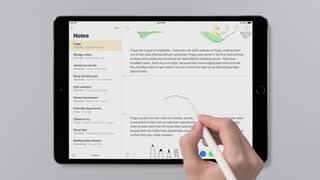
- Model:
- MK0C2AM/A
- |
- SKU:
- 4538802
Customer reviews
Rating 4.7 out of 5 stars with 26706 reviews
(26,706 customer reviews)Rating by feature
- Value4.4
Rating 4.4 out of 5 stars
- Quality4.8
Rating 4.8 out of 5 stars
- Ease of Use4.7
Rating 4.7 out of 5 stars
Customers are saying
Customers highly value the Pencil (1st Generation)'s ease of use, accuracy, and compatibility. Many appreciate its responsiveness and the positive drawing experience it provides. While some find the price to be high, most users report a positive experience with minimal lag or other significant issues. A few concerns were raised regarding the cap and the size of the device.
This summary was generated by AI based on customer reviews.
- Pros mentioned:Drawing
Rated 5 out of 5 stars
Very cool
||Posted .This reviewer received promo considerations or sweepstakes entry for writing a review.Doesn't work as good as I thought it would but so much better then using your finger. It is better for drawing apps and things of that nature but writing isn't too much better then before. I don't know if it is worth the $100 but it is pretty cool. Only thing is it is pretty easy to lose and come with small pieces that could definitely be lost.
I would recommend this to a friend - Pros mentioned:Ease of use
Rated 5 out of 5 stars
Awesome Apple product!!!
||Posted . Owned for 1 month when reviewed.This reviewer received promo considerations or sweepstakes entry for writing a review.A Christmas gift for my kids, they love it. They’ve been using it daily since they got it and love to draw/color on theo iPads. I’m sure they’ll use it more as they get used to its capabilities.
I would recommend this to a friend Rated 5 out of 5 stars
Awesome!
||Posted . Owned for 3 weeks when reviewed.This reviewer received promo considerations or sweepstakes entry for writing a review.This works great with the new iPad & iPad Pro. No latency at all. I purchased the first one to use with my iPad Pro just over two years ago & have used it every day to take notes at my office. Just incredible! I purchased an iPad for my daughter & a new Apple Pencil for Christmas. She loves it!
I would recommend this to a friend- Pros mentioned:Ease of use
Rated 5 out of 5 stars
Great buy!
||Posted . Owned for 3 weeks when reviewed.This reviewer received promo considerations or sweepstakes entry for writing a review.I’m so happy that I decided to purchase this. It has definitely made drawing & writing on my iPad a lot easier than the stylus I was using. It feels like I’m using a real pencil, it’s not too heavy and it’s not too light. Very easy to set up and use right from the start.
I would recommend this to a friend - Pros mentioned:Ease of use
Rated 5 out of 5 stars
Cool tool for drawing
||Posted . Owned for 1 year when reviewed.This reviewer received promo considerations or sweepstakes entry for writing a review.Not sure how to write 50 words about this small item, but it has worked well with my iPad. The way it charges is a little inconvenient and I’m always worried I will lose the little cap. Really cool to be able to write on a tablet with a pencil.
I would recommend this to a friend - Pros mentioned:Ease of useCons mentioned:Price
Rated 4 out of 5 stars
Good - pricey
||Posted .This reviewer received promo considerations or sweepstakes entry for writing a review.Apple takes the time to make sure things work well and are easy to use. The pencil is no exception. Too bad it is so expensive.
I would recommend this to a friend - Pros mentioned:Ease of use
Rated 5 out of 5 stars
Absolutely love this item.
||Posted . Owned for 1 month when reviewed.This reviewer received promo considerations or sweepstakes entry for writing a review.Absolutely love this item. I was originally on the fence and never bought one finally got around to using it and it is amazing I’m use it all the time for taking notes at work in OneNote that sync straight to my computer.
I would recommend this to a friend - Pros mentioned:AccuracyCons mentioned:Size
Rated 4 out of 5 stars
Accurate
||Posted .This reviewer received promo considerations or sweepstakes entry for writing a review.Pencil is accurate on the iPad Pro. The sharp edge provides great detailing with any digital art apps. Only con is it's a bit long.
I would recommend this to a friend - Cons mentioned:Size
Rated 5 out of 5 stars
Very easy to write with
||Posted . Owned for 1 month when reviewed.This reviewer received promo considerations or sweepstakes entry for writing a review.I thought it would be weird because of the size of the pencil but it works great! I got a paper like screen protector to make the texture feel better and it’s great! No damage to the tip of my pencil at all and it comes with an extra tip so no worry about it either in the future.
I would recommend this to a friend - Pros mentioned:Drawing, Ease of use
Rated 5 out of 5 stars
Good
||Posted .This reviewer received promo considerations or sweepstakes entry for writing a review.Great pen for the apple iPad easy to use great for drawing
I would recommend this to a friend - Pros mentioned:Ease of use
Rated 5 out of 5 stars
Great pen
||Posted .This reviewer received promo considerations or sweepstakes entry for writing a review.Adjusts to the pressure when your writing. Easy to sync and charge.
I would recommend this to a friend - Pros mentioned:Ease of use
Rated 5 out of 5 stars
Best pencil ever
||Posted . Owned for 1 month when reviewed.This reviewer received promo considerations or sweepstakes entry for writing a review.Excellent. Since online schooling my daughter has relied heavily on her IPAD for completing homework assignments. It worked flawlessly right out of the box. Definitely recommend. Just be sure to check what model IPAD you have to make sure you purchase appropriate model.
I would recommend this to a friend - Pros mentioned:Battery life, Ease of use
Rated 5 out of 5 stars
Great Apple pen for I pad
||Posted .This reviewer received promo considerations or sweepstakes entry for writing a review.Amazing add on charge last long time and works very wll
I would recommend this to a friend - Pros mentioned:Battery life, Ease of use
Rated 4 out of 5 stars
Love my Apple pencil
||Posted . Owned for 11 months when reviewed.This reviewer received promo considerations or sweepstakes entry for writing a review.Works great and battery life is pretty good too. If you edit docs or draw it is very useful.
I would recommend this to a friend - Pros mentioned:Drawing, Ease of use
Rated 5 out of 5 stars
Great attachment
||Posted .This reviewer received promo considerations or sweepstakes entry for writing a review.Works great, easy to use, nice addition for drawing
I would recommend this to a friend - Pros mentioned:Compatibility, Ease of use
Rated 5 out of 5 stars
Awesome
||Posted .This reviewer received promo considerations or sweepstakes entry for writing a review.Works great with iPad Pro! Looks like I'm writing on paper!
I would recommend this to a friend Rated 5 out of 5 stars
Just buy it, you’ll be glad you did.
||Posted . Owned for less than 1 week when reviewed.This reviewer received promo considerations or sweepstakes entry for writing a review.I have owned both the Logitech crayon and the Apple Pencil. Both work well but the pressure sensitivity on the Apple Pencil is a real win. The Apple Pencil is also more comfortable to draw and write with. After using both I have to say Apple got it right. Just buy it and you’ll be glad you did.
I would recommend this to a friend- Pros mentioned:Accuracy
Rated 5 out of 5 stars
Best digital pen in market
||Posted .This reviewer received promo considerations or sweepstakes entry for writing a review.Great product. Using to do sketches and 3d cad programs
I would recommend this to a friend - Cons mentioned:Size
Rated 4 out of 5 stars
Good pencil
||Posted .This reviewer received promo considerations or sweepstakes entry for writing a review.I like the pencil and the responsiveness with the PRO. I do feel that it needs to be lighter and a little smaller to feel natural.
I would recommend this to a friend - Pros mentioned:Compatibility
Rated 5 out of 5 stars
Fabulous
||Posted .This reviewer received promo considerations or sweepstakes entry for writing a review.my daughter bought one for her hubby for his birthday. She loved it and put it on her Christmas list. She was thrilled we purchased this one for her. They are musicians and actors and find the pencil is great for sheet music, scripts, etc daughter has a brand new iPad and her hubby has the previous generation iPad. This pencil works well with both.
I would recommend this to a friend