Customer Ratings & Reviews
- Model:
- ASW-USB3-25
- |
- SKU:
- 3459621
Customer reviews
Rating 4.4 out of 5 stars with 2708 reviews
(2,708 customer reviews)Rating by feature
- Value4.3
Rating 4.3 out of 5 stars
- Quality4.5
Rating 4.5 out of 5 stars
- Ease of Use4.4
Rating 4.4 out of 5 stars
Customers are saying
Customers find value in the easy-to-use feature and fast data transfer of the Data Transfer Cable. They appreciate its compatibility and cloning capabilities, making it perfect for cloning drives. While some customers find the software lacking and the price expensive, overall, customers are pleased with its performance and functionality.
This summary was generated by AI based on customer reviews.
- Pros mentioned:Ease of use
Rated 4 out of 5 stars
A piece of cake
Posted .This reviewer received promo considerations or sweepstakes entry for writing a review.This is about as simple as it gets, real plug and play ease. It would have gotten a 5, but the software window blacked out during the transfer for some reason. When I moused over the lower part of the window, it showed the unseen buttons to continue. This was a minor inconvenience and should not dissuade anyone from using it. I recommend.
I would recommend this to a friend - Cons mentioned:Compatibility, Software
Rated 4 out of 5 stars
Good Cloning Tool
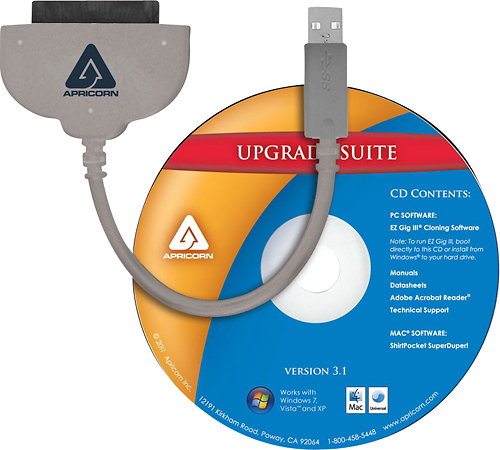
Posted .This reviewer received promo considerations or sweepstakes entry for writing a review.This simple tool seems to work wonders cloning hard drives. Some things to note.... - Not ALL laptop HDs are recognized due to BIOS configurations - External USB hard drives ARE supported - Must boot from cloning Software. (Software Upgrades are free from Apricorn.com) - Cloning Software does NOT fix HD Errors. It simply clones the HD. My personal procedure on this: 1. Remove internal LAPTOP/DESKTOP harddrive and put in USB docking station. 2. Connect USB docking station to computer and BOOT with OS CD/DVD. Then check disk for errors. 3. Connect NEW Hard Drive to APRICORN's SATA Wire and that to computer. 4. Remove OS CD/DVD and insert SATA Wire's CD 5. Reboot 6. Follow directions on cloning software. 7. Once completed... Insert cloned HD in computer.
I would recommend this to a friend - Pros mentioned:Speed, Usb
Rated 5 out of 5 stars
Works No Issues
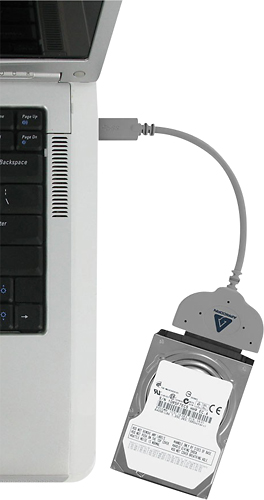
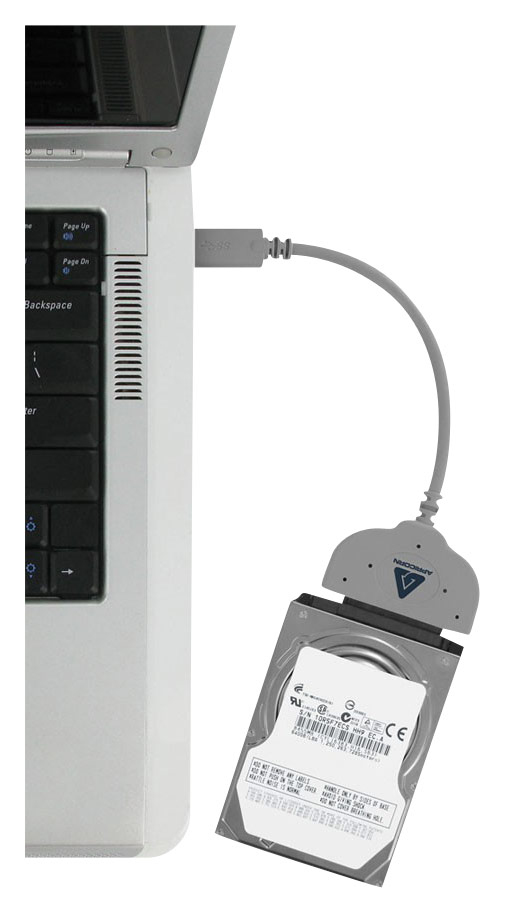
Posted .This reviewer received promo considerations or sweepstakes entry for writing a review.One thing to note here is this is backwards compatible to USB 2.0. This worked flawlessly. I have a business laptop that the hard drive was failing and I had to get this up and running fast. This worked really fast with no issues. Everything was copied, all settings and so forth. I highly recommend this product. Just boot up your laptop, plug in the new drive to the connector and plug in the USB to the laptop. Insert the CD or you can download the program. If you insert the CD just run it from the CD. Make sure all the other programs, files, and so forth are closed before you begin. Follow the instructions and in a short while your drive will be cloned. Turn off your laptop and remove the battery. Then change out your hard drive and you should be all good.
I would recommend this to a friend - Pros mentioned:Data transfer, UsbCons mentioned:Software
Rated 1 out of 5 stars
Do not Buy - get Insignia Device instead
Posted .This reviewer received promo considerations or sweepstakes entry for writing a review.Used this adapter to clone my HDD to a Samsung EVO 850 Pro SSD. This thing is so flimsy inside of my USB ports for the Macbook Pro, it kept disconnecting in the middle of the clone. Eventually, it corrupted the new SSD to the point I couldn't reformat it or delete anything off of it. Luckily, Amazon exchanged the SSD for me and I was able to properly clone it using a SATA Hard Drive adapter from Insignia. Returned this one to Best Buy - the clone software isn't any good either.
No, I would not recommend this to a friend - Cons mentioned:Software
Rated 5 out of 5 stars
The disk that came with this product saved the day
Posted .This reviewer received promo considerations or sweepstakes entry for writing a review.I was using this data transfer cable to transfer my operating system to a Samsung solid state drive. The software that came with the Samsung drive wouldn't recognize the Samsung drive on my computer? So I tried the software that came with the Apricorn transfer cable disk, and it worked perfectly.
I would recommend this to a friend - Pros mentioned:Ease of use
Rated 5 out of 5 stars
Worked very well
Posted .This reviewer received promo considerations or sweepstakes entry for writing a review.Used this to replace the slow 1TB drive in my Inspiron 7352 laptop with a new 1TB SSD. Worked like a doodle with the included EZ Gig Cloning software. Once the drive was cloned, it was just a matter of taking the old drive out and replacing with the new one.
I would recommend this to a friend - Pros mentioned:Ease of use, Speed
Rated 5 out of 5 stars
Great for data cloning
Posted .This reviewer received promo considerations or sweepstakes entry for writing a review.I bought this software and cable package to clone data from my laptop's hdd to a SAN disk ssd. The default software that SAN disk provides didn't work somehow. So I decided to go with Apricon. Cloning process was as simple as selecting the source, destination, and finish. It took about 3 hrs to clone around 400 gb of data. After installation of the ssd, Windows was able to boot up just like my old hdd. I have a dell laptop with windows 10 installed. Hope my review helps you make your choice.
I would recommend this to a friend - Pros mentioned:Ease of use
Rated 5 out of 5 stars
Easy and Quick
Posted .This reviewer received promo considerations or sweepstakes entry for writing a review.Bought this to transfer hdd to a ssd. Since the laptop didn't have a dvd player, had to go to the Apricom website to download the software. Process was simple than was able to quickly transfer data.
I would recommend this to a friend - Pros mentioned:Ease of use, Speed
Rated 4 out of 5 stars
Easy to use, but...
Posted .This reviewer received promo considerations or sweepstakes entry for writing a review.This product did exactly what it said it would do, which is why I bought it. However...it only does what it says it will do, which is one thing, transfer your HDD to SSD. It does this fast, and it does it smoothly with an easy to use interface. I only gave it 4 stars though because it is so specialized to be only useful one time. Oh well, I am glad I bought it...
I would recommend this to a friend - Pros mentioned:Ease of use
Rated 4 out of 5 stars
Easy To Use
Posted .This reviewer received promo considerations or sweepstakes entry for writing a review.Overall easy to use with step by step instructions. I didn't have any problems turning my old HDD into my new SSD.
I would recommend this to a friend Rated 4 out of 5 stars
does as it is intended
Posted .This reviewer received promo considerations or sweepstakes entry for writing a review.my laptop hard drive died on me after returning home from 30 day trip. as luck would have it this was the one time i did not complete a backup before leaving so now im struggling to retrieve a number of photos and movies. plugged it in, ran some 3rd party file retrieval software and have been able to pull a few needed items but will continue to work on it over the weekend. once complete will format the use it as addt'l external drive in the future.
I would recommend this to a friend- Pros mentioned:Speed
Rated 5 out of 5 stars
Top notch!
Posted .This reviewer received promo considerations or sweepstakes entry for writing a review.Very fast, perfect clone, no issues at all. I used this to duplicate the drive on a new HP laptop I bought to an SSD. No problems at all!
I would recommend this to a friend - Pros mentioned:Ease of use, Performance
Rated 5 out of 5 stars
Perfect to clone to SSD
Posted .This reviewer received promo considerations or sweepstakes entry for writing a review.Bought to clone my HD from my Macbook Pro to new SSD drive. Used CarbonCopy trial software to clone with this cable from Best Buy. Cable worked perfectly. (have not used the software that came with it) Reasonably priced works like it is designed!!!
I would recommend this to a friend - Pros mentioned:Data transfer, Ease of use
Rated 4 out of 5 stars
Great tool
Posted .This reviewer received promo considerations or sweepstakes entry for writing a review.Simple to use and worked when hooking up to a pretty fried HD. I was surprised it mounted and that I could pull much of the data from my old HD. Great tool. It should come with an enclosure for the price though. I paid $39.00. Thanks to the guy at our local BB for recommending it!
I would recommend this to a friend - Pros mentioned:Speed
Rated 5 out of 5 stars
I'm impressed
Posted .This reviewer received promo considerations or sweepstakes entry for writing a review.I bought this along with a new SanDisk SSD drive. I wanted to upgrade my 120gig SSD to a 250gig. I had a Samsung EVO 250gig SSD that I was using as a Data drive, I wanted to use it as my system drive since my 120gig was running out of space. So I transferred the data from my Samsung EVO 250 to the SanDisk 240gig and then cloned my system drive To the 250 EVO. Had both drives copied and the system up and humming in just a couple of hours. I was impressed at how quick and easy it was. I had read other reviews that dogged the software that came with it but they had other software and I didn't. I found the software that came with the cable simple and easy to use. Best $20 bucks I have ever spent and it was worth if I never need to use it again. In the past when I had swapped out to a new drive it took hours of installing software and never quite got it to the way it was. I am a very happy camper. Thank you Apricorn.
I would recommend this to a friend Rated 5 out of 5 stars
Worked perfectly!
Posted .This reviewer received promo considerations or sweepstakes entry for writing a review.The boot sector on my hard drive was intermittent over the last few days and I hoped to salvage the computer by replacing it with an SSD. I used the Apricorn to clone the old drive. Turned out that was the last time the boot sector could be read from the old drive but the cloned drive worked perfect! It actually took much longer than the software estimated to create the clone but it worked!
I would recommend this to a friend- Pros mentioned:Ease of use
Rated 5 out of 5 stars
ABSOLUTELY AWESOME PRODUCT!
Posted .This reviewer received promo considerations or sweepstakes entry for writing a review.EASY TO USE. SOFTWARE IS RIGHT ON THE MONEY! IT DOES WHAT IT ADVERTISES
I would recommend this to a friend - Pros mentioned:Data transfer
Rated 5 out of 5 stars
Great Data Transfer Cable
Posted .This reviewer received promo considerations or sweepstakes entry for writing a review.Apricom is a great transfer cable i got all my data off my hard drive
I would recommend this to a friend - Pros mentioned:Performance
Rated 5 out of 5 stars
It's like getting a $1,500 laptop with this drive
Posted .This reviewer received promo considerations or sweepstakes entry for writing a review.I need to stretch the performance of my MacBook Pro Late 2011 with an i5 to run a windows 10 VM. The performance if the original machine was getting marginal with each release of OS X, but I really did not want to buy a new laptop, Mac or otherwise. Not only did this drive boost the HD from the original 320 GB to 960 GB, but the entire machine runs so much faster. I can re-boot into OS X in about 30 seconds and programs like Final Cut Pro load almost instantly. Web browsing is way faster as well. The Windows VM runs as if it is on a native machine too. I think I can get another 2-years out of the Mac before having to make another laptop purchase. By then the machine will be 7-years old and likely not compatible with future operating systems.
I would recommend this to a friend Rated 3 out of 5 stars
Over priced
Posted .This reviewer received promo considerations or sweepstakes entry for writing a review.I bought this product as a last resort when all hope had been lost elsewhere. It is over priced and there are alternatives, but I needed a same day fix, so this was it. It did work, on the second attempt. The first attempt to clone my HDD to SSD failed for some reason. I restarted and it worked perfectly the second time. I really do not know why the first attempt failed as I followed the instructions. In the end, it was a very expensive, same day, relatively easy option to clone my HDD to SSD. If you can wait a few days for a cheaper cable and use the software that was probably already provided with your SSD, do that.
No, I would not recommend this to a friend