Customer Ratings & Reviews
- Model:
- ASW-USB3-25
- |
- SKU:
- 3459621
Customer reviews
Rating 4.4 out of 5 stars with 2708 reviews
(2,708 customer reviews)Rating by feature
- Value4.3
Rating 4.3 out of 5 stars
- Quality4.5
Rating 4.5 out of 5 stars
- Ease of Use4.4
Rating 4.4 out of 5 stars
Customers are saying
Customers find value in the easy-to-use feature and fast data transfer of the Data Transfer Cable. They appreciate its compatibility and cloning capabilities, making it perfect for cloning drives. While some customers find the software lacking and the price expensive, overall, customers are pleased with its performance and functionality.
This summary was generated by AI based on customer reviews.
- Pros mentioned:Ease of use, Performance
Rated 5 out of 5 stars
Easy to use
||Posted .This reviewer received promo considerations or sweepstakes entry for writing a review.This product was easy to use and performed as expected. Easy to store.
I would recommend this to a friend - Pros mentioned:Data transfer, Ease of use
Rated 5 out of 5 stars
Great & Essential Product For SSD Upgrades
||Posted . Owned for 2 months when reviewed.This reviewer received promo considerations or sweepstakes entry for writing a review.This is the second one I’ve purchased. This one was sent to my Mom in another state. I anticipated walking her through the steps to clone her previous HHD to the new SSD ordered to upgrade & before I knew it she was texting me that she did it. Super easy to use, essential if upgrading your PC storage. Used mine to upgrade two of my laptops & my two kids’ laptops as well. Disc isn’t necessary as Apricorn gives you a link on their site to download & clone your drive (most laptops no longer come with disc drives). Great product/tool added to my electronics arsenal. Recommend this & the iFixit 64-Pc kit for upgrading your electronics.
I would recommend this to a friend - Pros mentioned:Usb
Rated 5 out of 5 stars
Easy to use Cable
||Posted .This reviewer received promo considerations or sweepstakes entry for writing a review.When I lost my mother board, I needed a way to save some of the pictures I had on my hard drive, This cable attached to the hard drive and plugged into the USB port on my other computer and I didn't lose anything! It's so easy to use even a novice like me can do it. I didn't think it would be that easy, I was pleasantly surprised.
I would recommend this to a friend - Pros mentioned:Ease of use
Rated 5 out of 5 stars
Cord works great!
||Posted .This reviewer received promo considerations or sweepstakes entry for writing a review.My old laptop crashed and I wanted to extract the files/pictures off the old machine and onto a new one. I purchased this cable to do so. It instantly connected, but unfortunately, I was only able to retrieve a few files. This was not the cables fault, more likely the old hard drive has failed. Bottom line, the cable performs exactly as you'd expect it to.
I would recommend this to a friend - Pros mentioned:Data transfer
Rated 5 out of 5 stars
Quick and Easy Transfer
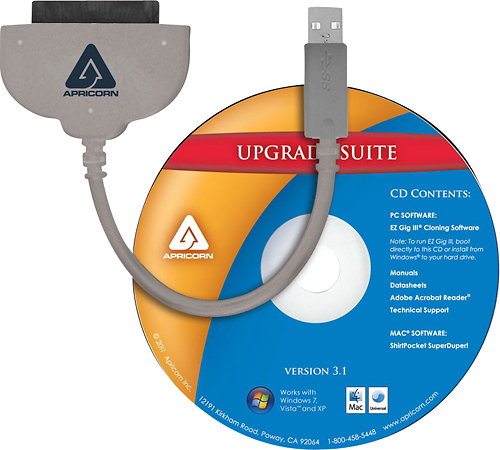
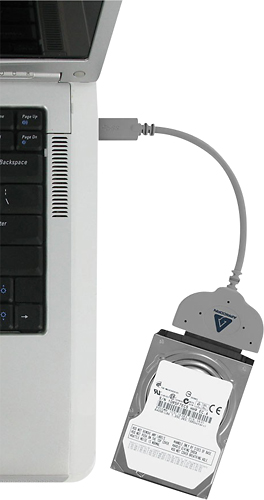
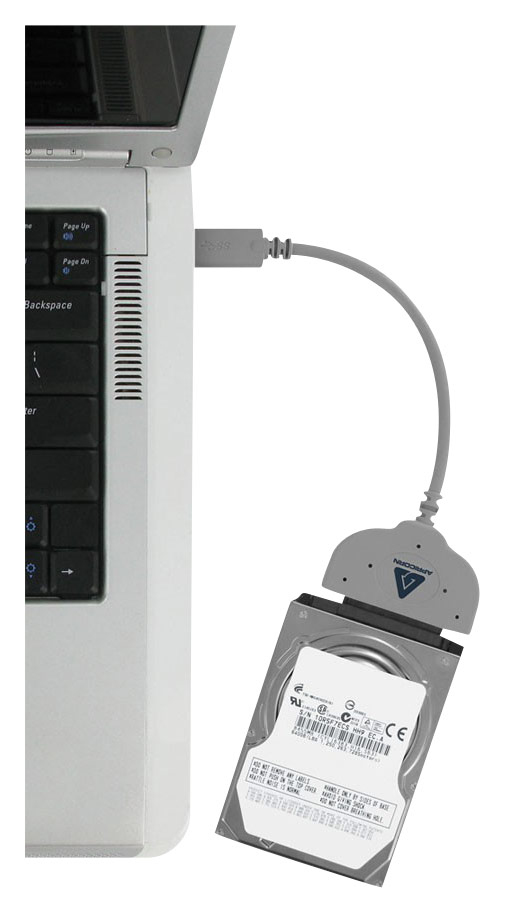
||Posted .This reviewer received promo considerations or sweepstakes entry for writing a review.This kit includes a USB to SATA cable and CD-ROM with data transfer software. This kit is intended for computers with a current working hard drive that needs replaced because it is beginning to fail, is too small, etc. If you can't boot your computer now you may not need this cable. It will not copy a hard drive that is not working. So assuming your hard drive is working the following will apply. Starting with the cable, this allows you to connect your new hard drive to your computer using a USB cable. The included software comes on CD-ROM, but if you don't have a CD-ROM drive you can download the same software for free from the company's website and run it from your old hard drive, or USB thumb drive. You can use the software in the operating system, or boot to the cloning software (advanced user method). The software walks you through a few basic questions and begins copying. Plan on about 30 minutes per 100GB to finish copying. This may be more or less depending on your system, but is about average for the many times I have done this. Once the software finishes the copy, turn off your computer, install the new hard drive inside the computer and turn the computer on. It should boot up like nothing happened, except a speed increase if coming from an HDD. Format or encrypt (more secure, scrambles all data) your old hard drive before disposal.
I would recommend this to a friend - Pros mentioned:Data transfer
Rated 4 out of 5 stars
Easy to use, served my purpose well
||Posted .This reviewer received promo considerations or sweepstakes entry for writing a review.Used this to recover data from the drive in a computer that failed, it worked well. Later I used it and the included software to clone the drive in my laptop and replace it with a ssd. A tad slow but worked with a minimum of fuss.
I would recommend this to a friend - Pros mentioned:Data transfer
Rated 4 out of 5 stars
Cable worked well
||Posted .This reviewer received promo considerations or sweepstakes entry for writing a review.The cable worked well, and I was able to transfer my files from my failing laptop hard drive to a different computer. I tried to use the software to clone the hard drive to a new one, but after a few tries it still would not work (which might have been due to the bad sectors in the hard drive).
I would recommend this to a friend - Pros mentioned:Ease of use
Rated 5 out of 5 stars
This hard drive cloning kit did the job.
||Posted .This reviewer received promo considerations or sweepstakes entry for writing a review.The specs didn't say that the included software would work in Windows 10, but it did. The instructions were easy to follow. It took about 7 hours to clone a 500 MB hard drive to a 1 TB replacement. The new drive has everything the old drive had. My old laptop is the same as ever, but now with more storage.
I would recommend this to a friend - Pros mentioned:Data transfer
Rated 5 out of 5 stars
A needed accessory
||Posted .This reviewer received promo considerations or sweepstakes entry for writing a review.If you plan on installing a new SSD into your PC to replace your standard hard drive, you'll most likely need this cable. It makes transferring all the data from one drive to another, a breeze. I didn't use the software on the CD, I just downloaded it from the manufacturers website and it was very easy and worked like a champ.
I would recommend this to a friend - Pros mentioned:Ease of use
Rated 5 out of 5 stars
Perfect for cloning a hard drive.
||Posted .This reviewer received promo considerations or sweepstakes entry for writing a review.I bought an SSD hard drive for my HP all in one computer.I switched out the hard drives but then I needed to get all the info from my regular hard drive to my new SSD hard drive.So I bought this item.Worked perfectly.I have never used one of these before.It was a great deal.I would highly recommend it.
I would recommend this to a friend - Pros mentioned:Data transfer
Rated 4 out of 5 stars
Works as advertized
||Posted .This reviewer received promo considerations or sweepstakes entry for writing a review.Did what it said it would, only program i had to reload was google chrome. It took me 3 tries to get the 128 ssd transferred to a 500 gb ssd. Make sure u use usb 3.0(much much faster than 2.0), and eject the media drive upon completion or else u will have to use repair disk.
I would recommend this to a friend - Pros mentioned:Data transfer
Rated 5 out of 5 stars
Worked Perfectly!
||Posted .This reviewer received promo considerations or sweepstakes entry for writing a review.I had a laptop with a bad display adapter and I needed access to the data on my hard drive. Taking the hard drive out and using this adapter to connect to another laptop worked perfectly. It came up as another drive on my usable laptop and I was able to grab any and all data from it perfectly. Thanks for the product.
I would recommend this to a friend - Pros mentioned:Data transfer
Rated 4 out of 5 stars
Works great for cloning your drive
||Posted .This reviewer received promo considerations or sweepstakes entry for writing a review.Used this cable to clone my hard drive, that way I'll have a back up drive ready to go. This cable also works great just for transfering info straight to the hard drive. Or you can make a really big flash drive out of it anyone who uses computers should have one of these
I would recommend this to a friend - Cons mentioned:Price
Rated 4 out of 5 stars
Easy Transfer Cable
||Posted .This reviewer received promo considerations or sweepstakes entry for writing a review.I thought this cable was a little overpriced for what it comes with, but overall, it was a necessity to clone a SSD from a HDD. Product worked as described and I had no issues with the software or the cable.
I would recommend this to a friend - Pros mentioned:Ease of useCons mentioned:Compatibility
Rated 5 out of 5 stars
Excellent product
||Posted .This reviewer received promo considerations or sweepstakes entry for writing a review.First let me get this out of the way, a lot of people complained that this product doesn’t work with Win10. Please people, run the troubleshoot compatibility, that’s why Win 10 has that function. Right click the utility, chick "troubleshoot compatibility", and presto! If you do that, and follow the instructions, it works exactly as adversities. I used to use clonezilla, but really for the price and ease of use, you can’t beat this Apricorn, and you can use the cable with any SATA HHD for data recovery or trouble shooting bad HHDs.
I would recommend this to a friend - Pros mentioned:Data transfer
Rated 4 out of 5 stars
Exactly as described. A+
||Posted .This reviewer received promo considerations or sweepstakes entry for writing a review.Bought a SSD for my Macbook Pro, wanted to transfer a few things from old drive. Was able to do a freash start and pull photos and music without installing the included backup software. Worth every penny!
I would recommend this to a friend - Pros mentioned:Data transfer
Rated 5 out of 5 stars
Works well and is quite fast.
||Posted .This reviewer received promo considerations or sweepstakes entry for writing a review.I had purchased an earlier version of Apricorn's transfer tool and it worked well. I thought I would buy the USB 3 version to see if it reduced the cloning time. It did. It took only about 20 minutes to copy an entire SSD drive. Their software is pretty intuitive. I'd recommend and already have.
I would recommend this to a friend - Pros mentioned:Ease of use
Rated 4 out of 5 stars
external hdd transfer cable
||Posted .This reviewer received promo considerations or sweepstakes entry for writing a review.This works as it is intended. I was hoping though that I could just use the cable to hook up a drive to my PC for scanning other PC drives for viruses. However that is not the case with this cable. Had to use my external drive caddy for that purpose.
I would recommend this to a friend - Cons mentioned:Power
Rated 4 out of 5 stars
Very useful item
||Posted .This reviewer received promo considerations or sweepstakes entry for writing a review.I purchased this item to get data off a hard drive I had. I did not realized it was only powerful enought for laptop drives. Desktop drives require a powered transfer unit . I did have to return it but Best Buy as always did not ever question me.
I would recommend this to a friend - Pros mentioned:Data transfer
Rated 4 out of 5 stars
quick and easy connection of "old" laptop drives
||Posted .This reviewer received promo considerations or sweepstakes entry for writing a review.This works fine, as long as the drive you're trying to use is operating. If you've got the 'click of death' or other terminal problems nothing will help much, but for transferring data or using a spare drive as external storage, it can be a big help
I would recommend this to a friend