Customer Ratings & Reviews
- Model:
- ASW-USB3-25
- |
- SKU:
- 3459621
Customer reviews
Rating 4.4 out of 5 stars with 2708 reviews
(2,708 customer reviews)Rating by feature
- Value4.3
Rating 4.3 out of 5 stars
- Quality4.5
Rating 4.5 out of 5 stars
- Ease of Use4.4
Rating 4.4 out of 5 stars
Customers are saying
Customers find value in the easy-to-use feature and fast data transfer of the Data Transfer Cable. They appreciate its compatibility and cloning capabilities, making it perfect for cloning drives. While some customers find the software lacking and the price expensive, overall, customers are pleased with its performance and functionality.
This summary was generated by AI based on customer reviews.
- Pros mentioned:Data transfer
Rated 4 out of 5 stars
Data transfer
||Posted .This reviewer received promo considerations or sweepstakes entry for writing a review.The cable worked as described, I was able to retain all my info intact. Id not however use the software i alteady had another program. so I cannot comment on the software.
I would recommend this to a friend Rated 4 out of 5 stars
Can Be Used To Transfer Files from dead Laptop
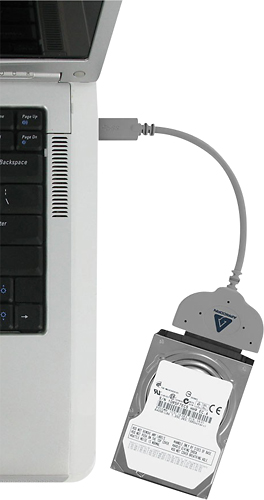
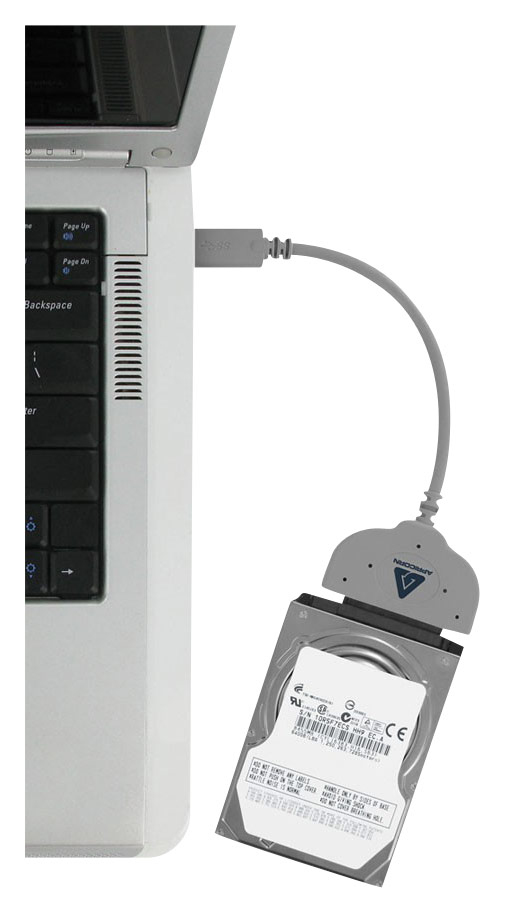
||Posted .This reviewer received promo considerations or sweepstakes entry for writing a review.The product is designed to make a clone of your Good HD in the laptop to another HD a backup storage device. It can also be used to copy your files from a Dead Laptop's HD to the new Laptop. The trick is to remove the HD from the dead laptop and and connect the cable from the old HD to the USB port on the new laptop. Windows has the file copy program built in and is nothing more than a time consuming event...Note there is a video on YouTube explaining how to copy the files from the external HD to the new laptops HD. If you need to do this...this cable will work. It will do nothing if your Old HD has crashed.
I would recommend this to a friend- Pros mentioned:Speed
Rated 5 out of 5 stars
Simple solution
||Posted .This reviewer received promo considerations or sweepstakes entry for writing a review.I was a bit taken by the price but it took the hard work out of replacing my old hard drive with a new one which is three times as large and also faster it was worth the money although it is a one use tool
I would recommend this to a friend - Pros mentioned:Ease of use
Rated 5 out of 5 stars
Great tool to clone a drive replacement.
||Posted . Owned for 1 month when reviewed.This reviewer received promo considerations or sweepstakes entry for writing a review.This was so easy to use. The software was easy to use. It was so easy that I had to double check to make sure this would work before using it. But as soon as I cloned my existing hard drive that was starting to die on to my Western Digital SSD. It worked without a problem. Great tool and program for cloning your machine to a new hard drive.
I would recommend this to a friend - Cons mentioned:Software
Rated 5 out of 5 stars
Nice little adapter for convenient cloning
||Posted .This reviewer received promo considerations or sweepstakes entry for writing a review.No issues with adapter, worked fine for cloning 2.5" drives. Did not try bundled software, so no idea how well it works. I use Acronis True Image for cloning.
I would recommend this to a friend - Pros mentioned:Data transfer
Rated 5 out of 5 stars
Worked exactly as advertised
||Posted .This reviewer received promo considerations or sweepstakes entry for writing a review.There is nothing better than a product doing exactly what it’s marketing represents. I used the cable and software to transfer my system to a new solid-state disk. It worked perfectly.
I would recommend this to a friend - Pros mentioned:Data transfer, Ease of use
Rated 3 out of 5 stars
It works, but will be slow without write caching
||Posted . Owned for less than 1 week when reviewed.This reviewer received promo considerations or sweepstakes entry for writing a review.It worked great with some tweaking. I used it to transfer data from an old laptop HDD to a new SSD I purchased as an upgrade. Now I can continue to use the cable as a SATA to USB adapter. I did not use the included software as my laptop does not have a disc drive. I used Samsung's own drive cloning program, which was very easy. I was getting very slow write speeds to the new SSD during cloning until I enabled write caching in device manager. It would have taken like 8 hours to clone 200 gigs, but once I enabled write caching it took less than one. I'm giving this product 3 stars because I don't think the average person will know to enable write caching and they will probably get a very slow transfer experience. This should be enabled on the product by default with a warning to eject the drive before unplugging.
I would recommend this to a friend - Pros mentioned:Ease of use
Rated 5 out of 5 stars
Must have for computers
||Posted .This reviewer received promo considerations or sweepstakes entry for writing a review.This cable makes changing or upgrading hard drives so simple. Plug it in run the software and presto it's done. Everything transfers settings operating system and all your files. Wow
I would recommend this to a friend - Pros mentioned:Data transfer
Rated 5 out of 5 stars
Easy transfer
||Posted .This reviewer received promo considerations or sweepstakes entry for writing a review.Got it to create image to transfer from regular HHD to SSD. Could not believe the short amount of time it took . After replacing every work perfect.
I would recommend this to a friend - Cons mentioned:Price, Software
Rated 4 out of 5 stars
Fast and sturdy
||Posted . Owned for 3 weeks when reviewed.This reviewer received promo considerations or sweepstakes entry for writing a review.Overall the cable performs as it should but the only downside I experienced was the program that comes with the cable did not work right. I installed and ran it but kept crashing half way through every single time. The cable is also pretty expensive for what it is, you can get one for a fraction of the price elsewhere.
No, I would not recommend this to a friend - Pros mentioned:Ease of use
Rated 5 out of 5 stars
Great buy
||Posted .This reviewer received promo considerations or sweepstakes entry for writing a review.Worked great. I had to do the writing process twice . The first time it froze on me so I had to disconnect and re start the process and it worked perfectly the second time . New hd works great .
I would recommend this to a friend - Pros mentioned:Ease of use
Rated 4 out of 5 stars
Great product - Easy to setup
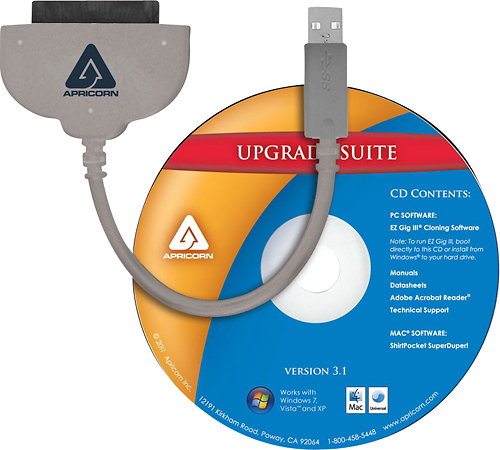
||Posted .This reviewer received promo considerations or sweepstakes entry for writing a review.Includes software CD but if you do not have CD drive like I did you can download from the manufacturers website. Easy installation and straight forward process.
I would recommend this to a friend - Pros mentioned:Performance
Rated 5 out of 5 stars
Hard drive copy made easy
||Posted .This reviewer received promo considerations or sweepstakes entry for writing a review.Used the Apricorn - Data Transfer Cable to transfer data from hard drive to another and it worked !!! No problems. Followed instructions and everything was transferred first time with no problems.
I would recommend this to a friend - Cons mentioned:Price
Rated 4 out of 5 stars
It does work.
||Posted .This reviewer received promo considerations or sweepstakes entry for writing a review.It didn't work for what we wanted/needed. It does work. It is a bit more expensive than expected but it would probably do the job if necessary.
I would recommend this to a friend - Pros mentioned:Data transferCons mentioned:Software
Rated 4 out of 5 stars
Great cable, Bad software
||Posted .This reviewer received promo considerations or sweepstakes entry for writing a review.The cable itself worked great. Connected my SSD just fine for a clone. The software was a little difficult to surf through (software screen went black after a bit) but once I got the transfer started it didn't matter. All in all I was able to clone my hard drive to my new SSD without any other issues.
I would recommend this to a friend - Pros mentioned:Data transfer, Ease of use
Rated 5 out of 5 stars
Makes migrating to a new drive smooth.
||Posted . Owned for 1 month when reviewed.This reviewer received promo considerations or sweepstakes entry for writing a review.If you are planning to replace an older mechanical hard drive with a new Solid State drive (SSD), this is an invaluable tool. The process was smooth and error free. The set comes with a cable and a program DVD with instructions so the only thing you need is the new drive an a minimal amount of DIY skill. Glad I made the drive switch and this system made it easy.
I would recommend this to a friend - Pros mentioned:Usb
Rated 4 out of 5 stars
Great product
||Posted .This reviewer received promo considerations or sweepstakes entry for writing a review.I used this software and cable to copy a drive with an operating system onto a SSD. The program worked as expected and the SSD is now running in that computer.
I would recommend this to a friend - Cons mentioned:Instructions
Rated 4 out of 5 stars
Data transfer
||Posted .This reviewer received promo considerations or sweepstakes entry for writing a review.Does not explain usage very well. Says it’s deleating all info on disc but unclear as to which disc it’s deleating!! Needs to explain better.
I would recommend this to a friend - Pros mentioned:Data transfer
Rated 5 out of 5 stars
Works as intended
||Posted .This reviewer received promo considerations or sweepstakes entry for writing a review.I purchased this product when it came on sale so I could transfer my old hard drive data to my new laptop. The entire hard drive took maybe 30 minutes to copy. Works great!
I would recommend this to a friend - Pros mentioned:Ease of use
Rated 4 out of 5 stars
Good product
||Posted .This reviewer received promo considerations or sweepstakes entry for writing a review.It is easy to connect to drive and USB port. The only drawback in my opinion is the length of the cord. It could be longer (14-16 inches).
I would recommend this to a friend