Customer Ratings & Reviews
- Model:
- VMC3070-100NAS
- SKU:
- 6642650
Rating by feature
- Value
Rating 4.5 out of 5 stars
- Quality
Rating 4.4 out of 5 stars
- Ease of Use
Rating 4.3 out of 5 stars
Customers are saying
Customers are satisfied with the Essential Indoor Security Camera 2K, particularly its impressive video quality and ease of setup. Many users appreciate the reliable motion detection and the added privacy shield feature. The camera's night vision, wide field of view, Wi-Fi connectivity, and compact design also contribute to a positive user experience.
This summary was generated by AI based on customer reviews.
Delightfully perfect
||Posted .This reviewer received promo considerations or sweepstakes entry for writing a review.Delightfully perfect to watch critters with! Love the birds
I would recommend this to a friendMind of it's own
||Posted . Owned for 1 week when reviewed.This reviewer received promo considerations or sweepstakes entry for writing a review.I had trouble pairing it and the private screen opened and closed as if it was possessed or it had already been see up. Other than that it performed well until it started taking video even when disabled
No, I would not recommend this to a friendBrand response from Arlo Team
Posted .Hi Daniel,
Thanks for sharing your review. We like to learn more about the concerns you have shared above. Please reach out to our support team so they can further address your concerns and provide assistance by navigating to Settings > Support within the Arlo app to explore the support options available to you.
We appreciate your patience and understanding.
Best regards,
Arlo Team
Great price
||Posted .This reviewer received promo considerations or sweepstakes entry for writing a review.Great quality great price zero complaints over here
I would recommend this to a friend- Pros mentioned:Night vision

Smart Indoor Surveillance Made Simple
|Posted .This reviewer received promo considerations or sweepstakes entry for writing a review.I’ve been using the Arlo Essential Indoor Wireless 2K Security Camera (3rd Gen) for a few days now, and it’s a solid performer for anyone looking to monitor indoor spaces with clarity and control. Setup was a breeze—no base station required, which is a huge plus. The camera connects directly to Wi-Fi (supports both 2.4GHz and 5GHz), and the Arlo Secure app walks you through the process in minutes. Its plug-in powered, so no battery worries, and the compact design fits easily on a shelf or mounts cleanly to a wall. The Arlo Essential Indoor Wireless 2K Security Camera (3rd Gen) delivers sharp 2K resolution (2560 x 1440) with a wide 130° diagonal field of view, allowing you to monitor entire rooms with clarity. Its pan and tilt capabilities—360° horizontal and 180° vertical—are controlled remotely through the Arlo Secure app, giving you full-room coverage at your fingertips. The camera features 12x digital zoom and color night vision supported by infrared LEDs, ensuring visibility even in low-light conditions. Motion tracking automatically follows movement across the frame, while two-way audio with echo cancellation lets you communicate clearly through the device. Smart detection features include AI-based alerts for people, pets, vehicles, and packages, and a built-in siren can be triggered remotely for added security. Privacy mode allows you to disable audio and video with a single tap, and cloud storage is available through an optional Arlo Secure subscription. This compact camera is ideal for indoor use, offering powerful surveillance features in a sleek, easy-to-in-install package.
I would recommend this to a friend Not Reliably Secure
||Posted . Owned for 1 month when reviewed.This reviewer received promo considerations or sweepstakes entry for writing a review.They were hounding for one to sign up for a plan before I got to see if czmera would suit the needs of keep my home secure. Easily hacksble and someone evade being captured on footage. Witnessed a car 2 adults 2 pets enter vehicle st edge of my driveway and nothing manifest for 3 solid minutes then filming began again. Same with this person return
No, I would not recommend this to a friendBrand response from Arlo Team
Posted .Hi,
Thanks for your review. If your camera is not detecting motion anymore, refer to this article to learn how to troubleshoot: https://kb.arlo.com/994085. For further assistance, please navigate to Settings > Support in the Arlo App for service options available to you.
We appreciate your support.
Best regards,
Arlo Team
- Pros mentioned:Motion detection, Night vision, Setup ease
High quality compact security
|Posted .This reviewer received promo considerations or sweepstakes entry for writing a review.Here’s what I think so far of the Arlo Essential 1-Camera Indoor Wireless 2K Camera (3rd Gen) — the plug-in power version in white, which I’m currently using in my home office. Setup was simple and easy — plug it in, connect to Wi-Fi, and you’re live in minutes. And that 2K resolution (2304×1296) and 130-degree field of view really do make a difference in clarity. I can comfortably read small text on my whiteboard from across the room and see what else is happening in the room. The build is compact and of high quality. The matte white surface disappears into the environment, looking less like a “security device” and more like decoration. The two-way audio is really useful…I can talk through the app if someone comes in while not at my desk. Night vision is also a nice touch. How It Fits in My Home Office: I attached it slightly set back above my monitor, where it can see the door and has a view of the main workspace. It’s perfect for when I’m out to grab coffee or attend a meeting elsewhere — I can quickly pop in and see what is happening. The motion notifications are precise, and the picture is clear enough that even slight movement can easily be seen. The camera just fits into my workflow. If my daughter or pets walk into the room, or the housekeeper tidies things up a bit, I can see that in real time. That instant connection and feedback make it a helpful extra set of eyes in a busy household. Areas for Improvement There are some minor trade-offs. You’ll still need a nearby outlet and decent Wi-Fi, though…since it’s powered via plug-in. It’s 2.4 GHz and 5 GHz compatible, but a strong signal matters when it comes to stability. The 130-degree field of view is wide enough to capture a full room, although in tighter spaces you may need to manipulate the angle so it doesn’t pick up too much ceiling or wall. A few advanced features, such as extended cloud storage and smart detection alerts require a subscription plan. It’s not a deal breaker, but something to consider if you’re eyeing an all-in-one set up with no additional costs. Final Take: For a small, stealthy-built indoor camera that provides more than you’d expect for its size the Arlo Essential 1-Camera Indoor 2-K (3rd Gen) is just what is needed. In my home office, that makes for clear, reliable coverage and good peace of mind without taking up much desk space. It’s got a permanent place in my setup for the image quality, easy setup and reliable motion alerts. The only real questions are about Wi-Fi strength and whether you’ll need the paid extras…otherwise, it’s a consistent performer that goes about its business without any fuss day in, day out.
I would recommend this to a friend - Pros mentioned:Privacy shield, Setup ease, Video quality
Fast Setup, 2K Picture, Smart Privacy Shield
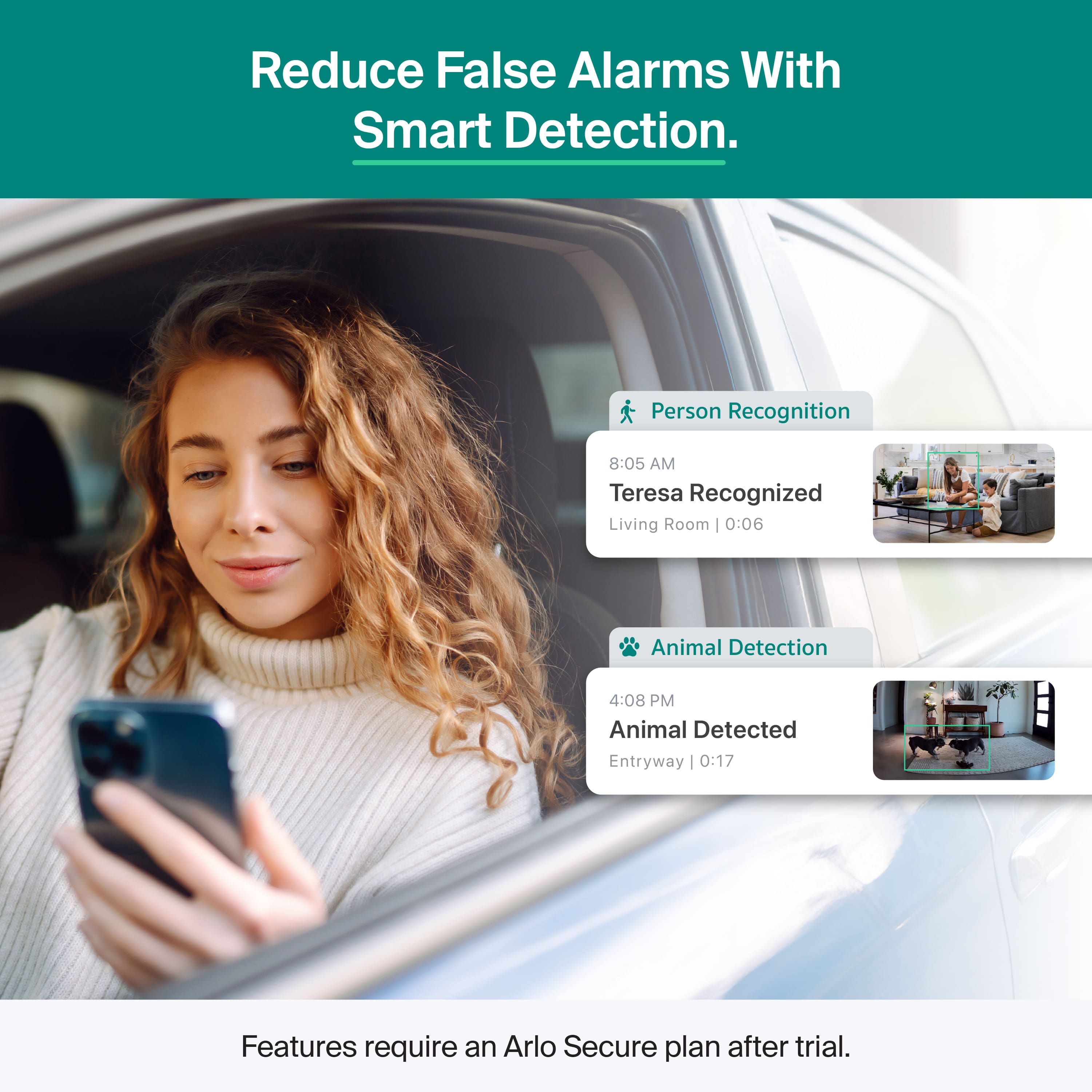
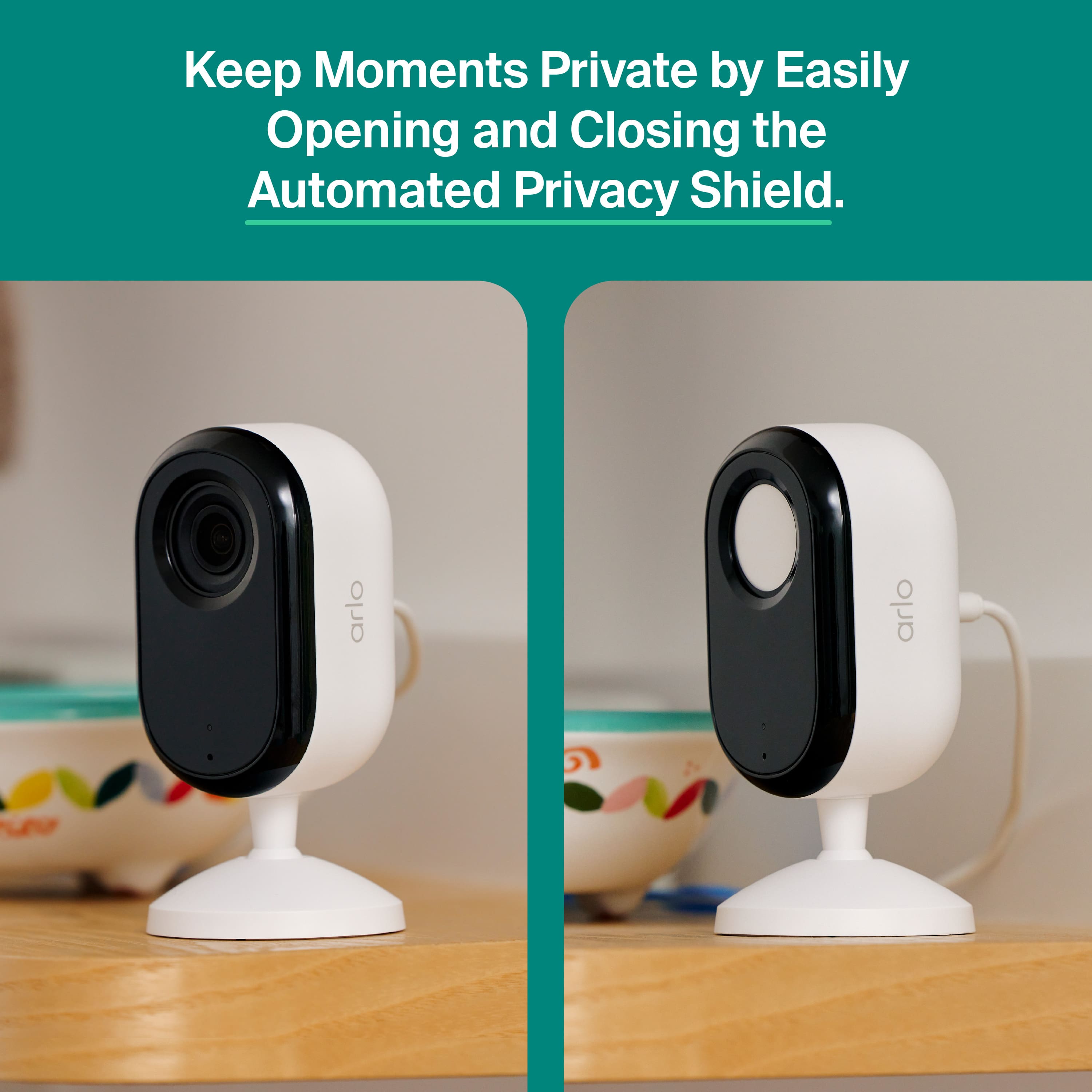
|Posted .This reviewer received promo considerations or sweepstakes entry for writing a review.The tldr; is this generation of Arlo products is a great upgrade, and this Arlo 2K essential camera is superior to anything else I have ever used. Why? Fast Setup, but what's great is you can open/close the privacy shield from the app. This makes the Arlo 2K essential perfect, if you're like me and what to have cameras in your basement, facing doors, etc. but only for when you're away. None of that cumbersome manual privacy shields that you find on competitors. It has been some years since I used Arlo, I installed it in my previous home and left it for the new owners. So was excited to test Arlo again, this time with the 2K Essential. Setup was fast and easy with the app, the camera was detected quickly. Pairing to my mesh WiFi network was quick. The app requires registration, but it doesn't require you pay or subscribe during setup. Once the camera paired, I was getting clear footage and the people, pet, vehicle detection was fast and accurate. To get this ongoing, you need to pay a monthly fee. The annual cost of the subscription can be as high as $30 a month for unlimited cameras, but that also includes emergency response features. I'm using the Arlo in my basement, so don't really need the advance features for this camera. I tested the microphone and audio quality was relatively good for a security camera. I plan to get a few of their outdoor cameras, as part of a total home security setup. Overall, a very smart camera, great picture but the automatic in built privacy shield and enable/disable option is the real winner for me. If the subscription plan was cheaper, the Arlo would be perfect.
I would recommend this to a friend - Pros mentioned:Motion detection, Setup ease, Video quality
Solid Indoor Camera, But Subscription Required
|Posted .This reviewer received promo considerations or sweepstakes entry for writing a review.I recently purchased the Arlo Essential 1-Camera Indoor Wireless 2K Security Camera (3rd Gen) in white to monitor a specific area within my home, and overall, I’d rate it three stars — positive, but with some caveats. First, the setup process was impressively easy. The instructions were clear, and I had the camera connected to my Wi-Fi and positioned exactly where I wanted it within minutes. The plug-in power means I don’t have to worry about charging or replacing batteries, which is a huge plus for continuous indoor use. The 2K picture quality is very good — clear, detailed, and sharp enough to easily identify faces and small movements. Even in lower lighting, the camera performs well. The motion detection and notifications are responsive, and I appreciate being able to check live footage quickly through the app. However, my biggest disappointment — and the reason for a three-star rating — is that you can’t view recorded videos without an Arlo subscription. This feels limiting since the hardware itself is great, but the full functionality is locked behind a paywall. Unfortunately, this seems to have become standard across most camera brands, so I’ve accepted it as part of today’s smart home ecosystem. In short, this camera delivers excellent video quality, easy setup, and reliable performance, but the subscription requirement for recordings keeps it from being a perfect purchase. It’s a good camera — just be prepared for ongoing costs if you want full access to your footage.
I would recommend this to a friend - Pros mentioned:Night vision, Privacy shield
Great if already in Arlo eco system.
|Posted .This reviewer received promo considerations or sweepstakes entry for writing a review.Great addition to an existing Arlo camera system since all the footage is on one app. The setup was easy in that I just plugged in and added the camera to my existing system. I just set it on the dresser in my son’s room. It was nice to look in on him, and it sent me a notification to see if he cried, which was good when I was downstairs at night. I did move it to our living room to see how good it was watching the dogs. When they barked, I got a notification but since they bark whenever someone is near the house outside. I received multiple notifications, and it was more distracting than helpful. The two-way audio is ok but the audio is not that loud so I do not feel like my dogs could hear me as they did not respond. The video was very clear and at night the night vision was decent. I had hardly any delay when looking at live footage. The only issues I had were the fact that you needed to set it on something and the audio was low in sound compared to others. For the money it is worth it. I do like the privacy shield however I did not find us using it since either I feel you’re ok or not with an indoor camera or not. I did not feel like there was a need to turn it off when we were at home. Also, it would be nice if there was a way to make the color blend more with our decor like different skins so this could be more subtle.
I would recommend this to a friend - Pros mentioned:Night vision, Privacy shield
Great camera!
|Posted .This reviewer received promo considerations or sweepstakes entry for writing a review.The Arlo Essential Indoor Camera is an excellent choice for straightforward indoor home security, offering a clear 1080p or 2K video resolution (depending on the model) and a wide 130^{\circ} field of view to capture significant areas of a room. It features a crucial Automated Privacy Shield that physically covers the lens when the camera is disarmed, ensuring your private moments stay private. Setup is a breeze as it connects directly to your home's 2.4\text{GHz} Wi-Fi, and its compact, modern design allows it to be discreetly placed or mounted. Core functions include Night Vision, a built-in Integrated Siren that can be triggered remotely, and two-way audio with noise cancellation to communicate with people or pets. While you get instant motion and sound alerts on your phone and can view the live feed for free, accessing premium features like cloud video storage (typically 30-60 days of history) and advanced AI object detection (identifying people, packages, or animals) requires a separate Arlo Secure subscription after the initial trial period.
I would recommend this to a friend - Pros mentioned:Video quality
Decent wired cam with so-so app and service
|Posted .This reviewer received promo considerations or sweepstakes entry for writing a review.I was all set to make the Arlo Essential system my new home security solution. I'm coming from the Nest ecosystem where I've dealt in the past with their lag, limitations of some cameras, and high cost, all of which the Arlo system claims to deal with all of my concerns. I'm also somewhat moving away from the Google/Nest ecosystem in my home, so I hoped to use Arlo systems to bring my home security up to a spec that was more compatible with my Apple endpoint devices (and maybe HomeKit service!) Design - The camera is VERY well designed with a nice small footprint and an even more compact mounting system - Very small brackets install easily into the walls or trim of the house or it can be used tabletop/desktop with 2 small self-tapping screws so pre-drilling and templates aren't necessary if you are wall mounting. There's a nice quick-release for taking them down to charge, and this hardwired unit still connects with a simple USB-C connection for easy access to replacement or extension cable chargers if an outlet is further away. There's also a very nifty "shutter" lens cap that automatically opens and closes indicating when the camera is recording (there are also lights, but this was helpful in assuaging concerns when used indoors when the camera was set not to record.) Video Quality: The video quality at night and during the day seems excellent. This fares a bit better than competing 1080p cameras, but the claim of "color night vision" is exaggerated, as most of the night footage was in fact greyscale/Infrared-based. Not a problem for my use case. Day images were super clear and both were able to be zoomed a fair bit and details observed (not as much so as some 4K cams I've tested). Connectivity: The device paired with my home WiFi 7 router/mesh well, which was a relief (these systems can struggle with mesh WiFi so this was a nice relief. I learned while researching the product that in order to have seamless/flawless connections there is an additional $99 base station that's not included that makes the system more reliably connected, and THEN offers Apple HomeKit compatibility. This was my biggest disappointment - Requiring a base station accessory to enable HomeKit was disappointing, as I was used to having Google Home integration with my home accessories already, and now I'm stuck with ONLY the proprietary app to get alerts, footage reviews, and recording reviews. This is a challenge for me to accept these are my primary camera system, and is the deal breaker for my own installation, but shouldn't deter you if you dont have an Apple ecosystem requirement. If you're happy using the free Arlo app for alerts and checking the cameras on phone and tablet, these work well. I did notice delays on my further-mounted cameras from the sides of the house struggling to connect for 20-30 seconds sometimes when trying to get live view quickly from the camera. I'm worried this is a known issue with Arlo without the base station. Subscription/Software: The Arlo app is adequate. It's just Adequate. It lacks the interface polish of the rest of the brand (I expected something more akin to the project packaging and aesthetic but the app is drab grey with an appearance like it was originally written for an older version of iOS. The Android app is very similarly outdated-feeling. It worked well enough but just didnt feel like a 2025 competitor in this space. This was one of the reasons I would have loved to manage the cams from the Apple Home app and have that interface for interacting with them. I missed Google Home, which is saying something. The subscriptions are also pricey even at the standard tier, and the cameras are basically only live-monitoring with NO alerting without the $215/year subscription to the "Plus Multi-Camera" plan that is the only one that makes sense for my multiple cameras. You can get a 9.99 single-camera plan per month or discounted for $96/year but this seems steep for basic video recording and AI recognition features for a single camera. All of these are pricey compared to competitors offerings. All in all, this is an adequate monitoring solution based on some good technology, just a victim of no partnerships brought forward from Arlo, limited Apple compatibility, and a weak app UI/UX.
I would recommend this to a friend Incompatible camera
||Posted . Owned for 1 month when reviewed.This reviewer received promo considerations or sweepstakes entry for writing a review.Incompatible camera i took out of state and was not advised when i purchased.
No, I would not recommend this to a friendBrand response from Arlo Team
Posted .Hi Joe,
Thanks for sharing your review. We like to learn more about the concerns you have shared above. Please reach out to our support team so they can further address your concerns and provide assistance by navigating to Settings > Support within the Arlo app to explore the support options available to you.
We appreciate your patience and understanding.
Best regards,
Arlo Team
- Pros mentioned:Setup ease, Video quality
Indoor camera with privacy shutter!
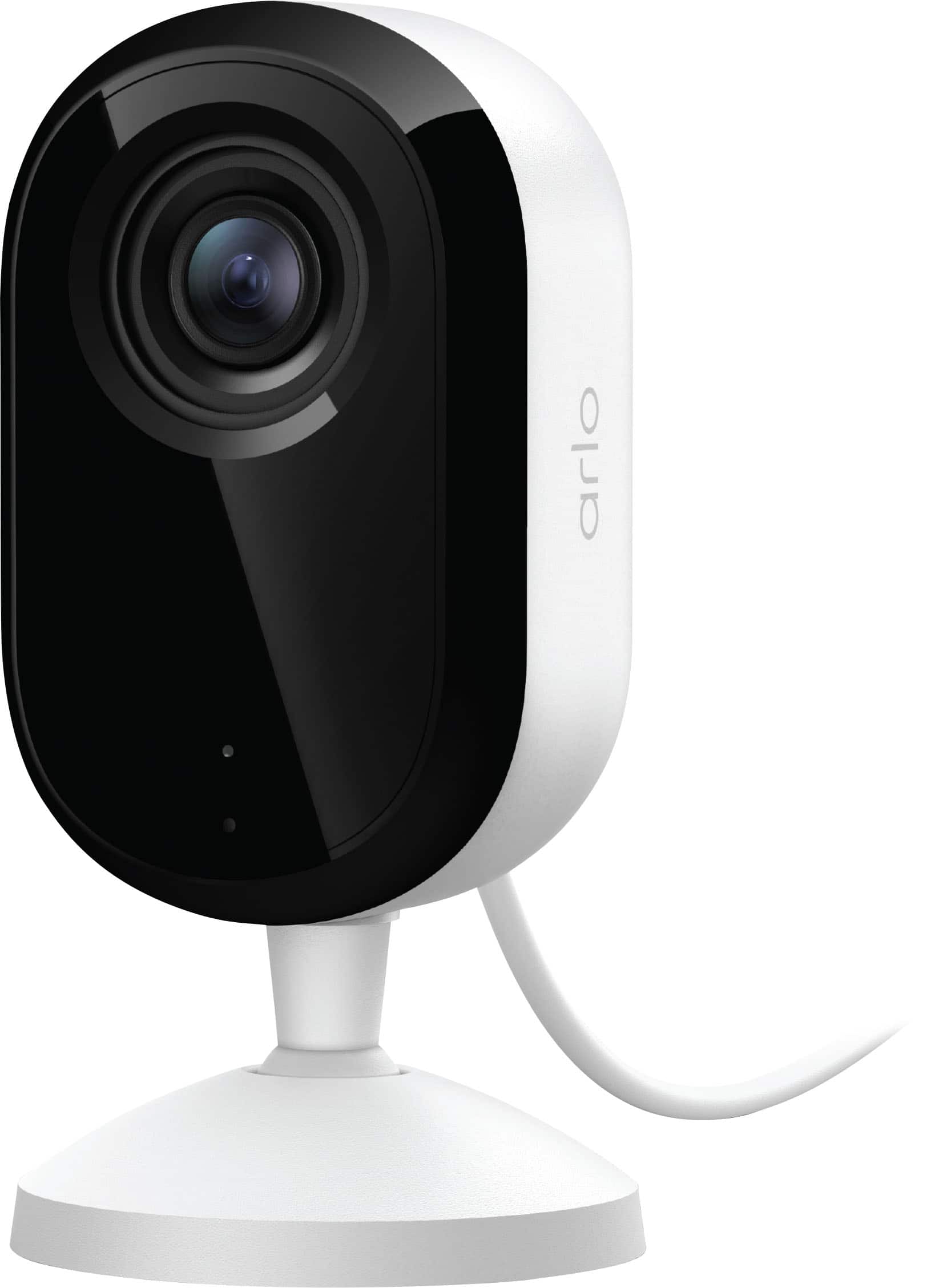
|Posted .This reviewer received promo considerations or sweepstakes entry for writing a review.The Arlo Essential Indoor 2k Security Camera is the best indoor security camera I have added to my setup. The camera is super easy to set up and use, and the features are great! This is a stand alone camera and the Arlo base station is not required. It connects via wi-fi. Out of the box, there is not much involved. The camera has protective plastic covering the front lense area that needs to be removed, but otherwise, just set it up where you want it, and plug it in! It comes with a usb to usb-c cord and a wall plug, so you just have to plug the usb-c into the back of the camera, and plug the usb side into the wall plug and there you go! The cord is about 6 ft in length. There is also a place on the back of the camera to screw in a different style mount, just be mindful as the usb cord plugs into the back of the camera, so mounting positions may not work in all situations. Once the camera is on, just connect in your Arlo app, hit the + at the top, go to cameras, then to Essential Series, then tab onto Plug-In cameras, and then choose the Indoor Camera (3rd Gen). You will hold the pairing button on top until the light on the front is flashing blue, then you can connect to your camera. It will search for firmware updates and then once all of that is done, you can access your camera. One cool feature of this camera, is that if you disable the camera from the app, there is a auto closing shutter that covers the lens, so you can have piece of mind that it is not recording. Also when the camera is active, the blue light on the front with stay lit solid, and when the camera is disabled, it will turn off completely. It does have a microphone, speaker and a mini siren inside the unit that you can set off in an emergency. The video quality is amazing. The image is very clear and crisp with its 2k resolution. It has a live microphone so you can hit the microphone button while viewing the feed, and talk continuously though it. It does come with an Arlo 30 day trial for their premium subscription service. There is a free service still available after the trial, you just have to weigh out the plan options. Overall, I highly recommend this for an indoor camera. With it being a stand alone camera and not needing Arlo base stations to operate, it makes it very easy to use and function. Very clear audio and video and could not be happier with it.
I would recommend this to a friend - Pros mentioned:Setup ease, Video quality
Simple Yet Effective Indoor Security Camera
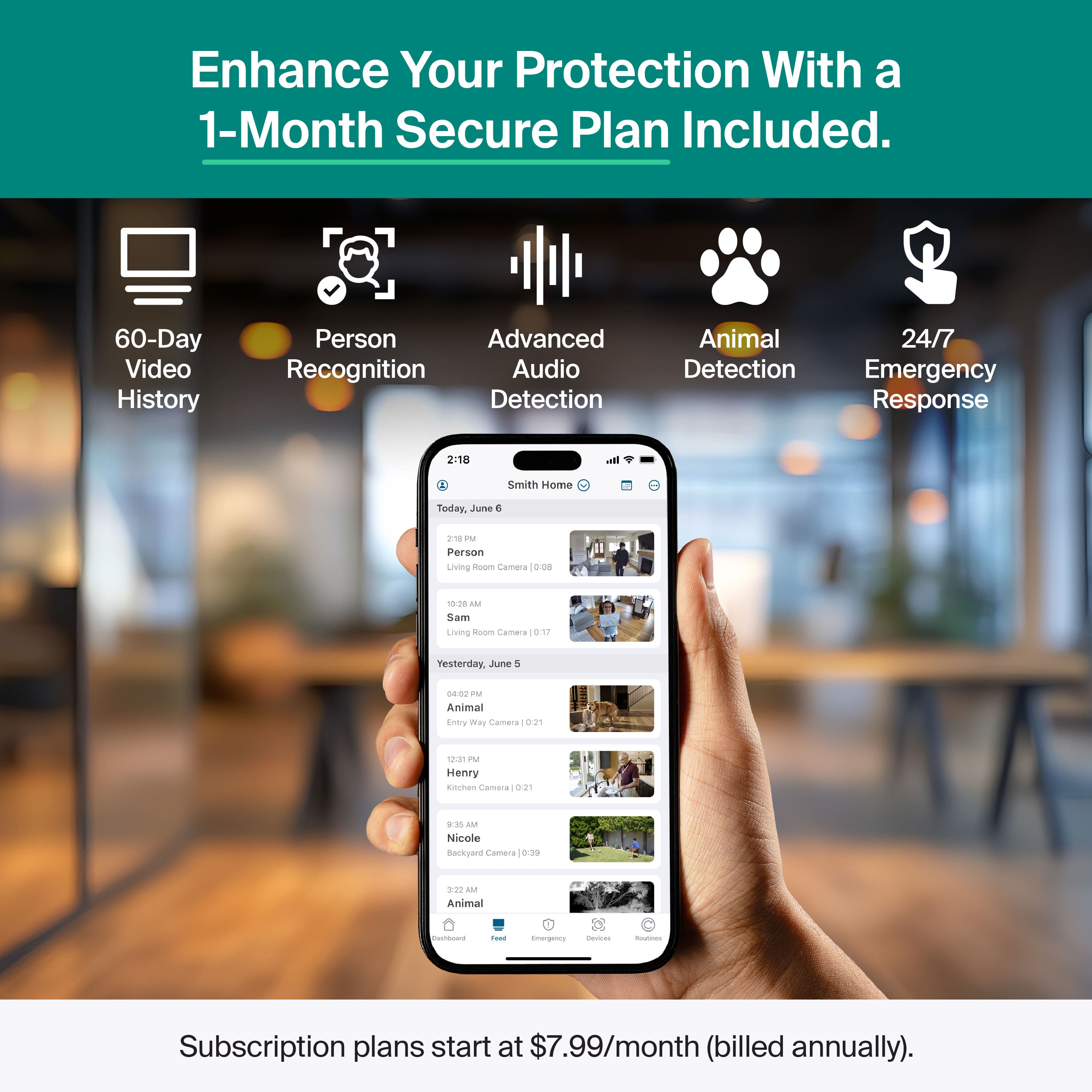
|Posted .This reviewer received promo considerations or sweepstakes entry for writing a review.This indoor security camera is simple yet effective. It comes with a USB-C power cable, a mount and screws. The design is more for sitting on a shelf or counter than being mounted. The base doesn’t give much movement. You can mount it to your ceiling though, which is a nice way of having it out of the way and giving a larger clearer viewing area. I feel mounting it on the ceiling is effective because if it is not hidden from anyone trying to break in they might see it and this just might deter them from doing anything and they will just leave your home. I mean who wants to be on camera and be watched while they are stealing or whatever they are doing in your home. The camera is 2K and provides a clear view in color. I believe Arlo security cameras are noted for what great videos they take. Night vision is black and white and still picks up quite a bit. Some features for this camera that I like is the two-way audio you could use to talk to someone in another room if you don’t feel like yelling, and it also integrates with smart home devices. This camera is very user friendly and setup is simple and easy. You will need to download and install the Arlo Secure app and follow the instructions. These Essential Arlo cameras connect through your WiFi and do not need a hub. The app allows you to view live views, have two-way talking, and even lets you set off the built in siren to scare away anyone that is not supposed to be in your home To use some of the better features, you will need an Arlo subscription. With the subscription you have 60 days of stored video, you can be alerted to motion and even view saved videos away from home. There is so much that the subscription lets you do compared to without it and it is well worth your security to get it. This is a great starter security camera that has many uses. You could even use this as a baby monitor! If you already have Arlo cameras set up, this will make a great addition to add more security inside your home.
I would recommend this to a friend - Pros mentioned:Setup ease, Video quality
Arlo makes a great product and software!
|Posted .This reviewer received promo considerations or sweepstakes entry for writing a review.This product arrived well packaged. There was sufficient material to absorb shocks and drops in the box that the camera was in and the box. I seriously doubt that any harm could come to this package in the normal course of shipping. Additionally, the package was well thought out and easy to open, and was very easy to understand what was where upon opening. Once opened, it was clear what was needed and I would recommend having the app ready to go. The app was highly rated when downloaded from the app store. I downloaded it onto an iPhone 17, iPad Air, and Google Pixel 9 Pro and the user interface seemed to be similar between devices and clear in what did what in there. Once the camera was setup (took about 5-10 minutes), the picture quality was clear, the audio was easy to hear. Overall no issues with the camera, setup or packaging. I would recommend this to anyone looking for a camera in this form factor (set on a table, desk, end stand, etc). No issues with it connecting to Wi-Fi for internet.
I would recommend this to a friend - Pros mentioned:Motion detection, Video quality
Nice camera if you only want indoor security
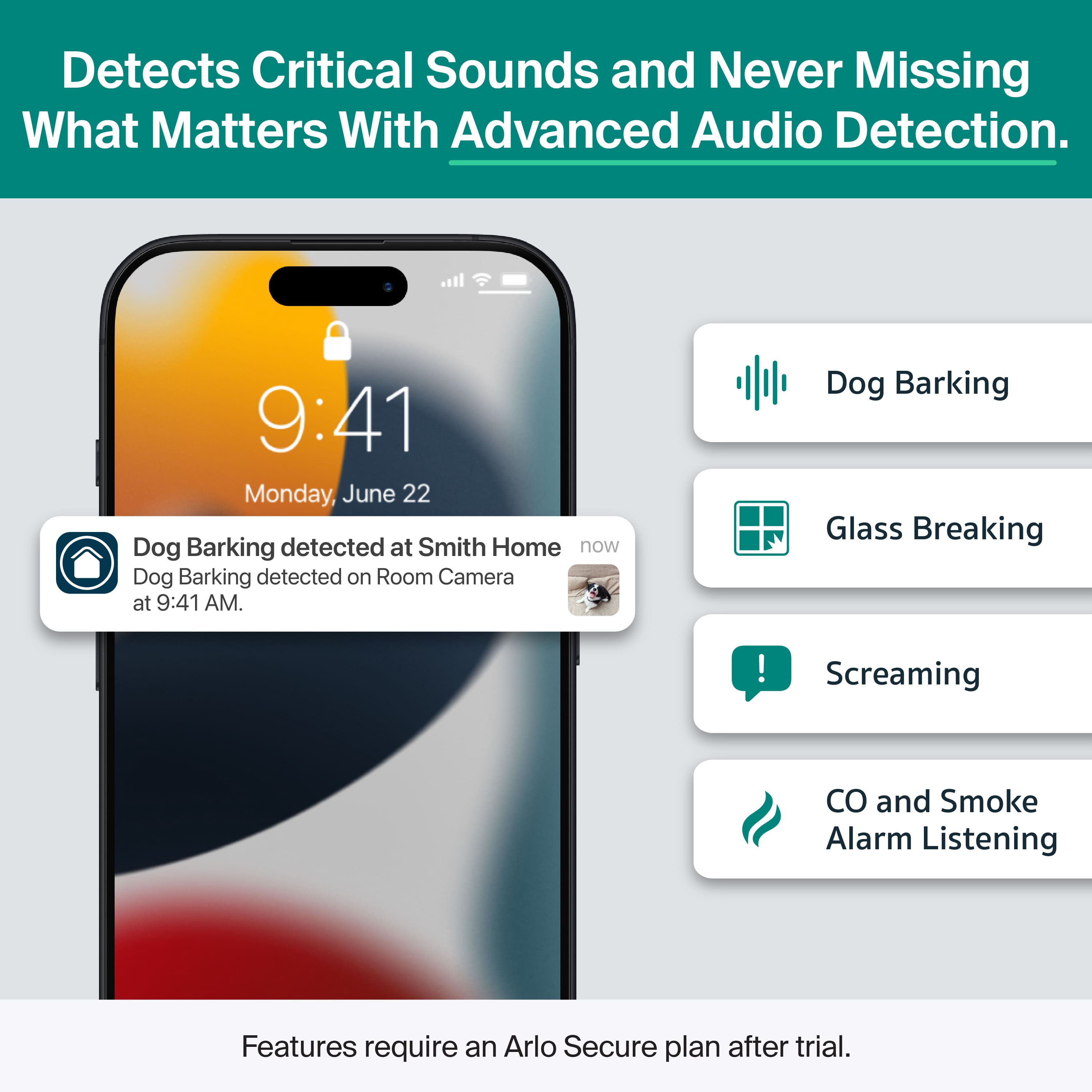
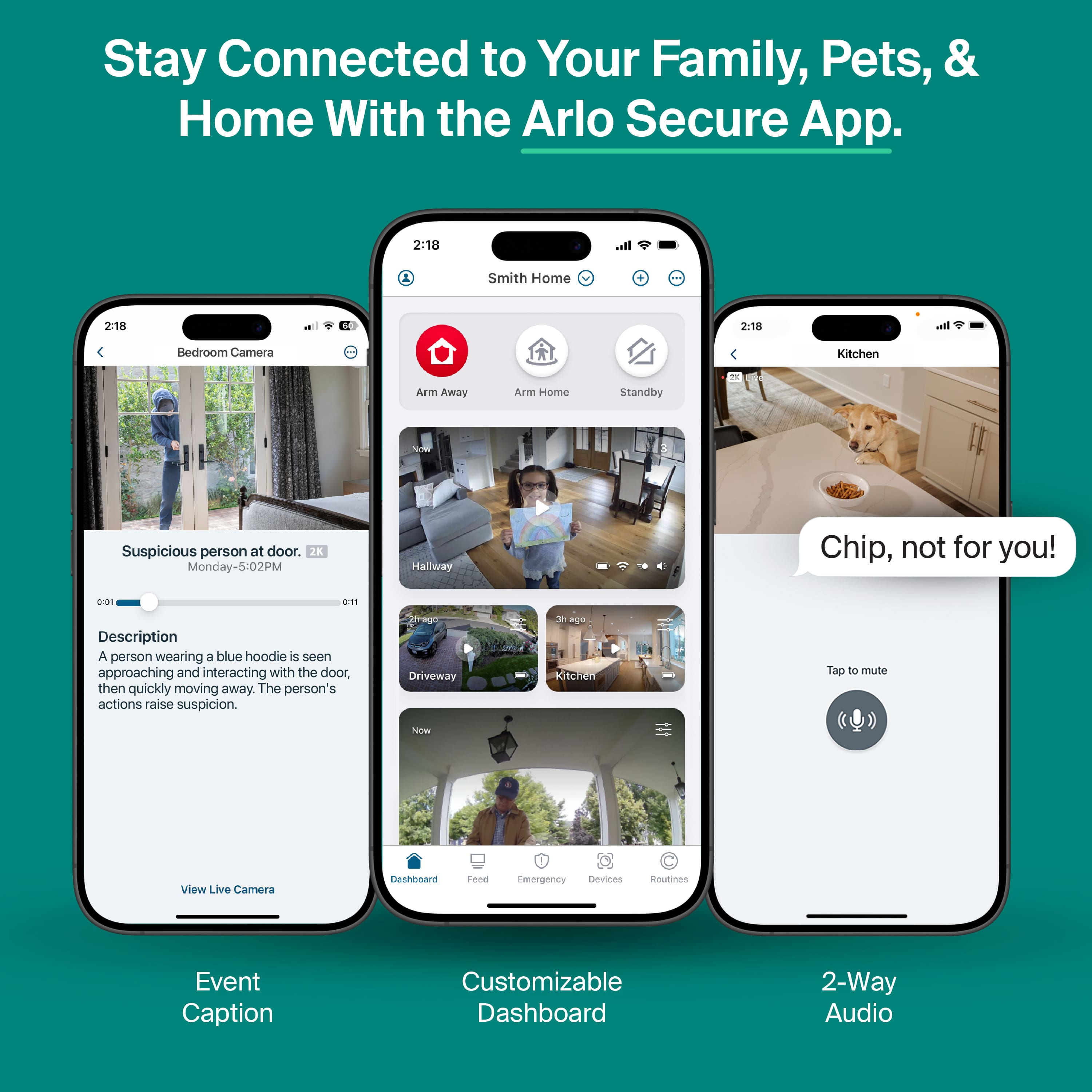
|Posted .This reviewer received promo considerations or sweepstakes entry for writing a review.The Arlo Essential 3rd Gen camera is a 2K indoor security camera. It runs off of a standard USB-C power source. It stands about 4 inches tall and has a blue LED that goes on when the camera is running. When not physically recording anything, there is a white lens cover that closes over the lens, so you can be sure that nothing is being seen. When the camera has power and the lens cover is closed, the blue led is still lit, so you know it is working but not seeing anything. Everything works with an app called Arlo Secure, which is available for both Android and IOS. The camera captures images at 2K and there is a screw hole in the back for mounting on a tripod or other device. In Arlo Secure you have 3 modes. “Arm/Away”, “Arm/Home”, and “Standby”. Each of these modes can have their own A, Motion Detection settings and Audio Detection settings. You can control detection for people, packages, vehicles, animals, fire and you can detect all motion. You can have animated notifications for sound and you can control what sounds it is supposed to listen for. You can listen for gunshots, screams, barking dogs and breaking glass or you can have it listen for any kind of sound. When one of your chosen sounds is heard, you can control what actions are taken, such as turning on a light, taking a snapshot, activating a siren, or playing a sound. You can also control sensitivity for motion, audio, recording duration and siren settings. One thing that I dislike about these features is that many use a bar with minimum and maximum values, however, as you slide up and down the bar, there is nothing telling what the setting that you have selected is. You have to approximate what you have chosen. You can program a home/away schedule, so you don’t need to manually change the mode as you leave for or come back from work. Some of the features of the camera come from a subscription plan. They have Arlos Plus Single for $9.99 a month for 1 device, Arlo Plus Unlimited for $19.99 per month, and Arlos Premium for $29.99 per month. Each package offers different features. I personally don’t like having to pay for functionality on a monthly or annual basis. Whether the added features are worth it to you, is something that you will have to decide. I like the camera and the software. My three dislikes are the slider bar values, previously mentioned, having to schedule the home/away modes, and features being behind a pay wall. If all you want is a way to monitor inside your house when you are gone, and don't want the whole Arlo ecosystem with outdoor cameras and stuff, this camera is great. Otherwise, as much as I like the camera, I can’t personally recommend it because of the subscription being needed for some of the functionality.
No, I would not recommend this to a friendBrand response from Arlo Team
Posted .Hello,
Thank you for taking the time to write your experience. Your feedback helps us to get improve our services. We'll share your feedback to the relevant team. We appreciate your understanding.
Best regards,
Arlo Team
- Pros mentioned:Video quality
Great video quality + value for unlimited cameras
|Posted .This reviewer received promo considerations or sweepstakes entry for writing a review.The Arlo Essential line is an excellent series of cameras for someone looking to monitor their home without professional install and with a very low cost to get started. I've just received both this (TINY!) 2K indoor plug camera and the Indoor Pan Tilt version, so my thoughts will be pretty much the same for parts of their shared experience. Where Arlo differentiates themselves from so many other camera brands is the fact that they are a US-based company and that they tend to have very good privacy protections for their users (so far...). Unlike a few other well--known brands, Arlo will not share your video with law enforcement or the government without your permission unless they are presented a warrant. #Unboxing and first impressions# Unboxing the Arlo Essential 3rd Gen 2K Indoor Plug camera was pretty pleasant overall. The camera arrived in an extremely small cardboard box foreshadowing just how small the camera inside will be, with all cardboard packing materials inside to ensure safety for shipping. There is thin plastic film on the camera itself, but otherwise the packaging is all recyclable. The camera comes with a wall/ceiling mount that also functions as the tabletop mount with nonskid feet. Unlike the Pan Tilt version, the smaller 2K Indoor camera comes with a USB-A to USB-C cable that is detachable from the power adapter. Like the Pan Tilt version, I was able to test the standard Indoor camera with different USB-C power adapter and it worked just fine, so if the included one gets damaged you have options as long as they provide the correct output wattage. #Using the Arlo Essentials camera# The Arlo Essentials 3rd Gen Indoor plugin camera was really easy to set up, even moreso that it was the second camera I'd done from the brand in the same week. Arlo includes a 30 day subscription to their Arlo Secure subscription which is normally about 8 bucks per month per camera (or 18 bucks/month for unlimited cameras). Without the subscription, you can't record video and get no AI recognition features, but you can watch live video at no charge. It was incredibly easy to set up the camera in the app. I just had to follow simple instructions in the Arlo app and tap a button on the camera body, and it was able to add it to my network with zero fuss. Just like the 3rd gen Pan Tilt model I reviewed, the 3rd Gen 2K Indoor plug camera supports both 2.4 and 5ghz wifi, so you do NOT have to put this camera on a 2.4ghz only network! That's such a huge selling point especially for less tech-savvy people who don't want to mess with "IoT networks" and want things to "just work" out of the box. Video quality is really good. The real time/Live video feed is very high framerate (appears to be 60, but not sure exactly). The recorded videos arrive with different framerates depending on the amount of motion in the clip. The downloaded clips look great, with few compression artifacts. The Indoor camera has a really cool privacy shield feature that slides a very obvious white disk over the lens, so you KNOW that the camera is not recording when it's engaged. From past experience, it helps put people at ease if you can show they aren't being recorded when they are in your home except late at night. #Final thoughts# I think Arlo has a decent value proposition with the Essentials line. You can spend a bit more money on a camera or system that has local storage and doesn't require a cloud subscription. You can also find camera systems that have much cheaper cloud subscriptions for a single camera. However, once you're at the multi-camera stage where you have 3 or more, the unlimited camera sub for Arlo is pretty reasonable, and the person/pet detection works really well in the week that I've had the camera. Considering it's a US based company with a strong track record for privacy, I'd consider Arlo as a premium option for security cameras. Considering the Arlo 2K camera comes in at a shockingly low MSRP for a name brand camera, it's easy to recommend if you are picking up several and can take full advantage of the low price for the Unlimited plan.
I would recommend this to a friend Easy Indoor Add-On Camera
|Posted .This reviewer received promo considerations or sweepstakes entry for writing a review.If you’re looking for a plug and play, add-on camera for inside your house, this is an easy choice. I already have an Arlo wireless camera system but for indoor use, those can be less convenient if they aren’t connected to power where you have to recharge them. The wireless cameras are also much larger than this unit which is fairly svelte and also has a built in stand. In terms of setup, this was as simple as adding this camera to the Arlo app and it took no less than a couple minutes to get up and running. The convenience of being wired is awesome. No batteries to recharge and it’s always on. I also love the fact that it uses USB C for power so you can use whatever cable that you’d like. A welcome change they made from the previous generation Essential camera is having a USB C port on the back of the camera vs the previous version where the cable was attached, so you can power this with any cable you have laying around. Additionally, since this uses a standard USB C connection on the camera, you could theoretically still use this as a wireless camera with a big enough power bank. A not-so-welcome change is that they went with a USB A power adapter which is incredibly odd considering my previous version had USB C. So the cable that’s provided is USB A to USB C. It’s a nice, long cable which is nice but I thought the days of USB A were over. The 2K resolution is perfectly fine for indoor use. The 4K resolution I think is useful for outdoor use but I don’t think you really need more than that for indoors. I already have been using the Plus Arlo subscription with unlimited cameras so this didn’t cost me anything extra in terms of a monthly cost. I feel like their unlimited camera Plus subscription is a great deal for what you get. Still definitely recommended as you can still use any USB C power source that you'd like but just a bit odd to revert to USB A for the adaptor.
I would recommend this to a friend- Pros mentioned:Video quality
Great Little Value Camera.
|Posted .This reviewer received promo considerations or sweepstakes entry for writing a review.So mI have had Arlo products for years. I have always found them to be solid mi-grade consumers that are fairly priced and relatively feature rich. When this Essential 2K came out, I was excited to get it. The timing was perfect, because the week before, I recieved Arlo Essential outdoor-cam. The original plan was install it at our Silverdale tiny house. Our son is a US Navy Nuclear Engineer at the Kitsap Submarine Base. When we learned he was going to be stationed there, we purchased a few acres, made a few improvements and had a "tiny-house" installed for him until we retired. Now this is the perfect companion piece. It can cover the enitirety of the living / kitchen area of the house, while the outdoor cam can moniitor the lane leading up to the home. Arlo has their subscription plan, and it's reasonably priced. They also (I have read), offer a "hub" that allows for localstorage. Weare going witht he subscription. Our thinking is we can monitor the camera's here from Colorado while he is out under the Pacific Ocean, and we can notify local law enforcement if needed. And having the recording "in the cloud", we can be assured that if the hiuse is ever burgularized, they can't steal the recording. OK, onto the techy stuff. I won't dwell too much here as there is ample great info on the BB site and my fellow TIN reviewers. Setup was simle. We already had the app, so adding the additiopnal camera was simple. Video quality is great, in both full light and in the dark. For the price, this is a great choice, especially if you already have the Arlo infrastructure.
I would recommend this to a friend - Pros mentioned:Video quality
Perfect for playroom remote monitoring
|Posted .This reviewer received promo considerations or sweepstakes entry for writing a review.I have outdoor cameras everywhere and some indoor ones. The Arlo 3rd gen essential indoor camera fits my Google Home system without the price tag of Google home native cameras. This cameras has quality build, and is light. It is an Arlo product so I know I have a good product with real durable materials. It does not feel as premium as the ultras, but this is a really good value to add to my Arlo system. It does show on my google home widget, though it takes a while to load. Connectivity is easy—almost plug and play and the set up is easy enough without using a hub, as the Arlo secure app easily adds it with the rest of my cameras. It does require subscription though, if I want to record continuously. Luckily, this is used for my toddler’s play area and the privacy screen is a really great addition because it helps with us being able to monitor our toddler remotely, and for the our babysitter to still feel that there is some sort of privacy—because the shutter actually opens and it indicates that we are there to watch, which sort of provides a partial consent or handshake with our sitter every time we watch. The quality of the video is good, but needs really good light to see quality. There is a decent detection notification except that sometimes it says that there is glass breaking when it’s just a toy that fell down. Overall it is a good device especially for the price. The subscription will add up, but if you will only use it like me, where I want to see and hear my toddler live from time-to-time as we provide a good level of privacy, this is a good buy.
I would recommend this to a friend