Customer Ratings & Reviews



- Model:
- VMC3352-100NAS
- SKU:
- 6553154
Rating by feature
- Value
Rating 4.3 out of 5 stars
- Quality
Rating 4.3 out of 5 stars
- Ease of Use
Rating 4.2 out of 5 stars
Customers are saying
Customers are impressed with the excellent camera quality and long battery life of the Essential XL 3-Camera Outdoor Wireless 2K Security Camera. Users also appreciate the ease of use, good night vision, and effective motion detection. However, some customers have noted that the camera system is limited to 2.4Ghz wifi connectivity.
This summary was generated by AI based on customer reviews.
- Pros mentioned:Battery life, Camera quality

Affordable top of the line camera w/ no monthly!
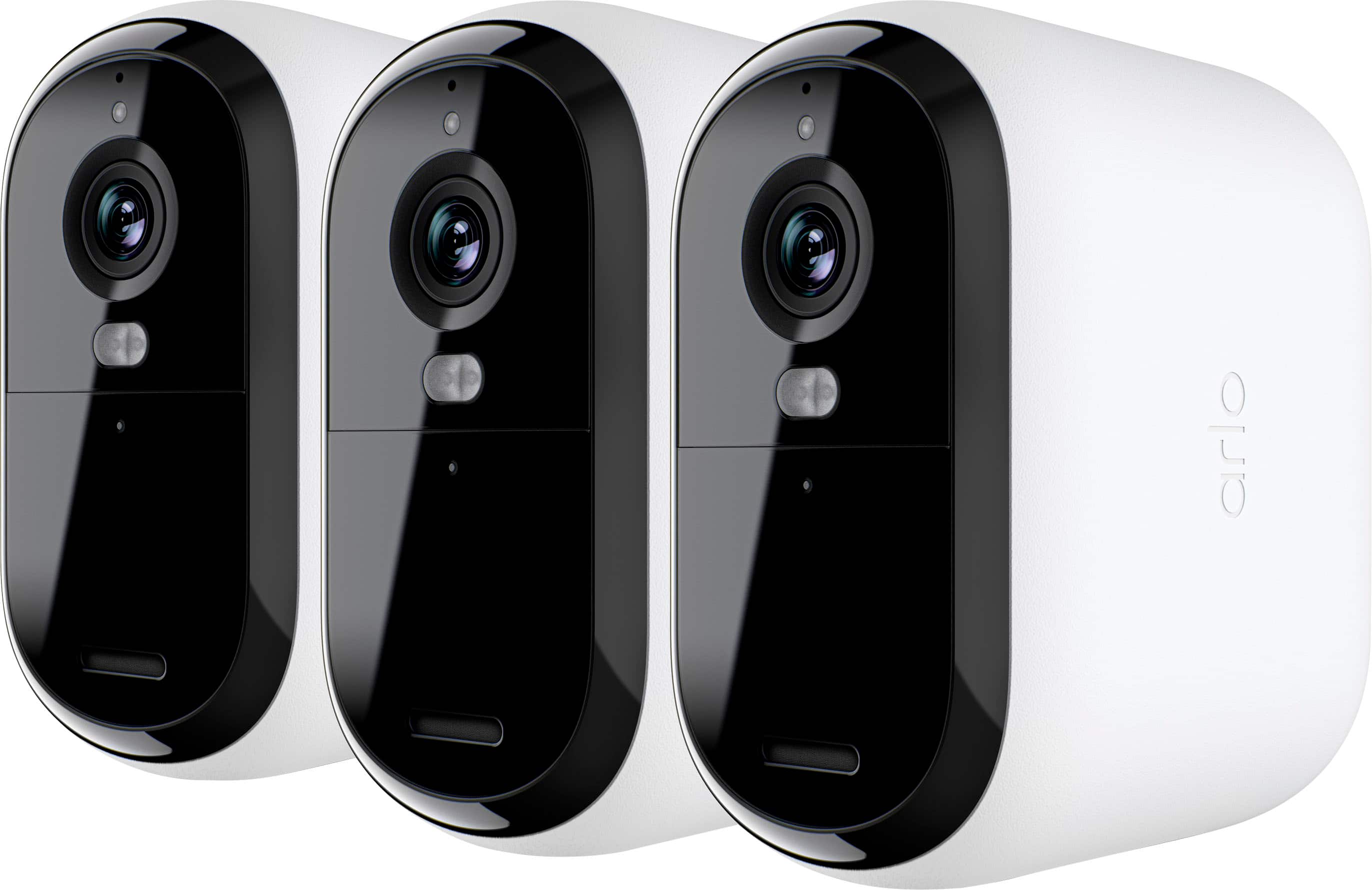
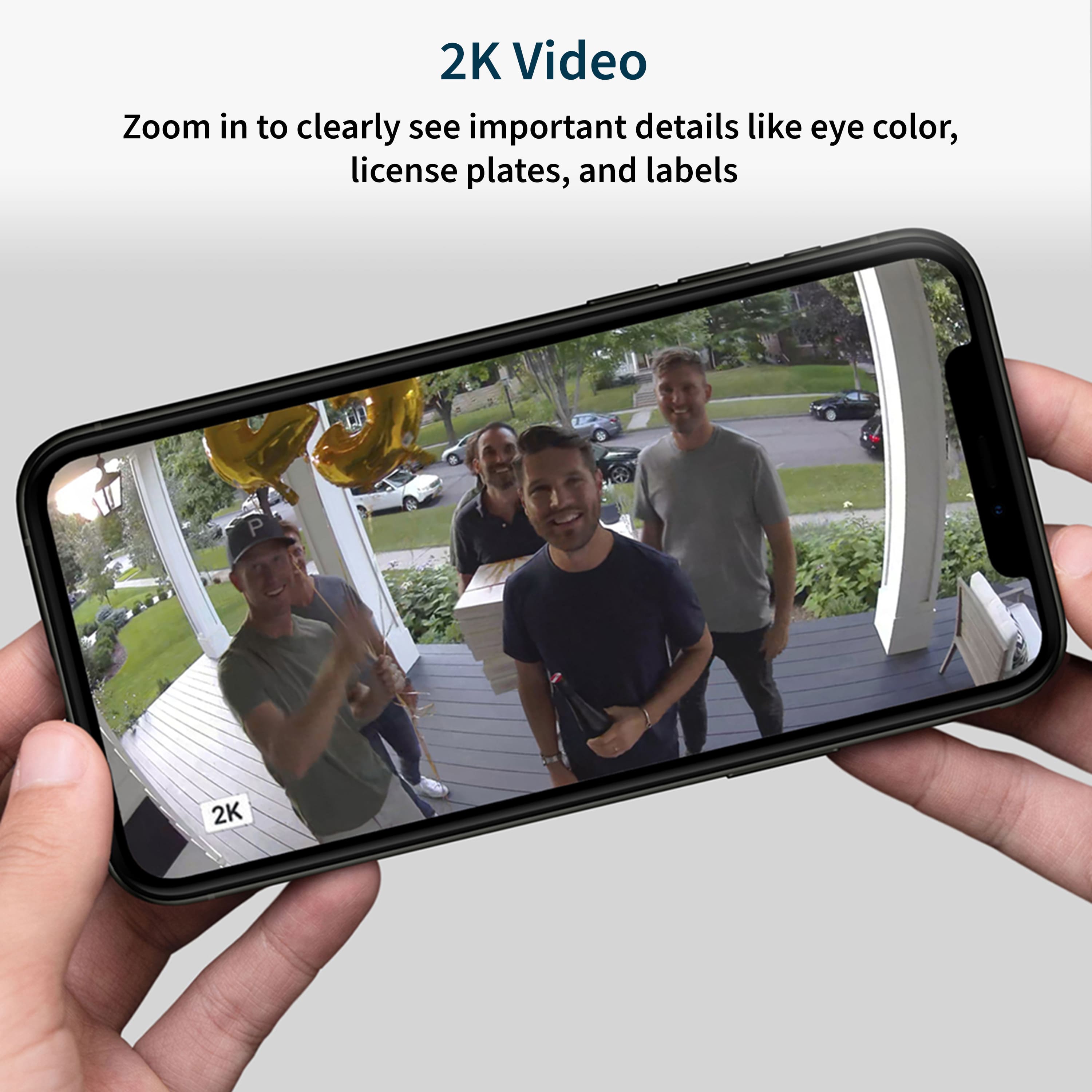
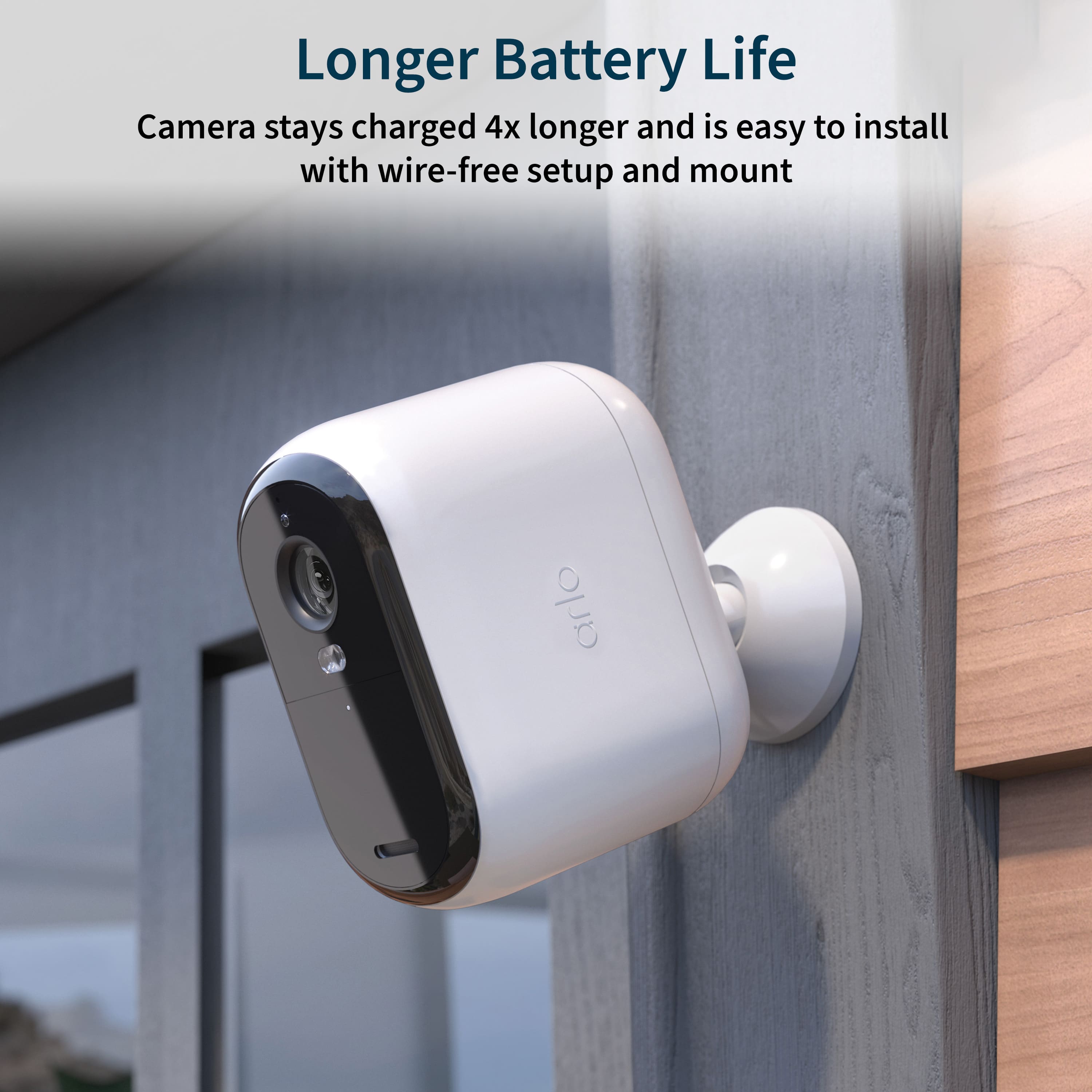
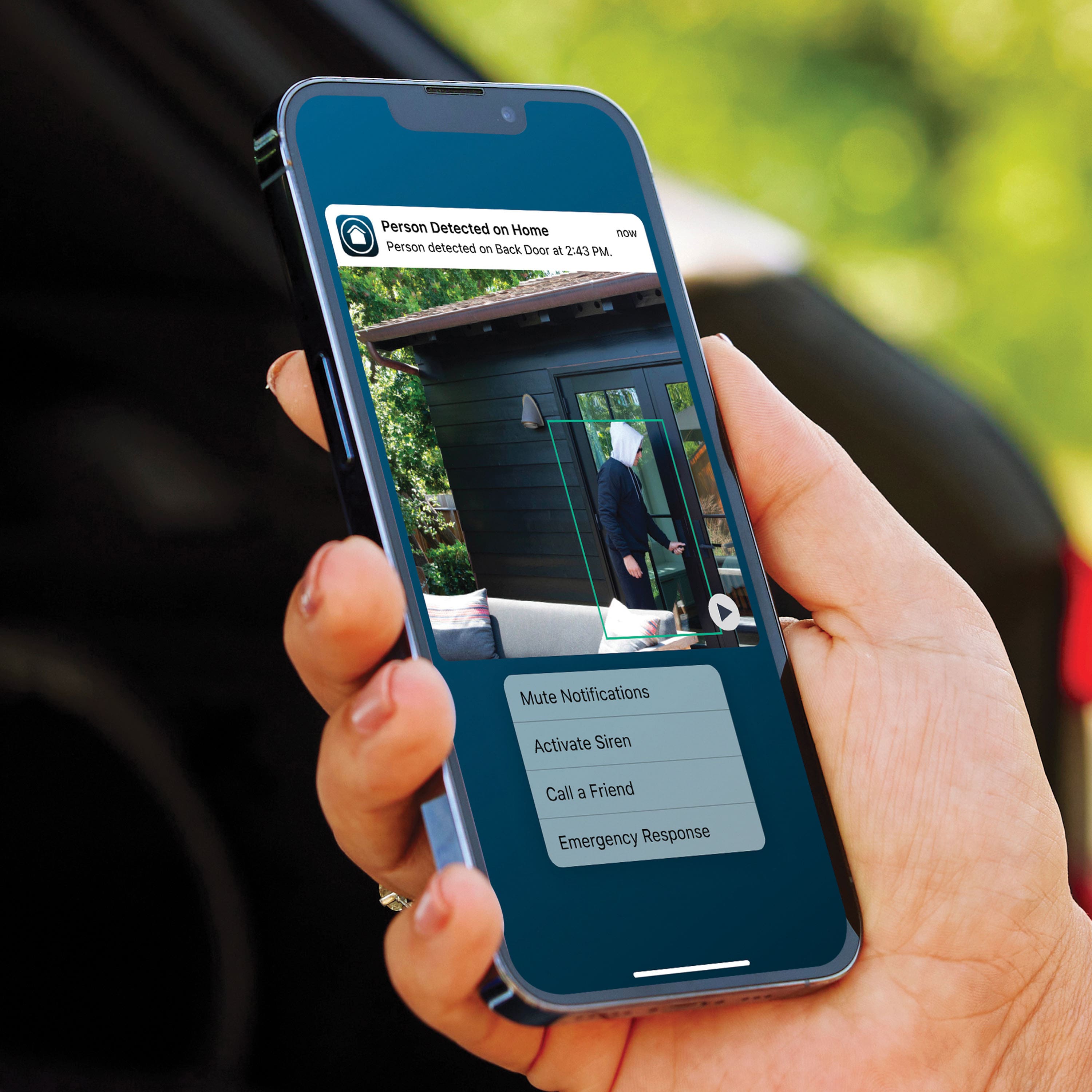
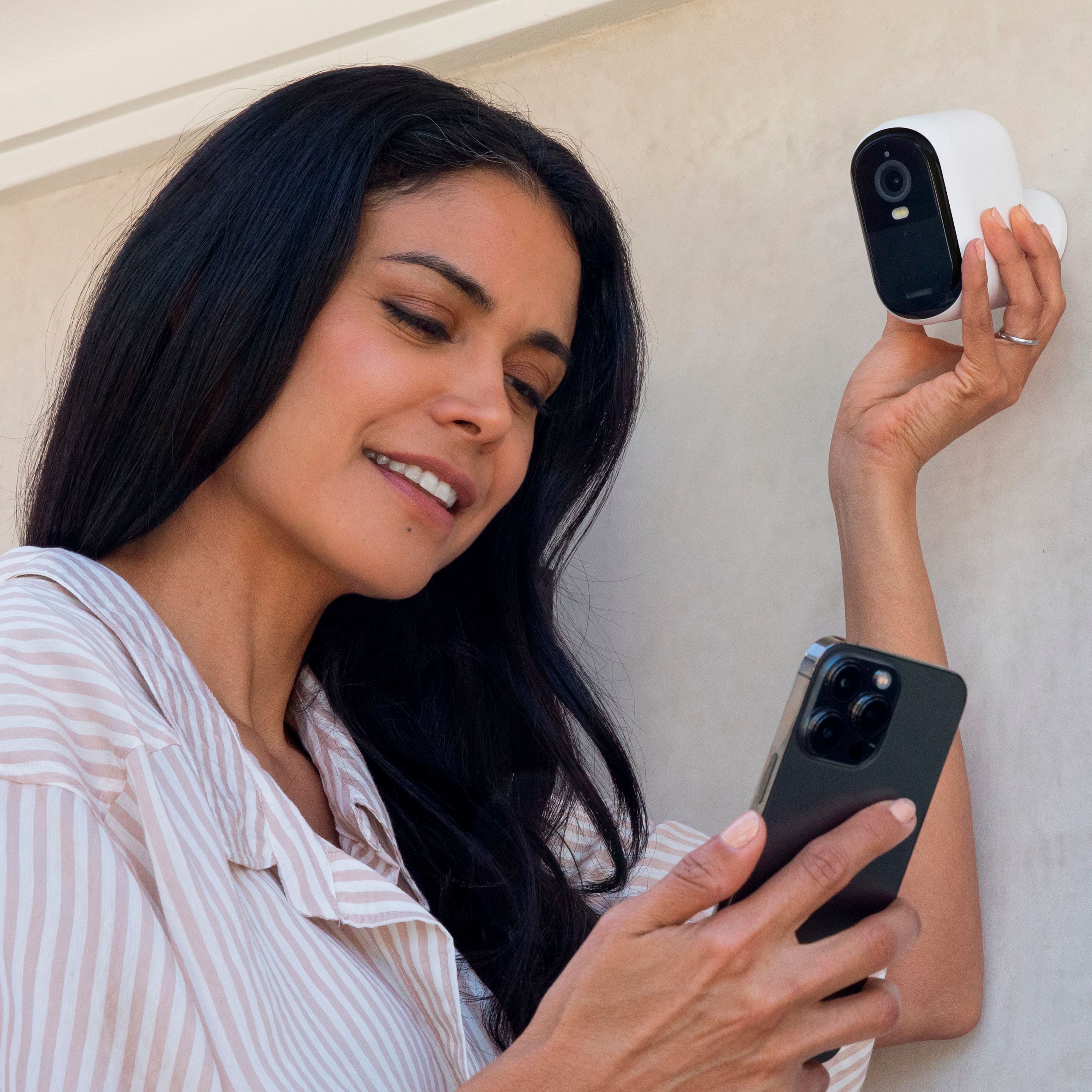
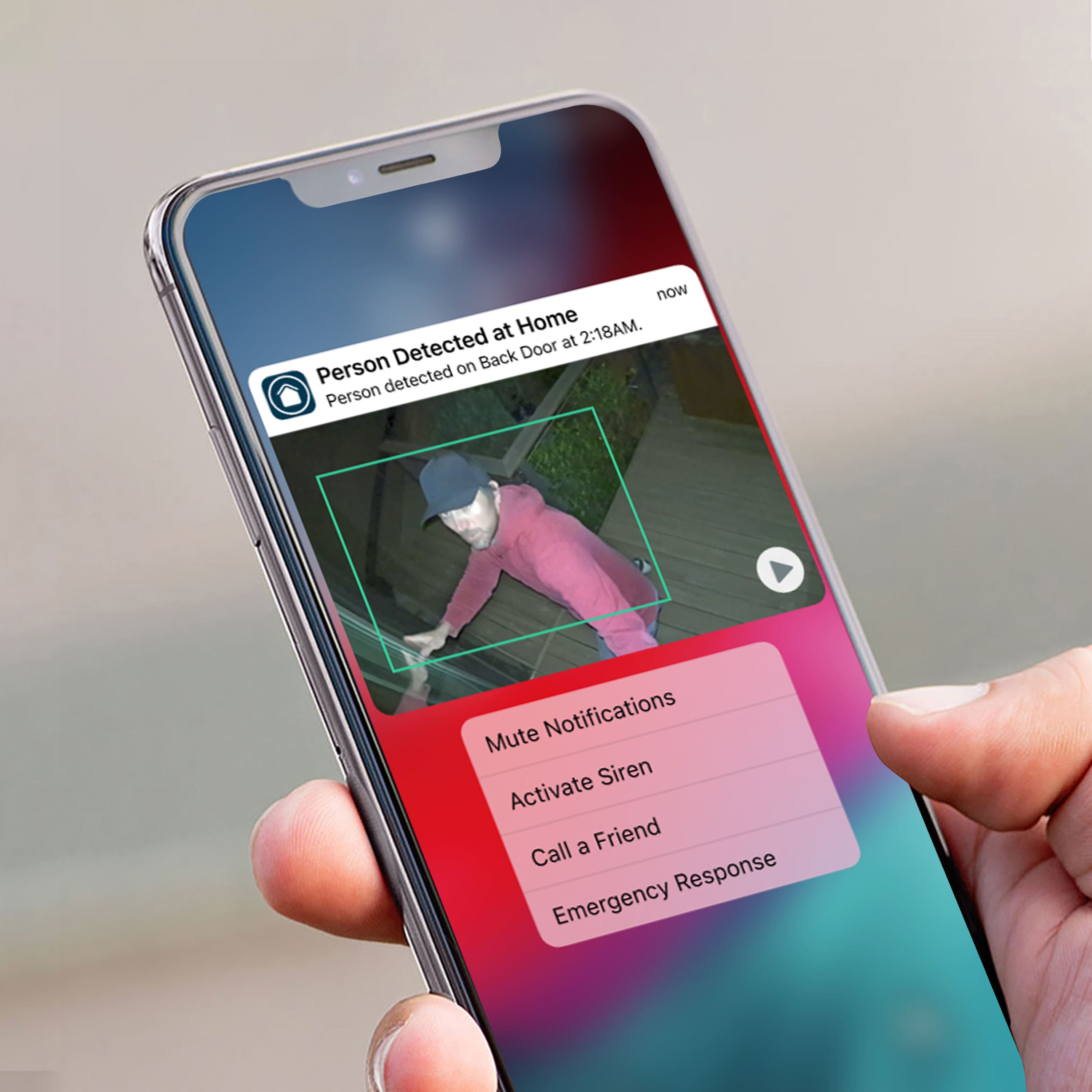
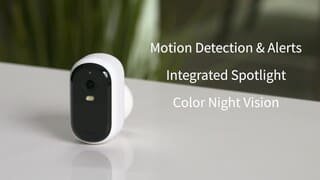
|Posted .This reviewer received promo considerations or sweepstakes entry for writing a review.THIS… Is the Arlo Essential XL 3 camera package containing three completely wireless outdoor cameras, and I was quite impressed with their performance! With a 2k camera sensor, wide angle lens with night vision and build quality to beat the elements… the Arlo Essentials XL are looking to stack up quite nice! Lets take a look and see how these stack up against the competition! Setup ======= First off out of the box, you are going to have to charge these cameras unfortunately - however, the cables (not the box) are included to charge all 3 cameras at once via USB type-c which was super nice. After a few hours the cameras were completely charged, and I was ready to download the Arlo app and install the cameras. You will need to download the Arlo app to use these cameras which means you will also need to create an account with them. This was where the first of my issues popped up, but we will circle back to this. Setting up the cameras is quite simple, press a button on the top to connect the camera to your phone via bluetooth and then set up wifi on that camera, then update the firmware and hang it on the wall! I have several issues getting the firmware update off of my ipad, but when I switched over to my phone and repeated the process for the remaining two cameras (first one updated just fine), they updated. Here lies the largest issue for this camera and something that caused a headache for me, you cannot view the cameras on two devices at the same time unless you create an account for each device… so for my phone, tablet and then my wifes phone we would need three accounts and three emails and then go into the settings and enable them on all the devices. WHY!!!! Why do they do this, so I thought I was making an error so I went to Arlos website to chat with them about it. The NEXT issue, you have to have have an authorized account to even chat with support on the website… so that was another hurdle that I had to jump through to find out that yes, you need an account for every single device you want to use if you want simultaneous streams or to not be logged out when another logs on. This sucks for me because I jump between devices constantly, and if my wife wants to see whats happening that also logged me out. I think for a good chunk of people this is still just fine, and it still works with my google homes just fine. The App ======== Once the cameras were connected and the issues were realized, I actually had a really good time with the cameras. The app is super nice and everything you would really need! Notifications for movement, motion zones (with subscription), recording (subscription), and an event log that shows allllllll the activities and notifications that your camera has seen. The app was quick and snappy, I particularly enjoyed how it displayed the camera settings and how easy it was to adjust. The app offers automation, this is something interesting that I didn’t get into too much because I work a hospital schedule so I don’t have routine days. That being said, it was easy to arm and disarm the cameras so it is never a hassle or worry! Truly and A+ app! Camera Quality ================ As far as the camera and the quality, it was actually really good. The camera quality was superb in the daylight and they performed very well at night also. I would say I could easily pull a plate from the end of my driveway and maybe further - but the camera quality was certainly better than expected at this price point. The motion detection worked well, certainly still fell for the limb and leaves every here and there but it was certainly spot on every time a person walked by. Conclusion ============= This was a tough one for me, because it was a great product with one of the larger headaches. I still recommend this product wholly, but having an account for each device is annoying - and just that… annoying! Once I dealt with this issue (and who doesn't have 5+ emails anyways), the cameras were awesome and the support team over at arlo was just as quick and quality as their cameras! I thought I was going to need more cameras, but because these cover such a wide angle (literally), I only need the 3 that came in the pack! The subscription prices really weren’t that bad, and arlo tried to court you into their own total home security portfolio with a base station and alarms and such, but they still allow you to get just camera coverage on its own. As with all cameras and new apps/systems, it is trail and error! Thats where bestbuy comes in hand as always, Bestbuy has an excellent return policy and even better customer service, so you never have to worry about buying a product that you don’t like… so why not test it out?! Subscription cost: Single Camera - $4.99 month for video recording (30 day storage) Unlimited Cameras - $12.99 for video recording (30 day storage) and on up with other tiers and benefits Quick Facts: Battery Life - up to 18 months Maximum Video Resolution Up to 2560x1440 (2K) Image Sensor-4 Megapixels Video Modes: 2K, 1080p, 720p 130-degree diagonal Digital Zoom 12x Sensor Size- 1/2.7 inch PIR motion detection Night Vision - dual 850nm LED Has Microphone with 2 way audio and Siren Range: up to 300 feet line of sight Min home upload speed- 2 Mbps
I would recommend this to a friend Worst connection ever seen
||Posted . Owned for 1 month when reviewed.This reviewer received promo considerations or sweepstakes entry for writing a review.Ive had a few different systems and this has to be hands down the slowest with the most lag time.it takes roughly 5 mins to connect to live. Ill get notifications and then when I try to check them on the feed nothing will show up the app and the cameras are terrible do not buy Ring was better unfortunately
No, I would not recommend this to a friendBrand response from Arlo Team
Posted .Hi Trent,
Thanks for your review. Please refer to this article if you're not seeing any recordings: https://kb.arlo.com/000062661. For further assistance, please navigate to Settings > Support in the Arlo App for service options available to you.
We appreciate your patience and understanding.
Best regards,
Arlo Team
- Pros mentioned:Ease of use
Meh
||Posted . Owned for 1 month when reviewed.This reviewer received promo considerations or sweepstakes entry for writing a review.Connects over wifi and pretty easy to set up. Doesnt record unless you have a subscription and takes a while to stream video when checking on the cameras.
No, I would not recommend this to a friend Arlo cameras
||Posted . Owned for 3 weeks when reviewed.This reviewer received promo considerations or sweepstakes entry for writing a review.These cameras are great. Fairly easy to install. Good resolution and good coverage. Nice for safety and peace of mind.
I would recommend this to a friendExcellent Product
||Posted . Owned for 3 weeks when reviewed.This reviewer received promo considerations or sweepstakes entry for writing a review.Excellent product for the price. Provides the necessary to keep your house secure with out going all out money wise
I would recommend this to a friendTo see and record as it happens.
||Posted . Owned for 1 month when reviewed.This reviewer received promo considerations or sweepstakes entry for writing a review.The service was great, the knowledge of the product was also great and the product itself was great for my parents resident.
I would recommend this to a friend- Pros mentioned:Battery life
Arlo - Essential XL 3-Camera Outdoor Wireless 2K S
||Posted . Owned for 1 month when reviewed.This reviewer received promo considerations or sweepstakes entry for writing a review.There is a 20-30-second lag, and there is no way to change the record time it's at most 30 sec. Has a great view of recording
No, I would not recommend this to a friendBrand response from Arlo Team
Posted .Hi Raymond,
Thank you for your review. The delay you are experiencing is normal behavior. A slight delay is expected as the camera must communicate with the Arlo cloud when live streaming. For further assistance, please navigate to Settings > Support in the Arlo App for service options available to you.
Best regards,
Arlo Team
Arlo cameras
||Posted . Owned for 9 months when reviewed.This reviewer received promo considerations or sweepstakes entry for writing a review.Nice cameras only downfall fall is having to recharge them 2x a month
I would recommend this to a friendBrand response from Arlo Team
Posted .Hi Brandon,
Thanks for sharing your review. To learn how to extend your Arlo camera's battery life, read this article: https://kb.arlo.com/291. For further assistance, please navigate to Settings > Support in the Arlo App for service options.
We appreciate your patience and understanding.
Best regards,
Arlo Team
Arlo cameras
||Posted . Owned for 1 month when reviewed.This reviewer received promo considerations or sweepstakes entry for writing a review.Good product thanks Best Buy im happy with my purchase
I would recommend this to a friendVery disappointing
||Posted . Owned for 1 month when reviewed.This reviewer received promo considerations or sweepstakes entry for writing a review.I really regret this purchase. It’s not able to do what I bought it to do unless I pay for an expensive monthly plan. Nowhere in the advertising or packaging did it say that the cameras cannot record unless you buy a monthly plan. My previous Arlo cameras were able to record without a paid plan. Arlo deliberately removed the recording ability and moved it behind a paywall, while secretly hiding what it did! Well, now I know what Arlo thinks of its customers. Next time I will buy another brand.
No, I would not recommend this to a friendBrand response from Arlo Team
Posted .Hi,
Thanks for your review. We will share your feedback with the development team. We also want to let you know that some features are still available without an Arlo Subscription. You can read more about them here: https://kb.arlo.com/000062312.
We appreciate your support and understanding.
Best regards,
Arlo Team
You’ll be disappointed!
||Posted . Owned for 3 months when reviewed.This reviewer received promo considerations or sweepstakes entry for writing a review.Wish I’d returned these in time! I didn’t realize how bad these cameras were compared to others on the market. They took forever to connect whenever we wanted to “live” view from one of the cameras…any event happening was long over! The field of view is extremely limited as they don’t rotate like other cameras do. Save your $’s there are better cameras out there with more capability, no subscription required…
No, I would not recommend this to a friendBrand response from Arlo Team
Posted .Hi Debbie
Thanks for sharing your review. We would like to learn more about the concerns you have shared above. Please reach out to our support team so they can further address your concerns and provide assistance by navigating to Settings > Support within the Arlo app to explore the support options available to you.
We appreciate your patience and understanding.
Best regards,
Arlo Team
Check before you buy.
||Posted . Owned for 3 weeks when reviewed.This reviewer received promo considerations or sweepstakes entry for writing a review.Cameras seem to be a good option, only that this model could not be configured for the area I intended to use them in and I did not get any info about this prior to my purchase. When trying to install them, the model was not available. Unfortunately, I couldn't return them because it was past the date, so now I am stuck with three useless $200 camera kit.
No, I would not recommend this to a friend- Cons mentioned:Connectivity
Poorly working Arlo cameras.
||Posted . Owned for 3 weeks when reviewed.This reviewer received promo considerations or sweepstakes entry for writing a review.I couldn't get them to connect to my base station. So they are useless to me.
No, I would not recommend this to a friendBrand response from Arlo Team
Posted .Hi Gary,
Thank you for your review. If you're unable to set up your Arlo cameras, please read the following article: https://kb.arlo.com/000062870.
If you still need assistance, please navigate to Settings > Support in the Arlo App for available service options. We appreciate your patience and support.
Regards,
Arlo Team
Not so good
||Posted . Owned for 2 months when reviewed.This reviewer received promo considerations or sweepstakes entry for writing a review.Camera is ok but need subscription to work so it will cost you monthly for it to work
No, I would not recommend this to a friendBrand response from Arlo Team
Posted .Hi
Thanks for sharing your review. We would like to learn more about the concerns you have shared above. Please reach out to our support team so they can further address your concerns and provide assistance by navigating to Settings > Support within the Arlo app to explore the support options available to you.
We appreciate your patience and understanding.
Best regards,
Arlo Team
- Pros mentioned:Camera quality, Night vision
Great for simple wireless installs
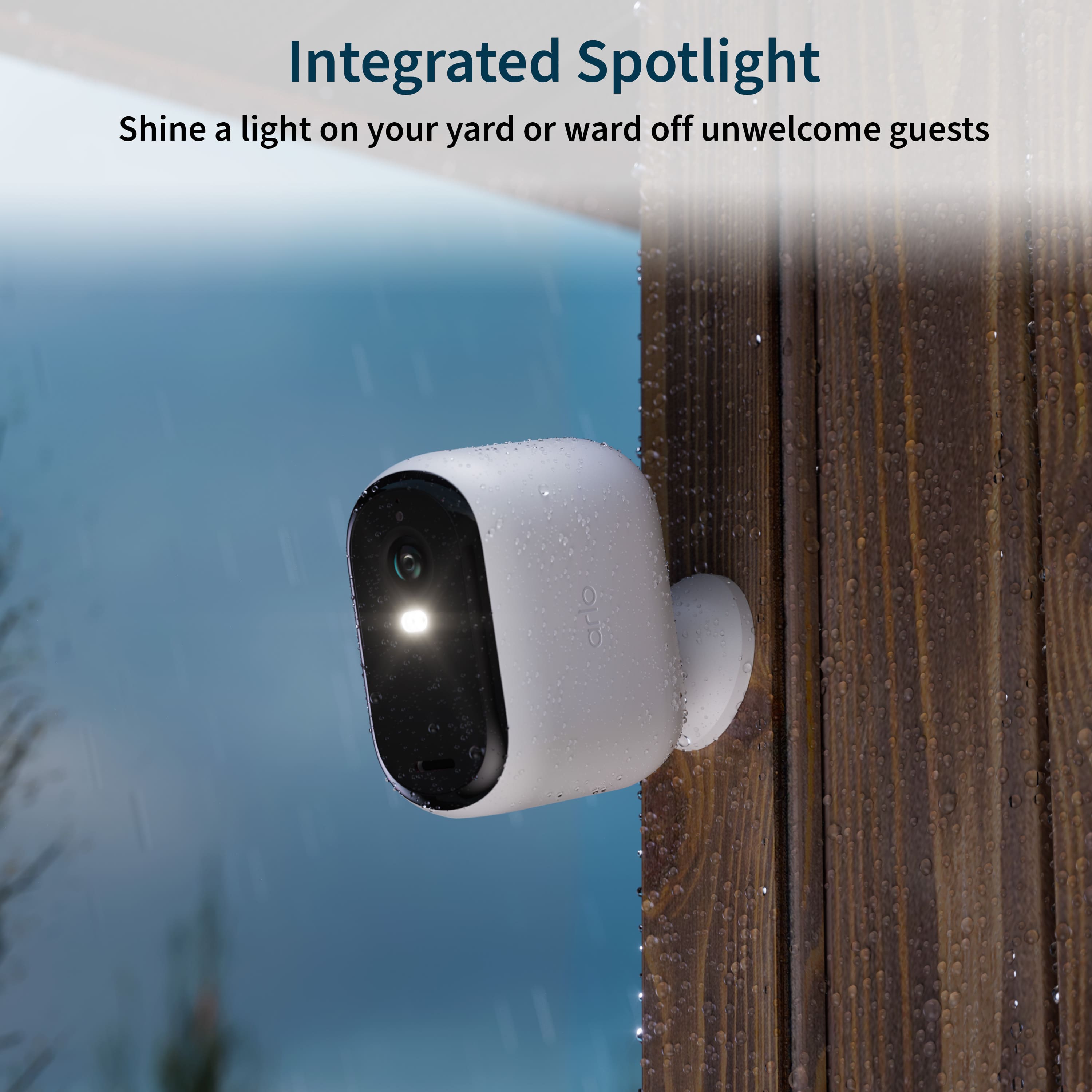
|Posted .This reviewer received promo considerations or sweepstakes entry for writing a review.I recently tested some other battery powered wireless cams from another company. Loved the simplicity - all magnetic, so didn't even have to screw anything anywhere. But their 300-day claim of battery life was laughable. Even in my back yard with nearly no movement at all, and settings minimized and never actually doing live view, by the time I hit 2 months I was already pulling it down to charge as it had reached below 30 percent. So while the convenience is awesome, the promises so far have all fallen flat. So I was curious as to how these would compare. I have a wireless (but still using AC power) Reolink system for my external security, since I prefer having everything going to an NVR. But I have issues with one of the two backyard channels, and even with RMA’d cameras, the problems persist, so it’s likely an NVR issue. However, that battery powered cam has been just fine in that corner under my eaves, other than the battery life not lasting as long as claimed. So even for someone like me with a powered system and NVR, units like this have great potential. One of my problems is that I have no real interest in a pay service for cloud saving of things, I prefer to simply keep them on a micro SD card. And that's the downside here - no memory card option. So we'll see. If it would give me functionality where the Reolink failed, I wouldn't be against a paid service if it was cost effective. Package they ship in is small, tightly packed. The cameras are well packaged from damage. It ships with three USB cables, but not a single plug for them, so you are dependent on your own power option to charge. I got all three charging, and it shows an initial light but then nothing. And of course, they ship it with just a little slip of paper and a QR code, so you have no information to do the initial set up out of the box. You have to go online somehow. There is no indication that charging is happening. I had to google to find out that in theory the blue light should turn solid when it's fully charged. Hopefully they're charging, since I won't get around to adding them to the app for a bit. I would have preferred a blinking light, at least maybe once every 10 seconds, to simply SHOW that it's actually charging. I assume the app will show charging status once I get that far. App setup was simple, but annoying. I'm used to things like this capitalizing the first letter of fields. To me it's a more polished look when the name of the site and such have a capital letter. With this app during the setup, nothing, not even my name, was by default, capitalized. After a few hours of charging, I powered one up and added it to the Arlo app. That process was simple. Bluetooth, so none of this switching the phone to some self contained access point to initiate the connection. It updated itself, and was ready to go. The first one needs you to specify the wireless network and the WPA key, but after that, successive devices can default to the same network. All you have to do with each camera afterwards is name it. Quality of the image is very good. There's about a 3 or 4 second delay both locally and from outside the network. But my first annoyance with the app is that it doesn't persist settings. I set the sound to be off for the camera in the app - and next time I open the app, sound is on again. Since I check things sometimes from work, I prefer to not introduce all the outside noise, cars, dogs barking, or the wind sounds blowing over the microphone hole at the office. On all my different security camera systems, I always keep the sound off in the app unless I WANT to hear something. That apparently won't work here. The app does show the battery level. Still not quite fully charged, so I'm leaving it charging as I test. I also like the way I can set up my main screen of the app with widgets of the cameras, large or small. Nice touch. I liked seeing the ability to turn these on and off with the app. I assumed "Off" would simply disable all camera features and detection and such, and simply leave the wireless connection active so it could be enabled again. However, for a while I was unable to turn them back on via the app. It LOOKED like it should allow it - there is a sliding button like most of the other settings. And you can slide it to "on" and it starts spinning as if it's waiting for the camera to come back online and such, all the options below for camera settings suddenly are visible again, but then it times out and simply is off again, and showing the camera still off, and all those camera settings vanish. Sometimes it would hang and I had to force the app closed and open it again to get the app working. Cameras were off, but the app just wouldn't respond when I tried to change the power states. So while this kind of works, the results are inconsistent with what you'll actually get with the app. You have the normal options for the various camera settings. Power settings that tweak for best video with reduced battery, an optimized option to balance things, or best battery life that reduces video quality. You can set for low power mode as well, which then leaves only still snapshots, not videos, being recorded. It can be set to automatically set itself to low power mode anywhere from 10 to 30% of remaining battery, depending on your needs. At my house, I'd use 10%, but for someone using these at a remote location or a second property, you may want the 30% so it lasts longer until you're back on site and can recharge the battery. Black and white night vision or color (color just means the spotlight turns on and allows for a "daytime" experience with movement). You can set recording times, and motion detection sensitivity. It seems to have some intelligence as it's not reporting everything that moves. You can set recording to simply keep recording until activity stops with a max of 5 minutes, or you can record for a fixed length when it detects motion or sound. The siren - at first I couldn't find anything to actually DISABLE it. Since I have people who walk dogs at night, I certainly wouldn't want it going off whenever they went past on the sidewalk. Then I found that there are only options for that when you have it armed. I was working in the app and found all those settings under notifications. As seems the norm now-a-days, you can select people, pets, vehicles, or everything. And selective turn on or off any of the four. And what I really was impressed with was the ability to create FIVE separate detection zones, totally independent of each other. None of my other systems ever allowed ANYTHING that granular. One downside for me - these aren't usable for me where I had wanted to use them without a third party mount. I don't mount things into the walls of my house, I don't want to be drilling holes into the siding. It is easier and far more preferable to me to mount them under the eaves, but that would leave me with a camera pointing straight down at the ground. This can only be mounted on a vertical surface, not a horizontal one. But I've found options on some of the major online reseller websites though, so for a bit of extra money, you should be able to come up with a mounting solution that will work for you. I found a few and already ordered them. I do like HOW they mount though if you're going to use the default brackets that come with it. Install the small mounting piece to the surface you're installing it on, then screw the camera to the mount, and slide the mount over that screwed in piece. Makes it easy to get on and off for charging. And it's a very tight little ball mount inside here, so once you get it positioned, it should hold that position well. It IS a tight mount though, so you'd want to be careful and move it slowly as gently as possible, don't want to break anything by trying to move it too quickly or forcefully. During the firmware upgrade of the third, final unit with my iPhone, I figured I'd add the app to my iPad. Scanned the QR code, downloaded the app, logged in, verified it with my phone since they want 2FA. Got it working on the iPad, and then I noticed that it logged me OUT of the iPhone app. Apparently I can only log in from a single device at a time. I wouldn't complain that much if I could only view the stream from one device at a time, but I have absolutely NO patience for an app that LOGS OUT THE APP on another device and forces you to log back in again. I wasn't viewing anything on the iPhone when it forced the logout - it actually INTERRUPTED the onboarding of that third Arlo camera, so I had to go through the last half of it a second time. After 6 hours, I finally had three solid blue lights, so all three cameras were fully charged. Night vision indoors is outstanding. Crisp and clear and I can see the whole way down the hallway that's on the opposite side of the great room where this camera was being tested. Then when I moved it outdoors, it was alright. Not as good as the Reolink, but I experienced a similar dimming with the Tapo camera as well. They don't have the same power for the IR lights that an AC powered camera does. So on its own it doesn't have the same distance. But with the other Reolink cameras going and their IR lights flooding the front yard, this did well. I know some people buy cameras like this and then buy separate IR lights to illuminate an area, and these would pair great with those. Field of view is pretty good as well. Definitely a wider view than my Reolink powered cameras. But not as wide as my Tapo. There is apparently no way to actually completely turn these off. The "Off" mode from the app, which leaves the wireless going but disables the camera, is the closest option there is since there is no battery to remove. I use the iPhone to keep tabs when I'm not home, but I use the iPad when I *AM* home since it's a bigger screen and usually at hand. And having to
I would recommend this to a friend - Pros mentioned:Battery life, Camera quality
Excellent 2K Wireless Outdoor Security Cameras
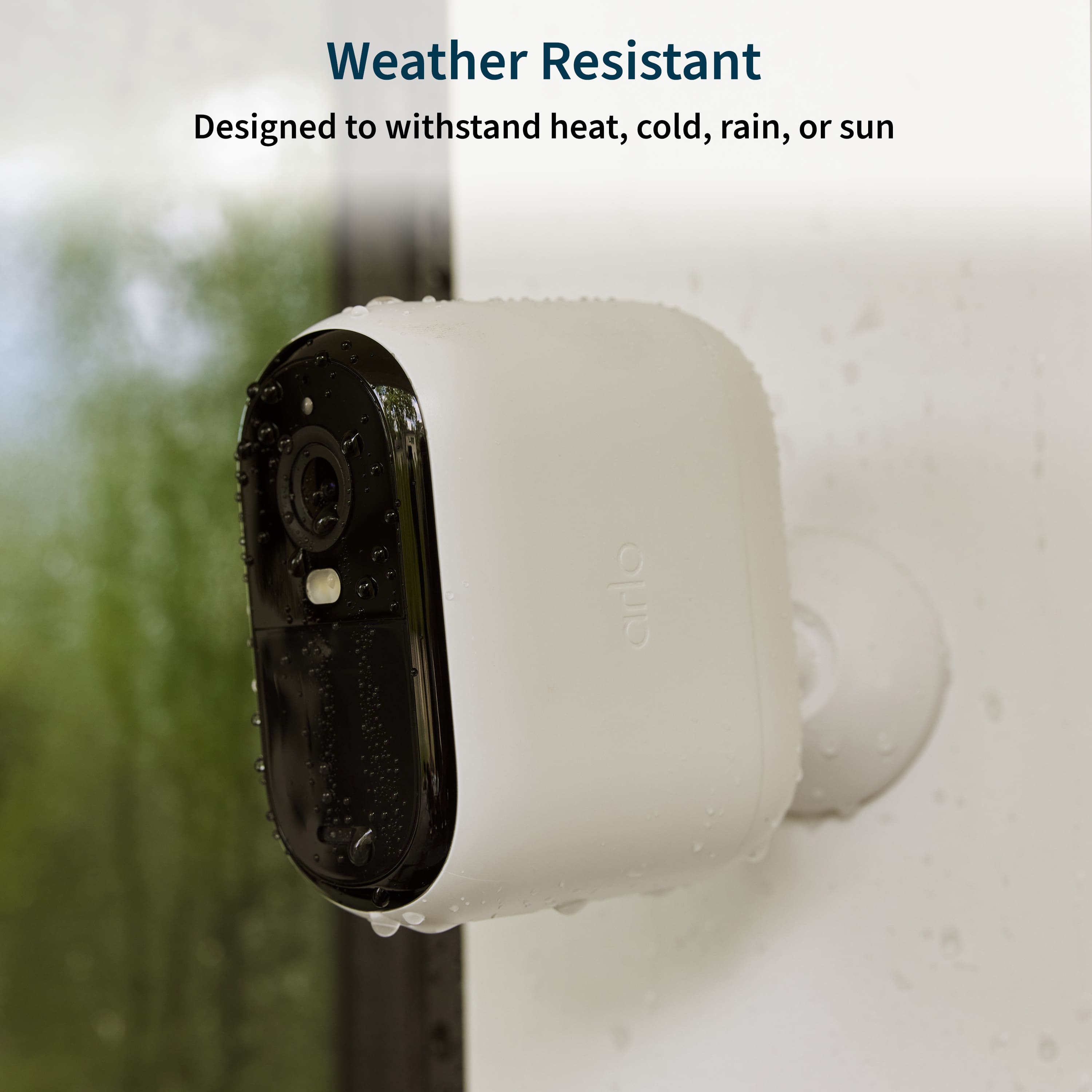
|Posted .This reviewer received promo considerations or sweepstakes entry for writing a review.The 2K video resolution (2560x1440) sets the Arlo Essential XL apart from the competition. The clarity and sharpness of the footage captured by these cameras are truly impressive. Whether it's day or night, the cameras deliver crisp images, allowing me to easily identify people, animals, and objects around my property. The wide-angle lens ensures that no corner of my property is left uncovered. The 130-degree field of view provides an expansive perspective, minimizing blind spots and offering comprehensive surveillance. This feature is especially valuable for monitoring large outdoor spaces. I live in an area with unpredictable weather, central Florida, so the weather-resistant design of the Arlo Essential XL is a must have feature. These cameras have withstood rain and extreme heat and humidity without compromising their performance. The durable build instills confidence in the system's longevity. Setting up the Arlo Essential XL was a breeze thanks to its wireless design. The absence of cumbersome cables not only enhances the aesthetic appeal but also makes installation hassle-free. The cameras are powered by long-lasting batteries, and the wireless connectivity ensures seamless communication with the base station. The advanced motion detection capabilities of these cameras are a standout feature. The system intelligently distinguishes between routine movements and potential threats, reducing false alarms. The timely and accurate alerts keep me informed in real-time, providing peace of mind whether I'm at home or away. Controlling and monitoring the security system is incredibly user-friendly through the Arlo mobile app. From live streaming to reviewing recorded footage, the app offers a seamless and intuitive experience. The customizable settings allow me to tailor the system to my specific security needs. The Arlo Essential XL offers cloud storage options for recorded footage, ensuring that critical moments are securely saved. However, this is also the main drawback as most of the features of the camera require a paid cloud account. Otherwise, you only get live monitoring and simple “motion detected” notifications if you choose not to pay for the cloud storage service. I wish Arlo allowed integration with Apple’s iCloud to avoid having to pay for yet another cloud service. In conclusion, the Arlo Essential XL has more than met my expectations. Its cutting-edge features, reliable performance, and user-friendly design make it a top-notch choice for anyone serious about home security.
I would recommend this to a friend - Pros mentioned:Battery life, Camera quality
Great Hardware with quality results!
|Posted .This reviewer received promo considerations or sweepstakes entry for writing a review.Out of all the completely wireless camera systems I have tried the Arlo Essentials XL Wireless 2K Security Camera (2nd Generation) is the best. These Arlo cameras have noticeably better motion detection picture quality and mic sensitivity. The Arlo Essentials Xl 2nd gen cameras produce very clear video and photos and the impressive part about the motion detection is that it is very sensitive and easily picks up motions on the outside perimeters of the viewing area and will even pick up fast-moving objects with ease very consistently. Another thing that impressed me was the clarity of the sound reproduced by the mic. The playback sound is very crisp and clear and is a joy to experience compared to other camera systems I have used. Not only that it picks up every little detail clearly and sharply. For instance, you can clearly hear car tires going down the street and hear the sound of it running over a stick or pine cone in the road. The viewing area is also equally impressive and is very wide. As mentioned before I find it very impressive that even on the very edge of the viewing area it still picks up everything consistently. These cameras are very heavy and the mounts are very stiff to compensate for that. When I first put the mounts on I thought they did not move because they were so stiff. Then I realized it was for the camera's stability due to their weight and they actually have a good pivot range and I now appreciate the robustness of the mounts. All of that being said I do have a couple of complaints about the hardware. First, I do not like wireless cameras with non-removable batteries. It does not make sense to me to have to take the camera down to charge it and be without them during that time. I find this disappointing and noticed that you have to pay more for a pro or Ultra version to get removable batteries. The battery life is good but they are security cameras so you should be able to keep them going with extra batteries if you choose to. Another thing is that there is no hub or onboard storage with these cameras. I would rather have an indoor hub that all of the cameras attach to instead of directly to WI-FI. Then you could have onboard storage at the hub instead of having to pay and rely solely on Arlo’s cloud storage with a paid subscription. It seems that their whole business plan is geared to make you spend more money than necessary to get features that should be included in all of their wireless cameras. That being said there are other choices out there it is just disappointing because the cameras are really good quality. I feel like they could cut corners in other ways through their offerings of different-level cameras. Moving on to software there are definitely a few issues there. When I first got the cameras and tried to set them up they were having issues with the system and they would not set up. However, the issue was quickly resolved and it was working the next day. The app's user interface could be better as well. I feel like the user interface could be more intuitive and the software needs to be polished up a bit. For instance sometimes when I open the feed I have to scroll up a long way to get to the most recent activity in the feed which is very annoying. I would also like to see the battery level displayed on the camera feed for each camera without having to go into settings. The dashboard also does not make any sense to me for instance it is just showing the oldest activity out of all of the cameras right now. Why does it only show one there and if it is only going to show one it should be the one with the most recent activity not the oldest activity. It also needs to be more clear what the three settings do and the difference between them. Meaning when you change between them you should get a pop-up of what the setting is doing when you change it and what it does to the cameras. When you switch to Arm Home it does pop up an information screen to what each device should do when you are in the Arm Home setting but when tapping continue nothing happens to lead you into set up and that is unintuitive and useless. It should guide you through the setup at that point. I also have had some issues with the night vision settings not cooperating correctly. I want to have color night vision on without having to use the spotlight. The camera should be able to use other light sources for color night vision. Right now with an exterior light on that is outside the house the camera initiates in color then after about one second it switches to black and white. So they need to fix that ASAP. There is no reason why it can not have color night vision using light from another source. I do like how you can customize and add actions to Arm Home in settings. However, it would be nice if you could choose more than one action at a time when setting Arm Home from the action menu. This is not too big of an issue but it would be more intuitive I feel. Overall, the software is okay and you can get things to work pretty well my biggest issue is the night vision issue. The Arlo Essentials XL Cameras are very good cameras and I really like them. I just hope that Arlo is working to continuously improve the software and that they read reviews and take action to improve their product. While I do not necessarily like their approach to their business model regarding their line of cameras and equipment they have a great product here. I would still like to add a couple of more cameras I just wish I could use the essential XL with the hub and other Pro version cameras in the same system and I am not sure if I can do that or not. If you are okay with the setup and layout of the Essentials system despite a few shortcomings they are still some of the best wireless cameras you can get for quality hardware and great recording results!
I would recommend this to a friend - Pros mentioned:Battery life, Camera quality, Ease of use
Easy install, Great value
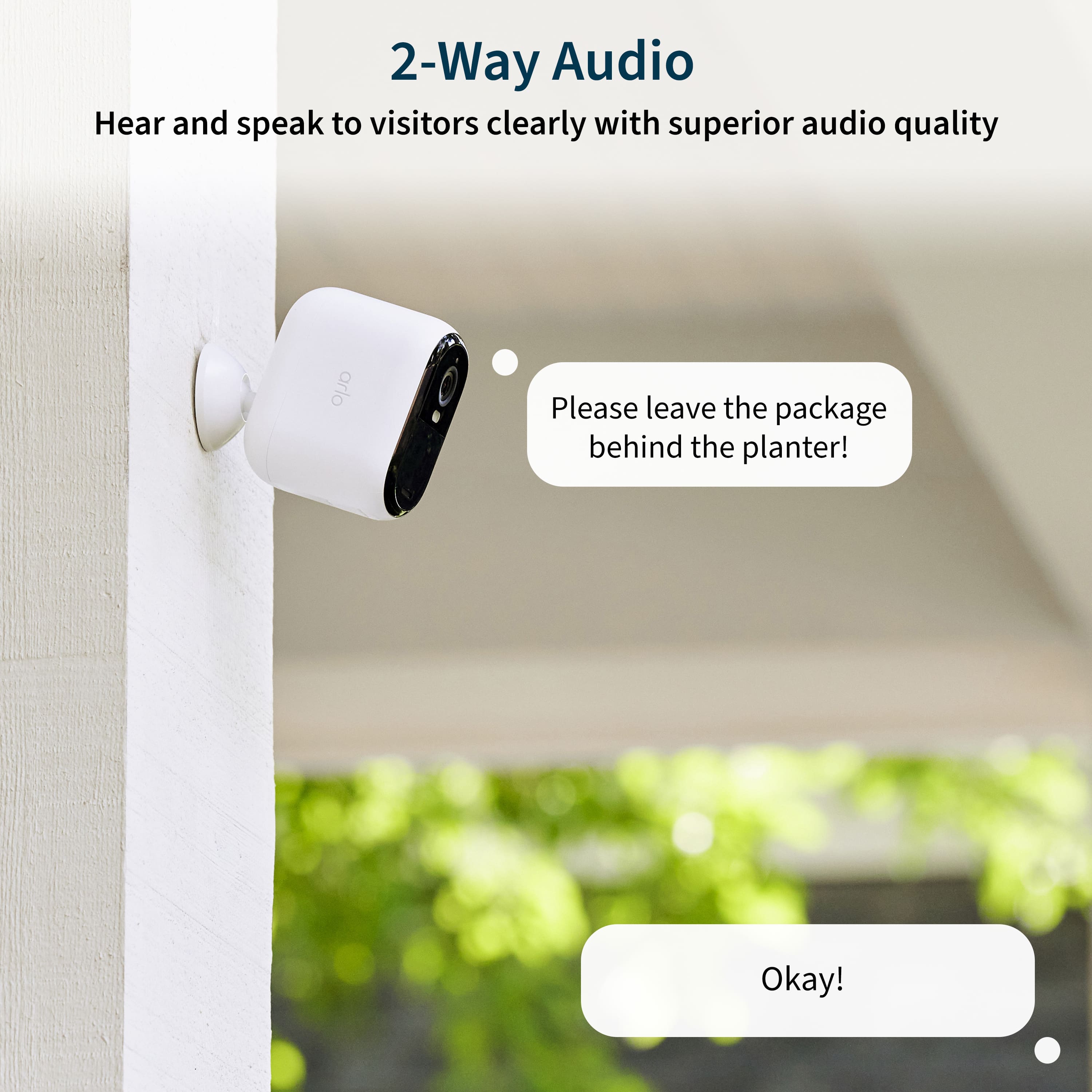
|Posted .This reviewer received promo considerations or sweepstakes entry for writing a review.This review is for Arlo - Essential XL 3-Camera Outdoor Wireless 2K Security Camera (2nd Generation) with Longer Battery Life I have been a long time Arlo user. And these new Essential XL 2K 2nd generation didn’t let me down. You can use these cameras any where you have Wi-Fi. I have one at my front door. And get smart notifications, like when a package is seen and then again when it moves. Other notifications you may see will be people, vehicle and animals. The 2k video quality is good for a wireless camera. You won’t be reading license plates. But the picture quality is good. These cameras also have two way audio. Making it easy to chat with who ever is at the front door when I’m not home. These are by far some of the easiest security cameras I have set up. Anyone can install these even if you are a new Arlo user. The Arlo app is easy to navigate and packed with options. You can setup how big or small of a zone you want to monitor for motion. So the camera at my front door will only notify me once someone walks up my sidewalk to the door, even though they can been seen on the video if just walking on the main sidewalk down the street. You can also set how long it will record after motion is detected or just intill the motion stops.
I would recommend this to a friend - Cons mentioned:Connectivity
Better options exist
||Posted . Owned for 3 months when reviewed.This reviewer received promo considerations or sweepstakes entry for writing a review.The item did not work for me. It could not connect.
No, I would not recommend this to a friendBrand response from Arlo Team
Posted .Hi
Thanks for sharing your review. We'd like to learn more about the concerns you have shared above. Please reach out to our support team so they can further address your concerns and provide assistance by navigating to Settings > Support within the Arlo app to explore the support options available to you.
We appreciate your patience and understanding.
Best regards,
Arlo Team
- Pros mentioned:Battery life
Not enough information
||Posted . Owned for 1 month when reviewed.This reviewer received promo considerations or sweepstakes entry for writing a review.They tell me not enough and got cut off, they should show with a little more info.
No, I would not recommend this to a friendBrand response from Arlo Team
Posted .Hi
Thanks for sharing your review. We'd like to learn more about the concerns you have shared above. Please reach out to our support team so they can further address your concerns and provide assistance by navigating to Settings > Support within the Arlo app to explore the support options available to you.
We appreciate your patience and understanding.
Best regards,
Arlo Team