Customer Ratings & Reviews
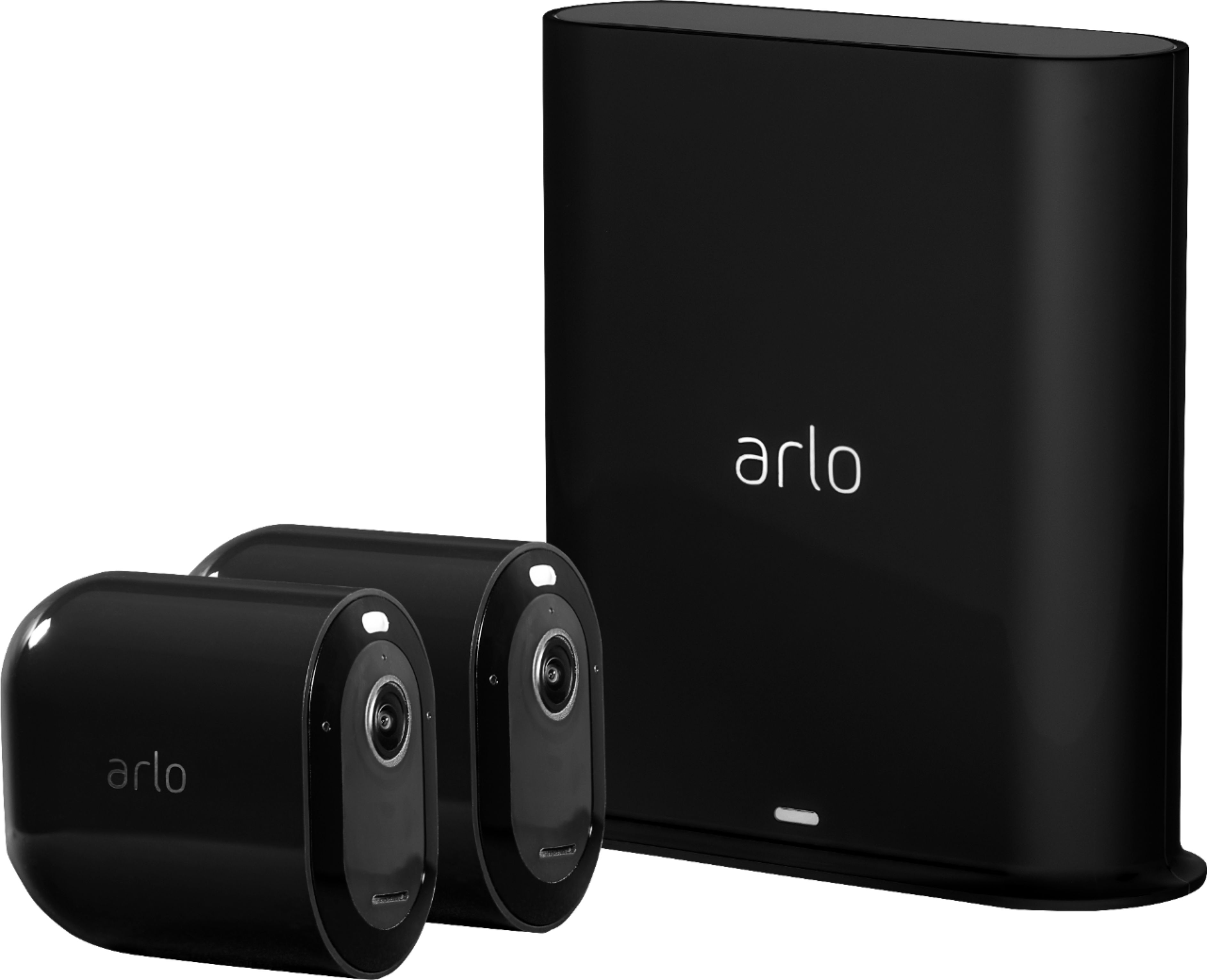


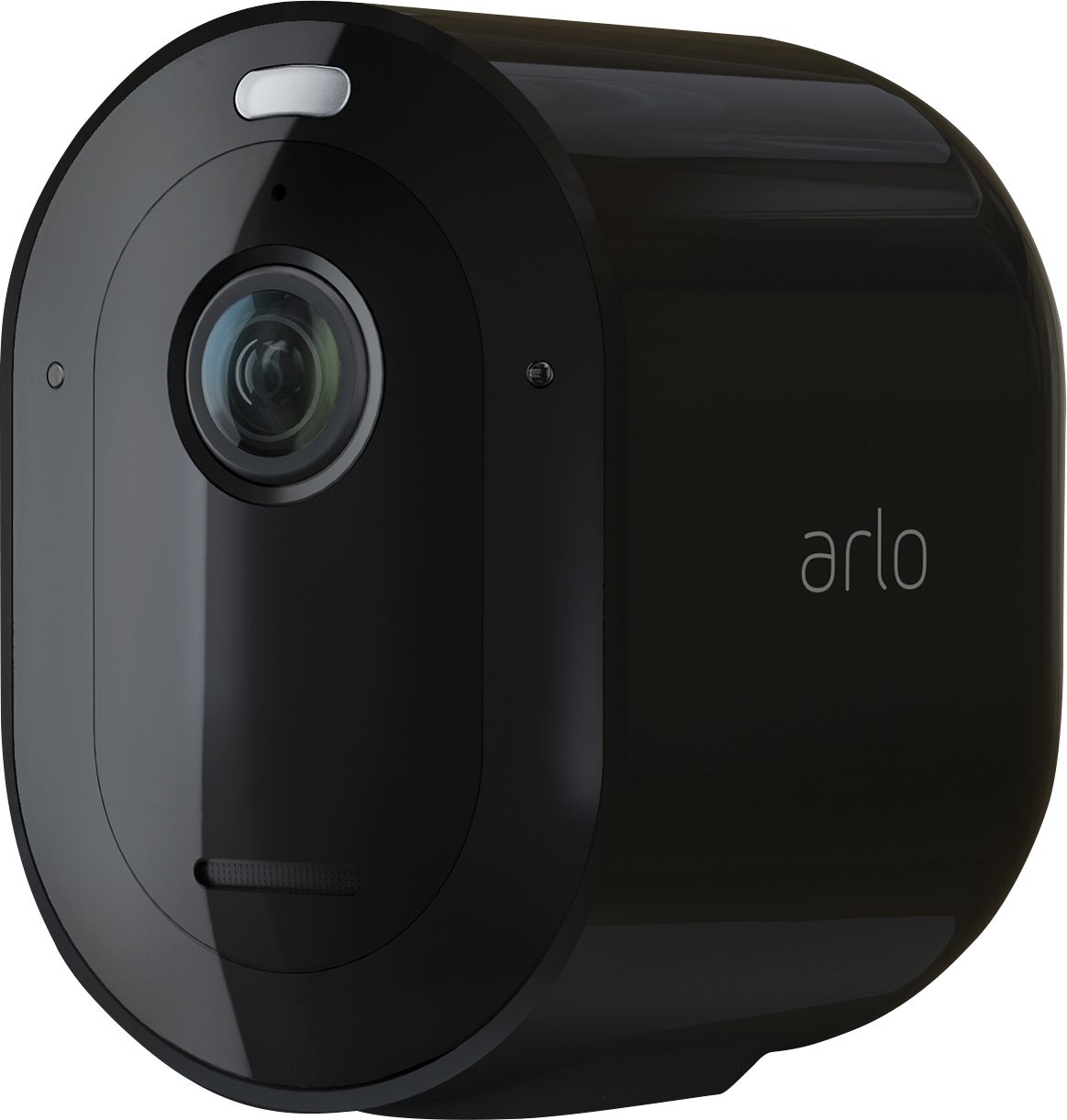
- Model:
- VMS4240B-100NAS
- SKU:
- 6364590
Rating by feature
- Value
Rating 4.1 out of 5 stars
- Quality
Rating 4.4 out of 5 stars
- Ease of Use
Rating 4.4 out of 5 stars
Customers are saying
Customers admire the excellent camera quality, ease of use, and straightforward setup of the Pro 3 4-Camera Indoor/Outdoor Wire-Free 2K HDR Security Camera System. Many appreciate the effective motion detection and night vision capabilities, along with the added benefit of a spotlight. However, some users have noted concerns regarding battery life and occasional lag in notifications. A few also mentioned minor issues with the app and siren functionality.
This summary was generated by AI based on customer reviews.
- Pros mentioned:Video quality

Ultimate upgrade
|Posted .This reviewer received promo considerations or sweepstakes entry for writing a review.This Arlo Pro 3 is the best version that Netgear has ever made. Battery lasts longer, 2K video recording with HDR even when zoom in, spotlight built-in which triggers when camera detects motions and stay on for 24 seconds according to my stopwatch test, night vision and 160 viewing angle, 2 way audio with noise-cancelling for a clear sound recording, mounting kit is new design but looks more sturdier, magnetic charging cable is convenient, and smarthub base is sleek. I have long experience with Arlo since the first generation, this Arlo Pro 3 is my best in teems of picture quality and sound, and the spotlight that enable the camera to record at night almost like in day time. Great investment!
I would recommend this to a friend Excellent DIY Camera Kit
|Posted .This reviewer received promo considerations or sweepstakes entry for writing a review.Arlo Pro 3 I have quite a bit of experience with the Arlo line as I have been using an Arlo base station along with 2 of the Pro 2’s and 2 Pro’s for the past few years. I love these, they have been reliable, secure, and can take a beating in the elements. I have no doubt the Arlo Pro 3 will prove be even better! === In the Box === Inside the box there are the two Arlo Pro 3 cameras, the Smarthub base, 2 rechargable batteries, a magnetic mount, 1 outdoor mount, 1 magnetic charging cable with usb charger, power cord for the Smarthub, and an ethernet cable. I find it a little odd that there is only one charging cable in the box for two cameras. I suppose the idea is the batteries are expected to last so long that you can survive with just one cable, simply removing the cameras or their batteries and charging them as needed. For me, personally, I like to wire the cameras up to a power source so that I never have to worry about them, so I would have appreciated two cables. The way the kit is put together it almost guarantees you will need to buy at least some accessories such as an extra charging cable or the dual charging station. In case you were wondering, the batteries are different than the older Pro or Pro 2 models so not compatible. === Setup === Setup is dead simple with the Arlo app. Find a spot near your router for the Smarthub (has to be connected via ethernet, wifi not supported) and plug the ethernet and power cable in. The app will detect the new Smarthub and then you follow the instructions to add each camera. There’s a button on the bottom of the camera to release the unit from its housing to insert the battery. The whole process could not have taken more than 5 minutes. I was a little worried I might have issues since I use the same app to monitor my existing Arlo base station but looks like the older base station and new Smarthub and all six of my cameras can co-exist in the same app. I could have added all the cameras to the new Smarthub if I wanted to but I’m glad that I am able to use two base stations as there are some areas around my yard where the old base station couldn’t reach. Now I have two hubs in two different corners of my home so I have much better coverage for the cameras. As mentioned above, there are two types of mounts included. With the magnetic mount once you affix it to your wall the camera simply pops onto the mount at almost any angle. It also makes it easy to remove the camera when you have to recharge the battery. The other mount is a necessity if you need to mount in an outdoor or high location. For now I’m using the magnetic mount in a new location and replaced one of my existing mounted Pro 2’s with the Pro 3 While cloud recording is automatic, you may also want to connect a USB hard drive to the Smarthub for local copies of the videos. === Usage === Once everything is synced and mounted you use the Arlo app on your phone to manage and monitor the video feeds. The system should be armed which means the cameras will detect motion and automatically save the video to the cloud, turn on the LED spotlight, and send a notification to your phone. You can go into the device settings to turn any or all of this off. You can also configure the cameras to take action on sound instead of motion or to activate the siren on the camera. The siren is not ear piercing loud but I’d imagine it scare most intruders away especially if the spotlight also comes on. I didn’t find the auto zoom and tracking to be that great. It’s not very smooth especially when the object it is tracking is moving quickly. You can use the app to have two way audio communication with someone but this is not a feature I use often. The system can also be synced with a smart home system such as Apple’s Homekit. Here you’ll be able to see your cameras live in the Home app on your Apple devices. One of my favorite features is I can open the Home app on my Mac and select a video feed to keep open in a small window in the corner of my screen. Perfect for watching out for the pizza boy! Google Assistant and Alexa are also supported but I haven’t tried these out. If you want to turn off the detection and video recording, simply open the app and disarm the system. There are also options to arm/disarm on a schedule or geofencing. === Performance === I can definitely tell a difference in the image quality between the Arlo Pro 2 and Pro 3. Take a look at the image samples below. There is more detail in the Pro 3 screenshot and the colors are more natural than the Pro 2 which is quite a bit oversaturated. The color night vision is pretty neat. You could clearly see I was wearing a red shirt at night but note that it does not work if you do not have the LED spotlight enabled. === Pros === App based setup Two-way audio 2560 x 1440 resolution w/ HDR Color Night vision Wider field of View than Pro 2 Spotlight Built-in Long battery life Auto Zoom and Track Homekit, Google, and Alexa support Built-in Sirens Alarm Detection Local USB Storage === Cons === Includes just 1 magnetic charger Pricey when you consider you'll likely need accessories and a subscription as well Overall, the Arlo Pro 3 is a nice addition to the Arlo lineup. You get mostly the same features as the more expensive Arlo Ultra, only sacrificing resolution. I would definitely buy these over the Arlo Pro 2 at this point as the increase in resolution, color accuracy, and night vision are worth the upgrade.
I would recommend this to a friendArlo keeps getting better, good improvements
|Posted .This reviewer received promo considerations or sweepstakes entry for writing a review.First I need to say, I'm not an Arlo fan boy but I have owned several iterations of their Arlo security cameras. I had the original Arlo, Arlo Pro 2 and now the Arlo Pro 3. I got the Arlo 3 and it did not disappoint. I already had the Arlo Pro 2 and I saw the differences included: 1. Better resolution, 2k (Arlo Pro 3) vs 1080p (Arlo Pro 2) 2. Built-ln LED spotlight 3. Auto Track and Zoom Feature 4. Colored night Vision SETUP: The setup up on Arlo Pro 3 is easy just as the Arlo Pro 2. The mobile phone setup couldn't be much easier, Arlo has made it very simple. Plug in your Arlo Base to your modem, connect power and download the Arlo app. Once you start up the app, you're just following the on screen instructions which are, put battery into the camera, wait for your mobile phone setup to search for the cameras and you're done! Getting to the features which made me switch to Arlo's newest line. So the major thing that your'e getting int he Arlo Pro 3 is the addition of 2K video (2560x1440 res), an addition of 78% more pixels over my Arlo Pro2 (1920x1080 res). The next feature I really like was the LED spot light. This was a great addition Arlo put into their newer cameras. In stead of just having nightvision you now have the ability to turn on and off the spot lights when you wanted additional lighting. Lets be hones though, this one be the salve all for far distance of dark corners. You're still going to have some corners where you can reach but at night this thing can make the difference of catching someone face and not being able to see. Arlo also improved on their nightvision with color. Also thought I could see the difference of black and white nightvision vs colored night vision it took a double take. One of the coolest features is the Arlo Zoom and Track feature. Arlo says the camera can do up to 12X digital zoom. Battery life is still just as good for a battery operated camera. I haven't had much time with this but from just the time using it and viewing the battery level after 3 days it looks like it could go for a few months in between charges. Arlo claims up to 6 months between charges. In conclusion, I"m really happy with the improvements Arlo made to the Arlo Pro 3. They were features I'd upgrade from the Arlo Pro 2.
I would recommend this to a friendarlo pro 3 junk
||Posted . Owned for 8 months when reviewed.This reviewer received promo considerations or sweepstakes entry for writing a review.the cams leak water into them and quit working. arlo tech support is the worst out there. dont waste your money on these they quit working and dont record as advertised
No, I would not recommend this to a friendReturn
||Posted .This reviewer received promo considerations or sweepstakes entry for writing a review.Paid full price for a new item and was given an open box item. Did not expect this type of service from Best Buy!! Unnecessary hassle as need to return it now.
No, I would not recommend this to a friendUnsatisfied
||Posted . Owned for 1 month when reviewed.This reviewer received promo considerations or sweepstakes entry for writing a review.My dads truck got broken into and I couldn’t see a clear face on night vision , about 30ft. Not to happy with this item and I think my return might be over with, not sure.
No, I would not recommend this to a friend- Pros mentioned:Video quality
Great for inside use, not as good outside
|Posted .This reviewer received promo considerations or sweepstakes entry for writing a review.Having a new baby prompted me to install home security cameras at our residence. Things I knew I wanted/needed included being fully wireless and also having the ability to see and interact with the cameras through my Android phone while receiving real time alerts, even when away. With advances in wireless technology and a new baby, I figured it was the right time to try this out. After charging both batteries, I found that the initial App/Camera setup was so intuitive and simple that anyone could do it. My Android phone (Arlo App installed) saw the cameras, paired, and updated flawlessly. The App guides you through all of these steps in a pleasing manner and I did not experience a single hiccup. I planned on installing the first camera inside my main front picture window looking out to the front yard and the second one inside my sliding glass door looking out to the back yard. At first I could not install both because the package only includes one universal indoor/outdoor mount and one magnetic mount. The latter being useless for this type of install without modification to get a camera pointed in the right direction, so off to Best Buy I went to get another indoor/outdoor mount. The Arlo mount offered in store was actually much better than the one that was included in the box. Not sure why those aren’t the standard mounts. Fast forward to the install of the cameras and those were up where I wanted and pointing out the window in no time. Having the options all set how I preferred (night vision, activity zones, etc) I was ready to test the video quality. It was still mid-afternoon so everything looked really good. The picture on my phone is great when using the option to stream in 2K. The first thing I noticed was the delay to the see the live view, which takes roughly five seconds once either of the cameras “play” button is pressed in the App. Both of my cameras are receiving an excellent result as far as signal strength to the smart hub, so there is definitely room for a speed improvement in relaying the live image to your phone screen. I then waited for dark to do the night vision testing and found out the hard way that mounting the cameras inside and pointing out a window does not work at all how I expected. It seems that (when mounted close) the extra glass in-between the camera and exterior confuses the cameras and system making them extremely unreliable. This is a big concern for me, as I did not want to mount the cameras on the outside of my home since they would be easily susceptible to theft and/or vandalism. While the App and the base station (if a USB storage device is connected) both grab and save the video clips when movement is detected, that doesn’t do much for you when a thief or burglar can simply unscrew the camera from the mount and be on their way in seconds. I would much prefer a camera that can be mounted more securely. Back to the extra glass in-between mentioned above… When mounting the cameras inside pointing out (and close to) a window at dark, if you have night vision turned on, all you will see is the reflection of your camera in the glass. Huge bummer. Turning off the night vision showed the exterior scene better, but no movement was detected outside at all, therefore I was forced to mount them under the overhang on each side of my house and in plain sight. I have now had these up for a few days and can honestly comment on the reliability so far. After watching both cameras intently and checking every push notification I received in the App as it came in, the following are my initial thoughts. The Activity Zones are hit and miss at best. My review photos show the zones I set up for both cameras, as well as a screenshot of precisely when the zones actually saw me and triggered a recording. I actually had to be all the way into the closest side of the zone and right by the house before the cameras were triggered. In the back of my house (Back Door & Shed pic attached) I was using two zones initially, but now use the entire frame of the camera as one big zone instead. I did not see a difference in performance either way and still needed to be really close to the house to get the camera to see me. That said, the front of my house (Driveway & Front Door pic attached), is set so the cars passing by on the street would not trigger the cameras and that has worked perfectly. I also occasionally get push notifications if a cat or squirrel gets too close so sometimes the sensitivity is on point. Lastly, and most importantly, I had a delivery dropped at my front doorstep early afternoon yesterday and the Camera/App didn’t even trigger at all. This has only happened once, but is worth mentioning. I am running the current Firmware for the Base Station and both cameras. The delay between the camera seeing and triggering an event and giving you a push notification is roughly 20 seconds (sometimes longer), which is far too long if there were to be an emergency. Again, both cameras show that they have excellent signal strength. While the App is laid out quite nicely and is easy to use, there are again some speed issues. At the bottom right of each camera signal on the “Devices” tab, you will see a number that counts how many clips have been recorded for each scene throughout the day. Simply tapping on the number (or the “Library” tab at the top) will take you to the library of clips. I have found that sometimes I need to refresh the library page by swiping down with one finger before seeing newer clips. Once they all show up, simply pressing the play button on any clip will buffer it for viewing (full screen if preferred). Buffering can take a few seconds depending on your WiFi speed. While viewing the clips, it is easy to favorite, download, or delete the files. Back in the main library tab, if you press and hold on one of the clips, you can also easily select all (or none) of the clips for batch downloading, or deleting. The library clips are also laid out by date which shows at the top of the library screen. I will say again that I do like the App, its layout, and features, I just wish it was quicker. You can also forward your push notifications to your smartwatch which is awesome. I am using a Fitbit Ionic and it works for me. I cannot comment on the rain worthiness of the cameras, as mine are under shelter. The alarm is quite loud and definitely good enough to scare someone away with a jolt. The spotlight is a nice touch but it is not very bright. I am sure it would be sufficient indoors, but outside it really only lights up about ten feet before significant fall off occurs (see last attached photo). All in all, I was hoping to be more impressed with the whole package considering that this is the third Arlo version and one would assume that most of the kinks including customer feedback would/should be worked out by now. For a more controlled (interior only) application, I can see where this would be a good choice, but for exterior use, it could still use some work. It is possible that future Firmware updates could resolve some of my issues and if they do, I will gladly leave a new updated comment on this review. PROS: Excellent App that is very easy to use (Running Android 10) Initial App setup, connection, and Firmware update were quick and easy Ability to attach a USB thumb drive to the base station for backup of clips USB drive can also be formatted from the App Battery life seems good so far 2K resolution during the day is sufficient Alarm is loud CONS: Unreliable through windows at night and does not work at all with night vision turned on App (while nice, easy to learn and use) is slow Completely missed a broad daylight delivery to my front door on one occasion so far 2K resolution with Night Vision is rough. Don’t expect to see any facial features. Wish there were two (of the better) indoor/outdoor mounts included
No, I would not recommend this to a friend - Pros mentioned:Motion detection, Video quality
Arlo Pro-3 Cameras
Posted .This reviewer received promo considerations or sweepstakes entry for writing a review.These are an excellent choice for surveillance and safety. The color night vision, auto-zoom, motion and audio alert features are top notch. Once the Arlo app is downloaded on your smart phone, these high definition cameras offer unlimited options such as the capability to single out what motions you’d prefer (ex: people, animals and/or vehicles) simultaneously or separately. It even has the option of being alerted via audio once a smoke alarm has been set off. And to top it off, you can opt for live 2k streaming, hear activity outside and speak with unwanted visitors. You can also set the areas as to where you’d like to be notified of movement. Overall these are great security cameras and I recommend that you purchase skins to protect them from scratches and possible damages from animals. I actually enjoy viewing the clear detailed footage from these that you can also share and forward to others via email or text. I am beyond happy with this purchase.
I would recommend this to a friend - Pros mentioned:Ease of use, Setup, Video quality
Easy Set Up
Posted .This reviewer received promo considerations or sweepstakes entry for writing a review.Simple set up and easy to use app. Highly recommend this to anyone that wants an easy to use system with excellent video and audio system. I’ve had monitored systems where I paid monthly fees and this is a much better system and I own it outright. I’m able to move the cameras around to ensure I’m looking exactly where I want, I can talk to my dogs or my family when I’m not home. I can set personalized alerts or select from standard alerts. I didn’t need any tech support & the FAQs online answered any questions I did have. The video quality was great day & night. Definitely recommend to anyone that is looking for a simple system that doesn’t require wiring up cameras & wants a wireless solution.
I would recommend this to a friend Expensive but Sa-Weet!
|Posted .This reviewer received promo considerations or sweepstakes entry for writing a review.I have been using home monitoring cameras for years – starting with the first generation Arlo devices. I have 10 cameras at home and 4 at my cabin – all tied to the same account for easy viewing. I’ve seen the progress of Arlo, it’s devices and software/apps over time, and although they’ve made steady progress, they are typically more expensive and a bit behind the competition. But, I still use them! I haven’t purchased any Arlo devices since their split from Netgear, so I was excited to see the features the Pro3 cameras implemented. Before upgrading my IOS app, I read the horror stories of early adopters and was reluctant to upgrade. I held out until the last day, then made the switch. To my surprise, it was pretty seamless and so far haven’t really had any issues! OK – onto the cameras. The Pro 3 is a pretty big step up from my previous models. Most notably are the 160 degree field of view, high resolution graphics (2k), built in LED light for better night time seeing and a USB port of the Smart hub for more video storage. Also changed is the magnetic half-sphere mount. The Pro 3 now has a concave mount, so it’s not compatible with previous version. Why did it change – unsure, but seems to hold well! I’ve attached a picture so you can see. Overall – the new cameras offer better resolution and features and integrated easily into my subscription.
I would recommend this to a friend- Pros mentioned:Setup, Video quality
Easy
Posted .This reviewer received promo considerations or sweepstakes entry for writing a review.Easy setup and great video quality Easy to install outdoors as well
I would recommend this to a friend - Pros mentioned:Motion detection, Video qualityCons mentioned:Battery life, Response time
Read before you buy
||Posted . Owned for 1 week when reviewed.This reviewer received promo considerations or sweepstakes entry for writing a review.It takes several hours to charge each battery. With the 4 camera system, it will take over 24 hours to get them all installed. Then when charged, I barley got one day of use. This was after reducing the 2k video and motion sensor and turning off the spot light. I really have never gotten all 4 cameras charged at one time. I keep having to charge one and always one not functioning. It’s really unbelievable how long it takes to charge one battery in half as the other rundown. Also a Arlo has changed the way they do their subscription, used to on the old cameras you could have one weeks worth of streaming videos to view from your app while you’re away now you have to subscribe to be able to have that functionality which is 120 or so a year. So after your 30 day trial you have to subscribe if you want to be able to record video and be able to see it while you’re on vacation this is not very good plan to have I will be returning these shortly within my 30 day. If you’re going to buy these cameras installed them outside your house you’ll probably need to run power to each one to be able to functionally you your system otherwise you’ll be constantly charging your batteries or you could buy the extra batteries and chargers but still you’ll need to crawl up on your ladder and change to that often. The video quality is very good the motion sensor works pretty good there is a long lag of 10 to 20 seconds between what you see on the screen it when it happened. The lag seems to be awful long lag compared to the ring cameras.
No, I would not recommend this to a friendBrand response from Arlo Team
Posted .Hello ChattanogaHenry,
We appreciate your feedback. For tips on how you can extend the battery life of your Arlo camera, check this link : https://kb.arlo.com/291/. Also, here's an article that you may check to optimize the motion detection of your Arlo cameras : https://kb.arlo.com/1015583/.
For further assistance, please contact Arlo Support Team at https://www.arlo.com/en-us/support/contact.aspx.
Regards,
Arlo Team
^RM
- Pros mentioned:SetupCons mentioned:Battery life
Arlo Pro 3
||Posted .This reviewer received promo considerations or sweepstakes entry for writing a review.We installed it over 2 1/2 weeks, so far so good. Pros: easy to install; vivid color (2K) and clear night vision with 160 degree wide angle and good customer support Cons : battery ran out fast; the included Charging cables are too short to use. We purchased 5 charging cables from Amazon. Arlo accessories are pricey, brief delay of notifications; unable to add the extra camera, we had to take the camera down, opened it in order to sync with the smart phone. It would be nice if there is a remote sync in button at the smart hub base.
I would recommend this to a friendBrand response from Arlo Team
Posted .Hello NYCAmy,
Thanks for your feedback. For tips on how you can extend the battery life of your Arlo camera, please check this article : https://kb.arlo.com/291. If you need further assistance with your system, feel free to contact Arlo Support Team here : https://www.arlo.com/en-us/support/contact.aspx.
We look forward to hearing from you.
Regards,
Arlo Team
^RM
- Pros mentioned:Setup, Video qualityCons mentioned:Connectivity
Might want to go with the PRO 4
||Posted . Owned for 3 weeks when reviewed.This reviewer received promo considerations or sweepstakes entry for writing a review.These cameras have good video quality and are fairly easy to setup. Night recording is clear. Does not perform as well as I had hoped as I have to constantly reboot the arlo hub whenever I log in to my computer to look at the live shot. Sometimes the image is cut in half in the recordings as well like the cameras are sending a signal but only sent the top half of the frame. Not sure if distance to the router (about 40 feet) is the issue but figured having the hub would help with that.
No, I would not recommend this to a friendBrand response from Arlo Team
Posted .Hello Techlover,
Thank you for taking the time in writing your feedback about your Arlo Pro 3 experience. We would appreciate an opportunity to help you with the concerns you mentioned above and check the settings of your camera to ensure they are configured to work as expected. Please send us an email at askarlo@arlo.com detailing your concern, including your email address linked to your Arlo account, your contact number and a screenshot of your Best Buy review.
We look forward to hearing from you.
Regards,
Arlo Team
^RM
- Pros mentioned:Setup, Video qualityCons mentioned:Lag
Decent camera system
||Posted . Owned for 2 months when reviewed.This reviewer received promo considerations or sweepstakes entry for writing a review.What’s good: Easy to install and set up, that’s the best part of this system. After finally deciding to put up cameras after the last time I got something stolen out of my driveway this system was easily set up in a day Pictures are very clear, even using the wider angle (160deg) setting and have great range My complaints: There’s some little pieces in the wall mount kits you use to mount the cameras that Arlo really should have machined out of aluminum. The plastic pieces deform easily if you tighten them down too much when you adjust the camera angle The app is easy to use but there’s about a 3 second lag when you’re watching live There’s not an easy way I’ve figured out on customizing getting the alerts on my phone every time something set off a camera. The best the app offers is being able to mute notifications for set intervals of time, not completely turn them off Add on parts that don’t come with the system such as longer charger cords, solar panels or mounts are really expensive. My work around that part was mail ordering knock off parts that are much more reasonably priced. A fully charged battery lasts most of the cameras about a week to a week and a half if they see a lot of activity. Not a big issue if you don’t mind going up a ladder to charge the cameras
I would recommend this to a friend - Pros mentioned:Video qualityCons mentioned:Battery life
It does the job for an extra price
||Posted . Owned for 1 month when reviewed.This reviewer received promo considerations or sweepstakes entry for writing a review.Switching from Arlo Pro 2 to Pro 3 wasn’t what I expected. After almost two years using the Pro 2 4 camera set, I decided to upgrade to Alro Pro 3 which was on sale at the time. The pros of this new set are: Video quality and width of image Integrated spot light for night vision Better response time for live-streaming Improved connection for charging cable (now it is magnetic) Improved mounting design The cons: Batteries drain a bit faster compared to Pro 2 The 7-day cloud storage is no longer available And though there’s a usb slot for recording, you can only see the videos when connected to the same network, this meaning, while being at home or wherever you set the system. That forces you to pay the monthly subscription if you want to record anything. The same applies for the Arlo Doorbell, which I plan on getting soon, reason why I decided to keep the Arlo Pro 3 anyways. So, all in all, it’s a good surveillance system that gives you the option to wire the cameras or use the battery. Mounting and setup is pretty easy. The downside is you have to pay monthly anyway, that’s why I gave 4 stars.
I would recommend this to a friend - Pros mentioned:Setup
Recommendable Security System
Posted .This reviewer received promo considerations or sweepstakes entry for writing a review.System is easy to setup and understand. Camera in good resoultion.
I would recommend this to a friend - Pros mentioned:Ease of use, Video qualityCons mentioned:Battery life
Great system easy to set up, move and use
||Posted . Owned for 1 month when reviewed.This reviewer received promo considerations or sweepstakes entry for writing a review.Great system with a good pictures. The spotlight will deter anyone coming in range and alert them to the camera which is probably the best protection. Very easy to set up and use and if it’s not exactly the spot you need you can move it without re-wiring. Batteries have been going for 2 months and down to 40%. Picture is good, not great and reaction to motion is varied. Biggest problem is delay. By the time my camera is recording the delivery guy is out of camera range. By the time you use the speaker there is no one there to hear it and they delay makes communication frustrating. (Haven’t had a successful exchange through this system yet. I haven’t tried to save video yet, and that’s the most important part. Showing it to neighbors police and insurance so juries still out. Great system with maximum flexibility no wires and operate it anywhere from your phone. With the usual limitations
I would recommend this to a friend - Pros mentioned:Ease of use, Video qualityCons mentioned:Battery life
Poor motion detection and limited functionality
||Posted . Owned for 2 weeks when reviewed.This reviewer received promo considerations or sweepstakes entry for writing a review.The cameras are nice, simple installation and picture is acceptable but didn't work in my scenario. I returned this product after 5 days. As set up, battery Life used +10% a day, approx 100 events per day on a residential side street. If I had to guess I'd say the camera only picked up half of the motion I expected it to. Not being capable of continuous local recording is a deal breaker, especially because the motion detection is severely lacking. For continuous recording camera requires additional cords and $10/mo fee per camera for cloud recording, even then local storage is not an option. For the same cost commercial grade poe systems are available that don't rely on cloud services to function.
No, I would not recommend this to a friendBrand response from Arlo Team
Posted .Hello Mike,
Thanks for your feedback. We want to mention that the system has activity zone feature that allows you to focus the camera's motion detection to areas that you want to monitor detailed here : https://kb.arlo.com/1001908. Adjusting the sensitivity level of the camera would also help minimizing the unwanted alerts as explained here : https://kb.arlo.com/41/.
If you have further concerns, feel free to contact Arlo Support Team at https://www.arlo.com/en-us/support/contact.aspx.
Regards,
Arlo Team
^RM
- Pros mentioned:Video qualityCons mentioned:Battery life
Good not great, there may be better options
||Posted . Owned for 1 week when reviewed.This reviewer received promo considerations or sweepstakes entry for writing a review.So far these are okay but not as good as I expected. I have yet to be able to get them setup on apple homekit which is the main reason I bought them over the Ring systems. Additionally, on one of the cameras the battery dies ridiculously fast, even with the lowest settings and a very small active zone to monitor. This could just be something with that particular camera because the other battery lasts much longer. The video quality is good, setup is easy, and overall the app seems to work fine but there are definitely some issues with their devices. I would consider returning them due to the sizable investment I put into the Arlo products but unfortunately, I made the mistake of painting the outdoor mounts for the cameras to meet my HOA's requirements before I realized these issues.
No, I would not recommend this to a friendBrand response from Arlo Team
Posted .Hi Jeff,
Thanks for your feedback. We would appreciate an opportunity to work with you in addressing the concerns you mentioned above by contact Arlo Support Team here : https://www.arlo.com/en-us/support/contact.aspx.
We look forward to hearing from you.
Regards,
Arlo Team
^RM