Customer Ratings & Reviews




- Model:
- FB1001-100NAS
- SKU:
- 6402543
Rating by feature
- Value
Rating 4.2 out of 5 stars
- Quality
Rating 4.5 out of 5 stars
- Ease of Use
Rating 4.4 out of 5 stars
Customers are saying
Customers appreciate the Wireless Floodlight Camera - FB1001B for its impressive camera quality, bright light at night, and ease of use with the app. Many find the motion detection to be excellent and the installation process straightforward. However, some customers have expressed concerns about the battery life and reliability of the device in certain weather conditions. Additionally, some feel that the solar panel is not an effective solution.
This summary was generated by AI based on customer reviews.
Stick to 4K
||Posted . Owned for 1 week when reviewed.This reviewer received promo considerations or sweepstakes entry for writing a review.Low quality. Too much delay on live images. Blurry or green screen.. they should make a 4k floodlight camera too.
No, I would not recommend this to a friendBrand response from Arlo Team
Posted .Hi John,
We appreciate you writing a review. To improve picture quality on your Arlo cameras, read here: https://kb.arlo.com/1179147. For further assistance, please navigate to Settings > Support in the Arlo App for service options available to you.
Thank you for your patience and understanding.
Best regards,
Arlo Team
Bad do not buy
||Posted .This reviewer received promo considerations or sweepstakes entry for writing a review.Delayed recording,here static constantlySystem did not buy, Poor system with the static continuously makes you want to take it down waste of money
No, I would not recommend this to a friendBrand response from Arlo Team
Posted .Hi,
Thank you for your review. The delay you are experiencing is normal behavior. A slight delay is expected as the camera must communicate with the Arlo cloud when live streaming.
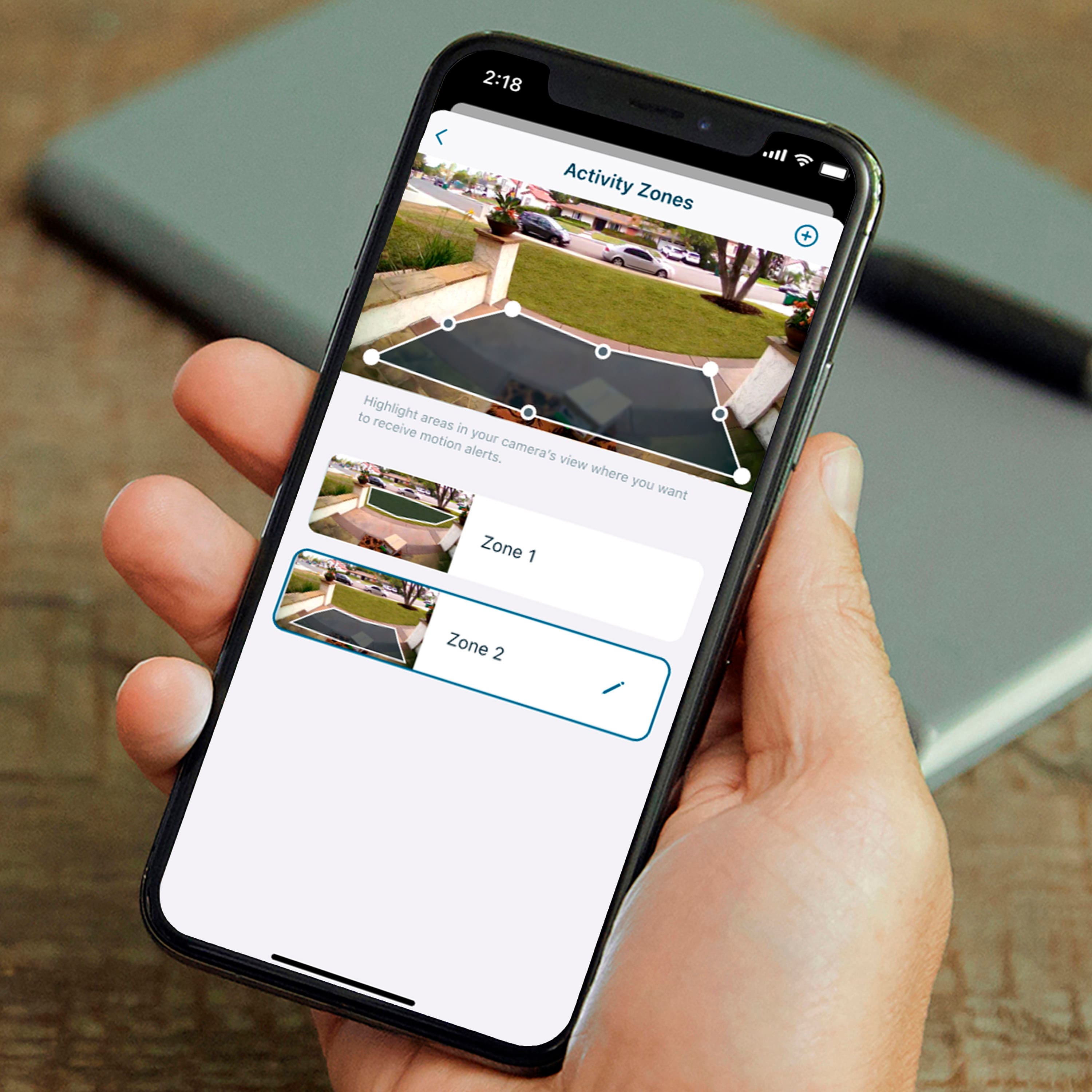
There are ways to optimize motion detection of your cameras detailed here: https://kb.arlo.com/1015583. Get more details about managing motion detection sensitivity here: https://kb.arlo.com/41.
For further assistance, navigate to Settings > Support in the Arlo App for service options available to you.
Best regards,
Arlo Team
N/A
||Posted . Owned for 1 month when reviewed.This reviewer received promo considerations or sweepstakes entry for writing a review.Isaw:Trial ends on 2-17-2024.I just use it only one month.I take it down ,leave somewhere.Sorry.
No, I would not recommend this to a friendBrand response from Arlo Team
Posted .Hi,
Thanks for your review. We will share your feedback to the development team. We also want to let you know some features are still available without an Arlo Subscription. You can read more about it here: https://kb.arlo.com/000062312.
We appreciate your support and understanding.
Best regards,
Arlo Team
Pay to view
||Posted . Owned for 1 month when reviewed.This reviewer received promo considerations or sweepstakes entry for writing a review.You will need to pay to view videos after a few weeks. Not like the older Arlo.
No, I would not recommend this to a friendBrand response from Arlo Team
Posted .Hi,
Thanks for your review. The Essential 2 Outdoor Camera come with a trial version of Arlo Secure. Once the trail subscription ends, we want to let you know there are some features that are still available. You can read more about it here: https://kb.arlo.com/000062312.
We appreciate your support and understanding.
Best regards,
Arlo Team
Trash
||Posted . Owned for 11 months when reviewed.This reviewer received promo considerations or sweepstakes entry for writing a review.Worst product! I had 2 and they work great at the beginning and always stop working eventually
No, I would not recommend this to a friendBrand response from Arlo Team
Posted .Hi Jean
Thanks for sharing your review. We like to learn more about the concerns you have shared above. Please reach out to our support team so they can further address your concerns and provide assistance by navigating to Settings > Support within the Arlo app to explore the support options available to you.
We appreciate your patience and understanding.
Best regards,
Arlo Team
Not working after one year
||Posted . Owned for 1 year when reviewed.This reviewer received promo considerations or sweepstakes entry for writing a review.It was sensitive in the beginning but after a year, it stopped working.
No, I would not recommend this to a friend- Pros mentioned:Camera quality, Ease of use, Light brightness

If you Have Arlo, You Gotta Get This Camera!
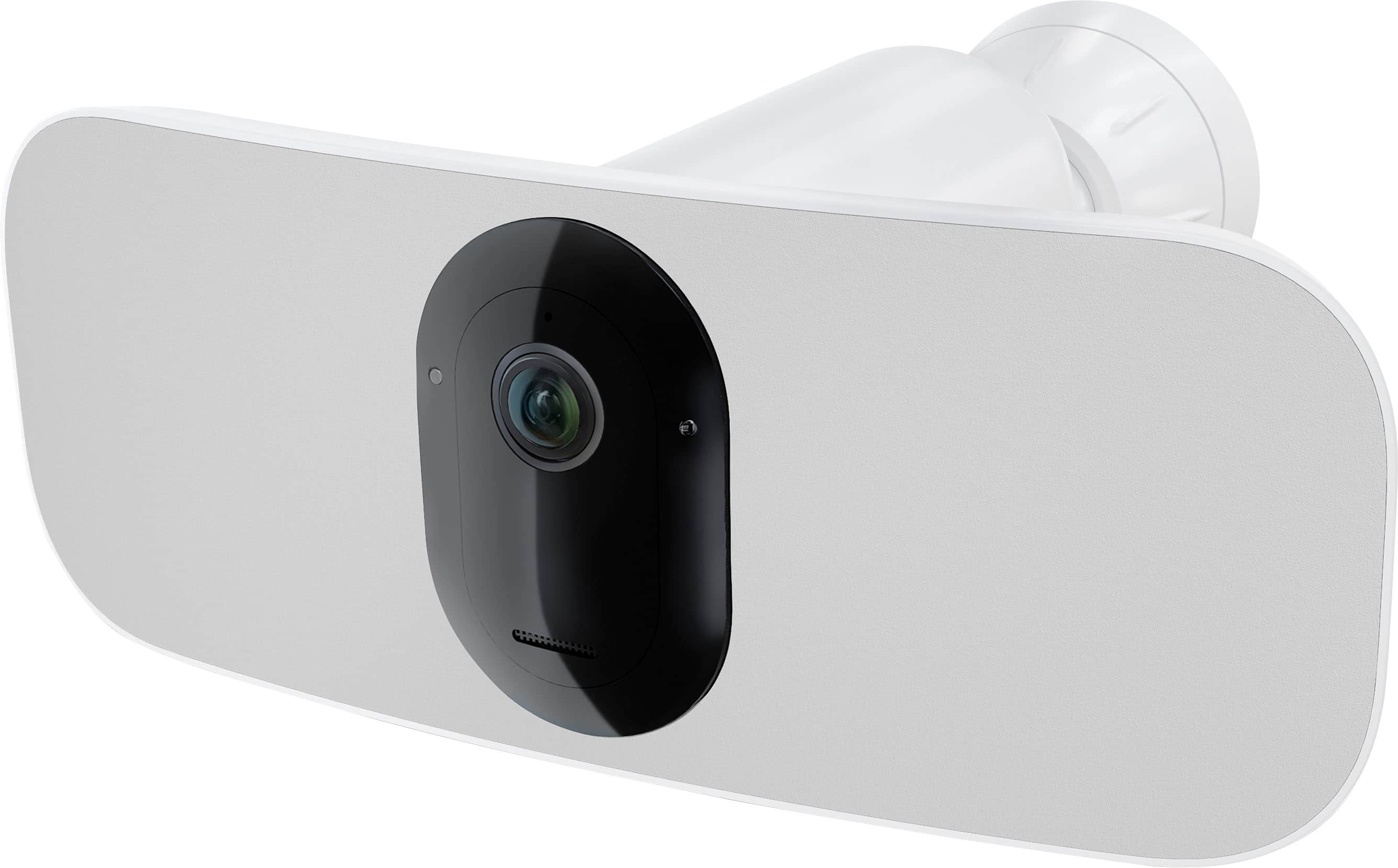
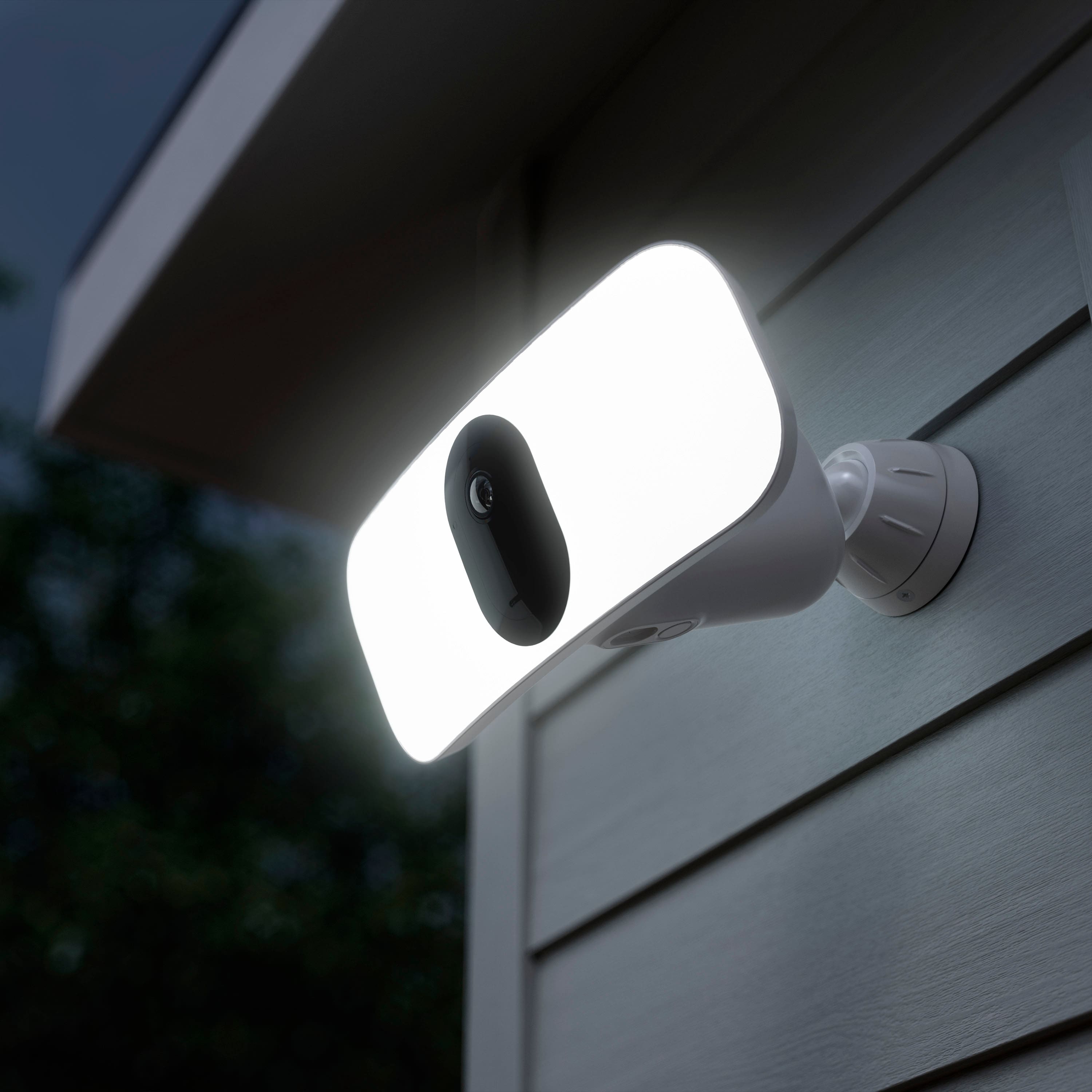
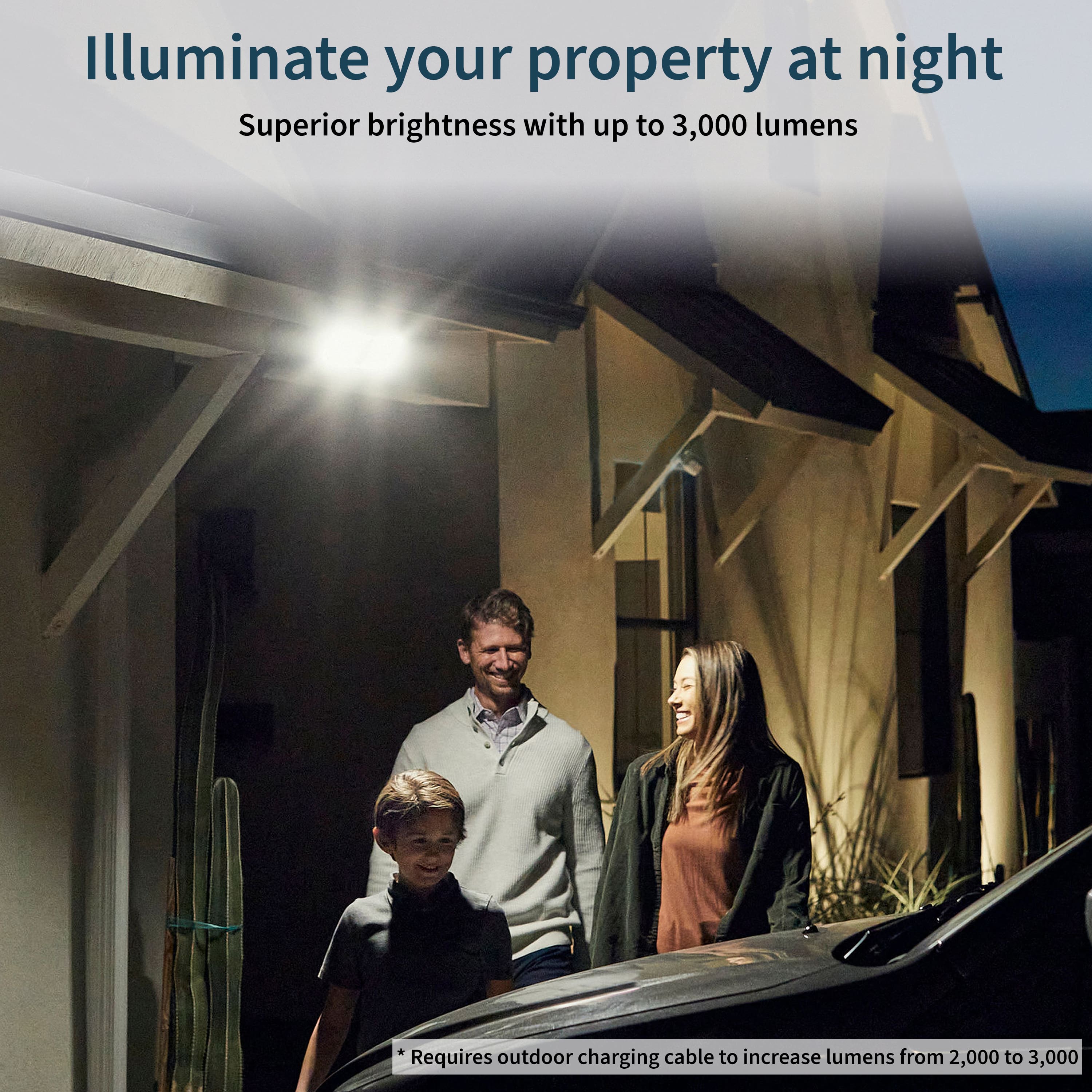
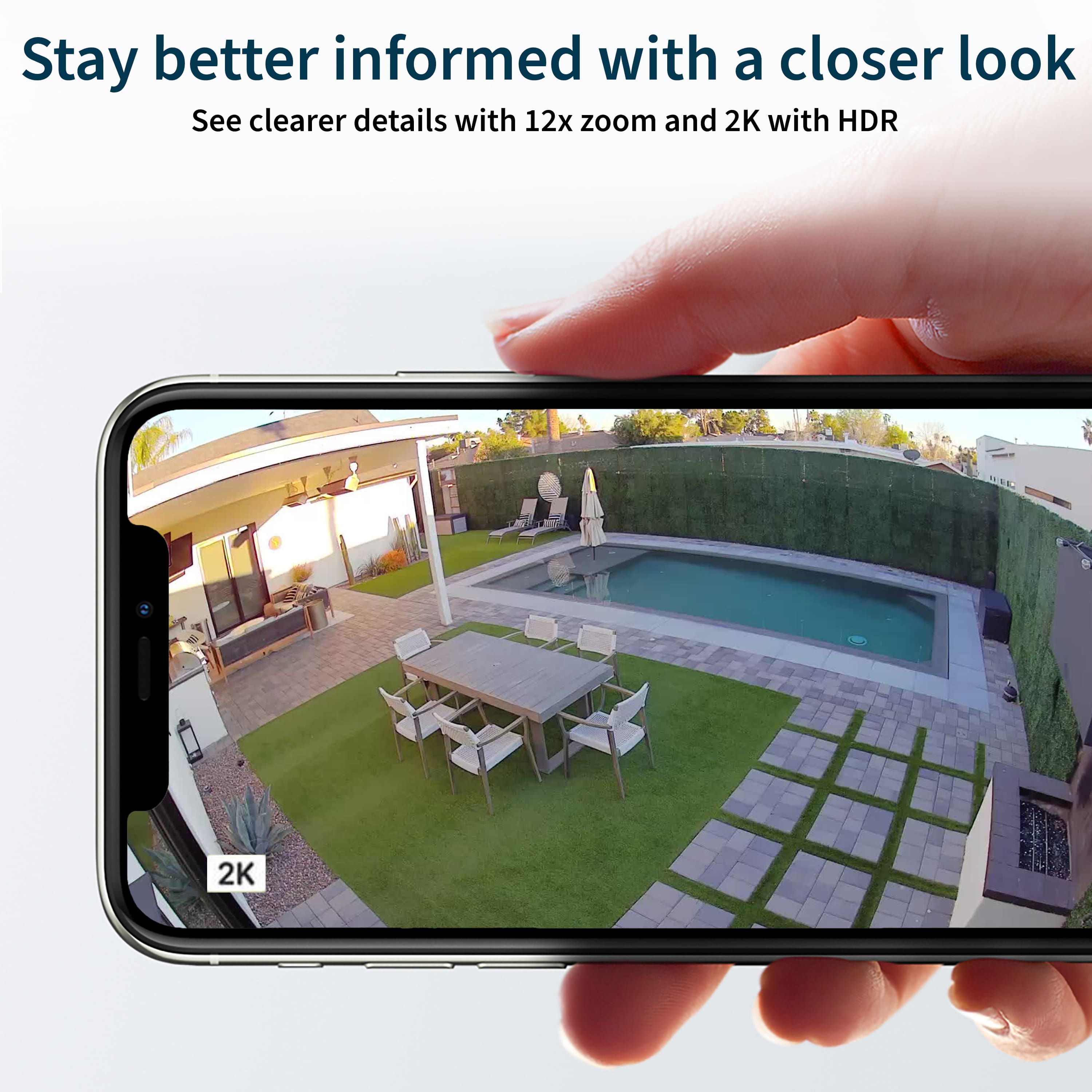
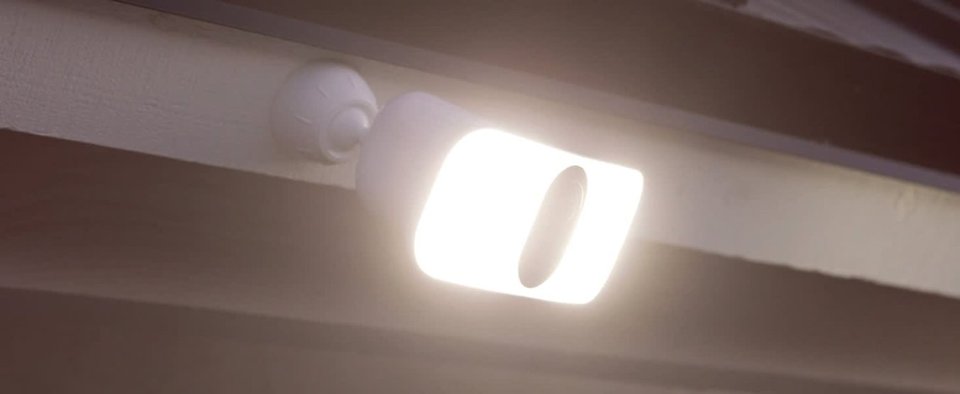
|Posted .This reviewer received promo considerations or sweepstakes entry for writing a review.Wow! This is a game changing floodlight and camera from Arlo. First, the camera is about the standard sized Arlo camera, but it is encased around LED floodlights on both sides. This makes the overall device much larger and heavier than standard Arlo cameras, but trust me it's worth it. The camera has an outstanding 2k HD output, and a really wide-angle view. The camera interacts well with my existing Arlo2 system and setup was simple. Now to the floodlight... Many have written that it isn't that bright or was weak. I'm here to tell you that it lit the area of my driveway quite well, easily overwhelming an existing motion light that I had used. Now, it supposedly is brighter if it is always plugged in, but due to it's location I cannot test this. I can tell you it is well bright enough for me as it is on battery power. The light from the floodlight enables colored night views and does a great job. The battery life is great (had it mounted for several days, with a normal amount of activation and the battery is only down 10%). Mounting was pretty easy, even did it without an assistant. There are plenty of videos on Arlo's site on how to mount and operate. Bottom line, this floodlight camera is a winner and a must buy if you need camera and floodlight coverage that work together! Highly recommended!
I would recommend this to a friend - Pros mentioned:Camera quality, Light brightnessCons mentioned:Battery life
Great camera!
Posted .This reviewer received promo considerations or sweepstakes entry for writing a review.Overall, we're loving this camera. We upgraded from the Ring camera and there's a huge upgrade in features. Great picture quality - even at night. The light is super bright. Battery life moves a lot faster than what we had before so going to get an extra battery. Only downfall so far is the install. The screw to mount the camera to the mounting plate is very small so it got stripped as it went in and now we are waiting on a new screw to finish install. Customer service to get the screw was a long process. Looking forward to getting it back up and running.
I would recommend this to a friend Please don’t waste your money or time
||Posted . Owned for 4 months when reviewed.This reviewer received promo considerations or sweepstakes entry for writing a review.Multiple issues with the camera not staying on line and I had to call with another $300+ lifetime update plan but it still keeps failing.
No, I would not recommend this to a friendBrand response from Arlo Team
Posted .Hi Obone,
Thank you for both your reviews. If your Arlo camera is offline, please follow these troubleshooting steps: https://kb.arlo.com/1133448. If you still need further help, please navigate to Settings > Support in the Arlo App for service options available to you.
We appreciate your patience and understanding.
Best regards,
Arlo Team
- Pros mentioned:Camera quality, Ease of use, Motion detection
Good wireless residential security
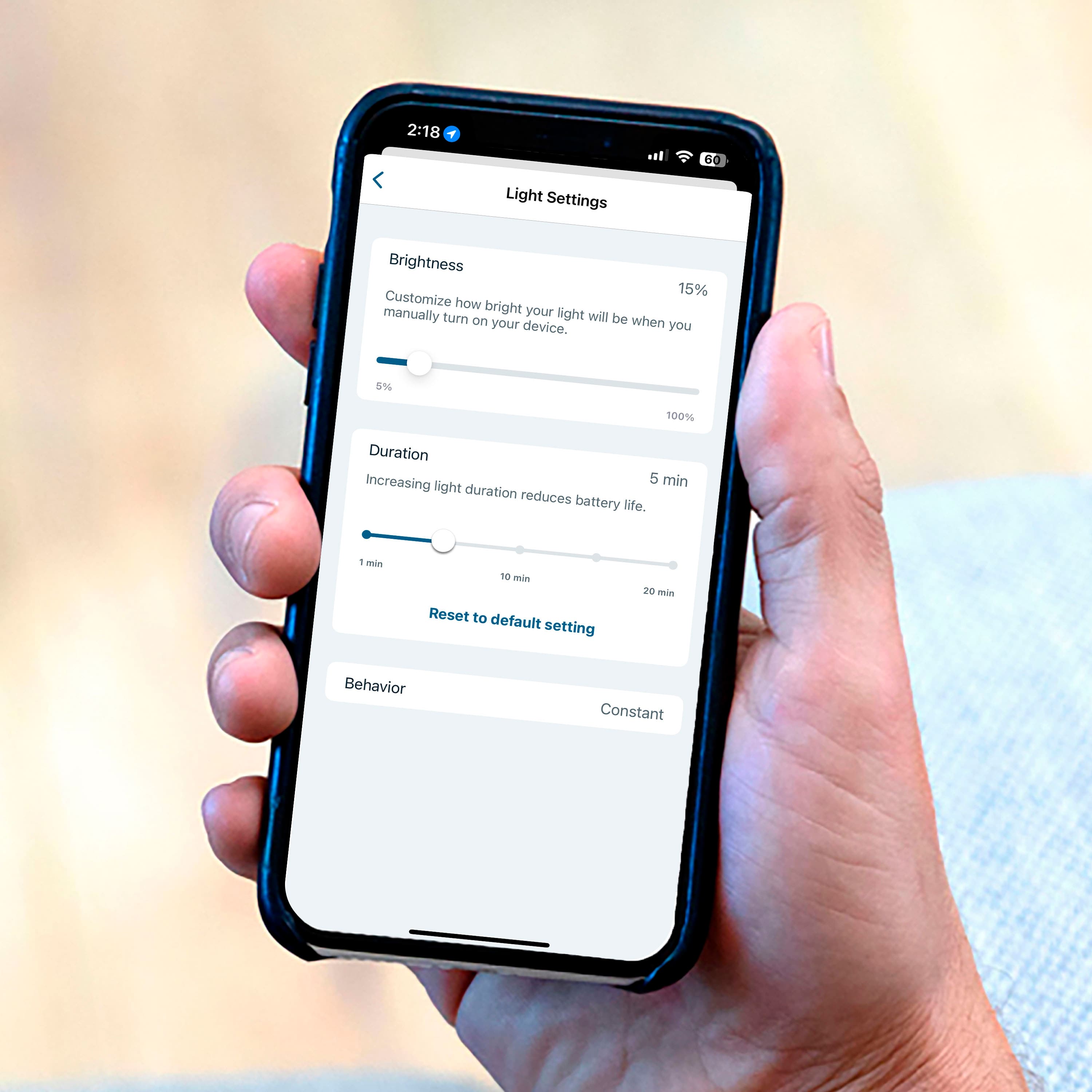
|Posted .This reviewer received promo considerations or sweepstakes entry for writing a review.The Arlo - Pro 3 Indoor/Outdoor Wire-Free 2K HDR Floodlight Camera is very easy to install and use. One of the best features of this unit is that it is wireless. The Floodlight is motion activated and the sensitivity can be adjusted from the phone. The brightness of the floodlight can be adjusted to save battery power. The video is really very good. Auto zoom and tracking can be set in the Video settings on the phone. The camera has a 160 degree viewing angle. A siren can be activated, as well. The camera supports 2 way audio. Videos are viewable on the smartphone - stored for a temporary period of time. The camera comes with a plan to store video permanently. It is free for the first 3 months. The temporary storage of video can be stored manually by the use. The app (iOS) makes it very easy to adjust settings and control how the camera works. The rechargeable battery is easily accessible. . You can also turn it on and off from your phone. This camera security system if great for residential. It comes with numerous features. It is easy to configure and performs what it is designed to do.
I would recommend this to a friend Arlo
||Posted . Owned for 3 months when reviewed.This reviewer received promo considerations or sweepstakes entry for writing a review.Doesn’t work It stops recording and their support company does not provide a number do not buy
No, I would not recommend this to a friendBrand response from Arlo Team
Posted .Hi,
Thanks for your review. If your camera is not detecting motion and recording anymore, refer to this article to learn how to troubleshoot: https://kb.arlo.com/994085. For further assistance, please navigate to Settings > Support in the Arlo App for service options available to you.
We appreciate your support.
Best regards,
Arlo Team
Poor
||Posted . Owned for 3 weeks when reviewed.This reviewer received promo considerations or sweepstakes entry for writing a review.Lost connection all the time. Long lag time to Mobil app, if you want a light just get a motion light and get a different camera
No, I would not recommend this to a friendArlo Security
||Posted . Owned for 1 year when reviewed.This reviewer received promo considerations or sweepstakes entry for writing a review.Very poor fit, it kept falling off the mount. I stalled by a professional installer.
No, I would not recommend this to a friendBrand response from Arlo Team
Posted .Hi,
Thanks for sharing your review. We like to learn more about the mount concerns you have shared above. Please reach out to our support team so they can further address your concerns and provide assistance by navigating to Settings > Support within the Arlo app to explore the support options available to you.
We appreciate your patience and understanding.
Best regards,
Arlo Team
NOT HAPPY
||Posted . Owned for less than 1 week when reviewed.This reviewer received promo considerations or sweepstakes entry for writing a review.We did not like this at all. After a few days would slowly start to tilt downward. I think its too heavy for the brackets that are included.
No, I would not recommend this to a friendBrand response from Arlo Team
Posted .Hello Heather,
Thank you for taking the time to share your honest review. Your feedback will be provided to our development team.
Best Regards,
Arlo Team
- Pros mentioned:Camera quality, Installation
Gets the job done
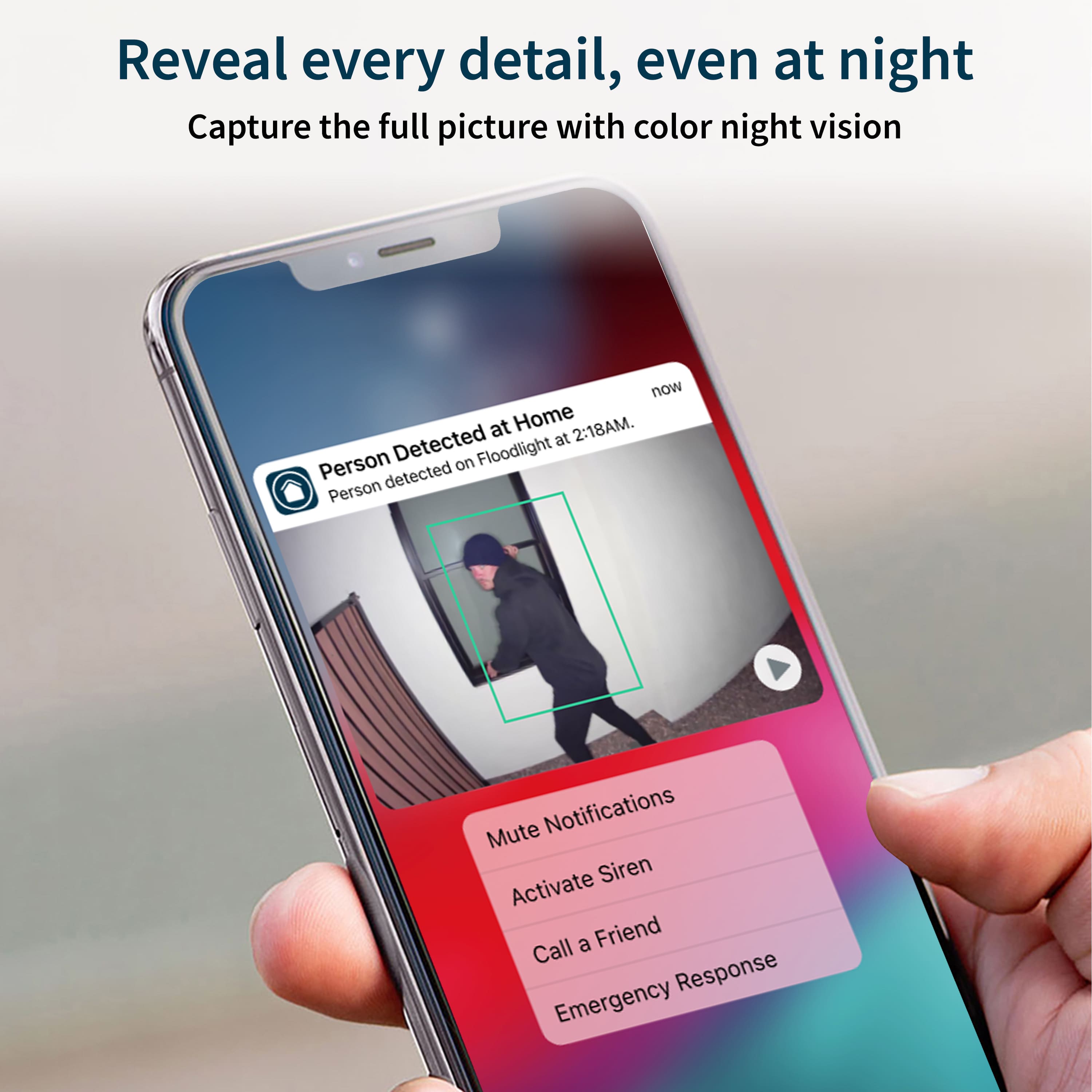
|Posted .This reviewer received promo considerations or sweepstakes entry for writing a review.To begin, go to your app store and download the app (the Arlo app is a light green hummingbird with a dark green background and the category is "Lifestyle"). Create an account and then get started. As you are following the prompts, you get to a video that shows you how to install the camera. This was one of the easiest cameras to install for me. The video is so easy to understand, and the steps involved in setting up the camera are very quick and easy. I love the fact that it has no wires to connect to the house. It is all wireless, so make sure you have great connection. If you do not, you can always get a WIFI extender to help. To mount the unit on the outside, you only need a Philips or flathead screwdriver or power drill. It took me two minutes and three screws (these were provided in the box) to mount the base (the green arrow must point up) where the unit gets screwed into. One of the easiest installations ever. Once you are in the app, you make changes to the settings. At the top right corner of the app’s home screen, is a red circle with a white shield. If you press this button a window at the bottom of the screen pops up with the options call 911, call a friend, or activate the siren. You will have to setup the call 911 and call friend features on this. The siren you can test out now. Press “activate siren”, then it will ask you to select your device and then press it. Then swipe the red button to turn on the siren. I tested it, and it has a piercing sound then switches to a siren sound (like an ambulance sound). I didn’t think it was loud enough to get someone’s attention who is inside their house. From my room at the back of the house, it was difficult to hear, and this was with no other noise in the house. I’m pretty sure a neighbor who has a tv on in their house will not be able to hear the alarm. At night if the alarm goes off, perhaps. But I do wish the alarm was louder. I tried to get the speaker to work but could not. It has a feature for you to be able to speak to the person in front of the camera. In all fairness, I did not try to call customer support to get help for this. These are the two features that knocked my rating down by one star. The light on the unit is very bright. The video quality is 2K, and it looks very clear and crisp in the videos that the app records. You can also take snapshots and the pictures are also crisp and clear. At the bottom of the app, you have an icon for the library. I love how this is arranged. Once you press this icon, you have the days at the top of the screen that you can select and then all the videos and pictures appear below. If you do not have any videos or pictures, you cannot select the day. On the home screen you have a picture from the camera’s POV. This is the live screen. If you press the play button, you get a live feed. Below this picture at the bottom right corner, you will see a little gear. Press this and a window pops up for the device settings. Scroll down to “device utilities”. This is where you can make adjustments to the camera positioning and the motion detection test. This camera is best used along a flat wall or an inside corner (not the corner of the outside of the house). It has a range of 160 degrees. You get a free 3-month trial where your videos are stored on the cloud for 30 days. If you go to arlo.com, you can select the premier plan for $2.99/mo (one camera) or $9.99/mo (up to 5 cameras). My recommendation is this is a good product that gets the job done. There are some features that I would need more time to figure out how to use to get the most out of my unit. The resolutions for the pictures and videos are great. The siren is not loud enough for me, but hopefully loud enough to deter any break-ins and catch other people’s attention. The light is very bright at night and offers good natural looking lighting.
I would recommend this to a friend bad experience with my first security camera.
||Posted . Owned for 1 week when reviewed.This reviewer received promo considerations or sweepstakes entry for writing a review.the light doesn't work after one week of use, also on the app the live option was very slow. I don't recommend this camera
No, I would not recommend this to a friendBrand response from Arlo Team
Posted .Hello greatest,
Thank you for sharing your experience with Arlo Pro 3 camera. As for the spotlight not working, try powercycling the camera by taking its battery out and inserting it back in. Please check under the camera settings to ensure that its spotlight it enabled.
You may contact Arlo Support Team to further check this with you : https://www.arlo.com/en-us/support/contact.aspx.
Regards,
Arlo Team
^RM
Very bad
||Posted . Owned for 3 weeks when reviewed.This reviewer received promo considerations or sweepstakes entry for writing a review.Very disappointed wouldn't connect to my phone contacted Arlo support and weren't able to help
No, I would not recommend this to a friendBrand response from Arlo Team
Posted .Hello Ringlights,
Thank you for taking the time to share your review. For assistance with connecting your Arlo Pro 3 camera to your account, please navigate to Settings > Support in the Arlo App for service options available to you. If you are unable to access the Support settings due to being unable to connect your system, you may visit the Arlo Community and reach out to one of our Arlo Community moderators: https://community.arlo.com/t5/Arlo-Smart-Home-Security/ct-p/Arlo
Regards,
Arlo Team
Frustrated
||Posted . Owned for 6 months when reviewed.This reviewer received promo considerations or sweepstakes entry for writing a review.Horrible after your 3 month trail nothing but problems if you dont sign up with their monthly service.
No, I would not recommend this to a friendBrand response from Arlo Team
Posted .Hello Hisidea,
Thanks for sharing your feedback about your Arlo Pro 3 experience. We want to mention that when the trial plan of your camera expires, you have the option to purchase an Arlo Smart subscription. Without an Arlo Smart subscription, you can still add up to 5 cameras to your Arlo account, live stream, and receive motion and audio notifications.
If you are experiencing trouble with your system, feel free to contact Arlo Support Team at https://www.arlo.com/en-us/support/contact.aspx.
Regards,
Arlo Team
^RM
Ms
||Posted . Owned for 1 month when reviewed.This reviewer received promo considerations or sweepstakes entry for writing a review.Worked great for 3 weeks and then wouldn't stay on line.
No, I would not recommend this to a friendBrand response from Arlo Team
Posted .Hi,
Thank you for your review. If your Arlo camera is offline, please follow these troubleshooting steps: https://kb.arlo.com/1133448. If you still need further help, please navigate to Settings > Support in the Arlo App for service options available to you.
We appreciate your patience and understanding.
Best regards,
Arlo Team
Update broke it.
||Posted . Owned for 7 months when reviewed.This reviewer received promo considerations or sweepstakes entry for writing a review.Worked great for approximately 6 months, until mandatory update.
No, I would not recommend this to a friendBrand response from Arlo Team
Posted .Hello ReallyMicrosoft,
Thanks for your feedback. We would like to learn more about the trouble that you are experiencing with your Arlo system and assist you further. Please send us an email at askarlo@arlo.com detailing your concern, including your email address linked to your Arlo account, your contact number and a screenshot of your Best Buy review.
We look forward to hearing from you.
Regards,
Arlo Team
^RM