Customer Ratings & Reviews

- Model:
- W121
- SKU:
- 6443774
Rating by feature
- Setup
Rating 3.8 out of 5 stars
- Range
Rating 4.5 out of 5 stars
- Signal Strength
Rating 4.4 out of 5 stars
Customers are saying
Customers recognize the SURFboard mAX AX6600 Tri-Band Wi-Fi 6 Mesh System's ease of use and excellent coverage throughout their homes. Positive feedback also highlights strong signal strength and overall performance, leading to improved internet experiences. However, some users express dissatisfaction with the accompanying app and limited LAN ports on each node. The WiFi range, while generally praised for its coverage, has shown inconsistencies for some users.
This summary was generated by AI based on customer reviews.
- Pros mentioned:Ease of use, Speed
Max Tri-band
||Posted . Owned for 3 weeks when reviewed.This reviewer received promo considerations or sweepstakes entry for writing a review.I bought this because my current Wi-Fi equipment was slowing down. It was very easy to install. I increased distance and speed though out my home which is 3800 Square feet. Now I can sit on my porch and have wifi to work with. So now I have returned equipment that I replaced to internet provider.
I would recommend this to a friend - Pros mentioned:Coverage, Setup, SpeedCons mentioned:Wifi range

A Very Impressive WIFI 6 (AX) Mesh System
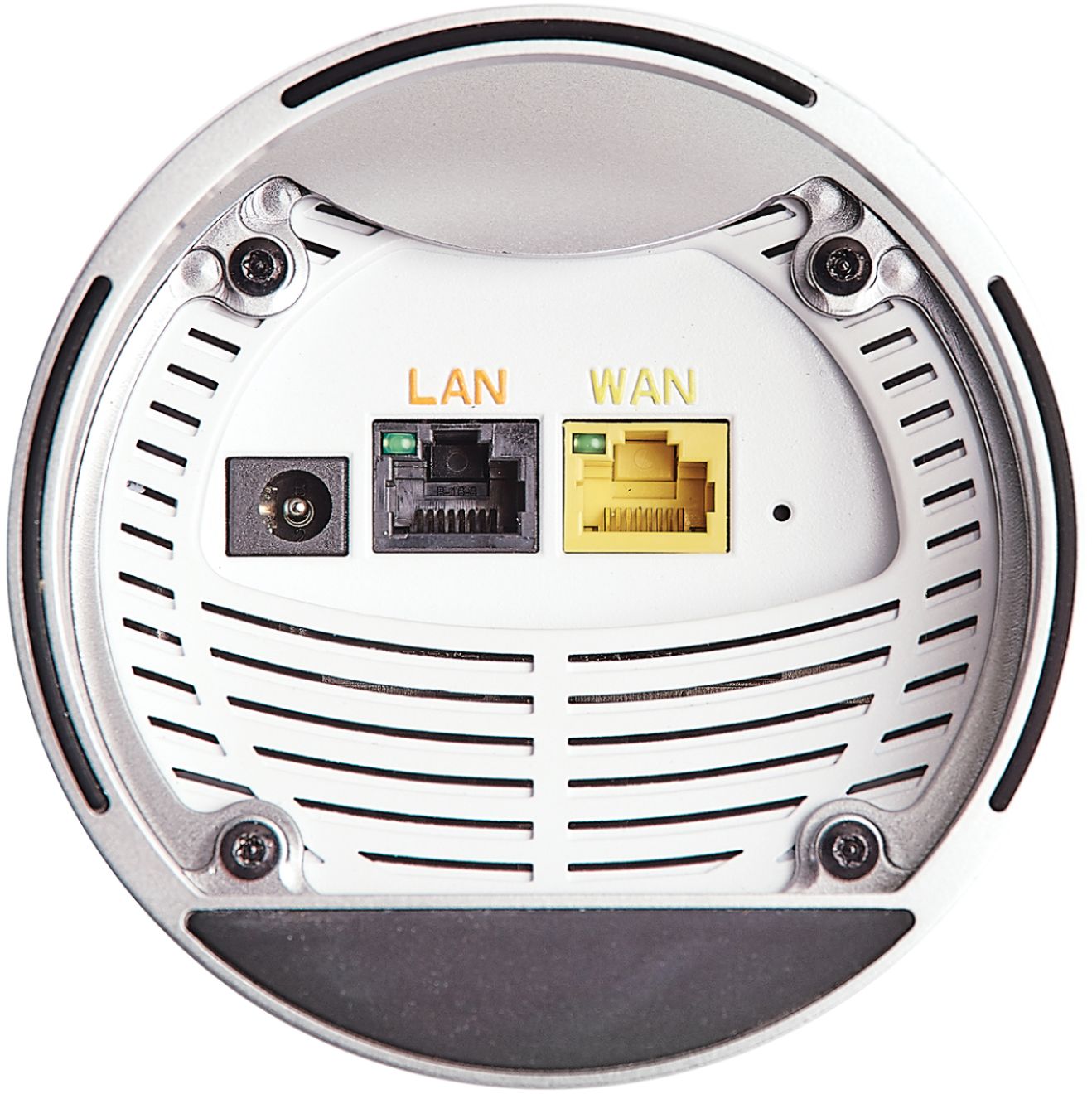
|Posted .This reviewer received promo considerations or sweepstakes entry for writing a review.I have Xfinity (Comcast) 400 mbps service and have been using their latest (white tower) Modem/router. That device utilizes WIFI 6 (AX) and has worked well for me in a 2 story with a basement, approx 3800 sqft. On occasion, I had some wireless speakers drop off now and then but otherwise it worked pretty well for the other devices. I decided to try this ARRIS Mesh system and see how well it worked in comparison. Because I had a combo modem/router I needed to “stop or disconnect” the router in the Xfinity device. I did that by going into its setup menu and putting it into “Bridge” mode which deactivates the internal router. Then I used the Ethernet Jack on the Xfinity device which has a red line by it to connect to the yellow jack on the new Arris Device with the supplied Ethernet cable. Using the Arris App on my IPhone I was able to easily set up one of the New Arris devices (they are both the same so you can use either) as my new Router and WIFI access point. Be sure to power off the modem first, and then restart the modem and then the new Arris Router as the app tells you. The app is pretty good and if you take your time and wait for it things will progress. If not, then back up a screen or two and try again. I was up and running in about 30 minutes for the first Arris device. The app asks if you want to set up the second device and if you do, it will give suggestions for placement within your home. I have the modem and main unit on my first floor to one end of the house so I placed the second one on the second floor towards the other end of the house. Arris recommends about 30 feet apart which is about right in my home. Again setup for the second unit was easy. Each time the app checks for updates and will do a software update right then on the devices. I had 4 Ethernet cables (hardwired) connected to my Comcast router. Because it’s now in Bridge mode, I can’t use those ports. I needed another Ethernet switch to be use between those cables and the single Arris LAN connection on the bottom of the first unit. Not a huge deal, but I do miss the additional Ethernet jacks and the location on the bottom of the Arris makes it look good, but does make it a little tricky to connect as well as not having the space for additional jacks on the unit. Those hardwired devices easily connected to the internet and those devices also show up on the App under devices. The app is great for the install, but after everything is up and running you can visually “see” all your devices and their type of connection; Ethernet, 5 ghz and 2.4 ghz. In the end I have about 9-10 devices that connected to the Satellite and 17-19 that connected to the Main unit. The names the app sometimes applies to some devices is weird, but by verifying IP addresses and MAC addresses you can single out connections and rename them in your own terms so you can easily refer to them later. Overall the system rocks! I have a new Asus laptop that utilizes WIFI 6 and I can easily get between 395-455 mbps on it when it’s connected to the 5ghz band. On my IPhone 11 which doesn’t utilize WiFi 6 I still can get 247-475 mbps when it’s utilizing 5Ghz. These figures were obtained using Speedtest.net. Coverage is good throughout the house and my WiFI speakers (Musicast) work very well with no drops. All this is an improvement from the single WIFI 6 Comcast Router I was using. The mesh system does seem to achieve better and more consistent coverage than my single location Comcast router. Additionally no matter which node you are connected to, the speed is fast and consistent. The only downsides I have found is you can’t direct your device to 5ghz from the 2.4 ghz connection as it’s done automatically. You only have one SSID for both 2.4 and 5 Ghz bands. The system seems to choose based on reception and distance from the respective router. Moving closer to a satellite will of course give you a faster connection and I can see that it sometimes goes from a 2.4Ghz to a 5 connection on my device or on the app. This type of automatic selection does make it easier for the basic user and more seamless, but I sometimes like to choose my own WiFi SSID based on what I’m doing. . I have a new HP laser printer that suggests using WPS (Wifi Protected Setup) to set up the WIfi. Since these new units don’t support WPS I had to connect a laptop to the printer with a USB cable to get the WIFi setup done. I do wish WPS was available on these new Arris devices but it’s not. I would still recommend this system to a friend. It’s easy to set up, it’s fast, and it’s stable. The app is easy to check and easy to see what’s going on. I forgot to say, the app allows parental control and the ability to block devices by screen time or bedtimes. Something many parents may want. This is a great system out of the box that solves quite a few of your WiFi problems. Being AX (Wifi 6) this is the latest technology for WiFi! Compared to other Mesh Wifi 6 systems this one is priced very competitively. I don’t think you will be disappointed with this choice.
I would recommend this to a friend - Pros mentioned:Ease of use, Speed
Eliminate Wi-Fi Range Anxiety
|Posted .This reviewer received promo considerations or sweepstakes entry for writing a review.There is nothing particularly glamorous about extending your Wi-Fi range, but the ARRIS Mesh System does exactly what it promises by increasing both the speed and distance of your internet connection. Set-up is fairly easy and is completed via a mobile app. I had a few hiccups, but in about 20 minutes - most will be up and running - even if they are not particularly tech savvy. Interestingly, both Wi-Fi extenders are exactly the same unit - even though only one will be plugged into your modem or router. (This is probably so that both of them can be directly wired into your network if you have multiple connections in your house.) The app has you name a new Wi-Fi network and then allows the user to see which devices are connected and test their speed. If you don’t recognize a device, the app makes it easy to block. I don’t personally get much use out of the app because it never seems to present accurate information regarding how many devices are connected - even when they are actively using the internet. I also don’t like that the light on the device doesn’t signal when there is a problem with the Wi-Fi connection. If the Wi-Fi connection is completely lost - the towers still show a happy blue ring around the base and the modem must be reset. For the millions of people using Comcast Xfinity Modem/Router, the ARRIS SURFboard System will boost your speed and extend your wireless range. It may also save you money because you do not need to pay to rent a router. As long as you have a modem, the SURFboard Max will act as your router. Thanks to this mesh network, I am now able to access my Wi-Fi in every corner of my house as well as in my driveway and in my back patio which is surprisingly convenient. Extending your Wi-Fi may not be exciting, but it is a helpful tool that is a great convenience.
I would recommend this to a friend - Pros mentioned:Setup, Speed
Rocky Start, Good Results
|Posted .This reviewer received promo considerations or sweepstakes entry for writing a review.I had just come back from vacation when this arrived and my former WiFi router decided to die, so I had to install the new one in a hurry. Honestly, I had a few issues setting the new one up, but I'm very glad I stuck with it. Initial setup was fairly easy. I went in through the app and set up the base station. So far so good. Then I had to set up the satellite... At first, Ihad set it up too far away from the base, which is my fault. It did connect at first, but throughput was terrible and after a day or so it lost connection with the base. I then moved it closer (from the second floor to the first, with the base in the basement) and all was well for a few minutes. Then it lost connection again and seemed to have forgotten all of it's paramenters. I had to set it up as it if was new again, except that the base wouldn't recognize it at all. I then did the full reset by putting a paperclip into the reset hole on the bottom (really, a recessed button would have been better, why make me find a paperclip?) and set it up again. Again, all was well until a few minutes later when I got a flashing red light and a message in the app that network optimization had failed. One more reset later I was in buisness. This time things held and have so for for several days. I'm not sure what the issues was, I can only guess it was failing trying to update firmware or something. Here's where it gets good; my house has been very difficult to cover for some reason. It's not particularly huge (2800 sft with the modem in the basement and two floors above) but I've struggled with several mest systems. I've had 2, 3 and 4 node systems and usually can't get decent throughput in the family room (even with a node in the room with me) and in the master bedroom. Not so with the AX6600! The first thing I tried was my Samsung S7+ tablet since it has WiFi 6. The WiFi icon immediately showed a tiny "6" so I knew I was on AX. Throughput in my family room, usually 50 mbps on a good day was 600 now! Up in the master bedroom it was 200-300. I wandered around the house and had pretty consistent results throughout. My phone, a Samsung Z Flip does not have an AX chipset but was still getting around 200 mbps. Outstanding! Even my Ring cameras all seem to load much faster. Other than the original setup, I am really impressed, and I'm thrilled withe the throughput. Either node can be the base or satellite, and both have a WAN and LAN port. I wish there were more LAN ports. My old router had 4, so I had to also purchase an unmanaged switch to incorporate the new one into the network. The LAN port on the satellite can be used as a bridge to connect another device with a wireless backhaul. The mobile software, unfortunately, is very bad. On Android I've had several times when the app just sits on the splash screen. Only deleting it and re-installing fixes it. It's also very basic. You can set up port forwarding, but nothing advanced like VPN, Quality of Service or Dynamic DNS. The help section just pulls in a very disorganized FAQ directly from the Arris support site. I needed to look up what the different status lights mean and couldn't find that information. It should be top and center. Speaking of lights, burried in the app is the ability to control the brightness, which is good because it will light up a dark room pretty well. I'm glad I gave these a chance once I ran into trouble, because the results so far have been amazing!
I would recommend this to a friend - Pros mentioned:Signal strength, Speed
rocky setup but great results
|Posted .This reviewer received promo considerations or sweepstakes entry for writing a review.I currently have a Pace ATT wifi gateway in a 2000sq ft house, the router is on one end of the house because of the fiber connection. So I of course have dead spots on the far side of the house. So I have been looking for satellite solutions for this. OK, ya setup for this was tedious and took several tries and help from tech support. You must reboot your home router for this to work (for me this is how I did it). When you open the box you have 2 connections, WAN and LAN, LAN is for an extra hardwired connection on the base station (since this plugs into the home gateway) and gives your satellite a LAN connection. I setup the main (use either device) and the satellite and had not rebooted my gateway and kept getting the remote error after. rebooting helped, also time. network discovery should be fast, for me it took closer to an hour and I think it helps with the app is open. i copied the SSID and password information from my old WiFi to new, not all of my IoT devices liked it so I am going thru and re adding all my IoT in the next few days. My home speed is 300Mbps, the transfer speed between the devices is super fast. I have my media server with 4k movies ill try later. My desktop a couple rooms and a wall away is downloading 140Mbps which is what it was before, but the signal to devices on the far side of the house are better. should you buy this? it does take some work to get it running. why I gave it a 4 and not a 5 star.
I would recommend this to a friend - Pros mentioned:Ease of use, Signal strength, Speed
Great mesh router system.
||Posted . Owned for 3 weeks when reviewed.This reviewer received promo considerations or sweepstakes entry for writing a review.Easy setup, great signal strength and a nice profile. I replaced another home mesh system and will not miss it. This system is great. Handles all my home networking needs and with high speeds, my camera systems no longer lag.
I would recommend this to a friend - Pros mentioned:Coverage, Speed
Arris Surfboatd Max Mesh System
||Posted . Owned for 1 month when reviewed.This reviewer received promo considerations or sweepstakes entry for writing a review.Very good coverage and speed for our home office set up! Would highly recommend!!
I would recommend this to a friend - Pros mentioned:Speed
Good Wi-Fi decent priced high
||Posted . Owned for 3 months when reviewed.This reviewer received promo considerations or sweepstakes entry for writing a review.It’s a pretty good system I have a detached garage and I still had decent speeds from the satellite. Price is high. I gave it 4 stars because it doesn’t let you control individuals Wi-Fi, example: locking out an XBoX at a predetermined time.
I would recommend this to a friend - Pros mentioned:Ease of use, Speed
Best Wifi router
||Posted . Owned for 2 weeks when reviewed.This reviewer received promo considerations or sweepstakes entry for writing a review.So far is the best wife router I've bought. And i have bought a few. First it's easy to set up. And the range is excellent. I had mesh with 3 pods and this with only 2 does better. I have 1 in my house and the other in my garage. Which isn't attached to the house. But i need wifi there for the garage door, Alexa, 2 wifi light switch and 2 ring camera's. The speed slowed down a little from the main pod. But that is expected. I can switch from camers in like 2 seconds. So its still pretty fast. Usually my son and his friends are connected to the wifi in the back yard and everyone has lighting fast internet. I haven't played much with the controls. But i like how i can put people in groups and control if they can have wifi. All my son phones, computer, video game in under his name. Can turn all his stuff off with a push of a button. I will add more to the review after about 6 months. But as of now it's the best, i do need to test it to the max.
I would recommend this to a friend - Pros mentioned:Speed
Good signal and speed.
||Posted . Owned for 2 months when reviewed.This reviewer received promo considerations or sweepstakes entry for writing a review.Good wifi speeds. Like that satellite can be hard wired. The app is decent but set up was more difficult than expected.I got a great deal.
I would recommend this to a friend - Pros mentioned:Coverage, Speed
A Great Mesh System.
||Posted . Owned for 1 week when reviewed.This reviewer received promo considerations or sweepstakes entry for writing a review.Overall the system is smooth and easy to use. I previously owned Google Nest and less than a year the system stopped working for me. If there is one thing I could change about this product it would be the app. I loved the fact that Google tested my network speeds daily without any interaction on my end. The coverage on this system is ridiculously incredible. I would definitely recommend this product to anyone who needs speed, coverage and simplicity. It's because of this product I also purchased the Arris Surfboard S33 which is an awesome product as well.
I would recommend this to a friend - Pros mentioned:Speed
God looking product that delivers
||Posted . Owned for 3 weeks when reviewed.This reviewer received promo considerations or sweepstakes entry for writing a review.Installation was pretty straight forward, but I did have a slight issue connecting to the satellite unit. Once everything was paired up and working everything has been great. The range of this network is way stronger than the included Frontier modem/ router combo. The signal now reaches all the way out to my street. I also receive faster speeds on this network vs the Frontier router. Another great perk is I was able to leave the Frontier router for the kids to use and this one for my wife and I. No more lags when the kids are playing games online and we are streaming a show in 4K. App is simple to use and intuitive. It shows you what is connected to the network at all times and you are able to create a guest connection as well. If you want to remove someone that is connected, you can do that as well. Great buy if you want to add a great router or a second network.
I would recommend this to a friend - Pros mentioned:Speed
Mesh solved all my issues
||Posted . Owned for 6 months when reviewed.This reviewer received promo considerations or sweepstakes entry for writing a review.I needed a copper GigE connection where I could not place a drop. The satellite has an RJ45 GigE port that delivers the full combined mesh bandwidth (multiple WiFi channels). It works perfectly and was self configuring. I can also get my full modem bandwidth (280MBs) to my laptop's WiFi ! I didn't even know that was possible. VERY PLEASED WITH MESH NETWORK
I would recommend this to a friend - Pros mentioned:Speed
Would recommend to friends and family
||Posted . Owned for 2 months when reviewed.This reviewer received promo considerations or sweepstakes entry for writing a review.does what I need, speeds are good, mobile app needs a bit more features.
I would recommend this to a friend - Pros mentioned:Coverage, Setup, Speed
Stellar WiFi Performance
|Posted .This reviewer received promo considerations or sweepstakes entry for writing a review.Arris is a brand I have high praise for. My experience with their home network devices has been nothing but positive. I’ve tried many different modems and routers. So was very much interested in discovering how well this Arris SURFboard mAX AX6600 Tri-Band WiFi 6 Mesh System (2-pack) would perform. Setup was a breeze. (You will need to install the Arris SurfBoard Central App on your phone.) Simply follow the guided instructions. Once that was done, then came the rather laborious process of setting up all my devices on the new network. But having done this before, I knew what to expect. Next came the Speed Test. I did this several times, with my network’s VPN on and off. There was no noticeable difference. Download and upload speeds were comparable to my previous Tri-Band WiFi Router. Overall, coverage was good, and proved to be consistent, for devices both inside and outside my home (such as security cameras). This Arris certainly makes the most of the highest tier internet service we pay for. However, I am seeing a trend with these newer WiFi mesh systems. The price seems rather prohibitive. Not that the quality and performance isn’t there. But there are less expensive options available. New, and improved, electronic technology is desirable, yet initial cost does factor in. Best advice - Decide what you are willing to spend, research choices that are within your budget, and most importantly, know what your particular needs are. As for this Arris SURFboard mAX AX6600 Tri-Band WiFi 6 Mesh System, even at it’s somewhat higher price point, it’s definitely one to consider.
I would recommend this to a friend - Pros mentioned:Coverage, Setup, Speed
Excellent WiFi system upgrade!
|Posted .This reviewer received promo considerations or sweepstakes entry for writing a review.The Surfboard MAX mesh system is a great system for expanding the range of your WiFi without compromising speed drops. The box comes packed with 2 Mesh routers, one ethernet cable, and 2 power cords. The days of instruction booklets seem to be behind us, seeing how there is none in here…Instead, you have to download the Arris surfboard app, which that will guide you through the setup process. The Mesh system is compatible with most modems, which also makes the system worthwhile. If you currently have a separate modem and router, then the setup process is actually very easy (as long as you follow the instructions in the app). If you’re like me and have a combo router and modem, then there are a few extra steps involved that the app doesn’t show you how to do. For example, you have to go to the modem’s webpage and manually turn off both bands of WiFi, as well as put it in bridge mode. If you don’t do this, then you will have double NAT types, which is not ideal if you’re an online gamer. This is where it can be a little confusing especially for people not familiar with how to set up advanced settings on their modem through the webpage. I will say that tech support is very helpful and helped me fix my issues right away. Once you have your first satellite connected, this becomes the main router. After that, the app will ask if you want to add another satellite, after you add it then you’re all set up. The big benefit about the mesh system, is that it offers the new WiFi-6 option. Keep in mind your device has to be able to get WiFi-6 or it will just work as normal WiFi-5. I tested the speeds on my iPhone 12 pro max, to see if there was really any increase in speeds…Unfortunately there wasn’t that big of a difference (it went from 456mbps/s to 503mbps/s). But what I did notice was that there was no more lag, meaning the download rate was consistent. That brings me to another key benefit the mesh network has, it lets you run multiple wireless devices, all at once without getting any dead spots or drops in speeds. And I mean this system reaches far. I was in my car and 2 streets over from my house, and I was still connected to my wifi network. Overall, I love the Arris Surfboard Mesh system. I think it offers an incredible upgrade wifi networks. The app provides you with a full map of your network, including all the devices connected and what bands they’re connected to i.e., 5Ghz or 2.4Ghz. It also shows you which satellite the devices are connected to as well. The newly added WiFi-6 is also a plus, especially as new devices will start becoming compatible with it. The range and coverage of the satellites are amazing, I was no longer getting dead spots in my home, and the way the mesh network allows multiple devices running at the same time without ever slowing down is exactly what I was looking for. I would definitely recommend this to anyone looking for a better WiFi network.
I would recommend this to a friend - Pros mentioned:Coverage, SpeedCons mentioned:App
Great Coverage and Speed But Usability Issues
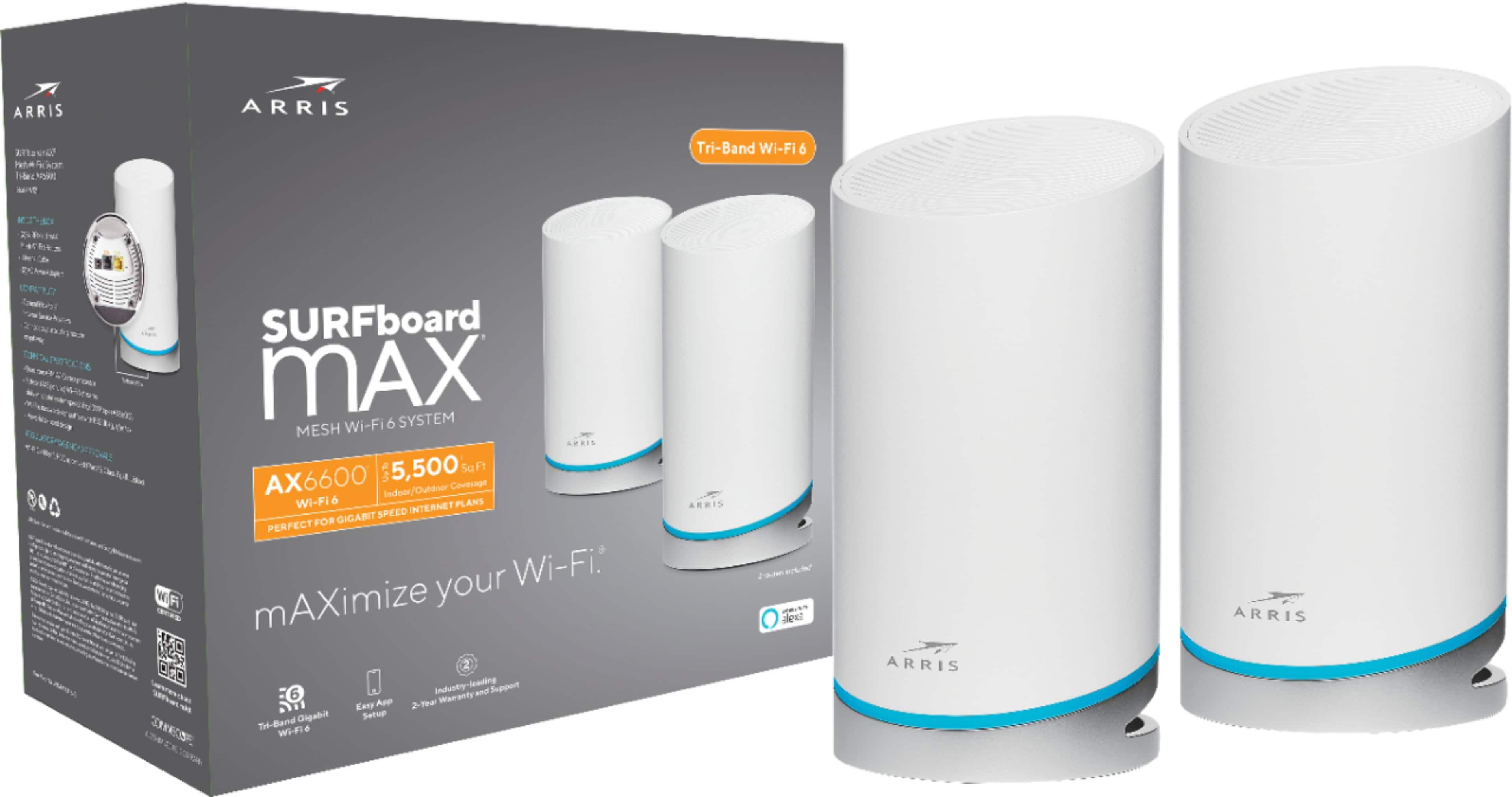
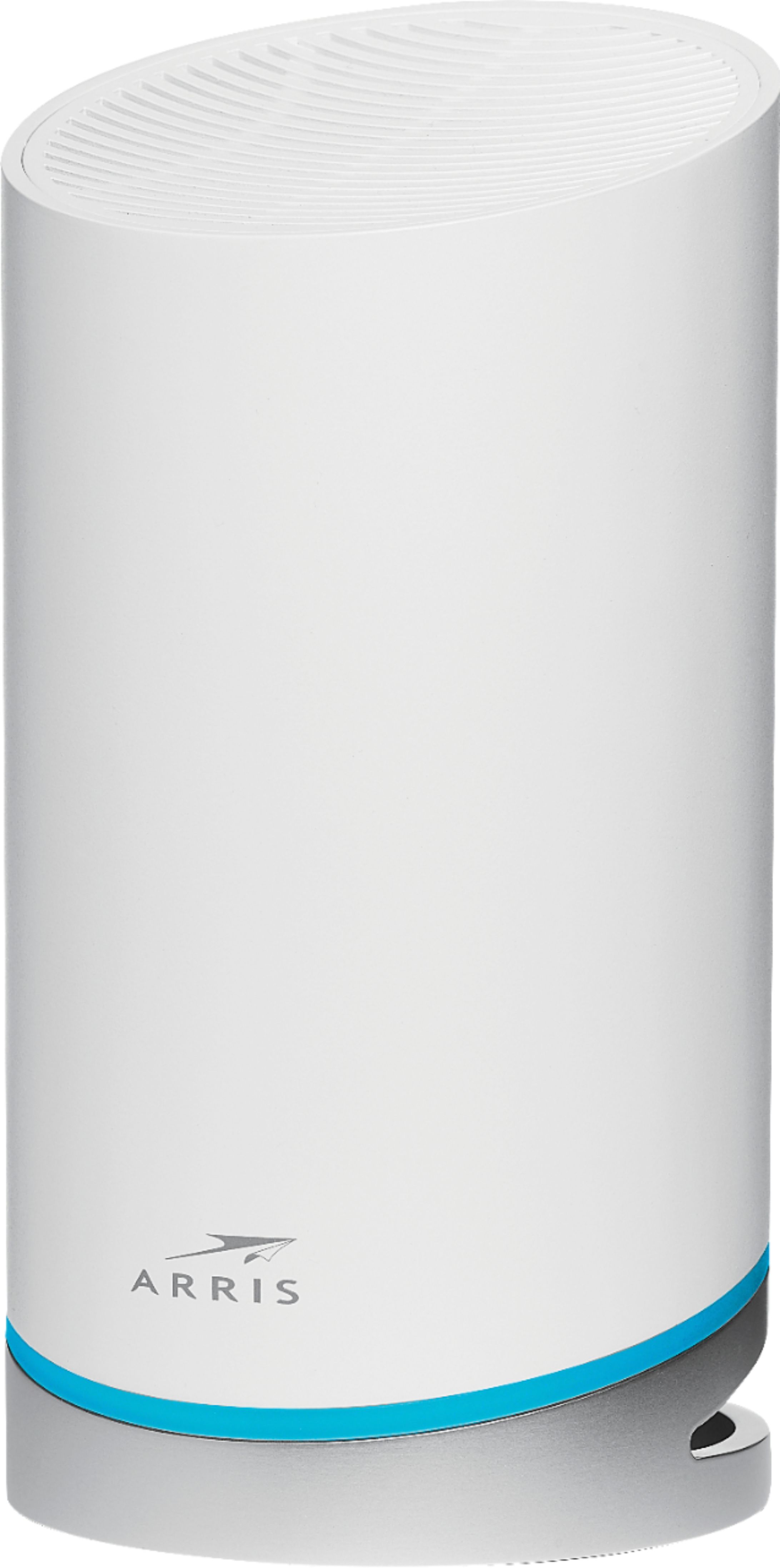
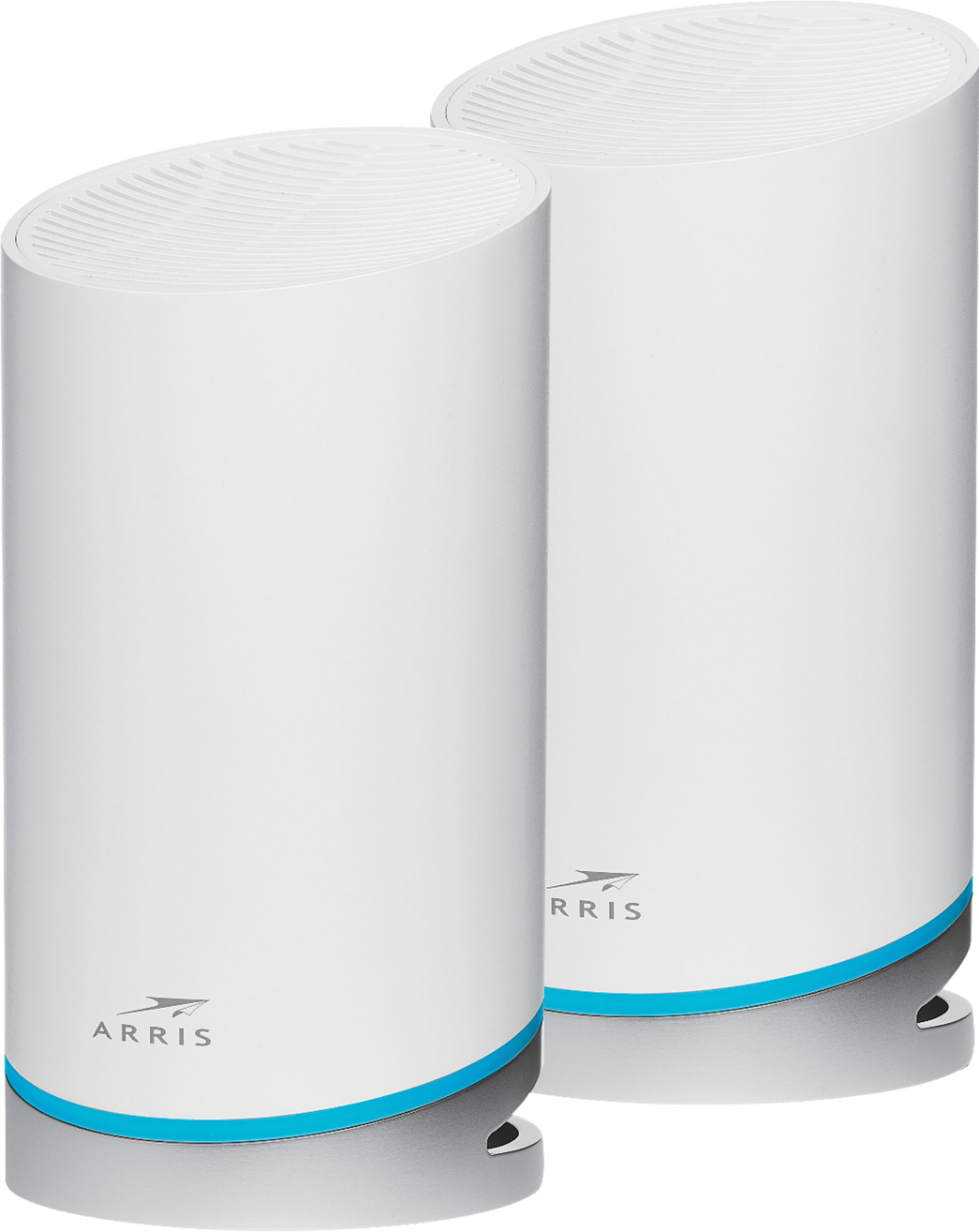
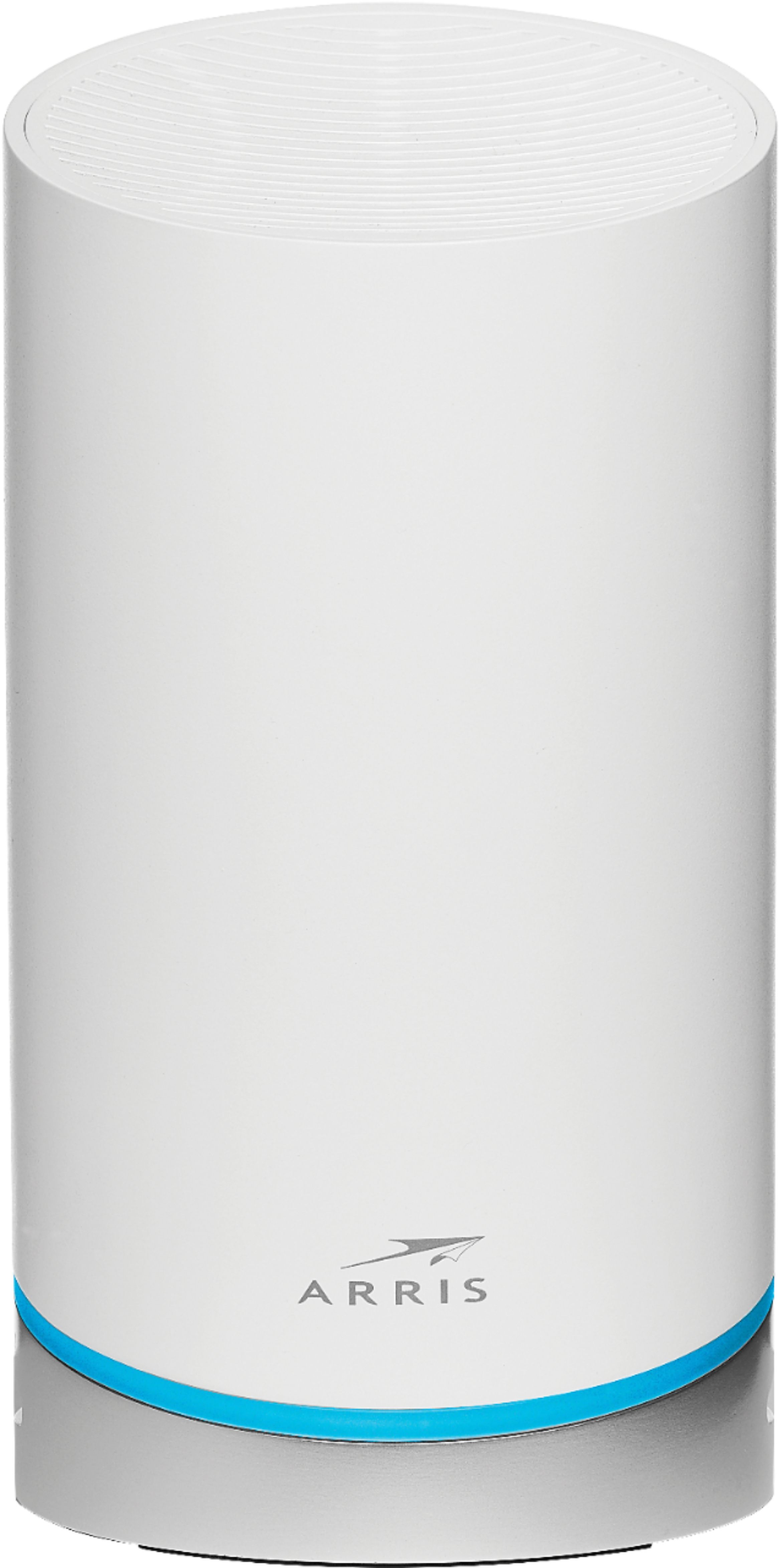
|Posted .This reviewer received promo considerations or sweepstakes entry for writing a review.The Arris AX6600 is a series of wifi mesh routers. It boasts support for the latest Wi-Fi 6 and is tri-band, all standard stuff. What makes this system pretty cool is that every unit is identical and a full fledged router. A lot of mesh systems utilize one central router then smaller less powerful and feature full satellite units to extend the mesh network. As a result, you still need to juggle where to place the actual router unit and satellite units to deal with locations where you can actually put a cable/dsl modem and the different signal strength capabilities with the units. Here, all units are the same, so it simplifies your decision making. This particular set comes with two mesh routers, but you can expand it with more units if needed. The AX6600s are cylindrical shaped units, about the size of a cylindrical bluetooth speaker with similar looks. Or, with the mesh like "grille" on the top, it sort of looks like a really small and compact air purifier. So, at first blush, it may not look out of place sitting on a shelf or table in some random location in your home. It's a pretty simple device. Two ethernet ports on the bottom (one for the internet connection from a modem, the other for a wired device. On a unit that's not connected to the modem, you can configure it to be a second wired device port). The power plug also on the bottom. These are wireless routers so have a decent size wall power adapter. The whole thing sits at an angle, so you route all the connections at the bottome and through the back. There is a small reset pin on the bottome as well. So, unpack, set up power and connect to the modem, then make sure you have a phone with a cell internet connection because you'll need to download the surfboard app to configure the routers. This is a sore spot for me. I dislike needing to already have working internet to configure a wifi router whose purpose is to help provide me with that internet connection. I also dislike being locked in to using a specific vendor's app to configure my router, versus being able to connect to it and do everything myself. While the unpacking and initial connection instructions in the app were pretty detailed, getting everything else configured wasn't so quick. And to add insult to injury, that's the easy part - I'd already had things unpacked and set up before getting to downloading the app. And this is weird because to configure it, you need to connect to the router's initial setup wifi network anyway. Going through the setup process involved the routers doing several restarts and taking time to I guess optimize the mesh. Anyway, after wrangling through the setup process, you now have a working mesh network. And while the app itself and vendor lock sucks, the mesh network, coverage, and speeds are great! Over a 3000 square foot house, three floors, a garage, and about 20 feet from the house outdoors, I had reliable and fast connection speeds. Speedtest consistently showed me getting near the max speed available from my ISP. I didn't have a wifi 6 device handy for testing, but my 2.4Ghz and 5Ghz devices both were fine with not interoperability issues. My gaming recently is mostly of the mobile variety but I didn't experience any extreme latency issues in games where that can be noticeable (like Among Us). Also, the classic test, streaming a 1080p movie in the living room while having a video call in my office showed no bandwidth or latency issues (and normally in my office, my laptop uses a wired connection). From a stricly wifi performance and coverage point of view, these are great routers once configured. But, it's also in the office use that I run into other issues. While where possible, I connect devices to wifi as needed, I have several work related things which require a wired connection. Even with my prior router, which has four ethernet ports and the one modem port, I still use a four port switch to further expand connections at my desk. So these are not ideal if you have a lot of wired connections unless you're already making use of a switch to split a single physical ethernet connection back to your router. One could add yet another switch accepting the wired connections which were previously at my router and then going to the single port on the unit being used as a router. The other issue is the ability to connect USB device to the network. While there is a solution, some USB wifi adapter or hub device, that does make setup, management, and configuration of my network storage more difficult versus when my router software could actually handle that and serving up access to the file system. From me, this get's a 3 as the overall score. If I were to break things out into subscores, I'd say: Setup/Configuration: 2 Signal Strength/Connectivity: 5 Wifi connection speed: 4 WiFi Band support: 4 Latency: 4 Peripheral device support: 1 For me as a power and office user, there are some distinct downsides to this unit. I didn't have an "independent setup" or vendor lock-in subscore, but that also factors into my rating. It's risky having devices where you're reliant on a third party for configuration and operation. The speed and mesh network connectivity make this great for the casual home user where most devices will be on the network via wireless. And if you replace routers every 3-4 years, then vendor lock-in isn't really a long term issue to contemplate.
No, I would not recommend this to a friend - Pros mentioned:Speed
Excellent WIFI coverage and simple user interface
|Posted .This reviewer received promo considerations or sweepstakes entry for writing a review.The biggest problem I have with Mesh wireless systems is that the nodes tend to lose connection to each other. However, with the ARRIS AX6600 I have had no such issues. The nodes maintain a strong connection to each other and haven’t dropped off once. In my 3600 Square foot home, the two nodes provided stronger link speeds to my devices and performed better than some of the three node systems I have tested. Also, the user interface of the app has a simple design and is easy to use. All the configurable items are self-explanatory and there are no advanced settings which tend to confuse non-techie folks. The only con I found is that the wall warts are large and can take up a lot of space on a power strip. With that being said, I recommend the ARRIS AX6600 to anyone that wants excellent WIFI coverage and a simple user interface.
I would recommend this to a friend - Pros mentioned:SpeedCons mentioned:App
Good coverage, difficult setup, limited features
|Posted .This reviewer received promo considerations or sweepstakes entry for writing a review.My house is large, and full coverage has always been a challenge. I clearly needed to move to a mesh system, and this Arris WiFi6 router seemed to fit the bill. Overall, I'm happy with the mesh system, but the app is a bit of a mess and there are some missing features that I reasonably expect at this price point. This package comes with two identical nodes that look unobtrusive enough, not so much geeky as like giant air fresheners. While they won't win any designer awards, they're reasonably easy to hide. You won' want a node in a bedroom, TV room, or anyplace else that requires darkness, as the lights cannot be turned off or down, and they are large and bright. Setup is only through the Surfboard app, which is the first sign that setup will not go well. The first thing the app wants to do is help you optimize your network, but selecting this doesn't do what a reasonable person might expect, which is tell you where to place your nodes. Instead, it gives you very basic guidelines for placement. It's pretty pointless to have it in here at all. Next, the app leads you through the process one step at a time, except for the one step that they left out. Here's a hint - once you've connected your base node to the modem, power cycle the modem. Otherwise, the app stops the setup processwith a cryptic error message that is not documented on the Arris site. Once you have the base set up, the app will take you to a graphic of the network. If you weren't paying close attention when this screen opened, you probably missed that to add the second node, you have to hit the small image on one side that has a + sign on it. Once set up, the mesh system works beautifully. I now have a very high speed connection, with excellent coverage across my house and through much, but not all, of my (admittedly not small) outdoor area. Speed tests show no drop in performance anywhere in the house. But there is no way to access the router settings except through the app, and I really miss having the ability to get into the settings and do things like prioritize connections, change channels (in case of conflicts), turn off (or at least turn down) the bright lights on the unit, etc. There also does not appear to be a firewall or edge malware detector built in, the way there is with many other routers in this price range. Overall, this is a very good unit, and if it only had a better app, direct access to the router for settings, and a few more features for the price, it would be a great unit.
I would recommend this to a friend - Pros mentioned:Setup, Speed
Great!!
|Posted .This reviewer received promo considerations or sweepstakes entry for writing a review.This product was super easy to set up and use. Within ten minutes it was set up and working. Follow the directions, install the app and it should work like a charm. It doesn’t drop the connection, the speed is not compromised. I’m very happy with this system and am planning on purchasing more units for a stronger wifi throughout our property.
I would recommend this to a friend