Customer Ratings & Reviews



- Model:
- CX22NA-211.BB01
- SKU:
- 6449513
Rating by feature
- Battery Life
Rating 4.4 out of 5 stars
- Speed
Rating 4.1 out of 5 stars
- Display
Rating 4.2 out of 5 stars
Customers are saying
Customers highly value the ease of use, affordable price, and compact size of the 11.6" Chromebook. Positive feedback also highlights its satisfactory performance and long battery life, along with its lightweight design. While some users mentioned the screen resolution could be improved, and storage space is limited, the overall experience is considered positive. Many appreciate it as a great value for basic web browsing and everyday tasks.
This summary was generated by AI based on customer reviews.
I would buy another or recommend this product
||Posted . Owned for 3 weeks when reviewed.This reviewer received promo considerations or sweepstakes entry for writing a review.Good for what it is.... a cheap notebook it does the job and has a nice layout.
I would recommend this to a friendChromebook
||Posted . Owned for 3 weeks when reviewed.This reviewer received promo considerations or sweepstakes entry for writing a review.Good for typing and documents. Not a laptop but good for writing assignments
No, I would not recommend this to a friendBrand response from ASUS Answers
Posted .Dear Zaxk,
We appreciate you sharing your feedback on this model as this will aid in any improvements that need to be made. However, if you should have any other concerns or feedback feel free to reach out to us at customerloyalty@asus.com. I'll be happy to provide a quick resolution to your case. Thank you for choosing ASUS!
Best Regards,
Jonelle,
ASUS Customer Loyalty US Support
- Pros mentioned:Price
Good value
||Posted . Owned for 1 month when reviewed.This reviewer received promo considerations or sweepstakes entry for writing a review.Good value if all you want is email and chrome……..
I would recommend this to a friendBrand response from ASUS Answers
Posted .Dear Carl, We appreciate you sharing your feedback on this model as this will aid in any improvements that need to be made. However, if you should have any other concerns or feedback feel free to reach out to us at customerloyalty@asus.com. I'll be happy to provide a quick resolution to your case. Thank you for choosing ASUS! Best Regards, Jonelle, ASUS Customer Loyalty US Support
Disgusting laptop
||Posted .This reviewer received promo considerations or sweepstakes entry for writing a review.About this laptop only 1 month is already frozen all the time and frequently turn off now I can’t used it since 3 days it’s still turning off by itself it is not recommended to buy this laptop .
No, I would not recommend this to a friendBrand response from ASUS Answers
Posted .Dear Valued Customer,
We're sorry to hear that your laptop is frozen. Please allow us to make your experience with ASUS a better one. We would recommend that you perform a hard reset. Please follow the steps bellow:\
1. Unplug the charger
2. Press and hold the power button for 1 full minute
3. Plug in only the charger and start up normally
For more information send us an email at customerloyalty@asus.com and provide the link of this review for reference. We’ll do our best to provide a quick resolution to your case. Your feedback is important as it helps with improvements to ASUS Support channels. Please copy a link to this post as a reference.
Thank you for choosing ASUS.
Best Regards,
Joan
ASUS Customer Loyalty US Support
very slow
||Posted . Owned for 3 weeks when reviewed.This reviewer received promo considerations or sweepstakes entry for writing a review.this is the slowest laptop i've ever purchased. Like it is just as slow as the decade old hp laptop i got it to replace. This is disappointing but for the price i should've expected it. I don't have the funds to replace it and it makes my job so much harder.
No, I would not recommend this to a friendBrand response from ASUS Answers
Posted .Dear Valued Customer,
We certainly understand your disappointment regarding the slow speed or system performance of the Chromebook.
Since this is a web-based computer and relies on an internet connection for system stability and performance, please verify if the unit has access to a stable and a high-speed internet service. Also, ensure the Chromebook is running with the most current OS update.
Should you need further assistance with the product, please email me at cl-rodel@asus.com and I would be more than happy to help. Or, you are always welcome to call Product Support Hotline at: 1(888) 678-3688. Also, you can chat with an ASUS live support agent at: http://bit.ly/AsusLiveChat.
Thank you for choosing an ASUS product.
Regards,
Rodel
ASUS Customer Loyalty
Awesome
||Posted . Owned for 3 weeks when reviewed.This reviewer received promo considerations or sweepstakes entry for writing a review.Good computer if you want to start off with runs pretty smoothly and fast
I would recommend this to a friendBrand response from ASUS Answers
Posted .Dear Valued Customer,
Thank you so much for the feedback, if you have any technical concerns or need any form of assistance, feel free to reach out to me at customerloyalty@asus.com and provide this link for reference. I'll do my best to provide a quick resolution to your case. Your feedback is important as it helps with improvements to ASUS Support channels.
Thank you for choosing ASUS!
Best Regards,
Jamalie,
ASUS Customer Loyalty US Support
Slow
||Posted . Owned for 6 months when reviewed.This reviewer received promo considerations or sweepstakes entry for writing a review.Slow, doesn't have caps key. Did I mention slow?!!
No, I would not recommend this to a friendBrand response from ASUS Answers
Posted .Dear Valued Customer,
It's unfortunate to hear that your unit is running slow. This is not the quality of service expected from ASUS and not the experience we want you to have. Please allow us to make your experience with ASUS a better one.
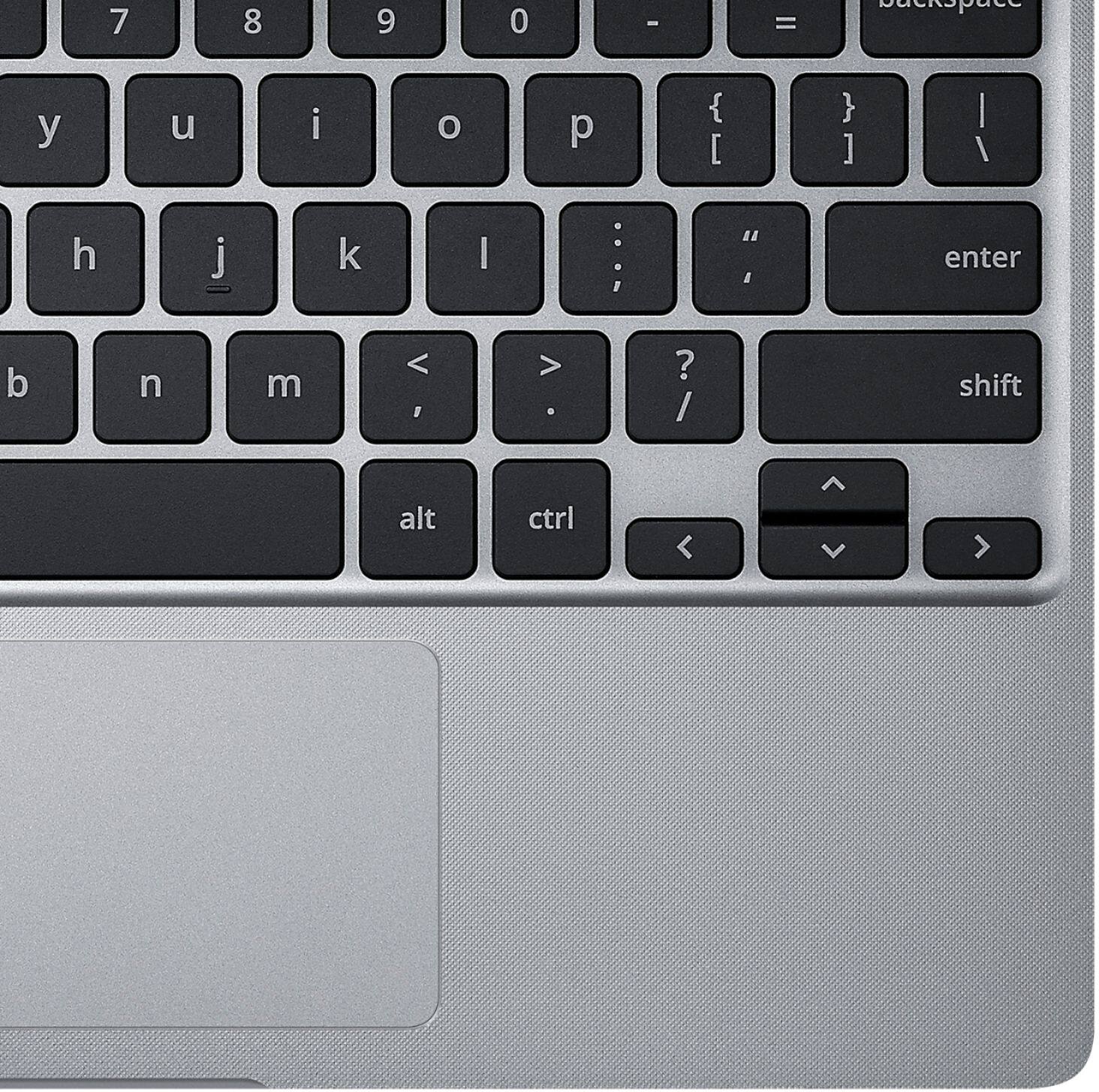
While Chromebooks don't have a dedicated Caps Lock key, they come with a Keyboard shortcut. Hold Alt + Search and Caps Lock will turn on. Have you trid resetting the Chromebook? Please attempt the steps from the FAQ below.
If you should have any other concerns or feedback feel free to reach out to us at customerloyalty@asus.com. We'll be happy to provide a quick resolution to your case. Please refer to this case number (N200895398-0032) for us to better assist you.
Thank you for choosing ASUS!
Best Regards,
Ramon,
ASUS Customer Loyalty US Support
Troubleshooting - https://www.asus.com/support/FAQ/1042702/
Disappointed user
||Posted . Owned for 3 weeks when reviewed.This reviewer received promo considerations or sweepstakes entry for writing a review.Not happy. Thought Chromebook would be more user friendly than it is.
No, I would not recommend this to a friendPerfect chromebook for kids
||Posted . Owned for 1 month when reviewed.This reviewer received promo considerations or sweepstakes entry for writing a review.Great product for my kids. They love the specs and features.
I would recommend this to a friendNot bad
||Posted . Owned for 2 weeks when reviewed.This reviewer received promo considerations or sweepstakes entry for writing a review.Over all good. Speed and battery should be better.
I would recommend this to a friendAsus Chromebook….not pleased with it
||Posted . Owned for 2 weeks when reviewed.This reviewer received promo considerations or sweepstakes entry for writing a review.So disappointed with chromebook and google operating system. Having used an Apple tablet, I was disappointed that accessibility to apps was more difficult and lot fewer apps available in the google play store. Would not recommend this purchase.
No, I would not recommend this to a friendBrand response from ASUS Answers
Posted .Dear Valued Customer,
It's unfortunate to hear that you are not pleased with the Chromebook. This is not the kind of experience we want any of our customers to have. Seen that this model comes with a chrome os, you will be limited to using most apps. If you have any concerns or need technical assistance, feel free to reach out to me at customerloyalty@asus.com and provide this link for reference. I'll do my best to provide a quick resolution to your case. Your feedback is important as it helps with improvements to ASUS Support channels.
Thank you for choosing ASUS!
Best Regards,
Jamalie,
ASUS Customer Loyalty US Support
- Cons mentioned:Screen quality
Piece of junk
||Posted . Owned for 1 year when reviewed.This reviewer received promo considerations or sweepstakes entry for writing a review.Did not even last a year before it quit working. Screen starts glitching out and it stops working continuously.
No, I would not recommend this to a friendBrand response from ASUS Answers
Posted .Dear GinaS,
We sincerely apologize for the display issues you experienced with this Chromebook. This is definitely not the norm and is not the kind of quality to expect from ASUS products. Please follow the steps in the FAQ linked below to troubleshoot the issues. We do stand behind our product and we continuously strive to improve our products and processes in order to achieve customer service excellence. For more information send us an email at customerloyalty@asus.com and provide the case number "N2107016623-0078" for reference. We’ll do our best to provide a quick resolution to your case. Your feedback is important as it helps with improvements to ASUS Support channels. Thank you for choosing ASUS.
Best Regards,
Leonardo
ASUS Customer Loyalty US Support
[Chromebook] Troubleshooting - How to fix the Display problems of Chromebook: https://www.asus.com/support/FAQ/1042772/
- Cons mentioned:Screen quality
low cost low quality lap top
||Posted . Owned for 1 month when reviewed.This reviewer received promo considerations or sweepstakes entry for writing a review.very disappointed in laptop very slow and jerky wished I spent more for better quality
No, I would not recommend this to a friendBrand response from ASUS Answers
Posted .Dear Valued Customer,
Certainly, we understand your disappointment with the quality of the notebook, and the performance. Have you updated the Chrome OS? Please attempt steps from the FAQ below. For further troubleshooting, feel free to reach out to me at customerloyalty@asus.com and provide this link for reference. I'll do my best to provide a quick resolution to your case. Your feedback is important as it helps with improvements to ASUS Support channels.
Thank you for choosing ASUS!
Best Regards,
Jamalie,
ASUS Customer Loyalty US Support
Troubleshooting - https://support.google.com/chromebook/answer/6309225?hl=en#zippy=%2Cchromebook-is-slow
- Cons mentioned:Keyboard
To power up takes forever
||Posted .This reviewer received promo considerations or sweepstakes entry for writing a review.It takes forever to boot u(powr on). I just don't like this particular Asus OS. I don't like the keyboard setup as well. I would not buy an Askus again.
No, I would not recommend this to a friendBrand response from ASUS Answers
Posted .Dear CurlyQ,
Certainly, we understand your disappointment with the unit taking a long while to boot up. This is not the kind of experience we want our customers to have. Have you updated the Chrome OS? Please refer to the FAQ below. For further troubleshooting, feel free to reach out to me at customerloyalty@asus.com and provide this link for reference. I'll do my best to provide a quick resolution to your case. Your feedback is important as it helps with improvements to ASUS Support channels.
Thank you for choosing ASUS!
Best Regards,
Jamalie,
ASUS Customer Loyalty US Support
Chromebook Tips – All you need to know - https://www.asus.com/me-en/support/FAQ/1015228/
Powers off while watching Video
||Posted . Owned for 6 months when reviewed.This reviewer received promo considerations or sweepstakes entry for writing a review.I purchased this for the sole purpose of veowsing the web and watching Amazon Prime videos. Every single time, from the 1st day i used it, i begin to play a Prime Video, the device will power off seconds into the video and it siesnt reboit itself. You hqve to wait several minutes to manually turn the computer on by the power button. You atttempt to turn it on after it shuts down and nothing will happen. This will happen 6-10x every single movie, until i can finally watch it. Very disappointed given the amount of this.
No, I would not recommend this to a friendBrand response from ASUS Answers
Posted .Dear Credspc,
It's regrettable to hear that the unit shuts off while watching a video. This is not the kind of experience we want our customers to have. Have you tried a hard reset? Please attempt the steps from the FAQ below. For further troubleshooting, feel free to reach out to me at customerloyalty@asus.com and provide this link for reference. I'll do my best to provide a quick resolution to your case. Your feedback is important as it helps with improvements to ASUS Support channels.
Thank you for choosing ASUS!
Best Regards,
Jamalie,
ASUS Customer Loyalty US Support
Troubleshooting - https://www.asus.com/us/support/FAQ/1047679/
- Pros mentioned:Price
Stopped turning on
||Posted . Owned for 3 months when reviewed.This reviewer received promo considerations or sweepstakes entry for writing a review.A decent little device for the cheap price, but despite being charged its stopped turning on entirely. I cant even return it.
No, I would not recommend this to a friendBrand response from ASUS Answers
Posted .Dear Valued Customer,
I'm sorry to hear that the unit is unable to turn on. This is not the kind of experience we want our customers to have. Have you tried a hard reset? Please attempt the steps from the FAQ below. For further troubleshooting, feel free to reach out to me at customerloyalty@asus.com and provide this link for reference. I'll do my best to provide a quick resolution to your case. Your feedback is important as it helps with improvements to ASUS Support channels.
Thank you for choosing ASUS!
Best Regards,
Jamalie,
ASUS Customer Loyalty US Support
Troubleshooting - https://www.asus.com/support/FAQ/1042742/
Flimsy and Slow
||Posted . Owned for less than 1 week when reviewed.This reviewer received promo considerations or sweepstakes entry for writing a review.Less than 48 hours... that's how long we had this in my home before it became useless. The casing is so flimsy that a tiny drop broke the screen. I had, unfortunately, forgotten to select the ADP warranty. So, I tried a repair shop which wanted to charge $185 to make the repair. I looked at the difference between our previous chromebook and this one I JUST purchased, and there is a marked difference in the structure of the chromebook. Extremely disappointed. Also, my son said it ran a lot slower than his HP as well.
No, I would not recommend this to a friendBrand response from ASUS Answers
Posted .Dear LesK,
We're sorry to hear about the unfortunate experience you're having with your unit running slow. Rest assured we will make a note of this review and pass it on to our team. We would recommend that you have this unit sent in for servicing so we can have our team look into this issue.
For more information send us an email at customerloyalty@asus.com and provide the link of this review for reference. We’ll do our best to provide a quick resolution to your case. Your feedback is important as it helps with improvements to ASUS Support channels. Please copy a link to this post as a reference.
Thank you for choosing ASUS.
Best Regards,
Joan
ASUS Customer Loyalty US Support
A Phone in Mini Computer Version
||Posted . Owned for 1 month when reviewed.This reviewer received promo considerations or sweepstakes entry for writing a review.The computer is like having a phone thats too big to carry as such. But if needing a keyboard large enough to see versus a phone screen its great. Its definitely not what I expected.
No, I would not recommend this to a friendBrand response from ASUS Answers
Posted .Dear Valued Customer,
We certainly understand the inconvenience this may have caused if the Chromebook didn't meet your expectations.
It is a laptop with a web or cloud-based OS that is fast, secured and easy to use and is becoming a popular choice because of these features. Internet security or antivirus software is integrated, no need to purchase the software or application separately. Besides being a low-cost and lightweight computer, it supports thousands of popular computing applications, both in Chrome and Android, and Linux applications as well. Since it is a web base OS it does require a Google or Gmail account and an internet connection in order to use or operate it properly. If this is your first experience with a Chromebook, I recommend using the HELP file incorporated within the OS. To access HELP, please click your profile picture on the Notification Bar, located on the lower right-hand corner of the Home screen then click the question mark icon or widget. For more help, please go visit Google Support webpage.
Should you need further assistance with the product, please email me at cl-rodel@asus.com and I will be more than glad to help. Or, you are most welcome to call Product Support Hotline at: 1(888) 678-3688. Also, you can chat with an ASUS live support agent at: http://bit.ly/AsusLiveChat.
Thank you for choosing an ASUS product.
Regards,
Rodel
ASUS Customer Loyalty
mouse pad limited
||Posted .This reviewer received promo considerations or sweepstakes entry for writing a review.Works ok, but use is rather awkward! It is very difficult to scroll down on web pages since mouse pad do it in a normal fashion!
No, I would not recommend this to a friendBrand response from ASUS Answers
Posted .Dear Slick,
We certainly understand your concern on how to use a Chromebook, specifically the touchpad.
It works diffrently compare to a Windows-based laptop. If this is your first experience with a Chromebook, I recommend using the HELP file incorporated within the OS. To access HELP, please click your profile picture on the Notification Bar, located on the lower right-hand corner of the Home screen then click the question mark icon or widget. For more help, please go visit Google Support webpage at: https://support.google.com/chromebook/answer/1047367?hl=en#:~:text=Press%20or%20tap%20the%20touchpad,then%20click%20with%20one%20finger.&text=Place%20two%20fingers%20on%20the,and%20right%20to%20scroll%20horizontally.&text=To%20go%20back%20to%20a,swipe%20left%20with%20two%20fingers..
Should you need further assistance, please email me at cl-rodel@asus.com and I will be more than glad to help. Or, you are most welcome to call Product Support Hotline at: 1(888) 678-3688. Also, you can chat with an ASUS live support agent at: http://bit.ly/AsusLiveChat.
Thank you for choosing an ASUS product.
Regards,
Rodel
ASUS Customer Loyalty
Would not power on after 3 months
||Posted . Owned for 3 months when reviewed.This reviewer received promo considerations or sweepstakes entry for writing a review.After three months, the product will no longer power on. I used the troubleshooting tips provided by Asus, which did not work. When talking with Asus customer support, they first referred me to Geek Squad to have it fixed, which I would be responsible for the bill. I pushed back about the 1 year warranty and they instructed me to mail it to Asus and I would be responsible for the shipping cost. They finally sent me a free shipping label. 31 minute phone call to resolve.
No, I would not recommend this to a friendBrand response from ASUS Answers
Posted .Dear GML1,
It's regrettable to hear that the Chromebook failed to turn on after 3 months of usage. What you've experienced was not intentional and this is a random case. Our team will take the necessary time to ensure that you have no continued issues. If you wish to follow up, feel free to reach out to me at customerloyalty@asus.com and provide this link for reference. I'll do my best to provide a quick resolution to your case. Your feedback is important as it helps with improvements to ASUS Support channels.
Thank you for choosing ASUS!
Best Regards,
Jamalie,
ASUS Customer Loyalty US Support