Customer Ratings & Reviews
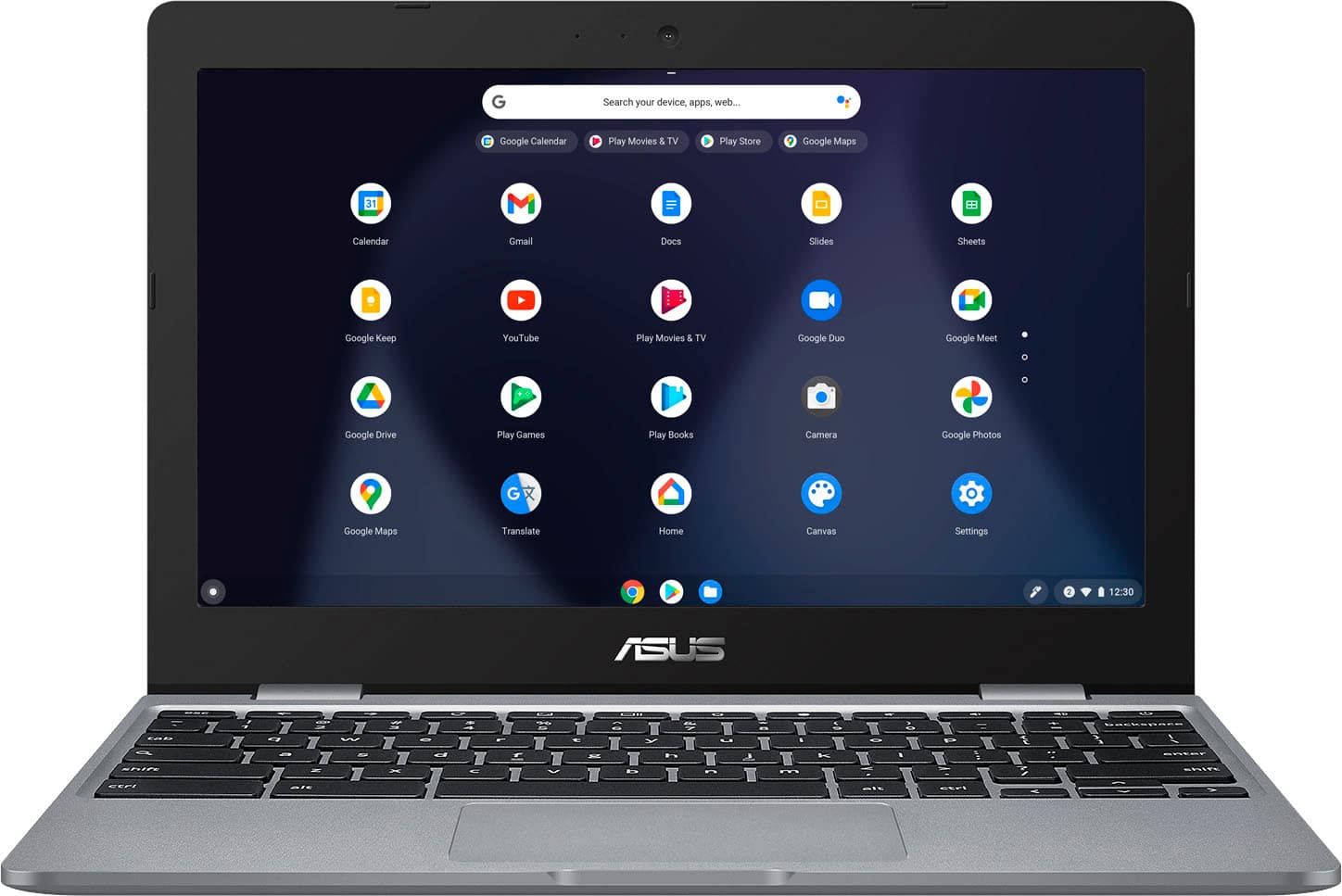
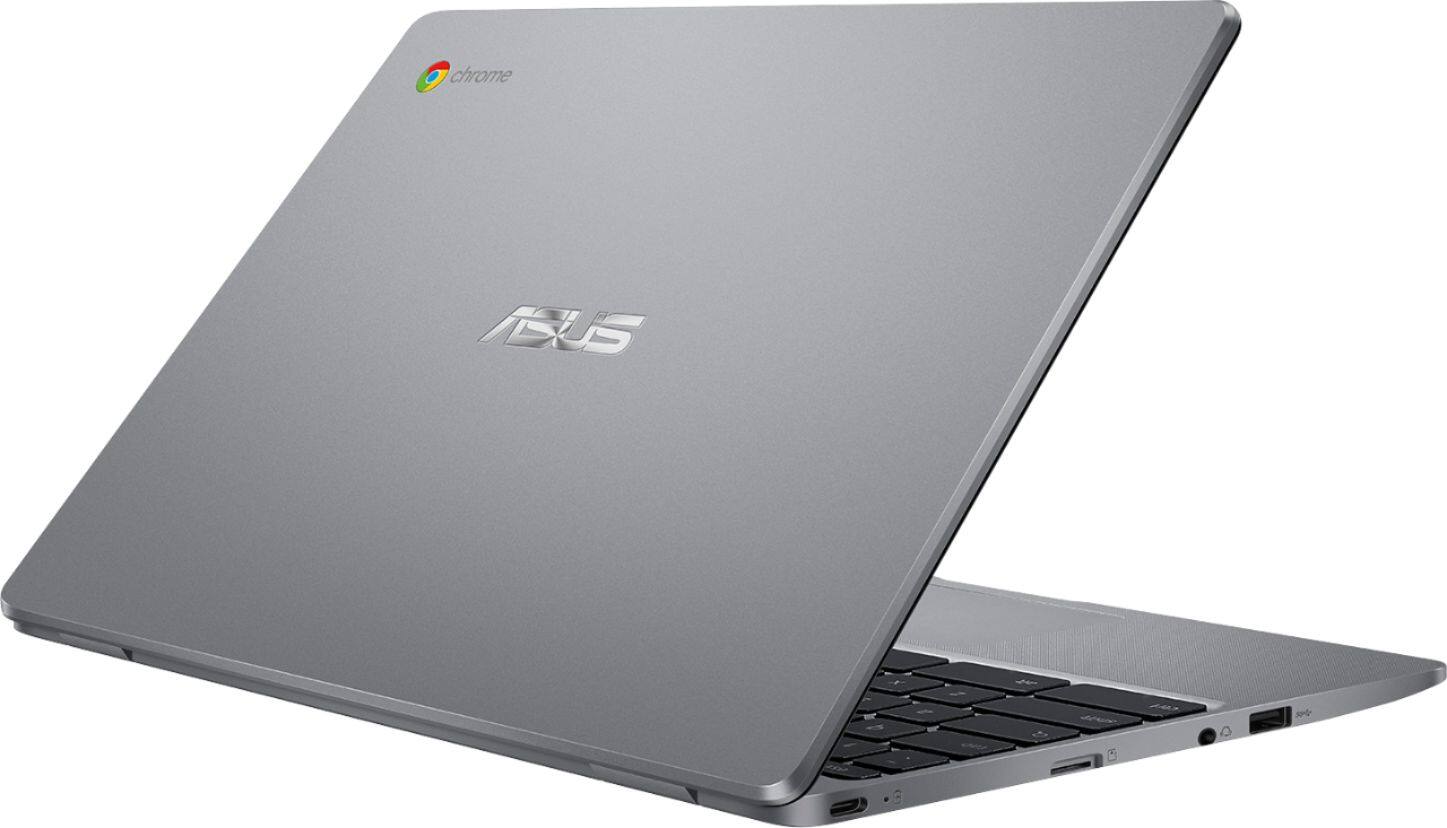
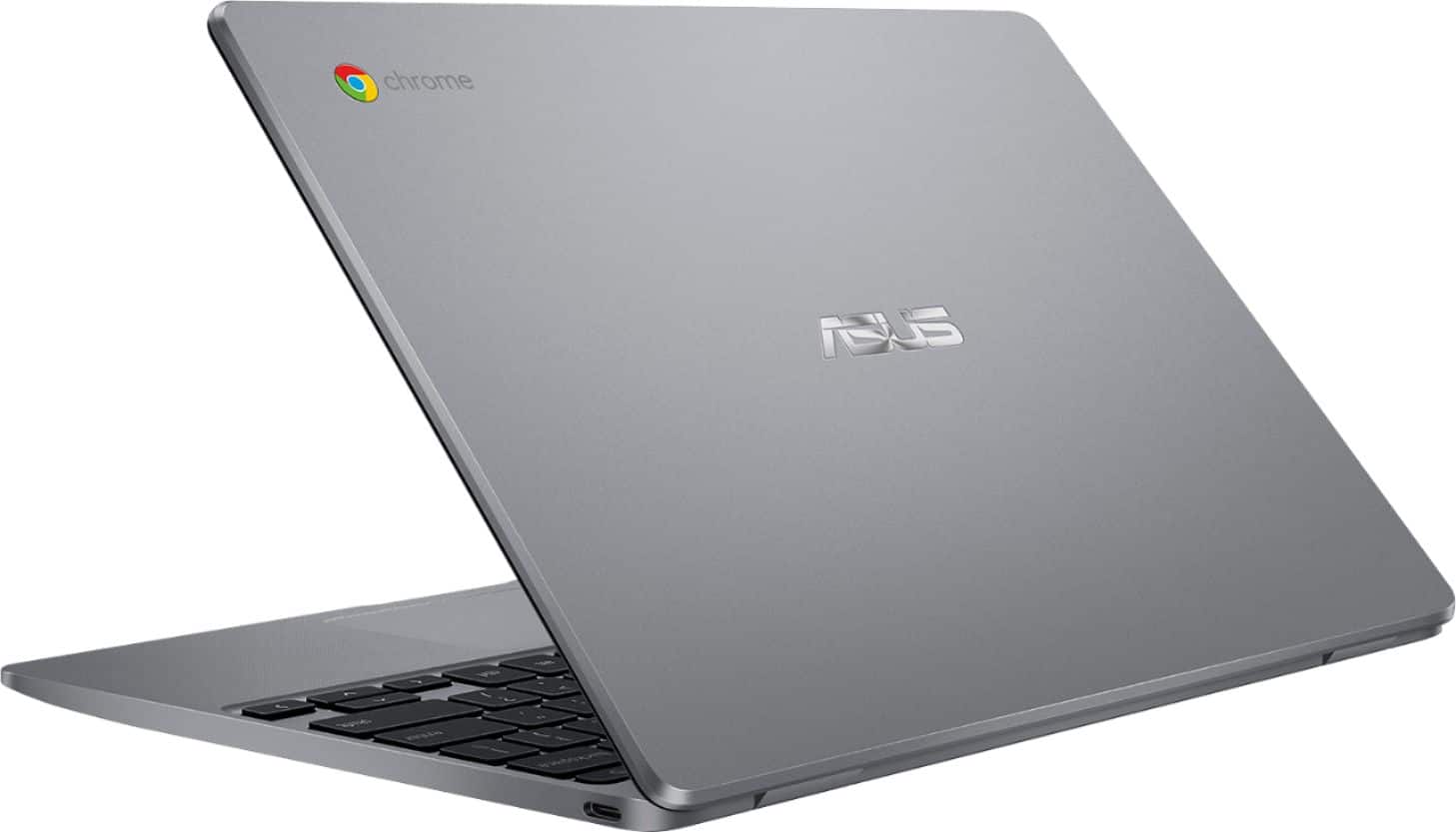
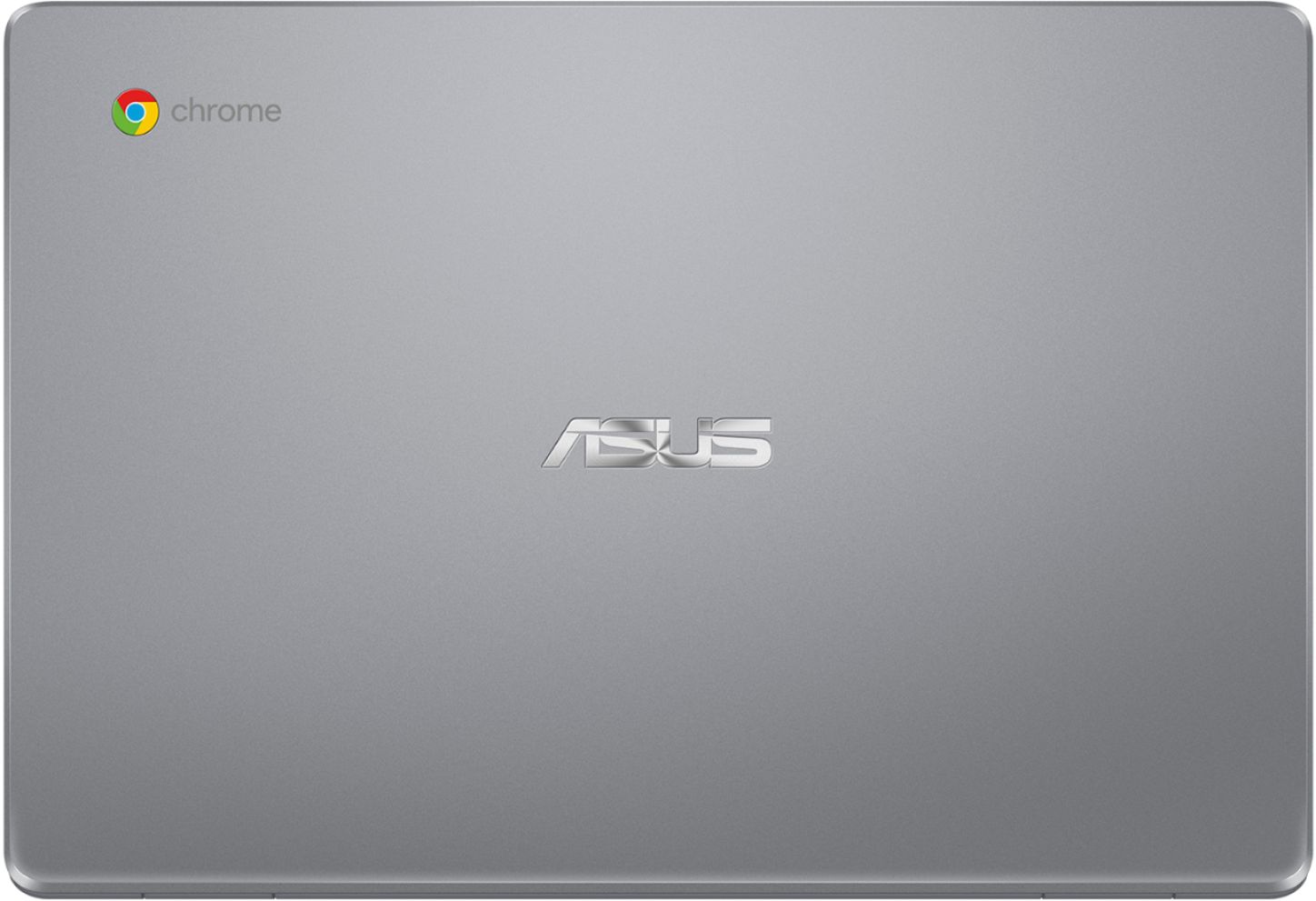
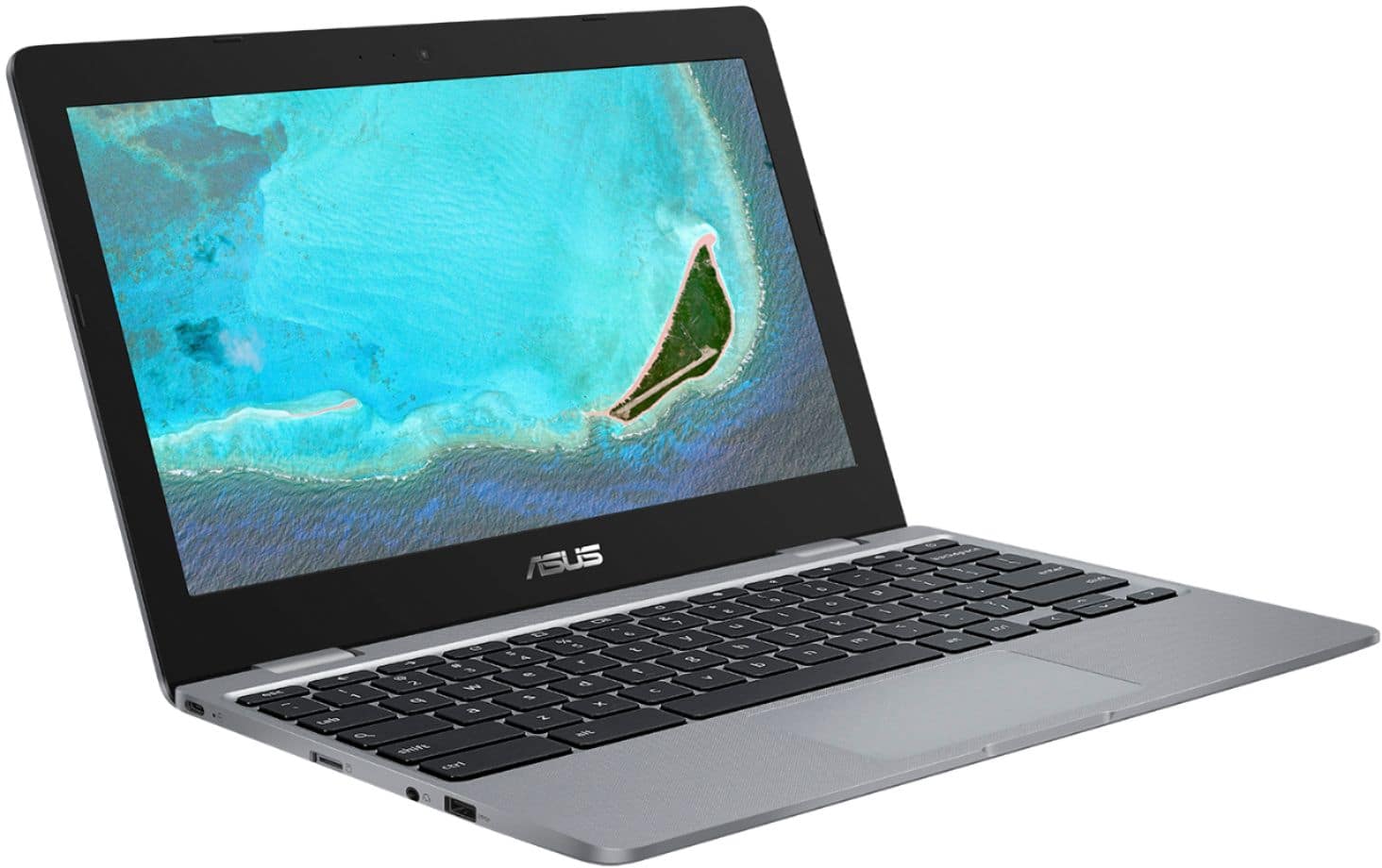
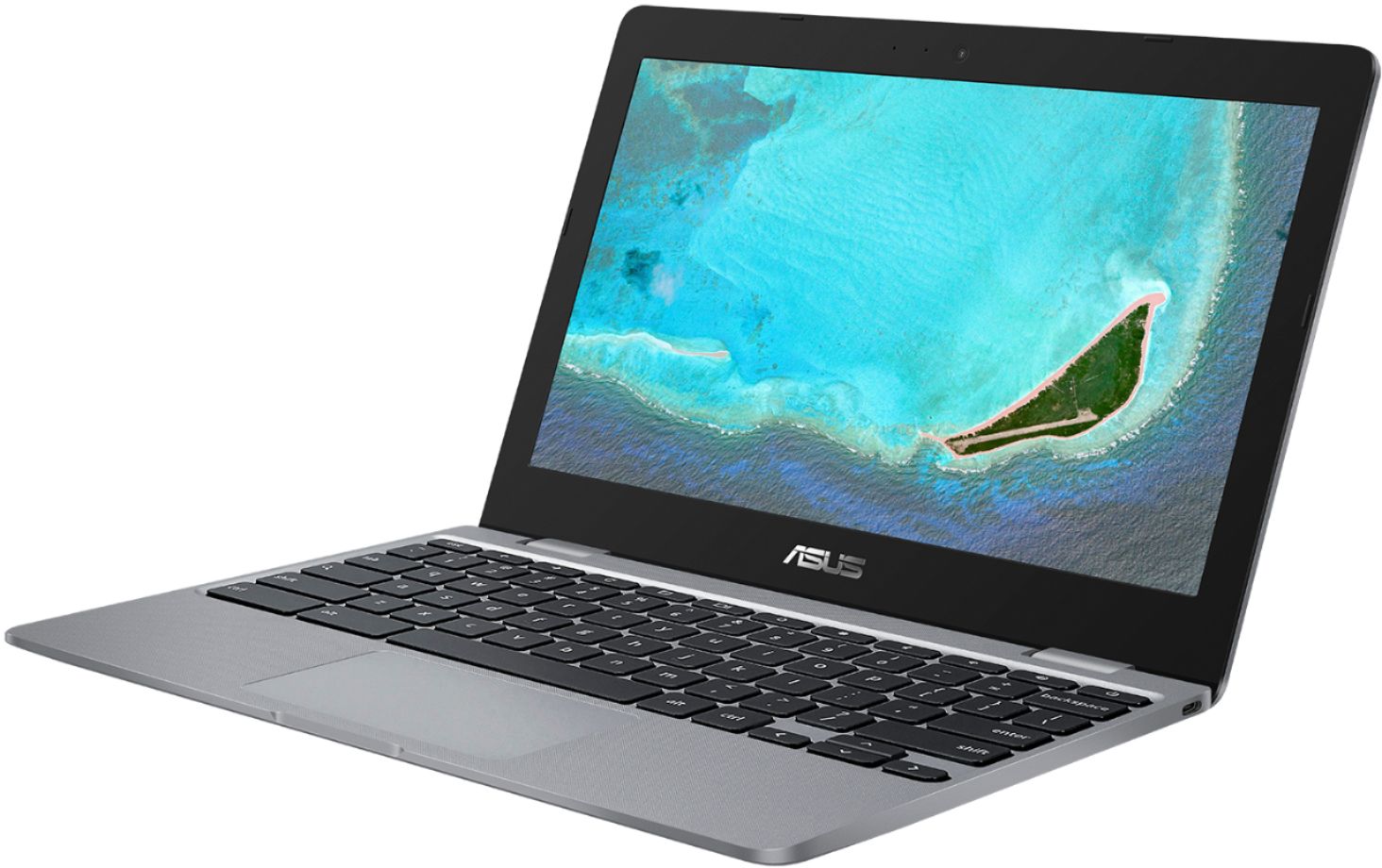
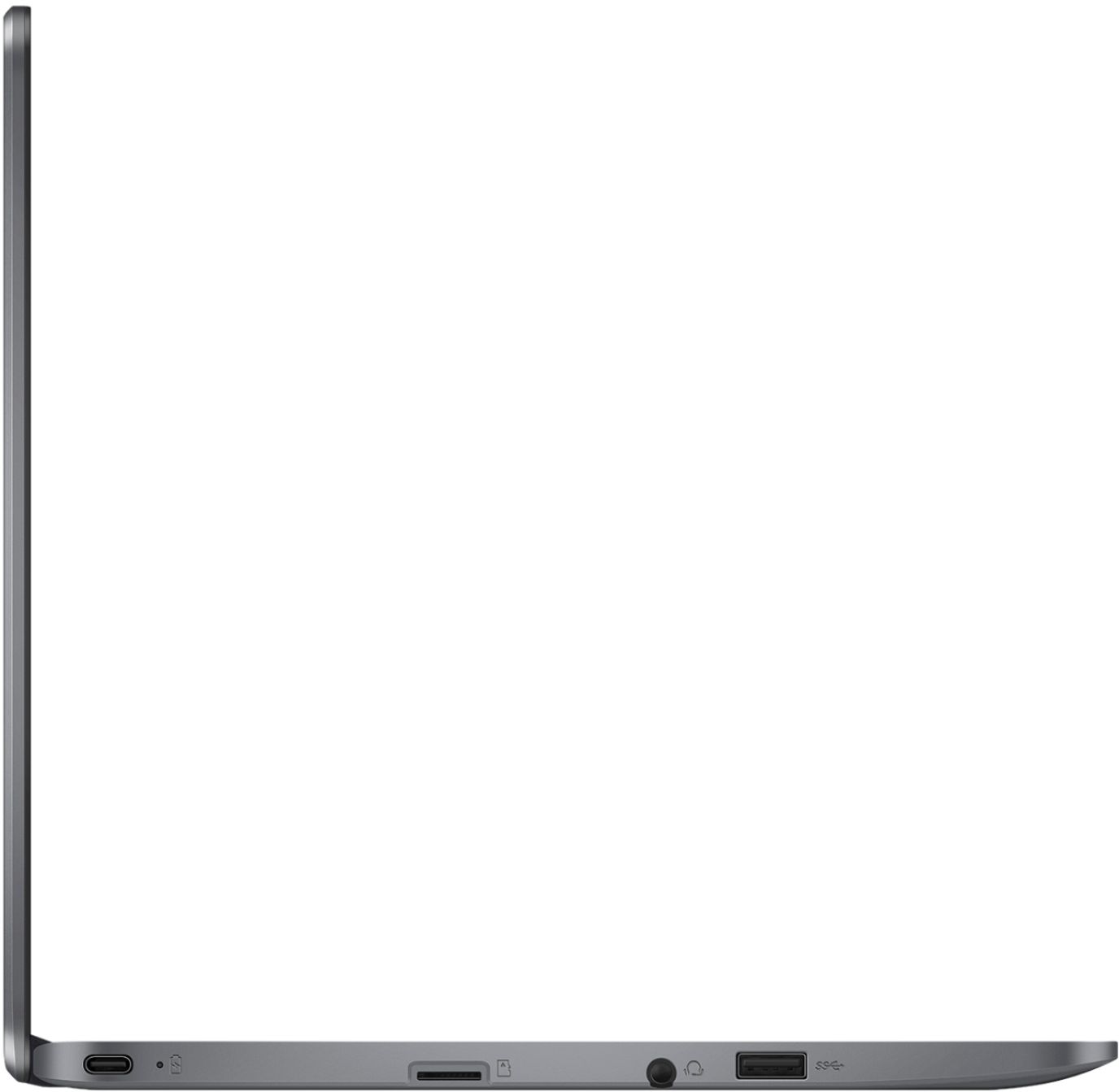
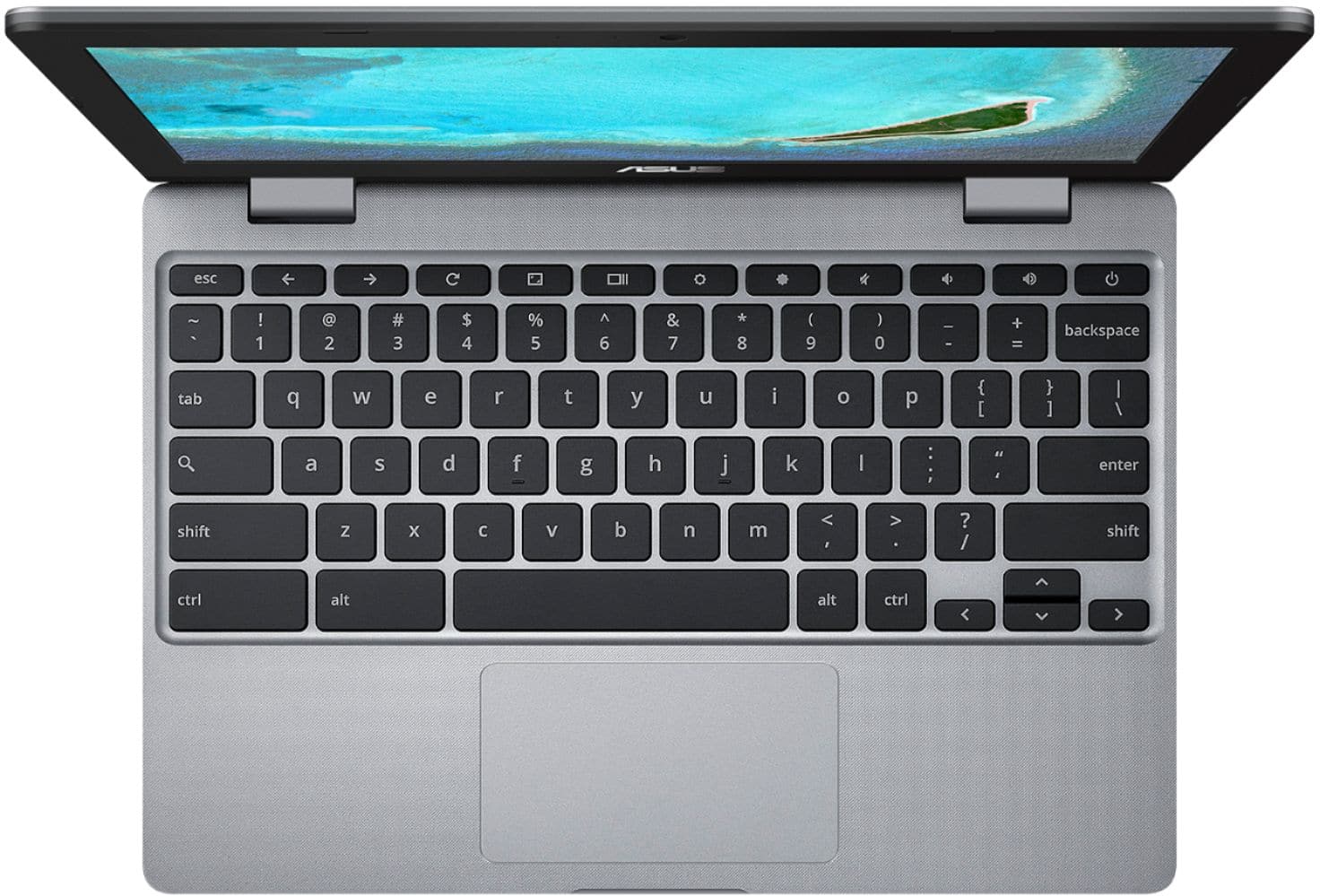



- Model:
- CX22NA-211.BB01
- SKU:
- 6449513
Rating by feature
- Battery Life
Rating 4.4 out of 5 stars
- Speed
Rating 4.1 out of 5 stars
- Display
Rating 4.2 out of 5 stars
Customers are saying
Customers highly value the ease of use, affordable price, and compact size of the 11.6" Chromebook. Positive feedback also highlights its satisfactory performance and long battery life, along with its lightweight design. While some users mentioned the screen resolution could be improved, and storage space is limited, the overall experience is considered positive. Many appreciate it as a great value for basic web browsing and everyday tasks.
This summary was generated by AI based on customer reviews.
Not worth it
||Posted . Owned for 1 month when reviewed.This reviewer received promo considerations or sweepstakes entry for writing a review.The chromebook lags a lot. It also overheats after 30 minutes. Not worth buying.
No, I would not recommend this to a friendBrand response from ASUS Answers
Posted .Dear Hzldrgn,
It's regrettable to hear that it lags and overheats. This is not the kind of experience we want our customers to have. Have you updated the Chrome OS? Please ensure to use it on a flat surface and close all background apps. For further troubleshooting, feel free to reach out to me at customerloyalty@asus.com and provide this link for reference. I'll do my best to provide a quick resolution to your case. Your feedback is important as it helps with improvements to ASUS Support channels.
Thank you for choosing ASUS!
Best Regards,
Jamalie,
ASUS Customer Loyalty US Support
Slow laptop
||Posted . Owned for less than 1 week when reviewed.This reviewer received promo considerations or sweepstakes entry for writing a review.It slow. The mouse doesn't work for app game. Can't scroll up and down on app game.
No, I would not recommend this to a friendBrand response from ASUS Answers
Posted .Dear Maiv,
We're sorry to hear that your Chromebook is running slow. Please allow us to make your experience with us a better one. We woud recommend that you back up your data and perform a powerwash. We do value our customers and take negative customer service experience very seriously. This is not the quality of service expected from ASUS. We do stand behind our product and we continuously strive to improve our approach and processes in order to achieve customer service excellence.
For more information send us an email at customerloyalty@asus.com and provide the link of this review for reference. We’ll do our best to provide a quick resolution to your case. Your feedback is important as it helps with improvements to ASUS Support channels. Please copy a link to this post as a reference.
Thank you for choosing ASUS.
Best Regards,
Joan
ASUS Customer Loyalty US Support
Reviewed
||Posted . Owned for 1 month when reviewed.This reviewer received promo considerations or sweepstakes entry for writing a review.Not up to speed with equipped security settings. Wasnt pleased with factory security settings.
No, I would not recommend this to a friendBrand response from ASUS Answers
Posted .Dear Valued Customer, I'm sorry to hear that the product isn't up to speed, this is absolutely not the kind of experience we want any of our customers to have. We value your feedback and concerns as this will aid in any improvements that need to be made. If you have any other concerns you can email us at "customerloyalty@asus.com" and we will explore every possible avenue to address the issue the best way we can. Your feedback is important as it helps with improvements to ASUS Support channels. Thank you for choosing ASUS! Best Regards, Jonelle, ASUS Customer Loyalty US Support
Worst service
||Posted .This reviewer received promo considerations or sweepstakes entry for writing a review.Worst laptop don't buy this product these guys' are selling damaged products
No, I would not recommend this to a friendBrand response from ASUS Answers
Posted .Dear Valued Customer,
We're sorry to hear about the unfortunate experience you're having with this model. Can you please provide us with more details on the issues you're having with this model? We would love to have your issue resolve in a timely manner. We do value our customers and take negative customer service experience very seriously. This is not the quality of service expected from ASUS. We do stand behind our product and we continuously strive to improve our approach and processes in order to achieve customer service excellence.
For more information send us an email at customerloyalty@asus.com and provide the link of this review for reference. We’ll do our best to provide a quick resolution to your case. Your feedback is important as it helps with improvements to ASUS Support channels. Please copy a link to this post as a reference.
Thank you for choosing ASUS.
Best Regards,
Joan
ASUS Customer Loyalty US Support
Bad
||Posted .This reviewer received promo considerations or sweepstakes entry for writing a review.Stopped working 2 days after it was purchased. Not good.
I would recommend this to a friendBrand response from ASUS Answers
Posted .Dear Valued Customer,
We're sorry to hear that your unit stopped working. Can you please provide us with more information on the issue you're having? is it that the unit isn't powering on anymore? We do value our customers and take negative customer service experience very seriously. This is not the quality of service expected from ASUS. We do stand behind our product and we continuously strive to improve our approach and processes in order to achieve customer service excellence.
For more information, you can reach out to us at our Official ASUS North America Support twitter at AsusHelpUS. We’ll do our best to provide a quick resolution to your case. Your feedback is important as it helps with improvements to ASUS Support channels. Please copy a link to this post as a reference.
Thank you for choosing ASUS.
Best Regards,
Joan
ASUS Customer Loyalty US Support
Broke in 3 weeks.
||Posted . Owned for 3 weeks when reviewed.This reviewer received promo considerations or sweepstakes entry for writing a review.Stopped working 3 weeks after purchase. It just wouldn't turn on anymore..
No, I would not recommend this to a friendBrand response from ASUS Answers
Posted .Dear SamC,
We're sorry to hear that yur Chromebook is not powering on anymore. Please allow us to make your experience with ASUS a better one. We woulld recmmend that you perform a hard reset.
1. Unplug the charger
2. Press and hold the power button for 1 full minute
3. Plug in only the charger and start up normally
For more information send us an email at customerloyalty@asus.com and provide the link of this review for reference. We’ll do our best to provide a quick resolution to your case. Your feedback is important as it helps with improvements to ASUS Support channels. Please copy a link to this post as a reference.
Thank you for choosing ASUS.
Best Regards,
Joan
ASUS Customer Loyalty US Support
Do not buy
||Posted .This reviewer received promo considerations or sweepstakes entry for writing a review.Really slow and very hard to use. I do no rec 2/10
No, I would not recommend this to a friendBrand response from ASUS Answers
Posted .Dear Roomba,
We certainly understand your disappointment regarding the slow system performance of the Chromebook. On the contrary, lots of satisfied customers, having positive experience using the product, will agree with me that the unit is a decent system that is perfect for running basic and light computing applications, without compromising system stability and performance.
Since the Chromebook is a web-based computer and relies on an internet connection for system stability and performance, please verify if the unit has access to a stable and a high-speed internet service. Also, by clearing browsing history and minimizing the number of opened browser tabs will help improve and maintain optimum system stability and performance. Ensure the laptop is running with the most current OS update.
Should you need further assistance with the product, please email me at cl-rodel@asus.com and I would be more than happy to help. Or, you are most welcome to call Product Support Hotline at: 1(888) 678-3688. Also, you can chat with an ASUS live support agent at: http://bit.ly/AsusLiveChat.
Thank you for choosing an ASUS product.
Regards,
Rodel
ASUS Customer Loyalty
Stopped working
||Posted . Owned for 7 months when reviewed.This reviewer received promo considerations or sweepstakes entry for writing a review.Stopped working. I’ve tired everything the get it turn back on.
No, I would not recommend this to a friendBrand response from ASUS Answers
Posted .Dear Valued Customer,
Usually, the following can be performed if the Chromebook will not power on or boot up.
Please verify if the AC adapter is properly connected from the Chromebook to a known good, working surge protector or AC outlet. Try to connect it to another known good power source. If running it with battery only, please ensure the battery has an ample amount of charge. If this was tried to no avail, please try to disconnect the AC adapter and let the unit drain for 24 hours to clear the memory and reset the hardware to default settings. After doing this, please reconnect your AC adapter, do not power on the Chromebook until the battery was charged.
If you need further assistance with ASUS products, please email me at cl-rodel@asus.com and I would be more than happy to help. Or, you are most welcome to call Product Support Hotline at: 1(888) 678-3688. Also, you can chat with an ASUS live support agent at: http://bit.ly/AsusLiveChat.
Thank you for choosing an ASUS product.
Regards,
Rodel
ASUS Customer Loyalty
Not great!
||Posted . Owned for 3 months when reviewed.This reviewer received promo considerations or sweepstakes entry for writing a review.Only get two years of security updates! Can only do browser based apps!
No, I would not recommend this to a friendBrand response from ASUS Answers
Posted .Dear Dman,
We're sorry to hear about the unfortunate experience you're having with this unit. We would recommend that you perform a powerwash on this model. We do value our customers and take negative customer service experience very seriously. This is not the quality of service expected from ASUS. We do stand behind our product and we continuously strive to improve our approach and processes in order to achieve customer service excellence.
For more information send us an email at customerloyalty@asus.com and provide the link of this review for reference. We’ll do our best to provide a quick resolution to your case. Your feedback is important as it helps with improvements to ASUS Support channels. Please copy a link to this post as a reference.
Thank you for choosing ASUS.
Best Regards,
Joan
ASUS Customer Loyalty US Support
Nothingness
||Posted .This reviewer received promo considerations or sweepstakes entry for writing a review.I didn't receive the order and they charge me for twice for something i didnt get
No, I would not recommend this to a friendBrand response from ASUS Answers
Posted .Dear Valued Customer,
It's unfortunate to hear about your experience purchasing the unit. This must be frustrating, you can have this issue resolved through POP. We do hope that it works out in your favor. If you have any concerns about our units, feel free to reach out to me at customerloyalty@asus.com and provide this link for reference. I'll do my best to provide a quick resolution to your case. Your feedback is important as it helps with improvements to ASUS Support channels.
Thank you for choosing ASUS!
Best Regards,
Jamalie,
ASUS Customer Loyalty US Support
Won't turn on
||Posted . Owned for 2 months when reviewed.This reviewer received promo considerations or sweepstakes entry for writing a review.Won't turn on after only a few weeks of use. Would not recommend!
No, I would not recommend this to a friendBrand response from ASUS Answers
Posted .Dear Celeste,
We're sorr to hear that ou're having issues with your unit powering on. We would recommend that you attempt the steps below to resolve this issue. Here: 1. Unplug the charger
2. Press and hold the power button for 1 full minute
3. Plug in only the charger and start up normally
For more information send us an email at customerloyalty@asus.com and provide the link of this review for reference. We’ll do our best to provide a quick resolution to your case. Your feedback is important as it helps with improvements to ASUS Support channels. Please copy a link to this post as a reference.
Thank you for choosing ASUS.
Best Regards,
Joan
ASUS Customer Loyalty US Support
This computer sucks
||Posted . Owned for 3 weeks when reviewed.This reviewer received promo considerations or sweepstakes entry for writing a review.Its not compatible with much. the curser and mousepad has a mind of their own
No, I would not recommend this to a friendBrand response from ASUS Answers
Posted .Dear Valued Customer,
We certainly understand the inconvenience this may have caused.
The Chromebook comes with a web or cloud-based OS that is fast, secured and easy to use and is becoming a popular choice because of these features. The touchpad doesn't operate like a Windows-based laptop. In a Chromebook, internet security or antivirus software is integrated, no need to purchase the software or application separately. Besides being a low-cost and lightweight computer, it supports thousands of popular computing applications, both in Chrome and Android, and Linux applications as well. Since it is a web base OS it does require a Google or Gmail account and an internet connection in order to use or operate it properly. If this is your first experience with a Chromebook, I recommend using the HELP file incorporated within the OS. To access HELP, please click your profile picture on the Notification Bar, located on the lower right-hand corner of the Home screen then click the question mark icon or widget. For more help, please go visit Google Support webpage.
Should you need further assistance, please email me at cl-rodel@asus.com and I will be more than glad to help. Or, you are most welcome to call Product Support Hotline at: 1(888) 678-3688. Also, you can chat with an ASUS live support agent at: http://bit.ly/AsusLiveChat.
Thank you for choosing an ASUS product.
Regards,
Rodel
ASUS Customer Loyalty
Waste of time and money.
||Posted . Owned for 1 month when reviewed.This reviewer received promo considerations or sweepstakes entry for writing a review.Didn't last. Shut down and was unable to turn back on after charging it.
No, I would not recommend this to a friendBrand response from ASUS Answers
Posted .Dear Lisa35,
We're sorry to hear that you're having issues with your unit powering on. Please allow us to make your experience with ASUS a better one. Please perform a hard restart
1. Unplug the charger
2. Press and hold the power button for 1 full minute
3. Plug in only the charger and start up normally
For more information, you can reach out to us at our Official ASUS North America Support twitter at AsusHelpUS. We’ll do our best to provide a quick resolution to your case. Your feedback is important as it helps with improvements to ASUS Support channels. Please copy a link to this post as a reference.
Thank you for choosing ASUS.
Best Regards,
Joan
ASUS Customer Loyalty US Support
Awful
||Posted . Owned for 1 month when reviewed.This reviewer received promo considerations or sweepstakes entry for writing a review.I bought this for school and wasted my money on this computer
No, I would not recommend this to a friendBrand response from ASUS Answers
Posted .Dear Rachael,
We're sorry to hear about the unfortunate experience you're having with this model. Can you please provide us with more details on the issues you're having? We would love to have your issues resolved in a timely manner.
For more information send us an email at customerloyalty@asus.com and provide the link of this review for reference. We’ll do our best to provide a quick resolution to your case. Your feedback is important as it helps with improvements to ASUS Support channels. Please copy a link to this post as a reference.
Thank you for choosing ASUS.
Best Regards,
Joan
ASUS Customer Loyalty US Support
Get what you pay for!
||Posted . Owned for 1 month when reviewed.This reviewer received promo considerations or sweepstakes entry for writing a review.Granddaughter opened it Christmas and speakers were busted! Cheap!
No, I would not recommend this to a friendBrand response from ASUS Answers
Posted .Dear Christmas,
We're sorry to hear that your speakers stopped working. We would recommend that you reach out to Best Buy to get a replaement model. For more information send us an email at customerloyalty@asus.com and provide the link of this review for reference. We’ll do our best to provide a quick resolution to your case. Your feedback is important as it helps with improvements to ASUS Support channels. Please copy a link to this post as a reference.
Thank you for choosing ASUS.
Best Regards,
Joan
ASUS Customer Loyalty US Support
Don’t but this chrome book
||Posted . Owned for 3 weeks when reviewed.This reviewer received promo considerations or sweepstakes entry for writing a review.Did not like item very slow can’t use it I returned it
No, I would not recommend this to a friendBrand response from ASUS Answers
Posted .Dear Peter1,
We're sorry to hear that you're unit is running slow and that you had to return it. We do value our customers and take negative customer service experience very seriously. This is not the quality of service expected from ASUS. We do stand behind our product and we continuously strive to improve our approach and processes in order to achieve customer service excellence.
For more information send us an email at customerloyalty@asus.com and provide the link of this review for reference. We’ll do our best to provide a quick resolution to your case. Your feedback is important as it helps with improvements to ASUS Support channels. Please copy a link to this post as a reference.
Thank you for choosing ASUS.
Best Regards,
Joan
ASUS Customer Loyalty US Support
No
||Posted .This reviewer received promo considerations or sweepstakes entry for writing a review.Not very good to be honest it doesn’t even have windows on it
No, I would not recommend this to a friendBrand response from ASUS Answers
Posted .Dear Mike,
We certainly understand the inconvenience if the Chromebook didn't meet your expectations.
The laptop comes with a web or cloud-based OS, not Windows, that is fast, secured and easy to use and is becoming a popular choice of because of these features. Internet security or antivirus software is integrated, no need to purchase the software or application separately. Besides, it is low-cost and lightweight, and supports thousands of popular computing applications, both in Chrome and Android, and Linux applications as well. Since it is a web base OS it does require a Google or Gmail account and an internet connection in order to use or operate it properly. If this is your first experience with a Chromebook, I recommend using the HELP file incorporated within the OS. To access HELP, please click your profile picture on the Notification Bar, located on the lower right-hand corner of the Home screen then click the question mark icon or widget. For more help, please go visit Google Support webpage.
Should you need further assistance with the Chromebook or other ASUS products, please email me at cl-rodel@asus.com and I will be more than glad to help. Or, you are most welcome to call Product Support Hotline at: 1(888) 678-3688. Also, you can chat with an ASUS live support agent at: http://bit.ly/AsusLiveChat.
Thank you for choosing an ASUS product.
Regards,
Rodel
ASUS Customer Loyalty
Agonizingly slow
||Posted . Owned for 1 month when reviewed.This reviewer received promo considerations or sweepstakes entry for writing a review.Very slow, had to return it..no issues returning at bestbuy
No, I would not recommend this to a friendBrand response from ASUS Answers
Posted .Dear Venky,
We certainly understand your disappointment regarding the slow system performance on the Chromebook.
On the contrary, lots of satisfied customers, having positive experience using the product, will agree with me that the laptop is a decent system that is perfect for running basic and light computing applications, without compromising system stability and performance. Since this is a web-based computer and relies on an internet connection for system stability and performance, please verify if the Chromebook has access to a stable and a high-speed internet service. Also, ensure the unit is running with the most current OS update.
Should you need further assistance with the product, please email me at cl-rodel@asus.com and I would be more than happy to help. Or, you are most welcome to call Product Support Hotline at: 1(888) 678-3688. Also, you can chat with an ASUS live support agent at: http://bit.ly/AsusLiveChat.
Thank you for choosing an ASUS product.
Regards,
Rodel
ASUS Customer Loyalty
not happy
||Posted . Owned for 1 month when reviewed.This reviewer received promo considerations or sweepstakes entry for writing a review.it shut down and will not restart. So not happy at all
No, I would not recommend this to a friendBrand response from ASUS Answers
Posted .Dear Valued Customer,
We're sorry to hear about the unfortunate experience you're having with the computer restarting. Please allow us to make your experience with ASUS a better one. We would recommend that you perform a hard reset on this model. 1. Unplug the charger
2. Press and hold the power button for 1 full minute
3. Plug in only the charger and start up normally
For more information send us an email at customerloyalty@asus.com and provide the link of this review for reference. We’ll do our best to provide a quick resolution to your case. Your feedback is important as it helps with improvements to ASUS Support channels. Please copy a link to this post as a reference.
Thank you for choosing ASUS.
Best Regards,
Joan
ASUS Customer Loyalty US Support
trash laptop
||Posted .This reviewer received promo considerations or sweepstakes entry for writing a review.Its complete trash don't buy it save yourself a headache
No, I would not recommend this to a friendBrand response from ASUS Answers
Posted .Dear Valued Customer,
We do understand your disappointment with the Chromebook and the inconvenience this may have caused if the product didn't meet your expectations.
On the contrary, lots of satisfied customers, having positive experience using the product, will agree with me that the Chromebook is a decent system that is perfect for running basic and light computing applications, without compromising system stability and performance.
Should you need further assistance with the product, please email me at cl-rodel@asus.com and I would be more than happy to help. Or, you are most welcome to call Product Support Hotline at: 1(888) 678-3688. Also, you can chat with an ASUS live support agent at: http://bit.ly/AsusLiveChat.
Thank you for choosing an ASUS product.
Regards,
Rodel
ASUS Customer Loyalty