Customer Ratings & Reviews
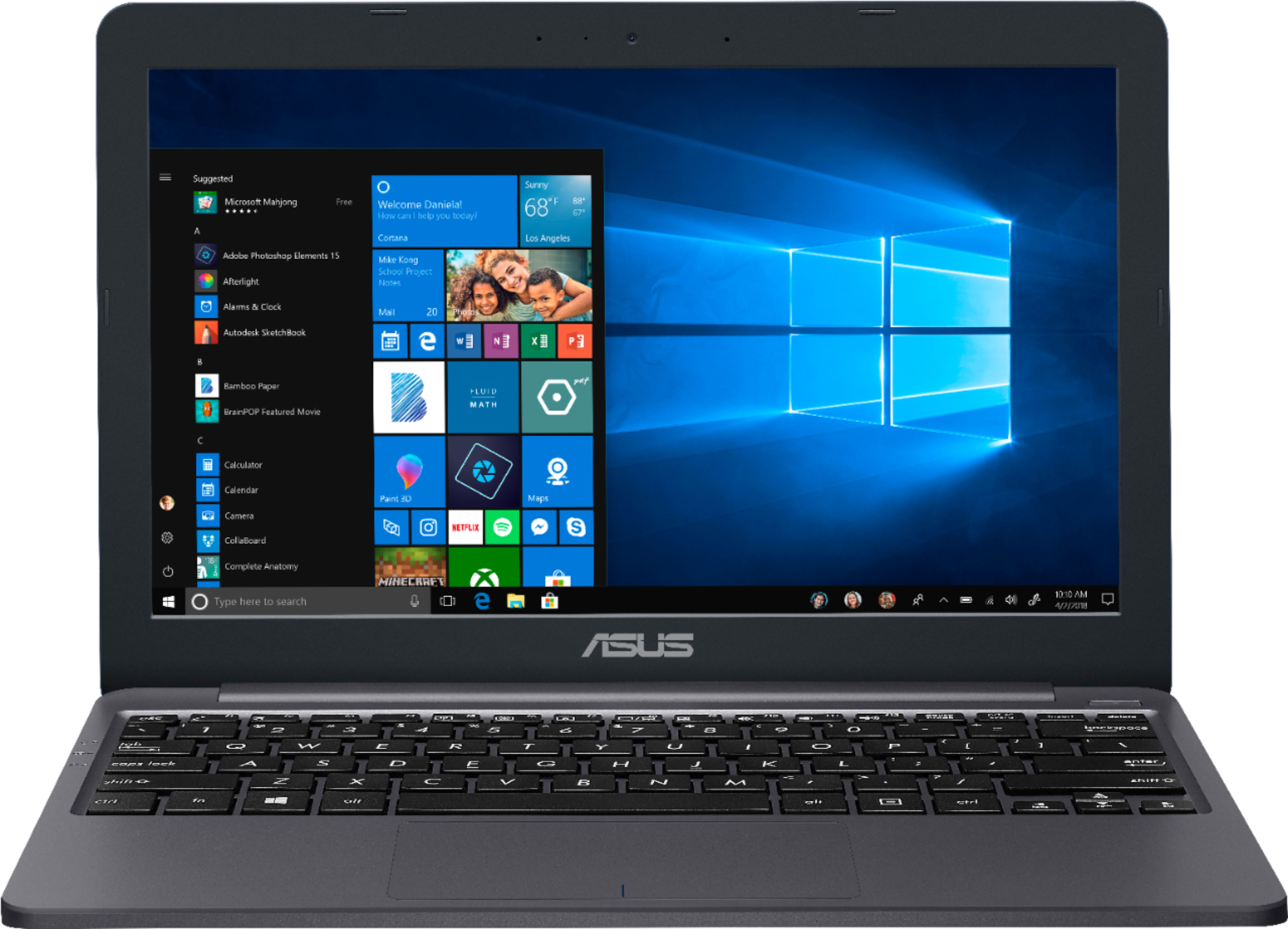
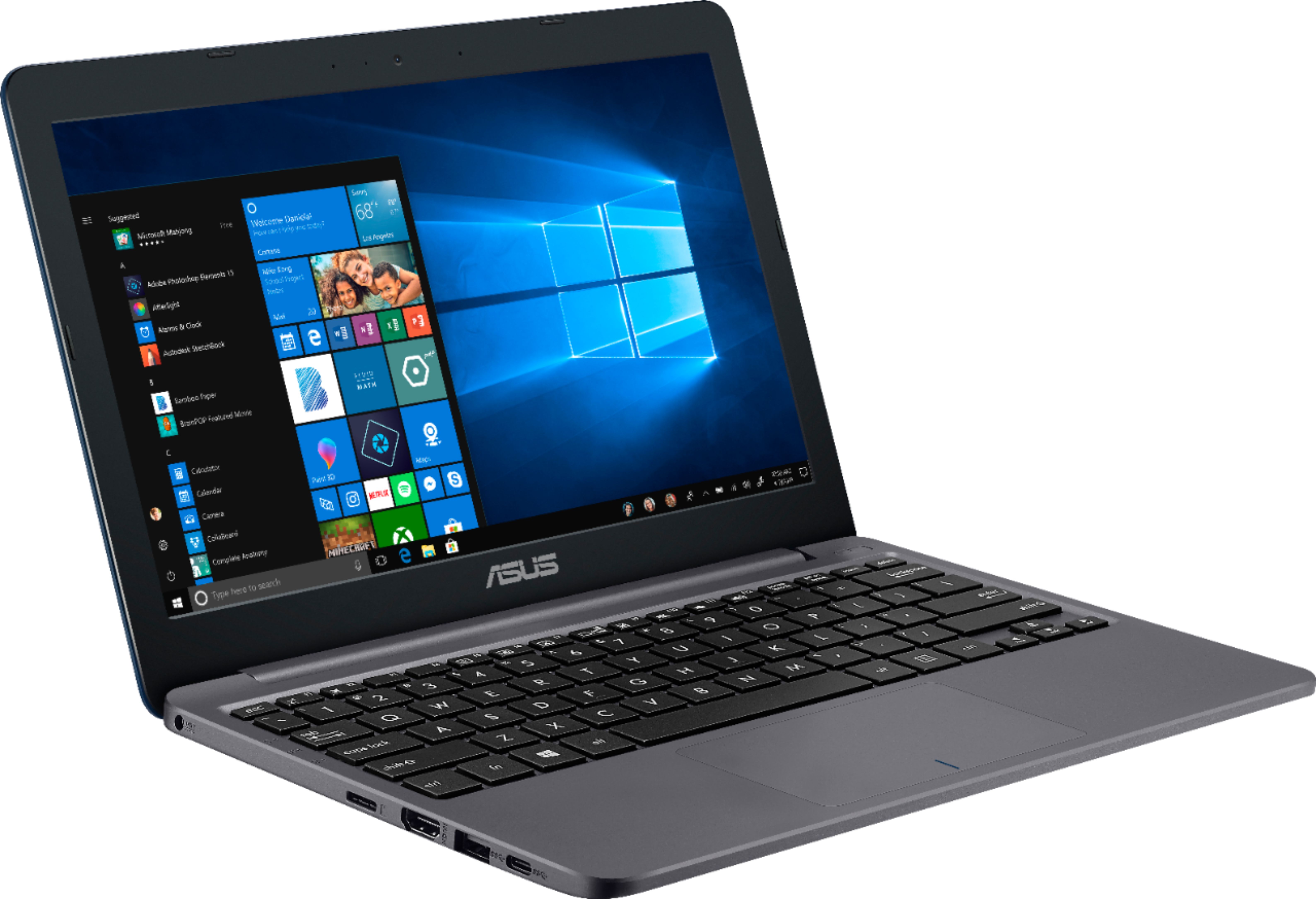
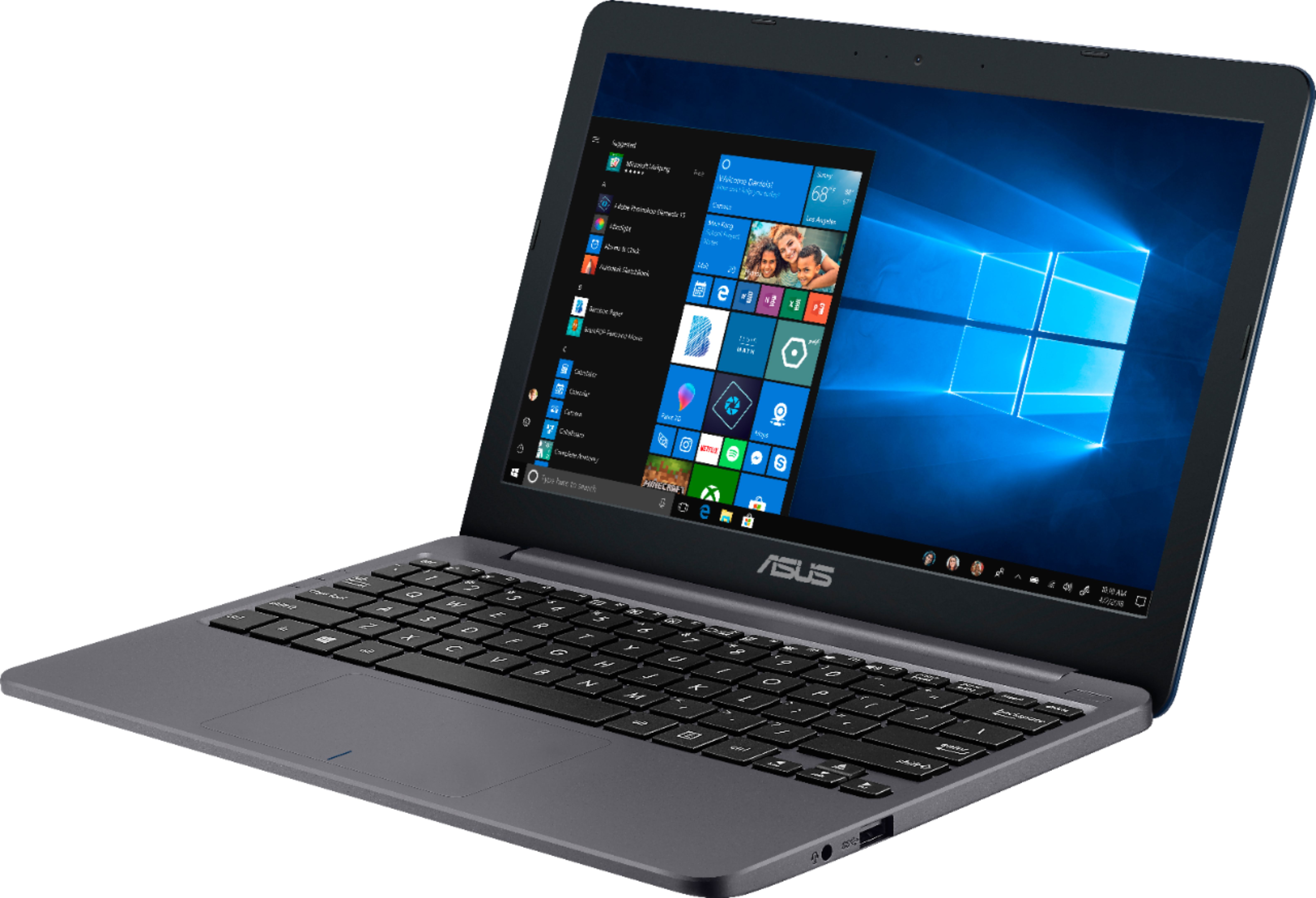
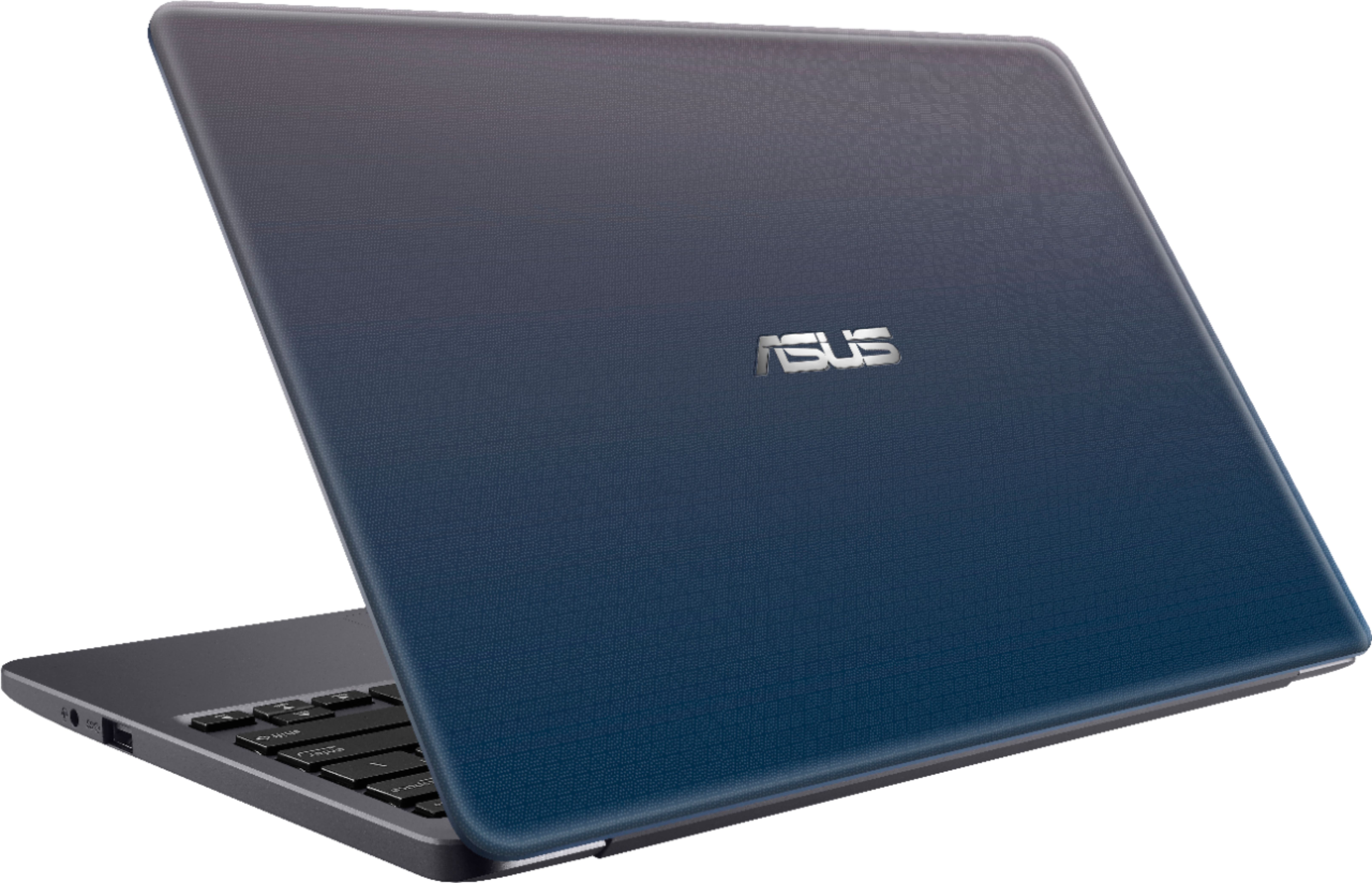

- Model:
- E203MA-TBCL432B
- SKU:
- 6266600
Rating by feature
- Battery Life
Rating 3.9 out of 5 stars
- Speed
Rating 3.5 out of 5 stars
- Display
Rating 3.9 out of 5 stars
Customers are saying
Customers value the portability, price, and fast performance of the 11.6" Laptop. They appreciate its compact size, light weight, and long battery life. However, some customers have concerns about the limited storage space, low memory, and uncomfortable keyboard.
This summary was generated by AI based on customer reviews.
Frustrated-lasted a short time
||Posted .This reviewer received promo considerations or sweepstakes entry for writing a review.Bought in February, stopped working in May. Angry.
No, I would not recommend this to a friendBrand response from Asus_Answers
Posted .Dear Dani,
I do understand your disappointment with the product and the inconvenience if it will no longer bootup normally in WINDOWS. Please try to do a PC Reset in order to resolve the issue. If PC Reset didn't work in order to resolve the issue, you can do a factory restore using a Recovery Media. If you were not able to create one, you can use the Media Creation tool to create one. The tool and the ISO image for WINDOWS is available and can be downloaded at the Microsoft website. You can use a memory card or an external USB device to create the recovery image. In order to maintain optimum system stability and performance, cumulative WINDOWS Update needs to be installed periodically. If you need further assistance, please email me at cl-rodel@asus.com and I would be happy to help.
Thank you for choosing an ASUS product.
Regards,
Rodel
ASUS Customer Loyalty
Fustrated
||Posted .This reviewer received promo considerations or sweepstakes entry for writing a review.This computer always blanks out when I am working.
No, I would not recommend this to a friendBrand response from Asus_Answers
Posted .Dear Sunshyn,
I certainly understand the frustrations and inconvenience this may have caused you if the unit will black out or go to sleep mode. In order to prevent this from occurring, sleep or hibernate mode needs to be disabled in the Control Panel, Power Options then Advanced Settings. For detailed instructions, please visit Microsoft's Knowledge Base. The screen going into a black screen also occurs when updates are being applied to the System Registry, after a WINDOWS Update installation. If you need further assistance with the product, please email me at cl-rodel@asus.com and I would be more than happy to help.
Thank you for choosing an ASUS product.
Regards,
Rodel
ASUS Customer Loyalty
Do not buy !
||Posted .This reviewer received promo considerations or sweepstakes entry for writing a review.This laptop is super slow and cannot download any applications. I would not recommend it to anyone except maybe for a toddler.
No, I would not recommend this to a friendBrand response from Asus_Answers
Posted .Dear Gracie,
I do understand your disappointment with the product and the inconvenience if you are experiencing slow system speed or performance and unable to download applications. Certainly, the unit was designed as an entry-level computer that runs basic and light computing applications like web-surfing, emailing and word-processing without compromising system stability and performance. This issue is temporary during the initial WINDOWS setup and before installing cumulative WINDOWS Update, regardless what brand name of computer this may be. This may take a longer time depending on the network traffic from the update server and the stability of your high-speed internet service. Once initial setup and WINDOWS Update installation completed, system speed or performance will be optimized. In order to maintain optimum system stability and performance, cumulative WINDOWS Update needs to be installed periodically. If you are accessing web applications, please make sure the unit has access to an established router and internet service is working properly since this will definitely affect system speed and performance. Also, clearing internet cache or browsing history will improve system performance. If you need further assistance, please email me at cl-rodel@asus.com and I would be happy to help.
Thank you for choosing an ASUS product.
Regards,
Rodel
ASUS Customer Loyalty
Below Average
||Posted .This reviewer received promo considerations or sweepstakes entry for writing a review.The listing was misleading. It said it was a laptop but it really was a notebook. Furthermore, it restricted me to using Microsoft Edge for the internet and didn’t allow me to download Explorer of Google Chrome. Not cool do I returned the item.
No, I would not recommend this to a friendBrand response from Asus_Answers
Posted .Dear Mello,
Thank you for writing a comment for the product. I do understand your disappointment and the inconvenience this may have caused you if Google Chrome or third-party software or applications cannot be installed. The laptop comes with a WINDOWS 10 S version, which was intended for speed, simplicity and security. Only applications available at the Microsoft Store are allowed to be installed. The OS needs to be switched to WINDOWS 10 HOME in order to installed third-party applications. Should you need further assistance with the product, please email me at cl-rodel@asus.com and I would be more than happy to help.
Thank you for choosing an ASUS product.
Regards,
Rodel
ASUS Customer Loyalty
Lasted less than 30 days
||Posted .This reviewer received promo considerations or sweepstakes entry for writing a review.Well that was a total waste of money. It will not even power on. I think I used it all of 5 times over two weeks. I bet it has a 90/90 warranty. 90 keystrokes or 90 seconds, which ever comes first.
No, I would not recommend this to a friendBrand response from Asus_Answers
Posted .Dear WilkinsNC,
Thank you for writing a comment for the product. I do understand your disappointment if the system will not power on or boot up or it black screen suddenly. Usually, you will do the following to resolve the issue. Try to do a power cycle a couple of times. Shut it down completely, wait for at least 10 seconds then power on. Please wait, if the system is applying updates in the System Registry, it will black screen temporarily. If it still black screen after a few minutes, at least 10 minutes, please repeat the power cycle process again. Please verify if the AC adapter was properly connected from the laptop to a working surge protector or AC outlet and the power button is being pressed all the way down to trigger a power on signal. Also, please try to disconnect the power cable and let the unit drain for 24 hours to clear the memory and reset the hardware to default settings. After doing this, please reconnect your AC adapter then power on the unit. If you need further assistance, please email me at cl-rodel@asus.com and I will be more than happy to help.
Thank you for choosing an ASUS product.
Regards,
Rodel
ASUS Customer Loyalty
Don't buy
||Posted .This reviewer received promo considerations or sweepstakes entry for writing a review.Worked well for a few months. It's not even a year and it shuts off by itself, sometimes it would not work. Spend the extra money and buy a better computer!
No, I would not recommend this to a friendBrand response from Asus_Answers
Posted .Dear NickyK,
I certainly understand your disappointment and the inconvenience this may have caused you if the unit will auto-shutdown or will not power on, or boot up. In order to prevent this from occurring, sleep or hibernate mode needs to be disabled in the Control Panel, Power Options then Advanced Settings. For detailed instructions, please visit Microsoft's Knowledge Base. Also, if running with the battery only, please do not run any power-hungry software or application. Running these applications will cause auto-shutdown when battery life is running low. If you need further assistance with the product, please email me at cl-rodel@asus.com and I would be more than happy to help.
Thank you for choosing an ASUS product.
Regards,
Rodel
ASUS Customer Loyalty
Do not get this device!!!!!
||Posted . Owned for 3 weeks when reviewed.This reviewer received promo considerations or sweepstakes entry for writing a review.This computer is a waste of money it’s cheaply made, barely wants to function, it’s unstable & has glitches while being low on memory & hard drive space
No, I would not recommend this to a friendBrand response from Asus_Answers
Posted .Dear Thomas MD,
Thank you for taking the time out to post your review and also for being one of our valued customers. We would like to offer our deepest apologies for the trouble you had with your ASUS laptop. ASUS products undergo intensive quality control testing and final inspections for both hardware and software before we release it worldwide. ASUS provides warranty for the unit in order to fix or repair any isolated factory escape defect. Please allow us to make your experience a better one with ASUS. Can you provide us with details on the issues your having with the device please? So we can have this issue resolved as soon as possible. If you wish to discuss the matter with us, please feel free to reach out to us at by email: customerloyalty@asus.com. Please use a link to this review as reference. Have an extraordinary day.
Thank you for choosing ASUS.
Best Regards,
Lamoya
ASUS Customer Loyalty US Support
Worst Laptop
||Posted .This reviewer received promo considerations or sweepstakes entry for writing a review.Doesn't have hd video, very slow, doesnt allow most of the softwares.
No, I would not recommend this to a friendBrand response from Asus_Answers
Posted .Dear Karthik,
I do understand your disappointment with the product if you are experiencing non-HD video playback and slow system performance. The laptop does support UHD, please make sure the video or media source file is in HD in order to playback in high-definition. The slow speed or performance is temporary during the initial WINDOWS setup and before installing cumulative WINDOWS Update, regardless what brand name of computer this may be. This may take a longer time depending on the network traffic from the update server and the stability of your high-speed internet service. Once initial setup and WINDOWS Update installation completed, system speed or performance will be optimized. In order to maintain optimum system stability and performance, cumulative WINDOWS Update needs to be installed periodically. If you are accessing web applications, please make sure the unit has access to an established router and internet service is working properly since this will definitely affect system speed and performance. Also, clearing internet cache or browsing history will improve system performance. If you need further assistance, please email me at cl-rodel@asus.com and I would be happy to help.
Thank you for choosing an ASUS product.
Regards,
Rodel
ASUS Customer Loyalty
- Pros mentioned:PortableCons mentioned:Storage
Excellent Low Power Windows 10 Laptop
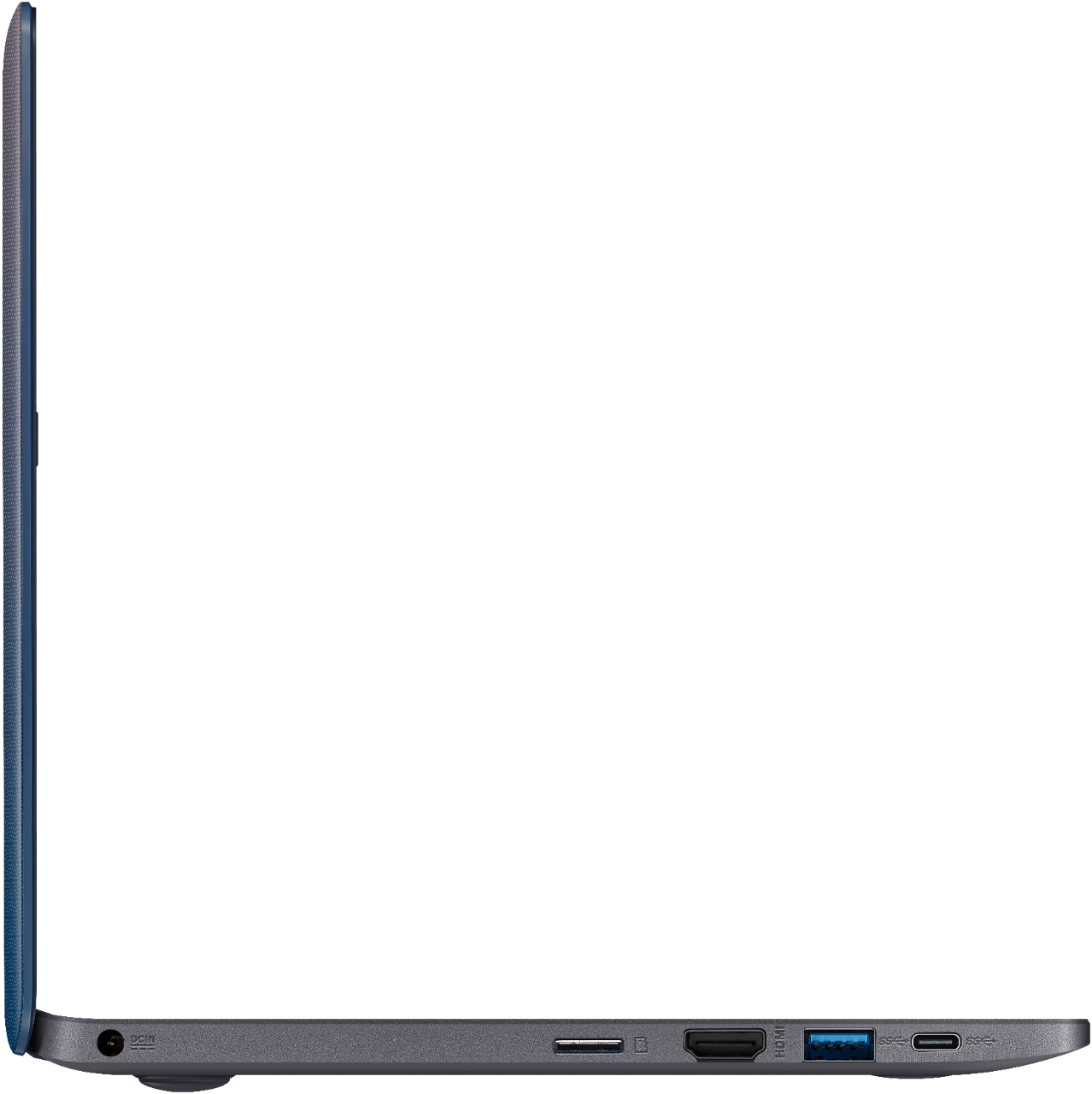
Posted .This reviewer received promo considerations or sweepstakes entry for writing a review.I picked this up for $150 and though this is running Windows 10 Home in S mode (easily switched) out of the box, after doing that, I found this little notebook is pefect for the price. Web, Email, streaming video and music were all fine. Storage is the only 'issue' with 32 GB. That was easily solved by putting in a 64GB microMMC card and moving all the user data to it, leaving the C drive for OS ONLY. Reason being is that the 32 GB drives (does not matter what vendor) will not be enough space to do the Windows 10 major updates. That said, I have tested everything on this little network and have no complaints but 1....they should have spent a little more and made it USB-C charge capable..but even that being said, you do get two USB 3.0 A connections and a single USB-C 3.1 DATA only connection so no complaints there either. HDMI works perfectly and wireless has had no issues with any of the 802.1.x standards....all in all, if you are looking for a very small, portable and basic laptop, this might be a good fit. My best suggestions are to add a Micro MMC for additional storage and you can search the web on how to move your 'user data' to it as the default and definitely switch from S mode (again, a simple web search on how to do this) to allow you to install any software you want, not just apps from the MS Store.
I would recommend this to a friend Don't waste your money
||Posted . Owned for 1.5 years when reviewed.This reviewer received promo considerations or sweepstakes entry for writing a review.This item was return several times for repair. It keeps restarting. Didn't realize the hard extremely small.
No, I would not recommend this to a friendComputer
||Posted . Owned for 1 year when reviewed.This reviewer received promo considerations or sweepstakes entry for writing a review.Dont waste your money on anythng lower than an i3.
No, I would not recommend this to a friendASUS Laptop
||Posted . Owned for 8 months when reviewed.This reviewer received promo considerations or sweepstakes entry for writing a review.Only had the laptop Under 3 weeks and the one day it would not power up.
No, I would not recommend this to a friendBrand response from Asus_Answers
Posted .Dear Msk145,
Thank you for choosing an ASUS product. I do understand your disappointment if the system will not power on or boot up suddenly. Usually, you will do the following to resolve the issue. Try to do a power cycle a couple of times. Shut it down completely, wait for at least 10 seconds then power on. Please wait, if the system is applying updates in the System Registry, it will black screen temporarily. If it still black screen after a few minutes, at least 10 minutes, please repeat the power cycle process again. Please verify if the AC adapter was properly connected from the laptop to a working surge protector or AC outlet. Also, please try to disconnect the power cable and let the unit drain for 24 hours to clear the memory and reset the hardware to default settings. After doing this, please reconnect your AC adapter then power on the unit.
If you need further assistance, please email me at cl-rodel@asus.com and I will be more than happy to help.
Regards,
Rodel
ASUS Customer Loyalty
Poor performance
||Posted . Owned for 11 months when reviewed.This reviewer received promo considerations or sweepstakes entry for writing a review.Had to return this item - very slow and poor performance.
No, I would not recommend this to a friend4 days. Then it stopped loading the OS
||Posted . Owned for 6 months when reviewed.This reviewer received promo considerations or sweepstakes entry for writing a review.Lost faith in Asus. Os quit loading up after 4 days. Returned.
No, I would not recommend this to a friendBrand response from Asus_Answers
Posted .Dear Therealpakman,
I do understand your disappointment with the product if it will no longer boot up normally in WINDOWS. Please try to do a power cycle a couple of times in order to resolve the issue. A temporary black screen will occur if a WINDOWS Update was just installed. If this was performed to no avail, doing a PC Rest will resolve it. If PC Reset didn't work in order to resolve the issue, you can do a factory restore using a Recovery Media. If you were not able to create one, you can use the Media Creation tool to create one. The tool and the ISO image for WINDOWS is available and can be downloaded at the Microsoft website. You can use a memory card or an external USB device to create the recovery image. In order to maintain optimum system stability and performance, cumulative WINDOWS Update needs to be installed periodically. If you need further assistance with ASUS products, please email me at cl-rodel@asus.com and I would be happy to help.
Thank you for choosing an ASUS product.
Regards,
Rodel
ASUS Customer Loyalty
I really like this laptop
||Posted .This reviewer received promo considerations or sweepstakes entry for writing a review.I wish this laptop had Windows XP pro, but it is a nice laptop
I would recommend this to a friendBrand response from Asus_Answers
Posted .Dear Dovie2018,
It's good to know that you like the laptop and did meet your computing needs. Microsoft no longer provide support for WINDOWS XP. WINDOWS 10 is a fun and secured operatinf system since Microsoft provides full support for the OS. Should you need further assistance with the product, please email me at cl-rodel@asus.com and I would be more than happy to help.
Thank you for choosing an ASUS product.
Regards,
Rodel
ASUS Customer Loyalty
Christmas Gift...
||Posted .This reviewer received promo considerations or sweepstakes entry for writing a review.Too small, and did not perform well... Save your money...
No, I would not recommend this to a friendBrand response from Asus_Answers
Posted .Dear Jeff,
I do understand if the size of the laptop didn't meet your expectations and your disappointment if you are experiencing slow system speed or performance with the laptop. The laptop comes with a 11.6 inches screen size. Certainly, the unit was designed as an entry-level computer that runs basic and light computing applications like web-surfing, emailing and word-processing without compromising system stability and performance. This issue is temporary during the initial WINDOWS setup and before installing cumulative WINDOWS Update, regardless what brand name of computer this may be. This may take a longer time depending on the network traffic from the update server and the stability of your high-speed internet service. Once initial setup and WINDOWS Update installation completed, system speed or performance will be optimized. In order to maintain optimum system stability and performance, cumulative WINDOWS Update needs to be installed periodically. If you are accessing web applications, please make sure the unit has access to an established router and internet service is working properly since this will definitely affect system speed and performance. Also, clearing internet cache or browsing history will improve system performance. If you need further assistance, please email me at cl-rodel@asus.com and I would be happy to help.
Thank you for choosing an ASUS product.
Regards,
Rodel
ASUS Customer Loyalty
Returned since you can not load third party softwa
||Posted . Owned for 6 months when reviewed.This reviewer received promo considerations or sweepstakes entry for writing a review.Returned did not meet my needs. Can't add software
No, I would not recommend this to a friendBrand response from Asus_Answers
Posted .Dear Bavarian,
Thank you very much for taking the time out to post your feedback on this model and for being one of valued customers, We truly appreciate it. We are very sorry that this model did meet your requirements. This model have windows 10 in S mode. Windows 10 in S mode works exclusively with apps from the Microsoft Store within Windows and accessories that are compatible with Windows 10 in S mode. A one-way switch out of S mode is available. We hope you get the perfect device that meet all your requirements and needs. We truly value your feedback. If the issue persist please feel free to reach out to us by email: customerloyalty@asus.com and Please use a link to this review as reference. We’re here to help you and all others with these issues,Our customer loyalty department is dedicated to bringing a resolution to all issues related to our products. Have an extraordinary day.
Thank you for choosing ASUS
Best Regards,
Lamoya
ASUS Customer Loyalty US Support
don't do it!
||Posted .This reviewer received promo considerations or sweepstakes entry for writing a review.this laptop has terrible resolution,and crappy sound.
No, I would not recommend this to a friendBrand response from Asus_Answers
Posted .Dear dave60tv,
Thank you for the review. I certainly understand your dissatisfaction and your concern regarding the terrible resolution and crappy sound. Please install the latest version of Driver & Utilities and Bios by going into ASUS support website. In order to maintain optimum system stability and performance, please also install Windows Update periodically. Should you need further assistance, please contact an ASUS live support agent 24/7 or email me at cl-nina@asus.com and I would be more than happy to assist you.
Thank you for choosing an ASUS product.
Regards,
Nina
ASUS Customer Loyalty
Laptop haven’t came
||Posted .This reviewer received promo considerations or sweepstakes entry for writing a review.My laptop was supposed to come today and it didn’t
No, I would not recommend this to a friendBrand response from Asus_Answers
Posted .Dear Esly23,
I certainly understand your disappointment and the inconvenience this may have caused you. Normally, sales or shipping related issues are resolved by the seller if no item was received or was delivered to you yet. Should you need further assistance with the product, please email me at cl-rodel@asus.com and I would be more than happy to help.
Thank you for choosing an ASUS product.
Regards,
Rodel
ASUS Customer Loyalty
- Pros mentioned:Portable
Excellent for what its designed for
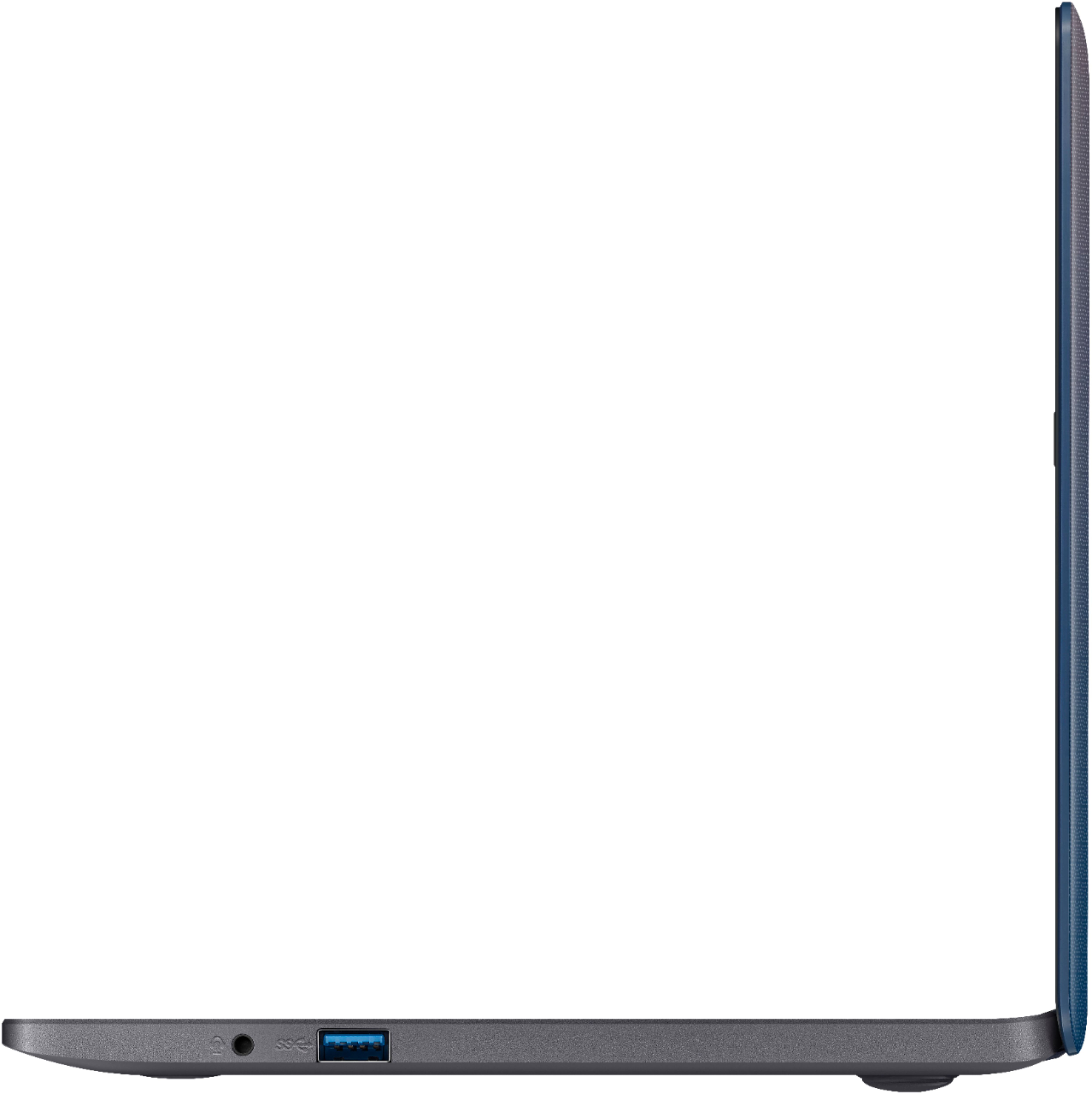
Posted .This reviewer received promo considerations or sweepstakes entry for writing a review.This laptop is excellent for what it's designed for. It's meant to be portable light and snappy and it is. If you buy this computer and expect to do gaming on it you will be disappointed. For everything else it's more than adequate. I love that it comes with two 3.1 USB slots. An HDMI out, a USB type c and a headphone jack. It's a dual core Celeron processor that has a base frequency of only 1 gigahertz but it's turbo is 2.5 gigahertz. While monitoring various tasks I've noticed that it can maintain 2 and 1/2 gigahertz for some time. For a small laptop that's impressive. It was interesting because the Best Buy clerk tried to talk me out of this and into a different laptop. Frequent complaints are there's not enough storage and not enough RAM. I disagree. Windows occupies about half of the built-in 32GB memory. Even after I've installed my antivirus and a few applications that I use I still have not gone over 20 GB and have about 18 gigs free. I put in a 64GB SDXC card and use that for applications and documents. As for the ram, the 4 gigabytes installed is perfectly adequate for Windows functioning. During normal tasks, I am usually somewhere between 2.5 and 3.2 gigabytes used. This computer is perfect for portability and then when you get home you can plug your HDMI cord to a much larger monitor and use an external Mouse and use it like a regular home PC. For what it is designed for I would say this is a great choice especially for $150. If you were to purchase Windows home that alone is $100 so far $50 more you're getting a computer.
I would recommend this to a friend