Customer Ratings & Reviews
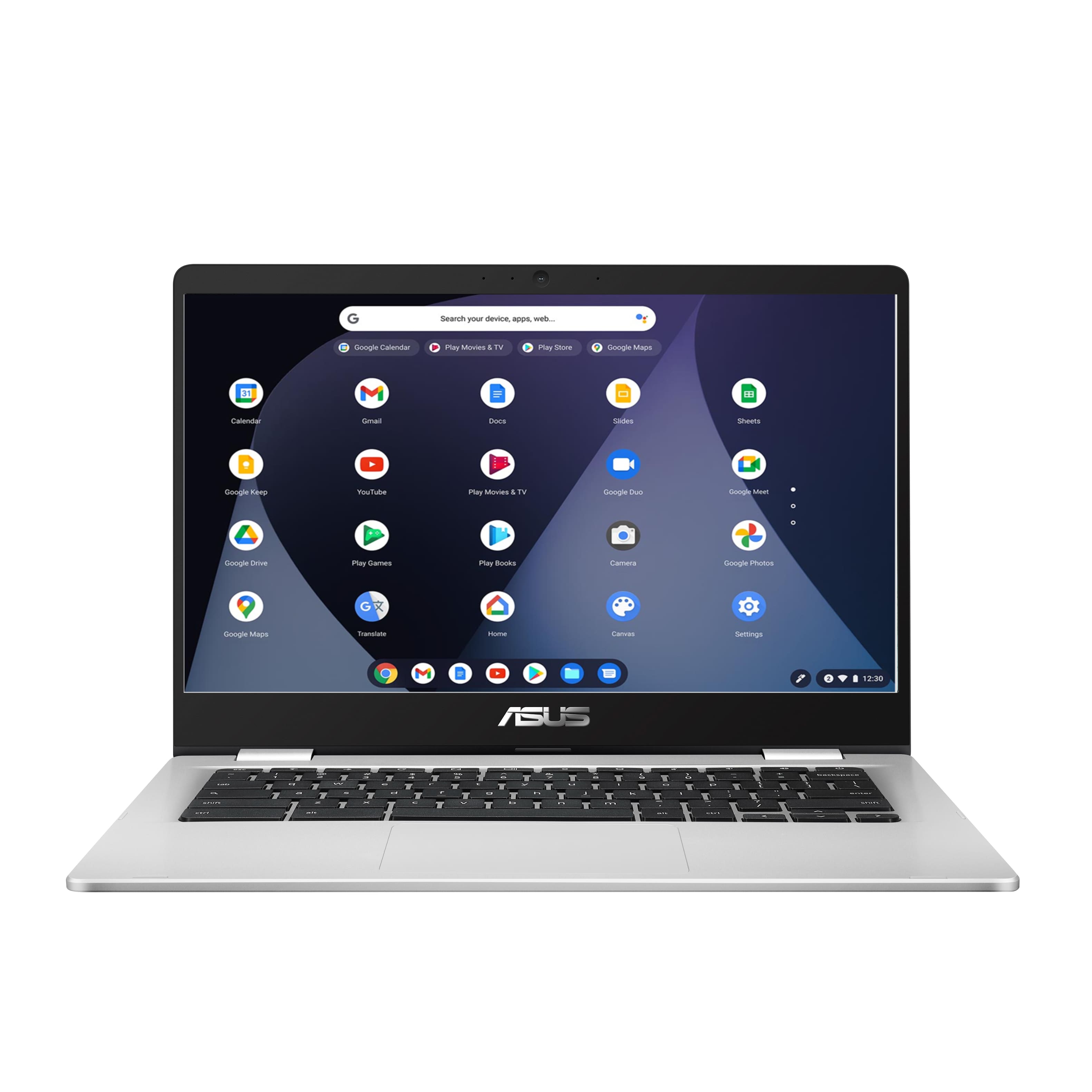



- Model:
- C423NA-BCLN6
- SKU:
- 6469578
Rating by feature
- Battery Life
Rating 4.4 out of 5 stars
- Speed
Rating 4.3 out of 5 stars
- Display
Rating 4.4 out of 5 stars
Customers are saying
Customers value the ease of use, affordability, and compact size of the 14" Chromebook. Positive feedback also highlights its performance and battery life, making it suitable for everyday tasks. However, some users experienced issues with screen quality and compatibility with certain programs. Concerns were also raised regarding the amount of RAM available.
This summary was generated by AI based on customer reviews.
Smooth but mediocre bulld
||Posted . Owned for less than 1 week when reviewed.This reviewer received promo considerations or sweepstakes entry for writing a review.Runs smooth but compared to Acer or HP models this one doesn’t have a bright enough screen, clunkier trackpad and even though it says backlit keyboard it does not have it.
No, I would not recommend this to a friendBrand response from Asus_Answers
Posted .Dear TR00,
Certainly understand if the quality of the Chromebook didn't meet your expectations. All ASUS products are in compliance to industry's quality standard.
The screen resolution is Full HD, adjusting the brightness level, using the hotkey, usually enhances viewing quality.
The C423NA Chromebook comes with a checlet keyboard, it was never released with a keyboard backlit.
If you need more information or further assistance with the warranty for the product, please email me at cl-rodel@asus.com and I will be more than happy to help. Or, call Product Support Hotline at: 1(888) 678-3688. Also, you can chat with an ASUS live support agent at http://bit.ly/AsusLiveChat.
Thank you for choosing an ASUS product.
Regards,
Rodel
ASUS Customer Loyalty
BATTERY WEAK
||Posted . Owned for 1 month when reviewed.This reviewer received promo considerations or sweepstakes entry for writing a review.I purchased an open box Chromebook the battery is weak it goes dead after 2 hours. I am not happy and may return the item.
No, I would not recommend this to a friendgets the job done
||Posted . Owned for 1 month when reviewed.This reviewer received promo considerations or sweepstakes entry for writing a review.Great condition! Slow at times and don't love that it always logs into to google account, but it gets the job done.
I would recommend this to a friendBrand response from ASUS Answers
Posted .Dear Jhomackieg,
Thank you so much for the honest feedback, I'm sorry to hear that the unit is slow at times and you are not pleased with logging in at all times. Usually, for security purposes, Google implements this measure. As for performance, please ensure to keep your OS up to date and close all background apps that are not in use. For any troubleshooting, feel free to reach out to me at customerloyalty@asus.com and provide this link for reference. I'll do my best to provide a quick resolution to your case. Your feedback is important as it helps with improvements to ASUS Support channels.
Thank you for choosing ASUS!
Best Regards,
Jamalie,
ASUS Customer Loyalty US Support
- Cons mentioned:Screen quality
Asus laptob
||Posted . Owned for 1 month when reviewed.This reviewer received promo considerations or sweepstakes entry for writing a review.We bought for our daughter to use for school. We are having some issues with some keys not working.
No, I would not recommend this to a friendBrand response from ASUS Answers
Posted .Dear Valued Customer,
It's regrettable to hear you've encountered issues with the keyboard not working. This is not the type of experience we want any of our customers to have. Have you tried a power wash? You can further explain this matter to me at customerloyalty@asus.com and provide this link for reference. I'll do my best to provide a quick resolution to your case. Your feedback is important as it helps with improvements to ASUS Support channels.
Thank you for choosing ASUS!
Best Regards,
Jamalie,
ASUS Customer Loyalty US Support
Bad connection speeds
||Posted . Owned for 1.5 years when reviewed.This reviewer received promo considerations or sweepstakes entry for writing a review.Horrible laptop. Heats up faster than your average laptop. Very slow connection speeds.
No, I would not recommend this to a friendBrand response from ASUS Answers
Posted .Dear MelissaR,
We sincerely apologize for the temperature and slow internet connection issues you have been experiencing with this Chromebook. We can assure you that this is not the norm and is not the kind of quality to expect from ASUS products. Please follow the steps in the FAQ linked below to troubleshoot the issue. We do stand behind our product and we continuously strive to improve our products and processes in order to achieve customer service excellence. For more information send us an email at customerloyalty@asus.com and provide the case number "N2111033516-0039" for reference. We’ll do our best to provide a quick resolution to your case. Your feedback is important as it helps with improvements to ASUS Support channels. Thank you for choosing ASUS.
Best Regards,
Leonardo
ASUS Customer Loyalty US Support
Fix connection problems: https://support.google.com/chromebook/answer/6318213?hl=en
Wont Power On
||Posted . Owned for more than 2 years when reviewed.This reviewer received promo considerations or sweepstakes entry for writing a review.We've has this computer for a little over 2 years and it wont power on.
No, I would not recommend this to a friendLaptops
||Posted . Owned for more than 2 years when reviewed.This reviewer received promo considerations or sweepstakes entry for writing a review.Did not even last a year. Just stopped powering on.
No, I would not recommend this to a friendNot Pleased
||Posted . Owned for 1 month when reviewed.This reviewer received promo considerations or sweepstakes entry for writing a review.I am not fond of this chromebook. I could not use my Brother printer with this computer. I had to get another printer that is compatible with it. Tried to download Norton antivirus and it said that I couldn't do it. When I try to read my e-mails its hard to scroll down. I have to try and find a black bar on the side to try and scroll down. Wish I would have done more research.
No, I would not recommend this to a friendBrand response from ASUS Answers
Posted .Dear Scorpio,
Thank you so much for the feedback, seen that this model comes with a Chrome OS. It is limited to certain features. As for security, Chromebooks use the principle of "defense in depth" to provide multiple layers of protection, so if any layer is bypassed, others are still in effect. You can review the FAQ below for more information. For further advice, feel free to reach out to me at customerloyalty@asus.com and provide this link for reference. I'll do my best to provide a quick resolution to your case. Your feedback is important as it helps with improvements to ASUS Support channels.
Thank you for choosing ASUS!
Best Regards,
Jamalie,
ASUS Customer Loyalty US Support
Chromebook Security - https://support.google.com/chromebook/answer/3438631?hl=en
Chromebook touchpad - https://support.google.com/chromebook/answer/1047367?hl=en
Chromebook
||Posted . Owned for 2 weeks when reviewed.This reviewer received promo considerations or sweepstakes entry for writing a review.Works great when surfing. Easy to add the applications I use. Only downside is that is did not connect with my new canon printer.
I would recommend this to a friendBrand response from ASUS Answers
Posted .Dear Echo5,
I'm sorry to hear that you are having connection issues with your printer. That certainly sounds like a frustrating issue. Have you contacted ASUS or Canon Support for troubleshooting help? Please reach out to ASUS Support either by phone, chat, or email. https://www.asus.com/support/ You can also find us on Twitter @AsusHelpUS. I would also be happy to assist if you prefer, you can reach me at cl-lane@asus.com and include case #N2101007238 in your email for reference.
Thank you for choosing ASUS!
Best regards,
Lane
ASUS Customer Loyalty – US Support
- Cons mentioned:Screen quality
Returning and getting a replacement
||Posted .This reviewer received promo considerations or sweepstakes entry for writing a review.Charged the chromebook for 3 hours per the instructions. Black screen....didn't turn on for hours...then finally turned on however the screen was funky and flashing.....then black screen again..... I am returning it and getting a replacement. I will update my review once I get a new one.
No, I would not recommend this to a friendBrand response from ASUS Answers
Posted .Dear Cathelina,
It's unfortunate to hear that your Chromebook failed to turn on. Have you tried to do a hardware hard reset? Please attempt the steps from the FAQ below. For further troubleshooting, feel free to reach out to me at customerloyalty@asus.com and provide this link for reference. I'll do my best to provide a quick resolution to your case. Your feedback is important as it helps with improvements to ASUS Support channels.
Thank you for choosing ASUS!
Best Regards,
Jamalie,
ASUS Customer Loyalty US Support
Troubleshooting - https://www.asus.com/us/support/FAQ/1041638/
Check around 1st
||Posted . Owned for 1 month when reviewed.This reviewer received promo considerations or sweepstakes entry for writing a review.Purchased it in March and already the power cord doesn't work. I purchased it with the expectation that you would be able to play Fornite on it but it doesn't have the capabilities for that. It's okay for the price if I can get it working. Just disappointed it stop working already. Because it is chrome based it doesn't allow you to even put the Web Root antivirus software on the system.
No, I would not recommend this to a friendBrand response from ASUS Answers
Posted .Dear Valued Customer,
It's unfortunate to hear the power cord is unable to work. This is not the type of experience we want any of our customers to have. Please verify if the AC adapter is properly connected from the Chromebook to a known good, working surge protector or AC outlet. Try to connect it to another known good power source. If this was tried to no avail, please try to disconnect the AC adapter and let the unit drain for 24 hours to clear the memory and reset the hardware to default settings. After doing this, please reconnect your AC adapter, do not power on the Chromebook until the battery was charged. For further troubleshooting, feel free to reach out to me at customerloyalty@asus.com and provide this link for reference. I'll do my best to provide a quick resolution to your case. Your feedback is important as it helps with improvements to ASUS Support channels.
Thank you for choosing ASUS!
Best Regards,
Jamalie,
ASUS Customer Loyalty US Support
- Pros mentioned:Ease of use
Alright
||Posted . Owned for 3 months when reviewed.This reviewer received promo considerations or sweepstakes entry for writing a review.Alright if you are just browsing the net not for heavy use or school work
No, I would not recommend this to a friendBrand response from ASUS Answers
Posted .Dear Valued Customer,
We appreciate you sharing your feedback on this model. We appreciate your feedback on this model. For more information, you can reach out to us at our Official ASUS North America Support twitter at AsusHelpUS. We’ll do our best to provide a quick resolution to your case. Your feedback is important as it helps with improvements to ASUS Support channels. Please copy a link to this post as a reference.
Thank you for choosing ASUS.
Best Regards,
Joan
ASUS Customer Loyalty US Support
Not bad for the price.
||Posted .This reviewer received promo considerations or sweepstakes entry for writing a review.Works well for my 7 year old. Just fine for watching YouTube and using Google. Feels pretty flimsy and cheap though.
I would recommend this to a friendBrand response from ASUS Answers
Posted .Dear Ggfg,
It's unfortunate to hear you're not completely satisfied with your notebook. Please know, that all ASUS products undergo intensive quality control testing and inspections, this is a random problem. ASUS provides warranty coverage in order to fix or repair any product that may stop working prematurely under normal usage. If you need any assistance, feel free to contact me at cl-adrian@asus.com, and I will help you to the best of my abilities. I am here to assist our customers with our products and dedicated in bringing a resolution to all issues that they may come across. Your case for reference is N2103017932.
Thank you for choosing ASUS!
Best Regards,
Adrian
ASUS Customer Loyalty – US Support
Chromebook issues
||Posted . Owned for 1 month when reviewed.This reviewer received promo considerations or sweepstakes entry for writing a review.I'm having issues with my understanding the Chrome operating system. Going to take a class at local library.
No, I would not recommend this to a friendFine for School
||Posted .This reviewer received promo considerations or sweepstakes entry for writing a review.Works good for school, but that's about it. Sometimes has slow startup times.
I would recommend this to a friendBrand response from ASUS Answers
Posted .Dear JasonK,
We are sorry to hear that your Chromebook is starting up slow. This is not the quality of service expected from ASUS and not the experience we want you to have. Have you tried doing a Factory Reset? Please follow the steps in the FAQ below.
If you should have any other concerns or feedback feel free to reach out to us at customerloyalty@asus.com. We'll be happy to provide a quick resolution to your case. Please refer to this case number (N2012034586-0020) for us to better assist you.
Thank you for choosing ASUS!
Best Regards,
Ramon,
ASUS Customer Loyalty US Support
Troubleshooting - https://www.asus.com/support/FAQ/1042702/
Not the best
||Posted . Owned for 1 year when reviewed.This reviewer received promo considerations or sweepstakes entry for writing a review.I've already had to take this thing to The geek squad once and the day after I came back from The geek squad it broke down again. so I already have to take it back it been a few months because I felt it was a waste of time but since my geek squad is not up yet I might as well let them give it another whirl before buying a brand new one.
No, I would not recommend this to a friendBrand response from ASUS Answers
Posted .Dear AK99,
We certainly understand your disappointment and the inconvenience this may have caused.
All ASUS products undergo intensive quality control testing and inspections, this is a random problem. Normally, ASUS provides one year warranty coverage, if product was purchased brand-new, in order to fix or repair any hardware or part that stop working prematurely under normal usage.
If you need further assistance with the product, please email me at cl-rodel@asus.com and I would be more than happy to help. Or, you are most welcome to call Product Support Hotline at: 1(888) 678-3688. Also, you can chat with an ASUS live support agent at: http://bit.ly/AsusLiveChat.
Thank you for choosing an ASUS product.
Regards,
Rodel
ASUS Customer Loyalty
Nothing to write home about
||Posted . Owned for 3 weeks when reviewed.This reviewer received promo considerations or sweepstakes entry for writing a review.It’s a decent little Chromebook. Not spectacular but it gets the job mostly done.
I would recommend this to a friendBrand response from ASUS Answers
Posted .Dear Tradigital,
We appreciate you sharing your honest feedback on this device as this will aid in any improvements that need to be made. But, if you should have any other concerns or feedback feel free to reach out to us at customerloyalty@asus.com. I'll be happy to provide a quick resolution to your case. Thank you for choosing ASUS!
Best Regards,
Jonelle,
ASUS Customer Loyalty US Support
Easy Online Learning
||Posted . Owned for 1 month when reviewed.This reviewer received promo considerations or sweepstakes entry for writing a review.This was. sufficient for online learning with my child. The body of the machine feels sturdy and not flimsy.
I would recommend this to a friend- Cons mentioned:Screen quality
Why wont it work anymore?
||Posted . Owned for 3 weeks when reviewed.This reviewer received promo considerations or sweepstakes entry for writing a review.Im not sure why but the screen turned off in a month
No, I would not recommend this to a friendBrand response from ASUS Answers
Posted .Dear Tommy,
Usually, the following can be performed if the Chromebook will not power on or boot up.
Please verify if the AC adapter is properly connected from the Chromebook to a known good, working surge protector or AC outlet. Try to connect it to another known good power source. If running it with battery only, please make sure the battery has an ample amount of charge. If this was tried to no avail, please try to disconnect the AC adapter and let the unit drain for 24 hours to clear the memory and reset the hardware to default settings. After doing this, please reconnect your AC adapter then power on the unit, do not power on the Chromebook until the battery was charged.
If you need further assistance with ASUS products, please email me at cl-rodel@asus.com and I would be more than happy to help. Or, you are most welcome to call Product Support Hotline at: 1(888) 678-3688. Also, you can chat with an ASUS live support agent at: http://bit.ly/AsusLiveChat.
Thank you for choosing an ASUS product.
Regards,
Rodel
ASUS Customer Loyalty
Good for the price
||Posted . Owned for 3 months when reviewed.This reviewer received promo considerations or sweepstakes entry for writing a review.Purchased this computer for virtual school. Processes a little slow, but ok for the price.
I would recommend this to a friend