Customer Ratings & Reviews
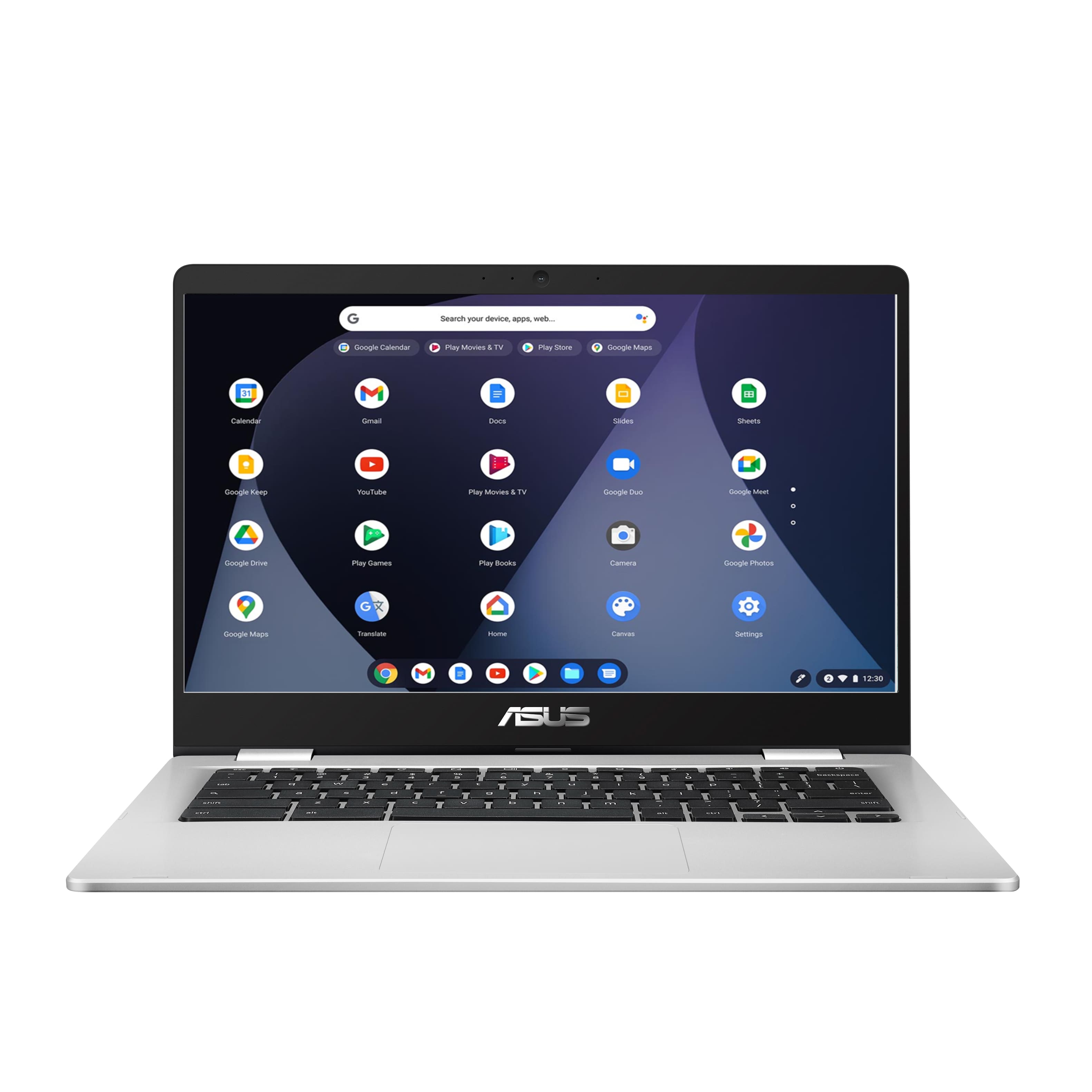



- Model:
- C423NA-BCLN6
- SKU:
- 6469578
Rating by feature
- Battery Life
Rating 4.4 out of 5 stars
- Speed
Rating 4.3 out of 5 stars
- Display
Rating 4.4 out of 5 stars
Customers are saying
Customers value the ease of use, affordability, and compact size of the 14" Chromebook. Positive feedback also highlights its performance and battery life, making it suitable for everyday tasks. However, some users experienced issues with screen quality and compatibility with certain programs. Concerns were also raised regarding the amount of RAM available.
This summary was generated by AI based on customer reviews.
Glad I got it for my daughters instead of me.
||Posted . Owned for 1 month when reviewed.This reviewer received promo considerations or sweepstakes entry for writing a review.It’s not very user friendly. It is very hard to find things in the menu.
No, I would not recommend this to a friendBrand response from ASUS Answers
Posted .Dear Valued Customer,
We're sorry to hear that the unit is not user friendly. We do value our customers and take negative customer service experience very seriously. This is not the quality of service expected from ASUS. We do stand behind our product and we continuously strive to improve our approach and processes in order to achieve customer service excellence
If you wish to discuus this matter with us, please send us an email at customerloyalty@asus.com and provide the link of this review for reference. We’ll do our best to provide a quick resolution to your case. Your feedback is important as it helps with improvements to ASUS Support channels. Please copy a link to this post as a reference.
Thank you for choosing ASUS.
Best Regards,
Joan
ASUS Customer Loyalty US Support
Google based product
||Posted .This reviewer received promo considerations or sweepstakes entry for writing a review.Do not enjoy the apps. If needed for a simpler solution this would have been good.
No, I would not recommend this to a friendBrand response from ASUS Answers
Posted .Dear Valued Customer,
We are truly sorry to hear that you're not pleased with the applications available for the is model and for the inconvenience, this has caused you. ASUS products undergo intensive quality control testing and final inspections for both hardware and software before we send them out to the stores worldwide. ASUS provides a warranty for the unit in order to fix or repair any isolated factory escape defect. This information will be passed on to our development team. We would be very happy to assist you.
We truly appreciate your feedback. If you wish to discuss this issue further, please don't hesitate to contact us via email: customerloyalty@asus.com and provide this link for reference or contact our general support at https://www.asus.com/us/support. Our customer loyalty department is dedicated to bringing a resolution to all issues related to our products.
Thank you for choosing ASUS!
Best Regards,
Lamoya
ASUS Customer Loyalty US Support
Not as advertised
||Posted . Owned for 1 month when reviewed.This reviewer received promo considerations or sweepstakes entry for writing a review.Not what I expected, speed is very slow and picture is off.
No, I would not recommend this to a friendBrand response from ASUS Answers
Posted .Dear Alicemariem333,
We're sorry to hear about the unfortunate experience you're having with the speed on this model. We would recommend that you back up your data and perform a powerwash. For more information send us an email at customerloyalty@asus.com and provide the link of this review for reference. We’ll do our best to provide a quick resolution to your case. Your feedback is important as it helps with improvements to ASUS Support channels. Please copy a link to this post as a reference.
Thank you for choosing ASUS.
Best Regards,
Joan
ASUS Customer Loyalty US Support
I wouldn’t buy again.
||Posted . Owned for 2 weeks when reviewed.This reviewer received promo considerations or sweepstakes entry for writing a review.Shut down suspiciously. Suspect of Microsoft products at this point in time.
No, I would not recommend this to a friendBrand response from ASUS Answers
Posted .Dear Valued Customer,
It's unfortunate to hear that the unit shuts down unexpectedly. This is not the type of experience we want any of our customers to have. Please verify if the AC adapter is properly connected from the Chromebook to a known good, working surge protector or AC outlet. Try to connect it to another known good power source. If this was tried to no avail, please try to disconnect the AC adapter and let the unit drain for 24 hours to clear the memory and reset the hardware to default settings. After doing this, please reconnect your AC adapter, do not power on the Chromebook until the battery was charged. For further troubleshooting, feel free to reach out to me at customerloyalty@asus.com and provide this link for reference. I'll do my best to provide a quick resolution to your case. Your feedback is important as it helps with improvements to ASUS Support channels.
Thank you for choosing ASUS!
Best Regards,
Jamalie,
ASUS Customer Loyalty US Support
Why!!!!
||Posted . Owned for 3 weeks when reviewed.This reviewer received promo considerations or sweepstakes entry for writing a review.In 2 weeks stop working and what's crazy I bought 2 laptops and they don't work
No, I would not recommend this to a friendBrand response from ASUS Answers
Posted .Dear Valued Customer,
I'm truly sorry to hear that the unit failed after 2 weeks of usage. This is not the type of experience we want any of our customers to have. Is it unable to turn on? Please verify if the AC adapter is properly connected from the Chromebook to a known good, working surge protector or AC outlet. Try to connect it to another known good power source. If this was tried to no avail, please try to disconnect the AC adapter and let the unit drain for 24 hours to clear the memory and reset the hardware to default settings. After doing this, please reconnect your AC adapter, do not power on the Chromebook until the battery was charged. For further troubleshooting, feel free to reach out to me at customerloyalty@asus.com and provide this link for reference. I'll do my best to provide a quick resolution to your case. Your feedback is important as it helps with improvements to ASUS Support channels.
Thank you for choosing ASUS!
Best Regards,
Jamalie,
ASUS Customer Loyalty US Support
Bad crone book
||Posted .This reviewer received promo considerations or sweepstakes entry for writing a review.Poor performance didn't get Greek squard had to buy another book
No, I would not recommend this to a friendBrand response from ASUS Answers
Posted .Dear Micbook,
We certainly understand your disappointment regarding the slow system performance of the Chromebook.
On the contrary, lots of satisfied customers, having positive experience using the product, will agree with me that it is a decent laptop that is perfect for running basic and light computing applications, without compromising system stability and performance. Since this is a web-based computer and relies on an internet connection for system stability and performance, please verify if the Chromebook has access to a stable and a high-speed internet service. Ensure the unit is running with the most current OS update.
Should you need further assistance with the Chromebook or other ASUS products, please email me at cl-rodel@asus.com and I would be more than happy to help. Or, you are always welcome to call Product Support Hotline at: 1(888) 678-3688. Also, you can chat with an ASUS live support agent at: http://bit.ly/AsusLiveChat.
Thank you for choosing an ASUS product.
Regards,
Rodel
ASUS Customer Loyalty
Stop working
||Posted . Owned for 1 month when reviewed.This reviewer received promo considerations or sweepstakes entry for writing a review.I have probably 2 month since I got the laptop and it stop working ,
No, I would not recommend this to a friendBrand response from ASUS Answers
Posted .Dear Nancyvaz,
Usually, the following can be performed if the Chromebook will not power on or boot up.
Please verify if the AC adapter is properly connected from the Chromebook to a known good, working surge protector or AC outlet. Try to connect it to another known good power source.
If running it with battery only, please make sure the battery has an ample amount of charge.
If this was tried to no avail, please try to disconnect the AC adapter and let the unit drain for 24 hours to clear the memory and reset the hardware to default settings.
After doing this, please reconnect your AC adapter, do not power on the Chrombook until the battery was charged.
If you need further assistance with ASUS products, please email me at cl-rodel@asus.com and I will be more than happy to help. Or, call Product Support Hotline at: 1(888) 678-3688. Also, you can chat with an ASUS live support agent at http://bit.ly/AsusLiveChat.
Thank you for choosing an ASUS product.
Regards,
Rodel
ASUS Customer Loyalty
Not worth it
||Posted .This reviewer received promo considerations or sweepstakes entry for writing a review.Its a Android "computer" It was a mistake on my end because I didnt read the reviews. But I basically paid for a cellphone and not a actual computer. I thought it was a windows computer but it's operating system is android. Would return it but my kid needs it for school. Highly disappointed.
No, I would not recommend this to a friendBrand response from ASUS Answers
Posted .Dear Celi,
The Chromebook is a laptop that comes with a web or cloud-bases OS that is fast, secured and easy to use and is becoming a popular choice of students because of these features. Internet security or antivirus software is integrated, no need to purchase the software or application separately.
Besides, being a low-cost and lightweight laptop, it supports thousands of popular computing applications, both in Chrome and Android, and Linux applications as well. Since it is a web base OS it does require a Google or Gmail account and an internet connection in order to use or operate it properly. If this is your first experience with a Chromebook, I recommend using the HELP file incorporated within the OS. To access HELP, please click your profile picture on the Notification Bar, located on the lower right-hand corner of the Home screen then click the question mark icon or widget. For more help, please go visit Google Support webpage.
Should you need further assistance with the product, please email me at cl-rodel@asus.com and I will be more than happy to help. Or, call Product Support Hotline at: 1(888) 678-3688. Also, you can chat with an ASUS live support agent at http://bit.ly/AsusLiveChat.
Thank you for choosing an ASUS product.
Regards,
Rodel
ASUS Customer Loyalty
Nope
||Posted . Owned for 3 weeks when reviewed.This reviewer received promo considerations or sweepstakes entry for writing a review.Chromebooks in general suck. Exchanged this one for a real lap top. I would not recommend this for anything other than sending and receiving email. It is pretty useless for anything else. Nothing wrong with other ASUS products, but this one is not of much use.
No, I would not recommend this to a friendBrand response from ASUS Answers
Posted .Dear Kramnala,
We certainly understand your dissatisfaction with the Chromebook.
Chromebook comes with a web or cloud-based OS that is fast, secured and easy to use and is becoming a popular choice because of these features. Internet security or antivirus software is integrated, no need to purchase the software or application separately. Besides, being a low-cost and lightweight laptop, it supports thousands of popular computing applications, both in Chrome and Android, and Linux applications as well. Since it is a webbased OS it does require a Google or Gmail account and an internet connection in order to use or operate it properly. If this is your first experience with a Chromebook, I recommend using the HELP file incorporated within the OS. To access HELP, please click your profile picture on the Notification Bar, located on the lower right-hand corner of the Home screen then click the question mark icon or widget. For more help, please go visit Google Support webpage.
Should you need further assistance, please email me at cl-rodel@asus.com and I will be more than glad to help. Or, you are most welcome to call Product Support Hotline at: 1(888) 678-3688. Also, you can chat with an ASUS live support agent at: http://bit.ly/AsusLiveChat.
Thank you for choosing an ASUS product.
Regards,
Rodel
ASUS Customer Loyalty
Could be better
||Posted . Owned for 1 month when reviewed.This reviewer received promo considerations or sweepstakes entry for writing a review.If you’re using it for basic things you’re good. But if you’re working on this laptop you might want to pick a better one. This one freezes and restarts quite often.
No, I would not recommend this to a friendBrand response from ASUS Answers
Posted .Dear Lily,
We certainly understand your disappointment and the inconvenience if you are experiencing system freeze, stability or performance issues with the Chromebook.
On the contrary, lots of satisfied customers, having positive experience using the product, will agree with me that the laptop is a decent system perfect for running basic and light computing applications, without compromising system stability and performance. Since this is a web-based computer and relies on an internet connection for system stability and performance, please verify if the unit has access to a stable and a high-speed internet service. Also, by clearing browsing history and minimizing the number of opened browser tabs will help improve and maintain optimum system stability and performance. Also, ensure the Chromebook is running with the most current OS update.
Should you need further assistance with the product, please email me at cl-rodel@asus.com and I would be more than happy to help. Or, you are most welcome to call Product Support Hotline at: 1(888) 678-3688. Also, you can chat with an ASUS live support agent at: http://bit.ly/AsusLiveChat.
Thank you for choosing an ASUS product.
Regards,
Rodel
ASUS Customer Loyalty
Terrible experience
||Posted . Owned for 2 weeks when reviewed.This reviewer received promo considerations or sweepstakes entry for writing a review.Do not trust the “Greek squad “ they will sell you anything even after you gave them details on what you wanted. I had an horrible experience with this product and the accessories I was advised to buy with the computer. Do your own research before buying anything from Best Buy.
No, I would not recommend this to a friendBrand response from ASUS Answers
Posted .Dear Lee000,
We are terribly sorry for the issues you are experiencing with this device and for the inconvenience this has caused you. This model undergoes intensive quality control testing and final inspection for both hardware and software. ASUS provides a warranty for the unit in order to fix or repair any isolated issue. This information will be passed on to our development team. Please allow us to make your experience better. Can you provide us with detail information on the issues you have with the device?
We truly appreciate your feedback. If you wish to discuss this issue further, please don't hesitate to contact us via email: customerloyalty@asus.com and provide this link for reference or contact our general support at https://www.asus.com/us/support. Our customer loyalty department is dedicated to bringing a resolution to all issues related to our products.
Thank you for choosing ASUS!
Best Regards,
Lamoya
ASUS Customer Loyalty US Support
Asus Reject
||Posted . Owned for 1 month when reviewed.This reviewer received promo considerations or sweepstakes entry for writing a review.Stopped charging after 3 uses for schoolwork. Was going to take it back, but the returnable date is ridiculously brief.
No, I would not recommend this to a friendBrand response from ASUS Answers
Posted .Dear Valued Customer,
It's unfortunate to hear that your unit is unable to charge. This is not the kind of experience we want any of our customers to have. Have you tried to use a different power outlet? Please attempt the steps from the FAQ below. For further troubleshooting, feel free to reach out to me at customerloyalty@asus.com and provide this link for reference. I'll do my best to provide a quick resolution to your case. Your feedback is important as it helps with improvements to ASUS Support channels.
Thank you for choosing ASUS!
Best Regards,
Jamalie,
ASUS Customer Loyalty US Support
Computer not turning on
||Posted .This reviewer received promo considerations or sweepstakes entry for writing a review.Never thought buying a computer from Best Buy, getting it home 4 Christmas and it won’t turn on!! My daughter was so sad!!
No, I would not recommend this to a friendBrand response from ASUS Answers
Posted .Dear Valued Customer,
I'm truly sorry to hear that your unit is unable to turn on, this must be frustrating. Please verify if the AC adapter is properly connected from the Chromebook to a known good, working surge protector or AC outlet. Try to connect it to another known good power source. If this was tried to no avail, please try to disconnect the AC adapter and let the unit drain for 24 hours to clear the memory and reset the hardware to default settings. After doing this, please reconnect your AC adapter, do not power on the Chromebook until the battery was charged. For further troubleshooting, feel free to reach out to me at customerloyalty@asus.com and provide this link for reference. I'll do my best to provide a quick resolution to your case. Your feedback is important as it helps with improvements to ASUS Support channels.
Thank you for choosing ASUS!
Best Regards,
Jamalie,
ASUS Customer Loyalty US Support
Horrible Chromebook
||Posted . Owned for 1 month when reviewed.This reviewer received promo considerations or sweepstakes entry for writing a review.Do not buy this product. Get an HP. Bought it for 10 year old for Christmas because he liked the sleekness of it, but it’s the slowest machine out of the box I’ve ever seen. My son is so disappointed in this product, and so am I.
No, I would not recommend this to a friendBrand response from ASUS Answers
Posted .Dear Valued Customer,
It's unfortunate to hear that the Chromebook is very slow. This is not the type of experience we want any of our customers to have. Please attempt the steps from the FAQ below. For further troubleshooting, feel free to reach out to me at customerloyalty@asus.com and provide this link for reference. I'll do my best to provide a quick resolution to your case. Your feedback is important as it helps with improvements to ASUS Support channels.
Thank you for choosing ASUS!
Best Regards,
Jamalie,
ASUS Customer Loyalty US Support
Troubleshooting- https://www.asus.com/support/FAQ/1042804/
quit within 1 week
||Posted . Owned for less than 1 week when reviewed.This reviewer received promo considerations or sweepstakes entry for writing a review.battery light says it is charged, screen won't turn on and unit won't reset. This was in 6 days! Luckily it has the decency to break within the 14 day return window, that is the only plus.
No, I would not recommend this to a friendBrand response from ASUS Answers
Posted .Dear Valued Customer,
It's unfortunate to hear that your unit failed to turn on and it won't reset. All our products do go through an intensive quality control testing process to ensure that customers get units that are in proper working condition, what you've experienced was not intentional and this was a random case. If you have any concerns about another model, feel free to reach out to me at customerloyalty@asus.com and provide this link for reference. I'll do my best to provide a quick resolution to your case. Your feedback is important as it helps with improvements to ASUS Support channels.
Thank you for choosing ASUS!
Best Regards,
Jamalie,
ASUS Customer Loyalty US Support
Worst Chromebook Ever
||Posted . Owned for 5 months when reviewed.This reviewer received promo considerations or sweepstakes entry for writing a review.Worst Chromebook ever. I even bought an ethernet cord and it still loads so very slowly. Waste of money. Only a 14 day return window. I am very disappointed.
No, I would not recommend this to a friendBrand response from ASUS Answers
Posted .Dear Lisa,
We are sorry to hear about the unfortunate experience you're having with the unit running slow. We would recommmed that yiu perform a power wash. We do value our customers and take negative customer service experience very seriously. This is not the quality of service expected from ASUS. We do stand behind our product and we continuously strive to improve our approach and processes in order to achieve customer service excellence.
For more information send us an email at customerloyalty@asus.com and provide the link of this review for reference. We’ll do our best to provide a quick resolution to your case. Your feedback is important as it helps with improvements to ASUS Support channels. Please copy a link to this post as a reference.
Thank you for choosing ASUS.
Best Regards,
Joan
ASUS Customer Loyalty US Support
Not happy
||Posted . Owned for 3 weeks when reviewed.This reviewer received promo considerations or sweepstakes entry for writing a review.Not really a fan of chrome books. However the salesperson talked me into it. I told him that it wasn't good for what I needed, snd its not. Now I have a chrome book that I don't use.
No, I would not recommend this to a friendBrand response from ASUS Answers
Posted .please email me at cl-rodel@asus.com and I will be more than happy to help. Or, call Product Support Hotline at: 1(888) 678-3688. Also, you can chat with an ASUS live support agent at http://bit.ly/AsusLiveChat.
Thank you for choosing an ASUS product.
Regards,
Rodel
ASUS Customer Loyalty
Worthless garbage
||Posted . Owned for 2 weeks when reviewed.This reviewer received promo considerations or sweepstakes entry for writing a review.Biggest piece of trash ever. Slow loading the most simple tasks and doessn't even have a caps lock button. Overpriced garbage, do not waste your money on any chromebook.
No, I would not recommend this to a friendBrand response from ASUS Answers
Posted .Dear John,
We appreciate your feedback on this model. We do value our customers and take negative customer service experience very seriously. This is not the quality of service expected from ASUS. We do stand behind our product and we continuously strive to improve our approach and processes in order to achieve customer service excellence.
For more information, you can reach out to us at our Official ASUS North America Support twitter at AsusHelpUS. We’ll do our best to provide a quick resolution to your case. Your feedback is important as it helps with improvements to ASUS Support channels. Please copy a link to this post as a reference.
Thank you for choosing ASUS.
Best Regards,
Joan
ASUS Customer Loyalty US Support
Stick with Acer for chromebooks
||Posted .This reviewer received promo considerations or sweepstakes entry for writing a review.Laptop stopped working after two months of use. Complete junk. Found my ACER laptops to be much more durable than this. Have to buy a new laptop now after just two months of use.
No, I would not recommend this to a friendBrand response from ASUS Answers
Posted .Dear Glenfalls,
We certainly understand your disappointment and the inconvenience this may have caused you.
All ASUS products undergo intensive quality control testing and inspections, and are built to last, this is a random problem. Normally, ASUS provides one year warranty coverage, if product was purchased brand-new, in order to fix or repair any hardware or, part that stop working prematurely under normal usage.
If you need more information or further assistance with the warranty for the product, please email me at cl-rodel@asus.com and I will be more than happy to help. Or, call Product Support Hotline at: 1(888) 678-3688. Also, you can chat with an ASUS live support agent at http://bit.ly/AsusLiveChat.
Thank you for choosing an ASUS product.
Regards,
Rodel
ASUS Customer Loyalty
Too good to be true for the price
||Posted . Owned for 3 months when reviewed.This reviewer received promo considerations or sweepstakes entry for writing a review.Was good while it last went out on me after 3 months returning back to the store
No, I would not recommend this to a friendBrand response from ASUS Answers
Posted .Dear Ladydesire,
Usually, the following can be performed if the Chromebook will not power on or boot up suddenly.
Please verify if the AC adapter is properly connected from the Chromebook to a known good, working surge protector or AC outlet. Try to connect it to another known good power source. If running it with battery only, please make sure the battery has an ample amount of charge. If this was tried to no avail, please try to disconnect the AC adapter and let the unit drain for 24 hours to clear the memory and reset the hardware to default settings. After doing this, please reconnect your AC adapter, do not power on the Chromebook until the battery was charged.
If you need further assistance with the Chromebook or other ASUS products, please email me at cl-rodel@asus.com and I would be more than happy to help. Or, you are most welcome to call Product Support Hotline at: 1(888) 678-3688. Also, you can chat with an ASUS live support agent at: http://bit.ly/AsusLiveChat.
Thank you for choosing an ASUS product.
Regards,
Rodel
ASUS Customer Loyalty