Customer Ratings & Reviews



- Model:
- X555QA-CBA12A
- SKU:
- 6319977
Rating by feature
- Battery Life
Rating 3.5 out of 5 stars
- Speed
Rating 3.5 out of 5 stars
- Display
Rating 4.2 out of 5 stars
Customers are saying
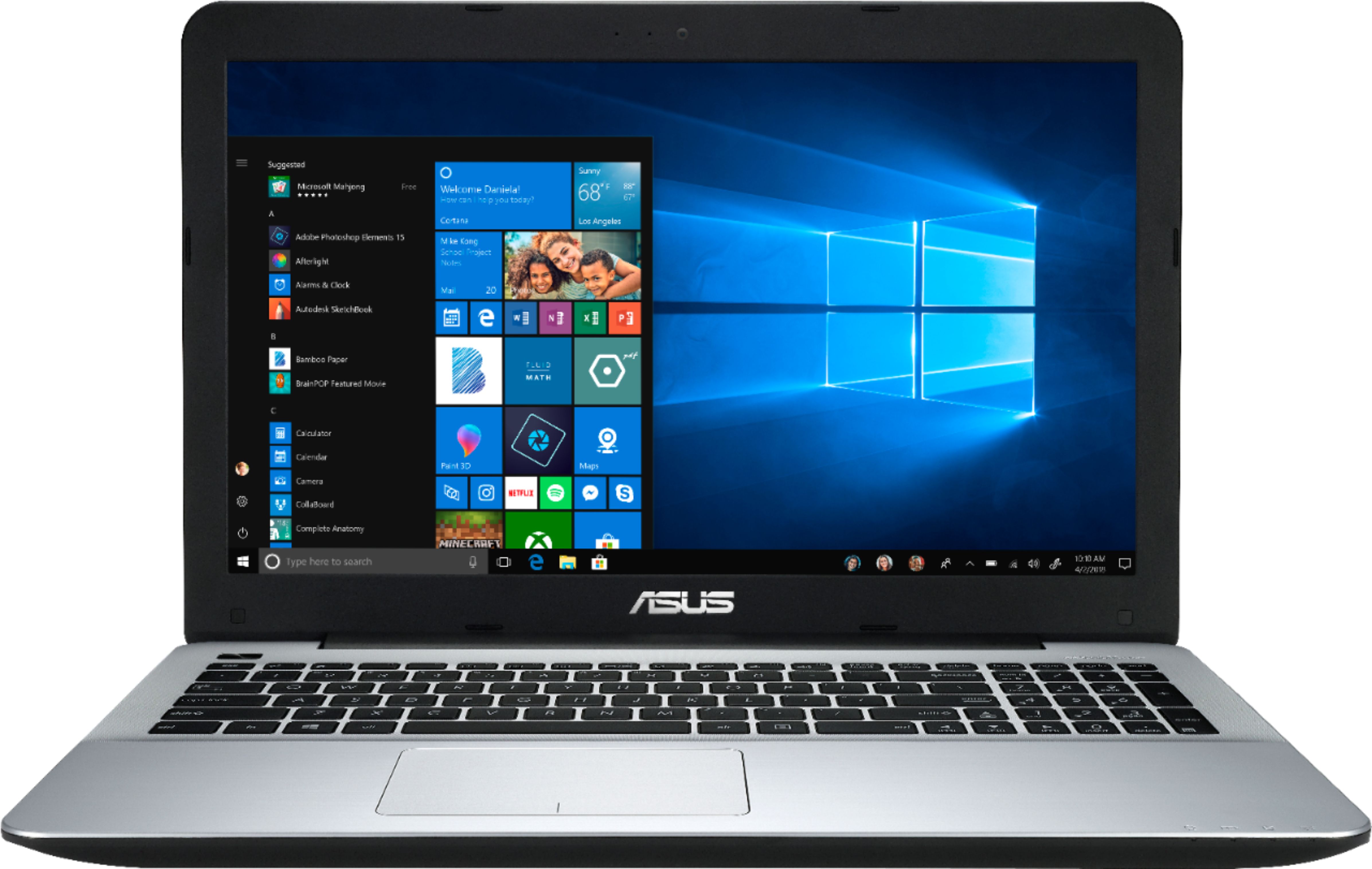
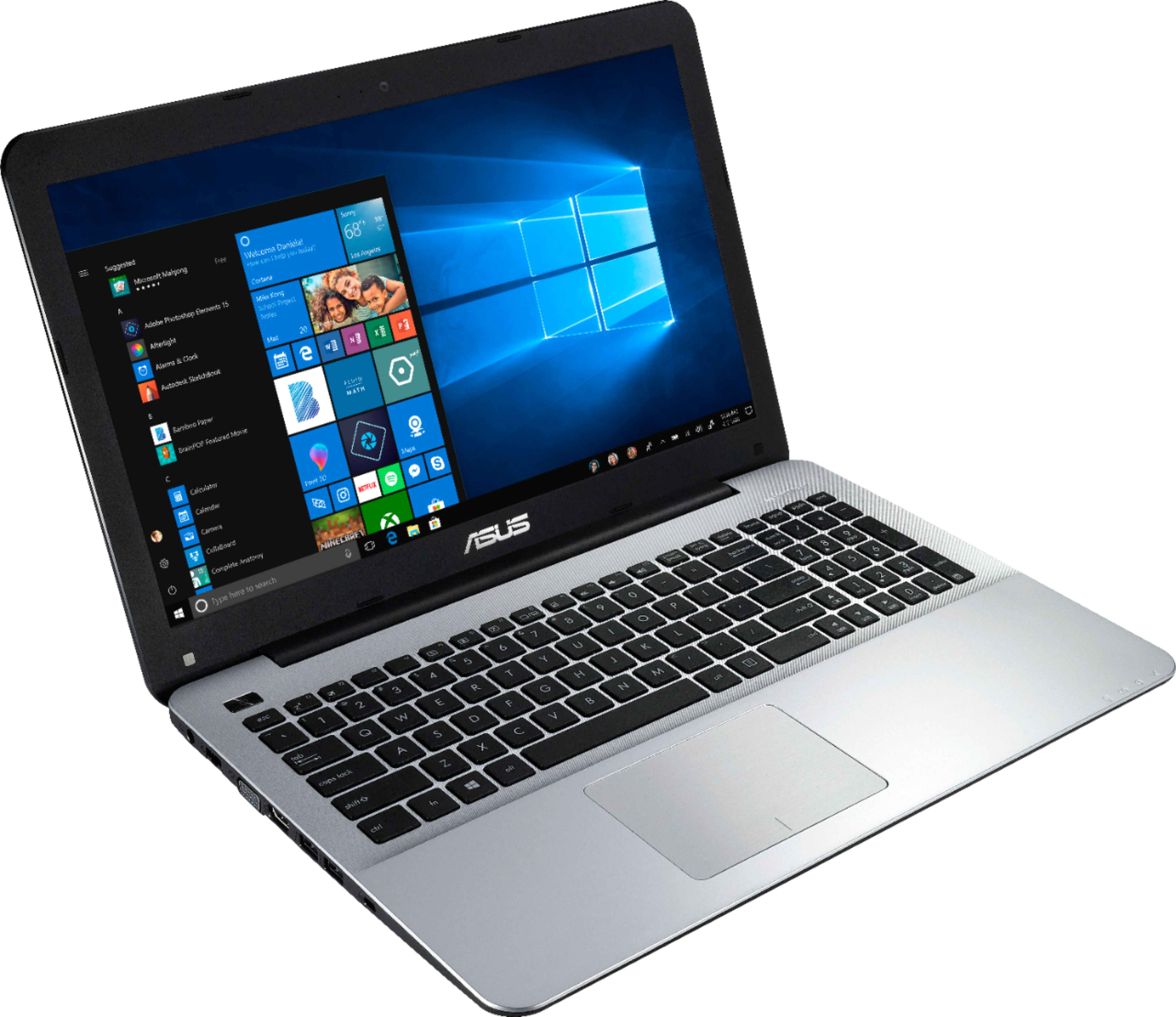
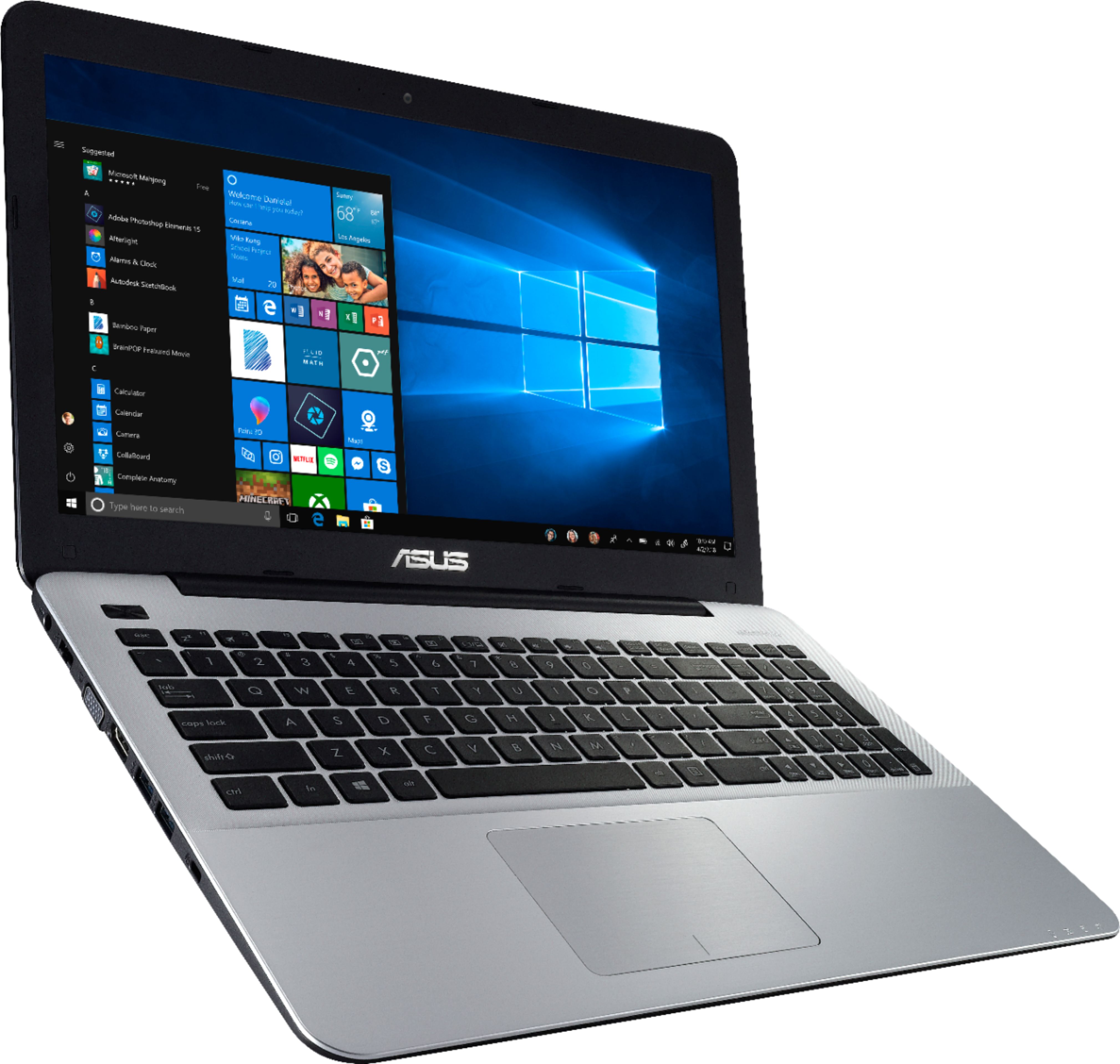
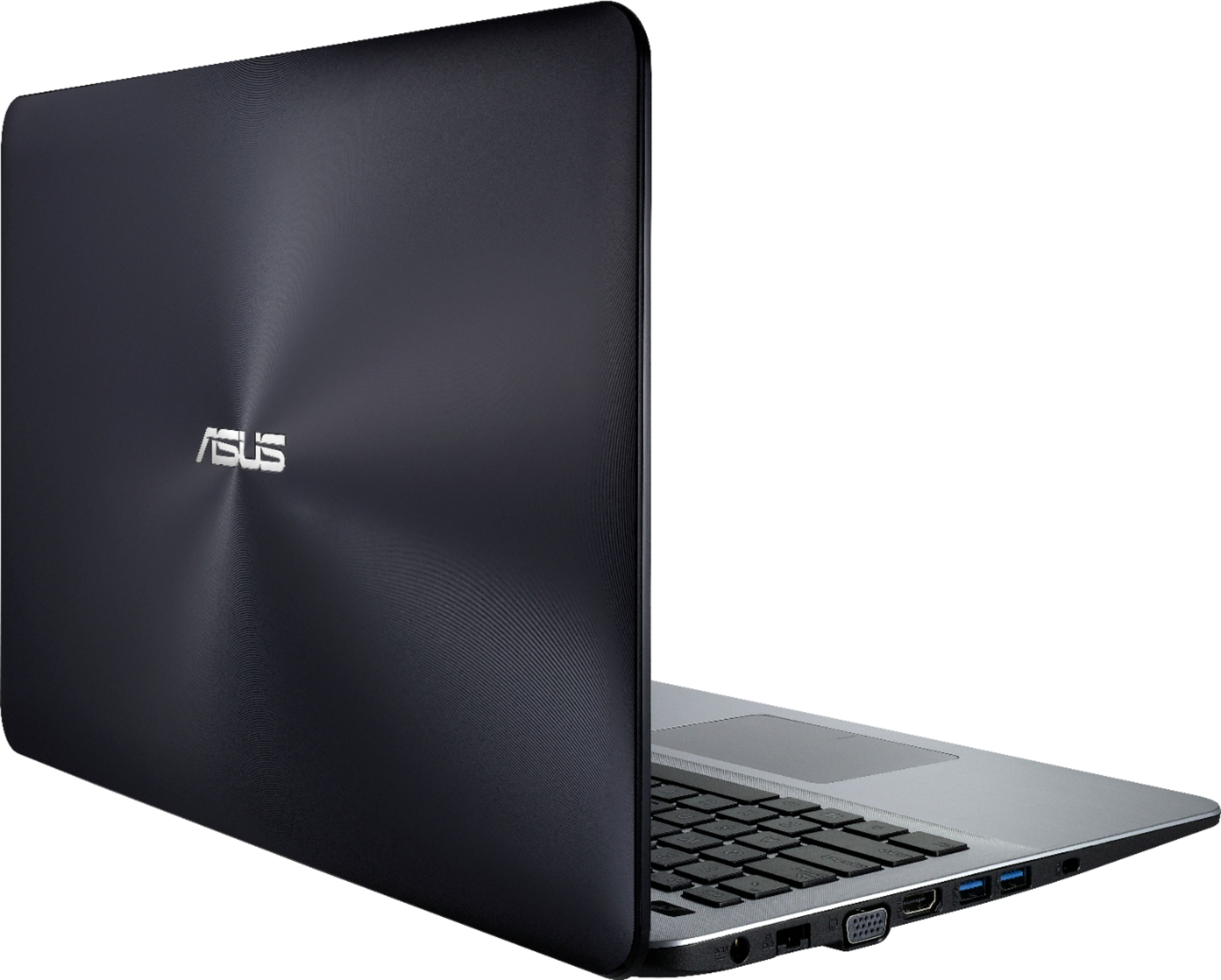
Customers express satisfaction with the price, ease of use, light weight, performance, gaming capabilities, SSD, and storage of the 15.6" Laptop - AMD A12-Series - 8GB Memory - AMD Radeon R7 - 128GB Solid State Drive. However, some customers have concerns about the battery life, keyboard, screen quality, Wi-Fi, and speakers.
This summary was generated by AI based on customer reviews.
returned this
||Posted . Owned for 1 year when reviewed.This reviewer received promo considerations or sweepstakes entry for writing a review.I can not recommend it. Maybe it's more useful for others looking for other features. Slow pc.
No, I would not recommend this to a friendOkay
||Posted .This reviewer received promo considerations or sweepstakes entry for writing a review.Works how I want it to, it’s compact and easy to manage.
I would recommend this to a friendBrand response from Asus_Answers
Posted .Dear Bull,
It's great to know that the laptop did meet your expectations, especially its compact size and ease of use or manage. In order to maintain optimum system stability and performance, cumulative WINDOWS Update needs to be installed periodically. If you are accessing web applications, please make sure the unit has access to an established router and internet service is working properly since this will definitely affect system speed and performance. Also, clearing internet cache or browsing history will improve system performance. Should you need further assistance with the product, please email me at [email protected] and I would be more than happy to help.
Thank you for choosing an ASUS product.
Regards,
Rodel
ASUS Customer Loyalty
Not powerful enough, not customizable
||Posted . Owned for 1.5 years when reviewed.This reviewer received promo considerations or sweepstakes entry for writing a review.Returned this laptop as I found a used laptop 4 years older that was more powerful for a 3rd of the price. However this was Pre Covid so that may not be possible in this day and age. IIRC it was Not upgradeable soldered in Ram, and SSD Asus X540LA | Intel® Core™ i3 5020U performed much better.
No, I would not recommend this to a friendSlow
||Posted . Owned for 1.5 years when reviewed.This reviewer received promo considerations or sweepstakes entry for writing a review.After 2 years of use a snail runs faster than this laptop.
No, I would not recommend this to a friendNo enough features.
||Posted .This reviewer received promo considerations or sweepstakes entry for writing a review.I need one withe built in DVD player and burner. A cd butter as well.
No, I would not recommend this to a friendBrand response from Asus_Answers
Posted .Dear Rodd,
I do understand the inconvenience this may have caused you if the laptop didn't come with a DVD drive. The product was not advertised having an optical disc drive. However, if this becomes a necessity, an external USB drive can always be connected. Should you need further assistance with the product, please email me at [email protected] and I would be more than happy to help.
Thank you for choosing an ASUS product.
Regards,
Rodel
ASUS Customer Loyalty
Cheap
||Posted .This reviewer received promo considerations or sweepstakes entry for writing a review.You get what you pay for, I should of bought the next price range up
No, I would not recommend this to a friendBrand response from Asus_Answers
Posted .Dear Chiquiscano,
I do understand your disappointment with the quality of the product and the inconvenience this may have caused you if it didn't meet your computing needs. On the contrary, lots of satisfied customers, having positive experience using the product, will agree with me that the unit is a decent system that is perfect for running popular computing applications, without compromising system stability and performance. . In order to maintain optimum system stability and performance, cumulative WINDOWS Update needs to be installed periodically. If you are accessing web applications, please make sure the unit has access to an established router and internet service is working properly since this will definitely affect system speed and performance. Also, clearing internet cache or browsing history will improve system performance. Should you need further assistance with the product, please email me at [email protected] and I would be more than happy to help.
Thank you for choosing an ASUS product.
Regards,
Rodel
ASUS Customer Loyalty
too slow
||Posted .This reviewer received promo considerations or sweepstakes entry for writing a review.for some reason the pc is too slow,i willl not recommend to anyone
No, I would not recommend this to a friendBrand response from Asus_Answers
Posted .Dear Dcharles,
I do understand your disappointment with the quality of the product and the inconvenience this may have caused you if your are experiencing slow system speed or performance. On the contrary, lots of satisfied customers, having positive experience using the product, will agree with me that the unit is a decent system that is perfect for running popular computing applications, without compromising system stability and performance. In order to maintain optimum system stability and performance, cumulative WINDOWS Update needs to be installed periodically. If you are accessing web applications, please make sure the unit has access to an established router and internet service is working properly since this will definitely affect system speed and performance. Should you need further assistance with the product, please email me at [email protected] and I would be more than happy to help.
Thank you for choosing an ASUS product.
Regards,
Rodel
ASUS Customer Loyalty
Issues Straight Out of the Box
||Posted . Owned for 1 month when reviewed.This reviewer received promo considerations or sweepstakes entry for writing a review.Immediately after getting it out of the box got error messages upon powering it on, then randomly drivers for the internet stopped working and I'm unable to watch videos. I would not recommend this
No, I would not recommend this to a friendBrand response from Asus_Answers
Posted .Dear Tevin,
Thank you for taking the time out to post your review we truly appreciate it. We would like to offer our deepest apologies for the trouble you had with your ASUS Laptop. We do understand that you're disappointed with the device and the inconvenience this may have caused you. Please allow us to make your experience with us a better one. Please follow the steps provided. Right click on your Windows icon > select Device Manager > click the arrow beside Network Adapters >then right click on the wireless driver and select "Uninstall Device" > Please restart the unit, Once the computer completes restarting the driver should be reinstalled. We certainly value your feedback. For further assistance please feel free to reach out to us by email: [email protected]. Please use a link to this review as reference. Have an extraordinary day.
Thank you for choosing ASUS.
Best Regards,
Lamoya
ASUS Customer Loyalty US Support
- Pros mentioned:Light weight
Just what was needed.
Posted .This reviewer received promo considerations or sweepstakes entry for writing a review.First off, it's an inexpensive laptop. With that in mind, all I needed was a laptop for taking on campus to get work done when I am away from home and this does exactly that. As to the critics of the display properties, I found that just playing with the settings greatly increased the performance of the unit. For example, using the AMD Radeon settings app over the Windows settings options. Activating "Virtual Super Resolution" removed nearly all of the motion blur and cleaned up the picture. I would recommend taking a few minutes to play with the other adjustments as well though so it's comfortable for you. You also need to be at a reasonable distance from the screen and be looking at it head-on from a comfortable sitting position, not on an angle. Sitting in front of it with your hands a comfortable distance resting on the keyboard and not leaning into it over the keyboard, so, the proper way. Looking with the screen positioned on an angle (or someone looking over your shoulder) will cause a visual bulb effect (bright spot like a light shining on it) and can be unpleasant to the observer. Again, this is an inexpensive unit, it doesn't have a top of the line display, so you do have to play by its rules, but in no way do I feel I am hindered by it. Updates were no issue. If you feel they are taking too long, plug the laptop into the modem directly with an ethernet cable, average wireless traditionally runs at about half the speed as a hard connection, so make it easier. I had all the updates downloaded and installed in about 30-45 minutes. I was multi-tasking and didn't do the mandatory restart until everything else I wanted was installed so the required updates did not take long on their own. This package came with a backup install disk rather than using a partition on the hard drive in case you need to reinstall everything down the road which I prefer. With the SSD drive, 128GB is a bit, but I don't want any of that wasted on something I may never need. It's the little things that make this deal so nice. Also a bonus that they fit the disc drive into this unit. My only real complaint is the very slick frame of the unit can cause it to easily slide on hard surfaces. A couple of rubber pads on the bottom and I will be set though. It weighs a lot less than most 15.6" displays and is not bulky at all. Even the sound is better than I expected. If you just need something you can carry around and not looking to game or use heavy performing programs, this is a great little, inexpensive machine that can get the job done! A great package for the price!
I would recommend this to a friend junk, junk, junk, very disappointed
||Posted . Owned for 7 months when reviewed.This reviewer received promo considerations or sweepstakes entry for writing a review.not even worth 1 star. save your money. lasted 7 months and wont boot up any longer. not even good enough to browse the internet with occasionally.
No, I would not recommend this to a friendBrand response from Asus_Answers
Posted .Dear Mike,
Usually, you will do the following to resolve the no boot or no power on issue.
Try to do a power cycle a couple of times. Shut it down completely, wait for at least 10 seconds then power on.
Please wait, if the system is applying updates in the System Registry, it will black screen temporarily. If it still black screen after a few minutes, at least 10 minutes, please repeat the power cycle process again.
Please verify if the AC adapter was properly connected from the laptop to a working surge protector or AC outlet.
Also, please try to disconnect the power cable and let the unit drain for 24 hours to clear the memory and reset the hardware to default settings. After doing this, please reconnect your AC adapter then power on the unit.
If you need further assistance, please email me at [email protected] and I will be more than happy to help.
Thank you for choosing an ASUS product.
Regards,
Rodel
ASUS Customer Loyalty
Broke after 3 days
||Posted .This reviewer received promo considerations or sweepstakes entry for writing a review.I had to return this laptop after 3 days. It just crashed and would not even power up. I exchanged it for HP.
No, I would not recommend this to a friendBrand response from Asus_Answers
Posted .Dear Casfrau,
Thank you for writing a comment for the product. I do understand the inconvenience if the system will not power or boot up, or it black screen after 3 days of usage. Usually, you will do the following to resolve the issue. Try to do a power cycle a couple of times. Shut it down completely, wait for at least 10 seconds then power on. Please wait, if the system is applying updates in the System Registry, it will black screen temporarily. If it still black screen after a few minutes, at least 10 minutes, please repeat the power cycle process again. Please verify if the AC adapter was properly connected from the laptop to a working surge protector or AC outlet and the power button is being pressed all the way down to trigger a power on signal. Also, please try to disconnect the power cable and let the unit drain for 24 hours to clear the memory and reset the hardware to default settings. After doing this, please reconnect your AC adapter then power on the unit. If you need further assistance, please email me at [email protected] and I will be more than happy to help.
Thank you for choosing an ASUS product.
Regards,
Rodel
ASUS Customer Loyalty
Didnt last long....
||Posted . Owned for 10 months when reviewed.This reviewer received promo considerations or sweepstakes entry for writing a review.No longer turns on after only a few months of owning. I hardly even use this thing and only bought it for tuning on a couple of my vehicles.
No, I would not recommend this to a friendNot working right now
||Posted . Owned for 11 months when reviewed.This reviewer received promo considerations or sweepstakes entry for writing a review.It isn't working and I have an extended warranty . I am trying to get help and haven't got it yet. Frustrating
No, I would not recommend this to a friendLaptop keeps on closing on me! Dont know why!.
||Posted . Owned for 2 months when reviewed.This reviewer received promo considerations or sweepstakes entry for writing a review.July 15 2019 I am having problems keeping the LT on. It turns itself off every 10-15 minutes and I must restart it>
No, I would not recommend this to a friendBrand response from Asus_Answers
Posted .Dear Captain,
Thank you for writing a comment for the product. I certainly understand your disappointment and the inconvenience this may have caused you if the unit will auto-shutdown. Please install WINDOWS Updates if OS is not current. This will update the power management services in the OS. In order to prevent this from occurring, sleep or hibernate mode needs to be disabled in the Control Panel, Power Options then Advanced Settings. For detailed instructions, please visit Microsoft's Knowledge Base. Also, if running with the battery only, please do not run any power-hungry software or application. Running these applications will cause auto-shutdown when battery life is running low. If you need further assistance with the product, please email me at [email protected] and I would be more than happy to help.
Thank you for choosing an ASUS product.
Regards,
Rodel
ASUS Customer Loyalty
Laptop
||Posted .This reviewer received promo considerations or sweepstakes entry for writing a review.I bought via the website, I arrived to pick it up and they had sold it to someone else?????
No, I would not recommend this to a friendBrand response from Asus_Answers
Posted .Dear Chef,
Thank you for taking the time to post your review. We are terribly sorry that the unit you purchased was sold to someone else. This is very unacceptable. Please reach out to Best Buy to have this issue resolved as soon as possible. We are terribly sorry for the inconvenience. We certainly value your feedback. For further assistance please feel free to reach out to us by email: [email protected]. Please use a link to this review as reference. Have an extraordinary day.
Thank you for choosing ASUS.
Best Regards,
Lamoya
ASUS Customer Loyalty US Support
Very cheap and slow
||Posted .This reviewer received promo considerations or sweepstakes entry for writing a review.Cheap quality and very slow. You get what you pay for.
No, I would not recommend this to a friendBrand response from Asus_Answers
Posted .Dear Liza,
Thank you for sharing your feedback on this model, we truly appreciate it. We're truly sorry that you're not pleased with the quality of the device and that the device is slow. ASUS products undergo intensive quality control testing and final inspections for both hardware and software before we send it out to the stores worldwide. ASUS provides warranty for the unit in order to fix or repair any isolated factory escape defect.
Rest assure this information will be passed on to our development team for improvements. We are recommending to back up your device and complete a system reset on the device seeing that the device slow, please follow the steps provided.
1. Turn the unit off then press and hold the F9 key.
2. Press the power button to turn the unit back on(keep F9 held down).
3. Once the menu comes up, let go of F9 and select "Troubleshoot”.
4. Select Reset this PC.
5. Select remove everything
We truly appreciate your feedback. If you need any further assistance please don't hesitate to contact us via email: [email protected] and provide this link for reference or contact our general support at https://www.asus.com/us/support. Our customer loyalty department is dedicated to bringing a resolution to all issues related to our products.
Thank you for choosing ASUS!
Best Regards,
Lamoya
ASUS Customer Loyalty US Support
[Factory Reset Steps] https://www.asus.com/support/FAQ/1013065
Awful from the start
||Posted .This reviewer received promo considerations or sweepstakes entry for writing a review.1. No DVD/CD player, and Bluetooth/ audio doesn’t work,
No, I would not recommend this to a friendBrand response from Asus_Answers
Posted .Dear Monte,
We appreciate you sharing your feedback on this model. We're sorry to hear about the issues you're having with the Bluetooth and audio on this model. Please allow us to make your experience with ASUS a better one. We would recommend that you update the audio and a Bluetooth driver. Please do so by clicking on the following link: https://www.asus.com/Laptops/X555QA/HelpDesk_Download/. For further assistance please feel free to reach out to us by email: [email protected]. Please use a link to this review as reference. Have an extraordinary day.
Thank you for choosing ASUS.
Best Regards,
Joan
ASUS Customer Loyalty US Support
Awful
||Posted . Owned for 1 month when reviewed.This reviewer received promo considerations or sweepstakes entry for writing a review.Keys feel cheap. Stopped working in less than a month.
No, I would not recommend this to a friendBrand response from Asus_Answers
Posted .Dear Alisa,
I certainly understand your concern regarding the quality of the keyboard. All ASUS products undergo intensive quality control testing and inspections, and are built to last, this is a random problem. Normally, ASUS provides one year warranty coverage, if product was purchased brand-new, in order to fix or repair any hardware or, part that stop working prematurely under normal usage. If you need more information or further assistance with the warranty for the product, please email me at [email protected] and I would be more than happy to help.
Thank you for choosing an ASUS product.
Regards,
Rodel
ASUS Customer Loyalty
- Cons mentioned:Battery life
Pre and post COVID-Working well
Posted .This reviewer received promo considerations or sweepstakes entry for writing a review.Writing a Late review. Had this laptop close to 4 years ( prior to Covid lockDown)’. It’s Fantastic. The only thing you may need is extra storage if you save ample stuff. The display and screen Size is very ideal. Battery life- slightly above average but not the best.
I would recommend this to a friend - Pros mentioned:Price
Good for the price
Posted .This reviewer received promo considerations or sweepstakes entry for writing a review.so I was in the market to replace my 6 yr old HP which was a solid laptop but now running a bit slow and crashing from time to time, I was on a budget so I decided to go with the ASUS based on the price, set up was good but did get the black screen a few times but after the updates that is no longer a problem, im not a gamer just use it basic internet searches shopping and e mail so I don't need a lot. I have only had the computer for a day so I will give it a few more days to see if it will work for me, the camera isn't the best but I don't really use that, and no cd but a external one is cheap if I really need it,
I would recommend this to a friend