Customer Ratings & Reviews



- Model:
- CX1700CK-CL464
- SKU:
- 6534920
Rating by feature
- Battery Life
Rating 4.7 out of 5 stars
- Speed
Rating 4.6 out of 5 stars
- Display
Rating 4.8 out of 5 stars
Customers are saying
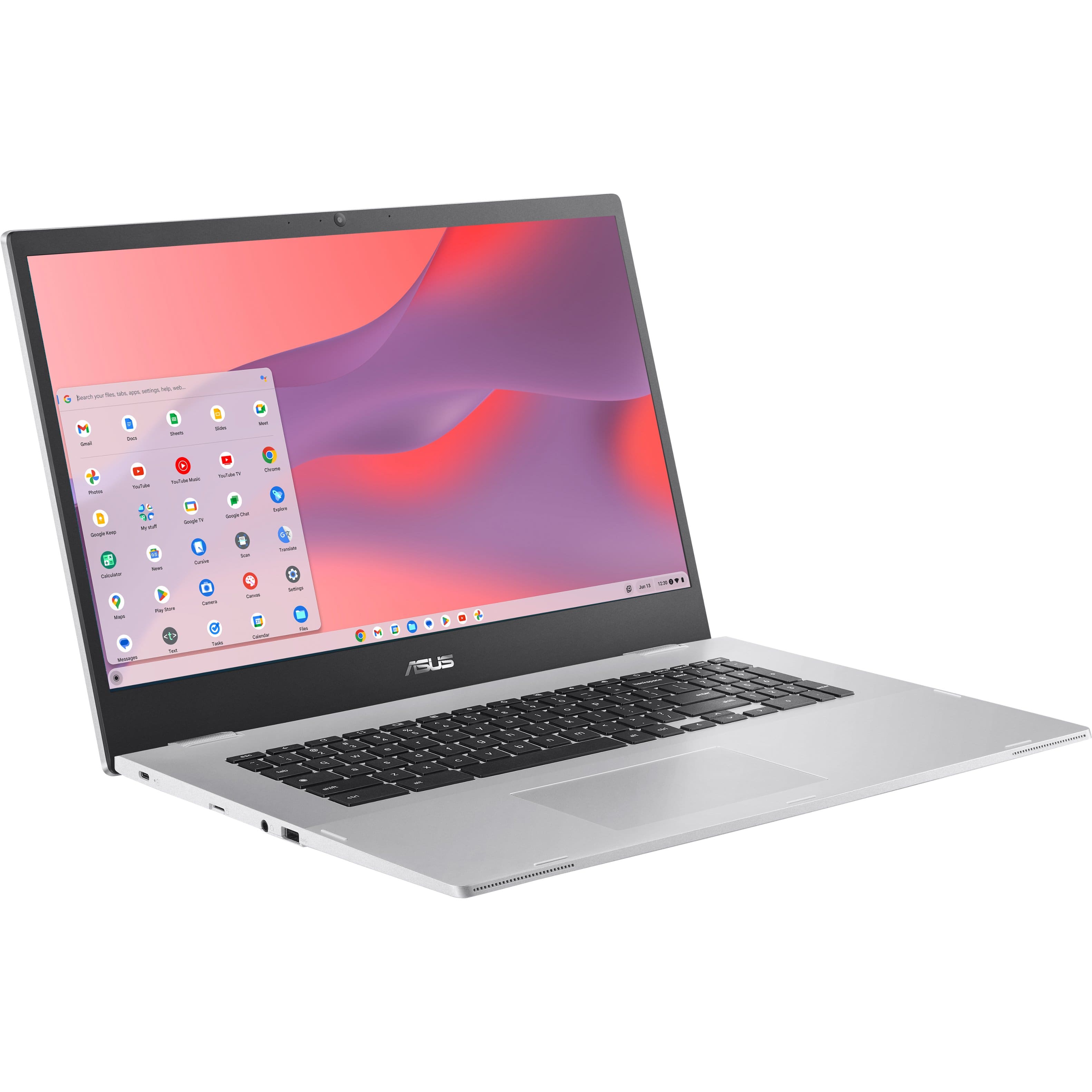
Customers frequently mention the large screen size and its good color reproduction as significant advantages. The ease of use, impressive battery life, and reasonable price point are also frequently praised. While some users find the performance adequate for their needs, limited storage space is a recurring concern for a few customers.
This summary was generated by AI based on customer reviews.
Meh
||Posted . Owned for 3 weeks when reviewed.This reviewer received promo considerations or sweepstakes entry for writing a review.Worked great at first but didnt last 2 weeks before the screen was having issues.
No, I would not recommend this to a friendBrand response from ASUS Answers
Posted .Dear Gerardo O,
We sincerely apologize for the display issue you've faced with the Chromebook and the inconvenience caused. This is not the kind of quality to expect from ASUS products and it's not the norm. All ASUS products undergo intensive quality control, testing, and inspections. What you've experienced was not intentional or representative of our brand. Customer satisfaction is our top priority, and we strive to make every purchase enjoyable. Please allow us to make your experience with ASUS a better one.
To troubleshoot the issue described, we recommend following the steps in the FAQ below. Should the issue persist, please contact our support team at https://www.asus.com/us/support/CallUs to investigate the problem further or assistance with getting the device repaired.
We stand behind our products and continuously strive to improve our products and processes to achieve customer service excellence. For more information, email us at customerloyalty@asus.com and include the case number "N2205019301-0012" as a reference. We will do our best to resolve your case quickly. Your feedback is very important to us and enables us to improve our support channels. Thank you for choosing ASUS.
Best Regards,
Chantae
ASUS Customer Loyalty US Support
https://www.asus.com/support/faq/1042772/
- Pros mentioned:Ease of use, Screen size

Grandpa’s Perfect Laptop
|Posted .This reviewer received promo considerations or sweepstakes entry for writing a review.This laptop is short, sweet, and to the point. No complicated operating system, no excessive bloatware and applications, and a nice big screen for endlessly scrolling Facebook videos. It’s great for browsing the internet, social media, and watching movies. The 17” screen is ideal for a clear picture and easy to read text. If you are looking for an affordable option for a very basic computer user like a grandparent, then look no further than this laptop. I was concerned that the chromeOS would be confusing since it’s a different operating system than windows which normally comes on laptops and it can be difficult to teach an old dog new tricks. The simplicity and straightforward layout of the system almost makes it difficult to get lost due to the lack of options and features to explore. You can still find more advanced settings if you really dig into the menus and know what you are looking for, but the basic user doesn’t need this stuff. It’s even more ideal because it synchronizes to the google chrome profile and all of the saved bookmarks and passwords are automatically imported as soon as you log in.
I would recommend this to a friend - Pros mentioned:Battery life, Screen size
such a deal.
Posted .This reviewer received promo considerations or sweepstakes entry for writing a review.i bought 3 of these. the first 2 i bought for my daughter and myself when they went on sale and kept going down to $140 even after i paid $200 for each. best buy kept giving me rebates so when my credit card bill came it cost me $280 plus tax for both. about 8 months later i saw it for sale, open box, excellent condition for $135. so with some hesitation i purchased it again, went to the store, looked at it and walked out without finalizing the sale. it went back into stock but was now priced at $85. immediaetly bought it again, went to the store, applied a $10 reward certificate and paid $75 plus tax. when i removed the sticker with my name on it i saw another sticker also with my name on it from the first time i placed the order. this verified that it was the same machine. for my purposes, checking email and searching the web, it's just fine. it starts up quicker than my hp laptops and the battery lasts much longer, up to 8 or more hours. also, for me to buy a laptop it needs to be a 17.3 inch laptop or larger and cost less than $300. since i have 7 other laptops i'm not looking to buy another unless i can get the same deal.
I would recommend this to a friend - Pros mentioned:Screen size
Solid Large-Screen Chromebook
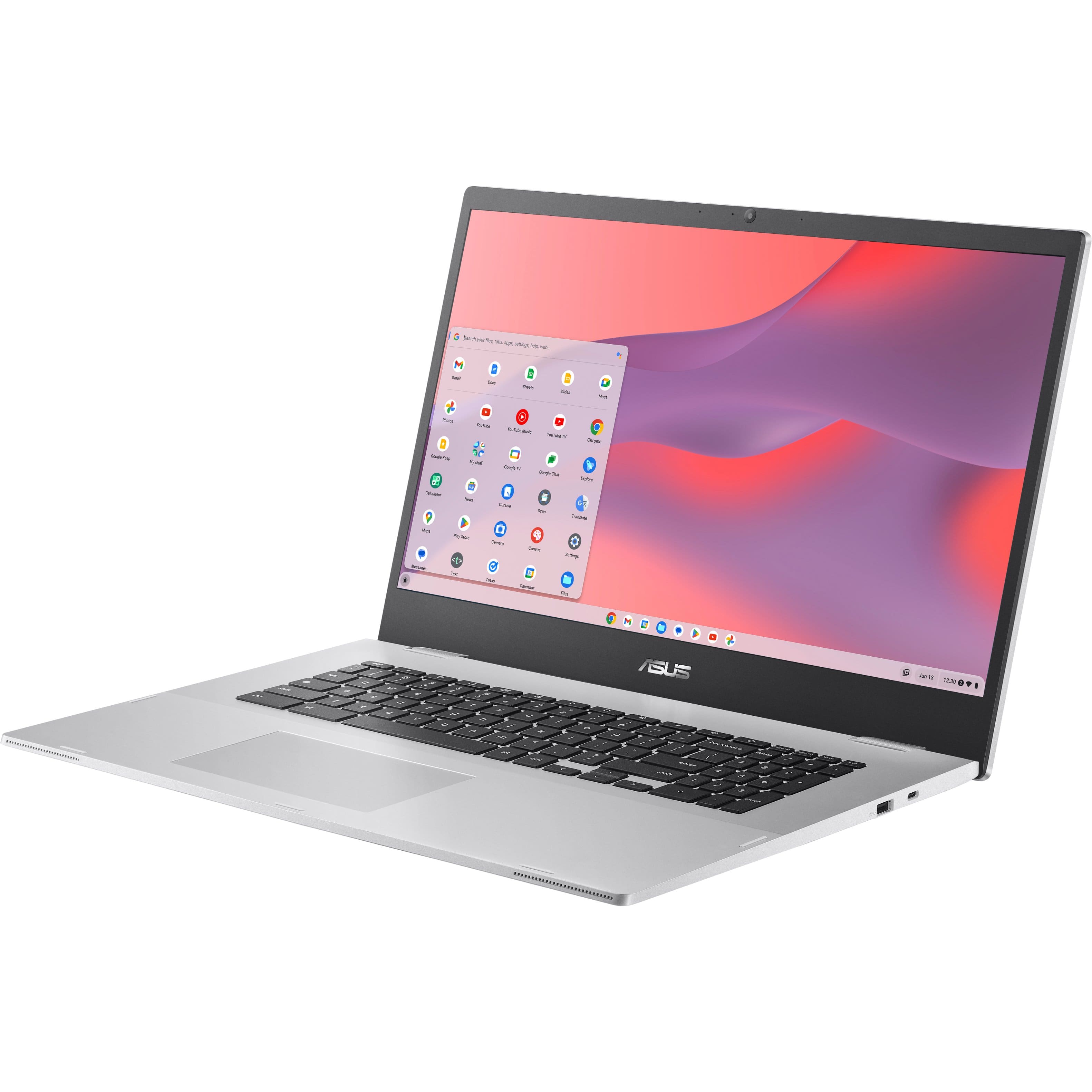
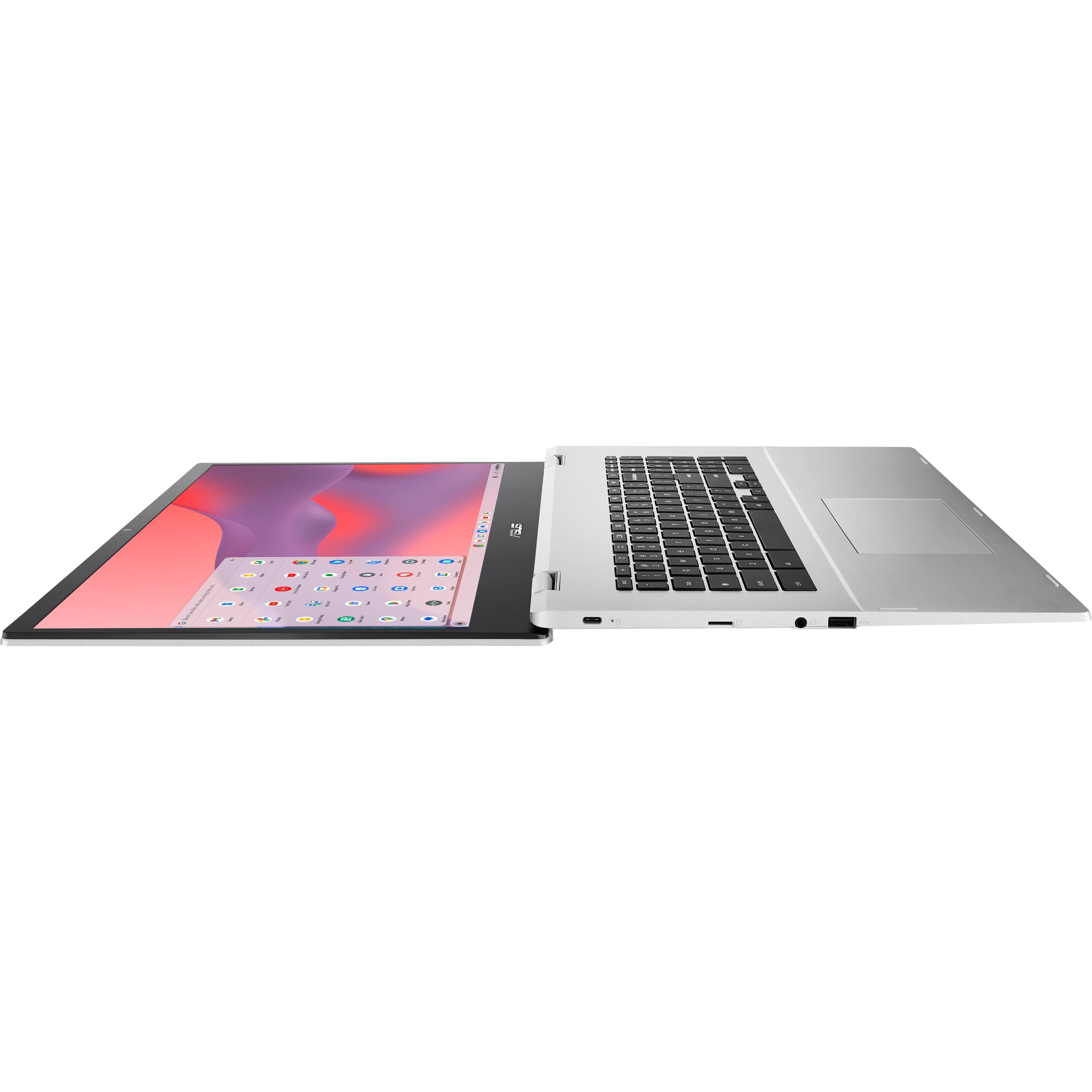
|Posted .This reviewer received promo considerations or sweepstakes entry for writing a review.The ASUS 17.3" Chromebook is a fairly pleasant laptop replacement. In terms of appearance, it has a pleasant machined silver exterior. The body is plastic instead of metal. While there is some noticable flex, it holds up reasonably well. I knew it was NOT a touchscreen, but I'm so used to dealing with touchscreens, that I instinctively reached out to the screen repeatedly the first day I set it up and used it. Fortunately, that habit does diminish. I know it's a large screen and ASUS was meeting a pricepoint here, but I do wish it had a touchscreen. The screen, however, is very pleasant. It's not an ultra HD display, but it is full HD resolution. Text appears crisp and images are reasonable quality. It does not stack up to a 2k machine, but it does stack up very well to a Windows machine costing two to three times as much as it does. That is a win, in my opinion. Another win is the keyboard. While travel is a little on the shallow side, the sensation is tactile and the keys are well spaced and comforable. They are NOT backlit, in another cost-saving move. However, it does have a full number pad (albeit, slightly reduced size). The clickpad is large and works well. It is a hinged pad and easy to operate. Two-finger scrolling works well and is always recognized. I have a recent Pixel phone. integration with the phone and the Chromebook is a nice plus. The Chrome OS happily and natively pairs with your phone and shares some information. For most personal uses, ChromeOS is very solid. You can access lots of apps, including the old standbys, such as Office. For the pricepoint, there are a lot of things this ASUS does well. If it had a touchscreen and backlit keys (even if those meant a 15" screen instead), this would be a stellar 5-star device. But not having those options will make it less useful for some settings, so I lower the rating to 4 stars. Of course, I'd prefer a metal body with minimal flex. I've got one of thoese premium machines and love it. This is built to be something different. And I will say the plastic body makes the weight that much more manageable. It gets only a little warm sitting on your lap, but it has not gotten particularly hot so far. That's a good sign. Memory is fairly limited, but I haven't seen it bog down yet. And most things you do with it are in the cloud, anyway, so you don't need the gobs of storage space you might be thinking of with traditional laptops. Overall, this is a pleasant, easy-to-use device that does a lot of things well.
I would recommend this to a friend - Pros mentioned:Battery life, Screen size
A big screen Chromebook that's great for everyday.
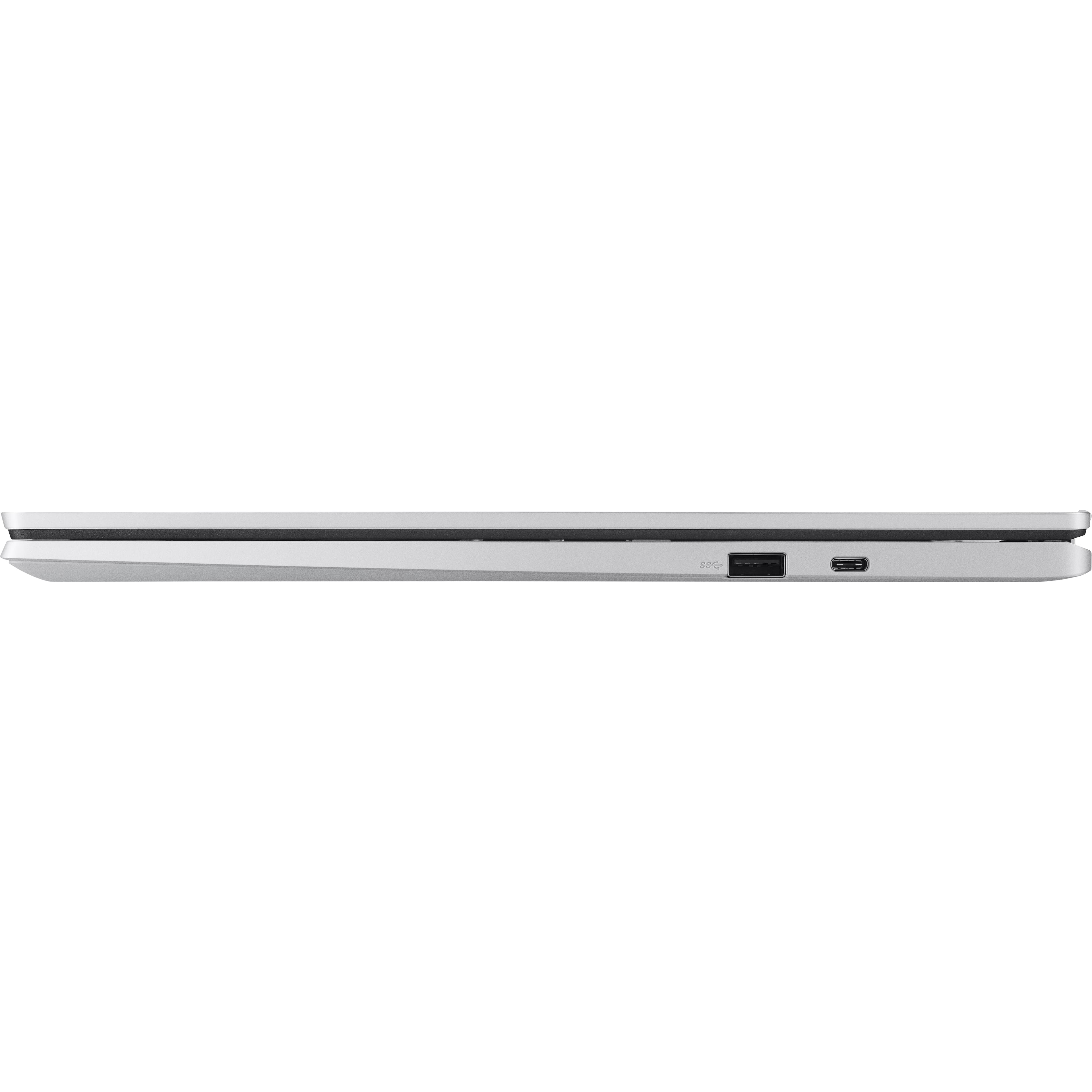
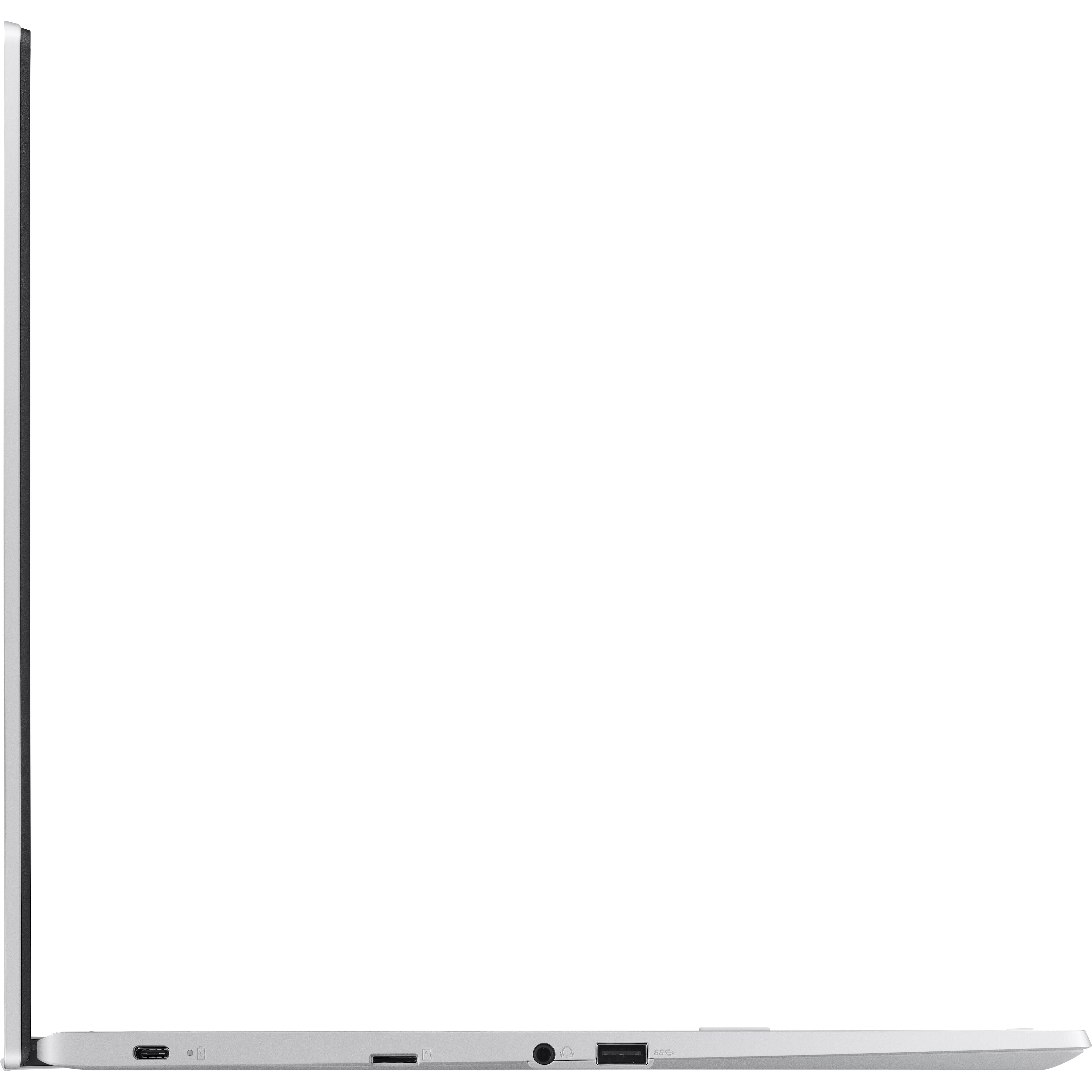
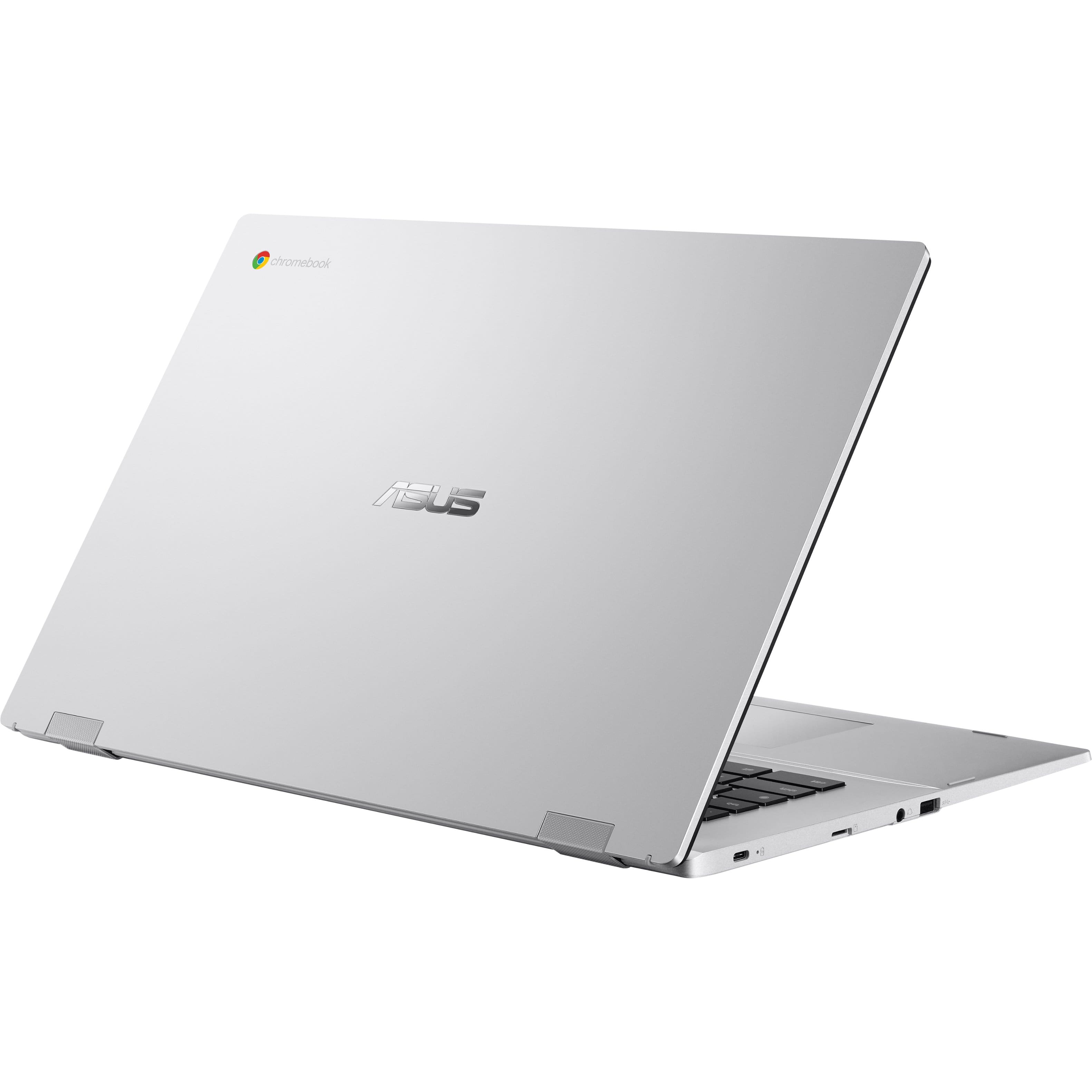
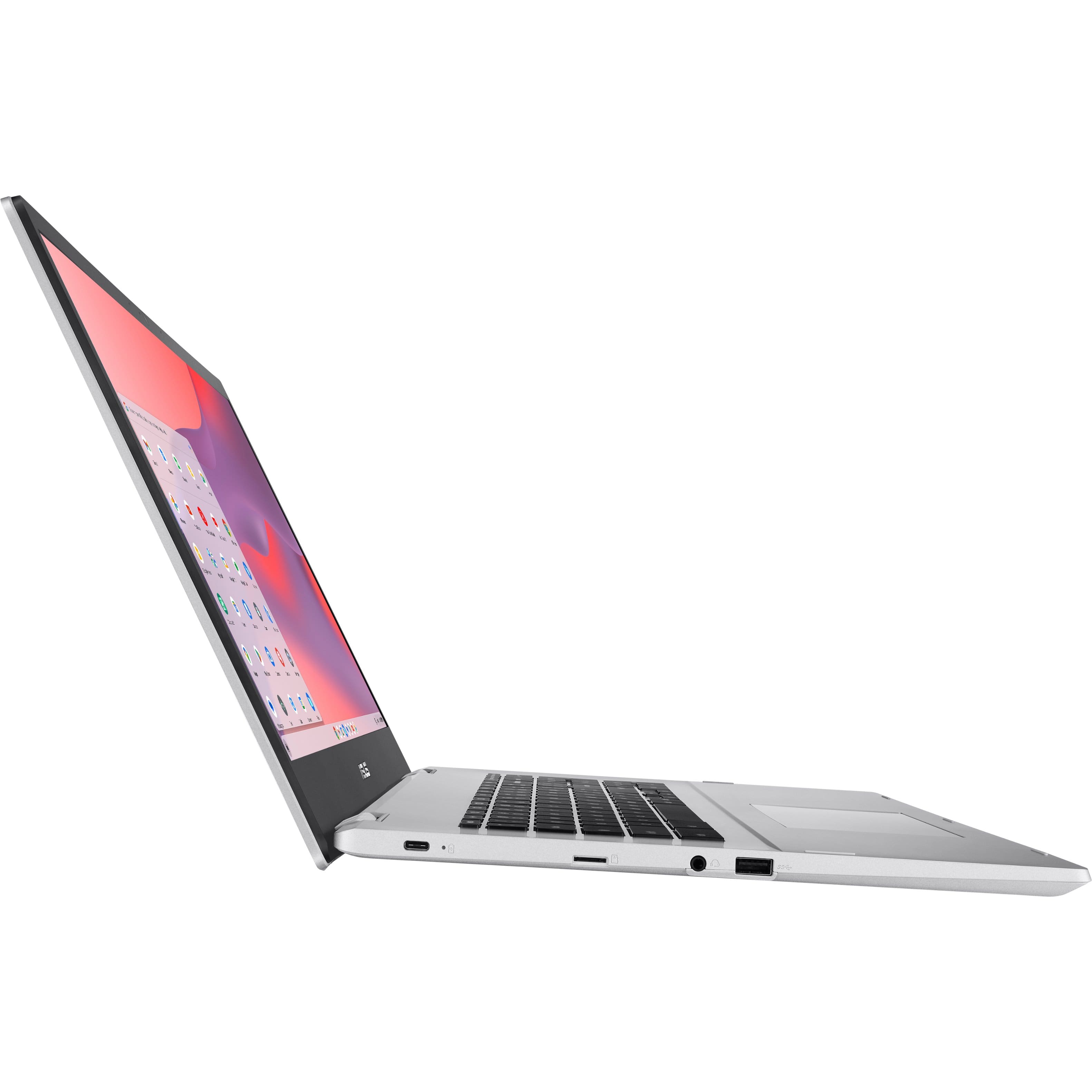
|Posted .This reviewer received promo considerations or sweepstakes entry for writing a review.I was looking for a replacement laptop as my 8 year old HP laptop was starting to have issues and it was time to get a new laptop. This Asus Chromebook fills all of the needs that I currently have for a laptop for browsing, email, social media, etc. It has a type a USB port on each side, a type c USB port on the right side, and a microsd slot on the left side of the Chromebook. There is also a headphone jack on the left side. The keyboard is nice and the keys are spaced apart just enough, the number pad is a little narrow when compared to my old laptop, but having the number pad is really nice to have. This is my first Chromebook and it does take some time getting used to the OS. The out-of-box experience was good and easy to setup. The battery life was great and I could use it most of the day with plenty of battery life left. I was able to sync my Android phone and log into all of my favorite websites with ease, everything was transferred over and had no issues with that part of it. The play store, as expected, worked perfectly with the Chromebook. I was able to install most of the apps that I use on my phone except for one work related app that requires a lock screen. This seems to be a great laptop for general everyday use, the big screen is something that I always try to get with my laptops.
I would recommend this to a friend - Pros mentioned:Screen size
Oh that screen!
|Posted .This reviewer received promo considerations or sweepstakes entry for writing a review.First Chromebook or should I say non macbook I have ever owned. I’ve always been afraid of change when it comes to tech I’m comfortable with but decided to give this one a shot. I opened the box and man oh man as soon as I did the thing made my MacBook Air look like an iPad mini. The screen on this thing is absolutely massive. I mean I can’t even begin to try and tell you the difference in the screen size and the experience you have with such real estate on a laptop you can get. I wasn’t expecting a powerhouse of a machine with this thing but the specs are decent on it and it is definitely no slouch when it comes to performance. I have had zero issues rubbing multiple things at one time no lag or anything. I have also done some cloud gaming on this thing and that is another thing this machine didn’t stutter once or have any frame rate drops. Not that I was playing triple a games or anything but for what I was playing on it it held its own with zero issues. The screen vibrant and worth this laptop alone but like I said performance wise it’s no slouch which is a huge bonus. Definitely a good buy!
I would recommend this to a friend - Pros mentioned:Screen sizeCons mentioned:Storage
So far so good!
Posted .This reviewer received promo considerations or sweepstakes entry for writing a review.I purchased this Asus for my parents who can't see clearly if the screen is small. So, yes, this is huge, only 64 GB & no touchscreen. But it's great for the basic tasks they use it for. I attached a keyboard and a mouse so it doesn't matter that it's not a touchscreen. So far so good! Hope it lasts!
I would recommend this to a friend - Pros mentioned:Battery life
Great value and easy to use
|Posted .This reviewer received promo considerations or sweepstakes entry for writing a review.We now live in a world where tablets and smartphones are being used for internet access more than actual PCs and laptops. It's so weird using a standalone laptop, especially a Chromebook (no offense to Google or anyone using them). I have products that easily obsolete a pc or laptop around the house. I'm typing this review on my 9 year old MacBook Pro ¯\(ツ)/¯ . The ASUS Chromebook is a versatile machine. You can do quick tasks in a similar manner than you would on a windows PC or Apple product. I'm not doing those things on my smartphone or tablet. Even my MS Surface tablet, with the little keyboard attached, doesn't really feel great. These products also come at a higher cost of entry we'll call it. What do I really need these more expensive devices for? This is why the Chromebook is necessary and will be my little go to buddy. Simple tasks for a simple device done simply? I feel like that's a good slogan for the Chromebook. You can't beat the price and value you will get out of this device versus any of the ones mentioned above. Pros: Easily affordable The battery life is really good on this machine. This will vary based on what you’re using it for though. I got about 11 hours before I plugged it in for a charge. Great webcam for those video calls with family. This device uses a Solid State Hard drive, this is a great value. Perfect for when you’re traveling or on the go. I finally found a laptop easy for older users to use. Cons: Why in the world did they remove the SD card slot? Asus needs to put more time into designing a laptop a little easier on the eyes. This little guy is heavy and feels kind of bulky at times. Overall this product is such a good value. You can’t go wrong with this Chromebook if you can get past the very few cons mentioned above.
I would recommend this to a friend - Pros mentioned:Screen size
A nice beginner Chromebook with size...
|Posted .This reviewer received promo considerations or sweepstakes entry for writing a review.This was an okay Chromebook out of the box that looks great for buck. I enjoyed setting it up but then the polish and shine sort of wore off quickly. It feels nice but the performance matched the expectations of the included components. The screen has a nice size to it and for a budget system it was not bad really. It was not the brightest though. The speakers are good enough to watch videos or stream a movie but don't expect a cinema like experience. I know this review sounds a little negative but it actually was not bad if you just need a basic machine that just does. The internet was reasonably responsive for normal tasks. I think or pereceived the slowness at times was just do to the hardware. I ended letting my daughter use it in lew of buying a new smart television. It allowed her to install streaming apps and she was very happy with watching shows and basic internet browsing. I think the biggest downgrade or lack was that the screen was not a touch screen. Even the kids much cheaper Chromebooks for school have touch screens. Maybe there were other trade offs that I am not considering. I was concerned that the machine might get too hot but that has not been an issue at all. I was happy with included ports both the newer USB C ports and the older USB A ports but both work well. I would say if you wanted to give someone a first Chromebook or have one for temporary use and could work with a mouse or are used to the trackpad which worked pretty well then this would be a good machine for you to use. I would recommend this for a person who needs a bigger screen or does not need a premium Chromebook experience.
I would recommend this to a friend - Pros mentioned:Screen size
asus chromebooks getting better
|Posted .This reviewer received promo considerations or sweepstakes entry for writing a review.my husband is the tech nerd in the home, and he's pretty much tried everything when it comes to home computing. this is his 1st attempt to actually to use chromebook without pre-conceived opinion. his review....what immediately captures my attention is that it has a huge screen, which is nice because i haven't had my eyes examined in a few years, and i need new glasses. this screen will help delay that need. it is a little on the bulky side and has some weight to it, but i can get my fat fingers across the keyboard without too many typing errors. the trackpad was too slow for me from the initial settings, so i made that adjustment. the a/c power cord is way too short, i'm not the kind of power user that likes to test battery life. cosmetically, all is very respectable. the 4 gb of memory is adequate, i will have 2 or 3 tabs open at most on chrome. which brings me to the most obvious feature of the machine. it is powered by google chrome, and sometimes i feel there are just too many security leaks with anything related to google. getting some useful extensions is helpful to minimize the threats. the chromecast feature to my smart tv went as expected. finally all the usual apps like gmail, google docs, and youtube are available, and updates are done through google playstore. a pretty good machine, won't be my favorite daily driver, but no regret picking this thing up,
I would recommend this to a friend - Pros mentioned:Screen size
Big screen
|Posted .This reviewer received promo considerations or sweepstakes entry for writing a review.The ASUS 17.3-inch Chromebook, make for a great simple work or school laptop. First off, the only major issue I don't like is the weight of this laptop. Other than that, if you are looking for a laptop to do simple work such as web surfing, email, videos and office documents this is the perfect laptop for you. Set up was a breeze however it did freeze up on me several times when I first booted. After that once it had all the updates it was a nice little work horse. You do have the option to download apps and games from the play store just like you do on a phone. If you have a school age student, this will most likely be a good addition since some schools do you chromebook's for schoolwork. The screen size is perfect almost too big, but it is perfect for my liking. Other things I disliked but did not take any stars off for are that it seems to be outdated compared to other laptops, several examples are no touchscreen, or fingerprint unlock, the memory capacity to name a few. But overall, like i stated before this makes a great laptop for a student or someone looking for something simple just to do daily work.
I would recommend this to a friend At this price point how is it so capable?!?!
|Posted .This reviewer received promo considerations or sweepstakes entry for writing a review.I won't lie, when I saw the specs on this Chromebook, I was a little underwhelmed. I went back and forth on even bothering to select it for review. Boy, am I glad that I did... In the week I've been using it it has essentially become a hub for our house to use as a large form way to quickly search for things, look something up, play a quick game, handle an email, etc. My wife and daughter have both mentioned that it has been amazing not having to keep a phone in their pocket or to hunt said phone down when they needed to quickly do something. They know they can just run over to the corner where I have this Chromebook setup at, knock out whatever it is they need, and move on. Now, I've tried this in the past with tablets and other (smaller) laptops. But, after a short period of time (I'll admit, we've only been using it a week, so I can't vouch for their continued use of this, but so far so good!) the use of whatever tablet/smaller laptop would drop off very quickly. So I asked them what the difference was, because I was genuinely interested as I never had a problem with any other device I setup to use in such a manner. Each of them said the large screen, quick boot time, ease of sign-in and the fact all of their phone stuff conveyed over in real-time (it's a Chromebook, and we are a Pixel ie Android based household - so this all adds up), but then my daughter also added that she loved it have a full sized keyboard and keypad. Call it a first world problem, but she said that she didn't like not having a 10-key pad or messing with a touchscreen to type on those earlier devices I had put out. Basically, it is a great middle-ground compromise between a big robust (aka $$$) laptop and constantly having to rely on your phone for everything. So that's how we use it day-to-day, but as far as stuff like gaming and streaming you'd be pleasantly surprised. On it's own, no, it won't do gaming in the traditional sense. You'll be able to access the Google Store and play those with little to no problem, but AAA games and loading Steam on it? Not going to happen. So what I did do was turn on my gaming rig and link the Chromebook to my Steam account so that I could stream to it. This went surprisingly well! I didn't run into any issues with lag or stuttering, and the huge screen made it all the better. Now, it was a little dim and the motions on the screen were a little slow (not lag, think response time) but aside from that, it was completely adequate for what I was after with my "test". If you want something cheap that can handle a bunch of tasks that aren't too intense and won't require a lot of integrated GRUNT, this is an excellent purchase. The only people that I feel will be disappointed by using this will be those that are expecting something unrealistic out of it. It is a cheaper Chromebook designed to help interface with streaming and other online based platforms. This is precisely why it doesn't have a ton of storage or the aforementioned grunt! With that, I guess I just answered my own question from my title as that is *exactly* how they got it to be at this price point. They trimmed as much of the fat as they could and passed along only the absolute essentials. More often than not that doesn't work out well for the consumer, but every now and then it does - and this is one of those moments.
I would recommend this to a friendGreat Chromebook at an affordable price!
|Posted .This reviewer received promo considerations or sweepstakes entry for writing a review.As a tech enthusiast, I recently had the opportunity to get my hands on the ASUS 17.3" Chromebook CX1700CK-CL464, and I must say, it left quite an impression. This sleek and powerful device packs a punch with its Intel Celeron N4500 processor and 4GB of memory, making it a compelling choice for those seeking an efficient and responsive Chromebook experience. First and foremost, the performance of this Chromebook is commendable. The Intel Celeron N4500 processor ensures smooth multitasking and swift responsiveness, allowing me to switch between apps and web pages effortlessly. With 4GB of memory, it handled my browsing sessions with ease, even when dealing with multiple tabs open at once. The 17.3" display is a real treat for productivity tasks, offering ample screen real estate for handling spreadsheets, documents, and even casual media consumption. The visuals are crisp and vibrant, making the viewing experience enjoyable. The inclusion of 64GB eMMC storage provides sufficient space for essential files and documents, and the Chrome OS's cloud-based ecosystem ensures seamless access to additional storage as needed. Though the storage might be on the lower side for some power users, the convenience of cloud storage alleviates any concerns. Design-wise, ASUS never disappoints. The sleek and minimalistic build of the CX1700CK-CL464 is aesthetically pleasing, and its thin profile makes it highly portable. The keyboard is comfortable for extended typing sessions, while the touchpad is responsive and accurate. Additionally, the battery life of the ASUS Chromebook is commendable, easily lasting throughout a day of moderate usage without needing frequent recharging. This makes it an excellent companion for users on the go or students looking for a reliable device to carry throughout their busy schedules. When it comes to connectivity, the Chromebook features a decent selection of ports, including USB Type-C and Type-A ports, HDMI, and a headphone/microphone combo jack. These options provide versatility for connecting external devices and accessories, enhancing the overall usability of the device. One aspect worth noting is that the Chrome OS limits the availability of some software compared to traditional operating systems. However, with the ever-expanding library of web applications and the increasing support for Linux apps, this limitation is becoming less of a drawback for Chromebook users. In conclusion, the ASUS 17.3" Chromebook CX1700CK-CL464 is an excellent choice for tech enthusiasts looking for a budget-friendly, high-performance Chromebook. Its impressive processing power, sleek design, and ample display size make it a compelling option for productivity tasks, web browsing, and media consumption. While the Chrome OS may have its limitations, the overall experience is smooth and user-friendly, catering to those who prefer a lightweight, cloud-centric computing experience.
I would recommend this to a friendA massive Chromebook with tiny specs!
|Posted .This reviewer received promo considerations or sweepstakes entry for writing a review.Who is this target audience for this Chromebook? With bare minimum specs and long list of absent features, it's not geared toward anyone looking to do anything beyond the very basics. That comment isn't meant to trash ASUS, or this Chromebook. More to bring home the point - know you needs and use case - not all Chromebooks are created equally. Arguably the best feature of this ASUS Chromebook is the massive 17.3" 1920x1080 FHD display. This thing is huge! Along with that large screen comes a hefty 5.34 pounds of weight. If portability is a primary need, I would suggest looking elsewhere. However, the display is clear, responsive, and provides an excellent platform to consume content or perform your work. While the display is large, I would not suggest attempting to game on this device. OK, maybe Minecraft or some other lower graphically intense games will run fine. However, with 4GB of RAM, an Intel N4500 processor, and the integrated Intel 630 graphics you will be quite underwhelmed with performance. These are all economy, basic level specs that are not intended for power users. The speakers provide adequate output and are certainly loud enough for everyday use. Listening to audio at lower levels provides a much better experience, as higher volumes become rather distorted with a massive amount of tinning. The lack of support for Microsoft Office is something you will want to consider, and a huge miss. You can access Office on the Web, but native support does not exist here. You will receive an error message stating Microsoft 365 is not compatible with this Chromebook. So if your needs include MS365, you're out of luck. Battery life is really quite good, especially for a Chromebook of this size. I easily get all day life for general use. Browsing, email, typing, and watching YouTube for 7 or 8 hours and still plenty of life left. The included wall charger provides an acceptable charging time. The overall build quality is also rather good. It doesn't feel cheaply made and I haven't noticed any loose or separating parts. The screen hinge has quite a strong hold and there is no play or wobble. Picking the device up from the corner of the keyboard deck with the screen open yields almost no flex, which is very surprising for the size. There is no back lighting of the keys, so using this Chromebook in low lighting conditions can be challenging. The screen provides some illumination but not enough for proper use. The provided ports are fair I suppose. However, there is no support for an external display connection. Overall I would have given this Chromebook a 3.5 rating if I could have. Depending on your use case, this may be an excellent choice. However, in the overall world of Chromebooks, this is on the lower end of the spectrum - excluding the massive display. If you want a device with a huge display for general use, web browsing, checking email, mild productivity in the Google ecosystem, for a fair price - this might be for you. I wouldn't plan on lugging this thing from class to class, as even though it is a laptop form factor - it's heavy and large. I'm not hating on ASUS or this Chromebook. It certainly has its place, and ASUS is a strong brand that I've generally been happy with. Just make sure you know your use case before purchasing.
No, I would not recommend this to a friendBrand response from ASUS Answers
Posted .Dear FlightMedic,
We truly appreciate your feedback on this ASUS Chromebook. We would also like to hear from you regarding what changes you think would make this a 5-star product. We do stand behind our product and we continuously strive to improve our products and processes in order to achieve customer service excellence. For more information send us an email at customerloyalty@asus.com and provide the case number "N2309004480-0001" for reference. We’ll do our best to provide a quick resolution to your case. Your feedback is important as it helps with improvements to ASUS Support channels. Thank you for choosing ASUS.
Best Regards,
Leonardo
ASUS Customer Loyalty US Support
Decent for basic computer user
|Posted .This reviewer received promo considerations or sweepstakes entry for writing a review.Asus 17.3" Chromebook Intel Celeron N4500, I love the larger screen size compared to my previous laptop which is a 14" it's a big difference. It comes with 4GB of memory, 64GB eMMC. Has an SD slot sad it does not have HDMI slot like my other Asus laptop. I wish the keys were back lite it does improve working in a dark to little light setting, I honestly don't care for the keys I feel like they make to much noise. I love that it has 10 key cause I do use it a lot and it is more comfortable then having to use the numbers across the top of the key board, It does have a nice big mouse pad. it is thin and light weight. screen can lay completely flat open, This laptop is great for basic tasks, streaming & internet browsing. Not for high use gaming just basic gaming, graphics are nice nothing super fancy. Has built in cloud support I set up to sync with all my google devices so I can start something on my phone or laptop & continue where I left off on my other device I like that not having to restart something have to finish on the device I started with. It does support SD, SDHC, and SDXC memory card formats. It was super easy & fast to set up my wireless wifi. The speaker is nice and loud I've found other laptop have always been low volume. It does have headset jack. It is not touch screen which I had grown use to. Has a front facing camera and mirco phone facetime was nice & clear was able to hear the other person good. Has something called VOX still trying to figure that out & finally figured out how to get the screen reader off it kept turning on it was driving me crazy reading everything on the screen that is great for someone who is visual impaired,or other disabilities.
I would recommend this to a friendFast, large-screen laptop (Chromebook)
|Posted .This reviewer received promo considerations or sweepstakes entry for writing a review.This Asus Chromebook has everything you need. The screen size is large enough to make your videos enjoyable to watch and make your work programs easy to see and allows for easy multi-tasking. The high definition resolution is beautiful. The sound is crisp and clear, and it is the best native sound projection from any laptop or Chromebook I have ever owned. Set-up is extremely fast and easy. Connecting to your Google account and transferring your information is seamless. It is all at your fingertips within a few minutes of opening the box. Syncing your phone (Android at least) is very easy to do as well, and there is a quick button for phone hub. The keyboard is well laid out, and the keys have the perfect amount of responsiveness- not too touchy. The mousepad also has the right amount of responsiveness (in my opinion), too. This can be adjusted for personal preferences. It is NOT a touchscreen. The processor is speedy- programs and apps open and work fast. There is 64 GB total of memory and multiple USB ports including a USB-C port. It is extremely low profile, and considering the large screen size, it is relatively lightweight. I would highly recommend this Chromebook if you're looking for a large-screen, fast and reliable laptop.
I would recommend this to a friend- Pros mentioned:Screen size
Very happy with this Asus Chromebook Laptop
Posted .This reviewer received promo considerations or sweepstakes entry for writing a review.This is a nice Chromebook. It’s faster and lighter than my old laptop. My favorite feature (and the reason I bought this model) is the large screen. The display is big, clear, and easy to read. When Best Buy offered it at such a great price, I had to have it. I’m very happy with my Asus Chromebook.
I would recommend this to a friend - Pros mentioned:Screen size
Pretty good
Posted .This reviewer received promo considerations or sweepstakes entry for writing a review.Love it... Larger screen size helps with my vision problems and being able to make thigs larger to see
I would recommend this to a friend - Pros mentioned:Screen size
ASUS Chromebook is a great value and good quality!
Posted .This reviewer received promo considerations or sweepstakes entry for writing a review.This is a really decent Chromebook with ample memory, huge screen and fulll keyboard with number pad. Definitely worth the money!
I would recommend this to a friend - Pros mentioned:Screen size
It's good.
Posted .This reviewer received promo considerations or sweepstakes entry for writing a review.The laptop has done it's job. I like the wide screen and it has decent audio quality. Internet's been working fine as well.
I would recommend this to a friend