Customer Ratings & Reviews
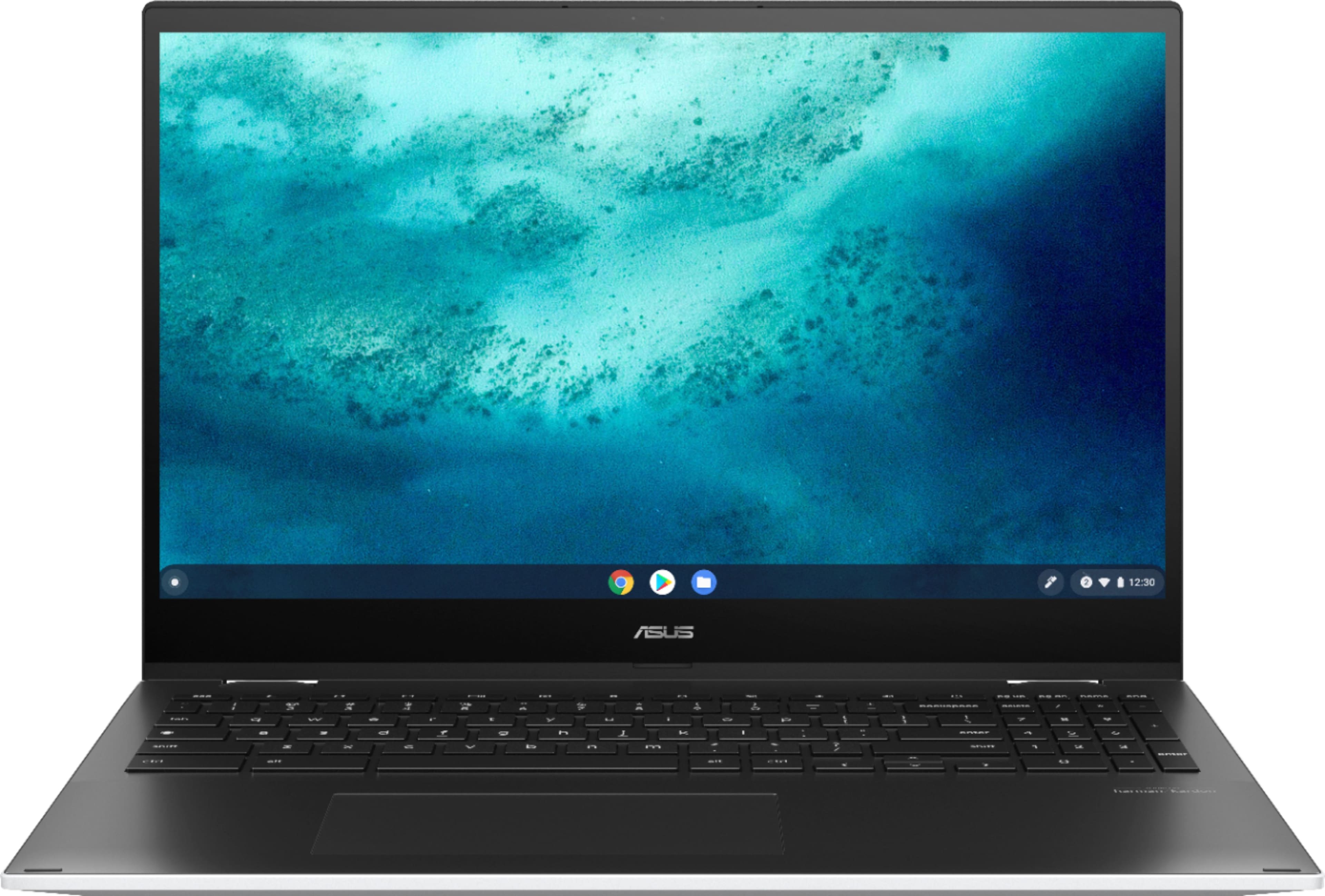
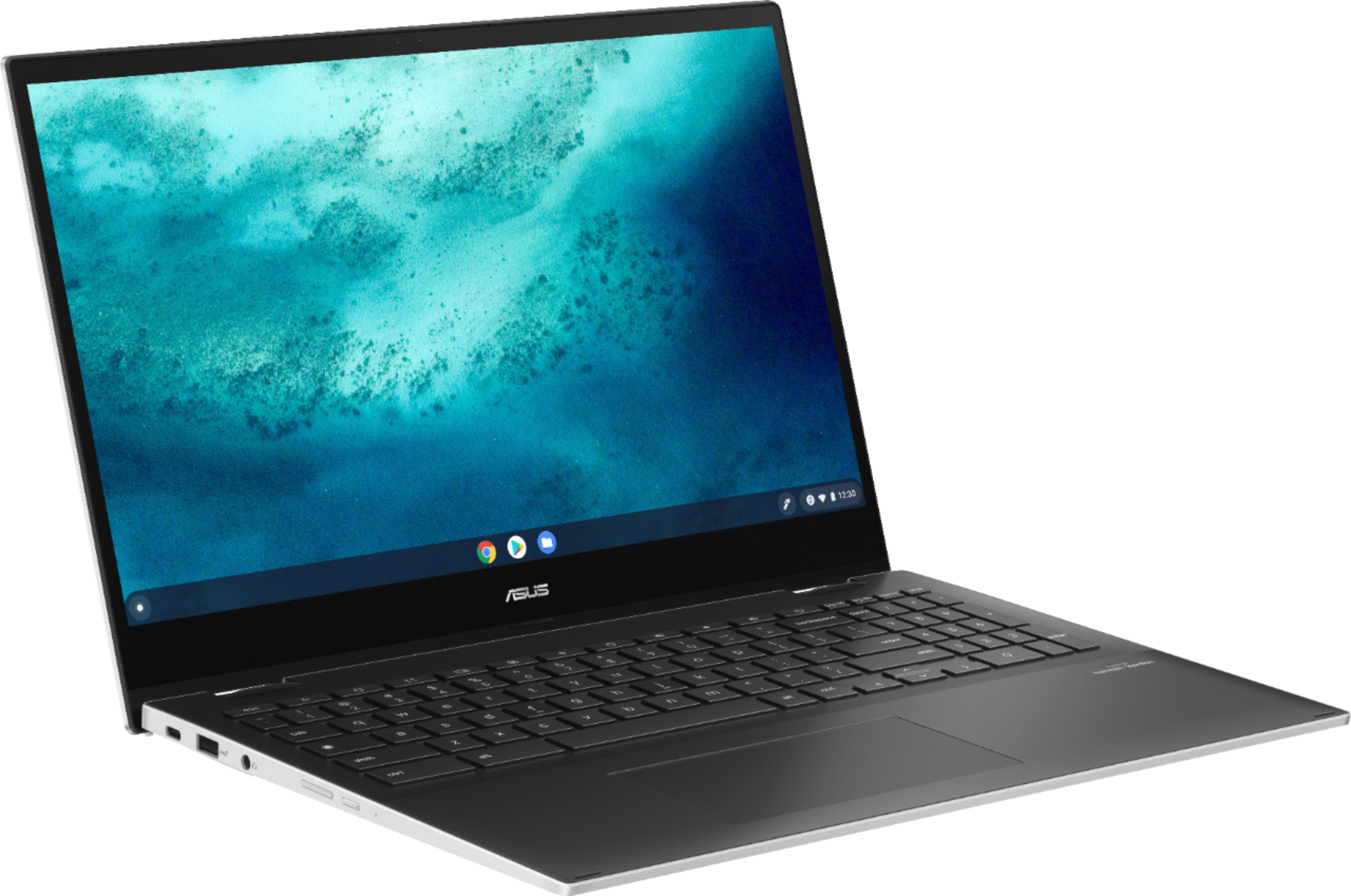
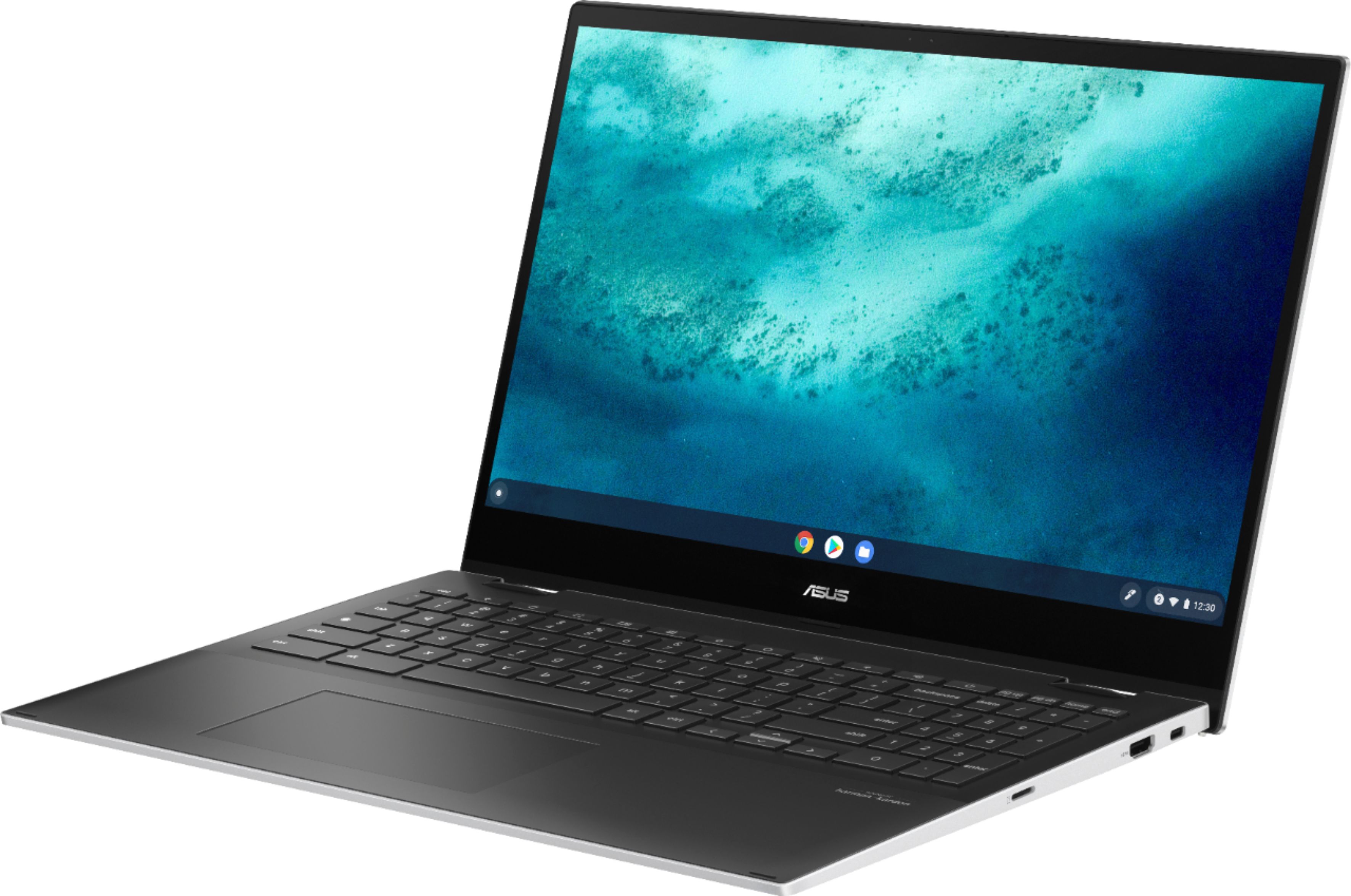
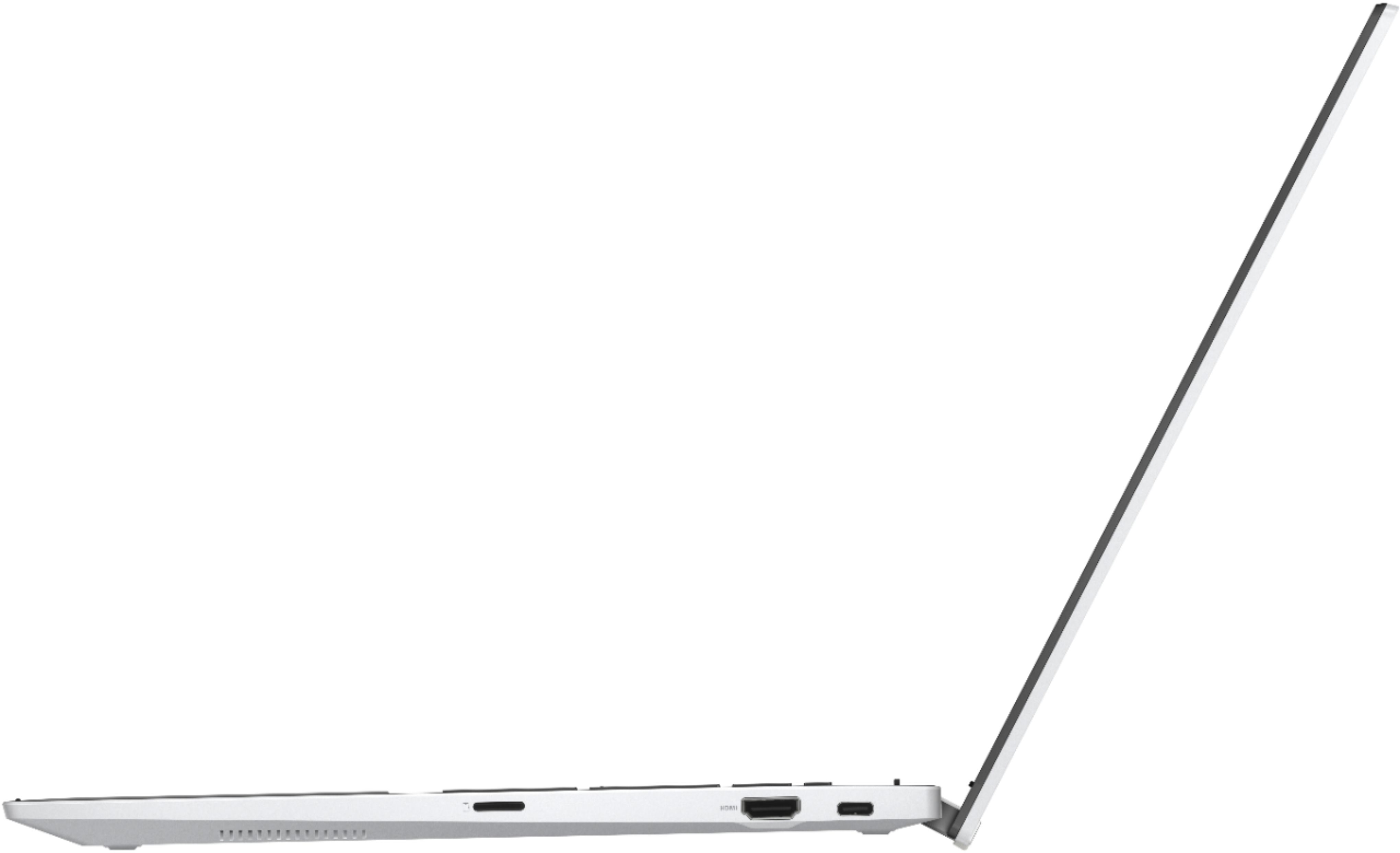

- Model:
- C536EA-BI3T3
- SKU:
- 6449514
Rating by feature
- Battery Life
Rating 4.4 out of 5 stars
- Speed
Rating 4.6 out of 5 stars
- Display
Rating 4.5 out of 5 stars
Customers are saying
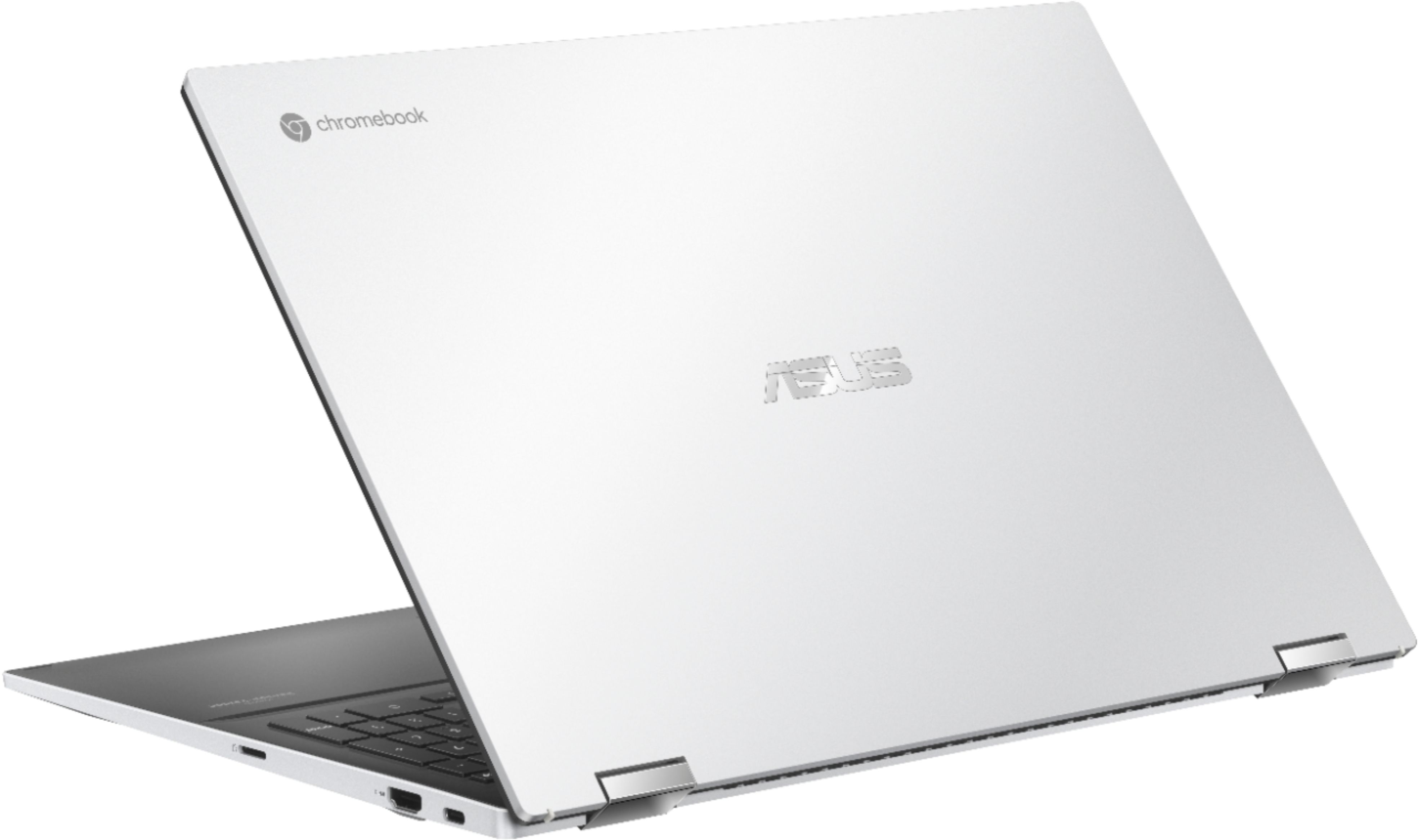
Customers are positive about the large screen size, touchscreen functionality, ease of use, and battery life of this 2-in-1 Chromebook. Many appreciate its performance and find it attractive for the price. However, customers are negative about the device's weight and some experienced excessive fan noise. The sleek design was also frequently praised.
This summary was generated by AI based on customer reviews.
its not worth it
||Posted . Owned for 1 year when reviewed.This reviewer received promo considerations or sweepstakes entry for writing a review.its not worth it. choose the surface tablet, so much better
No, I would not recommend this to a friendhead of household
||Posted . Owned for 3 weeks when reviewed.This reviewer received promo considerations or sweepstakes entry for writing a review.not as user friendly as it seemed in store for people with limited knowledge of modern day computers
I would recommend this to a friendBrand response from ASUS Answers
Posted .Dear Annie,
I'm sorry to hear that the unit is not as user-friendly. Certainly, most features will require the technical experience. As such, you can learn more about the unit via the manual below. If you have any technical concerns, feel free to reach out to me at customerloyalty@asus.com and provide this link for reference. I'll do my best to provide a quick resolution to your case. Your feedback is important as it helps with improvements to ASUS Support channels.
Thank you for choosing ASUS!
Best Regards,
Jamalie,
ASUS Customer Loyalty US Support
Chromebook
||Posted . Owned for 11 months when reviewed.This reviewer received promo considerations or sweepstakes entry for writing a review.Was not as fast as I thought,wasnt even a month old and keys fell off now wont turn on.
No, I would not recommend this to a friendBrand response from ASUS Answers
Posted .Dear Dhugg,
I'm sorry to hear that your Chromebook failed to turn on. This is not the kind of experience we want our customers to have. Have you tried a hard reset? Please refer to the FAQ below. For further troubleshooting, feel free to reach out to me at customerloyalty@asus.com and provide this link for reference. I'll do my best to give a quick resolution to your case. Your feedback is vital as it helps with improvements to ASUS Support channels.
Thank you for choosing ASUS!
Best Regards,
Jamalie,
ASUS Customer Loyalty US Support
Troubleshooting - https://www.asus.com/support/FAQ/1042742/
- Cons mentioned:Fan noise
Fan makes it sound like Chromebook won't last.
||Posted . Owned for 2 months when reviewed.This reviewer received promo considerations or sweepstakes entry for writing a review.The chromebook worked great for about a month or so. Now it makes such loud sounds (likely the fan) that I have very low confidence on how long this will last. It's a shame for a high end chromebook to have issues within the first two months. Do not recommend it.
No, I would not recommend this to a friendBrand response from ASUS Answers
Posted .Dear Valued Customer,
It's unfortunate to hear that the fan is loud. This is not the kind of experience we want any of our customers to have. Does this happen during heavy tasks or all the time? I'm happy to investigate if possible please provide us a short video at customerloyalty@asus.com and provide this link for reference. I'll do my best to provide a quick resolution to your case. Your feedback is important as it helps with improvements to ASUS Support channels.
Thank you for choosing ASUS!
Best Regards,
Jamalie,
ASUS Customer Loyalty US Support
Camera sucks
||Posted . Owned for 6 months when reviewed.This reviewer received promo considerations or sweepstakes entry for writing a review.The camera sucks. It’s works like any other laptop but the camera is just not it.
No, I would not recommend this to a friendBrand response from ASUS Answers
Posted .Dear Ladybug, We appreciate you sharing your feedback on this model as this will aid in any improvements that need to be made. I will be letting the related department know about this concern for continuous improvements to the product line. However, if you should have any other concerns or feedback feel free to reach out to us at customerloyalty@asus.com. I'll be happy to provide a quick resolution to your case. Thank you for choosing ASUS! Best Regards, Jonelle, ASUS Customer Loyalty US Support
Some Android Games not compatible
||Posted . Owned for 8 months when reviewed.This reviewer received promo considerations or sweepstakes entry for writing a review.Ended up returning this, some Android apps/games not working on this OS
I would recommend this to a friendBrand response from ASUS Answers
Posted .Dear Edbert,
We're sorry to hear about the experience you had with your unit not working with some Android applications and that you had to return it. We do value our customers and take negative customer service experience very seriously. It is the case that not all Android apps work on Chromebooks. This is usually because it does not have a key function that makes the app to work. For example, the app uses GPS and your Chromebook doesn’t have GPS.
For more information send us an email at customerloyalty@asus.com and provide the link of this review for reference. We’ll do our best to provide a quick resolution to your case. Your feedback is important as it helps with improvements to ASUS Support channels. Please refer to this case number (N2107044590-0010) for us to better assist you.
Thank you for choosing ASUS.
Best Regards,
Ramon
ASUS Customer Loyalty US Support
ASUS CHROMEBOOK
||Posted . Owned for 1 month when reviewed.This reviewer received promo considerations or sweepstakes entry for writing a review.Average performance. Well constructed with flexible screen capability.
I would recommend this to a friendStop asking me for reviews.
||Posted .This reviewer received promo considerations or sweepstakes entry for writing a review.Bought it. Realized I couldn't use it the way I wanted to. Returned it.
No, I would not recommend this to a friendcan't print
||Posted . Owned for 1 week when reviewed.This reviewer received promo considerations or sweepstakes entry for writing a review.Like the chromebook, but can't print from it. Otherwise OK features for my use.
No, I would not recommend this to a friendBad touchpad
||Posted . Owned for 4 months when reviewed.This reviewer received promo considerations or sweepstakes entry for writing a review.My son loved this laptop until the touchpad went out. Good thing we purchased the warranty. Couple snags with Best Buy as we thought the laptop would be replaced but only touchpad was replaced after being sent back 3 times. I wouldn’t recommend this laptop or Beat Buy warranty service.
No, I would not recommend this to a friendBrand response from ASUS Answers
Posted .Dear Valued Customer,
It's unfortunate to hear that your touchpad is not working as expected. This is not the kind of experience we want any of our customers to have. Is it working correctly now after being replaced? If you have any concerns, feel free to reach out to me at customerloyalty@asus.com and provide this link for reference. I'll do my best to provide a quick resolution to your case. Your feedback is important as it helps with improvements to ASUS Support channels.
Thank you for choosing ASUS!
Best Regards,
Jamalie,
ASUS Customer Loyalty US Support
Buy Anything Else!
||Posted . Owned for 3 weeks when reviewed.This reviewer received promo considerations or sweepstakes entry for writing a review.Barely one year after purchasing this massive - not to mention, expensive - paperweight, I opted for an Asus Chromebook. This Chromebook won't stay connected to the internet. I have to reload pages about every 10-15 minutes (sometimes, more frequently), just to see content on a blog, because the videos posted there grey out every time the internet connection is lost. I know it's the Chromebook, since I've tested it at various locations, where I have no issue remaining connected to the internet on other devices. Don't waste your money on this one. And to think, during the pandemic, I had to wait for one of these to become available and, then, had to wait when my order was delayed.
No, I would not recommend this to a friendBrand response from ASUS Answers
Posted .Dear Techie,
We certainly understand your disappointment with the product and the inconvenience this may have caused if you are experiencing wireless connection related issue.
Since this is a web-based computer and it relies on an internet connection for system stability and performance, please verify if the Chromebook is getting an excellent signal from a stable and a high-speed internet service. Also, please verify if the laptop is running with the most current OS update.
Should you need further assistance with the product, please email me at cl-rodel@asus.com and I would be more than happy to help. Or, you are most welcome to call Product Support Hotline at: 1(888) 678-3688. Also, you can chat with an ASUS live support agent at: http://bit.ly/AsusLiveChat.
Thank you for choosing an ASUS product.
Regards,
Rodel
ASUS Customer Loyalty
- Pros mentioned:Screen size
Save up for a real laptop
||Posted . Owned for 1 month when reviewed.This reviewer received promo considerations or sweepstakes entry for writing a review.If you have a newer smartphone, save your money. The only upgrade this will be is a bigger screen. Functionally there is nothing that this can do that a new galaxy or iPhone can’t do better.
No, I would not recommend this to a friendBrand response from ASUS Answers
Posted .Dear Valued Customer, We're truly sorry that this device does not meet the expectations you had. This is absolutely not the kind of experience we want any of our customers to have. If you have further issues or concerns regarding this model you can email us at "cutomerloyalty@asus.com and we will explore every possible avenue to address the issues the best way we can. Thank you for choosing ASUS! Best Regards, Jonelle, ASUS Customer Loyalty US Support
screen flickers
||Posted . Owned for less than 1 week when reviewed.This reviewer received promo considerations or sweepstakes entry for writing a review.Regarding the chromebook itself. quality is there, majority is good. However, the screen flickers black. sometimes often, sometimes rarely. once restarting the laptop, it stops but then resumes periodically. very annoying
I would recommend this to a friendBrand response from ASUS Answers
Posted .Dear Jpost, Thanks for bringing this to our attention and please allow us to apologize for the poor experience that you've received with the product. Have you already performed a backup and powerwash to the system? Based on the issues described, I would recommend that you send the unit in to us for inspection and repair if a powerwash fails. Feel free to reach out to me at customerloyalty@asus.com and provide this link for reference. I'll do my best to provide a quick resolution to your case. You can also use the following link as guidance to perform a powerwash https://www.asus.com/us/support/FAQ/1042702/ Your feedback is important as it helps with improvements to ASUS Support channels. Thank you for choosing ASUS! Best Regards, Jonelle, ASUS Customer Loyalty US Support
The first chomebook lemon
||Posted . Owned for 3 weeks when reviewed.This reviewer received promo considerations or sweepstakes entry for writing a review.We have run all our office staff on Chromebooks since 2015. Over the years I have cycled through 30 to 40 Chromebooks. This is the first lemon I have purchased. The specs look amazing however there is a problem in its charging system and battery system. Failure happens about 1 month into service perfect to be just outside of return policies.
No, I would not recommend this to a friendBrand response from ASUS Answers
Posted .Dear Brennan,
We certainly understand your disappointment and the inconvenience this may have caused you.
All ASUS products undergo intensive quality control testing and inspections, this is a random problem. Normally, ASUS provides one year warranty coverage, if product was purchased brand-new, in order to fix or repair any hardware or, part that stop working prematurely under normal usage.
Usually, the following can be performed if the Chromebook will not charge, power on or boot up. Try to connect it to another known good power source. Please verify if the AC adapter is properly connected from the Chromebook to a known good, working surge protector or AC outlet. If running it with battery only, please make sure the battery has an ample amount of charge. If this was tried to no avail, please try to disconnect the AC adapter and let the unit drain for 24 hours to clear the memory and reset the hardware to default settings. If this was tried to no avail, please try to disconnect the AC adapter and let the unit drain for 24 hours to clear the memory and reset the hardware to default settings. After doing this, please reconnect your AC adapter, do not power on the Chromebook until the battery was charged.
If you need further assistance, please let me know and I will be more than happy to help. Or, you are always welcome to call Product Support Hotline at: 1(888) 678-3688. Also, you can chat with an ASUS live support agent at: http://bit.ly/AsusLiveChat.
Thank you for choosing an ASUS product.
Regards,
Rodel
ASUS Customer Loyalty
Got my money back. Bought another that I like bett
||Posted . Owned for 6 months when reviewed.This reviewer received promo considerations or sweepstakes entry for writing a review.I wanted to love it but it was ugly clunky and heavy. I hated the keyboard and I hated the pad more. There’s nothing I liked about this Chromebook after paying over $400 for it
No, I would not recommend this to a friendBrand response from ASUS Answers
Posted .Dear Jathalado,
We're sorry to hear about the unfortunate experience you're having with the keyboard and the touchpad. We do value our customers and take negative customer service experience very seriously. This is not the quality of service expected from ASUS. We do stand behind our product and we continuously strive to improve our approach and processes in order to achieve customer service excellence.
For more information send us an email at customerloyalty@asus.com and provide the link of this review for reference. We’ll do our best to provide a quick resolution to your case. Your feedback is important as it helps with improvements to ASUS Support channels. Please copy a link to this post as a reference.
Thank you for choosing ASUS.
Best Regards,
Joan
ASUS Customer Loyalty US Support
- Pros mentioned:Processor speed, Touchscreen

Great Laptop
|Posted .This reviewer received promo considerations or sweepstakes entry for writing a review.I've been a Windows user since its general introduction in the mid-90s and have used nothing else since except the Android OS on my cell phones. So, I thought I would venture into new territory before I forgot how to do such things and encourage others of my advancing years to follow suit. My ASUS arrived via Fed Ex earlier than expected, so kudos to Best Buy for that. I unpacked the laptop, read the minimalist startup instructions (all that are needed I note), plugged the ASUS in to charge, and in 3 hours lifted the top and there it was, ready to go. I connected seamlessly to my WiFi portal, logged in with my Google ID, and after a few moments, my Chromebook had found pretty much all my info, history, apps I want to use, and so on. This was the startup from heaven. Now, I am a pedestrian user in that I principally use my computer for email, web surfing, shopping, music and occasionally videos. I make regular use of MS Word and Excel, Outlook for email, and Edge. I have some site-specific apps I use, e.g., my bank, some credit cards, dedicated shopping sites, but generally on the ASUS I've become a convert to Chrome for web surfing. The touchscreen sharpness and clarity are superb across all sites and applications (including YouTube, YouTube TV, Roku, for example). Thus far, the speed even with the apps I added is incredible, a "think it and there you are" kind of thing. Navigating by touchscreen or touchpad is easy and accurate. Sound quality from Spotify, Pandora, Amazon is more than acceptable and can make for pleasant listening. All in all, I think the ASUS is a great laptop (although at 4½ pounds it isn't suitable for your lap) and at the price Best Buy is offering, a superb entry level device possessing more than enough power and features to satisfy any user.
I would recommend this to a friend - Pros mentioned:Screen size, Touchscreen
Good Chromebook - worth considering
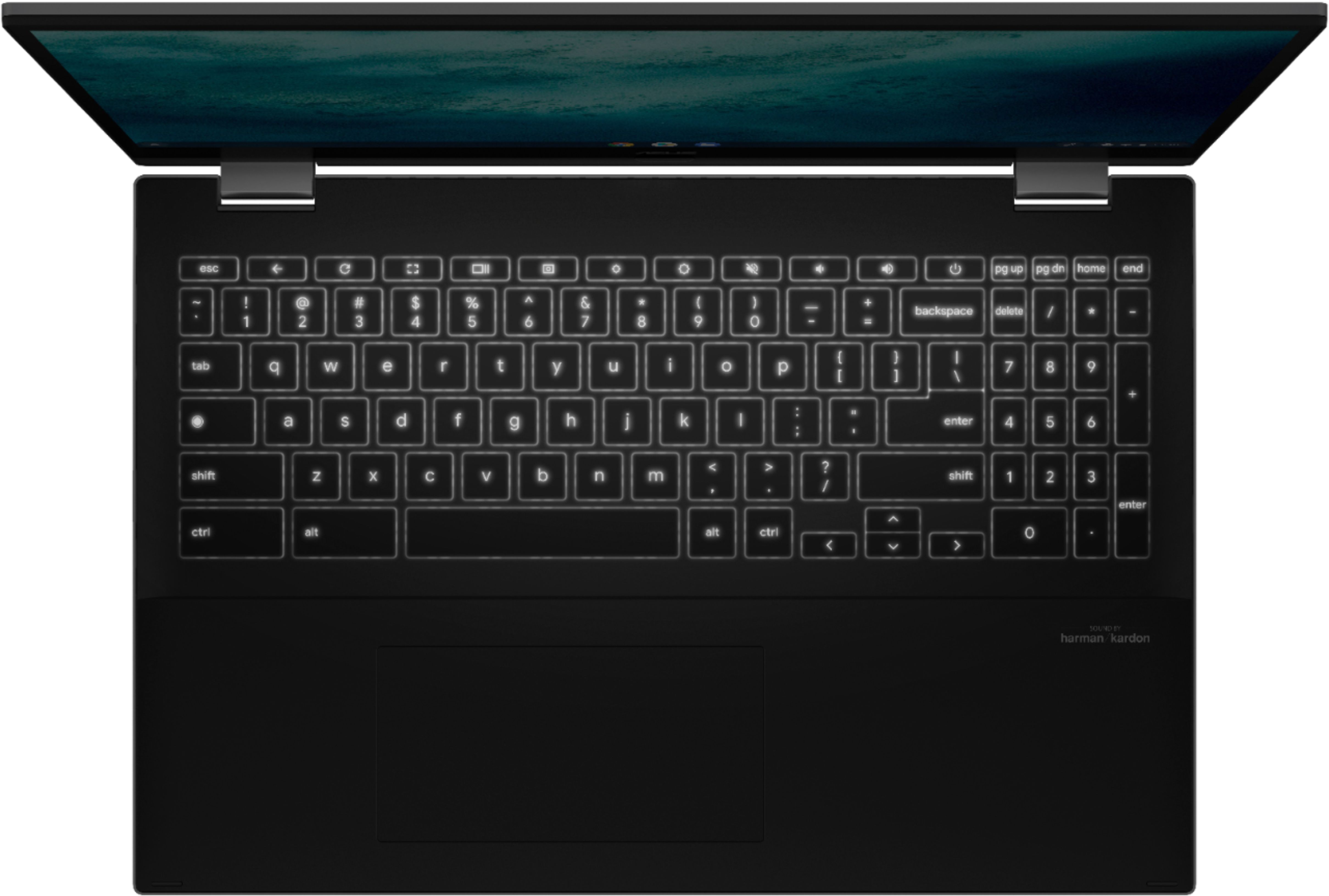
Posted .This reviewer received promo considerations or sweepstakes entry for writing a review.I really like the larger screen & backlit keyboard. The bezel at the wrist area was slightly 'off' which gave a raised edge which irritated my wrist. I was able to use a light sandpaper pad & smooth it off. The all-black interior shows finger marks but is very nice. I really appreciate the number-pad on this size Chromebook. This model has both touch screen & 'tablet-mode' - neither of which I will probably use very much, but it's nice to have IF needed. I've had a few Chromebooks & this one is very nice - good size, great screen, nice amenities for the price. Overall - I would purchase again & recommend it to others.
I would recommend this to a friend Not a fan
||Posted . Owned for 2 months when reviewed.This reviewer received promo considerations or sweepstakes entry for writing a review.Not crazy about having to save things in the cloud. I prefer to save on my device but there is not enough storage space to do so. I would not buy another Chromebook.
No, I would not recommend this to a friendBrand response from ASUS Answers
Posted .Dear Nancy,
We appreciate you sharing your feedback on this model. If you wish to discuss this matter with us, please feel free to reach out to us each out to us at our Official ASUS North America Support twitter at AsusHelpUS. We’ll do our best to provide a quick resolution to your case. Your feedback is important as it helps with improvements to ASUS Support channels. Please copy a link to this post as a reference.
Thank you for choosing ASUS.
Best Regards,
Joan
ASUS Customer Loyalty US Support
Bad cooling fan
||Posted .This reviewer received promo considerations or sweepstakes entry for writing a review.Although this Chromebook has good specs, unfortunately owning it with less than 6 months old the cooling fan has started making this loud grinding noise which starts almost immediately after opening the Chromebook, very sad that at this price point which is not cheap for a Chromebook Asus could not make a cooling fan that would last longer than this.
No, I would not recommend this to a friendBrand response from ASUS Answers
Posted .Dear Valued Customer,
Thank you for reaching out to us. We're sorry to hear about the issues you're having with this model. The noise that is emitting from the computer is known as coil whine. When the electrical current is increased to a certain point, the magnetic field around the coil can cause it to vibrate, which produces the whiny sound. After a short amount of time the noise should go away as the components regulates. However, if it is that the sound is too much for you, then we would recommend that you have this device sent in for servicing.Thank you for reaching out to us. We're sorry to hear about the issues you're having with this model. The noise that is emitting from the computer is known as coil whine. When the electrical current is increased to a certain point, the magnetic field around the coil can cause it to vibrate, which produces the whiny sound. After a short amount of time the noise should go away as the components regulates. However, if it is that the sound is too much for you, then we would recommend that you have this device sent in for servicing.For more information send us an email at customerloyalty@asus.com and provide the link of this review for reference. We’ll do our best to provide a quick resolution to your case. Your feedback is important as it helps with improvements to ASUS Support channels. Please copy a link to this post as a reference.
Thank you for choosing ASUS.
Best Regards,
Joan
ASUS Customer Loyalty US Support
HDMI wont work
||Posted .This reviewer received promo considerations or sweepstakes entry for writing a review.good product but HDMI port doesnt work on TV. Screen keeps flickering and system slows down. The reason i got this for my dad was for him to watch movies.
No, I would not recommend this to a friendBrand response from ASUS Answers
Posted .Dear Valued Customer,
It's unfortunate to hear that the HDMI port does not work. This is absolutely not the kind of experience we want any of our customers to have. Have you tried to use a different HDMI cable? Please attempt to update your Chrome OS. For further troubleshooting, feel free to reach out to me at customerloyalty@asus.com and provide this link for reference. I'll do my best to provide a quick resolution to your case. Your feedback is important as it helps with improvements to ASUS Support channels.
Thank you for choosing ASUS!
Best Regards,
Jamalie,
ASUS Customer Loyalty US Support