Customer Ratings & Reviews

- Model:
- C536EA-BI3T3
- SKU:
- 6449514
Rating by feature
- Battery Life
Rating 4.4 out of 5 stars
- Speed
Rating 4.6 out of 5 stars
- Display
Rating 4.5 out of 5 stars
Customers are saying
Customers are positive about the large screen size, touchscreen functionality, ease of use, and battery life of this 2-in-1 Chromebook. Many appreciate its performance and find it attractive for the price. However, customers are negative about the device's weight and some experienced excessive fan noise. The sleek design was also frequently praised.
This summary was generated by AI based on customer reviews.
No power after three months :(
||Posted . Owned for 3 months when reviewed.This reviewer received promo considerations or sweepstakes entry for writing a review.Bummer :( three months and the Chromebook no longer accepts a charge or power on. This was a pretty great laptop, I was recommending it to my friends, ouch.
No, I would not recommend this to a friendBrand response from ASUS Answers
Posted .Dear valued customer, We appreciate you sharing your feedback on this model as this will aid in any improvements that need to be made and I do apologize for the inconveniences. I would advise that you please reach out to us at customerloyalty@asus.com so that a quick resolution to your case can be provided as this is hardware related. Thank you for choosing ASUS! Best Regards, Jonelle, ASUS Customer Loyalty US Support

Wont turn on after 4 months
||Posted . Owned for 4 months when reviewed.This reviewer received promo considerations or sweepstakes entry for writing a review.I've had this for 4 months. Loved it! Now it won't even turn on. I am so disappointed and wish I could just send it back.
No, I would not recommend this to a friendBrand response from ASUS Answers
Posted .Dear Valued Customer,
It's unfortunate to hear that your Chromebook failed to turn on. This is not the kind of experience we want any of our customers to have. Have you tried to use a different power outlet? Are you getting any light whenever the charger is plugged in? Please attempt the steps from the FAQ below. For further troubleshooting, feel free to reach out to me at customerloyalty@asus.com and provide this link for reference. I'll do my best to provide a quick resolution to your case. Your feedback is important as it helps with improvements to ASUS Support channels.
Thank you for choosing ASUS!
Best Regards,
Jamalie,
ASUS Customer Loyalty US Support
Troubleshooting - https://www.asus.com/support/FAQ/1042742/
What a mistake
||Posted . Owned for 1 year when reviewed.This reviewer received promo considerations or sweepstakes entry for writing a review.Just awful. Very hard to navigate. Awkward way of moving from task to task.
No, I would not recommend this to a friendBrand response from ASUS Answers
Posted .Dear Mantha71,
We are truly sorry for the poor experience you have when trying to navigate this chromebook. Please refer to the user's manual linked below for guidance. We do stand behind our product and we continuously strive to improve our products and processes in order to achieve customer service excellence. For more information send us an email at customerloyalty@asus.com and provide the case number "N2106046227-0032" for reference. We’ll do our best to provide a quick resolution to your case. Your feedback is important as it helps with improvements to ASUS Support channels. Thank you for choosing ASUS.
Best Regards,
Leonardo
ASUS Customer Loyalty US Support
User’s Manual for English Edition: https://dlcdnets.asus.com/pub/ASUS/Commercial_NB/CX5500FEA/0409_E18310_CX5500_CM5500_V2_A.pdf
unhappy
||Posted . Owned for 1 month when reviewed.This reviewer received promo considerations or sweepstakes entry for writing a review.got two burners and none of them work on this computer no teck support in the USA
No, I would not recommend this to a friendBrand response from ASUS Answers
Posted .Dear Roger,
We appreciate you sharing your feedback on this model. We're sorry to hear that your're having issues with this model. Can you please provide us with more information on the issues you're having with this model? We would love to have your issues resolved in a rimely manner. For more information send us an email at customerloyalty@asus.com and provide the link of this review for reference. We’ll do our best to provide a quick resolution to your case. Your feedback is important as it helps with improvements to ASUS Support channels. Please copy a link to this post as a reference.
Thank you for choosing ASUS.
Best Regards,
Joan
ASUS Customer Loyalty US Support
poor value
||Posted . Owned for 6 months when reviewed.This reviewer received promo considerations or sweepstakes entry for writing a review.it was a waste of money, hard to use and broke down within 6 months of purchase
No, I would not recommend this to a friendBrand response from ASUS Answers
Posted .Dear valued customer,
We appreciate you sharing your feedback on this as this will aid in any improvements that needs to be made. I'm truly sorry for the inconveniences this has caused you as well. Please explain in details the issues that you're having with the device. Feel free to reach out to us at customerloyalty@asus.com. I'll be happy to provide a quick resolution to your case. Thank you for choosing ASUS!
Best Regards,
Jonelle,
ASUS Customer Loyalty US Support
donotbuythis
||Posted . Owned for 1 month when reviewed.This reviewer received promo considerations or sweepstakes entry for writing a review.I hate this laptop. It does not support Norton security nor does it support Windows
No, I would not recommend this to a friendBrand response from ASUS Answers
Posted .Dear Valued Customer,
It's unfortunate to hear that it doesn't support Norton Security/Windows. Seen that this model comes with a Chrome OS, most Windows apps will not be able to work. Usually, you can download apps through Play Store. If you have any technical concerns, feel free to reach out to me at customerloyalty@asus.com and provide this link for reference. I'll do my best to provide a quick resolution to your case. Your feedback is important as it helps with improvements to ASUS Support channels.
Thank you for choosing ASUS!
Best Regards,
Jamalie,
ASUS Customer Loyalty US Support

Great Chromebook, Great Price
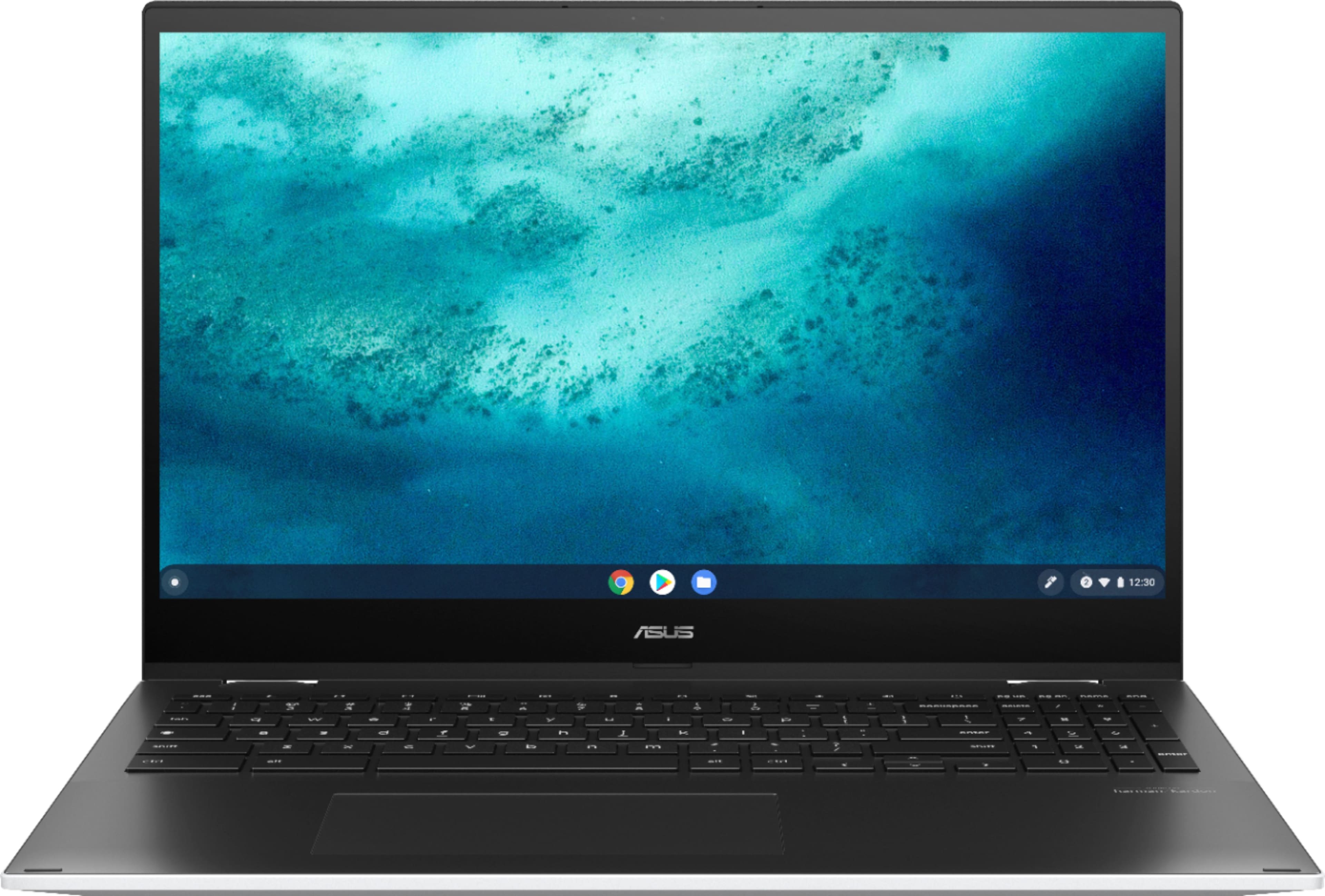
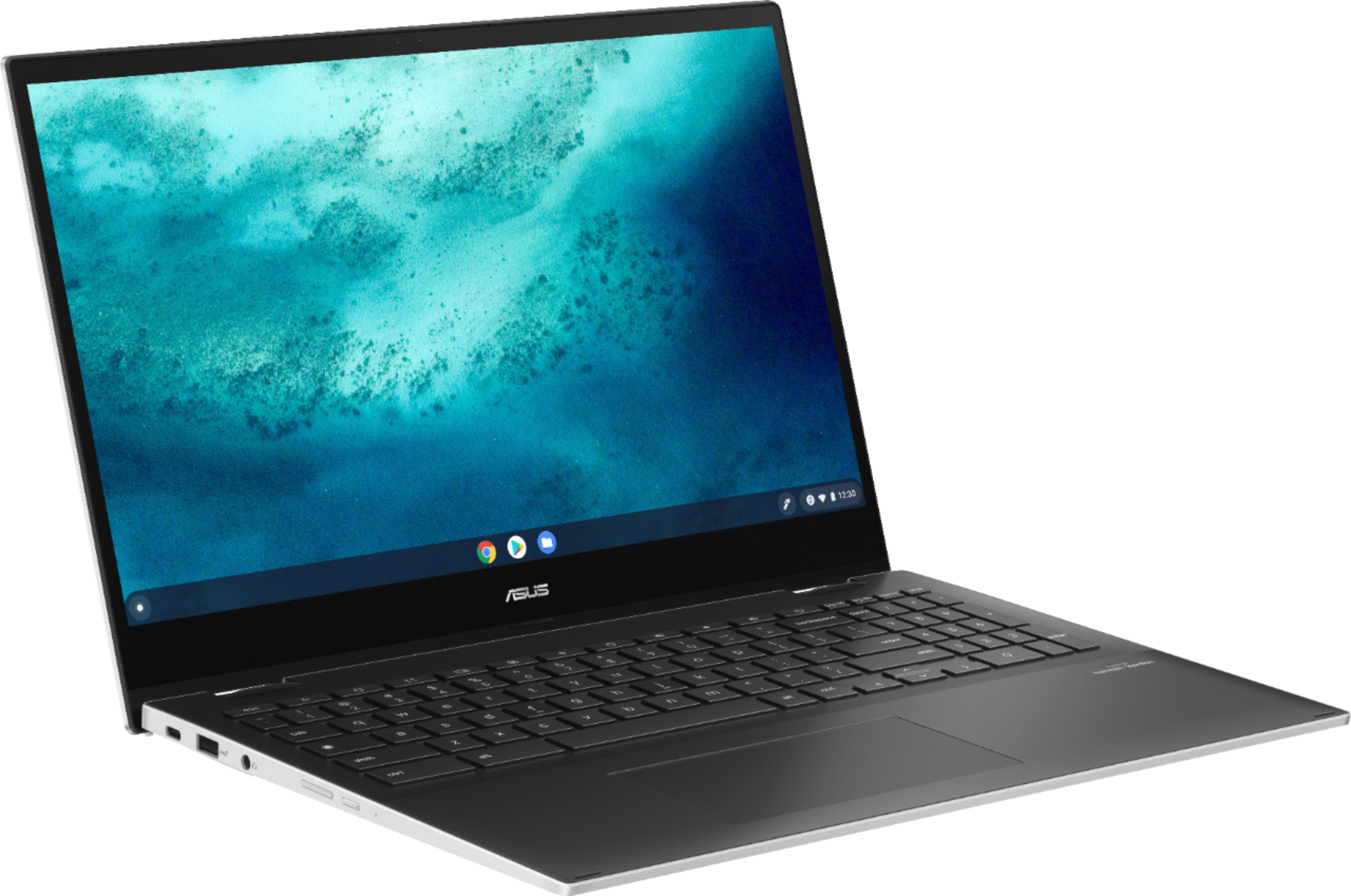
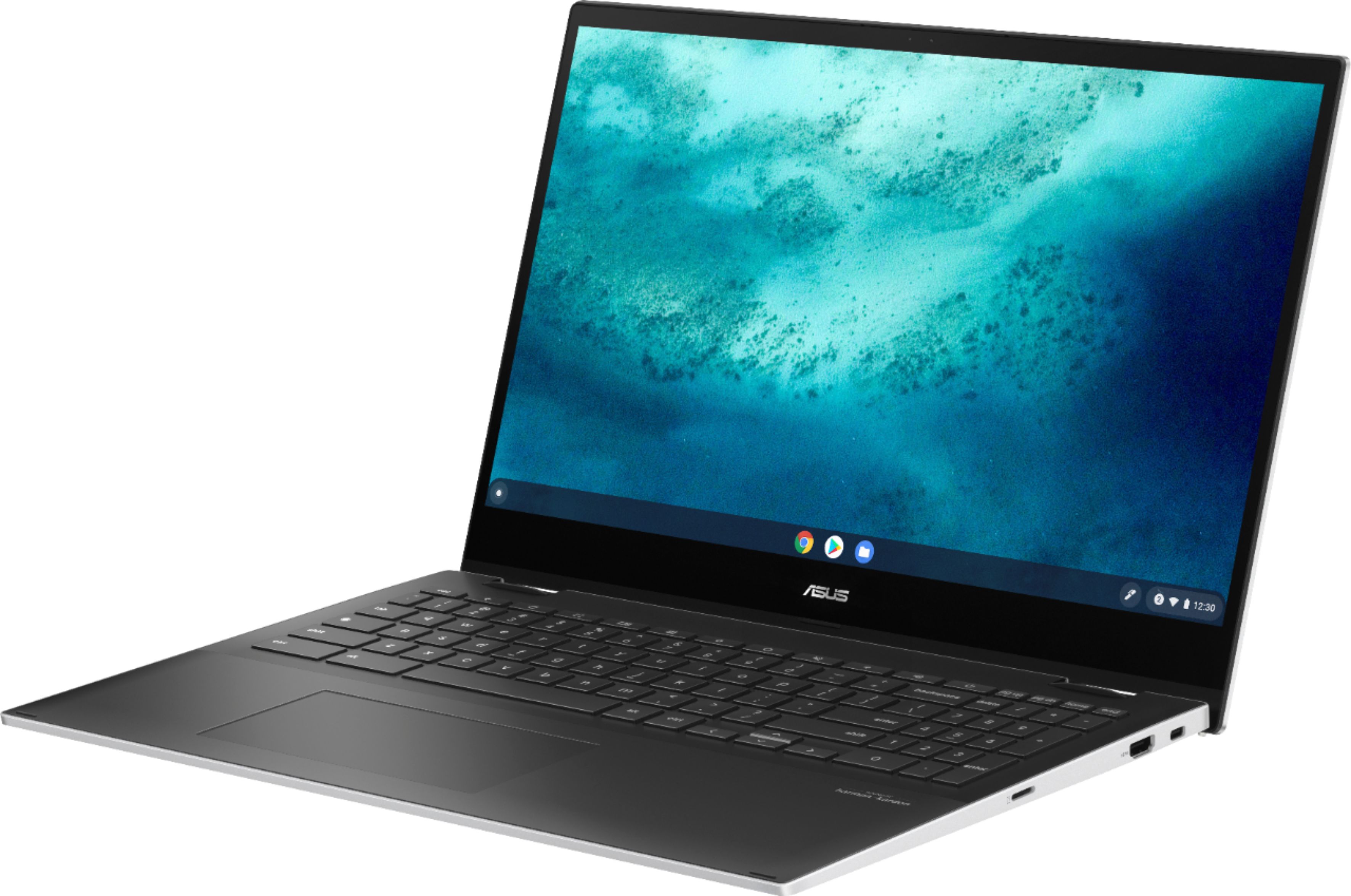
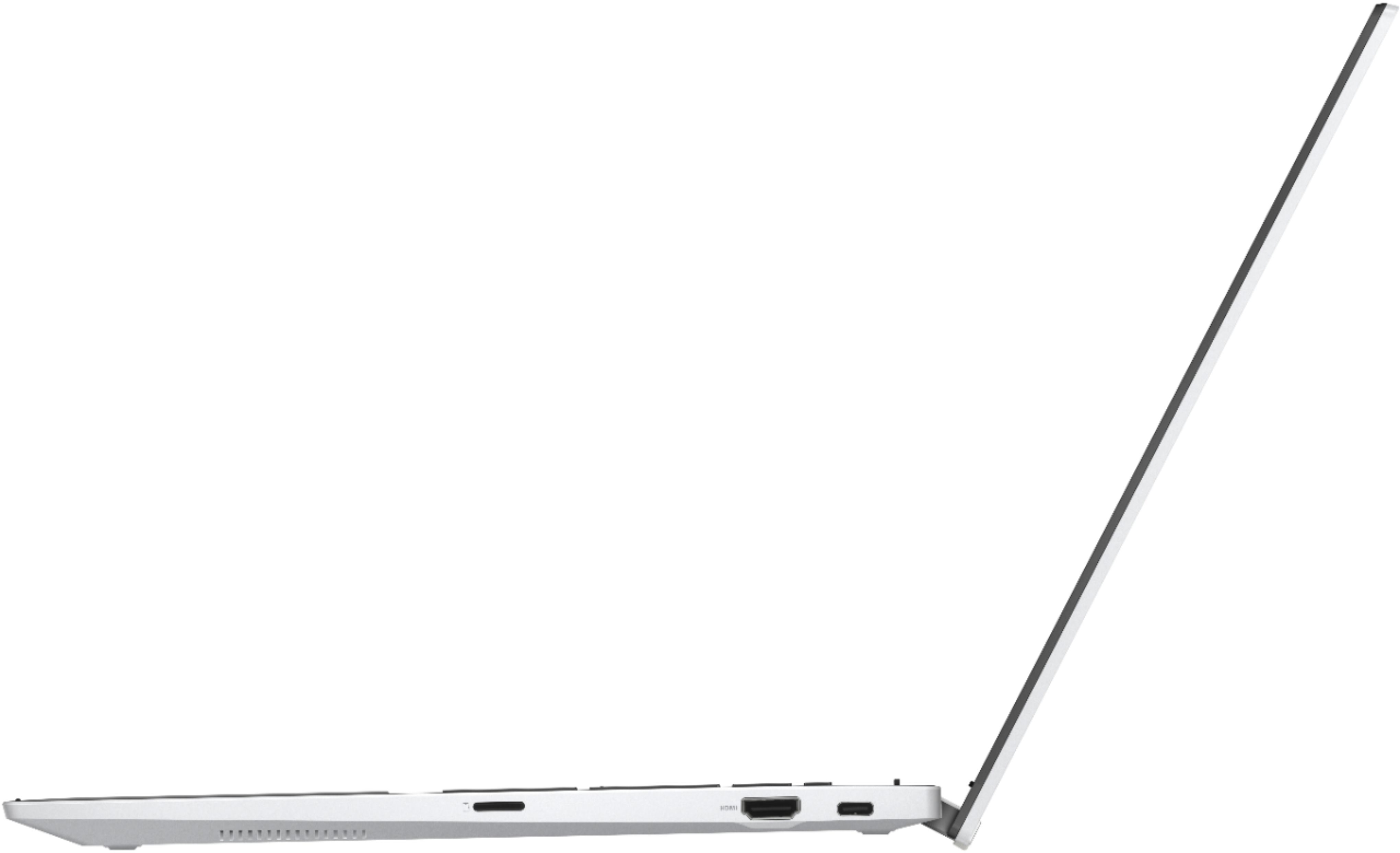
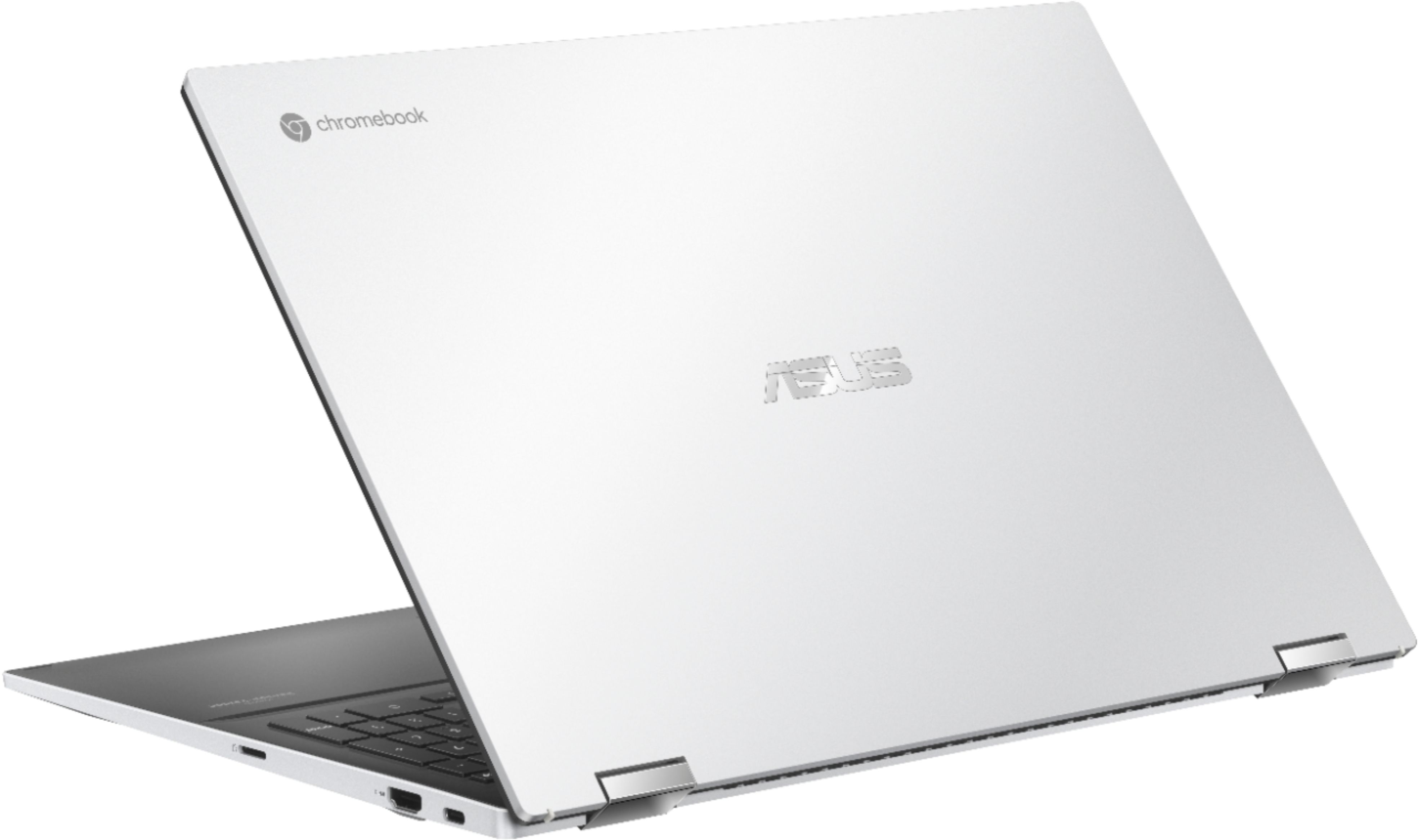
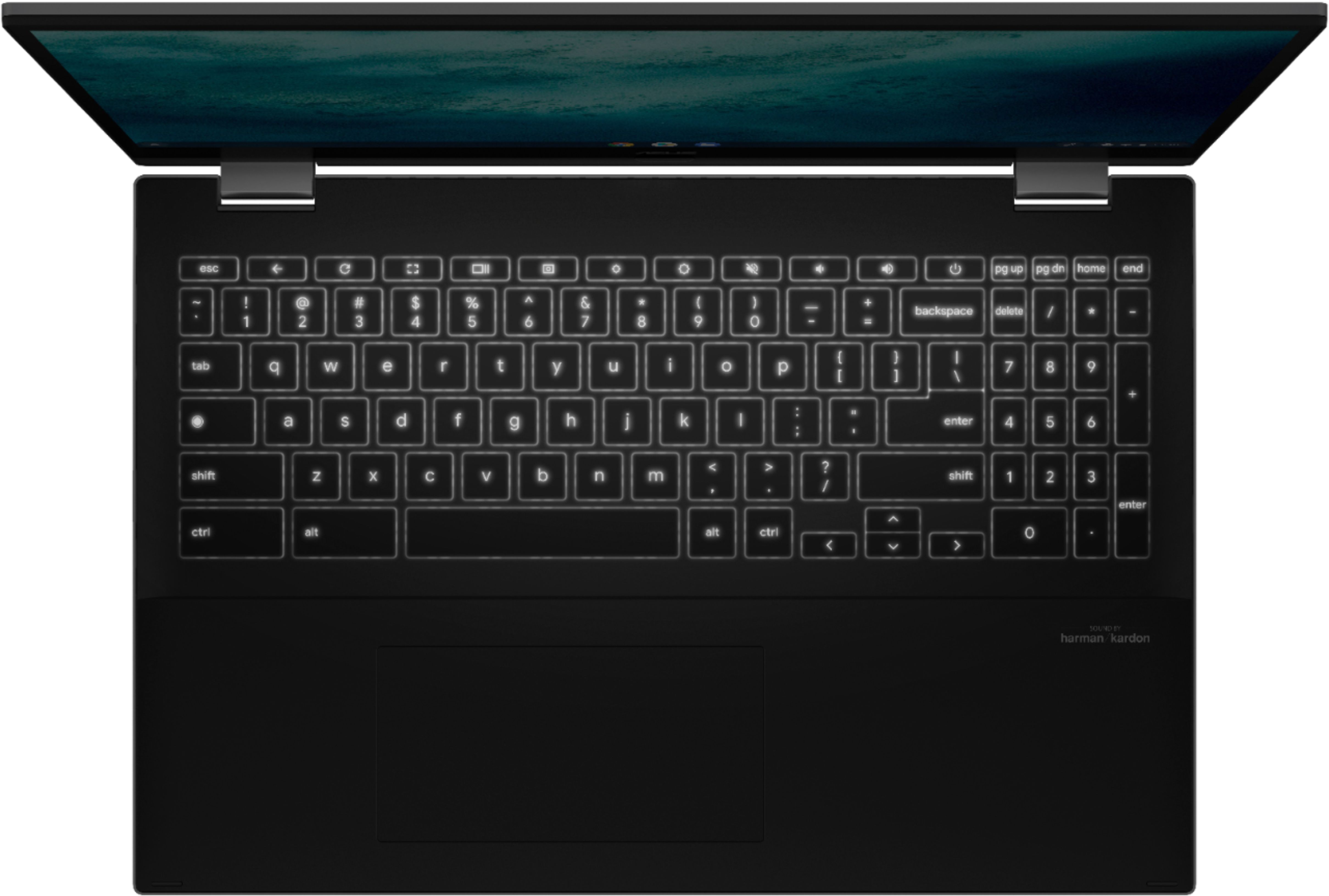
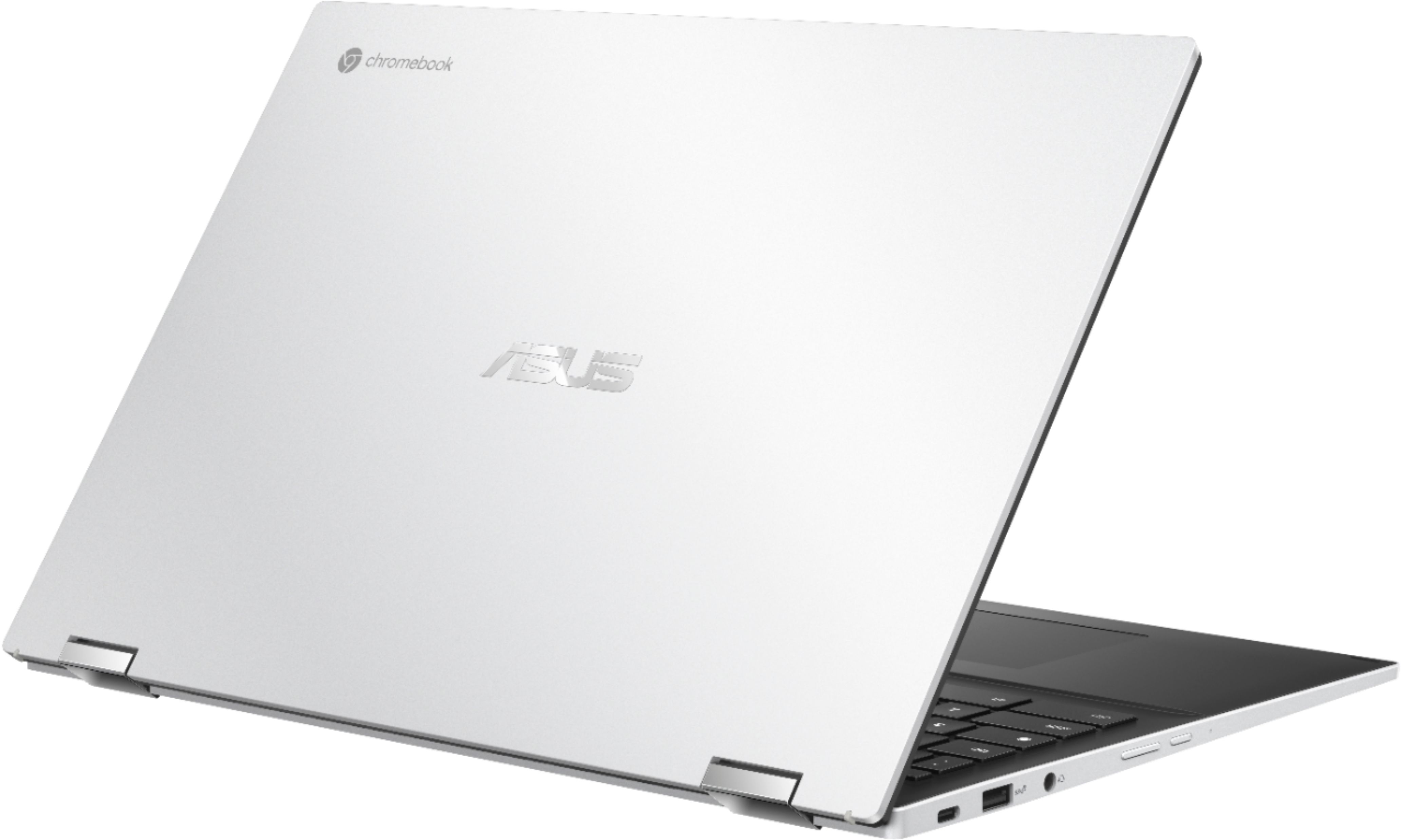
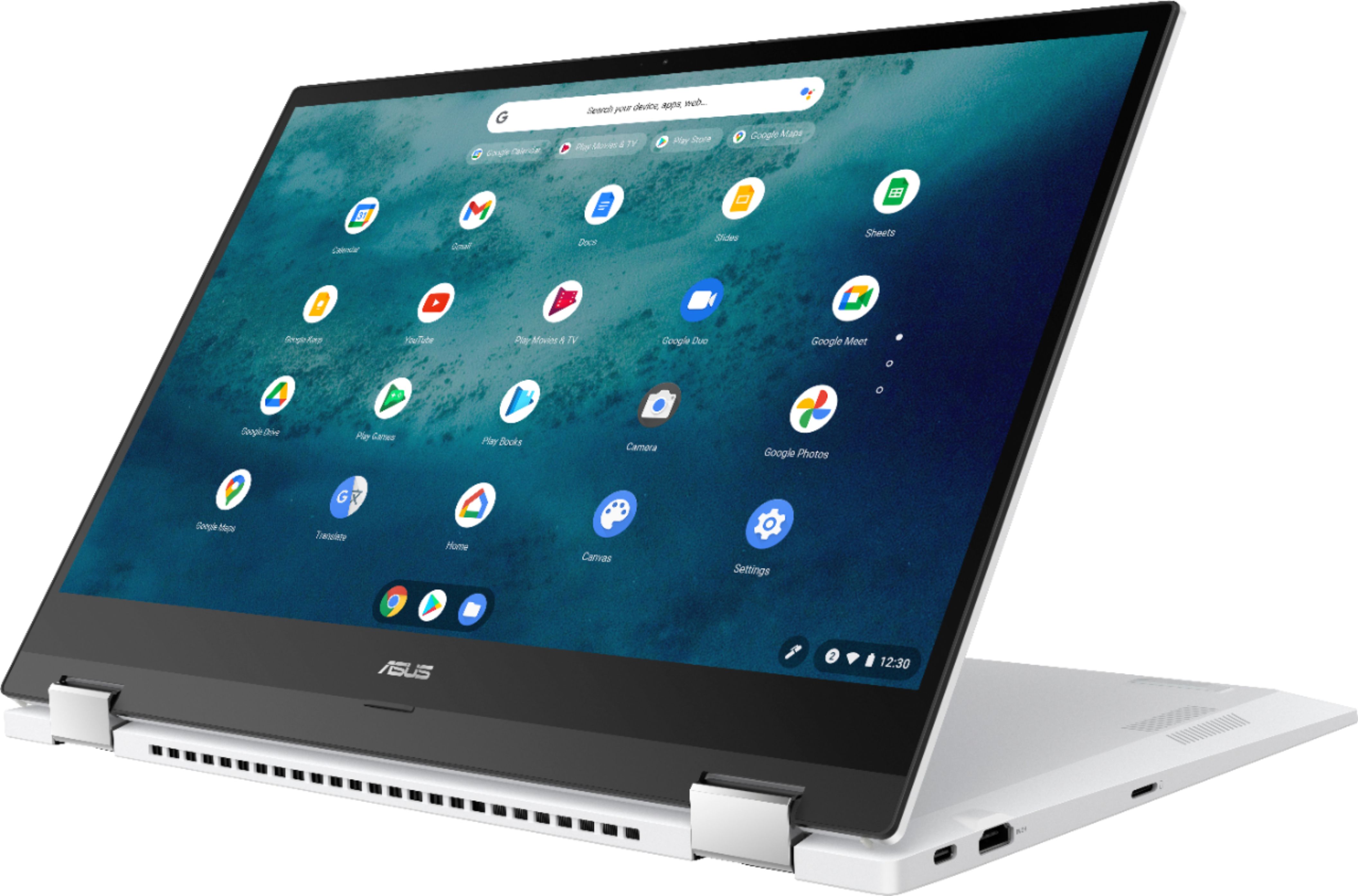
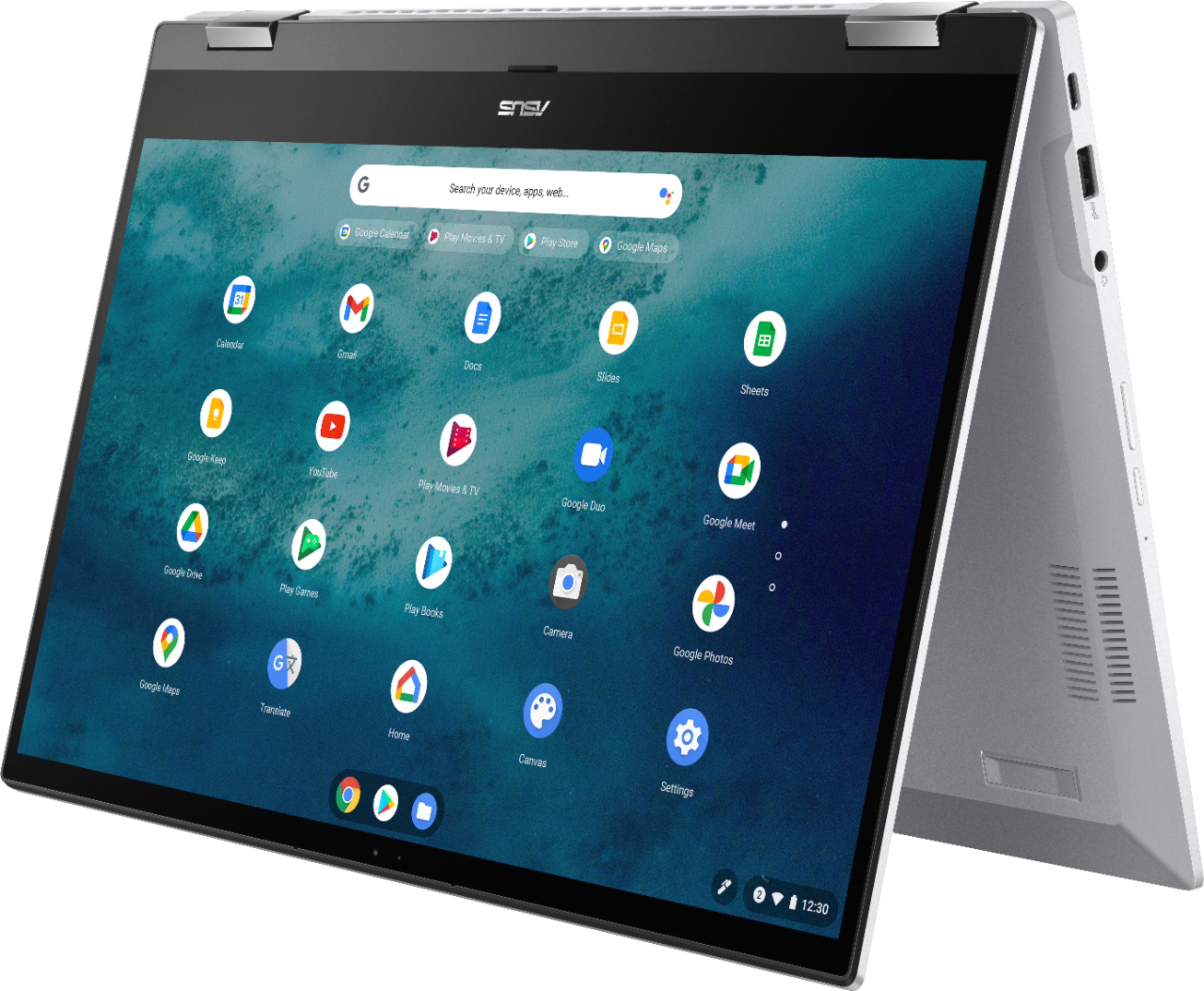
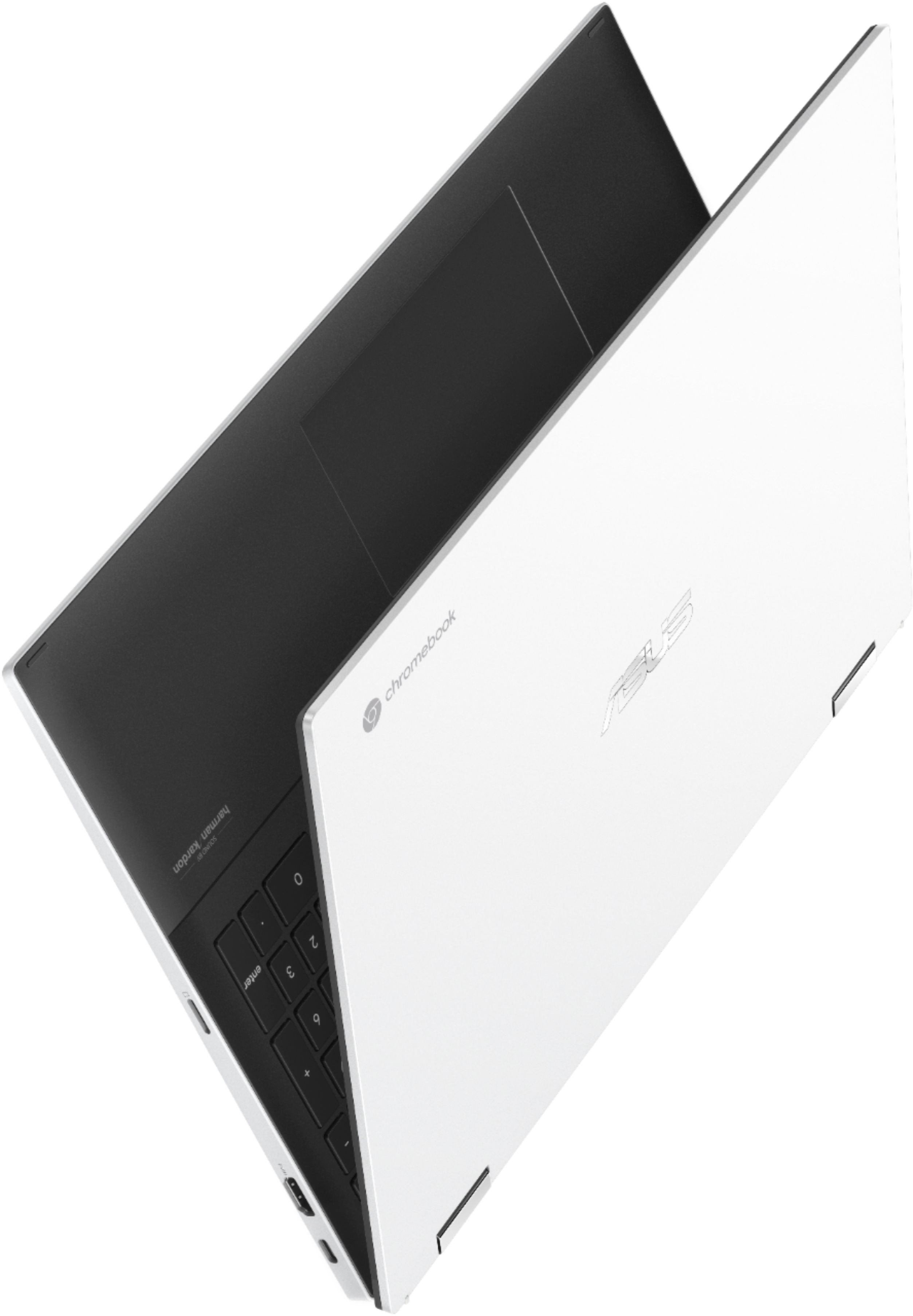
|Posted .This reviewer received promo considerations or sweepstakes entry for writing a review.I've been using ChromeOS for a couple of years now. Its ability to run most Android apps native and the Linux virtual machine makes it a very versatile platform. It has come a long way from first platforms, which were really just small, cheap tablets with keyboards. I have wanted a larger laptop for several reasons, mostly I'm a retired engineer and a larger screen and keyboard is more than a nicety. The Asus 2 in 1 15.6" Chromebook(Model C536EA) was a great choice. It is one of the only 15"(well 15.6") Chromebooks out there and the screen is excellent, vivid and sharp. The keyboard, although it looks like a standard chiclet style keyboard, had an excellent feel, with good travel and feedback. My typing on the Asus keyboard matched my typing for both accuracy and speed on my desktop, which almost never happens with a laptop keyboard. As a bonus, Asus added a numeric keypad making the keyboard much more work friendly. The touchpad was very precise. I had paired a Bluetooth mouse to the Asus, I found I didn't use it very much, prefering the touchpad instead. Right out of the box, it felt solid. Very thin chassis, solid hinges, metal top, plastic bottom, very durable. There are two usb-c ports, either can be used for charging, and a usb-a port which is really nice for legacy device connections without an adapter. Buttons for up-down volume control, a headset jack, hdmi out, and slot for a micro sd card round out the external connections. As I said earlier, the screen is excellent and unlike smaller Chromebooks, it comes preset for full hd (1920x1080). Linux, Android, and ChromeOS all displayed flawlessly and readably. Streaming video was a blast, with a large, clear image and surprisingly good sound. It paired easily with both Bluetooth earbuds and speakers. Performance was on the upper end of Chromebooks, the 11th gen I3 provides plenty of processing power and 8gig of high speed ram doesn't hurt. The real kicker is that the 128GB internal drive is listed (I think correctly) as SSD, not the much slower eMMC found in most Chromebooks. I tried some video editing under Linux and was surprised at how snappy it was. Battery life, always a ChromeOS highlight, at least matched the published specs. I would charge it at night, use it throughout the day, and there was still 20% to 30% left when I put it on the charger and went to bed. BTW., charging is extremely fast, a full charge from near empty took about an hour and a half. I did not really try out the 'tablet' mode much, other than to see that it worked. While it was nice to fold it over to watch videos, it really is a bit too large for me to use as a tablet. The large bezel at the bottom of the screen adds to the bulk. It did work well with Zoom and a couple of other video conferencing apps. The negatives are pretty minor. The bezel around the screen takes up a lot of real estate; it would be nice if the unit were a little less deep. The bottom is plastic, not metal. But at this price point, I'm kind of surprised at how much Asus managed to stuff into their 2in1 Chromebook. It's pretty impressive. While I've only been using it for a few days, I'm sold. Highly recommended!
I would recommend this to a friendFinally A Chromebook That Performs Like A Laptop
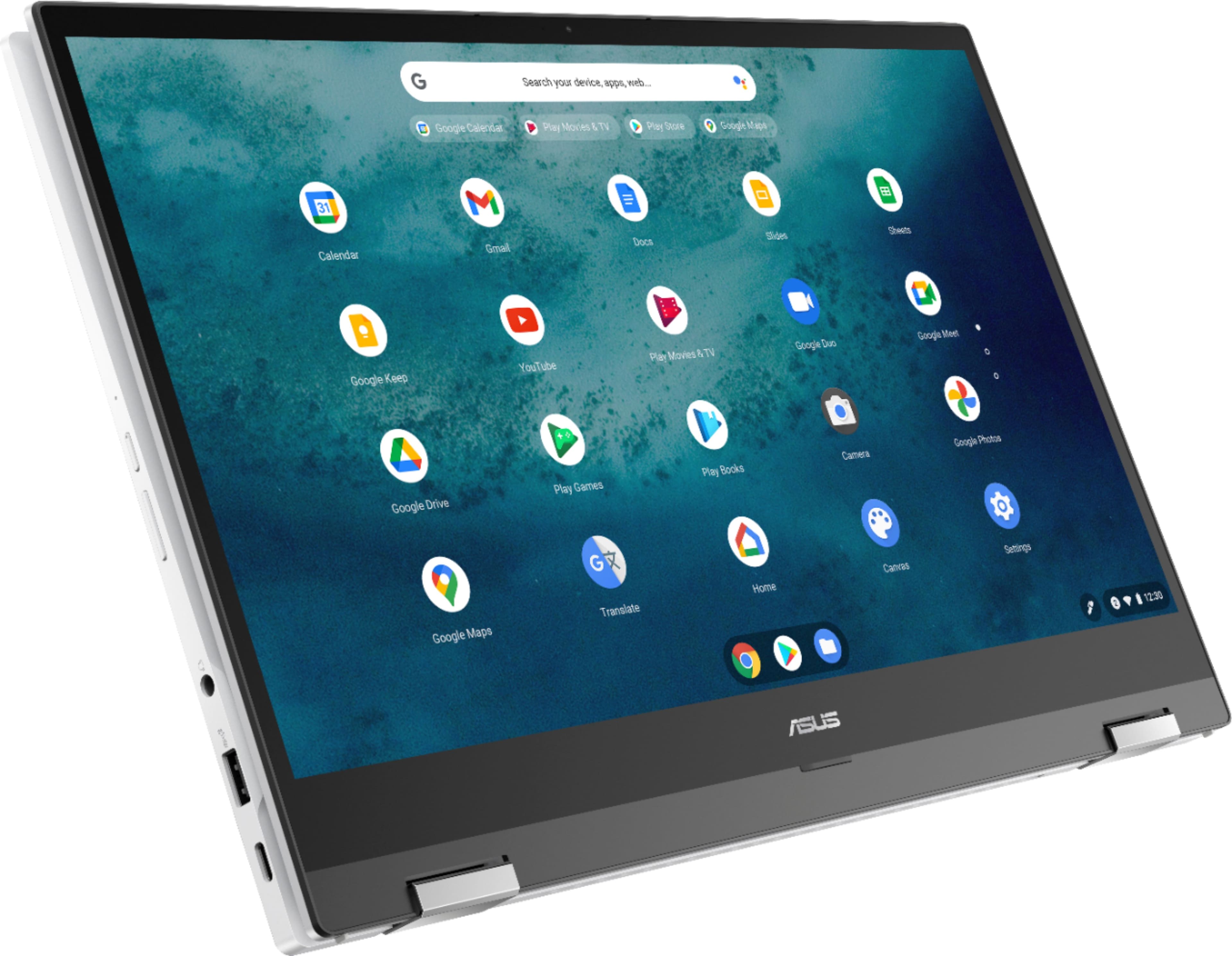
|Posted .This reviewer received promo considerations or sweepstakes entry for writing a review.In a nice departure from small format Chromebooks, ASUS has released this beast of a laptop that happens to feature the Chrome operating system (so, yes, it's a Chromebook). The Intel® Core™ i3 processor might not be a high-end desirable processor for a Windows PC, but the processing power for this operating system, combined with 8 GB of RAM and a lightening-fast 128 GB solid state hard drive make this the the first speedy Chromebook I have ever seen. The 15.6" display is beautiful - 1920 x 1080 (max) with beautiful color - and glossy, which I usually hate from ASUS but the implementation here is less mirrorlike. I/O ports are few but sufficient: 2 x USB-C (both of which function as charging ports - the power supply is USB-C), 1 x USB-A, 1 x HDMI, and a Micro SD card reader. There is full and impressive sound produced through the Harman/Kardon speakers. And there is a responsive 720p HD camera. Setup took me about 10 minutes (after charging) - most of that time resulted from the installation of an update. The most desirable feature of this model (for me) is the touch screen display. For anyone who has not used a laptop with a touch screen display, the touch screen is not so much a feature in laptop mode - but when you fold the keyboard back under (or behind) the screen, the keyboard entry is disabled and the screen becomes a tablet. And while the dimensions of this screen are wildly different from what you might think of for a tablet, in function, you get much wider (or taller) tablet format that I find very desirable. Construction feels strong and solid with no weak points anticipating breakage. But is a hefty beast - weighing-in at a whopping 4 1/3 lbs. Alas, with the increased memory and storage and size, this Chromebook is more expensive than some of the wispier models. But the performance and storage capabilities here place this way ahead of comparably-priced Windows laptops (plus, this isn't bloated by Windows). Enthusiastically recommended!
I would recommend this to a friendIn search of incredible?
|Posted .This reviewer received promo considerations or sweepstakes entry for writing a review."In search of incredible" is marked on various parts of the packaging. For those that want it simply (TLDR) - the search is over. There are 3 main companies that come to mind that are out front when it comes to quality chromebooks. Asus of course is one of them. So I'm weird, and have through the years "collected" a couple from each company. ASUS has nailed the chromebook in the C536EA model. With the I3, 8gigs of memory, and 128gigs of SSD space you have everything you need for a pleasant chromebook experience. I was pleased to note upon opening the box that there was not a mountain of needless paperwork and cords. You have your power cord, instructions, and warranty. Upon first boot, the C'book was at 98% battery power (more brownie points for ASUS). Who gets a new device and wants to wait before they can actually use it? One main system update later (the only one you have to "wait" on, as all future updates run in the background!) and we are off to the races! Your google login is your chromebook login. It's that simple. Once logged in, any apps you may have used a/o settings are instantly transferred over to your brand spankin' new C'book. The hardware itself - the touchscreen is very responsive. And the backlit keyboard is a nice touch as well. I noticed no problem with the touchpad. I found it very responsive, but not to the point of making any accidental moves. You have an HDMI port if you want to connect it to a TV or a monitor (I think I might have to try that) as well as 2 USB-C, and a "super speed" standard USB port for pen drives/etc. The Harmon Kardon sound system is plenty sufficient for anything you can throw at it. Treble is well defined and the bass is punchy. Can't really ask for more in this format. Everything loads extremely quick on this chromebook. Whether it is the browser, Android apps, or really anything. Of course this is not a "gaming rig", but your standard games from the playstore should work just fine. Doing the "Tab Test", i opened 16 tabs before I began to notice any slowdown what-so-ever. And even then it was minimal. Will chromebooks stay an attractive alternative to the "Big two" operating systems out there? I think so. For those that casually browse and just want something super convenient for everyday use, you can't go wrong. And you certainly can't go wrong with this model. In addition to everything above, I forgot to mention - the exterior is a beautiful ivory white. Simply stunning! Asus, my "search for incredible" is over!
I would recommend this to a friendStunning!
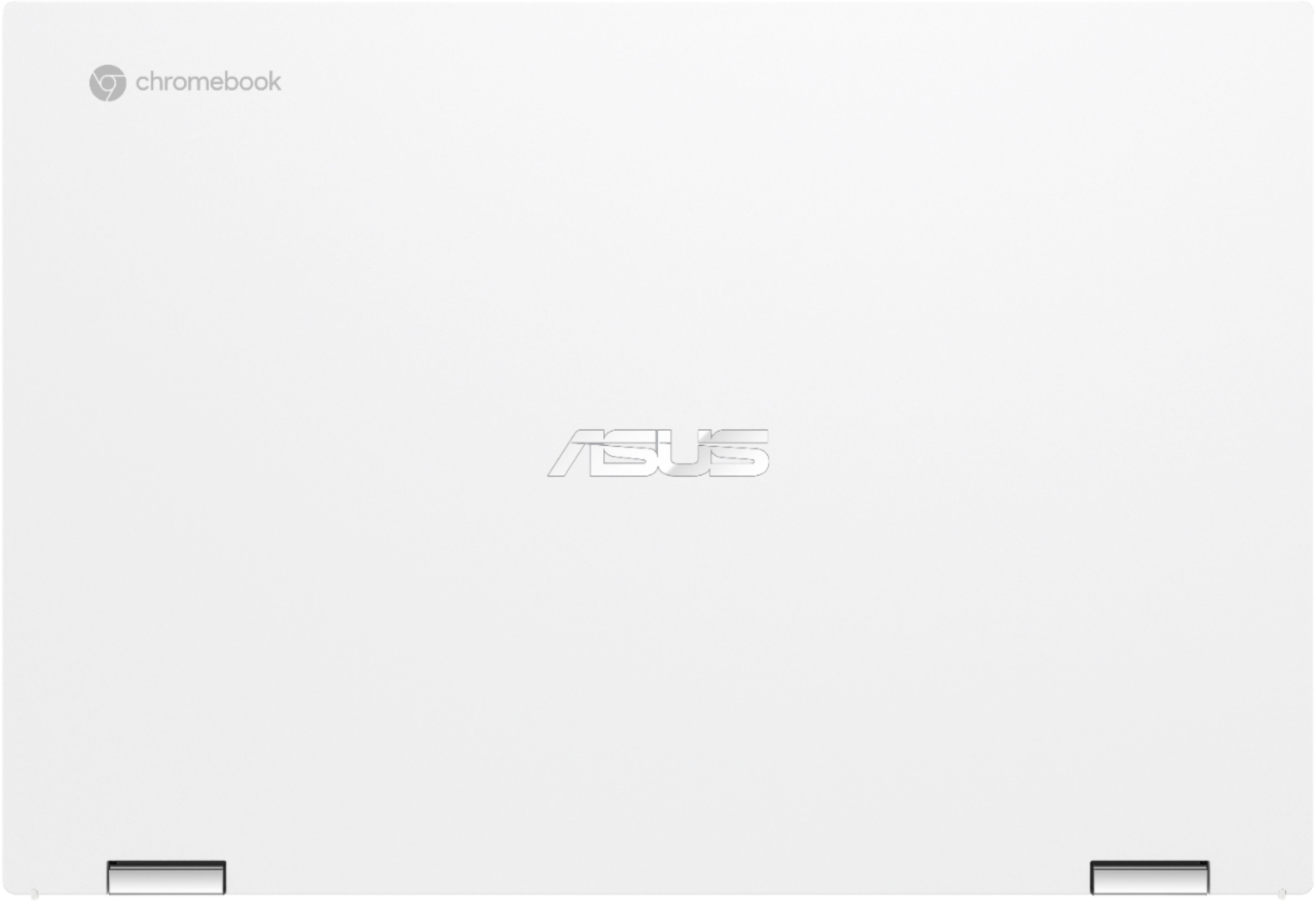
|Posted .This reviewer received promo considerations or sweepstakes entry for writing a review.This is my first Chromebook and I am impressed. This thing is absolutely stunning! From the moment you remove it from the box you can see the beauty. The matte white case feels great and makes the statement, "this is a nice product." Solid-feel, nice size, looks great. At 15.6" the screen is a great size. It boots up easily and then the bright, vivid colors of the screen appear. It has a nice, smooth keyboard and the black keys are back-lit with LED's making it easy to see even in a dark room. It has impressive power/speed with the I3 processor and is also prepped for Wifi 6 (when available). It automatically turns on when opened so no need to press a button and then wait to see if it will start like some laptops (it also has a power button in the settings menu). The touch-pad works well, however I prefer using a mouse. Unfortunately it only has one USB located on the left side. Not an issue if you're using a wireless mouse (or the touch pad) but a little inconvenient for right-handed people with a wired mouse. It's just a reason to purchase another wireless mouse! It folds easily into tablet mode and the touchscreen reacts well to the touch. Comes with built-in Harmon Kardon speakers for a sound as impressive as the Chromebook itself. A great way to jump into the Chromebook world!
I would recommend this to a friend- Pros mentioned:Touchscreen
Good value - fast chromebook
Posted .This reviewer received promo considerations or sweepstakes entry for writing a review.my old chromebook hung up on zoom. this runs really smooth. very happy with purchase. a little pricey but worth it. offset keyboard takes getting used to - backlite keyboard is a great feature. 8 megs of ram and a strong intel cpu. good value
I would recommend this to a friend Amazing speed and beauty in a chroomebook
|Posted .This reviewer received promo considerations or sweepstakes entry for writing a review.This chromebook has a different appeal of beauty in its build quality. It is a very decent size and feels sturdy, but it is quite heavy to be very mobile. But the aesthetics are very beautiful and the white color sets it apart from other laptops. The screen has the resolution to suit any needs. In my opinion, 1080 is about all you need for smaller displays like laptops and it definitely fits this application. The 2 -1 ability is nice for lounging and streaming but I don't particularly use it much. The laptop is just a bit on the heavy side to use as a tablet. I do really like tent mode for streaming combined with the Harmon Kardon speakers. The sound is awesome for a laptop and works perfect for streaming. Basic gaming is suitable for this chromebook, but I'm not sure it can handle any hardcore gaming. Ive attempted to use it for my video editing but the app keeps crashing. Not sure if it is a hardware or app issue. Hopefully I can fix the bugs because I would love to use the chromebook for on the go video editing. The battery is great and last hours with moderate use. Last but not least, this chromebook is amazingly fast! Powerup is super fast, apps open instantly, and transitioning between apps is a breeze. The only con which really isn't at this point is the learning curve of using Chrome OS in the function as a laptop. You just have to remember that this chromebook is like having your cell phone adapted into laptop form.
I would recommend this to a friend- Pros mentioned:Ease of use
Sleek and fast
|Posted .This reviewer received promo considerations or sweepstakes entry for writing a review.I was not sure what to expect from this Chromebook but it is great. The sound and video is excellent. It boots up almost instantly. Integrates nicely with the Google ecosystem. Very intuitive. Appreciate that it has some connections ports.
I would recommend this to a friend - Pros mentioned:Ease of use
Good little chrome book
|Posted .This reviewer received promo considerations or sweepstakes entry for writing a review.This is a great little chrome book. Fast start up, easy to use. I was trying to use it with QuickBooks download, but wouldn't run the program. But my husband uses it for work now it it works great for what he needs
I would recommend this to a friend Great deal
Posted .This reviewer received promo considerations or sweepstakes entry for writing a review.Great product, I have this computer since 2021 and it’s working amazing
I would recommend this to a friendI would give 3.5 stars
Posted .This reviewer received promo considerations or sweepstakes entry for writing a review.I would give this Laptop a 3.8 using it for less than a week I believe. Upon purchasing, the laptop is obviously a chromebook so you lose out on a lot of things that you're used to on a PC. There's no proper Adobe programs and the laptop, even with the 8 GB Memory, seemed slow. It appeared as the laptop was trying to catch up to everything that I was doing, right out of the box. I do not enjoy Chromebooks, this laptop was not for me. I would give 3.5 stars.
No, I would not recommend this to a friendAsus Laptop
Posted .This reviewer received promo considerations or sweepstakes entry for writing a review.Fantastic laptop. Real easy to use. Battery life and display are pretty good
I would recommend this to a friend- Cons mentioned:Fan noise
Bad fan
Posted .This reviewer received promo considerations or sweepstakes entry for writing a review.it was good until after the first year the fan makes the loudest noise and will not stop
No, I would not recommend this to a friend I don’t like its Internet Restrictions
|Posted .This reviewer received promo considerations or sweepstakes entry for writing a review.The ASUS - 2-in-1 15.6" Touch-Screen Chromebook - Intel Core 11th Gen i3 - 8GB Memory - 128GB SSD - Matte White - Matte White is my first “computer” not using the Windows operating system. I do not like it. During the initial setup process, I could not connect through my ISP 5G Network, I was instructed to select another Wi-Fi signal and had to select the weaker 2.4G network. The next let down appeared when I was trying to install some of my favorite apps that I have used for years. Most of my apps are downloaded from a website and not the Play Store. Unfortunately, for me, I was not allowed to install any app not in the Google Play or Chrome app stores. I am not allowed to “Jailbreak” the Chrome book and install from unknown sources. This means using Google Play and Chrome Store exclusively for apps, when they do not have all apps, nor do they have the best apps. All of the Google apps have in app purchasing which equates to spending money. Why must I spend money, when there are free apps outside of Google’s ownership that get the job completed. I then attached my CDROM via the one USB to see if I could install any software I already own. I was not allowed. I received the message, “This file is designed for a PC using windows software. This is not compatible with your device which runs Chrome OS.” In other words, spend more money on an app to duplicate software already owned. Also, there is only one USB port, which created a problem for me as soon as I needed to connect two USB devices to the Chrome book. The ASUS - 2-in-1 15.6" Touch-Screen Chromebook - Intel Core 11th Gen i3 - 8GB Memory - 128GB SSD - Matte White - Matte White does all the things it says it can do, but I do not like it for the lack of allowing Internet freedom to install from anywhere in the world what I determine is beneficial to me.
No, I would not recommend this to a friendBrand response from ASUS Answers
Posted .Dear TheTruthRealDeal,
We certainly understand your concern about the restrictions of the Chromebook.
The Chromebook comes with a web or cloud-based OS that is fast, secured and easy to use and is becoming a popular choice because of these features. Internet security or antivirus software is integrated, no need to purchase the software or application separately. Besides, it is low-cost and lightweight, and supports thousands of popular computing applications, both in Chrome and Android, and Linux applications as well. MS Office 365 and other third-party software that you may have will still run from a web browser if these are web applications.
If this is your first experience with a Chromebook, I recommend using the HELP file incorporated within the OS. To access HELP, please click your profile picture on the Notification Bar, located on the lower right-hand corner of the Home screen then click the question mark icon or widget. For more help, please go visit Google Support webpage. Should you need further assistance, please email me at cl-rodel@asus.com and I will be more than glad to help. Or, you can speak to an ASUS live support agent at http://bit.ly/AsusLiveChat.
Thank you for choosing an ASUS product.
Regards,
Rodel
ASUS Customer Loyalty
- Pros mentioned:Ease of use
Frustrated
Posted .This reviewer received promo considerations or sweepstakes entry for writing a review.From the moment I turned it on, the Wi-Fi kept trying to connect to a Captive Network that doesn't exist, so apps will not load. This is apparently a bug with OS 88 and above that Google has yet to acknowledge. In addition, the screen blinks sporadically, every few seconds to every 5 minutes or so. This was meant to be a gift and won't be useable by the recipient in this condition, but the exchange process has been an absolute nightmare. I am hopeful to eventually receive a replacement that works properly. Aside from the issues, it looks good and is otherwise easy to use.
No, I would not recommend this to a friendBrand response from ASUS Answers
Posted .Dear Valued Customer,
Certainly, we understand your disappointment with the apps failing to load and the screen blinking sporadically. This is not the kind of experience we want any of our customers to have. If you have not received your replacement, feel free to reach out to me at customerloyalty@asus.com and provide this link for reference. I'll do my best to provide a quick resolution to your case. Your feedback is important as it helps with improvements to ASUS Support channels.
Thank you for choosing ASUS!
Best Regards,
Jamalie,
ASUS Customer Loyalty US Support