Customer Ratings & Reviews
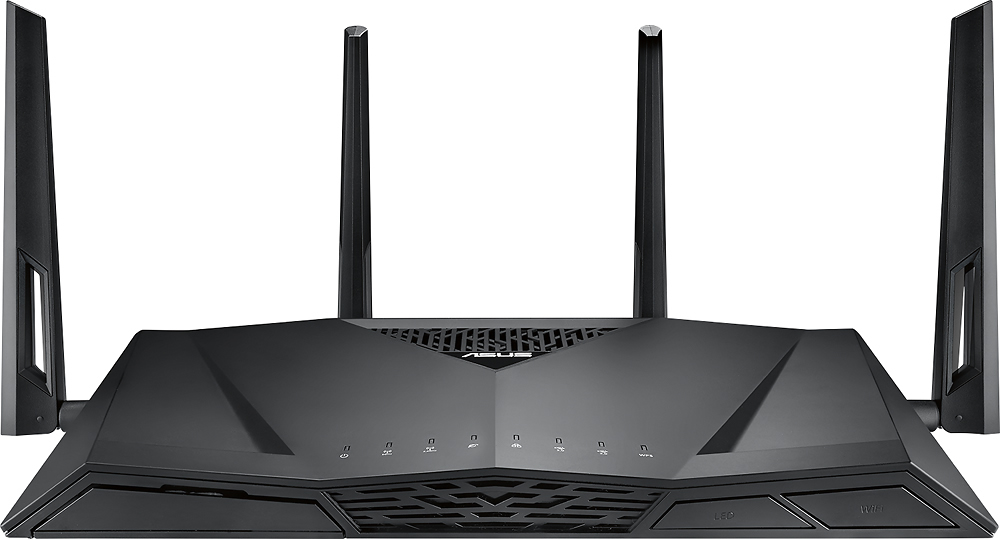
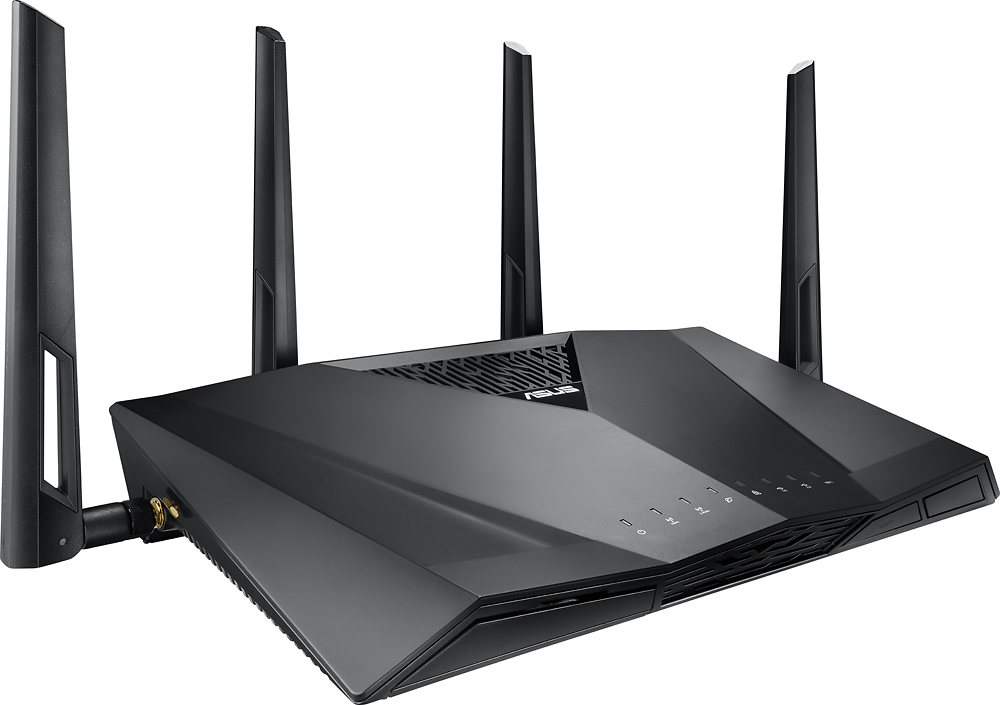
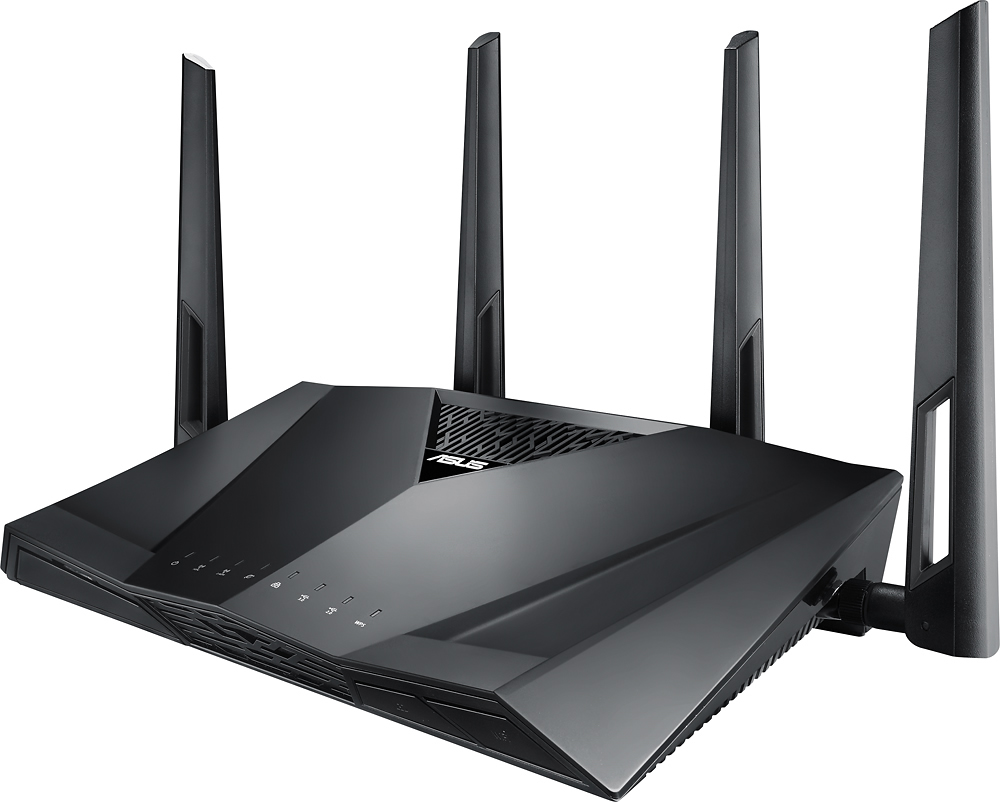
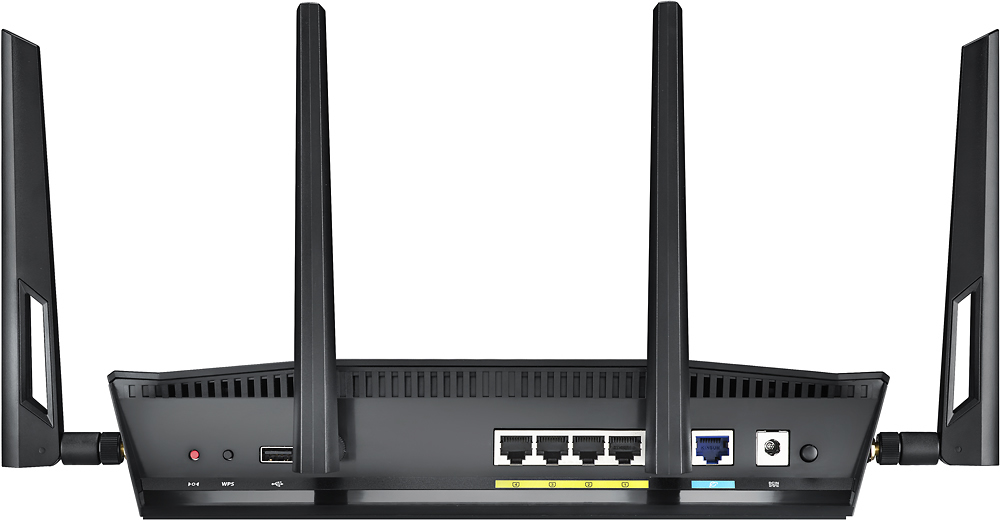



- Model:
- RT-AC3100
- |
- SKU:
- 4465000
Customer reviews
Rating 4.5 out of 5 stars with 2470 reviews
(2,470 customer reviews)Rating by feature
- Value4.1
Rating 4.1 out of 5 stars
- Quality4.3
Rating 4.3 out of 5 stars
- Ease of Use4.3
Rating 4.3 out of 5 stars
Customers are saying
Customers consistently note the AC3100 Dual-Band Wi-Fi Router's impressive range, ease of use, and strong performance, leading to improved internet experiences. Many appreciate the router's extensive coverage and reliable signal strength, simplifying setup and enhancing overall connectivity. However, some users mention connectivity problems and a large size as drawbacks. Concerns regarding the initial firmware and price point were also raised by a few customers.
This summary was generated by AI based on customer reviews.
- Pros mentioned:Performance
Rated 5 out of 5 stars
Perfect router
Posted .This reviewer received promo considerations or sweepstakes entry for writing a review.I have had this router for about 3 years now and it has not failed me once. 3 years in and it's still going strong. I have multiple computers and TV's connected to it and none of them drop. My apartment is only 800 sq ft but I have reception in every room. I would definitely recommend this to anyone looking for a reliable router.
I would recommend this to a friend - Pros mentioned:Performance
Rated 5 out of 5 stars
Worth every penny!
Posted .This reviewer received promo considerations or sweepstakes entry for writing a review.Bought this to replace a 3 year old Linksys router and so my brand new smart tv could stay connected to the internet. Easy to set-up and works like a charm! The user interface is also very intuitive and user friendly. I really like being able to see a list of all of the devices that are connected to this router. It works great with all of my devices and is definitely worth every penny! You will not be disappointed!
I would recommend this to a friend - Pros mentioned:Speed
Rated 4 out of 5 stars
Good router while it lasted.
Posted .This reviewer received promo considerations or sweepstakes entry for writing a review.I went from a modem router combo to this router and it was a huge difference, no more lagging or waiting for everything to load. I have a lot of devices that connect to the internet and this held up just fine until it died. There was a known issue with Asus about these routers randomly not working. I would recommend as long as Asus has fixed the issue.
I would recommend this to a friend Rated 5 out of 5 stars
Excellent router, fast, reliable,but not expensive
Posted .This reviewer received promo considerations or sweepstakes entry for writing a review.I have quite long positive experience with ASUS routers and this one continue that success story. Pros: 1) Nice and informative UI. It's very easy to manage this router even for not experienced user. Parental control is flexible and powerful enough. Rules could be set in easy and understandable way. Also, router managing tool for Android platform is easy and functional. 2) Powerful enough HW. Even if this router has less powerful CPU than competitors (it has dual core 1.4GHz instead of quad core 1.7GHz in top of the line competitor's routers) this CPU is good enough to handle my home network. After I upgraded my internet service to 1Gbps fiber, my previous router (ASUS RT-AC68R) becomes CPU limited and capped downloading speed to 500Mbps. When I connected this new router instead old one, downloading speed reached expected 1Gbps value. 3) WiFi connection is quite fast, has wide covered area and support all current standards. Contras: 1) Not supported future WiFi standards (802.11ad), but it's not a problem for me as I have no other devices supported this standard. 2) Not supported 10GBps wire connection (top of the line competitor's routers does), but it's also not important for me, as I have no other equipment needed that.
I would recommend this to a friendRated 5 out of 5 stars
A router that works with CenturyLink's 1 Gigabit!
Posted .This reviewer received promo considerations or sweepstakes entry for writing a review.Here was my problem before I got this router: I have CenturyLink's 1 gigabit fiber optic Internet. CenturyLink always sends really bad routers when you get their Internet installed. Often times the routers are still Wireless-N! Not only are their routers really bad, but they practically force you to use their equipment! CenturyLink requires PPPoE credentials to get online, but they also require VLAN tagging. They require a VLAN 201 on the Internet port of the router. A lot of routers don't allow this, but the Asus RT-AC3100 does! THANK YOU FOR THIS! I can finally ditch CenturyLink's horrible equipment and use the RT-AC3100 as both my modem and my router! Not only do a I appreciate the VLAN tagging feature on the Internet port, but this router can ACTUALLY download and upload close to 1 gigabit speeds! I was able to get 900+Mbps for my download/upload speed! Often times these routers will cap out at a mere 500Mbps on fiber optic 1 gigabit connections after setting up the VLAN tagging. Nope! Not this Asus RT-AC3100 router! The stock firmware on this router is awesome! I didn't even have to flash after-market firmware to accomplish these speeds. Please, KEEP UP THE GOOD WORK! Do not change a thing! This router was worth every single penny!
I would recommend this to a friend- Pros mentioned:Ease of use
Rated 1 out of 5 stars
Very Inconsistent
Posted .This reviewer received promo considerations or sweepstakes entry for writing a review.First off, this router is very easy to set up, has great reviews, what's not to love. Well, several of my wireless devices I constantly have to turn off the WiFi and then turn back on in order to use my internet connection. My phone says it is connected to the router at full strength, but unless I toggle the WiFi on the cell phone/tablet etc... it will not work. I have tried two of these and have had the same issues. Speeds on the 2.4 frequency are TERRIBLE, it operates at a fraction of what it should. Over all very disappointing for such a highly favored router. Back to the drawing board for me.
No, I would not recommend this to a friend Rated 2 out of 5 stars
High ping and frequent drop signal restarts
Posted .This reviewer received promo considerations or sweepstakes entry for writing a review.I love ASUS products. Have ROG20AJ and ROG G752L and was using ASUS RT-AC68U router and wanted to upgrade for more streaming like Netflix. The older RT-AC68u works much better. Very disappointed. 5GHz band disappears. Coverage on 5GHz not very good. Used Speed Test, Acrylic Wifi Tester and tweaked settings but still no good. My ping went up to over 300 when son playing CS Go. No good. Taking back to store within 15 day period. The update firmware does not work. Have to go and download and manually do as well. Issues with this. The WTFast Game Boost is a farce. Only get one account and must be on computer using. Have to go download from that company. Any more and you have to pay fee. Yes the WTFast is also on this modem and it is mimic of the RT-AC88u only difference is 4 ports versus 8. ASUS has disappointed me on this product. The MU MIMO does not work on any modems. Buyer beware. It is fictional at this point because there is not an agreed upon protocol between manufacturers. So this is useless on all high end routers. Netgear will give you a try I guess or go back to my old 68U
No, I would not recommend this to a friend- Cons mentioned:Connectivity
Rated 1 out of 5 stars
Doesn't show all devices on network
Posted .This reviewer received promo considerations or sweepstakes entry for writing a review.I bought this router to replace my old Netgear Nighthawk R7000 series since it kept dropping the 5Ghz connection. I did research and kept seeing this router among others from Asus as top notch. I gave them a try just to see how it would work since I have a lot of devices running through the network (about 25 at a time) ranging from wireless to wired connections. Setup was straight forward, plug it in. As soon as you launch your browser, it pulls up the set up screen and you are good to go from there. Has you pick your SSID, password, etc. Once you are finished, you are treated to a very nice looking UI screen and thats where all the positive stuff ends. I noticed that it only detected about 12 of my devices, most of which were wireless. I kept checking to see if it was my cables or connections, everything was snug. I downloaded a network app on my phone to check and see what all it saw, and to my surprise, it saw all of my 25 devices. So the router failed to see both my Cloud drives that were hard wired into the network, along with my Wink 2 Hub. I reset the router back to factory and tried the setup again and it did the exact same thing. It would fail to see network drives and IP addresses. I could understand 1-2 maybe, but 10 connections? That is just not acceptable. I returned the unit and swapped it out for a Netgear Nighthawk X6 and once I plugged everything in, it saw all of my devices without an issue. I would not recommend this brand for routers at all. The UI screen was nice though, probably where all the funds went when they developed the product.
No, I would not recommend this to a friend Rated 1 out of 5 stars
Not Happy
Posted .This reviewer received promo considerations or sweepstakes entry for writing a review.Let me start by saying while I may not be a networking expert, I do OK. I know enough about the products to configure a secure home network, add devices, and test signaling. I purchased the Asus RT-AC3100 router based on very good online reviews and some friends advice. I brought the router home, and the trouble started. I attempted to follow the quick start guide and wanted to change the SSID name for both wireless networks so that all went pretty well. I then noticed that my 5ghz signal was not all that great upstairs so I tried the 2.4 ghz network. Things were working great and then I actually added a network extender as well, without much issue. I went downstairs to and upgraded the firmware per the instructions. I grabbed a different device and went upstairs and the 2.4 GHz network is stronger than the 5Ghz, no problem, I somewhat expected that. After setting everything up with MAC filtering once again, now I could connect to both networks but had no internet. I started all over. This time I turned off my cable modem, waited for that to power cycle and come back up, turned on the ASUS router and everything came back up and worked for about an hour. Then the 2.4 Ghz wireless network stopped working as well as the extender, which I had already spent a great deal of time of setting up using MAC filtering. Looking at the FAQ's, I then tried to hard reset the router and start over from scratch. Of course, this reset all the configuration I had done previously including the firmware upgrade.. Everything came up and I decided to see how things stayed over night. So at this point, all wireless networks and wired connections were working. Next AM I woke up and the 2.4 Ghz network was not working. I decided that I would then try phone support and spent the next 90 minutes on the phone, repeating all the things I tried above, including hard reset and re-applying the firmware upgrade. The support tech never really offered much more than the things I had already tried and I understand they have to go through everything but by this point, I was getting a little impatient I was replacing a perfectly working router that I had fully set up and really had no issues with other than it was 6 years old and I did not want to get in a situation where it stopped working. At the end of the 90 minutes, still no 2.4 Ghz network. Lots of suggestions here, including changing SSID names, channels, no passwords, and no filtering. Still no 2.4 wireless network. Tech indicated he would have to have his level 2 support take over from this point and that he would create an incident and pass it along. MY fault, I did NOT get an incident number or a name from this exchange. Waited over night to hear back from ASUS, nothing. Lesson learned, ALWAYS get a ticket number!! I then emailed ASUS and this time got an incident number. Back through all the things I had tried previously including downloading the latest firmware, hard resets, etc. but still no 2.4 Ghz wireless network. I could see the network, just could never get an internet connection while the 5Ghz and wired network worked fine. The final suggestion was for me to send this 4-day old router to ASUS for repair, with me on the hook for shipping and then they could replace some unknown part in my brand new router. Not trusting this nor really wanting to wait weeks for the repair, I sent an email explainging my frustration. Nothing for 24 hours. No suggestion to take the router back and get a new one, nothing. I gave up, I bought another brand of router which has been working AWESOME ever since. I returned the ASUS router for a full refund. Because of the poor support provided, ASUS has slipped to bottom of my suggestion list and I will not be purchasing these products for myself.
No, I would not recommend this to a friend- Pros mentioned:Speed
Rated 5 out of 5 stars
Best Wireless Router I've Ever Used
Posted .This reviewer received promo considerations or sweepstakes entry for writing a review.This router is amazing! Was using one of the best Netgear wireless models, but could never play 2 Xbox One multiplayer sessions together till I got this router, now can use many devices all at once with vitually no slowdown.
I would recommend this to a friend - Pros mentioned:Ease of use
Rated 5 out of 5 stars
Fastest install ever experienced
Posted .This reviewer received promo considerations or sweepstakes entry for writing a review.As a retired 'techie' I have installed many a router or modem and this ASUS router was by far the easiest and quickest I have ever experienced.
I would recommend this to a friend Rated 5 out of 5 stars
Excellent Router
Posted .This reviewer received promo considerations or sweepstakes entry for writing a review.Bought this on the recommendation of an in store associate. Even my installer of the internet at my home complimented the quality of this router. Easy set up! A+++
I would recommend this to a friend- Cons mentioned:Firmware
Rated 1 out of 5 stars
It just didn't work for me.
Posted .This reviewer received promo considerations or sweepstakes entry for writing a review.Primary reason for buying what I thought was a mac daddy router was to connect 30 LIFX bulbs and 20 WEMO switches and plugs. After struggling for a week to connect 5 LIFX bulbs and 10 WEMO'S, I gave up on it after also reading forums about how ASUS messed up the firmware and basically rendered this router useless for LIFX and WEMO's. I exchanged it for a Netgear X10 and did not have any problems at all adding LIFX and WEMO's.
No, I would not recommend this to a friend - Pros mentioned:Range
Rated 5 out of 5 stars
best router on the market
Posted .This reviewer received promo considerations or sweepstakes entry for writing a review.Purchased this router with one goal in mind and that was for the range. Couldn't be more pleased with the range. 3 months now and no complaints to speak of.
I would recommend this to a friend - Pros mentioned:Range
Rated 5 out of 5 stars
Good range for wifi
Posted .This reviewer received promo considerations or sweepstakes entry for writing a review.I needed additional range in my house because my current wifi doesn't cover the whole house. I was able to get this product to put in center of my house.
I would recommend this to a friend Rated 4 out of 5 stars
Very good router
Posted .This reviewer received promo considerations or sweepstakes entry for writing a review.This is a very good router. It greatly improved the signal strength and provided access where it wasn't possible before.
I would recommend this to a friend- Pros mentioned:Ease of use
Rated 5 out of 5 stars
Great!
Posted .This reviewer received promo considerations or sweepstakes entry for writing a review.With 9+ devices hooked up to our wifi at once, this took our wifi from almost unusable to incredibly fast. Easy set up too.
I would recommend this to a friend Rated 1 out of 5 stars
Asus - Worst Customer Support I've Experienced
Posted .This reviewer received promo considerations or sweepstakes entry for writing a review.I own a number of Asus products and have found them to be (on-average) a good choice. Recently, I purchased the RT-AC3100 router for several reasons - with one being the USB port and the capability to connect a USB hard drive as a file share. It works fine on all my Win10 systems but it does not work on Win7 systems as well. I contacted Asus tech support on 2 Nov and today is 30 Nov and still no explanation or a fix. I have about a dozen email exchanges with them with each saying this has been kicked up to level 2 support. In researching the problem, I did find a work-around but more importantly, the issue is Asus's lack of Tech Support. For some insight you may want to read this article: https://consumerist.com/2008/07/16/10-secrets-to-getting-better-tech-support-from-asus/ The article is dated and I would have thought Asus would have corrected this by now but apparently not. It offers an insiders view on why their tech support and warranty repair is such a mess. I'm experiencing the same issues as the article explains. If I just parroted the article, it would read as just a sour grapes review. The person that wrote the article wasn't complaining but rather explaining what happens in the tech support process. That article and my own experience has made me a believer.
No, I would not recommend this to a friendRated 5 out of 5 stars
Asus is top notch!
Posted .This reviewer received promo considerations or sweepstakes entry for writing a review.Purchased in 2017 and still going strong with Asus Merlin Firmware. Just wish Asus would have incorporated DNS-over-HTTPS and Oblivious DNS-over-HTTPS into the router! Other than that, this is a solid piece of hardware. Since it has been 5yrs, I will be opening it up and replacing all of the thermal paste or thermal pads with new.
I would recommend this to a friendRated 5 out of 5 stars
Great router for multiple wi-fi requiremnents
Posted .This reviewer received promo considerations or sweepstakes entry for writing a review.I stopped in my local Best Buy and was help by the manager of the store. I was dissatisfied with my cable company issued Modem and w-fi. Even with the extreme 50MG interne3t our downloads were slow and frequently we were disconnected. The store manager identified that with upwards of 10 devices requiring wi-fi our hardware could not provide the necessary capabilities of the high speed access. I have had this router now for 10 months with excellent results.
I would recommend this to a friend