Customer Ratings & Reviews
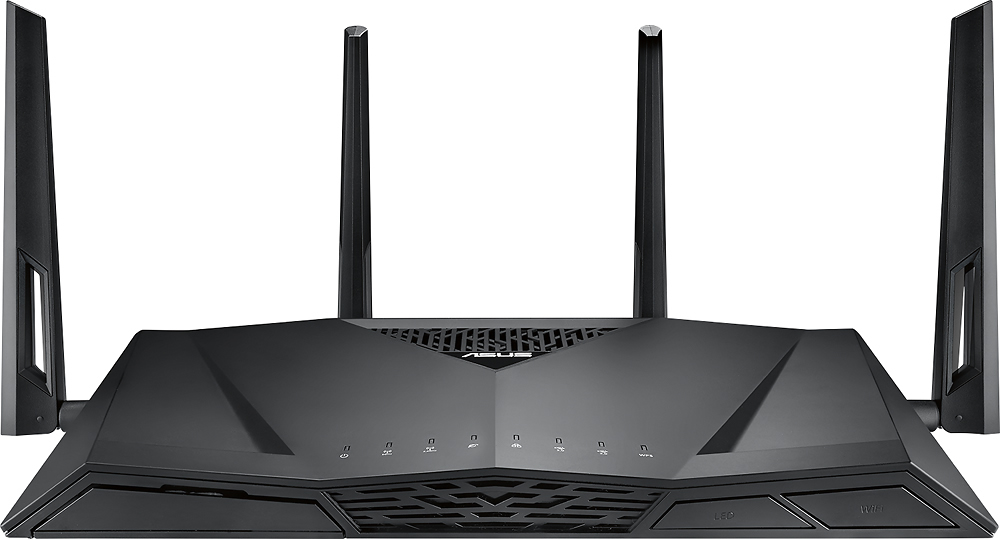
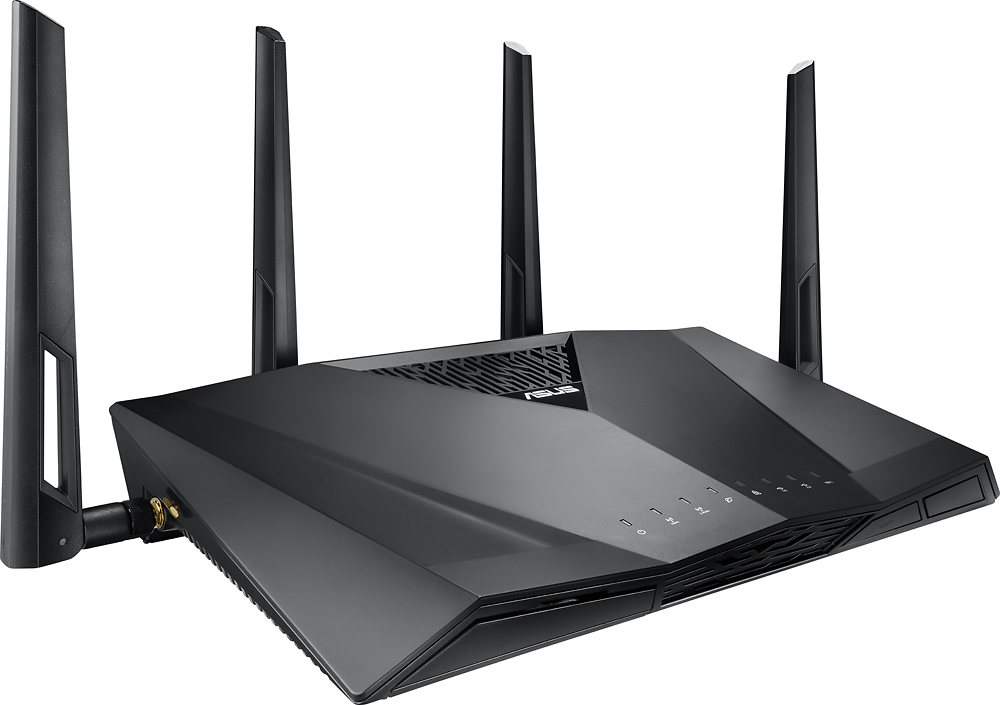
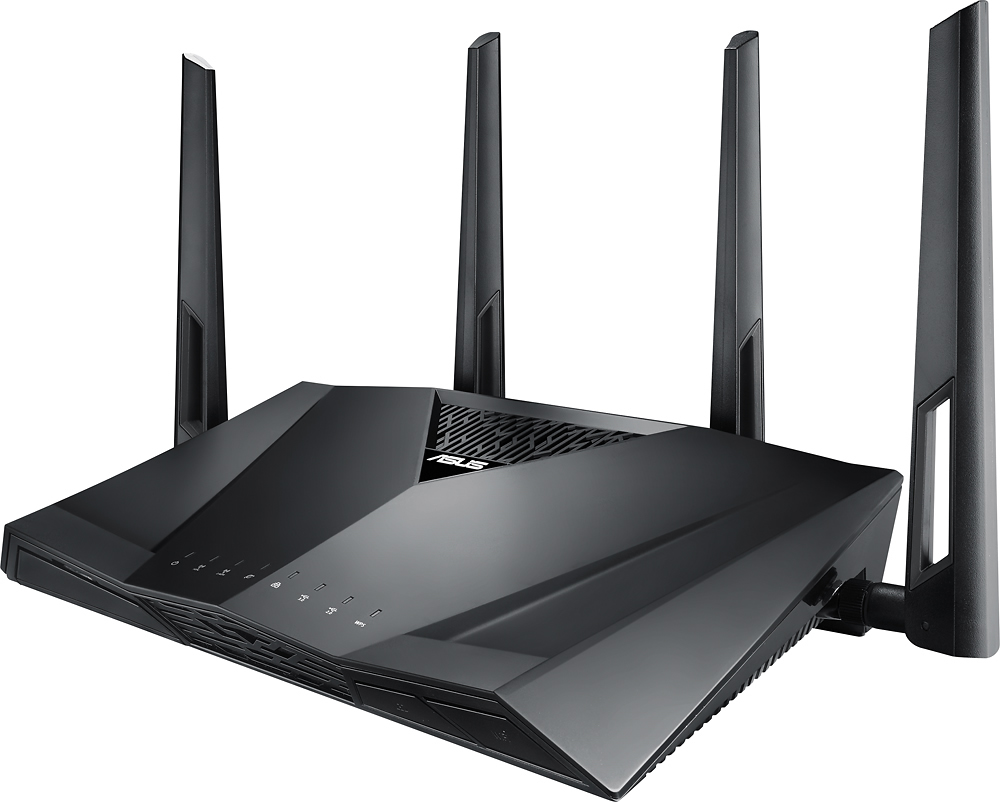
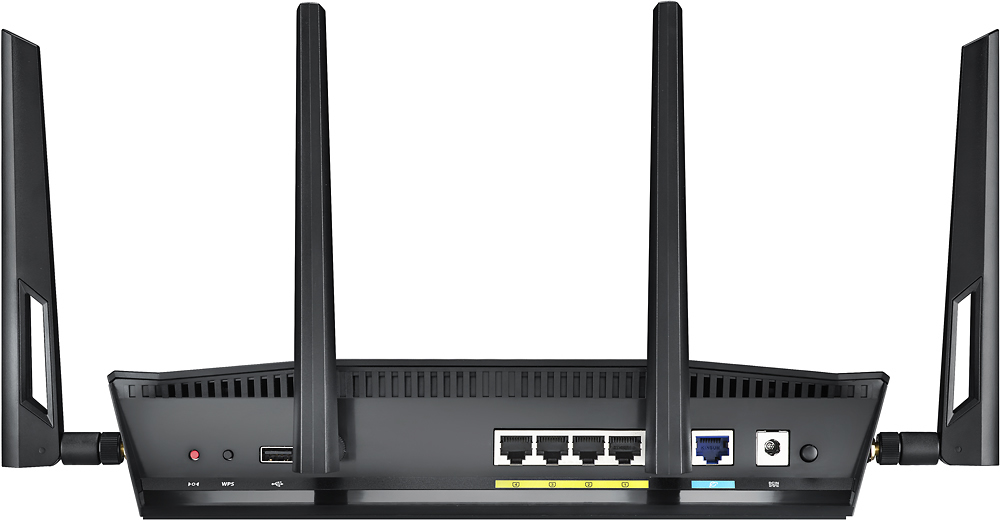



- Model:
- RT-AC3100
- SKU:
- 4465000
Rating by feature
- Value
Rating 4.1 out of 5 stars
- Quality
Rating 4.3 out of 5 stars
- Ease of Use
Rating 4.3 out of 5 stars
Customers are saying
Customers consistently note the AC3100 Dual-Band Wi-Fi Router's impressive range, ease of use, and strong performance, leading to improved internet experiences. Many appreciate the router's extensive coverage and reliable signal strength, simplifying setup and enhancing overall connectivity. However, some users mention connectivity problems and a large size as drawbacks. Concerns regarding the initial firmware and price point were also raised by a few customers.
This summary was generated by AI based on customer reviews.
good router
Posted .This reviewer received promo considerations or sweepstakes entry for writing a review.this is my first asus router and i love it more than my last netgear one
I would recommend this to a friend5Ghz antenna issue
Posted .This reviewer received promo considerations or sweepstakes entry for writing a review.Held up for 4 years but now all of a sudden the 5Ghz antennas are no longer working outside of maybe 10 feet. Not sure why this is happening but a lot of other people are saying the samething. Did a reset but no dice.
I would recommend this to a friendGood router... When it works...
Posted .This reviewer received promo considerations or sweepstakes entry for writing a review.I've had many problems with this router over the 6 months I've owned it. From connection issues to speed issues. I would have to factory reset every couple weeks. Asus tech support was a joke. if you can get ahold of someone you can understand when you call them, good for you. Every time i called, and waited on hold forever, they tried blaming anything and everything other than the router. They said settings on my pc were wrong at one point. Even tried blaming cox, who I called first every time to verify everything was ok on there end to the modem. Once i finally got someone to accept it was the router, i had to pay shipping to get it fixed or replaced with a refurbished model (and it is not light so even flat rate shipping with ins. is $20+). I guess a firmware update finally fixed the problem though, so far... Now that its working, WIFI range is a joke for almost a $300 router and thanks to a firmware update at some point, you cant adjust the power to try to get better range. It even has it listed in the manual. My devices lose connection a whole 50 Ft away from the router. And on top of all that Best Buy changed there return policy (I dont know when, i just know it used to be longer) to 15 days and when I tried to exchange it on day 17 for the same exact model, i was told there was nothing they could do and i would have to file a warranty claim, which Best Buy does not handle for Asus.
No, I would not recommend this to a friendBest
Posted .This reviewer received promo considerations or sweepstakes entry for writing a review."Awesome".................................................................
I would recommend this to a friendGood
Posted .This reviewer received promo considerations or sweepstakes entry for writing a review.Works just as promised and I have no issues with it.
I would recommend this to a friend- Cons mentioned:Connectivity
Garbage
Posted .This reviewer received promo considerations or sweepstakes entry for writing a review.Terrible signal. Devices 4' from the router can berly stream a video without disconnecting every 30 seconds. My pc loses connection and it's wired into the router. I actually returned the first one thinking it was faulty. After countless hours spent checking all devices and verifying that my internet strength is good I have come to the conclusion that my cheap 7 year old router I had was better. Good luck with Asus's customer service. They berly speak English and were zero help.
No, I would not recommend this to a friendBrand response from Asus_Answers
Posted .Dear Steve,
Thank you for taking the time to post your feedback on this model, we truly appreciate it. Firstly, we would like to extend our sincerest apologies for the device disconnecting every thirty (30) seconds and for the inconvenience this may have caused you. ASUS products undergo intensive quality control testing and final inspections for both hardware and software before we send it out to the stores worldwide. ASUS provides warranty for the unit in order to fix or repair any isolated factory escape defect. Rest assure this information will be passed on to our development team. We truly appreciate your feedback. We are recommending to have the unit the complete a reset on the device, please follow the link below.
1.Turn router power off.
2.Press and hold the "WPS" button and turn the router on.
3.Power light is on (keep holding the WPS button).
4.Power light starts flashing for about 5 seconds.
5.Keep holding until the power light stops flashing and router will automatically reboot .
Please ensure the device is running he latest firmware, you can do so by selecting the link below. We truly appreciate your feedback. If you need any further assistance please don't hesitate to contact us via email: customerloyalty@asus.com and provide this link for reference or contact our general support at https://www.asus.com/us/support. Our customer loyalty department is dedicated to bringing a resolution to all issues related to our products.
Thank you for choosing ASUS!
Best Regards,
Lamoya
ASUS Customer Loyalty US Support
[Router Hard Factory Reset] https://www.asus.com/us/support/FAQ/1039083/
[Firmware version 3.0.0.4.384.81116] https://dlcdnets.asus.com/pub/ASUS/wireless/RT-AC3100/FW_RT_AC3100_300438481116.zip?_ga=2.6694066.1800422375.1575914732-91140355.1570645068&_gac=1.61365982.1573168896.Cj0KCQiAno_uBRC1ARIsAB496IW-ZBYhmh04wj7zKWyVdf90rsmre4p6GzgRQGV40Dko7Ci3yiDA-2IaAkpXEALw_wcB
- Cons mentioned:Connectivity
Beware! Faulty Cable and Terrible Customer Service
Posted .This reviewer received promo considerations or sweepstakes entry for writing a review.In the past, I've set up wireless routers without a problem, but this one just wouldn't connect. I spent hours trying to figure it out and blamed the issue on my new modem. Then I tried an old cable from my old router. It worked just fine. I called Asus to explain the situation and ask for a new cable. They said I had to return the whole thing! They were completely unsympathetic that they wasted hours of my time and had sent out a bad product. Will never purchase anything from them again!
No, I would not recommend this to a friend used to build good router, now it's junk
Posted .This reviewer received promo considerations or sweepstakes entry for writing a review.With every new firmware update routers become less and less reliable. I have had 3 Asus routers before but lately, they just deliver junk. Very slow and router constantly need to be rebooted
No, I would not recommend this to a friendJunk - Started having issues after day 33
Posted .This reviewer received promo considerations or sweepstakes entry for writing a review.I purchased this to upgrade my home wifi. It was great for 33 days. On the 33rd day, I came home and the 2.4Ghz band had quit broadcasting. Went through a bunch of troubleshooting, contacted Asus support and did all the stuff they suggested. Support had me return it for repair. I sent it in at my expense and once I got it back it had a note with it that they were unable to replicate the issue. I hooked it back up and within 24 hours it happened again. I contacted support and sent it back again at my expense for a second time. I'm still waiting on the second return and will likely get rid of it when it arrives. In the midst of all of this, I picked up a comparable Linksys router that has been rock solid. This was my first Asus router and most likely my last. I had high hopes after all the positive reviews, but I have been completely disappointed. All I ended up with was an over priced headache.
No, I would not recommend this to a friendNo Signal Improvement? Disappointed.
Posted .This reviewer received promo considerations or sweepstakes entry for writing a review.I like ASUS products, but disappointed with this one. Replaced an ASUS AC1900 RT-AC68U. I wanted to increase wifi signal in parts of the house, which is 3,300 sqft, open floor plan, so not a lot of interference. Installed router in the same location as old one. The AC3100 did not improve wifi signal. Based on the specs, I expected more. Ended up using both routers in Aimesh mode.
No, I would not recommend this to a friendBrand response from Asus_Answers
Posted .Dear Duane,
Thank you for sharing your feedback on this model. We're sorry to hear about the issue you're having with this model. Please allow us to make your experience with ASUS a better one. Based on the issue you described, it seems as if something is interfering with the WiFi signal. We would recommend using the FAQ below as a guide. Here: https://www.asus.com/support/FAQ/1030608/. Also, we would recommend that you adjust the channel bandwidth by clicking on the link below: https://www.asus.com/support/FAQ/1011431/. For further assistance please feel free to reach out to us by email: customerloyalty@asus.com. Please use a link to this review as reference. Have an extraordinary day.
Thank you for choosing ASUS.
Best Regards,
Joan
ASUS Customer Loyalty US Support
Constantly dropping WiFi
Posted .This reviewer received promo considerations or sweepstakes entry for writing a review.I'm writing this review using my cell connection in my house while I wait for my router to finish rebooting itself. It's 7am and the whole family is still sleeping, so no one is using Netflix, or the Xbox or anything. The router just likes to constantly reboot. I searched the forums and it's a problem that many people have and there's no fix only thoughts of bad solder joints or bad firmware. No solutions. I'm was on this website searching for another brand of router since I purchased the best buy protection plan and plan to bring this back today. I've dealt this this issue for six months and I've tried multiple things that I'm not going to list here, just know I tried. If you still get the router after reading this...just buy the protection plan from Best buy as they are really good about backing their products.
No, I would not recommend this to a friendBrand response from Asus_Answers
Posted .Dear Mike,
Thank you for taking the time to post your feedback on this model, We appreciate it. Firstly, We would like to offer our deepest apologies for the trouble you had with your ASUS router. We certainly understand your disappointment with the laptop and the inconvenience this may have caused you. ASUS products undergo intensive quality control testing and final inspections for both hardware and software before we release it worldwide. ASUS provides warranty for the unit in order to fix or repair any isolated factory escape defect. Please allow us to make your experience with ASUS a better one. Please complete the steps in the link provided for your router that is constantly disconnecting connections: https://www.asus.com/support/FAQ/1030641/. We certainly value your feedback. For further assistance please feel free to reach out to us by email: customerloyalty@asus.com. Please use a link to this review as reference. We’re here to help you and all others with these issues,Our customer loyalty department is dedicated to bringing a resolution to all issues related to our products. Have an extraordinary day.
Thank you for choosing ASUS
Best Regards,
Lamoya
ASUS Customer Loyalty US Support
OK, speed
Posted .This reviewer received promo considerations or sweepstakes entry for writing a review.Good one. Dual band would be a plus if it had. Would go with AC5300 models
No, I would not recommend this to a friendMac user with network printers - avoid this router
Posted .This reviewer received promo considerations or sweepstakes entry for writing a review.If you have a Mac and expect to print to a networked printer (LAN or WiFi) do not buy this router. I wasted money and a lot of time trying to get this to work with both Canon and Epson ink jet printers. It was a royal pain to setup, and if I got it working on one computer (more or less) it stopped working on the others. Tried everything: new printer firmware, new router firmware, new Mac drivers, and hours with ASUS and printer tech support. I'm a savvy old hand with computers, this had me buffaloed. Finally bought a new Linksys AC4000 router, plugged it in, and without re-booting a single thing it all just started working. ASUS tech support offered to fix it ... I said "Don't bother trying." If they haven't got this right yet I don't trust them to fix it now.
No, I would not recommend this to a friendRouter drops wifi connection
Posted .This reviewer received promo considerations or sweepstakes entry for writing a review.The router worked well for about 2 weeks then the wifi stopped working. I called ASUS and they walked me through a reset that worked for another week before it disconnected again. I reset and was able to reconnect for about a day before it dropped again. ASUS support was unable to get it working again and promised to have a supervisor call me back. That was 36 hours ago and I still haven't heard back. Meanwhile, no wifi. I would exchange the item but am outside of the 2 week return period. I'm sorry that I purchased this item and regret my decision to purchase from Best Buy.
No, I would not recommend this to a friendBrand response from Asus_Answers
Posted .Dear Valued Customer,
Thank you for your feedback on this model, We truly appreciate it. We re terribly sorry to hear that your having issue with your router. We also would like to apologize on behalf of our technical support team that wasn't able to resolve your issue. You should have received a call from a supervisor already, If not please let us know. Please allow us to make your experience with ASUS a better one. We are recommending to upgrade the firm on the device. Please use the link below to do so: https://dlcdnets.asus.com/pub/ASUS/wireless/RT-AC3100/FW_RT_AC3100_300438445717.zip?_ga=2.78730900.1859303085.1563899130-1461374190.1561757028. If the issue persist please feel free to reach out to us by email: customerloyalty@asus.com and Please use a link to this review as reference. We’re here to help you and all others with these issues,Our customer loyalty department is dedicated to bringing a resolution to all issues related to our products. Have an extraordinary day.
Thank you for choosing ASUS
Best Regards,
Lamoya
ASUS Customer Loyalty US Support
- Pros mentioned:Performance
Do Not Buy
Posted .This reviewer received promo considerations or sweepstakes entry for writing a review.Router keeps rebooting itself repeatedly or looses 5GH connection daily. I can't recommend this router. When it's working it's awesome. But having to reset it daily isn't.
No, I would not recommend this to a friend Worst Customer Service/Warranty Ever
Posted .This reviewer received promo considerations or sweepstakes entry for writing a review.Worst Customer Service Ever! My router stopped working in the 2.4GHz band after 3.5 months of use. I called ASUS customer service and provided zero help. We confirmed my router does not work in the 2.4GHz band after 1.5 hours of troubleshooting. ASUS wants you to ship their broken equipment to them so they can troubleshoot and then potentially repair the router and then send it back to you. So in the mean time, you have no WiFi during that time. You still may be charged for the repair work. Also, ASUS was supposed to call me back several times and never did.
No, I would not recommend this to a friendWork good for 20 days
Posted .This reviewer received promo considerations or sweepstakes entry for writing a review.Worked fine but then wifi was severely throttled. It would drop down to 10‐15 mbps (I get 60-80) qos is off. Tried changing the bands. Nothing.
No, I would not recommend this to a friendBrand response from Asus_Answers
Posted .Dear Valued Customer,
I’m sorry to hear you had such a frustrating experience with the router signal dropping. This product undergo intensive quality control, testing and inspections. What you've experienced was not intentional or representative of our brand. If you wish to collaborate on this issue to find a solution, feel free to reach out to me at customerloyalty@asus.com and provide this link for reference.
I'm here to help you and all others with these issues, as our customer loyalty department dedicated to bringing a resolution to all issues related to our products.
Thank you for choosing ASUS!
Best Regards,
Jamalie,
ASUS Customer Loyalty US Support
Range Disappointment and Warranty
Posted .This reviewer received promo considerations or sweepstakes entry for writing a review.There is two things Im disappointed about one is the how far the router can reach and the warranty. Apparently it says that the router can reach 5000 sq ft, my house is less than 3000 sq ft and it cant reach into my garage. My garage as soon as you walk out the back door from my house its right there in front of you. Another thing Im disappointed about is how you can only return it within 14 days which is ridiculous. It works close up but afar its a total failure.
No, I would not recommend this to a friendPoor range and slow speed
Posted .This reviewer received promo considerations or sweepstakes entry for writing a review.I bought this router as an upgrade so I could better stream HD content. However, the ASUS router buffers occasionally and is limited in range. This doesn't support their product claims. ASUS product support is horrible! I've spent hours on the phone with them and they can't seem to give me an update on my case. This has been going on for 25-days. I recommend trying Netgear first before buying any ASUS product.
No, I would not recommend this to a friendworthless item
Posted .This reviewer received promo considerations or sweepstakes entry for writing a review.I bought this exactly 1 year and 1 month ago and now that it is out of warranty manufactures give me crap and wants me to pay for shipping both way to get the product RMA even though they have a 2 year wararnty. They might as well say tough luck if your item breaks. Went with different router not even going to bother with RMA.
No, I would not recommend this to a friendBrand response from Asus_Answers
Posted .Dear Valued Customer,
Thank you for sharing your feedback on this model. We're sorry to hear about the issue you're having with this model. Please allow us to make your experience with ASUS a better one. Can you please provide us with more information on the issue you're having? If you wish to discuss the matter with us, please feel free to reach out to us at by email: customerloyalty@asus.com. Please use a link to this review as reference. Have an extraordinary day.
Thank you for choosing ASUS.
Best Regards,
Joan
ASUS Customer Loyalty US Support