Customer Ratings & Reviews




- Model:
- CM1402CM2A-M8186
- SKU:
- 10455780
Rating by feature
- Battery Life
Rating 4.7 out of 5 stars
- Speed
Rating 4.4 out of 5 stars
- Display
Rating 4.5 out of 5 stars
to a friend
Sorry I purchased this chrome book
||Posted . Owned for 3 weeks when reviewed.This reviewer received promo considerations or sweepstakes entry for writing a review.Requested help to Down load but no one was familiar with that procedure So I have not be able to use it My old chrome book that I purchased years ago still works Works
No, I would not recommend this to a friendBrand response from ASUS Answers
Posted .Dear Valued Customer,
We're sorry to hear that you're having issues downloading applications on the Chromebook, and we apologize for any inconvenience this may have caused you. To troubleshoot the issue described, we recommend following the steps in the FAQ below. Should the issue persist, please contact our support team at https://www.asus.com/us/support/CallUs to investigate the problem further.
We stand behind our products and continuously strive to improve our products and processes to achieve customer service excellence. For more information, email us at customerloyalty@asus.com and include the case number "N2407012558-0013" as a reference. We will do our best to resolve your case quickly. Your feedback is very important to us and enables us to improve our support channels. Thank you for choosing ASUS.
Best Regards,
Chantae
ASUS Customer Loyalty US Support
How to download apps on a Chromebook - https://www.google.com/chromebook/howto/download-apps/#:~:text=How%20to%20download%20apps%20on%20a%20Chromebook&text=Open%20the%20Play%20Store%20from%20the%20Launcher.&text=Browse%20apps%20by%20category%20there,specific%20app%20for%20your%20Chromebook.&text=After%20you've%20found%20an,button%20on%20the%20app%20page.
Not a standard x86 laptop
||Posted .This reviewer received promo considerations or sweepstakes entry for writing a review.Make sure you understand the differences between ARM processor and x86 processor. I wasn't aware that this can't run most of the programs that I want to. Even firefox can't be installed. This is not a normal laptop.
No, I would not recommend this to a friendBrand response from ASUS Answers
Posted .Dear EthW,
Thank you for sharing your comments on the ASUS Chromebook. We understand that it didn't meet your full expectations, and we sincerely apologize. If you are still within the return window, we recommend contacting the place of purchase for an exchange.
We stand behind our products and continuously strive to improve our products and processes to achieve customer service excellence. If you require any further assistance, please email us at customerloyalty@asus.com and include the case number "N2407021564-0013" as a reference. We will do our best to resolve your case quickly. Your feedback is very important to us and enables us to improve our support channels. Thank you for choosing ASUS.
Best Regards,
Chantae
ASUS Customer Loyalty US Support
Never used
||Posted . Owned for 2 months when reviewed.This reviewer received promo considerations or sweepstakes entry for writing a review.Never took it out of the box. Realized a chrome book wouldn’t do what I needed
I would recommend this to a friendBrand response from ASUS Answers
Posted .Dear Badger,
Thank you for sharing your feedback on the Chromebook. We understand that it didn't meet your full expectations, and we sincerely apologize for that. It is our hope that you were able to return it for a replacement that meets your requirements.
We stand behind our products and continuously strive to improve our products and processes to achieve customer service excellence. For more information, email us at customerloyalty@asus.com and include the case number "N2406004570-0014" as a reference. We will do our best to resolve your case quickly. Your feedback is very important to us and enables us to improve our support channels. Thank you for choosing ASUS.
Best Regards,
Chantae
ASUS Customer Loyalty US Support
Good for the price!
||Posted . Owned for 1 month when reviewed.This reviewer received promo considerations or sweepstakes entry for writing a review.Great Chromeboo It can be slow sometimes though, Its good for school.
I would recommend this to a friendBrand response from ASUS Answers
Posted .Dear Samuel,
Thank you for sharing your feedback on the Chromebook, and we apologize for the slow system issue. At ASUS, we take quality control, testing, and inspections seriously to ensure our products meet high standards. What you've experienced was not intentional.
To troubleshoot the issue described, we recommend following the steps in the FAQ below. Should the issue persist, please contact our support team at https://www.asus.com/us/support/CallUs to further investigate the problem or assist with repairing the device.
We stand behind our products and continuously strive to improve our products and processes to achieve customer service excellence. For more information, email us at customerloyalty@asus.com and include the case number "N2406004570-0011" as a reference. We will do our best to resolve your case quickly. Your feedback is very important to us and enables us to improve our support channels. Thank you for choosing ASUS.
Best Regards,
Chantae
ASUS Customer Loyalty US Support
https://www.asus.com/support/faq/1049593/
Not the worst
||Posted . Owned for 1 week when reviewed.This reviewer received promo considerations or sweepstakes entry for writing a review.Great computer for the most part just not the best for what I’m going to school for
I would recommend this to a friendBrand response from ASUS Answers
Posted .Dear Shai M,
Thank you for sharing your feedback on the Chromebook. We understand that it didn't meet your full expectations, and we sincerely apologize for that as we do understand your concerns. At ASUS, we take quality control, testing, and inspections seriously to ensure our products meet high standards. Our goal is to ensure that our customers receive the best products and services when it comes to making their purchase decisions. It is our hope that you have been able to find a laptop that will be suitable for your schooling. If you require any further assistance, don't hesitate to get in touch with our support team at https://www.asus.com/us/support/CallUs.
We do stand behind our products and continuously strive to improve our products and processes to achieve customer service excellence. For more information, email us at customerloyalty@asus.com and include the case number "N2406004570-0008" as a reference. We will do our best to resolve your case quickly. Your feedback is important to us and enables us to improve our support channels. Thank you for choosing ASUS.
Best Regards,
Chantae
ASUS Customer Loyalty US Support

Plenty powerful for most tasks with a premium feel
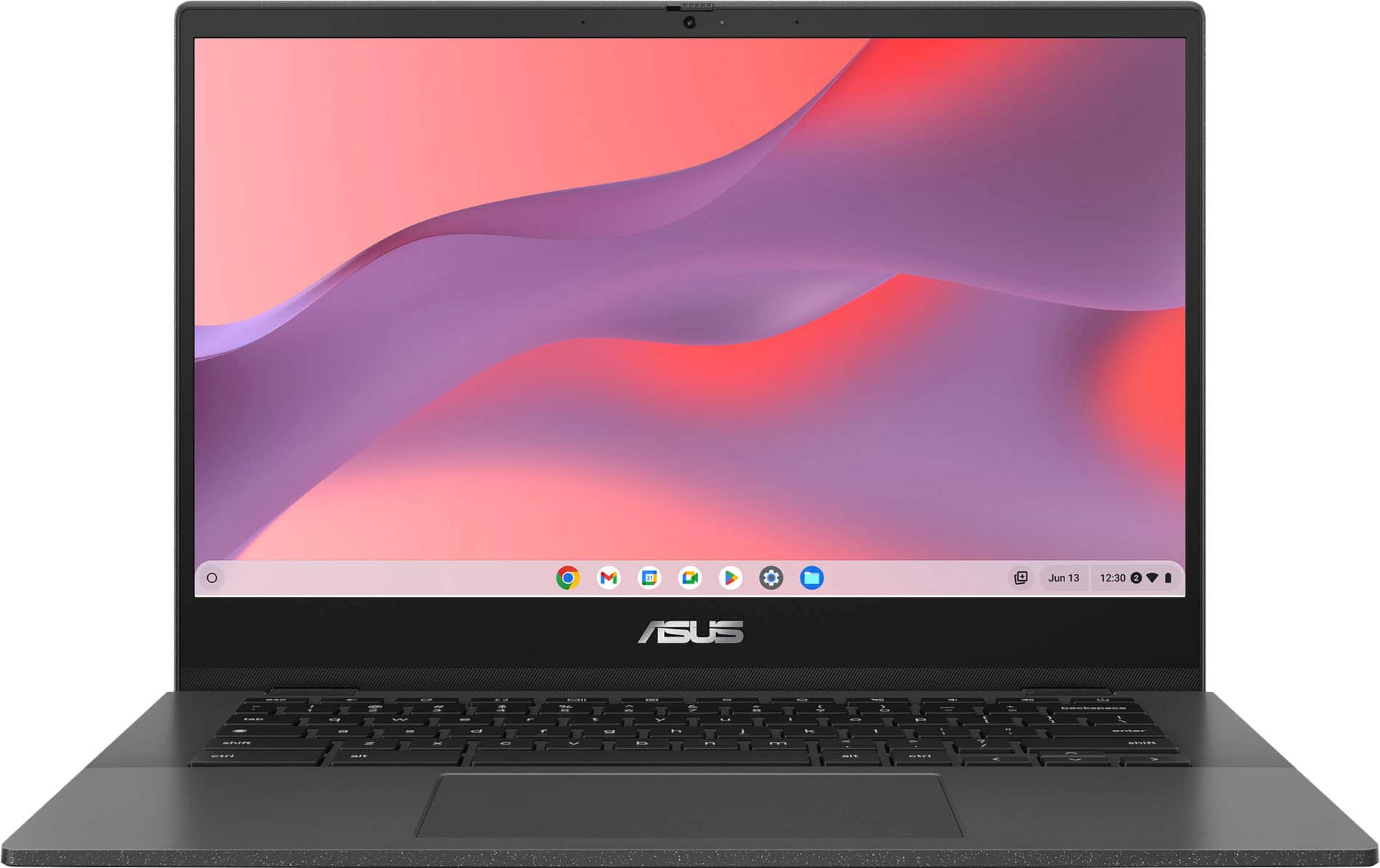
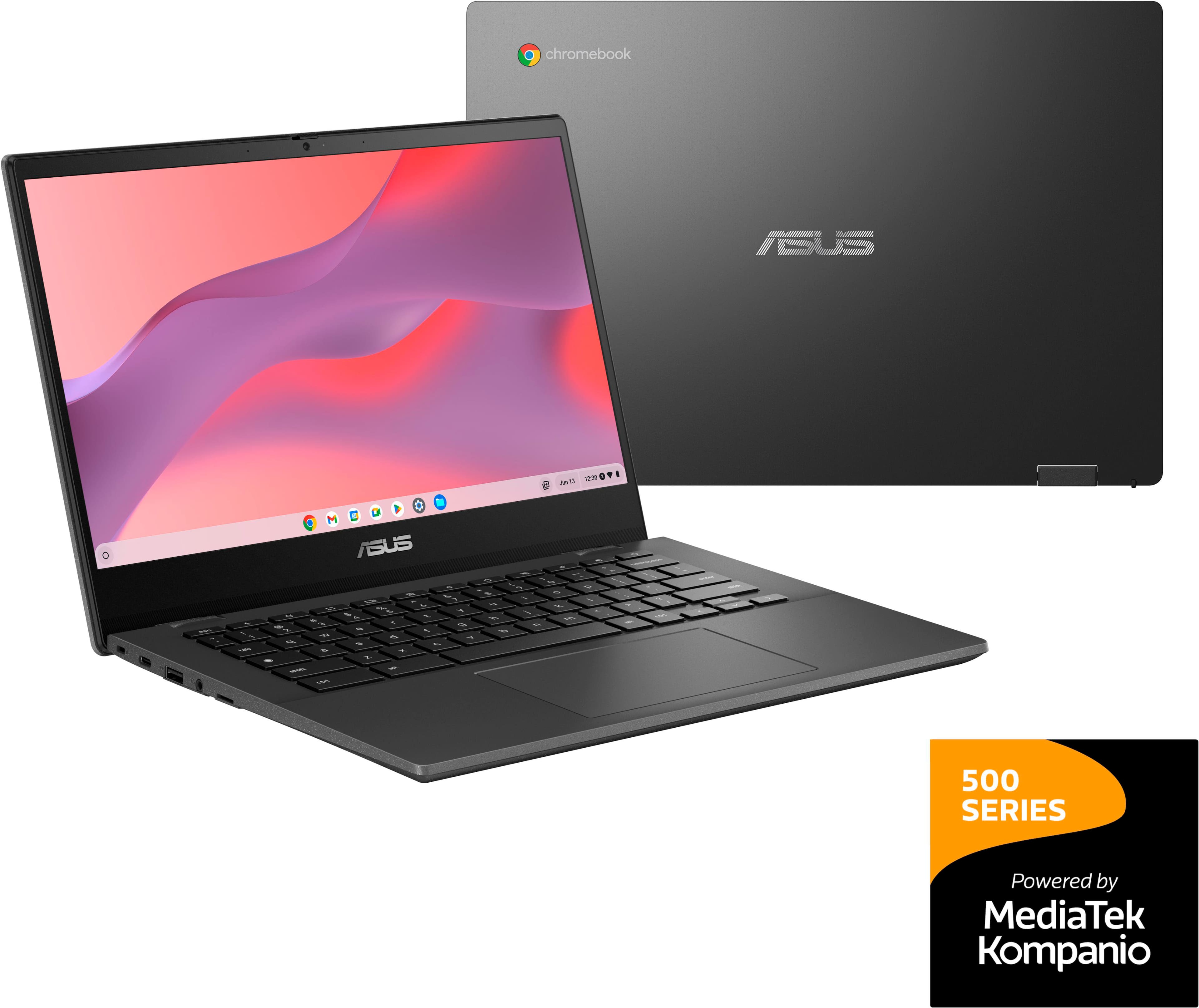
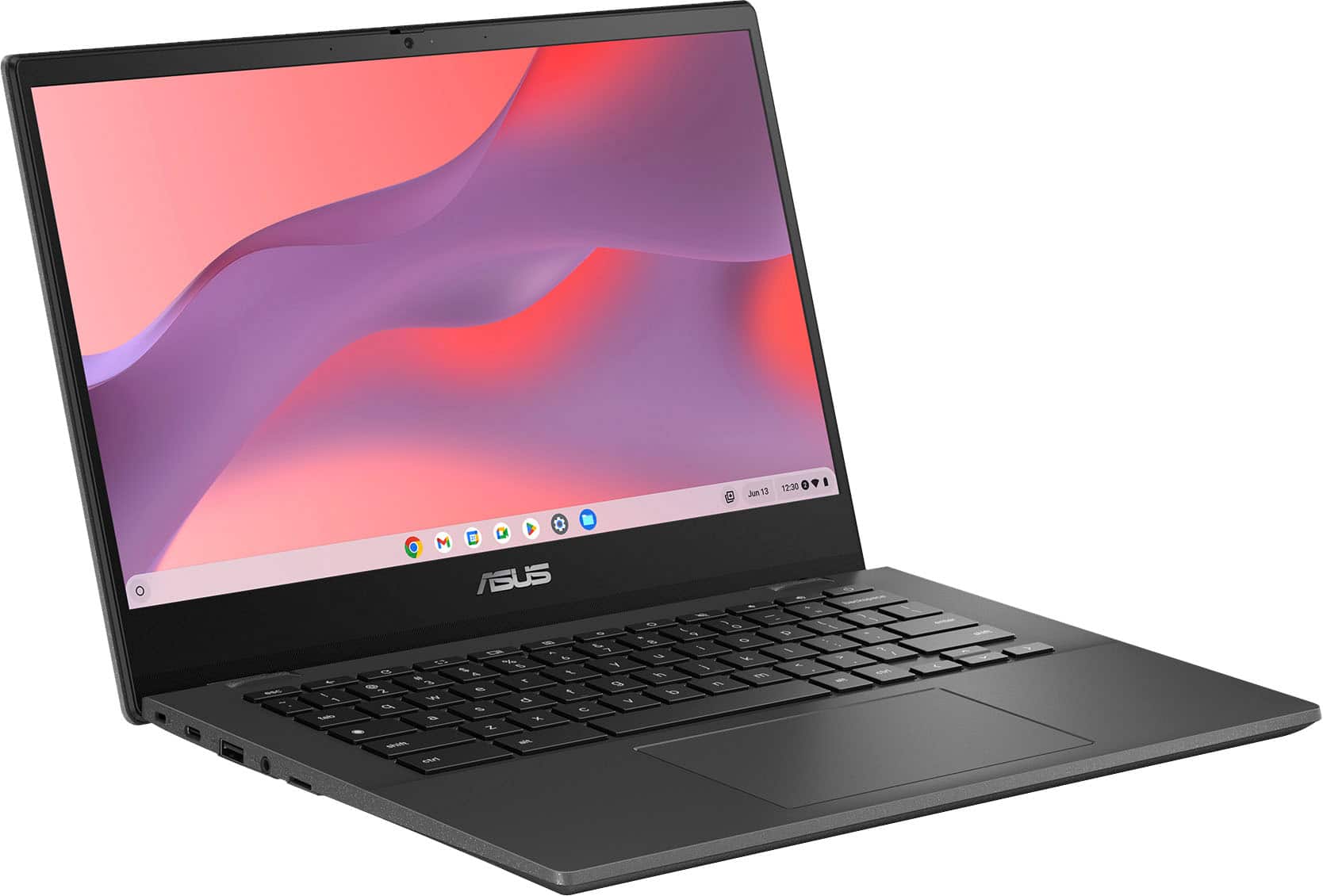
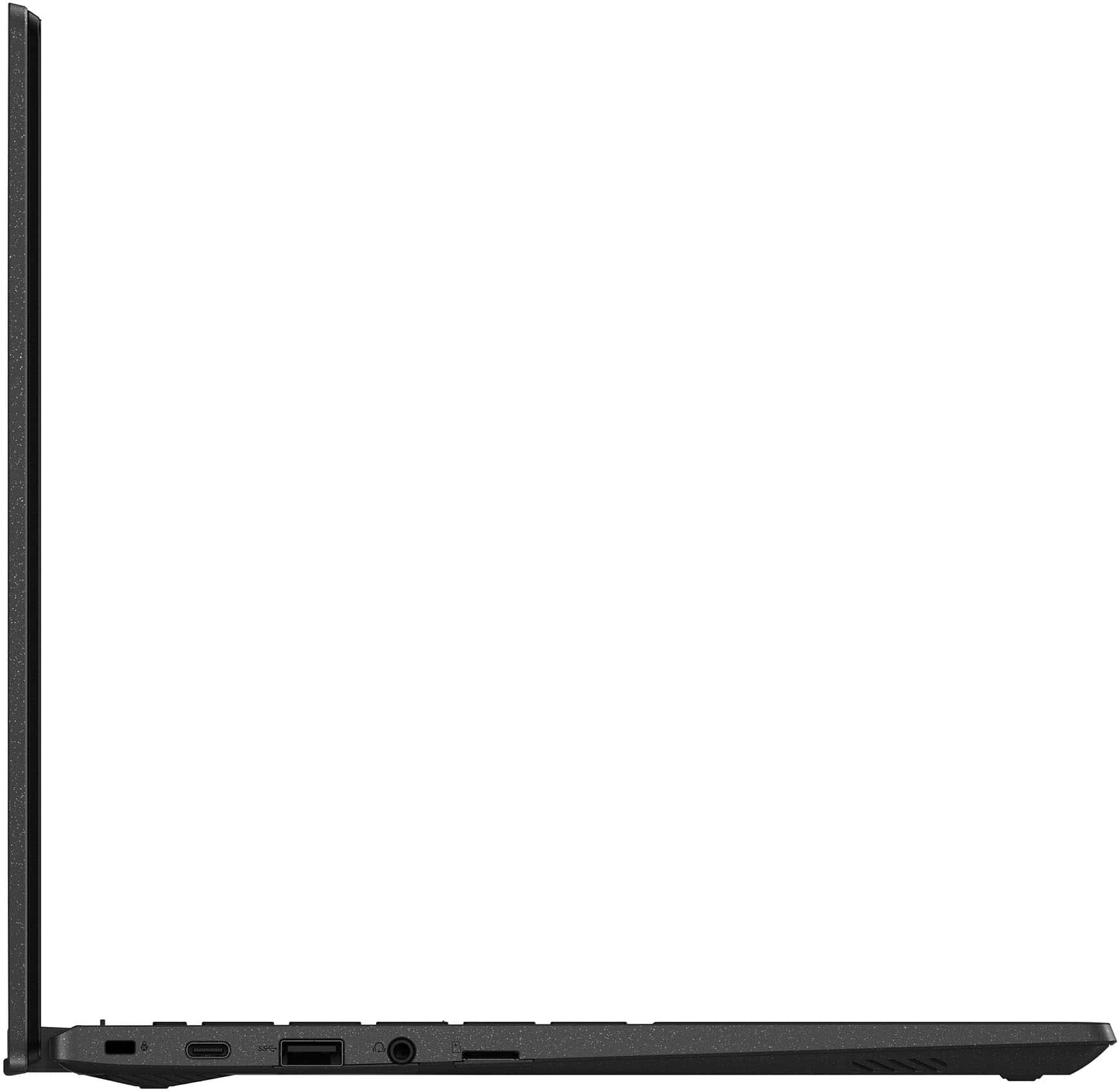
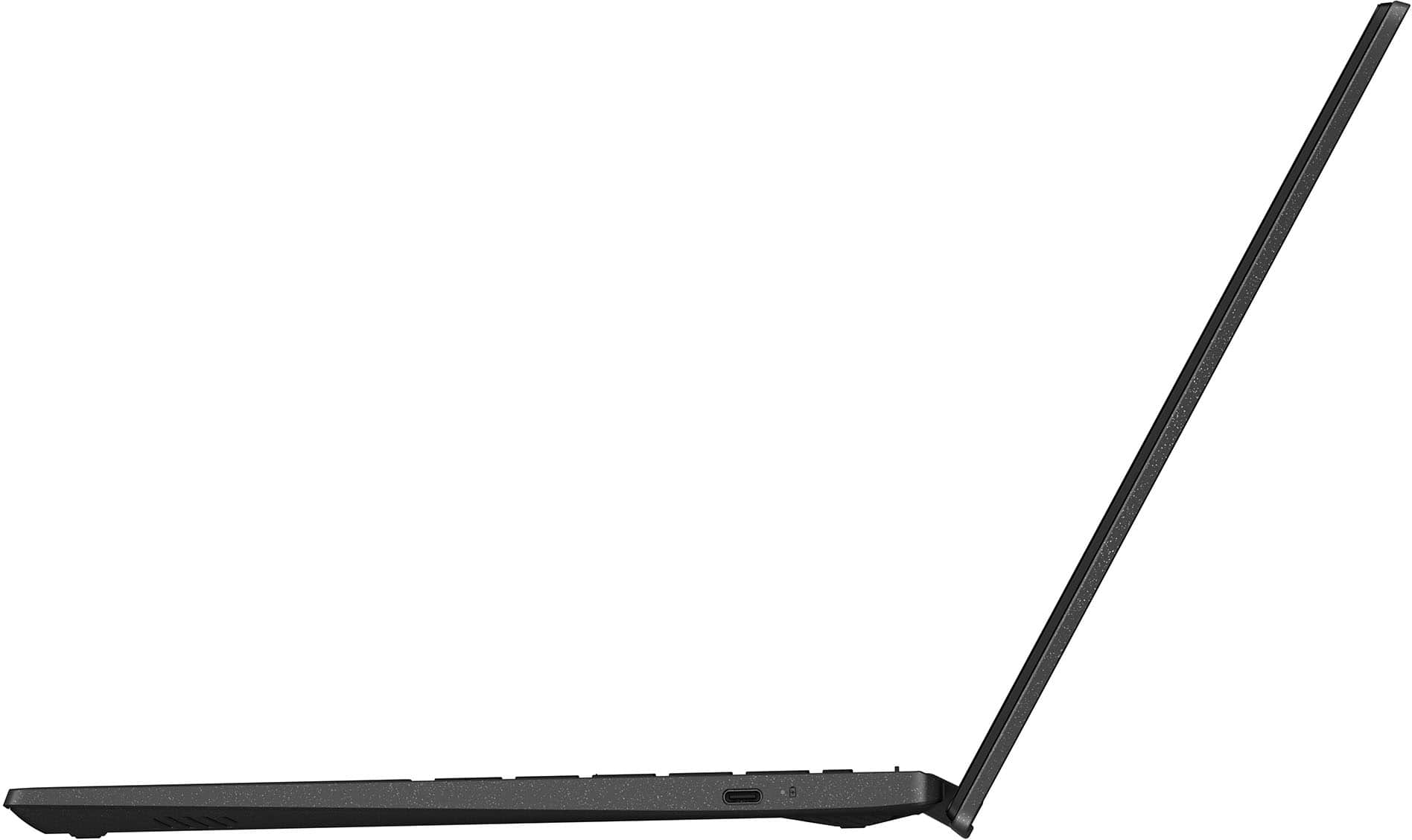
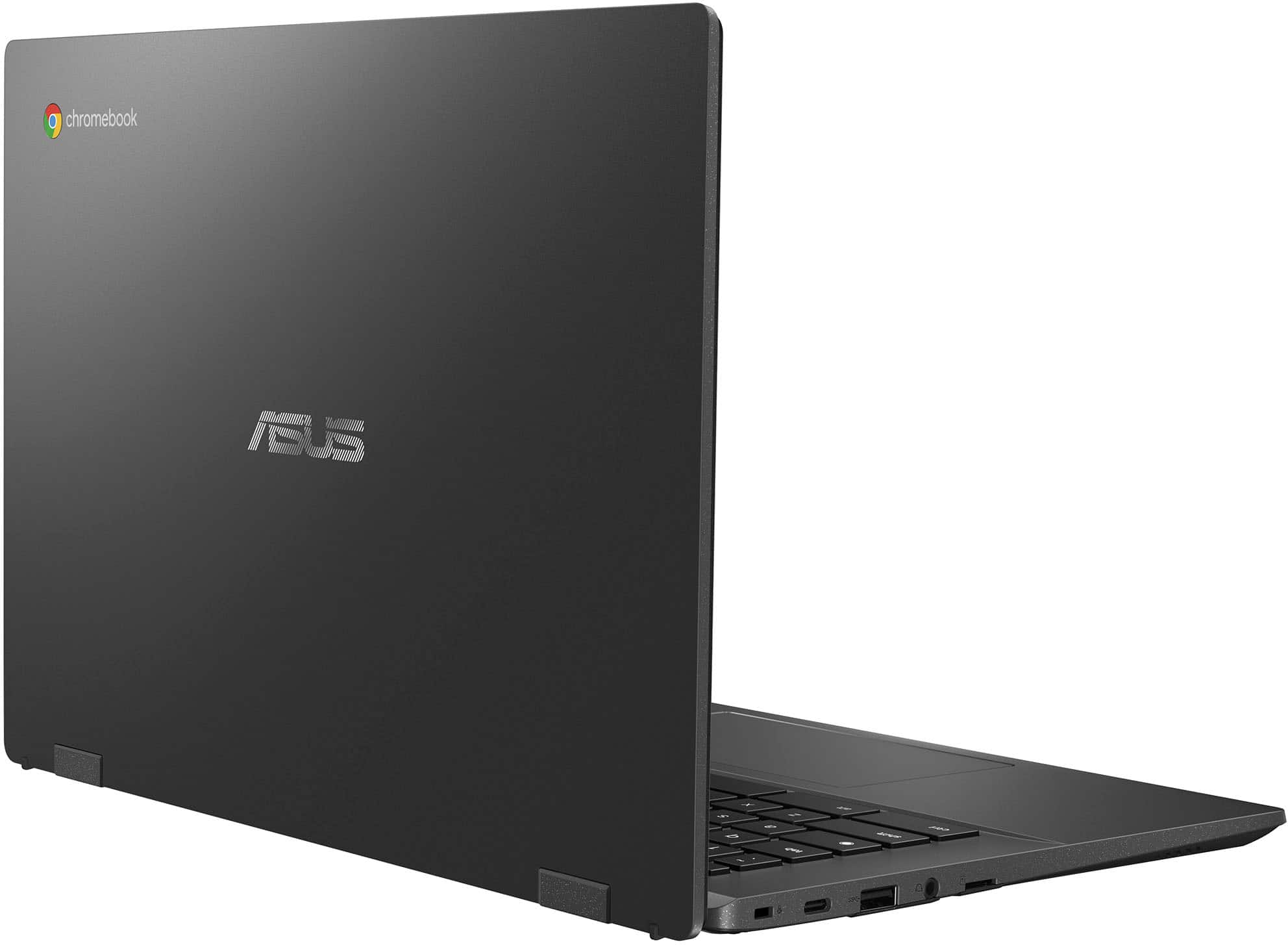
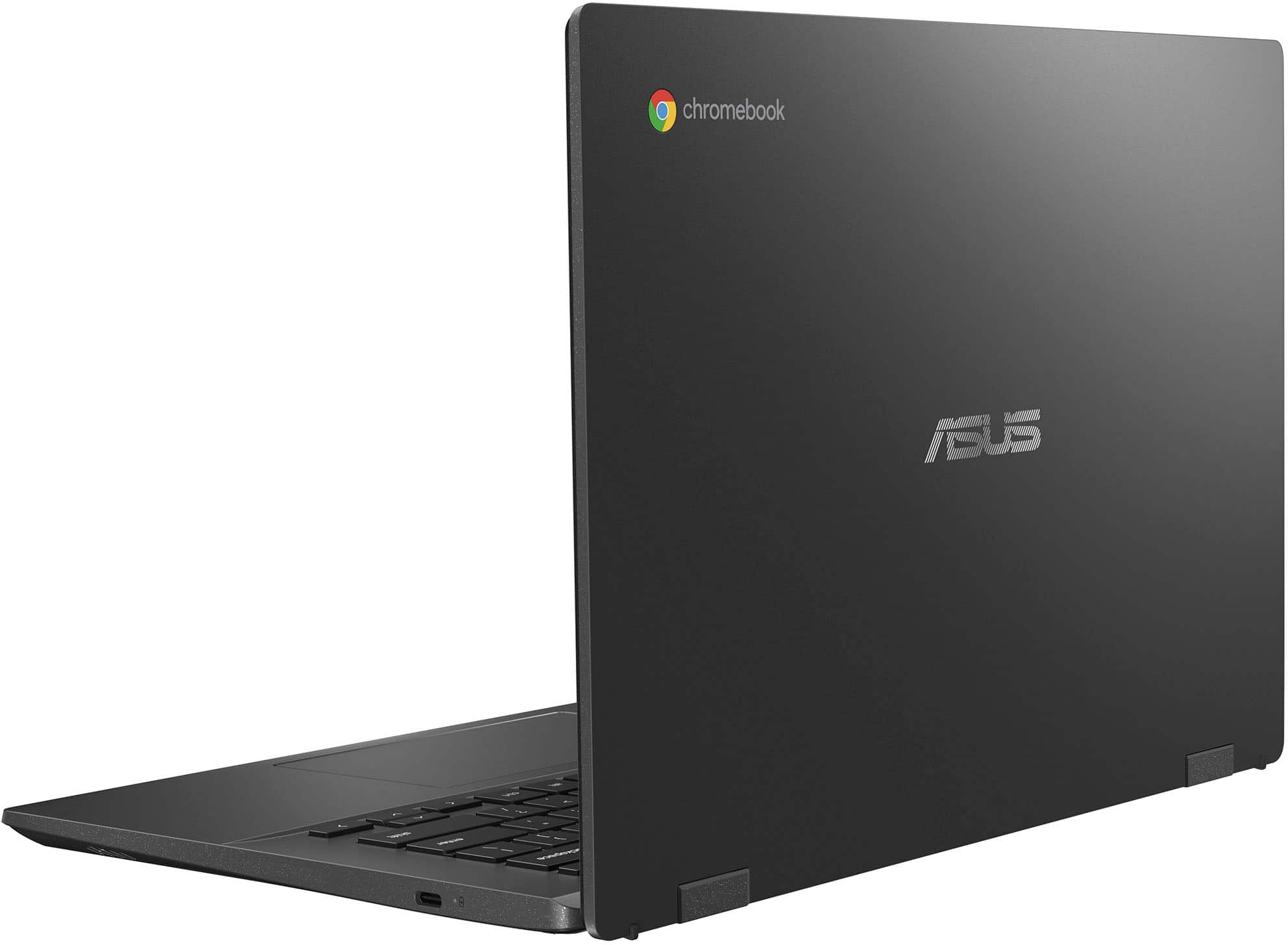
|Posted .This reviewer received promo considerations or sweepstakes entry for writing a review.The Asus CM1402 Chromebook is a solid choice for a more premium-feeling Chromebook. The MediaTek Kompanio 520 Processor has plenty of power for everyday tasks without draining the battery in a hurry. The keyboard and track pad are both very comfortable to use for long periods of time. The speakers are clear, even if they lack bass, and envelope you with that quality audio. The only real weak spot for me is the screen, which is clear when you look at it straight on but washes out quickly, but the port layout also seems it's poorly thought out since the USB-A port is on the left side. Overall though, it's a good choice, especially when on sale. Unboxing and setup: Asus gets the premium feel right from the moment you break the seal on the box. As you open the box clam shell style, it's more like the Chromebook is presented than just opened. Like with high-end Asus laptops, the Chromebook comes in a cloth bag. You'll also find the 45 watt USB-C charger in the box; I'm not a fan of the cable being fixed to the adapter but its compact size is nice. If you've set up a Chromebook before, then you know the setup process. You can use your Android phone for easy setup, but for those without an Android phone, you'll need to use your Google account to get things going. It's a quick process, however. Usage: So for being an Arm-based Chromebook, this thing is snappy. MediaTek really got a lot right with the Kompanio 520 processor when it comes to balancing performance and cost. Web performance is solid, keeping up with mid-range Windows laptops. Even advanced web technologies run well, like WebGL. You also get the option of running many Android apps from the Google Play store. (Other app stores are also an option, but you'll need to enable developer mode for these.) Regular productivity apps run well, like Google Docs and Google Slides. Casual games also run well, like Asphalt 9 and Minion Rush, as do emulators for systems through systems like the Gamecube and Wii. WiFi performance is incredible. This Chromebook supports WiFi 6, so downloads from the Play Store, the internet, and across your home network are snappy. Stream video while downloading an app without skipping a beat. The speakers are a little thin on bass, but have incredibly clear audio otherwise. The sound produced has a nice surround effect to it, too. The port layout isn't the greatest, being that the only USB-A port is on the left side; I would have liked to see an additional USB-A port on the right side. You do have USB-C ports on either side, however. The USB-C ports both support video out to 1080p/60, as tested with USB-C to HDMI, USB-C to DisplayPort, and a USB-C speaker hub. The weak spot is the screen. While it's perfectly clear when looking straight on, colors wash out quickly when off-angle. The 1080p screen has some of the nicest-looking text I've seen on any sub-$500 computer I've ever used, too. I did not test the MicroSD card reader, but it's an option for copying files from devices like a digital camera, or loading up movies, music, and games for those times you're away from home and don't want the kids blowing through your hotspot data. All in all, the Asus CM1402 really is a good Chromebook. I'd like a better built-in screen and a little more bass in the speakers, and a USB-A port on the right side for a mouse, but I really don't have any serious complaints about it. I even have to compliment Google on ChromeOS, making it a viable option for most people that need a basic laptop.
I would recommend this to a friendMeh - open box - still too expensive
||Posted . Owned for 1 week when reviewed.This reviewer received promo considerations or sweepstakes entry for writing a review.It’s a Chromebook - all are generally overpriced for what they do.
No, I would not recommend this to a friendBrand response from ASUS Answers
Posted .Dear Tradigital,
Thank you for sharing your feedback on the Chromebook. We understand that you don't agree with the price of the product and we apologize for that as we do understand your concern. At ASUS, we take quality control, testing, and inspections seriously to ensure our products meet high standards. Our goal is to ensure that our customers receive the best products and services when it comes to making their purchase decisions. Your feedback is greatly appreciated and will be forwarded to our Product team for review.
We do stand behind our products and we continuously strive to improve our products and processes to achieve customer service excellence. For more information, email us at customerloyalty@asus.com and provide the case number "N2406004570-0007" for reference. We’ll do our best to provide a quick resolution to your case. Your feedback is important as it helps with improvements to ASUS Support channels. Thank you for choosing ASUS.
Best Regards,
Chantae
ASUS Customer Loyalty US Support
Stolen by Roadie
||Posted .This reviewer received promo considerations or sweepstakes entry for writing a review.I purchased the laptop online from BestBuy.com, which was shipped via Roadie Delivery Service. Unfortunately, the delivery driver stole the package. I provided the security video evidence to both BestBuy.com and Roadie Delivery Service, but I am still awaiting a resolution and a replacement. This experience has been extremely frustrating and disappointing.
No, I would not recommend this to a friendBrand response from ASUS Answers
Posted .Dear RAHH,
We’re sorry to hear your package was not delivered as expected. While ASUS is not directly involved in the delivery process for orders placed through BestBuy.com, we recommend continuing to follow up with Best Buy and Roadie Delivery Service regarding your claim. We understand how frustrating this experience must be and hope the matter is resolved promptly.
We stand behind our products and continuously strive to improve our products and processes to achieve customer service excellence. If you require any further assistance, please email us at customerloyalty@asus.com and include the case number "N2407012558-0015" as a reference. We will do our best to resolve your case quickly. Your feedback is very important to us, and it enables us to improve our support channels. Thank you for choosing ASUS.
Best Regards,
Chantae
ASUS Customer Loyalty US Support
Great for browsing the internet.
||Posted . Owned for 1 month when reviewed.This reviewer received promo considerations or sweepstakes entry for writing a review.Price is right. It’s great for browsing the internet.
I would recommend this to a friendBrand response from ASUS Answers
Posted .Dear Greg T,
We are happy to hear that you are pleased with the Chromebook. At ASUS, we take quality control, testing, and inspections seriously to ensure our products meet high standards. Customer satisfaction is our top priority, and we strive to make every purchase enjoyable. Our goal is to ensure that our customers receive the best products and services when it comes to making their purchase decisions. It is our hope that the device continues to operate normally and that you enjoy using it.
We stand behind our products and continuously strive to improve our products and processes to achieve customer service excellence. If you require any further assistance, please email us at customerloyalty@asus.com and include the case number "N2406004570-0006" as a reference. We will do our best to resolve your case quickly. Your feedback is very important to us and enables us to improve our support channels. Thank you for choosing ASUS.
Best Regards,
Chantae
ASUS Customer Loyalty US Support
Not for school
||Posted . Owned for 2 weeks when reviewed.This reviewer received promo considerations or sweepstakes entry for writing a review.It’s nice not not for school I need something more compatible
I would recommend this to a friendBrand response from ASUS Answers
Posted .Dear Roxy,
Thank you for sharing your feedback on the Chromebook. We understand that it didn't meet your full expectations, and we sincerely apologize for that as we do understand your concerns. At ASUS, we take quality control, testing, and inspections seriously to ensure our products meet high standards. Our goal is to ensure that our customers receive the best products and services when it comes to making their purchase decisions. Providing our customers with a high level of satisfaction is our top priority, and we'll forward your feedback to our team for review. If you are still within the return window, we recommend contacting the place of purchase for an exchange or return.
We stand behind our products and continuously strive to improve our products and processes to achieve customer service excellence. For more information, email us at customerloyalty@asus.com and include the case number "N2406004570-0001" as a reference. We will do our best to resolve your case quickly. Your feedback is very important to us and enables us to improve our support channels. Thank you for choosing ASUS.
Best Regards,
Chantae
ASUS Customer Loyalty US Support
It’s Mediocre
||Posted . Owned for 1 week when reviewed.This reviewer received promo considerations or sweepstakes entry for writing a review.Very slow, doesn’t work with lockdown browser if you’re a student, graphics remind me of 2010, this is more of you just need to look something up and never touch it for anything else or a child who only watches YouTube and plays Roblox
No, I would not recommend this to a friendBrand response from ASUS Answers
Posted .Dear Brianna C,
We sincerely apologize for the issues you've faced with the Chromebook and for the inconvenience caused. This is not the kind of quality to expect from our products and it's not the norm. At ASUS, we take quality control, testing, and inspections seriously to ensure our products meet high standards. Please allow us to make your experience with ASUS a better one.
To troubleshoot the slow system issue described, we recommend following the steps in the FAQ below. Should the issue persist, please contact our support team at https://www.asus.com/us/support/CallUs to further investigate the problem or assist with repairing the device.
We stand behind our products and continuously strive to improve our products and processes to achieve customer service excellence. For more information, email us at customerloyalty@asus.com and include the case number "N2407021564-0005" as a reference. We will do our best to resolve your case quickly. Your feedback is very important to us and enables us to improve our support channels. Thank you for choosing ASUS.
Best Regards,
Chantae
ASUS Customer Loyalty US Support
https://www.asus.com/support/faq/1049593/
Decent
||Posted . Owned for 3 weeks when reviewed.This reviewer received promo considerations or sweepstakes entry for writing a review.Decent if you need something quick to check your emails only basically. Not really recommend for work work type stuff
No, I would not recommend this to a friendBrand response from ASUS Answers
Posted .Dear Mike,
We are pleased to hear that you are satisfied with the ASUS CM1402CM2A Chromebook. It is our hope that the device continues to operate normally and that you enjoy using it. Your feedback is greatly appreciated and will be passed to our Product Team for review.
We stand behind our products and continuously strive to improve our products and processes to achieve customer service excellence. If you require any further assistance, please email us at customerloyalty@asus.com and include the case number "N2407021564-0011" as a reference. We will do our best to resolve your case quickly. Your feedback is very important to us and enables us to improve our support channels. Thank you for choosing ASUS.
Best Regards,
Chantae
ASUS Customer Loyalty US Support
ASUS meh but exchanged product works good!!
||Posted . Owned for 1 month when reviewed.This reviewer received promo considerations or sweepstakes entry for writing a review.I purchased and right out of the box, it wasn't functioning so returned to Best Buy. Not sure if they were able to get it working, I exchanged for a different product from Best Buy.
No, I would not recommend this to a friendBrand response from ASUS Answers
Posted .Dear Darin P,
We're sorry to hear that the Chromebook you received did not function properly and we apologize for any inconvenience this may have caused you. This is not the kind of quality to expect from ASUS products and it's not the norm. We understand the impression this may have created and we hope this will not be a long-term lasting impression as you have chosen ASUS as a trusted brand for excellence.
As you have returned the Chromebook, we hope that you were able to obtain a functional replacement.
We do stand behind our products and continuously strive to improve our products and processes to achieve customer service excellence. If you require any further assistance, email us at customerloyalty@asus.com and include the case number "N2407021564-0006" as a reference. We will do our best to resolve your case quickly. Your feedback is very important to us and enables us to improve our support channels. Thank you for choosing ASUS.
Best Regards,
Chantae
ASUS Customer Loyalty US Support
Great for Students/Web Browsing But Not Business
|Posted .This reviewer received promo considerations or sweepstakes entry for writing a review.Not every laptop is made the same. Some are designed for the most demanding gamers. Some are made just for streaming and simple tasks. With the ASUS Chromebook CM1402 laptop, it is the latter. With this laptop computer, there are no extra bells and whistles that come with it. There is no backlit keyboard. There is no lightning-fast processor. There is no large display or amazing graphics card. However, given the purpose that this laptop is made to do, the laptop does it very well. For starters, it is designed to be a system that allows you to stream video and browse the internet. The hard drive is only 64GB so storage on the system is limited. This will require you to mostly use web-based applications and cloud storage for anything you may want to work on. This laptop would work very well for a home computer that was only used for web browsing and video. This computer could also be used in middle school or even high school if projects could be saved in the cloud. I would not recommend this for college level students. I would also probably stay away from this system if I was running a small business. The demands for much faster processing and local storage cannot be attained on this system. Also, the lack of a 10-key numeric entry pad makes it tough for home business use. This laptop can be paired with other hardware. You can hook up a printer or even another monitor to the system to enhance its functionality. The system does have 2 USB-C connections and 1 USB-A port. Battery life is also good on this system. The 15 hours of battery life is fairly accurate. This number may go down if you have the screen brighter or use many applications at the same time though. The laptop is amazingly thin (less than 1 inch thick) which makes it great for portability. I was a little surprised that it does weigh 3 pounds though. This is still better than a lot of systems and makes it great for students. In the end, I found the ASUS Chromebook a very good machine for what it does. I would have no issues sending my kid to middle school or high school with this system. While you will not do intensive gaming or run a business with this, you can get plenty of enjoyment with streaming and surfing the web. It is great for basic functions and very affordable entry machine.
I would recommend this to a friendOk laptop
||Posted .This reviewer received promo considerations or sweepstakes entry for writing a review.Already went out I bought it for my daughter high school work
No, I would not recommend this to a friendBrand response from ASUS Answers
Posted .Dear Jacques L,
We're sorry to hear that the Chromebook no longer powers on, and we apologize for the inconvenience this has caused. To troubleshoot this issue, we recommend performing a Hard Reset.
Hard Reset
1. Remove all external devices such as the AC adapter, USB devices etc.
2. Press and hold the power button and refresh key for 60 seconds.
3. Reconnect AC adapter.
4. Turn on the power of the device
Should the issue persist, please contact our support team at https://www.asus.com/us/support/CallUs to further investigate the problem or assist with repairing the device.
We stand behind our products and continuously strive to improve our products and processes to achieve customer service excellence. For more information, email us at customerloyalty@asus.com and include the case number "N2407021564-0015" as a reference. We will do our best to resolve your case quickly. Your feedback is important to us and enables us to improve our support channels. Thank you for choosing ASUS.
Best Regards,
Chantae
ASUS Customer Loyalty US Support
[Chromebook] How to reset your Chromebook hardware (Hard reset) - https://www.asus.com/support/faq/1041638/
Perfect for your basic tasks!
|Posted .This reviewer received promo considerations or sweepstakes entry for writing a review.I have a Windows desktop at home and a laptop for work, and I was given an opportunity to try out a Chromebook for the first time. I did not really know what to except. I had heard about Chromebook laptops, but never really used one. Here is my verdict. It works as if it was a tablet in a laptop form. I was surprised to learn in did not run Windows, and instead it has a operating system reflecting that of what you experience in a tablet. You get all the Google apps from the start and can download others. This is not to say that it is a bad device, it actually works efficiently like most tablets nowadays though, but as someone who is knew to Chromebooks, this was new for me. All in all here is a quick breakdown of how I rate some of the features that were most important to me. Built Quality – 5/5 – I like ASUS for their gaming laptops because they build them though, and even with this budget friendly Chromebook, they delivered because this Chromebook laptop has a premium feel to it. The keyboard could be a little better, but overall the design, the weight, the material, it feels premium. Performance – 4/5 – it performs as a tablet. I can’t run video editing software on here smoothly, but for your day-to-day tasks like email, browsing, school papers, Excel spreadsheets, music – it checks all boxes for everyday use. Battery – 5/5 – with light tasks and normal use, I got around 8 hours of battery. Screen -4/5 – it is a full HD screen, I just wish the colors were a little more vibrant, but again given that this is a budget friendly I recommend this for students or a worker who is mostly working with documents and spreadsheets. This is not a laptop for running demanding software or tasks, and so if you’re looking for something that can do the basics and do it efficiently, this can be perfect for that!
I would recommend this to a friendHorrible Experience
||Posted .This reviewer received promo considerations or sweepstakes entry for writing a review.Worst Customer Service EVER! Laptop came with no charger, spoke to several people in customer service NONE of them tried to help by either sending me a new charger or trying to rectify the situation. These people are not even in America! I’ll never shop here again!
No, I would not recommend this to a friendBrand response from ASUS Answers
Posted .Dear SabrinaF,
Thank you for your feedback.
We do understand your dissatisfaction with the quality of your recent customer service experience and the inconvenience this may have caused. We do value our customers and take negative customer service experience very seriously. This is not the quality of service expected from ASUS. We do stand behind our product and we continuously strive to improve our approach and processes in order to achieve customer service excellence. If you need further assistance with the warranty service for the product, please email me at cl-rodel@asus.com and I would be more than happy to help. Or, you are most welcome to call Product Support Hotline at: 1(888) 678-3688. Also, you can chat with an ASUS live support agent from the link: https://www.asus.com/us/support/article/1135/.
Thank you for choosing an ASUS product.
Regards,
Rodel
ASUS Customer Loyalty
you get what you pay
||Posted .This reviewer received promo considerations or sweepstakes entry for writing a review.I bought and returned it same day, came broken, screen turned off and on randomly, but frequently, even with 50% charge
No, I would not recommend this to a friendBrand response from ASUS Answers
Posted .Dear Cadence J,
We sincerely apologize for the issues you've faced with the Chromebook and for the inconvenience caused. This is not the kind of quality to expect from ASUS products and it's not the norm. At ASUS, we take quality control, testing, and inspections seriously to ensure our products meet high standards. What you've experienced was not intentional or representative of our brand. We understand the impression this may have created and we hope this will not be a long-term lasting impression as you have chosen ASUS as a trusted brand for excellence.
Having returned the Chromebook, we hope that you were able to obtain a functional replacement.
We do stand behind our products and we continuously strive to improve our products and processes to achieve customer service excellence. If you require any further assistance, please send us an email at customerloyalty@asus.com and include the case number "N2407021564-0004" as a reference. We will do our best to resolve your case quickly. Your feedback is very important to us, and it enables us to improve our support channels. Thank you for choosing ASUS.
Best Regards,
Chantae
ASUS Customer Loyalty US Support
Not useful
||Posted . Owned for 1 month when reviewed.This reviewer received promo considerations or sweepstakes entry for writing a review.I bought this brand new and it was very slow, lagged when opening and trying to use the internet, could not use it for a video call at all. I would not buy this. Luckily the team at my local store let me return it.
No, I would not recommend this to a friendBrand response from ASUS Answers
Posted .Dear CJay,
We sincerely apologize for the slow performance you've faced with the ASUS Chromebook and for the inconvenience this has caused you. What you've experienced was not intentional or representative of our brand. Having returned the Chromebook, we hope that you were able to obtain a functional replacement.
We stand behind our products and continuously strive to improve our products and processes to achieve customer service excellence. If you require any further assistance, please email us at customerloyalty@asus.com and include the case number "N2407012558-0008" as a reference. We will do our best to resolve your case quickly. Your feedback is very important to us, and it enables us to improve our support channels. Thank you for choosing ASUS.
Best Regards,
Chantae
ASUS Customer Loyalty US Support
Very slow
||Posted . Owned for 3 weeks when reviewed.This reviewer received promo considerations or sweepstakes entry for writing a review.Very slow and spme times drops internet connection, Other laptops do not under same use in house.
No, I would not recommend this to a friendBrand response from ASUS Answers
Posted .Dear Lewis S,
We sincerely apologize for the slow performance and connectivity issue you've faced with the Chromebook and for the inconvenience caused. This is not the kind of quality to expect from our products and it's not the norm. At ASUS, we take quality control, testing, and inspections seriously to ensure our products meet high standards. We understand the impression this may have created and we hope this will not be a long-term lasting impression as you have chosen ASUS as a trusted brand for excellence. Please allow us to make your experience with ASUS a better one.
To troubleshoot the issues described, we recommend following the steps in the FAQ below. Should the issue persist, please contact our support team at https://www.asus.com/us/support/CallUs to further investigate the problem or assist with repairing the device.
We stand behind our products and continuously strive to improve our products and processes to achieve customer service excellence. For more information, email us at customerloyalty@asus.com and include the case number "N2407021564-0003" as a reference. We will do our best to resolve your case quickly. Your feedback is very important to us and enables us to improve our support channels. Thank you for choosing ASUS.
Best Regards,
Chantae
ASUS Customer Loyalty US Support
https://www.asus.com/support/faq/1049593/
https://www.asus.com/support/faq/1049943/