Save up to 50% on 3-Day Sale deals.Ends 12/7.Shop now

Skip to content
Gift Ideas
Main Content

Customer Ratings & Reviews
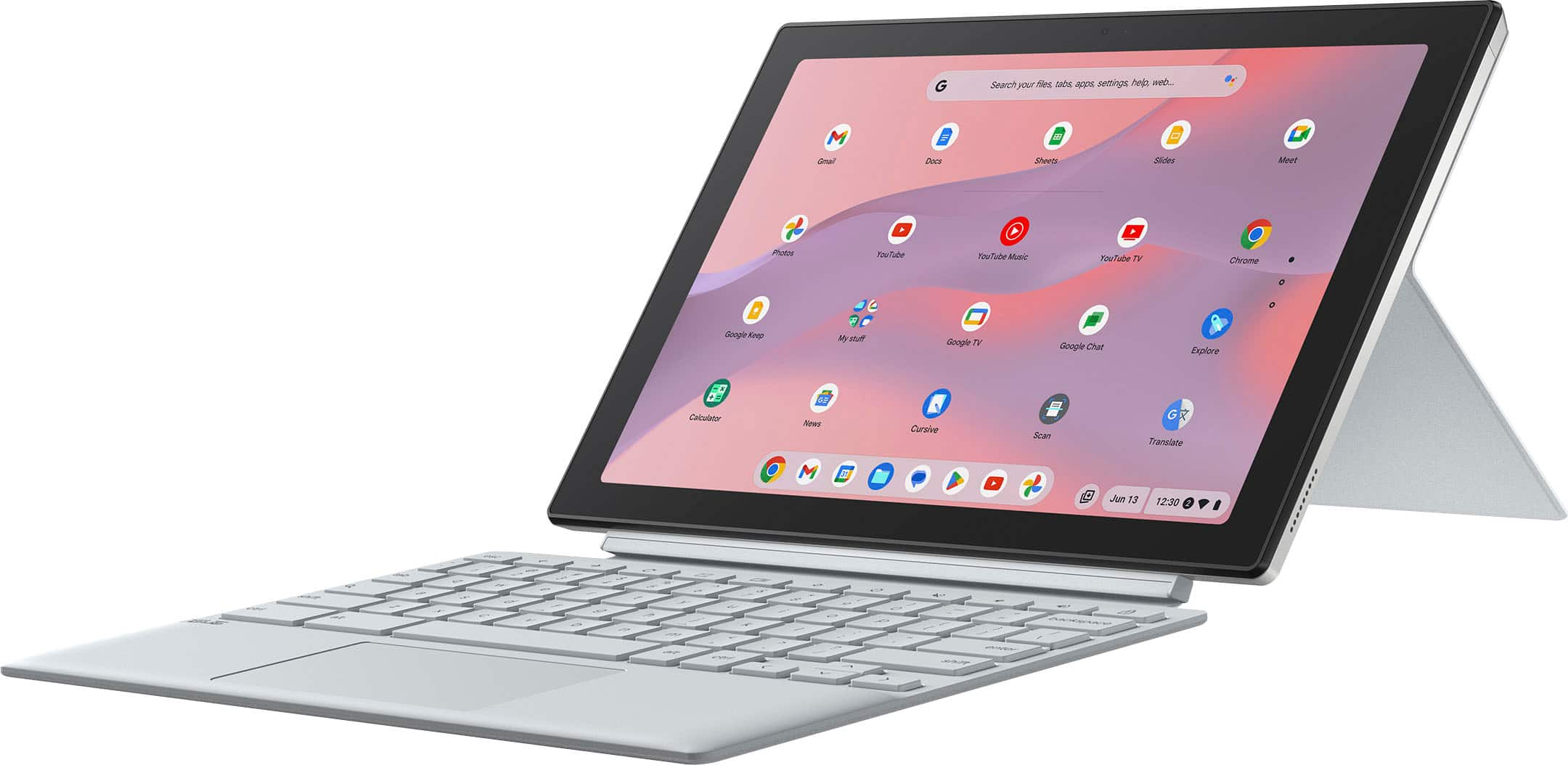
Your price for this item is $209.99
Clearance
The comparable value price is $299.00

Customer reviews

Rating 4.4 out of 5 stars with 152 reviews

Rating Filter

Rating by feature

  • Battery Life

    Rating 4.6 out of 5 stars

  • Speed

    Rating 4.2 out of 5 stars

  • Display

    Rating 4.6 out of 5 stars

Pros mentioned filter

Cons mentioned filter

88%would recommend to a friend

Customers are saying

Customers appreciate the ASUS Chromebook Detachable CM3001's long battery life, included stylus, and bright screen. Many also highlight its lightweight design and solid build quality. However, some users express concern regarding the limited RAM and storage capacity. The processor's performance under heavier workloads is also a point of discussion.

This summary was generated by AI based on customer reviews.

The vast majority of our reviews come from verified purchases. Reviews from customers may include My Best Buy members, employees, and Tech Insider Network members (as tagged). Select reviewers may receive discounted products, promotional considerations or entries into drawings for honest, helpful reviews.
Page 7 Showing 121-140 of 152 reviews
  • Rated 4 out of 5 stars

    Good product

    |
    |
    Posted . Owned for 1 week when reviewed.
    This reviewer received promo considerations or sweepstakes entry for writing a review.

    Good product for the price. It is good for lightweight tasks.

    I would recommend this to a friend
  • Rated 5 out of 5 stars

    Laptop

    |
    |
    Posted . Owned for 2 weeks when reviewed.
    This reviewer received promo considerations or sweepstakes entry for writing a review.

    I bought 2 of these 2in1 laptops for my grandaughters that are in 2nd and 3rd grade for Christmas. They LOVE them!!

    I would recommend this to a friend
  • Rated 5 out of 5 stars

    Laptop review

    |
    |
    Posted . Owned for 1 month when reviewed.
    This reviewer received promo considerations or sweepstakes entry for writing a review.

    Good product fast delivery. Works really well for me.

    I would recommend this to a friend
  • Rated 5 out of 5 stars

    Review

    |
    |
    Posted . Owned for 1 week when reviewed.
    This reviewer received promo considerations or sweepstakes entry for writing a review.

    Amazing. I have always wanted one. Now I can have my son do his work on there

    I would recommend this to a friend
  • Rated 5 out of 5 stars

    Quick set up and light weight

    |
    |
    Posted . Owned for 2 weeks when reviewed.
    This reviewer received promo considerations or sweepstakes entry for writing a review.

    quick, easy set up. lightweight. great for my purposes

    I would recommend this to a friend
  • Cons mentioned:
    Operating system

    Rated 2 out of 5 stars

    Excellent condition laptop

    |
    |
    Posted .
    This reviewer received promo considerations or sweepstakes entry for writing a review.

    The laptop is in excellent shape unfortunately the operating system is just not good

    No, I would not recommend this to a friend
    • Brand response from ASUS Answers
      Posted .

      Dear Margarital,

      Indeed, the Chromebook is a excellent laptop.

      We certainly understand your concern that a Chromebook has limitations. Chromebook operates, or works just like any other laptop, it comes with a web or cloud base OS that is fast, secure, and easy to use and is becoming a popular choice for young and old users alike because of these features. Internet security or antivirus software is integrated, no need to purchase the software or application separately. Besides being a low-cost and lightweight laptop, it supports thousands of popular computing applications, both in Chrome and Android, and Linux applications as well. Since it is a web base OS it does require a Google or Gmail account and an internet connection to use or operate it properly. If this is your first experience with a Chromebook, I recommend using the HELP file incorporated within the OS. To access HELP, please click your profile picture on the Notification Bar, located on the lower right-hand corner of the home screen then click the question mark icon or widget. For more help, please visit Google Support webpage at: https://www.google.com/chromebook/howto/.

      Should you need further assistance, please email me at cl-rodel@asus.com and I will be more than glad to help. Or you are most welcome to call Product Support Hotline at: 1(888) 678-3688. Also, you can chat with an ASUS live support agent from the link: https://www.asus.com/us/support/article/1135/.

      Thank you for choosing an ASUS product.

      Regards,

      Rodel
      ASUS Customer Loyalty Asus

  • Rated 3 out of 5 stars

    Mid laptop

    |
    |
    Posted .
    This reviewer received promo considerations or sweepstakes entry for writing a review.

    This computer worked fine until a week after i got it, it has a delayed turn on. And skips when i play spotify on a speaker. Buy at your own risk.

    No, I would not recommend this to a friend
    • Brand response from ASUS Answers
      Posted .

      Dear Giselle,

      We sincerely apologize for the power and speaker issues you're experiencing with the Chromebook and for any inconvenience this may have caused you. This is not the kind of quality to expect from our products, and it's not the norm. To troubleshoot this issue, we recommend performing a Hard Reset.

      Hard Reset
      1. Remove all external devices such as the AC adapter, USB devices etc.
      2. Press and hold the power button and refresh key for 60 seconds.
      3. Reconnect AC adapter.
      4. Turn on the power of the device

      Should the issue persist, please contact our support team at https://www.asus.com/us/support/CallUs to further investigate the problem or assist with repairing the device.

      We stand behind our products and continuously strive to improve our products and processes to achieve customer service excellence. For more information, email us at customerloyalty@asus.com and include the case number "N2406014342-0008" as a reference. We will do our best to resolve your case quickly. Your feedback is important to us and enables us to improve our support channels. Thank you for choosing ASUS.

      Best Regards,
      Chantae
      ASUS Customer Loyalty US Support

      [Chromebook] How to reset your Chromebook hardware (Hard reset) -  https://www.asus.com/support/faq/1041638/ Asus

  • Rated 5 out of 5 stars

    Laptop

    |
    |
    Posted . Owned for less than 1 week when reviewed.
    This reviewer received promo considerations or sweepstakes entry for writing a review.

    I honestly really like this laptop, the price for everything it does is absolutely insane! I’m using it for college and it runs great. Great for typing or writing

    I would recommend this to a friend
  • Rated 2 out of 5 stars

    Asus detachable keyboard

    |
    |
    Posted .
    This reviewer received promo considerations or sweepstakes entry for writing a review.

    Computer is very good but keyboard started having problems months later and can’t be resolved with technical support.

    I would recommend this to a friend
    • Brand response from ASUS Answers
      Posted .

      Dear Pasc,
      We regret to learn that you are experiencing keyboard issues. To troubleshoot this issue, we recommend following the steps in the FAQ below. Should the issue persist, please contact our support team at https://www.asus.com/us/support/CallUs to further investigate the problem or assist with repairing the device.
      We stand behind our products and continuously strive to improve our products and processes to achieve customer service excellence. For more information, email us at customerloyalty@asus.com and include the case number "N2504015419-0003" as a reference. We will do our best to resolve your case quickly. Your feedback is very important to us and enables us to improve our support channels. Thank you for choosing ASUS.
      Best Regards,
      Schottky
      ASUS Customer Loyalty US Support
      FAQ- Troubleshooting - Chromebook Built-in Keyboard Issues  https://www.asus.com/support/faq/1042791/ Asus

  • Rated 5 out of 5 stars

    Computer

    |
    |
    Posted . Owned for 1 week when reviewed.
    This reviewer received promo considerations or sweepstakes entry for writing a review.

    Great I love it my family and friends are so loving it

    I would recommend this to a friend
  • Rated 5 out of 5 stars

    Everything a chromebook should be

    |
    |
    Posted . Owned for 2 weeks when reviewed.
    This reviewer received promo considerations or sweepstakes entry for writing a review.

    Love it! Laptop/tablet. Love it. Highly recommened

    I would recommend this to a friend
  • Rated 5 out of 5 stars

    I couldn’t be happier

    |
    |
    Posted . Owned for 1 week when reviewed.
    This reviewer received promo considerations or sweepstakes entry for writing a review.

    This device is amazing powerful device meets all my computing needs

    I would recommend this to a friend
  • Rated 5 out of 5 stars

    My laptop

    |
    |
    Posted . Owned for 1 week when reviewed.
    This reviewer received promo considerations or sweepstakes entry for writing a review.

    It’s excellent. The only thing is it’s so slippery.

    I would recommend this to a friend
  • Rated 2 out of 5 stars

    Slow and out dated

    |
    |
    Posted . Owned for 1 week when reviewed.
    This reviewer received promo considerations or sweepstakes entry for writing a review.

    When you turn tablet, the apps don’t auto adjust. You have to click a drop down and tell each app to change to portrait or landscape. Very strange and out dated.

    No, I would not recommend this to a friend
    • Brand response from ASUS Answers
      Posted .

      Dear RichardG,
      Thank you for your comment.
      We certainly understand your disappointment and the inconvenience this may have caused if you are having issue with the Chromebook. The laptop needs to be folded all the way into tablet mode to work properly. Furthermore, since this is a web-based computer and it relies on an internet connection for system stability and performance, check if it has access to a stable and a high-speed internet service. Also, by clearing browsing history and minimizing the number of opened browser tabs will help improve and maintain optimum system stability and performance. Additionally, ensure the unit is running with the most current OS update. Should you need further assistance with the product, please email me at cl-rodel@asus.com and I would be more than happy to help. Or, you can speak to an ASUS live support agent 24/7 at http://bit.ly/AsusLiveChat.

      Thank you for choosing an ASUS product.

      Regards,


      Rodel

      ASUS Customer Loyalty Asus

  • Rated 3 out of 5 stars

    Okay

    |
    |
    Posted . Owned for 1 month when reviewed.
    This reviewer received promo considerations or sweepstakes entry for writing a review.

    Okay product. What was annoying was that I logged into guest mode and recorded a performance, only to find out that everything gets deleted in guest mode once shut down, and I lost the entire recording. Have not used it much since that poor experience

    No, I would not recommend this to a friend
    • Brand response from ASUS Answers
      Posted .

      Dear Syante G,

      Thank you for sharing your feedback on the Chromebook. We understand that it didn't meet your full expectations, and we sincerely apologize for that as we do understand your concerns. At ASUS, we take quality control, testing, and inspections seriously to ensure our products meet high standards. Providing our customers with a high level of satisfaction is our top priority, and we'll forward your feedback to our team for review.

      We stand behind our products and continuously strive to improve our products and processes to achieve customer service excellence. For more information, email us at customerloyalty@asus.com and include the case number "N2406014342-0003" as a reference. We will do our best to resolve your case quickly. Your feedback is very important to us and enables us to improve our support channels. Thank you for choosing ASUS.

      Best Regards,
      Chantae
      ASUS Customer Loyalty US Support Asus

  • Pros mentioned:
    Battery life, Keyboard quality
    Cons mentioned:
    Ram
    Tech Insider Network Member

    Rated 4 out of 5 stars

    Nice Chromebook, but a little unpolished

    |
    Tech Insider Network Member
    Posted .
    This reviewer received promo considerations or sweepstakes entry for writing a review.

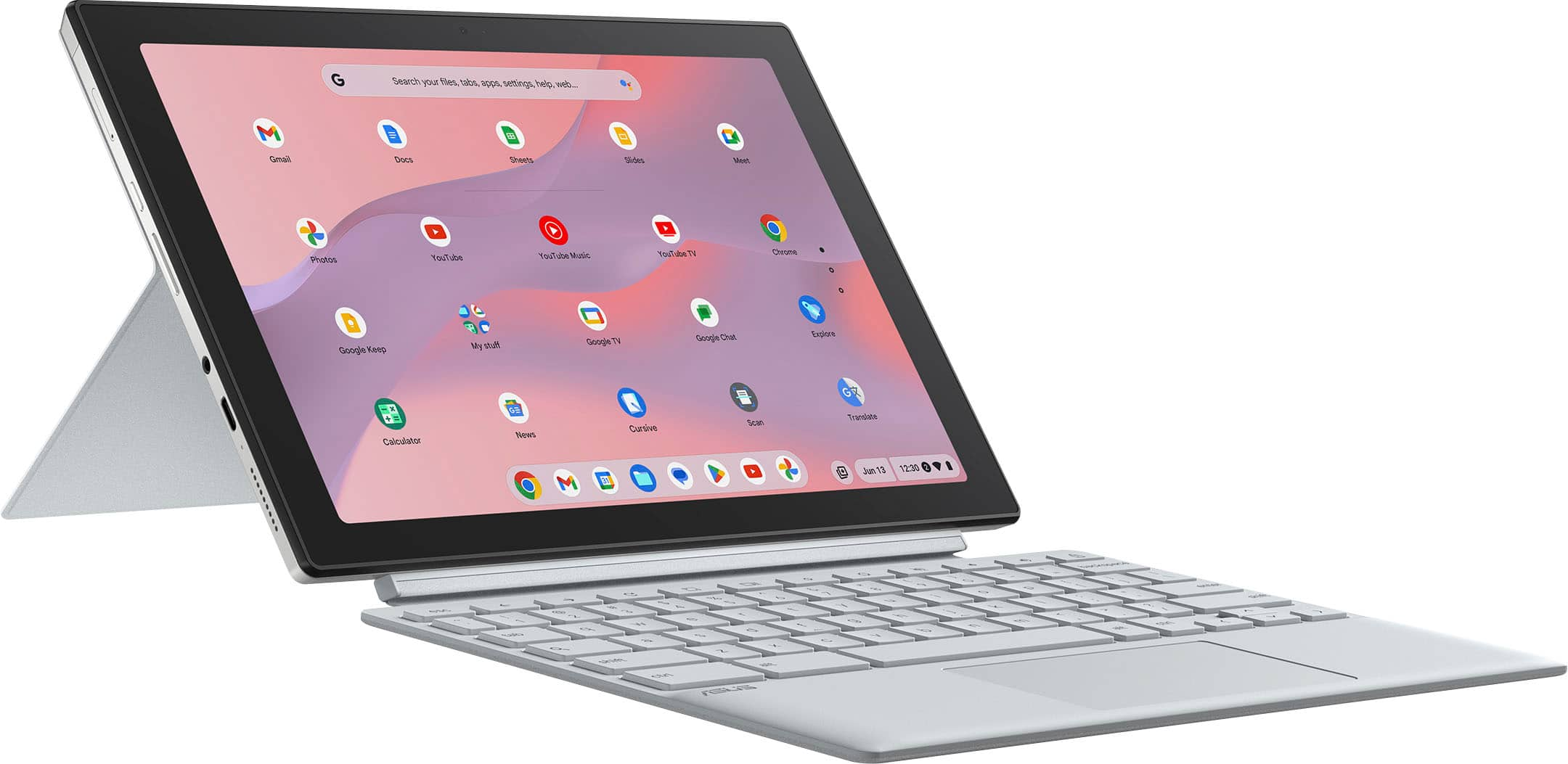
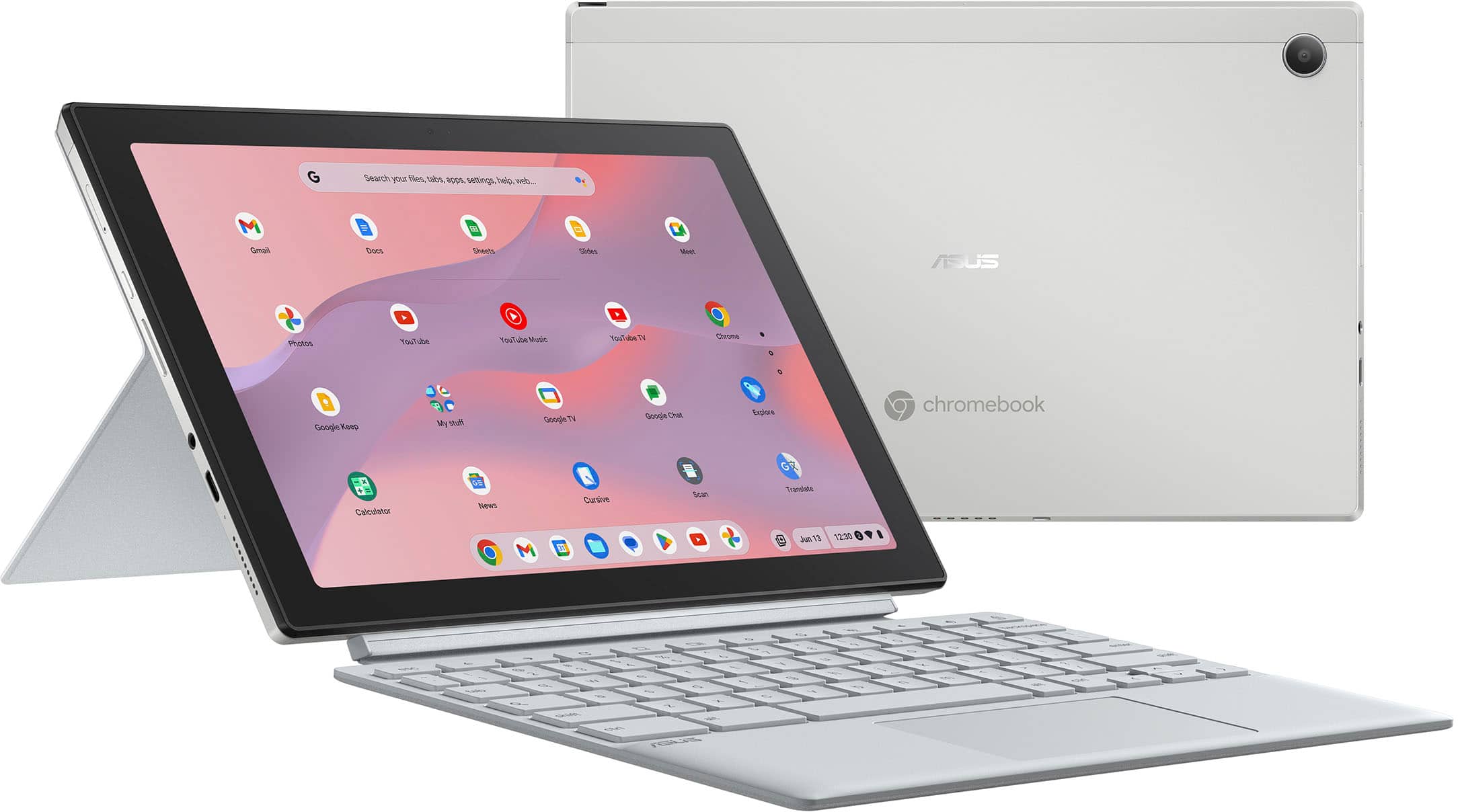
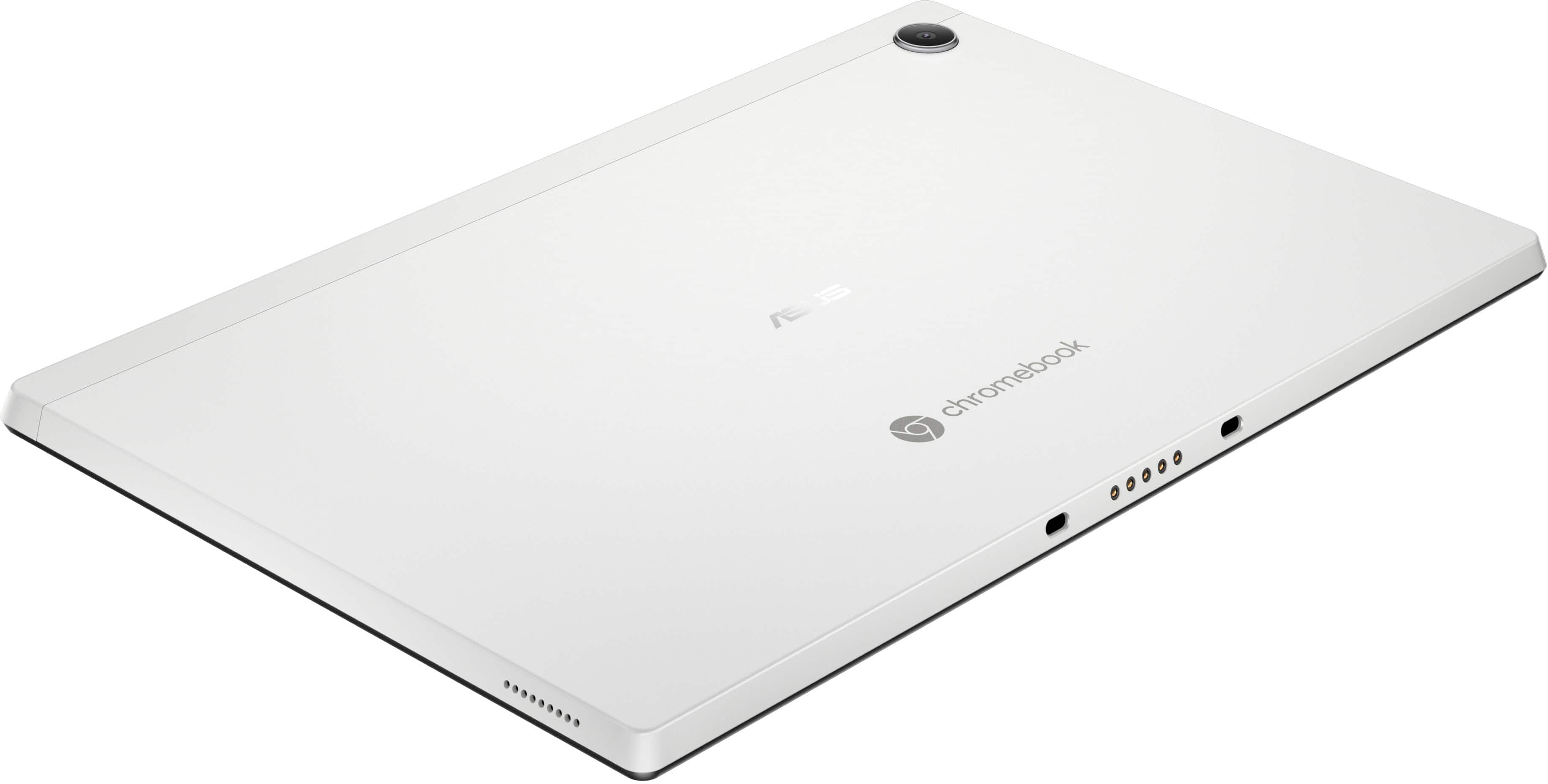
    On a hardware level, this is a pretty good Chromebook. The materials seem good, and it doesn't feel plasticky. The included soft keyboard and back cover have a very nice texture when the tablet is wrapped in them, and when you're actually using them it also serves to help keep it from sliding about. The screen is crisp and can be decently bright. Everything that I look at on the display is really sharp and clear. I was surprised to find that the stylus is an active one, with an onboard battery and support for things like pressure sensitivity. When you take the tablet out of it's cover, the back is solid metal, and it looks like a normal Android tablet. The speakers aren't wonderful, but they're decent enough. The battery life is pretty great - I think I've only had to actually charge it once after I got it. I'm not thrilled with the cameras though - but then again, I don't remember the last time I tried to use the camera on a tablet. In terms of software, I'm a bit less impressed. While Chrome OS itself runs fine, sometimes the Android subsystem can take painfully long to start up. Sometimes, it can be a bit laggy about getting the on-screen keyboard out when you switch to tablet mode. It's not *horrible*, but it's noticeable. I'm also not thrilled with the performance as a drawing tablet - the pen being out doesn't prevent my hand resting against the screen from being registered as taps, and I didn't find any setting to fix this. Also, while drawing, I have occasionally run into issues with crashing. I know that this tablet only has 4 GB of RAM, so I kept my drawings simple, but every now and then it would freeze up on a black screen where the only escape was to power cycle the tablet. This coupled with the fact that I couldn't get it to ignore my hand while using the stylus made for a rather poor experience as far as using the Chromebook for art goes, which is disappointing because this thing seems practically *made* for quick sketches and doodles. Overall, I'm not really sure what to think of this Chromebook. I like it, it's functional, but it could be so much more if the software was a little better. Or if they'd added an extra USB-C port, or maybe a little bit more RAM. I know Chromebooks are budget devices, but like... this thing was so close to me having no issues with it I can't help but imagine what it could be. While I would recommend it, there is a caveat - if you like drawing and you were considering this Chromebook because of the stylus, maybe hold out for a bit and see if it gets updated, or go for another device.

    I would recommend this to a friend
  • Rated 1 out of 5 stars

    Worst Tech

    |
    |
    Posted . Owned for 3 months when reviewed.
    This reviewer received promo considerations or sweepstakes entry for writing a review.

    I bought this, hopeful it'll be a nice eco friendly, durable & capable replacement to the regular products on our market made from exploiting people, valuable materials, etc. It sucks, the apps run slow, bug out everyday; at least once I have to restart the tablet (after it's already been off) just for it to work. I have been using notes on this, to document details of photos/information I store, today it is all gone, magically deleted. The apps, the screen quality, the volume, it's specs are good & it just doesn't work but even for $300 I expect this thing to. Sorry for the negative review, someone others are having a better experience, I will be returning this or trading it in when the next sales begin; btw the warranty for this is even more expensive, I recommend trying devices out in store if this is your first time buying a product

    No, I would not recommend this to a friend
    • Brand response from ASUS Answers
      Posted .

      Dear Bananas,

      We sincerely apologize for the slow performance issue you're experiencing with the Chromebook and for any inconvenience this may have caused you. This is not the kind of quality to expect from our products and it's not the norm. To troubleshoot the issue described, we recommend following the steps in the FAQ below. Should the issue persist, please contact our support team at https://www.asus.com/us/support/CallUs to further investigate the problem.

      We stand behind our products and continuously strive to improve our products and processes to achieve customer service excellence. For more information, email us at customerloyalty@asus.com and include the case number " N2501030002-0002" as a reference. We will do our best to resolve your case quickly. Your feedback is very important to us and enables us to improve our support channels. Thank you for choosing ASUS.

      Best Regards,
      Chantae
      ASUS Customer Loyalty US Support

      [Chromebook] Troubleshooting - Slow Performance on Chromebook -  https://www.asus.com/support/faq/1049593/ Asus

  • Rated 1 out of 5 stars

    Can not see the keys

    |
    |
    Posted .
    This reviewer received promo considerations or sweepstakes entry for writing a review.

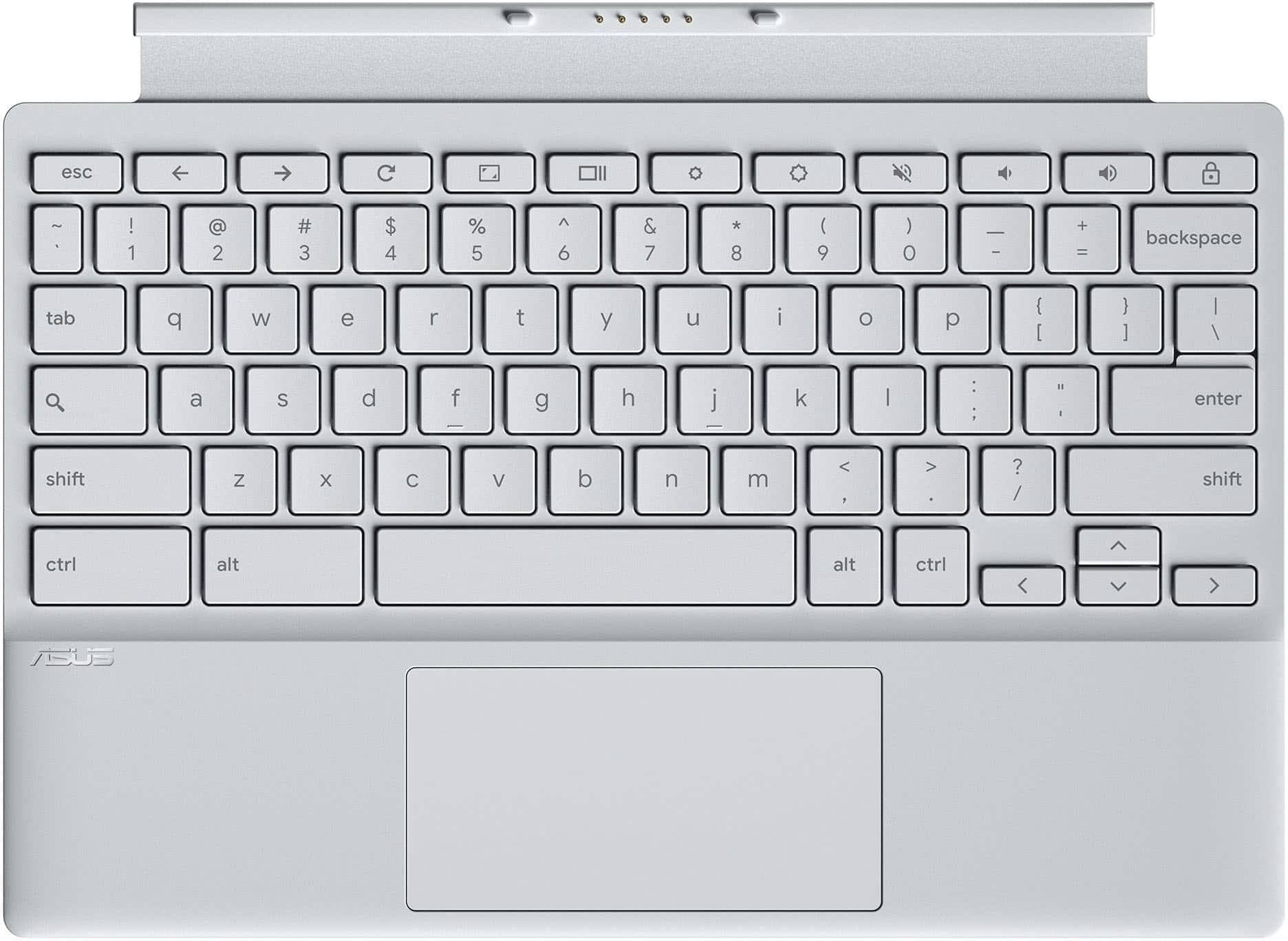
    Could not see the letters on the keys, so it was not good for my kids. Ended up gettog one with black keys and it was great

    No, I would not recommend this to a friend
    • Brand response from ASUS Answers
      Posted .

      Dear Mushka,

      Thank you for sharing your experience with the ASUS CM3001DM2A Chromebook. We sincerely apologize for the difficulty you encountered with the keyboard visibility, and we understand how important this is, especially for children using the device. We are glad to hear you were able to find a model with black keys that better suited your needs. Your feedback is very valuable and will be forwarded to our product team for review, as it helps us identify opportunities to improve usability and design.

      We stand behind our products and continuously strive to improve our products and processes to achieve customer service excellence. If you require any further assistance, please email us at customerloyalty@asus.com and include the case number "N2501030002-0006" as a reference. We will do our best to resolve your case quickly. Your feedback is very important to us, and it enables us to improve our support channels. Thank you for choosing ASUS.

      Best Regards,
      Chantae
      ASUS Customer Loyalty US Support Asus

  • Rated 1 out of 5 stars

    Bad idea

    |
    |
    Posted .
    This reviewer received promo considerations or sweepstakes entry for writing a review.

    Absolutely sucked was slow and couldn’t do anything not comparable with much

    No, I would not recommend this to a friend
    • Brand response from ASUS Answers
      Posted .

      Dear DanteR,

      Thank you for your comment.

      We certainly understand your disappointment with this Chromebook and the inconvenience this may have caused if you are experriencing a slow system performance. On the contrary, lots of satisfied customers, having positive experience using the product, will agree with me that it is a decent entry-level system that is perfect for running basic and light computing applications, without compromising system stability and performance. To resolve the performance issue, ensure this Chromebook has access to a stable and a high-speed internet service since it is a web-based computer. It relies on a stable internet connection for system stability and performance. Also, by clearing browsing history and minimizing the number of opened browser tabs will help improve and maintain optimum system stability and performance. Make sure the unit is running with the most current OS update. Should you need further assistance with the product, please email me at cl-rodel@asus.com and I would be more than happy to help. Or, you can speak to an ASUS live support agent 24/7 at http://bit.ly/AsusLiveChat.


      Thank you for choosing an ASUS product.


      Regards,


      Rodel
      ASUS Customer Loyalty Asus

  • Pros mentioned:
    Keyboard quality, Portability, Processor speed
    Tech Insider Network Member

    Rated 5 out of 5 stars

    Portable Laptop & Tablet - A Great Combination

    |
    Tech Insider Network Member
    Posted .
    This reviewer received promo considerations or sweepstakes entry for writing a review.

    Packaging and Setup: The ASUS Chromebook comes well packaged with minimal paperwork, including a brief, easy to read quick setup guide. The power cord has a Velcro strap for tidy convenient storage which is wonderful for minimizing dangling cords. It comes with a detachable keyboard and also a detachable kickstand. The kickstand can be easily positioned for optimal viewing - in fact, it has the best positioning feature I've used! The Chromebook starts automatically when opened ( but also has power button). Initially, it downloaded a Google update but only took a few minutes. You sign in with your Google account Gmail and of course can sync your Google info with multiple devices. Can set up pin for easy login access as well. During setup, you can connect your phone to unlock, share WiFi and do instant tethering between your phone and the Chromebook. Navigation with Gestures: Go Home, switch to another open app and Go Back uses "swipe" gestures for convenient navigation. Use & Features: I really like the compact size and versatility of this Chromebook. Although the screen is only 10.5 " everything is clear, crisp and readable. The touch screen is super responsive (but not overly responsive) and reacts perfectly to exact touch areas. The screen also doesn't seem to show fingerprints like some of my other devices. The processing speed is extremely fast, with apps coming up instantly. Chromebooks are great for just running apps without clogging up the CPU with data and processes. The keyboard is easy to type on and the hard plastic seems to not absorb finger oils, which will help it stay clean. The only negative I've found is the clicking of the touch pad - I wish it could be turned off or would be quieter. The greatest features for me are the adjustable kickstand and the detachable keyboard. It is so easy to switch between using it as a tablet vs as a little laptop. And the covers act as a protective case. This Chromebooks is perfect for a portable device (taking to a coffee shop) OR as a tablet to sit on the kitchen counter for easy reference items. Overall - this ASUS is a great laptop/tablet combination.

    I would recommend this to a friend