Customer Ratings & Reviews




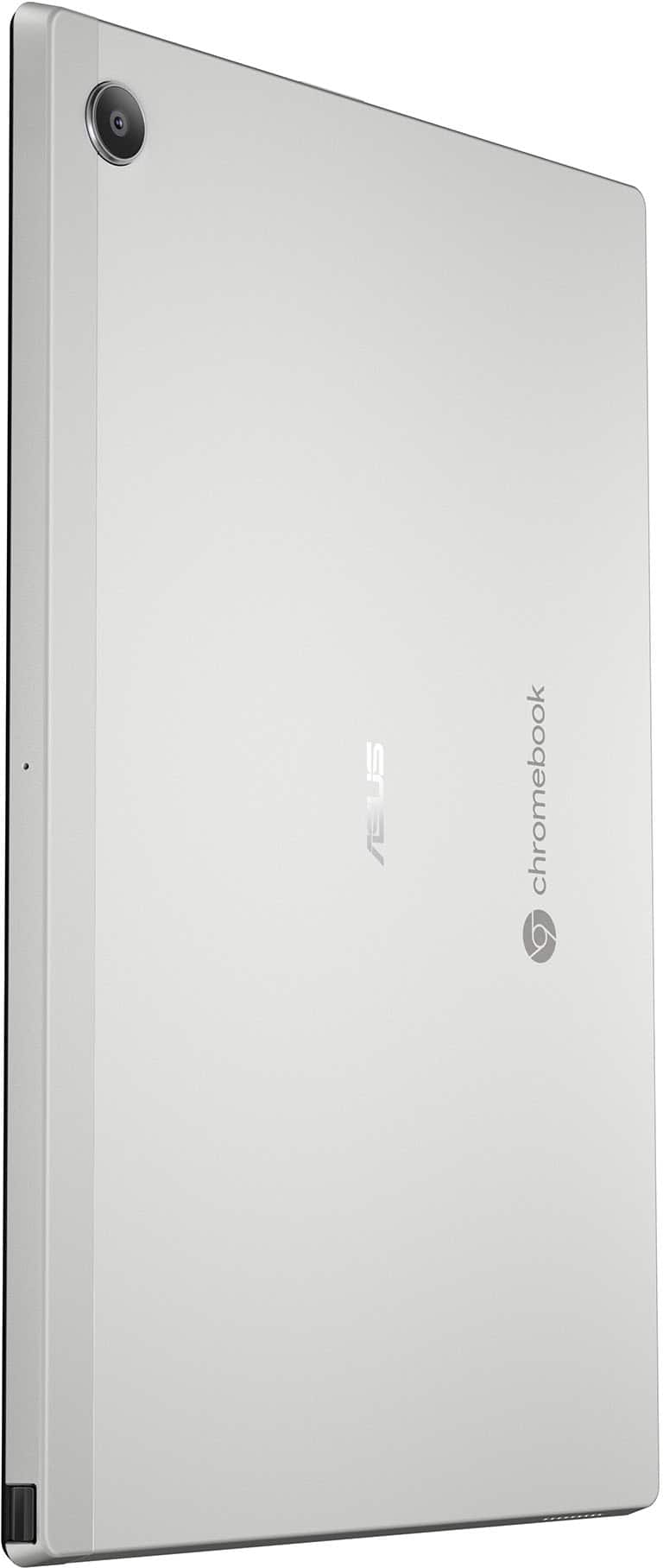



- Model:
- CM3001DM2A-M8186
- SKU:
- 6570144
Rating by feature
- Battery Life
Rating 4.6 out of 5 stars
- Speed
Rating 4.2 out of 5 stars
- Display
Rating 4.6 out of 5 stars
Customers are saying
Customers commend the Chromebook Detachable CM3001 for its excellent keyboard quality, portability, and impressive battery life. The MediaTek processor ensures smooth Chrome OS performance, and users appreciate its perfect size and sleek design. However, some customers express concerns about the limited storage and RAM, and a few find the weight slightly excessive when used as a tablet. Additionally, a small number of users have reservations about the operating system.
This summary was generated by AI based on customer reviews.
My laptop
||Posted . Owned for 1 week when reviewed.This reviewer received promo considerations or sweepstakes entry for writing a review.It’s excellent. The only thing is it’s so slippery.
I would recommend this to a friendOkay
||Posted . Owned for 1 month when reviewed.This reviewer received promo considerations or sweepstakes entry for writing a review.Okay product. What was annoying was that I logged into guest mode and recorded a performance, only to find out that everything gets deleted in guest mode once shut down, and I lost the entire recording. Have not used it much since that poor experience
No, I would not recommend this to a friendBrand response from ASUS Answers
Posted .Dear Syante G,
Thank you for sharing your feedback on the Chromebook. We understand that it didn't meet your full expectations, and we sincerely apologize for that as we do understand your concerns. At ASUS, we take quality control, testing, and inspections seriously to ensure our products meet high standards. Providing our customers with a high level of satisfaction is our top priority, and we'll forward your feedback to our team for review.
We stand behind our products and continuously strive to improve our products and processes to achieve customer service excellence. For more information, email us at customerloyalty@asus.com and include the case number "N2406014342-0003" as a reference. We will do our best to resolve your case quickly. Your feedback is very important to us and enables us to improve our support channels. Thank you for choosing ASUS.
Best Regards,
Chantae
ASUS Customer Loyalty US Support
- Pros mentioned:Battery life, Keyboard qualityCons mentioned:Ram

Nice Chromebook, but a little unpolished
|Posted .This reviewer received promo considerations or sweepstakes entry for writing a review.On a hardware level, this is a pretty good Chromebook. The materials seem good, and it doesn't feel plasticky. The included soft keyboard and back cover have a very nice texture when the tablet is wrapped in them, and when you're actually using them it also serves to help keep it from sliding about. The screen is crisp and can be decently bright. Everything that I look at on the display is really sharp and clear. I was surprised to find that the stylus is an active one, with an onboard battery and support for things like pressure sensitivity. When you take the tablet out of it's cover, the back is solid metal, and it looks like a normal Android tablet. The speakers aren't wonderful, but they're decent enough. The battery life is pretty great - I think I've only had to actually charge it once after I got it. I'm not thrilled with the cameras though - but then again, I don't remember the last time I tried to use the camera on a tablet. In terms of software, I'm a bit less impressed. While Chrome OS itself runs fine, sometimes the Android subsystem can take painfully long to start up. Sometimes, it can be a bit laggy about getting the on-screen keyboard out when you switch to tablet mode. It's not *horrible*, but it's noticeable. I'm also not thrilled with the performance as a drawing tablet - the pen being out doesn't prevent my hand resting against the screen from being registered as taps, and I didn't find any setting to fix this. Also, while drawing, I have occasionally run into issues with crashing. I know that this tablet only has 4 GB of RAM, so I kept my drawings simple, but every now and then it would freeze up on a black screen where the only escape was to power cycle the tablet. This coupled with the fact that I couldn't get it to ignore my hand while using the stylus made for a rather poor experience as far as using the Chromebook for art goes, which is disappointing because this thing seems practically *made* for quick sketches and doodles. Overall, I'm not really sure what to think of this Chromebook. I like it, it's functional, but it could be so much more if the software was a little better. Or if they'd added an extra USB-C port, or maybe a little bit more RAM. I know Chromebooks are budget devices, but like... this thing was so close to me having no issues with it I can't help but imagine what it could be. While I would recommend it, there is a caveat - if you like drawing and you were considering this Chromebook because of the stylus, maybe hold out for a bit and see if it gets updated, or go for another device.
I would recommend this to a friend Asus detachable keyboard
||Posted .This reviewer received promo considerations or sweepstakes entry for writing a review.Computer is very good but keyboard started having problems months later and can’t be resolved with technical support.
I would recommend this to a friendBrand response from ASUS Answers
Posted .Dear Pasc,
We regret to learn that you are experiencing keyboard issues. To troubleshoot this issue, we recommend following the steps in the FAQ below. Should the issue persist, please contact our support team at https://www.asus.com/us/support/CallUs to further investigate the problem or assist with repairing the device.
We stand behind our products and continuously strive to improve our products and processes to achieve customer service excellence. For more information, email us at customerloyalty@asus.com and include the case number "N2504015419-0003" as a reference. We will do our best to resolve your case quickly. Your feedback is very important to us and enables us to improve our support channels. Thank you for choosing ASUS.
Best Regards,
Schottky
ASUS Customer Loyalty US Support
FAQ- Troubleshooting - Chromebook Built-in Keyboard Issues https://www.asus.com/support/faq/1042791/
Worst Tech
||Posted . Owned for 3 months when reviewed.This reviewer received promo considerations or sweepstakes entry for writing a review.I bought this, hopeful it'll be a nice eco friendly, durable & capable replacement to the regular products on our market made from exploiting people, valuable materials, etc. It sucks, the apps run slow, bug out everyday; at least once I have to restart the tablet (after it's already been off) just for it to work. I have been using notes on this, to document details of photos/information I store, today it is all gone, magically deleted. The apps, the screen quality, the volume, it's specs are good & it just doesn't work but even for $300 I expect this thing to. Sorry for the negative review, someone others are having a better experience, I will be returning this or trading it in when the next sales begin; btw the warranty for this is even more expensive, I recommend trying devices out in store if this is your first time buying a product
No, I would not recommend this to a friendBrand response from ASUS Answers
Posted .Dear Bananas,
We sincerely apologize for the slow performance issue you're experiencing with the Chromebook and for any inconvenience this may have caused you. This is not the kind of quality to expect from our products and it's not the norm. To troubleshoot the issue described, we recommend following the steps in the FAQ below. Should the issue persist, please contact our support team at https://www.asus.com/us/support/CallUs to further investigate the problem.
We stand behind our products and continuously strive to improve our products and processes to achieve customer service excellence. For more information, email us at customerloyalty@asus.com and include the case number " N2501030002-0002" as a reference. We will do our best to resolve your case quickly. Your feedback is very important to us and enables us to improve our support channels. Thank you for choosing ASUS.
Best Regards,
Chantae
ASUS Customer Loyalty US Support
[Chromebook] Troubleshooting - Slow Performance on Chromebook - https://www.asus.com/support/faq/1049593/
Can not see the keys
||Posted .This reviewer received promo considerations or sweepstakes entry for writing a review.Could not see the letters on the keys, so it was not good for my kids. Ended up gettog one with black keys and it was great
No, I would not recommend this to a friendBrand response from ASUS Answers
Posted .Dear Mushka,
Thank you for sharing your experience with the ASUS CM3001DM2A Chromebook. We sincerely apologize for the difficulty you encountered with the keyboard visibility, and we understand how important this is, especially for children using the device. We are glad to hear you were able to find a model with black keys that better suited your needs. Your feedback is very valuable and will be forwarded to our product team for review, as it helps us identify opportunities to improve usability and design.
We stand behind our products and continuously strive to improve our products and processes to achieve customer service excellence. If you require any further assistance, please email us at customerloyalty@asus.com and include the case number "N2501030002-0006" as a reference. We will do our best to resolve your case quickly. Your feedback is very important to us, and it enables us to improve our support channels. Thank you for choosing ASUS.
Best Regards,
Chantae
ASUS Customer Loyalty US Support
Look for something else
||Posted .This reviewer received promo considerations or sweepstakes entry for writing a review.Poor specs for doing anything useful.. just waste of money
No, I would not recommend this to a friendBrand response from ASUS Answers
Posted .Dear Hari,
We certainly understand your disappointment with the product. We certainly value your feedback on this matter, and I will be letting the related department know about the issues you are experiencing for continuous improvements to the product line. If you need any assistance, feel free to contact me at customerloyalty@asus.com. We'll be happy to provide a quick resolution to your case, and I will help you to the best of my abilities. I am here to assist our customers with our products and am dedicated to bringing resolution to all issues that they may come across. Your case for reference is [N2501030002-0007] for us to better assist you. Thank you for choosing ASUS!
Best Regards,
Schottky.S
ASUS Customer Loyalty US Support
- Pros mentioned:Keyboard quality, Portability, Processor speed
Portable Laptop & Tablet - A Great Combination
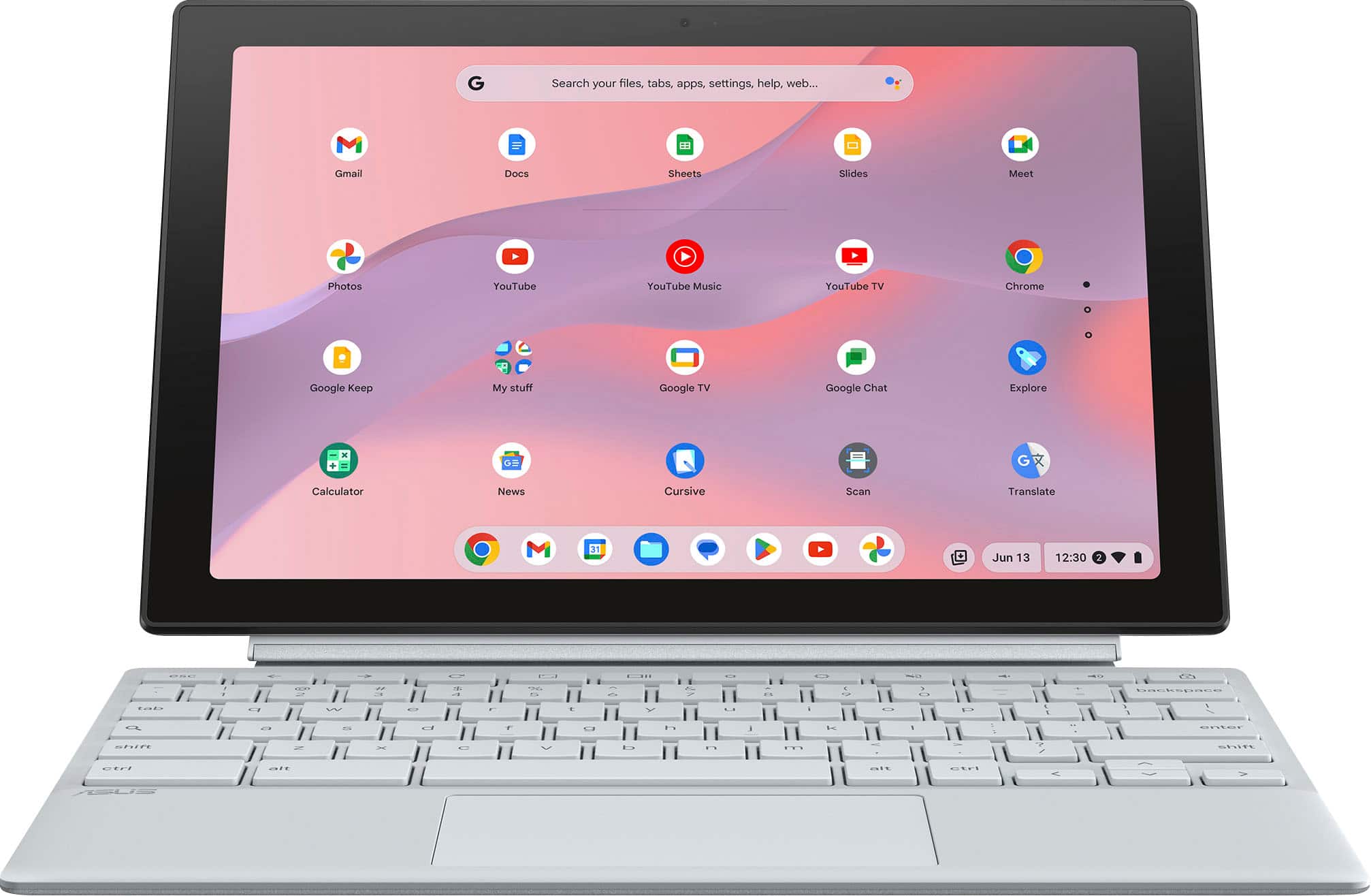
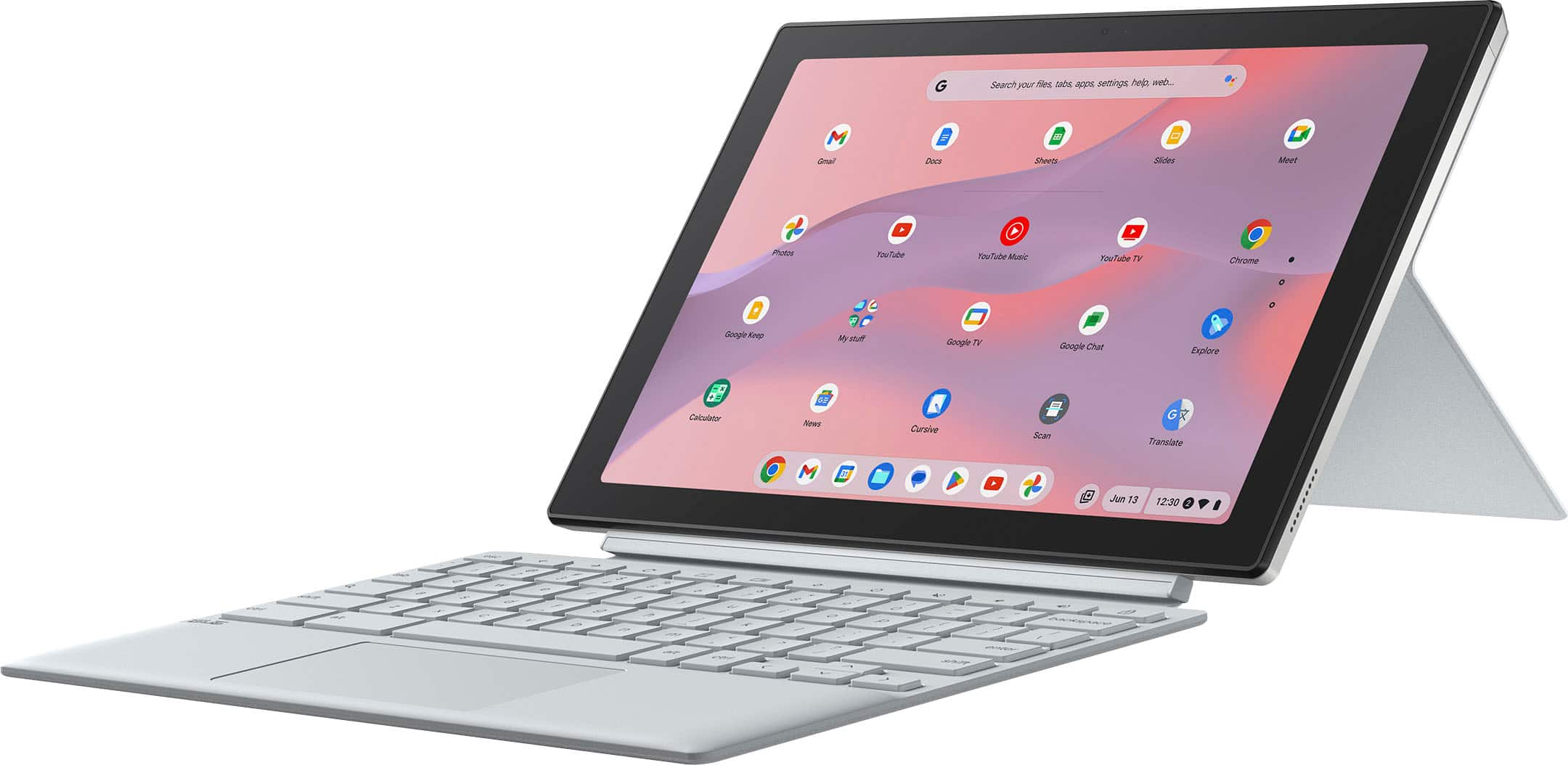
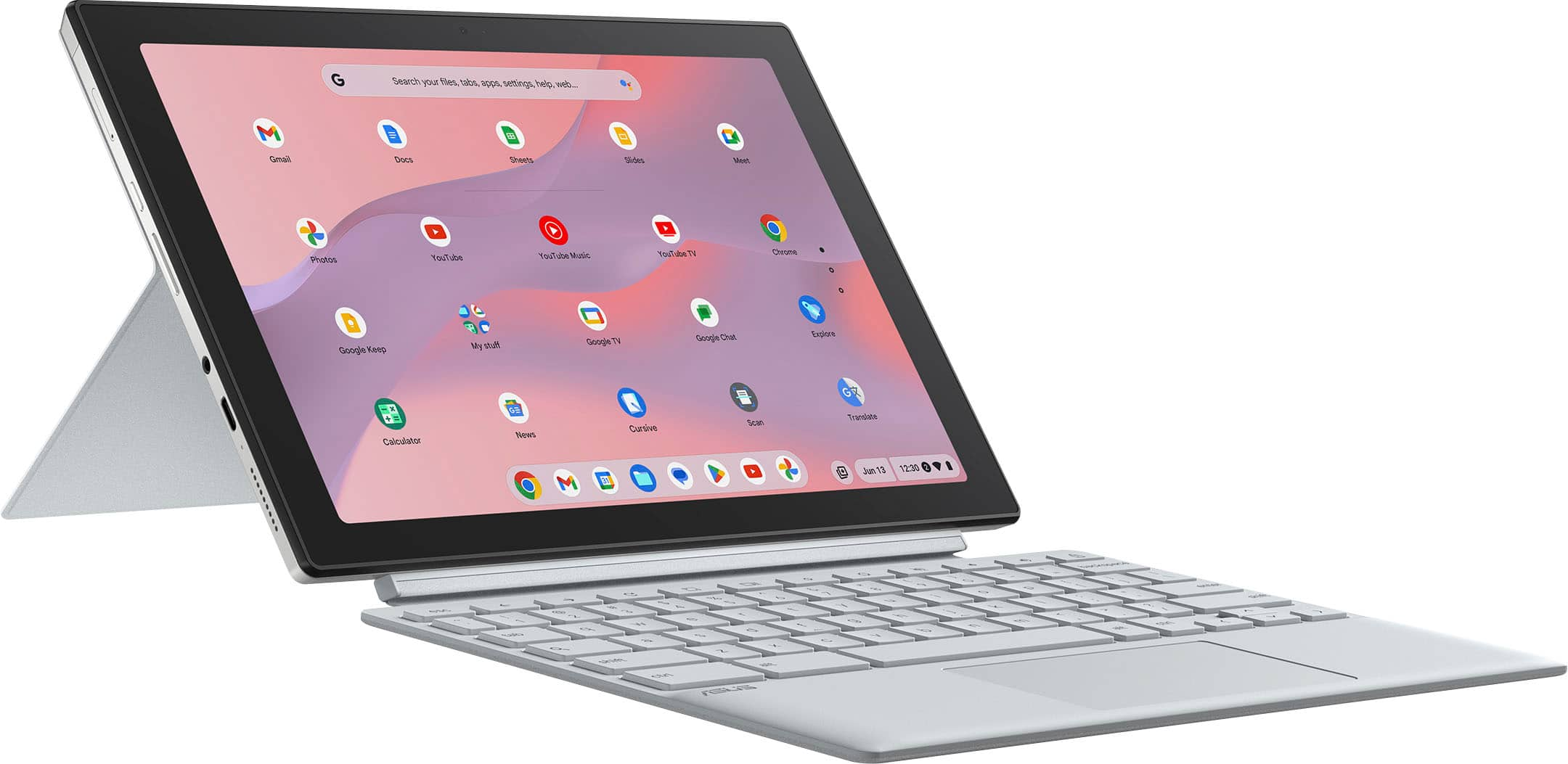
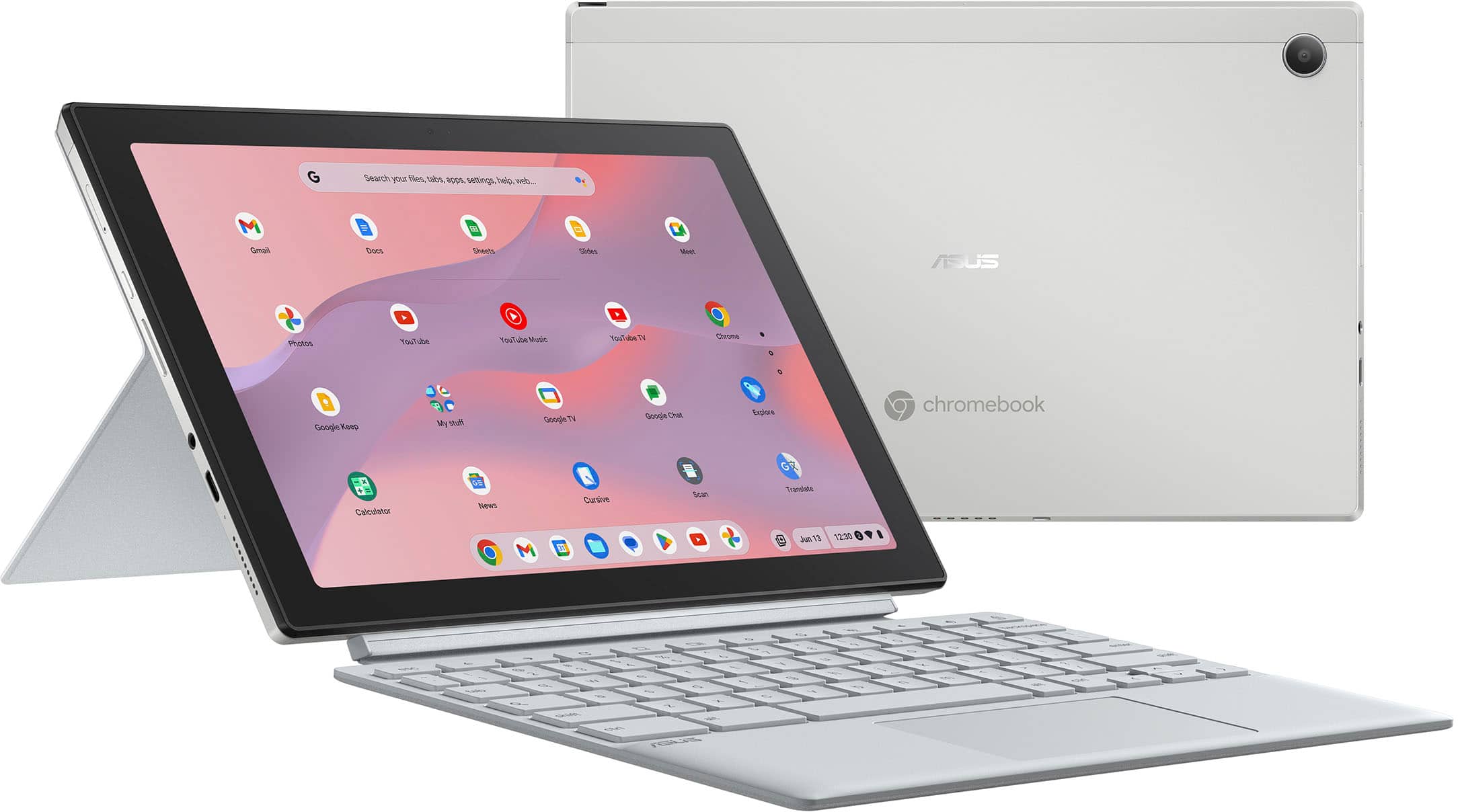
|Posted .This reviewer received promo considerations or sweepstakes entry for writing a review.Packaging and Setup: The ASUS Chromebook comes well packaged with minimal paperwork, including a brief, easy to read quick setup guide. The power cord has a Velcro strap for tidy convenient storage which is wonderful for minimizing dangling cords. It comes with a detachable keyboard and also a detachable kickstand. The kickstand can be easily positioned for optimal viewing - in fact, it has the best positioning feature I've used! The Chromebook starts automatically when opened ( but also has power button). Initially, it downloaded a Google update but only took a few minutes. You sign in with your Google account Gmail and of course can sync your Google info with multiple devices. Can set up pin for easy login access as well. During setup, you can connect your phone to unlock, share WiFi and do instant tethering between your phone and the Chromebook. Navigation with Gestures: Go Home, switch to another open app and Go Back uses "swipe" gestures for convenient navigation. Use & Features: I really like the compact size and versatility of this Chromebook. Although the screen is only 10.5 " everything is clear, crisp and readable. The touch screen is super responsive (but not overly responsive) and reacts perfectly to exact touch areas. The screen also doesn't seem to show fingerprints like some of my other devices. The processing speed is extremely fast, with apps coming up instantly. Chromebooks are great for just running apps without clogging up the CPU with data and processes. The keyboard is easy to type on and the hard plastic seems to not absorb finger oils, which will help it stay clean. The only negative I've found is the clicking of the touch pad - I wish it could be turned off or would be quieter. The greatest features for me are the adjustable kickstand and the detachable keyboard. It is so easy to switch between using it as a tablet vs as a little laptop. And the covers act as a protective case. This Chromebooks is perfect for a portable device (taking to a coffee shop) OR as a tablet to sit on the kitchen counter for easy reference items. Overall - this ASUS is a great laptop/tablet combination.
I would recommend this to a friend - Pros mentioned:Battery life, Keyboard quality
Great Chromebook, but has possible deal-breakers
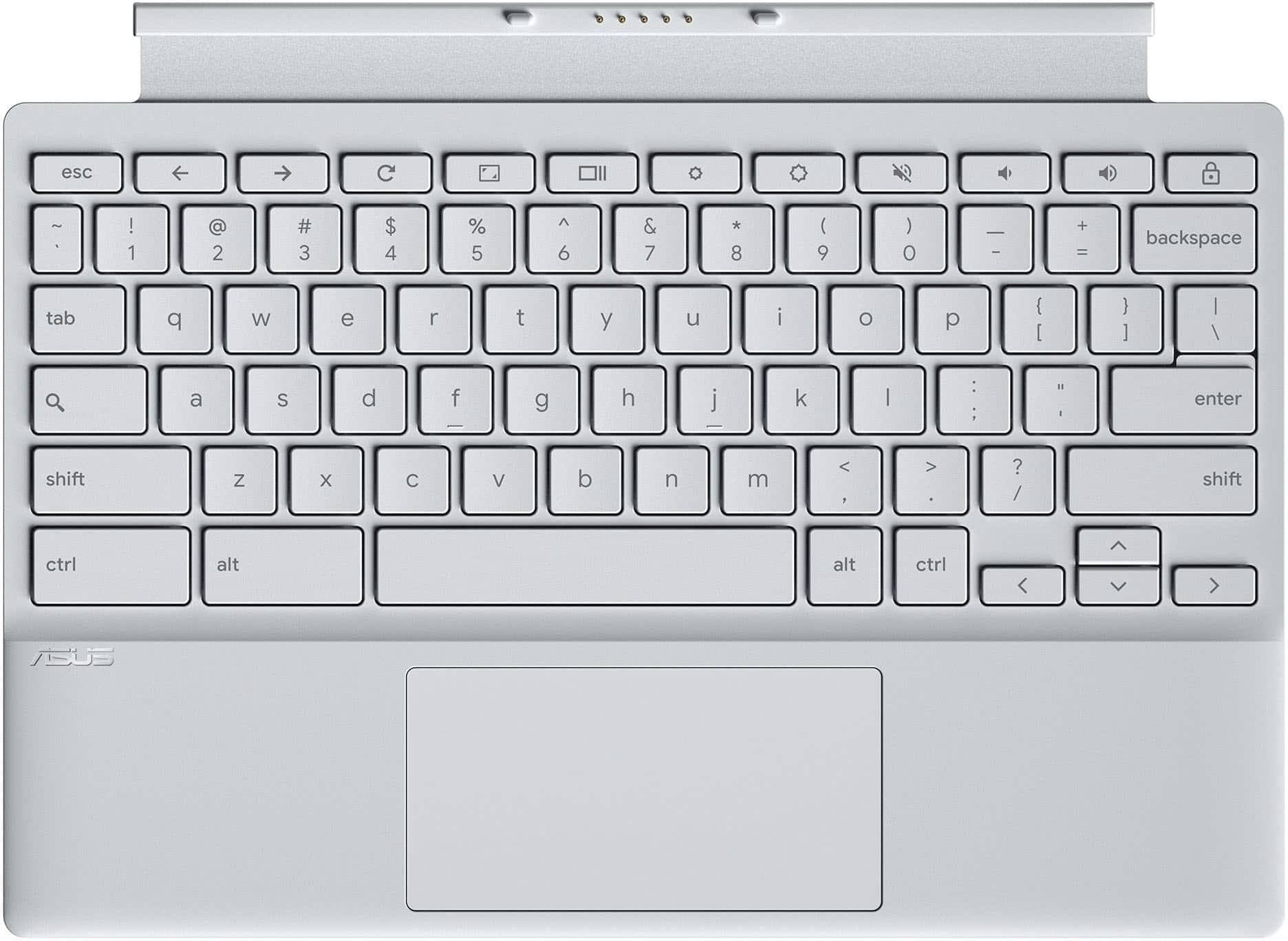
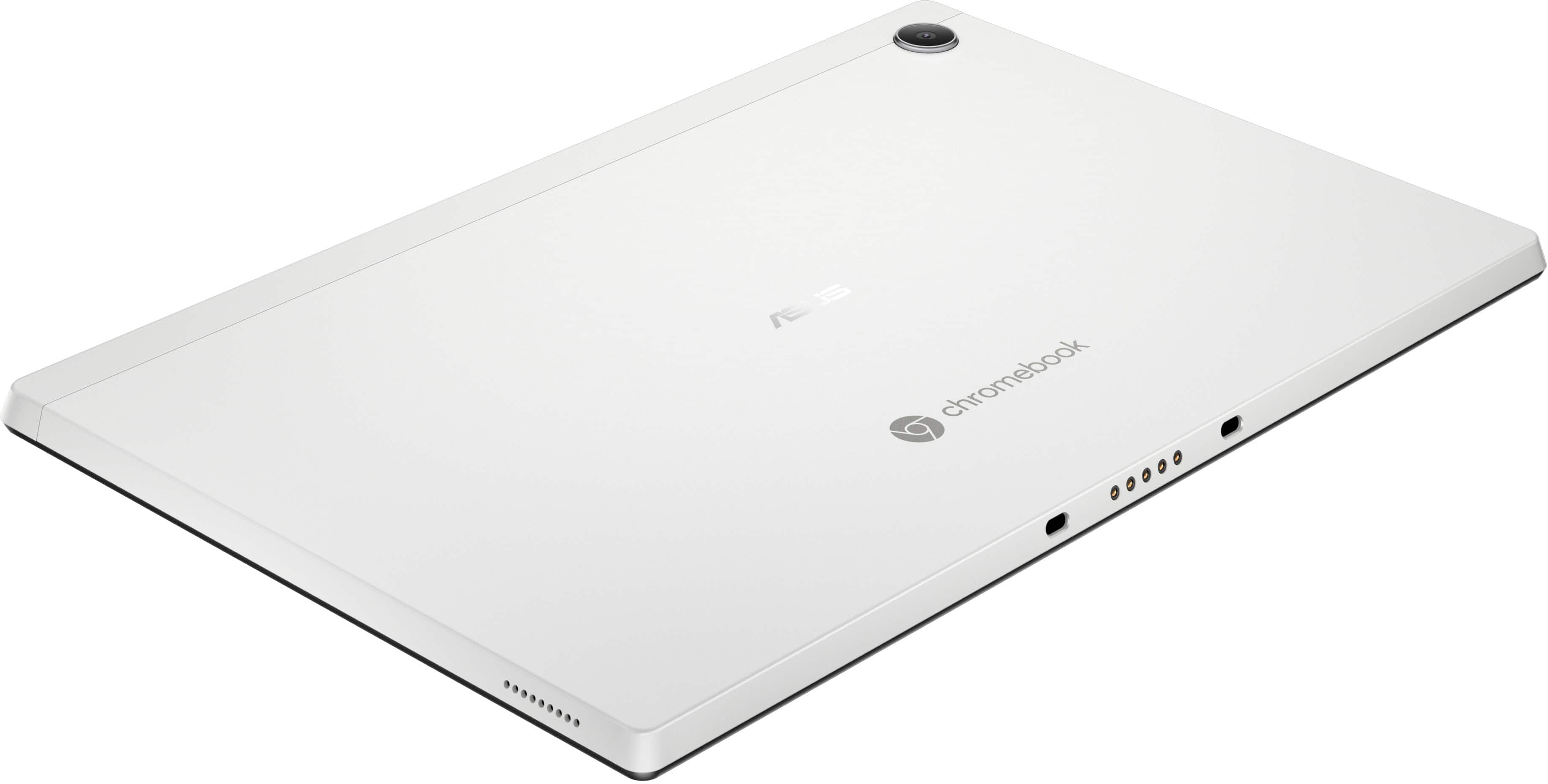
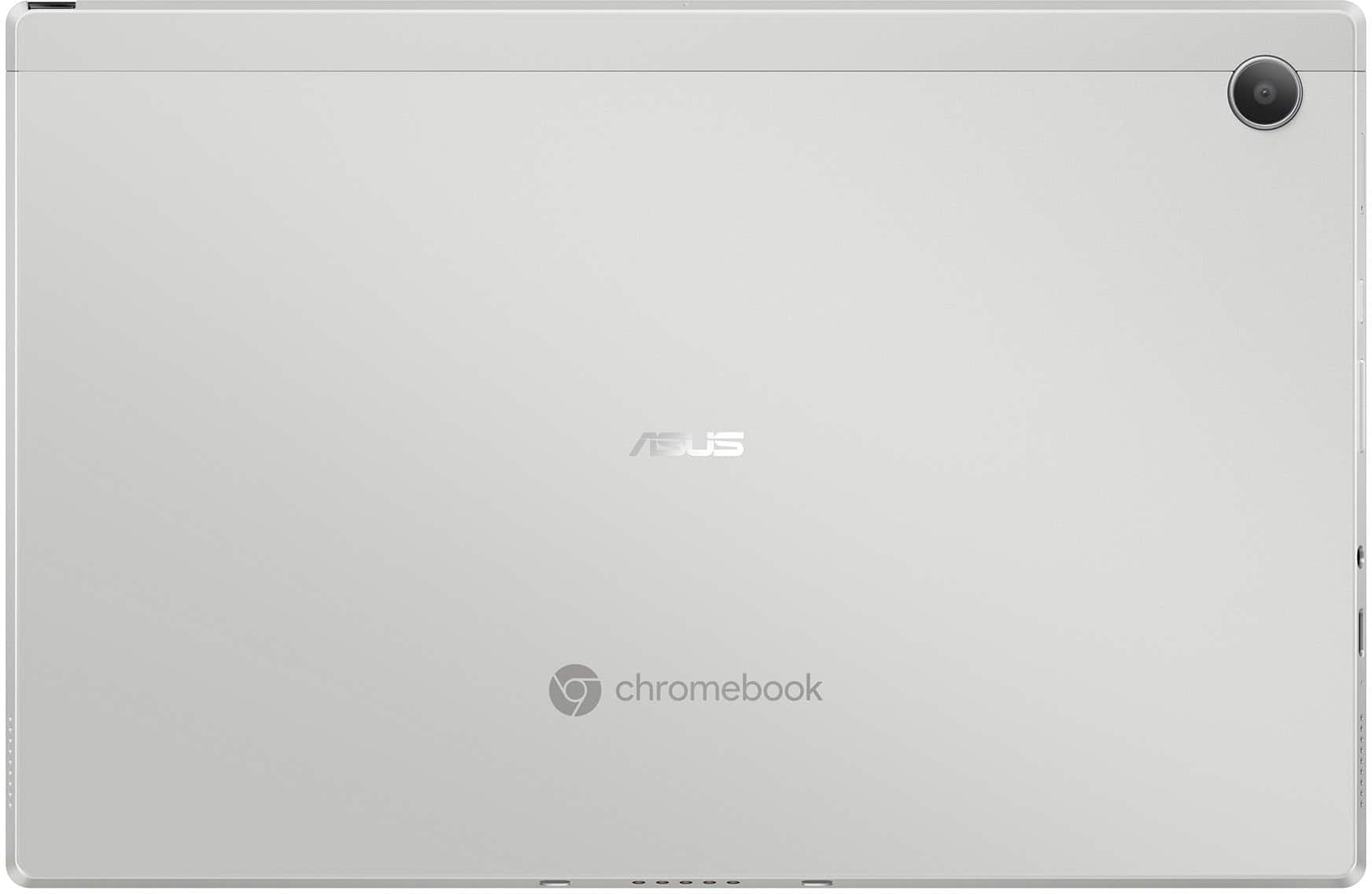
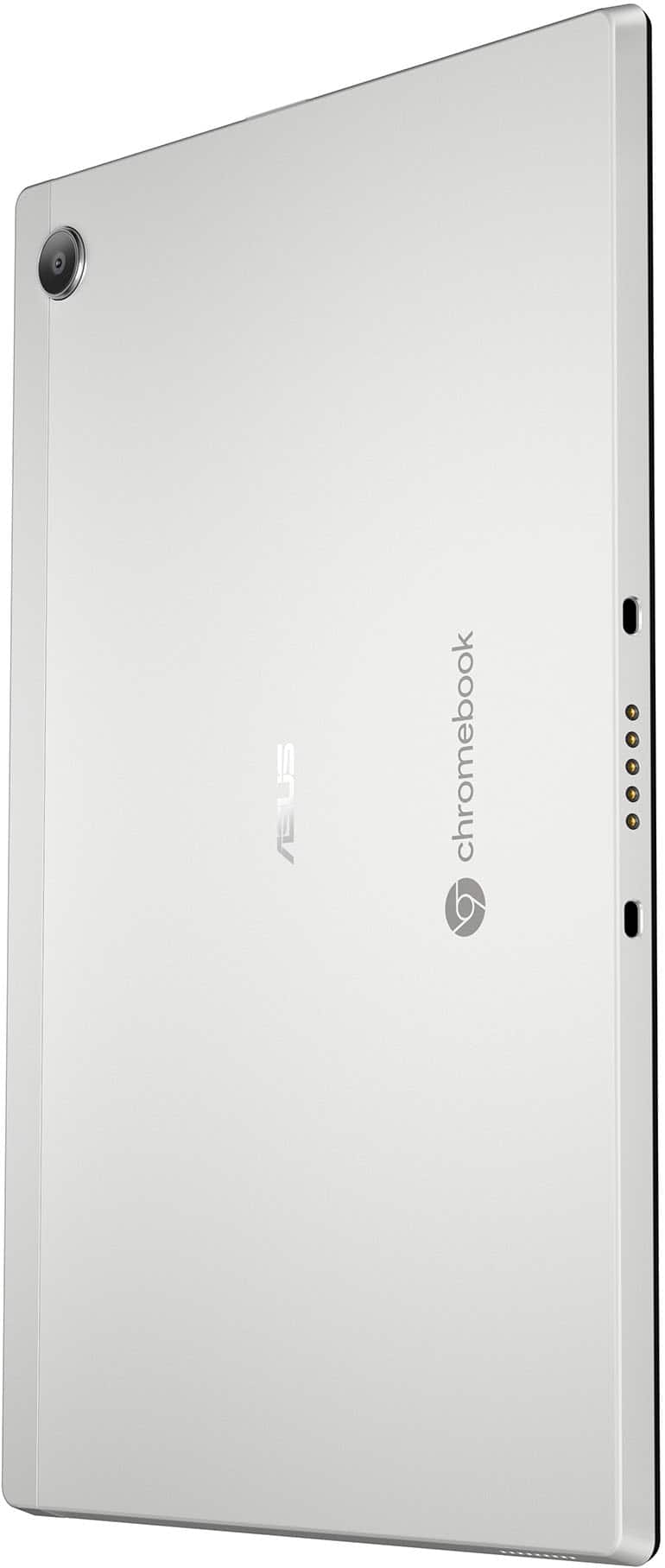
|Posted .This reviewer received promo considerations or sweepstakes entry for writing a review.There is a lot to love about this Chromebook, but it does have a couple of particularly bothersome items that could make some folks decide it is not the product for them. Set up and navigation are simple, and you are given the option to link the device with any other devices you'd like (phones, tablets, other Chomebooks/Pixelbooks, etc.), which is becoming more and more common across these types of devices. Battery power is fantastic, and this will easily handle whatever you can throw at it, as a travel companion for work or for more casual or infrequent use. The screen is great and provides a delightful experience whether using it in tablet form or as more of a laptop. The included keyboard and back cover are not attached to each other, but work in unison to properly use the device in its laptop form factor. Both are detachable from the main unit, so you can use this in a true tablet form if desired. While the key board physically plugs into the screen, the back cover is magnetically attached and comes off with a slight pull, and has a magnetized but movable/bendable lower flap to act as a stand for the screen, with several adjustment angles. A standout feature for some will be the included Pen for the screen, which is housed within the screen itself (push button release; push down to return to storage). The two things that I was displeased with are the rear-facing camera and the keyboard attachment. In this era where even basic smartphones are now coming with cameras that can take almost studio quality photos, the camera found here is terrible. It may come in handy in a "any camera will do" kind of on-the-spot, spontaneous situation, but you will certainly not be intentionally trying to use this camera to take any photos outside of an emergency. The inclusion of any rear camera may be seen as a bonus to some, but the quality almost begs the question "why bother?" if the quality is this lacking. I attempted pictures with regular indoor lighting, and it looked like I was taking pictures in a cave. I don't think most people buy a device of this type for the camera quality, and I might be spoiled by the beautiful pictures I typically take with my phones, but if you are specifically looking for a camera in a tablet form factor, look elsewhere. The biggest offense is the keyboard. While it has a nice amount of punch when typing, and has good key spacing (no dedicated numeric key pad outside of the numbers along the top), there is no back lighting on the key board and this is emphasized by the color scheme of the keys; A light silvery/tan color with off-white symbols on the keys. I had a hard time reading the keys, as the symbols barely contrast with the key color itself. While I could still manage in a brightly lit room (still with some effort/eye strain) the keys were not readable in a more dimly lit setting. If they sell other color schemes, I would avoid any color that does not naturally provide a strong contrast from off white. If the keys had a back light, there would be no issue, but as-is with no lighting, this will get frustrating very quickly for anyone that wants to use this in laptop formation. Bottom line for me, I think there is a lot to love here, and the onboard Pen and dynamic form factors of the device in general are probably chief among the features to love. However, I would not personally buy this device due to the lack of back lit keys/lack of key and symbol colors with stronger contrast between them, and the poor camera, which looks nice aesthetically but performs less stellar than it looks. If you want to use this strictly as a touchscreen tablet (touch screen is very responsive, with or without the Pen), or if you have identified compatible alternate attachable keyboards for this model (if they exist), then this may be for you. But if you actually ARE looking for a tablet-esque device with a decent camera, or planning to use this as more of a laptop but will not be using this in the most brightly lit environments possible, then you may want to pass. Most people I know would ignore the camera and buy this device for the plethora of other features it has, but everybody I know that would want to use this in its laptop configuration would find the lack of contrast in the keyboard to be a huge deal breaker. There are many more benefits to owning this device than there are concerns, and since I believe most would find the benefits more appealing, I am recommending this device, but very cautiously as there are some distinct areas that may be a problem for some, depending on how one plans to use the device.
I would recommend this to a friend Bad idea
||Posted .This reviewer received promo considerations or sweepstakes entry for writing a review.Absolutely sucked was slow and couldn’t do anything not comparable with much
No, I would not recommend this to a friendBrand response from ASUS Answers
Posted .Dear DanteR,
Thank you for your comment.
We certainly understand your disappointment with this Chromebook and the inconvenience this may have caused if you are experriencing a slow system performance. On the contrary, lots of satisfied customers, having positive experience using the product, will agree with me that it is a decent entry-level system that is perfect for running basic and light computing applications, without compromising system stability and performance. To resolve the performance issue, ensure this Chromebook has access to a stable and a high-speed internet service since it is a web-based computer. It relies on a stable internet connection for system stability and performance. Also, by clearing browsing history and minimizing the number of opened browser tabs will help improve and maintain optimum system stability and performance. Make sure the unit is running with the most current OS update. Should you need further assistance with the product, please email me at cl-rodel@asus.com and I would be more than happy to help. Or, you can speak to an ASUS live support agent 24/7 at http://bit.ly/AsusLiveChat.
Thank you for choosing an ASUS product.
Regards,
Rodel
ASUS Customer Loyalty
- Pros mentioned:Battery life, Processor speedCons mentioned:Memory
Newest 2-in-1 Chromebook from ASUS
|Posted .This reviewer received promo considerations or sweepstakes entry for writing a review.This latest Chromebook from ASUS is a state-of-the-art masterpiece. From unboxing to complete setup and updating the system was less than 40 minutes. The MediaTek Dimensity 8000 series processor is faster than any Chromebook I have owned. This 10.5 inch 2-in-1 packs a powerful punch with its up-to-date hardware. The battery is stated to last up to13 hours between charges. The 64 gb SSD drive will hold all your files with room to spare. The magnetically attached stand is removable and allows for flipping the keyboard over and acting as a tablet. The 4 gb of memory is on the low side, this is enough for streaming and web browsing. This is upgradable if required for your individual needs. This unit also includes a basic graphics card, it too is also upgradeable. There is also a built-in high-definition web camera and microphone. This Chromebook has wireless/wired connections. This connection is capable of connecting to the latest routers and is also capable of backwards compatibility by connecting to older routers.
I would recommend this to a friend Horrible
||Posted . Owned for 3 weeks when reviewed.This reviewer received promo considerations or sweepstakes entry for writing a review.Horrible lol. Too late to return. Constantly freezes and keep having to shut down. Only using for one website, there should be no reason for this
No, I would not recommend this to a friendBrand response from ASUS Answers
Posted .Dear Andy,
We're sorry to hear that the Chromebook is constantly freezing and we apologize for the inconvenience caused. To troubleshoot the issue described, we recommend following the steps in the FAQ below. Should the issue persist, please contact our support team at https://www.asus.com/us/support/CallUs to further investigate the problem or assist with repairing the device.
We stand behind our products and continuously strive to improve our products and processes to achieve customer service excellence. For more information, email us at customerloyalty@asus.com and include the case number "N2501030002-0001" as a reference. We will do our best to resolve your case quickly. Your feedback is very important to us and enables us to improve our support channels. Thank you for choosing ASUS.
Best Regards,
Chantae
ASUS Customer Loyalty US Support
[Chromebook] Troubleshooting - How to fix Chromebook crashes or freezes - https://www.asus.com/support/faq/1042804/
Not pleased
||Posted . Owned for 3 weeks when reviewed.This reviewer received promo considerations or sweepstakes entry for writing a review.I was expecting something a little bigger. It was my fault to assume instead verifying.
No, I would not recommend this to a friendBrand response from ASUS Answers
Posted .Dear Fabiana G,
Thank you for sharing your comments regarding the ASUS Chromebook. We understand that it didn't meet your full expectations, and we sincerely apologize for that as we do understand your concerns. Your feedback is greatly appreciated and will be forwarded to our Product Team for review.
We stand behind our products and continuously strive to improve our products and processes to achieve customer service excellence. If you require any further assistance, please email us at customerloyalty@asus.com and include the case number "N2501030002-0003" as a reference. We will do our best to resolve your case quickly. Your feedback is very important to us and enables us to improve our support channels. Thank you for choosing ASUS.
Best Regards,
Chantae
ASUS Customer Loyalty US Support
- Pros mentioned:Keyboard qualityCons mentioned:Operating system
Fix the OS
|Posted .This reviewer received promo considerations or sweepstakes entry for writing a review.I am a huge fan of ASUS. This is the first chromebook that I have owned by them. It's a bit of a change from the laptops I have own by them in the past. I have had a chromebook from another brand but it was not like this one at all. So, first, the look of this chromebook is pretty sleek. I really like the magnetic case. It is solid but is soft to the touch. And the way it detaches from the back or how the keyboard detaches is pretty neat. It is very functional and also acts as a stand. Secondly, the build quality is exactly what I'd expect from a company like ASUS. I am definitely happy with that. Has weight to it and feels very solid. The screen is really nice looking with a gloss finish and it has very good resolution. Everything seems crystal clear and sharp. The two in one feature of this chromebook are a cool idea and I love the tablet part but using it as a laptop is a bit difficult because the keyboard and track pad is so small, at least for me. The touch feature for the tablet part is great and I really enjoy that. Thirdly, the operating system is a simple chrome OS. I am not a fan of it. It seems to be very sluggish at times and even freezes up sometimes. I watched a video from YT and it kept freezing and lagging. It's functional for browsing the web and things like that but I am disappointed that it has trouble with light media. Lastly, I gave it three stars due to it's issues with the OS. Overall, a great idea and maybe with some updates it will improve.
No, I would not recommend this to a friend Great addition for my kids and everyday use.
|Posted .This reviewer received promo considerations or sweepstakes entry for writing a review.Initial Impressions After a week of using the ASUS 2-in-1 10.5" Chromebook, I can confidently say it has been a versatile and solid device for me and my kids. Great design and has practical functionality, The Asus 2-in-1 Chromebook has delivered. Design and Build Quality The Chromebook features a sleek and modern design as a tablet but with a magnetic keyboard. The tablet is a 10.5-inch display is compact and perfect for kids, making it easy for them to handle and use. The keyboard is good for my kids to learn out to type and for me to use as a computer. The keyboard acts as a cover which is great but its not as sturdy as I would like. It works “OK” but still it’s a great addition. Overall, the Chromebook is lightweight yet feels solid and durable. Performance It’s a Chromebook so I don’t expect much in terms for HIGH HIGH performance. As long as it works when my kids are playing “educational” games, video streaming, and basic web browsing, it’s a pass. So far after a week its been performing. Display and Audio The 10.5-inch touchscreen display is vibrant and responsive. The resolution is sufficient for watching videos and playing games, providing a clear and enjoyable viewing experience. Not the greatest audio quality but for a device this size its perfect. I used it while washing dishes and sometimes I needed to go back because I could hear what was being said. Battery Life Im getting about 10 to 11 hours of usage before I have to charge the Chromebook. I don’t expect more with a device this small, however I do wish for a bigger battery. Conclusion Overall, the ASUS 2-in-1 10.5" Chromebook Laptop has proven to be an excellent device for me and my kids. Its combination of functional performance, and design. The battery life, and user-friendly interface make it a worthwhile investment for both educational and recreational use.
I would recommend this to a friend- Cons mentioned:Weight
2-1 Chrome lots of features
|Posted .This reviewer received promo considerations or sweepstakes entry for writing a review.Set up of the 2-1 Chrome was easy, but using it can be confusing and diffuse for someone not computer savvy. You’d have to learn how to use key functions that are specific to this laptop. There’s a long list of key function combinations and you must have patience and a good memory to learn then all so you can have a smoother experience. The touch screen also can be tricky when learning all the swiping directions. The screen itself used as a tablet is heavy. Downloading apps during setup is easy. You can add all apps from the Google store easily using your gmail account. This is an Android based laptop and so you can pair up your android device to it. It has a guest feature so if you lend your laptop anything downloaded by guest will not stay. The guest May not be able to access all features on your 2-1 and for that reason it’s a guest mode. The camera quality is fair to good depending on the light and weather you plan to zoom into the picture and print it up. The sound quality is good. The screen gets easily detached from the keyboard by merely pulling them apart as they are connected with a magnet. It comes with a nice magnetic cover that has a soft/smooth texture. The cover also serves as a kickstand as it can fold to allow the tablet mode to be used without keyboard or with keyboard attached. Lots of features offered: Scanned pdf documents that are difficult to read can now be converted to text and even read out loud by the 2-1 Chrome with a technology included, Bluetooth connection, Shelf feature which allows you to set up different screens from which you can toggle back and forth and keep your work separate but also get back to it and be able to use all the functions on your keyboard to complete different projects. Once you set up your shelf a button will appear on the bottom of the screen to toggle between them. Streaming movies was easy using Netflix and other apps. YouTube videos were clear and the sound was good. The keyboard has buttons you wouldn’t see on a regular keyboard. There are buttons that will function in combination with other buttons (letters, symbols) pressed. It can be confusing at times since you’d have to learn all of the combinations or keep checking on the laptop for the combination of keys. The brightness and sound can easily be adjusted using a combo or key functions. I would recommend this 2-1 for a computer savvy person who’s a quick learner. I wouldn’t recommend it for someone as a first time laptop.
- Cons mentioned:Ram
Great As A Casual Use Tablet
|Posted .This reviewer received promo considerations or sweepstakes entry for writing a review.First of all, I got this Chromebook to use as a tablet not a full fledged laptop. I primarily used this for YouTube and surfing the internet. When using as a tablet it fits very well in my hand and it was very easy to use. It looks like it has a slot to store a stylus, but it was not included. I attached the keyboard and it worked fine and was very sturdy. This was my first time using Chrome OS and it was simple and straightforward, especially for an Android user. I opened multiple tabs in Chrome and there was no slow down or any other problems. I was worried only having 4gb of RAM, but it handled my casual use. I definitely don't recommend this for any gaming though. The LED display was crisp and bright, I had no complaints when it comes to the resolution. The magnetic stand cover is also very useful since it works as both a cover and a stand. Also, this Chromebook is very light , so it is very easy to carry around. Based on my one week of use I have not found any flaws yet, so I am giving this five stars.
I would recommend this to a friend - Pros mentioned:Keyboard quality
Cross breed between a Sure Face & a Chrome Tablet
|Posted .This reviewer received promo considerations or sweepstakes entry for writing a review.This device harkened me back to the days of the netbooks, upon unboxing. I remember everyone who was anyone techy had one. It seems this Chrome laptop / tablet combo is attempting to borrow some of the winning features from microsoft's surface tablet / laptop. The Fabric keyboard is nice. The keys feel good to the touch. I want to literally burn the person at the stake who decided white printing on light grey plastic with no key back lighting is a good idea. It's the worst. Also the fabric keyboard does not sit snugly against the screen when closed. The thickness of the keys keep a slippery plastic to plastic surface contact going and the magnets aren't quite strong enough to keep it from sliding. In terms of Chrome OS, ASUS has that part figured out and this laptop/tablet is quick. The screen is nice and bright and internet connectivity was zippy. Charging over USB C is straighht forward. I do find myself wishing these devices still had a regular USB A port sometimes. The keyboard does pop off and this can be used in pure tablet mode, and in both cases the screen can be propped up and adjusted by the angle of the rearward panel. Overall this is an okay machine, but they tried to hard to copy the surface.
Brand response from ASUS Answers
Posted .Dear Dronedad,
Thank you for sharing your feedback on the Chromebook. We understand that it didn't meet your full expectations, and we sincerely apologize for that as we do understand your concerns. At ASUS, we take quality control, testing, and inspections seriously to ensure our products meet high standards. Our goal is to ensure that our customers receive the best products and services when it comes to making their purchase decisions. Providing our customers with a high level of satisfaction is our top priority, and we'll forward your feedback to our team for review. If you require any further assistance, don't hesitate to get in touch with our support team at https://www.asus.com/us/support/CallUs.
We stand behind our products and continuously strive to improve our products and processes to achieve customer service excellence. For more information, email us at customerloyalty@asus.com and include the case number "N2406014342-0002" as a reference. We will do our best to resolve your case quickly. Your feedback is very important to us and enables us to improve our support channels. Thank you for choosing ASUS.
Best Regards,
Chantae
ASUS Customer Loyalty US Support
- Cons mentioned:Weight
Rate it 9/10
Posted .This reviewer received promo considerations or sweepstakes entry for writing a review.Laptop works great other than the fact when becomes tablet it kinda weights a lttle too much but everything else is perfectly fine
I would recommend this to a friend - Pros mentioned:Portability
Chromebook
Posted .This reviewer received promo considerations or sweepstakes entry for writing a review.great product to work with accesible and very accomidating to all essential needs.
I would recommend this to a friend