Black Friday is hereShop new DoorbustersShop now

Skip to content
Gift Ideas
26 Cypress St
Williston, VT 05495
Opens tomorrow at 6 am
Find Another Store
Main Content

Customer Ratings & Reviews
Your price for this item is $279.00

Customer reviews

Rating 4.6 out of 5 stars with 204 reviews

Rating Filter

Rating by feature

  • Battery Life

    Rating 4.6 out of 5 stars

  • Speed

    Rating 4.5 out of 5 stars

  • Display

    Rating 4.6 out of 5 stars

Pros mentioned filter

Cons mentioned filter

93%would recommend to a friend
The vast majority of our reviews come from verified purchases. Reviews from customers may include My Best Buy members, employees, and Tech Insider Network members (as tagged). Select reviewers may receive discounted products, promotional considerations or entries into drawings for honest, helpful reviews.
Page 1 Showing 1-20 of 204 reviews
  • Pros mentioned:
    Battery life, Overall performance

    Rated 5 out of 5 stars

    Cheap and works well

    |
    |
    Posted .
    This reviewer received promo considerations or sweepstakes entry for writing a review.

    I purchased this laptop for school because it was cheap. The leptop itself functions excellent despite the low price tag. It has a log battery life around 4-5 hours, and is quick.

    I would recommend this to a friend
  • Pros mentioned:
    Overall performance, Portability

    Rated 5 out of 5 stars

    The best buy; the ASUS Chromebook computer

    |
    |
    Posted . Owned for 3 weeks when reviewed.
    This reviewer received promo considerations or sweepstakes entry for writing a review.

    Best purchase I’ve made ; perfect for school; my daughter is so happy; very easy to work with; manageable; it works fast; I highly recommend it for school work and applications.

    I would recommend this to a friend
  • Pros mentioned:
    Overall performance

    Rated 5 out of 5 stars

    Awesome possum

    |
    |
    Posted . Owned for 2 weeks when reviewed.
    This reviewer received promo considerations or sweepstakes entry for writing a review.

    This is exactly what I needed. I was able to get right to work after set up. I look forward to getting another laptop when the time comes.

    I would recommend this to a friend
  • Rated 5 out of 5 stars

    Good computer

    |
    |
    Posted . Owned for 2 weeks when reviewed.
    This reviewer received promo considerations or sweepstakes entry for writing a review.

    It works as it should i kinda put a game squad warranty. I had no issues with it as of this point.

    I would recommend this to a friend
  • Pros mentioned:
    Battery life, Overall performance, Portability

    Tech Insider Network Member

    Rated 4 out of 5 stars

    Great Looking, Light, Easy to Use Basic Computer

    |
    Tech Insider Network Member
    Posted .
    This reviewer received promo considerations or sweepstakes entry for writing a review.

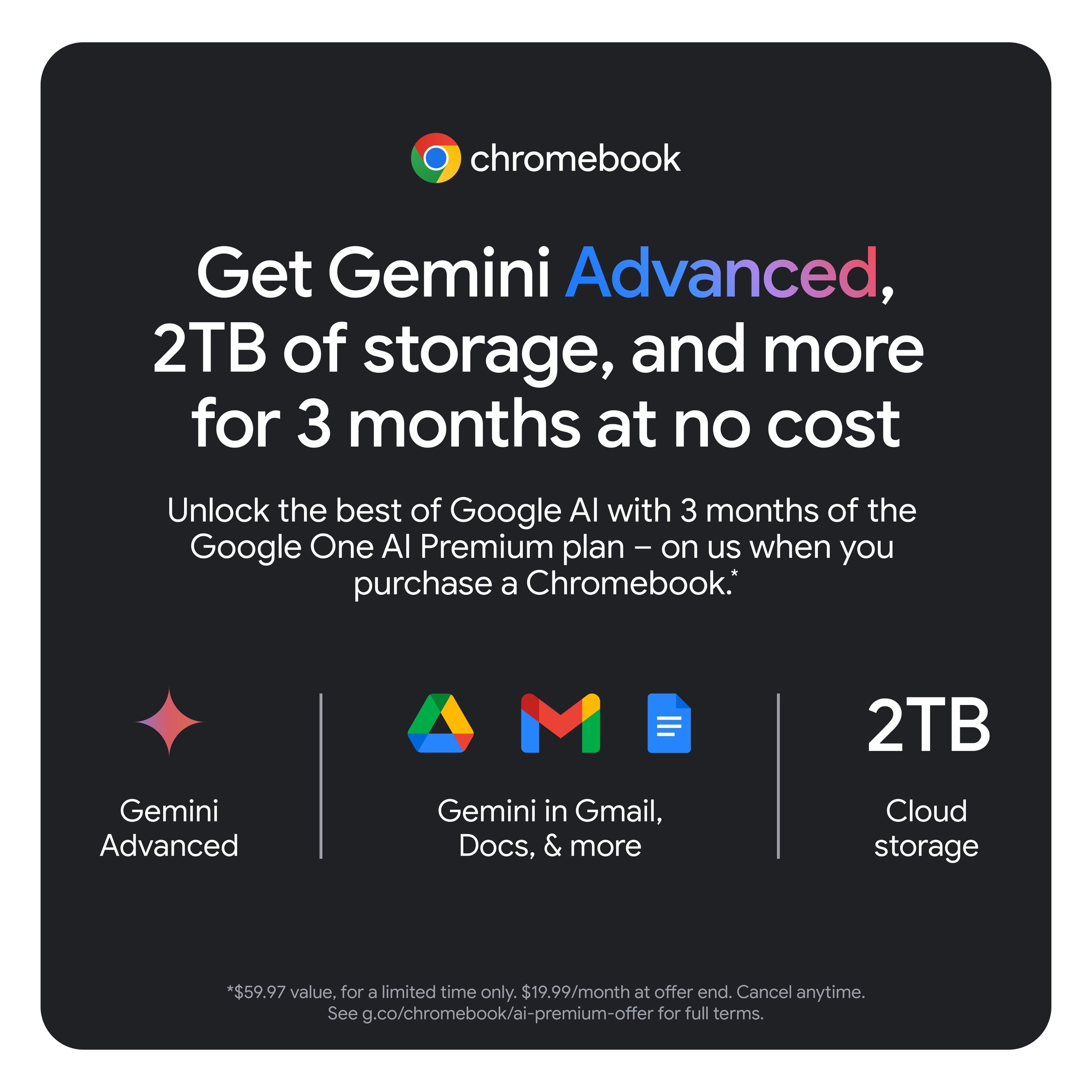
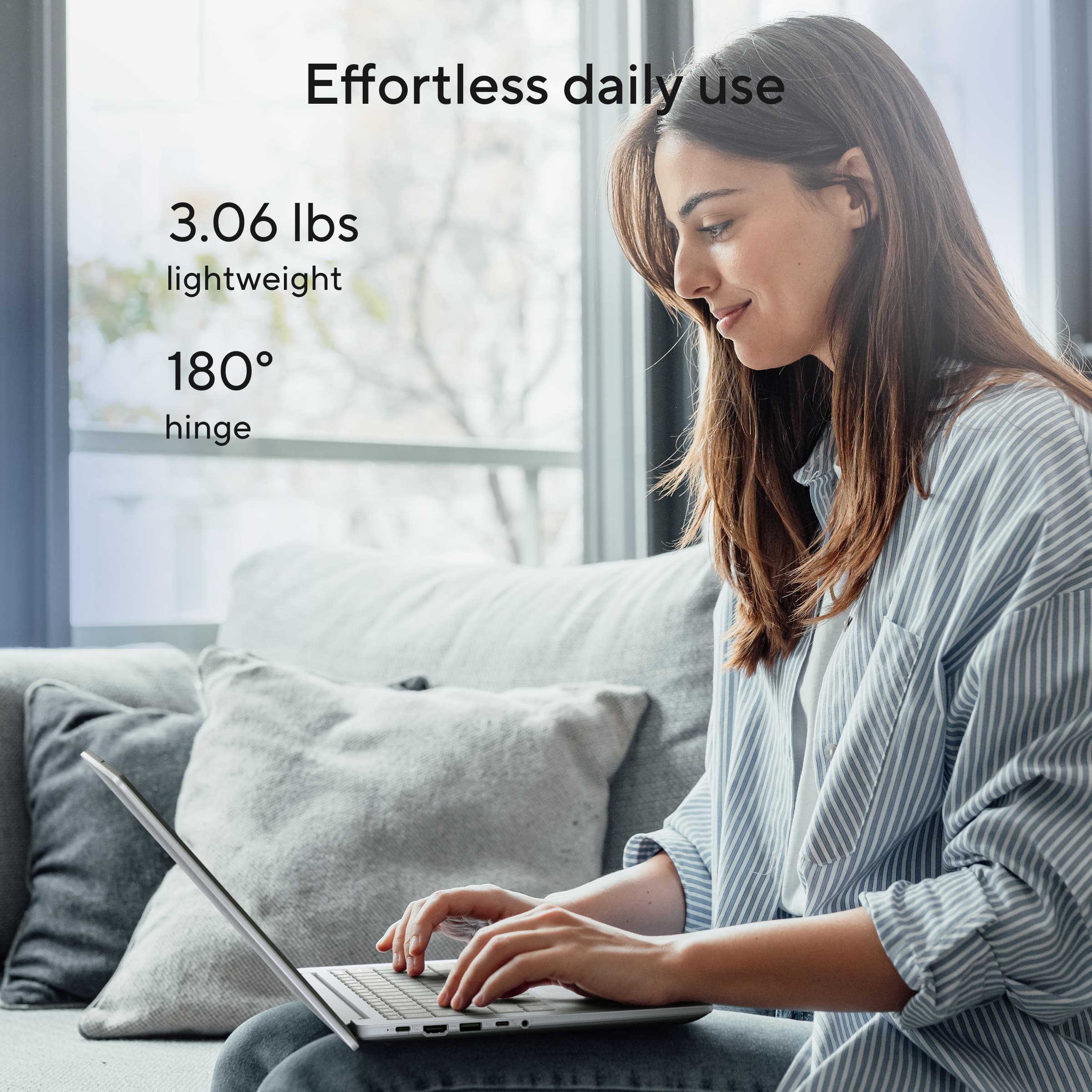
    Asus CX 14” FHD Chromebook Laptop Intel Celeron 4GB Memory 64 GB eMMC – Misty Grey This is a perfect Chromebook as a starter plus computer for any age, but especially for a younger student wanting to learn computing and develop artistic computer skills. After reading about this 2025 Chromebook model, I decided it was perfect for my granddaughter as her first personal computer. She is in a select advanced creative learning fifth-grade class in a strong school district and would like to have something more on which to learn programs and develop skills than just her tablet. There are a lot of PROS to this computer as a selection for her first computer. First, one of the absolute best features is that it is built on Chrome OS, Google’s operating system. With Chrome OS, setting up the computer is super simple. All that is needed to set up the computer is her Gmail address and password. The Gmail email address and password are central and basic to activating this as her new personal computer. Once the Gmail address is entered into the setup, the user can make a 6-digit password that will then serve as the login on the computer in the future, with no need for a lot of password memory. Another PRO to selecting this Chromebook is that Chrome OS is set up to not allow viruses. Of course, this can always happen, but Google has not had any instances where a virus has entered the Chrome OS system since February 2024. This eliminates the need for additional virus protection programs, continuous updates for virus protection, and the annual renewal cost. But, one of the very best features of this computer when selecting it for a younger person’s very first personal computer, is that when you set it up and initially turn it on, you will be asked whether you wish to set the computer up for personal use, work use, or child use. After this selection is made, the computer automatically installs all the programs specific to the choice you initially made. There is no need to go through every aspect of the computer and determine how to set it up, this is automatic through the Chrome OS. Once activated and set up for Child use, or for any of the three choices, the Chrome OS system will keep the computer updated automatically based on the initial choice you made on how you wanted to customize the personal computer. Being able to set the computer up specifically for Child Use helps keep the younger person on task with using the computer for learning, building computing skills, and expanding their creativity, but it also relieves anxieties the parent or guardian has about worries about how to child-proof internet sites, etc. You can still go in under the account and set up Parental Controls on time limits, amount of time, and when the computer can be used, etc. As an educator, I know that children’s learning potential is stifled by parents’ lack of technological knowledge and fears of not being able to protect their children from the internet. Because of these fears, too often parents and guardians postpone computer introduction for their children, and in this fast-paced technological world, that just makes the student’s future fall behind in reaching their full potential. These fears can be tremendously mitigated by just setting the computer up under Child Use and letting the system automatically update this setting. Once I selected the initial choice, with my internet, it only took 12 minutes to download all that was needed and have the computer personalized and ready to use. As needs change, the computer can later be reactivated under another choice by just resetting the entire computer and setting it up again. With this model, the user receives 3 months of Gemini Advanced (AI features) and 2 TB of cloud storage, which is significant, at no cost. Thereafter, there is a charge for these additional services after 3 months. Technical specifications of this computer include the following aspects. The computer is built on an Intel Celeron processor N4500 and has Intel UHD Graphics built into the system. The System Memory or RAM is 4 gigabytes (built on type LPDDR4X, which is often used for high power and low power consumption), and the total Storage Capacity of the computer is 64 gigabytes. The system storage used for running applications and storing the operating system information is eMMC (embedded Multimedia Card), which is a stable type of system memory. For just a few dollars more, there is a model that has increased RAM (System Memory) and increased Storage Capacity. However, without the need to perform advanced graphics, there is not a need for higher RAM and with the use of the Cloud for additional storage (if needed), 64 GBs should be ample for learning and performing all types of task and work, and for saving those things she wants to file away or keep working on. The Display is based on LED, which gives the picture high color contrast and superior brightness. The anti-glare screen resolution of 2K gives a much sharper picture than HD, and works well for streaming videos, basic gaming, paint and color programs, basic creative drawing programs, and general overall tasks. Fourteen inches is considered a medium-sized computer, and the screen size on a 14” computer gives a good viewing experience that also allows the computer to fit easily into a normal-sized backpack. The screen resolution is 1920x1080 (Full HD). Additional features of this computer include Google Assistant and a 180-degree hinge for setting the computer at different viewing angles. Connections are plenty with a 1 x HDMI 1.4 connection, 1 x USB A 3.2, and 1x USB C3, a headphone jack, WIFI, (AX wireless internet connection), and Bluetooth. The computer also has a built-in microphone, a 720-p front-facing camera, and a USB-C 45-watt power supply. The 3-cell battery is expected to last up to 10 hours, but that always varies based on whether the computer is used for constant streaming, computer work, gaming, or a combination of all types of computer use. The computer is made of military grade material, and this model is light grey, which almost resembles silver. Energy Star Certified, the computer has a Warranty that covers parts and labor for 1 year from purchase. Another reason that I like this computer as a beginning personal computer is that it is exceptionally light and easy to manage. It only weighs 3.06 lbs. and is only .78 “thick. It is 12.78” w x 8.44” h, certainly a nice size for packing and carrying in a backpack. CONS include no backlit keyboard, no numeric pad to the right (which is fading industry-wide). Still numerical numbers grace the top row of the keyboard as they have traditionally done since the typewriter. As she progresses, especially if she moves into learning more about graphics, she will need higher RAM and higher system memory, and I cannot give this model 5 stars only for these reasons. But for now, this is a smart choice as a computer for her to download the applicable Apps of programs she wishes to learn and start improving her creative art skills, typing abilities, have fun with casual gaming, and develop basic computing skills. It is an excellent choice for a basic or first computer, and most especially for a younger person’s first computing experience.

    I would recommend this to a friend
  • Pros mentioned:
    Battery life, Portability, Processor speed
    Tech Insider Network Member

    Rated 5 out of 5 stars

    Great value, plenty to like

    |
    Tech Insider Network Member
    Posted .
    This reviewer received promo considerations or sweepstakes entry for writing a review.

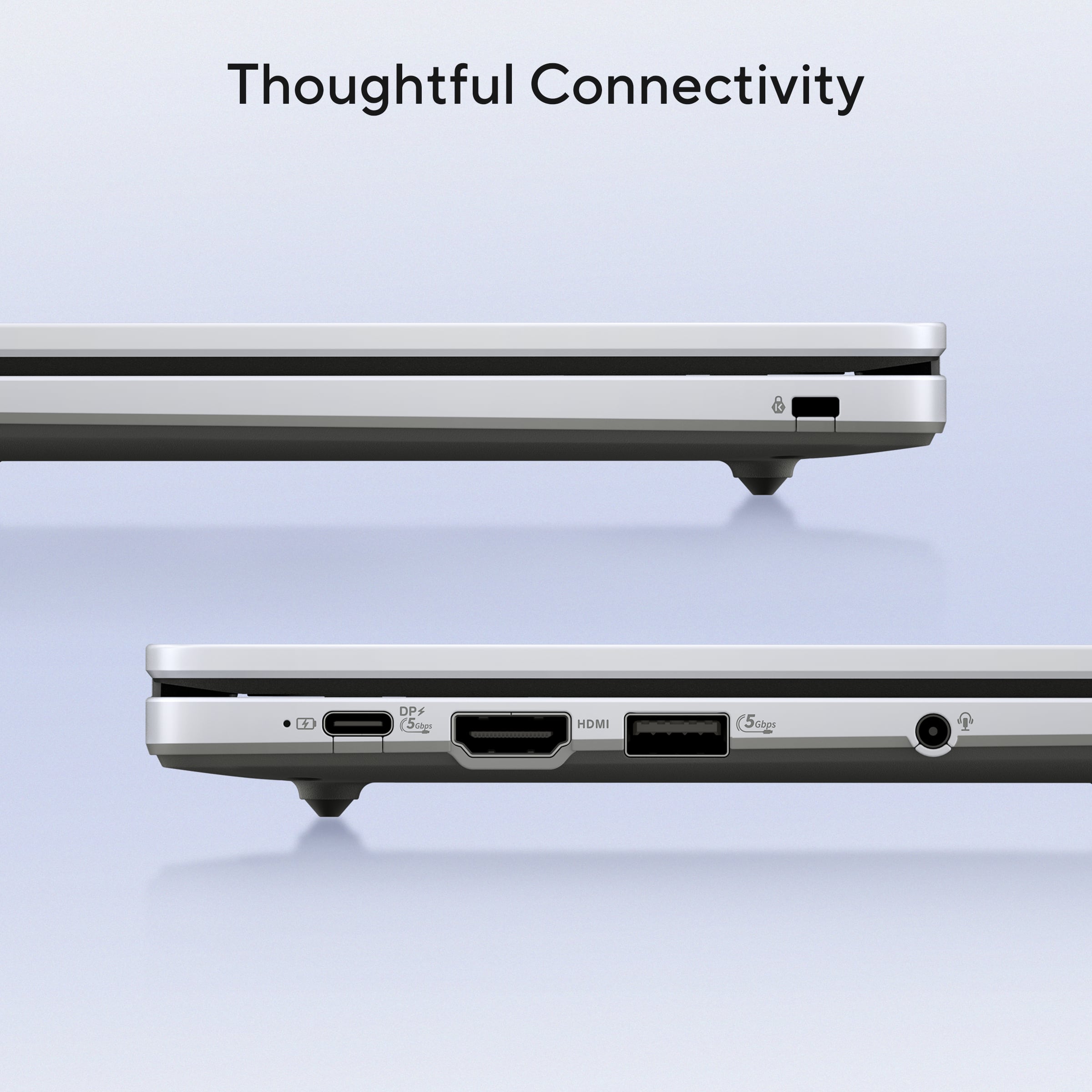
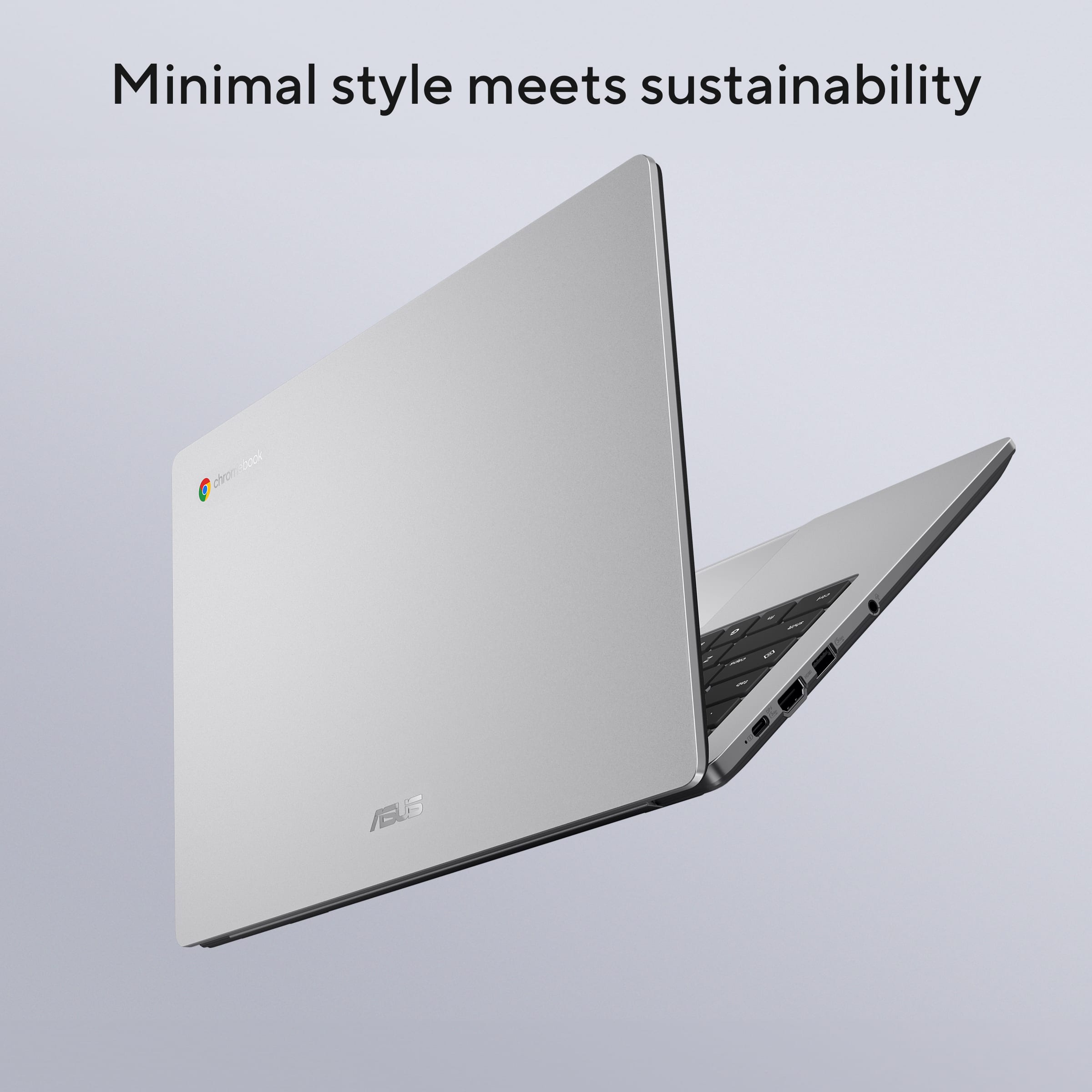
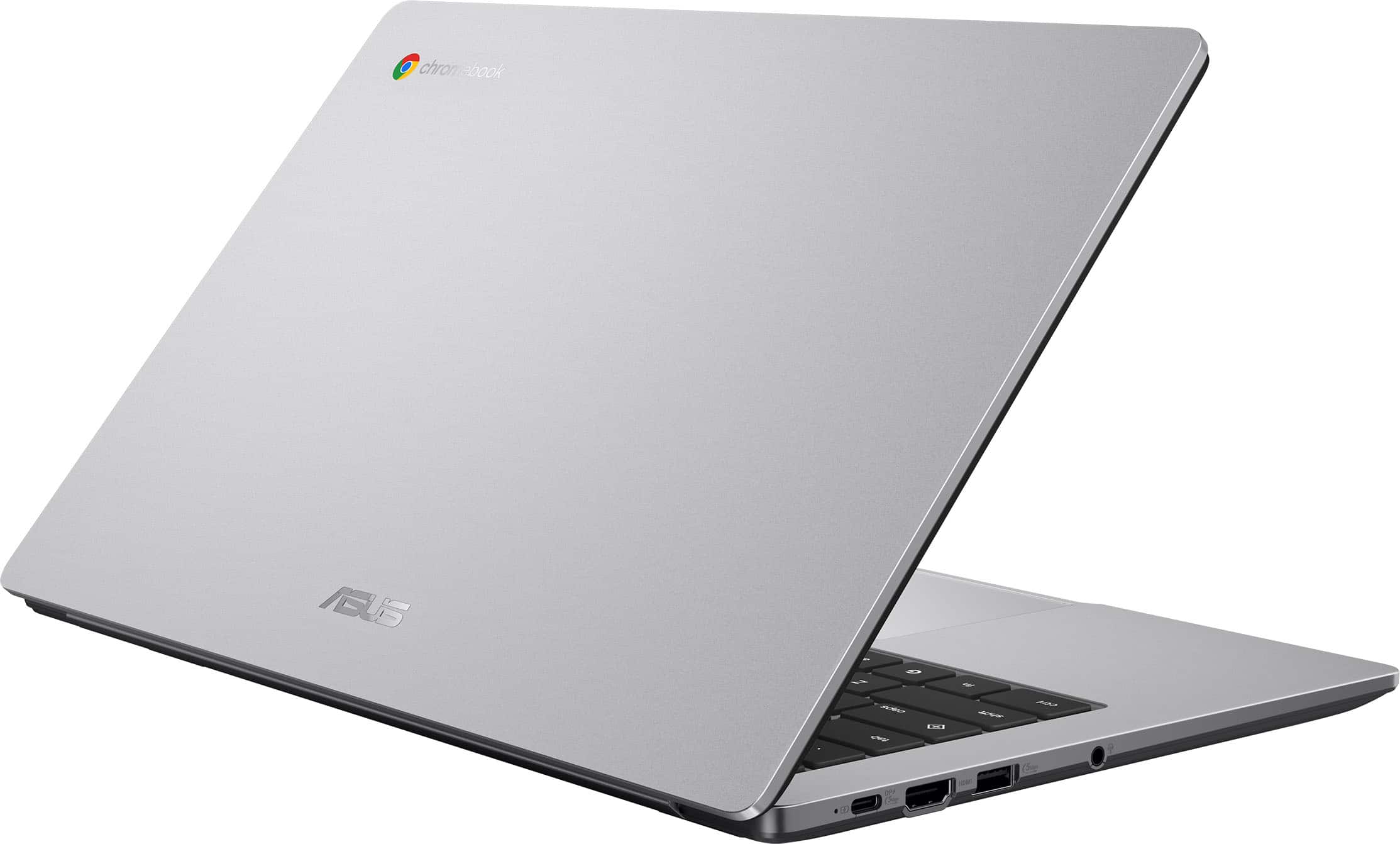
    I’m writing this review using the Asus Chromebook and I’ve been using the device for almost a week now. I am quite amazed by the performance of the device. If this laptop were running Windows, I wouldn't expect such a smooth experience with the same processor and memory specs. Chrome OS plays a large part in making this laptop a joy to use for both entertainment and light work, and Asus just follows suit. TLDR; this is a great value chromebook. At such a low price point, this chromebook laptop offers a lot. It does not feel and look cheap at all, in fact, the design is geared toward a professional and business look. The laptop is light, and has an attractive grey silvery color. The finishing surface is smooth, and it is well made and appears to be durable to withstand daily use and commute. The screen can unfold to a flat position and the hinge appears to be robust and sturdy enough. The Chromebook laptop has both USB-C DP and USB-A ports, which are rated at 5 GBPS speed. It also has an HDMI port and a headphone jack. As always, the laptop supports both Bluetooth and Wifi connections. There’s an onboard 64GB storage, which is good for downloading files directly to the chromebook. Because this is a chromebook device, the laptop needs to be connected to the internet at all times in order to use Google docs and sync your work realtime to the cloud. The chromebook comes with free three months of Google AI plan and 2 TB of cloud storage, which is a great value because typically they would cost $19.99 per month. The subscription also applies to existing Google One subscribers. No subscription is required to use this chromebook optimally, but the Google AI is indeed a very useful and attractive feature. I’m pleasantly surprised by the quality of the screen. It is bright, sharp, colorful and has enough contrast to make watching Netflix an enjoyable experience. Sound quality is decent, which is typical for a laptop at the given price range. The speakers’ volume is loud enough though it would have been better if it were slightly louder, and audio quality is surely still enjoyable for listening to music or listening to podcasts as long as we keep our expectations in check. Both Bluetooth audio connection and headphone jack works well. Quire surprisingly headphone jack connection gives plenty of volume, which is about as loud as my external audio processing device (DAC) could get. So, kudos to Asus for making wired headphone users being well taken care of. This laptop is well-suited for light tasks within the Google Docs and Chrome OS app ecosystem. The typing experience is smooth and responsive, with a comfortable keyboard layout and touch that feels similar to a Windows laptop. The touchpad offers a responsive experience and it works similarly like using a Macbook. At 80% battery capacity and 100% screen brightness, the laptop gives me more than 5 hours of use and that makes the laptop great for daily use. The laptop has an instant-on feature that feels similar to using a Macbook. This is not your kid’s school chromebook, there’s a night and day difference and I just wish that the school would allow my kid to replace his school chromebook with this Asus one. Pros: Zippy for lightwork Screen quality Good battery life, great for daily use. Headphone jack gives plenty of volume. Cons: Audio volume could be slightly louder when using built-in speakers.

    I would recommend this to a friend
  • Pros mentioned:
    Battery life, Portability, Processor speed
    Tech Insider Network Member

    Rated 5 out of 5 stars

    Good Chromebook Experience - Like the 14" Size

    |
    Tech Insider Network Member
    Posted .
    This reviewer received promo considerations or sweepstakes entry for writing a review.

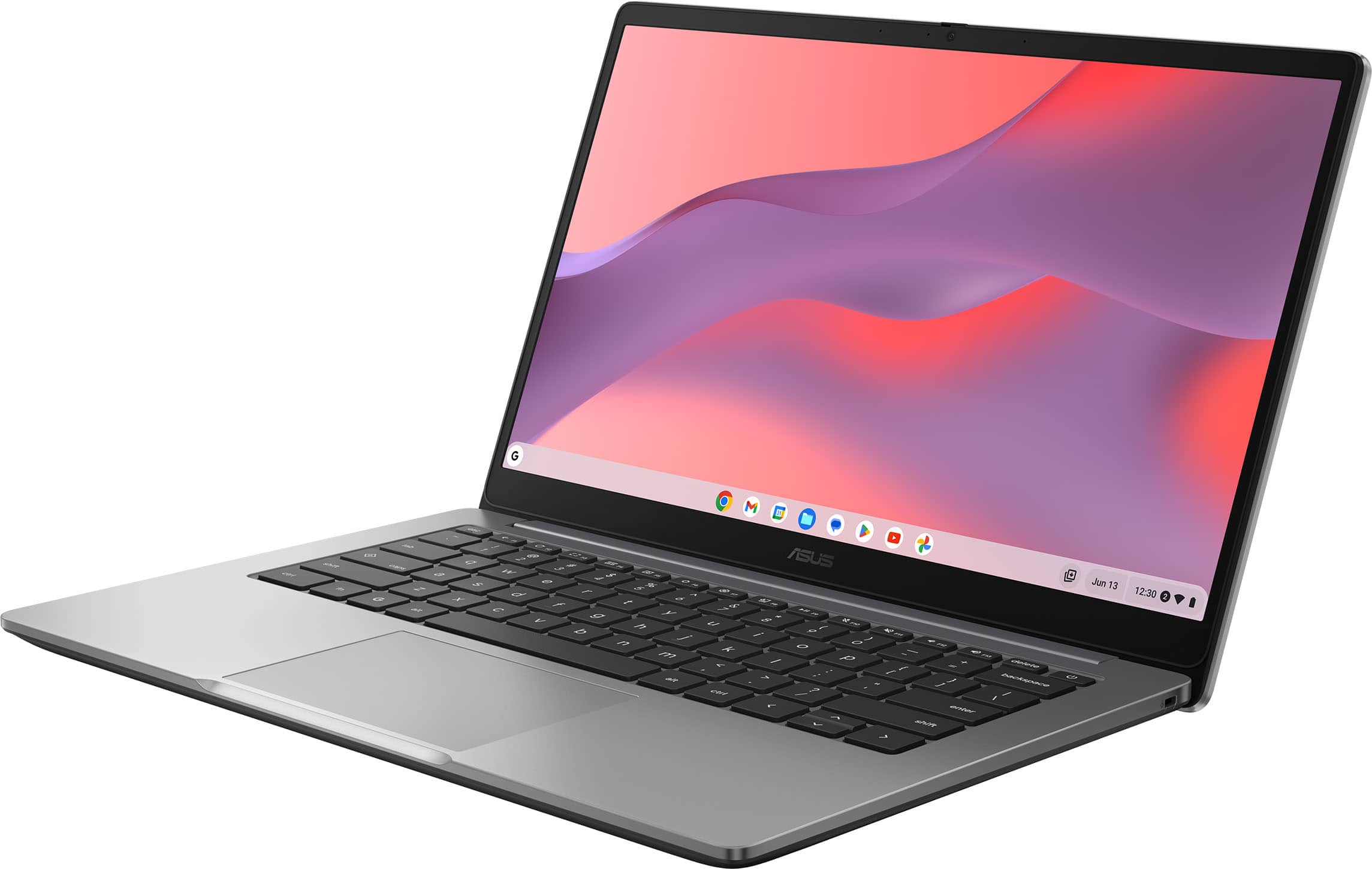
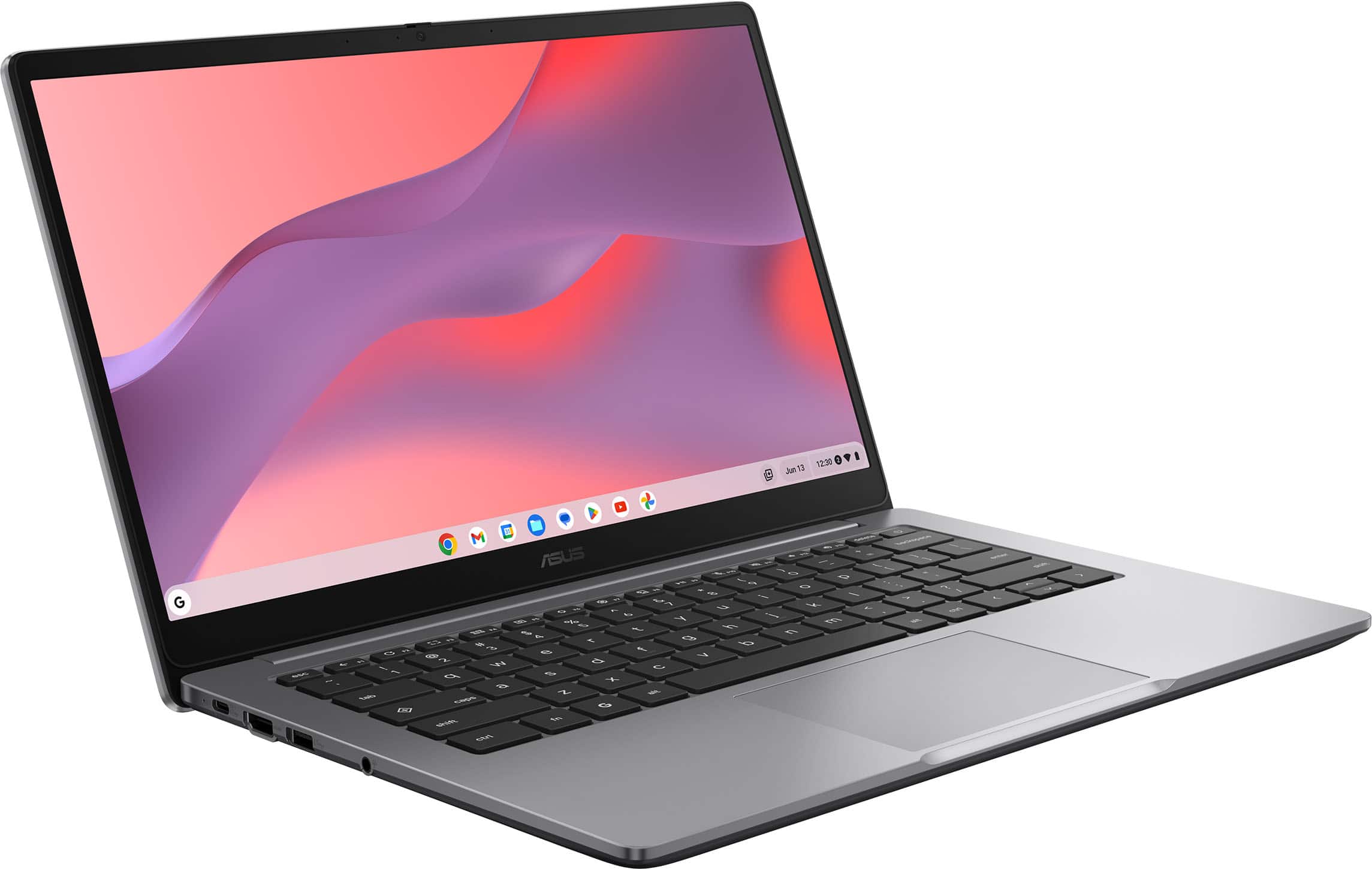
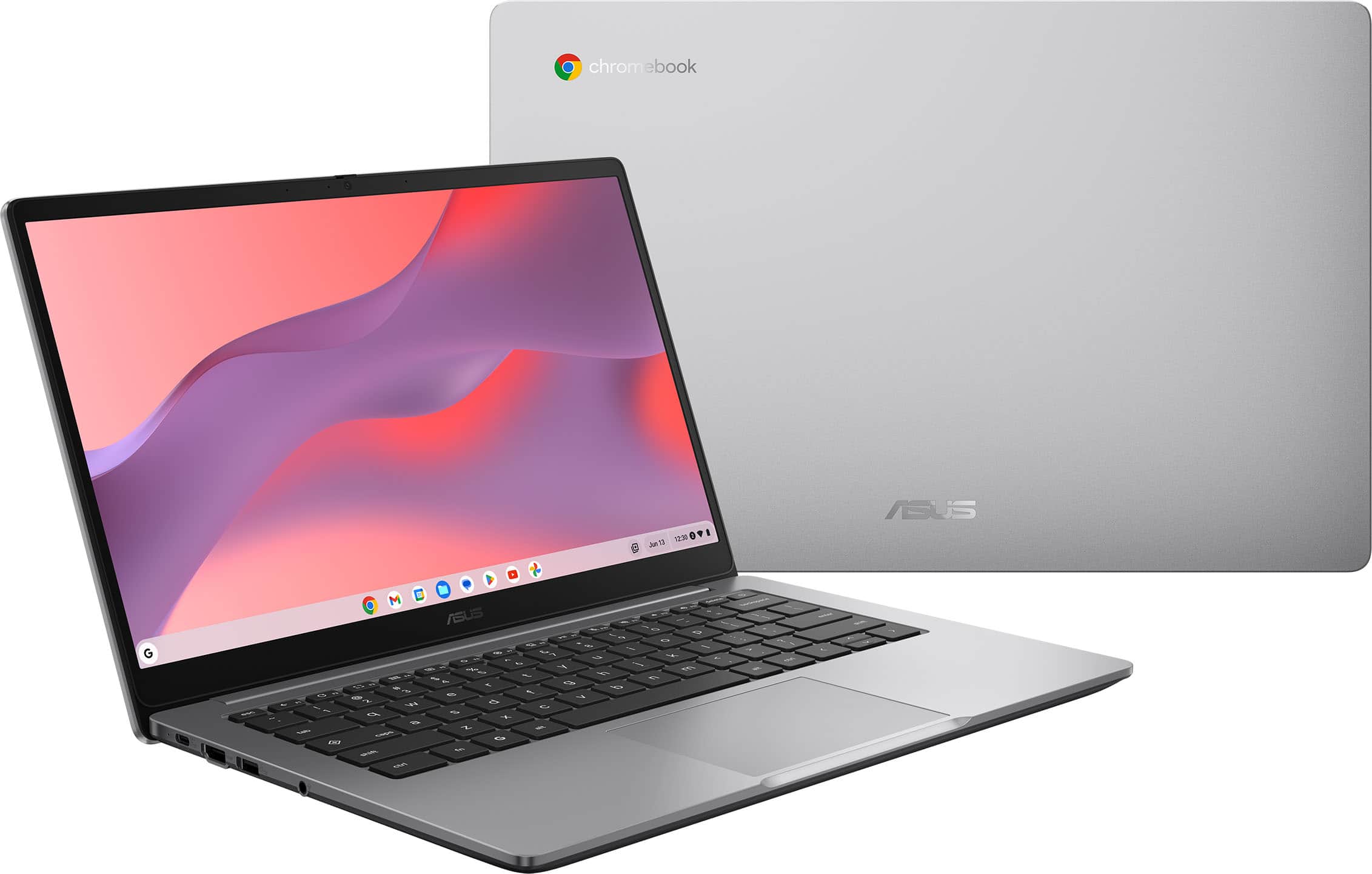
    The ASUS CX14 (C3X1405CKA) is a 14” entry level Chromebook. This CX14 is an update to ASUS’s CX lineup that started in 2024. The formula is still the same – lightweight, portable, budget friendly, and enough performance for day-to-day tasks. I have used another ASUS 14” Chromebook (CM3401) for 2 years, and it has held up well to regular usage, so I would hope for a similar outcome for this model. Specs CPU – Intel Celeron N4500 Dual Core 1.10 GHz w/ turbo boost up to 2.8 GHz Graphics - Intel UHD (Jasper Lake 16 EU) graphics Memory – 4GB LPDDR4X Screen – 14” 1920 x 1080p HD TN; 250nits; NTSC 45% Storage – 64GB eMMC Flash memory – microSD card port available for additional expansion Ports – 1X USB 3.2 type-C / 1X USB 3.2 type-A / TRRS 3.5mm Jack (headphone and mic support) Audio – dual speakers Webcam – 720p with dual microphone Dimensions – 12.8 x 8.4 x 0.7”; 3.06lb Design The design of the CX14 is basic, but clean looking. The 14” size and 3lb weight make for a very portable solution. The 14” size is perfect for when I travel/fly as anything larger doesn’t really fit on the seatback tray. The entire chassis is made mostly of silvery ABS plastic, spare the bottom which is more gray and the black screen bezel. The lid and surface around the keyboard are all soft to the touch. The bottom chassis has a light texture which improves grip. The Chromebook feels solid despite its all plastic construction. The hinge and display feel sturdy when opening the lid – I don’t feel it tweak or flex too much even when opening from one corner. The hinge opens to 180° and holds its position easily. The bezel around the screen is about 1/4”, so it has some thickness to grab onto. The CX14 does not have a numberpad, so the key spacing does not feel too tightly packed. The large trackpad measures in at 4.1 x 2.9in and matches the color of the chassis. The ports are all located on the left side of the body. This was a little surprising as I am used to seeing USB-C charging ports on both sides of Chromebooks – even the cheapest ones my kids get from school have that. Performance This is my second N4500 based Chromebook, so I know what to expect in terms of processing power. The N4500 is decently fast and can open and close programs quickly. I would expect on a Chromebook like this that the most demanding task will be streaming video and maybe a browser going at the same time. There is enough power here to handle that without bogging down. If you load up the Chrome tabs and have several applications open you will start to notice some hitches in application switching. I have played a few games on my other Chromebook which definitely drags performance down, and it was the same here. The 4GB of RAM doesn’t provide a lot of extra room for anything beyond lightweight games made for tablets/phones or older titles that have been emulated to work on ChromeOS. However, the focus of this machine really isn’t gaming so much as it is from schoolwork or web browsing. The 64GB of eMMC opens programs and files without much delay. However, there is no expansion SD slot on this Chromebook, so you will need Google Drive space or an external drive if you need to haul around more data. Display The 14” 1920 X 1080p FHD TN panel looks pretty good. It’s not an overly bright display at 250 nits, which means using in a really well lit room will cause some washing out of the image. Color reproduction was good as well - I didn’t notice any funky colors while watching videos and images looked similar when compared to other higher-quality displays. The image quality is nice and sharp, which makes working a text document a pleasant experience. Off-angle viewing was not that great, but that is to be expected out of a TN panel. It’s a nice looking display, and the 14” size provides a comfortable size for viewing most content. Keyboard and Trackpad The keyboard is a tenkeyless design – no number pad. The keys have a comfortable spacing and my fingers are easily able to navigate the keys. The keycaps are lightly textured out of a dark grey plastic, and are marked with solid white letters. The keyboard itself is not backlit, but the light of the screen is enough to illuminate the keys in a darkened room. The keys have a light actuation pressure and a very short (~0.04”) travel length. Typing on the keyboard is fairly quiet, so you won’t annoy anyone with clacking keys. I am not a huge fan of this material for keycaps as it feels cheap and reduces the overall feeling of a keyboard. The clickable trackpad works well and is surprisingly quick on the pointer speed. The trackpad has no issue discerning multitouch actions and it seems to be fairly accurate at reading my inputs. Battery Life Nowhere have I seen a stated battery life for the CX14. However, the checking the battery meter shows, at a full charge a little over 8 hours. I would bet somewhere around that figure will be the real world battery life. That figure is still dependent on the screen brightness setting and what you are doing on the Chromebook. For me an hour of Netflix with the screen brightness down dropped the battery 22%, so just a little under 5 hours of video streaming on a charge. For day to day productivity tasks I can certainly see getting around the 8 hour mark, which is pretty good on a single charge. The CX14 uses a 45W PD charger that plugs into the USB-C port, and it only takes about 1 hour 20 min to fill up the battery from below 10%.. The largest benefit to using a USB-C PD charger is the ability to use a variety of chargers or refuel with a portable battery pack. I can use my phone’s 30W charger or my tablets 65W charger without issue. The 30W charger takes a little longer to charge, but if I am traveling I can bring along 1 charger to suit my needs. Sound The sound from the speakers is decent. Voice calls sound fine as well as most speech specific audio. Music and dynamic audio from TV/movies doesn’t do too bad with mids/highs but is non-existent at the low end. That’s more or less par for the course as far as budget laptops and Chromebooks go. The speakers are plenty loud enough which is just as important. I can play music or a video and hear it over doing dishes or cooking. Webcam The webcam experience wasn’t too bad. It’s nothing super amazing, but it did much better than expected in low light. It still looks the best in a well-lit room, but overall the image looked clear. Its perfectly serviceable for meetings and video calls.leaves a little to be desired. Cons The only real knock I have against the CX14 is the lack of an SD card slot, which I mentioned already. All other Chromebooks I have owned/used with the smaller eMMC storage I have had the ability to stick a fast microSD in to greatly expand the storage and still maintain fast load speeds. The CX14’s smaller storage size will push users to rely on cloud storage for their files, which is not always ideal. There is typically a monthly cost to this storage and it requires a reliable internet connection to access. An example would be when we take a road trip. I like to load up movies on a few devices for the kids, and usually that will creep over into the expandable storage. I can’t provide a fast enough connection through my phone’s hotspot while driving across Kansas to stream Netflix. A minor complaint is the lack of USB-C on both sides of the Chromebook. I hate being locked in to having the charger on 1 side, and the flexibility both sides gives you is a small creature comfort. There is also a practical reason for wanting a second port and that is redundancy. It is not completely uncommon for a port to fail, and with a single port you are 1 failure away from having a paperweight. It’s one of the reasons kids school Chromebooks always have dual charging ports. Overall I think this is a pretty good Chromebook that has a lot going for it. I really like the 14” form factor even though I lose out on the numberpad. The size makes it significantly more portable, which is great for bringing along in the car or on work trips. The specs on the CX14 aren’t mind blowing, but its more than enough to keep the system chugging along. I never expect a Chromebook to be used for a lot of high-powered applications, so its ability to provide a good office productivity experience is what matters. I only had a few issues with the device and that was the lack of an SD slot and a second Type-C port for charging. I had zero operational issues with the Chromebook otherwise.

    I would recommend this to a friend
  • Pros mentioned:
    Battery life, Screen quality
    Tech Insider Network Member

    Rated 5 out of 5 stars

    Small details, minor decisions make a difference.

    |
    Tech Insider Network Member
    Posted .
    This reviewer received promo considerations or sweepstakes entry for writing a review.

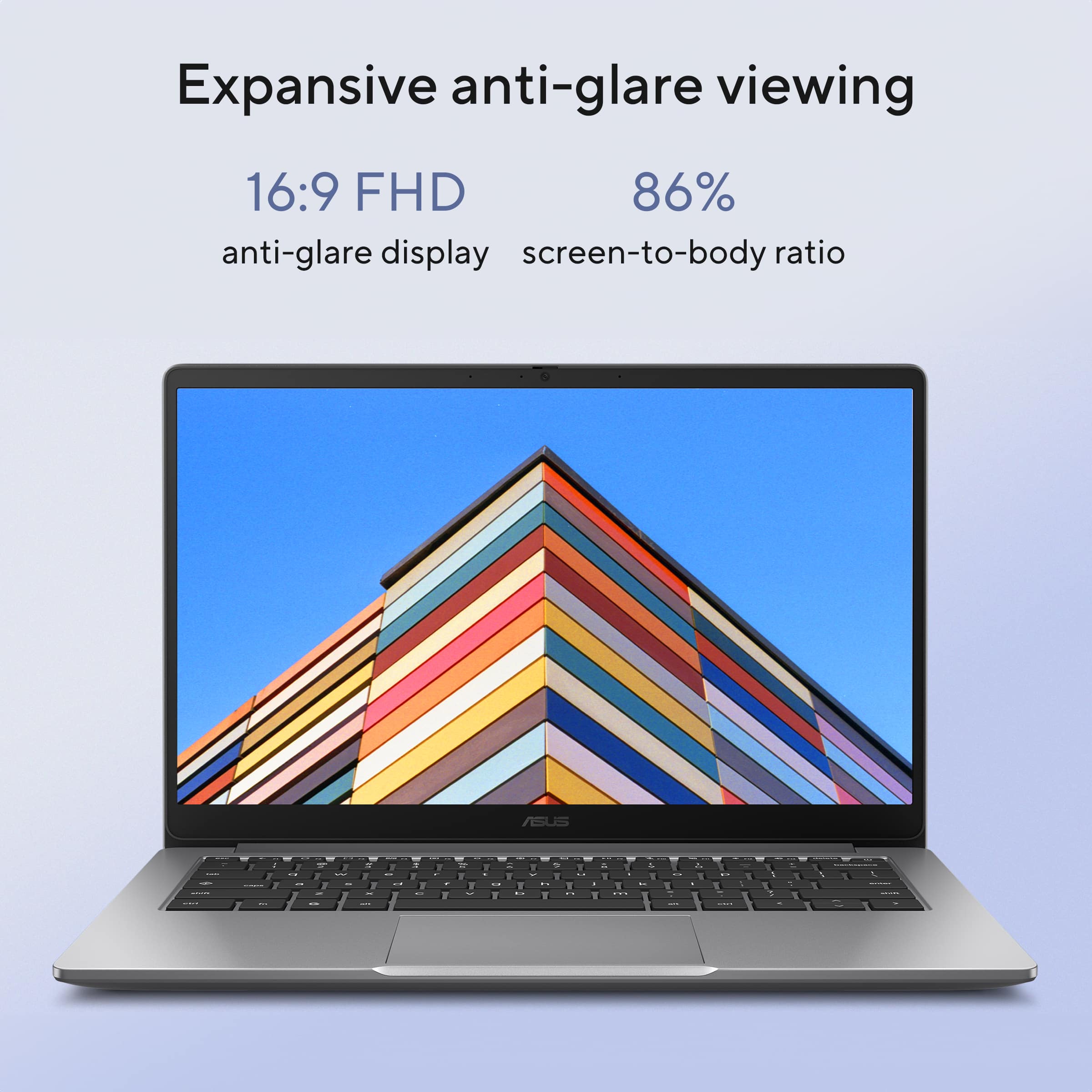
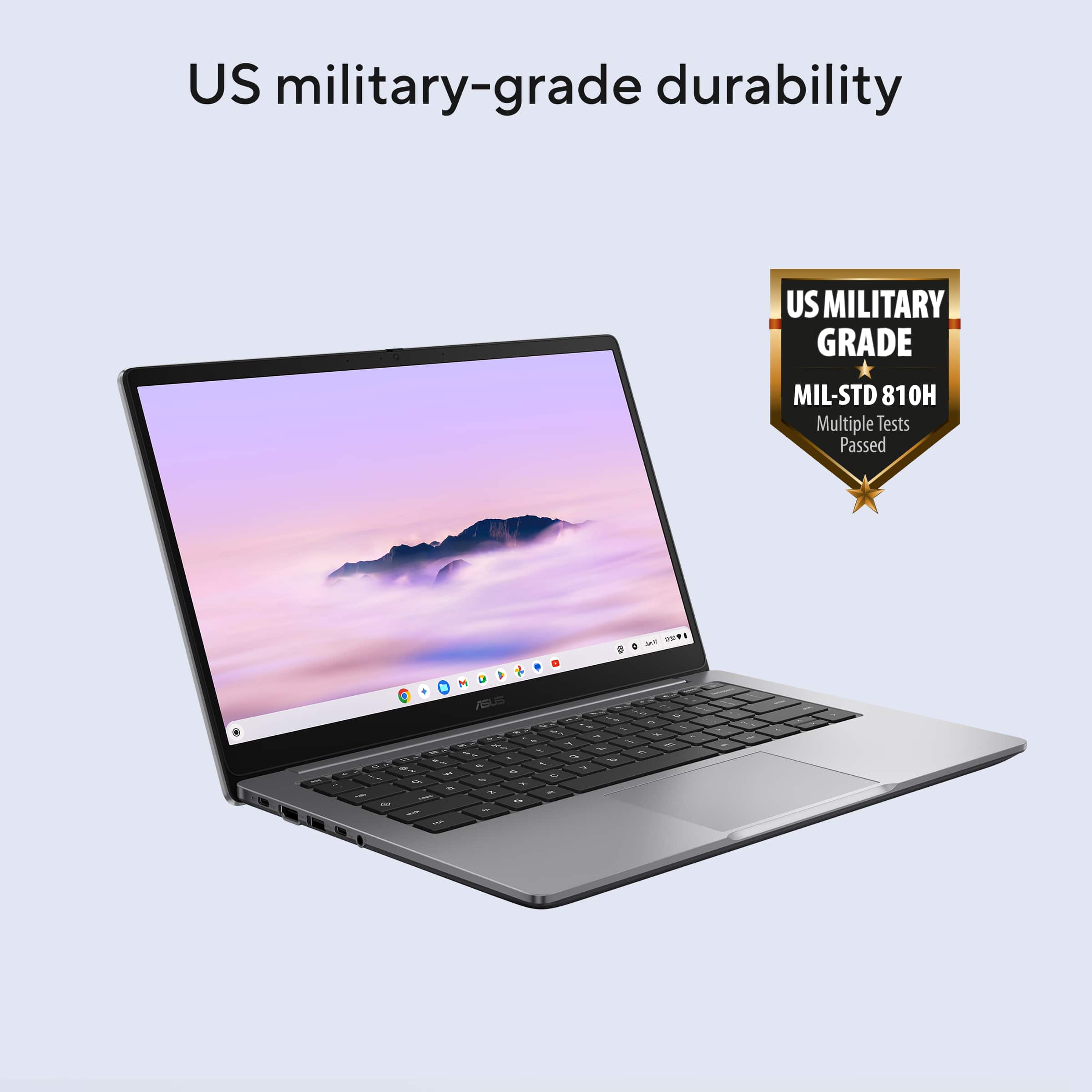
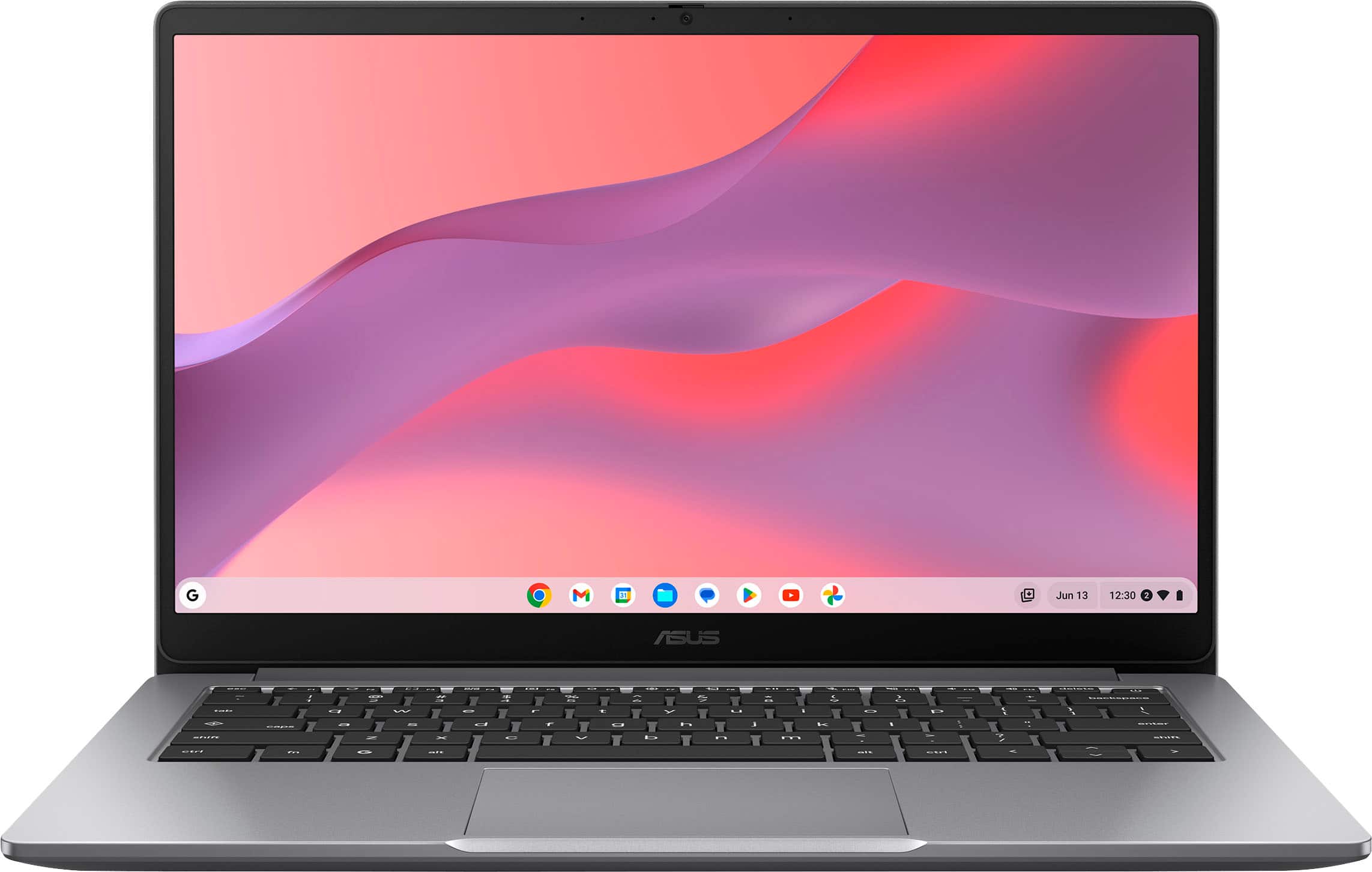
    ASUS - CX14 14" FHD Chromebook Laptop - Intel Celeron - 4GB Memory - 64GB eMMC - Misty Grey ASUS has delivered the Chromebook experience buyers like me expect, with a well built, smooth performing, easy-to-use laptop that fully exploits the tremendous App library that is always a W-Fi connection away. I’m a regular user of Chromebooks and have had enough experience to recognize that ASUS has made some very desirable decisions that separate this laptop apart from the competition. That also means some compromises have been made, so let’s explore what’s here. SETUP: As expected, setup is a couple of minute process, with your GMAIL account the easiest way to get underway immediately. A system update took place but was completed within minutes using my Gigabit Wi-Fi and the ASUS’ available Wi-Fi 6E. You are invited to use your Android phone to further simplify the setup. Probably the first decision ASUS made, which you will want to consider, is port connectivity. There is the thoughtful HDMI 1.4 display connector so you can add a monitor or projector easily. Add a headphone jack and just two (2) USB Ports, the USB-A 3.2 and the USB-C 3.2 which doubles as a charging port. The Power source is a 45Watt brick charging the Lithium ion battery cells. A 720p Front Facing camera and built-in microphone complete the picture. The keyboard is not backlit but the key labels are big and bold, so finding them even in poor lighting was never an issue. Total weight is just over 3 lbs. USER EXPERIENCE: I think what struck me with my first few hours using the ASUS CX14 was the unusually crisp images, which may be benefiting from the higher resolution screen (1920 x 1080 (Full HD)). Perhaps more than the enhanced detail, ASUS’ choice of anti-glare display technology also delivers a less fussy viewing window that does not force me to constantly correct viewing angles to ensure a nice image. Add to this the nice feeling keyboard, the easy-to-read keys even under poor lighting, and a responsive touch pad and I’m able to work for extended stretches of time, comfortably. The next area of positive surprise was the ASUS handling of media Apps which can be demanding. Movie watching was fun. This modest complement of memory and storage impressively, and quickly, accommodated several open Apps. At one point I had my baseball App playing while I was Web browsing and taking notes. It was little different from the experience I get with my 8x more costly Mac laptop setup. Not a hiccup. Audio is unimpressive but certainly useable. I recommend using the headphone jack to add a desktop speaker system or your favorite headphones/earbuds. Bluetooth wireless is of course available. Battery life was perfect for all day use (8 hours promised) and I found re-charges to be very fast. AUSUS hints at a robust build by advertising military-grade durability (MIL-STD 810H). SUMMARY: ASUS made a few compromises that I can applaud. Adding multiple ports via a small portable hub or even simpler adapter is easy and inexpensive and Chromebook users aren’t really those people anyway, are they? This very good performing laptop is especially convenient, with a comfortable-to-use, readily visible keyboard and touchpad and a wonderful screen that invites long user sessions. AUSUS made the right decisions and got important details right for me and I’d predict many other users.

    I would recommend this to a friend
  • Pros mentioned:
    Portability, Processor speed, Screen quality
    Tech Insider Network Member

    Rated 5 out of 5 stars

    Great Chromebook is durable and easy to use!

    |
    Tech Insider Network Member
    Posted .
    This reviewer received promo considerations or sweepstakes entry for writing a review.

    This ASUS CX14 14” FHD Chromebook has really surprised me. I don’t know what exactly I expected from a Chromebook, but it wasn’t as good as this experience has been thus far. First of all, it is not slow at all. In actuality, it’s pretty fast for having 4MB of memory. What’s in the box: The ASUS CX14 14” FHD Chromebook, power cord, paperwork Setup: setup is pretty cool. You can use your Android phone to set it up, or you can set it up manually. I chose to set it up manually. It still didn’t take a long time at all. Ports: this Chromebook has all the ports you need, including HDMI, 2 USB- 1 is USB-A and 1 is USB-C, USB-C charging port, and a headphone jack. Connectivity: wireless and Bluetooth Screen is LED and FHD. It’s bright and the colors are vivid. The Chromebook runs on the Chrome OS and has Google Assistant built in. What I like most about this Chromebook is the portability, simplicity, and the durability. Features of this Chromebook include, but are not limited to the following: Considering there is a very small storage space on the Chromebook, consider running most apps from the web, if at all possible. I run Office 365 from online, instead of off of the Chromebook 64GB of drive space. Gemini is one of the best things ever. Gemini is Googles AI. I ask Gemini to plan a party for my grandson’s kindergarten graduation for 8 children and parents. It not only planned the entire party, but it gave me detailed instruction, a menu with everything listed, activities, appetizers, music and everything that is all age appropriate. I also used Gemini to help me plan my grocery trip and to help me look up a recipe. Entertainment: movies, videos, games, and puzzles are all of what I tried out on this Chromebook. I must say I was very impressed with the performance. No lag. No distorted audio or video. It was a great experience. I give this ASUS CX14 14” FHD Chromebook 5 stars out of 5 and recommend it as a simple to use starter laptop for students or someone that doesn’t need a lot of hard drive space or does a lot of high end gaming or graphics work.

    I would recommend this to a friend
  • Pros mentioned:
    Battery life, Overall performance, Screen quality
    Tech Insider Network Member

    Rated 4 out of 5 stars

    Practical but Underpowered at Times

    |
    Tech Insider Network Member
    Posted .
    This reviewer received promo considerations or sweepstakes entry for writing a review.

    I wanted to like the ASUS CX14 14" FHD Chromebook Laptop more, but I found it underpowered at times and lacking some basic features I've come to expect; even at this price point. My seven year old is finishing up first grade this spring, and I wanted a Chromebook she could use during the summer. So far, the ASUS CX14 has proven to be a solid option, but the lack of a touchscreen is tough to overlook. BUILD: The build quality of the CX14 is perfectly fine for its price range. I feel confident letting my daughter run off with it without worrying whether it will come back in one piece. The keys feel solid and are set low enough that it would be difficult to pop them off accidentally. My only concern that the hinge feels weaker than expected and has more slop than I’d like. While I’m sure it will hold up over time, it was fairly noticeable when shifting the laptop around on the table. SCREEN: I was very disappointed to discover that the CX14 does not have a touchscreen. I understand this is on the budget end of the spectrum, but my daughter’s school-issued Chromebook is in a similar price range, has comparable specs, and does include a touchscreen. That said, while it lacks touch capability, the screen is a very impressive IPS panel. Viewing angles are excellent, colors are vivid, and when they say HD, they mean it. This is easily one of the nicest IPS panels I’ve seen on a Chromebook in this category. The screen also has a matte finish which is a huge plus in my book. PERFORMANCE: The CX14 feels snappy during basic tasks, but it becomes sluggish quickly when multiple tabs or programs are open. Even my daughter pointed out how slow it was getting while using one of her educational programs… something she didn’t experience on her school-issued laptop. I plan to revisit the settings to see if there are any tweaks that could improve performance, but you should keep your expectations practical. SUMMARY: Everything else not mentioned above is more than satisfactory. Battery life easily meets our needs, the trackpad is very accurate, and the sound is about what you’d expect from a budget-friendly laptop. I would recommend this Chromebook for younger students who need a device for very basic tasks. However, if you need something for more than internet browsing, checking email, or playing solitaire, I’d suggest looking at some of ASUS’s higher-performance offerings.

    I would recommend this to a friend
  • Pros mentioned:
    Battery life, Overall performance, Portability
    Tech Insider Network Member

    Rated 5 out of 5 stars

    Use google Chrome browser? You'll love Chromebook

    |
    Tech Insider Network Member
    Posted .
    This reviewer received promo considerations or sweepstakes entry for writing a review.

    ASUS - CX14 14" FHD Chromebook Laptop - Intel Celeron - 4GB Memory - 64GB eMMC - Misty Grey If you are a google Chrome browser user, you will be right at home with the ASUS 14-inch Chromebook Laptop. The clear anti-glare display has a refresh rate of 60-hertz, and a full 1920 x 1080 pixels, HD (high definition). The display produces a bright clear image (LCD 14.0FHD). As this is a nice low-end machine (not expensive), it's fine for watching our favorite streaming service, browsing web content and general email, TEAMS communications, etc. The graphics port is a HDMI for a second monitor or use as a projector connection. Thanks to the Intel N4500/BGA CPU, I get a full day's work or can enjoy online content and entertainment. Other connections available are headphone/speaker/microphone; USB-C which doubles as a power connector; standard USB 3.x; and though not a port, a security lock on the back right side of the laptop. Nothing on the back edge, but the hinge allows it to be laid flat, 180-degrees. Its smaller footprint and minimal weight make it easy to pack and carry. The Lithium-Ion battery lasts a full day. I now keep this near the comfy chair in my bedroom when in the mood to browse the web of check my emails, since it boots up quickly. Storage is sufficient, as Chromebooks can offload what isn’t needed. I had no issues with signing into my google account. I allowed it to sync and all my familiar apps were uploaded. Makes using my other devices seamless. I love the tactile feel of the keyboard. Not backlit, but the printed graphics on each is clear. Also quiet enough to be used in public without a clickety-clack sound annoying to (at least me) most people. A great alternative to Windows, or an even better companion.

    I would recommend this to a friend
  • Pros mentioned:
    Overall performance, Portability
    Tech Insider Network Member

    Rated 5 out of 5 stars

    Solid Chromebook

    |
    Tech Insider Network Member
    Posted .
    This reviewer received promo considerations or sweepstakes entry for writing a review.

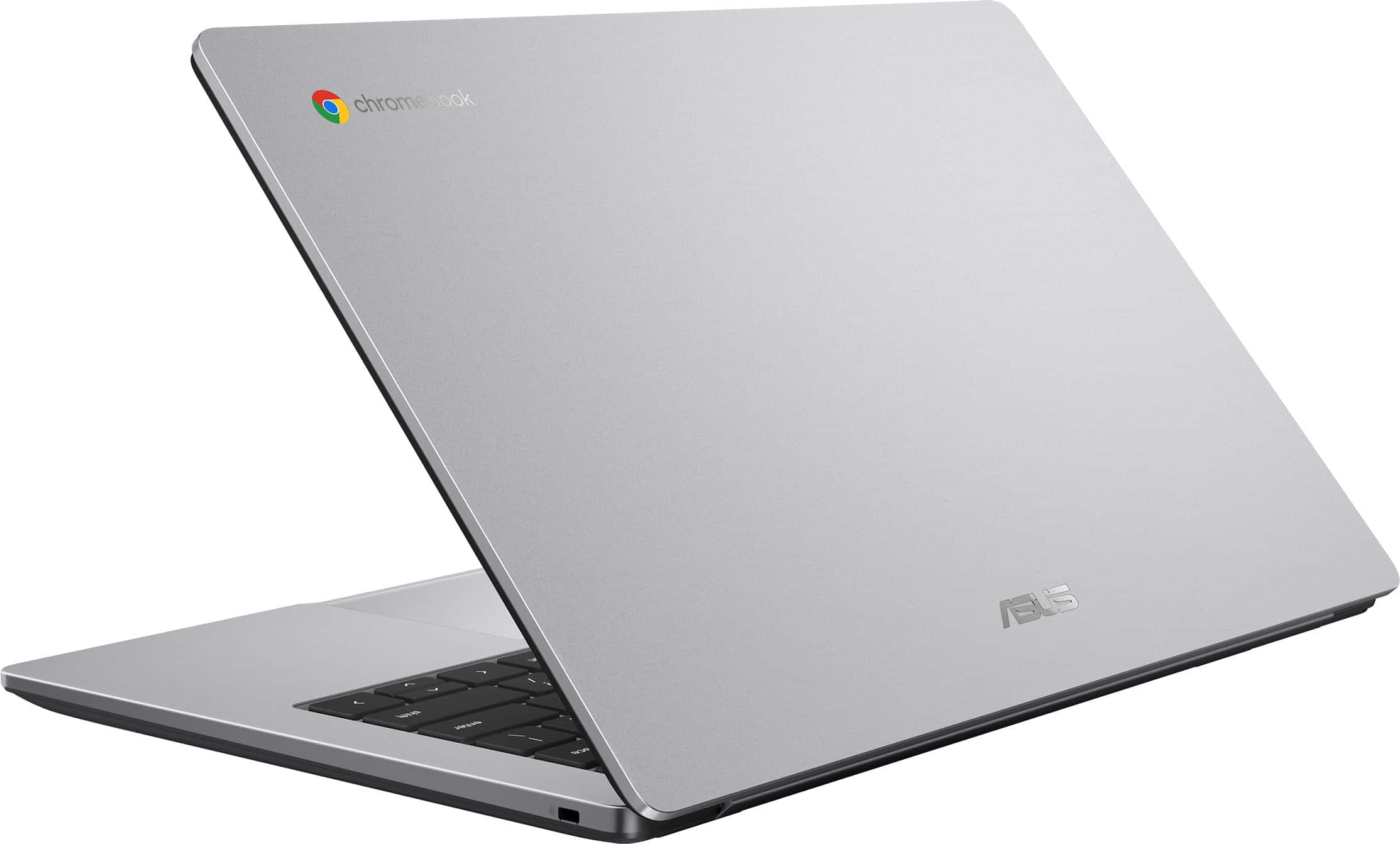
    If you or your child uses Chromebooks for school or work, this would be a great, affordable computer for you and certainly easy to use. It is very light weight- just over 3 pounds which would make it easy to carry to school or work. It uses a universal C-port charger which is great since I have several of those around the house already! I love when they use common chargers. There is also an HDMI port and a USB port. There is another opening on the right side with a K and a lock symbol. I had to google what this was but found out it is a Kensington Locking system. You can use a cable to lock your Chromebook to something with a cable to prevent theft. Never even knew this existed! Chromebooks thus far are virus free so you can use this with confidence. There is a front facing camera for meetings or classes. A couple of things I would like to see (but don't affect the computer- more "preferences"). I love a touch screen- just me- I am very used to touch screen laptops and find myself touching the screen to try and move the cursor or view. I also like a back lit keyboard. Again, just a personal preference but it is a small thing and does not affect the utility of this laptop at all. Overall, this Chromebook is zippy, has good graphics and is easy to set up and start using (especially if you already have a Chrome account).

    I would recommend this to a friend
  • Pros mentioned:
    Battery life, Overall performance, Portability

    Rated 5 out of 5 stars

    Excellent Laptop – Fast, Sleek, and Reliable!

    |
    |
    Posted .
    This reviewer received promo considerations or sweepstakes entry for writing a review.

    I recently got this laptop and it has exceeded my expectations. The performance is outstanding—it boots up quickly, handles multiple apps at once without slowing down, and makes everyday tasks feel effortless. The screen is crisp and vibrant, which makes streaming, studying, and even just browsing really enjoyable. The keyboard is comfortable for long typing sessions, and the trackpad is smooth and responsive. I also appreciate the lightweight design; it’s easy to carry around, which makes it perfect for school, work, or travel. Battery life is strong too—I can get through a full day without constantly reaching for the charger. Overall, this laptop is a great balance of speed, design, and practicality. I’m really happy with my purchase and would recommend it to anyone looking for a reliable upgrade.

    I would recommend this to a friend
  • Pros mentioned:
    Battery life, Overall performance, Portability

    Rated 5 out of 5 stars

    Great value for the price

    |
    |
    Posted .
    This reviewer received promo considerations or sweepstakes entry for writing a review.

    I picked up this Chromebook for under $200, and I’m genuinely impressed with what it offers at this price point. The 14” Full HD screen is crisp and bright, making videos and web browsing really pleasant. It’s lightweight, slim, and perfect for everyday tasks like streaming, note-taking, or working in Google Docs. Performance-wise, it handles basic multitasking smoothly, perfect for students, remote work, or casual use. The battery life is surprisingly solid, lasting most of the day on a single charge. The keyboard feels comfortable, and the overall build quality looks sleek in the Misty Grey finish. If you need a reliable, budget-friendly laptop for school, work, or general browsing, this ASUS CX14 is a steal at under $200. Just keep in mind it’s not meant for heavy gaming or video editing, but for everyday use, it’s fantastic.

    I would recommend this to a friend
  • Pros mentioned:
    Screen quality
    Tech Insider Network Member

    Rated 5 out of 5 stars

    Shockingly good quality/performance for budget PC

    |
    Tech Insider Network Member
    Posted .
    This reviewer received promo considerations or sweepstakes entry for writing a review.

    If you’re in the market for a Chromebook, you probably already understand the requirement for an always-on Internet connection to do pretty much anything of consequence, so I won’t belabor that point by spending time summarizing how the Chrome OS works. Instead, I’m just going to focus on the hardware and user experience associated with this latest budget Chromebook from ASUS. Bottom line—is it worth your time and money? ABSOLUTELY! As a near-rock-bottom-priced Chromebook, I wasn’t necessarily expecting a lot from the CX14...it sports a Celeron processor, what seemed like a paltry sum of only 4GB of RAM, and a lowly 64GB eMMC drive that can only churn away at USB/SD-card-like speeds. But a Chromebook doesn’t necessarily need as much horsepower under the hood as a Windows device because the Chrome OS has so little overhead, and I quickly learned that ASUS managed to squeeze a shocking amount of performance out of a pretty humble array of hardware specifications. Starting with performance—I'm not sure how ASUS did it, but this little laptop is actually quite snappy, turning in a fluid and very responsive desktop-style computing experience that easily rivals that of an HP Chromebook I have on hand with nearly identical budget-level hardware. Yes, the physical build here is all plastic, but it’s not “plasticky” in that sense of holding wafer-thin plastic panels holding a bunch of cheap-feeling components together. Deck and keyboard flex is minimal while the mostly full-sized keys feel solid without that mushy, imprecise feeling that often accompanies chicklet-style keyboards like this one. The bottom shell in particular feels thick enough to take a bit of abuse in a backpack or overnight bag, though the screen’s plastic backing still flexes quite easily, so I’d be cautious about what you put on or next to the panel when it’s closed. The screen’s hinge runs almost the entire width of the laptop and offers enough resistance to keep it in place at any angle...it also lays fully flat at 180 degrees for tabletop screen sharing. The bottom bezel is thicker than the other three, but it’s not intrusive, and the top bezel is just slightly taller to accommodate the 720p webcam. I had already written off the webcam’s quality given its meager resolution, but I was surprised to find the image quality was better than just serviceable. Especially under decent lighting, the webcam’s image and video quality was remarkably clear and colorful and completely absent of the kind of low-resolution grain that tends to typify built-in webcams. Kudos to ASUS as well for including a sliding privacy shutter for the webcam. The screen itself sports full HD resolution (1920x1080), which is well matched for HD media streaming and light desktop productivity tasks. One could always want for more pixels, but at 14”, I dare say you’d be hard-pressed to notice the increased resolution during actual use. Colors, saturation, and brightness were also surprisingly good—overall screen performance and image quality reached almost the same level of vibrance and “pop” as my higher-priced ASUS Chromebook which has far more capable hardware onboard. However, the CX14’s screen has a gentle light-diffusing matte finish rather than a slick and glossy surface. This dramatically reduced distracting reflections, especially when using the laptop in bright/well-lit rooms. Note that the screen is not touch-capable, so you’ll be using the keyboard, trackpad, and external peripherals for all interface tasks. Sound quality was...good. I won’t say you can easily watch a movie with a bombastic and dynamic soundtrack and not feel like you’re missing something, but I found them to fare a bit better than your average, ultra-tinny, micro-sized laptop speakers. In a quiet room especially, these speakers did an admirable job of filling the space with sound that was perfectly listenable. Expansion ports are—let's just say they are “available” as opposed to plentiful. That said, you DO get some capable I/O options here with USB 3.2 Gen 1 USB-C and USB-A connections (the USB-C port gives you both power delivery and DP video while the USB-A port is also rated up to 5Gbps), a full-sized HDMI port, and one 3.5mm combo headphone/mic jack. A slot for a laptop lock/leash is the only feature on the right side of the laptop. ASUS claims this design choice maximizes room for a mouse and other peripherals, but that is only the case for those who mouse with their right hands. For the lefties out there, you have no other option (aside from going all wireless/Bluetooth) for cable/peripheral connection except cluttering up the left side of the laptop. If I were to pick nits with the ASUS CX14, there are only a few issues that come to mind. First, the memory and eMMC drive are all soldered to the motherboard; there appears to be no way to add more RAM or additional storage. At the very least, an SD card slot would have been nice for additional storage of larger downloads like videos or massive picture libraries. Second, the onboard WiFi card only supports 2.4/5Ghz signals. While I do appreciate that both antenna leads are used (which maximizes potential throughput), the WiFi card is not 6Ghz-ready. Given that a Chromebook’s performance is so tightly coupled to the speed of the Internet signal it rides on, having the option of using the new ultra-fast signal band would be more than welcome. That said, the WiFi card does appear to be in the industry standard-M.2 form factor, so it’s possible a low-cost DIY upgrade is workable down the road. Finally, the keyboard is (sadly) not backlit. In well-lighted environments, this is not a problem whatsoever as ASUS thankfully chose a very high-contrast white-on-black keycap color scheme. But use in low or dimily lit environments is likely going to be problematic. At this price point, one could easily make the case of keeping the CX14 as a “spare” laptop where maybe such considerations aren’t of great concern. But this Chromebook is capable enough that it could easily serve fulltime duty as a student, travel, or productivity laptop, in which case, the lack of keyboard backlighting might be something that matters to you. In the end, I believe the positives far outweigh the negatives, making the CX14 an incredible value for the asking price. It’s thin, ultra-lightweight, and because of the budget-oriented components in use, the laptop requires no active cooling, so you will NEVER hear any intrusive fan noise. Add to that a snappy interface and video/image quality that punches well above its weight class, and you’ve got a recipe for a top-notch budget laptop. DEFINITELY RECOMMENDED!

    I would recommend this to a friend
  • Pros mentioned:
    Portability, Screen quality
    Tech Insider Network Member

    Rated 5 out of 5 stars

    A Practical Chromebook for Everyday Basics

    |
    Tech Insider Network Member
    Posted .
    This reviewer received promo considerations or sweepstakes entry for writing a review.

    I’m not a huge fan of Chromebooks, but I do recognize that they serve a very specific market. They are great for students and people who just need a simple interface for cloud-based productivity apps. It’s not designed for heavy gaming or anything graphics intensive. It can, however, run some mobile games, and is great with productivity apps like Google Docs and Sheets. The first thing I want to state is that getting started with this Chromebook was super simple. I’ve set up several Windows laptops and this Chromebook was much easier. There wasn’t a lot of bloatware I had to work through. I just logged into my Google account and marked what I’d likely be using the laptop for. Then, it gave me the option to install different apps that went with those categories. The keyboard has very strong, mechanical feel to it. The keys aren’t ‘squishy’ at all and because the keys have a slight texture to them, it’s easy to tell when you’ve pressed them. I did a typing test to see how accurate/fast I was with it. I ended up with 65 WPM with 98% accuracy. My typical average is 73 WPM with 99% accuracy. So, while I might have been a little slower than normal, I still found the keyboard very easy to use and great for typing. The trackpad seems to be very responsive and I haven’t had any issues with speed or control of any inputs I’ve made with it. The screen is very clear bright. It’s resolution is 1080p (full HD), which is ideal for productivity tasks because it provides a high-quality viewing experience without bogging the system down. In addition to using the laptop for regular tasks, I also completed a Geekbench test on it. The single-core score was 457 and the multi-core score was 614. These scores are low by modern standards, but roughly in line for the CPU that is part of this Chromebook’s system. This Chromebook is a solid entry-level device best suited for students in elementary or middle school, casual users, seniors, or anyone needing a lightweight secondary computer. It handles basic tasks like web browsing, email, video streaming, and cloud-based work in Google Docs or Classroom easily and its lightweight design makes it ideal for portable work. With just 4GB of RAM, a dual-core Intel Celeron processor, and 64GB of eMMC storage, it’s not ideal for gaming, multitasking, or any demanding work like programming or video editing. For users with modest needs and a focus on simplicity and portability, it’s a practical, affordable option.

    I would recommend this to a friend
  • Pros mentioned:
    Battery life, Screen quality
    Tech Insider Network Member

    Rated 4 out of 5 stars

    Asus Chromebook - Revenge of ChromeOS

    |
    Tech Insider Network Member
    Posted .
    This reviewer received promo considerations or sweepstakes entry for writing a review.

    I think that we all know that Chromebooks have changed our electronic landscape. They are affordable and allow users to perform most of the things you would expect from a Windows PC or laptop, minus the hefty hardware needed to run it. Hence, the low price. But from one Chromebook maker to another, there can be staggering differences, even when they share similar CPUs or memory configurations. Asus knows how to make decent machines at the right price, and the CX14 is no exception. Let's begin this quick review with the hardware specifications. The CPU is an Intel Celeron with a limited amount of power. It's the N4500, which if you know your way around PC hardware, these processors are re-branded Atom CPUs, which have been used extensively in such laptops because of their low amount of power requirements. The memory on the CX14 I am using is limited to 4 gigs of LPDDR4X and a soldered on 64 gigs of eMMC (which is somewhat a very slow version of an SSD). That might seem a little light, but this isn't a PC and ChromeOS is perfectly fine with these limitations. The screen is a FHD IPS panel. The image is clean, crisp and has a good contrast. It's not a touchscreen though, but I would be the last person to complain about this missing "feature". You'll be able to watch streaming shows and such without a problem. The sound isn't great, but it does get the job done. The ports available fall a little short. Only one USB-A port, a HDMI port, a 3.5mm audio jack and a USB-C to charge the machine (a charger is included). The keyboard is comfortable to type on, there is a clear resistance which I personally appreciate. The trackpad is a different deal: it's just not very good. Mostly because it lacks precision and the clicks are sometimes random. If you are going to use this Chromebook to work, you'll want to get a compact mouse just to save yourself the trouble of messing with the trackpad. The battery life is - as you can expect - pretty high. I had it running for about 6-8 hours without a hitch, while only browsing and fixing some documents. I suppose that more intense use will probably lower these numbers but it's still very good. Charging is fast and I will add that I love that Asus relies on a USB-C charger and not a proprietary one. Other manufacturers could take a page out of Asus' playbook. Overall, this is a very nice, responsive, light and comfortable Chromebook. It won't win a race and the trackpad could definitely be better, but considering the price and the quality, I would absolutely recommend the CX14 over other brands with similar configurations. Well done, Asus!

    I would recommend this to a friend
  • Pros mentioned:
    Battery life, Overall performance, Portability

    Rated 5 out of 5 stars

    Best Chromebook ever

    |
    |
    Posted .
    This reviewer received promo considerations or sweepstakes entry for writing a review.

    I bought my Chromebook from Best Buy, and honestly, it’s been one of my smartest tech purchases. Setup was effortless right out of the box — it synced with my Google account in minutes, and the battery life has been a lifesaver for work, travel, and streaming. The staff at Best Buy helped me compare models without pressure, and they even walked me through a few features I didn’t know about. It’s lightweight, fast, and surprisingly powerful for how affordable it is. Highly recommend for anyone who wants something reliable and simple to use every day!

    I would recommend this to a friend
  • Pros mentioned:
    Overall performance, Portability

    Rated 5 out of 5 stars

    Worth It

    |
    |
    Posted .
    This reviewer received promo considerations or sweepstakes entry for writing a review.

    Great for gaming, social media and graphic design! I used it for Canva projects on the go and was able to play Fortnite in my downtime. Easy and fast shipping. Sleek and easy to navigate and use.

    I would recommend this to a friend
  • Pros mentioned:
    Battery life, Overall performance

    Rated 5 out of 5 stars

    Chromebook review

    |
    |
    Posted .
    This reviewer received promo considerations or sweepstakes entry for writing a review.

    Good product that does all that I need it to do without being too complicated. Still has a lot of fancy features, holds a battery, and is fast.

    I would recommend this to a friend
Sponsored