Customer Ratings & Reviews










- Model:
- CX5403CMA-U516256
- SKU:
- 6609089
Rating by feature
- Battery Life
Rating 4.6 out of 5 stars
- Speed
Rating 4.8 out of 5 stars
- Display
Rating 4.7 out of 5 stars
Customers are saying
Customers express satisfaction with the superb build quality and the impressive processing power of this device. Users also frequently highlight the long-lasting battery life and the convenience of having multiple Thunderbolt 4 ports. Additionally, the bright screen and lightweight, portable design are highly appreciated features that contribute to a smooth user experience.
This summary was generated by AI based on customer reviews.
- Pros mentioned:Battery life, Build quality, Processor speed

Reliable Laptop for School and small office.
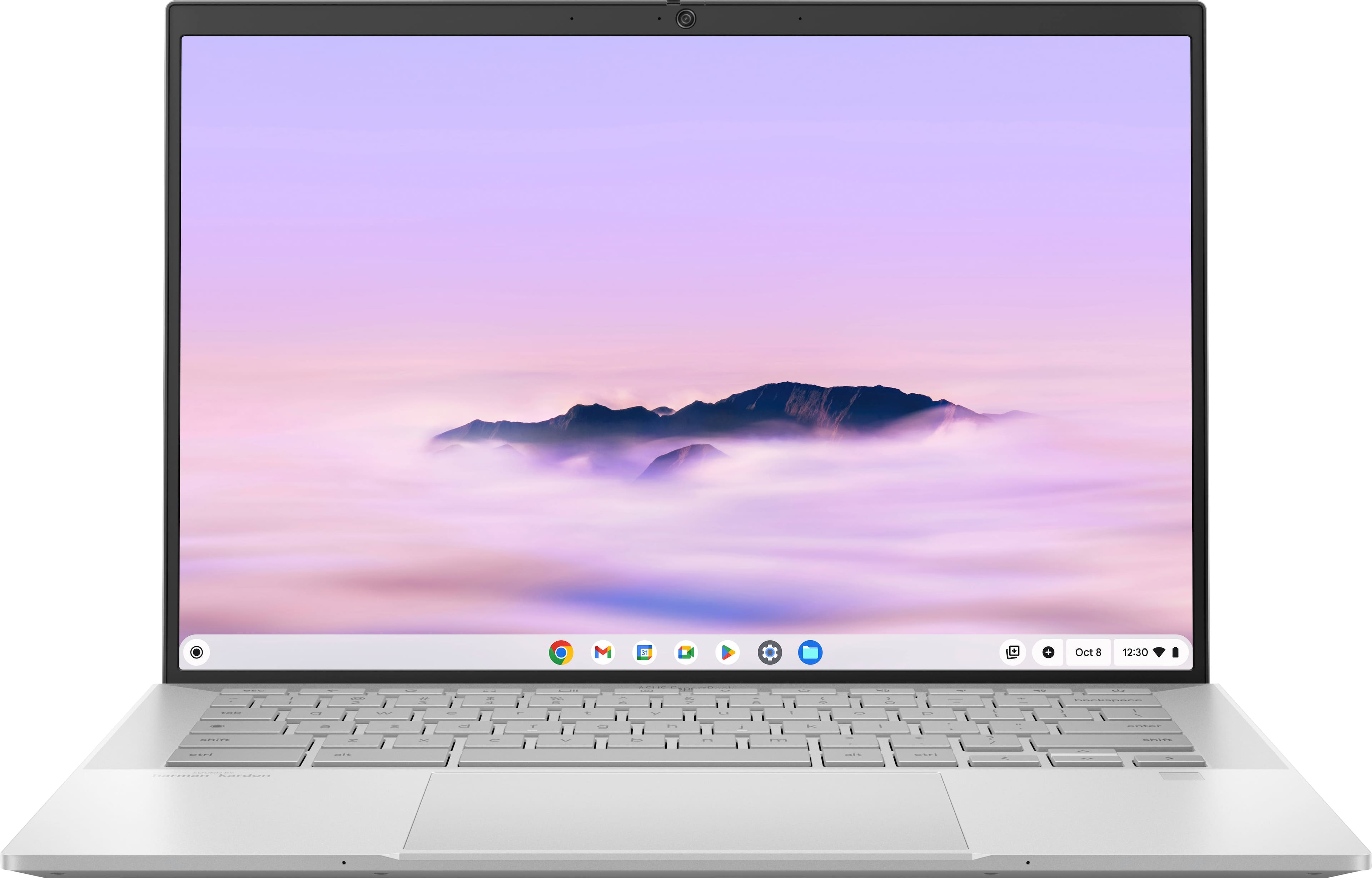
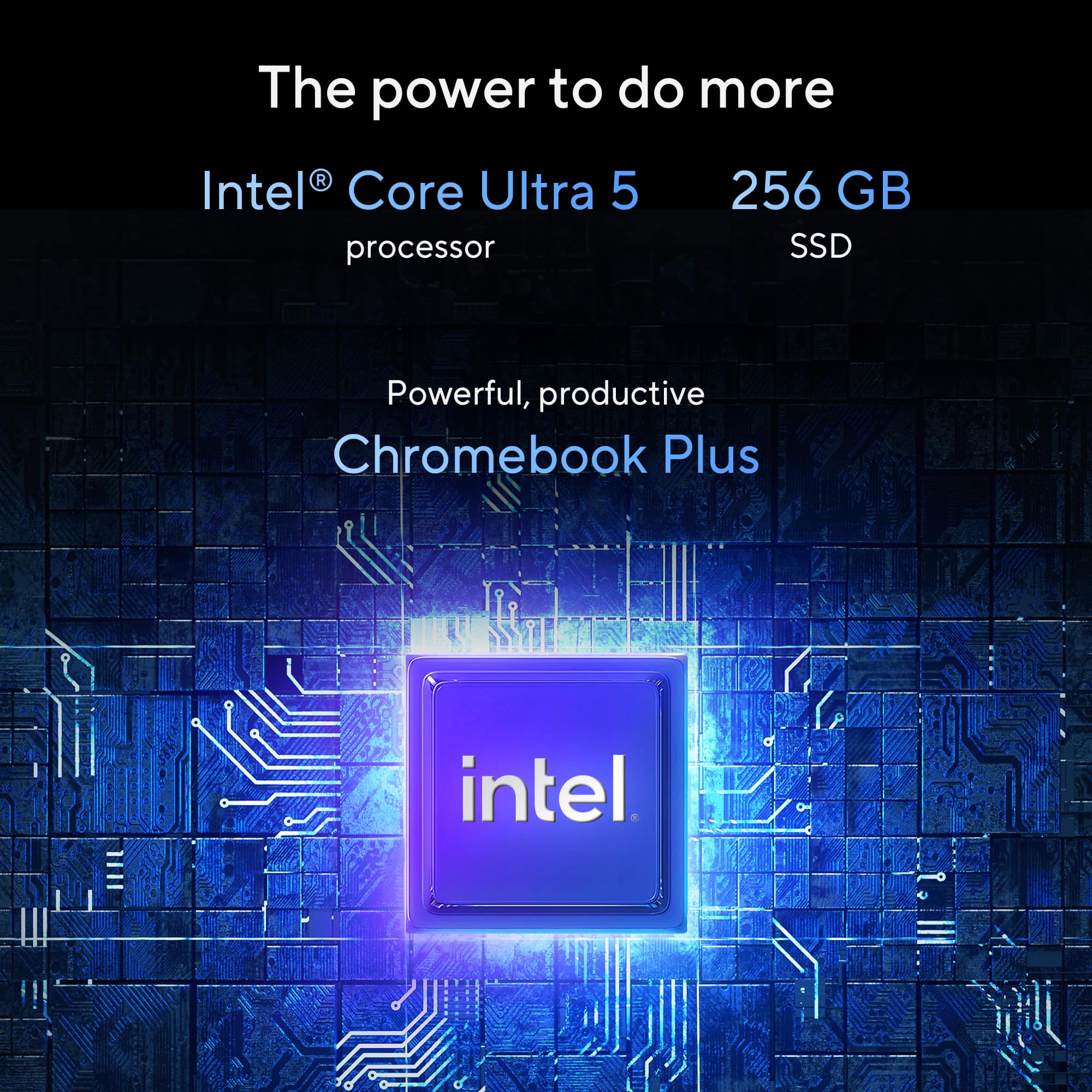
|Posted .This reviewer received promo considerations or sweepstakes entry for writing a review.I have had the opportunity to utilize the ASUS ExpertBook CX54 14″ 2K Chromebook Plus with Google AI for the past week, and I am genuinely impressed by its performance. From the initial unboxing to daily usage, this device has delivered a seamless and powerful experience that effectively meets both productivity and entertainment needs. In the following sections, I will outline my setup, performance observations, and the notable features that render this Chromebook Plus a worthwhile investment. Design & Build Quality The first thing I noticed was that the ASUS CX54 Chromebook Plus has a premium look. Despite its durability, the laptop does not feel bulky; it slips easily into my backpack without adding unnecessary weight. Quick Out-of-the-Box Configuration Right out of the box, the initial setup took me roughly 10 minutes. ChromeOS walked me through signing into my Google account, selecting the apps I regularly use, and syncing settings across devices. Having the option to customize which apps to install from the start felt liberating. Intuitive ChromeOS ChromeOS is impressively fast and secure. With familiar Google apps already integrated, I was up and running almost instantly. Intel Core Ultra 5 Processor The ExpertBook CX54’s Intel Core Ultra 5 processor handles everything I throw at it. Whether I am juggling multiple browser tabs, editing a presentation, or streaming a show in the background, the laptop remains snappy. During video calls and virtual meetings, I experienced no lag or stutter. 16 GB Memory & 256 GB SSD Equipped with 16 GB of RAM and a 256 GB solid-state drive (SSD), application load times are nearly instantaneous. I can seamlessly launch Gmail, transition to Google Docs, and open multiple Chrome tabs while still retaining capacity for additional tasks. The SSD alleviates concerns regarding prolonged boot times and enhances the efficiency of file transfers. In one instance, I was simultaneously editing a spreadsheet and reviewing a PDF document that I had received via email. The experience was remarkably smooth, without any disruptions or delays, which I attribute to the effective combination of a high-performance processor and ample RAM. Anti-Glare Touchscreen (2560 × 1600) The 14-inch display provides exceptional clarity, boasting a resolution of 2560 x 1600. The sharpness of the text is impressive, while the images exhibit vibrant detail. During an afternoon spent editing photographs in Google Photos, I observed that the colors rendered were true to life. Enhanced Touch Navigation The touchscreen is very responsive to every swipe and tap. My documents and videos were delightful to navigate with touch gestures. The anti-glare coating also allowed me to work near a window without being distracted by reflections. Battery Life & Portability On a single charge, I consistently saw around 8 hours of mixed use (emails, document editing, and video streaming). Comfortable Keyboard & Trackpad Beyond the rugged build, the keyboard is comfortable for extended typing sessions. The key travel is just right, tactile but not too stiff. The large trackpad is both accurate and smooth, making navigation easy without the need for an external mouse. I highly recommend this laptop to anyone in need of a computer for school or light office work.
I would recommend this to a friend Great device
||Posted . Owned for 8 months when reviewed.This reviewer received promo considerations or sweepstakes entry for writing a review.It's really pretty and thin just that Intel processors get really hot on same task where an arm processor does not
I would recommend this to a friendGreat Chromebook with limitations
||Posted . Owned for 1 week when reviewed.This reviewer received promo considerations or sweepstakes entry for writing a review.Is a great Chromebook but the speaker are weak,the backlight keyboard is one of the worse,I can't barely see it in a dark room and the screen is not so great.
I would recommend this to a friendHappy Customer
||Posted .This reviewer received promo considerations or sweepstakes entry for writing a review.Excellent customer service that lead to me getting the computer I needed for my requirements.
I would recommend this to a friendI love this machine.
||Posted . Owned for 1 week when reviewed.This reviewer received promo considerations or sweepstakes entry for writing a review.This is a great Chromebook and the AI features is awesome.
I would recommend this to a friendGreat for college
||Posted .This reviewer received promo considerations or sweepstakes entry for writing a review.Fantastic for college student. I researched for almost a month before deciding on this one. It’s been great for the price point.
I would recommend this to a friendlaptop
||Posted . Owned for 3 weeks when reviewed.This reviewer received promo considerations or sweepstakes entry for writing a review.I really enjoy the laptop and it helps me with the task I'm working on
I would recommend this to a friend- Pros mentioned:Battery life, Build quality, Port count
Definitely NOT your grandfather's Chromebook!
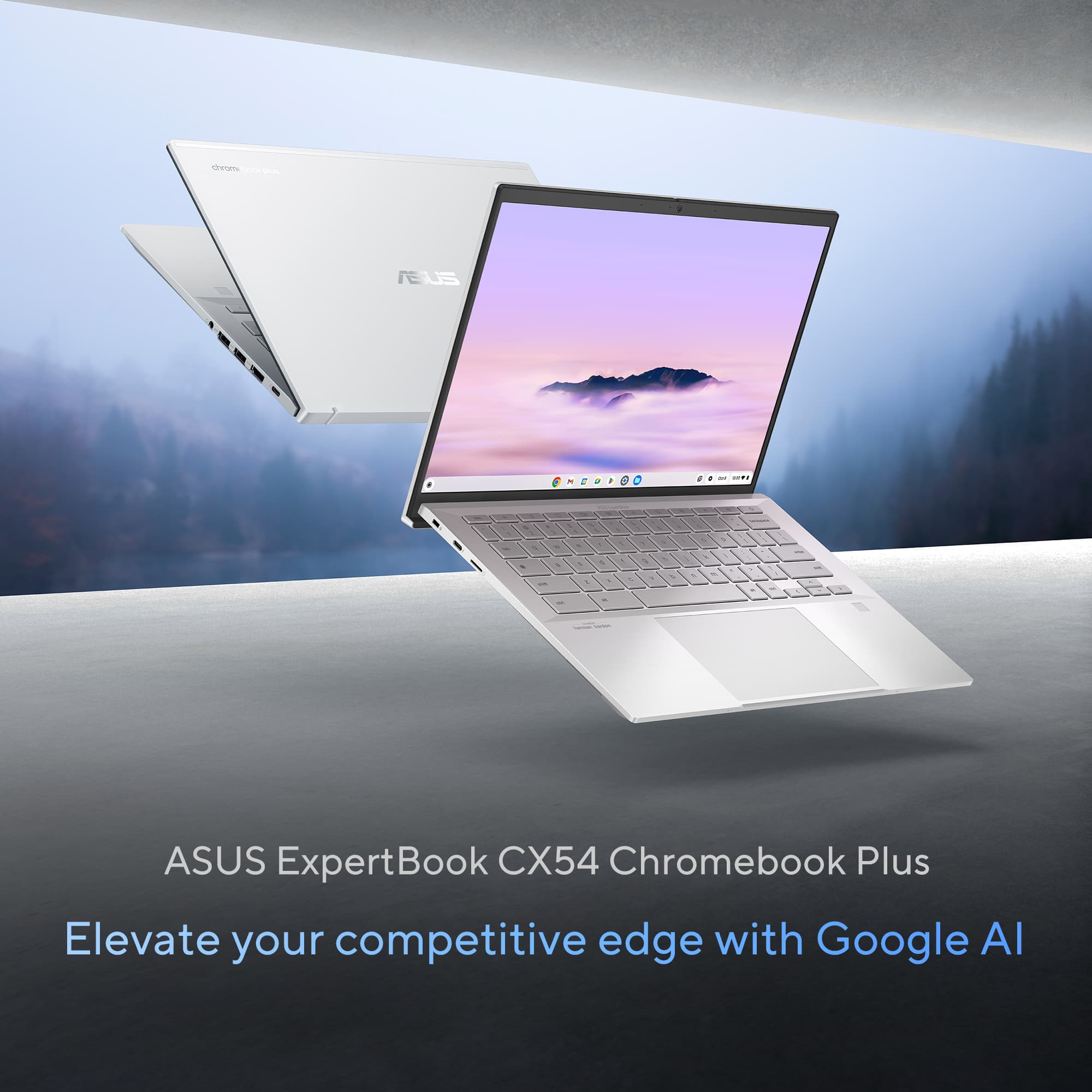
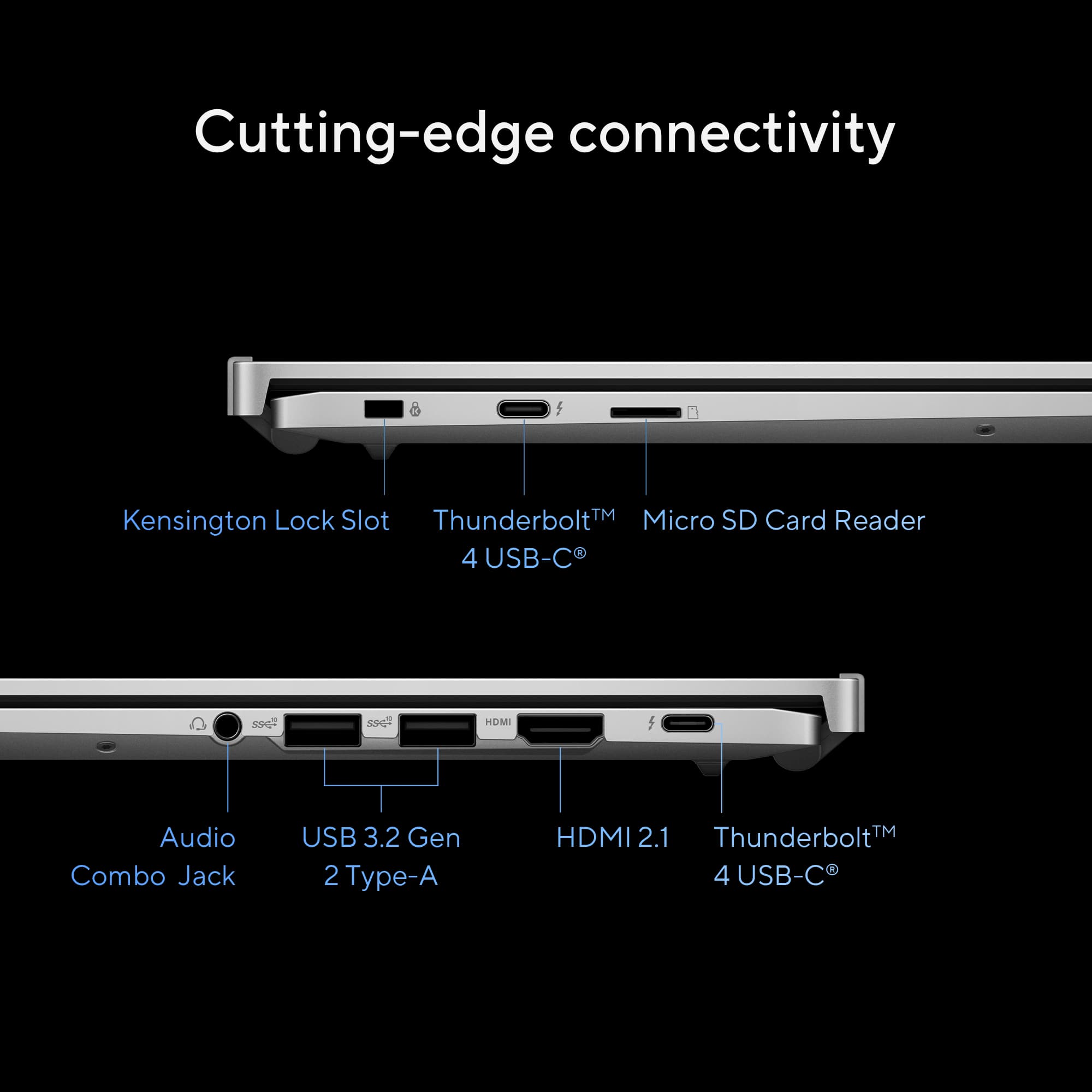
|Posted .This reviewer received promo considerations or sweepstakes entry for writing a review.The Asus ExpertBook CX54 Chromebook Plus (model CX5403CMA-DB588, Best Buy SKU: 6588600) is a standout in the evolving world of Chromebooks. As someone who has used various laptops—Windows, Macs, and an early Chromebook from another brand—I’m thoroughly impressed by this device. My first Chromebook, purchased three years ago, was a reliable web browser but limited in scope. It still functions today, outlasting other laptops that degraded faster, cementing my appreciation for Chromebooks’ simplicity, speed, and security. The CX54 takes this to a new level, blending premium hardware with a refined ChromeOS, making it an ideal choice for home use, students, or professionals seeking a secure, high-performing laptop. I highly recommend it. Why a Chromebook? Chromebooks have transformed from basic, budget devices to powerful alternatives to traditional laptops. The Chromebook Plus line, exemplified by the CX54, pairs top-tier hardware with a versatile ChromeOS that boots in seconds, offers all-day battery life, and supports a vast app ecosystem. Its Linux-based OS ensures robust security, perfect for sensitive tasks like online banking. Enabling a full Linux environment is simple, adding flexibility for advanced users. Even gamers benefit, as high-end models like the CX54 support local and online games effectively, though gaming isn’t their primary focus. For those with a Windows work laptop, the CX54 is a secure, efficient home companion. Design and Build Quality The CX54’s aluminum chassis is exceptionally sturdy, with no flex in the body or hinges. Weighing just over 3 pounds and remarkably thin when closed, it’s highly portable, slipping easily into a backpack. The hinge design elevates the keyboard for a comfortable typing angle while improving airflow to keep the system cool—a thoughtful touch. Opening the lid requires two hands due to the lightweight materials, but this minor inconvenience underscores the laptop’s solid construction. Display The 14-inch, 16:10 WQXGA (2560x1600) touchscreen display is stunning. Its thin bezels maximize screen space, and the anti-glare coating reduces reflections and smudges while enhancing viewing angles. The high-resolution panel delivers crisp, vibrant visuals with minimal ghosting, even during gaming. Fonts are sharp, making it ideal for prolonged reading or home office tasks. Webcam The 8MP webcam, equipped with a privacy shutter, HDR, and AI-enhanced imaging, rivals smartphone-quality video. It performs exceptionally in varied lighting, delivering clear, vibrant streams for video calls. The AI processing ensures visuals remain sharp and appealing, impressing anyone on the other end of a conference call. Performance and Storage Powered by an Intel Core Ultra 5 processor with Google AI capabilities, the CX54 balances performance and efficiency. With 16GB of RAM and a 256GB NVMe 3.0 SSD, it delivers fast, responsive performance. While 256GB is ample for local storage, cloud integration (e.g., Google Drive) is seamless. Wi-Fi 6E ensures rapid internet connectivity, and Bluetooth 5.2 connects peripherals like mice and headphones instantly, with no lag or setup issues. Connectivity The CX54 offers impressive connectivity for its size: four Thunderbolt USB-C ports and one HDMI 2.1 port. These enable versatile setups, from external drives to multiple monitors. I connected a 32-inch curved monitor via HDMI, and it worked instantly, highlighting the laptop’s plug-and-play reliability. Keyboard and Trackpad The keyboard provides excellent tactile feedback with satisfying key travel and a pleasant click. However, the gray keys with lowercase lettering and uneven backlighting can be hard to read, especially in low light. Adjusting the backlight to maximum helps, but it’s a minor weak point. The trackpad is precise and responsive, complementing the overall experience. Security ChromeOS’s Linux-based foundation makes it inherently more secure than Windows laptops, ideal for protecting online activities and data. The CX54 enhances this with a fingerprint sensor for quick, secure logins and a Titan C2 security chip for added protection. These features make it a top choice for privacy-conscious users. Value Proposition The CX54 delivers premium features at a reasonable price, rivaling more expensive Windows laptops and Macs. The Intel Core Ultra 5 processor offers ample power for most tasks, including light gaming and AI-driven applications, while maintaining exceptional battery life—I can work all day without plugging in. The Intel Core Ultra 7, while available, isn’t necessary for most users, as the Ultra 5 hits the sweet spot for performance and efficiency. The build quality, port selection, and display quality make this Chromebook a fantastic value. Conclusion The Asus ExpertBook CX54 Chromebook Plus earns a solid five stars for its blend of premium hardware, robust security, and outstanding build quality. It’s reliable, portable, and versatile, making it perfect for home use, education, or professional tasks. I’d buy it again without hesitation and recommend it to anyone seeking a high-end Chromebook.
I would recommend this to a friend Very good
||Posted . Owned for 1 month when reviewed.This reviewer received promo considerations or sweepstakes entry for writing a review.The product is so good that and it has the best specs for everything you could ever want
I would recommend this to a friendSolid choice
||Posted .This reviewer received promo considerations or sweepstakes entry for writing a review.Solid chromebook for my son. But some keyboard functions are and mouse and so so quality.
I would recommend this to a friendChrome
||Posted . Owned for 1 month when reviewed.This reviewer received promo considerations or sweepstakes entry for writing a review.This was a gift for a college student. He is very happy with his chrome.
I would recommend this to a friendGood Buy!
||Posted .This reviewer received promo considerations or sweepstakes entry for writing a review.It is the best computer I ever bought. I am very satisfied with the purchase.
I would recommend this to a friendHighly recommend for seniors
||Posted .This reviewer received promo considerations or sweepstakes entry for writing a review.Great product and perfect performance. Mother in law loves it
I would recommend this to a friendgraet laptop
||Posted . Owned for 3 weeks when reviewed.This reviewer received promo considerations or sweepstakes entry for writing a review.Overall a great laptop, heat up when in heavy use.
I would recommend this to a friendLaptop
||Posted . Owned for 1 week when reviewed.This reviewer received promo considerations or sweepstakes entry for writing a review.Great for 1st time college student! Easy to operate and setup was simple!
I would recommend this to a friendChromebook
||Posted . Owned for 3 weeks when reviewed.This reviewer received promo considerations or sweepstakes entry for writing a review.This is an excellent Chromebook for general everyday use.
I would recommend this to a friendNice computer but...
||Posted . Owned for less than 1 week when reviewed.This reviewer received promo considerations or sweepstakes entry for writing a review.Nice computer, but the screen was too small and speakers not loud enough so I returned it and got the Acer 516 GE instead. Very happy with it.
No, I would not recommend this to a friendBrand response from ASUS Answers
Posted .Dear Michael,
Thank you for sharing your comments regarding the ASUS ExpertBook CX5403CMA Chromebook Plus Laptop. We understand that it didn't meet your full expectations, and we sincerely apologize for that as we do understand your concerns. Our top priority is providing our customers with high-quality products, and we'll forward your feedback to our team for review.
We stand behind our products and continuously strive to improve our products and processes to achieve customer service excellence. If you require any further assistance, please email us at customerloyalty@asus.com and include the case number "N2506002061-0001" as a reference. We will do our best to resolve your case quickly. Your feedback is very important to us and enables us to improve our support channels. Thank you for choosing ASUS.
Best Regards,
Chantae
ASUS Customer Loyalty US Support
Would not buy again
||Posted . Owned for 2 weeks when reviewed.This reviewer received promo considerations or sweepstakes entry for writing a review.Short battery life. Design makes it uncomfortable to use as a laptop. Protrusions where screen and keyboard join hurts and leaves marks on your legs.
No, I would not recommend this to a friendBrand response from ASUS Answers
Posted .Dear Valued Customer,
Thank you for your comment.
We certainly understand your disappointment and inconvenience this may have caused if you are experiencing short battery life and difficulty using the Chromebook. The battery life on this Chromebook is approximately 10 hours of light to medium workload. To improve or prolong the battery charge life, try to do battery calibration manually. To start with, drain it completely then charge it fully without using it. Once fully charged, use the laptop without the AC adapter connected, and let the battery drain completely again. Repeat the charging process thereafter. Also, please verify if the unit is running with the most current system update and third-party battery draining applications are not running if not in used.
Chromebook operates, or works just like any other laptop, it comes with a web or cloud base OS that is fast, secure, and easy to use and is becoming a popular choice for young and old users alike because of these features. Internet security or antivirus software is integrated, no need to purchase the software or application separately. Besides being a low-cost and lightweight laptop, it supports thousands of popular computing applications, both in Chrome and Android, and Linux applications as well. Since it is a web base OS it does require a Google or Gmail account and an internet connection to use or operate it properly. If this is your first experience with a Chromebook, I recommend using the HELP file incorporated within the OS. To access HELP, please click your profile picture on the Notification Bar, located on the lower right-hand corner of the home screen then click the question mark icon or widget. For more help, please visit Google Support webpage at: https://www.google.com/chromebook/howto/.
Should you need further assistance, please email me at cl-rodel@asus.com and I will be more than glad to help. Or you are most welcome to call Product Support Hotline at: 1(888) 678-3688. Also, you can chat with an ASUS live support agent from the link: https://www.asus.com/us/support/article/1135/.
Thank you for choosing an ASUS product.
Regards,
Rodel
ASUS Customer Loyalty
do not buy undisclosed defect
||Posted . Owned for 2 weeks when reviewed.This reviewer received promo considerations or sweepstakes entry for writing a review.you cannot see the keys at all dud to the backlight doing the opposite of what is supposed to do. it is cheap for a reason
No, I would not recommend this to a friendBrand response from ASUS Answers
Posted .Dear Marsbar,
Thank you for sharing your experience with the ASUS CX5403CMA Chromebook. We sincerely apologize for the issue you’ve encountered with the keyboard backlight, and we regret the inconvenience this has caused.
To ensure this matter is properly investigated and resolved, we kindly advise contacting our support team directly at https://www.asus.com/us/support/callus/. Our specialists will be able to review the issue in detail and provide tailored assistance.
We stand behind our products and continuously strive to improve our products and processes to achieve customer service excellence. If you require any further assistance, please email us at customerloyalty@asus.com and include the case number "N2503033717-0003" as a reference. We will do our best to resolve your case quickly. Your feedback is very important to us, and it enables us to improve our support channels. Thank you for choosing ASUS.
Best Regards,
Chantae
ASUS Customer Loyalty US Support
Broken out of the box
||Posted . Owned for 2 weeks when reviewed.This reviewer received promo considerations or sweepstakes entry for writing a review.The laptop was broken out of the box. I had to send it back to the manufacturer. That's your warranty.
No, I would not recommend this to a friendBrand response from ASUS Answers
Posted .Dear Kts928,
Thank you for your comment.
We certainly understand your disappointment with the laptop and the inconvenience this may have caused if it was broken out of the box. All ASUS products undergo intensive quality control testing and inspections, and are built to last, this is a random problem. The typical turnaround time is within 10 business days. For RMA update, visit our Product Support page: https://www.asus.com/us/support/repair-status-inquiry/ . If you need more information or further assistance with the warranty for the product, please email me at cl-rodel@asus.com and I would be more than happy to help. Or you are most welcome to call Product Support Hotline at: 1(888) 678-3688. Also, you can chat with an ASUS live support agent from the link: https://www.asus.com/us/support/article/1135/.
Thank you for choosing an ASUS product.
Regards,
Rodel
ASUS Customer Loyalty