Customer Ratings & Reviews
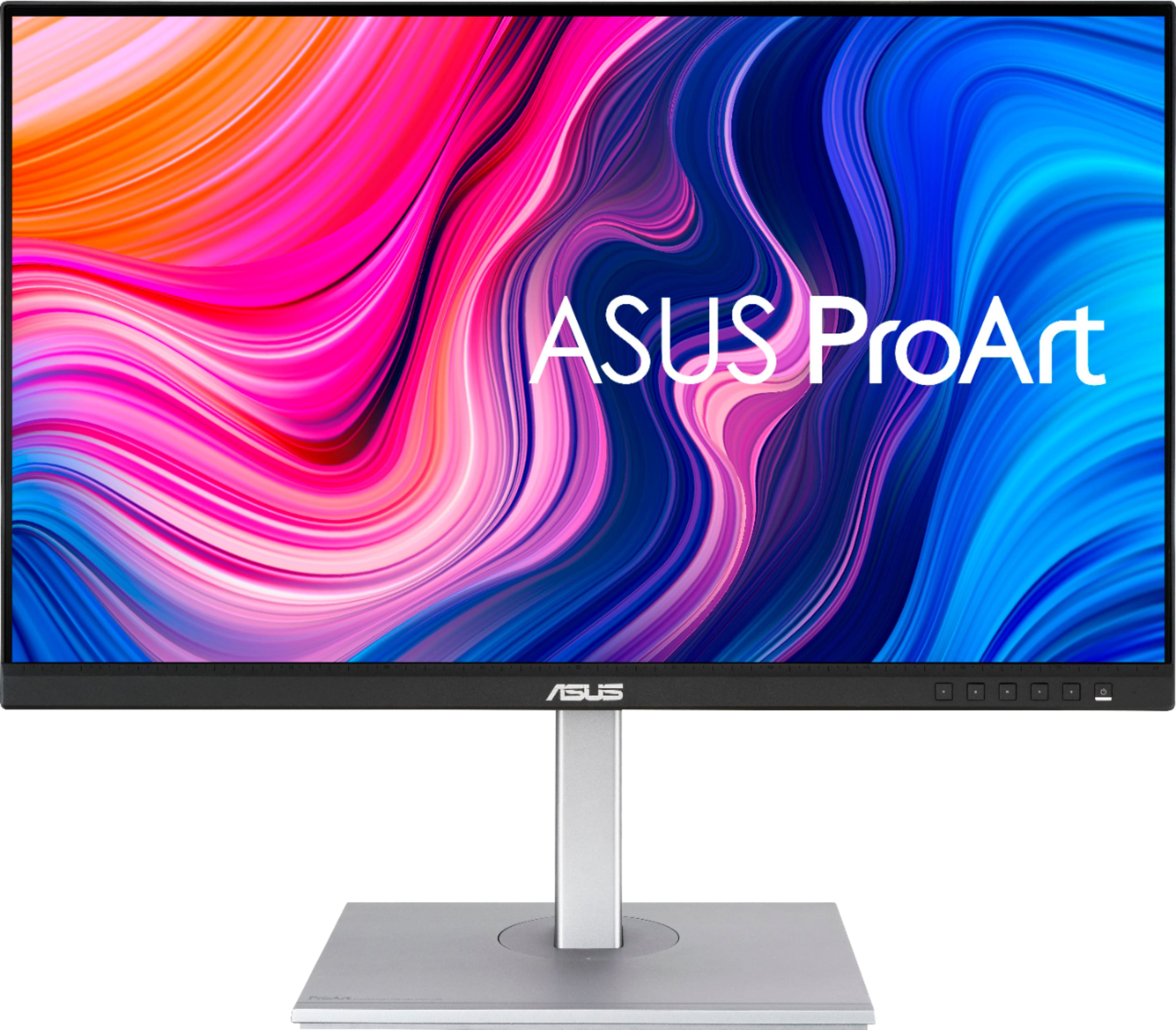
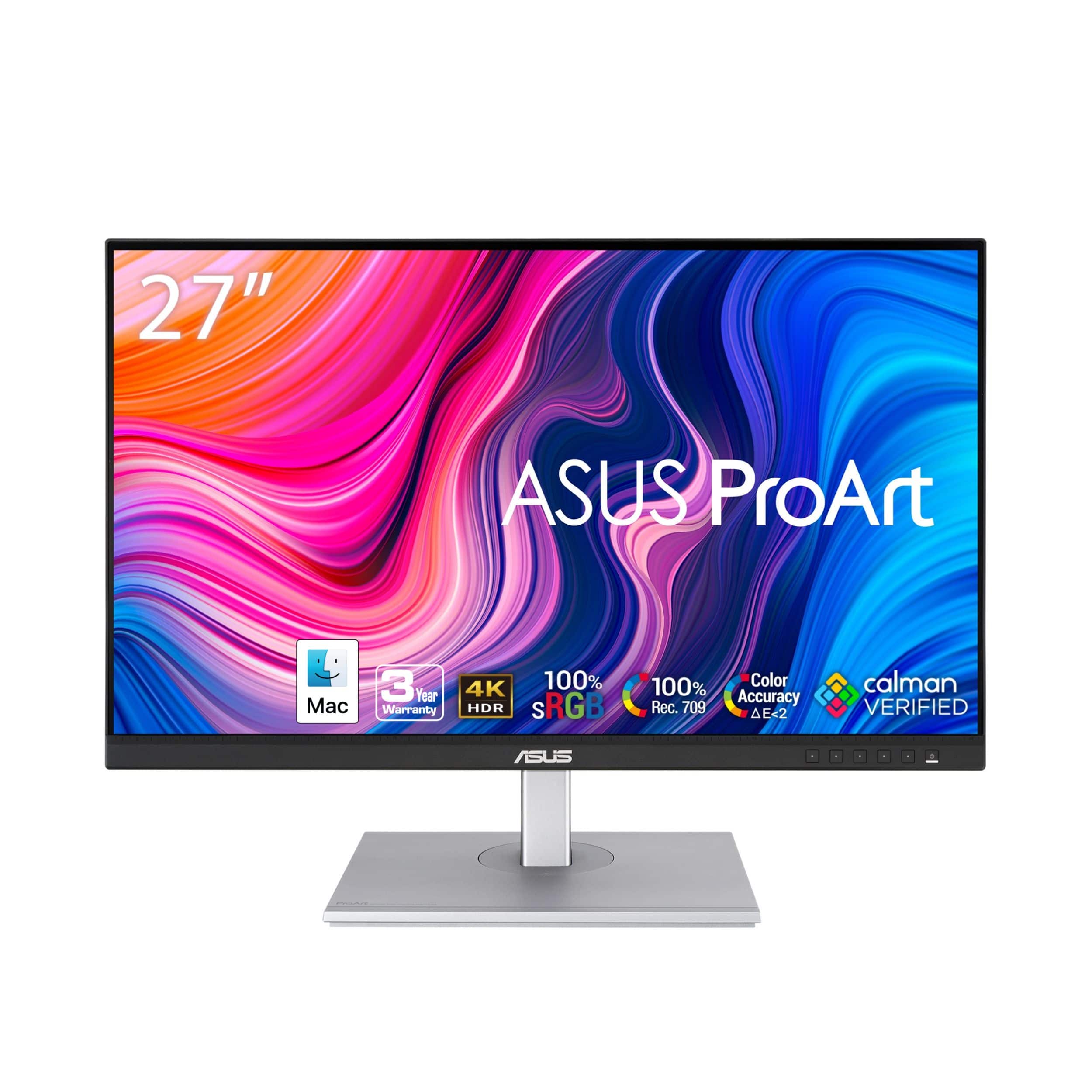
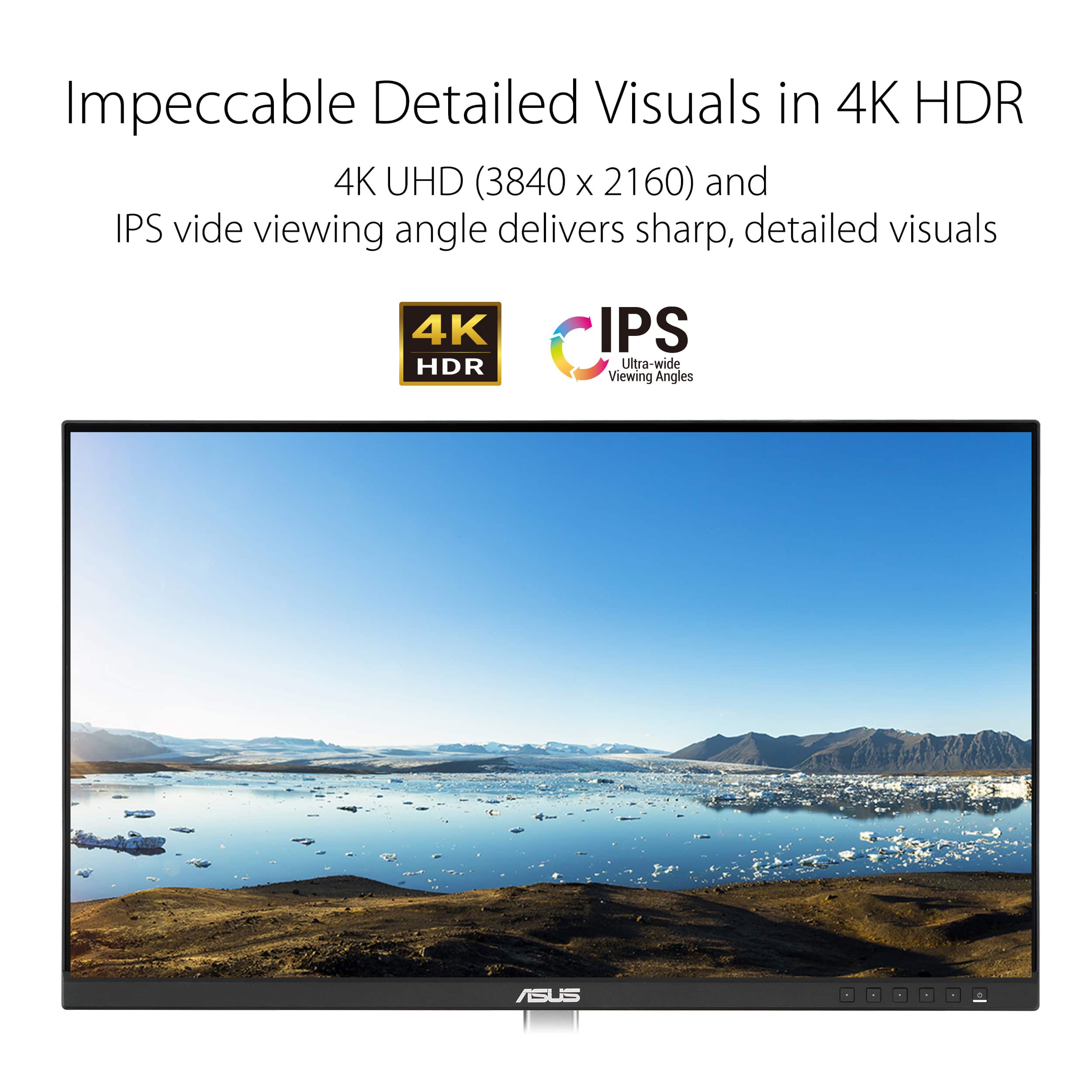


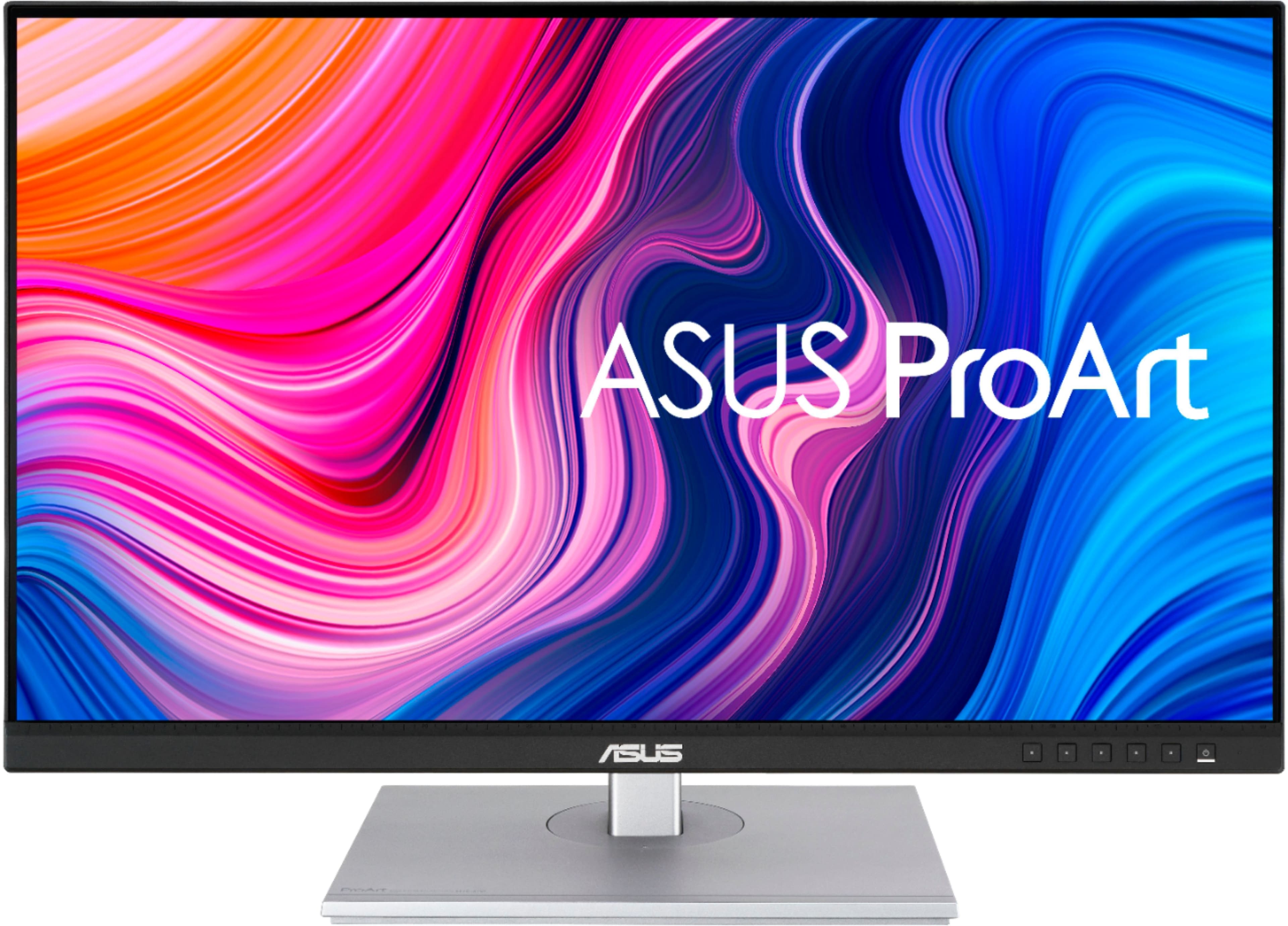
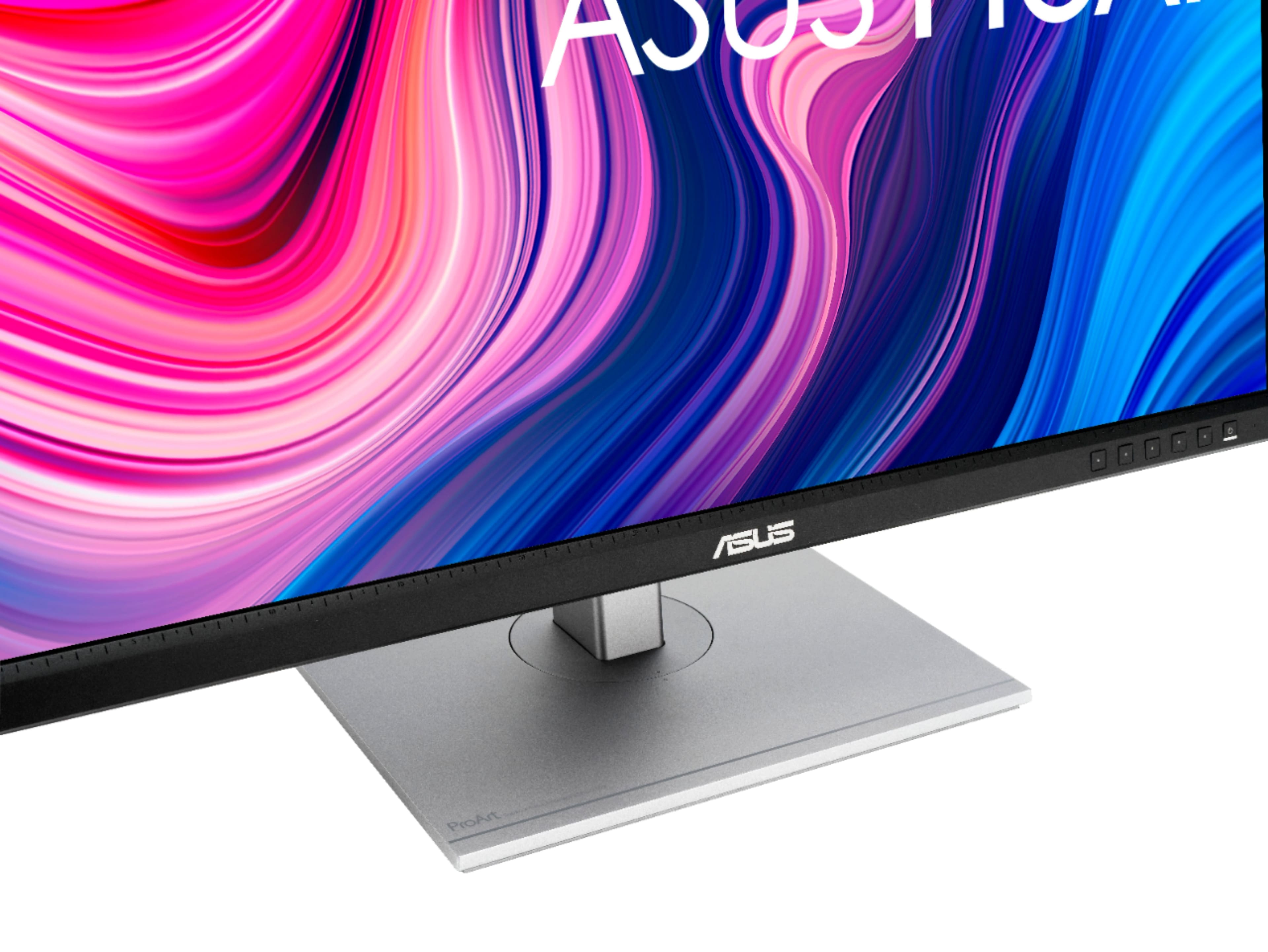
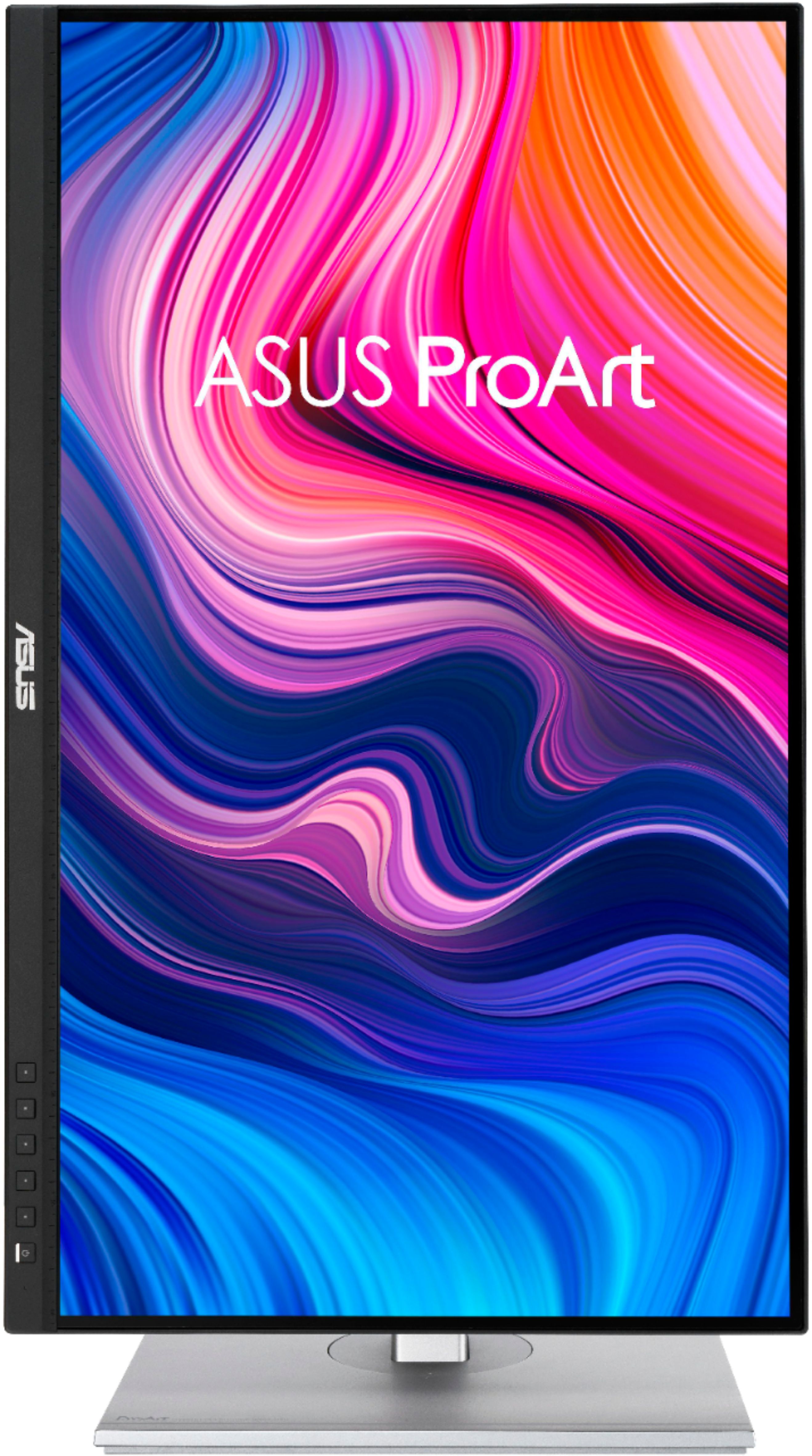
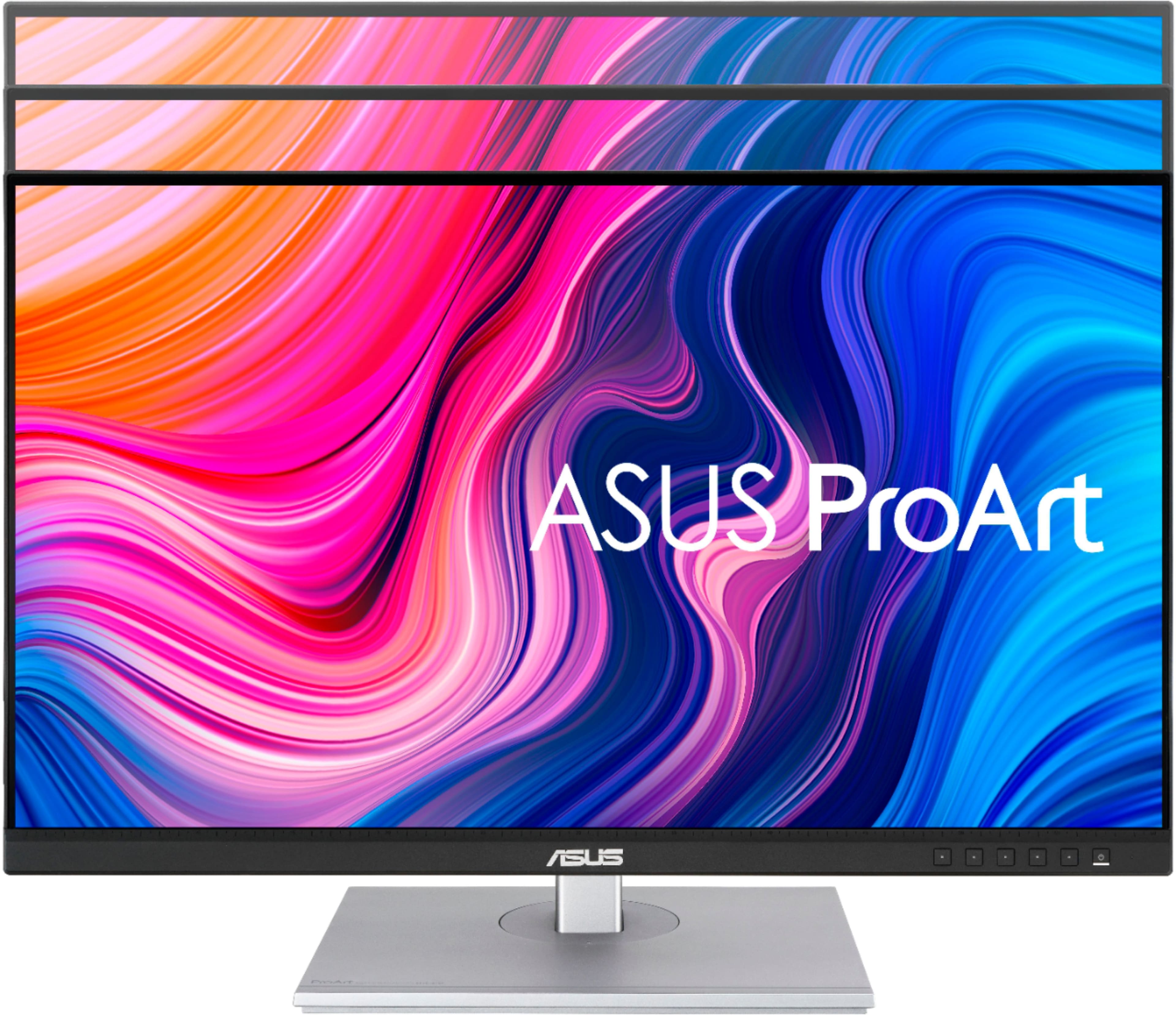

- Model:
- PA279CV
- SKU:
- 6450748
Rating by feature
- Display Quality
Rating 4.9 out of 5 stars
- Ease of Use
Rating 4.5 out of 5 stars
- Features
Rating 4.8 out of 5 stars
Customers are saying
Customers value the ProArt 27" monitor for its exceptional color accuracy and high resolution, which provides a crystal clear picture. The convenience of USB-C connectivity and sturdy build quality are also appreciated. Some customers find the built-in speakers to be lacking, and a few have noted the refresh rate is limited.
This summary was generated by AI based on customer reviews.
great monitor
||Posted . Owned for 2 months when reviewed.This reviewer received promo considerations or sweepstakes entry for writing a review.beautiful monitor! great height. no issues with it
I would recommend this to a friend- Pros mentioned:Build quality, Color accuracy, Resolution

Stunning 4K Monitor
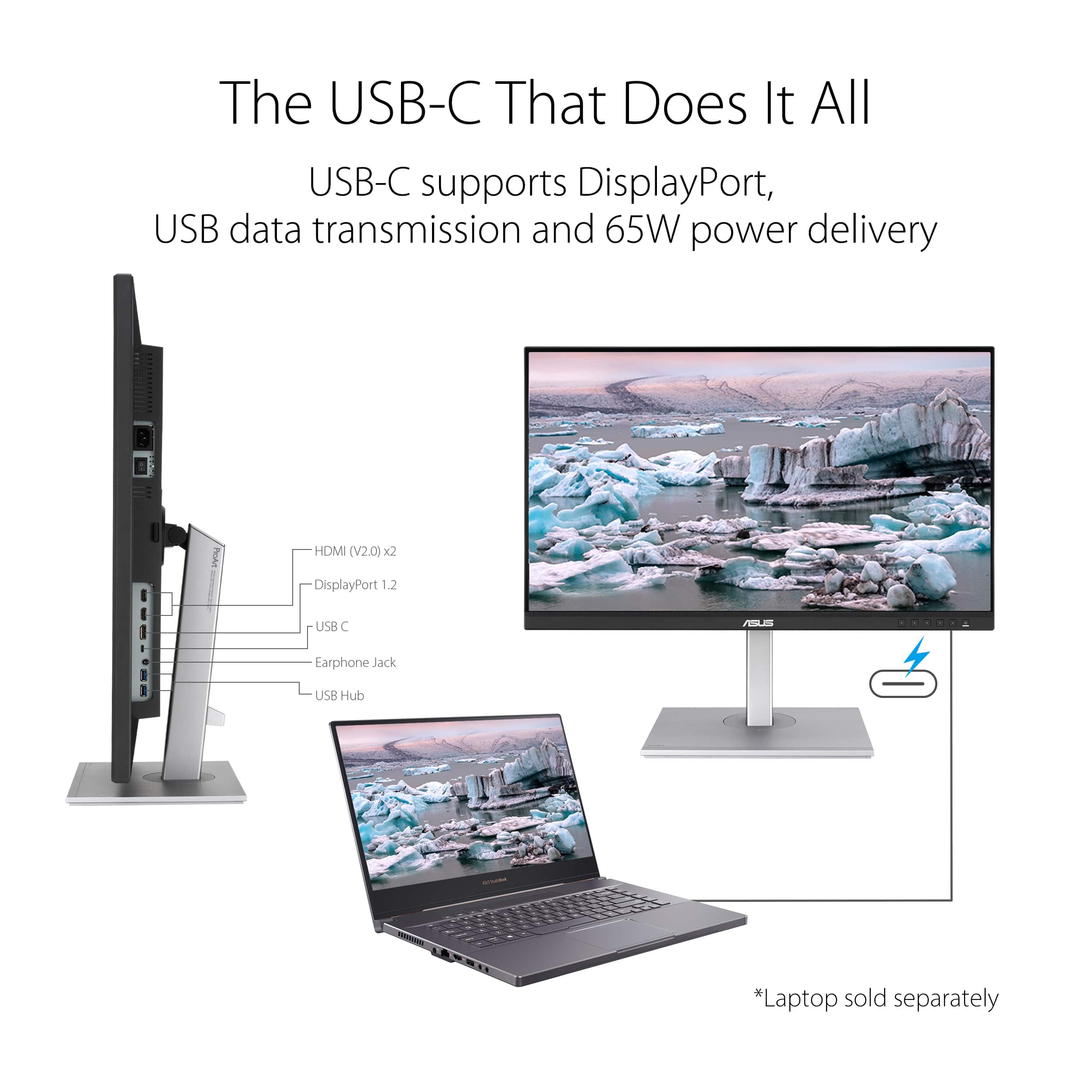
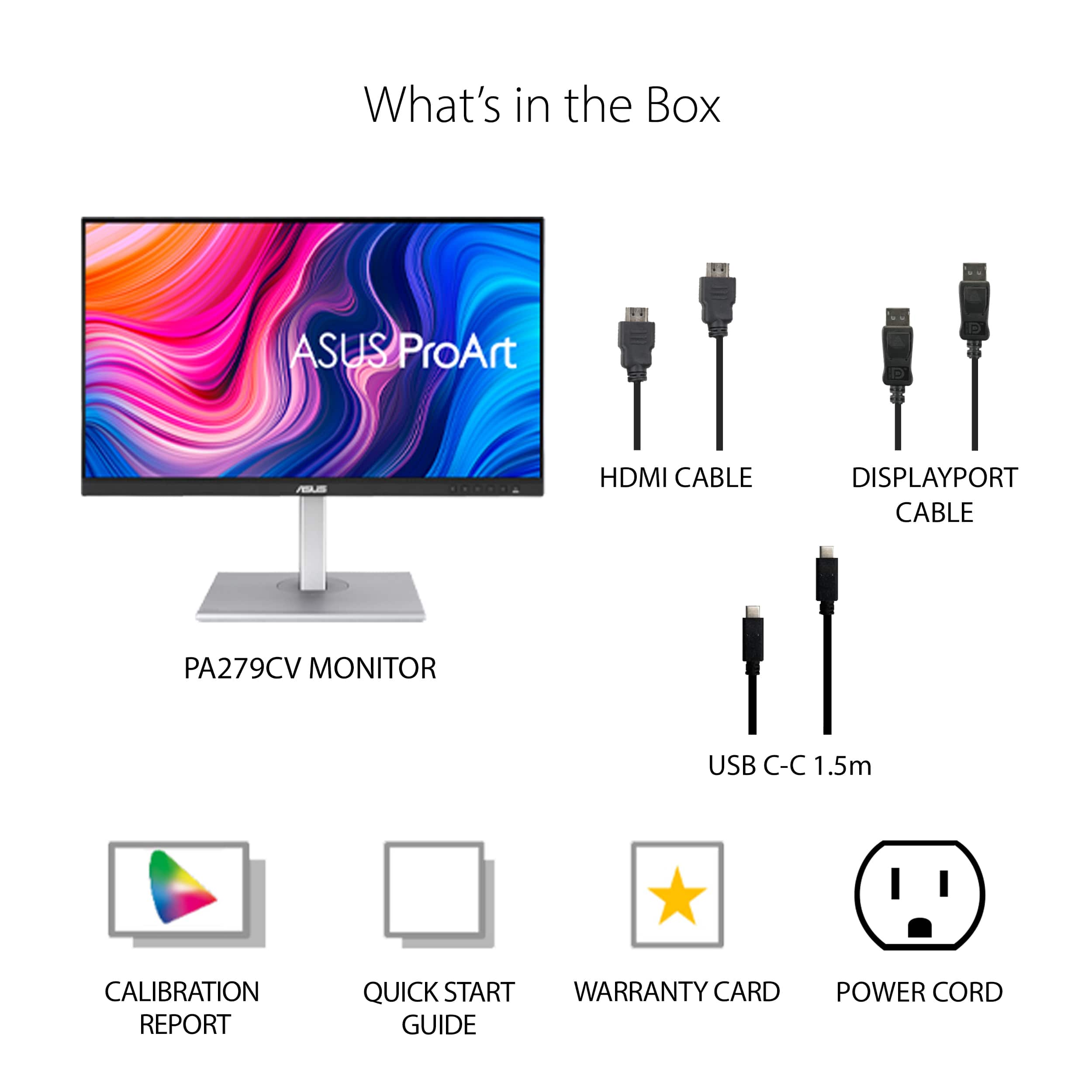
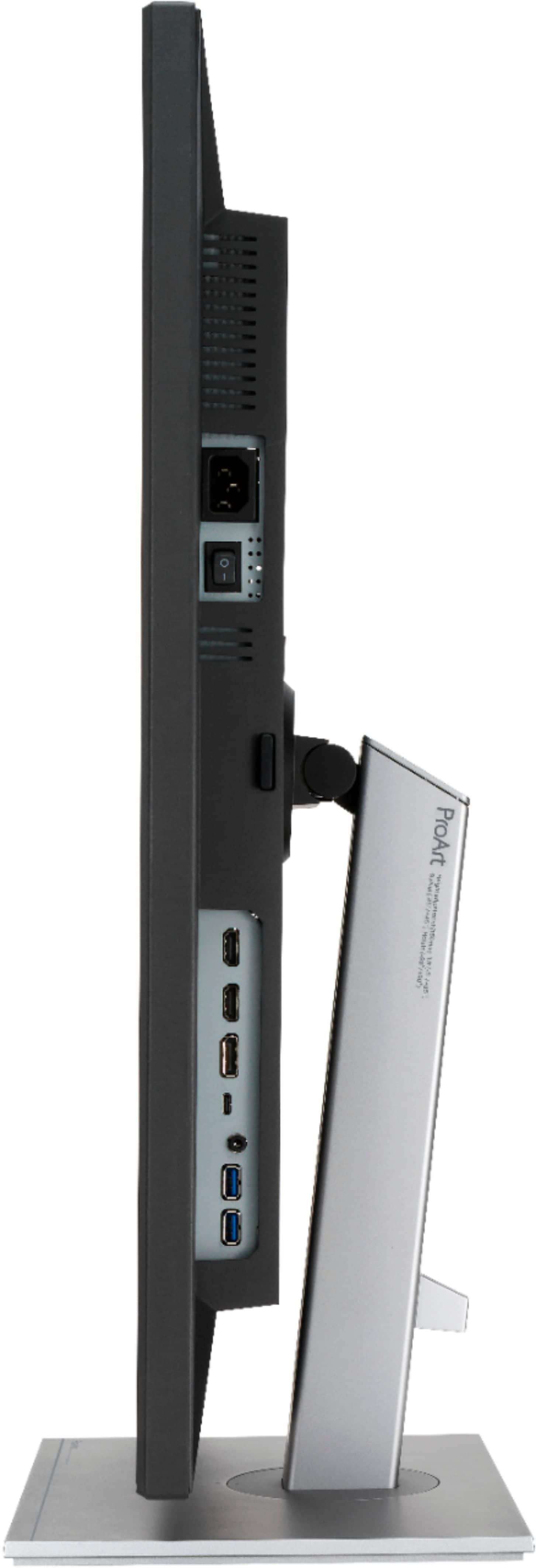
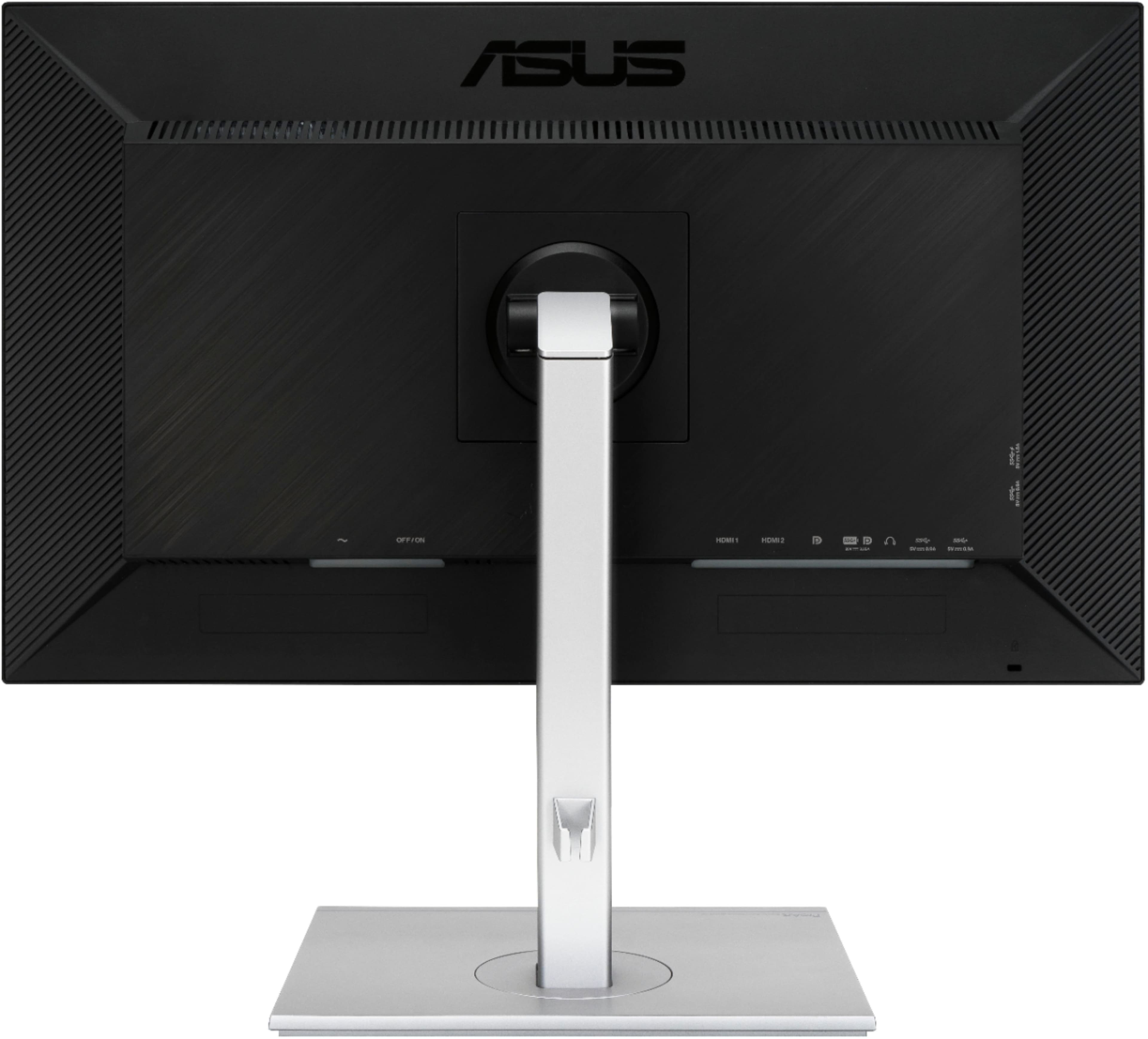
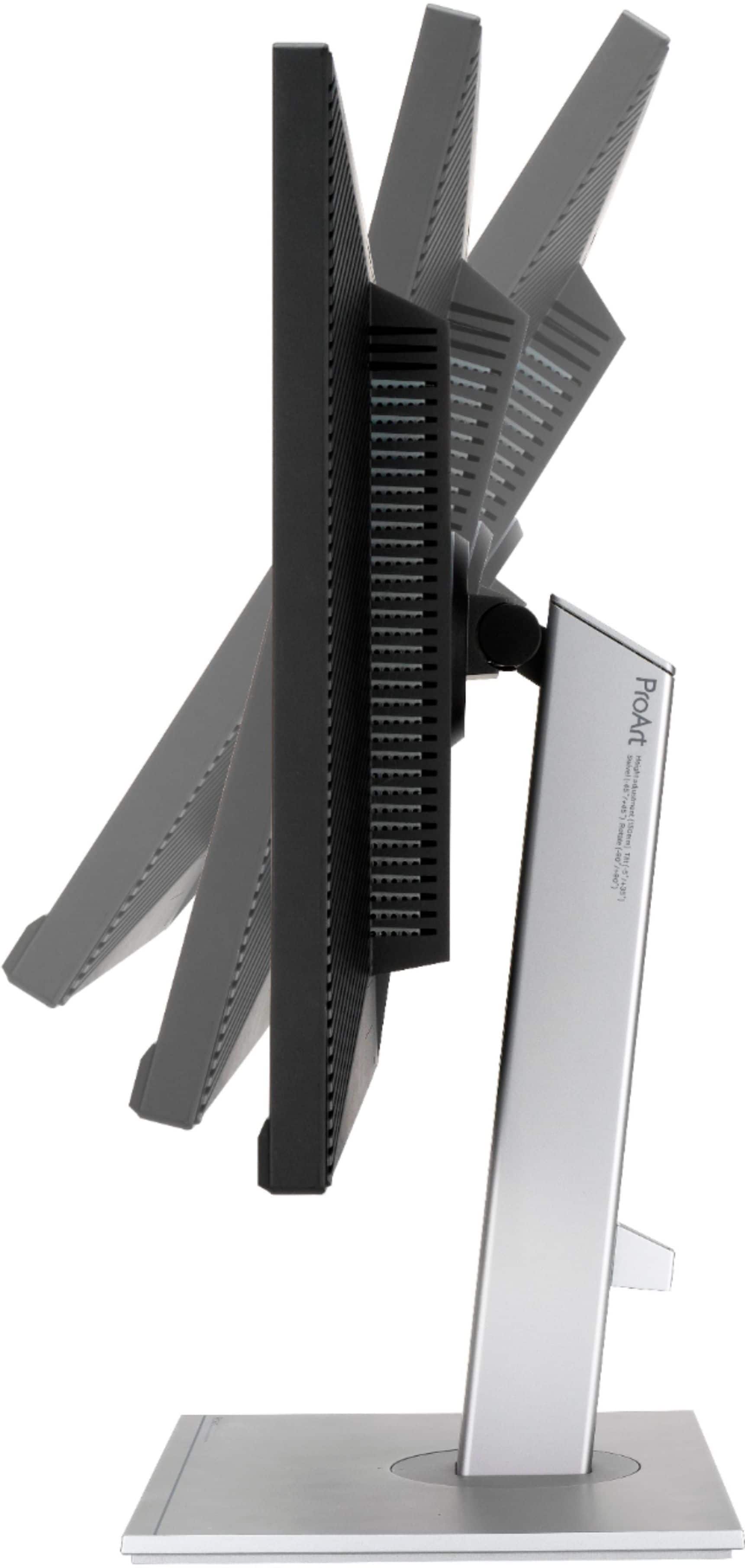
|Posted .This reviewer received promo considerations or sweepstakes entry for writing a review.I am replacing a very good 1080P monitor with this 27” 4K monitor. The monitor comes Calman calibrated and includes the Calman report. The monitor came very will packaged and double boxed. The monitor provides connections for HDMI (2), Display Port and USB C and can serve as a USB hub for powering other devices when connected via USB C. It is also includes all of the various cables that you would need to make these connections which include the HDMI, DP and USB C cable. The monitor was very easy to assemble and is extremely well made. It weighs in at close to 20lbs. The stand allows you to raise and lower the monitor as well as tilt and swivel. You can also change the orientation from horizontal to vertical. The monitor has a very slim bezel and what I like most is the fact that it is black on all sides. A lot of monitors, including my previous one is that they are black on the top and sides but silver on the bottom which can be distracting at times. With this one having the entire surround in black it is a very clean look. Out of the box I had to make a couple of picture adjustments as the monitor came with the Blue Light filter set to max which made the monitor very dark. After figuring out how to make changes (I’ll get to this in a second) I set the filter to 3 and lowered the brightness to 35 and the monitor just pops. My point of reference is my 75” Sony Z9D 4K TV. The colors on this monitor are outstanding and the 4K performance is on par with my TV. I connected the monitor to my computer via HDMI and loaded several 4K videos available on the internet and they look almost 3D. This is an absolutely stunning monitor and although I am not a graphic designer, I can certainly see how this monitor would be an excellent choice for that use. I have a large collection of 4K movies and have watched several on this monitor and the only thing I can say is I wish this monitor was bigger now. Now back to my comment about having to figure out how to make changes to the settings. If there was one issue I have with this monitor and a lot of electronics these days is the manual that comes with it. It does a good job of telling you how to assemble the monitor but offers virtually nothing in the way of telling the user how to do anything else including turning it on. Luckily, I have experience with these types of electronics and was able to figure it out but for someone that is not as familiar they could have a challenge. After I got my monitor set up, I decided to check the Asus site and sure enough there is a very detailed manual for this monitor which provides instructions on how to access the menu and what options are available. I highly recommend reviewing the online manual before receiving your monitor. One thing that I noticed buried deep in the menu is the ability to turn off the power on LED. I always find these LED’s distracting so being able to turn it off was really a bonus. Overall, I am thrilled with this monitor and would highly recommend it to anyone looking for an upgrade to an existing 1080P monitor.
I would recommend this to a friend - Pros mentioned:Color accuracy
Easy Set Up
||Posted . Owned for 1 month when reviewed.This reviewer received promo considerations or sweepstakes entry for writing a review.This is my second Asus monitor. They are easy to set up, everything is included and picture and colors are very good.
I would recommend this to a friend - Pros mentioned:Color accuracy, Connectivity, Resolution
Feels like walking into a crisp open field.
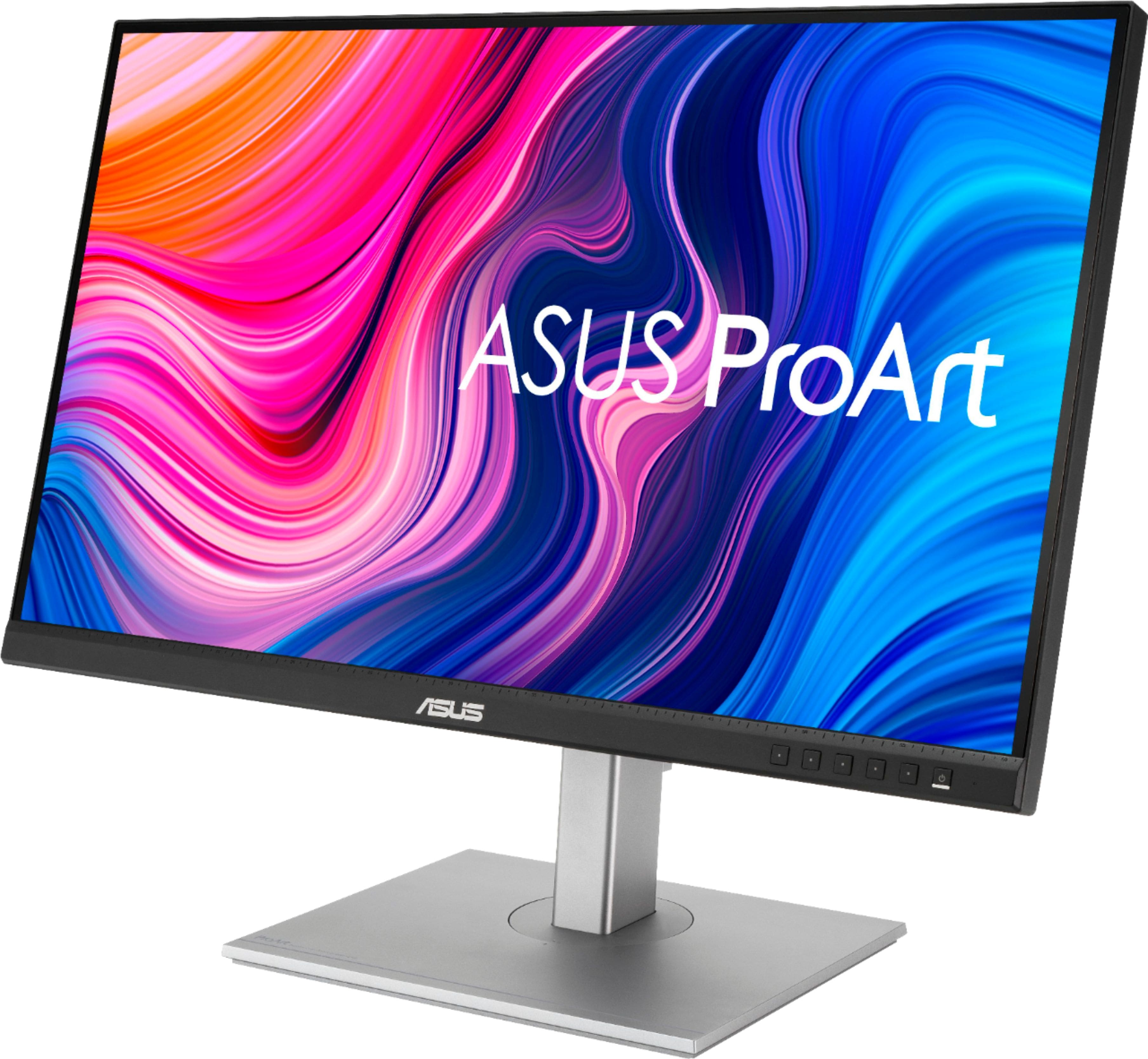
|Posted .This reviewer received promo considerations or sweepstakes entry for writing a review.I was in need a more desktop real-estate that my previous 1080p monitor was not able to provide. I workflow consists of no less than 10 different programs open simultaneously not including email and calendar clients. The Asus ProArt PA279CV monitor. This monitor supports 4K HDR (3840 x 2160 res) which offers me plenty of desktop real estate. Thankfully my eyes are still fairly sharp and can see the small characters on the screen. Setup was simple. The base (nicely weighted) has a tool-less connection to the arm. There is a button latch (by the input connections) to seat (and disconnect) the VESA mount which took me a few seconds to figure out. I also appreciate the rotation to go into portrait mode. The ProArt has plenty of connection options (including USB C!) but no DVI/VGA but I'm not sure if you would want to drive a 4k monitor on older hardware. The hardware that is capable can use adapters. Cables included are USB Type C, DisplayPort, HDMI and Power. I would have preferred the inclusion of a mDP since I already have that cable for my Surface and I hate the DP latch. But I love USB C. After getting used to the menu system with the front section buttons (which does not take long), switching inputs is fairly quick and easy. Due to the larger size of the monitor it will wobble if you fat finger the buttons just by poking it. But I tend to grip the chin of the monitor and hit the buttons with my thumb which provides stability an mitigates the wobble. Upon turning on the monitor (note that this monitor has a hard on/off switch located next to the power port) it is defaulted to sRGB settings which was a bit dim for me. Standard Mode works for my office applications and there are 2 customizable User Setting modes which you can dial in the monitor to your preference. The ProArt offers plenty of customization far more than I need for the majority of office applications in my use case. I cant speak of the on-board speakers as I utilize a soundbar, but it's good to know I have them in case I need them. I expect nothing from them other than be better than the dinky speakers that were found in computer cases in the 90s. This ProArt 27 monitor offers great color and letters are crisp and sharp. I can view more of a given application page without scrolling and easily jump from app to app without diving through all the windows. I'm extremely happy with the monitor and am about to pull the trigger to get a second ProArt for a dual 4k setup. I've mainly used Asus motherboards since I started building PCs in the mid90s and they have always been a trusted brand for me. This monitor is no different. Great job Asus!
I would recommend this to a friend Not compatible with M2 MacBook Air via USB-C
||Posted . Owned for less than 1 week when reviewed.This reviewer received promo considerations or sweepstakes entry for writing a review.The monitor looks great...ON A PC or over HDMI with a Mac Mini, but it is not compatible with my M2 MacBook Air over USB-C. The monitor shipped with V019 firmware and supposedly V021 was a fix, tried it and nope. V022, nope. Pushed the hub update that was also claimed to be a fix by Asus and nope. Even with the latest V22 firmware and latest hub update (which has to be done from Windows), the PA279CV doesn't work with USB-C on my M2 MacBook Air. Very disappointing. 2 stars since it does work with Windows over DP and HDMI but what monitor doesn't?
No, I would not recommend this to a friendBrand response from ASUS Answers
Posted .Dear Kuma,
We're sory to hear that your Monitor is not working via USB Type C with your M2 Mackbook Air. We do value our customers and take negative customer service experience very seriously. This is absolutely not the experience we want you to have
For futher assistance send us an email at customerloyalty@asus.com and provide the link of this review for reference. We’ll do our best to provide a quick resolution to your case. Your feedback is important as it helps with improvements to ASUS Support channels. Please refer to this case number (N2108047777-0005) for us to better assist you.
Thank you for choosing ASUS.
Best Regards,
Ramon
ASUS Customer Loyalty US Support
Meh
||Posted . Owned for 10 months when reviewed.This reviewer received promo considerations or sweepstakes entry for writing a review.Was great for a couple of years and then started having issues. I returned it.
No, I would not recommend this to a friendBrand response from ASUS Answers
Posted .Dear JessicaL,
Thank you for your comment.
We certainly understand your disappointment and the inconvenience this may have caused if started having issues with the monitor. All ASUS products undergo intensive quality control testing and inspections, and are built to lasts, this is a random problem. ASUS provides warranty coverage for the product. We recommend you send the product in for service if you are experiencing hardware issue so this may be resolved immediately. A RMA number is required to send it in for service. For RMA details, please go to: https://www.asus.com/us/support/article/818/. If you need further assistance with this monitor or other ASUS products, please email me at cl-rodel@asus.com and I would be more than happy to help. Or, you are most welcome to call Product Support Hotline at: 1(888) 678-3688. Also, you can chat with an ASUS live support agent from the link: https://www.asus.com/us/support/article/1135/.
Thank you for choosing an ASUS product.
Regards,
Rodel
ASUS Customer Loyalty
USB-C port is dead
||Posted . Owned for more than 2 years when reviewed.This reviewer received promo considerations or sweepstakes entry for writing a review.USB-C port is dead after 2 years. Was good up until this point, but I don't think the electronics could handle the load of a dual purpose USB-c that connects the monitor and charges a laptop.
No, I would not recommend this to a friendBrand response from ASUS Answers
Posted .Dear Scott ,
It's unfortunate to hear that your usb-c not working . All our products do go through an intensive quality control testing process to ensure that customers get units that are in proper working condition, what you've experienced was not intentional.
Can you please reach out to us with your case number so we can investigate this issue? We would love to have your issues resolved in a timely manner.
For more information, email us at customerloyalty@asus.com and provide the link to this review for reference. We’ll do our best to provide a quick resolution to your case. Your feedback is important as it helps with improvements to ASUS Support channels. Please refer to this case number (N2108047777-0007) for us to better assist you. Thank you for choosing ASUS.
Best Regards,
Schottky
ASUS Customer Loyalty US Support
Liked the monitor so much I bought 2
||Posted . Owned for 1 month when reviewed.This reviewer received promo considerations or sweepstakes entry for writing a review.Great Monitor...love the blue light filter...main reason I bought it
I would recommend this to a friend- Pros mentioned:Color accuracy, Usb-c
Powerful Monitor for Creators and Designers
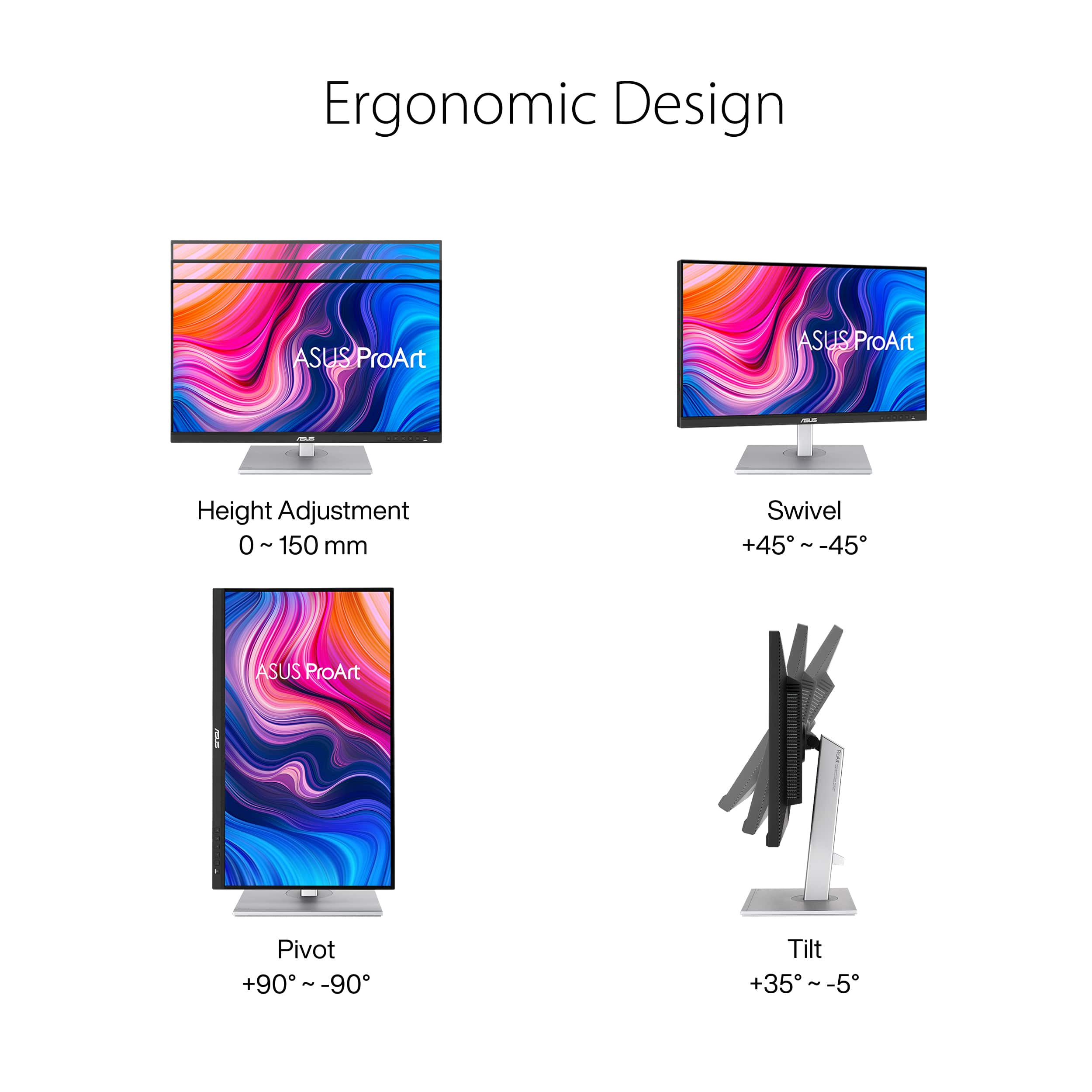
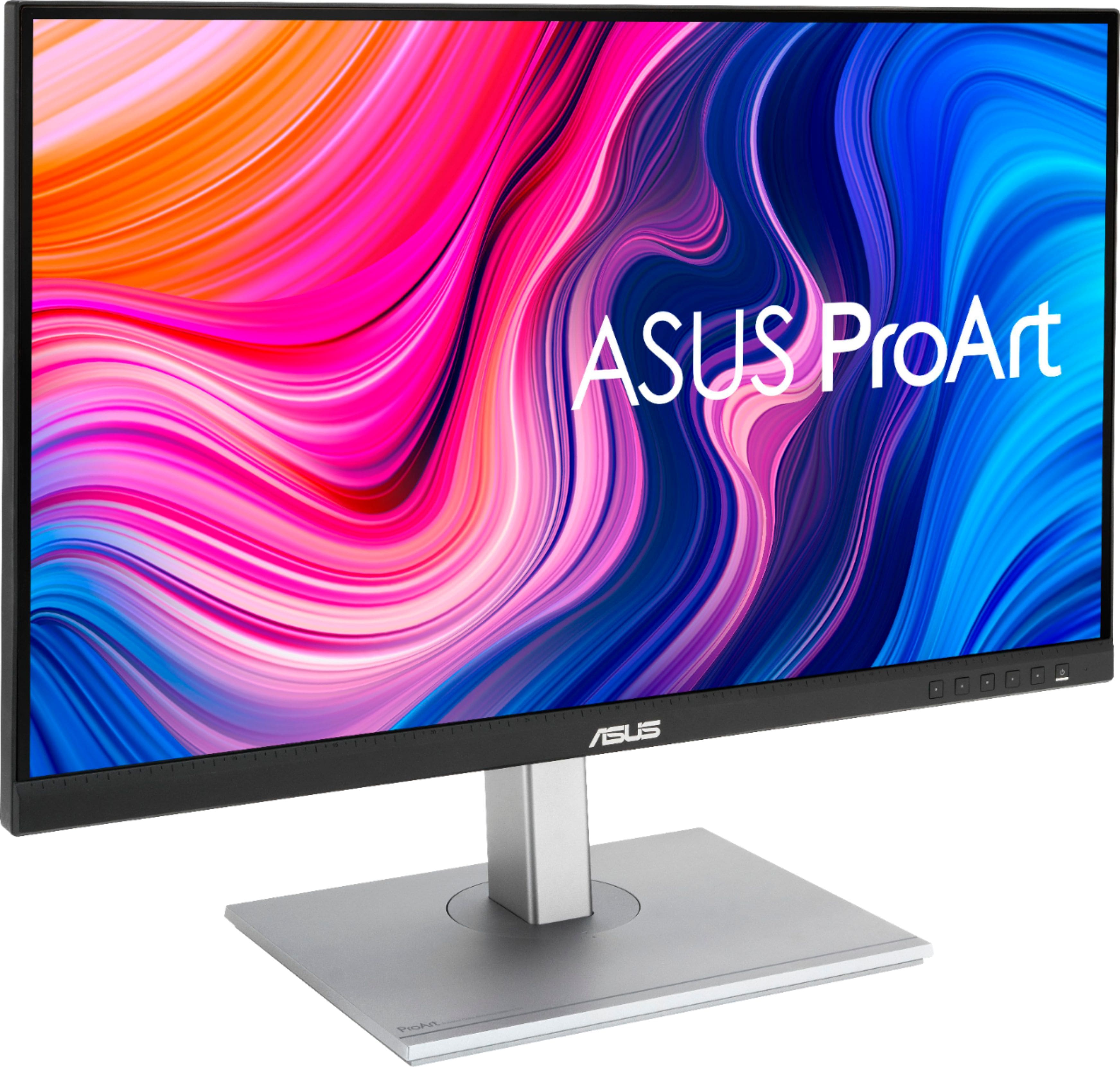
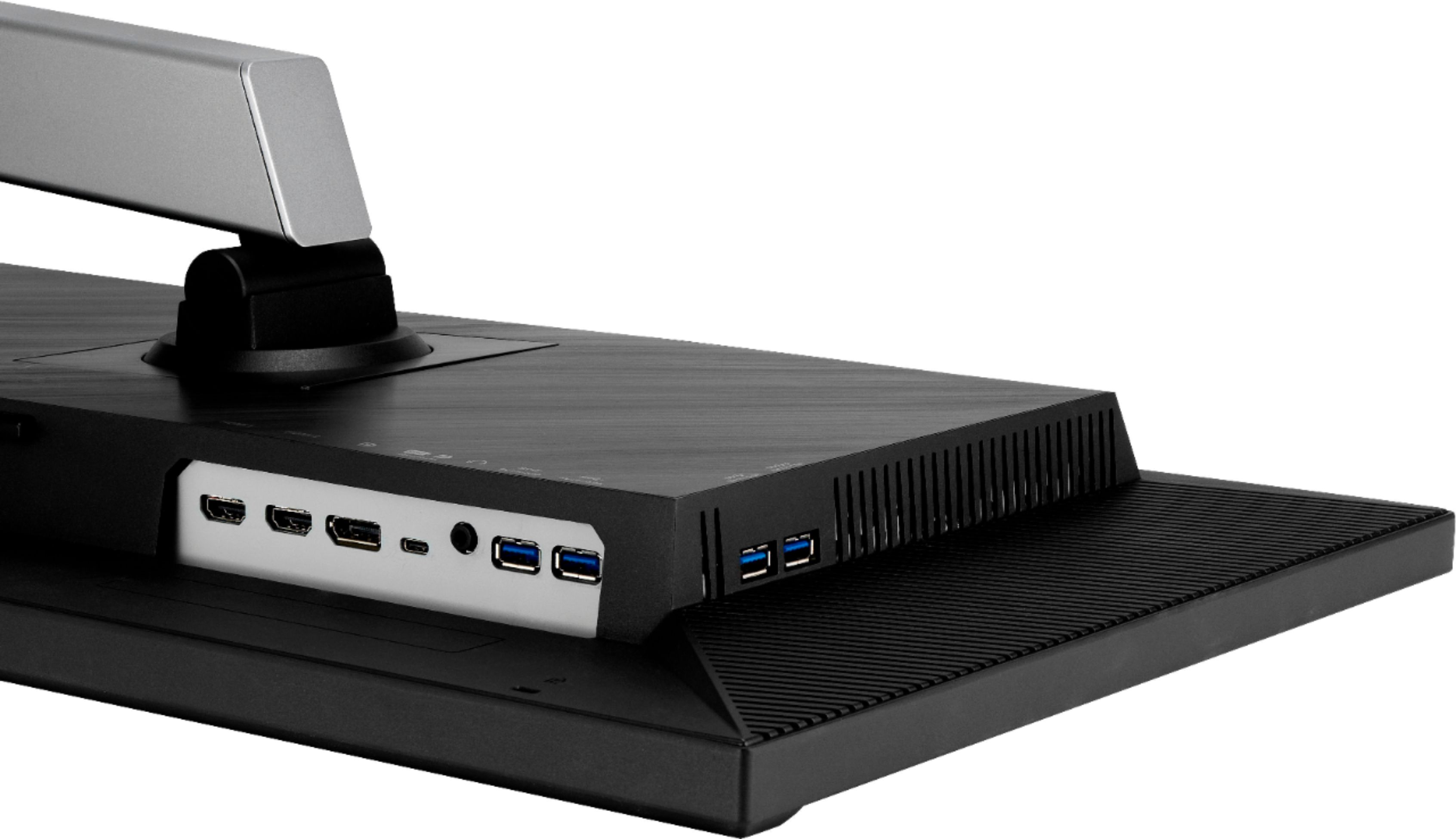
|Posted .This reviewer received promo considerations or sweepstakes entry for writing a review.This monitor is clearly targeting professionals that are content creators. People who work in design, visual arts, engineering, architecture, arts, marketing, media, photography, or any other field where a visually capable display is of the utmost importance should take a look at this monitor. Pros: -This monitor can double as a hub/docking station (with the exception of ethernet and multi-monitor extensions that I mention later). I was able to connect my Dell laptop from work (standard corporate issued model) via USB-C to this monitor. The monitor's USB-C port supports power delivery (65 W), therefore it would keep my laptop powered and charged. I was also able to hook up my peripherals (wireless mouse and keyboard, external speakers, headset/microphone, wireless Qi charging pad for my phone, charger for my tablet) using the 3.5mm jack and the 4 USB-A ports located on the monitor. I was able to free up some space on my desk as a result - which is a huge pro in my mind. -Ports include: 2 USB-A on the left side with the remaining ports on the bottom toward the left corner including 2 additional USB-A, 2 HDMIs, 1 DisplayPort, 1 USB-C (with 65 W power delivery, data transfer, and DisplayPort support), and 1 3.5mm. There is a power switch on the underside, in addition to the power button on the front of the monitor. I really like the multiple USB-A ports along the side and bottom. -This monitor does include internal speakers which is nice, though it is nothing to write home about. It does the job and provides decent audio output. -This monitor does include Blue Light filters (4 different settings), and several presets depending on which viewing mode you prefer. -VESA mount capable. -Ergonomic and versatile stand design. You can adjust the monitor height (0-150mm). It swivels +/-45 degrees. It can pivot +/-90 degrees so you can turn the monitor in landscape/horizontal or portrait/vertical mode. It can tilt +35/-5 degrees. -Plethora of pre-sets and adjustable settings to customize your viewing and editing experience. -Ability to add gridlines to lay over your screen (Options: A4, B5, Ruler, Alignment) in case you need to get detailed and precise when designing, editing, or creating something. In addition, there is a 60mm ruler etched into the bottom bezel. -Color and backlighting is consistent and uniform throughout the screen. I've seen other monitors where the backlighting or color gets inconsistent particularly around the edges of the screen. Not the case on this monitor. Cons: -I'm probably asking for too much here as I am not sure any monitor has this, but it would be great if this monitor included an Ethernet port and/or the ability to connect a second monitor in order to extend displays. If it had both, it would truly replace a hub/docking station in my mind. I worked around this by using Wi-Fi (instead of ethernet) and connecting the second monitor directly to my laptop via HDMI (while connecting this monitor to my laptop via USB-C) in order replace the Dell hub/docking station I was using previously. -I found the base/arm and the monitor itself to be a bit heavy. On the other hand, you could say its well built and pretty darn sturdy. -The monitor won't wow you with its looks. At first glance, it looks like a basic early 2010s type of monitor. There is a small (probably 1/4 inch thick) black border that runs along the sides and top of the monitor). The bottom bezel has a matte black finish, with 6 square buttons towards the right corner with the far right one being the power button. One unique thing about the design - there is a 60mm ruler etched on the bottom bezel - just further emphasizing how this monitor is geared towards creators and designers. Other than that, nothing sleek or eye-catching about it - no edge to edge display. -I may be in the minority here, but I think this monitor might be better served by including a small remote in order to take advantage of the multiple settings, sources, and features this monitor has. I found it kind of annoying that I had to use the buttons on the bottom bezel to cycle through and select/enable/disable/adjust different options. Particularly when I want to pull up the grid lines feature to appear on the screen (A4, B5, Ruler, and Alignment). Though you can program the buttons to be hot keys/shortcuts. Notes: -The screen on this monitor has a matte finish. I have other monitors that have more of a glass/glossy finish which can cause issues with glare from sunlight or other light in the room. The matte finish on this monitor really helps limit and reduce glare from sunlight or other light - keeping your focus on your monitor screen. Whether this is a pro or con depends on your personal preference. -If you turn the monitor off, it will turn off power to the attached peripherals and connected laptop (if using USB-C). If you want to keep your laptop charged and your peripherals on, you will need to keep your monitor on. I wish they had a low-power/standby mode that still powered the connected peripherals when you are not using the monitor actively (or maybe it does go into a power saving type mode and I just can't tell or notice it). -The colors, depth, and definition look great to me. I am probably not in Asus's targeted audience for this monitor but I have no complaints with how pictures, videos, spreadsheets, and text look on this monitor. I would think this monitor compares favorably with most high-level performance/professional monitors in this segment. -It comes with DisplayPort, USB-C, HDMI, and power cables in the box, but it did not come with a user guide to learn about the different features. I had to go on Asus's website to view the user guide for this monitor.
I would recommend this to a friend - Pros mentioned:Color accuracy, Usb-c
Color Accurate 4K HDR Monitor
|Posted .This reviewer received promo considerations or sweepstakes entry for writing a review.Asus's 27" ProArt 4K IPS HDR monitor is pre-calibrated for accuracy with sRGB Rec709. I tested it with HDR video in DaVinci Resolve with no problems. Also, it works great with Photo Shop and Affinity Photo when working with RAW photos. The monitor's colors are rich and vibrant. You also have multiple preset modes such as rec709, HDR, DCI-P3, etc. It has multiple connection options with 1 Display, 1 USB-C, and 2 HDMI ports. I have the monitor connected via display port, but I have also connected the USB-C port to my computer in order to use the built in USB hub. There are 4 USB-A ports in the built-in USB hub. I tested the transfer rate through the hub with an SSD that I typically connect to my desktop's USB-A port. When connected to my desktop's USB-A port, I get 405MB/s transfer rate. When connected to the Asus USB hub, I was getting 375MB/s transfer rate. I'm not sure why there was a difference in transfer rate, but it's not really much of a difference. I'll use the hub often due to convenience of easy access to USB-A ports and it helps to have 4 additional USB-A ports now. The monitor can be turned vertical for those who prefer to use that orientation in photo editing or desktop publishing. Also, ASUS has included an quick fit option which can place a ruler along the left side and top of the monitor as well as A4 and B5 overlay to help get a true sense of size of an image. It has a swivel base that allows for adjustment left to right and tilt adjustment as well. I now have an HDR monitor with much better color accuracy than my previous monitor plus I have 4 additional USB ports that are within reach. I'm happy with what ASUS has done with the PA279CV and would recommend ASUS's ProArt series to those who need a color accurate HDR monitor.
I would recommend this to a friend USB-C doesn't work as advertised.
||Posted .This reviewer received promo considerations or sweepstakes entry for writing a review.Incredibly disappointed that the USB-C connection doesn't work for displays. It was one of the biggest things that drew me to the product. I have updated the firmware of the monitor but to no avail. Hopefully, they can patch this issue in the future.
No, I would not recommend this to a friendBrand response from ASUS Answers
Posted .Dear Enthusi,
We're sorry to hear about the unfortunate experience you're having with the USB-C on this model. Rest assured we will have this information passed on to our team. We do value our customers and take negative customer service experience very seriously. This is not the quality of service expected from ASUS. We do stand behind our product and we continuously strive to improve our approach and processes in order to achieve customer service excellence.
For more information send us an email at customerloyalty@asus.com and provide the link of this review for reference. We’ll do our best to provide a quick resolution to your case. Your feedback is important as it helps with improvements to ASUS Support channels. Please copy a link to this post as a reference.
Thank you for choosing ASUS.
Best Regards,
Joan
ASUS Customer Loyalty US Support
- Pros mentioned:Usb-c
Excellent Graphic Design Monitor!
|Posted .This reviewer received promo considerations or sweepstakes entry for writing a review.So I am a Graphic Designer and had heard very good things about the Asus ProArt series of monitors. When I had the opportunity to get one, I didn't hesitate. The PA279CV ProArt monitor is a very nice monitor that offers all kinds of goodies for anyone in the design world. So the monitor is very easy to set up out of the box. The materials are standard but look very nice. The base is sturdy and the attachment arm allows for height adjustment, tilt and swivel. You can even rotate the monitor into portrait mode if necessary. The monitor is pretty much edge to edge on the top and sides but with a lip on the bottom that holds the power/function buttons and is etched with ruler markings. Those marking are for a nifty function that this monitor has. You can show measurement guides on screen for typical print sizes that overlay your work and they align with the lip markings. Connection to my MacBook Pro was easy and I had several options to connect. I used the USB C (with built in DisplayPort) input via my Thunderbolt 4 cable. It allows the monitor’s built in hub to be powered when other USB devices are connected to hub. That input also allows HDR capabilities in the monitor like the other DisplayPort port. You can also connect to the monitor via a HDMI cable but I don’t think the HDR functions are active with HDMI. Id say it's most promising feature is that it comes pre-calibrated via Calman software and there is a certificate included showing the calibration chart from your own monitor. Color calibration is extremely important for me and I appreciate this very much. Other very beneficial attributes are: • Blue light filter in various strengths that help with eye strain • Adaptive Sync that allows the monitor to adjust between 40-60Hz depending upon the content • It support 100% sRGB and Rec 709 plus it supports DCI-P3 • Built in USB hub with charging pass through (via USB C connection) Overall this monitor is is very nice and offers graphic designers and photographers some great features. I’m very pleased so far and looking forward to using it everyday on my projects.
I would recommend this to a friend - Pros mentioned:Build quality, Usb-c
Looks great, convenient features
|Posted .This reviewer received promo considerations or sweepstakes entry for writing a review.This is a very nice 4K monitor. It's good looking, feels well constructed, and includes convenient features like an integrated USB 3 hub, USB PD, and basic speakers. It isn't quite top of the line, but the color calibration puts it a step ahead of some less expensive displays. Asus sent me one of these displays in exchange for a review after using it. This review reflects my honest opinions after a week of using it in my home office (including for full business days of remote work). In short, I'm very pleased with it and would readily recommend it. The build quality feels pretty good, with a nice weight and no creaky plastic. The stand is solid and attaches securely and moves well. Only a couple of minor fit and finish issues stood out: I did find it easy to scratch the rear plastic housing a bit (hardly noticeable) while attaching it to the stand, and the relief around the VESA 100x100 mounting points didn't quite fit the articulated monitor mounting arm I have on my desk. (The latter may be more an issue with that arm, so I can't necessarily fault the Asus display for it.) Nonetheless, I would say it feels like this display has solid construction and material choices. My unit had no stuck or dead pixels. It's a 4K display, so it naturally is going to look very sharp. The lighting seemed very uniform for some test patterns of various colors as well as shades of gray. The color reproduction in the default sRGB mode, which is the high color accuracy mode, looks good to my eyes, though I'm unable to empirically verify how accurately the display is calibrated. The viewing angles from the sides are pretty good, which is typically of an IPS display. I did encounter some strange behavior with the refresh rate and visual glitches after enabling the Adaptive Sync feature while the monitor was connected via USB-C to a Surface Book 3, which I was unable to later reproduce. Since I haven't seen it happen again, I'm chalking it up to a fluke that might be as much a fault with Windows. I also used it with a MacBook Pro and had no issues at all. I found the feature assortment to be useful. I was most pleased with the integrated USB 3 hub, since I can now retire a separate USB hub and reduce some desktop clutter. It wasn't clear to me from the published specs, but the hub is a 5 Gbps USB 3.0, aka USB 3.1 Gen 1, device. A menu option allows you to choose either USB 2.0 or 3.0 mode, which may be handy if you use any wireless devices that could be affected by EMI from USB 3 and don't really need the extra speed. (This option is disabled if using a 480 Mbps USB 2.0 cable, which makes sense since it wouldn't be useful.) USB Power Delivery is supported, though only to 65W (which is still enough to handle the majority of 14-inch and smaller laptops), but the 65W limitation seems notable as the graphic design professionals that would be most interested in the color calibration of this display seem likely to be using laptops that need the higher-powered USB Power Delivery levels. Besides the built-in USB hub, the built-in speakers can be convenient for occasional audio. I generally use a headset anyway, but it is nice to be able to sometimes play audio without the headset. The PA279CV speakers are very basic and won't knock anyone over, but they're better than nothing and I'm personally happier to have the option than not. All in all, I think Asus did a good job with this product. I have very little I could complain about, and the feature/performance mix for the price seems very competitive. I would definitely recommend that anyone in the market for a 4K display consider this one, even if color calibration isn't a top priority.
I would recommend this to a friend - Pros mentioned:ConnectivityCons mentioned:Speakers
ASUS makes monitors!
|Posted .This reviewer received promo considerations or sweepstakes entry for writing a review.I was shocked to discover that ASUS makes monitors, and judging by this one, pretty good monitors at that! I have been using this for about a week with my 13" Samsung notebook. I'm not a graphic designer or artist, just a regular home office user who streams video, does normal MS Office work and emails. So I don't have the skills or tools necessary to judge the color accuracy claims that ASUS makes about this display. But I can say, that in comparison with my other Dell 27" and 24" U-series displays, the display quality is as good or better than my Dell units. The HDR and 4K appears accurate (based on side by side comparisons with my Dell) and the "ruler" along the bottom bezel, although useless for me, is a nice touch and could prove useful for some. Pros - The one-cable connectivity of USB-C is awesome! I love that I can have one cable to connect to the display which provides power, display, USB and audio, all without a docking station! The display was perfect upon arrival - no dead pixels and the packaging was easy enough to unpack and get setup. Literally plug and play, except I had to manually select the USB-C input in the menu, as auto-switch was not turned on by default from the factory. The addition of DisplayPort 1.2 and HDMI connectivity make this a great choice for multiple machine connectivity. (Note only DP in is supported; there's no DP out) Cons - You definitely should install the ASUS drivers - Windows fails to detect and install the proper driver. Also, the built-in speakers are exactly what you'd expect from monitor speakers - good enough for windows notifications and zoom calls (there's no mic in the display), but not really meant for much else. Although the bezels are small, the rear chassis is huge and thick, and the left-side mounted USB-A ports (2 of them) are hard to reach because they're somewhat setback from the edge of the bezel (unlike my Dell displays). The menu UI is a bit clunky and hard to navigate. There are programmable shortcut keys but those are also within the menu (instead of tied to a specific button), so it somewhat negates the "shortcut" aspect of it If you're connecting to mutiple inputs, you'll get tired of manually switching back and forth via the menu controls. Finally, the stand could use a re-design. There's only a meager small cable management clip behind the stand, but no hole or port to pass cables throught the stand, which completely defeats the purpose. Overall, this is a good quality monitor, which at the right price, could be a great value compared to the competition.
I would recommend this to a friend - Pros mentioned:Color accuracy, Resolution
Versatile monitor with excellent clarity and color
|Posted .This reviewer received promo considerations or sweepstakes entry for writing a review.This is an excellent monitor for general office use and for editing photos and video. Its resolution is highly adjustable so that you have plenty of space to have multiple windows open on the desktop. Even at the most refined resolution, text is super sharp and legible. The monitor comes certified pre-calibrated, and it does not disappoint. Photo and video colors look rich, clean, and accurate. The monitor has multiple inputs (HDMI, DPI, and USB-C). Cables are included for each of these options, which is a nice touch. I personally use the USB C port for charging devices. There are a number of pro-oriented options in the monitor's menu, making it highly adjustable. Menu access and navigation buttons are discreetly located on the bottom right front of the monitor, so they are easy to access. This is an excellent monitor that I can highly recommend. The available screen real estate is very helpful for a tasks that use a lot of screen space, and the monitor is VERY sharp across all resolutions. Color is excellent, lots of input options, and easy on the eyes. Nice job by Asus. My new favorite monitor!
I would recommend this to a friend - Pros mentioned:Color accuracy, Usb-cCons mentioned:Speakers
Pretty monitor that tried too many things
|Posted .This reviewer received promo considerations or sweepstakes entry for writing a review.I do photo and video editing as a side business and was really looking to upgrade to a nice color accurate 4k HDR monitor, and in that respect this monitor will not disappoint. Color on this is great out of the box and 4k HDR videos look amazing. And if this monitor had kept to just that and avoided extra costs with stuff that doesn't work, this would have been a great entry tier monitor. However, Asus added junk that doesn't work well which adds to the final cost. First, the speakers are bad. They have zero low scale bass and are at best only used for light newscast listening. The USB-C display port input is great if you use it, but this device also has 3 other inputs. Unless you plan on using picture-in-picture all the time, you don't need 4 inputs, which just add cost. And then there is the USB hub. It works great from the USB-C input, but all the inputs and outputs for the monitor as a whole get disconnected when you turn the power off on the front of the monitor. That means you're either leaving your monitor on all the time in power save mode, or your waiting for your PC to find your monitor each time it turns on and all your accessories connected to the monitor have to reconnect to the PC. This could have been easily remedied with a passive USB hub that also gained extra power from the monitor's power supply in standby. I feel sorry for any photographer that is trying to copy files over and accidentally turns off their monitor as the manual does not list this design flaw. All in all, it's a pretty monitor, but I can't recommend it to anyone else.
No, I would not recommend this to a friend brick
||Posted . Owned for less than 1 week when reviewed.This reviewer received promo considerations or sweepstakes entry for writing a review.received monitor that didn't turn on right out of the box
No, I would not recommend this to a friendBrand response from ASUS Answers
Posted .Dear JayBee,
We're sorry to hear that your unit is not powering on. Please allow us to make your experience with ASUS a better one. We would recommend that tou attempt the steps in the FAQ below to resolve this issue. We do value our customers and take negative customer service experience very seriously. This is not the quality of service expected from ASUS. We do stand behind our product and we continuously strive to improve our approach and processes in order to achieve customer service excellence.
For more information send us an email at customerloyalty@asus.com and provide the link of this review for reference. We’ll do our best to provide a quick resolution to your case. Your feedback is important as it helps with improvements to ASUS Support channels. Please copy a link to this post as a reference.
Thank you for choosing ASUS.
Best Regards,
Joan
ASUS Customer Loyalty US Support
LCD Monitor Troubleshooting - No display after turning monitor ON: https://www.asus.com/support/FAQ/1012723/
- Pros mentioned:Resolution, Usb-c
Amazing
|Posted .This reviewer received promo considerations or sweepstakes entry for writing a review.What an amazing 4k monitor this turned out to be. Crystal clear picture, very high resolution, and a solid but not top end refresh rate. I use this monitor alongside a gaming specific monitor for 4k gaming as well as various art, photoshop, and photography work that I do as a hobby. Everything I've ever displayed has looked extremely sharp. Positioning is very versatile and easy to change when you need to switch up the perspective. Controls for the monitor itself are on the front instead of hidden from view along the bottom or rear panels which some may see as a negative due to the larger bezel around the bottom but I find to be quite useful since I'm frequently fumbling around for buttons on my other monitor. This is a very feature rich monitor that can be tweaked to your personal preferences as well as for whatever you need. To top all these positives off, it has a built in USB hub for convenience if you use multiple devices like I do. It's a bit pricey for some, but in the era of working at home if you need a sizable screen with 4K resolution, extreme color depth, and versatility... look no further.
I would recommend this to a friend - Pros mentioned:Color accuracy, Usb-c
Juuuuust right for me
|Posted .This reviewer received promo considerations or sweepstakes entry for writing a review.The calman verified calibration our-of-the-box is really nice. Most of the work is really just a matter of getting it physically set up. Follow that up with a DPI setting change to suite your needs and you are good to go! I found this monitor has hit a real sweet spot for me with my setup. The color, depth and definition make this a pleasure to work with when editing. It really gave me what felt like a level of precision I didn’t have before. The built-in dock via USB-C is fantastic. I can plug in my laptop, charge it and use the monitor as a USB hub. However, you can only take advantage of it if you use the USB-C connection. So if you have any peripherals with USB dongles that you are dedicating to this monitor, you will need to use the USB-C connection. One pleasant thing I came across was low key gaming. There isn’t anything I will hook up to this monitor that will try to push past 60 FPS. So there isn’t a need for 120/144Hz here. It hits the spot just right with the color and depth I didn’t know I needed.
I would recommend this to a friend - Pros mentioned:Color accuracyCons mentioned:Speakers
Excellent color accuracy and build quality.
|Posted .This reviewer received promo considerations or sweepstakes entry for writing a review.The title says it all! Very pleased with the factory calibration and the fact that it features sRGB, Rec709 and DCI-P3 modes preprogrammed. The base is nice and sturdy and supports vertical rotation. It also includes built in speakers and while not great, they are serviceable for system prompts and the occasional youtube video. I am extremely happy with this monitor for editing photos.
I would recommend this to a friend