Customer Ratings & Reviews


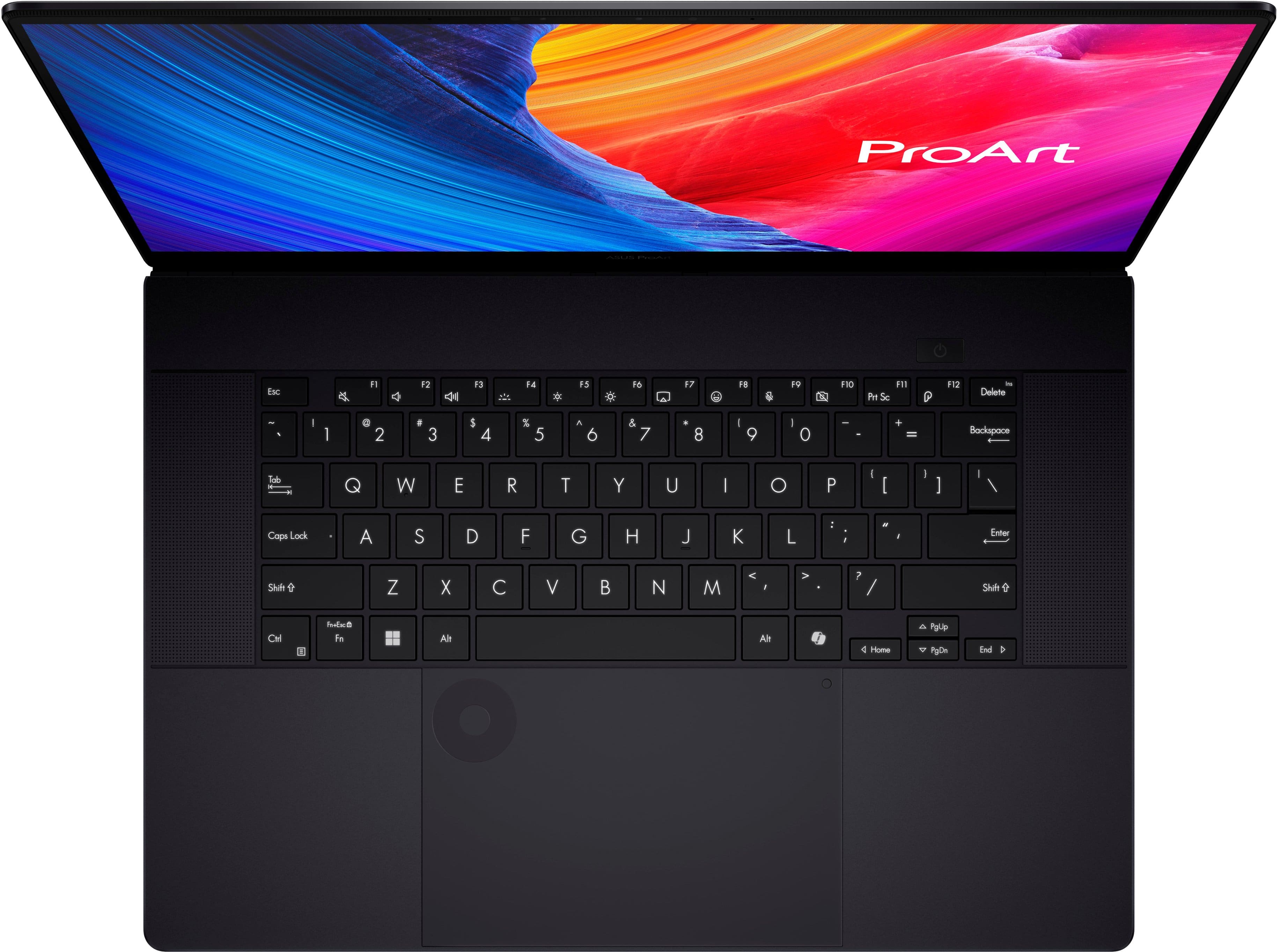
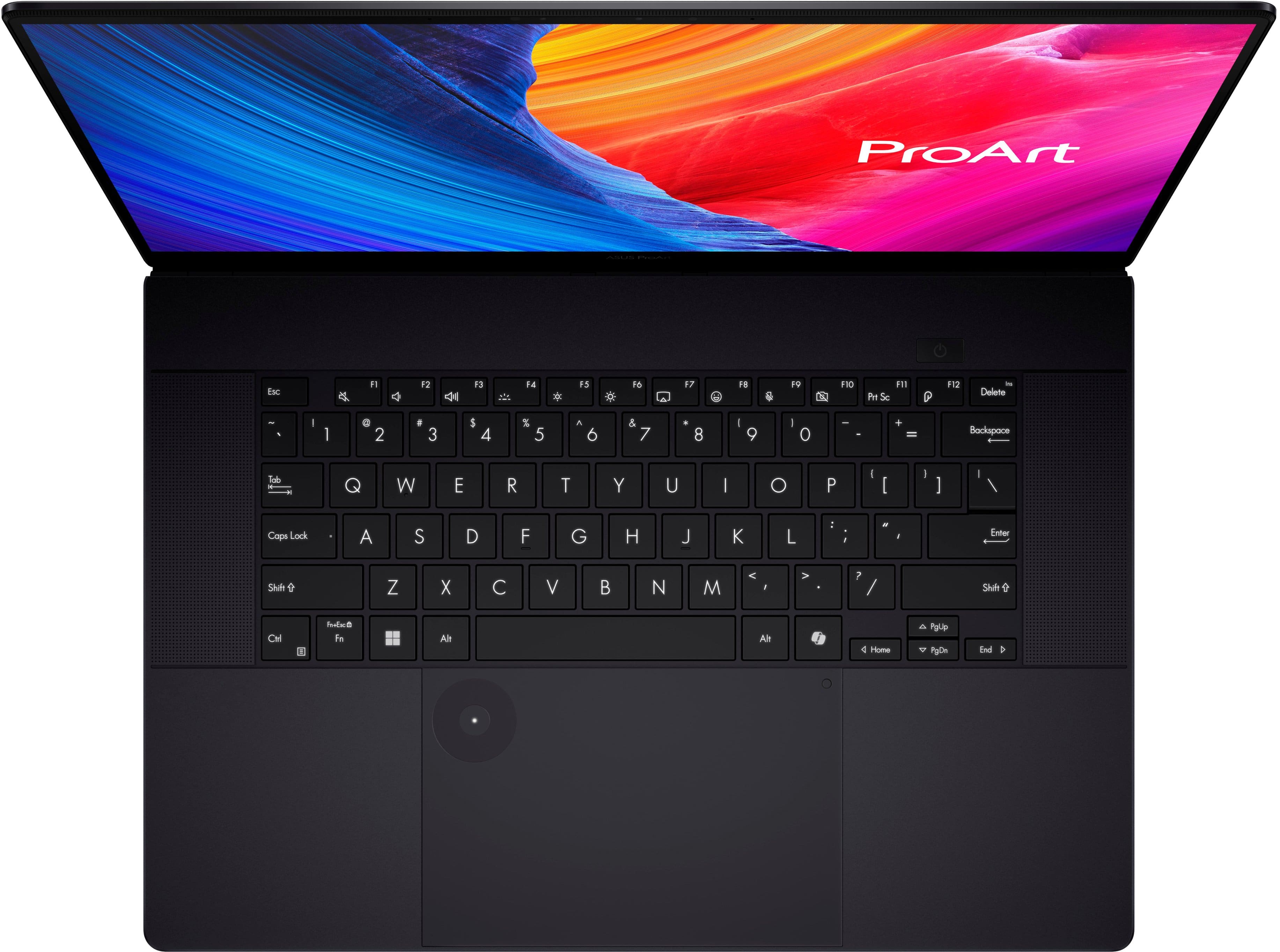
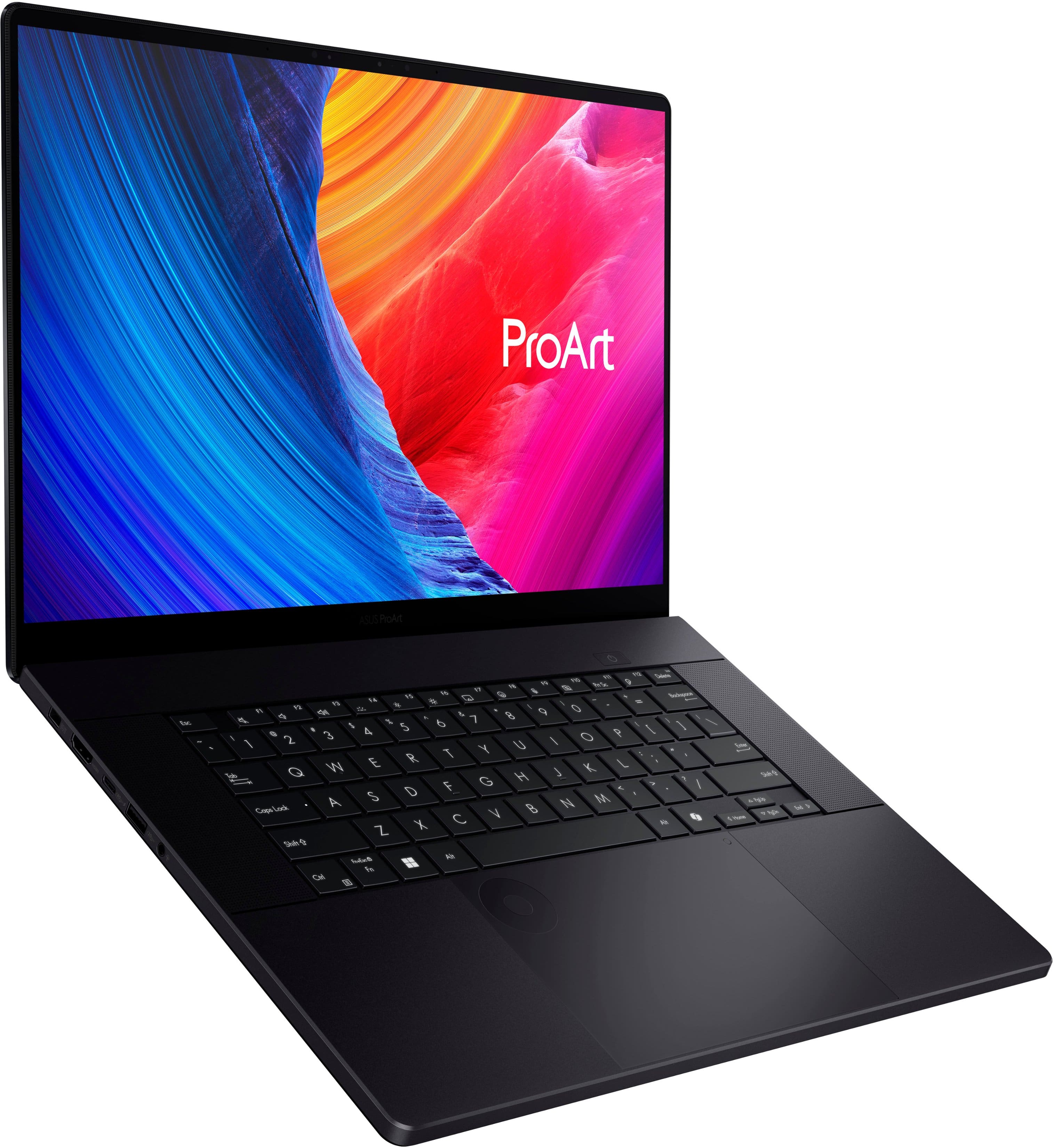


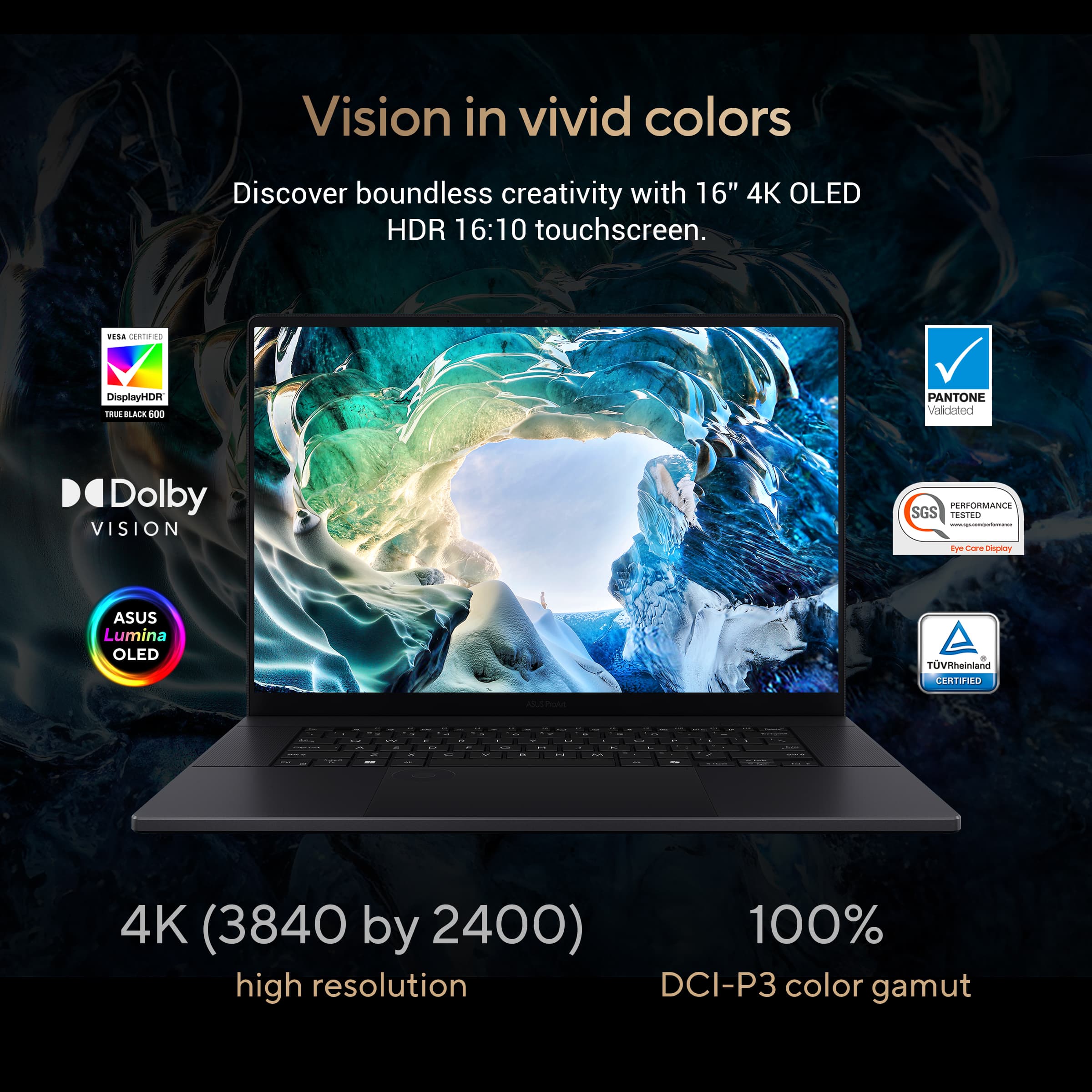




















- Model:
- H7606WV-P16.R3704060
- SKU:
- 11277521
Rating by feature
- Battery Life
Rating 4.3 out of 5 stars
- Speed
Rating 4.6 out of 5 stars
- Display
Rating 4.6 out of 5 stars
to a friend
Very glitchy
||Posted . Owned for 3 weeks when reviewed.This reviewer received promo considerations or sweepstakes entry for writing a review.From the start the laptop has been extremely glitchy. Bought 2 for my company, have made all updates, and both have the same issues. The screen consistently blacks out for 1-2 seconds every few minutes. Installs often freeze and even task manager cannot stop it. Its been 4 weeks and the issues continue to mount. I will be returning these
No, I would not recommend this to a friendBrand response from ASUS Answers
Posted .Dear Christopher W,
We sincerely apologize for the issues you're experiencing with the notebook and for the inconvenience. This is not the kind of quality to expect from our products, and it's not the norm. Before returning the device, we recommend following the steps in the FAQ below to troubleshoot the issue described. Should the issue persist, don't hesitate to get in touch with the place of purchase for an exchange or return if you are still within the window. Please rest assured that if you cannot gain resolution when contacting the place of purchase, we will be glad to provide further assistance.
We stand behind our products and continuously strive to improve our products and processes to achieve customer service excellence. For more information, email us at customerloyalty@asus.com and include the case number "N2412036247-0001" as a reference. We will do our best to resolve your case quickly. Your feedback is very important to us and enables us to improve our support channels. Thank you for choosing ASUS.
Best Regards,
Chantae
ASUS Customer Loyalty US Support
[Windows 11/10] Troubleshooting - Resolving System Error Messages or Unresponsiveness (Freeze/Black Screen/White Screen during usage) - https://www.asus.com/us/support/faq/1038855/
none
||Posted . Owned for 3 weeks when reviewed.This reviewer received promo considerations or sweepstakes entry for writing a review.I love my new ASUS laptop. Everything about it is top notch.
I would recommend this to a friendGreat Editing Laptop
||Posted . Owned for 1 week when reviewed.This reviewer received promo considerations or sweepstakes entry for writing a review.Love this laptop. Great for creatives you edit videos or photos.
I would recommend this to a friendNot recommended at all
||Posted . Owned for 3 weeks when reviewed.This reviewer received promo considerations or sweepstakes entry for writing a review.I’m very disappointed with this laptop. Bought this for my daughter for college and got the unit 3 weeks ago. Now all she has is a blue screen. Asus tech couldn’t help and said they can only repair. School tech also couldn’t repair it. Good thing best buy’s total tech allows us to return the unit. Classes start tomorrow and a laptop concern is truly stressful. Very displeased.
No, I would not recommend this to a friendBrand response from ASUS Answers
Posted .Dear Valued Customer,
We sincerely apologize for the blue screen issue you've faced with the notebook and for the inconvenience caused. This is not the kind of quality to expect from ASUS products and it's not the norm. At ASUS, we take quality control, testing, and inspections seriously to ensure our products meet high standards. What you've experienced was not intentional or representative of our brand. We understand the impression this may have created and we hope this will not be a long-term lasting impression as you have chosen ASUS as a trusted brand for excellence.
Having returned the notebook, we hope that you were able to obtain a functional replacement.
We do stand behind our products and we continuously strive to improve our products and processes to achieve customer service excellence. If you require any further assistance, please send us an email at customerloyalty@asus.com and include the case number "N2408027095-0001" as a reference. We will do our best to resolve your case quickly. Your feedback is very important to us, and it enables us to improve our support channels. Thank you for choosing ASUS.
Best Regards,
Chantae
ASUS Customer Loyalty US Support
Amazing Laptop
||Posted . Owned for 2 weeks when reviewed.This reviewer received promo considerations or sweepstakes entry for writing a review.Best laptop I have owned. I Instantly became an ASUS fan!
I would recommend this to a friendRefurbished unit quality poor
||Posted . Owned for 1 month when reviewed.This reviewer received promo considerations or sweepstakes entry for writing a review.Purchased the ProArt P16 about three weeks ago, setup easely. One week lnr eeded to tap the power switch and it finally started. This now has happened two more times. Recently the Wifi comes and goes no other devices in my home are affected at the time. It is being returned.
No, I would not recommend this to a friendBrand response from ASUS Answers
Posted .Dear Atsalesinc,
We sincerely apologize for the issues you've faced with the ASUS ProArt P16 Laptop and for the inconvenience this has caused you. What you've experienced was not intentional or representative of our brand. Our top priority is providing our customers with high-quality products, and we'll forward your feedback to our team for review.
Having returned the notebook, we hope that you were able to obtain a functional replacement.
We stand behind our products and continuously strive to improve our products and processes to achieve customer service excellence. If you require any further assistance, please email us at customerloyalty@asus.com and include the case number "N2412036247-0003" as a reference. We will do our best to resolve your case quickly. Your feedback is very important to us, and it enables us to improve our support channels. Thank you for choosing ASUS.
Best Regards,
Chantae
ASUS Customer Loyalty US Support
Good laptop
||Posted . Owned for 3 weeks when reviewed.This reviewer received promo considerations or sweepstakes entry for writing a review.Very good laptop. Fast and the size is perfect. The start is fast.
I would recommend this to a friendUnreliable and not worth the price
||Posted . Owned for 7 months when reviewed.This reviewer received promo considerations or sweepstakes entry for writing a review.I would not recommend this laptop. I bought this in August 2024. In January 2025 it was stuck in a boot loop that required a 1hr geek squad appointment ultimately requiring it to be sent out (took1-2 weeks). It should be noted that at the geek squad appointment they attempted to charge me despite the laptop being under warranty and I had to insist the laptop was under warranty - I was told the only way to have it fixed for “free” through the warranty was to send it out. Glad I don’t use it for work! For some reason part of the geek squad assessment was that my trackpad was not working (it was working fine) so this was replaced. Upon bringing the laptop home my new trackpad is suddenly not working requiring a second geek squad visit. I wish I would have book a MacBook instead of spending $2k on a giant headache.
No, I would not recommend this to a friendBrand response from ASUS Answers
Posted .Dear HannahD,
Thank you for your comment.
We certainly understand your disappointment with the laptop and the inconvenience this may have caused if it was stuck in a boot loop. All ASUS products undergo intensive quality control testing and inspections, this is a random problem. ASUS provides warranty coverage for the product. To resolve this boot loop issue, disconnect any external USB devices, load optimize default in the BIOS setup page, save changes, then do a restart. If problem persists, Windows is possibly corrupted. To resolve, try to run a factory reset and for helpfult tips on how to perform a PC Reset, visit our Product Support page at: https://www.asus.com/support/faq/1013063/ . If still the same problem, we recommend you send the product in for service if you are experiencing hardware issue so this may be resolved immediately. A RMA number is required to send it in for service. For RMA details, please go to: https://www.asus.com/us/support/article/818/. If you need more information or further assistance with the warranty for the product, please email me at cl-rodel@asus.com and I would be more than happy to help. Or, you are most welcome to call Product Support Hotline at: 1(888) 678-3688. Also, you can chat with an ASUS live support agent from the link: https://www.asus.com/us/support/article/1135/.
Thank you for choosing an ASUS product.
Regards,
Rodel
ASUS Customer Loyalty

The Ultimate Laptop for Creatives & Coders
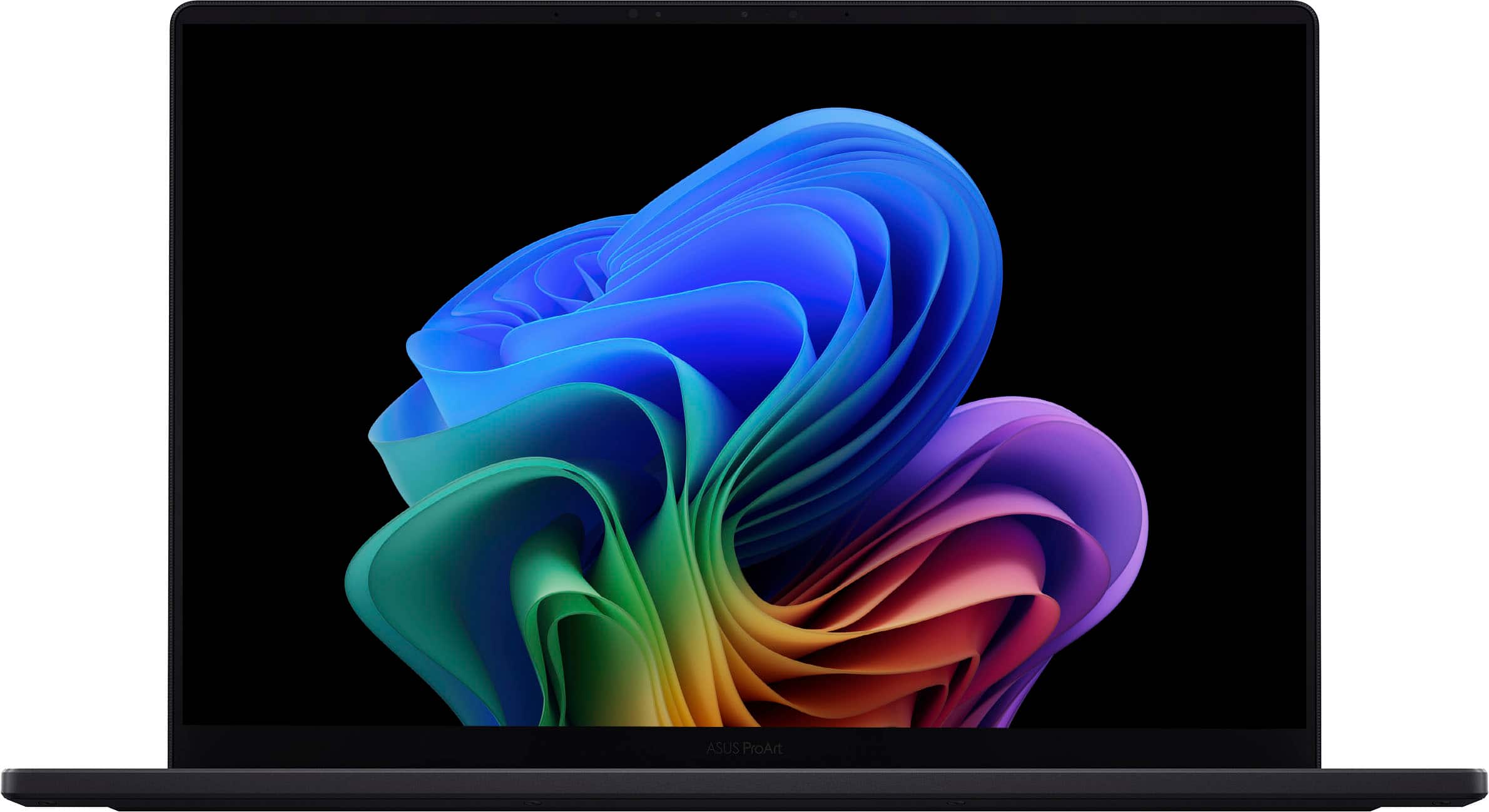
|Posted .This reviewer received promo considerations or sweepstakes entry for writing a review.As a programmer by day and filmmaker/editor by night, I need a device that can do both. Asus has knocked it out of the park with this one. It's the perfect device for creatives and professionals, balancing the raw power of an Ryzen 9 and an Nvidia 40 series card with the beauty and functionality of a color accurate OLED display with the dialpad on the touchpad. Starting with programming, my compiling time was FAST thanks to the 32GBs of 8333 Mhz RAM. My pipeline was fast and smooth with zero complaints. When it comes to the processor, as more and more devices transition to Arm processors programming package compatibility becomes an issue. You don't have that issue with the tried and tested Ryzen 9. Packages just work. When it comes to filmmaking/editing, you are in good hands again. I loaded in a 6k RAW video file, added on my 16 step coloring workflow, and no time was needed for rendering the video file before hitting play. Literally zero time, i put the coloring workflow on the footage, hit play, and it just worked! Truly have never experienced it. And scrubbing through the timeline is a breeze with the dialpad on the touchpad. It's easy to turn on and off as well as change functionality of the dial with a couple clicks of the dial. I was flipping back and forth between frame scrubbing and scrubbing by the second. An absolute delight. Assorted greatness that the ProArt brings to the table are that when you're not pushing the device, it's remarkably quiet. It has so many ports, all that I need. The build quality feels very sturdy. The speakers blew me away, there were many times when I was genuinely moved playing music and videos. My cons list is small. It has a Copilot AI dedicated key which is nice, however I pay for a divergent AI system so I wish it was remappable. While Asus said that they created a new black paint that doesn't absorb fingerprints, it still absorbs them just not as much. I'm a sweaty greasy person and I just wish it was a different lighter color. My last negative is that the display refresh rate is only 60hz. It is a bit jarring moving from my 120hz smooth scrolling phone over to a beautiful but slow 60hz. It's a bummer on an otherwise incredible laptop. Overall, I highly recommend this professionals and creatives that need a powerhouse of a device. This does everything you need. Just make sure you're OK with that 60hz display. Pros: Color accurate, gorgeous OLED display Dialpad is useful and intuitive Powerful for both creatives and programmers Quiet performance So many ports! Speakers are INCREDIBLE Build quality seems solid Cons: Copilot key locks you into Copilot AI Fingerprint magnet Only 60hz refresh rate display
I would recommend this to a friendWorst Buy. Bad service from Best Buy
||Posted . Owned for 3 weeks when reviewed.This reviewer received promo considerations or sweepstakes entry for writing a review.Purchased open box excellent condition. Turned on unable to go past entry of Wi-Fi. Went to store geek squad worked on it for 3.5 hours. Couldn't not fix. They would not take it back at store. Had to ship it back UPS. Extreamly bad service from guy on phone no offer to exchange for new PC. No compensation for travel to and from store or UPS store to ship back. Web site lyes about factory reset condition or offer to exchange.
No, I would not recommend this to a friendBrand response from ASUS Answers
Posted .Dear Packerfan,
Thank you for your comment.
We do understand your disappointment and the inconvenience this may have caused if you are having issue with the laptop. Windows 11 requires an internet connection to complete the initial Windows setup. If this laptop has an access to a working internet service and cannot complete the initial Windows setup, we recommend you send the product in for service to determine if the built-in WIFI controller is faulty so this may be resolved immediately. An RMA number is required to send it in for service. For RMA details, please go to: https://www.asus.com/us/support/article/818/. Should you need further assistance with the product, please email me at cl-rodel@asus.com and I would be more than happy to help. Or, you are most welcome to call Product Support Hotline at: 1(888) 678-3688. Also, you can chat with an ASUS live support agent from the link: https://www.asus.com/us/support/article/1135/.
Thank you for choosing an ASUS product.
Regards,
Rodel
ASUS Customer Loyalty
Gets Very Hot When Charging
||Posted . Owned for less than 1 week when reviewed.This reviewer received promo considerations or sweepstakes entry for writing a review.Nice laptop, but it gets very HOT while charging. Never seen a laptop get so hot. The ENTIRE laptop gets hot. Maybe this is a defective unit? I can use my Macbook M1 Pro 16" on my lap. Unfortunately, can't do that with this ASUS laptop. I prefer Windows over Mac OS, so I really want a Windows laptop to replace my Macbook. Looks like I'll have to keep looking.
No, I would not recommend this to a friendBrand response from ASUS Answers
Posted .Dear Eddie,
We're sorry to hear that the notebook is overheating and we apologize for the inconvenience caused. This is not the kind of quality to expect from our products and it's not the norm. Please allow us to make your experience with ASUS a better one.
To troubleshoot the issue described, we recommend following the steps in the FAQ below. Should the issue persist, please contact our support team at https://www.asus.com/us/support/CallUs to further investigate the problem or assist with repairing the device.
We stand behind our products and continuously strive to improve our products and processes to achieve customer service excellence. For more information, email us at customerloyalty@asus.com and include the case number "N2408027095-0005" as a reference. We will do our best to resolve your case quickly. Your feedback is very important to us and enables us to improve our support channels. Thank you for choosing ASUS.
Best Regards,
Chantae
ASUS Customer Loyalty US Support
https://www.asus.com/support/faq/1015064/
Bricked after updates, returned, repeat....
||Posted . Owned for 2 months when reviewed.This reviewer received promo considerations or sweepstakes entry for writing a review.Was awesome while it was working but it completely bricked TWO (original and replacement) after running Critical updates pushed from the myAsus app. Lots of others online reported the same issue. Sad- we loved it for the week the original and replacement laptop actually worked. Seems like these "creator laptops" have a much higher failure rate...
No, I would not recommend this to a friendBrand response from ASUS Answers
Posted .Dear Todd K,
We sincerely apologize for the issues you've faced with the ASUS ProArt P16 H7606WV Laptop model and for any inconvenience this may have caused you. What you've experienced was not intentional or representative of our brand. Our top priority is providing our customers with high-quality products, and we'll forward your feedback to our team for review.
Although you returned the laptop, we stand behind our products and continuously strive to improve our products and processes to achieve customer service excellence. If you require any further assistance, please email us at customerloyalty@asus.com and include the case number "N2408027095-0030" as a reference. We will do our best to resolve your case quickly. Your feedback is very important to us, and it enables us to improve our support channels. Thank you for choosing ASUS.
Best Regards,
Chantae
ASUS Customer Loyalty US Support
Not reliable, broke after a year
||Posted . Owned for 1 year when reviewed.This reviewer received promo considerations or sweepstakes entry for writing a review.The laptop broke after a year, just as the warranty expired. The cable connecting the display to computer seemingly became frayed. For a final month, the laptop worked when connected to external monitors before it stopped turning on altogether. :''''(
No, I would not recommend this to a friendBrand response from ASUS Answers
Posted .Dear KiraM,
Thank you for your comment.
We certainly understand your disappointment and the inconvenience this may have caused if this laptop broke after a year of usage. ASUS is an ISO certified company, as a result, all products go into a strict quality manufacturing standard. All ASUS products undergo intensive quality control testing and inspections that ensure each one is trouble-free, and are built to last. This laptop breaking after a year of usage is a random problem. We recommend you send the product in for an out of warranty service to determine if this is a hardware issue so this may be resolved immediately. This will incur services charges, which includes diagnostic fee, parts and labor cost. An RMA number is required to send it in for service. For RMA details, please go to: https://www.asus.com/us/support/article/818/. If you need more information or further assistance with the warranty for the product, please email me at cl-rodel@asus.com and I would be more than happy to help. Or, you are most welcome to call Product Support Hotline at: 1(888) 678-3688. Also, you can chat with an ASUS live support agent from the link: https://www.asus.com/us/support/article/1135/.
Thank you for choosing an ASUS product.
Regards,
Rodel
ASUS Customer Loyalty
Whole product line is defective
||Posted . Owned for 1 week when reviewed.This reviewer received promo considerations or sweepstakes entry for writing a review.Absolute garbage build. I bought it brand new, it bricked inside of 6 days. Two different support teams (Geek Squad and Microsoft... Asus doesn't offer support for their machines) spent a total of 14 hours trying to get it to work. Was told it must have been defective. Got a replacement. It lasted only 5 days and got all the same errors. 10 more hours with customer support. I'm returning it for money back only. (If Best Buy had halfway decent support staff, I'd buy a different laptop. But their foreign call centers are so bad, I'd rather pay more to buy a new laptop someplace else.)
No, I would not recommend this to a friendBrand response from ASUS Answers
Posted .Dear Charles G,
We sincerely apologize for the issues you've faced with the notebook and for the inconvenience caused. This is not the kind of quality to expect from ASUS products and it's not the norm. At ASUS, we take quality control, testing, and inspections seriously to ensure our products meet high standards. What you've experienced was not intentional or representative of our brand. Our top priority is providing our customers with a high level of satisfaction, and we'll forward your feedback to our Product Team for review.
Although you have returned the notebook, we do stand behind our products and we continuously strive to improve our products and processes to achieve customer service excellence. If you require any further assistance, please send us an email at customerloyalty@asus.com and include the case number "N2408027095-0002" as a reference. We will do our best to resolve your case quickly. Your feedback is very important to us, and it enables us to improve our support channels. Thank you for choosing ASUS.
Best Regards,
Chantae
ASUS Customer Loyalty US Support
Super Productive Laptop
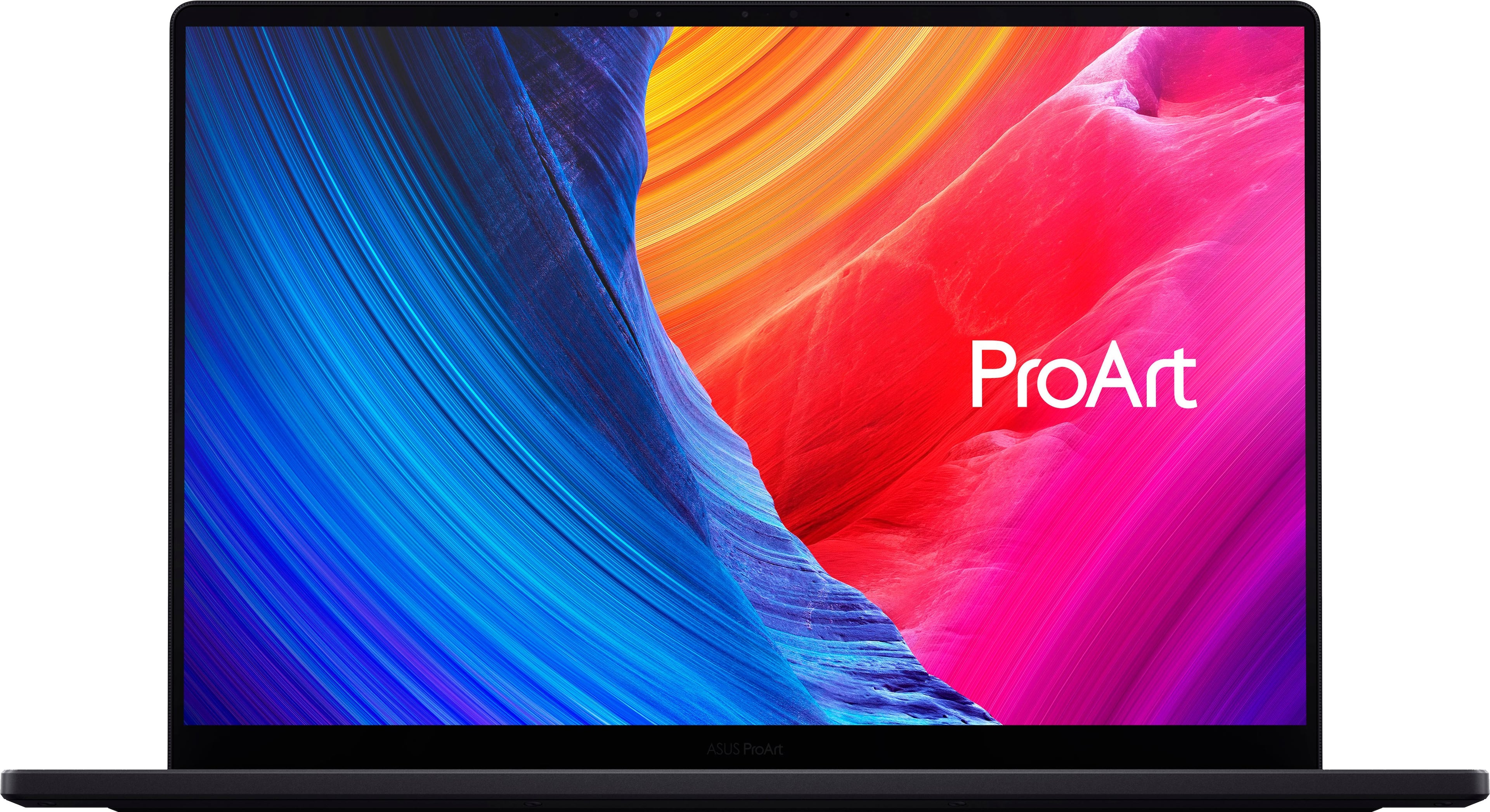
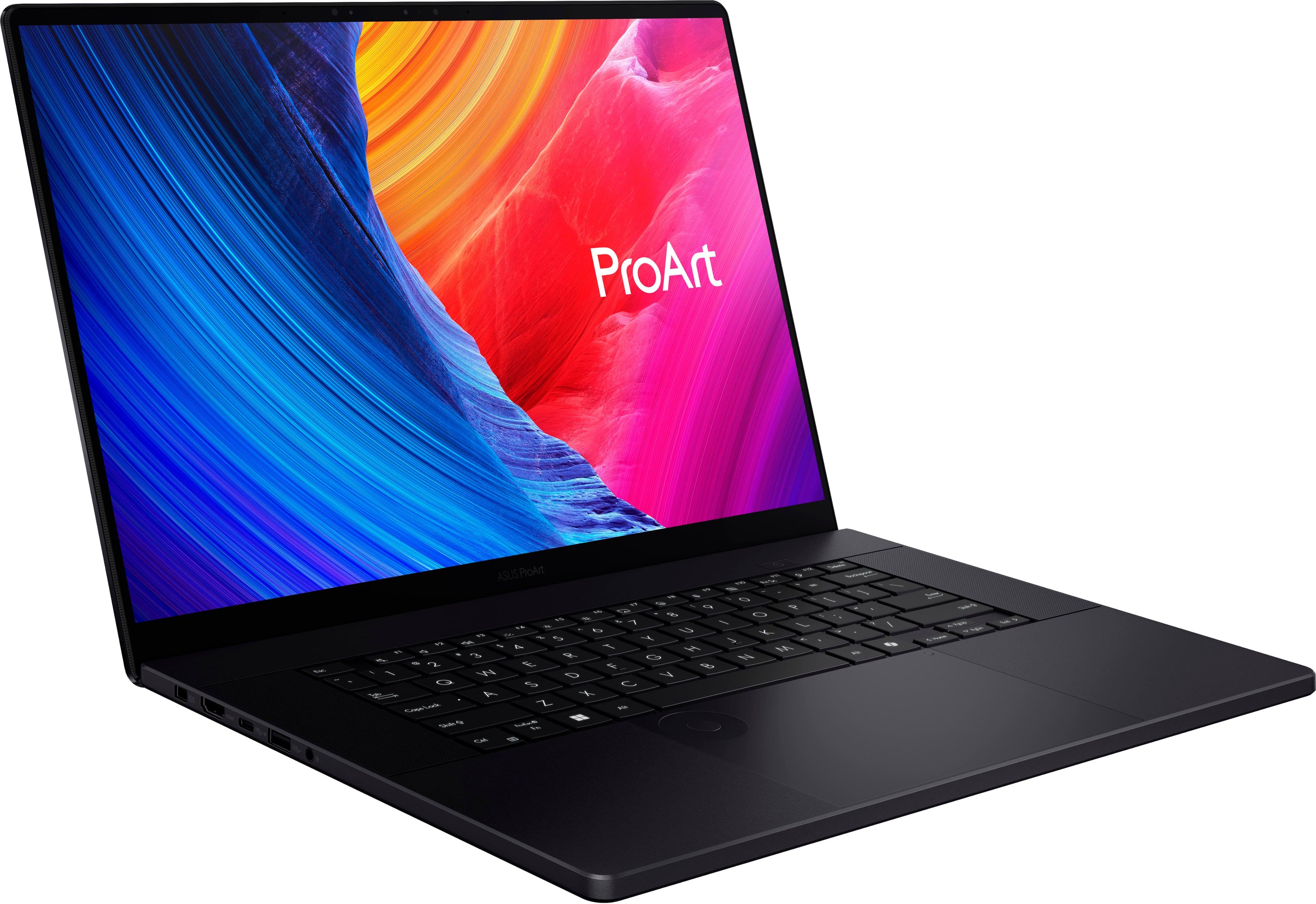
|Posted .This reviewer received promo considerations or sweepstakes entry for writing a review.First and foremost, the ASUS ProArt P16 is quite a premium experience to unbox. The P16 is sleek and elegant with an absolutely beautiful 4k OLED screen running at 60 hz, but I really wish it was 120 hz. The colors are vibrant and the blacks are dark. The case is a nice matte black and it doesn't attract finger prints. The speakers provide a nice sound, and there's six of them which is crazy to me for a laptop. And the trackpad is enormous. It has the 16:10 ratio as the screen itself, and features a cool radial wheel that you can program to create shortcuts in apps like adobe photoshop and premiere, or change the color settings for the laptop. This can be done through the included ProArt Creator Hub software. Also a part of the software is two AI powered apps, MuseTree and StoryCube, where you can create images and idea boards with MuseTree without needing a subscription or internet access, and you can have AI sort and group your photos together with StoryCube based on who or what is in the photos. I feel that these apps will definitely help me with my design and photography work. My P16 came with 32 gb of ram and the nvidia 4060, and paired with the amd ryzen ai 9 hx processor, it handles all of my productivity needs with a breeze. And it's also great for gaming too. The only downside to the gaming is again the capped 60hz refresh rate of the screen. But that's not too big of a deal for me. The screen is a touchscreen too, but without a flex folding screen, I don't really see the need for it. Overall I think that the ProArt P16 is a fantastic productivity laptop that can also be a gaming laptop.
I would recommend this to a friendDon't get this from best buy
||Posted . Owned for 2 months when reviewed.This reviewer received promo considerations or sweepstakes entry for writing a review.It blue screened! A ~2k laptop blue screened from a software update of all things :/. How is that possible? I don't even know. I, in my 8 year of computing, have never encountered this. Just get a lenovo or a mac. These are at least reliable. I ended up having to wipe the data! The issue was a bios update that was misconfigured. Go onto reddit.com/asus see more reviews of this brand. People have been having issues with them for the longest time.
No, I would not recommend this to a friendBrand response from ASUS Answers
Posted .Dear Pablo,
We sincerely apologize for the blue screen errors you're experiencing with the ASUS ProArt P16 laptop and for the inconvenience this may have caused you. We understand the impression this may have created and we hope this will not be a long-term lasting impression as you have chosen ASUS as a trusted brand for excellence. Your feedback is greatly appreciated and will be passed to our Product Team for review.
To further investigate this problem, we recommend contacting our support team at https://www.asus.com/us/support/CallUs.
We stand behind our products and continuously strive to improve our products and processes to achieve customer service excellence. For more information, email us at customerloyalty@asus.com and include the case number "N2408027095-0025" as a reference. We will do our best to resolve your case quickly. Your feedback is very important to us and enables us to improve our support channels. Thank you for choosing ASUS.
Best Regards,
Chantae
ASUS Customer Loyalty US Support
One of the best laptops that I've ever worked on.
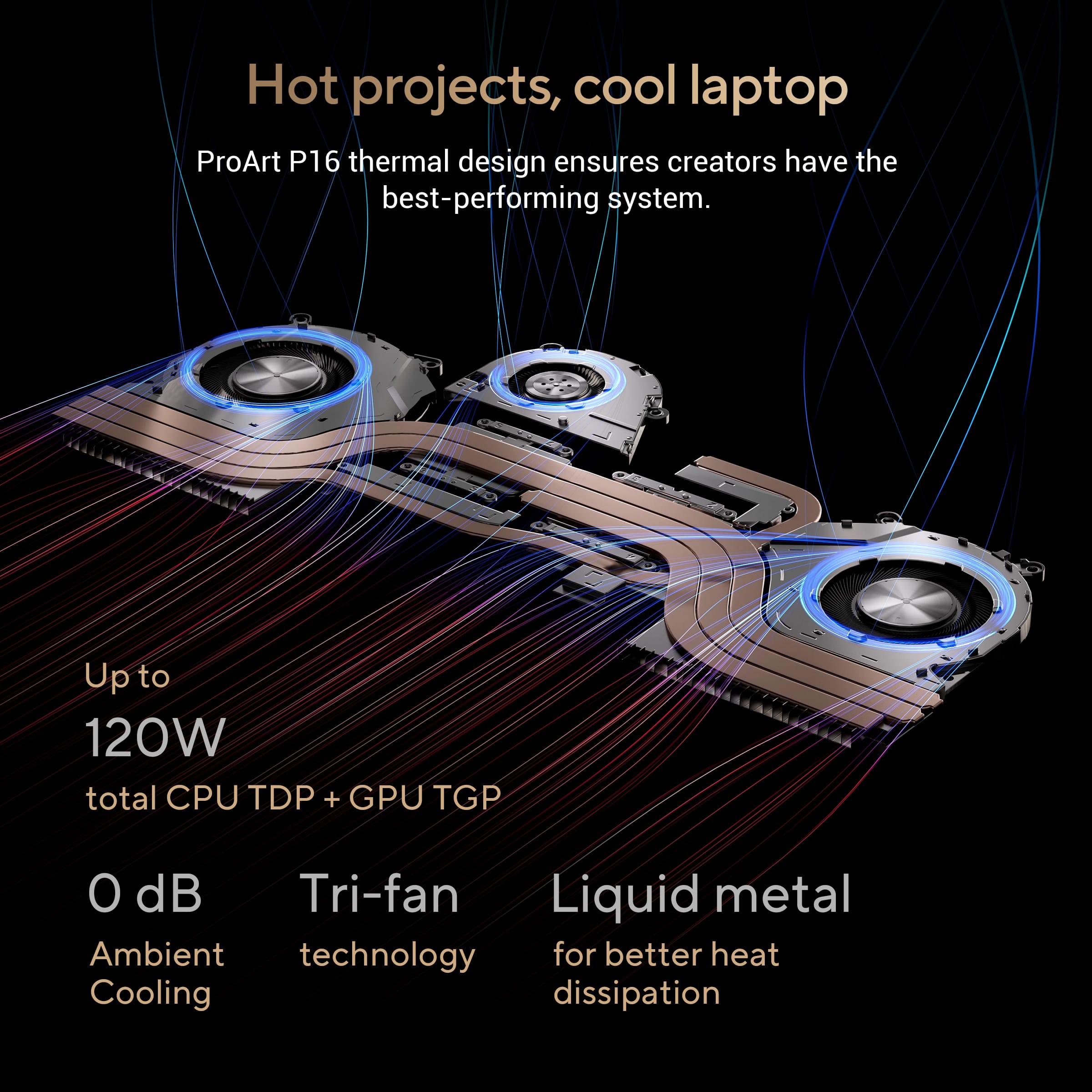
|Posted .This reviewer received promo considerations or sweepstakes entry for writing a review.The first thing that attracted me to this laptop was the fact that it is touch screen. I love the fact that you can open up this laptop with facial recognition. The Operating system with this is windows 11 The screen is not only crystal clear, it also has a surface that is very close to scratch resistant with features such as Corning Gorilla Glass.As soon as you open it up, you are able to access the camera. The design of the laptop is light, thin and sleek with its ultra dark (black) brightness, this Laptop is lightweight to carry but yet sophisticated enough to satisfy a novice as well as a professional. The Oled screen provides less blue light compared to laptops(monitors with LCD panels which is going to give you a high quality picture. The NVIDIA GeForce gives the professional tools and software to be able to create art with the software that included such as Remix, texture tools exporter, geforce experience and canvas just to name a few. The speed on the laptop is extremely fast. It has 32 GB of ram as well as LPDDR5X modules that run at 8333 MHz. It has 1TB PCie 4.0 Ssd and reaeding speeds of 5,000 Mbps and writing speeds of up to 4,000 MB/s. This laptop has a wonderful cooling try fan which gives it a great airflow to keep it cool. Downloading the BIOS is effortless. Only thing you need to do is open MyASUS app in the task bar and follow the directions. This laptopm is built with a military grade materials. It is very light weighing in at a mere 4 pounds it has a backlit keyboard , 2 USB ports, 1 HDI, 3.5 mm Combo Audio jack and an SD express 7.0 Card reader. Some of the other features are adobe bundle, story cube, use tree pro-art creator hub to name a few. If you are looking for a Laptop with fast connectivity and performance, great graphics, lots of space and a crystal clear scree, you can't go wrong with this laptop.
I would recommend this to a friendDepressing
||Posted . Owned for 6 months when reviewed.This reviewer received promo considerations or sweepstakes entry for writing a review.This computer has spent more time on the blue screen than actually being a productive tool. I've done a factory reset on this computer 3 times in less than 6 months of owning. Complete waste of money.
No, I would not recommend this to a friendBrand response from ASUS Answers
Posted .Dear JuanR,
Thank you for your comment.
We certainly understand your disappointment and the inconvenience this may have caused if you are experiencing blue-screen. To resolve this issue, ensure this laptop is running with the most current BIOS version posted at: https://www.asus.com/us/laptops/for-creators/proart/proart-p16-h7606/helpdesk_bios?model2Name=H7606WV . If the BIOS version is current and Windows and drivers are up to date, we recommend to send the laptop in for service to resolve any hardware issue. A RMA number is required to send it in for service. For RMA details, please go to: https://www.asus.com/us/support/article/818/.
If you need more information or further assistance with the warranty for the product, please email me at cl-rodel@asus.com and I would be more than happy to help. Or, you are most welcome to call Product Support Hotline at: 1(888) 678-3688. Also, you can chat with an ASUS live support agent from the link: https://www.asus.com/us/support/article/1135/.
Thank you for choosing an ASUS product.
Regards,
Rodel
ASUS Customer Loyalty
Do not buy used
||Posted . Owned for 1 week when reviewed.This reviewer received promo considerations or sweepstakes entry for writing a review.The first laptop in good condition was beyond disgusting with pet hair in the vents and the second laptop that's supposed to be in excellent condition that I took on was sticky with residues everywhere. Giving up on used and buying new adter these horrible experiences. Comp si great at processing though.
No, I would not recommend this to a friendBrand response from ASUS Answers
Posted .Dear Valued Customer,
We regret to learn about the condition in which you've received the device. This is not the kind of experience we want our customers to have with our resellers and we sincerely apologize for any inconvenience this may have caused you. If you are still within the return window, we recommend contacting the reseller for an exchange or return. Please rest assured that if you cannot gain resolution, we will be glad to provide further assistance.
We do stand behind our products and continuously strive to improve our products and processes to achieve customer service excellence. If you require any further assistance, email us at customerloyalty@asus.com and include the case number "N2408027095-0035" as a reference. We will do our best to resolve your case quickly. Your feedback is very important to us and enables us to improve our support channels. Thank you for choosing ASUS.
Best Regards,
Chantae
ASUS Customer Loyalty US Support
Powerful and long-lasting! Wished it was 120 Hz.
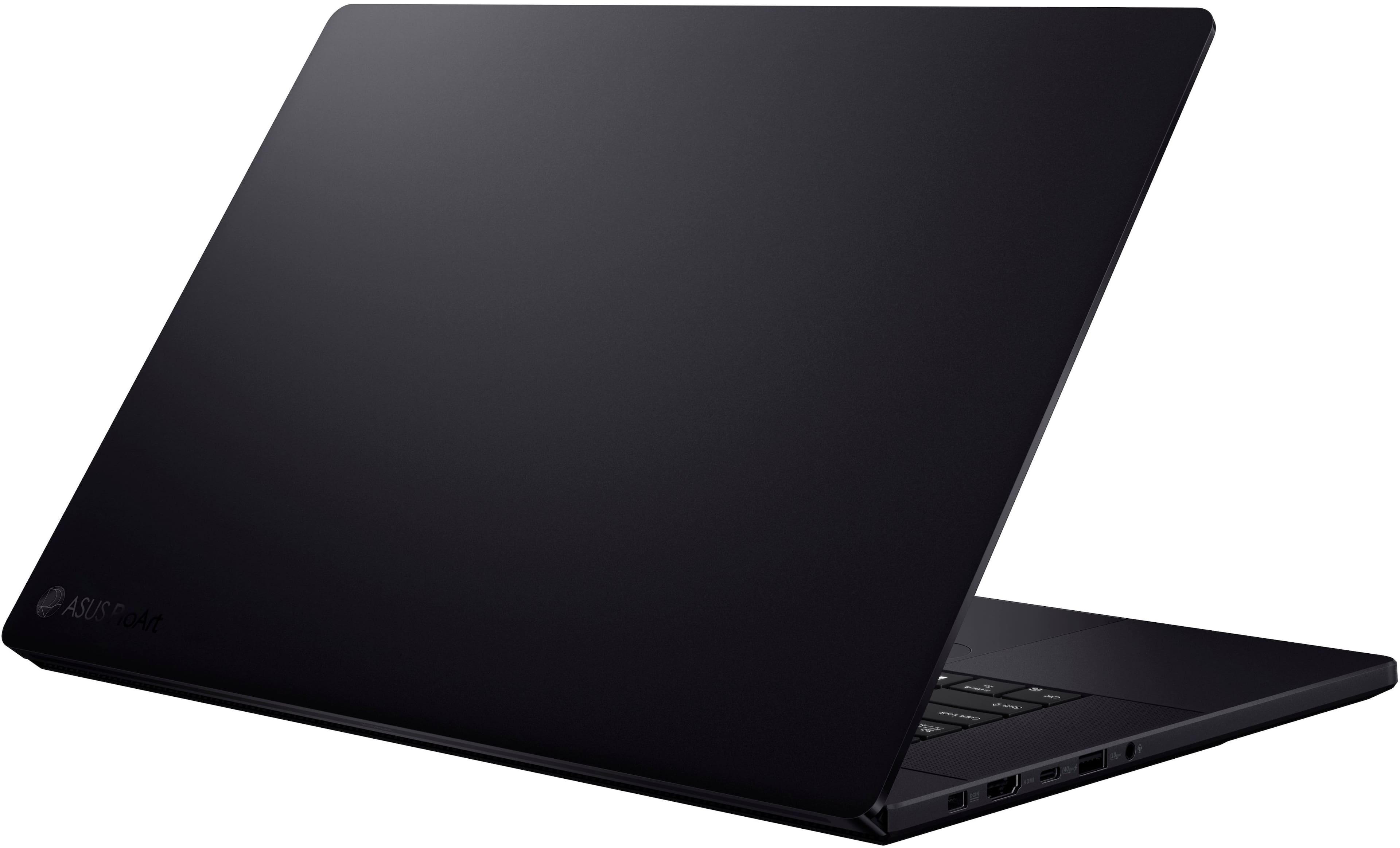
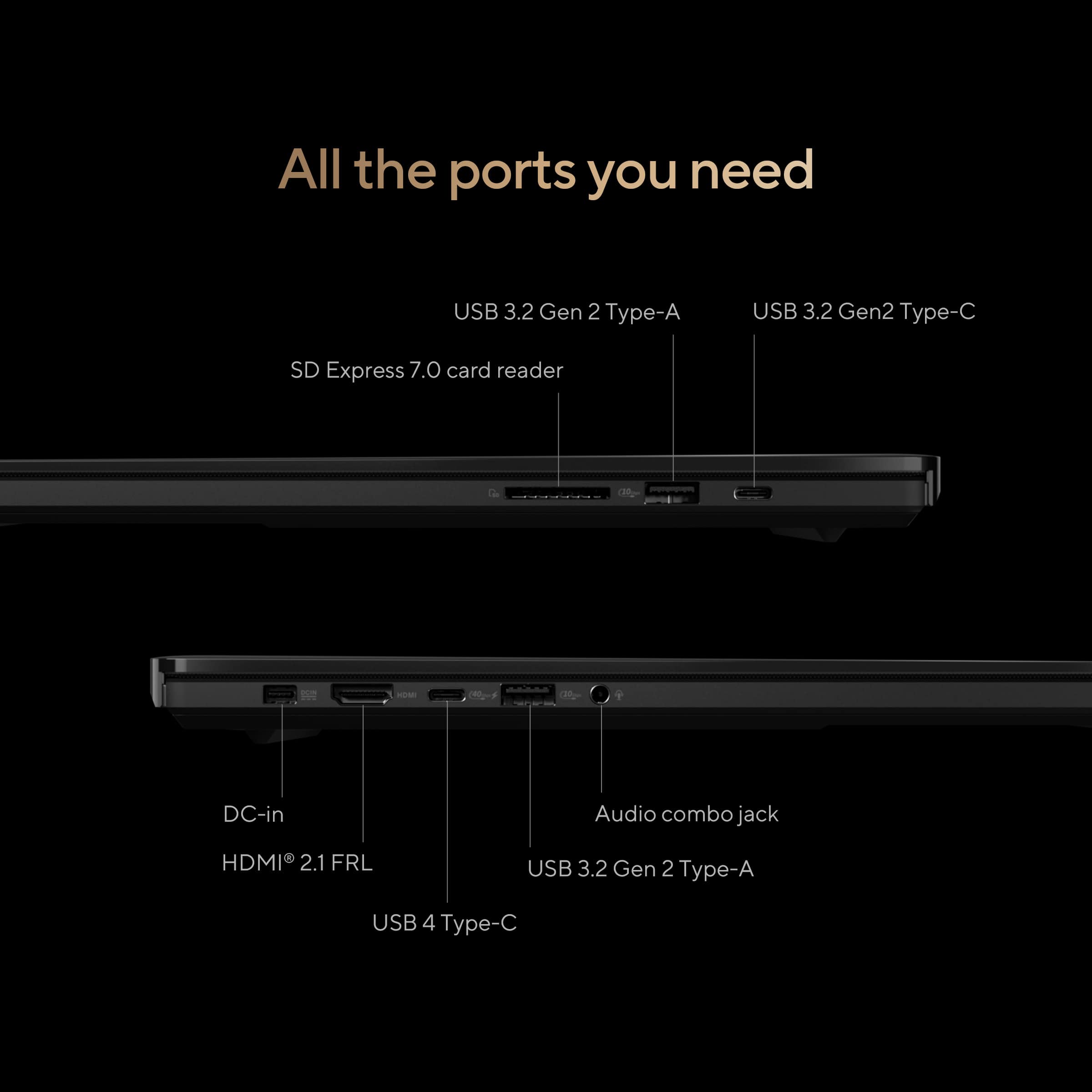
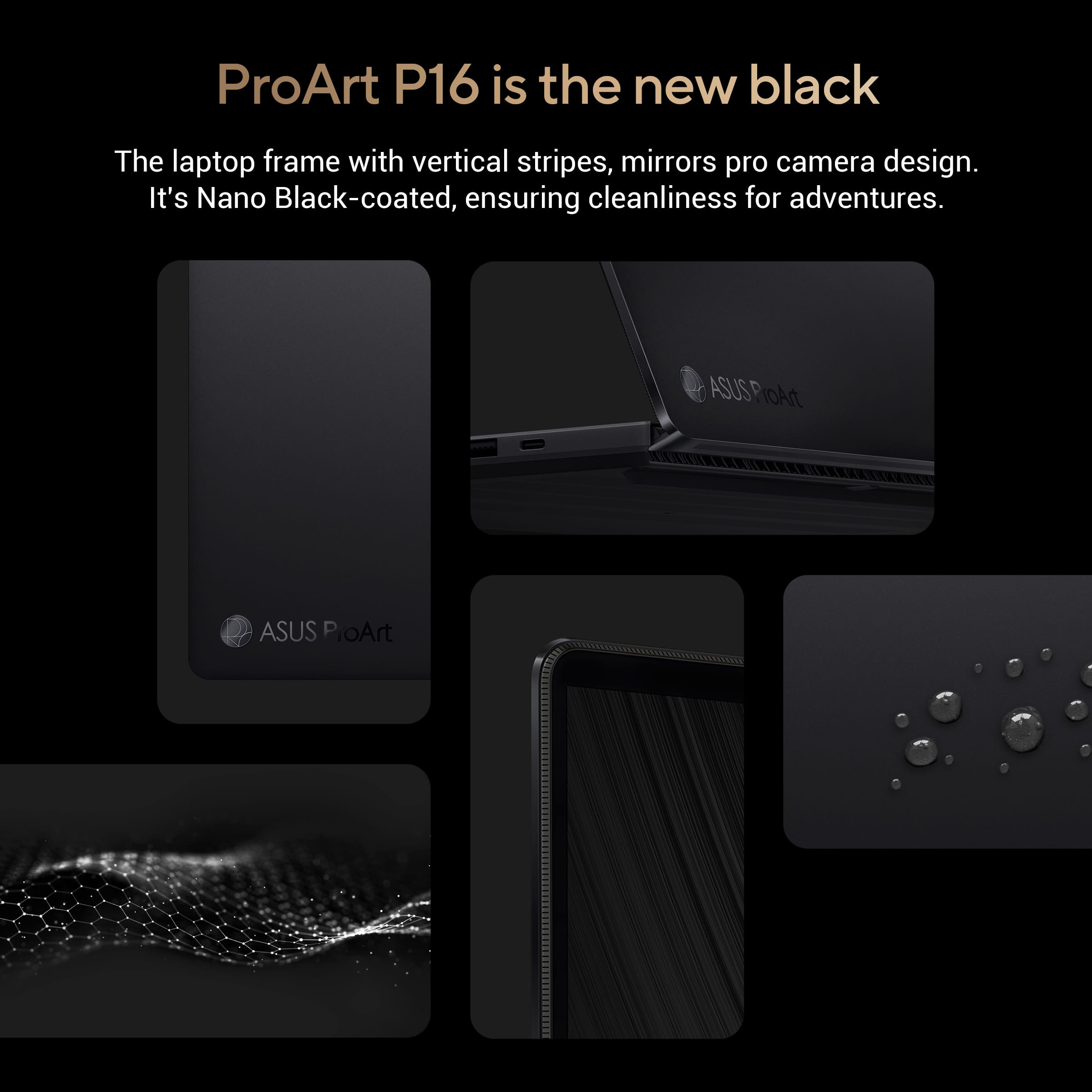
|Posted .This reviewer received promo considerations or sweepstakes entry for writing a review.*Design* Made from an aluminum body, it’s lightweight, but feels solid and durable, with no creaking or flexing under normal use. Its black finish is attractive and fingerprint resistant. It doesn’t feel metallic and feels comfortable on the skin, soft and silky smooth. Aside from the usual OEM stickers found on Windows laptops, the branding on it is very unassuming and professional. Status lights are curiously found on the back of the laptop and hidden by the hinge when the display is folded open. It only seems to be useful while the laptop isn’t in use. The keyboard is backlit with 3 levels of brightness and the option to turn the backlight off. However, I found the minimum setting for the backlight to be too bright. The backlight also doesn’t illuminate the Shift function labels on the keys. The keyboard itself has considerably more travel than other ultra slim laptops, while still being silent. There is no numpad, but this allows for front-firing speakers on the sides of the keyboard as well as the touchpad in a centered position, to prevent accidental input while typing while looking straight on to the screen. The P16 comes with an infrared camera compatible with Windows Hello for facial recognition login, which works in the dark, and more convenient than fingerprint login. *Display* The display is a glossy touch screen OLED with slim bezels and measures 15.8” diagonally. It’s pretty reflective, so it’s not ideal for use opposite a window or light source. Its native resolution is 3840x2400, which is a 16:10 aspect ratio. It’ll produce black bars for 16:9 presentations, but the extra vertical space makes it better for content creation, giving you a larger workspace. Because it’s a 4k display against a 16” display, you won’t spot individual pixels (or at all) at 150% scale or higher. The display has a refresh rate of 60 Hz which is acceptable for content creation, which is what the laptop was designed for. However, I find it a very curious decision that ASUS chose a touch panel over 120 Hz since it doesn’t really leverage touch input very well, while at the same time, proves to be very capable of 120 Hz for gaming. Feels like a misstep to me. I don’t have a protractor, but if I had to guess, the hinge looks like it only goes as far back as 30°. There’s also some wobble when the display is touched. It also does not come with a stylus. I’m not aware if it even supports one. When I tried using my Samsung phone’s S-pen, it wouldn’t work. I found the touch display best for making quick selections in editing programs with buttons like Photoshop, and keep the touchpad in my editing workspace. Since the hinge doesn’t fold flat to 180° or 360°, the P16 doesn’t work well for drawing with touch input. I didn’t notice any text fringing. The display is Dolby Vision certified, and is able to play Dolby Vision content. For a model aimed at content creators, I was surprised that its default color profile was oversaturated. This seems to be a popular configuration marketed for casual users because of its vivid exaggerated colors that makes images pop. But creators looking for accurate colors will want to switch to a different profile such as sRGB, which is great for web content, or Display P3, which is great for graphics and video editing. *Inputs* Left side: -proprietary 200W power port -full sized HDMI 2.1 port -USB 4 Type-C port -USB 3.2 Type-A port -3.5mm audio jack Right side: -USB 3.2 Type-C port -USB 3.2 Type-A port -full sized SD card slot Charging is done from the left side of the laptop, and the only way to take advantage of the P16 at full power is using the stock 200W power adapter. The USB 4 port only charges at up to 100W, which will cap the CPU and GPU. The cap isn’t as bad as it sounds because it’s still a powerful laptop even with the cap. You just won’t be able to take full advantage of the hardware’s capability. Other laptops in the market come standard with 2 Thunderbolt 4 ports. Due to this being a Ryzen laptop, one of its USB-C ports is only USB 4 and not a Thunderbolt port. ASUS also skimps out compared to the competition by making its other USB-C port 3.2. This USB 3.2 Type-C port on the right side has power delivery, but isn’t capable of charging the laptop, which is a shame. It would’ve been nice to be able to charge the laptop from either side of the laptop had they included 2 USB 4 ports instead. Thankfully the P16 comes with a full sized SD card slot, which most professional cameras use. This avoids you using a USB reader, which would protrude from the laptop. You can always use a full sized SD card adapter with a microSD card. *Connectivity* It comes with WiFi 7 but unfortunately maxes out at 2882MB/s up&down. I've seen others do 5000MB/s. It also has Bluetooth 5.4, which is the latest version. *Performance* When set to Performance mode, which can only be run while plugged in using the stock 200W charger, the P16 is impressively powerful, but the fans blare non-stop, making it a pretty noisy laptop. It’s not a high-pitched sound or anything offensive, but it’s a noticeably aggressive sound of fans spinning. The laptop doesn’t get too hot as long as the vents on the bottom of the laptop aren’t blocked. It’s best used on a flat desk and not recommended on a bed while in Performance mode. While in Performance mode, I was able to play Shadow of the Tomb Raider in max Custom settings, which is more demanding than its preset Ultra settings in native 3840x2400 resolution and get a stable 60fps. In 1080p with those same maxed out settings, I could get 144fps. Sadly, the display is only a 60 Hz panel. The P16 would’ve easily been capable of 120 Hz gaming. Since the P16 was designed for content creation, 60 Hz is more than fine. Movies and videos usually top out at 60 fps. 120 Hz would mostly benefit for mouse movement and scrolling but the benefits are negligible to most users, and the hit it takes on the battery lessens its worth. When running on battery, the P16 caps its CPU and GPU and probably not by choice. Unlike some other laptops that hard caps the hardware to prevent overheating the P16 appears to do no such thing. It will go as far as its power source is willing to take it. For comparison, the following are the Cinebench 2024 scores while plugged in vs on battery: Plugged in Battery GPU: 10123 7642 CPU (multi core): 1209 835 CPU (single core): 114 100 I didn’t experience any thermal throttling. However, the laptop does throttle when the battery is at 5%. Other than Performance mode, the laptop runs cool and very silent, especially in Whisper mode, where the fan never seems to go off. Through the MyASUS app, your hardware configuration is customizable. You can run on the integrated graphics card exclusively for longer battery life. It’s also nice that the integrated graphics is a Radeon variant, while the discrete GPU is a Geforce RTX 4060, particularly for software that has benefits for one type over the other. The SSD is speedy with a 5048 MB/s sequential read, 3638 MB/s sequential write. It has a random read of 55 MB/s and random write of 124 MB/s. *Battery* Using the 200W stock power adapter, it takes 1 hour and 45 minutes to charge from 0% to 100%, though it hits around the 90% mark after around 1 hour. Using a 100W USB-C charger, took about 4 hours to charge from 0% to 100% but hit around 90% after around 1 hour and 30 minutes. The battery life itself varies greatly depending on the mode you use and what you’re doing but otherwise excellent when you need it to be without the laptop feeling sluggish. When streaming video non-stop at 76% brightness and 50% volume I got about 9 hours of battery life. When gaming in 4K using the discrete GPU with HDR on and no caps (Windows mode; Best Performance power plan) it lasted only 1 hour. *Sound* The sound out of the box sounded terrible to me. It sounded too isolated. But this was the sound profile for its “Music” setting. When I switched it to “Dynamic”, the sound was amazing. It utilizes Dolby Atmos, which gives the audio depth without sacrificing detail. The speakers also get very loud without any distortion. The microphone on the other hand isn’t very impressive. My recorded voice sounds too processed and unnatural. It does do a good job with noise cancellation though, eliminating sounds like an air conditioner. *Touchpad* The touchpad is very responsive but unfortunately lacks haptic feedback. Taps can be done anywhere on the touchpad, but physical button clicks can only be done on the bottom portion. The touchpad is very responsive and feels smooth to touch. It has a unique DialPad touch feature built in to the top-left portion of the touchpad that needs to activated via a simple drag from the top-right corner of the touchpad gesture. I have never accidentally triggered this gesture personally, although perhaps your mileage may vary. When the DialPad is turned on, it gives you a touch dial that comes with preset functions for specific apps like Photoshop and Word, while also allowing you to customize the dial with functions and apps that you assign on your own. This gives your shortcut access to commonly used functions via the DialPad. *AI* AI on computers feels like a work-in-progress beta at this point in time. Although Windows Copilot+ is available on the P16, it doesn’t appear to be fully implemented. For example, Live captions is present. When you enable it, it makes you go through the setup process as if it’s working and will auto-translate foreign language audio when it hears any. It even goes as far as downloading and installing a translation pack. But it never translates anything. Microsoft’s Cocreator & ASUS’s Musetree are more of a novelty than something of practical use, especially for a digital artist that’s looking to create their own thing. AI adheres to a style that makes it look obvious that it’s AI. We'll have to wait for practically useful NPU software.
I would recommend this to a friend